
Transforming Your Business Management
         With Cloud Computing

             May 17, 2012
Agenda

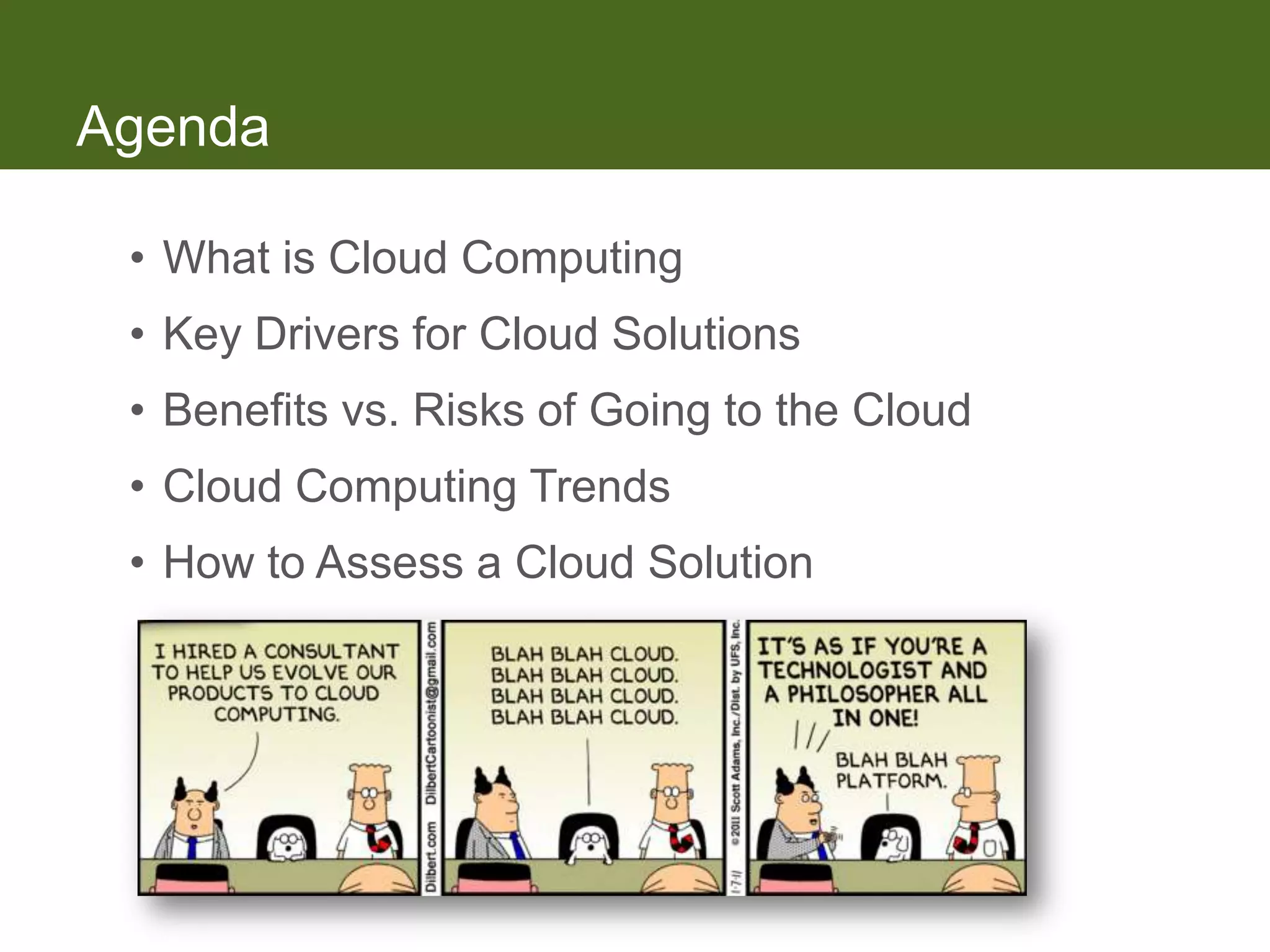
 • What is Cloud Computing
 • Key Drivers for Cloud Solutions
 • Benefits vs. Risks of Going to the Cloud
 • Cloud Computing Trends
 • How to Assess a Cloud Solution
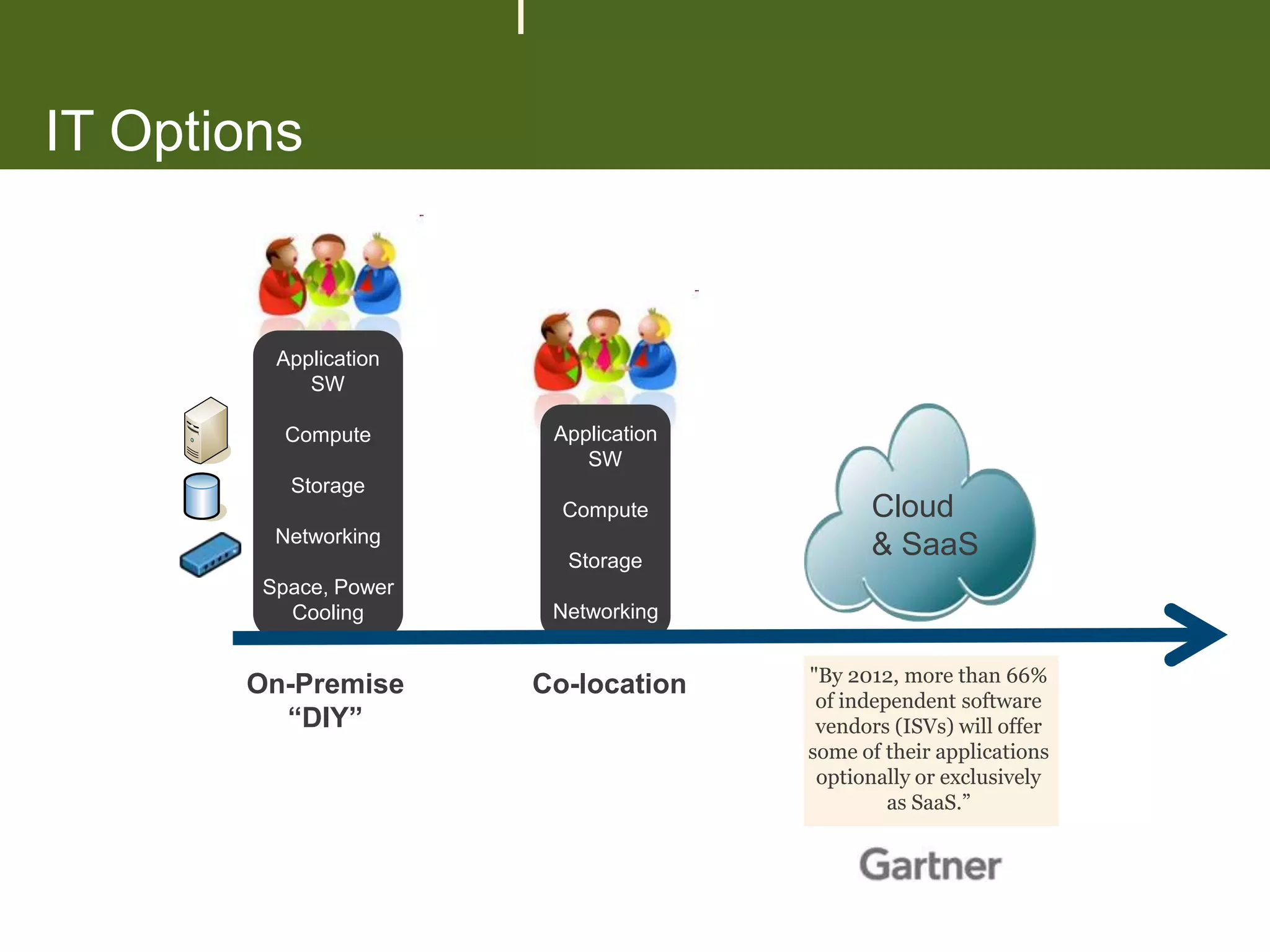
IT Options


         Application
            SW

          Compute       Application
                           SW
          Storage
                         Compute            Cloud
         Networking
                         Storage
                                            & SaaS
        Space, Power
          Cooling       Networking


                                      "By 2012, more than 66%
       On-Premise      Co-location
                                       of independent software
         “DIY”                         vendors (ISVs) will offer
                                      some of their applications
                                       optionally or exclusively
                                               as SaaS.”
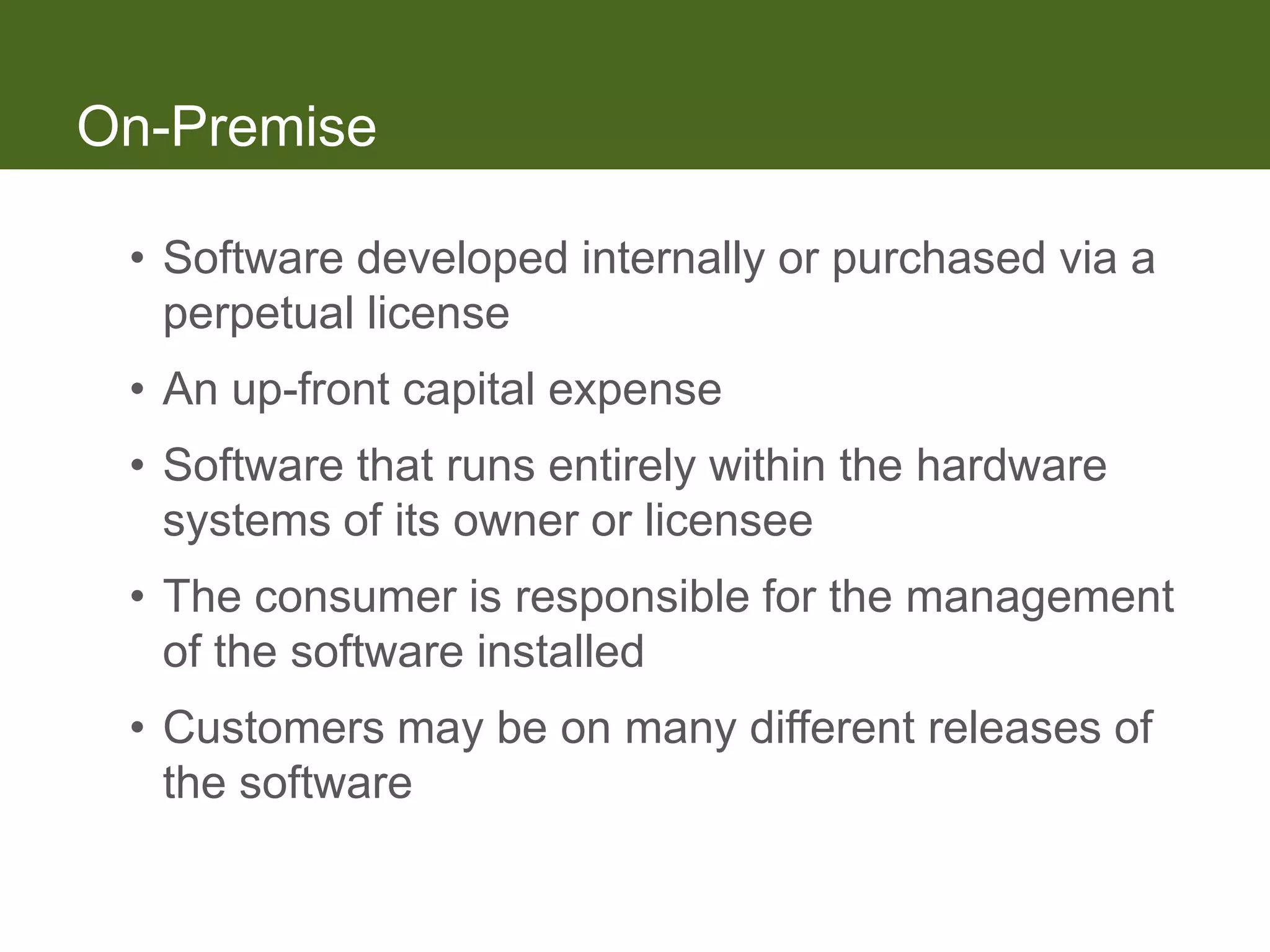
On-Premise

 • Software developed internally or purchased via a
   perpetual license
 • An up-front capital expense
 • Software that runs entirely within the hardware
   systems of its owner or licensee
 • The consumer is responsible for the management
   of the software installed
 • Customers may be on many different releases of
   the software
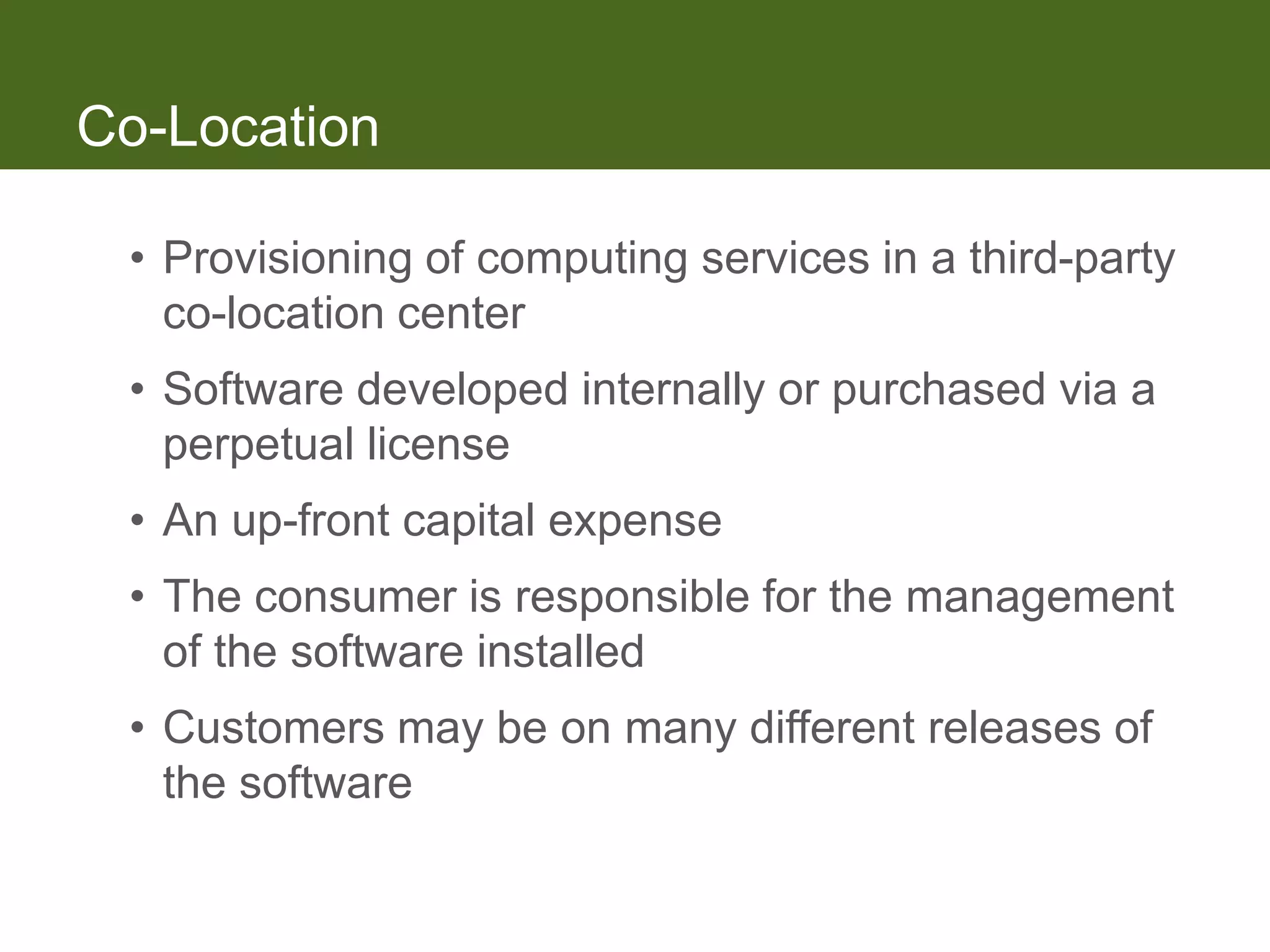
Co-Location

 • Provisioning of computing services in a third-party
   co-location center
 • Software developed internally or purchased via a
   perpetual license
 • An up-front capital expense
 • The consumer is responsible for the management
   of the software installed
 • Customers may be on many different releases of
   the software
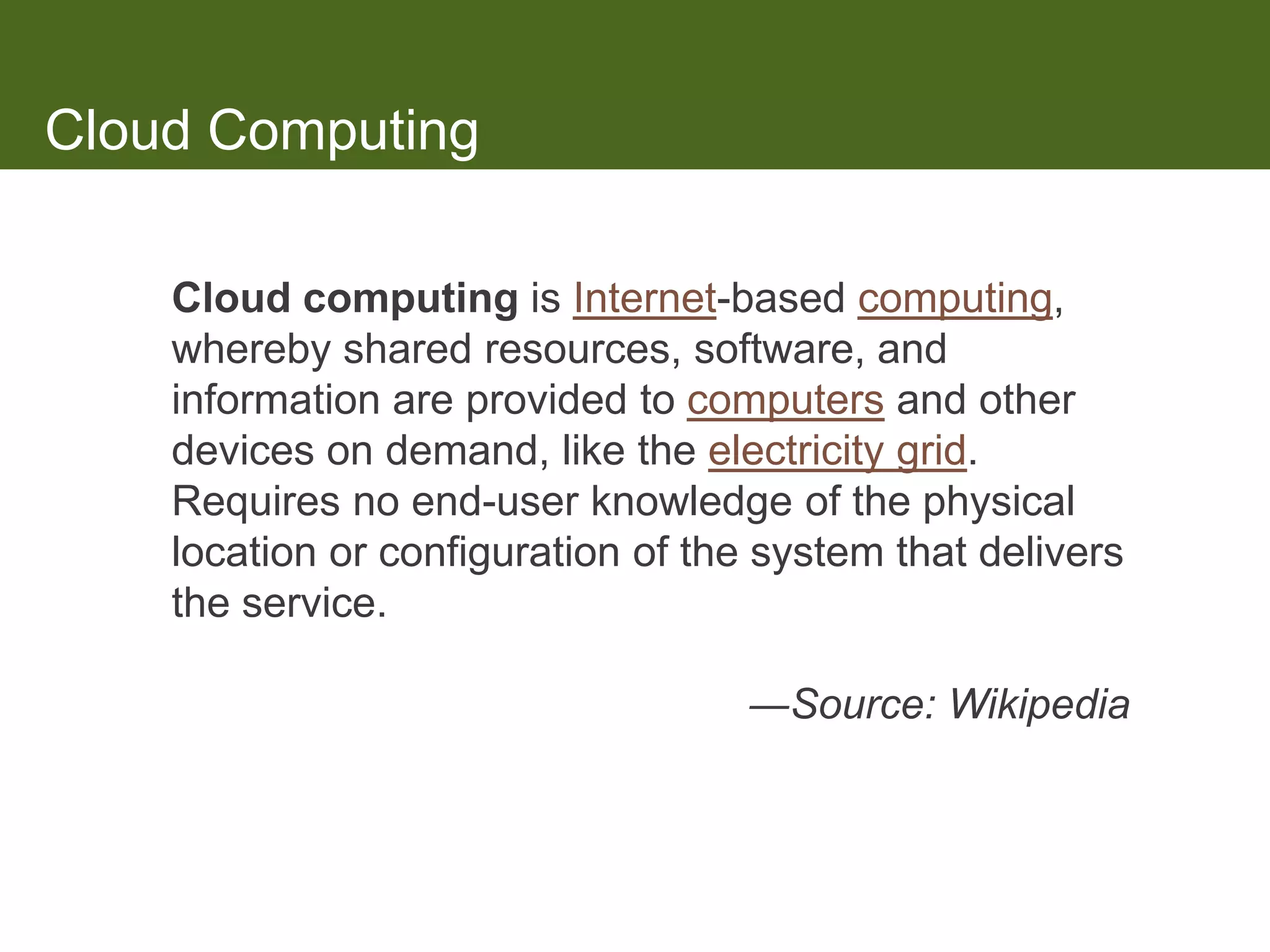
Cloud Computing

    Cloud computing is Internet-based computing,
    whereby shared resources, software, and
    information are provided to computers and other
    devices on demand, like the electricity grid.
    Requires no end-user knowledge of the physical
    location or configuration of the system that delivers
    the service.

                                    ―Source: Wikipedia
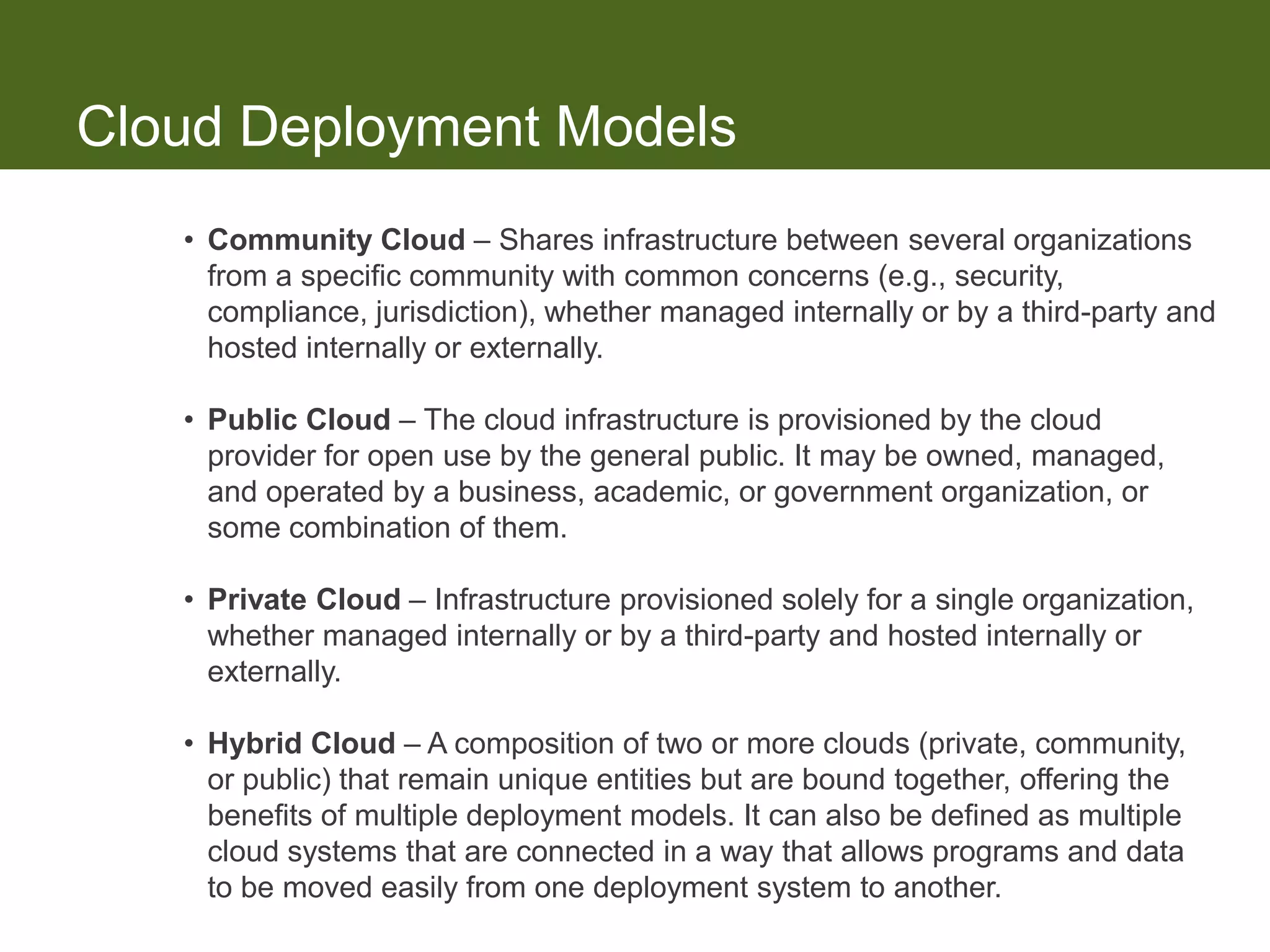
Cloud Deployment Models
   • Community Cloud – Shares infrastructure between several organizations
     from a specific community with common concerns (e.g., security,
     compliance, jurisdiction), whether managed internally or by a third-party and
     hosted internally or externally.

   • Public Cloud – The cloud infrastructure is provisioned by the cloud
     provider for open use by the general public. It may be owned, managed,
     and operated by a business, academic, or government organization, or
     some combination of them.

   • Private Cloud – Infrastructure provisioned solely for a single organization,
     whether managed internally or by a third-party and hosted internally or
     externally.

   • Hybrid Cloud – A composition of two or more clouds (private, community,
     or public) that remain unique entities but are bound together, offering the
     benefits of multiple deployment models. It can also be defined as multiple
     cloud systems that are connected in a way that allows programs and data
     to be moved easily from one deployment system to another.
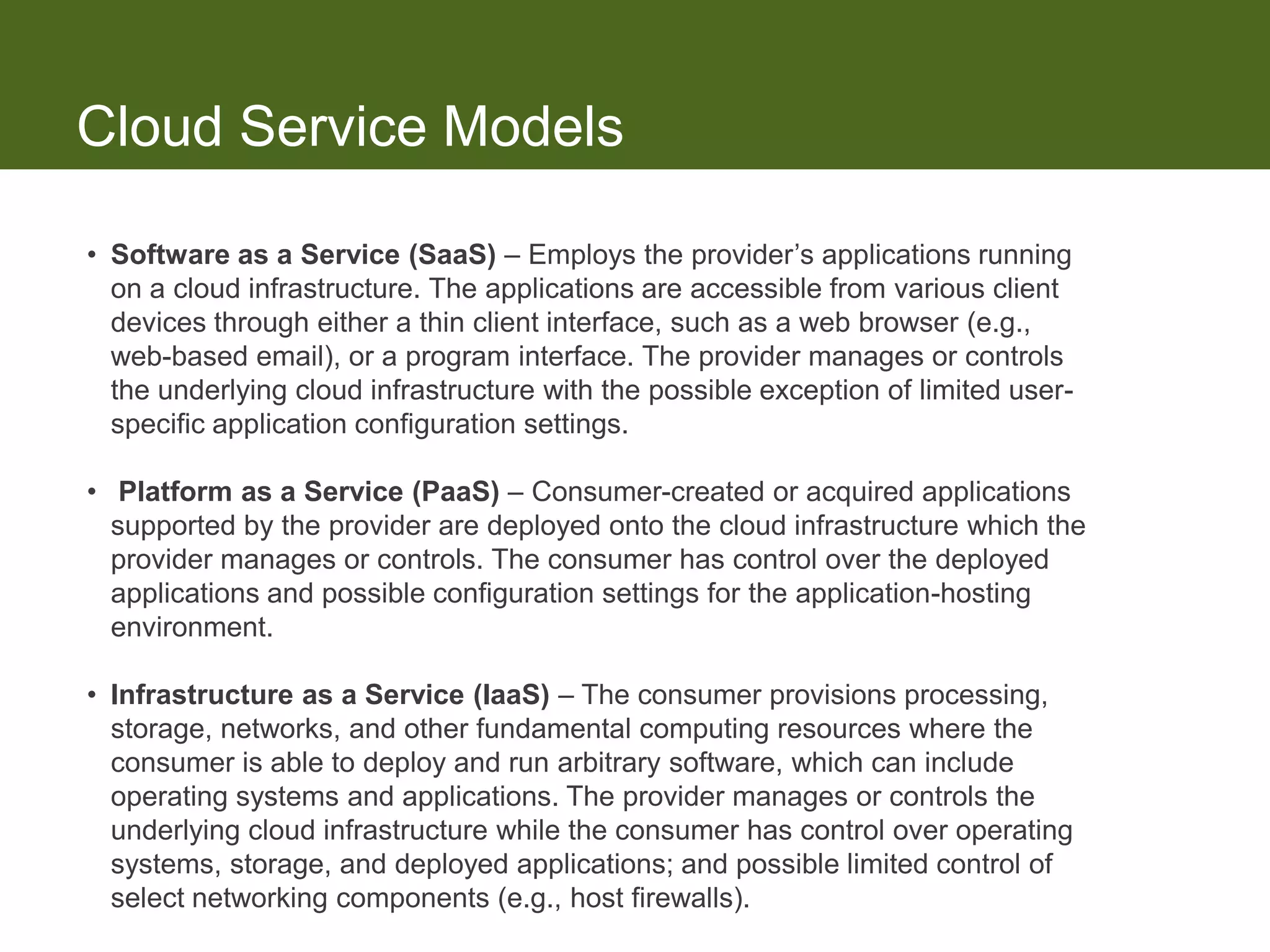
Cloud Service Models

• Software as a Service (SaaS) – Employs the provider’s applications running
  on a cloud infrastructure. The applications are accessible from various client
  devices through either a thin client interface, such as a web browser (e.g.,
  web-based email), or a program interface. The provider manages or controls
  the underlying cloud infrastructure with the possible exception of limited user-
  specific application configuration settings.

• Platform as a Service (PaaS) – Consumer-created or acquired applications
  supported by the provider are deployed onto the cloud infrastructure which the
  provider manages or controls. The consumer has control over the deployed
  applications and possible configuration settings for the application-hosting
  environment.

• Infrastructure as a Service (IaaS) – The consumer provisions processing,
  storage, networks, and other fundamental computing resources where the
  consumer is able to deploy and run arbitrary software, which can include
  operating systems and applications. The provider manages or controls the
  underlying cloud infrastructure while the consumer has control over operating
  systems, storage, and deployed applications; and possible limited control of
  select networking components (e.g., host firewalls).
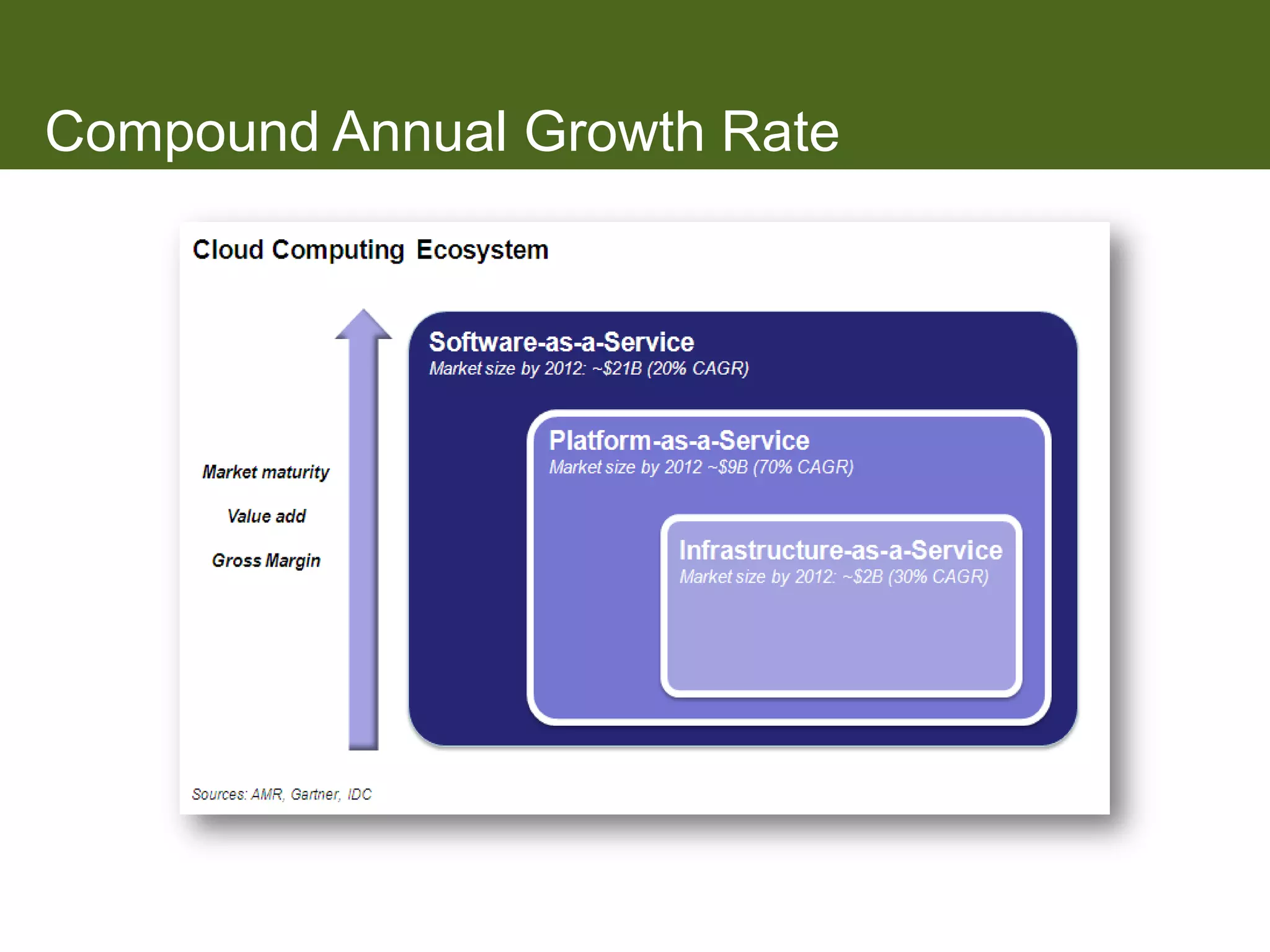
Compound Annual Growth Rate
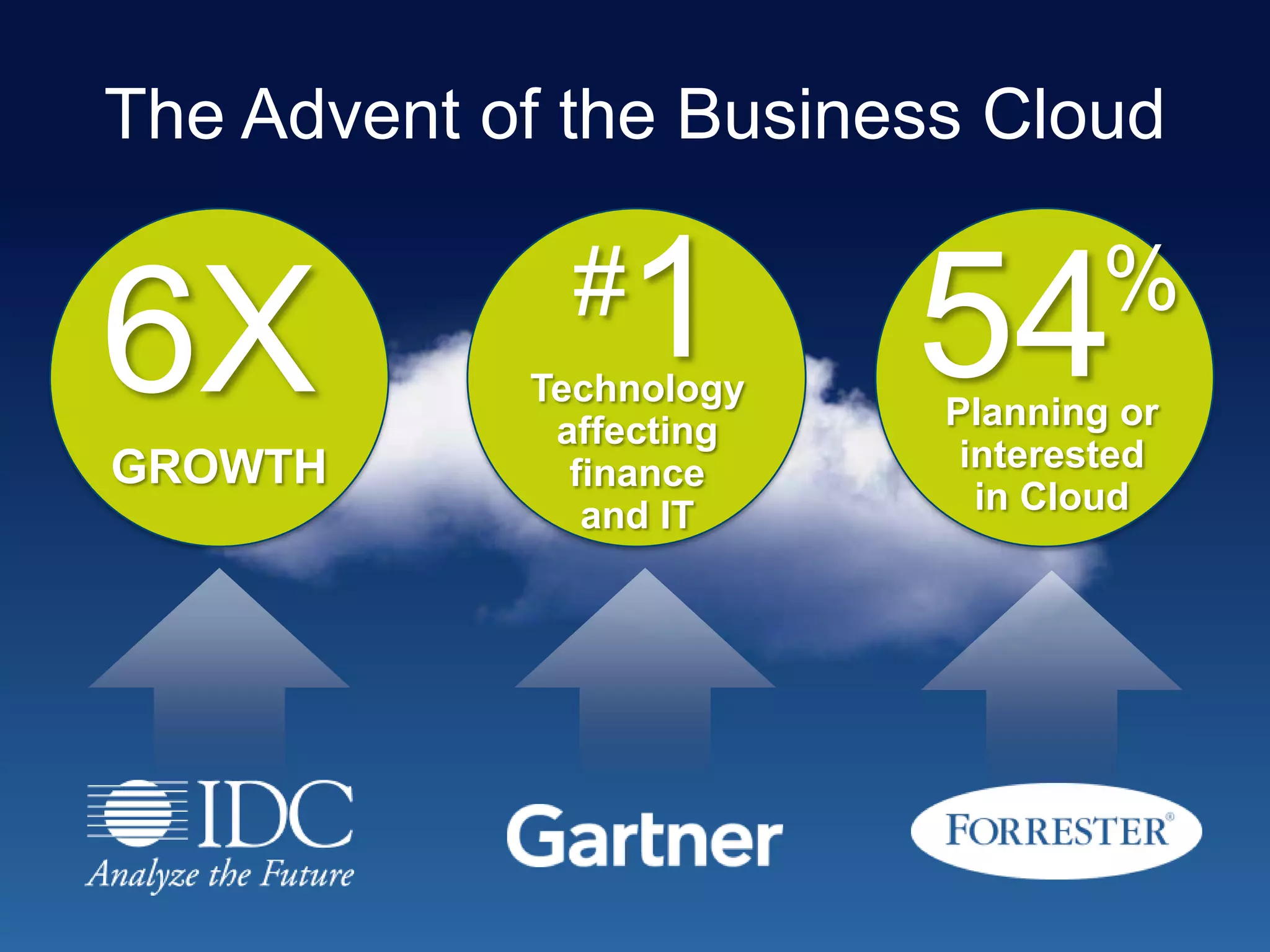
The Advent of the Business Cloud


6X            #   1
            Technology
                         54      %
                         Planning or
             affecting
GROWTH        finance     interested
               and IT      in Cloud
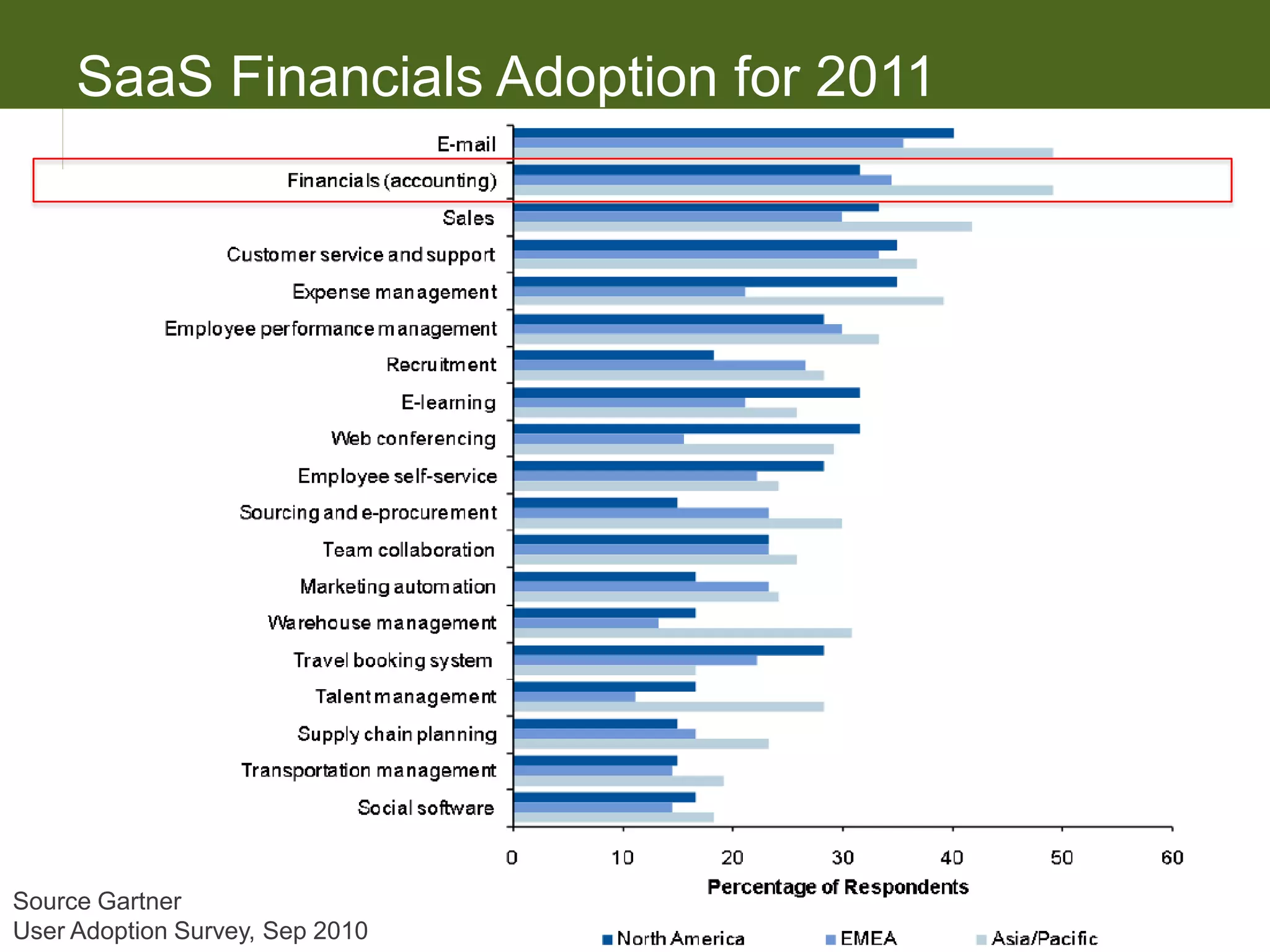
SaaS Financials Adoption for 2011


Source Gartner
User Adoption Survey, Sep 2010
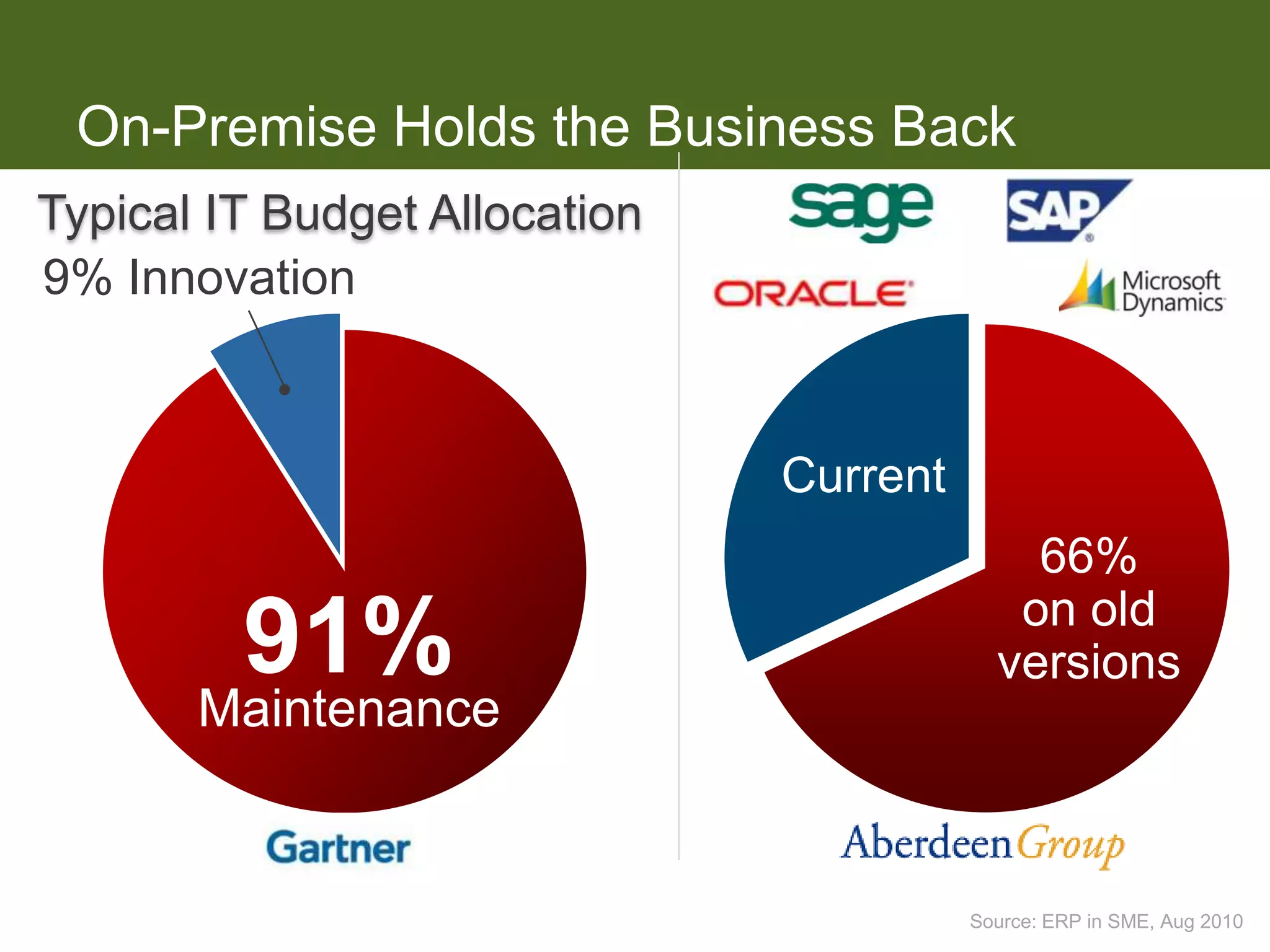
On-Premise Holds the Business Back
Typical IT Budget Allocation
9% Innovation


                               Current
                                             66%
                                            on old
         91%                               versions
                                               12
       Maintenance


                                         Source: ERP in SME, Aug 2010
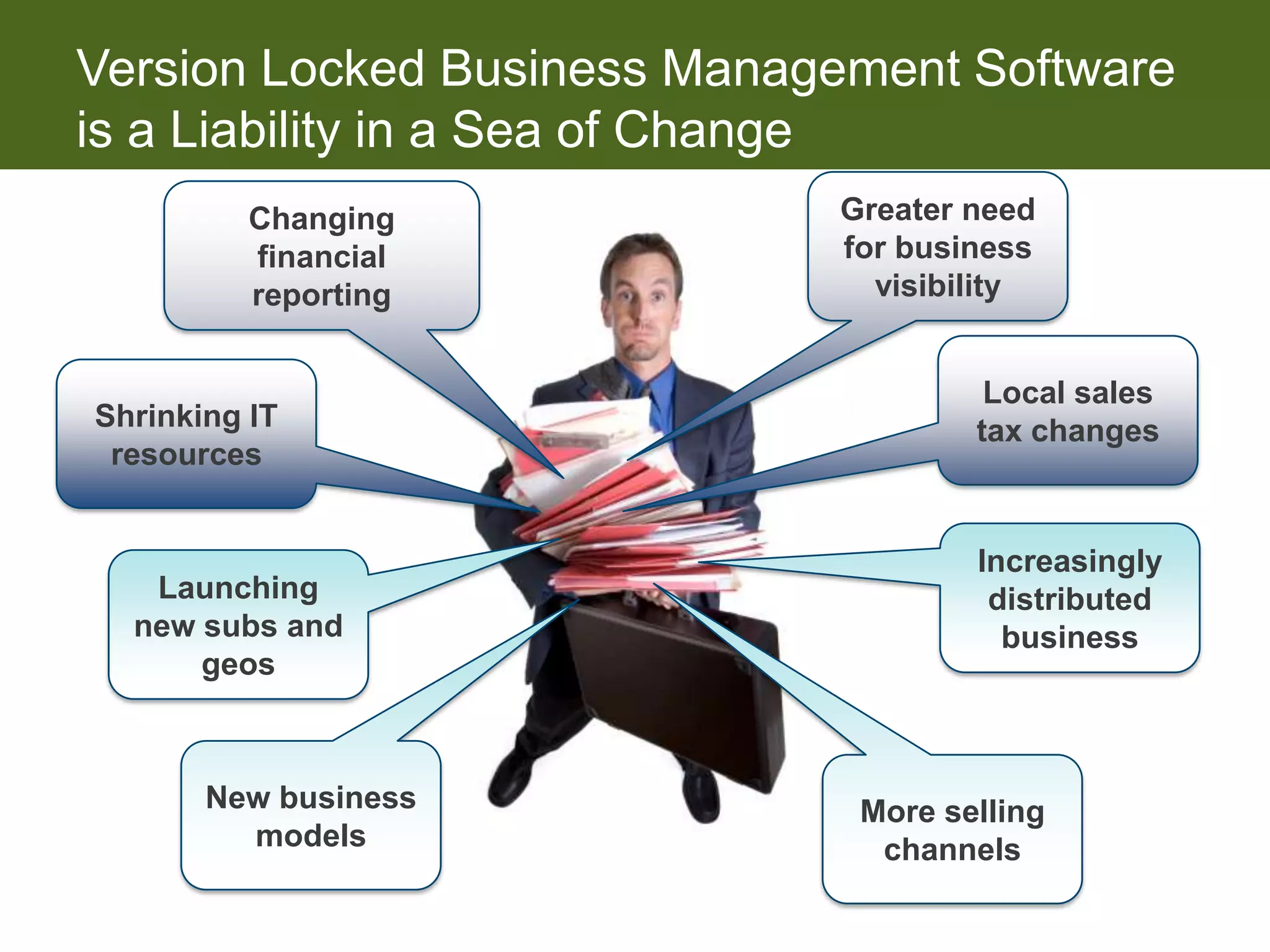
Version Locked Business Management Software
is a Liability in a Sea of Change
          Changing           Greater need
          financial          for business
          reporting            visibility


                                      Local sales
Shrinking IT                         tax changes
 resources


                                     Increasingly
   Launching                          distributed
  new subs and                         business
      geos


       New business           More selling
         models                channels
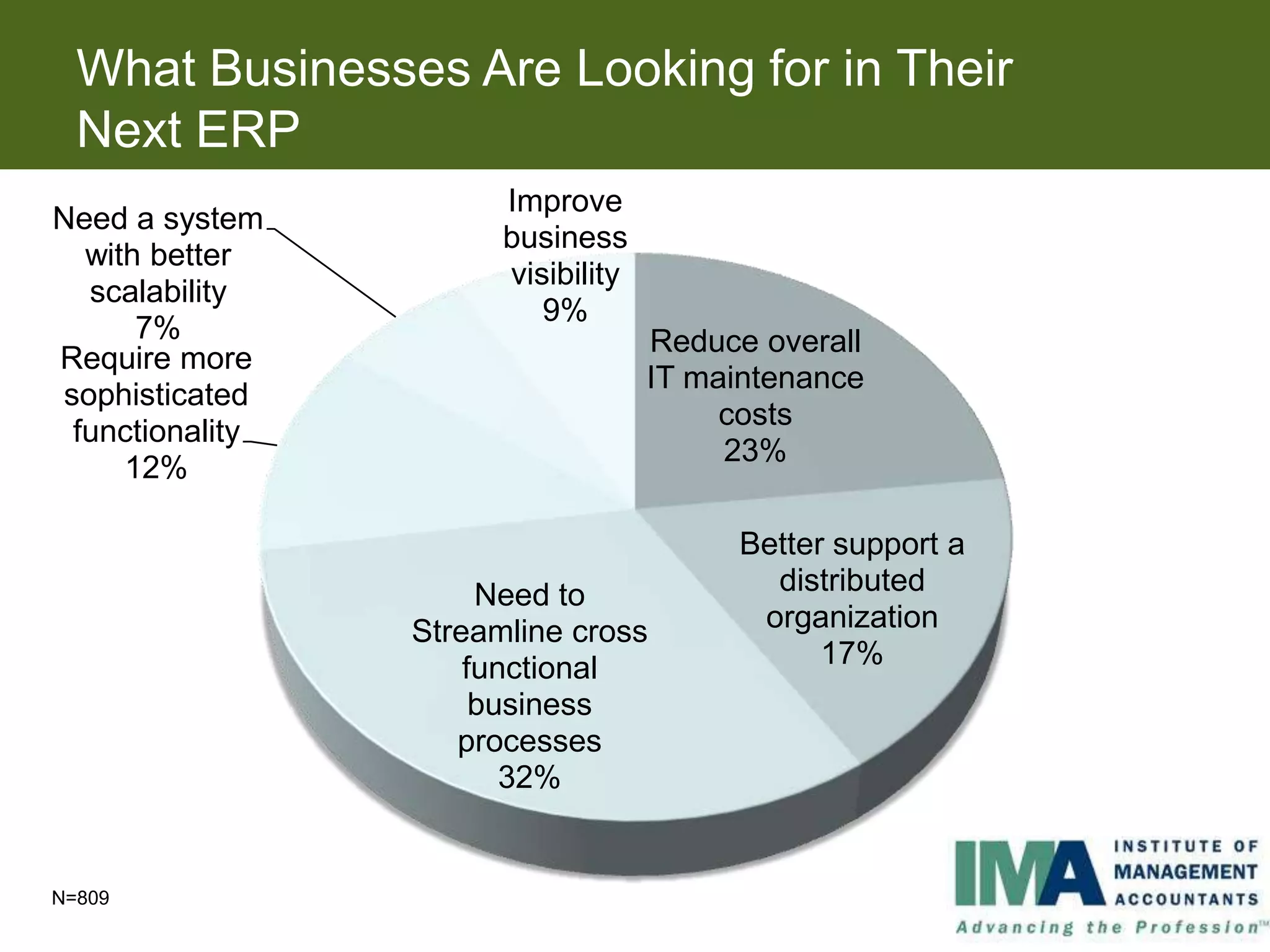
What Businesses Are Looking for in Their
  Next ERP
                       Improve
Need a system
                       business
  with better
                       visibility
  scalability
                          9%
      7%                            Reduce overall
Require more
                                    IT maintenance
sophisticated
                                         costs
 functionality
                                         23%
     12%

                                         Better support a
                      Need to              distributed
                 Streamline cross         organization
                     functional                17%
                      business
                    processes
                        32%


N=809
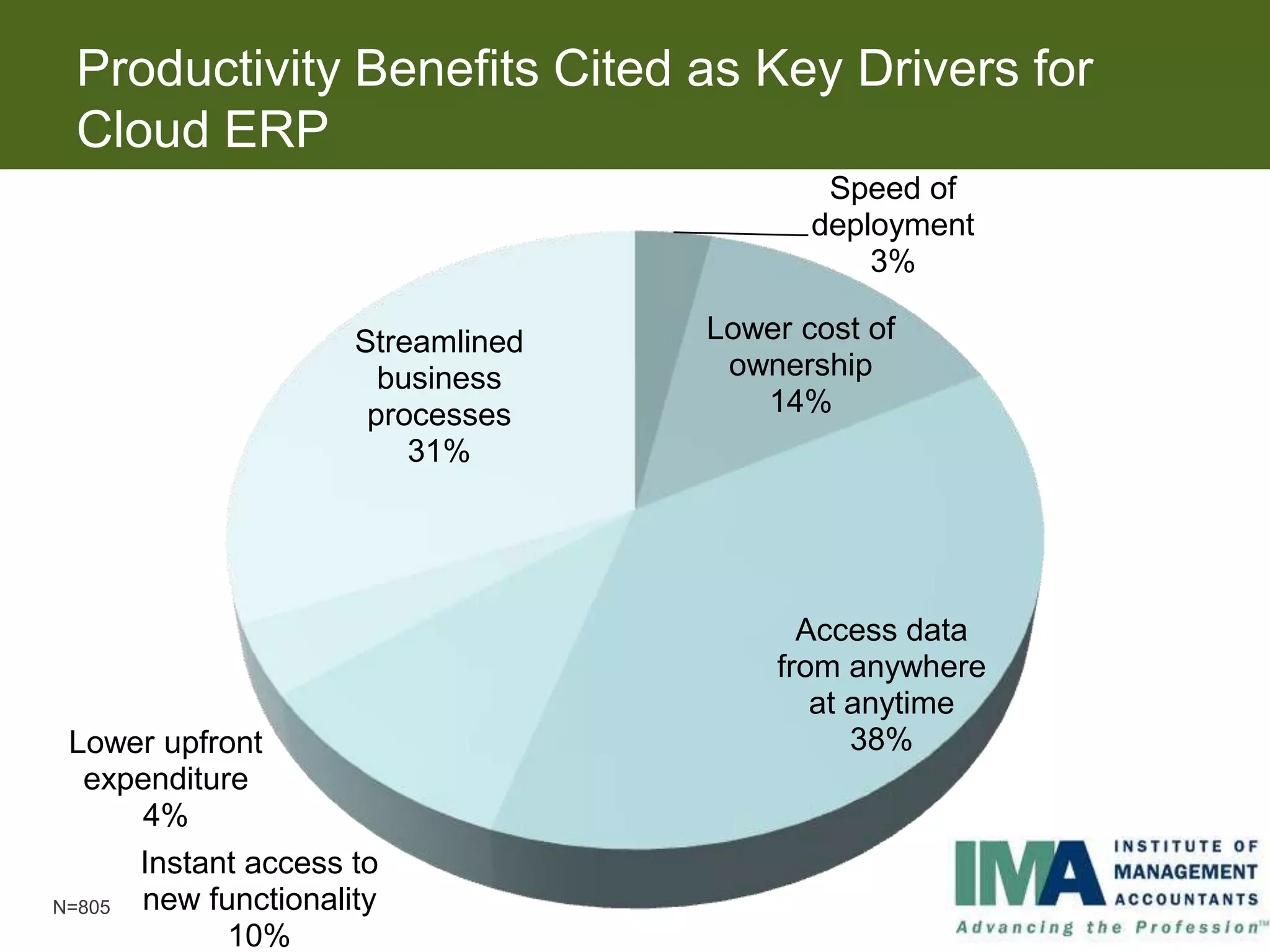
Productivity Benefits Cited as Key Drivers for
 Cloud ERP
                                           Speed of
                                          deployment
                                              3%

                     Streamlined   Lower cost of
                       business     ownership
                      processes       14%
                         31%


                                         Access data
                                       from anywhere
                                          at anytime
 Lower upfront                               38%
  expenditure
      4%
      Instant access to
N=805 new functionality
            10%
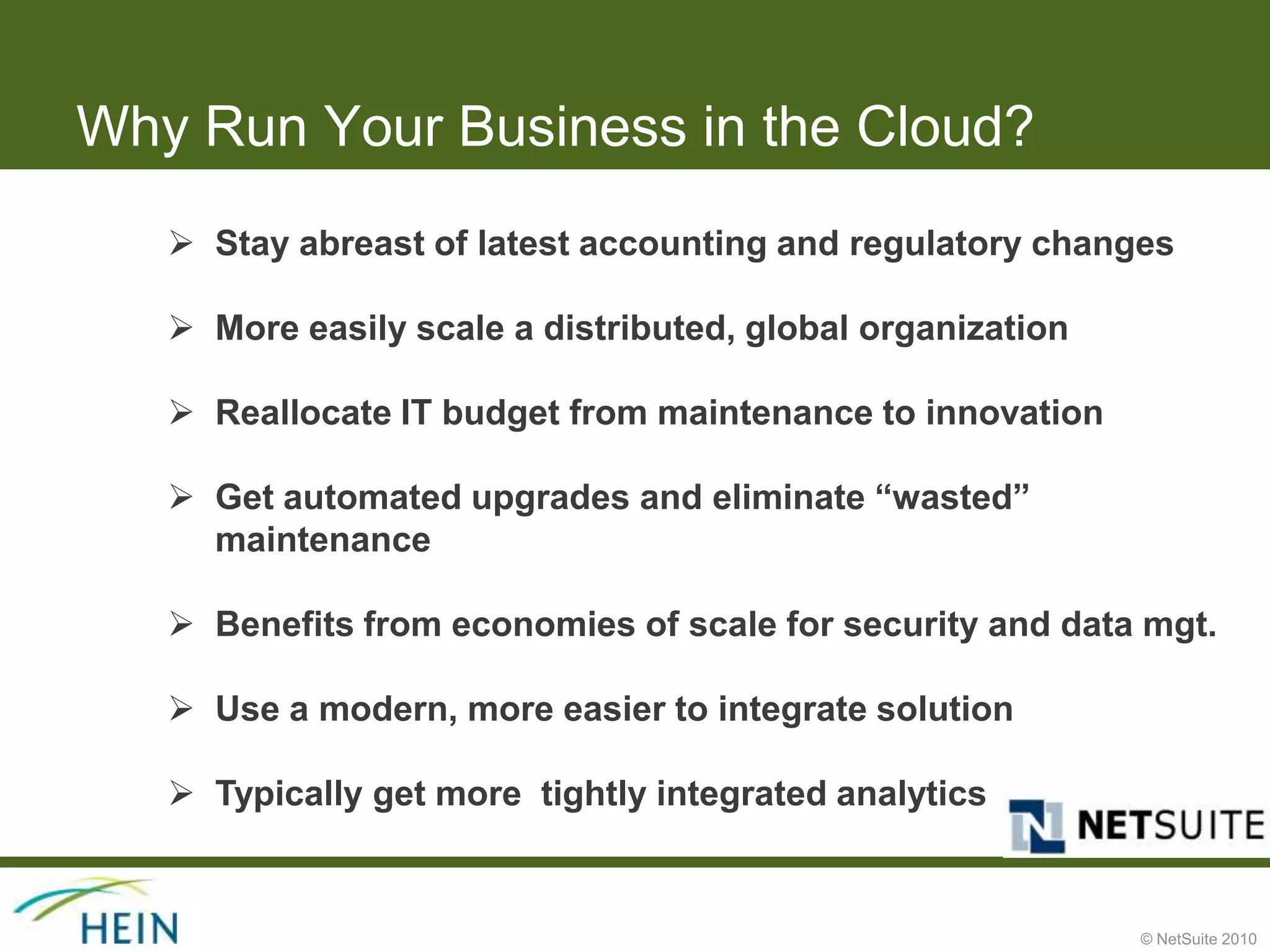
Why Run Your Business in the Cloud?
    Stay abreast of latest accounting and regulatory changes

    More easily scale a distributed, global organization

    Reallocate IT budget from maintenance to innovation

    Get automated upgrades and eliminate “wasted”
     maintenance

    Benefits from economies of scale for security and data mgt.

    Use a modern, more easier to integrate solution

    Typically get more tightly integrated analytics


                                                            © NetSuite 2010
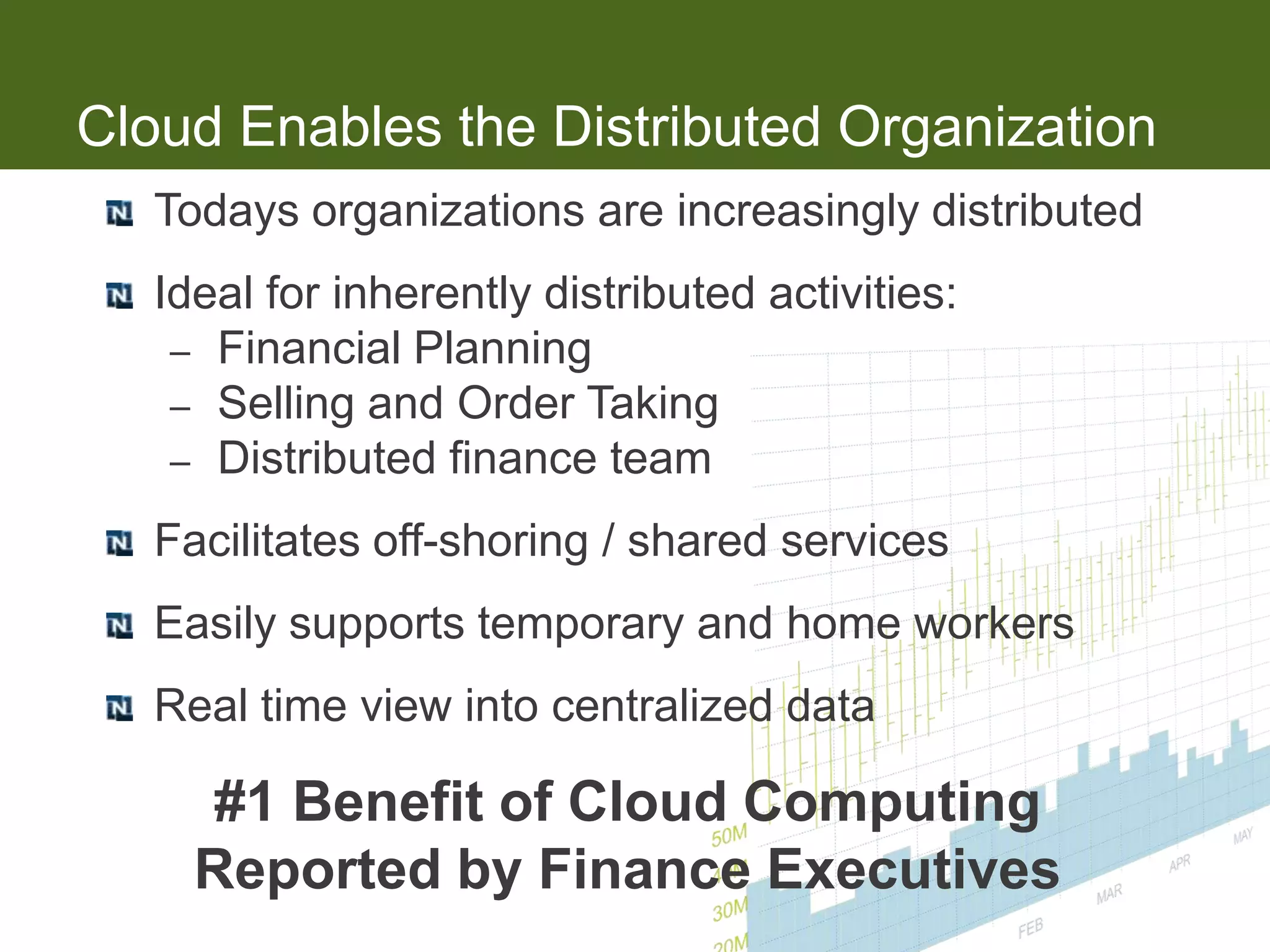
Cloud Enables the Distributed Organization
   Todays organizations are increasingly distributed
   Ideal for inherently distributed activities:
    – Financial Planning
    – Selling and Order Taking
    – Distributed finance team

   Facilitates off-shoring / shared services
   Easily supports temporary and home workers
   Real time view into centralized data

     #1 Benefit of Cloud Computing
     Reported by Finance Executives
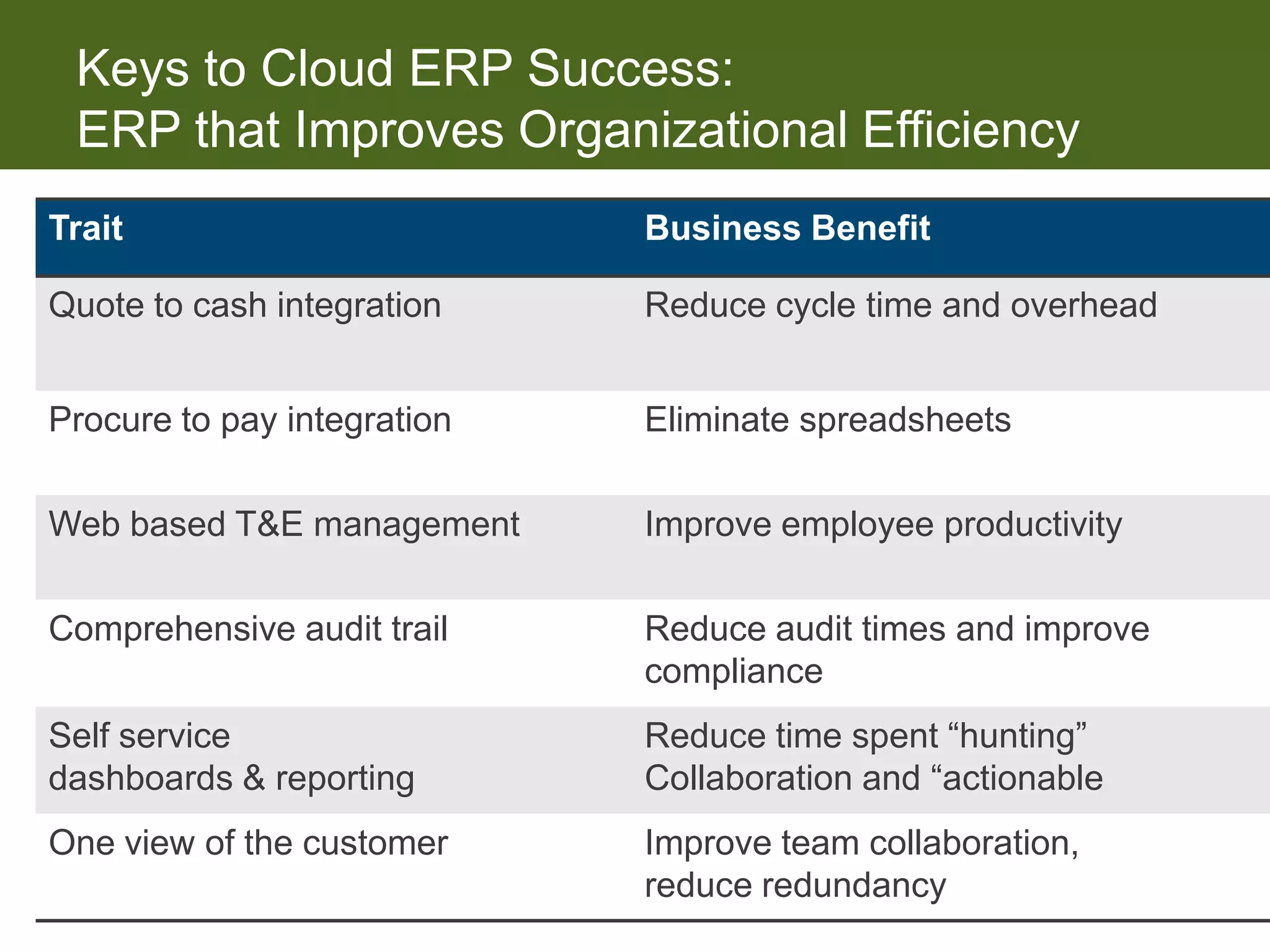
Keys to Cloud ERP Success:
 ERP that Improves Organizational Efficiency
Trait                        Business Benefit

Quote to cash integration    Reduce cycle time and overhead


Procure to pay integration   Eliminate spreadsheets

Web based T&E management     Improve employee productivity

Comprehensive audit trail    Reduce audit times and improve
                             compliance
Self service                 Reduce time spent “hunting”
dashboards & reporting       Collaboration and “actionable
One view of the customer     Improve team collaboration,
                             reduce redundancy
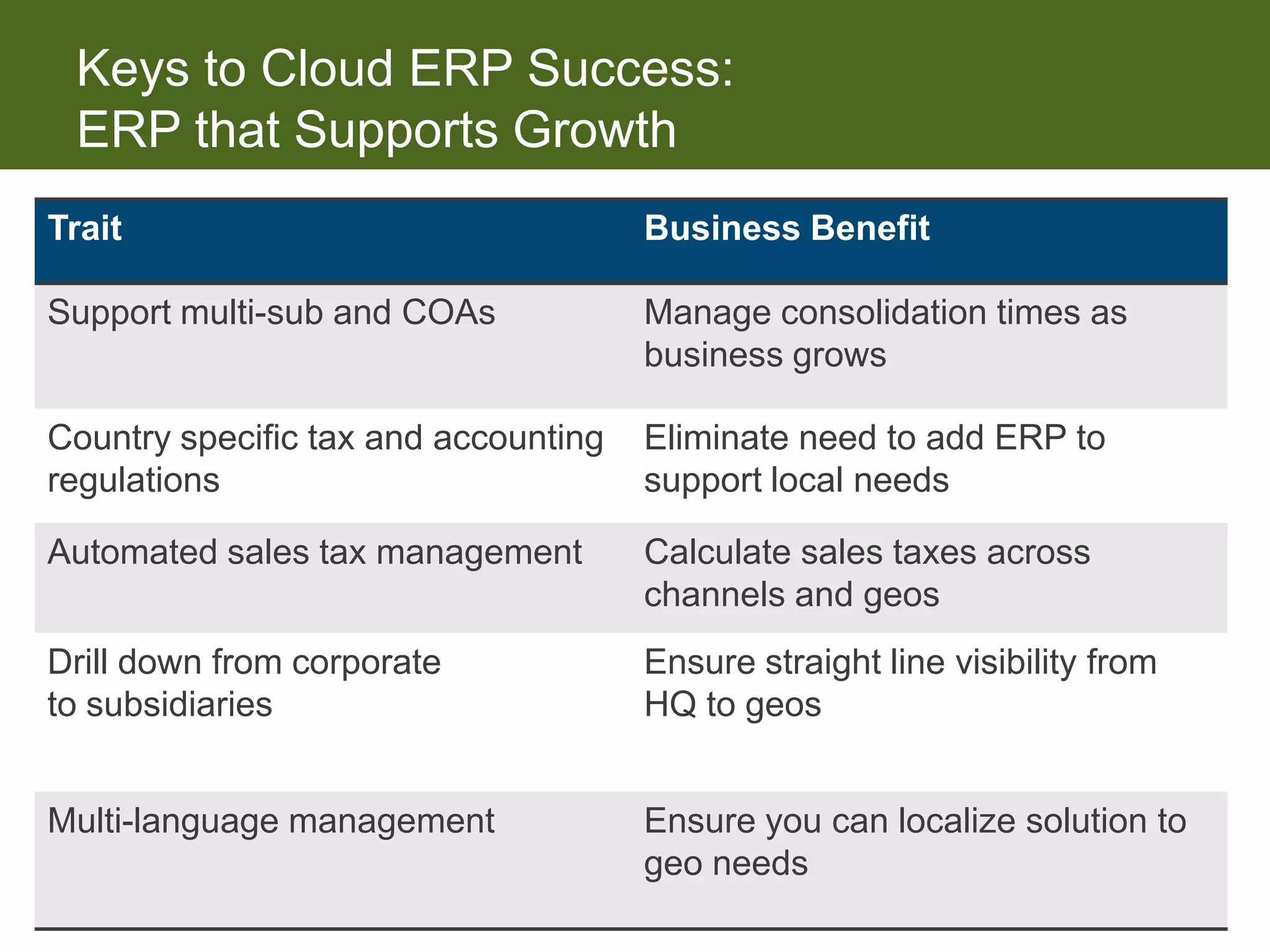
Keys to Cloud ERP Success:
 ERP that Supports Growth
Trait                                 Business Benefit

Support multi-sub and COAs            Manage consolidation times as
                                      business grows

Country specific tax and accounting   Eliminate need to add ERP to
regulations                           support local needs

Automated sales tax management        Calculate sales taxes across
                                      channels and geos
Drill down from corporate             Ensure straight line visibility from
to subsidiaries                       HQ to geos


Multi-language management             Ensure you can localize solution to
                                      geo needs
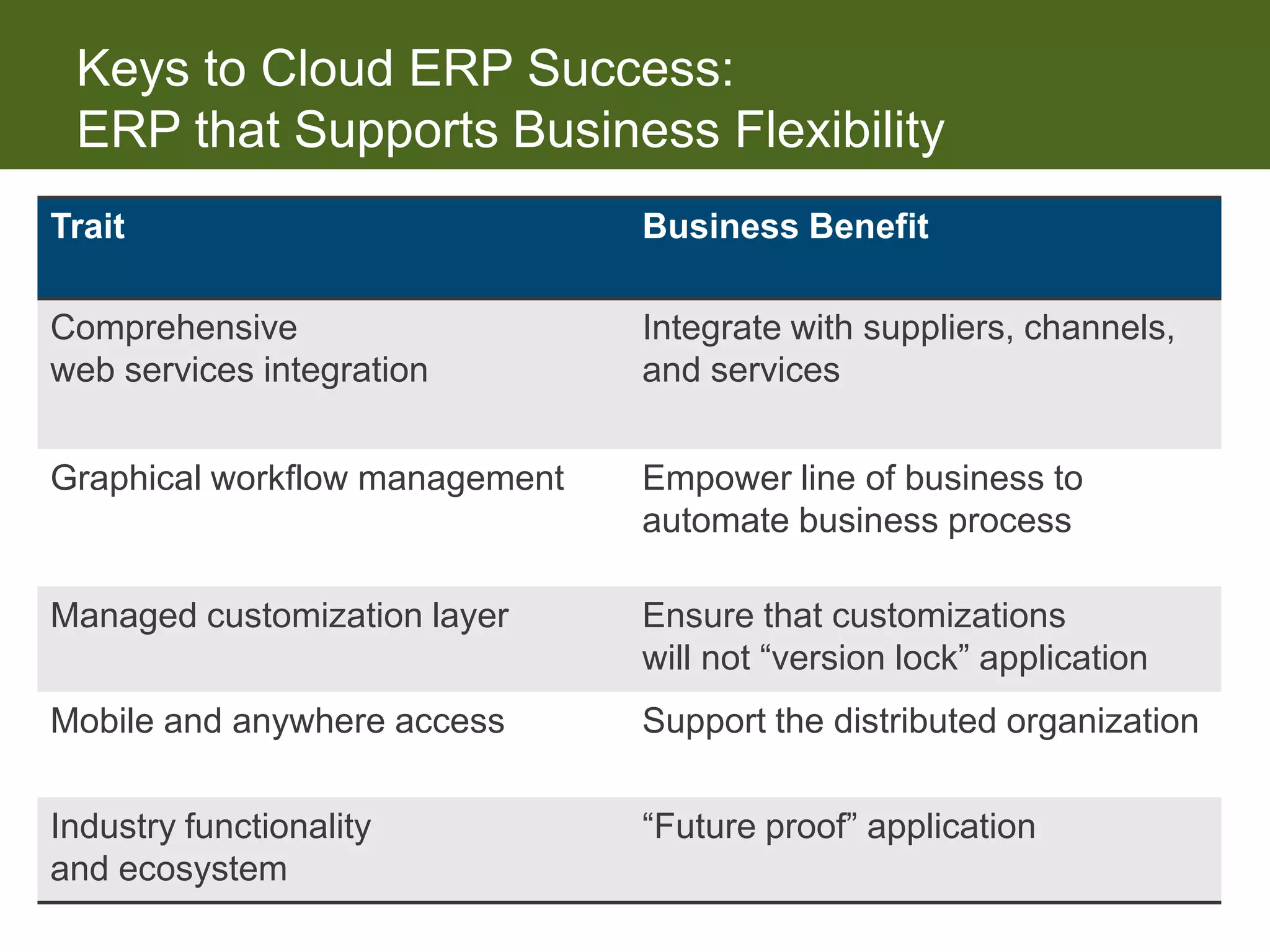
Keys to Cloud ERP Success:
 ERP that Supports Business Flexibility
Trait                           Business Benefit

Comprehensive                   Integrate with suppliers, channels,
web services integration        and services


Graphical workflow management   Empower line of business to
                                automate business process

Managed customization layer     Ensure that customizations
                                will not “version lock” application
Mobile and anywhere access      Support the distributed organization

Industry functionality          “Future proof” application
and ecosystem
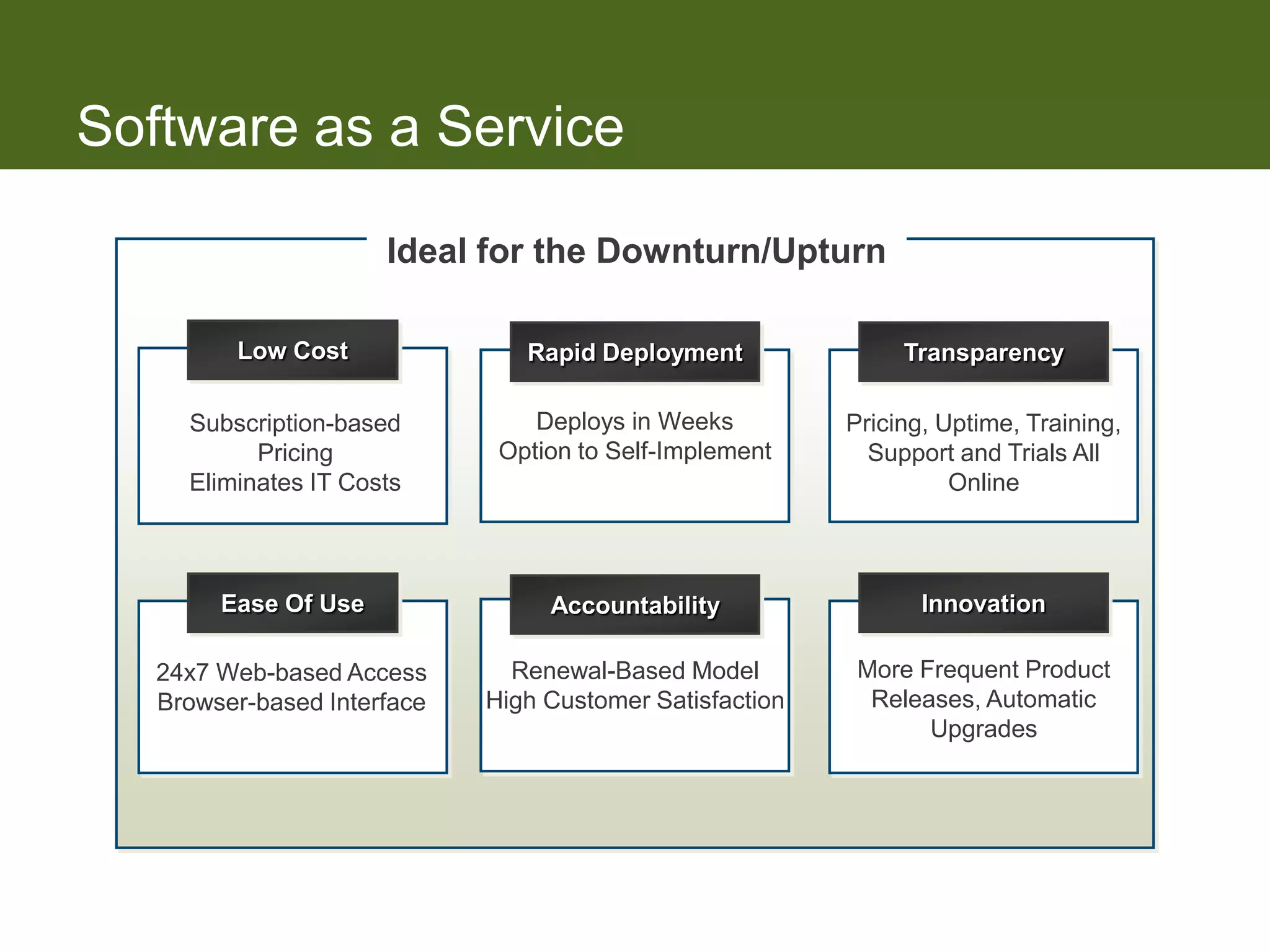
Software as a Service

                      Ideal for the Downturn/Upturn

         Low Cost               Rapid Deployment               Transparency

     Subscription-based          Deploys in Weeks         Pricing, Uptime, Training,
           Pricing            Option to Self-Implement      Support and Trials All
     Eliminates IT Costs                                            Online


        Ease Of Use               Accountability                 Innovation

   24x7 Web-based Access       Renewal-Based Model         More Frequent Product
   Browser-based Interface   High Customer Satisfaction     Releases, Automatic
                                                                 Upgrades
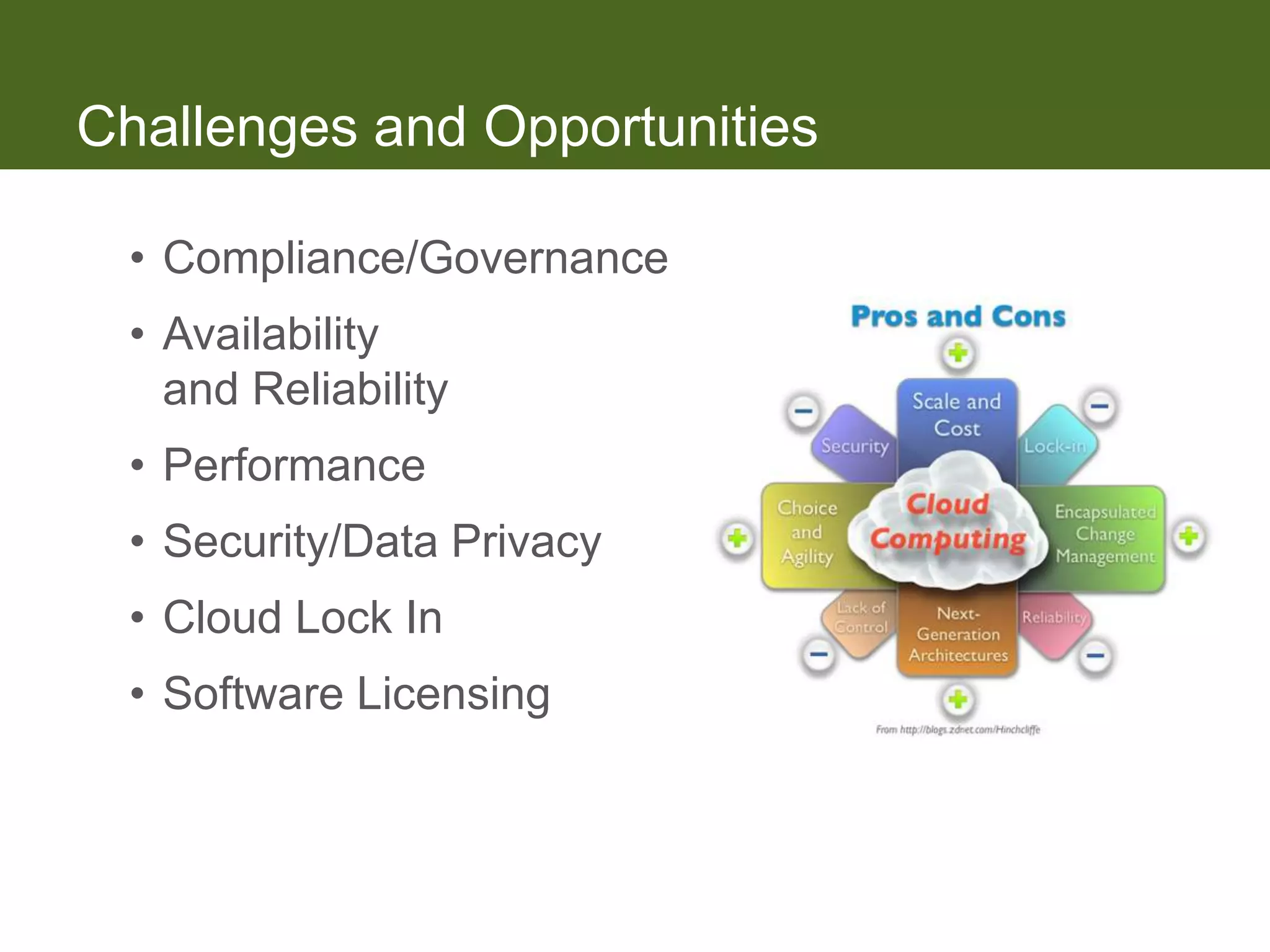
Challenges and Opportunities

 • Compliance/Governance
 • Availability
   and Reliability
 • Performance
 • Security/Data Privacy
 • Cloud Lock In
 • Software Licensing
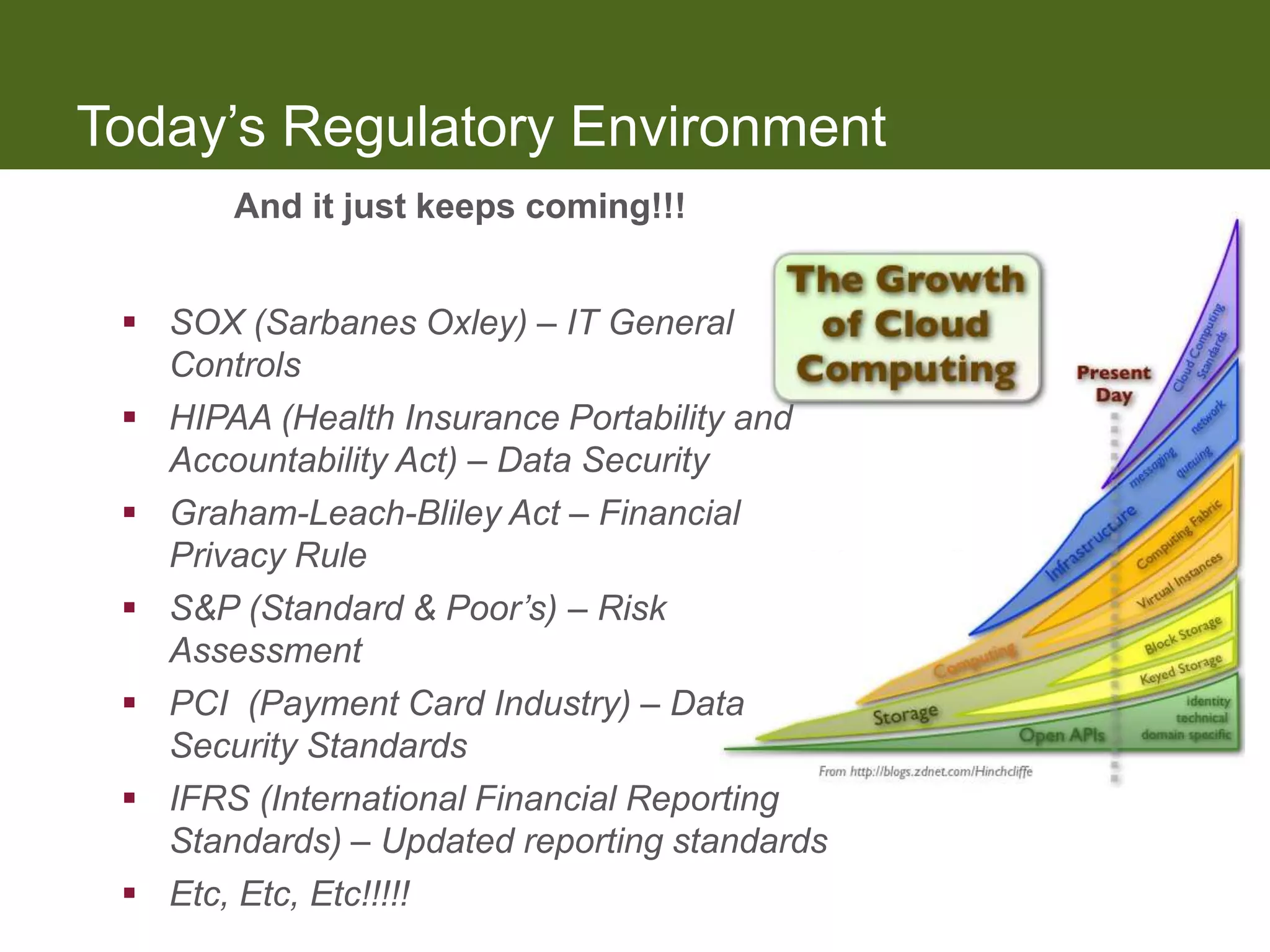
Today’s Regulatory Environment
       And it just keeps coming!!!


  SOX (Sarbanes Oxley) – IT General
   Controls
  HIPAA (Health Insurance Portability and
   Accountability Act) – Data Security
  Graham-Leach-Bliley Act – Financial
   Privacy Rule
  S&P (Standard & Poor’s) – Risk
   Assessment
  PCI (Payment Card Industry) – Data
   Security Standards
  IFRS (International Financial Reporting
   Standards) – Updated reporting standards
  Etc, Etc, Etc!!!!!
SAS 70 / SSAE 16 Reports

 • Report issued by a CPA firm that
   attests to the internal controls
   implemented at the service provider and their
   operating effectiveness
 • The cost is incurred by the service provider
 • Provides reasonable assurance that the required
   IT General Controls required for compliance are
   met
Applications: Pros

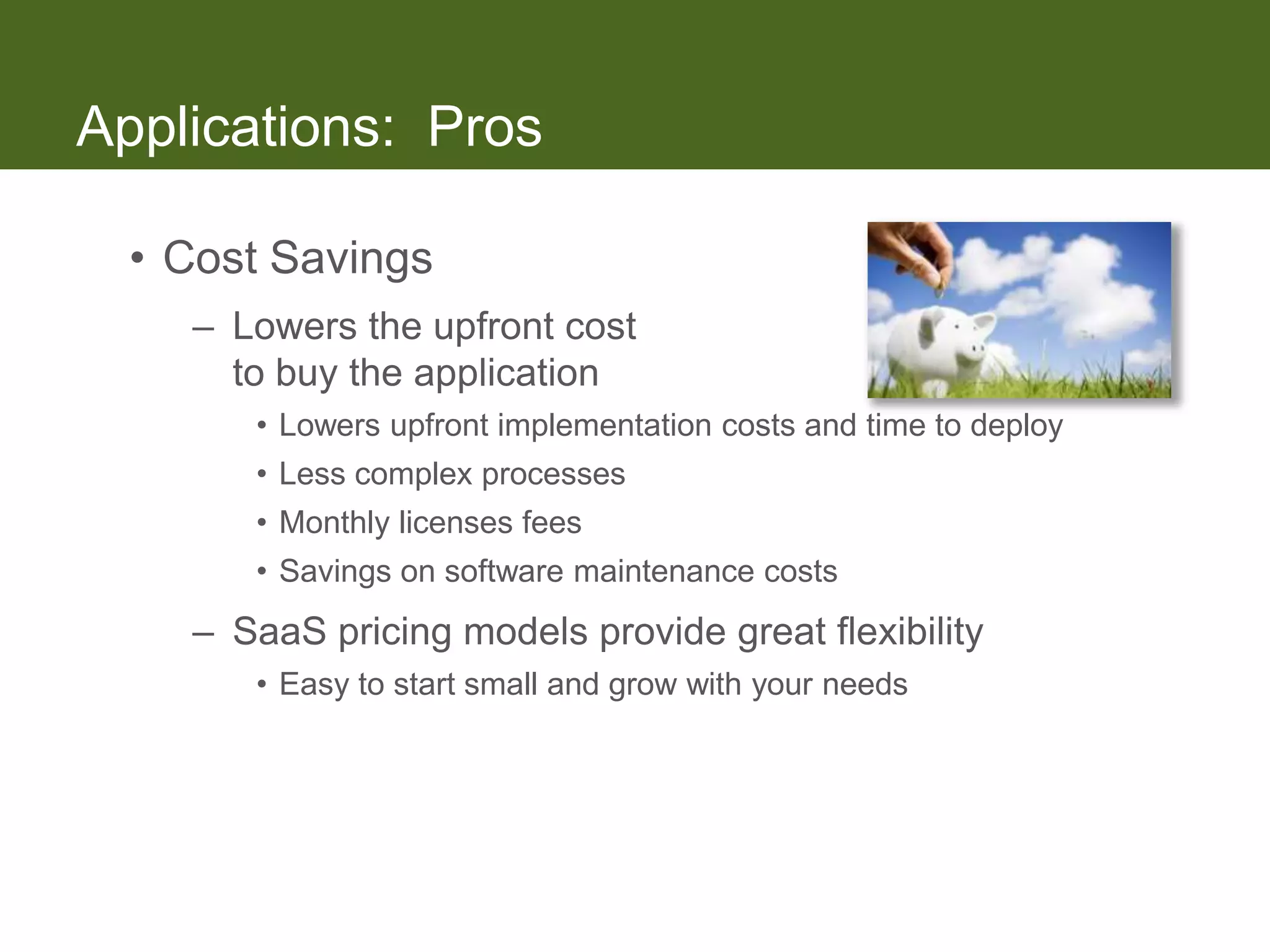
  • Cost Savings
    – Lowers the upfront cost
      to buy the application
       • Lowers upfront implementation costs and time to deploy
       • Less complex processes
       • Monthly licenses fees
       • Savings on software maintenance costs
    – SaaS pricing models provide great flexibility
       • Easy to start small and grow with your needs
Applications: Cons

 • Cost Increases
    – Doesn’t lower overall cost of ownership
       • Additional cost to integrate onsite applications
       • Additional training for mandatory upgrades – one code base
    – SaaS pricing models based on users/transactions
       • For larger entities, pricing model may not provide
         required bandwidth
    – Reporting across SaaS and on premise data sources
      can require additional reporting tools and data sets
Infrastructure: Pros

  • Cost Savings
    – Reduces upfront cost to
      purchase hardware
    – The management, support, and upgrading
      of the software and the infrastructure that supports
      it is the responsibility of the solution provider
    – Employs highly sophisticated security technology and
      spreads the cost over all customers
Infrastructure: Cons

  • Cost Increases
    – Loss of productivity due to:
       • Internet going down without notice
       • Solution provider outages


    – Difficulty in integrating to applications and data sources
      that are on premise due to:
       • Mandatory upgrades
       • Lack of integration tools
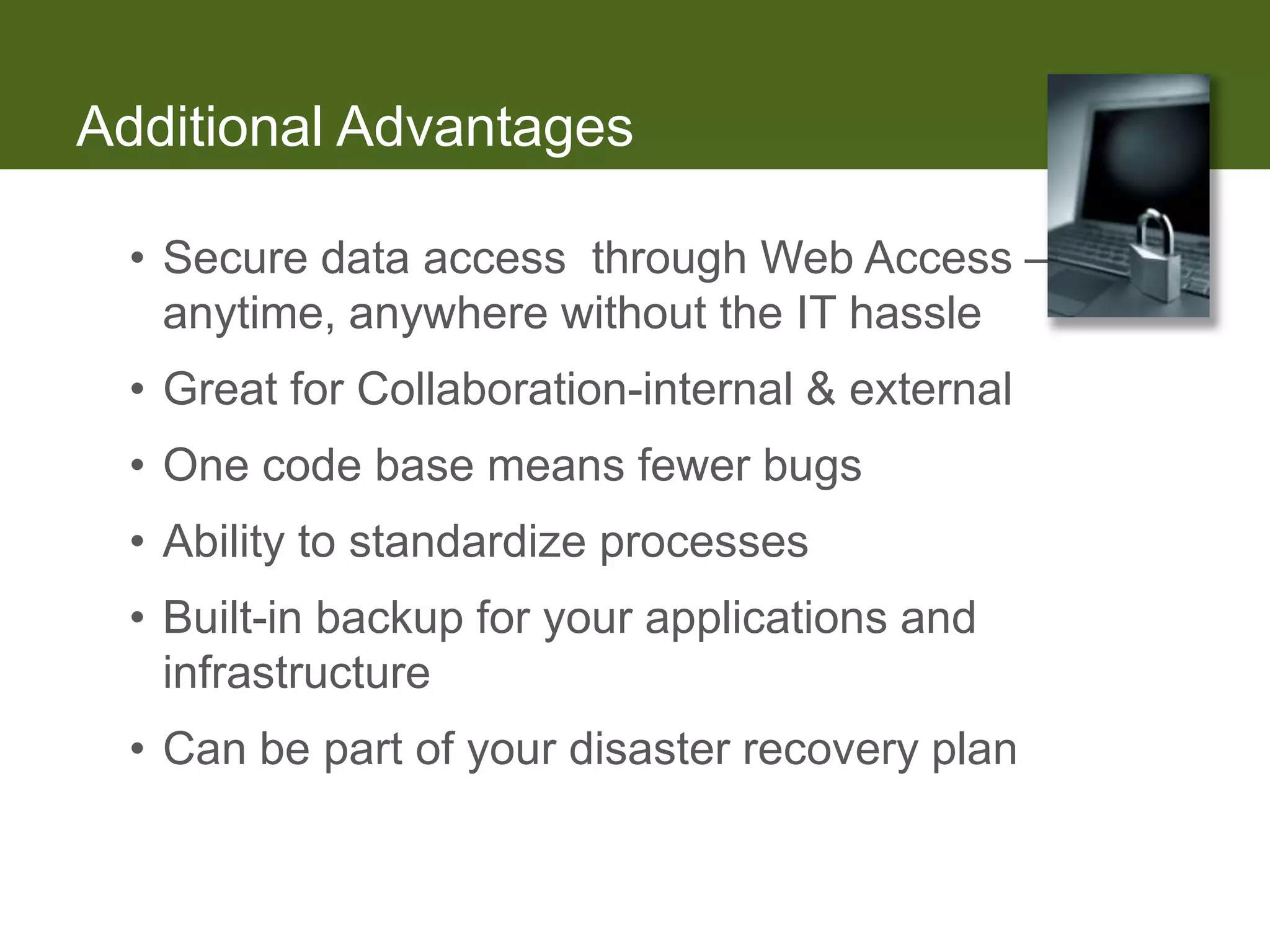
Additional Advantages

 • Secure data access through Web Access –
   anytime, anywhere without the IT hassle
 • Great for Collaboration-internal & external
 • One code base means fewer bugs
 • Ability to standardize processes
 • Built-in backup for your applications and
   infrastructure
 • Can be part of your disaster recovery plan
Additional Disadvantages

 • Many SaaS applications offer fewer built-in
   features than comparable non-SaaS applications
 • Building and maintaining interfaces to other
   applications can be costly
 • Mandatory upgrades
 • Loss of unique processes or data requirements
 • 100% dependent on the Internet
 • Speed and response time dependent on Internet
Important to Note

  • Most of the solutions are geared towards
    small/medium entities but moving upstream
  • Share common processes with multiple entities
  • 100% reliant on the internet; have a backup
    pipe/plan
  • PC must be sufficiently equipped
  • Good implementation is required for good results
     – DON’T skimp on professional services and support
IDG Enterprise 2012


            2012 Cloud Computing

        Key Trends and Future Effects
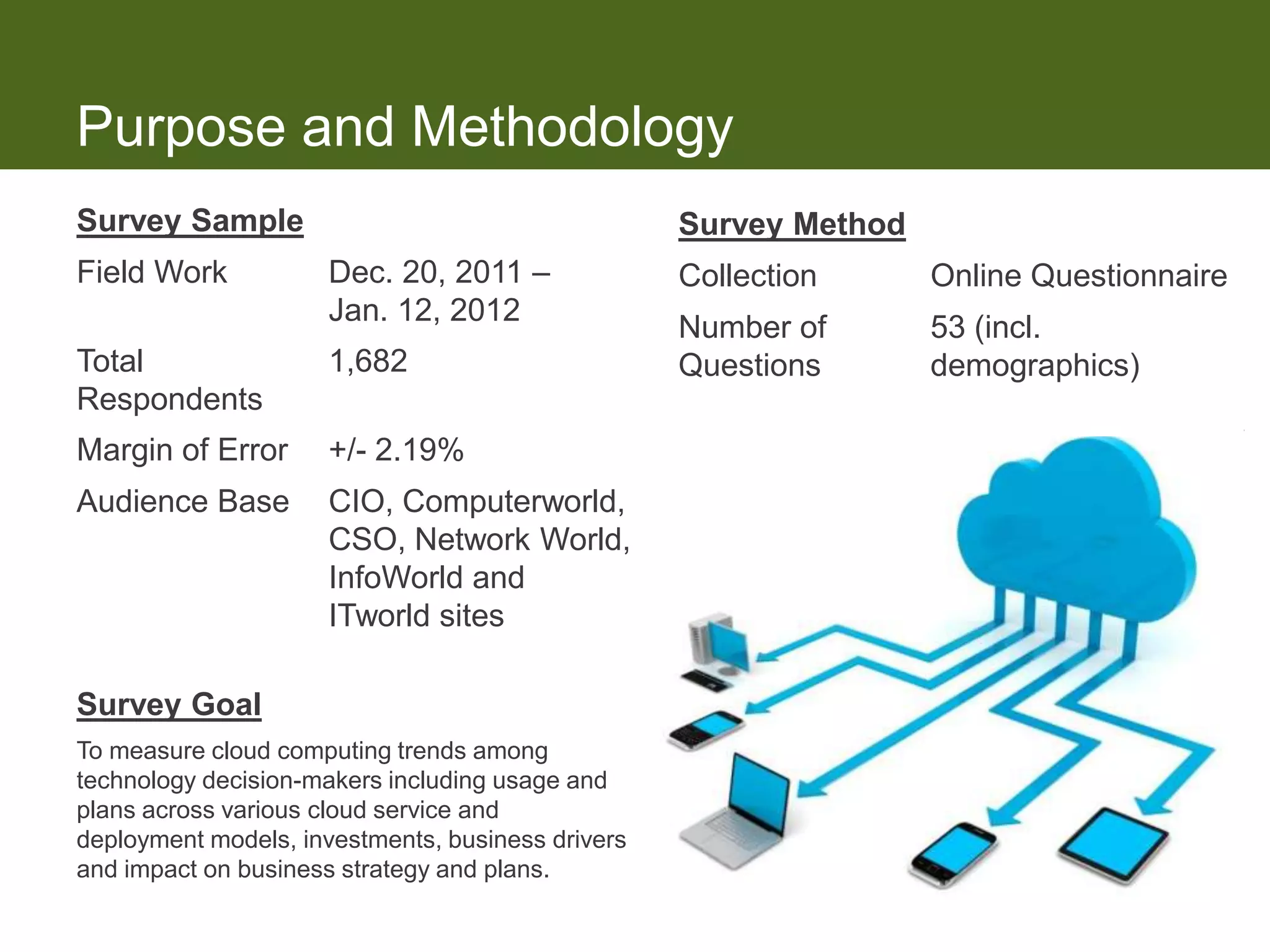
Purpose and Methodology
Survey Sample                                      Survey Method
Field Work           Dec. 20, 2011 –               Collection      Online Questionnaire
                     Jan. 12, 2012
                                                   Number of       53 (incl.
Total                1,682                         Questions       demographics)
Respondents
Margin of Error      +/- 2.19%
Audience Base        CIO, Computerworld,
                     CSO, Network World,
                     InfoWorld and
                     ITworld sites

Survey Goal
To measure cloud computing trends among
technology decision-makers including usage and
plans across various cloud service and
deployment models, investments, business drivers
and impact on business strategy and plans.
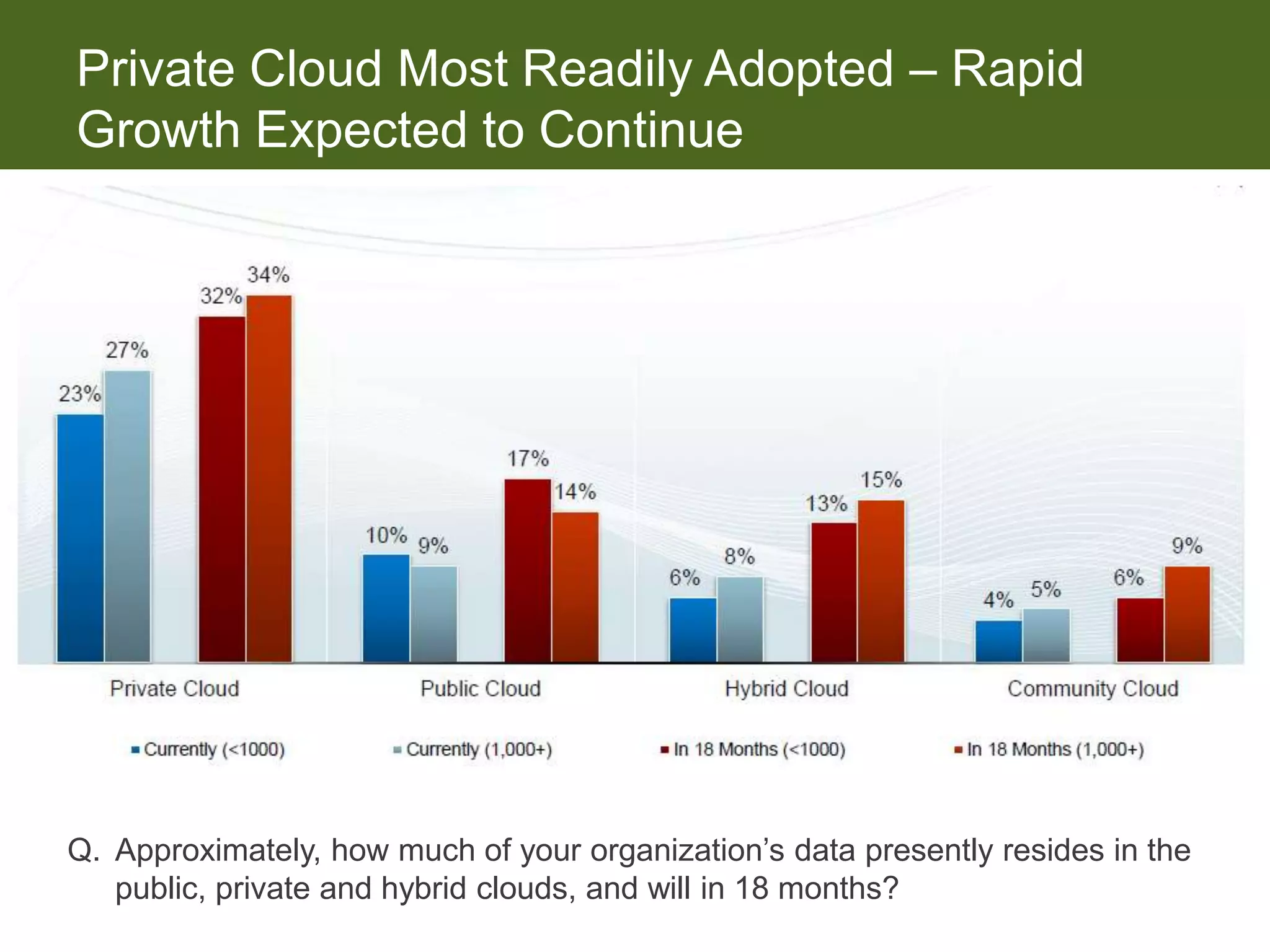
Private Cloud Most Readily Adopted  Rapid
Growth Expected to Continue


Q. Approximately, how much of your organization’s data presently resides in the
   public, private and hybrid clouds, and will in 18 months?
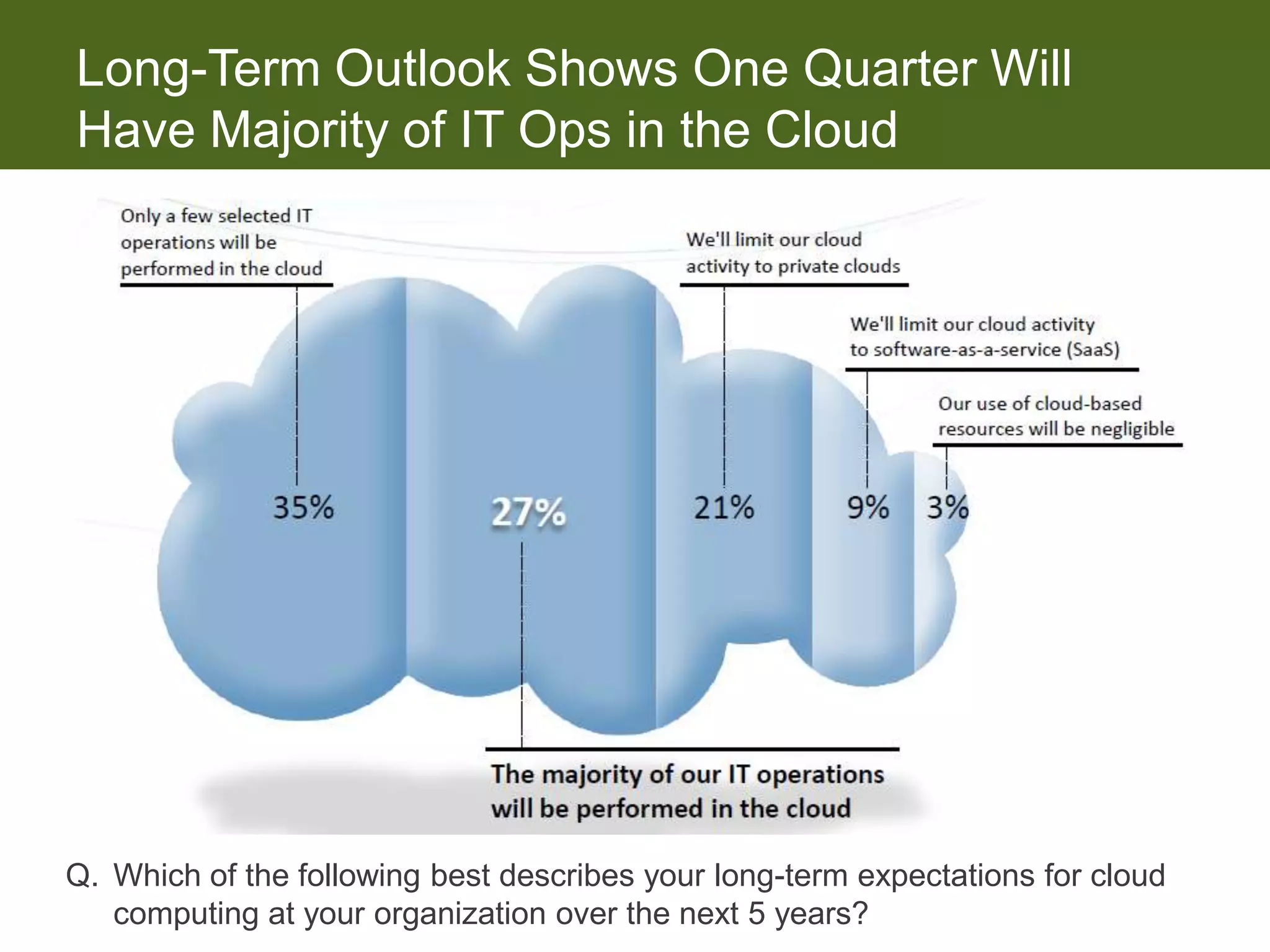
Long-Term Outlook Shows One Quarter Will
Have Majority of IT Ops in the Cloud


Q. Which of the following best describes your long-term expectations for cloud
   computing at your organization over the next 5 years?
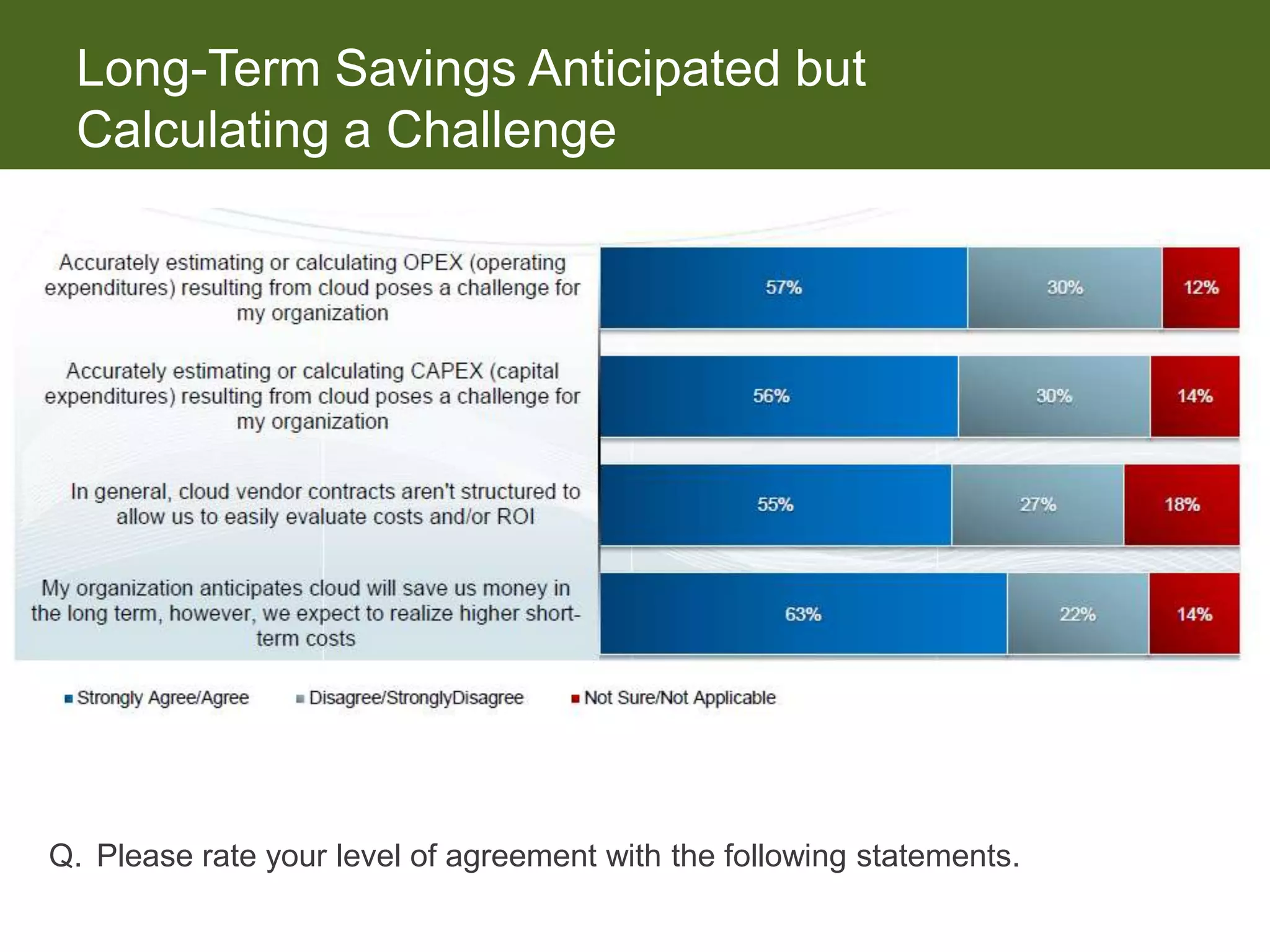
Long-Term Savings Anticipated but
 Calculating a Challenge


Q. Please rate your level of agreement with the following statements.
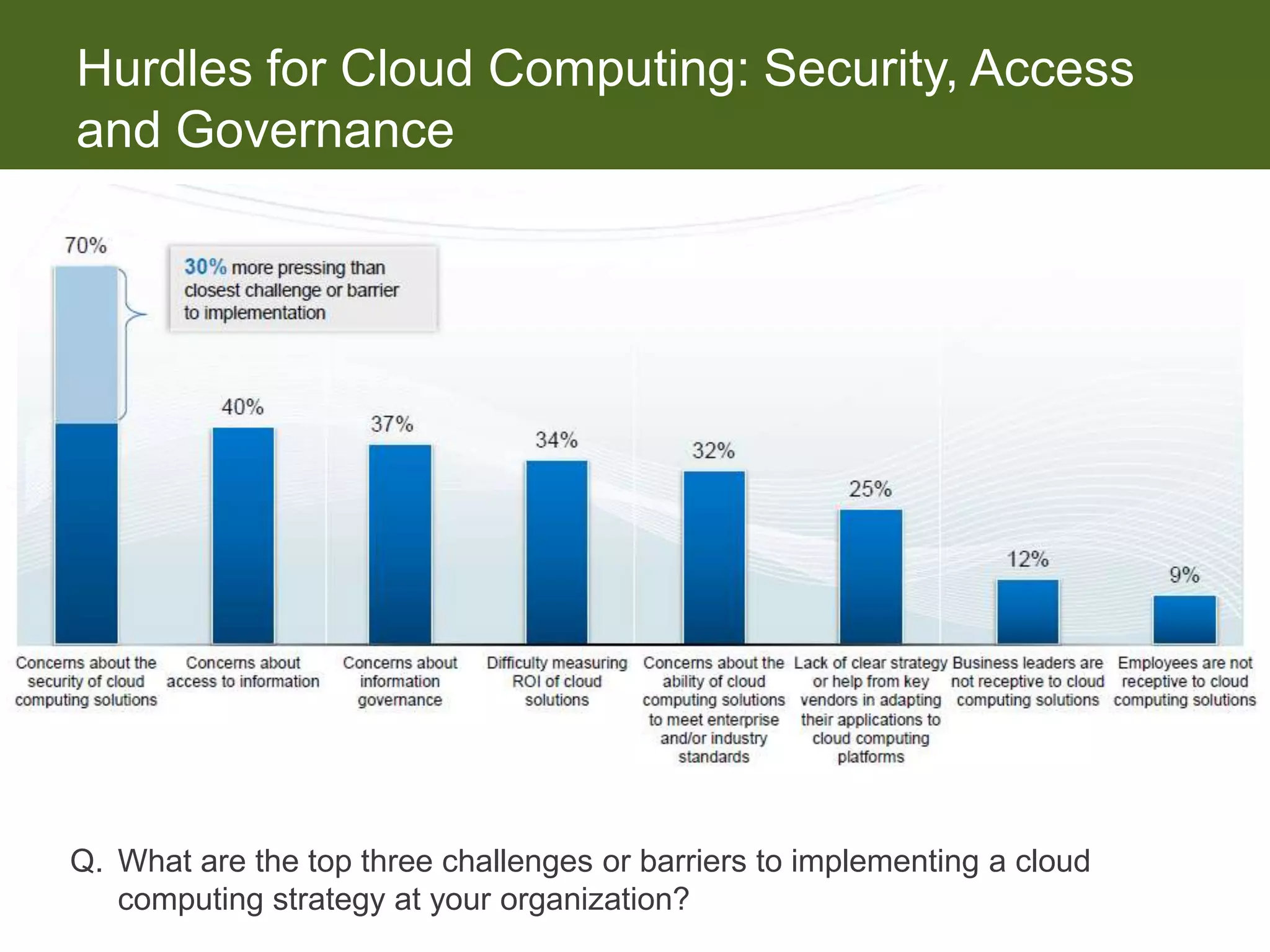
Hurdles for Cloud Computing: Security, Access
and Governance


Q. What are the top three challenges or barriers to implementing a cloud
   computing strategy at your organization?
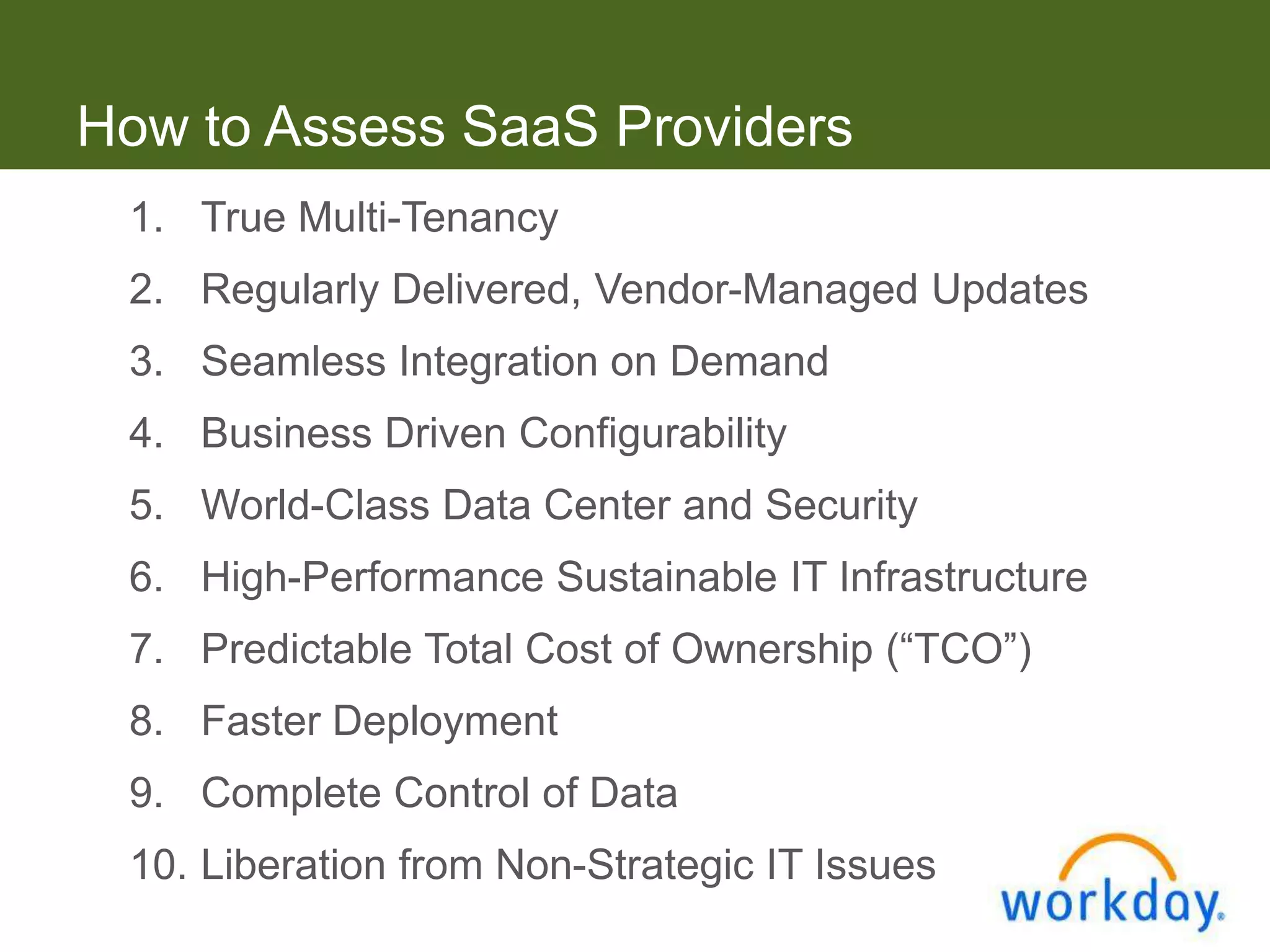
How to Assess SaaS Providers
 1. True Multi-Tenancy
 2. Regularly Delivered, Vendor-Managed Updates
 3. Seamless Integration on Demand
 4. Business Driven Configurability
 5. World-Class Data Center and Security
 6. High-Performance Sustainable IT Infrastructure
 7. Predictable Total Cost of Ownership (“TCO”)
 8. Faster Deployment
 9. Complete Control of Data
 10. Liberation from Non-Strategic IT Issues
How to Assess SaaS Providers


           • Require a SAS70/Type II or
            SSAE16 SOC1/Type 2 report


     • Try before you buy – it’s in the cloud!
Questions?


    Carolyn Duffy, CPA
    Director, Business Advisory Services
    Office: 303-298-9600
    Cell: 303-915-1886
    cduffy@heincpa.com
    www.heincpa.com

Transforming Your Business Management with Cloud Computing

  • 1.
    Transforming Your BusinessManagement With Cloud Computing May 17, 2012
  • 2.
    Agenda • Whatis Cloud Computing • Key Drivers for Cloud Solutions • Benefits vs. Risks of Going to the Cloud • Cloud Computing Trends • How to Assess a Cloud Solution
  • 3.
    IT Options Application SW Compute Application SW Storage Compute Cloud Networking Storage & SaaS Space, Power Cooling Networking "By 2012, more than 66% On-Premise Co-location of independent software “DIY” vendors (ISVs) will offer some of their applications optionally or exclusively as SaaS.”
  • 4.
    On-Premise • Softwaredeveloped internally or purchased via a perpetual license • An up-front capital expense • Software that runs entirely within the hardware systems of its owner or licensee • The consumer is responsible for the management of the software installed • Customers may be on many different releases of the software
  • 5.
    Co-Location • Provisioningof computing services in a third-party co-location center • Software developed internally or purchased via a perpetual license • An up-front capital expense • The consumer is responsible for the management of the software installed • Customers may be on many different releases of the software
  • 6.
    Cloud Computing Cloud computing is Internet-based computing, whereby shared resources, software, and information are provided to computers and other devices on demand, like the electricity grid. Requires no end-user knowledge of the physical location or configuration of the system that delivers the service. ―Source: Wikipedia
  • 7.
    Cloud Deployment Models • Community Cloud – Shares infrastructure between several organizations from a specific community with common concerns (e.g., security, compliance, jurisdiction), whether managed internally or by a third-party and hosted internally or externally. • Public Cloud – The cloud infrastructure is provisioned by the cloud provider for open use by the general public. It may be owned, managed, and operated by a business, academic, or government organization, or some combination of them. • Private Cloud – Infrastructure provisioned solely for a single organization, whether managed internally or by a third-party and hosted internally or externally. • Hybrid Cloud – A composition of two or more clouds (private, community, or public) that remain unique entities but are bound together, offering the benefits of multiple deployment models. It can also be defined as multiple cloud systems that are connected in a way that allows programs and data to be moved easily from one deployment system to another.
  • 8.
    Cloud Service Models •Software as a Service (SaaS) – Employs the provider’s applications running on a cloud infrastructure. The applications are accessible from various client devices through either a thin client interface, such as a web browser (e.g., web-based email), or a program interface. The provider manages or controls the underlying cloud infrastructure with the possible exception of limited user- specific application configuration settings. • Platform as a Service (PaaS) – Consumer-created or acquired applications supported by the provider are deployed onto the cloud infrastructure which the provider manages or controls. The consumer has control over the deployed applications and possible configuration settings for the application-hosting environment. • Infrastructure as a Service (IaaS) – The consumer provisions processing, storage, networks, and other fundamental computing resources where the consumer is able to deploy and run arbitrary software, which can include operating systems and applications. The provider manages or controls the underlying cloud infrastructure while the consumer has control over operating systems, storage, and deployed applications; and possible limited control of select networking components (e.g., host firewalls).
  • 9.
  • 10.
    The Advent ofthe Business Cloud 6X # 1 Technology 54 % Planning or affecting GROWTH finance interested and IT in Cloud
  • 11.
    SaaS Financials Adoptionfor 2011 Source Gartner User Adoption Survey, Sep 2010
  • 12.
    On-Premise Holds theBusiness Back Typical IT Budget Allocation 9% Innovation Current 66% on old 91% versions 12 Maintenance Source: ERP in SME, Aug 2010
  • 13.
    Version Locked BusinessManagement Software is a Liability in a Sea of Change Changing Greater need financial for business reporting visibility Local sales Shrinking IT tax changes resources Increasingly Launching distributed new subs and business geos New business More selling models channels
  • 14.
    What Businesses AreLooking for in Their Next ERP Improve Need a system business with better visibility scalability 9% 7% Reduce overall Require more IT maintenance sophisticated costs functionality 23% 12% Better support a Need to distributed Streamline cross organization functional 17% business processes 32% N=809
  • 15.
    Productivity Benefits Citedas Key Drivers for Cloud ERP Speed of deployment 3% Streamlined Lower cost of business ownership processes 14% 31% Access data from anywhere at anytime Lower upfront 38% expenditure 4% Instant access to N=805 new functionality 10%
  • 16.
    Why Run YourBusiness in the Cloud?  Stay abreast of latest accounting and regulatory changes  More easily scale a distributed, global organization  Reallocate IT budget from maintenance to innovation  Get automated upgrades and eliminate “wasted” maintenance  Benefits from economies of scale for security and data mgt.  Use a modern, more easier to integrate solution  Typically get more tightly integrated analytics © NetSuite 2010
  • 17.
    Cloud Enables theDistributed Organization Todays organizations are increasingly distributed Ideal for inherently distributed activities: – Financial Planning – Selling and Order Taking – Distributed finance team Facilitates off-shoring / shared services Easily supports temporary and home workers Real time view into centralized data #1 Benefit of Cloud Computing Reported by Finance Executives
  • 18.
    Keys to CloudERP Success: ERP that Improves Organizational Efficiency Trait Business Benefit Quote to cash integration Reduce cycle time and overhead Procure to pay integration Eliminate spreadsheets Web based T&E management Improve employee productivity Comprehensive audit trail Reduce audit times and improve compliance Self service Reduce time spent “hunting” dashboards & reporting Collaboration and “actionable One view of the customer Improve team collaboration, reduce redundancy
  • 19.
    Keys to CloudERP Success: ERP that Supports Growth Trait Business Benefit Support multi-sub and COAs Manage consolidation times as business grows Country specific tax and accounting Eliminate need to add ERP to regulations support local needs Automated sales tax management Calculate sales taxes across channels and geos Drill down from corporate Ensure straight line visibility from to subsidiaries HQ to geos Multi-language management Ensure you can localize solution to geo needs
  • 20.
    Keys to CloudERP Success: ERP that Supports Business Flexibility Trait Business Benefit Comprehensive Integrate with suppliers, channels, web services integration and services Graphical workflow management Empower line of business to automate business process Managed customization layer Ensure that customizations will not “version lock” application Mobile and anywhere access Support the distributed organization Industry functionality “Future proof” application and ecosystem
  • 21.
    Software as aService Ideal for the Downturn/Upturn Low Cost Rapid Deployment Transparency Subscription-based Deploys in Weeks Pricing, Uptime, Training, Pricing Option to Self-Implement Support and Trials All Eliminates IT Costs Online Ease Of Use Accountability Innovation 24x7 Web-based Access Renewal-Based Model More Frequent Product Browser-based Interface High Customer Satisfaction Releases, Automatic Upgrades
  • 22.
    Challenges and Opportunities • Compliance/Governance • Availability and Reliability • Performance • Security/Data Privacy • Cloud Lock In • Software Licensing
  • 23.
    Today’s Regulatory Environment And it just keeps coming!!!  SOX (Sarbanes Oxley) – IT General Controls  HIPAA (Health Insurance Portability and Accountability Act) – Data Security  Graham-Leach-Bliley Act – Financial Privacy Rule  S&P (Standard & Poor’s) – Risk Assessment  PCI (Payment Card Industry) – Data Security Standards  IFRS (International Financial Reporting Standards) – Updated reporting standards  Etc, Etc, Etc!!!!!
  • 24.
    SAS 70 /SSAE 16 Reports • Report issued by a CPA firm that attests to the internal controls implemented at the service provider and their operating effectiveness • The cost is incurred by the service provider • Provides reasonable assurance that the required IT General Controls required for compliance are met
  • 25.
    Applications: Pros • Cost Savings – Lowers the upfront cost to buy the application • Lowers upfront implementation costs and time to deploy • Less complex processes • Monthly licenses fees • Savings on software maintenance costs – SaaS pricing models provide great flexibility • Easy to start small and grow with your needs
  • 26.
    Applications: Cons •Cost Increases – Doesn’t lower overall cost of ownership • Additional cost to integrate onsite applications • Additional training for mandatory upgrades – one code base – SaaS pricing models based on users/transactions • For larger entities, pricing model may not provide required bandwidth – Reporting across SaaS and on premise data sources can require additional reporting tools and data sets
  • 27.
    Infrastructure: Pros • Cost Savings – Reduces upfront cost to purchase hardware – The management, support, and upgrading of the software and the infrastructure that supports it is the responsibility of the solution provider – Employs highly sophisticated security technology and spreads the cost over all customers
  • 28.
    Infrastructure: Cons • Cost Increases – Loss of productivity due to: • Internet going down without notice • Solution provider outages – Difficulty in integrating to applications and data sources that are on premise due to: • Mandatory upgrades • Lack of integration tools
  • 29.
    Additional Advantages •Secure data access through Web Access – anytime, anywhere without the IT hassle • Great for Collaboration-internal & external • One code base means fewer bugs • Ability to standardize processes • Built-in backup for your applications and infrastructure • Can be part of your disaster recovery plan
  • 30.
    Additional Disadvantages •Many SaaS applications offer fewer built-in features than comparable non-SaaS applications • Building and maintaining interfaces to other applications can be costly • Mandatory upgrades • Loss of unique processes or data requirements • 100% dependent on the Internet • Speed and response time dependent on Internet
  • 31.
    Important to Note • Most of the solutions are geared towards small/medium entities but moving upstream • Share common processes with multiple entities • 100% reliant on the internet; have a backup pipe/plan • PC must be sufficiently equipped • Good implementation is required for good results – DON’T skimp on professional services and support
  • 32.
    IDG Enterprise 2012 2012 Cloud Computing Key Trends and Future Effects
  • 33.
    Purpose and Methodology SurveySample Survey Method Field Work Dec. 20, 2011 – Collection Online Questionnaire Jan. 12, 2012 Number of 53 (incl. Total 1,682 Questions demographics) Respondents Margin of Error +/- 2.19% Audience Base CIO, Computerworld, CSO, Network World, InfoWorld and ITworld sites Survey Goal To measure cloud computing trends among technology decision-makers including usage and plans across various cloud service and deployment models, investments, business drivers and impact on business strategy and plans.
  • 34.
    Private Cloud MostReadily Adopted  Rapid Growth Expected to Continue Q. Approximately, how much of your organization’s data presently resides in the public, private and hybrid clouds, and will in 18 months?
  • 35.
    Long-Term Outlook ShowsOne Quarter Will Have Majority of IT Ops in the Cloud Q. Which of the following best describes your long-term expectations for cloud computing at your organization over the next 5 years?
  • 36.
    Long-Term Savings Anticipatedbut Calculating a Challenge Q. Please rate your level of agreement with the following statements.
  • 37.
    Hurdles for CloudComputing: Security, Access and Governance Q. What are the top three challenges or barriers to implementing a cloud computing strategy at your organization?
  • 38.
    How to AssessSaaS Providers 1. True Multi-Tenancy 2. Regularly Delivered, Vendor-Managed Updates 3. Seamless Integration on Demand 4. Business Driven Configurability 5. World-Class Data Center and Security 6. High-Performance Sustainable IT Infrastructure 7. Predictable Total Cost of Ownership (“TCO”) 8. Faster Deployment 9. Complete Control of Data 10. Liberation from Non-Strategic IT Issues
  • 39.
    How to AssessSaaS Providers • Require a SAS70/Type II or SSAE16 SOC1/Type 2 report • Try before you buy – it’s in the cloud!
  • 40.
    Questions? Carolyn Duffy, CPA Director, Business Advisory Services Office: 303-298-9600 Cell: 303-915-1886 cduffy@heincpa.com www.heincpa.com