STRICTLY CONFIDENTIAL
INFRASTRUCTURE AS
CODE DEPLOYED
USING STACKER
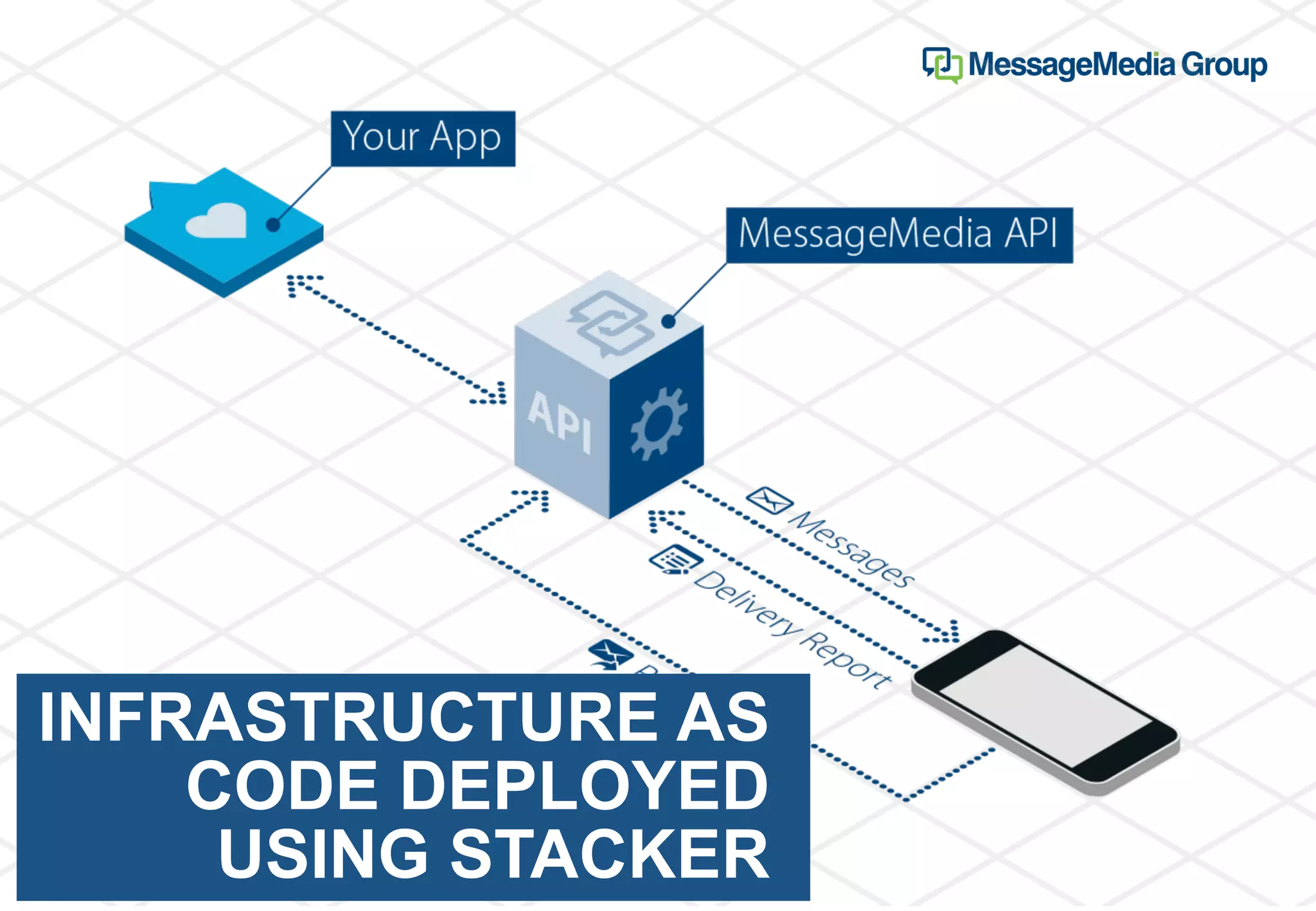
MessageMedia provides a high performance two
way messaging platform for developers to build
robust and highly scalable applications. Every
year more than 25,000 customers send over 1.8
billion messages, enriching their applications with
business messaging.
AWS CloudFormation
• JSON template to create resources
• Simple infrastructure ended up with large JSON templates
• Large chunks of repeated code for similar resources
• Nested templates
• YAML support
• Import/Export values
• Infrastructure templates could get split up into smaller chunks
• Wiring stacks up and understanding smaller templates is an issue
Stacker
• Open source project started by remind101
• Companies like Remind, AltoStack, Strurdy Networks, Colbi use stacker
• Easily Create/Update/Destroy many stacks in parallel for easy orchestration
• Easy to manage large environments in a single config while still maintaining different
stacks.
• Manages dependencies between stacks
• Only updates stacks that have changed and that have not been explicitly locked or
disabled.
• Easily pass Outputs from one stack and in as Variables to another
• Use Environments to manage slightly different configuration in different
environments.
• Use Lookups to allow dynamic fetching or altering of data used in Variables.
• Can create blueprints of stacks using Troposphere
Troposphere
• Troposphere is an open source project started by Cloudtools
• Troposphere allows for CloudFormation to be written in Python
• Each AWS resource is represented by a Python class
• Allows for resource code to be reused in loops
• Reduces errors when creating resources
• Has inbuilt type checking
• Can build in unit tests to test template output
• Keeps infrastructure code consistent
• PR process becomes easier
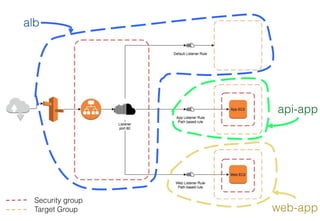
alb
api-app
web-app
Security group
Target Group
Stacker Commands
Build CloudFormation stacks using stacker
stacker build --interactive conf/prod.env stacker.yaml
Build CloudFormation template stacks using stacker. No deploy
stacker build conf/prod.env stacker.yaml -d .
Build CloudFormation template for specific stack within stacker config. No deploy
stacker build conf/prod.env stacker.yaml --stacks alb -d .
Destroy build infrastructure
stacker destroy conf/prod.env stacker.yaml
Get info about stacker config
stacker info conf/prod.env stacker.yaml
Perform a diff between deployed stacks and local stacks
stacker diff conf/prod.env stacker.yaml
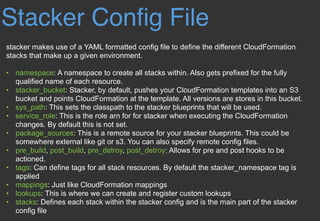
Stacker Config File
stacker makes use of a YAML formatted config file to define the different CloudFormation
stacks that make up a given environment.
• namespace: A namespace to create all stacks within. Also gets prefixed for the fully
qualified name of each resource.
• stacker_bucket: Stacker, by default, pushes your CloudFormation templates into an S3
bucket and points CloudFormation at the template. All versions are stores in this bucket.
• sys_path: This sets the classpath to the stacker blueprints that will be used.
• service_role: This is the role arn for for stacker when executing the CloudFormation
changes. By default this is not set.
• package_sources: This is a remote source for your stacker blueprints. This could be
somewhere external like git or s3. You can also specify remote config files.
• pre_build, post_build, pre_detroy, post_detroy: Allows for pre and post hooks to be
actioned.
• tags: Can define tags for all stack resources. By default the stacker_namespace tag is
applied
• mappings: Just like CloudFormation mappings
• lookups: This is where we can create and register custom lookups
• stacks: Defines each stack within the stacker config and is the main part of the stacker
config file
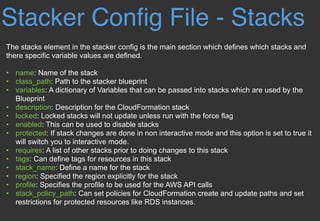
Stacker Config File - Stacks
The stacks element in the stacker config is the main section which defines which stacks and
there specific variable values are defined.
• name: Name of the stack
• class_path: Path to the stacker blueprint
• variables: A dictionary of Variables that can be passed into stacks which are used by the
Blueprint
• description: Description for the CloudFormation stack
• locked: Locked stacks will not update unless run with the force flag
• enabled: This can be used to disable stacks
• protected: If stack changes are done in non interactive mode and this option is set to true it
will switch you to interactive mode.
• requires: A list of other stacks prior to doing changes to this stack
• tags: Can define tags for resources in this stack
• stack_name: Define a name for the stack
• region: Specified the region explicitly for the stack
• profile: Specifies the profile to be used for the AWS API calls
• stack_policy_path: Can set policies for CloudFormation create and update paths and set
restrictions for protected resources like RDS instances.
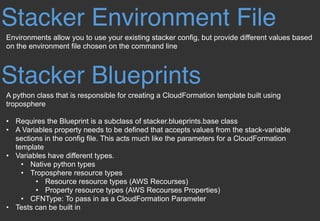
Stacker Environment File
Environments allow you to use your existing stacker config, but provide different values based
on the environment file chosen on the command line
Stacker Blueprints
A python class that is responsible for creating a CloudFormation template built using
troposphere
• Requires the Blueprint is a subclass of stacker.blueprints.base class
• A Variables property needs to be defined that accepts values from the stack-variable
sections in the config file. This acts much like the parameters for a CloudFormation
template
• Variables have different types.
• Native python types
• Troposphere resource types
• Resource resource types (AWS Recourses)
• Property resource types (AWS Recourses Properties)
• CFNType: To pass in as a CloudFormation Parameter
• Tests can be built in
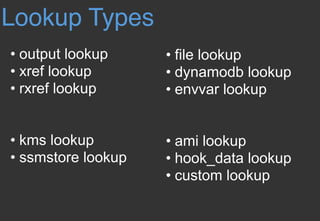
Lookup Types
• output lookup
• xref lookup
• rxref lookup
• kms lookup
• ssmstore lookup
• file lookup
• dynamodb lookup
• envvar lookup
• ami lookup
• hook_data lookup
• custom lookup
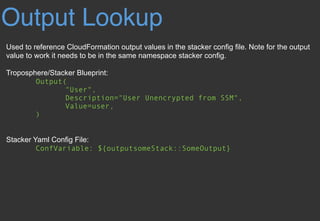
Output Lookup
Used to reference CloudFormation output values in the stacker config file. Note for the output
value to work it needs to be in the same namespace stacker config.
Troposphere/Stacker Blueprint:
Output(

"User",

Description="User Unencrypted from SSM",

Value=user,

)
Stacker Yaml Config File:
ConfVariable: ${outputsomeStack::SomeOutput}
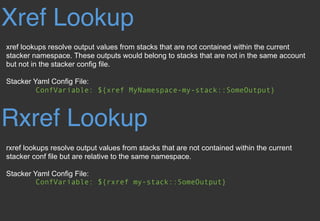
Xref Lookup
xref lookups resolve output values from stacks that are not contained within the current
stacker namespace. These outputs would belong to stacks that are not in the same account
but not in the stacker config file.
Stacker Yaml Config File:
ConfVariable: ${xref MyNamespace-my-stack::SomeOutput}
Rxref Lookup
rxref lookups resolve output values from stacks that are not contained within the current
stacker conf file but are relative to the same namespace.
Stacker Yaml Config File:
ConfVariable: ${rxref my-stack::SomeOutput}
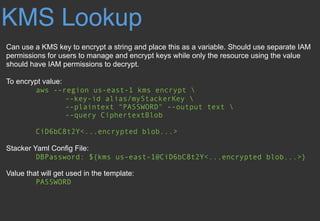
KMS Lookup
Can use a KMS key to encrypt a string and place this as a variable. Should use separate IAM
permissions for users to manage and encrypt keys while only the resource using the value
should have IAM permissions to decrypt.
To encrypt value:
aws --region us-east-1 kms encrypt 
--key-id alias/myStackerKey 
--plaintext "PASSWORD" --output text 
--query CiphertextBlob
CiD6bC8t2Y<...encrypted blob...>
Stacker Yaml Config File:
DBPassword: ${kms us-east-1@CiD6bC8t2Y<...encrypted blob...>}
Value that will get used in the template:
PASSWORD
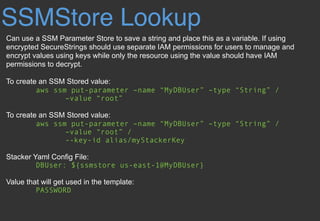
SSMStore Lookup
Can use a SSM Parameter Store to save a string and place this as a variable. If using
encrypted SecureStrings should use separate IAM permissions for users to manage and
encrypt values using keys while only the resource using the value should have IAM
permissions to decrypt.
To create an SSM Stored value:
aws ssm put-parameter –name “MyDBUser” –type “String” /
–value “root”
To create an SSM Stored value:
aws ssm put-parameter –name “MyDBUser” –type “String” /
–value “root” /
--key-id alias/myStackerKey
Stacker Yaml Config File:
DBUser: ${ssmstore us-east-1@MyDBUser}
Value that will get used in the template:
PASSWORD
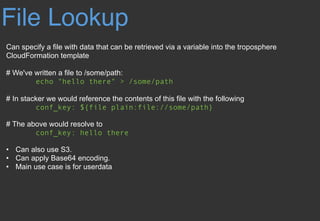
File Lookup
Can specify a file with data that can be retrieved via a variable into the troposphere
CloudFormation template
# We've written a file to /some/path:
echo "hello there" > /some/path
# In stacker we would reference the contents of this file with the following
conf_key: ${file plain:file://some/path}
# The above would resolve to
conf_key: hello there
• Can also use S3.
• Can apply Base64 encoding.
• Main use case is for userdata
DynamoDB Lookup
Can a value within a DynamoDB table as a stacker variable value. The syntax also allows you
to traverse through the item map
# We can reference that dynamo value:
BucketName: ${dynamodb
us-east-1:TestTable@TestKey:TestVal.BucketName}
# Which would resolve to:
DBUser: stacker-test-bucket
# Valid type values are:
“S”(String), “N”(Number), “M”(Map), “L”(List).
# We can reference keys within a DynamoDB item map
ServerCount: ${dynamodb
us-east-1:TestTable@TestKey:TestVal.ServerInfo[M]
.ServerCount[N]}
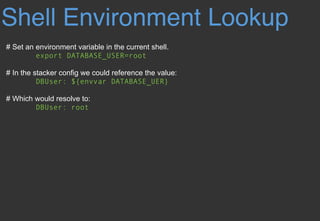
Shell Environment Lookup
# Set an environment variable in the current shell.
export DATABASE_USER=root
# In the stacker config we could reference the value:
DBUser: ${envvar DATABASE_UER}
# Which would resolve to:
DBUser: root
EC2 AMI Lookup
# In the stacker config we could reference the latest ami of the following region, owner,
name_regex and other filter values:
ImageId: ${ami [<region>@]owners:self,888888888888,amazon
name_regex:server[0-9]+ architecture:i386}
Hook Data Lookup
# When using hooks, you can have the hook store results in the hook_data dictionary on the
context by setting data_key in the hook config. This allows you to lookup the data_key values.
Code: ${hook_data myfunction::TheCode}
Custom Lookup
# This allows you to create and register your custom lookup.
Resource
Stacker Documentation:
• http://stacker.readthedocs.io/en/latest/
Stacker GitHub Repositories:
• https://github.com/remind101/stacker
• https://github.com/remind101/stacker_blueprints
• https://github.com/remind101/stacker_cookiecutter
Troposphere GitHub Repository:
• https://github.com/cloudtools/troposphere
Stay in touch!!


LinkedIn: linkedin.com/in/dilanka-dharmawardena


Slack: https://messagemediadevs.slack.com

Developer Portal: https://developers.messagemedia.com

Twitter: https://twitter.com/messagemedia1

Infrastructure as code deployed using Stacker

  • 1.
  • 2.
    MessageMedia provides ahigh performance two way messaging platform for developers to build robust and highly scalable applications. Every year more than 25,000 customers send over 1.8 billion messages, enriching their applications with business messaging.
  • 3.
    AWS CloudFormation • JSONtemplate to create resources • Simple infrastructure ended up with large JSON templates • Large chunks of repeated code for similar resources • Nested templates • YAML support • Import/Export values • Infrastructure templates could get split up into smaller chunks • Wiring stacks up and understanding smaller templates is an issue
  • 4.
    Stacker • Open sourceproject started by remind101 • Companies like Remind, AltoStack, Strurdy Networks, Colbi use stacker • Easily Create/Update/Destroy many stacks in parallel for easy orchestration • Easy to manage large environments in a single config while still maintaining different stacks. • Manages dependencies between stacks • Only updates stacks that have changed and that have not been explicitly locked or disabled. • Easily pass Outputs from one stack and in as Variables to another • Use Environments to manage slightly different configuration in different environments. • Use Lookups to allow dynamic fetching or altering of data used in Variables. • Can create blueprints of stacks using Troposphere
  • 5.
    Troposphere • Troposphere isan open source project started by Cloudtools • Troposphere allows for CloudFormation to be written in Python • Each AWS resource is represented by a Python class • Allows for resource code to be reused in loops • Reduces errors when creating resources • Has inbuilt type checking • Can build in unit tests to test template output • Keeps infrastructure code consistent • PR process becomes easier
  • 6.
  • 7.
    Stacker Commands Build CloudFormationstacks using stacker stacker build --interactive conf/prod.env stacker.yaml Build CloudFormation template stacks using stacker. No deploy stacker build conf/prod.env stacker.yaml -d . Build CloudFormation template for specific stack within stacker config. No deploy stacker build conf/prod.env stacker.yaml --stacks alb -d . Destroy build infrastructure stacker destroy conf/prod.env stacker.yaml Get info about stacker config stacker info conf/prod.env stacker.yaml Perform a diff between deployed stacks and local stacks stacker diff conf/prod.env stacker.yaml
  • 8.
    Stacker Config File stackermakes use of a YAML formatted config file to define the different CloudFormation stacks that make up a given environment. • namespace: A namespace to create all stacks within. Also gets prefixed for the fully qualified name of each resource. • stacker_bucket: Stacker, by default, pushes your CloudFormation templates into an S3 bucket and points CloudFormation at the template. All versions are stores in this bucket. • sys_path: This sets the classpath to the stacker blueprints that will be used. • service_role: This is the role arn for for stacker when executing the CloudFormation changes. By default this is not set. • package_sources: This is a remote source for your stacker blueprints. This could be somewhere external like git or s3. You can also specify remote config files. • pre_build, post_build, pre_detroy, post_detroy: Allows for pre and post hooks to be actioned. • tags: Can define tags for all stack resources. By default the stacker_namespace tag is applied • mappings: Just like CloudFormation mappings • lookups: This is where we can create and register custom lookups • stacks: Defines each stack within the stacker config and is the main part of the stacker config file
  • 9.
    Stacker Config File- Stacks The stacks element in the stacker config is the main section which defines which stacks and there specific variable values are defined. • name: Name of the stack • class_path: Path to the stacker blueprint • variables: A dictionary of Variables that can be passed into stacks which are used by the Blueprint • description: Description for the CloudFormation stack • locked: Locked stacks will not update unless run with the force flag • enabled: This can be used to disable stacks • protected: If stack changes are done in non interactive mode and this option is set to true it will switch you to interactive mode. • requires: A list of other stacks prior to doing changes to this stack • tags: Can define tags for resources in this stack • stack_name: Define a name for the stack • region: Specified the region explicitly for the stack • profile: Specifies the profile to be used for the AWS API calls • stack_policy_path: Can set policies for CloudFormation create and update paths and set restrictions for protected resources like RDS instances.
  • 10.
    Stacker Environment File Environmentsallow you to use your existing stacker config, but provide different values based on the environment file chosen on the command line Stacker Blueprints A python class that is responsible for creating a CloudFormation template built using troposphere • Requires the Blueprint is a subclass of stacker.blueprints.base class • A Variables property needs to be defined that accepts values from the stack-variable sections in the config file. This acts much like the parameters for a CloudFormation template • Variables have different types. • Native python types • Troposphere resource types • Resource resource types (AWS Recourses) • Property resource types (AWS Recourses Properties) • CFNType: To pass in as a CloudFormation Parameter • Tests can be built in
  • 11.
    Lookup Types • outputlookup • xref lookup • rxref lookup • kms lookup • ssmstore lookup • file lookup • dynamodb lookup • envvar lookup • ami lookup • hook_data lookup • custom lookup
  • 12.
    Output Lookup Used toreference CloudFormation output values in the stacker config file. Note for the output value to work it needs to be in the same namespace stacker config. Troposphere/Stacker Blueprint: Output(
 "User",
 Description="User Unencrypted from SSM",
 Value=user,
 ) Stacker Yaml Config File: ConfVariable: ${outputsomeStack::SomeOutput}
  • 13.
    Xref Lookup xref lookupsresolve output values from stacks that are not contained within the current stacker namespace. These outputs would belong to stacks that are not in the same account but not in the stacker config file. Stacker Yaml Config File: ConfVariable: ${xref MyNamespace-my-stack::SomeOutput} Rxref Lookup rxref lookups resolve output values from stacks that are not contained within the current stacker conf file but are relative to the same namespace. Stacker Yaml Config File: ConfVariable: ${rxref my-stack::SomeOutput}
  • 14.
    KMS Lookup Can usea KMS key to encrypt a string and place this as a variable. Should use separate IAM permissions for users to manage and encrypt keys while only the resource using the value should have IAM permissions to decrypt. To encrypt value: aws --region us-east-1 kms encrypt --key-id alias/myStackerKey --plaintext "PASSWORD" --output text --query CiphertextBlob CiD6bC8t2Y<...encrypted blob...> Stacker Yaml Config File: DBPassword: ${kms us-east-1@CiD6bC8t2Y<...encrypted blob...>} Value that will get used in the template: PASSWORD
  • 15.
    SSMStore Lookup Can usea SSM Parameter Store to save a string and place this as a variable. If using encrypted SecureStrings should use separate IAM permissions for users to manage and encrypt values using keys while only the resource using the value should have IAM permissions to decrypt. To create an SSM Stored value: aws ssm put-parameter –name “MyDBUser” –type “String” / –value “root” To create an SSM Stored value: aws ssm put-parameter –name “MyDBUser” –type “String” / –value “root” / --key-id alias/myStackerKey Stacker Yaml Config File: DBUser: ${ssmstore us-east-1@MyDBUser} Value that will get used in the template: PASSWORD
  • 16.
    File Lookup Can specifya file with data that can be retrieved via a variable into the troposphere CloudFormation template # We've written a file to /some/path: echo "hello there" > /some/path # In stacker we would reference the contents of this file with the following conf_key: ${file plain:file://some/path} # The above would resolve to conf_key: hello there • Can also use S3. • Can apply Base64 encoding. • Main use case is for userdata
  • 17.
    DynamoDB Lookup Can avalue within a DynamoDB table as a stacker variable value. The syntax also allows you to traverse through the item map # We can reference that dynamo value: BucketName: ${dynamodb us-east-1:TestTable@TestKey:TestVal.BucketName} # Which would resolve to: DBUser: stacker-test-bucket # Valid type values are: “S”(String), “N”(Number), “M”(Map), “L”(List). # We can reference keys within a DynamoDB item map ServerCount: ${dynamodb us-east-1:TestTable@TestKey:TestVal.ServerInfo[M] .ServerCount[N]}
  • 18.
    Shell Environment Lookup #Set an environment variable in the current shell. export DATABASE_USER=root # In the stacker config we could reference the value: DBUser: ${envvar DATABASE_UER} # Which would resolve to: DBUser: root
  • 19.
    EC2 AMI Lookup #In the stacker config we could reference the latest ami of the following region, owner, name_regex and other filter values: ImageId: ${ami [<region>@]owners:self,888888888888,amazon name_regex:server[0-9]+ architecture:i386} Hook Data Lookup # When using hooks, you can have the hook store results in the hook_data dictionary on the context by setting data_key in the hook config. This allows you to lookup the data_key values. Code: ${hook_data myfunction::TheCode} Custom Lookup # This allows you to create and register your custom lookup.
  • 20.
    Resource Stacker Documentation: • http://stacker.readthedocs.io/en/latest/ StackerGitHub Repositories: • https://github.com/remind101/stacker • https://github.com/remind101/stacker_blueprints • https://github.com/remind101/stacker_cookiecutter Troposphere GitHub Repository: • https://github.com/cloudtools/troposphere
  • 21.
    Stay in touch!!
 
 LinkedIn:linkedin.com/in/dilanka-dharmawardena
 
 Slack: https://messagemediadevs.slack.com
 Developer Portal: https://developers.messagemedia.com
 Twitter: https://twitter.com/messagemedia1