StackKicker

Create, provision, delete instances
 Zero overhead for small projects
(or self-contained larger projects)
The Challenge


Masterless Puppet – single repo for vagrant dev
   environment, AWS stage & production
The Challenge


Full 8 role stack dev/stage/prod deploys to our
OpenStack environment, including Chef server
Why another tool?


Needed to easily & repeatedly build out an
   application stack – anti snowflake!
Why another tool?


    Wanted to be able to build from nothing
(or the overhead of getting on the “production”
        chef environment was too much)
Why another tool?


The entire stack config is in git, if you want it.
Why another tool?


Needed to build in different regions & AZ
Why another tool?

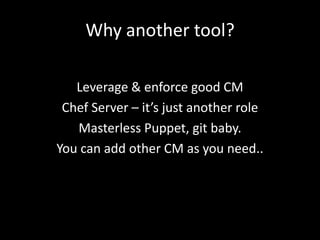
   Leverage & enforce good CM
 Chef Server – it’s just another role
   Masterless Puppet, git baby.
You can add other CM as you need..
What’s in a stack?


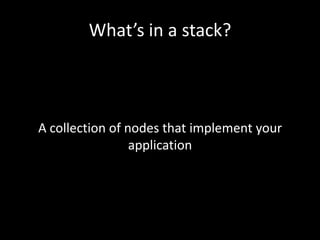
A collection of nodes that implement your
                 application
What’s in a stack config?
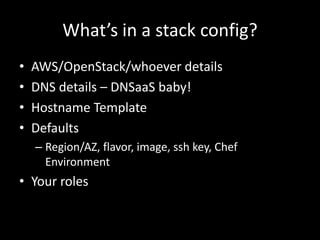
•   AWS/OpenStack/whoever details
•   DNS details – DNSaaS baby!
•   Hostname Template
•   Defaults
    – Region/AZ, flavor, image, ssh key, Chef
      Environment
• Your roles
Roles
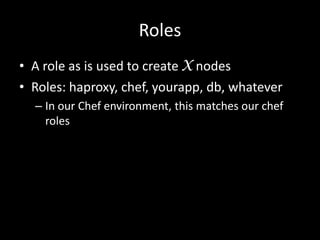
• A role as is used to create X nodes
• Roles: haproxy, chef, yourapp, db, whatever
  – In our Chef environment, this matches our chef
    roles
Roles
• Roles have several properties
  – Name – matches chef role
  – Count – how many of these
  – Floating IP – attach known IP to this instance
  – Post Install script – run after instance create
  – Publish IP to DNS (public, private, wildcard)
  – Region/AZ
  – Custom cloud-init, flag as Chef Server, other
    special cases
Stackfile – your stack config
• Simple Ruby Hash based config
  – This may change, it’s a little too flexible
  – But allows for easy inheritance, template &
    overriding defaults & inherited settings
  – It’s not YAML (YAML is evil)
Enough, show me already
'rentpro-bmtw' => {
     :provider               => 'AWS',
     :aws_access_key_id      => ENV[‘AWS_ACCESS_KEY’],
     :aws_secret_access_key => ENV['AWS_SECRET_KEY'],
     :keypair                => 'jobdoneright’,
     :region                 => 'eu-west-1',
     :availability_zone      => 'eu-west-1a',
     :flavor_id              => 't1.micro',
     :image_id               => 'ami-ffecde8b',
     :dns_domain             => 'bmtw.net',
     :dns_id                 => 'Z2NT1FUYUEREUK',
     :roles                  => {
       'rentpro-db' => { :count => 1,
                          :publish_private_ip => true,
                          :flavor_id => 'm1.small' },
       'rentpro-web' => { :count => 0,
                          :dns_wildcard => true }
     }
   }
Multi-AZ, assign statics etc
Stacks[’my-template'] = {
  # standard AUTH details, service endpoints, hostname templates
  'name_template' => '%s-%s-%s%04d',   # service-site-role0001

 :roles => {
   :chef => {
      :chef_server => true,                            # we are the chef server mofo!
      :cloud_config_yaml => 'chef-cloud-config.yaml',
      ..
   }
   :powerdns => { :count => 3, :floating_ips => [NS1, NS2, NS3] },
   :haproxy => { :count => 3, :floating_ips => [HAPROXY1, HAPROXY2, HAPROXY3] }
   ..
 }

# use my-template as a template..
Stacks['public-prod'] = Marshal.load(Marshal.dump(Stacks[’my-template']))

# tweak some stuff

# default pattern for striping 3 nodes across 3x AZ
stripe_3az = ['az-1.region-a.geo-1', 'az-2.region-a.geo-1',   'az-3.region-a.geo-1']
Stacks['public-prod']['az-1.region-a.geo-1'] = { 'image_id'   => 75845 }
Stacks['public-prod']['az-2.region-a.geo-1'] = { 'image_id'   => 67074 }
Stacks['public-prod']['az-3.region-a.geo-1'] = { 'image_id'   => 48335 }
No, really show me
$ kicker --help
Usage: kicker [options] stack

Deploy your stack to the cloud

v0.0.3

Options:
    -h, --help                     Show command line help
         --configfile configfile   Specify an alternative to ./Stackfile
                                   (default: Stackfile)
        --show-stack               Show the nodes defined in a stack
        --show-details             Show the nodes defined in a stack in detail
        --show-running             Show the running nodes
        --show-dns                 Show the current DNS config
        --deploy-all               Deploy the stack, skipping existing nodes
        --replace-node NODE        Replace a give node
        --delete-node NODE         Destroy a node, including any shared CM & DNS
        --validate                 Validate the config, check as much as possible
with out creating nodes
        --version                  Show help/version info
        --log-level LEVEL          Set the logging level
                                   (debug|info|warn|error|fatal)
                                   (Default: info)
A tail to of 2 tools
• 2 concurrent, but very similar tools
  – aws-kicker – fog.io, masterless puppet, support for
    Ubuntu Hardy… (customers!!)
  – StackKicker – ruby-openstack, chef focussed

  – They are being merged, they share the same
    structure, philosophy & config, but different
    implementation
Tools I wish I had found first
• CloudEnvy
  – Pythony – fits with the OpenStack community
  – http://jake.ai/cloudenvy-development-in-the-cloud
• MCCloud
  – of course I should have known Patrick has already
    solved most of this problem
  – https://github.com/jedi4ever/mccloud
• Blimpy
  – https://github.com/rtyler/blimpy
Tools I wish I had found first
• Vagrant
  – With Vagrant 1.1, Mitchell blew away nearly
    everything….
Thank you for listening!
• https://github.com/simonmcc/aws-kicker
• https://rubygems.org/gems/stacker

• Twitter/IRC: simonmcc

Stack kicker devopsdays-london-2013

  • 1.
    StackKicker Create, provision, deleteinstances Zero overhead for small projects (or self-contained larger projects)
  • 2.
    The Challenge Masterless Puppet– single repo for vagrant dev environment, AWS stage & production
  • 3.
    The Challenge Full 8role stack dev/stage/prod deploys to our OpenStack environment, including Chef server
  • 4.
    Why another tool? Neededto easily & repeatedly build out an application stack – anti snowflake!
  • 5.
    Why another tool? Wanted to be able to build from nothing (or the overhead of getting on the “production” chef environment was too much)
  • 6.
    Why another tool? Theentire stack config is in git, if you want it.
  • 7.
    Why another tool? Neededto build in different regions & AZ
  • 8.
    Why another tool? Leverage & enforce good CM Chef Server – it’s just another role Masterless Puppet, git baby. You can add other CM as you need..
  • 9.
    What’s in astack? A collection of nodes that implement your application
  • 10.
    What’s in astack config? • AWS/OpenStack/whoever details • DNS details – DNSaaS baby! • Hostname Template • Defaults – Region/AZ, flavor, image, ssh key, Chef Environment • Your roles
  • 11.
    Roles • A roleas is used to create X nodes • Roles: haproxy, chef, yourapp, db, whatever – In our Chef environment, this matches our chef roles
  • 12.
    Roles • Roles haveseveral properties – Name – matches chef role – Count – how many of these – Floating IP – attach known IP to this instance – Post Install script – run after instance create – Publish IP to DNS (public, private, wildcard) – Region/AZ – Custom cloud-init, flag as Chef Server, other special cases
  • 13.
    Stackfile – yourstack config • Simple Ruby Hash based config – This may change, it’s a little too flexible – But allows for easy inheritance, template & overriding defaults & inherited settings – It’s not YAML (YAML is evil)
  • 14.
    Enough, show mealready 'rentpro-bmtw' => { :provider => 'AWS', :aws_access_key_id => ENV[‘AWS_ACCESS_KEY’], :aws_secret_access_key => ENV['AWS_SECRET_KEY'], :keypair => 'jobdoneright’, :region => 'eu-west-1', :availability_zone => 'eu-west-1a', :flavor_id => 't1.micro', :image_id => 'ami-ffecde8b', :dns_domain => 'bmtw.net', :dns_id => 'Z2NT1FUYUEREUK', :roles => { 'rentpro-db' => { :count => 1, :publish_private_ip => true, :flavor_id => 'm1.small' }, 'rentpro-web' => { :count => 0, :dns_wildcard => true } } }
  • 15.
    Multi-AZ, assign staticsetc Stacks[’my-template'] = { # standard AUTH details, service endpoints, hostname templates 'name_template' => '%s-%s-%s%04d', # service-site-role0001 :roles => { :chef => { :chef_server => true, # we are the chef server mofo! :cloud_config_yaml => 'chef-cloud-config.yaml', .. } :powerdns => { :count => 3, :floating_ips => [NS1, NS2, NS3] }, :haproxy => { :count => 3, :floating_ips => [HAPROXY1, HAPROXY2, HAPROXY3] } .. } # use my-template as a template.. Stacks['public-prod'] = Marshal.load(Marshal.dump(Stacks[’my-template'])) # tweak some stuff # default pattern for striping 3 nodes across 3x AZ stripe_3az = ['az-1.region-a.geo-1', 'az-2.region-a.geo-1', 'az-3.region-a.geo-1'] Stacks['public-prod']['az-1.region-a.geo-1'] = { 'image_id' => 75845 } Stacks['public-prod']['az-2.region-a.geo-1'] = { 'image_id' => 67074 } Stacks['public-prod']['az-3.region-a.geo-1'] = { 'image_id' => 48335 }
  • 16.
    No, really showme $ kicker --help Usage: kicker [options] stack Deploy your stack to the cloud v0.0.3 Options: -h, --help Show command line help --configfile configfile Specify an alternative to ./Stackfile (default: Stackfile) --show-stack Show the nodes defined in a stack --show-details Show the nodes defined in a stack in detail --show-running Show the running nodes --show-dns Show the current DNS config --deploy-all Deploy the stack, skipping existing nodes --replace-node NODE Replace a give node --delete-node NODE Destroy a node, including any shared CM & DNS --validate Validate the config, check as much as possible with out creating nodes --version Show help/version info --log-level LEVEL Set the logging level (debug|info|warn|error|fatal) (Default: info)
  • 17.
    A tail toof 2 tools • 2 concurrent, but very similar tools – aws-kicker – fog.io, masterless puppet, support for Ubuntu Hardy… (customers!!) – StackKicker – ruby-openstack, chef focussed – They are being merged, they share the same structure, philosophy & config, but different implementation
  • 18.
    Tools I wishI had found first • CloudEnvy – Pythony – fits with the OpenStack community – http://jake.ai/cloudenvy-development-in-the-cloud • MCCloud – of course I should have known Patrick has already solved most of this problem – https://github.com/jedi4ever/mccloud • Blimpy – https://github.com/rtyler/blimpy
  • 19.
    Tools I wishI had found first • Vagrant – With Vagrant 1.1, Mitchell blew away nearly everything….
  • 20.
    Thank you forlistening! • https://github.com/simonmcc/aws-kicker • https://rubygems.org/gems/stacker • Twitter/IRC: simonmcc