InfoPath
- an introduction to InfoPath
- Challenges supporting InfoPath
Who is presenting today
2
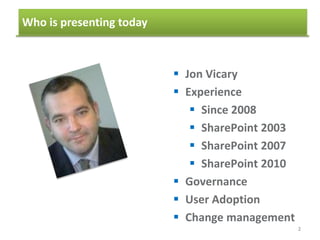
 Jon Vicary
 Experience
 Since 2008
 SharePoint 2003
 SharePoint 2007
 SharePoint 2010
 Governance
 User Adoption
 Change management
Quick Question
Who has no idea what InfoPath is?
Who has filled out an InfoPath form?
Who has created a form?
Basic form?
Complex form?
Who supports end users with InfoPath?
In one word what do your end users think of
InfoPath?
3
Agenda
4
1. Introducing InfoPath
2. The challenge of supporting InfoPath
3. Questions and answers
4. Questions and answers
5. Using controls to collect data
6. Browser forms
7. Finishing and publishing the form
Agenda
5
1. Introducing InfoPath
2. The basics of template creation
3. Data sources
4. Formatting a template
5. Using controls to collect data
6. Browser forms
7. Finishing and publishing the form
- What can InfoPath do for you
- What can form creators do with InfoPath
- Understanding the different InfoPath programs
Introducing InfoPath
What you can do with InfoPath
6
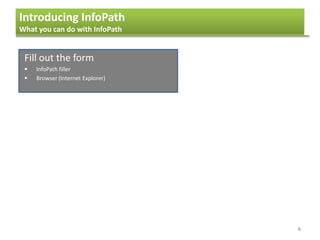
Fill out the form
 InfoPath filler
 Browser (Internet Explorer)
Introducing InfoPath
What you can do with InfoPath
7
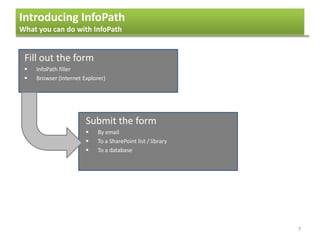
Fill out the form
 InfoPath filler
 Browser (Internet Explorer)
Submit the form
 By email
 To a SharePoint list / library
 To a database
Introducing InfoPath
What you can do with InfoPath
8
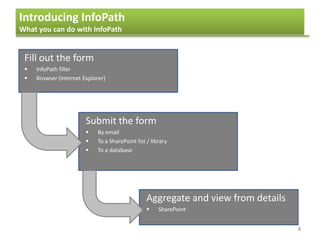
Fill out the form
 InfoPath filler
 Browser (Internet Explorer)
Submit the form
 By email
 To a SharePoint list / library
 To a database
Aggregate and view from details
 SharePoint
Agenda
9
1. Introducing InfoPath
2. The basics of template creation
3. Data sources
4. Formatting a template
5. Using controls to collect data
6. Browser forms
7. Finishing and publishing the form
- What can InfoPath do for you
- What can form creators do with InfoPath
- Understanding the different InfoPath programs
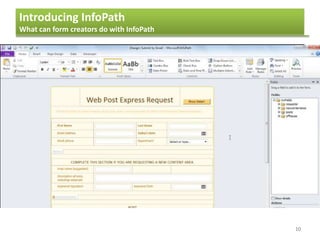
Introducing InfoPath
What can form creators do with InfoPath
10
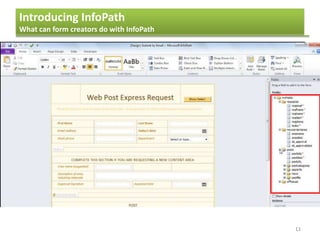
Introducing InfoPath
What can form creators do with InfoPath
11
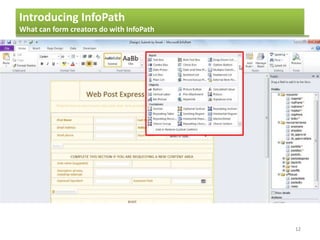
Introducing InfoPath
What can form creators do with InfoPath
12
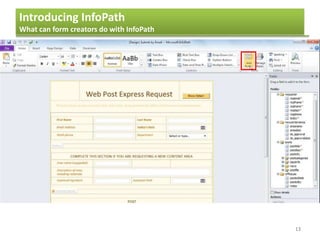
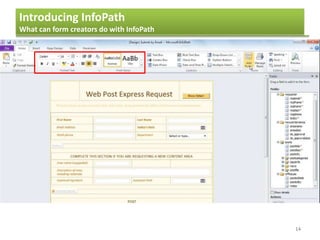
Introducing InfoPath
What can form creators do with InfoPath
13
Introducing InfoPath
What can form creators do with InfoPath
14
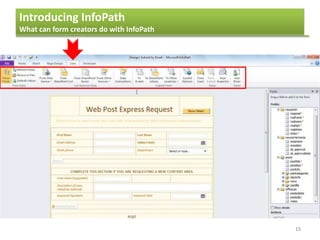
Introducing InfoPath
What can form creators do with InfoPath
15
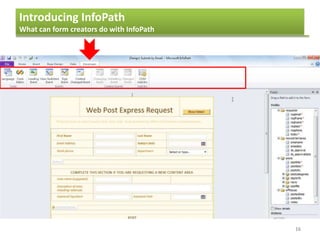
Introducing InfoPath
What can form creators do with InfoPath
16
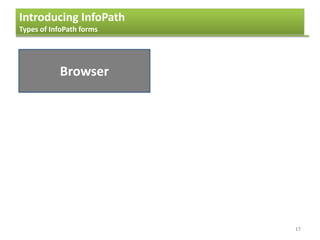
Introducing InfoPath
Types of InfoPath forms
17
Browser
Introducing InfoPath
Types of InfoPath forms
18
Browser
SharePoint Server
Introducing InfoPath
Types of InfoPath forms
19
Browser
SharePoint Server
SharePoint
library
Introducing InfoPath
Types of InfoPath forms
20
Browser
SharePoint Server
SharePoint
library
SharePoint
list
Introducing InfoPath
Types of InfoPath forms
21
Browser
SharePoint Server
SharePoint
library
SharePoint
list
InfoPath
web part
Introducing InfoPath
Types of InfoPath forms
22
Browser Filler
SharePoint Server
SharePoint
library
SharePoint
list
InfoPath
web part
Introducing InfoPath
Types of InfoPath forms
23
Browser Filler
SharePoint Server Email form
SharePoint
library
SharePoint
list
InfoPath
web part
Introducing InfoPath
Types of InfoPath forms
24
Browser Filler
SharePoint Server Email form
SharePoint
library
SharePoint
list
InfoPath
web part
Network
share
Introducing InfoPath
Types of InfoPath forms
25
Browser Filler
SharePoint Server Email form
SharePoint
library
SharePoint
list
InfoPath
web part
Network
share
Email to
users
Introducing InfoPath
Types of InfoPath forms
26
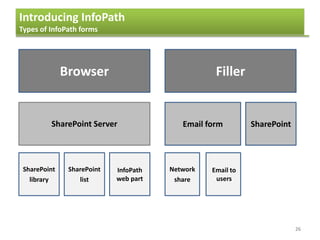
Browser Filler
SharePoint Server Email form SharePoint
SharePoint
library
SharePoint
list
InfoPath
web part
Network
share
Email to
users
Introducing InfoPath
What you can do with InfoPath
27
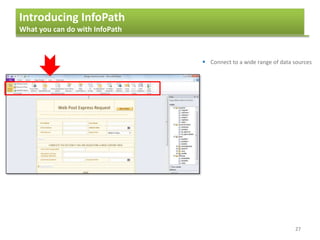
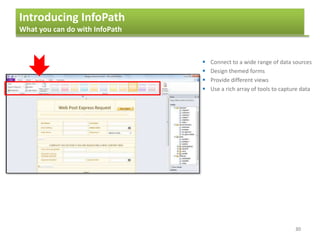
 Connect to a wide range of data sources
Introducing InfoPath
What you can do with InfoPath
28
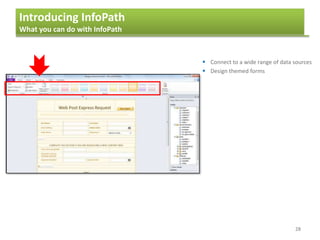
 Connect to a wide range of data sources
 Design themed forms
Introducing InfoPath
What you can do with InfoPath
29
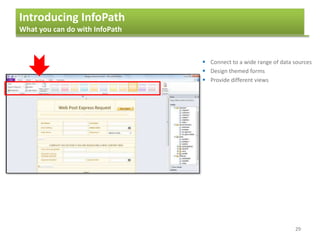
 Connect to a wide range of data sources
 Design themed forms
 Provide different views
Introducing InfoPath
What you can do with InfoPath
30
 Connect to a wide range of data sources
 Design themed forms
 Provide different views
 Use a rich array of tools to capture data
Introducing InfoPath
What you can do with InfoPath
31
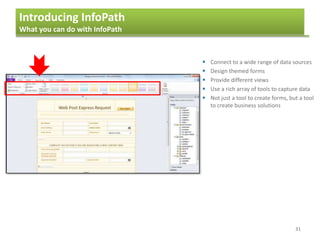
 Connect to a wide range of data sources
 Design themed forms
 Provide different views
 Use a rich array of tools to capture data
 Not just a tool to create forms, but a tool
to create business solutions
Agenda
32
1. Introducing InfoPath
2. The basics of template creation
3. Data sources
4. Formatting a template
5. Using controls to collect data
6. Browser forms
7. Finishing and publishing the form
- What can InfoPath do for you
- What can form creators do with InfoPath
- Understanding the different InfoPath programs
Introducing InfoPath
Understanding the different InfoPath programs
33
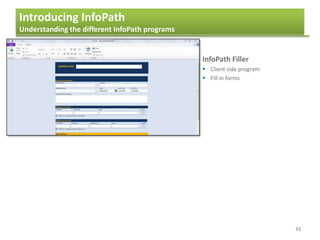
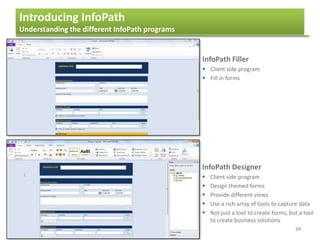
InfoPath Filler
 Client side program
 Fill in forms
Introducing InfoPath
Understanding the different InfoPath programs
34
InfoPath Filler
 Client side program
 Fill in forms
InfoPath Designer
 Client side program
 Design themed forms
 Provide different views
 Use a rich array of tools to capture data
 Not just a tool to create forms, but a tool
to create business solutions
Agenda
35
1. Introducing InfoPath
2. The challenge of supporting InfoPath
3. Business scenarios
4. Questions and answers
5. Using controls to collect data
6. Browser forms
7. Finishing and publishing the form
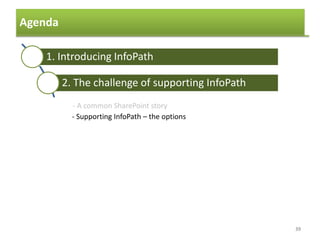
- A common SharePoint story
- Supporting InfoPath – the options
Agenda
36
1. Introducing InfoPath
2. The challenge of supporting InfoPath
3. Business scenarios
4. Questions and answers
5. Using controls to collect data
6. Browser forms
7. Finishing and publishing the form
- A common SharePoint story
- Supporting InfoPath – the options
The challenge of supporting InfoPath
A common SharePoint story
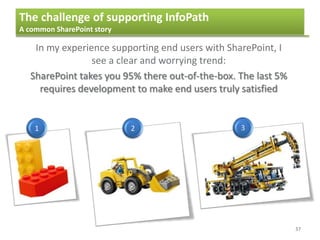
In my experience supporting end users with SharePoint, I
see a clear and worrying trend:
SharePoint takes you 95% there out-of-the-box. The last 5%
requires development to make end users truly satisfied
1 2 3
37
The challenge of supporting InfoPath
A common SharePoint story
SharePoint Product Marketing:
SharePoint can be used to solve
business problems
to….
SharePoint can be used to almost
solve business problems
38
Examples
 Workflows
 Alert emails
 Web Parts
Agenda
39
1. Introducing InfoPath
2. The challenge of supporting InfoPath
3. Business scenarios
4. Questions and answers
5. Using controls to collect data
6. Browser forms
7. Finishing and publishing the form
- A common SharePoint story
- Supporting InfoPath – the options
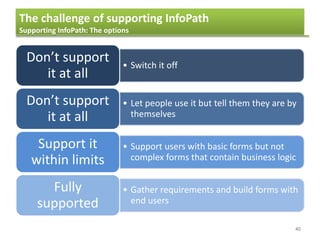
40
• Switch it off
Don’t support
it at all
• Let people use it but tell them they are by
themselves
Don’t support
it at all
• Support users with basic forms but not
complex forms that contain business logic
Support it
within limits
• Gather requirements and build forms with
end users
Fully
supported
The challenge of supporting InfoPath
Supporting InfoPath: The options
41
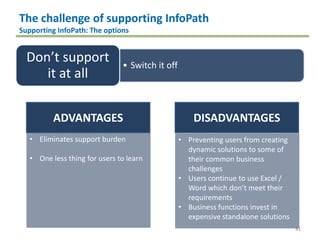
• Switch it off
Don’t support
it at all
• Let people use it but tell them they are by
themselves
Don’t support
it at all
• Support users with basic forms but not
complex forms that contain business logic
Support it
within limits
• Gather requirements and build forms with
end users
Fully
supported
The challenge of supporting InfoPath
Supporting InfoPath: The options
ADVANTAGES DISADVANTAGES
• Eliminates support burden
• One less thing for users to learn
• Preventing users from creating
dynamic solutions to some of
their common business
challenges
• Users continue to use Excel /
Word which don’t meet their
requirements
• Business functions invest in
expensive standalone solutions
42
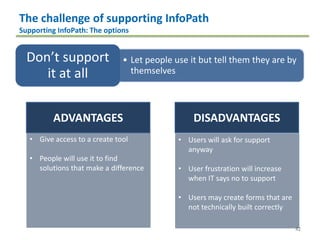
• Let people use it but tell them they are by
themselves
Don’t support
it at all
• Let people use it but tell them they are by
themselves
Don’t support
it at all
• Support users with basic forms but not
complex forms that contain business logic
Support it
within limits
• Gather requirements and build forms with
end users
Fully
supported
The challenge of supporting InfoPath
Supporting InfoPath: The options
ADVANTAGES DISADVANTAGES
• Give access to a create tool
• People will use it to find
solutions that make a difference
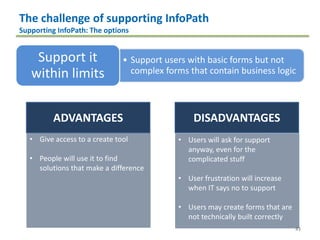
• Users will ask for support
anyway
• User frustration will increase
when IT says no to support
• Users may create forms that are
not technically built correctly
43
• Support users with basic forms but not
complex forms that contain business logic
Support it
within limits
• Let people use it but tell them they are by
themselves
Don’t support
it at all
• Support users with basic forms but not
complex forms that contain business logic
Support it
within limits
• Gather requirements and build forms with
end users
Fully
supported
The challenge of supporting InfoPath
Supporting InfoPath: The options
ADVANTAGES DISADVANTAGES
• Give access to a create tool
• People will use it to find
solutions that make a difference
• Users will ask for support
anyway, even for the
complicated stuff
• User frustration will increase
when IT says no to support
• Users may create forms that are
not technically built correctly
44
• Gather requirements and build forms with
end users
Fully
supported
• Let people use it but tell them they are by
themselves
Don’t support
it at all
• Support users with basic forms but not
complex forms that contain business logic
Support it
within limits
• Gather requirements and build forms with
end users
Fully
supported
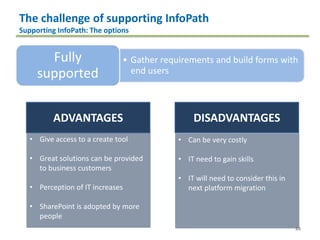
The challenge of supporting InfoPath
Supporting InfoPath: The options
ADVANTAGES DISADVANTAGES
• Give access to a create tool
• Great solutions can be provided
to business customers
• Perception of IT increases
• SharePoint is adopted by more
people
• Can be very costly
• IT need to gain skills
• IT will need to consider this in
next platform migration
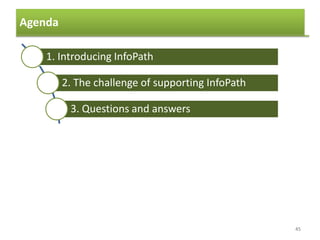
Agenda
45
1. Introducing InfoPath
2. The challenge of supporting InfoPath
3. Questions and answers
4. Questions and answers
5. Using controls to collect data
6. Browser forms
7. Finishing and publishing the form
Questions?
Thank you!

The Trials of Supporting End Users with SharePoint InfoPath forms

  • 1.
    InfoPath - an introductionto InfoPath - Challenges supporting InfoPath
  • 2.
    Who is presentingtoday 2  Jon Vicary  Experience  Since 2008  SharePoint 2003  SharePoint 2007  SharePoint 2010  Governance  User Adoption  Change management
  • 3.
    Quick Question Who hasno idea what InfoPath is? Who has filled out an InfoPath form? Who has created a form? Basic form? Complex form? Who supports end users with InfoPath? In one word what do your end users think of InfoPath? 3
  • 4.
    Agenda 4 1. Introducing InfoPath 2.The challenge of supporting InfoPath 3. Questions and answers 4. Questions and answers 5. Using controls to collect data 6. Browser forms 7. Finishing and publishing the form
  • 5.
    Agenda 5 1. Introducing InfoPath 2.The basics of template creation 3. Data sources 4. Formatting a template 5. Using controls to collect data 6. Browser forms 7. Finishing and publishing the form - What can InfoPath do for you - What can form creators do with InfoPath - Understanding the different InfoPath programs
  • 6.
    Introducing InfoPath What youcan do with InfoPath 6 Fill out the form  InfoPath filler  Browser (Internet Explorer)
  • 7.
    Introducing InfoPath What youcan do with InfoPath 7 Fill out the form  InfoPath filler  Browser (Internet Explorer) Submit the form  By email  To a SharePoint list / library  To a database
  • 8.
    Introducing InfoPath What youcan do with InfoPath 8 Fill out the form  InfoPath filler  Browser (Internet Explorer) Submit the form  By email  To a SharePoint list / library  To a database Aggregate and view from details  SharePoint
  • 9.
    Agenda 9 1. Introducing InfoPath 2.The basics of template creation 3. Data sources 4. Formatting a template 5. Using controls to collect data 6. Browser forms 7. Finishing and publishing the form - What can InfoPath do for you - What can form creators do with InfoPath - Understanding the different InfoPath programs
  • 10.
    Introducing InfoPath What canform creators do with InfoPath 10
  • 11.
    Introducing InfoPath What canform creators do with InfoPath 11
  • 12.
    Introducing InfoPath What canform creators do with InfoPath 12
  • 13.
    Introducing InfoPath What canform creators do with InfoPath 13
  • 14.
    Introducing InfoPath What canform creators do with InfoPath 14
  • 15.
    Introducing InfoPath What canform creators do with InfoPath 15
  • 16.
    Introducing InfoPath What canform creators do with InfoPath 16
  • 17.
    Introducing InfoPath Types ofInfoPath forms 17 Browser
  • 18.
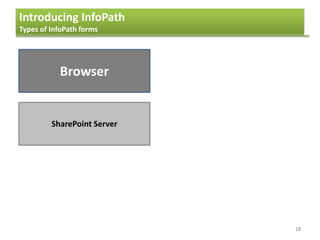
    Introducing InfoPath Types ofInfoPath forms 18 Browser SharePoint Server
  • 19.
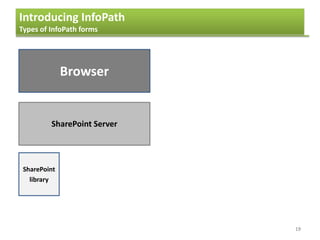
    Introducing InfoPath Types ofInfoPath forms 19 Browser SharePoint Server SharePoint library
  • 20.
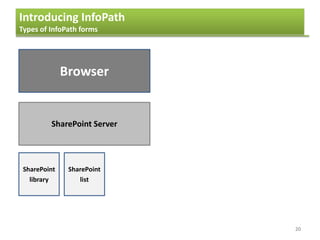
    Introducing InfoPath Types ofInfoPath forms 20 Browser SharePoint Server SharePoint library SharePoint list
  • 21.
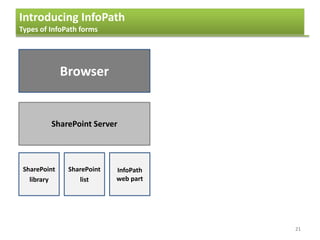
    Introducing InfoPath Types ofInfoPath forms 21 Browser SharePoint Server SharePoint library SharePoint list InfoPath web part
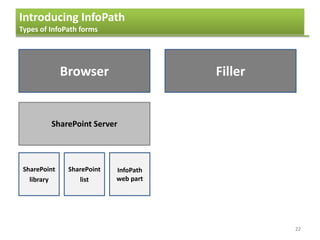
  • 22.
    Introducing InfoPath Types ofInfoPath forms 22 Browser Filler SharePoint Server SharePoint library SharePoint list InfoPath web part
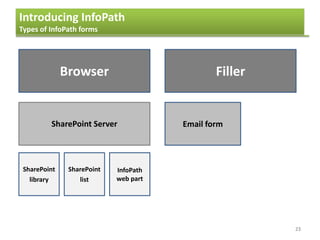
  • 23.
    Introducing InfoPath Types ofInfoPath forms 23 Browser Filler SharePoint Server Email form SharePoint library SharePoint list InfoPath web part
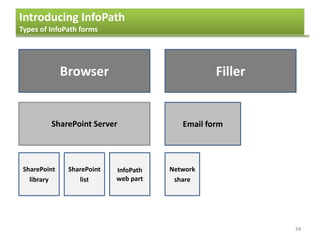
  • 24.
    Introducing InfoPath Types ofInfoPath forms 24 Browser Filler SharePoint Server Email form SharePoint library SharePoint list InfoPath web part Network share
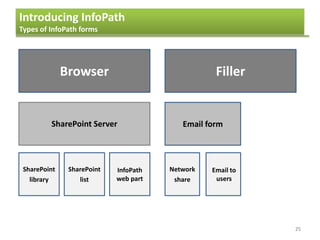
  • 25.
    Introducing InfoPath Types ofInfoPath forms 25 Browser Filler SharePoint Server Email form SharePoint library SharePoint list InfoPath web part Network share Email to users
  • 26.
    Introducing InfoPath Types ofInfoPath forms 26 Browser Filler SharePoint Server Email form SharePoint SharePoint library SharePoint list InfoPath web part Network share Email to users
  • 27.
    Introducing InfoPath What youcan do with InfoPath 27  Connect to a wide range of data sources
  • 28.
    Introducing InfoPath What youcan do with InfoPath 28  Connect to a wide range of data sources  Design themed forms
  • 29.
    Introducing InfoPath What youcan do with InfoPath 29  Connect to a wide range of data sources  Design themed forms  Provide different views
  • 30.
    Introducing InfoPath What youcan do with InfoPath 30  Connect to a wide range of data sources  Design themed forms  Provide different views  Use a rich array of tools to capture data
  • 31.
    Introducing InfoPath What youcan do with InfoPath 31  Connect to a wide range of data sources  Design themed forms  Provide different views  Use a rich array of tools to capture data  Not just a tool to create forms, but a tool to create business solutions
  • 32.
    Agenda 32 1. Introducing InfoPath 2.The basics of template creation 3. Data sources 4. Formatting a template 5. Using controls to collect data 6. Browser forms 7. Finishing and publishing the form - What can InfoPath do for you - What can form creators do with InfoPath - Understanding the different InfoPath programs
  • 33.
    Introducing InfoPath Understanding thedifferent InfoPath programs 33 InfoPath Filler  Client side program  Fill in forms
  • 34.
    Introducing InfoPath Understanding thedifferent InfoPath programs 34 InfoPath Filler  Client side program  Fill in forms InfoPath Designer  Client side program  Design themed forms  Provide different views  Use a rich array of tools to capture data  Not just a tool to create forms, but a tool to create business solutions
  • 35.
    Agenda 35 1. Introducing InfoPath 2.The challenge of supporting InfoPath 3. Business scenarios 4. Questions and answers 5. Using controls to collect data 6. Browser forms 7. Finishing and publishing the form - A common SharePoint story - Supporting InfoPath – the options
  • 36.
    Agenda 36 1. Introducing InfoPath 2.The challenge of supporting InfoPath 3. Business scenarios 4. Questions and answers 5. Using controls to collect data 6. Browser forms 7. Finishing and publishing the form - A common SharePoint story - Supporting InfoPath – the options
  • 37.
    The challenge ofsupporting InfoPath A common SharePoint story In my experience supporting end users with SharePoint, I see a clear and worrying trend: SharePoint takes you 95% there out-of-the-box. The last 5% requires development to make end users truly satisfied 1 2 3 37
  • 38.
    The challenge ofsupporting InfoPath A common SharePoint story SharePoint Product Marketing: SharePoint can be used to solve business problems to…. SharePoint can be used to almost solve business problems 38 Examples  Workflows  Alert emails  Web Parts
  • 39.
    Agenda 39 1. Introducing InfoPath 2.The challenge of supporting InfoPath 3. Business scenarios 4. Questions and answers 5. Using controls to collect data 6. Browser forms 7. Finishing and publishing the form - A common SharePoint story - Supporting InfoPath – the options
  • 40.
    40 • Switch itoff Don’t support it at all • Let people use it but tell them they are by themselves Don’t support it at all • Support users with basic forms but not complex forms that contain business logic Support it within limits • Gather requirements and build forms with end users Fully supported The challenge of supporting InfoPath Supporting InfoPath: The options
  • 41.
    41 • Switch itoff Don’t support it at all • Let people use it but tell them they are by themselves Don’t support it at all • Support users with basic forms but not complex forms that contain business logic Support it within limits • Gather requirements and build forms with end users Fully supported The challenge of supporting InfoPath Supporting InfoPath: The options ADVANTAGES DISADVANTAGES • Eliminates support burden • One less thing for users to learn • Preventing users from creating dynamic solutions to some of their common business challenges • Users continue to use Excel / Word which don’t meet their requirements • Business functions invest in expensive standalone solutions
  • 42.
    42 • Let peopleuse it but tell them they are by themselves Don’t support it at all • Let people use it but tell them they are by themselves Don’t support it at all • Support users with basic forms but not complex forms that contain business logic Support it within limits • Gather requirements and build forms with end users Fully supported The challenge of supporting InfoPath Supporting InfoPath: The options ADVANTAGES DISADVANTAGES • Give access to a create tool • People will use it to find solutions that make a difference • Users will ask for support anyway • User frustration will increase when IT says no to support • Users may create forms that are not technically built correctly
  • 43.
    43 • Support userswith basic forms but not complex forms that contain business logic Support it within limits • Let people use it but tell them they are by themselves Don’t support it at all • Support users with basic forms but not complex forms that contain business logic Support it within limits • Gather requirements and build forms with end users Fully supported The challenge of supporting InfoPath Supporting InfoPath: The options ADVANTAGES DISADVANTAGES • Give access to a create tool • People will use it to find solutions that make a difference • Users will ask for support anyway, even for the complicated stuff • User frustration will increase when IT says no to support • Users may create forms that are not technically built correctly
  • 44.
    44 • Gather requirementsand build forms with end users Fully supported • Let people use it but tell them they are by themselves Don’t support it at all • Support users with basic forms but not complex forms that contain business logic Support it within limits • Gather requirements and build forms with end users Fully supported The challenge of supporting InfoPath Supporting InfoPath: The options ADVANTAGES DISADVANTAGES • Give access to a create tool • Great solutions can be provided to business customers • Perception of IT increases • SharePoint is adopted by more people • Can be very costly • IT need to gain skills • IT will need to consider this in next platform migration
  • 45.
    Agenda 45 1. Introducing InfoPath 2.The challenge of supporting InfoPath 3. Questions and answers 4. Questions and answers 5. Using controls to collect data 6. Browser forms 7. Finishing and publishing the form
  • 46.