Microsoft Office SharePoint Portal Server 2007
Introduction to InfoPath
Forms Services

Daryl L. Rudolph
Agenda

What is InfoPath Forms Services?

Components of an InfoPath Forms
Services Solution

Development with InfoPath Forms
Services
What is InfoPath Forms Services?
  A server technology built on Microsoft Windows
  SharePoint Services (WWS) 3.0 as an ASP.NET
  version 2.0 application*

  Enables users to fill out Microsoft Office InfoPath 2007
  forms by using a Web browser


  Provides a central location to store and manage form
  templates

 *Available as a licensed application on top of WSS.
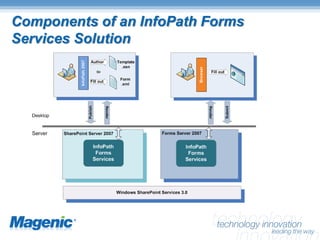
Components of an InfoPath Forms
Services Solution
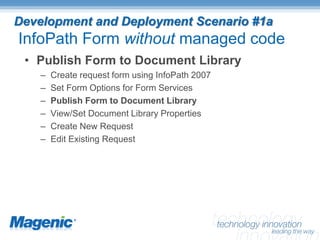
Development and Deployment Scenario #1a
InfoPath Form without managed code
 • Publish Form to Document Library
    –   Create request form using InfoPath 2007
    –   Set Form Options for Form Services
    –   Publish Form to Document Library
    –   View/Set Document Library Properties
    –   Create New Request
    –   Edit Existing Request
Development with InfoPath Forms Services


   Key SharePoint Concepts
   • Site Columns and Content Types
   • SharePoint Features
   • SharePoint Workflows

   What tools are needed?
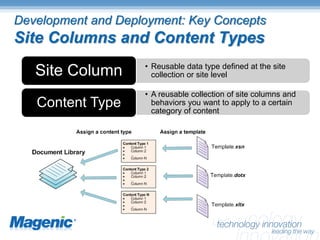
Development and Deployment: Key Concepts
Site Columns and Content Types
                    • Reusable data type defined at the site
   Site Column        collection or site level

                    • A reusable collection of site columns and
   Content Type       behaviors you want to apply to a certain
                      category of content
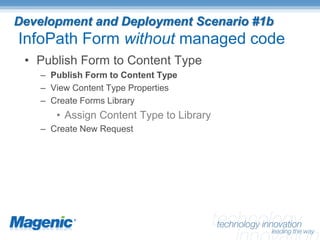
Development and Deployment Scenario #1b
InfoPath Form without managed code
 • Publish Form to Content Type
    – Publish Form to Content Type
    – View Content Type Properties
    – Create Forms Library
       • Assign Content Type to Library
    – Create New Request
Development and Deployment: Key Concepts
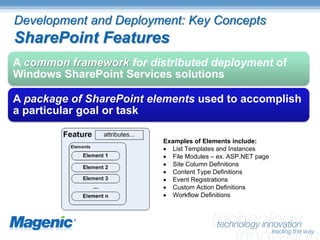
SharePoint Features
A common framework for distributed deployment of
Windows SharePoint Services solutions

A package of SharePoint elements used to accomplish
a particular goal or task

                          Examples of Elements include:
                          · List Templates and Instances
                          · File Modules – ex. ASP.NET page
                          · Site Column Definitions
                          · Content Type Definitions
                          · Event Registrations
                          · Custom Action Definitions
                          · Workflow Definitions
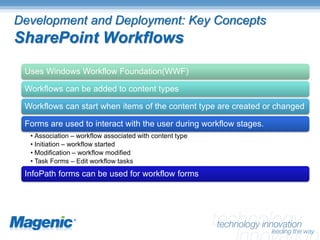
Development and Deployment: Key Concepts
SharePoint Workflows
 Uses Windows Workflow Foundation(WWF)

 Workflows can be added to content types

 Workflows can start when items of the content type are created or changed

 Forms are used to interact with the user during workflow stages.
  • Association – workflow associated with content type
  • Initiation – workflow started
  • Modification – workflow modified
  • Task Forms – Edit workflow tasks
 InfoPath forms can be used for workflow forms
Development and Deployment Scenario #2
InfoPath Forms for SharePoint workflow
 •   Create SharePoint Bus Pass Request Workflow
 •   Create Approval Task (InfoPath) Form
 •   Deploy Workflow
 •   Associate Workflow w/ Buss Pass Content Type
 •   Create Buss Pass Request
 •   Complete Task
 •   Review Outcome
Development and Deployment Scenario #3
InfoPath Form with managed code
 •   Create InfoPath Form Template
 •   Set Form Template Properties
 •   Add Fields and Button Control
 •   Handle Button Click Event with Managed Code
 •   Publish and Deploy Form Template
 •   Fill out form
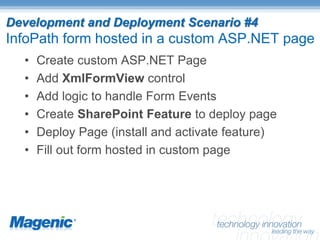
Development and Deployment Scenario #4
InfoPath form hosted in a custom ASP.NET page
  •   Create custom ASP.NET Page
  •   Add XmlFormView control
  •   Add logic to handle Form Events
  •   Create SharePoint Feature to deploy page
  •   Deploy Page (install and activate feature)
  •   Fill out form hosted in custom page
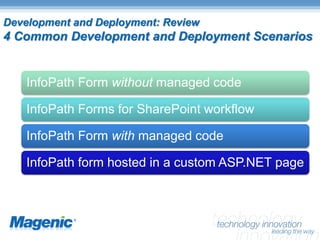
Development and Deployment: Review
4 Common Development and Deployment Scenarios


    InfoPath Form without managed code

    InfoPath Forms for SharePoint workflow

    InfoPath Form with managed code

    InfoPath form hosted in a custom ASP.NET page
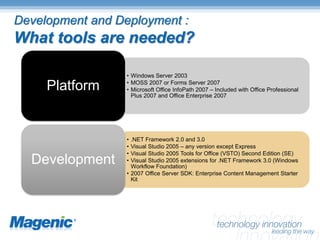
Development and Deployment :
What tools are needed?

                  • Windows Server 2003
                  • MOSS 2007 or Forms Server 2007
     Platform     • Microsoft Office InfoPath 2007 – Included with Office Professional
                    Plus 2007 and Office Enterprise 2007


                  • .NET Framework 2.0 and 3.0
                  • Visual Studio 2005 – any version except Express
                  • Visual Studio 2005 Tools for Office (VSTO) Second Edition (SE)
  Development     • Visual Studio 2005 extensions for .NET Framework 3.0 (Windows
                    Workflow Foundation)
                  • 2007 Office Server SDK: Enterprise Content Management Starter
                    Kit
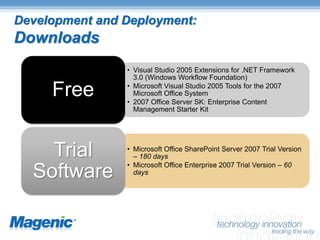
Development and Deployment:
Downloads
                • Visual Studio 2005 Extensions for .NET Framework
                  3.0 (Windows Workflow Foundation)

     Free       • Microsoft Visual Studio 2005 Tools for the 2007
                  Microsoft Office System
                • 2007 Office Server SK: Enterprise Content
                  Management Starter Kit


    Trial       • Microsoft Office SharePoint Server 2007 Trial Version
                  – 180 days
                • Microsoft Office Enterprise 2007 Trial Version – 60
  Software        days
Contact Information
 Daryl L. Rudolph
 Magenic Technologies
 DarylR@Magenic.com

Introduction To Form Services In Mos22007 Csug

  • 1.
    Microsoft Office SharePointPortal Server 2007 Introduction to InfoPath Forms Services Daryl L. Rudolph
  • 2.
    Agenda What is InfoPathForms Services? Components of an InfoPath Forms Services Solution Development with InfoPath Forms Services
  • 3.
    What is InfoPathForms Services? A server technology built on Microsoft Windows SharePoint Services (WWS) 3.0 as an ASP.NET version 2.0 application* Enables users to fill out Microsoft Office InfoPath 2007 forms by using a Web browser Provides a central location to store and manage form templates *Available as a licensed application on top of WSS.
  • 4.
    Components of anInfoPath Forms Services Solution
  • 5.
    Development and DeploymentScenario #1a InfoPath Form without managed code • Publish Form to Document Library – Create request form using InfoPath 2007 – Set Form Options for Form Services – Publish Form to Document Library – View/Set Document Library Properties – Create New Request – Edit Existing Request
  • 6.
    Development with InfoPathForms Services Key SharePoint Concepts • Site Columns and Content Types • SharePoint Features • SharePoint Workflows What tools are needed?
  • 7.
    Development and Deployment:Key Concepts Site Columns and Content Types • Reusable data type defined at the site Site Column collection or site level • A reusable collection of site columns and Content Type behaviors you want to apply to a certain category of content
  • 8.
    Development and DeploymentScenario #1b InfoPath Form without managed code • Publish Form to Content Type – Publish Form to Content Type – View Content Type Properties – Create Forms Library • Assign Content Type to Library – Create New Request
  • 9.
    Development and Deployment:Key Concepts SharePoint Features A common framework for distributed deployment of Windows SharePoint Services solutions A package of SharePoint elements used to accomplish a particular goal or task Examples of Elements include: · List Templates and Instances · File Modules – ex. ASP.NET page · Site Column Definitions · Content Type Definitions · Event Registrations · Custom Action Definitions · Workflow Definitions
  • 10.
    Development and Deployment:Key Concepts SharePoint Workflows Uses Windows Workflow Foundation(WWF) Workflows can be added to content types Workflows can start when items of the content type are created or changed Forms are used to interact with the user during workflow stages. • Association – workflow associated with content type • Initiation – workflow started • Modification – workflow modified • Task Forms – Edit workflow tasks InfoPath forms can be used for workflow forms
  • 11.
    Development and DeploymentScenario #2 InfoPath Forms for SharePoint workflow • Create SharePoint Bus Pass Request Workflow • Create Approval Task (InfoPath) Form • Deploy Workflow • Associate Workflow w/ Buss Pass Content Type • Create Buss Pass Request • Complete Task • Review Outcome
  • 12.
    Development and DeploymentScenario #3 InfoPath Form with managed code • Create InfoPath Form Template • Set Form Template Properties • Add Fields and Button Control • Handle Button Click Event with Managed Code • Publish and Deploy Form Template • Fill out form
  • 13.
    Development and DeploymentScenario #4 InfoPath form hosted in a custom ASP.NET page • Create custom ASP.NET Page • Add XmlFormView control • Add logic to handle Form Events • Create SharePoint Feature to deploy page • Deploy Page (install and activate feature) • Fill out form hosted in custom page
  • 14.
    Development and Deployment:Review 4 Common Development and Deployment Scenarios InfoPath Form without managed code InfoPath Forms for SharePoint workflow InfoPath Form with managed code InfoPath form hosted in a custom ASP.NET page
  • 15.
    Development and Deployment: What tools are needed? • Windows Server 2003 • MOSS 2007 or Forms Server 2007 Platform • Microsoft Office InfoPath 2007 – Included with Office Professional Plus 2007 and Office Enterprise 2007 • .NET Framework 2.0 and 3.0 • Visual Studio 2005 – any version except Express • Visual Studio 2005 Tools for Office (VSTO) Second Edition (SE) Development • Visual Studio 2005 extensions for .NET Framework 3.0 (Windows Workflow Foundation) • 2007 Office Server SDK: Enterprise Content Management Starter Kit
  • 16.
    Development and Deployment: Downloads • Visual Studio 2005 Extensions for .NET Framework 3.0 (Windows Workflow Foundation) Free • Microsoft Visual Studio 2005 Tools for the 2007 Microsoft Office System • 2007 Office Server SK: Enterprise Content Management Starter Kit Trial • Microsoft Office SharePoint Server 2007 Trial Version – 180 days • Microsoft Office Enterprise 2007 Trial Version – 60 Software days
  • 17.
    Contact Information DarylL. Rudolph Magenic Technologies DarylR@Magenic.com