© 2010 Holly Group - All Rights Reserved.
SharePoint from the
Form’s-Eye View
Presented by
Steve Weissman
Executive Director
Holly Group
617-383-4655
sweissman@hollygroup.com • steveweissman • steveweissman
November 2, 2010
© 2010 Holly Group - All Rights Reserved.
When Worlds Collide
• ThenThen
» Forms: Much art, some science
• Design, fill, deliver, store
» IT: Mostly science
• Capture, route, archive, retrieve
• NowNow
» More process than ever, on both sides
» Populist points of intersection: SharePoint & InfoPath
© 2010 Holly Group - All Rights Reserved.
SharePoint is Taking Off
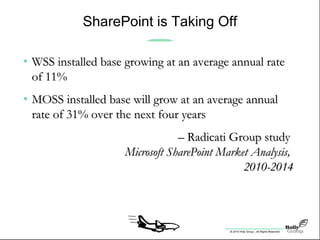
• WSS installed base growing at an average annual rateWSS installed base growing at an average annual rate
of 11%of 11%
• MOSS installed base will grow at an average annualMOSS installed base will grow at an average annual
rate of 31% over the next four yearsrate of 31% over the next four years
–– Radicati Group studyRadicati Group study
Microsoft SharePoint Market Analysis,Microsoft SharePoint Market Analysis,
2010-20142010-2014
© 2010 Holly Group - All Rights Reserved.
SharePoint is Taking Off
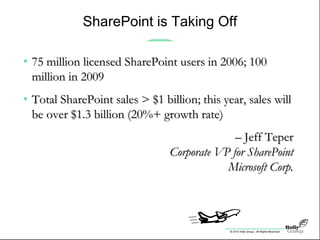
• 75 million licensed SharePoint users in 2006; 10075 million licensed SharePoint users in 2006; 100
million in 2009million in 2009
• Total SharePoint sales > $1 billion; this year, sales willTotal SharePoint sales > $1 billion; this year, sales will
be over $1.3 billion (20%+ growth rate)be over $1.3 billion (20%+ growth rate)
–– Jeff TeperJeff Teper
Corporate VP for SharePointCorporate VP for SharePoint
Microsoft Corp.Microsoft Corp.
© 2010 Holly Group - All Rights Reserved.
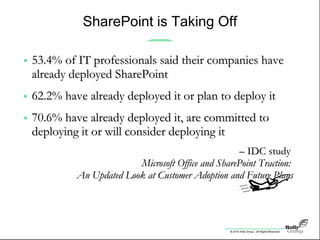
• 53.4% of IT professionals said their companies have53.4% of IT professionals said their companies have
already deployed SharePointalready deployed SharePoint
• 62.2% have already deployed it or plan to deploy it62.2% have already deployed it or plan to deploy it
• 70.6% have already deployed it, are committed to70.6% have already deployed it, are committed to
deploying it or will consider deploying itdeploying it or will consider deploying it
–– IDC studyIDC study
Microsoft Office and SharePoint Traction:Microsoft Office and SharePoint Traction:
An Updated Look at Customer Adoption and Future PlansAn Updated Look at Customer Adoption and Future Plans
SharePoint is Taking Off
© 2010 Holly Group - All Rights Reserved.
It’s No Magic Bullet …
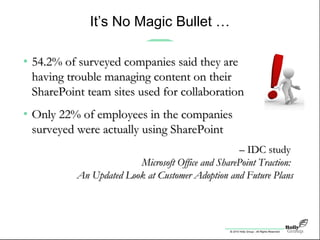
• 54.2% of surveyed companies said they are54.2% of surveyed companies said they are
having trouble managing content on theirhaving trouble managing content on their
SharePoint team sites used for collaborationSharePoint team sites used for collaboration
• Only 22% of employees in the companiesOnly 22% of employees in the companies
surveyed were actually using SharePointsurveyed were actually using SharePoint
–– IDC studyIDC study
Microsoft Office and SharePoint Traction:Microsoft Office and SharePoint Traction:
An Updated Look at Customer Adoption and Future PlansAn Updated Look at Customer Adoption and Future Plans
© 2010 Holly Group - All Rights Reserved.
… But:
• It’s from MicrosoftIt’s from Microsoft
» Infrastructure vendor of choice for many organizations, and
plenty-deep pockets to ensure it sticks
• It worksIt works
» As with Windows and CRM, the third version’s the charm! (and
now it’s in v4)
• It does many thingsIt does many things
» Supports business intelligence, collaboration, portals, search,
content management … and yes, business forms!
© 2010 Holly Group - All Rights Reserved.
Living on the Cutting Edge(s)
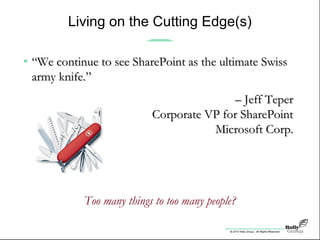
• ““We continue to see SharePoint as the ultimate SwissWe continue to see SharePoint as the ultimate Swiss
army knife.”army knife.”
–– Jeff TeperJeff Teper
Corporate VP for SharePointCorporate VP for SharePoint
Microsoft Corp.Microsoft Corp.
Too many things to too many people?
© 2010 Holly Group - All Rights Reserved.
Forms Often Lost in Translation
• They’re just not sexyThey’re just not sexy
» They’re everywhere
- considered a necessary nuisance
» They’re expensive
- with lifecycle costs (design  archiving) as high as $75,000
» They’re annoying
- the original four-letter “F” word
• But they’re in there!But they’re in there!
» Enter, InfoPath
© 2010 Holly Group - All Rights Reserved.
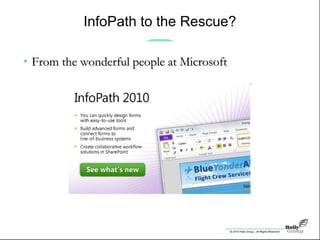
InfoPath to the Rescue?
• From the wonderful people at MicrosoftFrom the wonderful people at Microsoft
© 2010 Holly Group - All Rights Reserved.
Sounds Good on (Brochure) Paper
• Redmond’s Top Three Things to like about InfoPathRedmond’s Top Three Things to like about InfoPath
» Quickly and efficiently create forms and minimize training time
» Easily create sophisticated forms without writing code
» Give participants the ability to fill out forms online or offline
© 2010 Holly Group - All Rights Reserved.
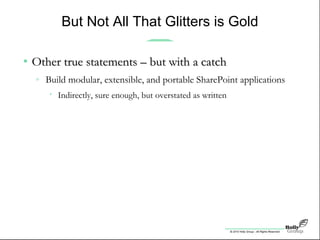
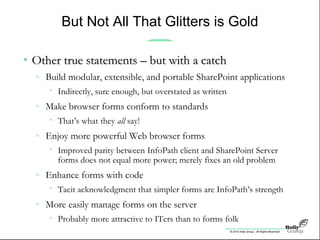
But Not All That Glitters is Gold
• Other true statements – but with a catchOther true statements – but with a catch
» Build modular, extensible, and portable SharePoint applications
• Indirectly, sure enough, but overstated as written
© 2010 Holly Group - All Rights Reserved.
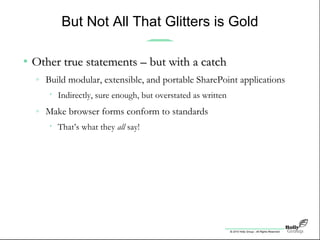
But Not All That Glitters is Gold
• Other true statements – but with a catchOther true statements – but with a catch
» Build modular, extensible, and portable SharePoint applications
• Indirectly, sure enough, but overstated as written
» Make browser forms conform to standards
• That’s what they all say!
© 2010 Holly Group - All Rights Reserved.
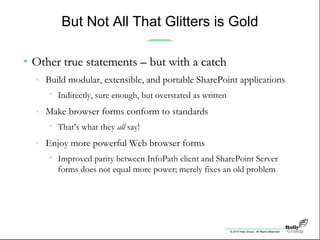
But Not All That Glitters is Gold
• Other true statements – but with a catchOther true statements – but with a catch
» Build modular, extensible, and portable SharePoint applications
• Indirectly, sure enough, but overstated as written
» Make browser forms conform to standards
• That’s what they all say!
» Enjoy more powerful Web browser forms
• Improved parity between InfoPath client and SharePoint Server
forms does not equal more power; merely fixes an old problem
© 2010 Holly Group - All Rights Reserved.
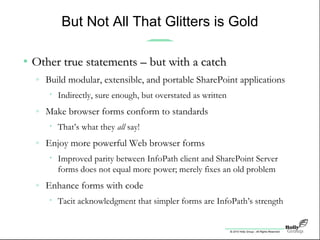
But Not All That Glitters is Gold
• Other true statements – but with a catchOther true statements – but with a catch
» Build modular, extensible, and portable SharePoint applications
• Indirectly, sure enough, but overstated as written
» Make browser forms conform to standards
• That’s what they all say!
» Enjoy more powerful Web browser forms
• Improved parity between InfoPath client and SharePoint Server
forms does not equal more power; merely fixes an old problem
» Enhance forms with code
• Tacit acknowledgment that simpler forms are InfoPath’s strength
© 2010 Holly Group - All Rights Reserved.
But Not All That Glitters is Gold
• Other true statements – but with a catchOther true statements – but with a catch
» Build modular, extensible, and portable SharePoint applications
• Indirectly, sure enough, but overstated as written
» Make browser forms conform to standards
• That’s what they all say!
» Enjoy more powerful Web browser forms
• Improved parity between InfoPath client and SharePoint Server
forms does not equal more power; merely fixes an old problem
» Enhance forms with code
• Tacit acknowledgment that simpler forms are InfoPath’s strength
» More easily manage forms on the server
• Probably more attractive to ITers than to forms folk
© 2010 Holly Group - All Rights Reserved.
The Two Hidden Jewels
• Embed forms in Web PartsEmbed forms in Web Parts
» And make them integral components of SharePoint applications
© 2010 Holly Group - All Rights Reserved.
The Two Hidden Jewels
• Embed forms in Web PartsEmbed forms in Web Parts
» And make them integral components of SharePoint applications
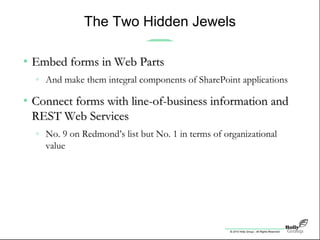
• Connect forms with line-of-business information andConnect forms with line-of-business information and
REST Web ServicesREST Web Services
» No. 9 on Redmond’s list but No. 1 in terms of organizational
value
© 2010 Holly Group - All Rights Reserved.
The Two Hidden Jewels
• Embed forms in Web PartsEmbed forms in Web Parts
» And make them integral components of SharePoint applications
• Connect forms with line-of-business information andConnect forms with line-of-business information and
REST Web ServicesREST Web Services
» No. 9 on Redmond’s list but No. 1 in terms of organizational
value
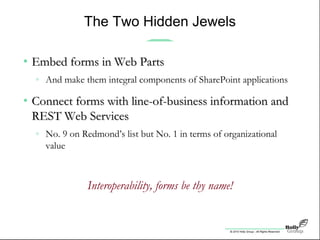
Interoperability, forms be thy name!
© 2010 Holly Group - All Rights Reserved.
Information Capture for Fun and Profit
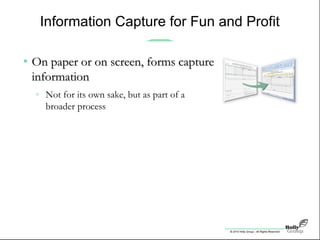
• On paper or on screen, forms captureOn paper or on screen, forms capture
informationinformation
» Not for its own sake, but as part of a
broader process
© 2010 Holly Group - All Rights Reserved.
Information Capture for Fun and Profit
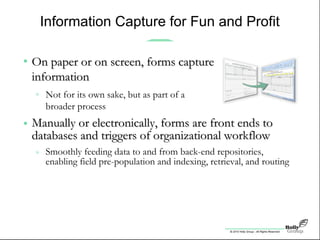
• Manually or electronically, forms are front ends toManually or electronically, forms are front ends to
databases and triggers of organizational workflowdatabases and triggers of organizational workflow
» Smoothly feeding data to and from back-end repositories,
enabling field pre-population and indexing, retrieval, and routing
Within SharePoint and beyond, forms enable staggering
new heights in efficiency and effectiveness
ERP, HR, and other point solutions all stand to benefit
• On paper or on screen, forms captureOn paper or on screen, forms capture
informationinformation
» Not for its own sake, but as part of a
broader process
© 2010 Holly Group - All Rights Reserved.
Information Capture for Fun and Profit
• Manually or electronically, forms are front ends toManually or electronically, forms are front ends to
databases and triggers of organizational workflowdatabases and triggers of organizational workflow
» Smoothly feeding data to and from back-end repositories,
enabling field pre-population and indexing, retrieval, and routing
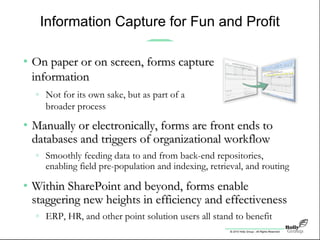
• Within SharePoint and beyond, forms enableWithin SharePoint and beyond, forms enable
staggering new heights in efficiency and effectivenessstaggering new heights in efficiency and effectiveness
» ERP, HR, and other point solution users all stand to benefit
• On paper or on screen, forms captureOn paper or on screen, forms capture
informationinformation
» Not for its own sake, but as part of a
broader process
© 2010 Holly Group - All Rights Reserved.
Ride the (Anti) Paper Wave
• It’s what makes SharePoint applications so appealingIt’s what makes SharePoint applications so appealing
» The need to physically handle paper slows processes, increases
costs, introduces opportunity for error
» And there’s a lot of paper to be handled!
• Established fact*: American printers or multifunction devices in
offices and homes churned out 1.53 trillion pages [in 2007], a total
[expected] to rise to 1.64 trillion by 2010.
• Established fact**: 62% of important paper
documents are still archived as paper. 25%
are photocopied before being scanned. Less
than 33% are systematically destroyed after
scanning.
**AIIM survey conducted 10/09
*IDC figures as reported in the San Jose Mercury News, 7/17/08
© 2010 Holly Group - All Rights Reserved.
Hop the “E”-fficiency Bandwagon
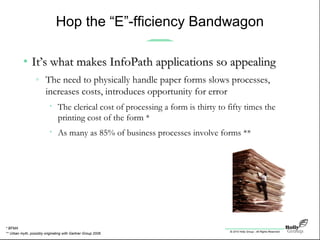
• It’s what makes InfoPath applications so appealingIt’s what makes InfoPath applications so appealing
» The need to physically handle paper forms slows processes,
increases costs, introduces opportunity for error
• The clerical cost of processing a form is thirty to fifty times the
printing cost of the form *
• As many as 85% of business processes involve forms **
** Urban myth, possibly originating with Gartner Group 2006
* BFMA
© 2010 Holly Group - All Rights Reserved.
It’s Not Easy Being Green
• InfoPath forms optimized for screen, not printInfoPath forms optimized for screen, not print
» Can be difficult to mimic existing paper forms
» Can be difficult to ensure soft and hard copies look the same
© 2010 Holly Group - All Rights Reserved.
It’s Not Easy Being Green
• InfoPath forms optimized for screen, not printInfoPath forms optimized for screen, not print
» Can be difficult to mimic existing paper forms
» Can be difficult to ensure soft and hard copies look the same
• Database connectivity may require moreDatabase connectivity may require more
than meets the eyethan meets the eye
» Starting with knowledge of external fields and further including
issues related to access via browser vs. InfoPath client
© 2010 Holly Group - All Rights Reserved.
It’s Not Easy Being Green
• InfoPath forms optimized for screen, not printInfoPath forms optimized for screen, not print
» Can be difficult to mimic existing paper forms
» Can be difficult to ensure soft and hard copies look the same
• Database connectivity may require moreDatabase connectivity may require more
than meets the eyethan meets the eye
» Starting with knowledge of external fields and further including
issues related to access via browser vs. InfoPath client
• Table-based construction can complicate design andTable-based construction can complicate design and
maintenancemaintenance
» Objects are positioned relative to one another, so when one
moves, they all move!
© 2010 Holly Group - All Rights Reserved.
‘SharePoint’ vs. ‘SharePoint and’
• SharePointSharePoint isis taking off …taking off …
» Solid platform getting better all the time
• But it’s not the be-all, end-allBut it’s not the be-all, end-all
» Leverage sweet spots now; seek 3rd-party point solutions as
needed
• Your job is to determine which complements makeYour job is to determine which complements make
the most sensethe most sense
» Plenty to choose from
© 2010 Holly Group - All Rights Reserved.
Next Steps
• Make a priority listMake a priority list
» Which application(s) in what order
» Involve IT and lines of business
© 2010 Holly Group - All Rights Reserved.
Next Steps
• Make a priority listMake a priority list
» Which application(s) in what order
» Involve IT and lines of business
• Research vendor alternativesResearch vendor alternatives
» Do it yourself or enlist outside help
» Shameless plug: AIIM New England Chapter meeting Nov. 10 –
SharePoint as a Serious Platform for Capture: The Business Value and
Practical Application
© 2010 Holly Group - All Rights Reserved.
Next Steps
• Make a priority listMake a priority list
» Which application(s) in what order
» Involve IT and lines of business
• Research vendor alternativesResearch vendor alternatives
» Do it yourself or enlist outside help
» Shameless plug: AIIM New England Chapter meeting Nov. 10 –
SharePoint as a Serious Platform for Capture: The Business Value and
Practical Application
• Go!Go!
» But do so on your own terms
© 2010 Holly Group - All Rights Reserved.
Steve Weissman, Executive Director
sweissman@hollygroup.com
www.hollygroup.com
Twitter: steveweissman
LinkedIn: in/steveweissman
Fresh observations and opinions
only on Weissman’s World!
Visit blog.hollygroup.com
Thank You!
• Contact me for any questions, comments, orContact me for any questions, comments, or
additional informationadditional information

SharePoint from the Forms-Eye View

  • 1.
    © 2010 HollyGroup - All Rights Reserved. SharePoint from the Form’s-Eye View Presented by Steve Weissman Executive Director Holly Group 617-383-4655 sweissman@hollygroup.com • steveweissman • steveweissman November 2, 2010
  • 2.
    © 2010 HollyGroup - All Rights Reserved. When Worlds Collide • ThenThen » Forms: Much art, some science • Design, fill, deliver, store » IT: Mostly science • Capture, route, archive, retrieve • NowNow » More process than ever, on both sides » Populist points of intersection: SharePoint & InfoPath
  • 3.
    © 2010 HollyGroup - All Rights Reserved. SharePoint is Taking Off • WSS installed base growing at an average annual rateWSS installed base growing at an average annual rate of 11%of 11% • MOSS installed base will grow at an average annualMOSS installed base will grow at an average annual rate of 31% over the next four yearsrate of 31% over the next four years –– Radicati Group studyRadicati Group study Microsoft SharePoint Market Analysis,Microsoft SharePoint Market Analysis, 2010-20142010-2014
  • 4.
    © 2010 HollyGroup - All Rights Reserved. SharePoint is Taking Off • 75 million licensed SharePoint users in 2006; 10075 million licensed SharePoint users in 2006; 100 million in 2009million in 2009 • Total SharePoint sales > $1 billion; this year, sales willTotal SharePoint sales > $1 billion; this year, sales will be over $1.3 billion (20%+ growth rate)be over $1.3 billion (20%+ growth rate) –– Jeff TeperJeff Teper Corporate VP for SharePointCorporate VP for SharePoint Microsoft Corp.Microsoft Corp.
  • 5.
    © 2010 HollyGroup - All Rights Reserved. • 53.4% of IT professionals said their companies have53.4% of IT professionals said their companies have already deployed SharePointalready deployed SharePoint • 62.2% have already deployed it or plan to deploy it62.2% have already deployed it or plan to deploy it • 70.6% have already deployed it, are committed to70.6% have already deployed it, are committed to deploying it or will consider deploying itdeploying it or will consider deploying it –– IDC studyIDC study Microsoft Office and SharePoint Traction:Microsoft Office and SharePoint Traction: An Updated Look at Customer Adoption and Future PlansAn Updated Look at Customer Adoption and Future Plans SharePoint is Taking Off
  • 6.
    © 2010 HollyGroup - All Rights Reserved. It’s No Magic Bullet … • 54.2% of surveyed companies said they are54.2% of surveyed companies said they are having trouble managing content on theirhaving trouble managing content on their SharePoint team sites used for collaborationSharePoint team sites used for collaboration • Only 22% of employees in the companiesOnly 22% of employees in the companies surveyed were actually using SharePointsurveyed were actually using SharePoint –– IDC studyIDC study Microsoft Office and SharePoint Traction:Microsoft Office and SharePoint Traction: An Updated Look at Customer Adoption and Future PlansAn Updated Look at Customer Adoption and Future Plans
  • 7.
    © 2010 HollyGroup - All Rights Reserved. … But: • It’s from MicrosoftIt’s from Microsoft » Infrastructure vendor of choice for many organizations, and plenty-deep pockets to ensure it sticks • It worksIt works » As with Windows and CRM, the third version’s the charm! (and now it’s in v4) • It does many thingsIt does many things » Supports business intelligence, collaboration, portals, search, content management … and yes, business forms!
  • 8.
    © 2010 HollyGroup - All Rights Reserved. Living on the Cutting Edge(s) • ““We continue to see SharePoint as the ultimate SwissWe continue to see SharePoint as the ultimate Swiss army knife.”army knife.” –– Jeff TeperJeff Teper Corporate VP for SharePointCorporate VP for SharePoint Microsoft Corp.Microsoft Corp. Too many things to too many people?
  • 9.
    © 2010 HollyGroup - All Rights Reserved. Forms Often Lost in Translation • They’re just not sexyThey’re just not sexy » They’re everywhere - considered a necessary nuisance » They’re expensive - with lifecycle costs (design  archiving) as high as $75,000 » They’re annoying - the original four-letter “F” word • But they’re in there!But they’re in there! » Enter, InfoPath
  • 10.
    © 2010 HollyGroup - All Rights Reserved. InfoPath to the Rescue? • From the wonderful people at MicrosoftFrom the wonderful people at Microsoft
  • 11.
    © 2010 HollyGroup - All Rights Reserved. Sounds Good on (Brochure) Paper • Redmond’s Top Three Things to like about InfoPathRedmond’s Top Three Things to like about InfoPath » Quickly and efficiently create forms and minimize training time » Easily create sophisticated forms without writing code » Give participants the ability to fill out forms online or offline
  • 12.
    © 2010 HollyGroup - All Rights Reserved. But Not All That Glitters is Gold • Other true statements – but with a catchOther true statements – but with a catch » Build modular, extensible, and portable SharePoint applications • Indirectly, sure enough, but overstated as written
  • 13.
    © 2010 HollyGroup - All Rights Reserved. But Not All That Glitters is Gold • Other true statements – but with a catchOther true statements – but with a catch » Build modular, extensible, and portable SharePoint applications • Indirectly, sure enough, but overstated as written » Make browser forms conform to standards • That’s what they all say!
  • 14.
    © 2010 HollyGroup - All Rights Reserved. But Not All That Glitters is Gold • Other true statements – but with a catchOther true statements – but with a catch » Build modular, extensible, and portable SharePoint applications • Indirectly, sure enough, but overstated as written » Make browser forms conform to standards • That’s what they all say! » Enjoy more powerful Web browser forms • Improved parity between InfoPath client and SharePoint Server forms does not equal more power; merely fixes an old problem
  • 15.
    © 2010 HollyGroup - All Rights Reserved. But Not All That Glitters is Gold • Other true statements – but with a catchOther true statements – but with a catch » Build modular, extensible, and portable SharePoint applications • Indirectly, sure enough, but overstated as written » Make browser forms conform to standards • That’s what they all say! » Enjoy more powerful Web browser forms • Improved parity between InfoPath client and SharePoint Server forms does not equal more power; merely fixes an old problem » Enhance forms with code • Tacit acknowledgment that simpler forms are InfoPath’s strength
  • 16.
    © 2010 HollyGroup - All Rights Reserved. But Not All That Glitters is Gold • Other true statements – but with a catchOther true statements – but with a catch » Build modular, extensible, and portable SharePoint applications • Indirectly, sure enough, but overstated as written » Make browser forms conform to standards • That’s what they all say! » Enjoy more powerful Web browser forms • Improved parity between InfoPath client and SharePoint Server forms does not equal more power; merely fixes an old problem » Enhance forms with code • Tacit acknowledgment that simpler forms are InfoPath’s strength » More easily manage forms on the server • Probably more attractive to ITers than to forms folk
  • 17.
    © 2010 HollyGroup - All Rights Reserved. The Two Hidden Jewels • Embed forms in Web PartsEmbed forms in Web Parts » And make them integral components of SharePoint applications
  • 18.
    © 2010 HollyGroup - All Rights Reserved. The Two Hidden Jewels • Embed forms in Web PartsEmbed forms in Web Parts » And make them integral components of SharePoint applications • Connect forms with line-of-business information andConnect forms with line-of-business information and REST Web ServicesREST Web Services » No. 9 on Redmond’s list but No. 1 in terms of organizational value
  • 19.
    © 2010 HollyGroup - All Rights Reserved. The Two Hidden Jewels • Embed forms in Web PartsEmbed forms in Web Parts » And make them integral components of SharePoint applications • Connect forms with line-of-business information andConnect forms with line-of-business information and REST Web ServicesREST Web Services » No. 9 on Redmond’s list but No. 1 in terms of organizational value Interoperability, forms be thy name!
  • 20.
    © 2010 HollyGroup - All Rights Reserved. Information Capture for Fun and Profit • On paper or on screen, forms captureOn paper or on screen, forms capture informationinformation » Not for its own sake, but as part of a broader process
  • 21.
    © 2010 HollyGroup - All Rights Reserved. Information Capture for Fun and Profit • Manually or electronically, forms are front ends toManually or electronically, forms are front ends to databases and triggers of organizational workflowdatabases and triggers of organizational workflow » Smoothly feeding data to and from back-end repositories, enabling field pre-population and indexing, retrieval, and routing Within SharePoint and beyond, forms enable staggering new heights in efficiency and effectiveness ERP, HR, and other point solutions all stand to benefit • On paper or on screen, forms captureOn paper or on screen, forms capture informationinformation » Not for its own sake, but as part of a broader process
  • 22.
    © 2010 HollyGroup - All Rights Reserved. Information Capture for Fun and Profit • Manually or electronically, forms are front ends toManually or electronically, forms are front ends to databases and triggers of organizational workflowdatabases and triggers of organizational workflow » Smoothly feeding data to and from back-end repositories, enabling field pre-population and indexing, retrieval, and routing • Within SharePoint and beyond, forms enableWithin SharePoint and beyond, forms enable staggering new heights in efficiency and effectivenessstaggering new heights in efficiency and effectiveness » ERP, HR, and other point solution users all stand to benefit • On paper or on screen, forms captureOn paper or on screen, forms capture informationinformation » Not for its own sake, but as part of a broader process
  • 23.
    © 2010 HollyGroup - All Rights Reserved. Ride the (Anti) Paper Wave • It’s what makes SharePoint applications so appealingIt’s what makes SharePoint applications so appealing » The need to physically handle paper slows processes, increases costs, introduces opportunity for error » And there’s a lot of paper to be handled! • Established fact*: American printers or multifunction devices in offices and homes churned out 1.53 trillion pages [in 2007], a total [expected] to rise to 1.64 trillion by 2010. • Established fact**: 62% of important paper documents are still archived as paper. 25% are photocopied before being scanned. Less than 33% are systematically destroyed after scanning. **AIIM survey conducted 10/09 *IDC figures as reported in the San Jose Mercury News, 7/17/08
  • 24.
    © 2010 HollyGroup - All Rights Reserved. Hop the “E”-fficiency Bandwagon • It’s what makes InfoPath applications so appealingIt’s what makes InfoPath applications so appealing » The need to physically handle paper forms slows processes, increases costs, introduces opportunity for error • The clerical cost of processing a form is thirty to fifty times the printing cost of the form * • As many as 85% of business processes involve forms ** ** Urban myth, possibly originating with Gartner Group 2006 * BFMA
  • 25.
    © 2010 HollyGroup - All Rights Reserved. It’s Not Easy Being Green • InfoPath forms optimized for screen, not printInfoPath forms optimized for screen, not print » Can be difficult to mimic existing paper forms » Can be difficult to ensure soft and hard copies look the same
  • 26.
    © 2010 HollyGroup - All Rights Reserved. It’s Not Easy Being Green • InfoPath forms optimized for screen, not printInfoPath forms optimized for screen, not print » Can be difficult to mimic existing paper forms » Can be difficult to ensure soft and hard copies look the same • Database connectivity may require moreDatabase connectivity may require more than meets the eyethan meets the eye » Starting with knowledge of external fields and further including issues related to access via browser vs. InfoPath client
  • 27.
    © 2010 HollyGroup - All Rights Reserved. It’s Not Easy Being Green • InfoPath forms optimized for screen, not printInfoPath forms optimized for screen, not print » Can be difficult to mimic existing paper forms » Can be difficult to ensure soft and hard copies look the same • Database connectivity may require moreDatabase connectivity may require more than meets the eyethan meets the eye » Starting with knowledge of external fields and further including issues related to access via browser vs. InfoPath client • Table-based construction can complicate design andTable-based construction can complicate design and maintenancemaintenance » Objects are positioned relative to one another, so when one moves, they all move!
  • 28.
    © 2010 HollyGroup - All Rights Reserved. ‘SharePoint’ vs. ‘SharePoint and’ • SharePointSharePoint isis taking off …taking off … » Solid platform getting better all the time • But it’s not the be-all, end-allBut it’s not the be-all, end-all » Leverage sweet spots now; seek 3rd-party point solutions as needed • Your job is to determine which complements makeYour job is to determine which complements make the most sensethe most sense » Plenty to choose from
  • 29.
    © 2010 HollyGroup - All Rights Reserved. Next Steps • Make a priority listMake a priority list » Which application(s) in what order » Involve IT and lines of business
  • 30.
    © 2010 HollyGroup - All Rights Reserved. Next Steps • Make a priority listMake a priority list » Which application(s) in what order » Involve IT and lines of business • Research vendor alternativesResearch vendor alternatives » Do it yourself or enlist outside help » Shameless plug: AIIM New England Chapter meeting Nov. 10 – SharePoint as a Serious Platform for Capture: The Business Value and Practical Application
  • 31.
    © 2010 HollyGroup - All Rights Reserved. Next Steps • Make a priority listMake a priority list » Which application(s) in what order » Involve IT and lines of business • Research vendor alternativesResearch vendor alternatives » Do it yourself or enlist outside help » Shameless plug: AIIM New England Chapter meeting Nov. 10 – SharePoint as a Serious Platform for Capture: The Business Value and Practical Application • Go!Go! » But do so on your own terms
  • 32.
    © 2010 HollyGroup - All Rights Reserved. Steve Weissman, Executive Director sweissman@hollygroup.com www.hollygroup.com Twitter: steveweissman LinkedIn: in/steveweissman Fresh observations and opinions only on Weissman’s World! Visit blog.hollygroup.com Thank You! • Contact me for any questions, comments, orContact me for any questions, comments, or additional informationadditional information

Editor's Notes

  • #4 Market studies confirm growth
  • #5 Lending credence to Microsoft’s own proclamations!
  • #6 And reports of future intentions Just over half of respondents have deployed Another 9% plan to Still another 8% will consider it
  • #7 But “All that glisters is not gold” -- Shakespeare
  • #10 Mention just-completed journey thru 1000 partner descriptions and Web sites
  • #18 REpresentational State Transfer architecture REST is based on principles, which are used in the largest distributed application - the World Wide Web. http://www.predic8.com/rest-webservices.htm
  • #19 REpresentational State Transfer architecture REST is based on principles, which are used in the largest distributed application - the World Wide Web. http://www.predic8.com/rest-webservices.htm
  • #21 Resources include Adobe, Texcel
  • #30 Outside help like us!
  • #31 Outside help like us!
  • #32 Outside help like us!