Real World InfoPath Usage in SharePoint 2010
– List vs. Library Forms
• Nik Patel
      Solutions Architect, Slalom Consulting
      M.S. in Computer Science, IIT, Chicago
      Working with SharePoint 2010 since TAP Summer 2009
                                              ,
      Working with SharePoint since SharePoint 2003 days


• Contact Info
      Twitter - @nikxpatel
      Email – nikunjp@slalom.com
      LinkedIn - linkedin.com/in/nikspatel
      Slideshare - slideshare.net/patenik2
      Blog – Nik Patel’s SharePoint World -
       http://nikspatel.wordpress.com/


                                                            2   | SharePoint Saturday Chicago 2011









    3   | SharePoint Saturday Chicago 2011


    
    



    


    


        4   | SharePoint Saturday Chicago 2011

    
    
    
    



    

    
    


        5   | SharePoint Saturday Chicago 2011




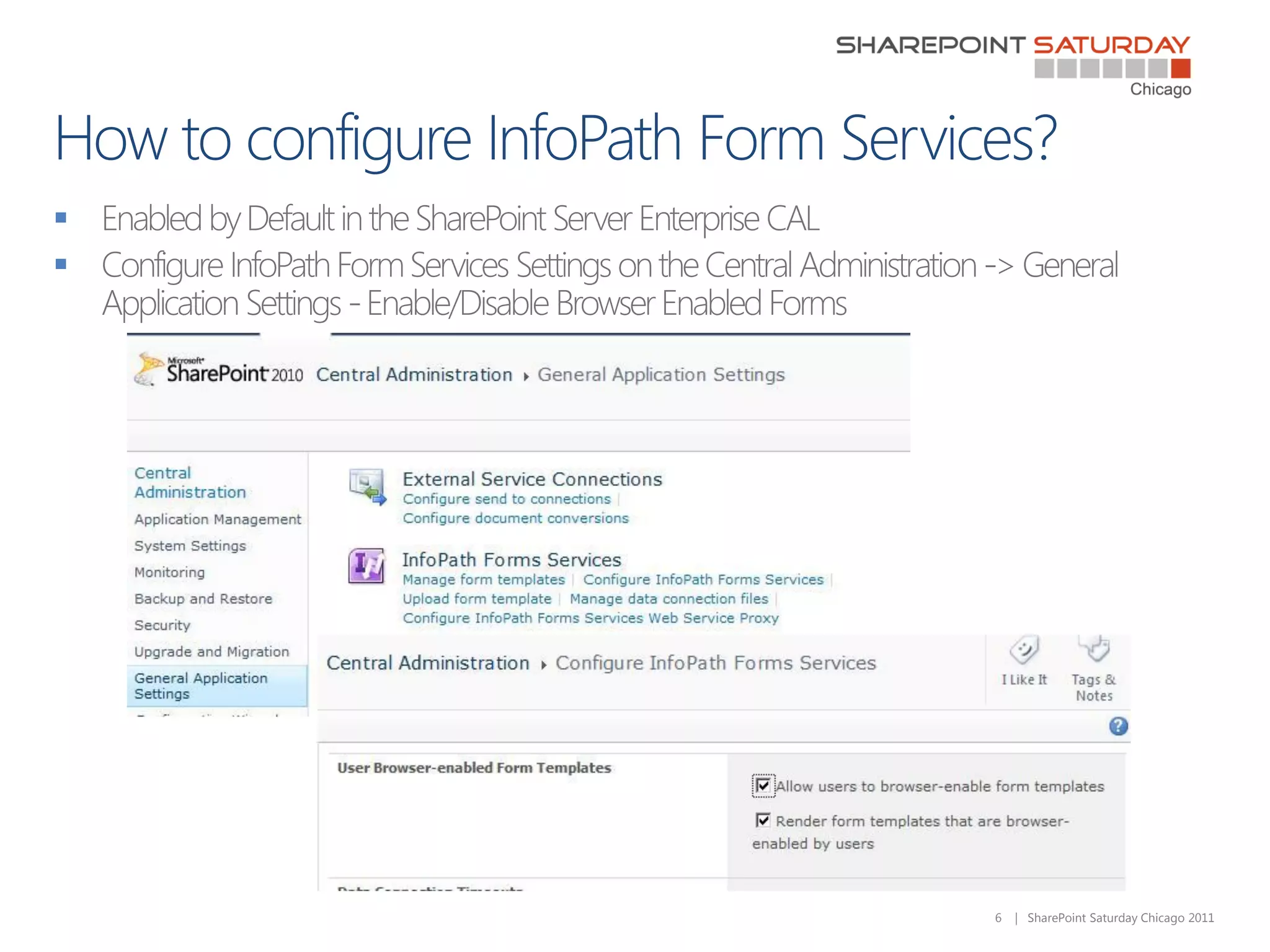
    6   | SharePoint Saturday Chicago 2011


    


    


    

    
    


        7   | SharePoint Saturday Chicago 2011
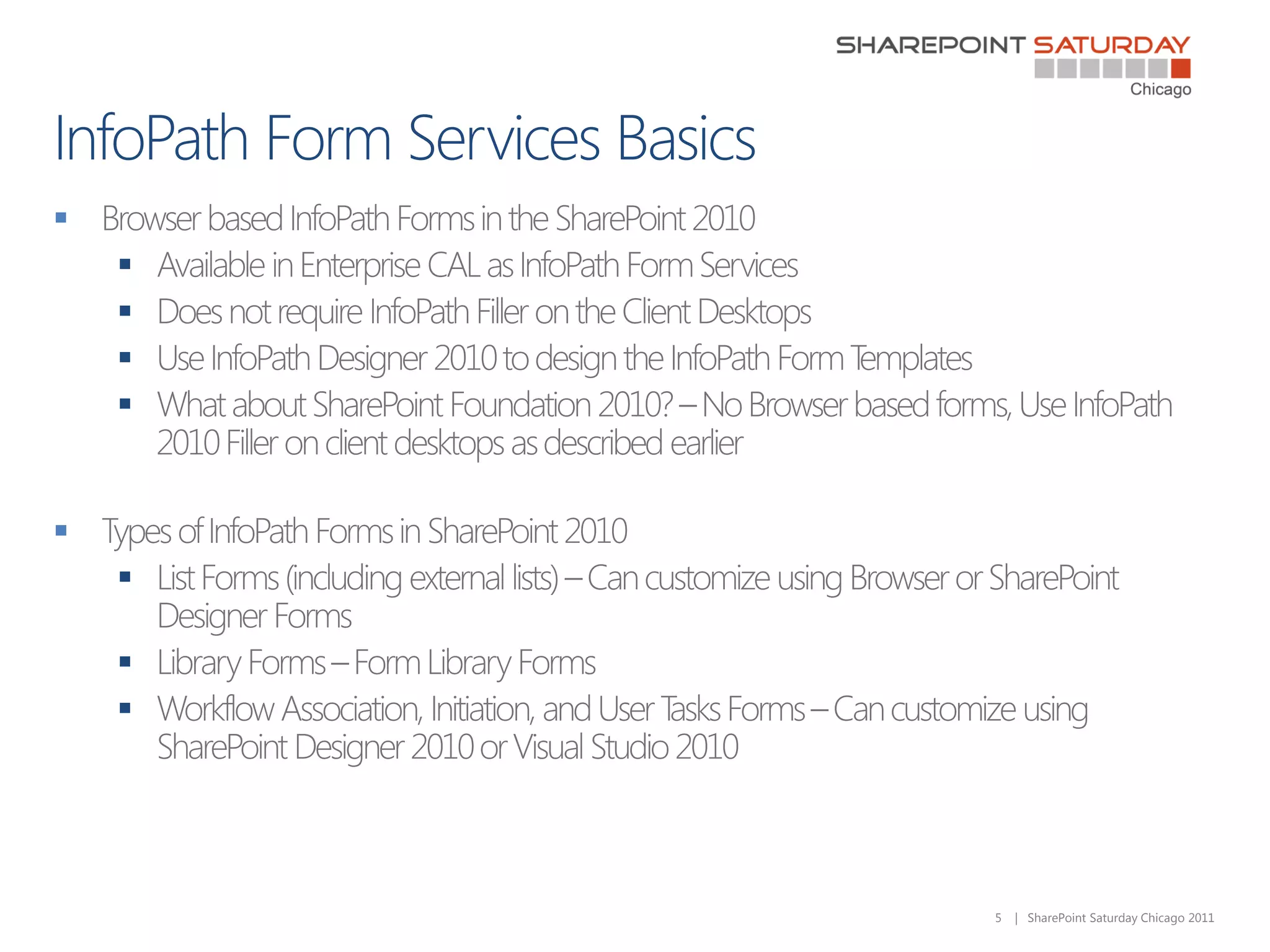
 List Forms -– New in SharePoint 2010
    Tied to the specific list, Not Reusable
    Form Schema tied to List Schema
    Form data stored in the SharePoint List
    Each control (e.g. text box) in the form is bound to a column in the list.

 Key Characteristics
    Supported on Simple SharePoint Lists like Custom List, Tasks, Announcements, Links,
      Contacts from Browser Interface
    Not supported in Document Libraries and advanced SharePoint Lists like Calendar
    No support for custom code, repeated tables, custom submit behavior, and print preview
    Requires SharePoint Designer to customize the External Lists Forms


                                                                              8   | SharePoint Saturday Chicago 2011
 T customize the out of the box List New Form, List Edit Form, and List Display Forms
   o
 Ideal for straightforward design and form management experience
 Ideal for Prototypes
 Ideal for No-code solutions using SharePoint Designer and Browser Customization for Pre-
  Packaged Departmental SharePoint Sites designed on production farm.
 Do not use List InfoPath Forms in formal code management and deployment scenarios from
  development to staging to production.
 T use forms offline with SharePoint Workspace
   o


                                                                      9   | SharePoint Saturday Chicago 2011
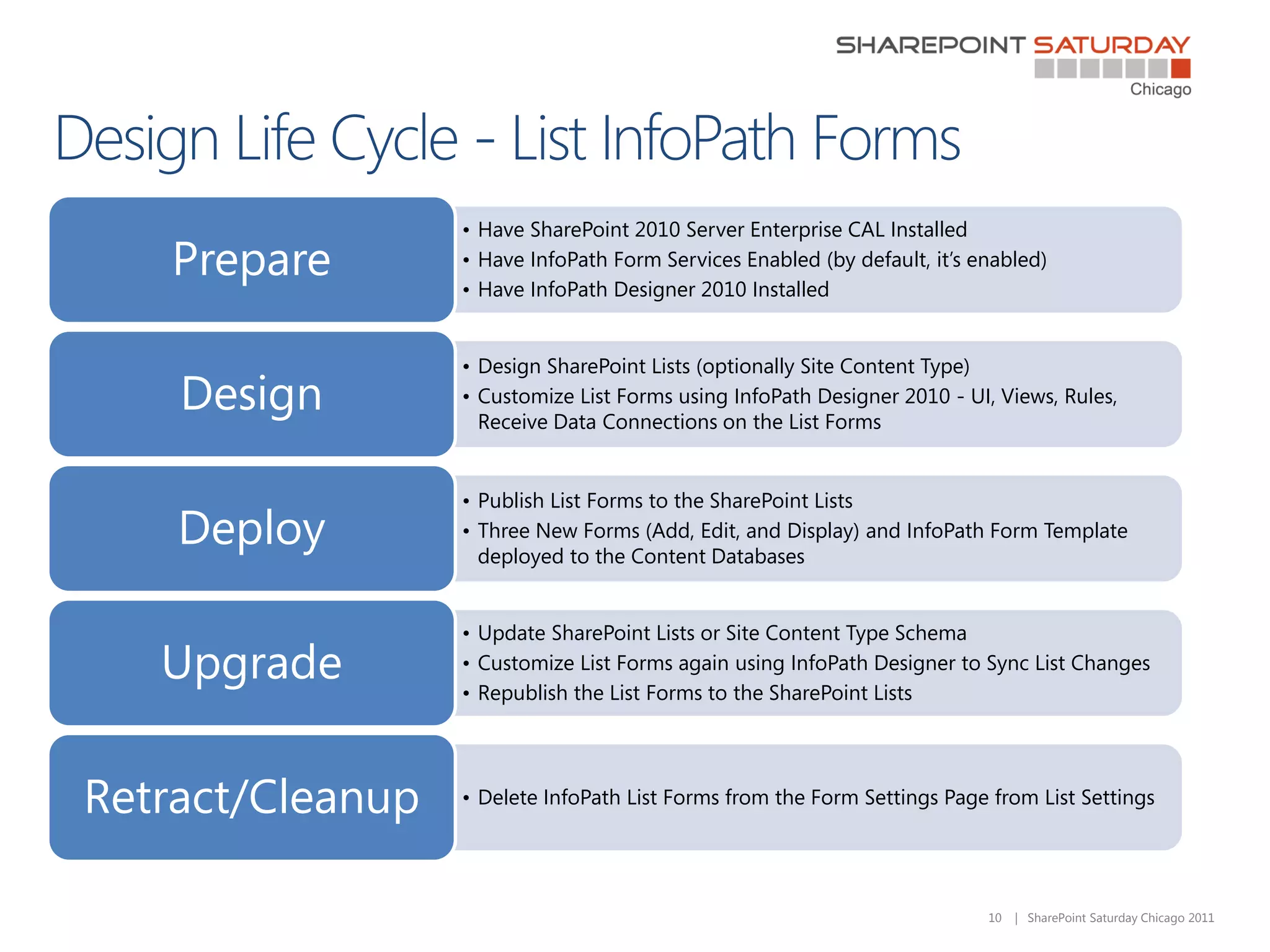
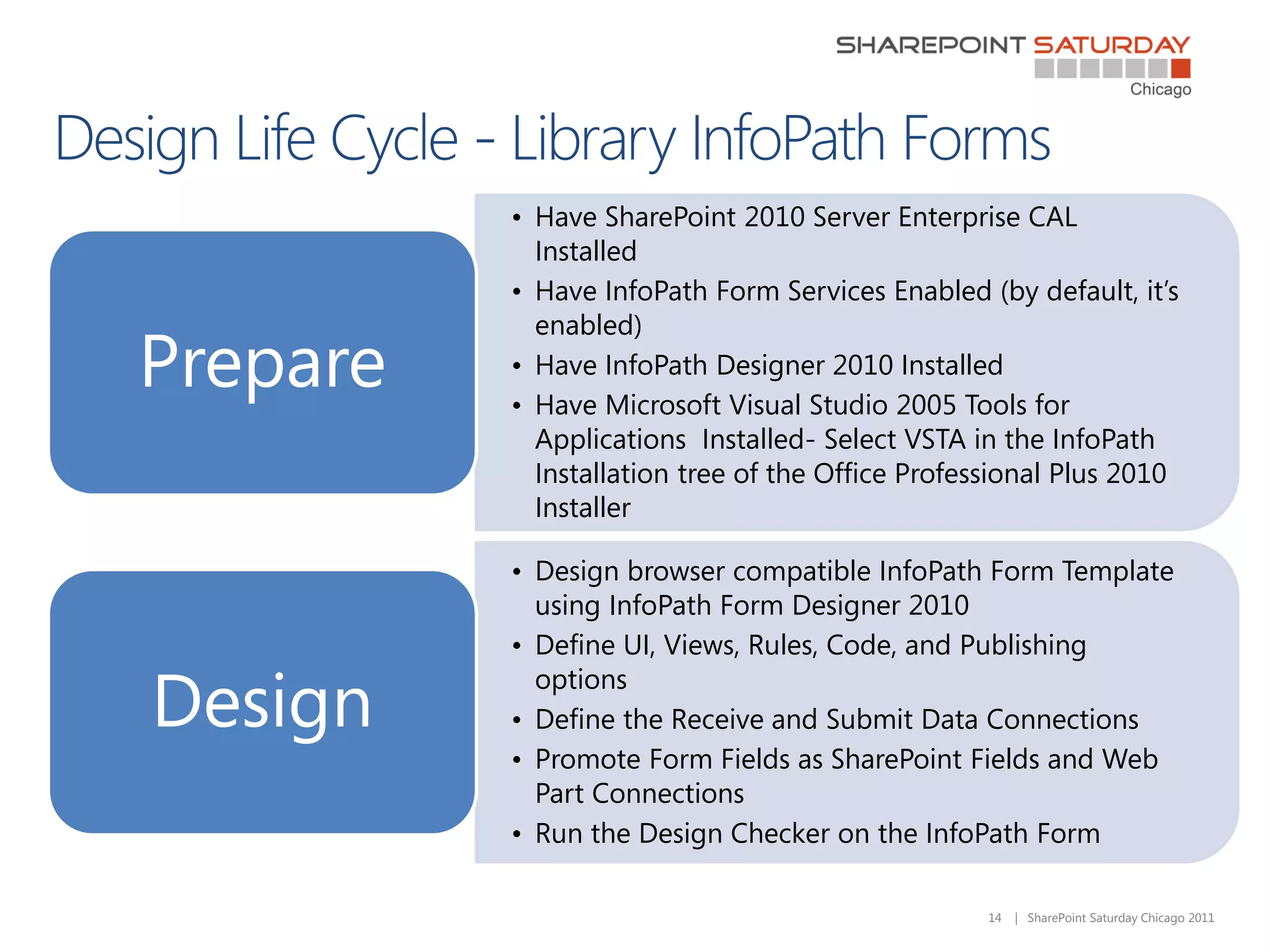
• Have SharePoint 2010 Server Enterprise CAL Installed
   Prepare        • Have InfoPath Form Services Enabled (by default, it’s enabled)
                  • Have InfoPath Designer 2010 Installed


                  • Design SharePoint Lists (optionally Site Content Type)
    Design        • Customize List Forms using InfoPath Designer 2010 - UI, Views, Rules,
                    Receive Data Connections on the List Forms


                  • Publish List Forms to the SharePoint Lists
    Deploy        • Three New Forms (Add, Edit, and Display) and InfoPath Form Template
                    deployed to the Content Databases


                  • Update SharePoint Lists or Site Content Type Schema
   Upgrade        • Customize List Forms again using InfoPath Designer to Sync List Changes
                  • Republish the List Forms to the SharePoint Lists


Retract/Cleanup   • Delete InfoPath List Forms from the Form Settings Page from List Settings


                                                                           10   | SharePoint Saturday Chicago 2011
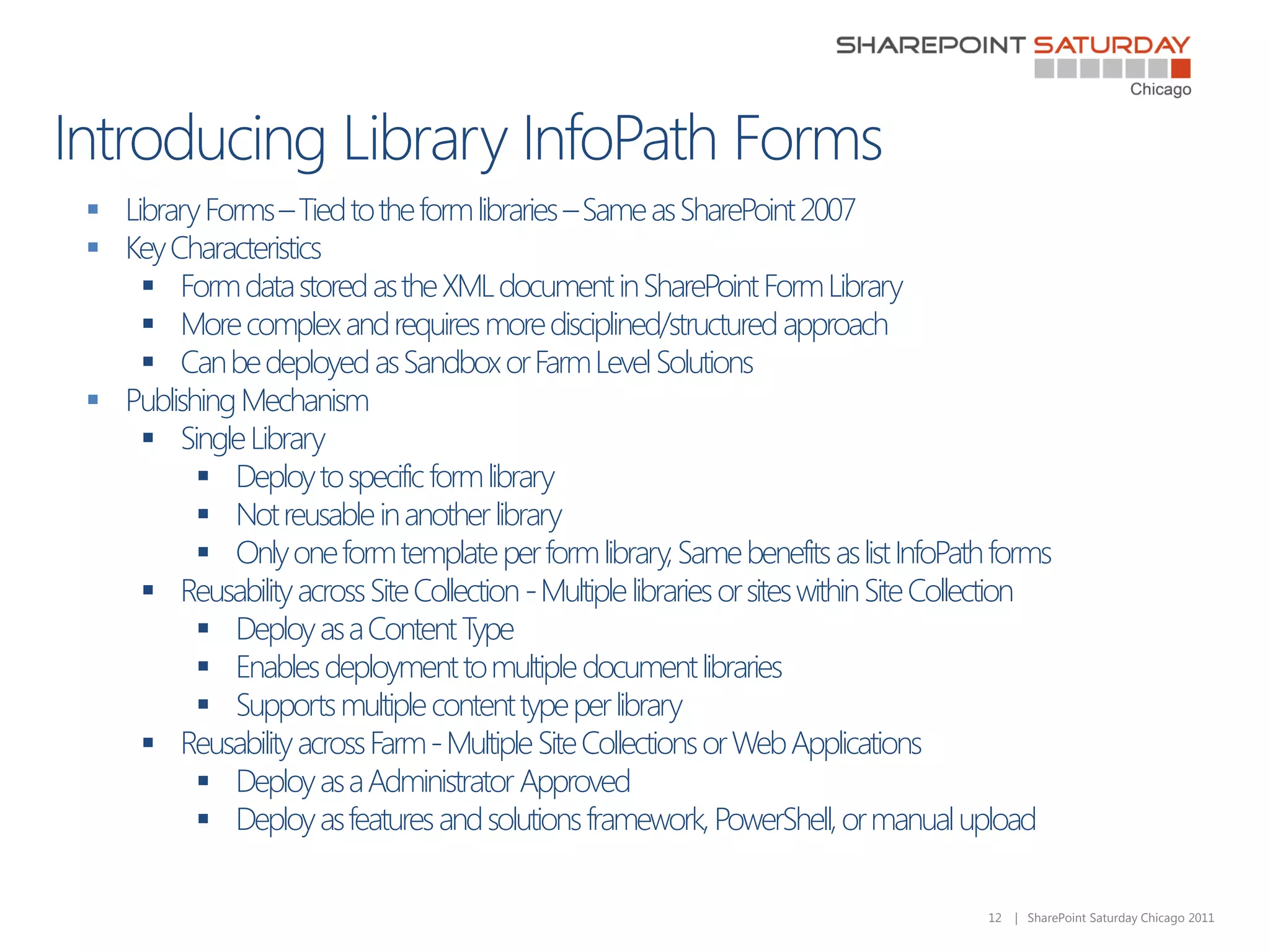
 Library Forms – Tied to the form libraries – Same as SharePoint 2007
 Key Characteristics
     Form data stored as the XML document in SharePoint Form Library
     More complex and requires more disciplined/structured approach
     Can be deployed as Sandbox or Farm Level Solutions
 Publishing Mechanism
     Single Library
          Deploy to specific form library
          Not reusable in another library
          Only one form template per form library, Same benefits as list InfoPath forms
     Reusability across Site Collection - Multiple libraries or sites within Site Collection
          Deploy as a Content Type
          Enables deployment to multiple document libraries
          Supports multiple content type per library
     Reusability across Farm - Multiple Site Collections or Web Applications
          Deploy as a Administrator Approved
          Deploy as features and solutions framework, PowerShell, or manual upload

                                                                                      12   | SharePoint Saturday Chicago 2011
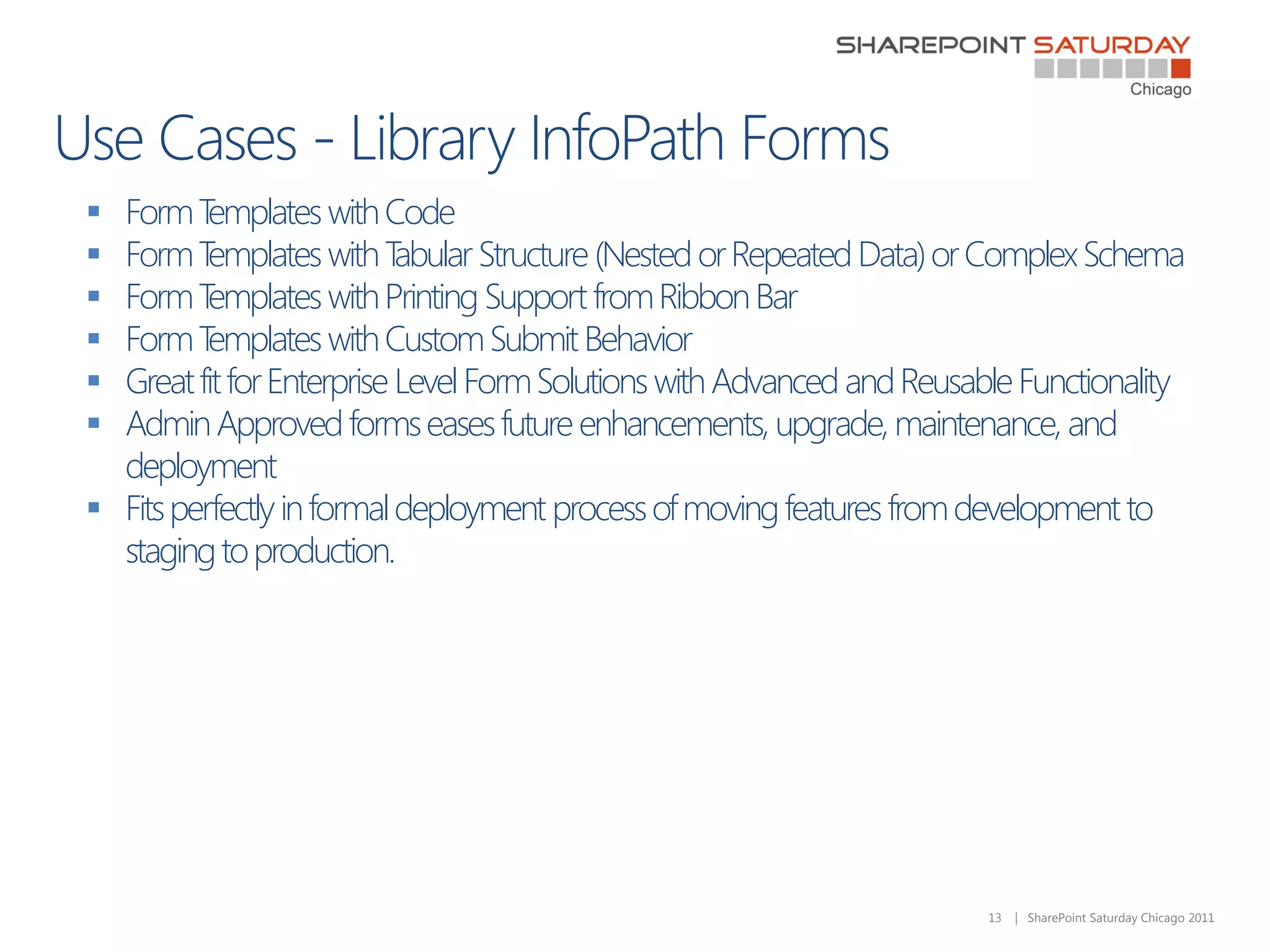
 Form T  emplates with Code
 Form T  emplates with T  abular Structure (Nested or Repeated Data) or Complex Schema
 Form T  emplates with Printing Support from Ribbon Bar
 Form T  emplates with Custom Submit Behavior
 Great fit for Enterprise Level Form Solutions with Advanced and Reusable Functionality
 Admin Approved forms eases future enhancements, upgrade, maintenance, and
  deployment
 Fits perfectly in formal deployment process of moving features from development to
  staging to production.


                                                                        13   | SharePoint Saturday Chicago 2011
• Have SharePoint 2010 Server Enterprise CAL
            Installed
          • Have InfoPath Form Services Enabled (by default, it’s
            enabled)
Prepare   • Have InfoPath Designer 2010 Installed
          • Have Microsoft Visual Studio 2005 Tools for
            Applications Installed- Select VSTA in the InfoPath
            Installation tree of the Office Professional Plus 2010
            Installer

          • Design browser compatible InfoPath Form Template
            using InfoPath Form Designer 2010
          • Define UI, Views, Rules, Code, and Publishing

Design
            options
          • Define the Receive and Submit Data Connections
          • Promote Form Fields as SharePoint Fields and Web
            Part Connections
          • Run the Design Checker on the InfoPath Form

                                                  14   | SharePoint Saturday Chicago 2011
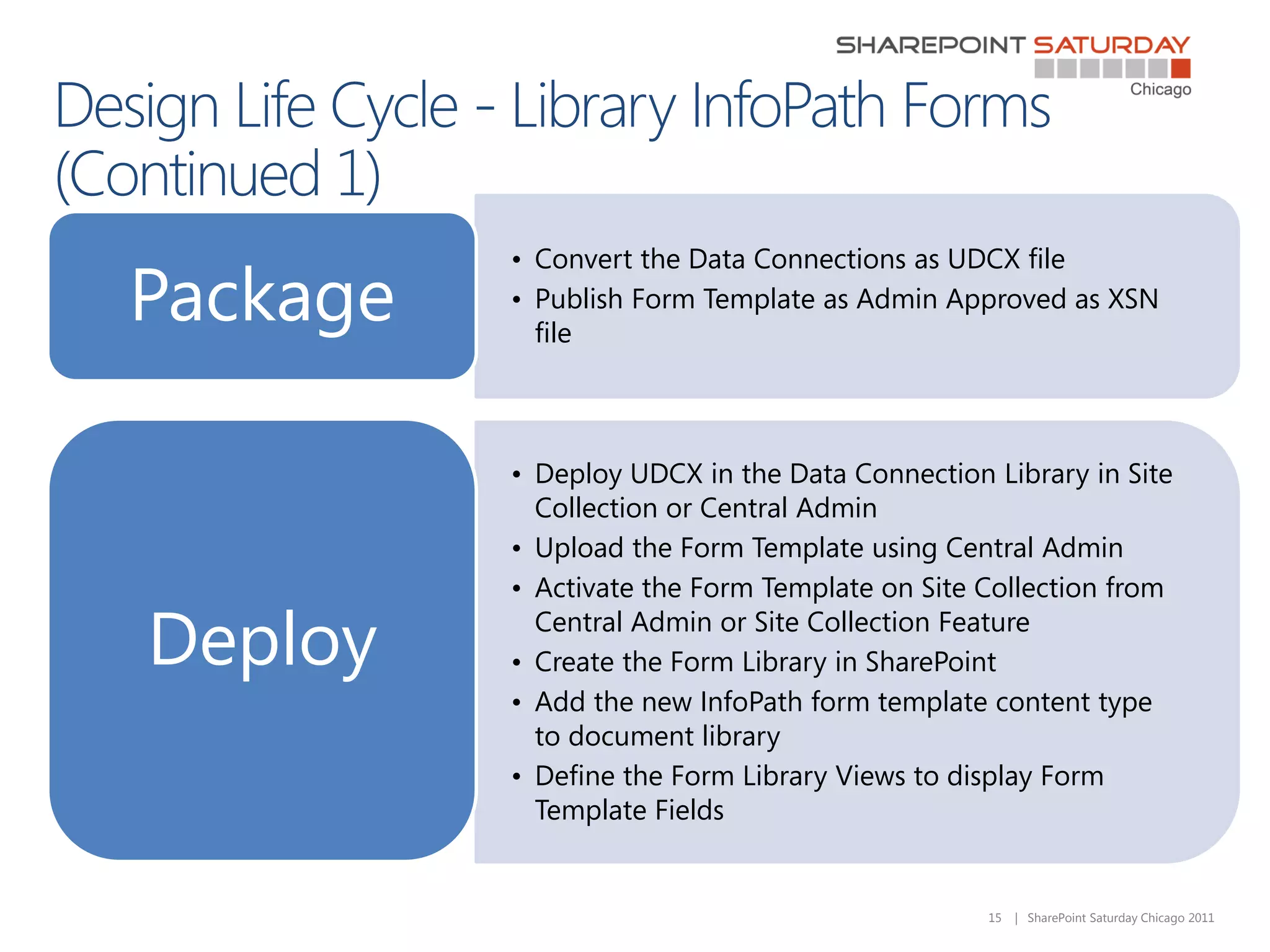
• Convert the Data Connections as UDCX file
Package   • Publish Form Template as Admin Approved as XSN
            file


          • Deploy UDCX in the Data Connection Library in Site
            Collection or Central Admin
          • Upload the Form Template using Central Admin
          • Activate the Form Template on Site Collection from

Deploy      Central Admin or Site Collection Feature
          • Create the Form Library in SharePoint
          • Add the new InfoPath form template content type
            to document library
          • Define the Form Library Views to display Form
            Template Fields


                                               15   | SharePoint Saturday Chicago 2011
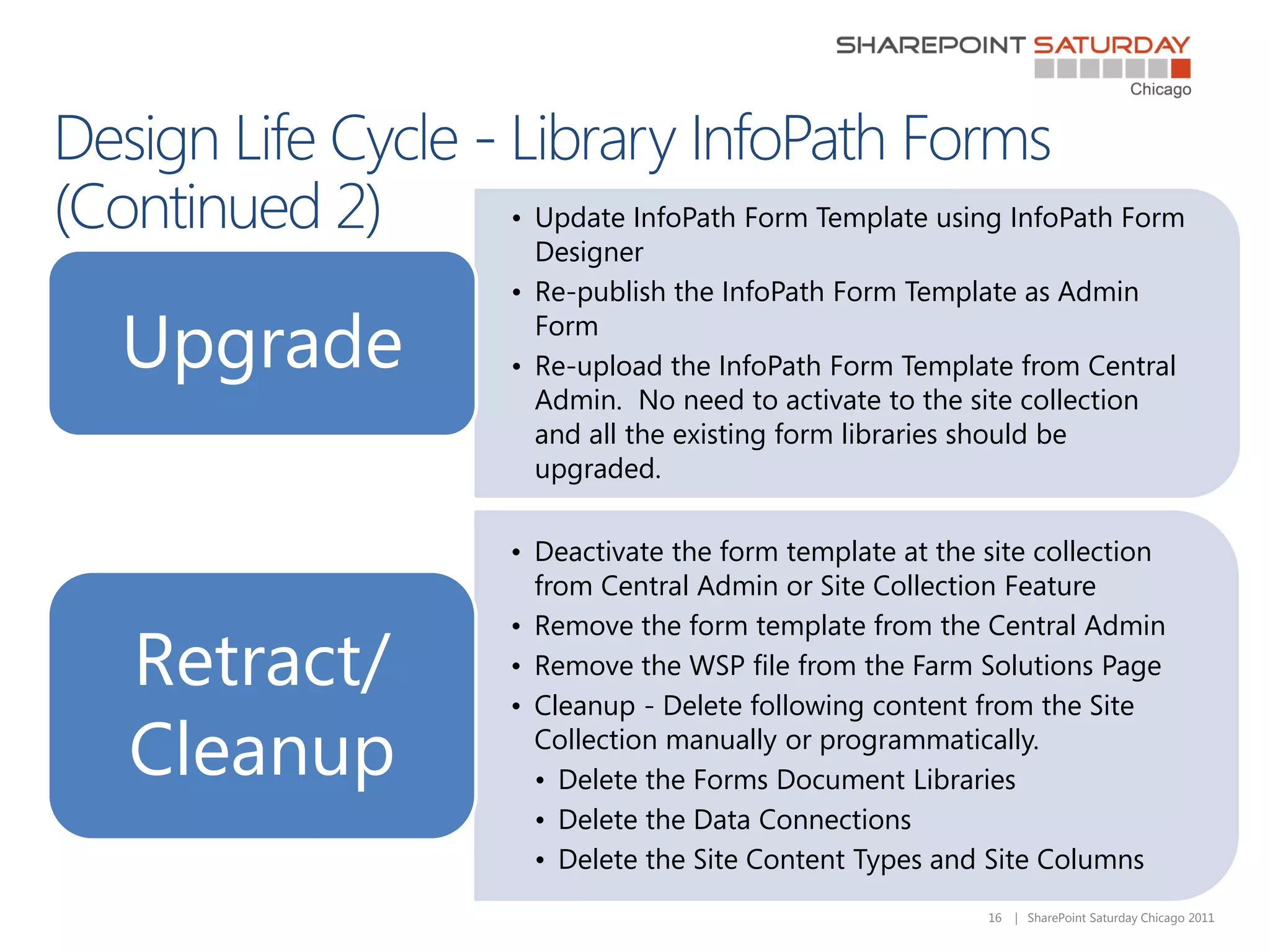
• Update InfoPath Form Template using InfoPath Form
             Designer
           • Re-publish the InfoPath Form Template as Admin

Upgrade      Form
           • Re-upload the InfoPath Form Template from Central
             Admin. No need to activate to the site collection
             and all the existing form libraries should be
             upgraded.

           • Deactivate the form template at the site collection
             from Central Admin or Site Collection Feature
           • Remove the form template from the Central Admin
Retract/   • Remove the WSP file from the Farm Solutions Page
           • Cleanup - Delete following content from the Site

Cleanup      Collection manually or programmatically.
             • Delete the Forms Document Libraries
             • Delete the Data Connections
             • Delete the Site Content Types and Site Columns
                                                 16   | SharePoint Saturday Chicago 2011
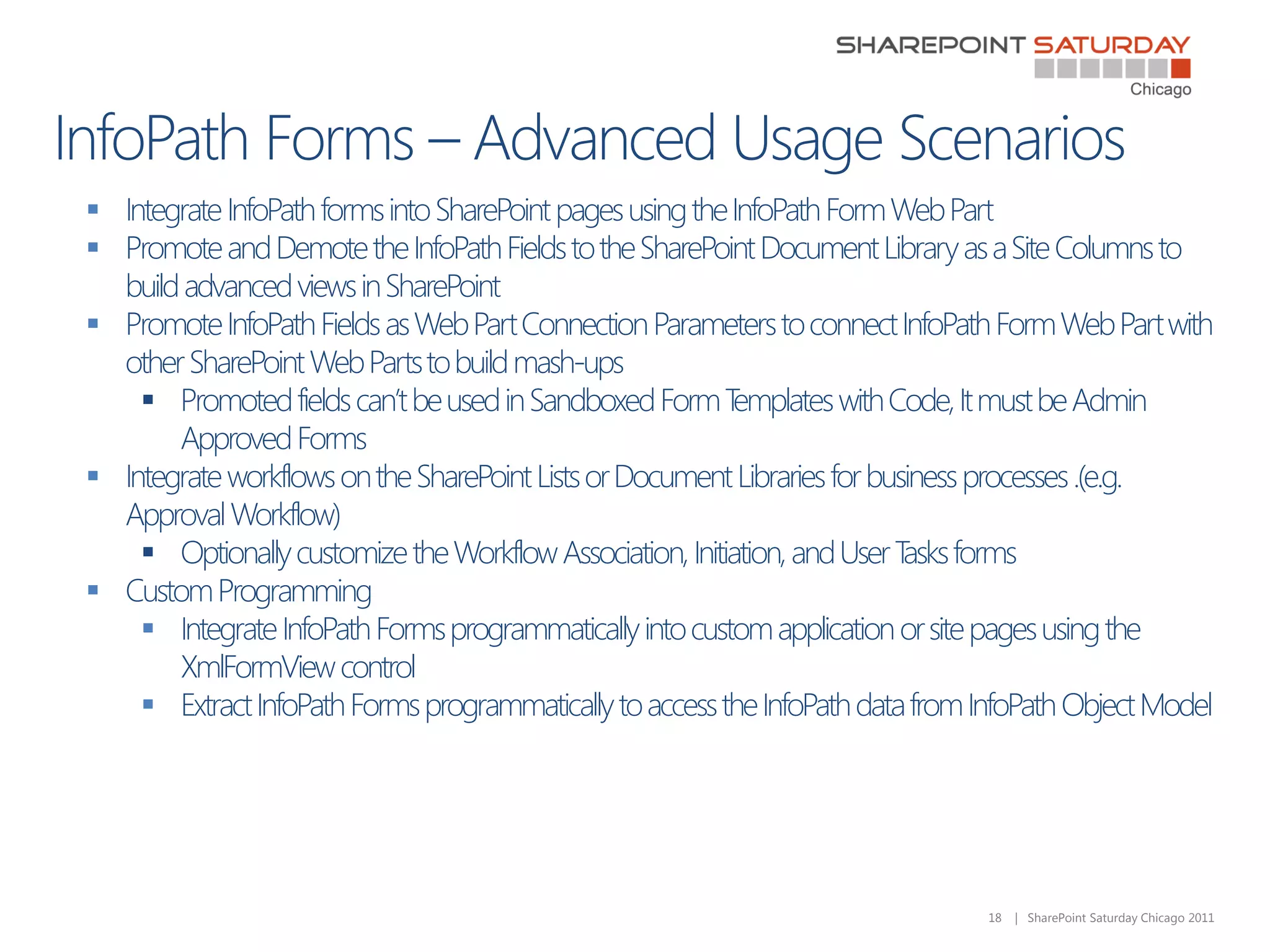
 Integrate InfoPath forms into SharePoint pages using the InfoPath Form Web Part
 Promote and Demote the InfoPath Fields to the SharePoint Document Library as a Site Columns to
  build advanced views in SharePoint
 Promote InfoPath Fields as Web Part Connection Parameters to connect InfoPath Form Web Part with
  other SharePoint Web Parts to build mash-ups
     Promoted fields can’t be used in Sandboxed Form T    emplates with Code, It must be Admin
       Approved Forms
 Integrate workflows on the SharePoint Lists or Document Libraries for business processes .(e.g.
  Approval Workflow)
     Optionally customize the Workflow Association, Initiation, and User T forms
                                                                           asks
 Custom Programming
     Integrate InfoPath Forms programmatically into custom application or site pages using the
       XmlFormView control
     Extract InfoPath Forms programmatically to access the InfoPath data from InfoPath Object Model


                                                                                18   | SharePoint Saturday Chicago 2011

     
     
     
     
     
     
          
          
          
          


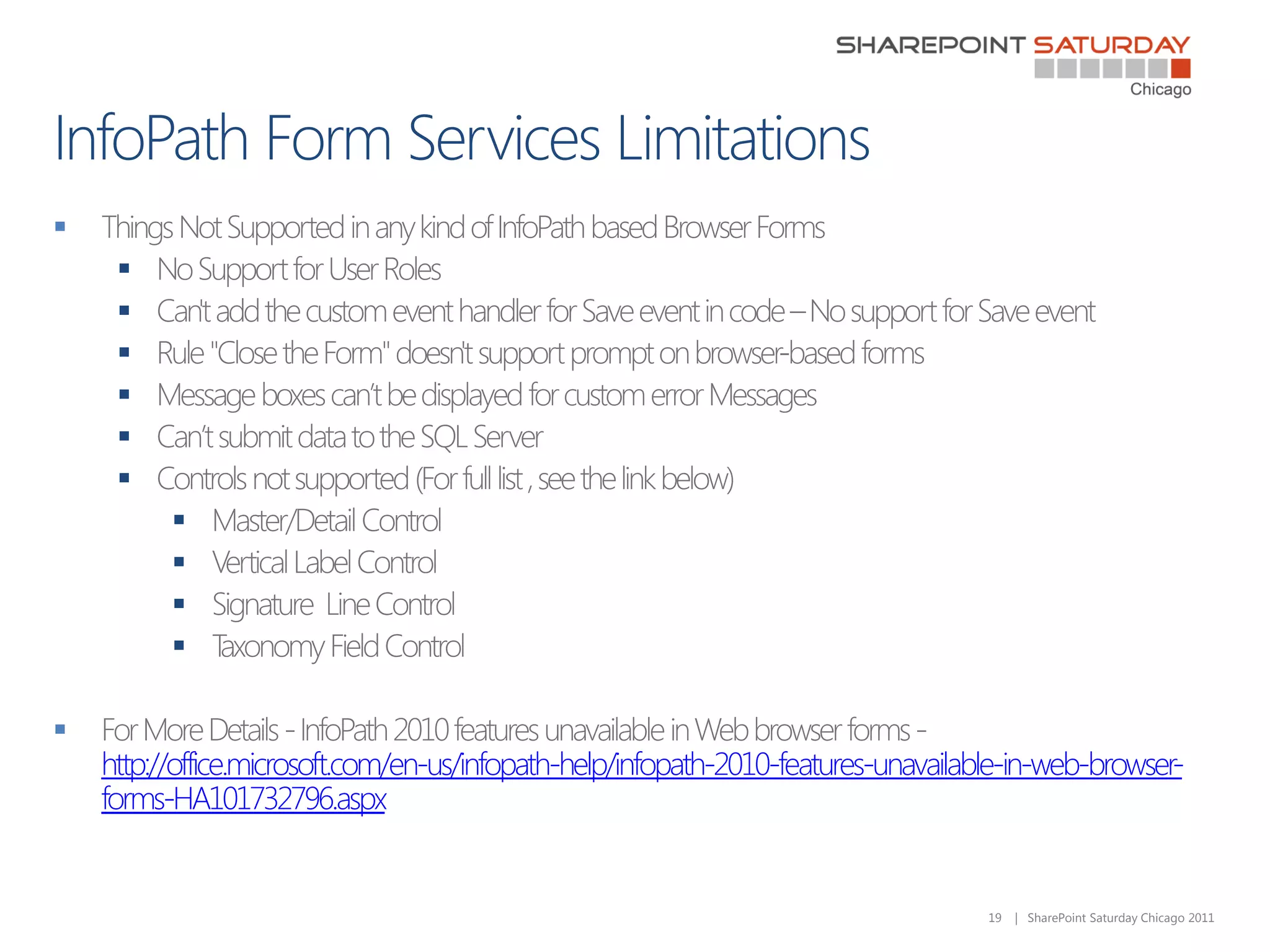
    http://office.microsoft.com/en-us/infopath-help/infopath-2010-features-unavailable-in-web-browser-
    forms-HA101732796.aspx


                                                                                    19   | SharePoint Saturday Chicago 2011














    20   | SharePoint Saturday Chicago 2011








    24   | SharePoint Saturday Chicago 2011
Thanks to Our Sponsors!
          Premier

           Gold

           Silver

          Bronze


         Sponsors

Real World InfoPath with SharePoint 2010 - List vs Library Forms

  • 1.
    Real World InfoPathUsage in SharePoint 2010 – List vs. Library Forms
  • 2.
    • Nik Patel  Solutions Architect, Slalom Consulting  M.S. in Computer Science, IIT, Chicago  Working with SharePoint 2010 since TAP Summer 2009 ,  Working with SharePoint since SharePoint 2003 days • Contact Info  Twitter - @nikxpatel  Email – nikunjp@slalom.com  LinkedIn - linkedin.com/in/nikspatel  Slideshare - slideshare.net/patenik2  Blog – Nik Patel’s SharePoint World - http://nikspatel.wordpress.com/ 2 | SharePoint Saturday Chicago 2011
  • 3.
           3 | SharePoint Saturday Chicago 2011
  • 4.
            4 | SharePoint Saturday Chicago 2011
  • 5.
            5 | SharePoint Saturday Chicago 2011
  • 6.
      6 | SharePoint Saturday Chicago 2011
  • 7.
               7 | SharePoint Saturday Chicago 2011
  • 8.
     List Forms-– New in SharePoint 2010  Tied to the specific list, Not Reusable  Form Schema tied to List Schema  Form data stored in the SharePoint List  Each control (e.g. text box) in the form is bound to a column in the list.  Key Characteristics  Supported on Simple SharePoint Lists like Custom List, Tasks, Announcements, Links, Contacts from Browser Interface  Not supported in Document Libraries and advanced SharePoint Lists like Calendar  No support for custom code, repeated tables, custom submit behavior, and print preview  Requires SharePoint Designer to customize the External Lists Forms 8 | SharePoint Saturday Chicago 2011
  • 9.
     T customizethe out of the box List New Form, List Edit Form, and List Display Forms o  Ideal for straightforward design and form management experience  Ideal for Prototypes  Ideal for No-code solutions using SharePoint Designer and Browser Customization for Pre- Packaged Departmental SharePoint Sites designed on production farm.  Do not use List InfoPath Forms in formal code management and deployment scenarios from development to staging to production.  T use forms offline with SharePoint Workspace o 9 | SharePoint Saturday Chicago 2011
  • 10.
    • Have SharePoint2010 Server Enterprise CAL Installed Prepare • Have InfoPath Form Services Enabled (by default, it’s enabled) • Have InfoPath Designer 2010 Installed • Design SharePoint Lists (optionally Site Content Type) Design • Customize List Forms using InfoPath Designer 2010 - UI, Views, Rules, Receive Data Connections on the List Forms • Publish List Forms to the SharePoint Lists Deploy • Three New Forms (Add, Edit, and Display) and InfoPath Form Template deployed to the Content Databases • Update SharePoint Lists or Site Content Type Schema Upgrade • Customize List Forms again using InfoPath Designer to Sync List Changes • Republish the List Forms to the SharePoint Lists Retract/Cleanup • Delete InfoPath List Forms from the Form Settings Page from List Settings 10 | SharePoint Saturday Chicago 2011
  • 12.
     Library Forms– Tied to the form libraries – Same as SharePoint 2007  Key Characteristics  Form data stored as the XML document in SharePoint Form Library  More complex and requires more disciplined/structured approach  Can be deployed as Sandbox or Farm Level Solutions  Publishing Mechanism  Single Library  Deploy to specific form library  Not reusable in another library  Only one form template per form library, Same benefits as list InfoPath forms  Reusability across Site Collection - Multiple libraries or sites within Site Collection  Deploy as a Content Type  Enables deployment to multiple document libraries  Supports multiple content type per library  Reusability across Farm - Multiple Site Collections or Web Applications  Deploy as a Administrator Approved  Deploy as features and solutions framework, PowerShell, or manual upload 12 | SharePoint Saturday Chicago 2011
  • 13.
     Form T emplates with Code  Form T emplates with T abular Structure (Nested or Repeated Data) or Complex Schema  Form T emplates with Printing Support from Ribbon Bar  Form T emplates with Custom Submit Behavior  Great fit for Enterprise Level Form Solutions with Advanced and Reusable Functionality  Admin Approved forms eases future enhancements, upgrade, maintenance, and deployment  Fits perfectly in formal deployment process of moving features from development to staging to production. 13 | SharePoint Saturday Chicago 2011
  • 14.
    • Have SharePoint2010 Server Enterprise CAL Installed • Have InfoPath Form Services Enabled (by default, it’s enabled) Prepare • Have InfoPath Designer 2010 Installed • Have Microsoft Visual Studio 2005 Tools for Applications Installed- Select VSTA in the InfoPath Installation tree of the Office Professional Plus 2010 Installer • Design browser compatible InfoPath Form Template using InfoPath Form Designer 2010 • Define UI, Views, Rules, Code, and Publishing Design options • Define the Receive and Submit Data Connections • Promote Form Fields as SharePoint Fields and Web Part Connections • Run the Design Checker on the InfoPath Form 14 | SharePoint Saturday Chicago 2011
  • 15.
    • Convert theData Connections as UDCX file Package • Publish Form Template as Admin Approved as XSN file • Deploy UDCX in the Data Connection Library in Site Collection or Central Admin • Upload the Form Template using Central Admin • Activate the Form Template on Site Collection from Deploy Central Admin or Site Collection Feature • Create the Form Library in SharePoint • Add the new InfoPath form template content type to document library • Define the Form Library Views to display Form Template Fields 15 | SharePoint Saturday Chicago 2011
  • 16.
    • Update InfoPathForm Template using InfoPath Form Designer • Re-publish the InfoPath Form Template as Admin Upgrade Form • Re-upload the InfoPath Form Template from Central Admin. No need to activate to the site collection and all the existing form libraries should be upgraded. • Deactivate the form template at the site collection from Central Admin or Site Collection Feature • Remove the form template from the Central Admin Retract/ • Remove the WSP file from the Farm Solutions Page • Cleanup - Delete following content from the Site Cleanup Collection manually or programmatically. • Delete the Forms Document Libraries • Delete the Data Connections • Delete the Site Content Types and Site Columns 16 | SharePoint Saturday Chicago 2011
  • 18.
     Integrate InfoPathforms into SharePoint pages using the InfoPath Form Web Part  Promote and Demote the InfoPath Fields to the SharePoint Document Library as a Site Columns to build advanced views in SharePoint  Promote InfoPath Fields as Web Part Connection Parameters to connect InfoPath Form Web Part with other SharePoint Web Parts to build mash-ups  Promoted fields can’t be used in Sandboxed Form T emplates with Code, It must be Admin Approved Forms  Integrate workflows on the SharePoint Lists or Document Libraries for business processes .(e.g. Approval Workflow)  Optionally customize the Workflow Association, Initiation, and User T forms asks  Custom Programming  Integrate InfoPath Forms programmatically into custom application or site pages using the XmlFormView control  Extract InfoPath Forms programmatically to access the InfoPath data from InfoPath Object Model 18 | SharePoint Saturday Chicago 2011
  • 19.
               http://office.microsoft.com/en-us/infopath-help/infopath-2010-features-unavailable-in-web-browser- forms-HA101732796.aspx 19 | SharePoint Saturday Chicago 2011
  • 20.
           20 | SharePoint Saturday Chicago 2011
  • 21.
       24 | SharePoint Saturday Chicago 2011
  • 22.
    Thanks to OurSponsors! Premier Gold Silver Bronze Sponsors