Indexing & Hashing

• Databases spend a lot of their time finding things —
  and so finding needs to be as fast as possible

• A crucial element of current database management
  systems is the index, which speeds up searches

• Factors behind indexing techniques:
   Speed vs. space — access should be as direct as possible, but impractical to store every
   possible database value

   Updates — sorting is a key component of indices, but sorting needs to keep up with
   database changes


• Index types:
   Ordered indices — Based on sorting database values

   Hash indices — Based on a uniform distribution of values across a range of buckets, as
   determined by a hash function


• Index metrics/criteria: characteristics that determine
  the appropriateness of an indexing technique to
  different database applications
   Access type — What data is accessed and under what conditions

   Access time — Time to locate data items

   Insertion time — Time to insert a new data item (data insertion and index update)

   Deletion time — Time to delete a data item (data search and index update)

   Space overhead — Space required by the index data structure


• Primary input, a search key or search term (not to be
  confused with relational database keys)
Ordered Indices
• An index is associated with some search key — that is,
  one or more attributes in a file/table/relation for which
  the index provides fast access

• Two types of orders or sorting here:
   Ordering of the index (based on its search key)
   Ordering of the file/table/relation as it is stored

• A single file/table/relation may have multiple indices,
  each using different search keys


• A clustering, clustered, or primary index is an index
  whose search key also defines the ordering of the file/
  table/relation
   Not to be confused with primary keys — a clustering index’s search key is often the
   primary key, but doesn’t necessarily have to be so


• A nonclustering, nonclustered, or secondary index specifies
  an order that is different from the file/table/relation’s
  sequential order

• The combination of a sequentially ordered file plus a
  clustering index is an index-sequential file

• An individual index record or entry in an index consists
  of a specific search-key value and pointers to the
  records in the file/table/relation that match that entry’s
  search-key value
Dense Indices
• A dense index is an index with an index record for
  every known search-key value

• With a dense clustering index, the index record will
  point to the first data record in the file/table/relation
  that has its search-key value; since it’s a clustering
  index, all other records with that search-key value will
  be known to follow that record

• When the dense index is non-clustering, the index
  record for a particular search-key value will need to
  store a list of pointers to the matching records


              Sparse Indices
• A sparse index holds index records only for some of the
  search-key values that are known

• To find a given search-key, we look up the index record
  with the largest search-key value ! desired search-key
  value, then start looking from there

• Sparse indices must be clustering — the sparse
  approach doesn’t make sense for nonclustering indices

• Sparse indices represent a time-space tradeoff — while
  dense indices are faster, sparse indices use less space
Multilevel Indices
• A multilevel index is an index on another index
• Motivation: storage for indices themselves can grow
  quite large, particularly for a dense index

• Performance gap comes when you start having to read
  index data from multiple disk blocks

• Solution: build a sparse index on the dense index; the
  sparse index can be small enough to reside in main
  memory, leading you to the data in fewer disk reads

• “Rinse and repeat” as desired (for > 2 index levels)


             Index Updates
• Additions and deletions to the database necessarily
  require corresponding changes to affected indices

• Inserts: for a dense index, add a new index record if
  the search-key value is new; update a sparse index only
  if the new search-key value needs a new index record
  (e.g., does it require a new disk block?)

• Deletes: for a dense index, delete the index record if
  the deleted data item was the last with that search-key
  value; update a sparse index only if there was an index
  record for the deleted search-key in the first place
Secondary Indices
• As mentioned, secondary or nonclustering indices must
  be dense — the sparse approach won’t work for them

• In addition, the index records of a secondary index
  must lead to all data items with the desired search-key
  value — otherwise there is no way to get to them

• To implement this one-to-many relationship between
  an index record and its destination data items, we use
  an additional level of indirection: secondary indices
  hold a single reference to a bucket, which in turn holds
  the list of references to the data items


        B+-Tree Index Files
• Index-sequential organizations suffer from degradation
  as sizes grow, for both lookups and sequential scans

• You can rebuild index-sequential structures to “reset”
  the degraded performance, but the rebuilding itself can
  be costly and shouldn’t happen frequently

• So we introduce a new approach: the B+-tree index,
  which trades off space, insertion, and deletion for
  increased lookup performance and elimination of
  constant reorganization
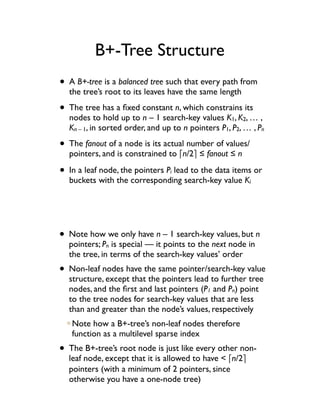
B+-Tree Structure
• A B+-tree is a balanced tree such that every path from
  the tree’s root to its leaves have the same length

• The tree has a fixed constant n, which constrains its
  nodes to hold up to n – 1 search-key values K1, K2, … ,
  Kn – 1, in sorted order, and up to n pointers P1, P2, … , Pn

• The fanout of a node is its actual number of values/
  pointers, and is constrained to !n/2" ! fanout ! n

• In a leaf node, the pointers P lead to the data items or
                                 i
  buckets with the corresponding search-key value Ki


• Note how we only have n – 1 search-key values, but n
  pointers; Pn is special — it points to the next node in
  the tree, in terms of the search-key values’ order
• Non-leaf nodes have the same pointer/search-key value
  structure, except that the pointers lead to further tree
  nodes, and the first and last pointers (P1 and Pn) point
  to the tree nodes for search-key values that are less
  than and greater than the node’s values, respectively
   Note how a B+-tree’s non-leaf nodes therefore
   function as a multilevel sparse index
• The B+-tree’s root node is just like every other non-
  leaf node, except that it is allowed to have < !n/2"
  pointers (with a minimum of 2 pointers, since
  otherwise you have a one-node tree)
Querying a B+-Tree
• Performing a query for records with a value V on a B+-
  tree is a matter of finding the pointer corresponding to
  the smallest search-key value greater than V then
  following that pointer and repeating the process until a
  leaf node is reached

• The leaf node will either have a pointer for K = V or
                                                   i
  not; if it does, then the result has been found, and if it
  doesn’t, then the search result is empty

• The path to the leaf node is no longer than !log     !n/2"(K)"
  — compare to a binary tree, which goes to !log2(K)"


        Updating a B+-Tree
• The trick in inserting or deleting data indexed via B+-
  tree is to ensure that the updated tree is still B+

• When inserting data, a B+-tree node may exceed n,
  and has to be split, possibly recursing to the root

• When deleting data, a B+-tree node may become too
  small (< !n/2"), and has to be coalesced with a sibling
  node, also possibly recursing to the root

• While insert/delete has some complexity, cost is
  proportional to the height of the tree — still decent
B+-Tree File Organization
• The B+-tree data structure can be used not only for an
  index, but also as a storage structure for the data itself

• In this B+-tree file organization, the leaf nodes of the B+-
  tree are the records themselves, and not pointers

• Fewer records in a leaf node than pointers in
  nonleaves, but they still need to be at least half full

• Leaf nodes may start out adjacent, making sequential
  search easy when needed, but this can degrade over
  time and require an index rebuild


           Special Case: Strings
• Strings, with their variable lengths and relatively large
  size (compared to other data types), need some special
  handling when used with B+-trees

• Variable-length search keys result in node storage size,
  as opposed to node count, the determining factor for
  splits and/or coalesces

• Relatively large search-key values also result in low
  fanout and therefore increased tree height
   Prefix compression can be used to address this — instead of storing the entire search-key
   value, store just enough to distinguish it from other values (e.g., “Silb” vs. “Silberschatz”)
B-Tree Index Files
• Note how a B+-tree may store a search-key value
  multiple times, up to the height of the tree; a B-tree
  index seeks to eliminate this redundancy
• In a B-tree nonleaf node, in addition to the child node
  pointer, we also store a pointer to the records or
  bucket for that specific value (since it doesn’t repeat)
• This results in a new constant m, m < n, indicating how
  many search-key values may reside in a nonleaf node
• Updates are also a bit more complex; ultimately, the
  space savings are marginal, so B+ wins on simplicity


        Multiple-Key Access
• So far, we’ve been looking at a single index for a single
  search-key in a database; what if we’re searching on
  more than one attribute, with an index for each?

• Multiple single-key indices: retrieve pointers from each
  index individually then intersect; works well unless
  item counts are large individually but small in the end

• Composite search key indices: concatenates multiple
  search-key values into a tuple with lexicographic ordering

• Covering indices: stores additional values in nodes
Static Hashing
• Alternative to sequential file organization and indices
• A bucket is a unit of storage for one or more records
• If K is the set of all search-key values, and B is the set
  of all bucket addresses, we define a hash function as a
  function h that maps K to B

• To search for records with search-key value K , wei
  calculate h(Ki) and access the bucket at that address

• Can be used for storing data (hash file organization) or
  for building indices (hash index organization)


  Choosing a Hash Function
• Properties of a good hash function:
   Uniform distribution — the same number of search-key
   values maps to all buckets for all possible values
   Random distribution — on average, at any given time,
   each bucket will have the same number of search-key
   values, regardless of the current set of values

• Typical hash functions do some computation on the
  binary representation of a search key, such as:
           31n – 1s[0] + 31n – 2s[1] + !!! + s[n – 1]
Bucket Overflows
• When more records hash to a bucket than that bucket
  can accommodate, we have bucket overflow

• Two primary causes: (1) insufficient buckets, meaning the
  bucket total can’t hold the total number of records,
  and (2) skew, where a disproportionate number of
  records hashes to one bucket compared to the other

• Many ways to address this: overflow chaining creates
  additional buckets in a linked list; open hashing allows
  space in adjacent buckets to be used (not useful in
  databases because open hashing deletion is a pain)


               Hash Indices
• When hashing is used for index structures, buckets
  store search-key values + pointer tuples instead of data

• The pointer records then refer to the underlying data,
  in the same way as with a B+-tree

• Hash index lookups are a matter of hashing the
  desired search-key value, retrieving the bucket, then
  dereferencing the appropriate pointer in the bucket

• Primarily used for secondary indices, since a hash file
  organization already functions as a clustering index
Dynamic Hashing
• Significant issue with static hashing is that the chosen
  hash function locks in the maximum number of
  buckets a priori — problematic because most real-
  world databases grow over time
   When the database becomes sufficiently large, we resort to overflow buckets, degrading
   performance (i.e., increased I/O to access the overflow chain)

   If we hash to a huge number of buckets, there may be a lot of wasted space initially — and
   if the database keeps growing, we’ll hit the maximum anyway


• With dynamic hashing, we periodically choose a new
  hash function to accommodate changes to the size of
  the database


           Extendable Hashing
• Extendable hashing chooses a hash function that
  generates values over a very large range — the set of
  b-bit binary integers, typically b = 32

• The trick to extendable hashing is that we don’t use
  the entire range of the hash function right away (that
  would be ~4 billion if b = 32!) — instead, we choose a
  smaller number of bits, i, and use that initially

• Further, each bucket is associated with a prefix i ! i,                         j
  which allows that bucket to be shared by multiple hash
  entries if ij bits can distinguish records in that range
Extended Hashing Queries
       and Updates
• Queries are straightforward — for search-key value
  Kl", the high-order i bits of h(K1) determine the bucket j

• To perform an insertion, write to bucket j if it has
  room (recall that j has high-order i bits of h(Kl) only)
   If no room, split the bucket and either re-point the hash entry if i > ij or increase i if i = ij

   The one case where splitting won’t help is when you simply have more records with Kl
   than will fit in a bucket — when this happens, use overflow buckets just as in static hashing


• Deletion goes the other way: if a bucket is empty after
  deleting a record, then either decrease the prefix ij or
  decrease the overall number of bits i


 Static vs. Dynamic Hashing
• Dynamic hashing does not degrade as the database
  grows and it has smaller space overhead, at the cost of
  increased indirection and implementation complexity

• However, these costs are generally offset by the
  degradation experienced when using static hashing, and
  so they are considered worthwhile

• Extendable hashing is only one form of dynamic
  hashing; there are other techniques in the literature,
  such a linear hashing, that improves upon extendable
  hashing at the cost of more overflow buckets
Ordered Indexing vs. Hashing
• No single answer (sigh); factors include:
   The cost of periodic reorganization
   Relative frequency of insertion and deletion
   Average access time vs. worst-case access time (i.e.,
   average access time may be OK but worst-case is
   downright nasty)
   Types (and frequencies) of queries (see below)
• Most databases implement both B+-trees and hashing,
  leaving the final choice to the database designer


• Query types behave very differently under indexing vs.
  hashing techniques
   For queries where we search based on equality to a
   single value (i.e., select … from r where attr = value),
   hashing wins because h(value) takes us right to the
   bucket that holds the records
   For queries where we search based on a range (i.e.,
   select … from r where attr ! max and attr # min),
   ordered indexing wins because you can find records in
   sequence from min up to max, but there is no easy
   way to do this with hashing

• Rule of thumb: use ordered indexing unless range
  queries will be rare, in which case use hashing
Bitmap Indices
• Specialized indexing technique geared toward easy
  querying based on multiple search keys

• Applicability: attributes can be stratified into a
  relatively small number of possible values or ranges,
  and we will be querying based on that stratification

• Structure: one bitmap index per search key; within
  each index, one entry per possible value (or range) of
  the search key, then one bit in each entry per record

• The ith bit of bitmap entry j = 1 if record i has value v   j


Querying with Bitmap Indices
• Not helpful when searching on one search key — main
  use comes when querying on multiple search keys
• In that case (i.e., select … from r where attr1 = value1
  and attr2 = value2), we grab the entries for value1 and
  value2 from the indices for attr1 and attr2, respectively,
  and do a bitwise-and on the bits — and we’re done
• Having an or in the predicate would be a bitwise-or, and
  having a not would be a bitwise-complement — all easy
• Also useful for count queries — just count the bits, and
  we don’t even need to go to the database records
Bitmap Index Implementation
• Inserts and deletes would modify the number of bits in
  the bitmap entries — inserts aren’t so bad since we
  just tack on more bits, but deletes are harder

• Instead of compressing the bits, we can store a
  separate existence bitmap, with a 0 in the ith bit if the
  ith record has been deleted; then, queries would do a
  bitwise-and with the existence bitmap as a last step

• To perform the bitwise operations, we take advantage
  of native bitwise instructions, and process things one
  word at a time — which today is 32 or 64 bits


         Combining Bitmaps
           and B+-Trees
• When certain values appear very frequently in a
  database, the bitmap technique can be used in a B+-
  tree to save space
• Recall that a B+-tree leaf node points to the list of
  records whose attribute takes on a particular value
• Instead of one-word-per-record (typical way to store
  the record list), do one-bit-per-record, the way it is
  done with a bitmap index
• For sufficiently frequent values, the bitmap will be
  smaller than the list of records
Index Definition in SQL
• Because indices only affect efficient implementation
  and not correctness, there is no standard SQL way to
  control what indices to create and when

• However, because they make such a huge difference in
  database performance, an informal create index
  command convention does exist:
 create [unique] index <name> on <relation> (<attribute_list>)

• Note how an index gets a name; that way, they can be
  removed with a drop index <name> command


       PostgreSQL Indexing
             Specifics
• PostgreSQL creates unique indices for primary keys
• Four types of indices are supported, and you can
  specify which to use: B-tree, R-tree, hash, and GiST
  (generalized search tree) — default is B-tree, and only B-
  tree and GiST can be used for multiple-value indices

• Bitmaps are used for multiple-index queries
• Other interesting index features include: indexing on
  expressions instead of just flat values, and partial
  indices (i.e., indices that only cover a subset of tuples)

Indexing and-hashing

  • 1.
    Indexing & Hashing •Databases spend a lot of their time finding things — and so finding needs to be as fast as possible • A crucial element of current database management systems is the index, which speeds up searches • Factors behind indexing techniques: Speed vs. space — access should be as direct as possible, but impractical to store every possible database value Updates — sorting is a key component of indices, but sorting needs to keep up with database changes • Index types: Ordered indices — Based on sorting database values Hash indices — Based on a uniform distribution of values across a range of buckets, as determined by a hash function • Index metrics/criteria: characteristics that determine the appropriateness of an indexing technique to different database applications Access type — What data is accessed and under what conditions Access time — Time to locate data items Insertion time — Time to insert a new data item (data insertion and index update) Deletion time — Time to delete a data item (data search and index update) Space overhead — Space required by the index data structure • Primary input, a search key or search term (not to be confused with relational database keys)
  • 2.
    Ordered Indices • Anindex is associated with some search key — that is, one or more attributes in a file/table/relation for which the index provides fast access • Two types of orders or sorting here: Ordering of the index (based on its search key) Ordering of the file/table/relation as it is stored • A single file/table/relation may have multiple indices, each using different search keys • A clustering, clustered, or primary index is an index whose search key also defines the ordering of the file/ table/relation Not to be confused with primary keys — a clustering index’s search key is often the primary key, but doesn’t necessarily have to be so • A nonclustering, nonclustered, or secondary index specifies an order that is different from the file/table/relation’s sequential order • The combination of a sequentially ordered file plus a clustering index is an index-sequential file • An individual index record or entry in an index consists of a specific search-key value and pointers to the records in the file/table/relation that match that entry’s search-key value
  • 3.
    Dense Indices • Adense index is an index with an index record for every known search-key value • With a dense clustering index, the index record will point to the first data record in the file/table/relation that has its search-key value; since it’s a clustering index, all other records with that search-key value will be known to follow that record • When the dense index is non-clustering, the index record for a particular search-key value will need to store a list of pointers to the matching records Sparse Indices • A sparse index holds index records only for some of the search-key values that are known • To find a given search-key, we look up the index record with the largest search-key value ! desired search-key value, then start looking from there • Sparse indices must be clustering — the sparse approach doesn’t make sense for nonclustering indices • Sparse indices represent a time-space tradeoff — while dense indices are faster, sparse indices use less space
  • 4.
    Multilevel Indices • Amultilevel index is an index on another index • Motivation: storage for indices themselves can grow quite large, particularly for a dense index • Performance gap comes when you start having to read index data from multiple disk blocks • Solution: build a sparse index on the dense index; the sparse index can be small enough to reside in main memory, leading you to the data in fewer disk reads • “Rinse and repeat” as desired (for > 2 index levels) Index Updates • Additions and deletions to the database necessarily require corresponding changes to affected indices • Inserts: for a dense index, add a new index record if the search-key value is new; update a sparse index only if the new search-key value needs a new index record (e.g., does it require a new disk block?) • Deletes: for a dense index, delete the index record if the deleted data item was the last with that search-key value; update a sparse index only if there was an index record for the deleted search-key in the first place
  • 5.
    Secondary Indices • Asmentioned, secondary or nonclustering indices must be dense — the sparse approach won’t work for them • In addition, the index records of a secondary index must lead to all data items with the desired search-key value — otherwise there is no way to get to them • To implement this one-to-many relationship between an index record and its destination data items, we use an additional level of indirection: secondary indices hold a single reference to a bucket, which in turn holds the list of references to the data items B+-Tree Index Files • Index-sequential organizations suffer from degradation as sizes grow, for both lookups and sequential scans • You can rebuild index-sequential structures to “reset” the degraded performance, but the rebuilding itself can be costly and shouldn’t happen frequently • So we introduce a new approach: the B+-tree index, which trades off space, insertion, and deletion for increased lookup performance and elimination of constant reorganization
  • 6.
    B+-Tree Structure • AB+-tree is a balanced tree such that every path from the tree’s root to its leaves have the same length • The tree has a fixed constant n, which constrains its nodes to hold up to n – 1 search-key values K1, K2, … , Kn – 1, in sorted order, and up to n pointers P1, P2, … , Pn • The fanout of a node is its actual number of values/ pointers, and is constrained to !n/2" ! fanout ! n • In a leaf node, the pointers P lead to the data items or i buckets with the corresponding search-key value Ki • Note how we only have n – 1 search-key values, but n pointers; Pn is special — it points to the next node in the tree, in terms of the search-key values’ order • Non-leaf nodes have the same pointer/search-key value structure, except that the pointers lead to further tree nodes, and the first and last pointers (P1 and Pn) point to the tree nodes for search-key values that are less than and greater than the node’s values, respectively Note how a B+-tree’s non-leaf nodes therefore function as a multilevel sparse index • The B+-tree’s root node is just like every other non- leaf node, except that it is allowed to have < !n/2" pointers (with a minimum of 2 pointers, since otherwise you have a one-node tree)
  • 7.
    Querying a B+-Tree •Performing a query for records with a value V on a B+- tree is a matter of finding the pointer corresponding to the smallest search-key value greater than V then following that pointer and repeating the process until a leaf node is reached • The leaf node will either have a pointer for K = V or i not; if it does, then the result has been found, and if it doesn’t, then the search result is empty • The path to the leaf node is no longer than !log !n/2"(K)" — compare to a binary tree, which goes to !log2(K)" Updating a B+-Tree • The trick in inserting or deleting data indexed via B+- tree is to ensure that the updated tree is still B+ • When inserting data, a B+-tree node may exceed n, and has to be split, possibly recursing to the root • When deleting data, a B+-tree node may become too small (< !n/2"), and has to be coalesced with a sibling node, also possibly recursing to the root • While insert/delete has some complexity, cost is proportional to the height of the tree — still decent
  • 8.
    B+-Tree File Organization •The B+-tree data structure can be used not only for an index, but also as a storage structure for the data itself • In this B+-tree file organization, the leaf nodes of the B+- tree are the records themselves, and not pointers • Fewer records in a leaf node than pointers in nonleaves, but they still need to be at least half full • Leaf nodes may start out adjacent, making sequential search easy when needed, but this can degrade over time and require an index rebuild Special Case: Strings • Strings, with their variable lengths and relatively large size (compared to other data types), need some special handling when used with B+-trees • Variable-length search keys result in node storage size, as opposed to node count, the determining factor for splits and/or coalesces • Relatively large search-key values also result in low fanout and therefore increased tree height Prefix compression can be used to address this — instead of storing the entire search-key value, store just enough to distinguish it from other values (e.g., “Silb” vs. “Silberschatz”)
  • 9.
    B-Tree Index Files •Note how a B+-tree may store a search-key value multiple times, up to the height of the tree; a B-tree index seeks to eliminate this redundancy • In a B-tree nonleaf node, in addition to the child node pointer, we also store a pointer to the records or bucket for that specific value (since it doesn’t repeat) • This results in a new constant m, m < n, indicating how many search-key values may reside in a nonleaf node • Updates are also a bit more complex; ultimately, the space savings are marginal, so B+ wins on simplicity Multiple-Key Access • So far, we’ve been looking at a single index for a single search-key in a database; what if we’re searching on more than one attribute, with an index for each? • Multiple single-key indices: retrieve pointers from each index individually then intersect; works well unless item counts are large individually but small in the end • Composite search key indices: concatenates multiple search-key values into a tuple with lexicographic ordering • Covering indices: stores additional values in nodes
  • 10.
    Static Hashing • Alternativeto sequential file organization and indices • A bucket is a unit of storage for one or more records • If K is the set of all search-key values, and B is the set of all bucket addresses, we define a hash function as a function h that maps K to B • To search for records with search-key value K , wei calculate h(Ki) and access the bucket at that address • Can be used for storing data (hash file organization) or for building indices (hash index organization) Choosing a Hash Function • Properties of a good hash function: Uniform distribution — the same number of search-key values maps to all buckets for all possible values Random distribution — on average, at any given time, each bucket will have the same number of search-key values, regardless of the current set of values • Typical hash functions do some computation on the binary representation of a search key, such as: 31n – 1s[0] + 31n – 2s[1] + !!! + s[n – 1]
  • 11.
    Bucket Overflows • Whenmore records hash to a bucket than that bucket can accommodate, we have bucket overflow • Two primary causes: (1) insufficient buckets, meaning the bucket total can’t hold the total number of records, and (2) skew, where a disproportionate number of records hashes to one bucket compared to the other • Many ways to address this: overflow chaining creates additional buckets in a linked list; open hashing allows space in adjacent buckets to be used (not useful in databases because open hashing deletion is a pain) Hash Indices • When hashing is used for index structures, buckets store search-key values + pointer tuples instead of data • The pointer records then refer to the underlying data, in the same way as with a B+-tree • Hash index lookups are a matter of hashing the desired search-key value, retrieving the bucket, then dereferencing the appropriate pointer in the bucket • Primarily used for secondary indices, since a hash file organization already functions as a clustering index
  • 12.
    Dynamic Hashing • Significantissue with static hashing is that the chosen hash function locks in the maximum number of buckets a priori — problematic because most real- world databases grow over time When the database becomes sufficiently large, we resort to overflow buckets, degrading performance (i.e., increased I/O to access the overflow chain) If we hash to a huge number of buckets, there may be a lot of wasted space initially — and if the database keeps growing, we’ll hit the maximum anyway • With dynamic hashing, we periodically choose a new hash function to accommodate changes to the size of the database Extendable Hashing • Extendable hashing chooses a hash function that generates values over a very large range — the set of b-bit binary integers, typically b = 32 • The trick to extendable hashing is that we don’t use the entire range of the hash function right away (that would be ~4 billion if b = 32!) — instead, we choose a smaller number of bits, i, and use that initially • Further, each bucket is associated with a prefix i ! i, j which allows that bucket to be shared by multiple hash entries if ij bits can distinguish records in that range
  • 13.
    Extended Hashing Queries and Updates • Queries are straightforward — for search-key value Kl", the high-order i bits of h(K1) determine the bucket j • To perform an insertion, write to bucket j if it has room (recall that j has high-order i bits of h(Kl) only) If no room, split the bucket and either re-point the hash entry if i > ij or increase i if i = ij The one case where splitting won’t help is when you simply have more records with Kl than will fit in a bucket — when this happens, use overflow buckets just as in static hashing • Deletion goes the other way: if a bucket is empty after deleting a record, then either decrease the prefix ij or decrease the overall number of bits i Static vs. Dynamic Hashing • Dynamic hashing does not degrade as the database grows and it has smaller space overhead, at the cost of increased indirection and implementation complexity • However, these costs are generally offset by the degradation experienced when using static hashing, and so they are considered worthwhile • Extendable hashing is only one form of dynamic hashing; there are other techniques in the literature, such a linear hashing, that improves upon extendable hashing at the cost of more overflow buckets
  • 14.
    Ordered Indexing vs.Hashing • No single answer (sigh); factors include: The cost of periodic reorganization Relative frequency of insertion and deletion Average access time vs. worst-case access time (i.e., average access time may be OK but worst-case is downright nasty) Types (and frequencies) of queries (see below) • Most databases implement both B+-trees and hashing, leaving the final choice to the database designer • Query types behave very differently under indexing vs. hashing techniques For queries where we search based on equality to a single value (i.e., select … from r where attr = value), hashing wins because h(value) takes us right to the bucket that holds the records For queries where we search based on a range (i.e., select … from r where attr ! max and attr # min), ordered indexing wins because you can find records in sequence from min up to max, but there is no easy way to do this with hashing • Rule of thumb: use ordered indexing unless range queries will be rare, in which case use hashing
  • 15.
    Bitmap Indices • Specializedindexing technique geared toward easy querying based on multiple search keys • Applicability: attributes can be stratified into a relatively small number of possible values or ranges, and we will be querying based on that stratification • Structure: one bitmap index per search key; within each index, one entry per possible value (or range) of the search key, then one bit in each entry per record • The ith bit of bitmap entry j = 1 if record i has value v j Querying with Bitmap Indices • Not helpful when searching on one search key — main use comes when querying on multiple search keys • In that case (i.e., select … from r where attr1 = value1 and attr2 = value2), we grab the entries for value1 and value2 from the indices for attr1 and attr2, respectively, and do a bitwise-and on the bits — and we’re done • Having an or in the predicate would be a bitwise-or, and having a not would be a bitwise-complement — all easy • Also useful for count queries — just count the bits, and we don’t even need to go to the database records
  • 16.
    Bitmap Index Implementation •Inserts and deletes would modify the number of bits in the bitmap entries — inserts aren’t so bad since we just tack on more bits, but deletes are harder • Instead of compressing the bits, we can store a separate existence bitmap, with a 0 in the ith bit if the ith record has been deleted; then, queries would do a bitwise-and with the existence bitmap as a last step • To perform the bitwise operations, we take advantage of native bitwise instructions, and process things one word at a time — which today is 32 or 64 bits Combining Bitmaps and B+-Trees • When certain values appear very frequently in a database, the bitmap technique can be used in a B+- tree to save space • Recall that a B+-tree leaf node points to the list of records whose attribute takes on a particular value • Instead of one-word-per-record (typical way to store the record list), do one-bit-per-record, the way it is done with a bitmap index • For sufficiently frequent values, the bitmap will be smaller than the list of records
  • 17.
    Index Definition inSQL • Because indices only affect efficient implementation and not correctness, there is no standard SQL way to control what indices to create and when • However, because they make such a huge difference in database performance, an informal create index command convention does exist: create [unique] index <name> on <relation> (<attribute_list>) • Note how an index gets a name; that way, they can be removed with a drop index <name> command PostgreSQL Indexing Specifics • PostgreSQL creates unique indices for primary keys • Four types of indices are supported, and you can specify which to use: B-tree, R-tree, hash, and GiST (generalized search tree) — default is B-tree, and only B- tree and GiST can be used for multiple-value indices • Bitmaps are used for multiple-index queries • Other interesting index features include: indexing on expressions instead of just flat values, and partial indices (i.e., indices that only cover a subset of tuples)