Implementation Lessons using
WebRTC in Asterisk
Astricon, October 2013
Moisés Silva <moy@sangoma.com>
Manager, Software Engineering
Agenda

Sangoma Technologies - © 2013

• WebRTC Intro
• WebRTC Asterisk Architecture

• Install & Config
• Troubleshooting

2
WebRTC Intro

Sangoma Technologies - © 2013

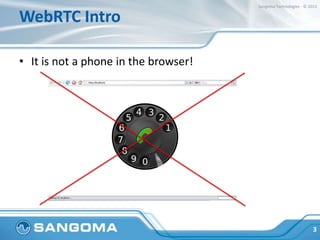
• It is not a phone in the browser!

3
WebRTC Intro

Sangoma Technologies - © 2013

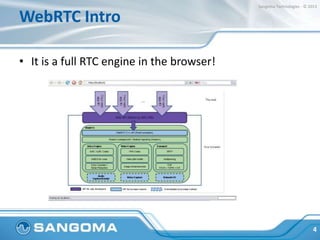
• It is a full RTC engine in the browser!

4
WebRTC Intro

Sangoma Technologies - © 2013

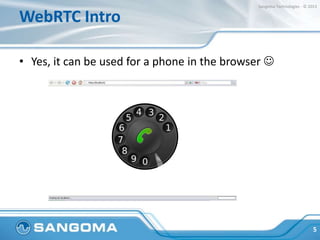
• Yes, it can be used for a phone in the browser 

5
WebRTC Intro

Sangoma Technologies - © 2013

• Full media engine API in the web browser
• No “call” or “session” signaling defined

• Generic data interchange between browsers,
peer to peer
• State of the art NAT traversal techniques

6
WebRTC Intro

Sangoma Technologies - © 2013

• WebRTC comes with multiple APIs, ie:
• Peer-to-Peer Connections (RTCPeerConnection)
• Peer-to-Peer Data API (RTCDataChannel)
• Statistics (RTCStats)

• Media Stream (getUserMedia)

7
WebRTC Intro

Sangoma Technologies - © 2013
• WebRTC uses established protocols:
• SRTP/SRTCP for media exchange (secure RTP)
• SDP (its use is controversial and currently challenged)
• ICE, STUN, TURN for NAT Traversal
• DTLS for key exchange
• G.711, Opus, VP8/H.264 etc; for voice and video
8
WebRTC Intro

Sangoma Technologies - © 2013

• What signaling to use is up to you:
• SIP
• XMPP/Jingle
• RESTful API (json)

• OpenPeer ….

9
WebRTC Intro

Sangoma Technologies - © 2013

• Applications
•
•
•
•

A phone, video calls, conferencing etc!
Video games
P2P Video Streaming (Chromecast)
Motion-detecting Baby Monitor
(https://github.com/webrtcHacks/webrtc_baby_mon
itor)

10
Sangoma Technologies - © 2013

WebRTC Intro
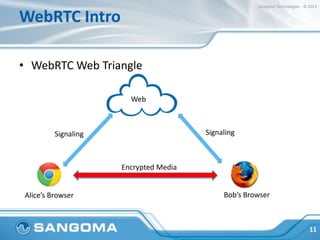
• WebRTC Web Triangle
Web

Signaling

Signaling

Encrypted Media

Alice’s Browser

Bob’s Browser

11
Sangoma Technologies - © 2013

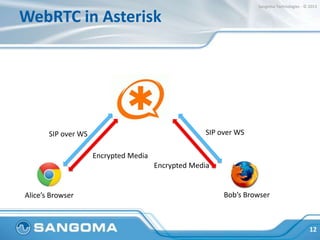
WebRTC in Asterisk

SIP over WS

SIP over WS
Encrypted Media

Encrypted Media

Alice’s Browser

Bob’s Browser

12
WebRTC in Asterisk

Sangoma Technologies - © 2013

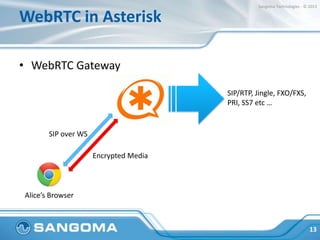
• WebRTC Gateway
SIP/RTP, Jingle, FXO/FXS,
PRI, SS7 etc …

SIP over WS
Encrypted Media

Alice’s Browser

13
Sangoma Technologies - © 2013

WebRTC in Asterisk

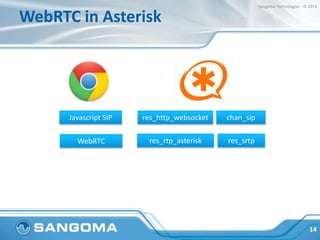
Javascript SIP

res_http_websocket

chan_sip

WebRTC

res_rtp_asterisk

res_srtp

14
Sangoma Technologies - © 2013

WebRTC in Asterisk

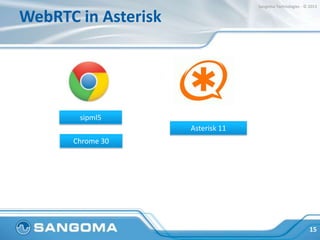
sipml5
Asterisk 11
Chrome 30

15
Installing WebRTC Support

Sangoma Technologies - © 2013

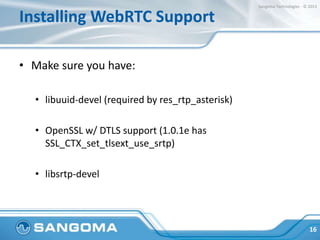
• Make sure you have:
• libuuid-devel (required by res_rtp_asterisk)
• OpenSSL w/ DTLS support (1.0.1e has
SSL_CTX_set_tlsext_use_srtp)
• libsrtp-devel

16
Installing WebRTC Support

Sangoma Technologies - © 2013

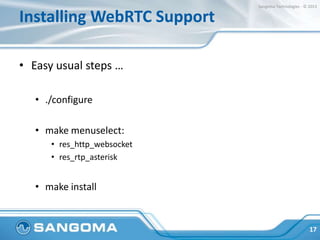
• Easy usual steps …
• ./configure
• make menuselect:
• res_http_websocket
• res_rtp_asterisk

• make install

17
Configuring WebRTC Support

Sangoma Technologies - © 2013

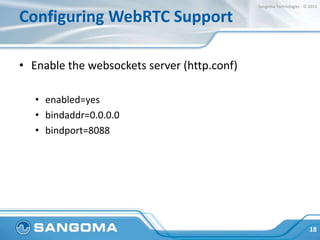
• Enable the websockets server (http.conf)
• enabled=yes
• bindaddr=0.0.0.0
• bindport=8088

18
Configuring WebRTC Support

Sangoma Technologies - © 2013

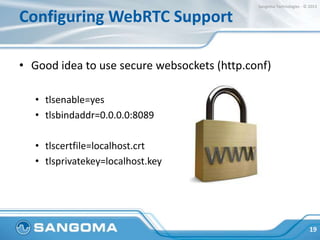
• Good idea to use secure websockets (http.conf)
• tlsenable=yes
• tlsbindaddr=0.0.0.0:8089
• tlscertfile=localhost.crt
• tlsprivatekey=localhost.key

19
Configuring WebRTC Support

Sangoma Technologies - © 2013

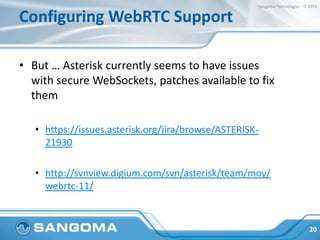
• But … Asterisk currently seems to have issues
with secure WebSockets, patches available to fix
them
• https://issues.asterisk.org/jira/browse/ASTERISK21930
• http://svnview.digium.com/svn/asterisk/team/moy/
webrtc-11/

20
Configuring WebRTC Support

Sangoma Technologies - © 2013

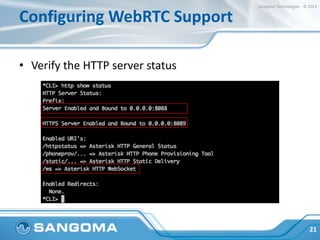
• Verify the HTTP server status

21
Configuring WebRTC Support

Sangoma Technologies - © 2013

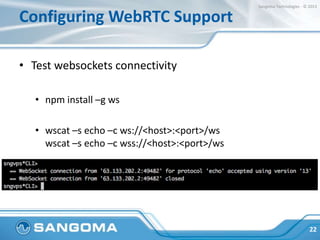
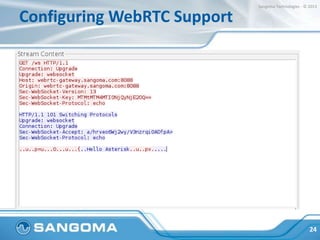
• Test websockets connectivity
• npm install –g ws
• wscat –s echo –c ws://<host>:<port>/ws
wscat –s echo –c wss://<host>:<port>/ws

22
Configuring WebRTC Support

Sangoma Technologies - © 2013

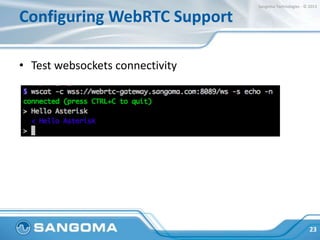
• Test websockets connectivity

23
Configuring WebRTC Support

Sangoma Technologies - © 2013

24
Configuring WebRTC Support

Sangoma Technologies - © 2013

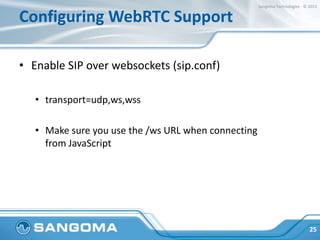
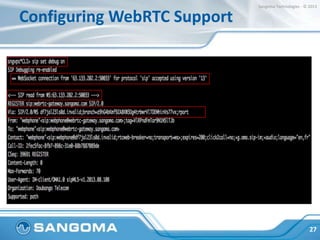
• Enable SIP over websockets (sip.conf)
• transport=udp,ws,wss
• Make sure you use the /ws URL when connecting
from JavaScript

25
Configuring WebRTC Support

Sangoma Technologies - © 2013

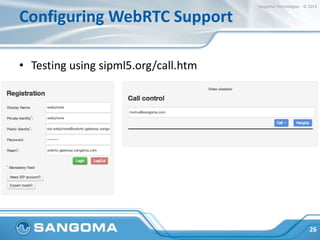
• Testing using sipml5.org/call.htm

26
Configuring WebRTC Support

Sangoma Technologies - © 2013

27
Troubleshooting

Sangoma Technologies - © 2013

• Troubleshooting Toolkit
• javascript console
• chrome://webrtc-internals
• Node ws (test websockets)

• Wireshark!

28
Troubleshooting

Sangoma Technologies - © 2013

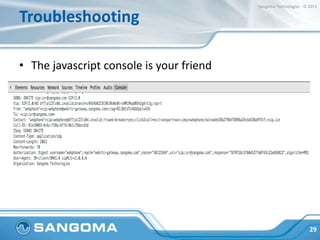
• The javascript console is your friend

29
Troubleshooting

Sangoma Technologies - © 2013

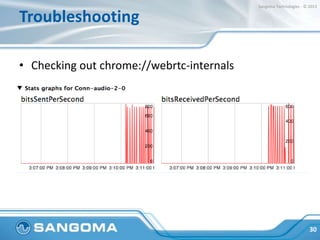
• Checking out chrome://webrtc-internals

30
Troubleshooting

Sangoma Technologies - © 2013

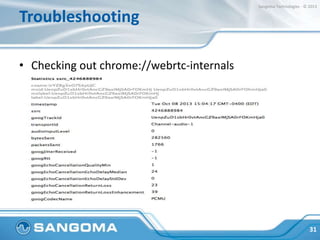
• Checking out chrome://webrtc-internals

31
Troubleshooting

Sangoma Technologies - © 2013

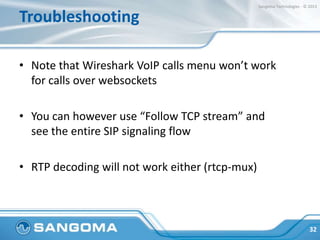
• Note that Wireshark VoIP calls menu won’t work
for calls over websockets
• You can however use “Follow TCP stream” and
see the entire SIP signaling flow
• RTP decoding will not work either (rtcp-mux)

32
Troubleshooting

Sangoma Technologies - © 2013

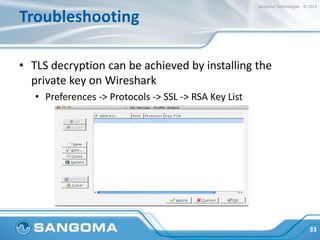
• TLS decryption can be achieved by installing the
private key on Wireshark
• Preferences -> Protocols -> SSL -> RSA Key List

33
Troubleshooting

Sangoma Technologies - © 2013

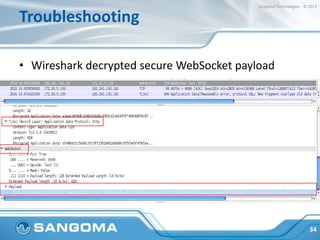
• Wireshark decrypted secure WebSocket payload

34
Future

Sangoma Technologies - © 2013

• Trickle Ice
• Use of other codecs (ie Opus, iSAC)

• Video (VP8)
• Use libwebsockets in res_http_websocket?

35
Conclusion

Sangoma Technologies - © 2013

• Asterisk + WebRTC gateway is easy to setup!
• Know your debugging tools

• Understand the protocols involved
• Have fun and hack away!

36
QUESTIONS
Sangoma Technologies - © 2013

Contact Us
• Sangoma Technologies
100 Renfrew Drive, Suite 100
Markham, Ontario L3R 9R6
Canada

• Website
http://www.sangoma.com/

• Telephone
+1 905 474 1990 x2 (for Sales)

• Email
sales@sangoma.com

38
THANK YOU

Implementation Lessons using WebRTC in Asterisk