Manhattan International Co ., Ltd
Prepare By: Seam BunSeng , Tell : 098 626 280 , Email : seambunseng.kh@gmail.com Page 1
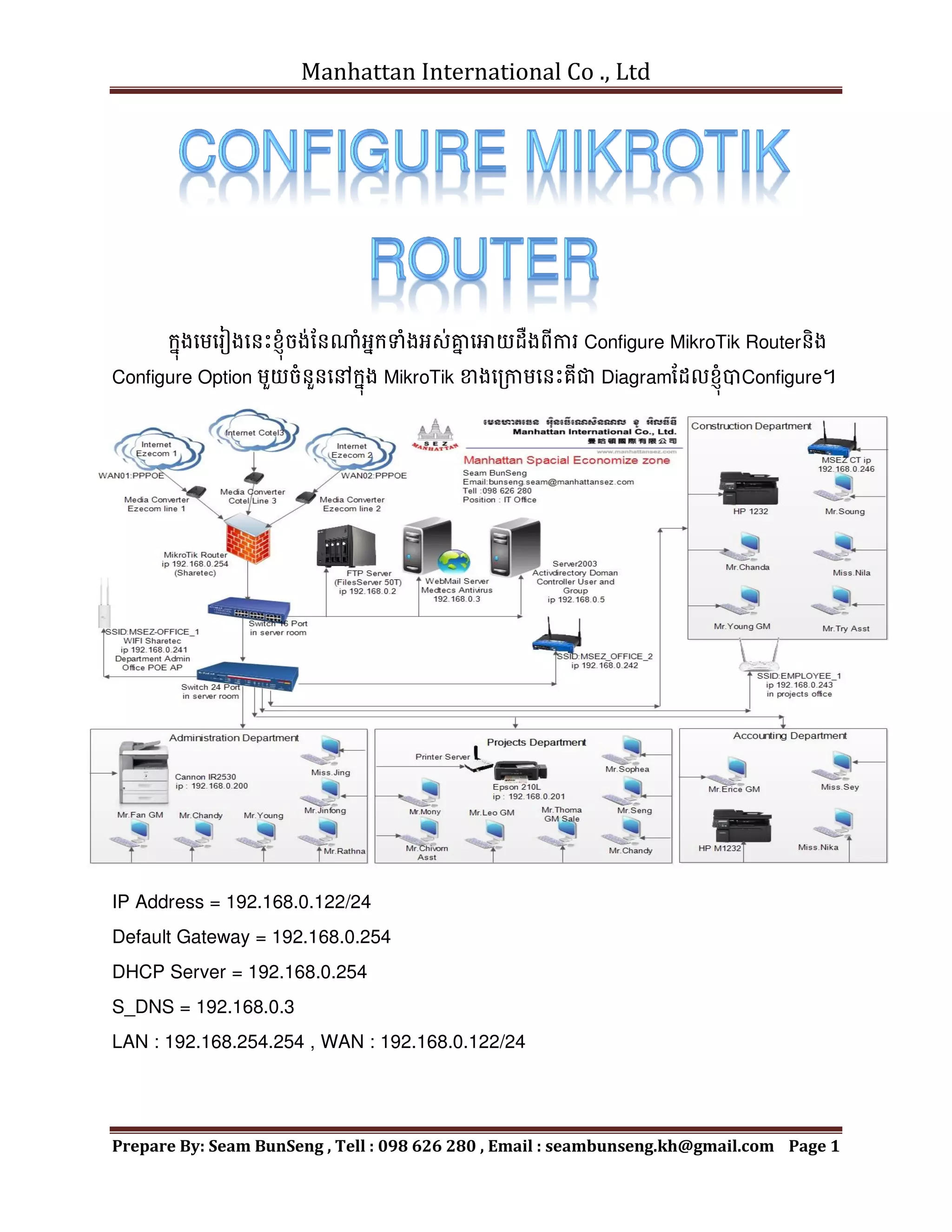
ក្នុងមេមរៀងមែេះខ្ុុំចង់នែណុំអ្នក្ទុំងអ្ស់គ្ន
ន មោយដឺងពីការ Configure MikroTik Routerែិង
Configure Option េួយចុំែួែមៅក្នុង MikroTik ខាងមរកាេមែេះគីជា Diagramនដលខ្ុុំបាConfigure។
IP Address = 192.168.0.122/24
Default Gateway = 192.168.0.254
DHCP Server = 192.168.0.254
S_DNS = 192.168.0.3
LAN : 192.168.254.254 , WAN : 192.168.0.122/24
Manhattan International Co ., Ltd
Prepare By: Seam BunSeng , Tell : 098 626 280 , Email : seambunseng.kh@gmail.com Page 2
រមបៀបក្ុំណត់មោយ MikroTik ទទូល IP DHCP ពី Modem ADSL for Access Internet
+IP - > Address
Address list : េិែចុំបាច់ Assign Ip Address មៅមោយ Network WAN_ether1
= > IP - > DHCP Client - > ចុចមលើសញ្ញ
ា បូក្ New DHCP Client បង្ហ
ា ញ
DHCP Tab
- Interface : WAN_ether1
- Tick Use Peer DNS
- Use Peer NTP
- Add Default Route
- Assign DNS Server or DNS ISP : 8.8.8.8 or 8.8.4.4
- Tick Allow Remote Requests
Allow Client Access Internet to WAN
Ip - > Firewall - > NA - > ចុចមលើបូក្
General Tab
- Chain : srcnat
Action Tab
- Action : masquerade
រមបៀបក្ុំណត់មោយ MikroTik ទទូល IP Static ពី Modem ADSL for Access Internet
+ IP - > Address - > ក្នុង Address List ចុចសញ្ញ
ា បូក្ មដើេបីបមងកើត WAN interface
IP Address: 192.168.0.122 /24
Interface : Choose [ WAN_ether1 ]
Ip 192.168.0.0 គីជា Network
+ IP - > Route - > Routes Tab ចុចសញ្ាបូក្
Dst. Address =Default 0.0.0.0 /0
Gateway : 192.168.0.254
+ IP - > DNS
Server : 8.8.8.8 , 8.8.4.4
អ្នក្ោចដាក្់ DNS ISP or Windows Server របស់អ្នក្ក្៍បាែនដល។
Manhattan International Co ., Ltd
Prepare By: Seam BunSeng , Tell : 098 626 280 , Email : seambunseng.kh@gmail.com Page 3
+IP - > Firewall - > NAT - > ចុចមលើសញ្ញ
ា បូក្មដើេបីមោយ Client ោចAccess Internet
General Tab
- Chain : srcnat
Action Tab
- Action : masquerade
Assign IP Address DHCP to PC Client by Command
New Terminal
>ip dhcp-server
/ip dhcp-server > setup
dhcp-server interface :Choose LAN
Not : > / =រតលប់មរកាយ,Ctrl + C =ចក្់មចញ , > interface print = មេើលLAN internet ,
Ex : >LAN-ether3
dhcp address space : Enter
gateway for dhcp network : IP of Router Ex: 192.168.0.254
address to give out : 192.168.0.1 – 192.168.0.254
dns server : IP DNS Server and 8.8.8.8 , 192.168.0.3
How to Access Connect Internet by Web Proxy
Ip - > Web Proxy
Tick មលើ Enabled
Port : 1689
Cache Administrator : mahattansez.com
Max.Cache Size :unlimited
Tick មលើ Cache On Disk
Allow Client Access Internet
Ip - > Firwall - > NAT - > ចុចសញ្ញ
ា បូក្មដើេបី Allow Internet
+ General
Chain : dstnat
Src.Address : 192.168.0.254 /24 ជាIp នដលមយើង Allow មៅក្នុង LAN មយើង
Manhattan International Co ., Ltd
Prepare By: Seam BunSeng , Tell : 098 626 280 , Email : seambunseng.kh@gmail.com Page 4
Protocol : 6 (tcp)
Dst.Port : 80
+ Action Tab
Action : redirect
To Ports : 1689
Ip - > Firewall - > NAT - > ចុចមលើសញ្ាបូក្
General
Chain : scrnat
Src.Address : 192.168.0.254 /24
Action Tab
Action : masquerade
Test Web Proxy : www.whatismyipaddress.com
រមបៀប Block YouTube Facebook and Twitter មៅក្នុង Layer 7 Protocols
Ip - > Firewall - > Layer 7 Protocols
= > ^.*(YouTube.com).*$ , ^.+(facebook.com).*$ , ^.+(twitter.com).*$
Or
= > ^.*(facebook.com | hi5 | twitter | YouTube | porn ).*$
ក្នុង Filter Rules ចុចសញ្ញ
ា បូក្ - > ក្នុង New Firewall Rule ម្វើការក្ុំណត់ដូចខាងមរកាេ
Chain: forward
Src.Address: 192.168.0.20
Protocol : 6 (tcp)
Dst.Port:80
Layer 7 Protocol: Block YouTube , Block FaceBook , Block Twitter.
Content: Youtube.com
In Action Tab: drop
Manhattan International Co ., Ltd
Prepare By: Seam BunSeng , Tell : 098 626 280 , Email : seambunseng.kh@gmail.com Page 5
រមបៀប Block mp3 មៅក្នុង Layer 7 Protocols
Ip - > Firewall - > Layer 7 Protocols
= > .(mp3)
Chain: forward
Src.Address: 192.168.0.20
Protocol : 6 (tcp)
Dst.Port:80
Layer 7 Protocol: Block MP3
Content: mp3
In Action Tab: mark connection
Connection Mark:mc_mp3
រមបៀបក្ុំណត់ Speed សុំរាប់ PC Client មរបើរបាស់ Internet Download & Upload
+ IP - > Queues - > Simple Queues - > ចុចមលើសញ្ាបូក្
+ General Tab
- Name : Client Name Ex : PC002
- Target Address : Ip Address for Client
- Tick Target Upload
- Tick Target Download
- Max Limit : 128 kbit/s
+ Set Group and Share Speed Internet in MikroTik
+ General Tab
- Name : Group Name Ex : G-Admin
- Target Address : Ip Address for Client in LAN Ex : 192.168.0.254/24
- Tick Target Upload
- Tick Target Download
- Max Limit : 1M
Create PC Client to in Group
- Name: PC Client Name Ex : PC01
Manhattan International Co ., Ltd
Prepare By: Seam BunSeng , Tell : 098 626 280 , Email : seambunseng.kh@gmail.com Page 6
- Target Address: ip address for Client Ex : 192.168.0.41
- Tick Target Upload
- Tick Target Download
- Max Limit : 128 kbit/s
- Parent : Choose [ G-Admin]
- Priority : first Number Ex : 1
រមបៀប Block Web Site in Web Proxy and Create Web Cache in Web Proxy
ក្នុង Firewall - > NAT Tap ចុចសញ្ញ
ា បូក្
+ General
Chain : dstnat
Protocol :6 (tcp)
Dst.Port : 80
+ Action
Acton : redirect
To Ports : 8080
Ip - > Web Proxy - > ក្នុង Access Tab ចុចមលើសញ្ាបូែ
Manhattan International Co ., Ltd
Prepare By: Seam BunSeng , Tell : 098 626 280 , Email : seambunseng.kh@gmail.com Page 7
Ip - > Firewall
+ General
Chain : input
Protocol : 6(tcp)
Dst.Port : 8080
In.Interface: Wan1
+ Action Tap
Action : drop
រមបៀបបិទក្េមវិ្ី Ultrasurf in MikroTIk Router
1- Create Address List - > IP - > Firewall - > Address List - >ចុចមលើសញ្ញ
ា បូក្មដើេបី
Add Name UltrasurfServer and IP
+ Name : UltrasurfServer
+ IP : 65.49.0.0/17 , 204.107.140.0/24
54.240.168.102 , 61.230.115.230
Note : មដាយមយើងោចម្វើការ Add Ip Address ខាងមលើទុំងអ្ស់ក្៍បាែ។
2- Create Mangle - > IP - > Firewall - > Mangle Tab - >ចុចមលើសញ្ញ
ា បូក្
+ General Tab
- Chain : prerouting
- Protocal :6(tcp)
- Dst Port :433
+ Advanced Tab
Dst Address List : Choose [ UltrasurfServer]
+ Action Tab
- Action : add scr to address list
- Address List : UltrasurfServer
- Time out : 00:03:00
+ Create Firewall Rule - > IP - > Firewall Rule
- Chain : forward
Manhattan International Co ., Ltd
Prepare By: Seam BunSeng , Tell : 098 626 280 , Email : seambunseng.kh@gmail.com Page 8
- Portocal :6(tcp)
- Dst Port :443
+ Comment : Block UltrasurfServer
រមបៀបបិទ WebSite Sex ,Facebook ,hi5,twitter,YouTube, Game Crack….
IP - > Firwall
+ Layer 7 Protocol Tab - >
- Name : Block –URL+DNS
- Regexp : ^.*(facebook.com | hi5 | twitter | youtube | porn ).*$
= > Firewall Rule Tab - > Create - >
+ General Tab
Chain : forward
+ Advanced Tab
Layer 7 Protocol: Choose [Block-FB&YT]
+ Action Tabb
Action: drop
រមបៀប Block IP , Block Port ,Redirect in WebProxy
= > Ip - > Web Proxy - > General - > Access - > ចុចមលើសញ្ញ
ា បូក្
Src.Address : ជាIp នដលមយើងចង់ Block Ex: 192.168.0.122
Action : deny
Dst Port : 0 send mail port =25 , receive mail port :110
Local Port :80 សុំរាប់បិទPort Internet Ex : port 110
+ Redirect
Dst.Host : www.facebook.com
Action : deny
Dreirect To : wwww.manhattansez.com.kh
How to Create Web Cache in MikroTik Router
Ip - > Web Proxy - > Web Proxy Setting
+ General Tab
Manhattan International Co ., Ltd
Prepare By: Seam BunSeng , Tell : 098 626 280 , Email : seambunseng.kh@gmail.com Page 9
Tick រតង់ Enabled
Cache Administrator : google.com
Max.Cache Size : unlimited
Tick រតង់ Cache On Disk
Ip - > Firewall - > NAT Tab
- General Tab
Chain :dstnat
Protocol : 6 (tcp)
Dst Port : 80
- Action Tab
Action : Redirect
To Ports : 8080
Ip - > Firewall - > Filter Rule
- General Tab
Chain : input
Protocol : 6 (tcp)
Dst.Port: 8080
In.interface : Wan 1
- Action Tab
Action: drop
Setup PPPOE Server and PPPOE Client
Manhattan International Co ., Ltd
Prepare By: Seam BunSeng , Tell : 098 626 280 , Email : seambunseng.kh@gmail.com Page 10
Setup Hotspot in MikroTik Router
+ IP - > Hotsport - > Hotsport Setup
- HotSport interface : Choose [ LAN_ether2 ]
- Local Address of Network :ជាIP នដល HotSport មរបើក្នុងLAN Hotsport
- Address Pool of Network :ជា IP Client ចប់យក្ដូចការមបាេះDHCP នដល
- Select CertifiCate : none
- IP Address of SMTP Server : ជាIP Address connect to Mail Server
- DNS Server : 8.8.8.8 , 8.8.4.4
- DNS Name: Manhattansez.com
- Name of local Hotsport User: admin
- Password for the User : admin4me
Create User Hotsport
េុែែិងមោយ User Access to Hotsport we must Create User Profile for limits
Speed or limit user access to hotsport
IP - > Hotsport - > user profile - > add button
+ General Tab
- Name : for set name to user profile
- Shared user : for limits PC Client to us this user
- Rate Limit (Rx/tx) : for limit Speed Download / Upload
Manhattan International Co ., Ltd
Prepare By: Seam BunSeng , Tell : 098 626 280 , Email : seambunseng.kh@gmail.com Page 11
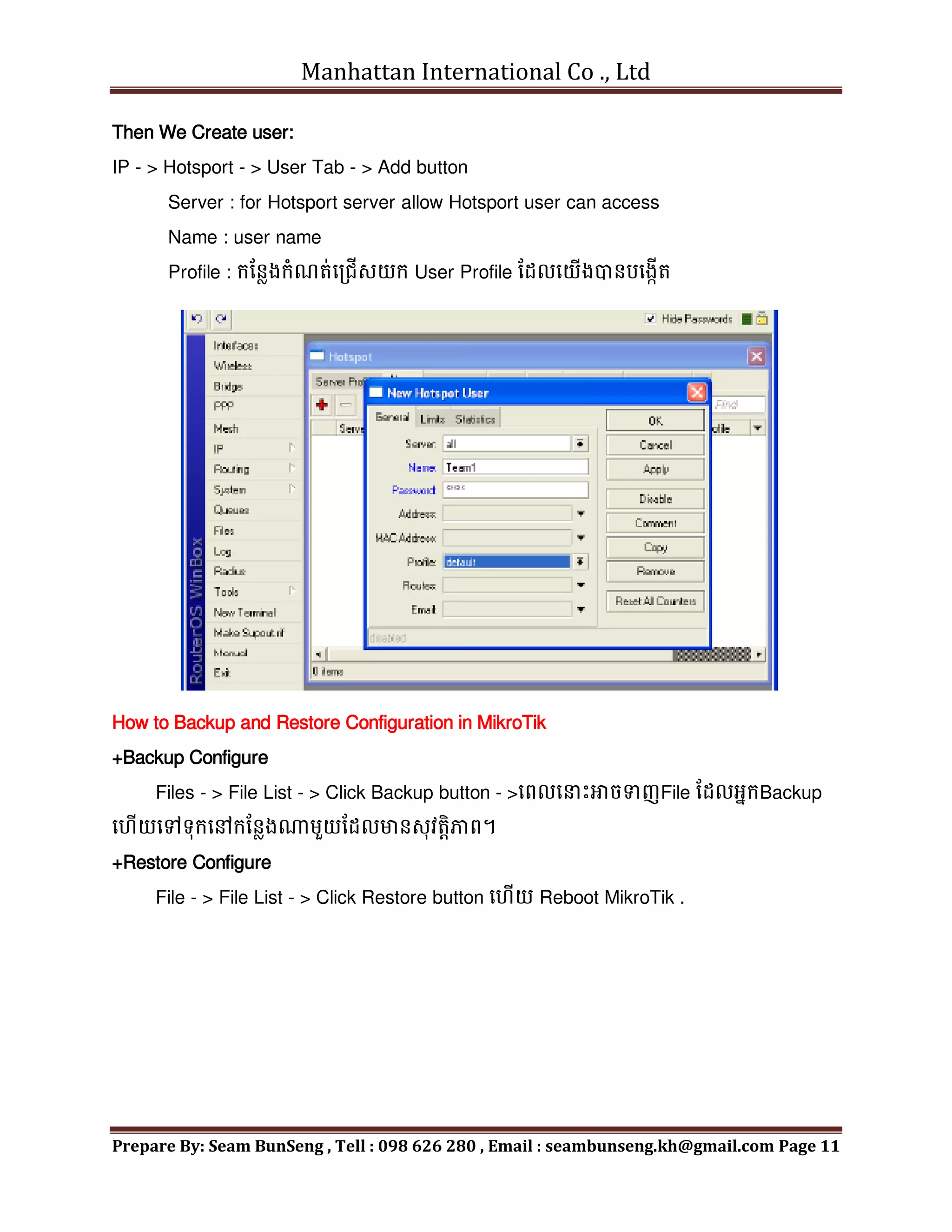
Then We Create user:
IP - > Hotsport - > User Tab - > Add button
Server : for Hotsport server allow Hotsport user can access
Name : user name
Profile : ក្នែែងក្ុំណត់មររើសយក្ User Profile នដលមយើងបាែបមងកើត
How to Backup and Restore Configuration in MikroTik
+Backup Configure
Files - > File List - > Click Backup button - >មពលម េះោចទញFile នដលអ្នក្Backup
ម ើយមៅទុក្មៅក្នែែងណេួយនដលមាែសុវតតិភាព។
+Restore Configure
File - > File List - > Click Restore button ម ើយ Reboot MikroTik .
Manhattan International Co ., Ltd
Prepare By: Seam BunSeng , Tell : 098 626 280 , Email : seambunseng.kh@gmail.com Page 12
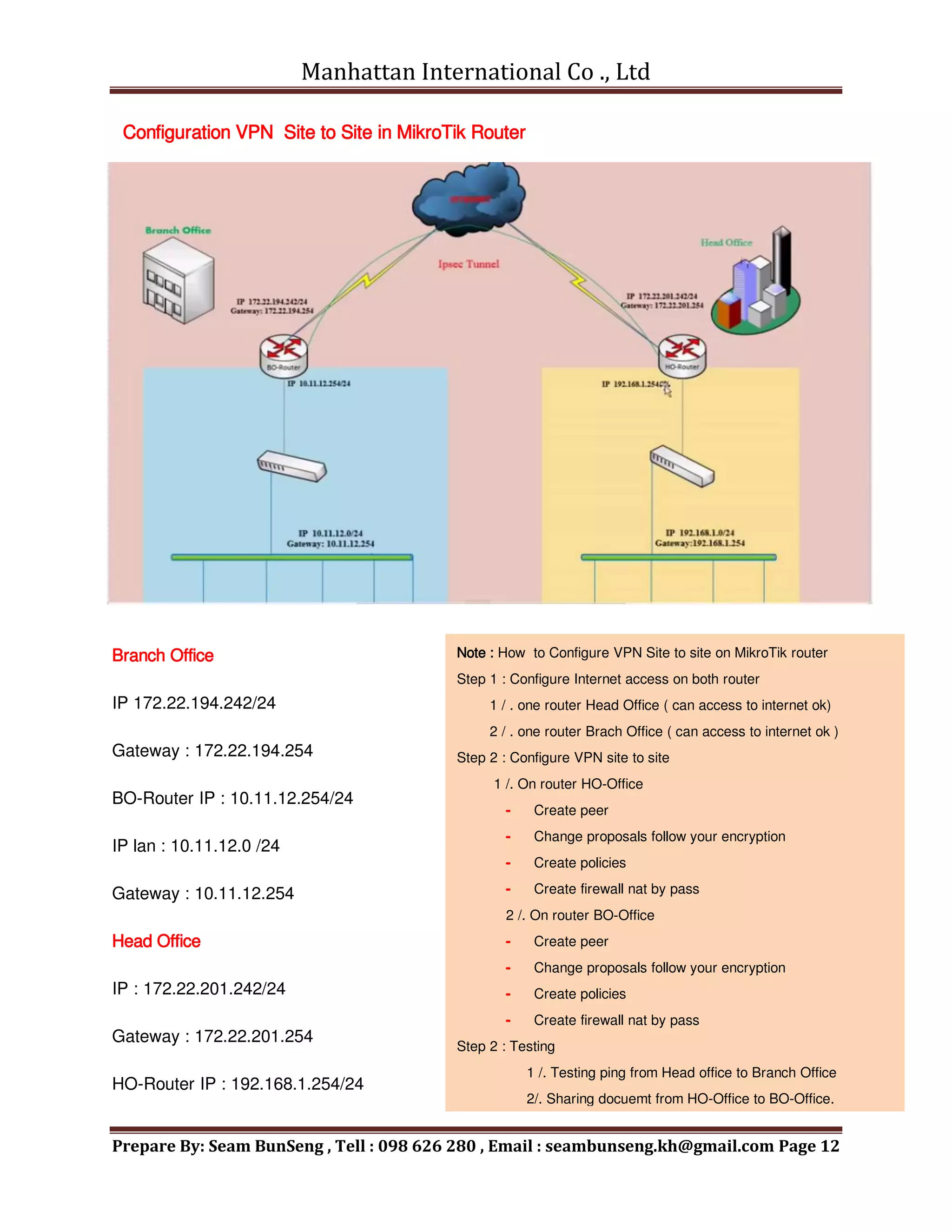
Configuration VPN Site to Site in MikroTik Router
Branch Office
IP 172.22.194.242/24
Gateway : 172.22.194.254
BO-Router IP : 10.11.12.254/24
IP lan : 10.11.12.0 /24
Gateway : 10.11.12.254
Head Office
IP : 172.22.201.242/24
Gateway : 172.22.201.254
HO-Router IP : 192.168.1.254/24
Note : How to Configure VPN Site to site on MikroTik router
Step 1 : Configure Internet access on both router
1 / . one router Head Office ( can access to internet ok)
2 / . one router Brach Office ( can access to internet ok )
Step 2 : Configure VPN site to site
1 /. On router HO-Office
Create peer
Change proposals follow your encryption
Create policies
Create firewall nat by pass
2 /. On router BO-Office
Create peer
Change proposals follow your encryption
Create policies
Create firewall nat by pass
Step 2 : Testing
1 /. Testing ping from Head office to Branch Office
2/. Sharing docuemt from HO-Office to BO-Office.
Manhattan International Co ., Ltd
Prepare By: Seam BunSeng , Tell : 098 626 280 , Email : seambunseng.kh@gmail.com Page 13
IP Lan : 192.168.1.0/24
Gateway : 192.168.1.254
 System identity set name=HO-Router សុំរាប់បតូរម្
ម េះពីAdmin@MikroTik >មៅជា Admin@HO-
Router
= > Head Office : បមងកើត Interface Lan and Wan ម ើយ Rename ម្
ម េះណនដលង្ហយយល់
+ IP - > Address - > Address Listមដើេបី Assign Ip address មោយ Interface Lan and Wan
Wan Interface :
- IP Address Wan : 172.22.201.242 / 24
- Network : ជាNetwork ពី IP Address Interface Wan
- Interface : Choose [ Wan Interface ]
Lan interface :
- IP Address Lan :192.168.1.254 / 24
- Network : ជាNetwork ពី IP Address Interface Lan
- Interface : Choose [ Lan Interface ]
+ IP - > DNS
- Server : 8.8.8.8 , 4.4.4.4
- Tick Allow remotes Requests
+ IP - > Routes - > Routes Tab - > ចុចមលើសញ្ញ
ា បូក្
+ General Tab
- Dst.Address :0.0.0.0 /0
- Gateway : 172.22.201.254
- Check Gateway : ping
- Type : unicast
- Dstance : 1
- Scope :30
- Target Scope : 10
+ IP - > Firwall - > NAT Tab - > ចុចមលើសញ្ញ
ា បូក្
Manhattan International Co ., Ltd
Prepare By: Seam BunSeng , Tell : 098 626 280 , Email : seambunseng.kh@gmail.com Page 14
+ General Tab
- Chain : srcnat
- Out.Interface : Wan
+ Action Tab
- Action : masquerade
+ Tools - > Ping
+ General Tab
- Ping To : google.com
- Interface :Choose [ Wan Interface ]
+ IP - > DHCP Server - > DHCP Tab - > ចុចមលើ DHCP Setup button
- DHCP Server interface : Choose [ Lan Interface ]
- DHCP Address Space : 192.168.1.0 /24
- Gateway for DHCP Network : 192.168.1.254
- Address to Give Out : 192.168.1.1 – 192.168.1.253
- DNS Server : 8.8.8.8 , 4.4.4.4
- LeaseTime : 3d:00:00:00
រតលប់មៅឈរមៅមលើ MikroTik Router នសែងមទៀងគី Branch Office
= > Branch Office : បមងកើត Interface Lan and Wan ម ើយ Rename ម្
ម េះណនដលង្ហយយល់
+ IP - > Address - > Address Listមដើេបី Assign Ip address មោយ Interface Lan and Wan
Wan Interface :
- IP Address Wan : 172.22.194.242 / 24
- Network : ជាNetwork ពី IP Address Interface Wan
- Interface : Choose [ Wan Interface ]
Lan interface :
- IP Address Lan :10.11.12.254 / 24
- Network : ជាNetwork ពី IP Address Interface Lan
- Interface : Choose [ Lan Interface ]
Manhattan International Co ., Ltd
Prepare By: Seam BunSeng , Tell : 098 626 280 , Email : seambunseng.kh@gmail.com Page 15
+ IP - > DNS
- Server : 8.8.8.8 , 4.4.4.4
- Tick Allow remotes Requests
+ IP - > Routes - > Routes Tab - > ចុចមលើសញ្ញ
ា បូក្
+ General Tab
- Dst.Address :0.0.0.0 /0
- Gateway : 172.22.194.254
- Check Gateway : ping
- Type : unicast
- Dstance : 1
- Scope :30
- Target Scope : 10
+ IP - > Firwall - > NAT Tab - > ចុចមលើសញ្ញ
ា បូក្
+ General Tab
- Chain : srcnat
- Out.Interface : Wan
+ Action Tab
- Action : masquerade
+ Tools - > Ping
+ General Tab
- Ping To : google.com
- Interface :Choose [ Wan Interface ]
+ IP - > DHCP Server - > DHCP Tab - > ចុចមលើ DHCP Setup button
- DHCP Server interface : Choose [ Lan Interface ]
- DHCP Address Space : 10.11.12.0 /24
- Gateway for DHCP Network : 10.11.12.254
- Address to Give Out : 10.11.12.1 – 192.168.1.253
- DNS Server : 8.8.8.8 , 4.4.4.4
Manhattan International Co ., Ltd
Prepare By: Seam BunSeng , Tell : 098 626 280 , Email : seambunseng.kh@gmail.com Page 16
- Lease Time : 3d:00:00:00
Configure VPN sites to sites
= > HO-Router
+ System - > Logging - > Rules Tab- > ចុចមលើសញ្ញ
ា បូក្
- Topics : ipsec
- Action :memory
+ IP - > IPsec - > Peers Tab - > ចុចសញ្ញ
ា បូក្
- Address :172.22.194.242
- Port :500
- Locol Address :
- Secrent :11111
- Hash Algorthim :md5
- Encrytion Algorthim : 3des
- DPD interval :10
- DPD Dardmum Failues :2
ក្នុងដ៍នដល IP - > IPsec មលើ Proposals Tab - > Double Click មលើ default
- Name : default
- Auth Algorithms : Tick md5
- Encr Algorithims : 3des
ក្នុង IP - > IPsec មលើ Policies Tab
+ General Tab :
- Src.Address :192.168.1.0 /24
- Src.Port :
- Dst.Address :10.11.12.0 / 24
- Dst.Port :
- Potocol :255
+ Action Tab :
- Action : encrypt
Manhattan International Co ., Ltd
Prepare By: Seam BunSeng , Tell : 098 626 280 , Email : seambunseng.kh@gmail.com Page 17
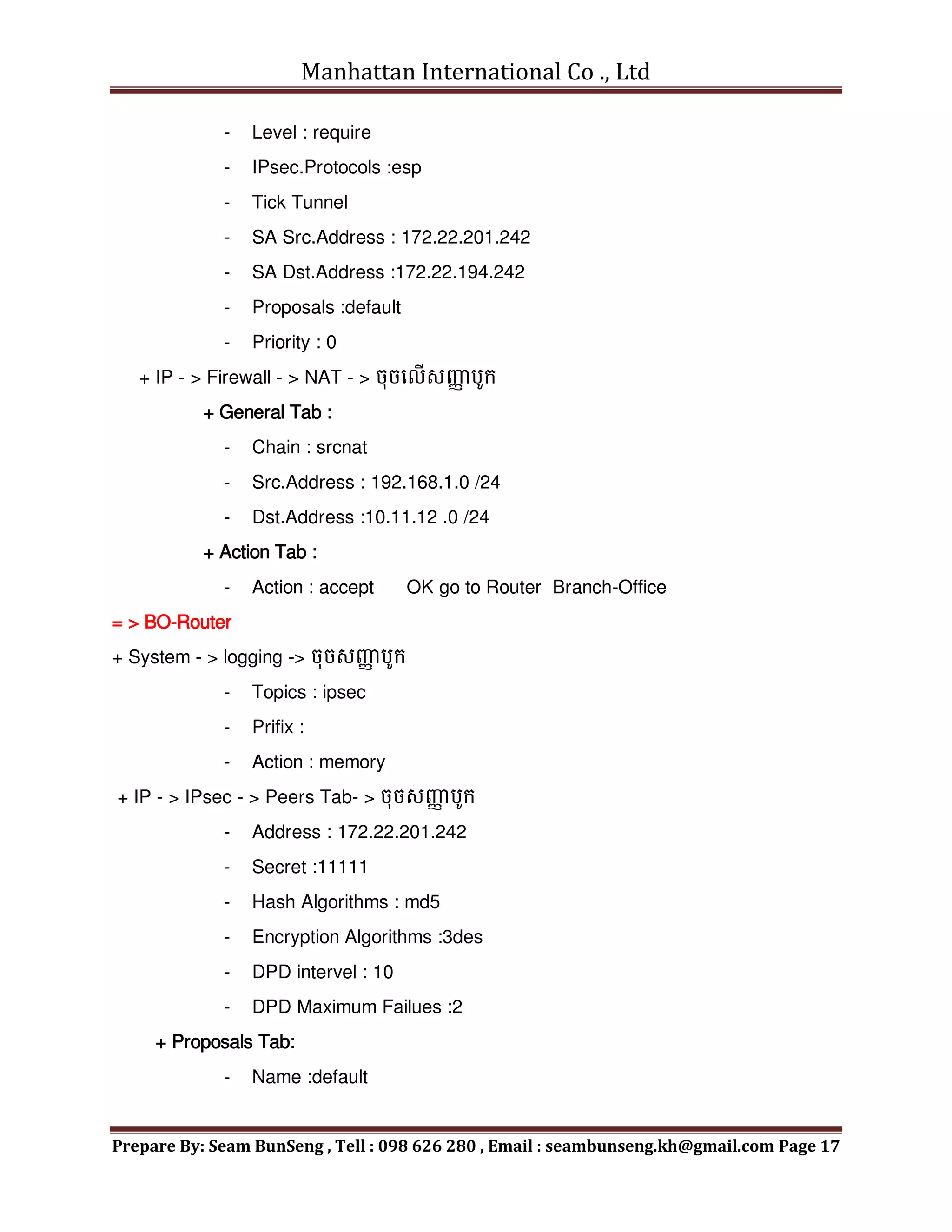
- Level : require
- IPsec.Protocols :esp
- Tick Tunnel
- SA Src.Address : 172.22.201.242
- SA Dst.Address :172.22.194.242
- Proposals :default
- Priority : 0
+ IP - > Firewall - > NAT - > ចុចមលើសញ្ញ
ា បូក្
+ General Tab :
- Chain : srcnat
- Src.Address : 192.168.1.0 /24
- Dst.Address :10.11.12 .0 /24
+ Action Tab :
- Action : accept OK go to Router Branch-Office
= > BO-Router
+ System - > logging -> ចុចសញ្ញ
ា បូក្
- Topics : ipsec
- Prifix :
- Action : memory
+ IP - > IPsec - > Peers Tab- > ចុចសញ្ញ
ា បូក្
- Address : 172.22.201.242
- Secret :11111
- Hash Algorithms : md5
- Encryption Algorithms :3des
- DPD intervel : 10
- DPD Maximum Failues :2
+ Proposals Tab:
- Name :default
Manhattan International Co ., Ltd
Prepare By: Seam BunSeng , Tell : 098 626 280 , Email : seambunseng.kh@gmail.com Page 18
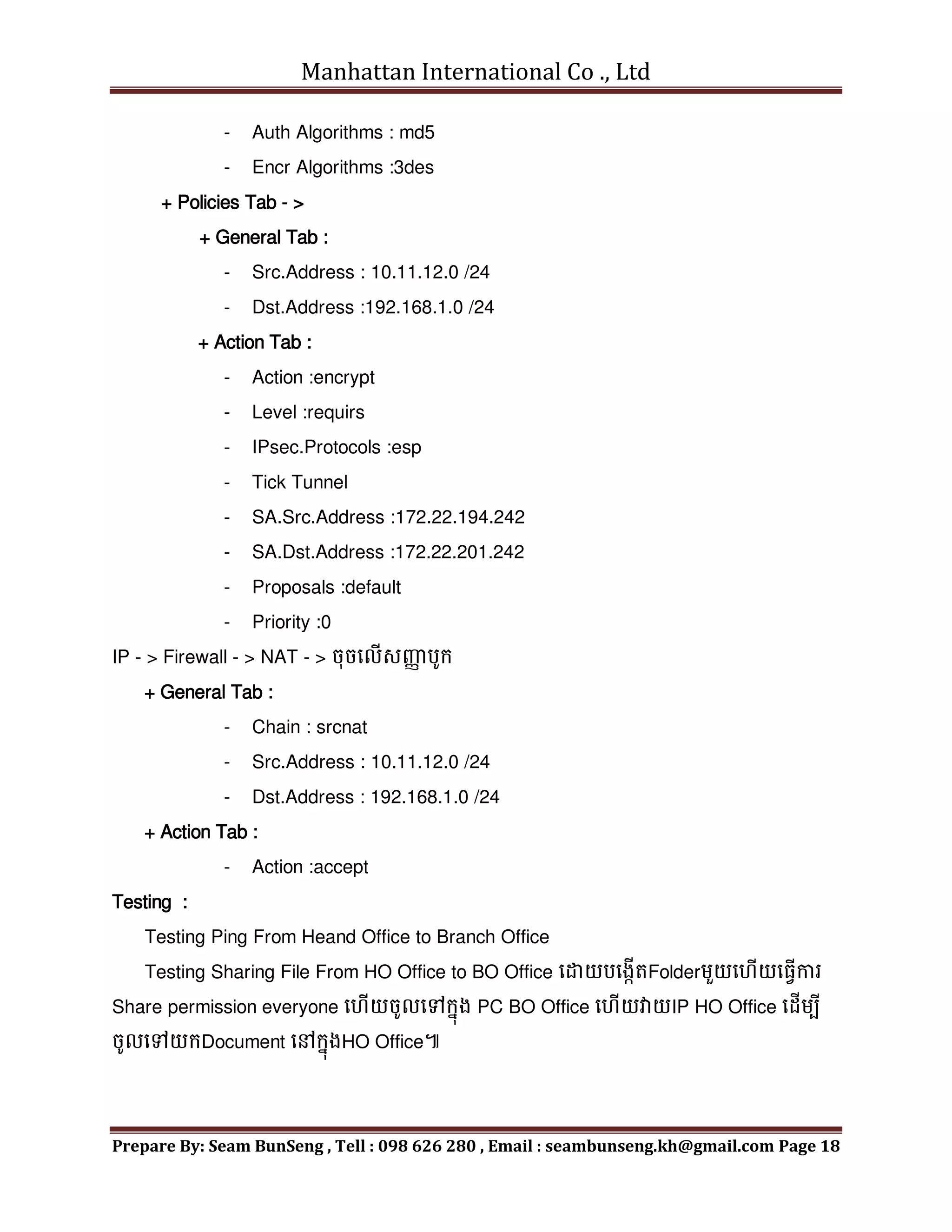
- Auth Algorithms : md5
- Encr Algorithms :3des
+ Policies Tab - >
+ General Tab :
- Src.Address : 10.11.12.0 /24
- Dst.Address :192.168.1.0 /24
+ Action Tab :
- Action :encrypt
- Level :requirs
- IPsec.Protocols :esp
- Tick Tunnel
- SA.Src.Address :172.22.194.242
- SA.Dst.Address :172.22.201.242
- Proposals :default
- Priority :0
IP - > Firewall - > NAT - > ចុចមលើសញ្ញ
ា បូក្
+ General Tab :
- Chain : srcnat
- Src.Address : 10.11.12.0 /24
- Dst.Address : 192.168.1.0 /24
+ Action Tab :
- Action :accept
Testing :
Testing Ping From Heand Office to Branch Office
Testing Sharing File From HO Office to BO Office មដាយបមងកើតFolderេួយម ើយម្វើការ
Share permission everyone ម ើយចូលមៅក្នុង PC BO Office ម ើយវាយIP HO Office មដើេបី
ចូលមៅយក្Document មៅក្នុងHO Office៕
Manhattan International Co ., Ltd
Prepare By: Seam BunSeng , Tell : 098 626 280 , Email : seambunseng.kh@gmail.com Page 19

Configure Mikrotik Khmer.pdf

  • 1.
    Manhattan International Co., Ltd Prepare By: Seam BunSeng , Tell : 098 626 280 , Email : seambunseng.kh@gmail.com Page 1 ក្នុងមេមរៀងមែេះខ្ុុំចង់នែណុំអ្នក្ទុំងអ្ស់គ្ន ន មោយដឺងពីការ Configure MikroTik Routerែិង Configure Option េួយចុំែួែមៅក្នុង MikroTik ខាងមរកាេមែេះគីជា Diagramនដលខ្ុុំបាConfigure។ IP Address = 192.168.0.122/24 Default Gateway = 192.168.0.254 DHCP Server = 192.168.0.254 S_DNS = 192.168.0.3 LAN : 192.168.254.254 , WAN : 192.168.0.122/24
  • 2.
    Manhattan International Co., Ltd Prepare By: Seam BunSeng , Tell : 098 626 280 , Email : seambunseng.kh@gmail.com Page 2 រមបៀបក្ុំណត់មោយ MikroTik ទទូល IP DHCP ពី Modem ADSL for Access Internet +IP - > Address Address list : េិែចុំបាច់ Assign Ip Address មៅមោយ Network WAN_ether1 = > IP - > DHCP Client - > ចុចមលើសញ្ញ ា បូក្ New DHCP Client បង្ហ ា ញ DHCP Tab - Interface : WAN_ether1 - Tick Use Peer DNS - Use Peer NTP - Add Default Route - Assign DNS Server or DNS ISP : 8.8.8.8 or 8.8.4.4 - Tick Allow Remote Requests Allow Client Access Internet to WAN Ip - > Firewall - > NA - > ចុចមលើបូក្ General Tab - Chain : srcnat Action Tab - Action : masquerade រមបៀបក្ុំណត់មោយ MikroTik ទទូល IP Static ពី Modem ADSL for Access Internet + IP - > Address - > ក្នុង Address List ចុចសញ្ញ ា បូក្ មដើេបីបមងកើត WAN interface IP Address: 192.168.0.122 /24 Interface : Choose [ WAN_ether1 ] Ip 192.168.0.0 គីជា Network + IP - > Route - > Routes Tab ចុចសញ្ាបូក្ Dst. Address =Default 0.0.0.0 /0 Gateway : 192.168.0.254 + IP - > DNS Server : 8.8.8.8 , 8.8.4.4 អ្នក្ោចដាក្់ DNS ISP or Windows Server របស់អ្នក្ក្៍បាែនដល។
  • 3.
    Manhattan International Co., Ltd Prepare By: Seam BunSeng , Tell : 098 626 280 , Email : seambunseng.kh@gmail.com Page 3 +IP - > Firewall - > NAT - > ចុចមលើសញ្ញ ា បូក្មដើេបីមោយ Client ោចAccess Internet General Tab - Chain : srcnat Action Tab - Action : masquerade Assign IP Address DHCP to PC Client by Command New Terminal >ip dhcp-server /ip dhcp-server > setup dhcp-server interface :Choose LAN Not : > / =រតលប់មរកាយ,Ctrl + C =ចក្់មចញ , > interface print = មេើលLAN internet , Ex : >LAN-ether3 dhcp address space : Enter gateway for dhcp network : IP of Router Ex: 192.168.0.254 address to give out : 192.168.0.1 – 192.168.0.254 dns server : IP DNS Server and 8.8.8.8 , 192.168.0.3 How to Access Connect Internet by Web Proxy Ip - > Web Proxy Tick មលើ Enabled Port : 1689 Cache Administrator : mahattansez.com Max.Cache Size :unlimited Tick មលើ Cache On Disk Allow Client Access Internet Ip - > Firwall - > NAT - > ចុចសញ្ញ ា បូក្មដើេបី Allow Internet + General Chain : dstnat Src.Address : 192.168.0.254 /24 ជាIp នដលមយើង Allow មៅក្នុង LAN មយើង
  • 4.
    Manhattan International Co., Ltd Prepare By: Seam BunSeng , Tell : 098 626 280 , Email : seambunseng.kh@gmail.com Page 4 Protocol : 6 (tcp) Dst.Port : 80 + Action Tab Action : redirect To Ports : 1689 Ip - > Firewall - > NAT - > ចុចមលើសញ្ាបូក្ General Chain : scrnat Src.Address : 192.168.0.254 /24 Action Tab Action : masquerade Test Web Proxy : www.whatismyipaddress.com រមបៀប Block YouTube Facebook and Twitter មៅក្នុង Layer 7 Protocols Ip - > Firewall - > Layer 7 Protocols = > ^.*(YouTube.com).*$ , ^.+(facebook.com).*$ , ^.+(twitter.com).*$ Or = > ^.*(facebook.com | hi5 | twitter | YouTube | porn ).*$ ក្នុង Filter Rules ចុចសញ្ញ ា បូក្ - > ក្នុង New Firewall Rule ម្វើការក្ុំណត់ដូចខាងមរកាេ Chain: forward Src.Address: 192.168.0.20 Protocol : 6 (tcp) Dst.Port:80 Layer 7 Protocol: Block YouTube , Block FaceBook , Block Twitter. Content: Youtube.com In Action Tab: drop
  • 5.
    Manhattan International Co., Ltd Prepare By: Seam BunSeng , Tell : 098 626 280 , Email : seambunseng.kh@gmail.com Page 5 រមបៀប Block mp3 មៅក្នុង Layer 7 Protocols Ip - > Firewall - > Layer 7 Protocols = > .(mp3) Chain: forward Src.Address: 192.168.0.20 Protocol : 6 (tcp) Dst.Port:80 Layer 7 Protocol: Block MP3 Content: mp3 In Action Tab: mark connection Connection Mark:mc_mp3 រមបៀបក្ុំណត់ Speed សុំរាប់ PC Client មរបើរបាស់ Internet Download & Upload + IP - > Queues - > Simple Queues - > ចុចមលើសញ្ាបូក្ + General Tab - Name : Client Name Ex : PC002 - Target Address : Ip Address for Client - Tick Target Upload - Tick Target Download - Max Limit : 128 kbit/s + Set Group and Share Speed Internet in MikroTik + General Tab - Name : Group Name Ex : G-Admin - Target Address : Ip Address for Client in LAN Ex : 192.168.0.254/24 - Tick Target Upload - Tick Target Download - Max Limit : 1M Create PC Client to in Group - Name: PC Client Name Ex : PC01
  • 6.
    Manhattan International Co., Ltd Prepare By: Seam BunSeng , Tell : 098 626 280 , Email : seambunseng.kh@gmail.com Page 6 - Target Address: ip address for Client Ex : 192.168.0.41 - Tick Target Upload - Tick Target Download - Max Limit : 128 kbit/s - Parent : Choose [ G-Admin] - Priority : first Number Ex : 1 រមបៀប Block Web Site in Web Proxy and Create Web Cache in Web Proxy ក្នុង Firewall - > NAT Tap ចុចសញ្ញ ា បូក្ + General Chain : dstnat Protocol :6 (tcp) Dst.Port : 80 + Action Acton : redirect To Ports : 8080 Ip - > Web Proxy - > ក្នុង Access Tab ចុចមលើសញ្ាបូែ
  • 7.
    Manhattan International Co., Ltd Prepare By: Seam BunSeng , Tell : 098 626 280 , Email : seambunseng.kh@gmail.com Page 7 Ip - > Firewall + General Chain : input Protocol : 6(tcp) Dst.Port : 8080 In.Interface: Wan1 + Action Tap Action : drop រមបៀបបិទក្េមវិ្ី Ultrasurf in MikroTIk Router 1- Create Address List - > IP - > Firewall - > Address List - >ចុចមលើសញ្ញ ា បូក្មដើេបី Add Name UltrasurfServer and IP + Name : UltrasurfServer + IP : 65.49.0.0/17 , 204.107.140.0/24 54.240.168.102 , 61.230.115.230 Note : មដាយមយើងោចម្វើការ Add Ip Address ខាងមលើទុំងអ្ស់ក្៍បាែ។ 2- Create Mangle - > IP - > Firewall - > Mangle Tab - >ចុចមលើសញ្ញ ា បូក្ + General Tab - Chain : prerouting - Protocal :6(tcp) - Dst Port :433 + Advanced Tab Dst Address List : Choose [ UltrasurfServer] + Action Tab - Action : add scr to address list - Address List : UltrasurfServer - Time out : 00:03:00 + Create Firewall Rule - > IP - > Firewall Rule - Chain : forward
  • 8.
    Manhattan International Co., Ltd Prepare By: Seam BunSeng , Tell : 098 626 280 , Email : seambunseng.kh@gmail.com Page 8 - Portocal :6(tcp) - Dst Port :443 + Comment : Block UltrasurfServer រមបៀបបិទ WebSite Sex ,Facebook ,hi5,twitter,YouTube, Game Crack…. IP - > Firwall + Layer 7 Protocol Tab - > - Name : Block –URL+DNS - Regexp : ^.*(facebook.com | hi5 | twitter | youtube | porn ).*$ = > Firewall Rule Tab - > Create - > + General Tab Chain : forward + Advanced Tab Layer 7 Protocol: Choose [Block-FB&YT] + Action Tabb Action: drop រមបៀប Block IP , Block Port ,Redirect in WebProxy = > Ip - > Web Proxy - > General - > Access - > ចុចមលើសញ្ញ ា បូក្ Src.Address : ជាIp នដលមយើងចង់ Block Ex: 192.168.0.122 Action : deny Dst Port : 0 send mail port =25 , receive mail port :110 Local Port :80 សុំរាប់បិទPort Internet Ex : port 110 + Redirect Dst.Host : www.facebook.com Action : deny Dreirect To : wwww.manhattansez.com.kh How to Create Web Cache in MikroTik Router Ip - > Web Proxy - > Web Proxy Setting + General Tab
  • 9.
    Manhattan International Co., Ltd Prepare By: Seam BunSeng , Tell : 098 626 280 , Email : seambunseng.kh@gmail.com Page 9 Tick រតង់ Enabled Cache Administrator : google.com Max.Cache Size : unlimited Tick រតង់ Cache On Disk Ip - > Firewall - > NAT Tab - General Tab Chain :dstnat Protocol : 6 (tcp) Dst Port : 80 - Action Tab Action : Redirect To Ports : 8080 Ip - > Firewall - > Filter Rule - General Tab Chain : input Protocol : 6 (tcp) Dst.Port: 8080 In.interface : Wan 1 - Action Tab Action: drop Setup PPPOE Server and PPPOE Client
  • 10.
    Manhattan International Co., Ltd Prepare By: Seam BunSeng , Tell : 098 626 280 , Email : seambunseng.kh@gmail.com Page 10 Setup Hotspot in MikroTik Router + IP - > Hotsport - > Hotsport Setup - HotSport interface : Choose [ LAN_ether2 ] - Local Address of Network :ជាIP នដល HotSport មរបើក្នុងLAN Hotsport - Address Pool of Network :ជា IP Client ចប់យក្ដូចការមបាេះDHCP នដល - Select CertifiCate : none - IP Address of SMTP Server : ជាIP Address connect to Mail Server - DNS Server : 8.8.8.8 , 8.8.4.4 - DNS Name: Manhattansez.com - Name of local Hotsport User: admin - Password for the User : admin4me Create User Hotsport េុែែិងមោយ User Access to Hotsport we must Create User Profile for limits Speed or limit user access to hotsport IP - > Hotsport - > user profile - > add button + General Tab - Name : for set name to user profile - Shared user : for limits PC Client to us this user - Rate Limit (Rx/tx) : for limit Speed Download / Upload
  • 11.
    Manhattan International Co., Ltd Prepare By: Seam BunSeng , Tell : 098 626 280 , Email : seambunseng.kh@gmail.com Page 11 Then We Create user: IP - > Hotsport - > User Tab - > Add button Server : for Hotsport server allow Hotsport user can access Name : user name Profile : ក្នែែងក្ុំណត់មររើសយក្ User Profile នដលមយើងបាែបមងកើត How to Backup and Restore Configuration in MikroTik +Backup Configure Files - > File List - > Click Backup button - >មពលម េះោចទញFile នដលអ្នក្Backup ម ើយមៅទុក្មៅក្នែែងណេួយនដលមាែសុវតតិភាព។ +Restore Configure File - > File List - > Click Restore button ម ើយ Reboot MikroTik .
  • 12.
    Manhattan International Co., Ltd Prepare By: Seam BunSeng , Tell : 098 626 280 , Email : seambunseng.kh@gmail.com Page 12 Configuration VPN Site to Site in MikroTik Router Branch Office IP 172.22.194.242/24 Gateway : 172.22.194.254 BO-Router IP : 10.11.12.254/24 IP lan : 10.11.12.0 /24 Gateway : 10.11.12.254 Head Office IP : 172.22.201.242/24 Gateway : 172.22.201.254 HO-Router IP : 192.168.1.254/24 Note : How to Configure VPN Site to site on MikroTik router Step 1 : Configure Internet access on both router 1 / . one router Head Office ( can access to internet ok) 2 / . one router Brach Office ( can access to internet ok ) Step 2 : Configure VPN site to site 1 /. On router HO-Office Create peer Change proposals follow your encryption Create policies Create firewall nat by pass 2 /. On router BO-Office Create peer Change proposals follow your encryption Create policies Create firewall nat by pass Step 2 : Testing 1 /. Testing ping from Head office to Branch Office 2/. Sharing docuemt from HO-Office to BO-Office.
  • 13.
    Manhattan International Co., Ltd Prepare By: Seam BunSeng , Tell : 098 626 280 , Email : seambunseng.kh@gmail.com Page 13 IP Lan : 192.168.1.0/24 Gateway : 192.168.1.254  System identity set name=HO-Router សុំរាប់បតូរម្ ម េះពីAdmin@MikroTik >មៅជា Admin@HO- Router = > Head Office : បមងកើត Interface Lan and Wan ម ើយ Rename ម្ ម េះណនដលង្ហយយល់ + IP - > Address - > Address Listមដើេបី Assign Ip address មោយ Interface Lan and Wan Wan Interface : - IP Address Wan : 172.22.201.242 / 24 - Network : ជាNetwork ពី IP Address Interface Wan - Interface : Choose [ Wan Interface ] Lan interface : - IP Address Lan :192.168.1.254 / 24 - Network : ជាNetwork ពី IP Address Interface Lan - Interface : Choose [ Lan Interface ] + IP - > DNS - Server : 8.8.8.8 , 4.4.4.4 - Tick Allow remotes Requests + IP - > Routes - > Routes Tab - > ចុចមលើសញ្ញ ា បូក្ + General Tab - Dst.Address :0.0.0.0 /0 - Gateway : 172.22.201.254 - Check Gateway : ping - Type : unicast - Dstance : 1 - Scope :30 - Target Scope : 10 + IP - > Firwall - > NAT Tab - > ចុចមលើសញ្ញ ា បូក្
  • 14.
    Manhattan International Co., Ltd Prepare By: Seam BunSeng , Tell : 098 626 280 , Email : seambunseng.kh@gmail.com Page 14 + General Tab - Chain : srcnat - Out.Interface : Wan + Action Tab - Action : masquerade + Tools - > Ping + General Tab - Ping To : google.com - Interface :Choose [ Wan Interface ] + IP - > DHCP Server - > DHCP Tab - > ចុចមលើ DHCP Setup button - DHCP Server interface : Choose [ Lan Interface ] - DHCP Address Space : 192.168.1.0 /24 - Gateway for DHCP Network : 192.168.1.254 - Address to Give Out : 192.168.1.1 – 192.168.1.253 - DNS Server : 8.8.8.8 , 4.4.4.4 - LeaseTime : 3d:00:00:00 រតលប់មៅឈរមៅមលើ MikroTik Router នសែងមទៀងគី Branch Office = > Branch Office : បមងកើត Interface Lan and Wan ម ើយ Rename ម្ ម េះណនដលង្ហយយល់ + IP - > Address - > Address Listមដើេបី Assign Ip address មោយ Interface Lan and Wan Wan Interface : - IP Address Wan : 172.22.194.242 / 24 - Network : ជាNetwork ពី IP Address Interface Wan - Interface : Choose [ Wan Interface ] Lan interface : - IP Address Lan :10.11.12.254 / 24 - Network : ជាNetwork ពី IP Address Interface Lan - Interface : Choose [ Lan Interface ]
  • 15.
    Manhattan International Co., Ltd Prepare By: Seam BunSeng , Tell : 098 626 280 , Email : seambunseng.kh@gmail.com Page 15 + IP - > DNS - Server : 8.8.8.8 , 4.4.4.4 - Tick Allow remotes Requests + IP - > Routes - > Routes Tab - > ចុចមលើសញ្ញ ា បូក្ + General Tab - Dst.Address :0.0.0.0 /0 - Gateway : 172.22.194.254 - Check Gateway : ping - Type : unicast - Dstance : 1 - Scope :30 - Target Scope : 10 + IP - > Firwall - > NAT Tab - > ចុចមលើសញ្ញ ា បូក្ + General Tab - Chain : srcnat - Out.Interface : Wan + Action Tab - Action : masquerade + Tools - > Ping + General Tab - Ping To : google.com - Interface :Choose [ Wan Interface ] + IP - > DHCP Server - > DHCP Tab - > ចុចមលើ DHCP Setup button - DHCP Server interface : Choose [ Lan Interface ] - DHCP Address Space : 10.11.12.0 /24 - Gateway for DHCP Network : 10.11.12.254 - Address to Give Out : 10.11.12.1 – 192.168.1.253 - DNS Server : 8.8.8.8 , 4.4.4.4
  • 16.
    Manhattan International Co., Ltd Prepare By: Seam BunSeng , Tell : 098 626 280 , Email : seambunseng.kh@gmail.com Page 16 - Lease Time : 3d:00:00:00 Configure VPN sites to sites = > HO-Router + System - > Logging - > Rules Tab- > ចុចមលើសញ្ញ ា បូក្ - Topics : ipsec - Action :memory + IP - > IPsec - > Peers Tab - > ចុចសញ្ញ ា បូក្ - Address :172.22.194.242 - Port :500 - Locol Address : - Secrent :11111 - Hash Algorthim :md5 - Encrytion Algorthim : 3des - DPD interval :10 - DPD Dardmum Failues :2 ក្នុងដ៍នដល IP - > IPsec មលើ Proposals Tab - > Double Click មលើ default - Name : default - Auth Algorithms : Tick md5 - Encr Algorithims : 3des ក្នុង IP - > IPsec មលើ Policies Tab + General Tab : - Src.Address :192.168.1.0 /24 - Src.Port : - Dst.Address :10.11.12.0 / 24 - Dst.Port : - Potocol :255 + Action Tab : - Action : encrypt
  • 17.
    Manhattan International Co., Ltd Prepare By: Seam BunSeng , Tell : 098 626 280 , Email : seambunseng.kh@gmail.com Page 17 - Level : require - IPsec.Protocols :esp - Tick Tunnel - SA Src.Address : 172.22.201.242 - SA Dst.Address :172.22.194.242 - Proposals :default - Priority : 0 + IP - > Firewall - > NAT - > ចុចមលើសញ្ញ ា បូក្ + General Tab : - Chain : srcnat - Src.Address : 192.168.1.0 /24 - Dst.Address :10.11.12 .0 /24 + Action Tab : - Action : accept OK go to Router Branch-Office = > BO-Router + System - > logging -> ចុចសញ្ញ ា បូក្ - Topics : ipsec - Prifix : - Action : memory + IP - > IPsec - > Peers Tab- > ចុចសញ្ញ ា បូក្ - Address : 172.22.201.242 - Secret :11111 - Hash Algorithms : md5 - Encryption Algorithms :3des - DPD intervel : 10 - DPD Maximum Failues :2 + Proposals Tab: - Name :default
  • 18.
    Manhattan International Co., Ltd Prepare By: Seam BunSeng , Tell : 098 626 280 , Email : seambunseng.kh@gmail.com Page 18 - Auth Algorithms : md5 - Encr Algorithms :3des + Policies Tab - > + General Tab : - Src.Address : 10.11.12.0 /24 - Dst.Address :192.168.1.0 /24 + Action Tab : - Action :encrypt - Level :requirs - IPsec.Protocols :esp - Tick Tunnel - SA.Src.Address :172.22.194.242 - SA.Dst.Address :172.22.201.242 - Proposals :default - Priority :0 IP - > Firewall - > NAT - > ចុចមលើសញ្ញ ា បូក្ + General Tab : - Chain : srcnat - Src.Address : 10.11.12.0 /24 - Dst.Address : 192.168.1.0 /24 + Action Tab : - Action :accept Testing : Testing Ping From Heand Office to Branch Office Testing Sharing File From HO Office to BO Office មដាយបមងកើតFolderេួយម ើយម្វើការ Share permission everyone ម ើយចូលមៅក្នុង PC BO Office ម ើយវាយIP HO Office មដើេបី ចូលមៅយក្Document មៅក្នុងHO Office៕
  • 19.
    Manhattan International Co., Ltd Prepare By: Seam BunSeng , Tell : 098 626 280 , Email : seambunseng.kh@gmail.com Page 19