Networking Biya Chaudhry
Introduction to Computer Networks History of computer networks  Network classification  connection method  Wired technologies  Wireless technologies  Scale  Functional relationship (network architecture)  Network Topologies  Common Types of Networks  Local Area Network (LAN) Wide Area Network (WAN) Metropolitan Area Network (MAN)  Servers  Network Devices  Network Interface Cads Switches Hubs Repeaters Routers  Bridges  Computer Networks in Society  Benefits of Computer Networks Disadvantages of Computer Networks Contents:
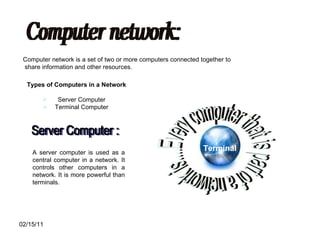
Computer network: Computer network is a set of two or more computers connected together to share information and other resources. Types of Computers in a Network Server Computer  Terminal Computer  Every computer that is part of a network is.... Terminal A server computer is used as a central computer in a network. It controls other computers in a network. It is more powerful than terminals. Server Computer :
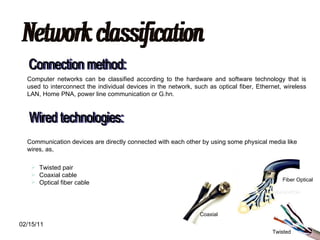
Network classification Connection method: Computer networks can be classified according to the hardware and software technology that is used to interconnect the individual devices in the network, such as optical fiber, Ethernet, wireless LAN, Home PNA, power line communication or G.hn. Wired technologies: Communication devices are directly connected with each other by using some physical media like wires, as, Twisted pair  Coaxial cable  Optical fiber cable Twisted Fiber Optical Coaxial
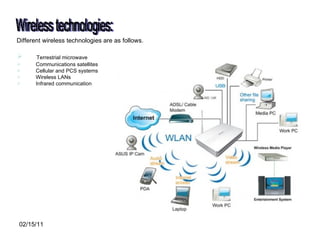
Wireless technologies: Different wireless technologies are as follows.  Terrestrial microwave  Communications satellites  Cellular and PCS systems  Wireless LANs  Infrared communication
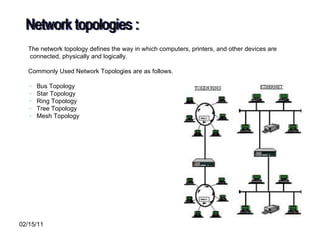
The network topology defines the way in which computers, printers, and other devices are connected, physically and logically. Commonly Used Network Topologies are as follows. Bus Topology Star Topology Ring Topology Tree Topology Mesh Topology Network topologies :
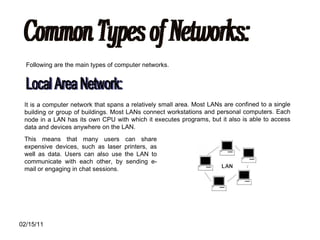
Common Types of Networks: Following are the main types of computer networks. Local Area Network: It is a computer network that spans a relatively small area. Most LANs are confined to a single building or group of buildings. Most LANs connect workstations and personal computers. Each node in a LAN has its own CPU with which it executes programs, but it also is able to access data and devices anywhere on the LAN.  This means that many users can share expensive devices, such as laser printers, as well as data. Users can also use the LAN to communicate with each other, by sending e-mail or engaging in chat sessions.
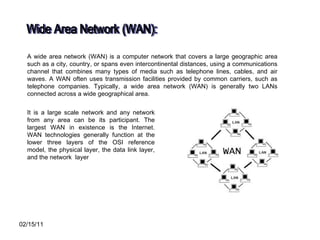
Wide Area Network (WAN): A wide area network (WAN) is a computer network that covers a large geographic area such as a city, country, or spans even intercontinental distances, using a communications channel that combines many types of media such as telephone lines, cables, and air waves. A WAN often uses transmission facilities provided by common carriers, such as telephone companies. Typically, a wide area network (WAN) is generally two LANs connected across a wide geographical area.  It is a large scale network and any network from any area can be its participant. The largest WAN in existence is the Internet. WAN technologies generally function at the lower three layers of the OSI reference model, the physical layer, the data link layer, and the network  layer
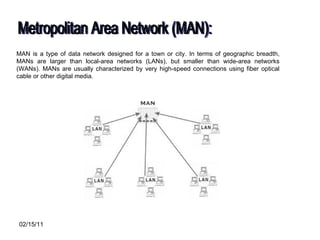
Metropolitan Area Network (MAN): MAN is a type of data network designed for a town or city. In terms of geographic breadth, MANs are larger than local-area networks (LANs), but smaller than wide-area networks (WANs). MANs are usually characterized by very high-speed connections using fiber optical cable or other digital media.
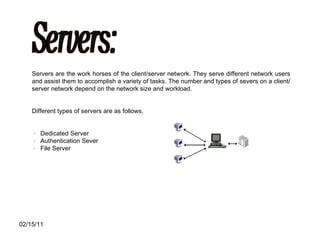
Servers: Servers are the work horses of the client/server network. They serve different network users and assist them to accomplish a variety of tasks. The number and types of severs on a client/server network depend on the network size and workload. Different types of servers are as follows, Dedicated Server Authentication Sever File Server
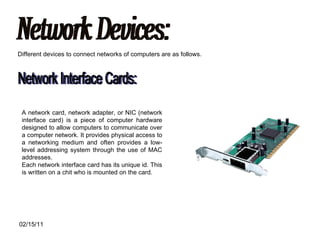
Network Devices: Different devices to connect networks of computers are as follows. Network Interface Cards: A network card, network adapter, or NIC (network interface card) is a piece of computer hardware designed to allow computers to communicate over a computer network. It provides physical access to a networking medium and often provides a low-level addressing system through the use of MAC addresses. Each network interface card has its unique id. This is written on a chit who is mounted on the card.
Switches: A switch is equipment responsible for undertaking the forwarding and filtering of data based on the Media Access Control (MAC) address of the network cards involved in communication.  Hubs: This device is similar to a switch, however, it is incapable of filtrating the data packets based on their MAC address, and instead, sends all packets to all devices. It generally has a better performance value on a computer network  Repeaters: A repeater is an electronic device that receives a signal, cleans it of unnecessary noise, regenerates it, and retransmits it at a higher power level, or to the other side of an obstruction, so that the signal can cover longer distances without degradation. In most twisted pair Ethernet configurations, repeaters are required for cable that runs longer than 100 meters. Repeaters work on the Physical Layer of the OSI model. It is used to connect networks of same types to boost the signal.
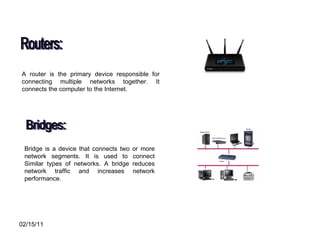
Routers: A router is the primary device responsible for connecting multiple networks together. It connects the computer to the Internet. Bridges: Bridge is a device that connects two or more network segments. It is used to connect Similar types of networks. A bridge reduces network traffic and increases network performance.
Computer Networks in Society Computer Networks play diverse roles in our Society. Computer Networks have  advantages and disadvantages also. Advantages of Computer Networks : File Sharing  Resource Sharing  Increased Storage Capacity Increased Cost Efficiency
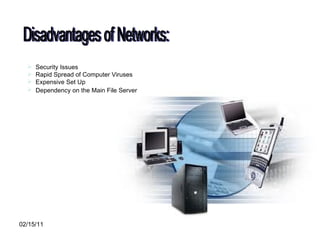
Disadvantages of Networks: Security Issues  Rapid Spread of Computer Viruses  Expensive Set Up  Dependency on the Main File Server
Thanks!

Imd Corporate Presentation Nov 2010

  • 1.
  • 2.
  • 3.
    Introduction to ComputerNetworks History of computer networks Network classification connection method Wired technologies Wireless technologies Scale Functional relationship (network architecture) Network Topologies Common Types of Networks Local Area Network (LAN) Wide Area Network (WAN) Metropolitan Area Network (MAN) Servers Network Devices Network Interface Cads Switches Hubs Repeaters Routers Bridges Computer Networks in Society Benefits of Computer Networks Disadvantages of Computer Networks Contents:
  • 4.
    Computer network: Computernetwork is a set of two or more computers connected together to share information and other resources. Types of Computers in a Network Server Computer Terminal Computer Every computer that is part of a network is.... Terminal A server computer is used as a central computer in a network. It controls other computers in a network. It is more powerful than terminals. Server Computer :
  • 5.
    Network classification Connectionmethod: Computer networks can be classified according to the hardware and software technology that is used to interconnect the individual devices in the network, such as optical fiber, Ethernet, wireless LAN, Home PNA, power line communication or G.hn. Wired technologies: Communication devices are directly connected with each other by using some physical media like wires, as, Twisted pair Coaxial cable Optical fiber cable Twisted Fiber Optical Coaxial
  • 6.
    Wireless technologies: Differentwireless technologies are as follows. Terrestrial microwave Communications satellites Cellular and PCS systems Wireless LANs Infrared communication
  • 7.
    The network topologydefines the way in which computers, printers, and other devices are connected, physically and logically. Commonly Used Network Topologies are as follows. Bus Topology Star Topology Ring Topology Tree Topology Mesh Topology Network topologies :
  • 8.
    Common Types ofNetworks: Following are the main types of computer networks. Local Area Network: It is a computer network that spans a relatively small area. Most LANs are confined to a single building or group of buildings. Most LANs connect workstations and personal computers. Each node in a LAN has its own CPU with which it executes programs, but it also is able to access data and devices anywhere on the LAN. This means that many users can share expensive devices, such as laser printers, as well as data. Users can also use the LAN to communicate with each other, by sending e-mail or engaging in chat sessions.
  • 9.
    Wide Area Network(WAN): A wide area network (WAN) is a computer network that covers a large geographic area such as a city, country, or spans even intercontinental distances, using a communications channel that combines many types of media such as telephone lines, cables, and air waves. A WAN often uses transmission facilities provided by common carriers, such as telephone companies. Typically, a wide area network (WAN) is generally two LANs connected across a wide geographical area. It is a large scale network and any network from any area can be its participant. The largest WAN in existence is the Internet. WAN technologies generally function at the lower three layers of the OSI reference model, the physical layer, the data link layer, and the network layer
  • 10.
    Metropolitan Area Network(MAN): MAN is a type of data network designed for a town or city. In terms of geographic breadth, MANs are larger than local-area networks (LANs), but smaller than wide-area networks (WANs). MANs are usually characterized by very high-speed connections using fiber optical cable or other digital media.
  • 11.
    Servers: Servers arethe work horses of the client/server network. They serve different network users and assist them to accomplish a variety of tasks. The number and types of severs on a client/server network depend on the network size and workload. Different types of servers are as follows, Dedicated Server Authentication Sever File Server
  • 12.
    Network Devices: Differentdevices to connect networks of computers are as follows. Network Interface Cards: A network card, network adapter, or NIC (network interface card) is a piece of computer hardware designed to allow computers to communicate over a computer network. It provides physical access to a networking medium and often provides a low-level addressing system through the use of MAC addresses. Each network interface card has its unique id. This is written on a chit who is mounted on the card.
  • 13.
    Switches: A switchis equipment responsible for undertaking the forwarding and filtering of data based on the Media Access Control (MAC) address of the network cards involved in communication. Hubs: This device is similar to a switch, however, it is incapable of filtrating the data packets based on their MAC address, and instead, sends all packets to all devices. It generally has a better performance value on a computer network Repeaters: A repeater is an electronic device that receives a signal, cleans it of unnecessary noise, regenerates it, and retransmits it at a higher power level, or to the other side of an obstruction, so that the signal can cover longer distances without degradation. In most twisted pair Ethernet configurations, repeaters are required for cable that runs longer than 100 meters. Repeaters work on the Physical Layer of the OSI model. It is used to connect networks of same types to boost the signal.
  • 14.
    Routers: A routeris the primary device responsible for connecting multiple networks together. It connects the computer to the Internet. Bridges: Bridge is a device that connects two or more network segments. It is used to connect Similar types of networks. A bridge reduces network traffic and increases network performance.
  • 15.
    Computer Networks inSociety Computer Networks play diverse roles in our Society. Computer Networks have advantages and disadvantages also. Advantages of Computer Networks : File Sharing Resource Sharing Increased Storage Capacity Increased Cost Efficiency
  • 16.
    Disadvantages of Networks:Security Issues Rapid Spread of Computer Viruses Expensive Set Up Dependency on the Main File Server
  • 17.