Imagej
Image Processing And Analysis in java
Digital Image Processing Course
IUG of Gaza
December 12, 2013
Prepared by: Eng.Nadeer Ataya A. Abu Jrair

Supervisor: Prof. Ibrahim S. I. Abuhaiba
Agenda
 Imagej Features
 Installing Image J
 Basic Functions Tour
 LIVE DEMO
 References
ImageJ Features
 Runs Everywhere : ImageJ is written in Java, which

allows it to run on Linux, Mac OS X and Windows, in
both 32-bit and 64-bit modes.
 Open Source : ImageJ and its Java source code are

freely available and in the public domain. No license
is required.
 User Community : ImageJ has a large and

knowledgeable worldwide user community. More than
1700 users and developers subscribe to the ImageJ
mailing list.
ImageJ Features
 Plugins : Extend ImageJ by developing plugins using

ImageJ's built in text editor and Java compiler. More
than 500 plugins are available.
 Toolkit : Use ImageJ as a image processing toolkit
(class library) to develop applets, servlets or
applications.
 Speed : ImageJ is the world's fastest pure Java
image processing program. It can filter a 2048x2048
image in 0.1 seconds (*). That's 40 million pixels per
second!
 Data Types:8-bit grayscale or indexed color, 16-bit
unsigned integer, 32-bit floating-point and RGB color.
ImageJ Features
 File Formats :Open and save all supported data

types as TIFF (uncompressed) or as raw data. Open
and save GIF, JPEG, BMP, PNG, PGM, FITS and
ASCII. Open DICOM. Open TIFFs, GIFs, JPEGs,
DICOMs and raw data using a URL. Open and save
many other formats using plugins.
 Image display : Tools are provided for zooming (1:32
to 32:1) and scrolling images. All analysis and
processing functions work at any magnification factor.
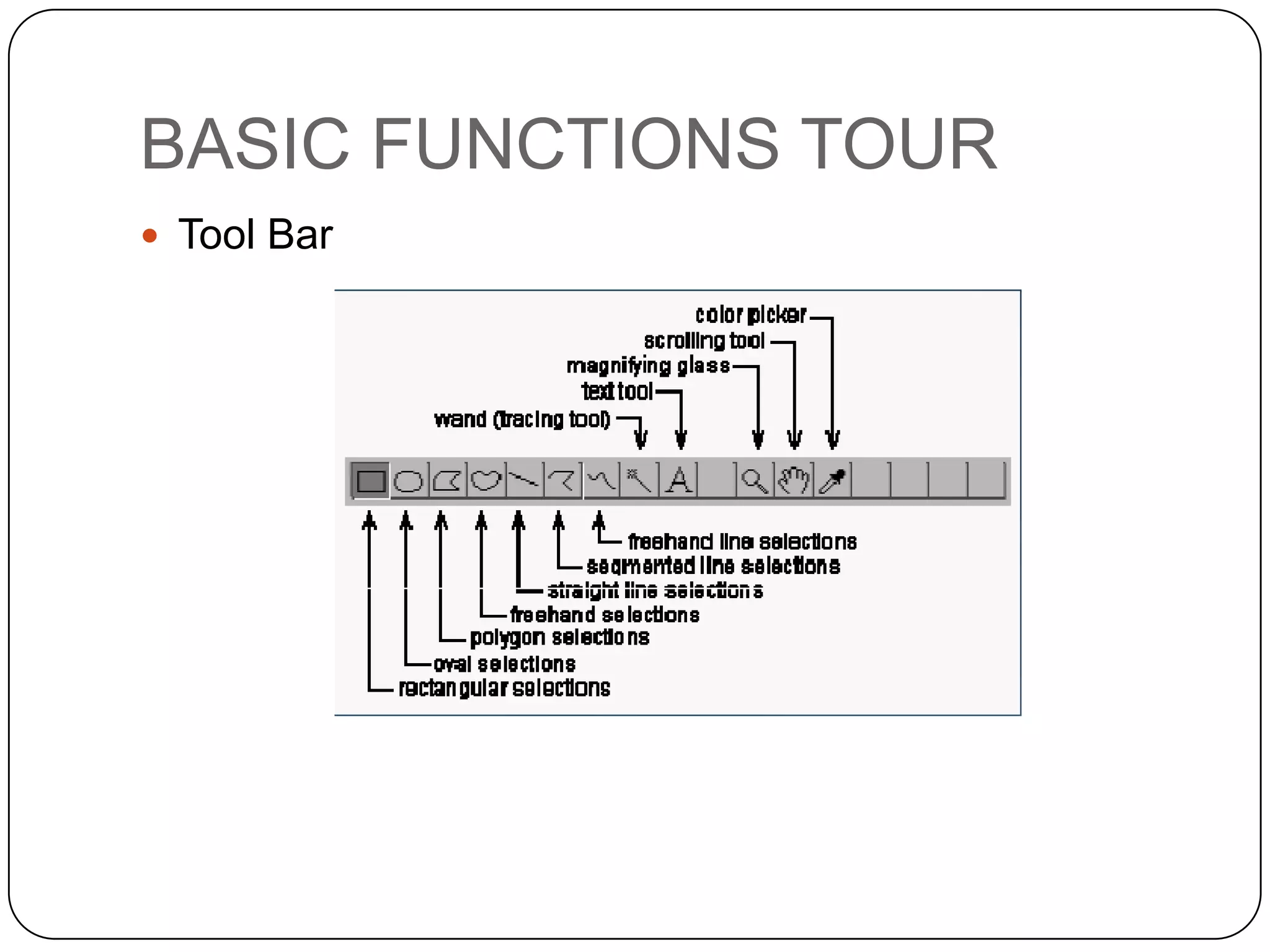
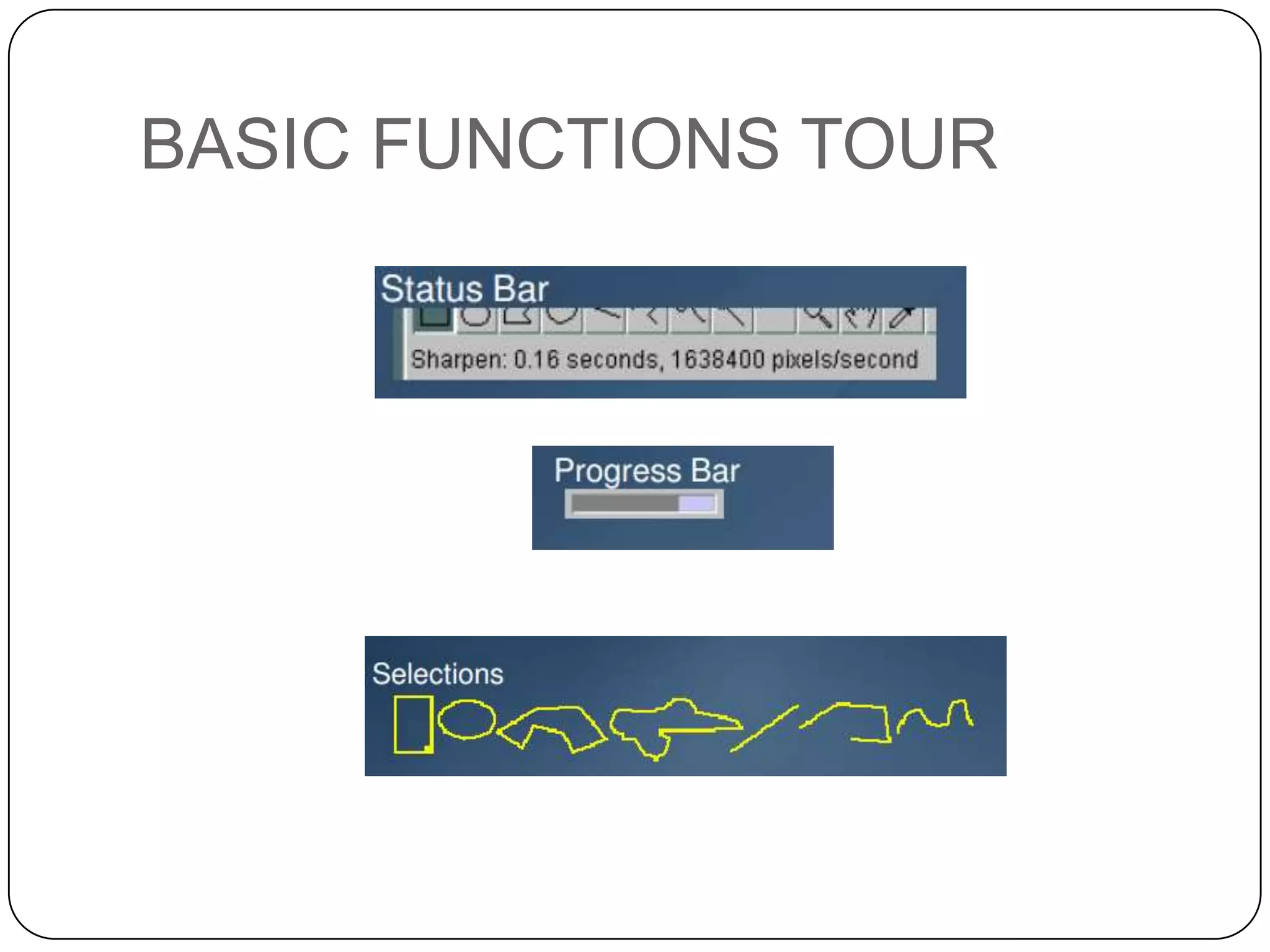
 Selections : Create rectangular, elliptical or irregular
area selections. Create line and point selections. Edit
selections and automatically create them using the
wand tool. Draw, fill, clear, filter or measure
selections. Save selections and transfer them to other
ImageJ Features
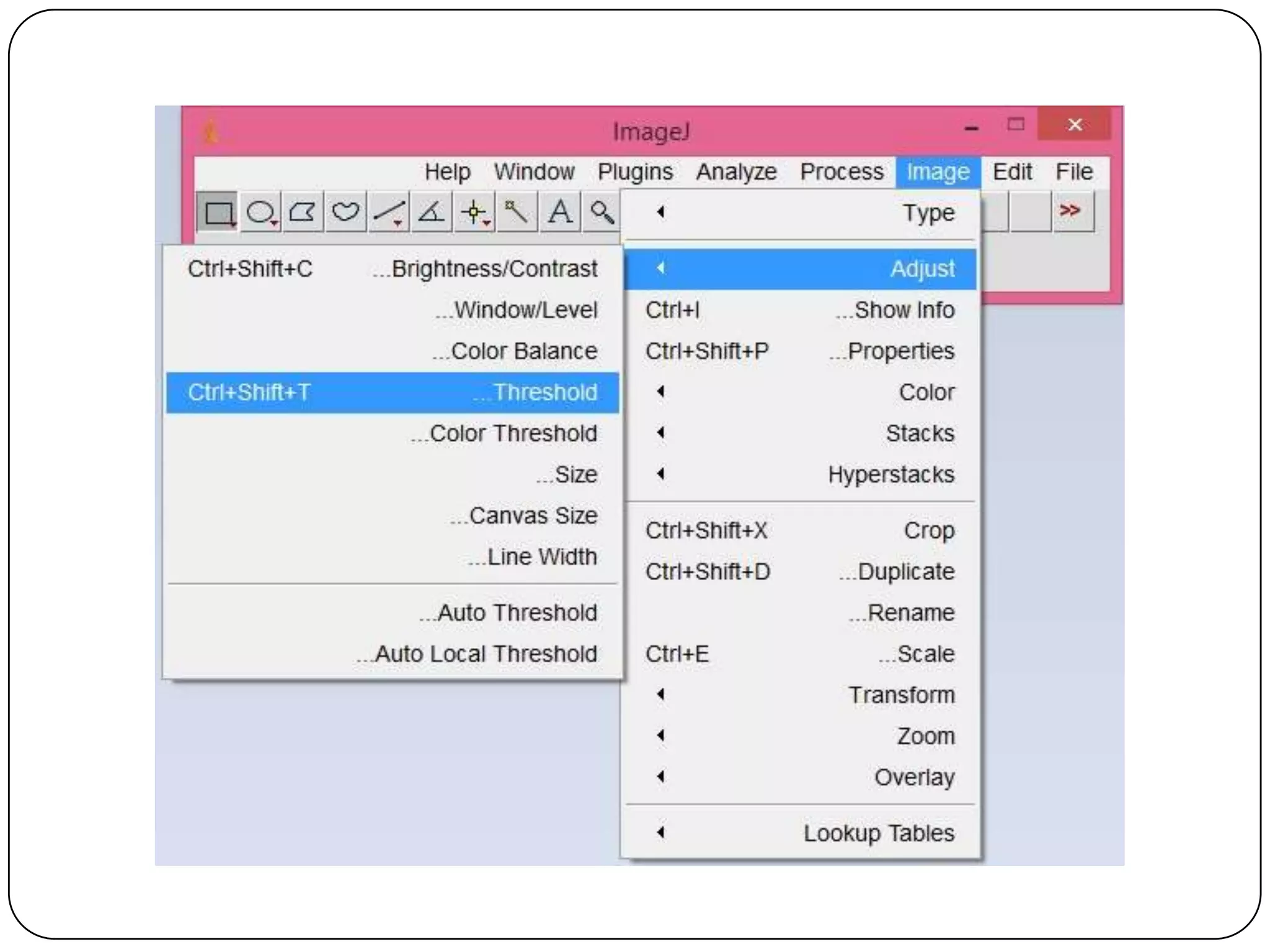
 Image Enhancement : Supports smoothing,

sharpening, edge detection, median filtering and
thresholding on both 8-bit grayscale and RGB color
images. Interactively adjust brightness and contrast of
8, 16 and 32-bit images.
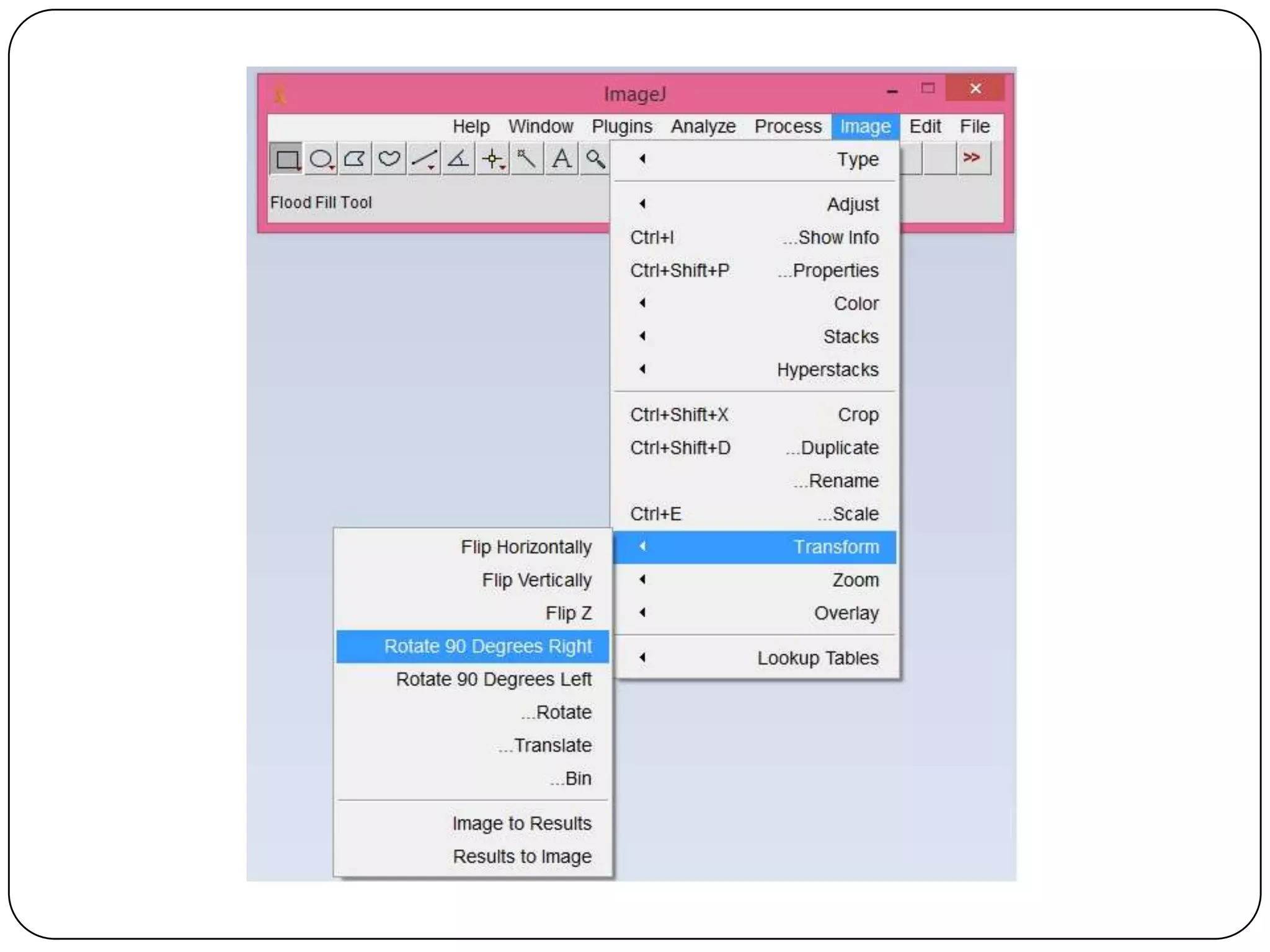
 Geometric Operations : Crop, scale, resize and

rotate. Flip vertically or horizontally.
 Analysis : Measure area, mean, standard deviation,

min and max of selection or entire image. Measure
lengths and angles. Use real world measurement
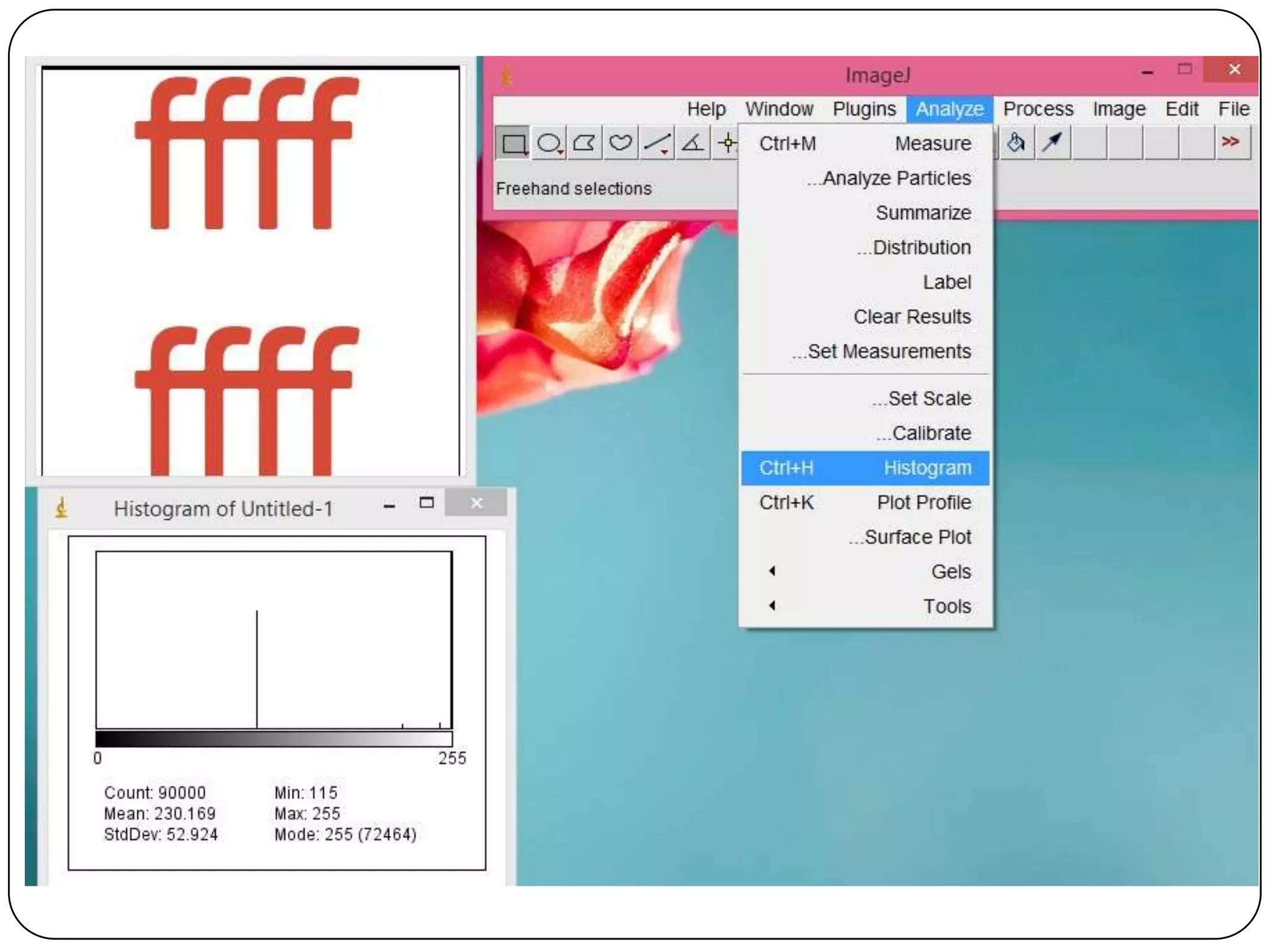
units such as millimeters. Generate histograms and
profile plots.
ImageJ Features
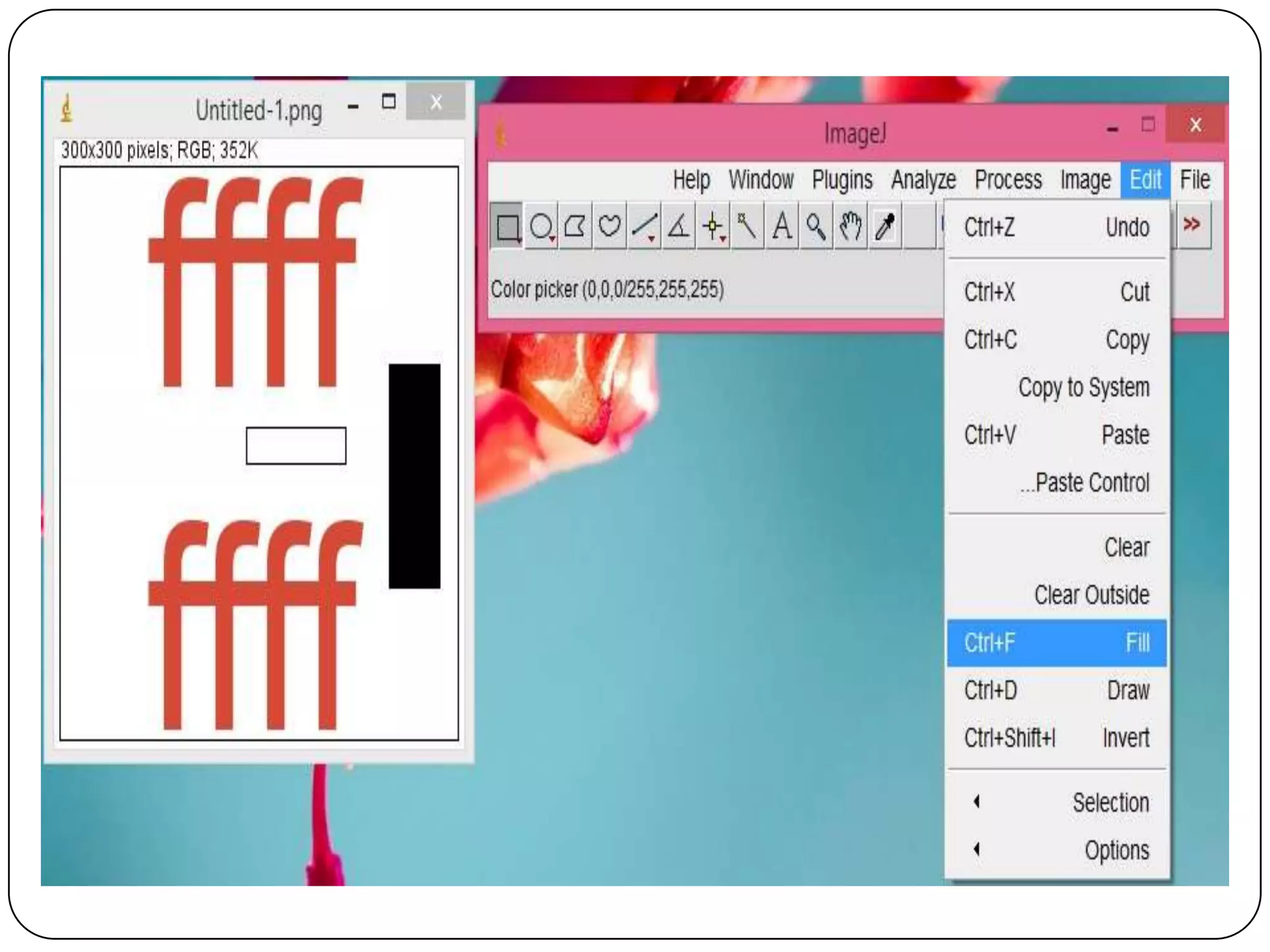
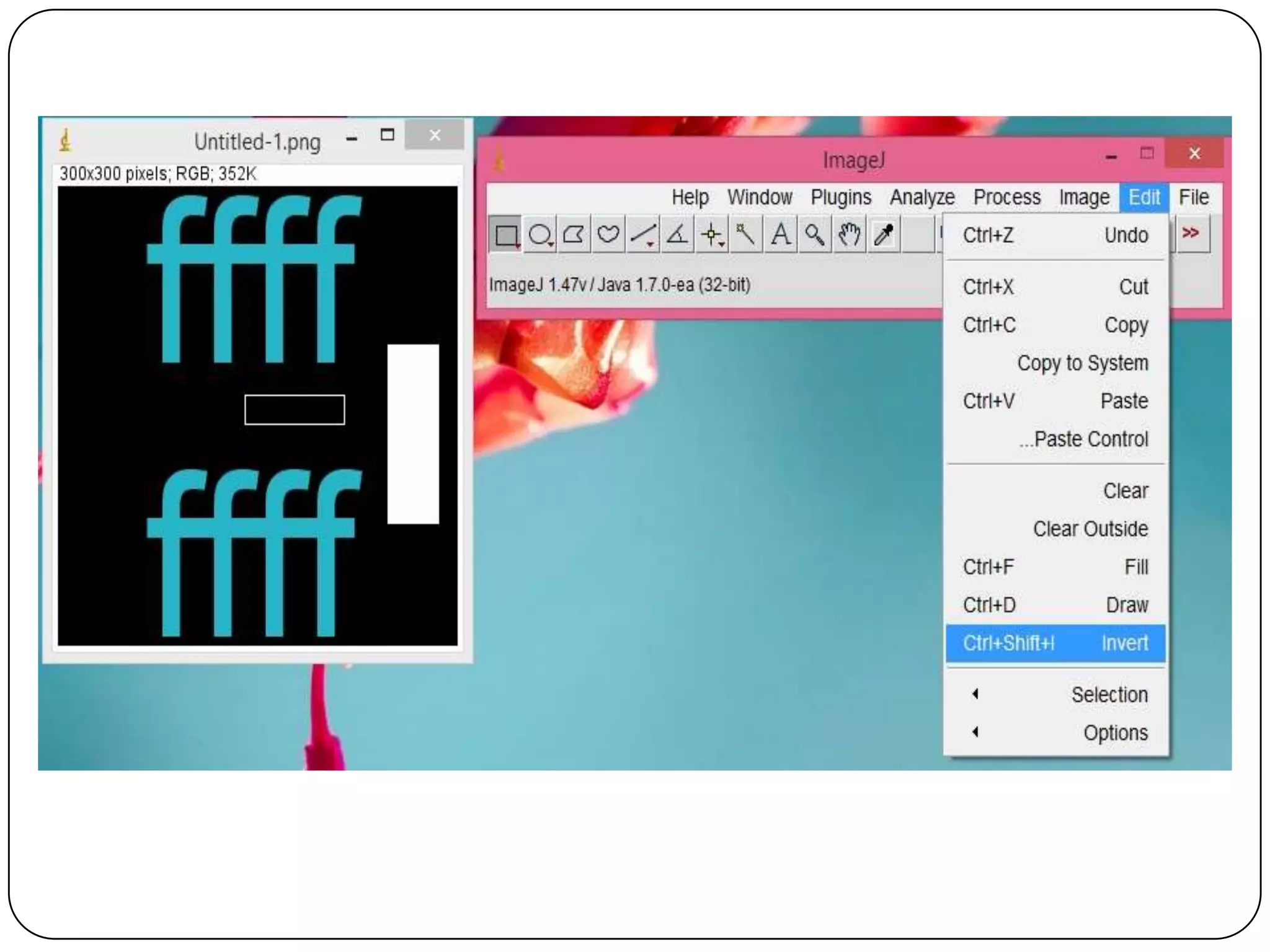
 Editing : Cut, copy or paste images or selections.

Paste using AND, OR, XOR or "Blend" modes. Add
text, arrows, rectangles, ellipses or polygons to
images.
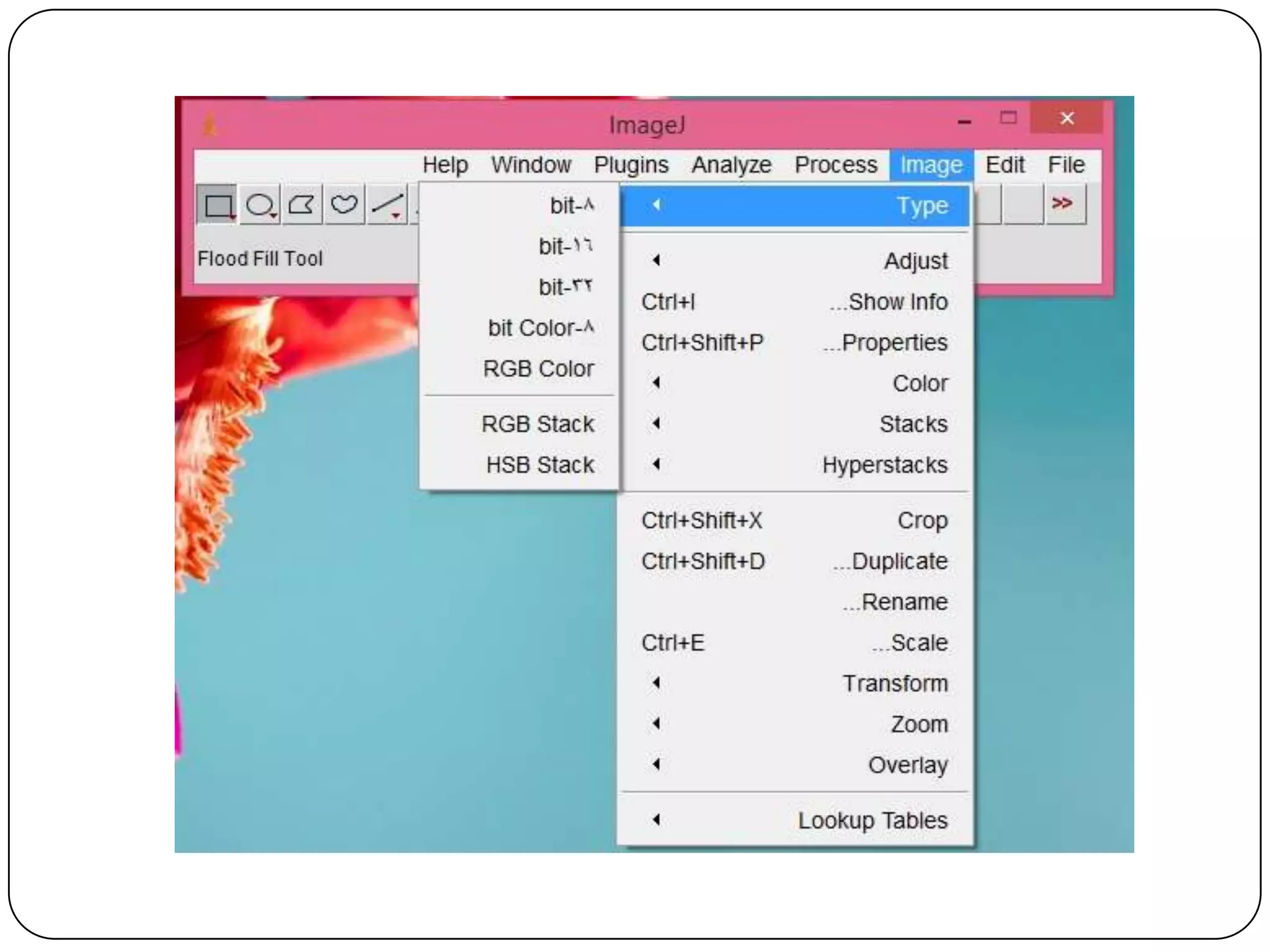
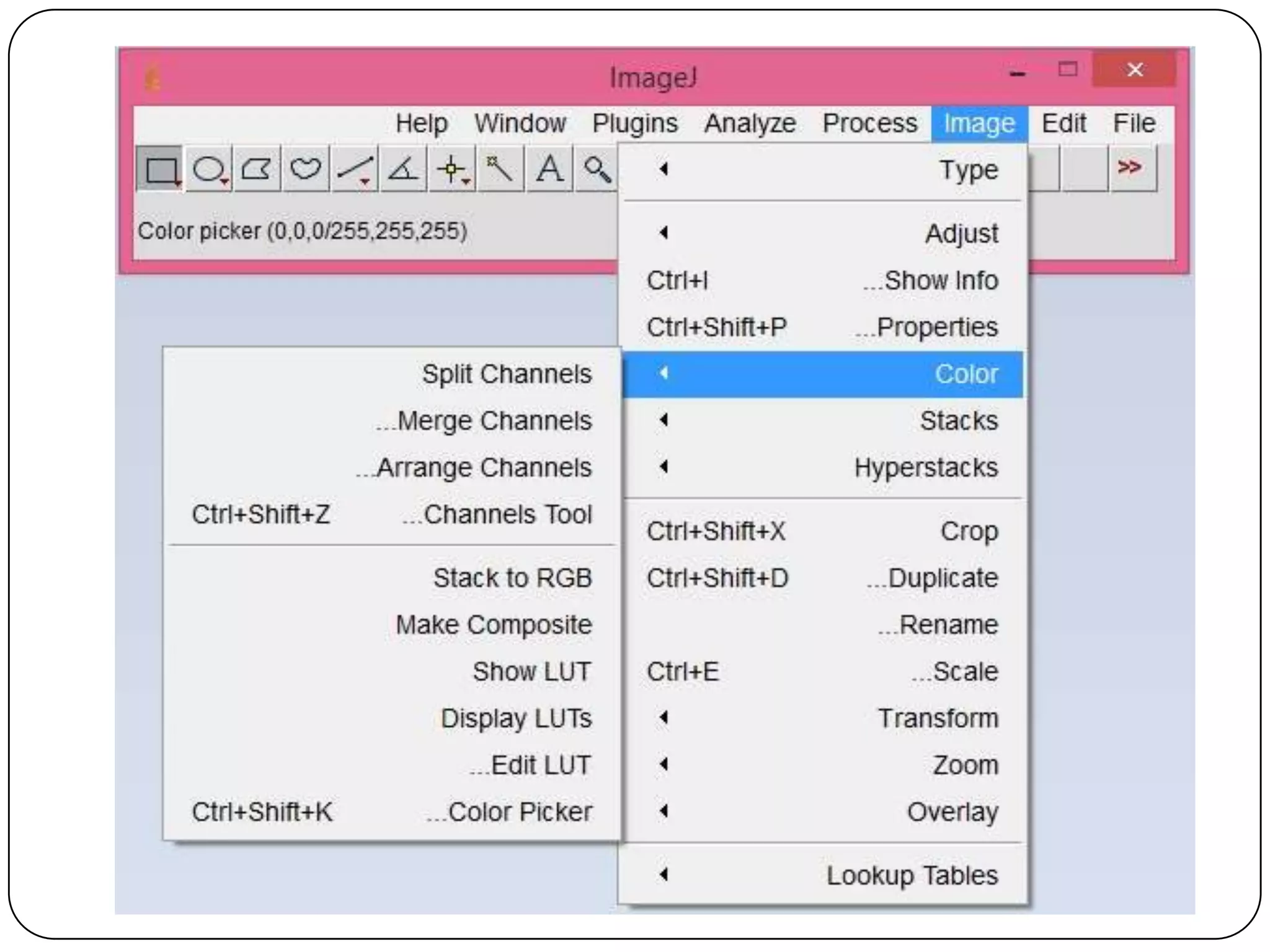
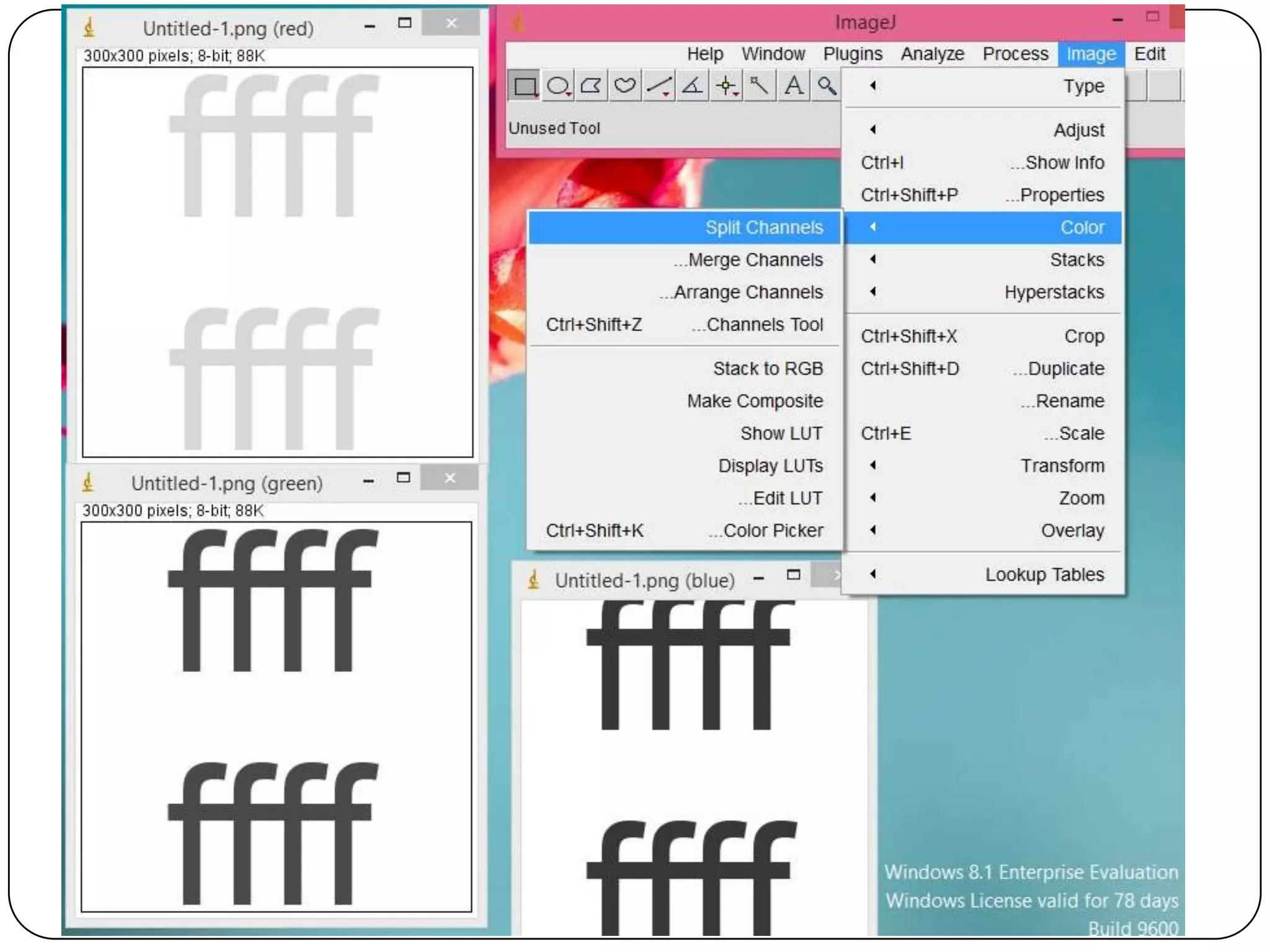
 Color Processing : Split a 32-bit color image into

RGB or HSV components. Merge 8-bit components
into a color image. Convert an RGB image to 8-bit
indexed color. Apply pseudo-color palettes to
grayscale images.
INSTALLING IMAGE J
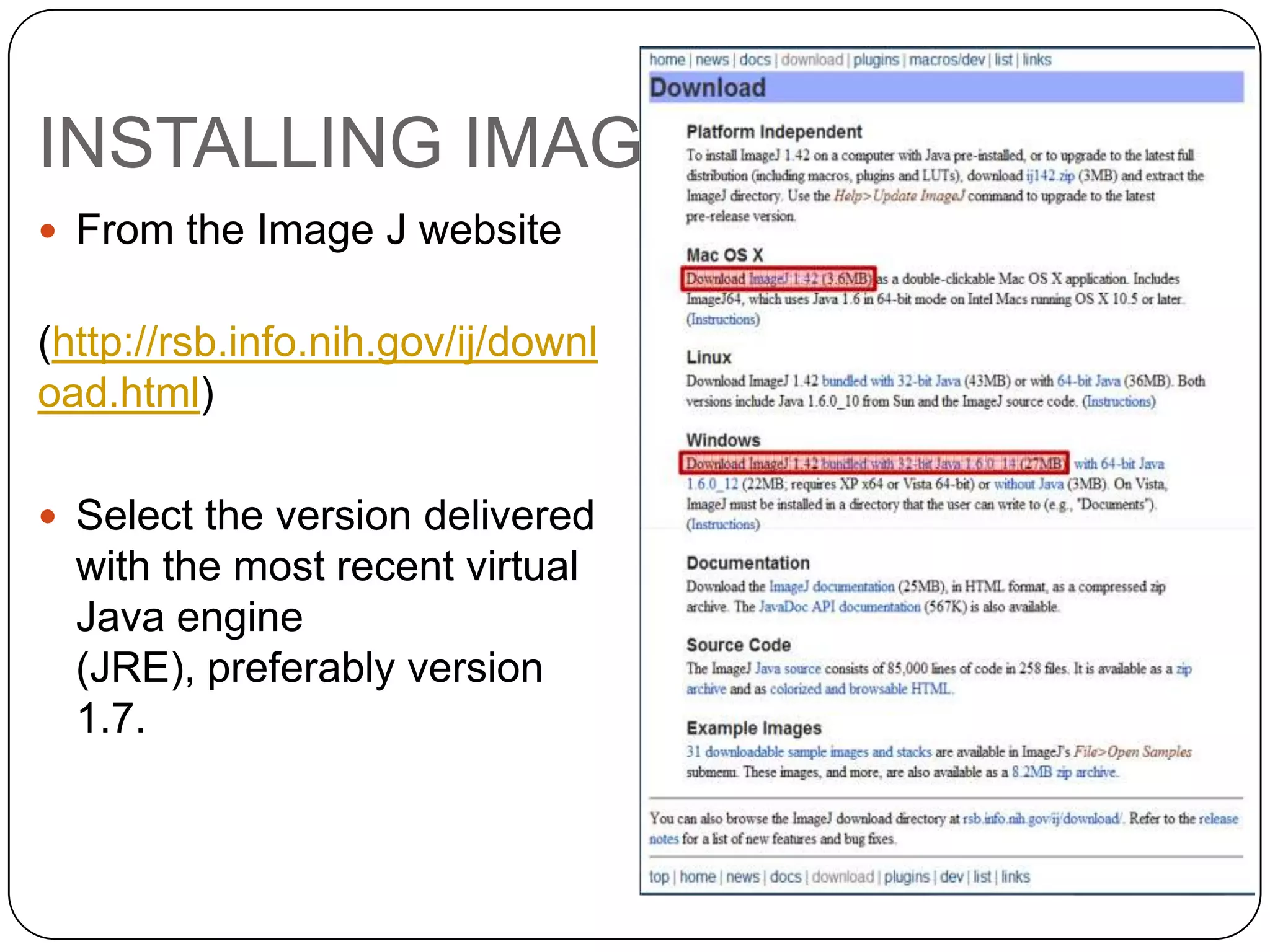
 From the Image J website

(http://rsb.info.nih.gov/ij/downl
oad.html)
 Select the version delivered

with the most recent virtual
Java engine
(JRE), preferably version
1.7.
BASIC FUNCTIONS TOUR
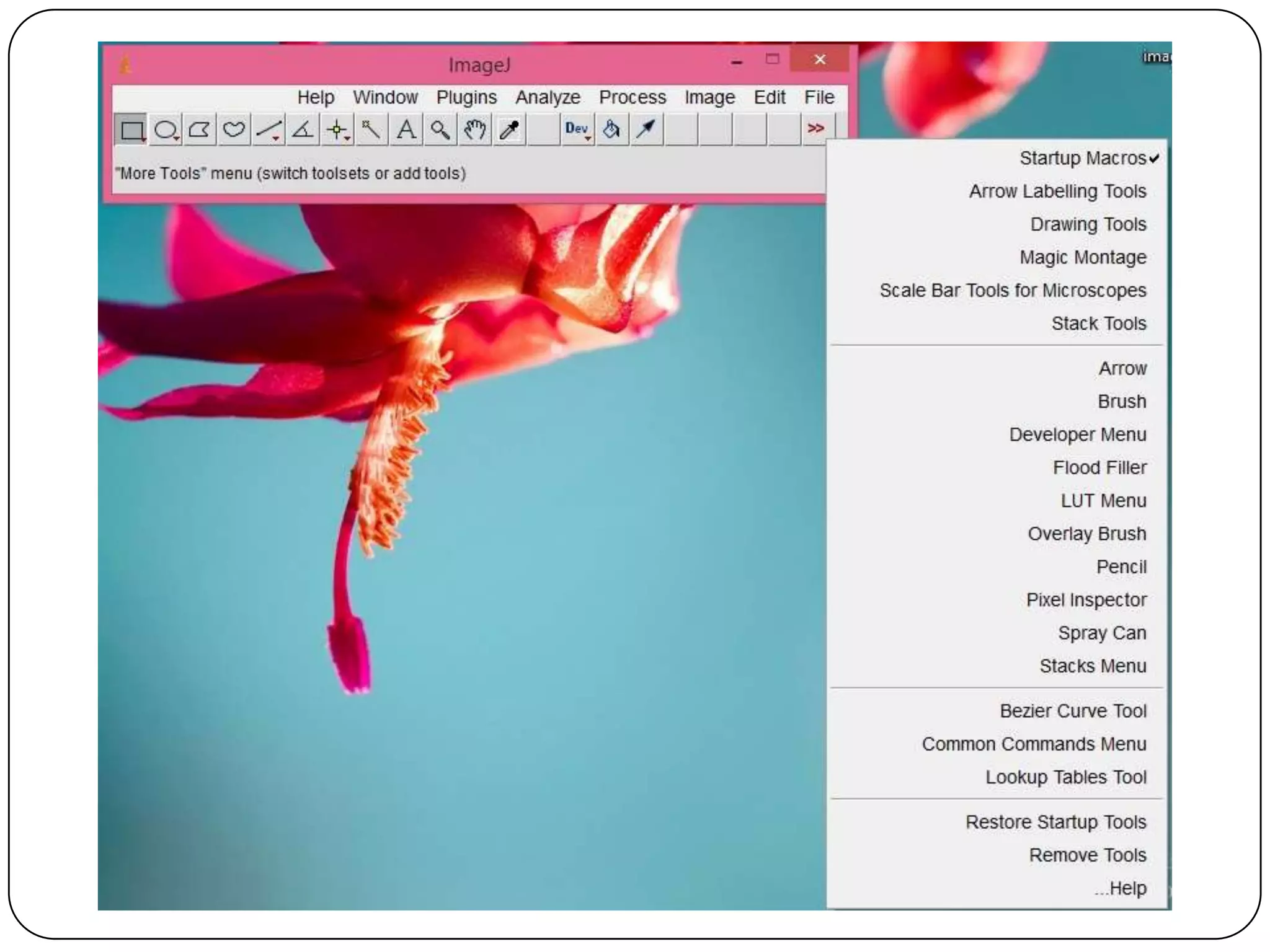
 Tool Bar
BASIC FUNCTIONS TOUR
LIVE DEMO
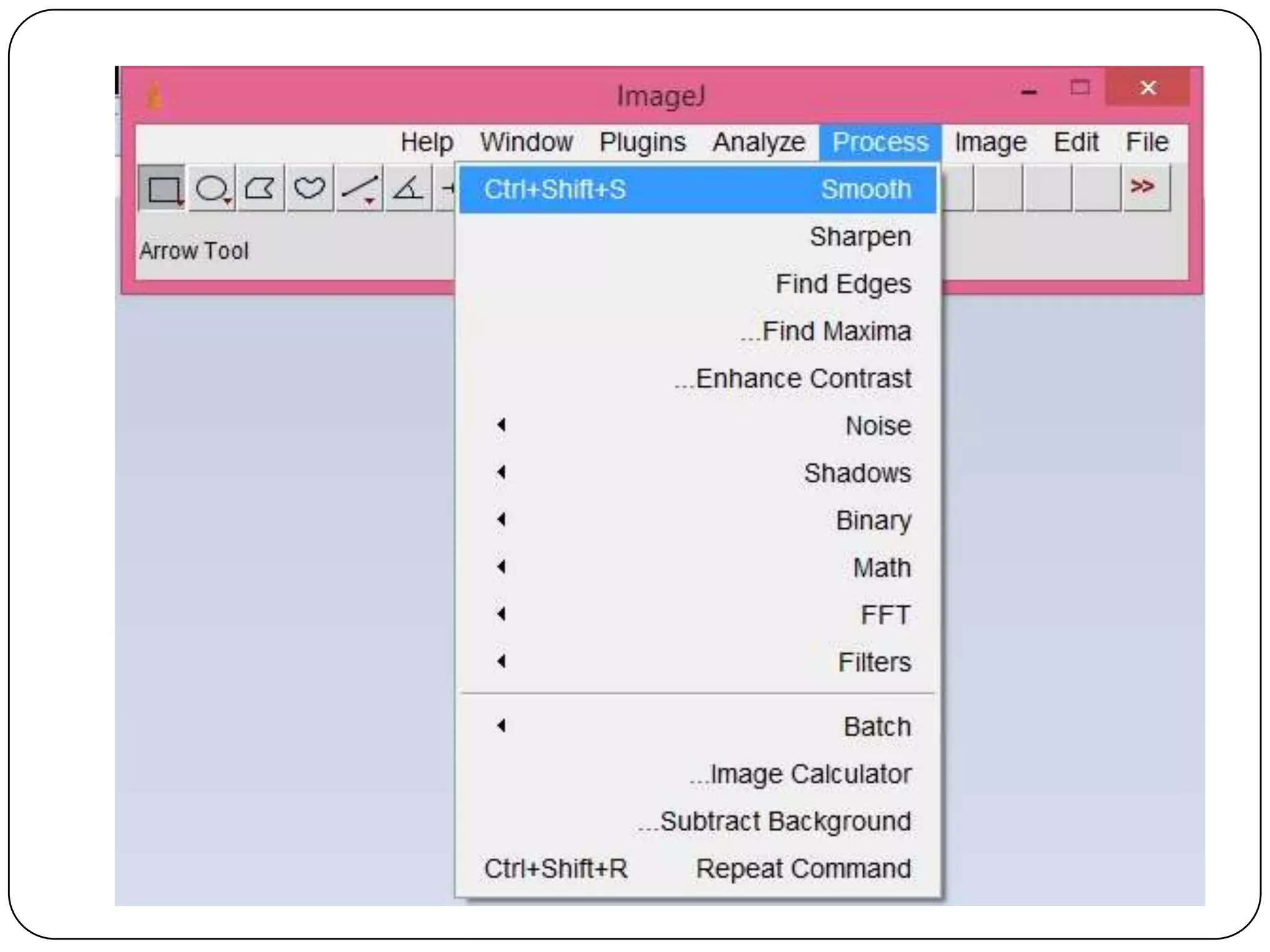
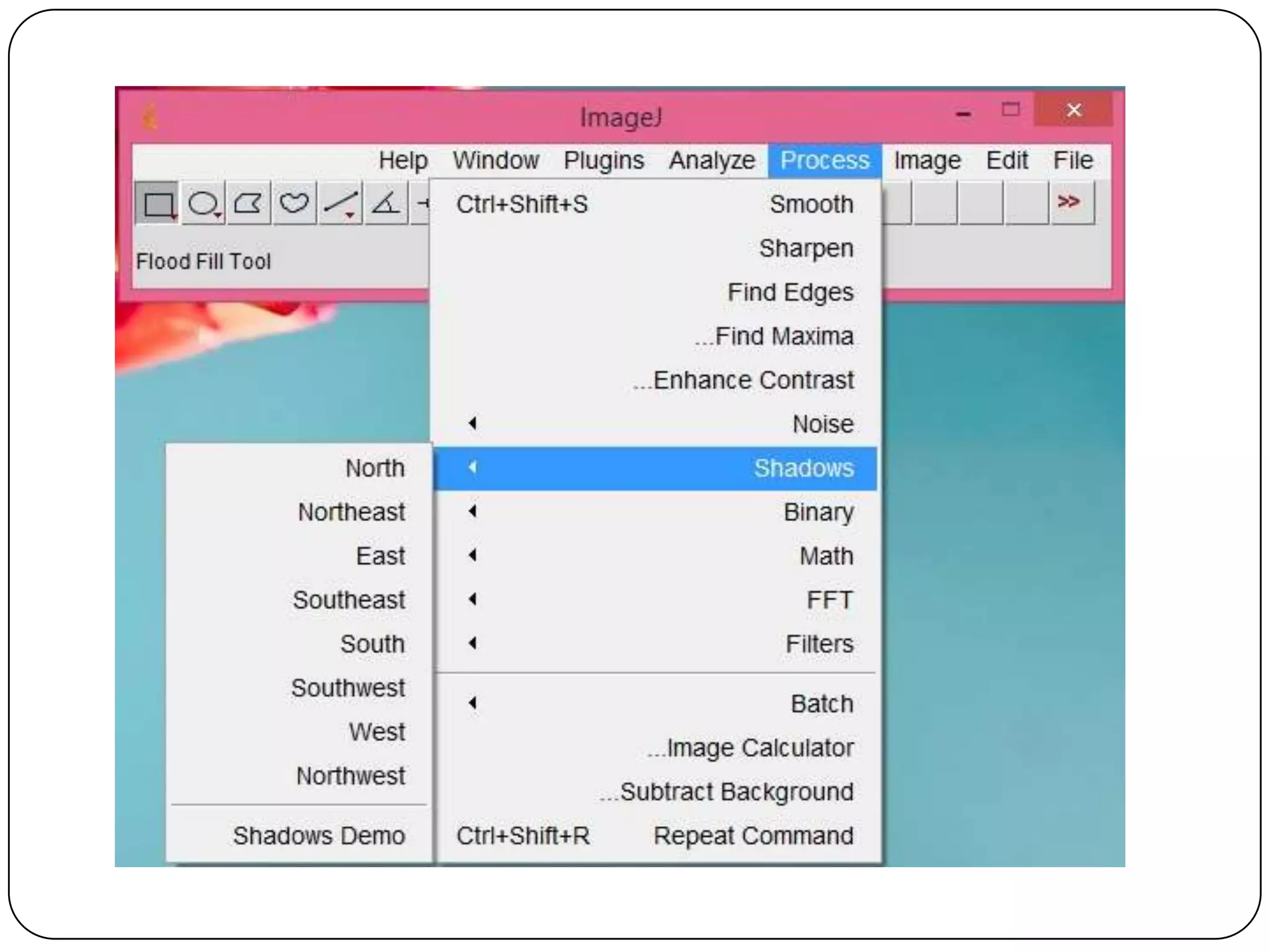
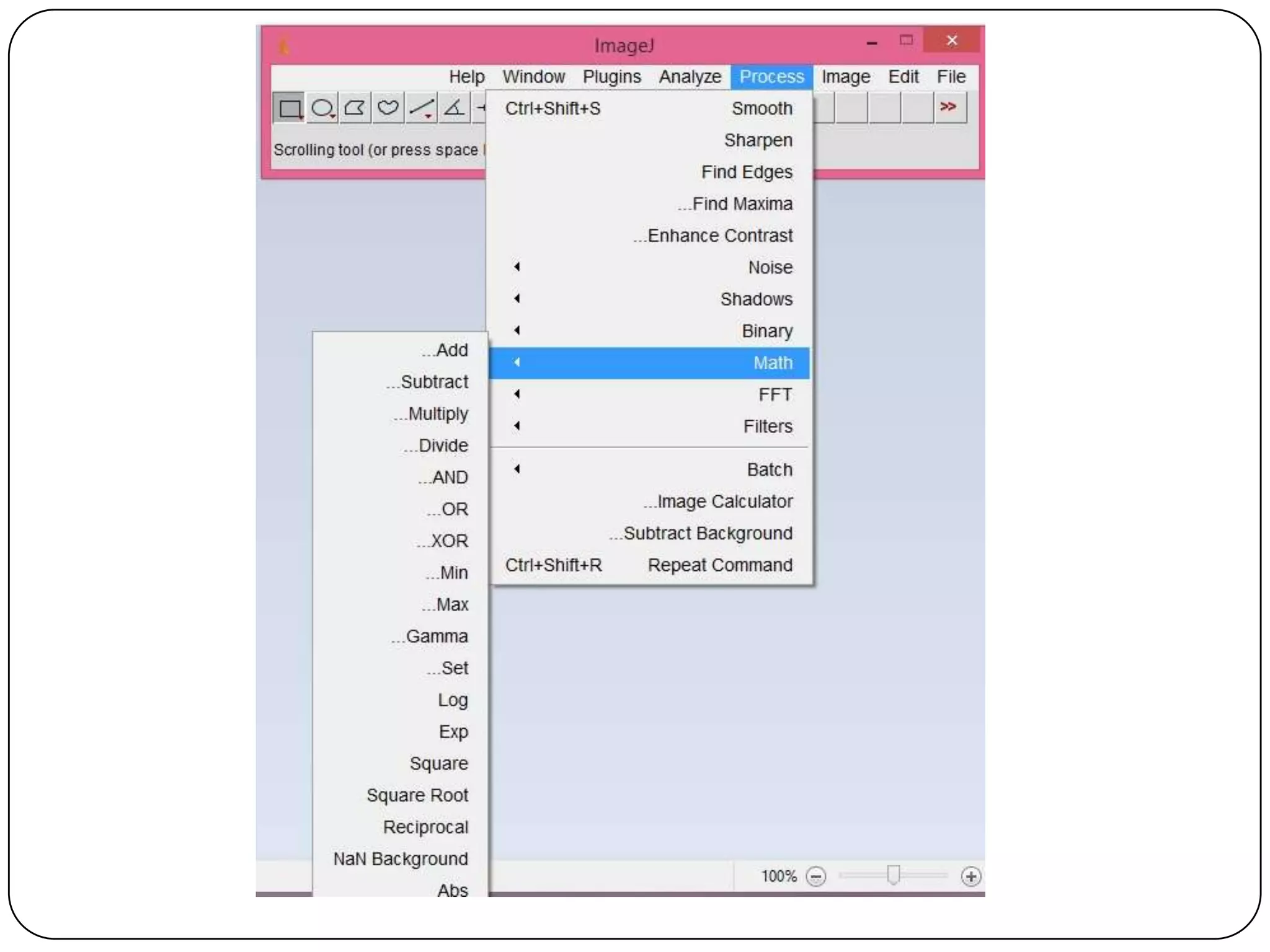
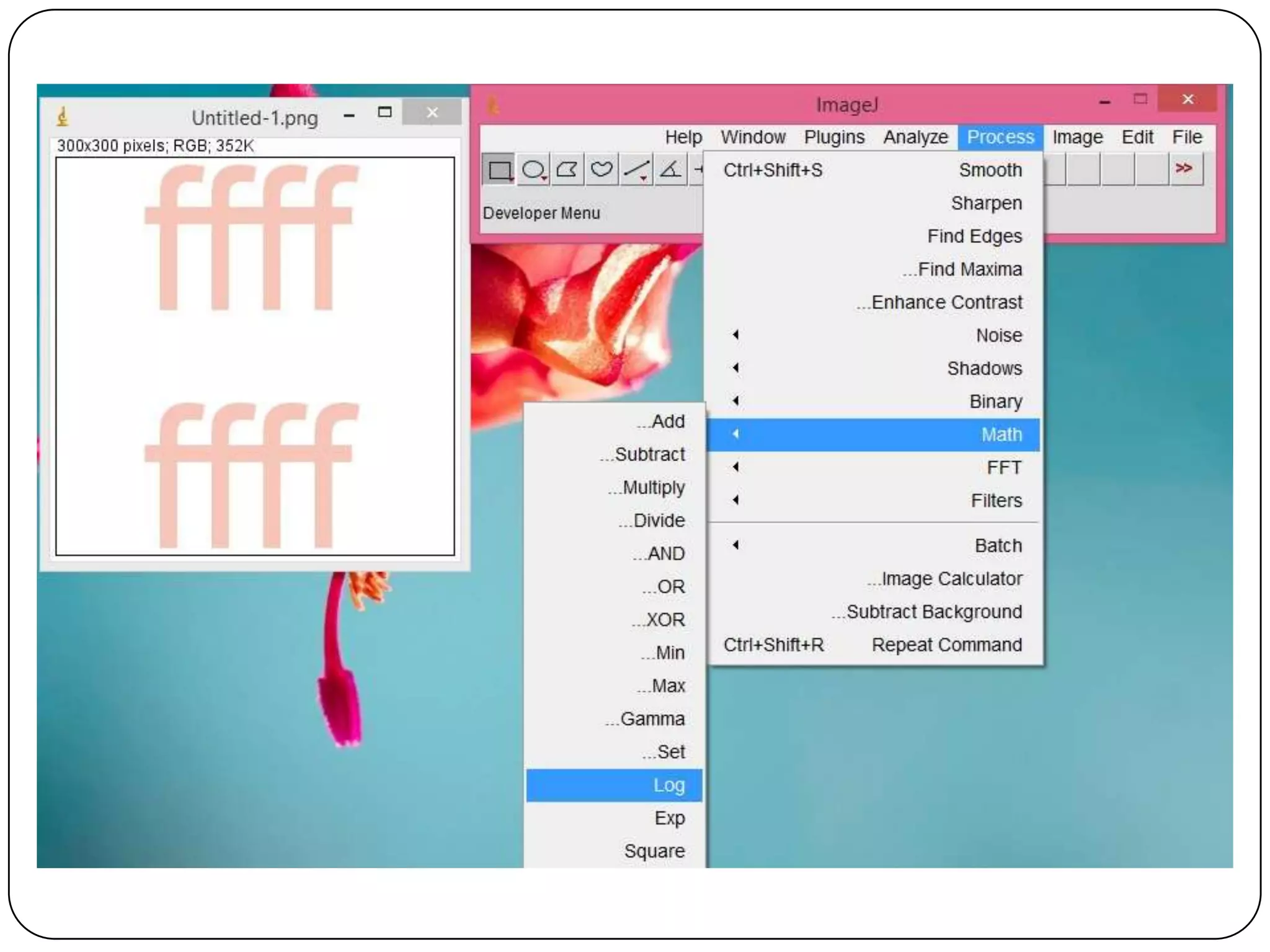
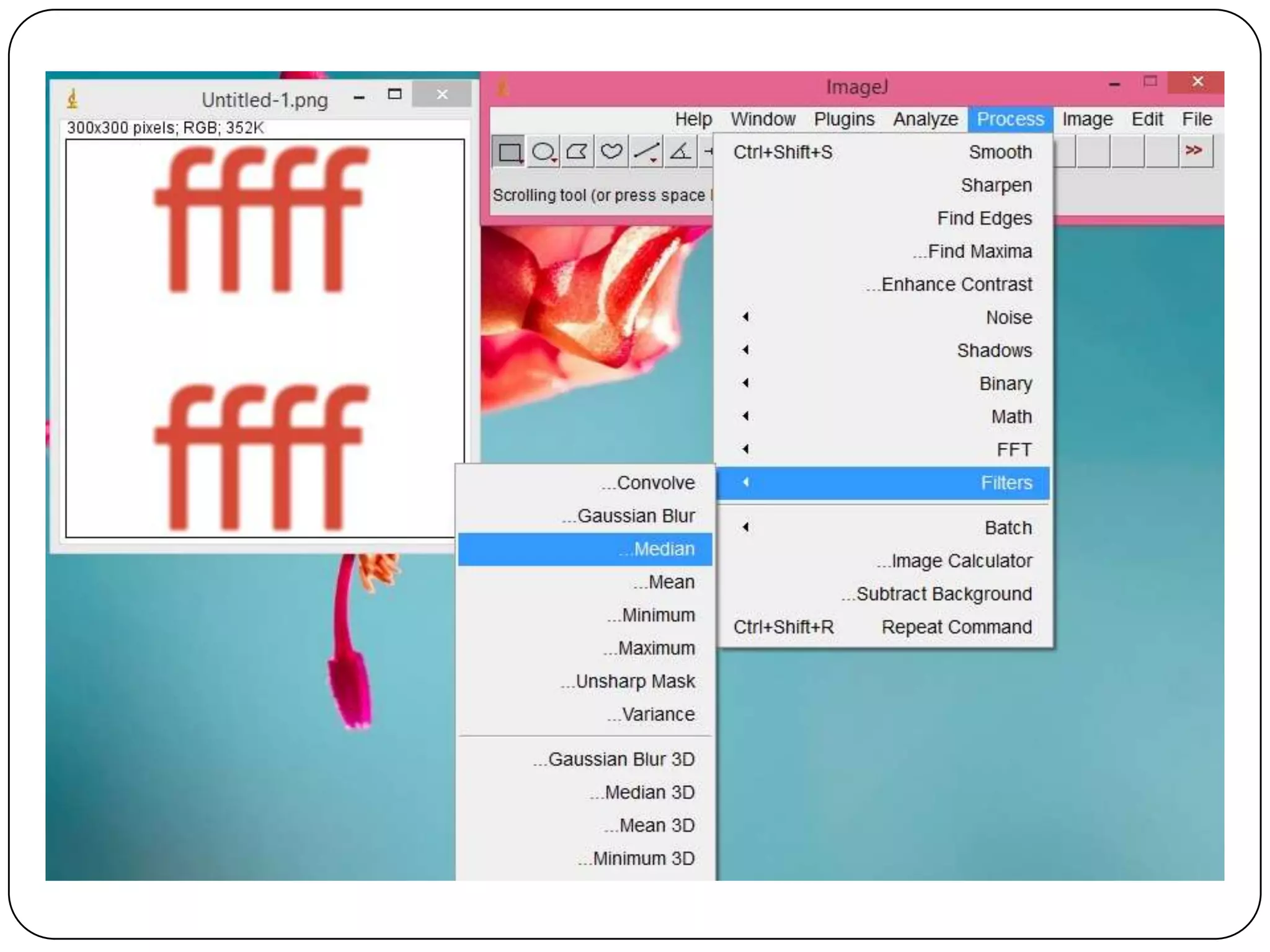
Process list
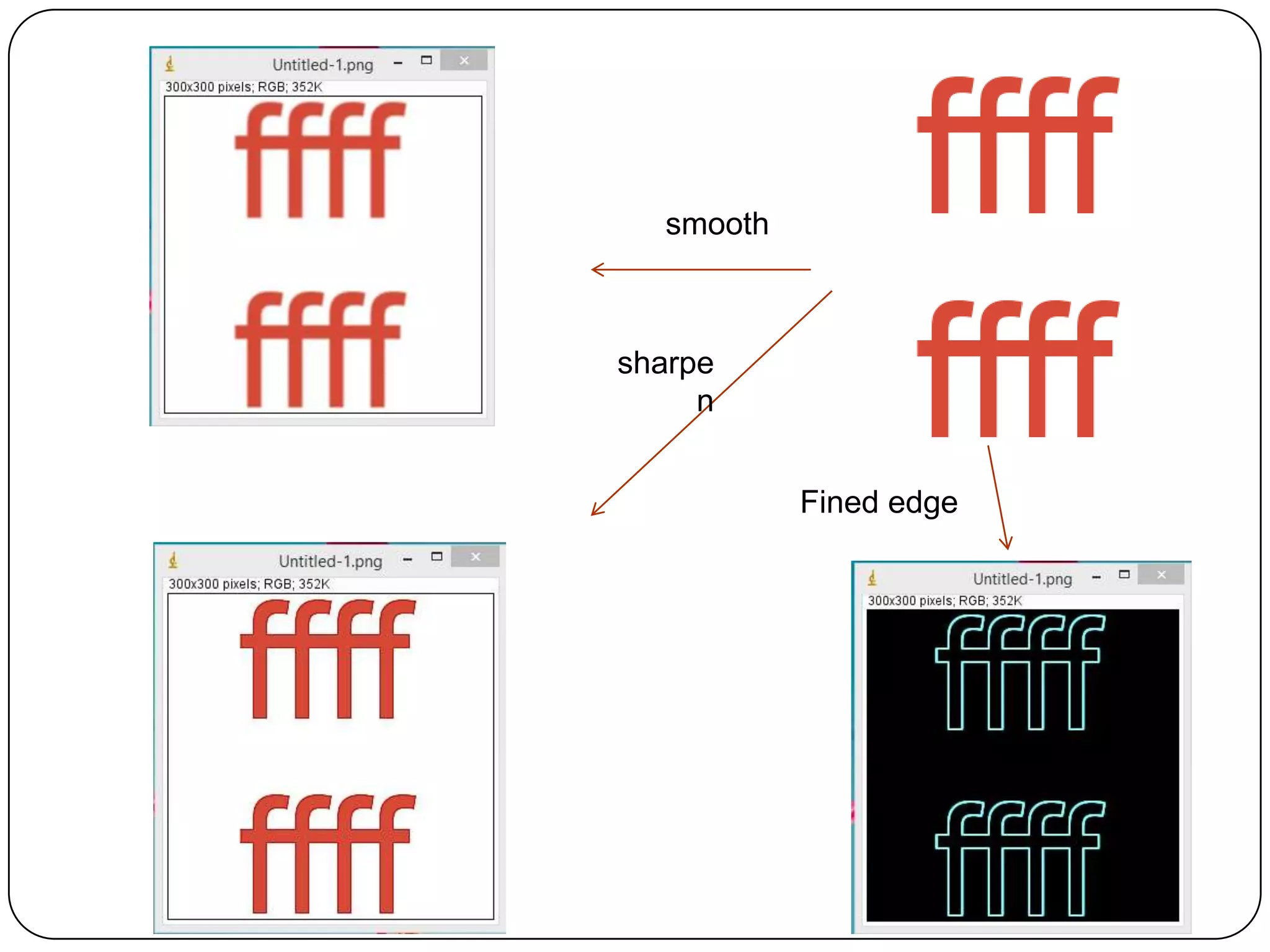
smooth

sharpe
n
Fined edge
References
http://imagej.nih.gov/ij/index.html
• http://rsb.info.nih.gov/ij/docs/index.html (Image J
website)
• http://bigwww.epfl.ch/teaching/iplabsite/index.php
(EPFL)
• http://www.uhnresearch.ca/facilities/wcif/imagej/
(WCIF, documents + software including a large
number of plugins dedicated to microscopy)
Questions
Thank you!

Thank you for your
attention!

Imagej

  • 1.
    Imagej Image Processing AndAnalysis in java Digital Image Processing Course IUG of Gaza December 12, 2013
  • 2.
    Prepared by: Eng.NadeerAtaya A. Abu Jrair Supervisor: Prof. Ibrahim S. I. Abuhaiba
  • 3.
    Agenda  Imagej Features Installing Image J  Basic Functions Tour  LIVE DEMO  References
  • 4.
    ImageJ Features  RunsEverywhere : ImageJ is written in Java, which allows it to run on Linux, Mac OS X and Windows, in both 32-bit and 64-bit modes.  Open Source : ImageJ and its Java source code are freely available and in the public domain. No license is required.  User Community : ImageJ has a large and knowledgeable worldwide user community. More than 1700 users and developers subscribe to the ImageJ mailing list.
  • 5.
    ImageJ Features  Plugins: Extend ImageJ by developing plugins using ImageJ's built in text editor and Java compiler. More than 500 plugins are available.  Toolkit : Use ImageJ as a image processing toolkit (class library) to develop applets, servlets or applications.  Speed : ImageJ is the world's fastest pure Java image processing program. It can filter a 2048x2048 image in 0.1 seconds (*). That's 40 million pixels per second!  Data Types:8-bit grayscale or indexed color, 16-bit unsigned integer, 32-bit floating-point and RGB color.
  • 6.
    ImageJ Features  FileFormats :Open and save all supported data types as TIFF (uncompressed) or as raw data. Open and save GIF, JPEG, BMP, PNG, PGM, FITS and ASCII. Open DICOM. Open TIFFs, GIFs, JPEGs, DICOMs and raw data using a URL. Open and save many other formats using plugins.  Image display : Tools are provided for zooming (1:32 to 32:1) and scrolling images. All analysis and processing functions work at any magnification factor.  Selections : Create rectangular, elliptical or irregular area selections. Create line and point selections. Edit selections and automatically create them using the wand tool. Draw, fill, clear, filter or measure selections. Save selections and transfer them to other
  • 7.
    ImageJ Features  ImageEnhancement : Supports smoothing, sharpening, edge detection, median filtering and thresholding on both 8-bit grayscale and RGB color images. Interactively adjust brightness and contrast of 8, 16 and 32-bit images.  Geometric Operations : Crop, scale, resize and rotate. Flip vertically or horizontally.  Analysis : Measure area, mean, standard deviation, min and max of selection or entire image. Measure lengths and angles. Use real world measurement units such as millimeters. Generate histograms and profile plots.
  • 8.
    ImageJ Features  Editing: Cut, copy or paste images or selections. Paste using AND, OR, XOR or "Blend" modes. Add text, arrows, rectangles, ellipses or polygons to images.  Color Processing : Split a 32-bit color image into RGB or HSV components. Merge 8-bit components into a color image. Convert an RGB image to 8-bit indexed color. Apply pseudo-color palettes to grayscale images.
  • 9.
    INSTALLING IMAGE J From the Image J website (http://rsb.info.nih.gov/ij/downl oad.html)  Select the version delivered with the most recent virtual Java engine (JRE), preferably version 1.7.
  • 10.
  • 11.
  • 12.
  • 21.
  • 23.
  • 30.
    References http://imagej.nih.gov/ij/index.html • http://rsb.info.nih.gov/ij/docs/index.html (ImageJ website) • http://bigwww.epfl.ch/teaching/iplabsite/index.php (EPFL) • http://www.uhnresearch.ca/facilities/wcif/imagej/ (WCIF, documents + software including a large number of plugins dedicated to microscopy)
  • 31.
  • 32.
    Thank you! Thank youfor your attention!