CURSORS
SUBMITTED TO : SUBMITTED BY:
Mrs Dipti Agnihotri Priyanka Yadav
1
UNIVERSITY COMPUTER CENTER
Presentation on:-
1. INTRODUCTIONof Cursors
2. Types of cursors
2.1 Implicit cursor
►Example
2.2 explicit cursor
►Example
3. cursor for loop
4. Parameterized cursor
5. COMPARISION
6. ADVANTAGES&DISADVANTAGES
2
• A cursor is a temporary work area created in the system memory when a SQL statement is
executed.
• A cursor contains information on a select statement and the rows of data accessed by it.
• This temporary work area is used to store the data retrieved from the database, and
perform intermediate operations before output is displayed to the client.
• A cursor can hold more than one row, but can process only one row at a time.
3
CURSOR ?
SQL ENGINE
PL/SQL
ENGINE
Data
Dictionary
Actual Data
QUERY
ORACLE ENGINE
ORACLE
DATABASE
CURSOR
Active Data SetOUTPUT
CLIENT
-----Record pointer
4
E101 abc Administration
E102 xyz Marketing
… … … …
NEED FOR CURSORS?
5
We cannot use sub-programs of PL/SQL with a simple select statement to
retrieve more than one row.
SELECT statement in procedure returning 1 row
row
SELECT statement in procedure returning more than 1 row
row 2
row 1
row 3
ORACLE processes procedure without error
ORACLE returns error
So, PL/SQL requires a special compatibility to retrieve and process more than one row
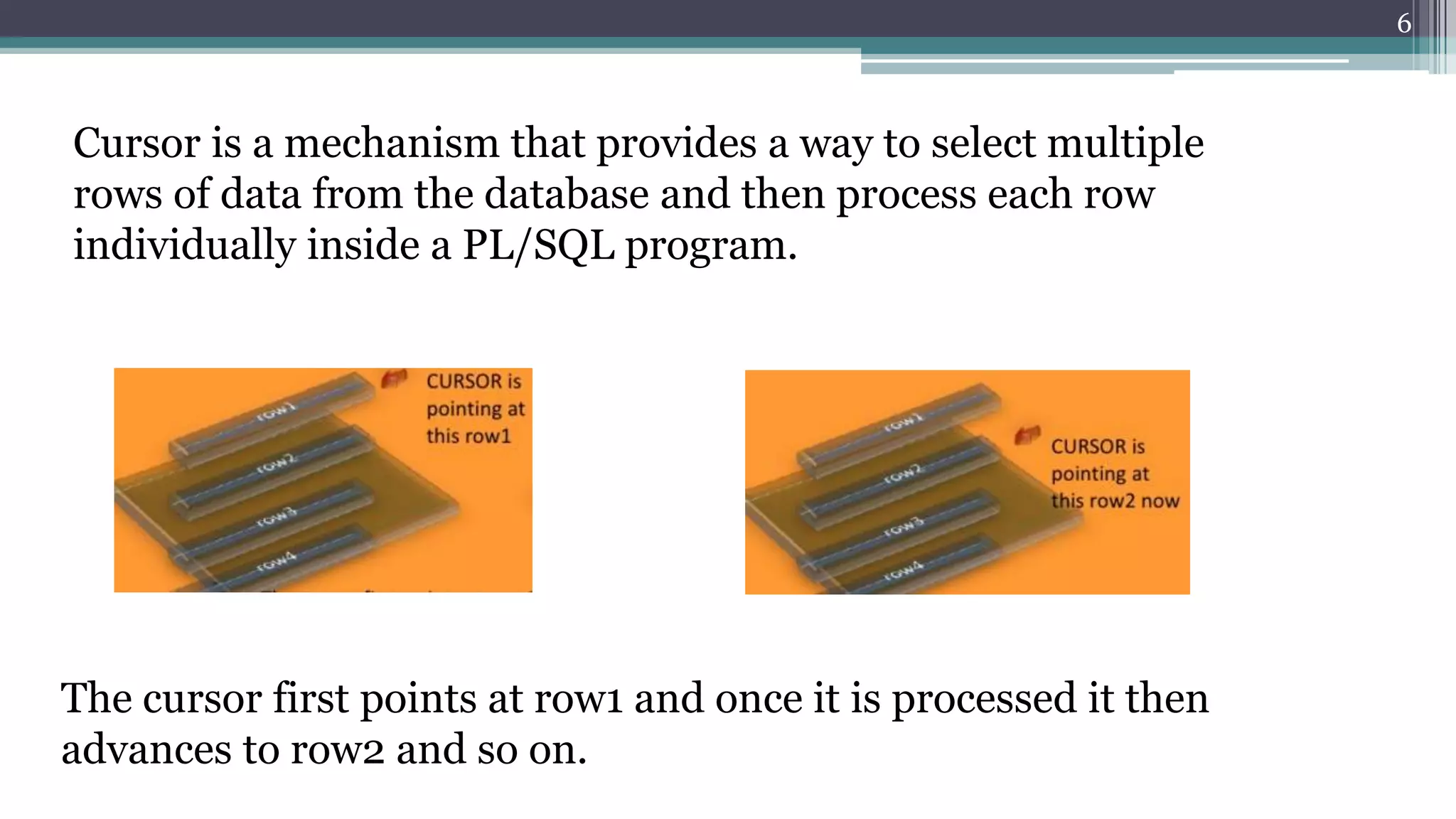
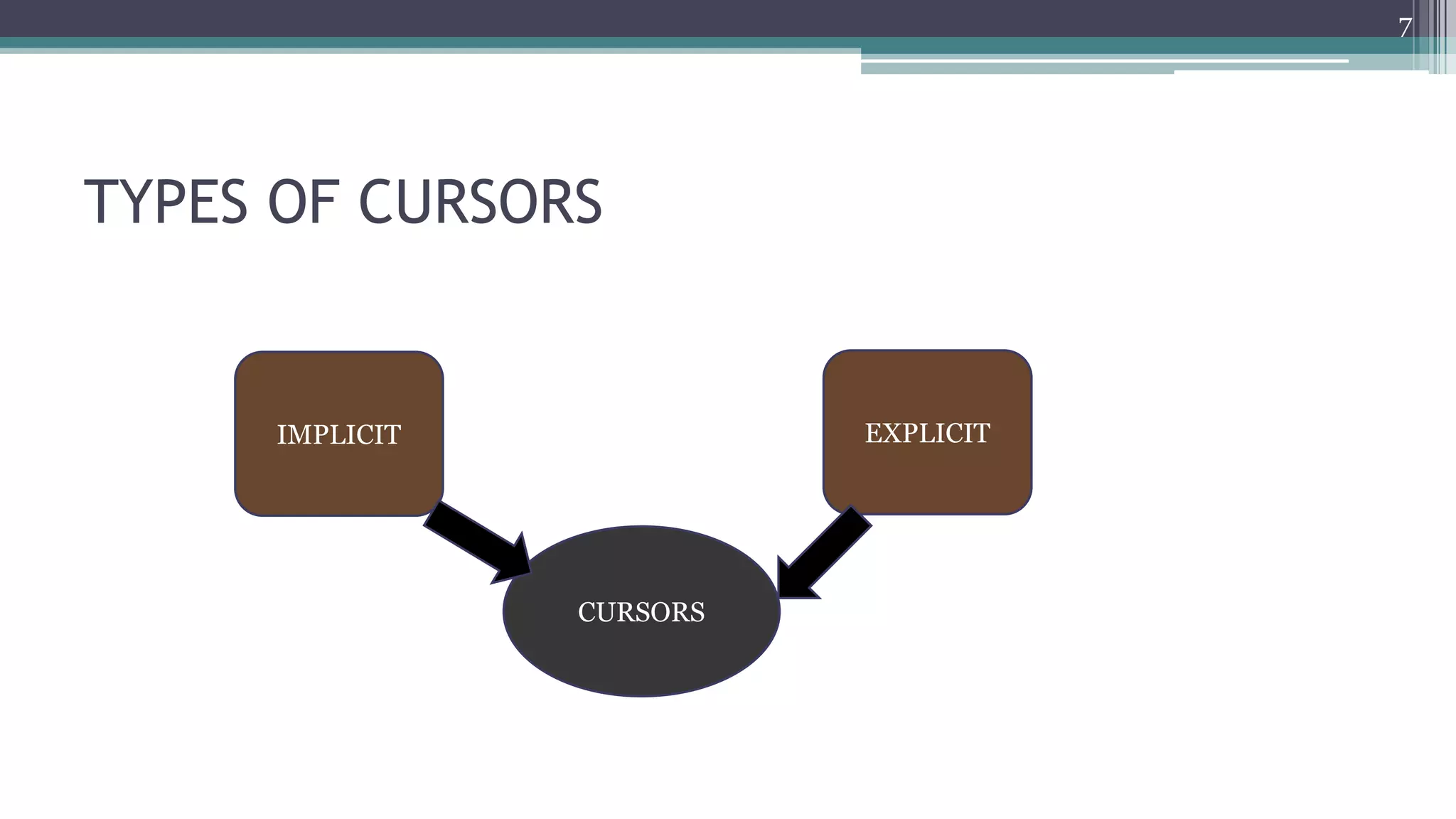
Cursor is a mechanism that provides a way to select multiple
rows of data from the database and then process each row
individually inside a PL/SQL program.
The cursor first points at row1 and once it is processed it then
advances to row2 and so on.
6
TYPES OF CURSORS
7
CURSORS
IMPLICIT EXPLICIT
● These are created by default when DML statements like,
INSERT, UPDATE, and DELETE statements are executed.
● The user is not aware of this happening & will not be able
to control or process the information.
● When an implicit cursor is working, DBMS performs the
open, fetches and close automatically
Implicit cursors
8
9
Attribute
Name
Description
%ISOPEN Returns TRUE if cursor is open, FALSE if cursor is closed.
SQL%ISOPEN always returns FALSE.
%FOUND Returns TRUE if successful fetch has been
executed, FALSE if no row was returned.
SQL%FOUND is used to access it.
%NOTFOUN
D
Return TRUE if no row was returned, FALSE if
successful fetch has been executed.
SQL%NOTFOUND is used to access it.
%ROWCOU
NT
Returns the number of rows affected by the query.
SQL%ROWCOUNT is used to access it.
Select * from customers;
+‐‐‐‐+‐‐‐‐‐‐‐‐‐‐+‐‐‐‐‐+‐‐‐‐‐‐‐‐‐‐‐+‐‐‐‐‐‐‐‐‐‐+
| ID | NAME | AGE | ADDRESS | SALARY |
+‐‐‐‐+‐‐‐‐‐‐‐‐‐‐+‐‐‐‐‐+‐‐‐‐‐‐‐‐‐‐‐+‐‐‐‐‐‐‐‐‐‐+
| 1 | Ramesh | 32 | Ahmedabad | 2000.00 |
| 2 | Khilan | 25 | Delhi | 1500.00 |
| 3 | kaushik | 23 | Kota | 2000.00 |
| 4 | Chaitali | 25 | Mumbai | 6500.00 |
| 5 | Hardik | 27 | Bhopal | 8500.00 |
| 6 | Komal | 22| MP | 4500.00 |
+‐‐‐‐+‐‐‐‐‐‐‐‐‐‐+‐‐‐‐‐+‐‐‐‐‐‐‐‐‐‐‐+‐‐‐‐‐‐‐‐‐‐+
Write a pl/sql program to update the salary of customers by Rs 500.EXAMPLE:
EXAMPLE:
10
DECLARE
total_rows number(2);
BEGIN
UPDATE customers
SET salary = salary + 500;
IF sql%notfound THEN
dbms_output.put_line('no customers selected');
ELSIF sql%found THEN
total_rows := sql%rowcount;
dbms_output.put_line( total_rows || ‘customers selected ');
END IF;
END;
11
Result:
6 customers selected
PL/SQL procedure successfully completed.
Select * from customers;
+‐‐‐‐+‐‐‐‐‐‐‐‐‐‐+‐‐‐‐‐+‐‐‐‐‐‐‐‐‐‐‐+‐‐‐‐‐‐‐‐‐‐+
| ID | NAME | AGE | ADDRESS | SALARY |
+‐‐‐‐+‐‐‐‐‐‐‐‐‐‐+‐‐‐‐‐+‐‐‐‐‐‐‐‐‐‐‐+‐‐‐‐‐‐‐‐‐‐+
| 1 | Ramesh | 32 | Ahmedabad | 2500.00 |
| 2 | Khilan | 25 | Delhi | 2000.00 |
| 3 | kaushik | 23 | Kota | 2500.00 |
| 4 | Chaitali | 25 | Mumbai | 7000.00 |
| 5 | Hardik | 27 | Bhopal | 9000.00 |
| 6 | Komal | 22 | MP | 5000.00 |
+‐‐‐‐+‐‐‐‐‐‐‐‐‐‐+‐‐‐‐‐+‐‐‐‐‐‐‐‐‐‐‐+‐‐‐‐‐‐‐‐‐‐+
12
Explicit cursors
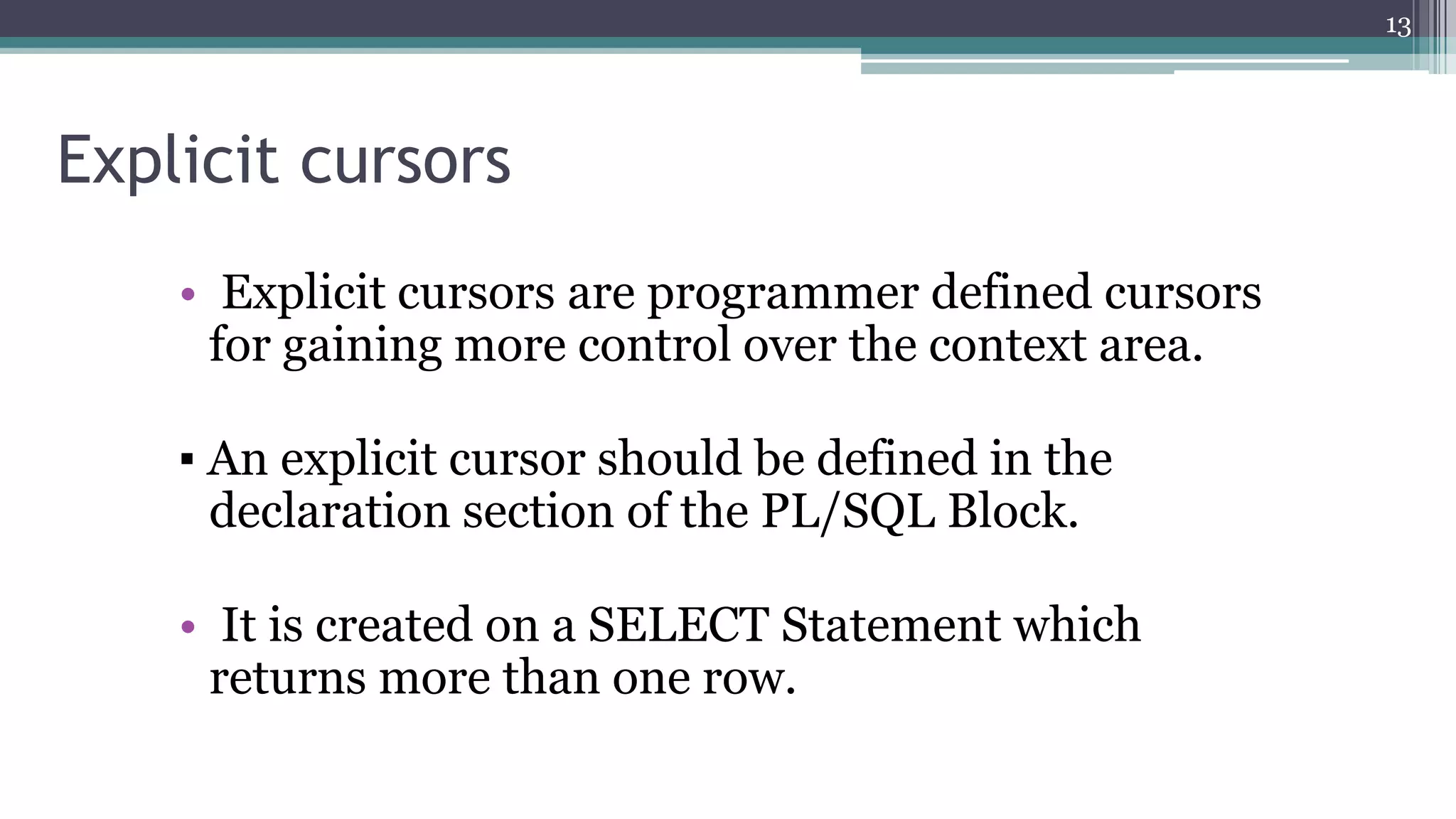
• Explicit cursors are programmer defined cursors
for gaining more control over the context area.
▪ An explicit cursor should be defined in the
declaration section of the PL/SQL Block.
• It is created on a SELECT Statement which
returns more than one row.
13
Attribute
Name
Description
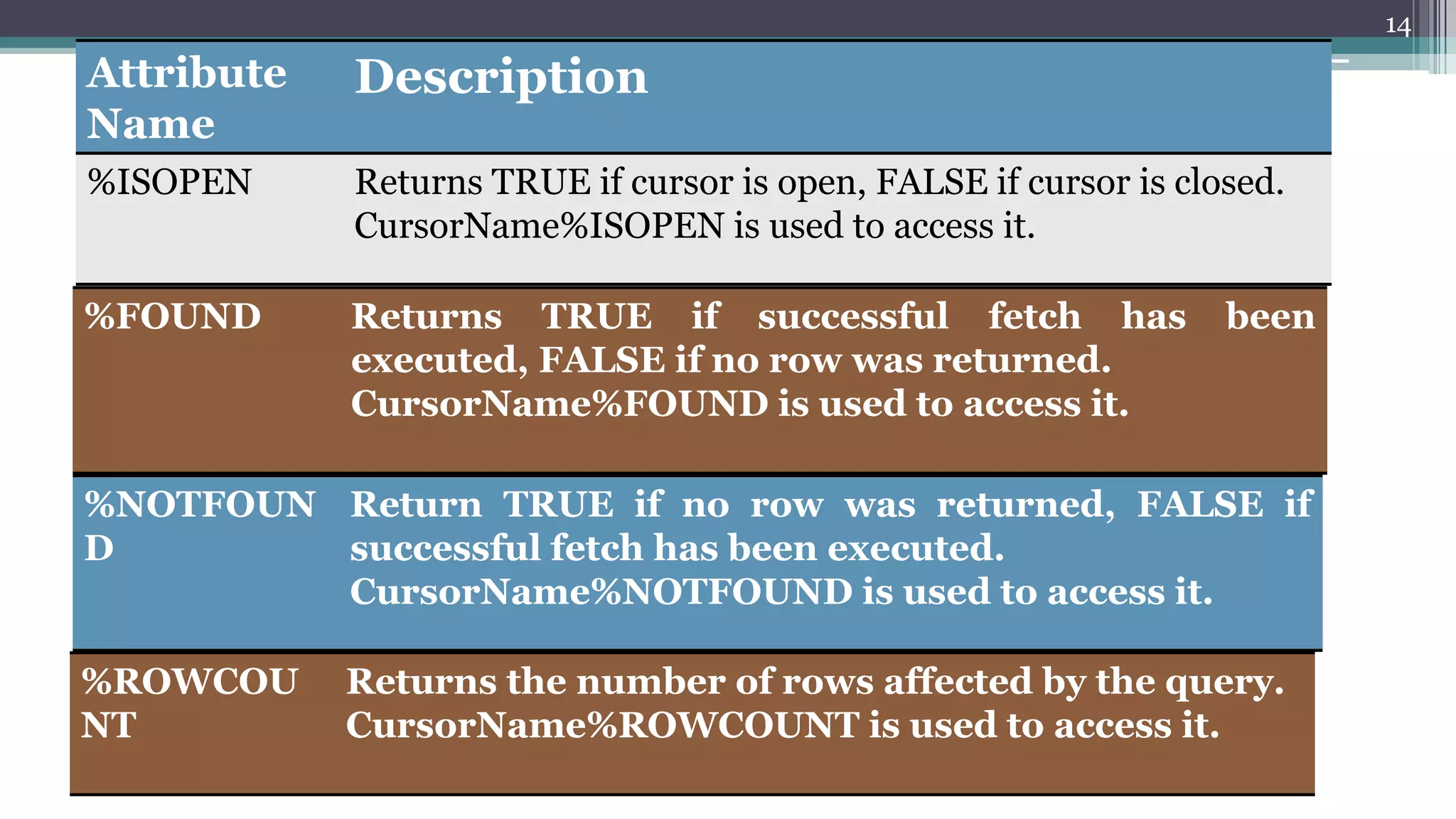
%ISOPEN Returns TRUE if cursor is open, FALSE if cursor is closed.
CursorName%ISOPEN is used to access it.
%FOUND Returns TRUE if successful fetch has been
executed, FALSE if no row was returned.
CursorName%FOUND is used to access it.
%NOTFOUN
D
Return TRUE if no row was returned, FALSE if
successful fetch has been executed.
CursorName%NOTFOUND is used to access it.
%ROWCOU
NT
Returns the number of rows affected by the query.
CursorName%ROWCOUNT is used to access it.
14
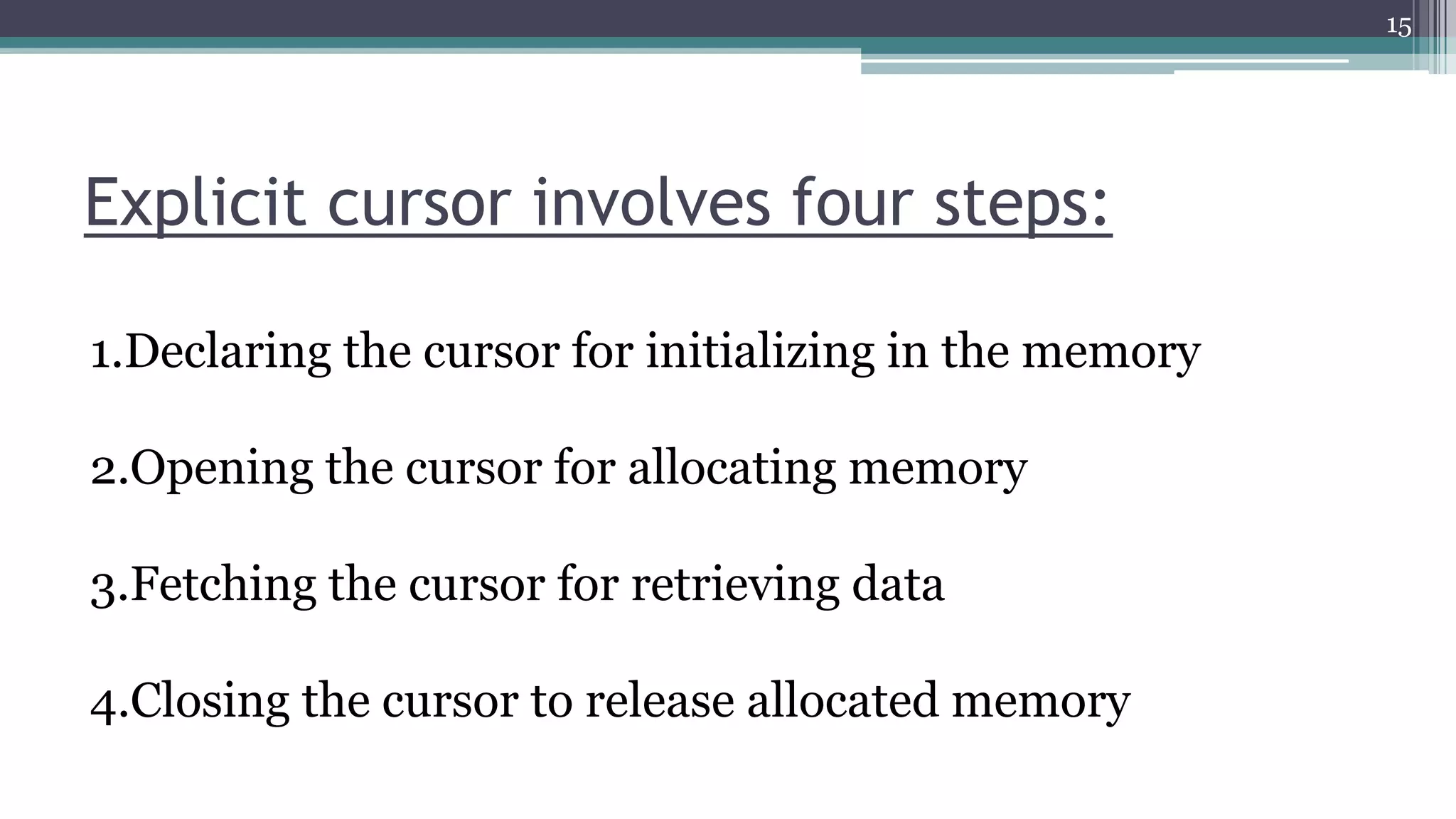
Explicit cursor involves four steps:
15
1.Declaring the cursor for initializing in the memory
2.Opening the cursor for allocating memory
3.Fetching the cursor for retrieving data
4.Closing the cursor to release allocated memory
STEPS:
• Create a
named SQL
area
DECLARE
• Identify the
active set
OPEN
• Load the
current row into
variables
FETCH
• Test for existing
rows
• Return to
FETCH if rows
found
No
• Release the
active set
CLOSE
Yes
16
17
Cursor Declaration:
• Declared as a variable in the same way as standard
variables
• Identified as cursor type
• SQL included
E.g. CURSOR cur_emp IS
SELECT emp_id, name, grade
FROM employee;
Cursor
Pointer
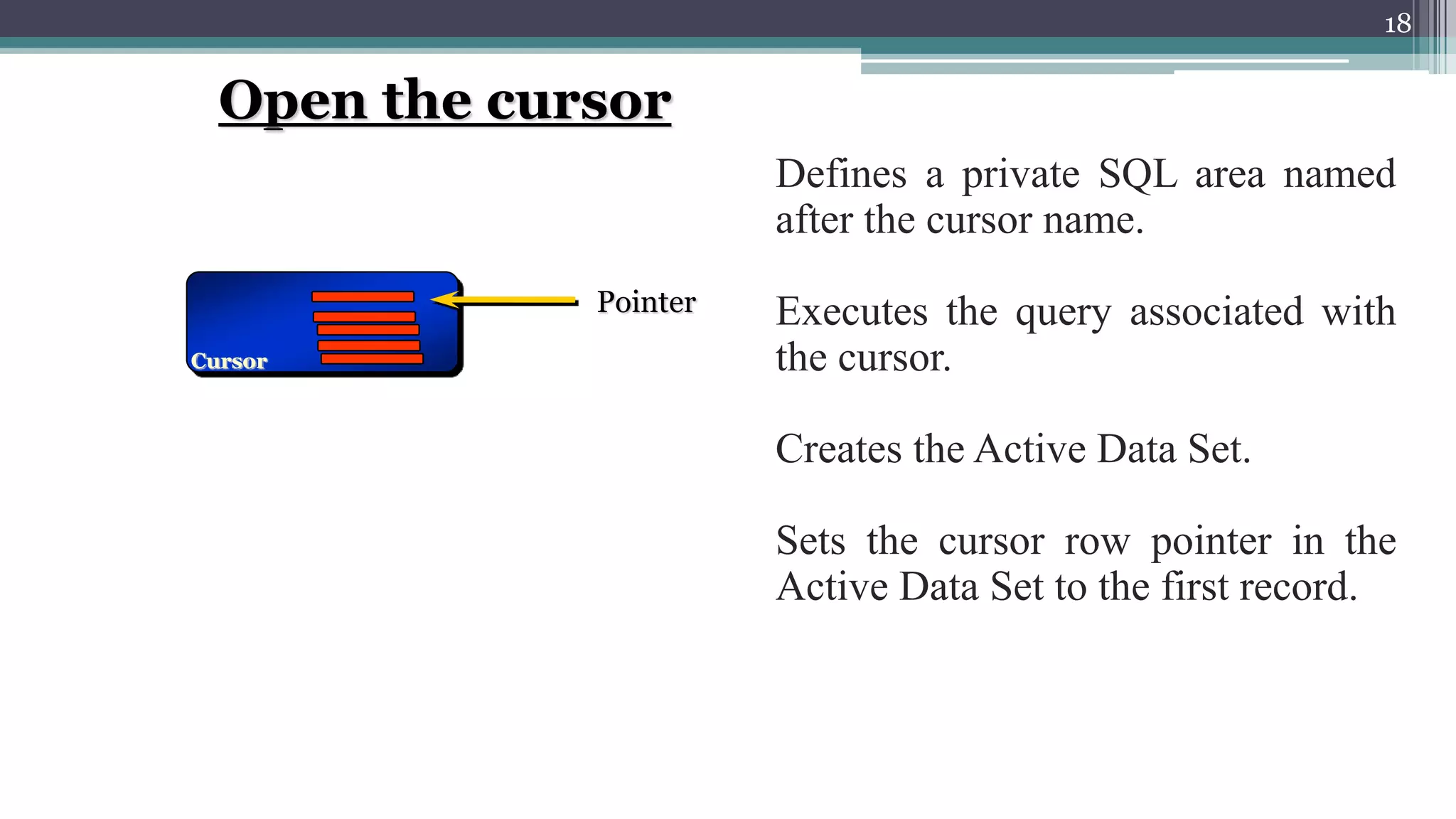
Defines a private SQL area named
after the cursor name.
Executes the query associated with
the cursor.
Creates the Active Data Set.
Sets the cursor row pointer in the
Active Data Set to the first record.
Open the cursor
18
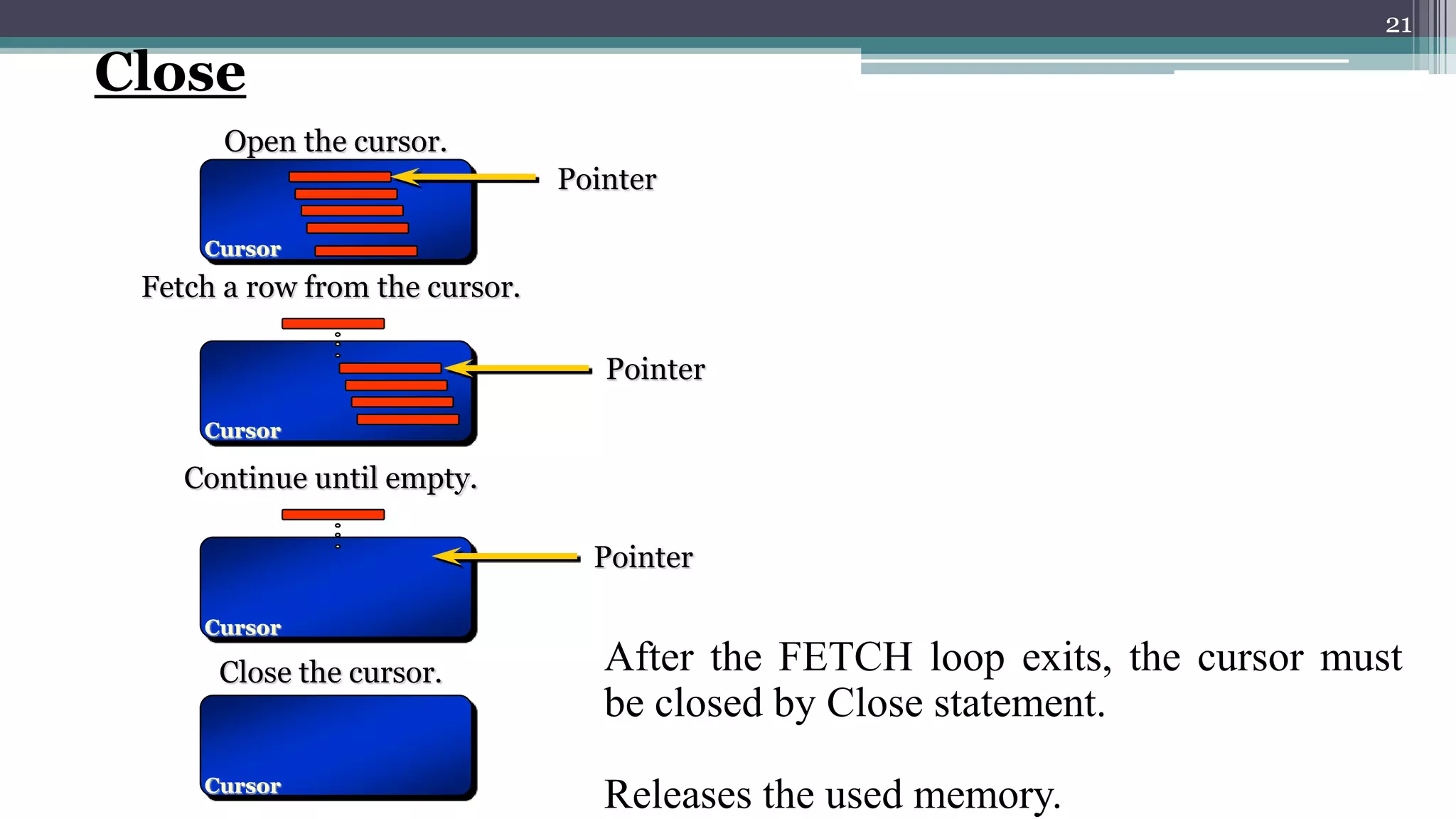
Open the cursor.
Cursor
Pointer
Fetch a row from the cursor.
Cursor Pointer
Fetch statement is placed inside a
Loop … End Loop construct.
It takes the data into memory
variables and process them one by
one.
Fetch
19
Open the cursor.
Cursor
Pointer
Fetch a row from the cursor.
Cursor
Pointer
Continue until empty.
Cursor
Pointer
Loop is continued until Active
Data Set becomes empty
20
Open the cursor.
Cursor
Pointer
Fetch a row from the cursor.
Cursor
Pointer
Continue until empty.
Cursor
Pointer
Close the cursor.
Cursor
After the FETCH loop exits, the cursor must
be closed by Close statement.
Releases the used memory.
Close
21
Declaring the Cursor
22
Syntax:
CURSOR cursor_name IS select_statement;
For example:
CURSOR c_customers IS
SELECT id, name, address FROM customers;
Opening the Cursor
Syntax:
OPEN cursor_name;
Example:
OPEN c_customers;
Fetching the cursor involves accessing one row at a time.
Syntax:
FETCH cursor_name INTO record_name;
Example:
FETCH c_customers INTO c_id, c_name, c_addr;
Closing the cursor means releasing the allocated memory.
Syntax:
CLOSE cursor_name;
Example:
CLOSE c_customers;
Fetching the Cursor
Closing the Cursor
23
EXAMPLE:
24
DECLARE
c_id customers.id%type;
c_name customers.name%type;
c_addr customers.address%type;
CURSOR c_customers IS SELECT id, name, address FROM customers;
BEGIN
OPEN c_customers;
LOOP
FETCH c_customers into c_id, c_name, c_addr;
EXIT WHEN c_customers%notfound;
dbms_output.put_line(c_id || ' ' || c_name || ' ' || c_addr);
END LOOP;
CLOSE c_customers;
END;
RESULT:
25
1 Ramesh Ahmedabad
2 Khilan Delhi
3 kaushik Kota
4 Chaitali Mumbai
5 Hardik Bhopal
6 Komal MP
PL/SQL procedure successfully completed.
26
The bank manager has decided to mark all those accounts as inactive (I) on
which there are no transactions performed in the last 365 days. Whenever any
such update takes place, a record for the same is maintained in the
INACTIVE_ACCT_MSTR table comprising of the account number, the
opening date and the type of account. Write a PL/SQL block to do the same.
Tables:
ACCT_MSTR(AcctNo, FName, LName, OpenDt, Type, Bal, Status);
TRANS_MSTR(AcctNo, Dt, OpPerformed, Amt);
INACTIVE_ACCT_MSTR(AcctNo, OpenDt, Type);
Example 2:
27
DECLARE
CURSOR Crsr_NoTrans IS
SELECT AcctNo, Status, OpenDt, Type FROM ACCT_MSTR
WHERE AcctNo IN (SELECT AcctNo FROM TRANS_MSTR
GROUP BY AcctNo HAVING MAX(SYSDATE-Dt)>365);
str_AcctNo ACCT_MSTR.AcctNo%type;
str_Status ACT_MSTR.Status%type;
dt_OpenDt ACCT_MSTR.OpenDt%type;
str_Type ACCT_MSTR.Type%type;
BEGIN
OPEN Crsr_NoTrans;
IF Crsr_NoTrans%ISOPEN THEN
LOOP
FETCH Crsr_NoTrans INTO str_AcctNo, str_Status, dt_OpenDt, str_type;
28
EXIT WHEN Crsr_NoTrans%NOTFOUND;
IF Crsr_NoTrans%FOUND THEN
UPDATE ACCT_MSTR SET Status=‘I’ WHERE AcctNo=str_AcctNo;
END IF;
END LOOP;
ELSE
dbms_output.put_line(‘Unable to open cursor’);
END IF;
CLOSE Crsr_NoTrans;
END;
Cursor for loop
CURSOR FOR LOOP is used when you want to fetch and
process every record in a cursor. The CURSOR FOR
LOOP will terminate when all of the records in the cursor
have been fetched.
SYNTAX
FOR record_index in cursor_name
LOOP {...statements...}
END LOOP;
29
EXAMPLE:
30
DECLARE
CURSOR c1
IS SELECT last_name, job_id FROM employee job_id LIKE '%CLERK%'
AND manager_id > 120
ORDER BY last_name;
BEGIN
FOR item IN c1
LOOP
DBMS_OUTPUT.PUT_LINE ('Name = ' || item.last_name || ', Job = ' ||
item.job_id);
END LOOP;
END;
RESULT:
31
Name = Atkinson, Job = ST_CLERK
Name = Bell, Job = SH_CLERK
Name = Bissot, Job = ST_CLERK
...
Name = Walsh, Job = SH_CLERK
Parameterized Cursors:
32
▪ Parameterized cursor pass the parameters into a cursor and
use them in to query.
▪ Define only datatype of parameter and not need to define
it's length.
▪ We can only pass values to the cursor and cannot pass
values out of the cursor through parameters.
▪ The scope of the cursor parameters is local to the cursor
Syntax :
CURSOR cursor_name (parameter_list) IS
SELECT_statement;
For example:
CURSOR c2 (subject_id_in IN varchar) IS
SELECT course_number
FROM courses_tbl
WHERE subject_id = subject_id_in;
The result set of this cursor is all course_numbers whose
subject_id matches the subject_id passed to the cursor via the
parameter.
33
COMPARISION:
•Explicit cursor must be created when you are executing a SELECT statement that
returns more than one row.
• NO_DATA_FOUND and TOO_MANY_ROWS exceptions are not raised when
using explicit cursors, as opposed to implicit cursors.
•With explicit cursors, you have complete control over how to access information
in the database.
•Implicit cursors require anonymous buffer memory. Explicit cursors can be
executed again and again by using their name.
34
ADVANTAGES:
•Using Cursor we can perform row by row processing .
• we can perform row wise validation or operations on each
row.
•Allow application to access and move around in a set of data
rows, rather then merely retrieve a complete result set.
35
Disadvantages:
Uses more resources
Speed and performance issues.
Increased network roundtrip.
36
References:
37
1. SQL, PL/SQL by Ivan Bayross.
2. www.wikipedia.com.
38

Cursors

  • 1.
    CURSORS SUBMITTED TO :SUBMITTED BY: Mrs Dipti Agnihotri Priyanka Yadav 1 UNIVERSITY COMPUTER CENTER Presentation on:-
  • 2.
    1. INTRODUCTIONof Cursors 2.Types of cursors 2.1 Implicit cursor ►Example 2.2 explicit cursor ►Example 3. cursor for loop 4. Parameterized cursor 5. COMPARISION 6. ADVANTAGES&DISADVANTAGES 2
  • 3.
    • A cursoris a temporary work area created in the system memory when a SQL statement is executed. • A cursor contains information on a select statement and the rows of data accessed by it. • This temporary work area is used to store the data retrieved from the database, and perform intermediate operations before output is displayed to the client. • A cursor can hold more than one row, but can process only one row at a time. 3 CURSOR ?
  • 4.
    SQL ENGINE PL/SQL ENGINE Data Dictionary Actual Data QUERY ORACLEENGINE ORACLE DATABASE CURSOR Active Data SetOUTPUT CLIENT -----Record pointer 4 E101 abc Administration E102 xyz Marketing … … … …
  • 5.
    NEED FOR CURSORS? 5 Wecannot use sub-programs of PL/SQL with a simple select statement to retrieve more than one row. SELECT statement in procedure returning 1 row row SELECT statement in procedure returning more than 1 row row 2 row 1 row 3 ORACLE processes procedure without error ORACLE returns error So, PL/SQL requires a special compatibility to retrieve and process more than one row
  • 6.
    Cursor is amechanism that provides a way to select multiple rows of data from the database and then process each row individually inside a PL/SQL program. The cursor first points at row1 and once it is processed it then advances to row2 and so on. 6
  • 7.
  • 8.
    ● These arecreated by default when DML statements like, INSERT, UPDATE, and DELETE statements are executed. ● The user is not aware of this happening & will not be able to control or process the information. ● When an implicit cursor is working, DBMS performs the open, fetches and close automatically Implicit cursors 8
  • 9.
    9 Attribute Name Description %ISOPEN Returns TRUEif cursor is open, FALSE if cursor is closed. SQL%ISOPEN always returns FALSE. %FOUND Returns TRUE if successful fetch has been executed, FALSE if no row was returned. SQL%FOUND is used to access it. %NOTFOUN D Return TRUE if no row was returned, FALSE if successful fetch has been executed. SQL%NOTFOUND is used to access it. %ROWCOU NT Returns the number of rows affected by the query. SQL%ROWCOUNT is used to access it.
  • 10.
    Select * fromcustomers; +‐‐‐‐+‐‐‐‐‐‐‐‐‐‐+‐‐‐‐‐+‐‐‐‐‐‐‐‐‐‐‐+‐‐‐‐‐‐‐‐‐‐+ | ID | NAME | AGE | ADDRESS | SALARY | +‐‐‐‐+‐‐‐‐‐‐‐‐‐‐+‐‐‐‐‐+‐‐‐‐‐‐‐‐‐‐‐+‐‐‐‐‐‐‐‐‐‐+ | 1 | Ramesh | 32 | Ahmedabad | 2000.00 | | 2 | Khilan | 25 | Delhi | 1500.00 | | 3 | kaushik | 23 | Kota | 2000.00 | | 4 | Chaitali | 25 | Mumbai | 6500.00 | | 5 | Hardik | 27 | Bhopal | 8500.00 | | 6 | Komal | 22| MP | 4500.00 | +‐‐‐‐+‐‐‐‐‐‐‐‐‐‐+‐‐‐‐‐+‐‐‐‐‐‐‐‐‐‐‐+‐‐‐‐‐‐‐‐‐‐+ Write a pl/sql program to update the salary of customers by Rs 500.EXAMPLE: EXAMPLE: 10
  • 11.
    DECLARE total_rows number(2); BEGIN UPDATE customers SETsalary = salary + 500; IF sql%notfound THEN dbms_output.put_line('no customers selected'); ELSIF sql%found THEN total_rows := sql%rowcount; dbms_output.put_line( total_rows || ‘customers selected '); END IF; END; 11
  • 12.
    Result: 6 customers selected PL/SQLprocedure successfully completed. Select * from customers; +‐‐‐‐+‐‐‐‐‐‐‐‐‐‐+‐‐‐‐‐+‐‐‐‐‐‐‐‐‐‐‐+‐‐‐‐‐‐‐‐‐‐+ | ID | NAME | AGE | ADDRESS | SALARY | +‐‐‐‐+‐‐‐‐‐‐‐‐‐‐+‐‐‐‐‐+‐‐‐‐‐‐‐‐‐‐‐+‐‐‐‐‐‐‐‐‐‐+ | 1 | Ramesh | 32 | Ahmedabad | 2500.00 | | 2 | Khilan | 25 | Delhi | 2000.00 | | 3 | kaushik | 23 | Kota | 2500.00 | | 4 | Chaitali | 25 | Mumbai | 7000.00 | | 5 | Hardik | 27 | Bhopal | 9000.00 | | 6 | Komal | 22 | MP | 5000.00 | +‐‐‐‐+‐‐‐‐‐‐‐‐‐‐+‐‐‐‐‐+‐‐‐‐‐‐‐‐‐‐‐+‐‐‐‐‐‐‐‐‐‐+ 12
  • 13.
    Explicit cursors • Explicitcursors are programmer defined cursors for gaining more control over the context area. ▪ An explicit cursor should be defined in the declaration section of the PL/SQL Block. • It is created on a SELECT Statement which returns more than one row. 13
  • 14.
    Attribute Name Description %ISOPEN Returns TRUEif cursor is open, FALSE if cursor is closed. CursorName%ISOPEN is used to access it. %FOUND Returns TRUE if successful fetch has been executed, FALSE if no row was returned. CursorName%FOUND is used to access it. %NOTFOUN D Return TRUE if no row was returned, FALSE if successful fetch has been executed. CursorName%NOTFOUND is used to access it. %ROWCOU NT Returns the number of rows affected by the query. CursorName%ROWCOUNT is used to access it. 14
  • 15.
    Explicit cursor involvesfour steps: 15 1.Declaring the cursor for initializing in the memory 2.Opening the cursor for allocating memory 3.Fetching the cursor for retrieving data 4.Closing the cursor to release allocated memory
  • 16.
    STEPS: • Create a namedSQL area DECLARE • Identify the active set OPEN • Load the current row into variables FETCH • Test for existing rows • Return to FETCH if rows found No • Release the active set CLOSE Yes 16
  • 17.
    17 Cursor Declaration: • Declaredas a variable in the same way as standard variables • Identified as cursor type • SQL included E.g. CURSOR cur_emp IS SELECT emp_id, name, grade FROM employee;
  • 18.
    Cursor Pointer Defines a privateSQL area named after the cursor name. Executes the query associated with the cursor. Creates the Active Data Set. Sets the cursor row pointer in the Active Data Set to the first record. Open the cursor 18
  • 19.
    Open the cursor. Cursor Pointer Fetcha row from the cursor. Cursor Pointer Fetch statement is placed inside a Loop … End Loop construct. It takes the data into memory variables and process them one by one. Fetch 19
  • 20.
    Open the cursor. Cursor Pointer Fetcha row from the cursor. Cursor Pointer Continue until empty. Cursor Pointer Loop is continued until Active Data Set becomes empty 20
  • 21.
    Open the cursor. Cursor Pointer Fetcha row from the cursor. Cursor Pointer Continue until empty. Cursor Pointer Close the cursor. Cursor After the FETCH loop exits, the cursor must be closed by Close statement. Releases the used memory. Close 21
  • 22.
    Declaring the Cursor 22 Syntax: CURSORcursor_name IS select_statement; For example: CURSOR c_customers IS SELECT id, name, address FROM customers; Opening the Cursor Syntax: OPEN cursor_name; Example: OPEN c_customers;
  • 23.
    Fetching the cursorinvolves accessing one row at a time. Syntax: FETCH cursor_name INTO record_name; Example: FETCH c_customers INTO c_id, c_name, c_addr; Closing the cursor means releasing the allocated memory. Syntax: CLOSE cursor_name; Example: CLOSE c_customers; Fetching the Cursor Closing the Cursor 23
  • 24.
    EXAMPLE: 24 DECLARE c_id customers.id%type; c_name customers.name%type; c_addrcustomers.address%type; CURSOR c_customers IS SELECT id, name, address FROM customers; BEGIN OPEN c_customers; LOOP FETCH c_customers into c_id, c_name, c_addr; EXIT WHEN c_customers%notfound; dbms_output.put_line(c_id || ' ' || c_name || ' ' || c_addr); END LOOP; CLOSE c_customers; END;
  • 25.
    RESULT: 25 1 Ramesh Ahmedabad 2Khilan Delhi 3 kaushik Kota 4 Chaitali Mumbai 5 Hardik Bhopal 6 Komal MP PL/SQL procedure successfully completed.
  • 26.
    26 The bank managerhas decided to mark all those accounts as inactive (I) on which there are no transactions performed in the last 365 days. Whenever any such update takes place, a record for the same is maintained in the INACTIVE_ACCT_MSTR table comprising of the account number, the opening date and the type of account. Write a PL/SQL block to do the same. Tables: ACCT_MSTR(AcctNo, FName, LName, OpenDt, Type, Bal, Status); TRANS_MSTR(AcctNo, Dt, OpPerformed, Amt); INACTIVE_ACCT_MSTR(AcctNo, OpenDt, Type); Example 2:
  • 27.
    27 DECLARE CURSOR Crsr_NoTrans IS SELECTAcctNo, Status, OpenDt, Type FROM ACCT_MSTR WHERE AcctNo IN (SELECT AcctNo FROM TRANS_MSTR GROUP BY AcctNo HAVING MAX(SYSDATE-Dt)>365); str_AcctNo ACCT_MSTR.AcctNo%type; str_Status ACT_MSTR.Status%type; dt_OpenDt ACCT_MSTR.OpenDt%type; str_Type ACCT_MSTR.Type%type; BEGIN OPEN Crsr_NoTrans; IF Crsr_NoTrans%ISOPEN THEN LOOP FETCH Crsr_NoTrans INTO str_AcctNo, str_Status, dt_OpenDt, str_type;
  • 28.
    28 EXIT WHEN Crsr_NoTrans%NOTFOUND; IFCrsr_NoTrans%FOUND THEN UPDATE ACCT_MSTR SET Status=‘I’ WHERE AcctNo=str_AcctNo; END IF; END LOOP; ELSE dbms_output.put_line(‘Unable to open cursor’); END IF; CLOSE Crsr_NoTrans; END;
  • 29.
    Cursor for loop CURSORFOR LOOP is used when you want to fetch and process every record in a cursor. The CURSOR FOR LOOP will terminate when all of the records in the cursor have been fetched. SYNTAX FOR record_index in cursor_name LOOP {...statements...} END LOOP; 29
  • 30.
    EXAMPLE: 30 DECLARE CURSOR c1 IS SELECTlast_name, job_id FROM employee job_id LIKE '%CLERK%' AND manager_id > 120 ORDER BY last_name; BEGIN FOR item IN c1 LOOP DBMS_OUTPUT.PUT_LINE ('Name = ' || item.last_name || ', Job = ' || item.job_id); END LOOP; END;
  • 31.
    RESULT: 31 Name = Atkinson,Job = ST_CLERK Name = Bell, Job = SH_CLERK Name = Bissot, Job = ST_CLERK ... Name = Walsh, Job = SH_CLERK
  • 32.
    Parameterized Cursors: 32 ▪ Parameterizedcursor pass the parameters into a cursor and use them in to query. ▪ Define only datatype of parameter and not need to define it's length. ▪ We can only pass values to the cursor and cannot pass values out of the cursor through parameters. ▪ The scope of the cursor parameters is local to the cursor
  • 33.
    Syntax : CURSOR cursor_name(parameter_list) IS SELECT_statement; For example: CURSOR c2 (subject_id_in IN varchar) IS SELECT course_number FROM courses_tbl WHERE subject_id = subject_id_in; The result set of this cursor is all course_numbers whose subject_id matches the subject_id passed to the cursor via the parameter. 33
  • 34.
    COMPARISION: •Explicit cursor mustbe created when you are executing a SELECT statement that returns more than one row. • NO_DATA_FOUND and TOO_MANY_ROWS exceptions are not raised when using explicit cursors, as opposed to implicit cursors. •With explicit cursors, you have complete control over how to access information in the database. •Implicit cursors require anonymous buffer memory. Explicit cursors can be executed again and again by using their name. 34
  • 35.
    ADVANTAGES: •Using Cursor wecan perform row by row processing . • we can perform row wise validation or operations on each row. •Allow application to access and move around in a set of data rows, rather then merely retrieve a complete result set. 35
  • 36.
    Disadvantages: Uses more resources Speedand performance issues. Increased network roundtrip. 36
  • 37.
    References: 37 1. SQL, PL/SQLby Ivan Bayross. 2. www.wikipedia.com.
  • 38.