


S C H O O L O F I N F O R M AT I O N S C I E N C E A N D
L E A R N I N G T E C H N O LO G I E S
INFORMATION
EXPERIENCE
LABORATORY
University of Missouri
Dr. Isa Jahnke
Director of the IELab
Associate Professor
ielab.missouri.edu
WHAT IS THE IE LAB?
• Founded in 2003
• The Information Experience Laboratory, IE Lab – is a
usability and user experience lab …
• … with the mission to improve learning technologies,
information and communication systems.
The IE Lab conducts research and evaluates digital
technology for clients in diverse fields, for example,
journalism, healthcare, medicine, computer science and
education, and more.
THE IE LAB OFFERS….
• Professional usability and User eXperience
(UX) evaluation services
• Human-centered studies in organizations, e.g.,
how technology impacts existing workflows
• Studies of effectiveness of pedagogical
approaches used in digital platforms
The downside of new technology is that it’s designed by
‘technologists’. But they don’t think like the ordinary user.
The ‘ordinary person’ is your grandmother, doctor, nurse,
patient or student (and so forth). Most people have the
capacity to understand the technology. However, to motivate
them to really use the product: make the technology easy to
use for them!
Note: Top down strategies are not always helpful
because users may create work arounds
when the technology doesn’t fit their workflows
WHY IS USABILITY IMPORTANT? (1)
BENEFITS
Business view
• Provides early evidence of success (allows you to confirm the validity of design early
the development process)
• Improves risk management (lets you test and choose on the design to proceed with)
• Cheaper (decreases cost of development)
• Faster (shortens development timeline)
• Increases sales (better products design and effectiveness)
Design/Research view
• More accurate designs (a more accurate picture of user needs)
• Proof that your design or prototype works (validation of designs, proof of concepts)
• Accurate picture of workflow (know how users work before coding)
• Reduced task time (improved user performance)
• Higher satisfaction (users will be able to find what they need faster)
• Higher motivation (users will be motivated to use and return to your website)
WHY IS USABILITY IMPORTANT? (2)
BENEFITS
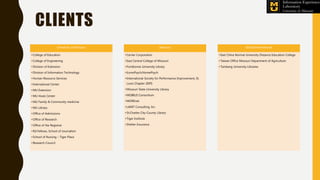
CLIENTS
The IE Lab has provided service to a range of clients across
Missouri, including MU researchers, corporate, non-profit and other
academic partners.
CLIENTS – PROJECTS (1)
• Reynolds Journalism Institute (RJI)
– Usability & efficacy study of mobile microlessons
– Mobile Applications for Microlearning
– PUSH: An open source mobile platform for media organizations, prototyping
– Comparative Systems Review
– And more
• MU Extension: websites and online courses
• LeXMizzou: game-based learning
• Hook Center – Evaluation of ElevatEd prototype (a tool for school improvement
planning)
• MU Library – Website redesign
CLIENTS – PROJECTS (2)
• NSF grant with College of Engineering – investigating cybersecurity practices
• College of Engineering: Panacea’s Cloud – an AR/VR platform
• Division of IT – Website usability study
• St. Charles City County Library
• School of Nursing (Dr. Lorraine Phillips): a fall risk evaluation platform for senior
adults based Timed Up and Go Test
• Cerner (Health Wins)
CLIENTS
University of Missouri
• College of Education
• College of Engineering
• Division of Extension
• Division of Information Technology
• Human Resource Services
• International Center
• MU Extension
• MU Hook Center
• MU Family & Community medicine
• MU Library
• Office of Admissions
• Office of Research
• Office of the Registrar
• RJI Fellows, School of Journalism
• School of Nursing – Tiger Place
• Research Council
Missouri
• Cerner Corporation
• East Central College of Missouri
• Fontbonne University Library
• IconoPsych/HomePsych
• International Society for Performance Improvement, St.
Louis Chapter (ISPI)
• Missouri State University Library
• MOBIUS Consortium
• MOREnet
• LANIT Consulting, Inc.
• St.Charles City-County Library
• Tiger Institute
• Shelter Insurance
Global/International
• East China Normal University Distance Education College
• Taiwan Office Missouri Department of Agriculture
• Tamkang University Libraries
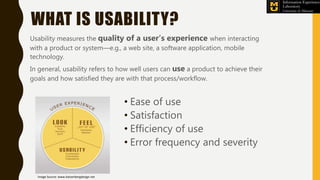
WHAT IS USABILITY?
Usability measures the quality of a user’s experience when interacting
with a product or system—e.g., a web site, a software application, mobile
technology.
In general, usability refers to how well users can use a product to achieve their
goals and how satisfied they are with that process/workflow.
• Ease of use
• Satisfaction
• Efficiency of use
• Error frequency and severity
Image Source: www.katzenbergdesign.net
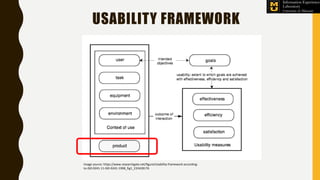
USABILITY FRAMEWORK
Image source: https://www.researchgate.net/figure/Usability-framework-according-
to-ISO-9241-11-ISO-9241-1998_fig1_233428176
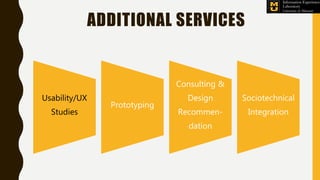
ADDITIONAL SERVICES
Usability/UX
Studies
Prototyping
Consulting &
Design
Recommen-
dation
Sociotechnical
Integration
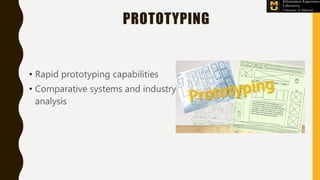
PROTOTYPING
• Rapid prototyping capabilities
• Comparative systems and industry
analysis
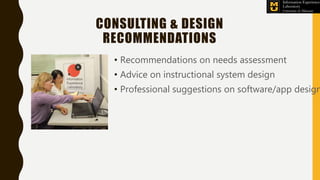
CONSULTING & DESIGN
RECOMMENDATIONS
• Recommendations on needs assessment
• Advice on instructional system design
• Professional suggestions on software/app design
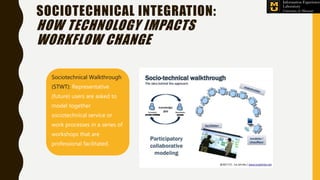
Sociotechnical Walkthrough
(STWT): Representative
(future) users are asked to
model together
sociotechnical service or
work processes in a series of
workshops that are
professional facilitated.
SOCIOTECHNICAL INTEGRATION:
HOW TECHNOLOGY IMPACTS
WORKFLOW CHANGE
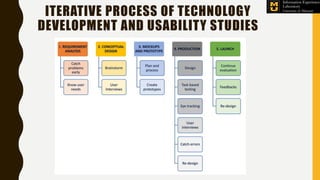
ITERATIVE PROCESS OF TECHNOLOGY
DEVELOPMENT AND USABILITY STUDIES
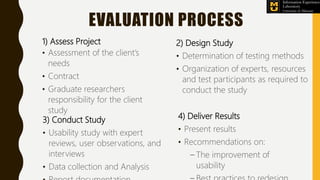
EVALUATION PROCESS
1) Assess Project
• Assessment of the client’s
needs
• Contract
• Graduate researchers
responsibility for the client
study
2) Design Study
• Determination of testing methods
• Organization of experts, resources
and test participants as required to
conduct the study
3) Conduct Study
• Usability study with expert
reviews, user observations, and
interviews
• Data collection and Analysis
4) Deliver Results
• Present results
• Recommendations on:
– The improvement of
usability
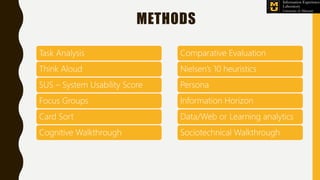
METHODS
Task Analysis
Think Aloud
SUS – System Usability Score
Focus Groups
Card Sort
Cognitive Walkthrough
Comparative Evaluation
Nielsen’s 10 heuristics
Persona
Information Horizon
Data/Web or Learning analytics
Sociotechnical Walkthrough
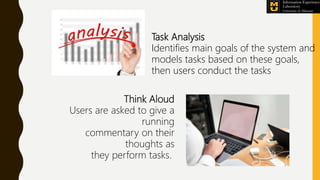
Task Analysis
Identifies main goals of the system and
models tasks based on these goals,
then users conduct the tasks
Think Aloud
Users are asked to give a
running
commentary on their
thoughts as
they perform tasks.
Image Source: :
https://www.flickr.com/photos/europedistrict/6683158541/player/6e53b9bfc8
Focus Groups
Six to eight representative users
are interviewed as a group to
provide input on system
content, design, or usability.
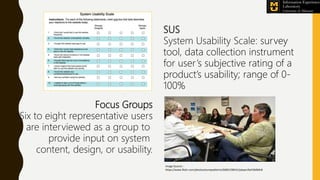
SUS
System Usability Scale: survey
tool, data collection instrument
for user’s subjective rating of a
product’s usability; range of 0-
100%
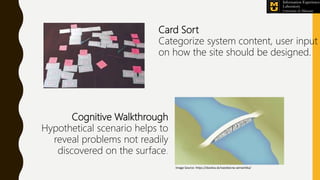
Card Sort
Categorize system content, user input
on how the site should be designed.
Cognitive Walkthrough
Hypothetical scenario helps to
reveal problems not readily
discovered on the surface.
Image Source: https://davdva.sk/vseobecna-semantika/
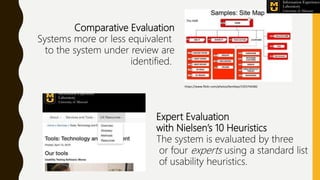
Comparative Evaluation
Systems more or less equivalent
to the system under review are
identified.
Expert Evaluation
with Nielsen’s 10 Heuristics
The system is evaluated by three
or four experts using a standard list
of usability heuristics.
https://www.flickr.com/photos/kentbye/1555744482
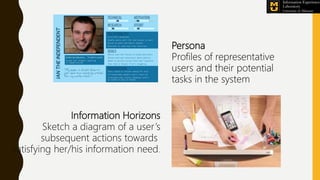
Information Horizons
Sketch a diagram of a user’s
subsequent actions towards
satisfying her/his information need.
Persona
Profiles of representative
users and their potential
tasks in the system
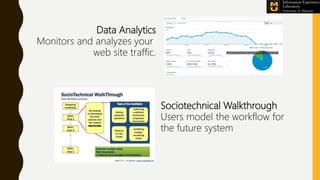
Data Analytics
Monitors and analyzes your
web site traffic.
Sociotechnical Walkthrough
Users model the workflow for
the future system
TOOLS AND TECHNOLOGIES
Morae
Eyetracking
Qualtrics Survey Tool
Prototyping Tools
Optimal Workshop
Zoom
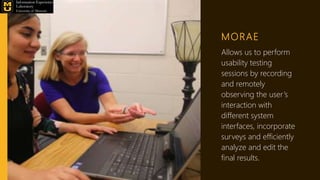
MORAE
Allows us to perform
usability testing
sessions by recording
and remotely
observing the user’s
interaction with
different system
interfaces, incorporate
surveys and efficiently
analyze and edit the
final results.
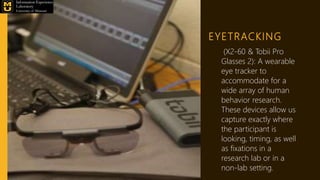
EYETRACKING
(X2-60 & Tobii Pro
Glasses 2): A wearable
eye tracker to
accommodate for a
wide array of human
behavior research.
These devices allow us
capture exactly where
the participant is
looking, timing, as well
as fixations in a
research lab or in a
non-lab setting.
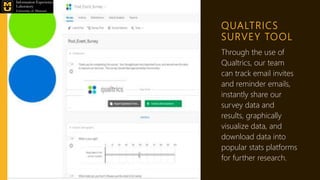
QUALTRICS
SURVEY TOOL
Through the use of
Qualtrics, our team
can track email invites
and reminder emails,
instantly share our
survey data and
results, graphically
visualize data, and
download data into
popular stats platforms
for further research.
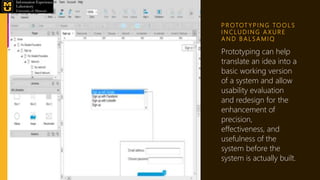
P R OTOT Y P I N G TO O L S
I N C L U D I N G A X U R E
A N D B A L S A M I Q
Prototyping can help
translate an idea into a
basic working version
of a system and allow
usability evaluation
and redesign for the
enhancement of
precision,
effectiveness, and
usefulness of the
system before the
system is actually built.
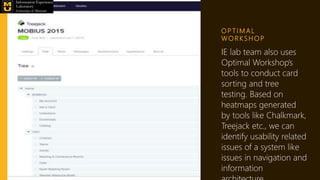
O P T I M A L
W O R K S H O P
IE lab team also uses
Optimal Workshop’s
tools to conduct card
sorting and tree
testing. Based on
heatmaps generated
by tools like Chalkmark,
Treejack etc., we can
identify usability related
issues of a system like
issues in navigation and
information
Z O O M W E B -
CO N F E R E N C I N G
TO O L
With Zoom, we can
observe and analyze
the users’ interaction
with the system
under evaluation
and deliver high
quality audio and
video recordings to
our clients.
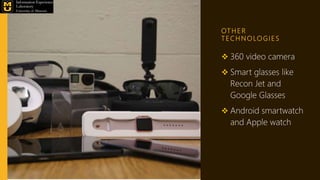
OT H E R
T E C H N O LO G I E S
 360 video camera
 Smart glasses like
Recon Jet and
Google Glasses
 Android smartwatch
and Apple watch
The Information
Experience Lab has the
ability to conduct in-
person and remote
usability testing
Coming up:
• Methods for evaluating the user’s experience
in immersive VR/AR/XR and 360 degree
videos
• Pedagogical usability check lists
• Sociotechnical heuristics
Thank you
ielab.missouri.edu

Information Experience Lab, IE Lab at SISLT

  • 1.
    S C HO O L O F I N F O R M AT I O N S C I E N C E A N D L E A R N I N G T E C H N O LO G I E S INFORMATION EXPERIENCE LABORATORY University of Missouri Dr. Isa Jahnke Director of the IELab Associate Professor ielab.missouri.edu
  • 2.
    WHAT IS THEIE LAB? • Founded in 2003 • The Information Experience Laboratory, IE Lab – is a usability and user experience lab … • … with the mission to improve learning technologies, information and communication systems. The IE Lab conducts research and evaluates digital technology for clients in diverse fields, for example, journalism, healthcare, medicine, computer science and education, and more.
  • 3.
    THE IE LABOFFERS…. • Professional usability and User eXperience (UX) evaluation services • Human-centered studies in organizations, e.g., how technology impacts existing workflows • Studies of effectiveness of pedagogical approaches used in digital platforms
  • 4.
    The downside ofnew technology is that it’s designed by ‘technologists’. But they don’t think like the ordinary user. The ‘ordinary person’ is your grandmother, doctor, nurse, patient or student (and so forth). Most people have the capacity to understand the technology. However, to motivate them to really use the product: make the technology easy to use for them! Note: Top down strategies are not always helpful because users may create work arounds when the technology doesn’t fit their workflows
  • 5.
    WHY IS USABILITYIMPORTANT? (1) BENEFITS Business view • Provides early evidence of success (allows you to confirm the validity of design early the development process) • Improves risk management (lets you test and choose on the design to proceed with) • Cheaper (decreases cost of development) • Faster (shortens development timeline) • Increases sales (better products design and effectiveness)
  • 6.
    Design/Research view • Moreaccurate designs (a more accurate picture of user needs) • Proof that your design or prototype works (validation of designs, proof of concepts) • Accurate picture of workflow (know how users work before coding) • Reduced task time (improved user performance) • Higher satisfaction (users will be able to find what they need faster) • Higher motivation (users will be motivated to use and return to your website) WHY IS USABILITY IMPORTANT? (2) BENEFITS
  • 7.
    CLIENTS The IE Labhas provided service to a range of clients across Missouri, including MU researchers, corporate, non-profit and other academic partners.
  • 8.
    CLIENTS – PROJECTS(1) • Reynolds Journalism Institute (RJI) – Usability & efficacy study of mobile microlessons – Mobile Applications for Microlearning – PUSH: An open source mobile platform for media organizations, prototyping – Comparative Systems Review – And more • MU Extension: websites and online courses • LeXMizzou: game-based learning • Hook Center – Evaluation of ElevatEd prototype (a tool for school improvement planning) • MU Library – Website redesign
  • 9.
    CLIENTS – PROJECTS(2) • NSF grant with College of Engineering – investigating cybersecurity practices • College of Engineering: Panacea’s Cloud – an AR/VR platform • Division of IT – Website usability study • St. Charles City County Library • School of Nursing (Dr. Lorraine Phillips): a fall risk evaluation platform for senior adults based Timed Up and Go Test • Cerner (Health Wins)
  • 10.
    CLIENTS University of Missouri •College of Education • College of Engineering • Division of Extension • Division of Information Technology • Human Resource Services • International Center • MU Extension • MU Hook Center • MU Family & Community medicine • MU Library • Office of Admissions • Office of Research • Office of the Registrar • RJI Fellows, School of Journalism • School of Nursing – Tiger Place • Research Council Missouri • Cerner Corporation • East Central College of Missouri • Fontbonne University Library • IconoPsych/HomePsych • International Society for Performance Improvement, St. Louis Chapter (ISPI) • Missouri State University Library • MOBIUS Consortium • MOREnet • LANIT Consulting, Inc. • St.Charles City-County Library • Tiger Institute • Shelter Insurance Global/International • East China Normal University Distance Education College • Taiwan Office Missouri Department of Agriculture • Tamkang University Libraries
  • 11.
    WHAT IS USABILITY? Usabilitymeasures the quality of a user’s experience when interacting with a product or system—e.g., a web site, a software application, mobile technology. In general, usability refers to how well users can use a product to achieve their goals and how satisfied they are with that process/workflow. • Ease of use • Satisfaction • Efficiency of use • Error frequency and severity Image Source: www.katzenbergdesign.net
  • 12.
    USABILITY FRAMEWORK Image source:https://www.researchgate.net/figure/Usability-framework-according- to-ISO-9241-11-ISO-9241-1998_fig1_233428176
  • 13.
  • 14.
    PROTOTYPING • Rapid prototypingcapabilities • Comparative systems and industry analysis
  • 15.
    CONSULTING & DESIGN RECOMMENDATIONS •Recommendations on needs assessment • Advice on instructional system design • Professional suggestions on software/app design
  • 16.
    Sociotechnical Walkthrough (STWT): Representative (future)users are asked to model together sociotechnical service or work processes in a series of workshops that are professional facilitated. SOCIOTECHNICAL INTEGRATION: HOW TECHNOLOGY IMPACTS WORKFLOW CHANGE
  • 17.
    ITERATIVE PROCESS OFTECHNOLOGY DEVELOPMENT AND USABILITY STUDIES
  • 18.
    EVALUATION PROCESS 1) AssessProject • Assessment of the client’s needs • Contract • Graduate researchers responsibility for the client study 2) Design Study • Determination of testing methods • Organization of experts, resources and test participants as required to conduct the study 3) Conduct Study • Usability study with expert reviews, user observations, and interviews • Data collection and Analysis 4) Deliver Results • Present results • Recommendations on: – The improvement of usability
  • 19.
    METHODS Task Analysis Think Aloud SUS– System Usability Score Focus Groups Card Sort Cognitive Walkthrough Comparative Evaluation Nielsen’s 10 heuristics Persona Information Horizon Data/Web or Learning analytics Sociotechnical Walkthrough
  • 20.
    Task Analysis Identifies maingoals of the system and models tasks based on these goals, then users conduct the tasks Think Aloud Users are asked to give a running commentary on their thoughts as they perform tasks.
  • 21.
    Image Source: : https://www.flickr.com/photos/europedistrict/6683158541/player/6e53b9bfc8 FocusGroups Six to eight representative users are interviewed as a group to provide input on system content, design, or usability. SUS System Usability Scale: survey tool, data collection instrument for user’s subjective rating of a product’s usability; range of 0- 100%
  • 22.
    Card Sort Categorize systemcontent, user input on how the site should be designed. Cognitive Walkthrough Hypothetical scenario helps to reveal problems not readily discovered on the surface. Image Source: https://davdva.sk/vseobecna-semantika/
  • 23.
    Comparative Evaluation Systems moreor less equivalent to the system under review are identified. Expert Evaluation with Nielsen’s 10 Heuristics The system is evaluated by three or four experts using a standard list of usability heuristics. https://www.flickr.com/photos/kentbye/1555744482
  • 24.
    Information Horizons Sketch adiagram of a user’s subsequent actions towards satisfying her/his information need. Persona Profiles of representative users and their potential tasks in the system
  • 25.
    Data Analytics Monitors andanalyzes your web site traffic. Sociotechnical Walkthrough Users model the workflow for the future system
  • 26.
    TOOLS AND TECHNOLOGIES Morae Eyetracking QualtricsSurvey Tool Prototyping Tools Optimal Workshop Zoom
  • 27.
    MORAE Allows us toperform usability testing sessions by recording and remotely observing the user’s interaction with different system interfaces, incorporate surveys and efficiently analyze and edit the final results.
  • 28.
    EYETRACKING (X2-60 & TobiiPro Glasses 2): A wearable eye tracker to accommodate for a wide array of human behavior research. These devices allow us capture exactly where the participant is looking, timing, as well as fixations in a research lab or in a non-lab setting.
  • 29.
    QUALTRICS SURVEY TOOL Through theuse of Qualtrics, our team can track email invites and reminder emails, instantly share our survey data and results, graphically visualize data, and download data into popular stats platforms for further research.
  • 30.
    P R OTOTY P I N G TO O L S I N C L U D I N G A X U R E A N D B A L S A M I Q Prototyping can help translate an idea into a basic working version of a system and allow usability evaluation and redesign for the enhancement of precision, effectiveness, and usefulness of the system before the system is actually built.
  • 31.
    O P TI M A L W O R K S H O P IE lab team also uses Optimal Workshop’s tools to conduct card sorting and tree testing. Based on heatmaps generated by tools like Chalkmark, Treejack etc., we can identify usability related issues of a system like issues in navigation and information
  • 32.
    Z O OM W E B - CO N F E R E N C I N G TO O L With Zoom, we can observe and analyze the users’ interaction with the system under evaluation and deliver high quality audio and video recordings to our clients.
  • 33.
    OT H ER T E C H N O LO G I E S  360 video camera  Smart glasses like Recon Jet and Google Glasses  Android smartwatch and Apple watch
  • 34.
    The Information Experience Labhas the ability to conduct in- person and remote usability testing
  • 35.
    Coming up: • Methodsfor evaluating the user’s experience in immersive VR/AR/XR and 360 degree videos • Pedagogical usability check lists • Sociotechnical heuristics
  • 36.

Editor's Notes

  • #23 Is this the Cognitive Walkthrough (it was named Heuristics Walkthrough, I changed ) (Isa) Please send me literature about the Heuristics Walkthrough when you don’t mean the Cognitive walkthrough here
  • #25 Do you know how this method INFORMATION HORIZONS works? Can you explain it to me? (Isa)