Overview
HRMS
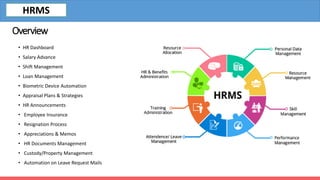
• HR Dashboard
• Salary Advance
• Shift Management
• Loan Management
• Biometric Device Automation
• Appraisal Plans & Strategies
• HR Announcements
• Employee Insurance
• Resignation Process
• Appreciations & Memos
• HR Documents Management
• Custody/Property Management
• Automation on Leave Request Mails
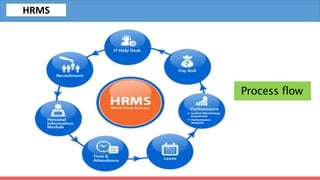
Process flow
Fleet
HRMS
Features
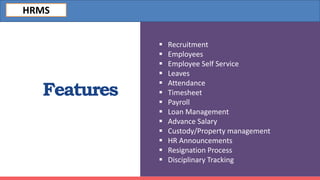
 Recruitment
 Employees
 Employee Self Service
 Leaves
 Attendance
 Timesheet
 Payroll
 Loan Management
 Advance Salary
 Custody/Property management
 HR Announcements
 Resignation Process
 Disciplinary Tracking
HRMS
Recruitment
Manage your hiring process and
organize your vacancies job
applications.
Stages
Tags
Degrees
Job Positions
Source of Applicants
Departments of the jobs
HRMS
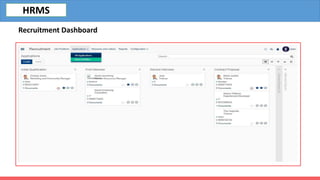
Recruitment Dashboard
HRMS
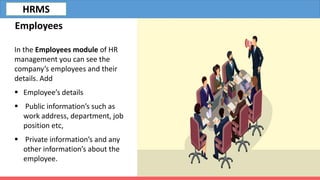
Employees
In the Employees module of HR
management you can see the
company’s employees and their
details. Add
 Employee’s details
 Public information’s such as
work address, department, job
position etc,
 Private information’s and any
other information’s about the
employee.
HRMS
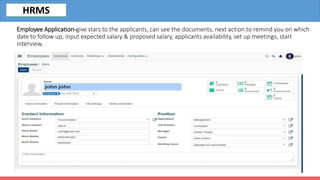
Employee Application-give stars to the applicants, can see the documents, next action to remind you on which
date to follow up, input expected salary & proposed salary, applicants availability, set up meetings, start
interview.
HRMS
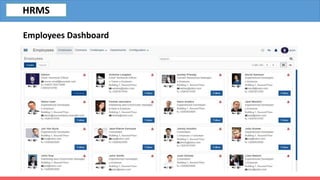
Employees Dashboard
HRMS
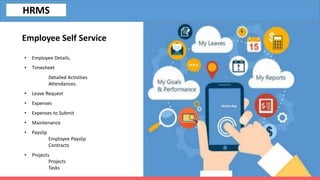
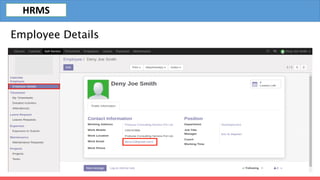
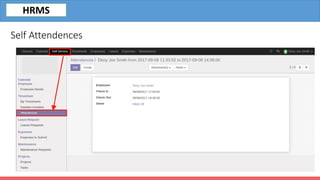
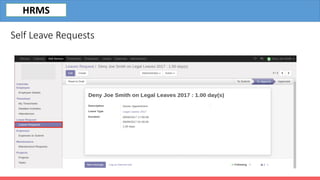
Employee Self Service
• Employee Details.
• Timesheet
Detailed Activities
Attendances.
• Leave Request
• Expenses
• Expenses to Submit
• Maintenance
• Payslip
Employee Payslip
Contracts
• Projects
Projects
Tasks
HRMS
Employee Details
HRMS
Self Attendences
HRMS
Self Leave Requests
HRMS
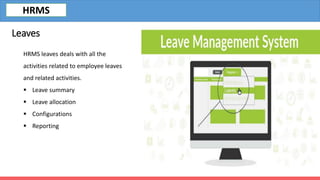
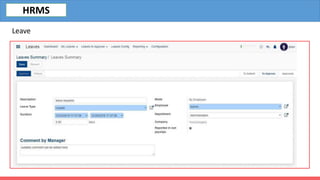
HRMS leaves deals with all the
activities related to employee leaves
and related activities.
 Leave summary
 Leave allocation
 Configurations
 Reporting
Leaves
HRMS
Leave
HRMS
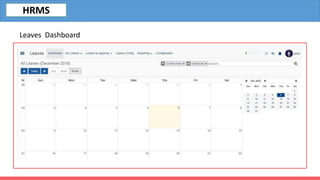
Leaves Dashboard
HRMS
Attendance-
By using Attendances an employee
can easily check-in and check-out with
a simple interface, one click to check-in
and one click to check-out.
HRMS
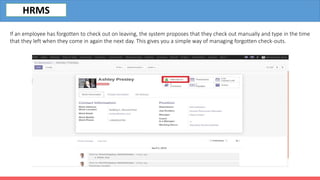
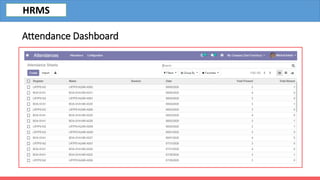
If an employee has forgotten to check out on leaving, the system proposes that they check out manually and type in the time
that they left when they come in again the next day. This gives you a simple way of managing forgotten check-outs.
HRMS
Attendance Dashboard
HRMS
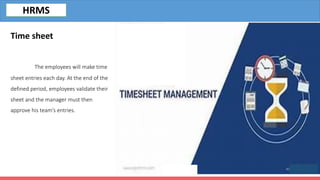
Time sheet
The employees will make time
sheet entries each day. At the end of the
defined period, employees validate their
sheet and the manager must then
approve his team’s entries.
HRMS
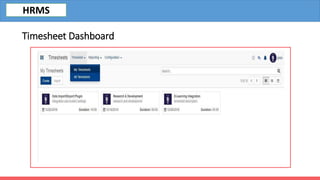
Timesheet Dashboard
HRMS
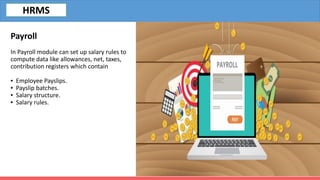
Payroll
In Payroll module can set up salary rules to
compute data like allowances, net, taxes,
contribution registers which contain
▪ Employee Payslips.
▪ Payslip batches.
▪ Salary structure.
▪ Salary rules.
HRMS
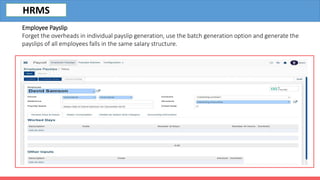
Employee Payslip
Forget the overheads in individual payslip generation, use the batch generation option and generate the
payslips of all employees falls in the same salary structure.
HRMS
Loan
HRMS loans application allows the
user to apply for loans with details such as
loan amount, instalment payment date,
number of instalments, attachments etc.
▪ Loan Request
▪ Salary Advance
HRMS
HRMS
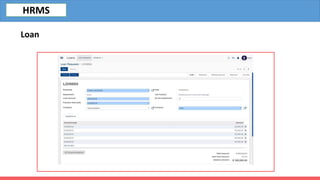
Loan
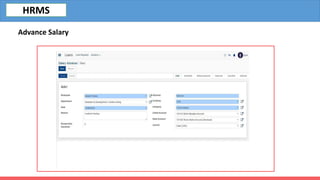
Advance Salary
Advance Salary module helps the employee to
request for advance salary and employer to pay advance
salaries. This module help in keeping track of the
advance salary paid to the employee.
-Set advance salary percentage limit in salary structure.
-Set salary advance days in salary structure.
HRMS
HRMS
Advance Salary
The main Purpose of Open HRMS Custody is
to allow the employees of an organization
to request and take the company properties
with them via submitting the purpose of the
property. The module also allows renewing
the deadline date of the custody.
- Managing custody handling process.
- Option to renewal.
- Option to take reports.
Custody / Property Management
HRMS
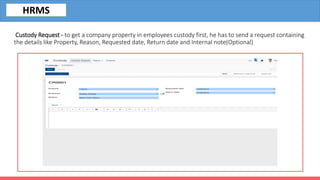
Custody Request - to get a company property in employees custody first, he has to send a request containing
the details like Property, Reason, Requested date, Return date and Internal note(Optional)
HRMS
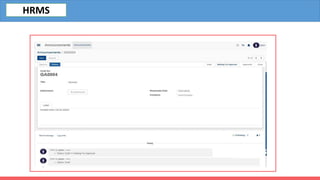
Using this module, it is possible to
send across the message to everyone as an
announcement and can attach any type of
documents along with the announcement.
- Manages Official Announcements.
- Add Attachments to the announcement
- Create new announcement and send for
approval.
HR Announcement
HRMS
HRMS
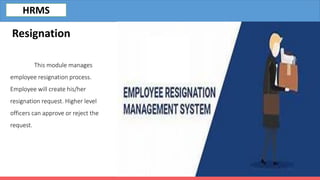
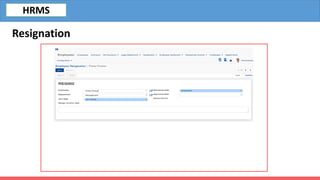
This module manages
employee resignation process.
Employee will create his/her
resignation request. Higher level
officers can approve or reject the
request.
Resignation
HRMS
HRMS
Resignation
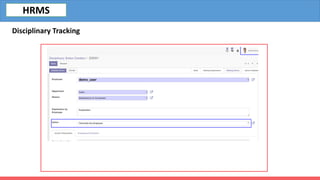
HRMS Disciplinary Tracking module will help in
tracking the disciplinary issues and conducting
disciplinary norms for the employees.
Disciplinary Action
Explanation by an Employee
Assign action
Disciplinary Tracking
HRMS
HRMS
Disciplinary Tracking
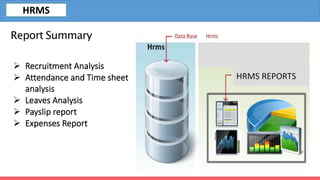
Report Summary
 Recruitment Analysis
 Attendance and Time sheet
analysis
 Leaves Analysis
 Payslip report
 Expenses Report
HRMS REPORTS
HRMS
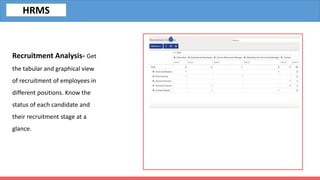
Recruitment Analysis- Get
the tabular and graphical view
of recruitment of employees in
different positions. Know the
status of each candidate and
their recruitment stage at a
glance.
HRMS
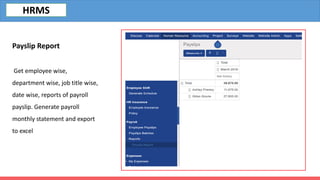
Payslip Report
Get employee wise,
department wise, job title wise,
date wise, reports of payroll
payslip. Generate payroll
monthly statement and export
to excel
HRMS
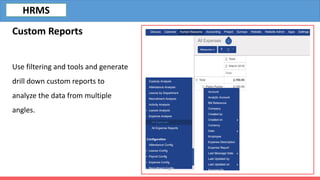
Custom Reports
Use filtering and tools and generate
drill down custom reports to
analyze the data from multiple
angles.
HRMS
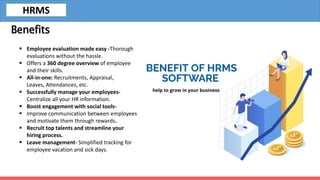
Benefits
 Employee evaluation made easy -Thorough
evaluations without the hassle.
 Offers a 360 degree overview of employee
and their skills.
 All-in-one: Recruitments, Appraisal,
Leaves, Attendances, etc.
 Successfully manage your employees-
Centralize all your HR information.
 Boost engagement with social tools-
 Improve communication between employees
and motivate them through rewards.
 Recruit top talents and streamline your
hiring process.
 Leave management- Simplified tracking for
employee vacation and sick days.
HRMS
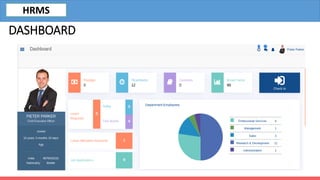
DASHBOARD
HRMS
Banibro IT Solutions
No.4, Ambalavanar Street
Adheenam Nagar, Arumbakkam,
Chennai, Tamil Nadu, India
Mobile: +91 944 44 22 531
Email: info@banibro.com
Mr. SIJESH L
Business Relationship Manager
Mobile: 0091-9342258771
Email : sijesh@banibro.com

Hrms

  • 2.
    Overview HRMS • HR Dashboard •Salary Advance • Shift Management • Loan Management • Biometric Device Automation • Appraisal Plans & Strategies • HR Announcements • Employee Insurance • Resignation Process • Appreciations & Memos • HR Documents Management • Custody/Property Management • Automation on Leave Request Mails
  • 3.
  • 4.
    Features  Recruitment  Employees Employee Self Service  Leaves  Attendance  Timesheet  Payroll  Loan Management  Advance Salary  Custody/Property management  HR Announcements  Resignation Process  Disciplinary Tracking HRMS
  • 5.
    Recruitment Manage your hiringprocess and organize your vacancies job applications. Stages Tags Degrees Job Positions Source of Applicants Departments of the jobs HRMS
  • 6.
  • 7.
    Employees In the Employeesmodule of HR management you can see the company’s employees and their details. Add  Employee’s details  Public information’s such as work address, department, job position etc,  Private information’s and any other information’s about the employee. HRMS
  • 8.
    Employee Application-give starsto the applicants, can see the documents, next action to remind you on which date to follow up, input expected salary & proposed salary, applicants availability, set up meetings, start interview. HRMS
  • 9.
  • 10.
    Employee Self Service •Employee Details. • Timesheet Detailed Activities Attendances. • Leave Request • Expenses • Expenses to Submit • Maintenance • Payslip Employee Payslip Contracts • Projects Projects Tasks HRMS
  • 11.
  • 12.
  • 13.
  • 14.
    HRMS leaves dealswith all the activities related to employee leaves and related activities.  Leave summary  Leave allocation  Configurations  Reporting Leaves HRMS
  • 15.
  • 16.
  • 17.
    Attendance- By using Attendancesan employee can easily check-in and check-out with a simple interface, one click to check-in and one click to check-out. HRMS
  • 18.
    If an employeehas forgotten to check out on leaving, the system proposes that they check out manually and type in the time that they left when they come in again the next day. This gives you a simple way of managing forgotten check-outs. HRMS
  • 19.
  • 20.
    Time sheet The employeeswill make time sheet entries each day. At the end of the defined period, employees validate their sheet and the manager must then approve his team’s entries. HRMS
  • 21.
  • 22.
    Payroll In Payroll modulecan set up salary rules to compute data like allowances, net, taxes, contribution registers which contain ▪ Employee Payslips. ▪ Payslip batches. ▪ Salary structure. ▪ Salary rules. HRMS
  • 23.
    Employee Payslip Forget theoverheads in individual payslip generation, use the batch generation option and generate the payslips of all employees falls in the same salary structure. HRMS
  • 24.
    Loan HRMS loans applicationallows the user to apply for loans with details such as loan amount, instalment payment date, number of instalments, attachments etc. ▪ Loan Request ▪ Salary Advance HRMS
  • 25.
  • 26.
    Advance Salary Advance Salarymodule helps the employee to request for advance salary and employer to pay advance salaries. This module help in keeping track of the advance salary paid to the employee. -Set advance salary percentage limit in salary structure. -Set salary advance days in salary structure. HRMS
  • 27.
  • 28.
    The main Purposeof Open HRMS Custody is to allow the employees of an organization to request and take the company properties with them via submitting the purpose of the property. The module also allows renewing the deadline date of the custody. - Managing custody handling process. - Option to renewal. - Option to take reports. Custody / Property Management HRMS
  • 29.
    Custody Request -to get a company property in employees custody first, he has to send a request containing the details like Property, Reason, Requested date, Return date and Internal note(Optional) HRMS
  • 30.
    Using this module,it is possible to send across the message to everyone as an announcement and can attach any type of documents along with the announcement. - Manages Official Announcements. - Add Attachments to the announcement - Create new announcement and send for approval. HR Announcement HRMS
  • 31.
  • 32.
    This module manages employeeresignation process. Employee will create his/her resignation request. Higher level officers can approve or reject the request. Resignation HRMS
  • 33.
  • 34.
    HRMS Disciplinary Trackingmodule will help in tracking the disciplinary issues and conducting disciplinary norms for the employees. Disciplinary Action Explanation by an Employee Assign action Disciplinary Tracking HRMS
  • 35.
  • 36.
    Report Summary  RecruitmentAnalysis  Attendance and Time sheet analysis  Leaves Analysis  Payslip report  Expenses Report HRMS REPORTS HRMS
  • 37.
    Recruitment Analysis- Get thetabular and graphical view of recruitment of employees in different positions. Know the status of each candidate and their recruitment stage at a glance. HRMS
  • 38.
    Payslip Report Get employeewise, department wise, job title wise, date wise, reports of payroll payslip. Generate payroll monthly statement and export to excel HRMS
  • 39.
    Custom Reports Use filteringand tools and generate drill down custom reports to analyze the data from multiple angles. HRMS
  • 40.
    Benefits  Employee evaluationmade easy -Thorough evaluations without the hassle.  Offers a 360 degree overview of employee and their skills.  All-in-one: Recruitments, Appraisal, Leaves, Attendances, etc.  Successfully manage your employees- Centralize all your HR information.  Boost engagement with social tools-  Improve communication between employees and motivate them through rewards.  Recruit top talents and streamline your hiring process.  Leave management- Simplified tracking for employee vacation and sick days. HRMS
  • 41.
  • 42.
    Banibro IT Solutions No.4,Ambalavanar Street Adheenam Nagar, Arumbakkam, Chennai, Tamil Nadu, India Mobile: +91 944 44 22 531 Email: info@banibro.com Mr. SIJESH L Business Relationship Manager Mobile: 0091-9342258771 Email : sijesh@banibro.com