Fleet
RMS
Process flow
Overview
 Cashbox management and credit card payment
tracking
 Waiter attendance management and time tracking
 Pre-defined restricted access for waiter, manager
and admin
 Tablet based order generation
 Full touchscreen interface
 Customer Reservation
 Waiting queue and table allocation
 Product customization on order
 Inventory management for the raw material per dish
 Kitchen receipt management
RMS
Restaurant POS
 Table management
 Floor Management
 Order line notes
 Bill printing before payment
 Kitchen order printer
 Bill splitting
 Tips
RMS
Table and Floor Management
RMS
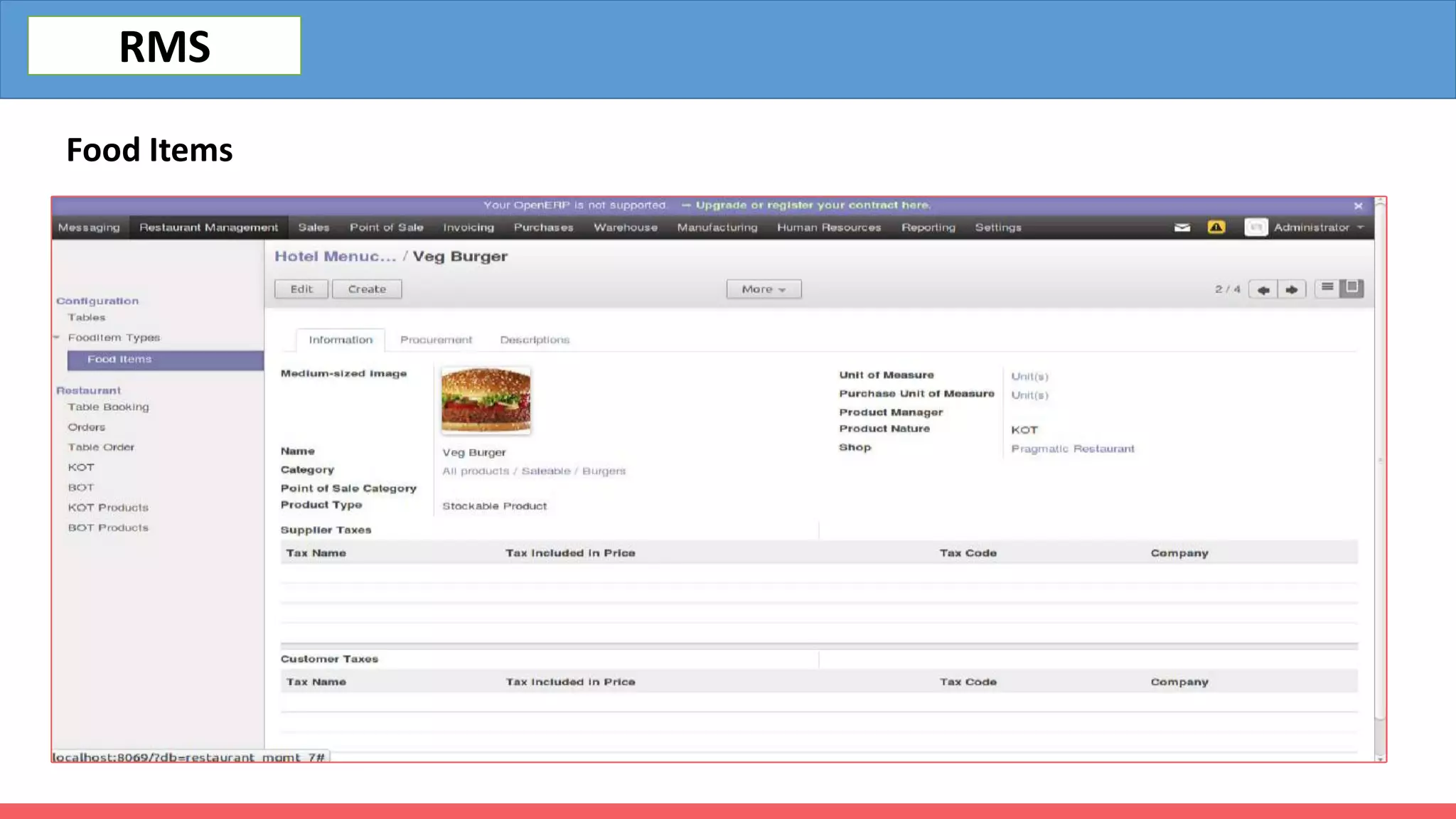
Food Items
RMS
Current Table Order
RMS
KOT
RMS
KOT Print
RMS
KOT
RMS
Point of sale
RMS
 Offline report
 Multiple user session
 Cash control
 Barcode support
 Product categories
 Attractive user interface
 Virtual Keyboard
 Sale detail report
 Item wise discount
 Price List
 Price modification control
 Multiple payment terms
 Card reader support
 Direct invoicing
 Connected to inventory
 Multi-order Processing
Restaurant POS Dashboard
RMS
Bill Splitting-Orders can be paid in separate payments, or split into multiple new orders.
RMS
Multiple Payment
RMS
Payment Recipt
RMS
Purchase
RMS
Automate your purchasing workflow and Easily
manage suppliers & purchase orders
 Purchase agreement
 Request for quotation
 Purchase order
 Order approval
 Vendor warning
 Drop shipping
 Billing
 Lock purchase order
 Enterprise list
Purchase dashboard
RMS
Inventory
RMS
Contains a robust inventory control module that ensures
the elimination of waste by monitoring the consumption
of raw materials and product demands. It offers real-time
details about stock inventory and synchronizes
warehouse and kitchen stock.
 Multi-Warehouse
 Package managing
 Batch picking
 Advance Scheduling
 Inventory adjustment & valuation
 Product types
 Shipping connectors
 Product variants
 Lot & Serial number
tracking
 Expiry date
 Stock forecasting
 Product category
 Various product
descriptions
 Run Scheduler
 Stock removal
strategy
Inventory dashboard
RMS
Accounting
RMS
Generate invoices automatically based
on sales orders, delivery orders,
contracts. Easily reference all
information needed on any customer
statement
 Customer invoicing
 Customer credit notes
 Payments
 Sales receipts
 Vendor bill
 Vendor Payment
 Journal entries
 Payment terms
 Asset management
 Payment follow up
 Online payment
 Budget management
 Cash rounding
 Analytical accounting
 Real-time inventory
valuation
 Costing method
ReportSummary-the process with a comprehensive sales report and helps in cash control and replenishing stocks.
This is due to an insight into what sells best and selecting products accordingly.
RMS
Benefits
 Be it customers who dine in or those that
the restaurant delivers to, the restaurant
management module’s efficiency results in
customer satisfaction.
 It makes analyzing your business easy with
its accurate sales reports that you can
access in real-time.
 The software is scalable, requiring few
changes as your business expands.
 As it aids waste reduction and maintains
tight scrutiny, it lowers the overall
operational costs.
 As it makes processes more efficient, it
helps restaurants increase revenue.
RMS
DASHBOARD
RMS
Banibro IT Solutions
No.29, Palanimalai Nagar,
Villivakkam,Thathankuppam,
Chennai-60049, India
Mobile: +91 944 44 22 531
Email: info@banibro.com
Mr. L.Sijesh
Business Relationship Manager
Mobile: 0091-8778920671
Email : sijesh@banibro.com

Restaurant erp

  • 2.
  • 3.
    Overview  Cashbox managementand credit card payment tracking  Waiter attendance management and time tracking  Pre-defined restricted access for waiter, manager and admin  Tablet based order generation  Full touchscreen interface  Customer Reservation  Waiting queue and table allocation  Product customization on order  Inventory management for the raw material per dish  Kitchen receipt management RMS
  • 4.
    Restaurant POS  Tablemanagement  Floor Management  Order line notes  Bill printing before payment  Kitchen order printer  Bill splitting  Tips RMS
  • 5.
    Table and FloorManagement RMS
  • 6.
  • 7.
  • 8.
  • 9.
  • 10.
  • 11.
    Point of sale RMS Offline report  Multiple user session  Cash control  Barcode support  Product categories  Attractive user interface  Virtual Keyboard  Sale detail report  Item wise discount  Price List  Price modification control  Multiple payment terms  Card reader support  Direct invoicing  Connected to inventory  Multi-order Processing
  • 12.
  • 13.
    Bill Splitting-Orders canbe paid in separate payments, or split into multiple new orders. RMS
  • 14.
  • 15.
  • 16.
    Purchase RMS Automate your purchasingworkflow and Easily manage suppliers & purchase orders  Purchase agreement  Request for quotation  Purchase order  Order approval  Vendor warning  Drop shipping  Billing  Lock purchase order  Enterprise list
  • 17.
  • 18.
    Inventory RMS Contains a robustinventory control module that ensures the elimination of waste by monitoring the consumption of raw materials and product demands. It offers real-time details about stock inventory and synchronizes warehouse and kitchen stock.  Multi-Warehouse  Package managing  Batch picking  Advance Scheduling  Inventory adjustment & valuation  Product types  Shipping connectors  Product variants  Lot & Serial number tracking  Expiry date  Stock forecasting  Product category  Various product descriptions  Run Scheduler  Stock removal strategy
  • 19.
  • 20.
    Accounting RMS Generate invoices automaticallybased on sales orders, delivery orders, contracts. Easily reference all information needed on any customer statement  Customer invoicing  Customer credit notes  Payments  Sales receipts  Vendor bill  Vendor Payment  Journal entries  Payment terms  Asset management  Payment follow up  Online payment  Budget management  Cash rounding  Analytical accounting  Real-time inventory valuation  Costing method
  • 21.
    ReportSummary-the process witha comprehensive sales report and helps in cash control and replenishing stocks. This is due to an insight into what sells best and selecting products accordingly. RMS
  • 22.
    Benefits  Be itcustomers who dine in or those that the restaurant delivers to, the restaurant management module’s efficiency results in customer satisfaction.  It makes analyzing your business easy with its accurate sales reports that you can access in real-time.  The software is scalable, requiring few changes as your business expands.  As it aids waste reduction and maintains tight scrutiny, it lowers the overall operational costs.  As it makes processes more efficient, it helps restaurants increase revenue. RMS
  • 23.
  • 24.
    Banibro IT Solutions No.29,Palanimalai Nagar, Villivakkam,Thathankuppam, Chennai-60049, India Mobile: +91 944 44 22 531 Email: info@banibro.com Mr. L.Sijesh Business Relationship Manager Mobile: 0091-8778920671 Email : sijesh@banibro.com