How to create a PowerPoint
Start with a template (background). This is
what your text, pictures, graphs or videos will
be shown. Select the Office button » New.
Then, select Installed Templates, select your
template and Create. Or you can simply go to
Design in your taskbar at the top of the page.
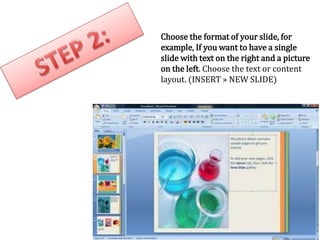
Choose the format of your slide, for
example, If you want to have a single
slide with text on the right and a picture
on the left. Choose the text or content
layout. (INSERT » NEW SLIDE)
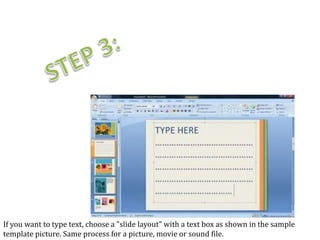
If you want to type text, choose a "slide layout" with a text box as shown in the sample
template picture. Same process for a picture, movie or sound file.
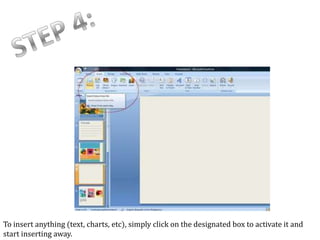
To insert anything (text, charts, etc), simply click on the designated box to activate it and
start inserting away.
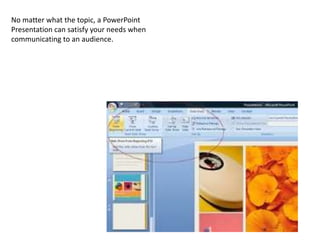
To play the presentation go to: VIEW » SLIDE SHOW or press "F5".
No matter what the topic, a PowerPoint
Presentation can satisfy your needs when
communicating to an audience.

How+to+create+a+power point

  • 1.
    How to createa PowerPoint
  • 2.
    Start with atemplate (background). This is what your text, pictures, graphs or videos will be shown. Select the Office button » New. Then, select Installed Templates, select your template and Create. Or you can simply go to Design in your taskbar at the top of the page.
  • 3.
    Choose the formatof your slide, for example, If you want to have a single slide with text on the right and a picture on the left. Choose the text or content layout. (INSERT » NEW SLIDE)
  • 4.
    If you wantto type text, choose a "slide layout" with a text box as shown in the sample template picture. Same process for a picture, movie or sound file.
  • 5.
    To insert anything(text, charts, etc), simply click on the designated box to activate it and start inserting away.
  • 6.
    To play thepresentation go to: VIEW » SLIDE SHOW or press "F5".
  • 7.
    No matter whatthe topic, a PowerPoint Presentation can satisfy your needs when communicating to an audience.