How to Create
An Effective Slide Show
           For
      ImageFest
Overview


   Part 1 – Creating an Effective Slide Show


   Part 2 – Technical Requirements for ImageFest
Tell A Cohesive Story

- Keep it Simple – KISS
- Time for just 1 Theme
- Write down your theme and keep it by the
  monitor as you choose images to make sure you
  are staying on target
- Imagefest is like a book of short stories
Tell A Cohesive Story

- Know your Audience
- Either you start with an idea and find your
  audience, or you start with your audience and
  find an idea.
- If audience can't figure it out they will be bored
Tell A Cohesive Story

- Have a interesting beginning
- “Hook” the audience
- Build the pace and quality
- Like a Wave with Peaks and Valleys
- Have a strong finish that wraps up the theme
- Leave your audience satisfied
- Leave them wanting more
Video # 1
Tell A Cohesive Story

Life Magazine photo narrative formula :
 1. Introductory shot
 2. Portrait
 3. Interaction Shot
 4. Signature Shot (sums up the whole story)
 5. Detail Shot
 6. Clincher or Closing Shot
Tell A Cohesive Story


   THE   LAST IMAGE
IS THE ONE THE AUDIENCE
     WILL REMEMBER
        THE MOST
Tell A Cohesive Story

Use Sequences of WS, MS & CU


WIDE Shot - location of elements
MEDIUM Shot - Interaction of items
CLOSE UP Shot - Details
Video # 2
Tell A Cohesive Story


- You want to effect the emotions
- People will remember an image that
 “Speaks” to them
Pacing


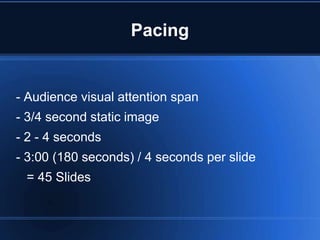
- Audience visual attention span
- 3/4 second static image
- 2 - 4 seconds
- 3:00 (180 seconds) / 4 seconds per slide
 = 45 Slides
Video # 3
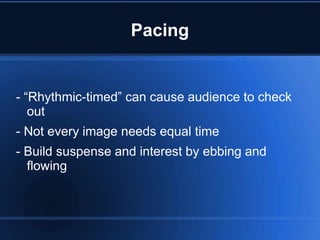
Pacing


- “Rhythmic-timed” can cause audience to check
   out
- Not every image needs equal time
- Build suspense and interest by ebbing and
  flowing
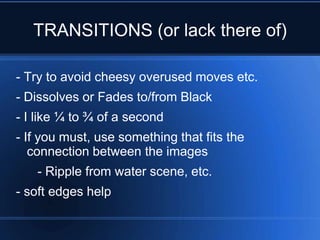
TRANSITIONS (or lack there of)

- Try to avoid cheesy overused moves etc.
- Dissolves or Fades to/from Black
- I like ¼ to ¾ of a second
- If you must, use something that fits the
   connection between the images
   - Ripple from water scene, etc.
- soft edges help
Video # 4
Video # 5
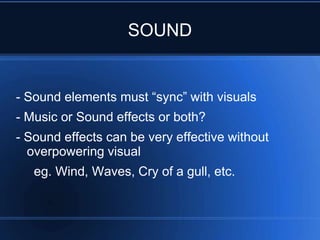
SOUND


- Sound elements must “sync” with visuals
- Music or Sound effects or both?
- Sound effects can be very effective without
  overpowering visual
   eg. Wind, Waves, Cry of a gull, etc.
Video # 6
SOUND

- Music can steal “the Show”
- Must match content
- Pacing critical
- More than one song
- Photos then Music or vice versa?
- Edit length / Fade music to fit BEST photos
MOVEMENT (Within a Slide)

- Ken Burn's effect
- Speed vs Music vs Direction
- Centre of Interest
- Focus attention to specific screen location
- Can Hurt as much as Help
- Video & Stills Mixed
Video # 7
Video # 8
BACKGROUND & TEXT

- Neutral for Photos
- Mid Grey – doesn't effect slide colours
- Text -Off White or Yellow
- Drop Shadow or Outline
- Sanserif better than Serif
- Background Box semi-transparent
- Keep info Simple and Brief
REVIEW & REFINE

- Find a willing audience (Food & Beer helps)
- Need honest feedback
- Critical & Supportive friends
- Critical will find flaws & help you improve
- Supportive will also help with improvements &
  boost confidence
- LESS is BEST, IF in Doubt, Leave it Out
TECHNICAL DETAILS
       For
    ImageFest
File Size

- Final MAX. file size 1920w x 1080h (match
  Projector)
- “Landscape” will fill screen vs “Portrait”
- Have a least 1 dimension match, but don't go
  over
- Shoot in 16 x 9 Aspect Ratio
- Cameras can also be set to 4:3, 3:2, 1:1, etc.
Colour & Luminosity

- Color space for Club Projector is sRGB
- Excellent colour reproduction
- Excellent Projector Contrast - 50,000:1
- Limited Brightness when properly calibrated (850
  lumen) so try to keep images bright
Video File

- File codex MP4 but Quick time (.MOV) is the
  File Type
- Native to MAC but have to convert PC files
-1080P best with 1:1 ratio
- 30 or 29.97 FPS
- Audio 44.1 or 48 kHZ.
Video File

- For music avoid MP3 – poor quality (check what
  your program will import)
- AFF best audio format
- Stereo sound or put Mono on BOTH channels
- Mix music low if adding voice/SFX
- Fade in and out both Video & Audio
Video File

- Save as an IMAGE FILE (DATA DISC)
- DO NOT SAVE AS A DVD
 (File will only be 720 x 480)
- Hand in to Committee member before deadline
  as NO extensions
- Put YOUR name in the File Name
Review

- Tell a Cohesive Story – K.I.S.S.
- Know your Audience
- “Hook” the Audience
- Leave your Audience satisfied
- The LAST Image is the one the audience will
  remember the most
Review

- Audience visual attention span is short
- Not every image needs equal screen time
- Try to avoid cheesy transitions
- Sound must “sync” with visuals
- Music can “Steal” the show
- Movement within a slide can “hurt” the flow
- Use simple TEXT and colours
Review

- Find a willing Audience & edit work
- LESS is BEST
- MAX File Size 1920W x 1080H
- “Landscape” fills better than “Portrait”
- Watch image brightness
- Video file as .MOV
- Save as an IMAGE FILE to DVD
Questions ??


For Help: Steve.ray09@gmail.com

How to Create an Effective Imagefest Slideshow

  • 1.
    How to Create AnEffective Slide Show For ImageFest
  • 2.
    Overview  Part 1 – Creating an Effective Slide Show  Part 2 – Technical Requirements for ImageFest
  • 3.
    Tell A CohesiveStory - Keep it Simple – KISS - Time for just 1 Theme - Write down your theme and keep it by the monitor as you choose images to make sure you are staying on target - Imagefest is like a book of short stories
  • 4.
    Tell A CohesiveStory - Know your Audience - Either you start with an idea and find your audience, or you start with your audience and find an idea. - If audience can't figure it out they will be bored
  • 5.
    Tell A CohesiveStory - Have a interesting beginning - “Hook” the audience - Build the pace and quality - Like a Wave with Peaks and Valleys - Have a strong finish that wraps up the theme - Leave your audience satisfied - Leave them wanting more
  • 6.
  • 7.
    Tell A CohesiveStory Life Magazine photo narrative formula : 1. Introductory shot 2. Portrait 3. Interaction Shot 4. Signature Shot (sums up the whole story) 5. Detail Shot 6. Clincher or Closing Shot
  • 8.
    Tell A CohesiveStory THE LAST IMAGE IS THE ONE THE AUDIENCE WILL REMEMBER THE MOST
  • 9.
    Tell A CohesiveStory Use Sequences of WS, MS & CU WIDE Shot - location of elements MEDIUM Shot - Interaction of items CLOSE UP Shot - Details
  • 10.
  • 11.
    Tell A CohesiveStory - You want to effect the emotions - People will remember an image that “Speaks” to them
  • 12.
    Pacing - Audience visualattention span - 3/4 second static image - 2 - 4 seconds - 3:00 (180 seconds) / 4 seconds per slide = 45 Slides
  • 13.
  • 14.
    Pacing - “Rhythmic-timed” cancause audience to check out - Not every image needs equal time - Build suspense and interest by ebbing and flowing
  • 15.
    TRANSITIONS (or lackthere of) - Try to avoid cheesy overused moves etc. - Dissolves or Fades to/from Black - I like ¼ to ¾ of a second - If you must, use something that fits the connection between the images - Ripple from water scene, etc. - soft edges help
  • 16.
  • 17.
  • 18.
    SOUND - Sound elementsmust “sync” with visuals - Music or Sound effects or both? - Sound effects can be very effective without overpowering visual eg. Wind, Waves, Cry of a gull, etc.
  • 19.
  • 20.
    SOUND - Music cansteal “the Show” - Must match content - Pacing critical - More than one song - Photos then Music or vice versa? - Edit length / Fade music to fit BEST photos
  • 21.
    MOVEMENT (Within aSlide) - Ken Burn's effect - Speed vs Music vs Direction - Centre of Interest - Focus attention to specific screen location - Can Hurt as much as Help - Video & Stills Mixed
  • 22.
  • 23.
  • 24.
    BACKGROUND & TEXT -Neutral for Photos - Mid Grey – doesn't effect slide colours - Text -Off White or Yellow - Drop Shadow or Outline - Sanserif better than Serif - Background Box semi-transparent - Keep info Simple and Brief
  • 25.
    REVIEW & REFINE -Find a willing audience (Food & Beer helps) - Need honest feedback - Critical & Supportive friends - Critical will find flaws & help you improve - Supportive will also help with improvements & boost confidence - LESS is BEST, IF in Doubt, Leave it Out
  • 26.
    TECHNICAL DETAILS For ImageFest
  • 27.
    File Size - FinalMAX. file size 1920w x 1080h (match Projector) - “Landscape” will fill screen vs “Portrait” - Have a least 1 dimension match, but don't go over - Shoot in 16 x 9 Aspect Ratio - Cameras can also be set to 4:3, 3:2, 1:1, etc.
  • 28.
    Colour & Luminosity -Color space for Club Projector is sRGB - Excellent colour reproduction - Excellent Projector Contrast - 50,000:1 - Limited Brightness when properly calibrated (850 lumen) so try to keep images bright
  • 29.
    Video File - Filecodex MP4 but Quick time (.MOV) is the File Type - Native to MAC but have to convert PC files -1080P best with 1:1 ratio - 30 or 29.97 FPS - Audio 44.1 or 48 kHZ.
  • 30.
    Video File - Formusic avoid MP3 – poor quality (check what your program will import) - AFF best audio format - Stereo sound or put Mono on BOTH channels - Mix music low if adding voice/SFX - Fade in and out both Video & Audio
  • 31.
    Video File - Saveas an IMAGE FILE (DATA DISC) - DO NOT SAVE AS A DVD (File will only be 720 x 480) - Hand in to Committee member before deadline as NO extensions - Put YOUR name in the File Name
  • 32.
    Review - Tell aCohesive Story – K.I.S.S. - Know your Audience - “Hook” the Audience - Leave your Audience satisfied - The LAST Image is the one the audience will remember the most
  • 33.
    Review - Audience visualattention span is short - Not every image needs equal screen time - Try to avoid cheesy transitions - Sound must “sync” with visuals - Music can “Steal” the show - Movement within a slide can “hurt” the flow - Use simple TEXT and colours
  • 34.
    Review - Find awilling Audience & edit work - LESS is BEST - MAX File Size 1920W x 1080H - “Landscape” fills better than “Portrait” - Watch image brightness - Video file as .MOV - Save as an IMAGE FILE to DVD
  • 35.
    Questions ?? For Help:Steve.ray09@gmail.com