How to Compile and Run a C Program on Ubuntu Linux
This document shows how to compile and run a C program on Ubuntu Linux using the gcc
compiler.
Step 1. Open up a terminal
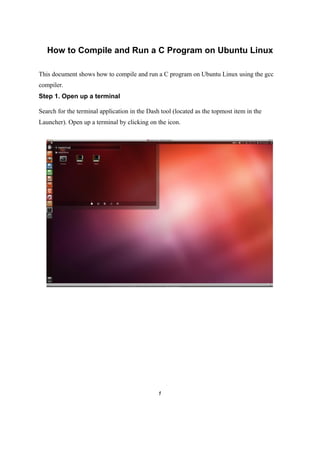
Search for the terminal application in the Dash tool (located as the topmost item in the
Launcher). Open up a terminal by clicking on the icon.
1
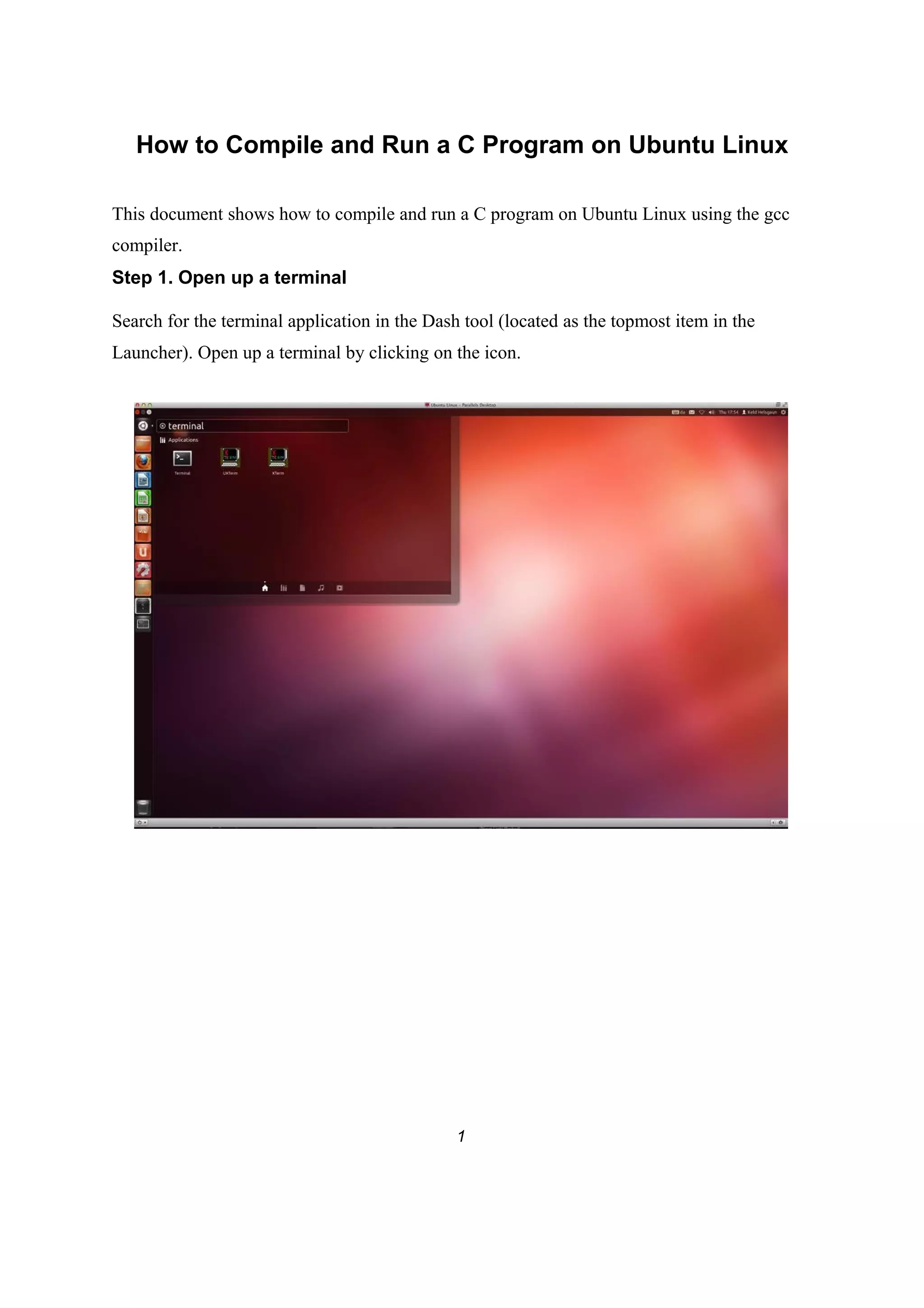
For ease of future access to the terminal application, right click its icon in the Launcher and
select “Lock to Launcher”.
2
Step 2. Use a text editor to create the C source code.
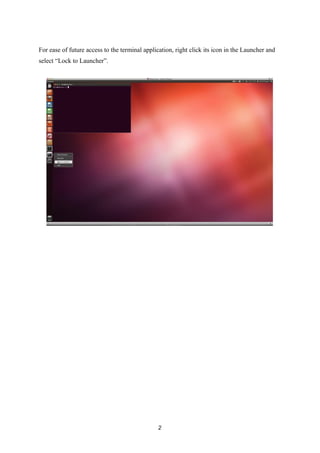
Type the command
gedit hello.c
and enter the C source code below:
#include <stdio.h>
main() {
printf("Hello Worldn");
}
Close the editor window.
3
Step 3. Compile the program.
Type the command
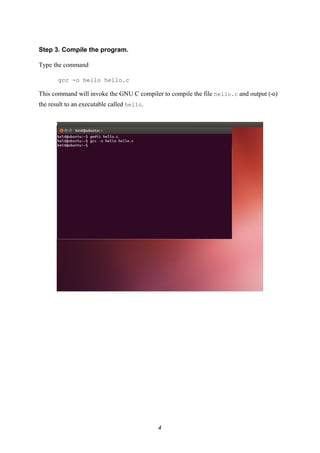
gcc -o hello hello.c
This command will invoke the GNU C compiler to compile the file hello.c and output (-o)
the result to an executable called hello.
4
Step 4. Execute the program.
Type the command
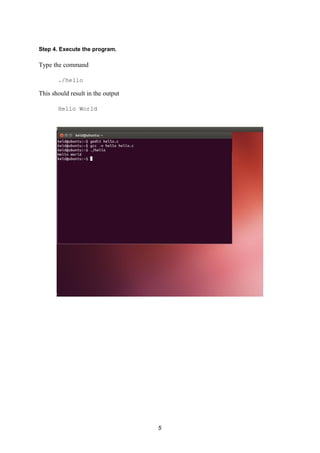
./hello
This should result in the output
Hello World
5
Optional step
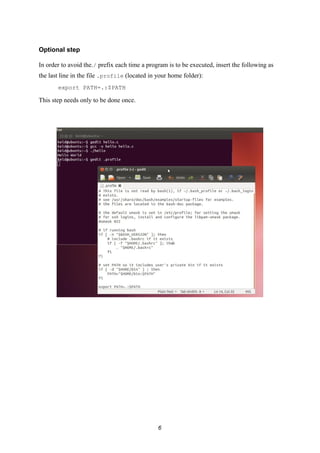
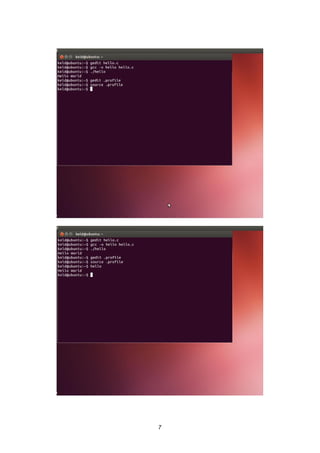
In order to avoid the./ prefix each time a program is to be executed, insert the following as
the last line in the file .profile (located in your home folder):
export PATH=.:$PATH
This step needs only to be done once.
6
7

How to compile and run a c program on ubuntu linux

  • 1.
    How to Compileand Run a C Program on Ubuntu Linux This document shows how to compile and run a C program on Ubuntu Linux using the gcc compiler. Step 1. Open up a terminal Search for the terminal application in the Dash tool (located as the topmost item in the Launcher). Open up a terminal by clicking on the icon. 1
  • 2.
    For ease offuture access to the terminal application, right click its icon in the Launcher and select “Lock to Launcher”. 2
  • 3.
    Step 2. Usea text editor to create the C source code. Type the command gedit hello.c and enter the C source code below: #include <stdio.h> main() { printf("Hello Worldn"); } Close the editor window. 3
  • 4.
    Step 3. Compilethe program. Type the command gcc -o hello hello.c This command will invoke the GNU C compiler to compile the file hello.c and output (-o) the result to an executable called hello. 4
  • 5.
    Step 4. Executethe program. Type the command ./hello This should result in the output Hello World 5
  • 6.
    Optional step In orderto avoid the./ prefix each time a program is to be executed, insert the following as the last line in the file .profile (located in your home folder): export PATH=.:$PATH This step needs only to be done once. 6
  • 7.