

Basics for hosting a website
What Is Web Hosting? 
• A place for storing files of websites. 
• A internet enabled computer that can be accessed 
from other computers connected to internet. 
• Can store datas like HTML files, images, videos… etc 
• A server computer with high performance and 
high-speed internet connectivity.
Types of Web Hosting 
• Shared Server Hosting 
• Virtual Private Server (VPS) Hosting 
• Dedicated Server Hosting 
• Cloud Hosting
Shared Server Hosting 
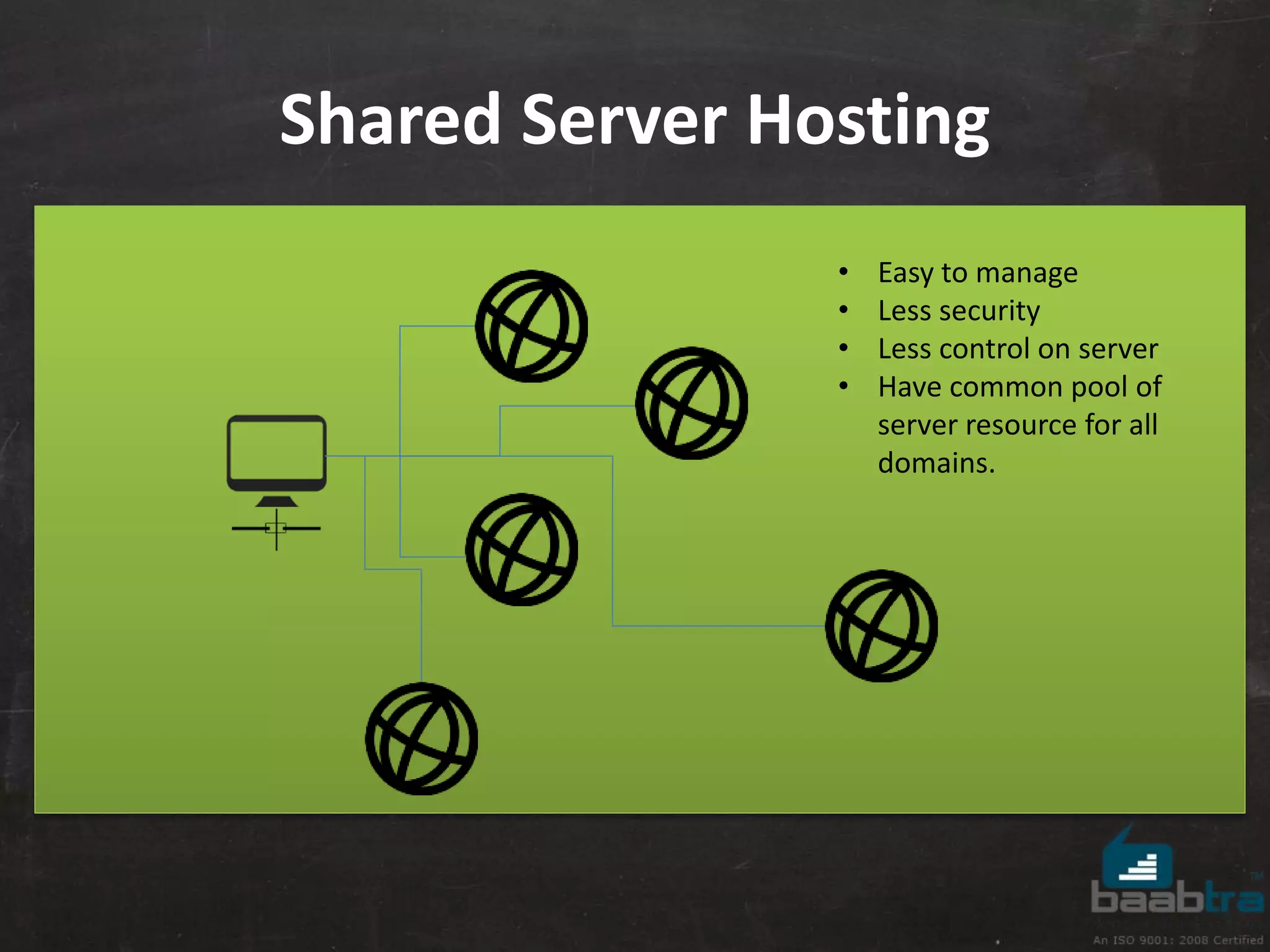
• Easy to manage 
• Less security 
• Less control on server 
• Have common pool of 
server resource for all 
domains.
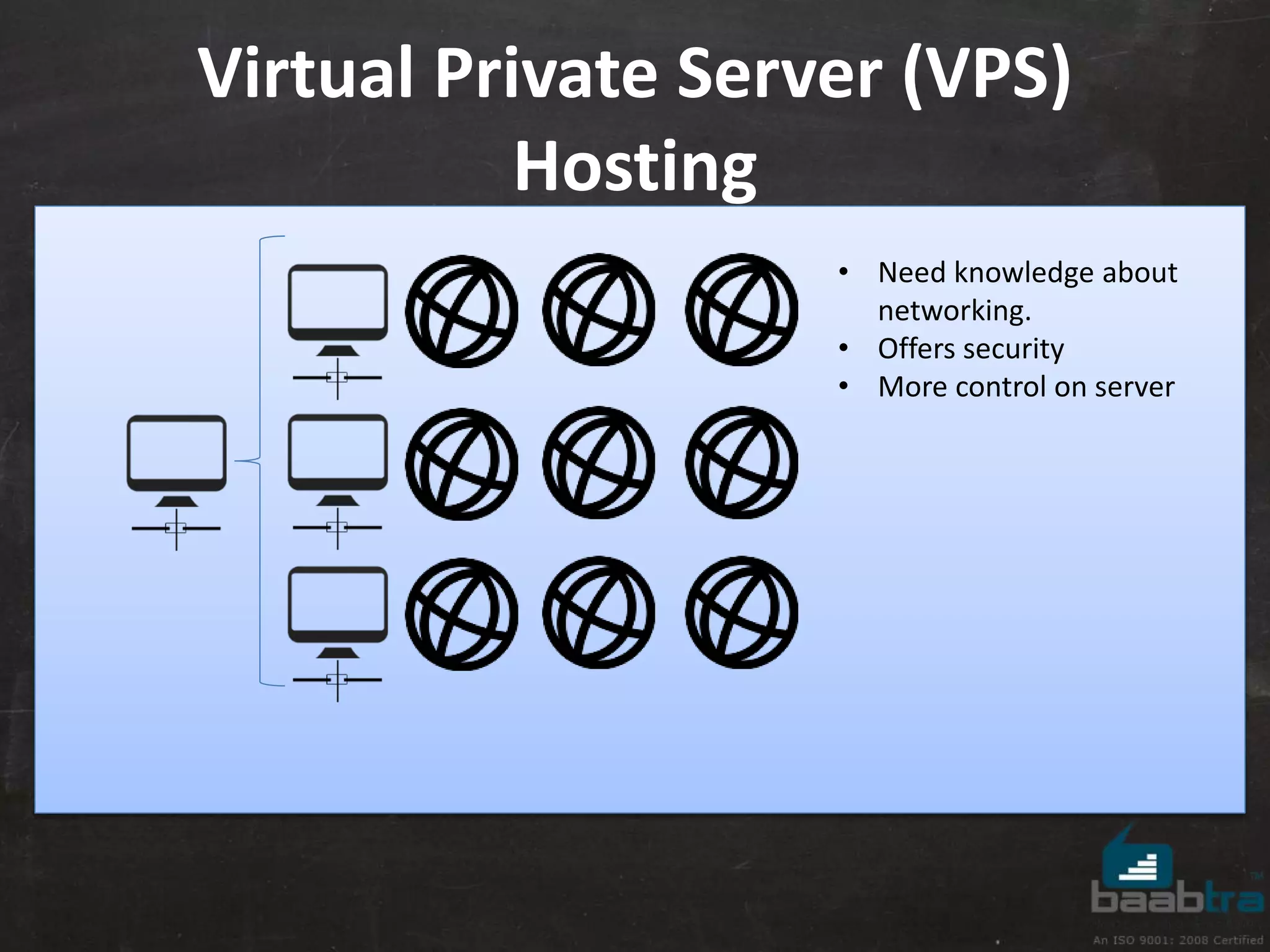
Virtual Private Server (VPS) 
Hosting 
• Need knowledge about 
networking. 
• Offers security 
• More control on server
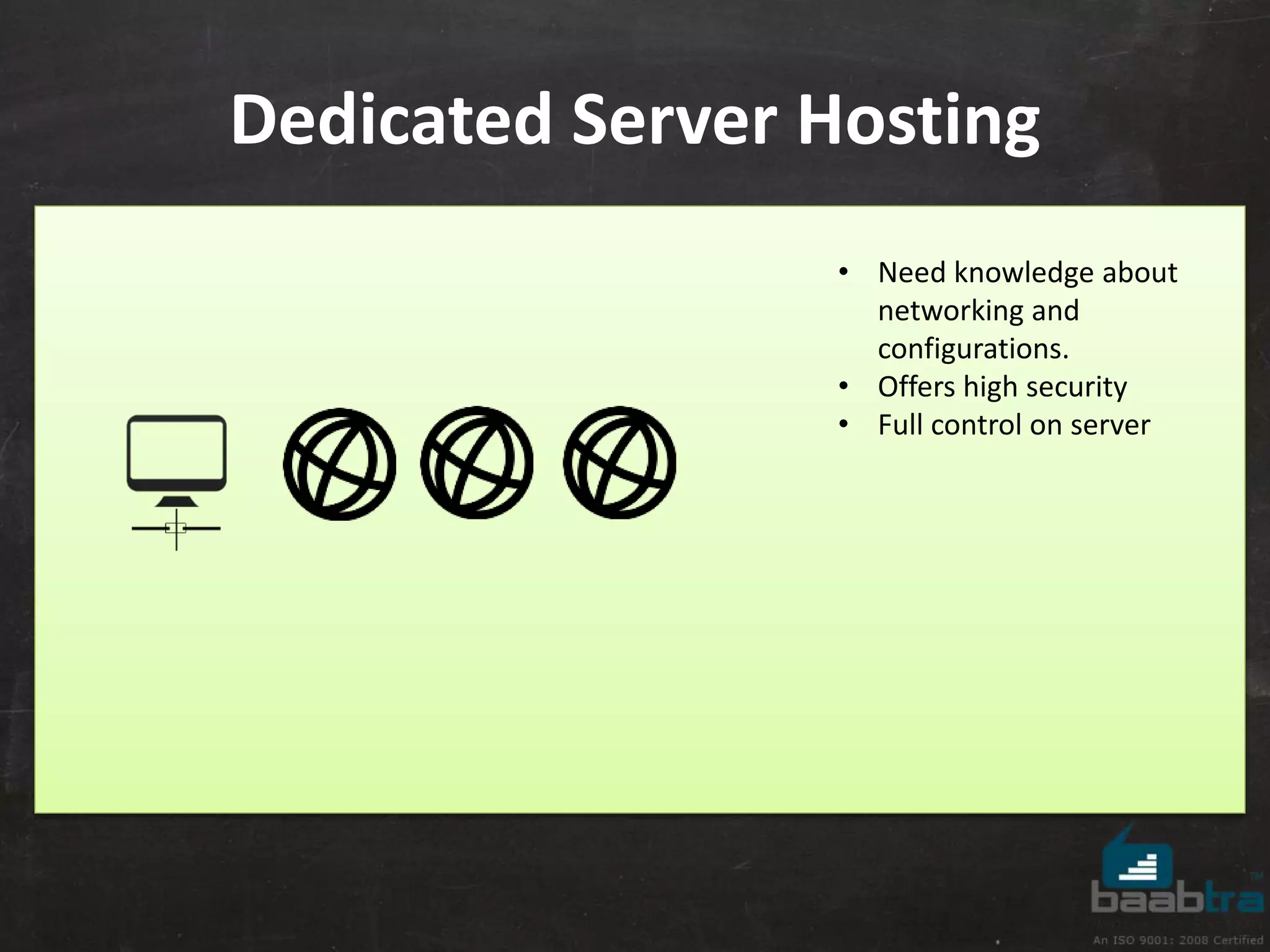
Dedicated Server Hosting 
• Need knowledge about 
networking and 
configurations. 
• Offers high security 
• Full control on server
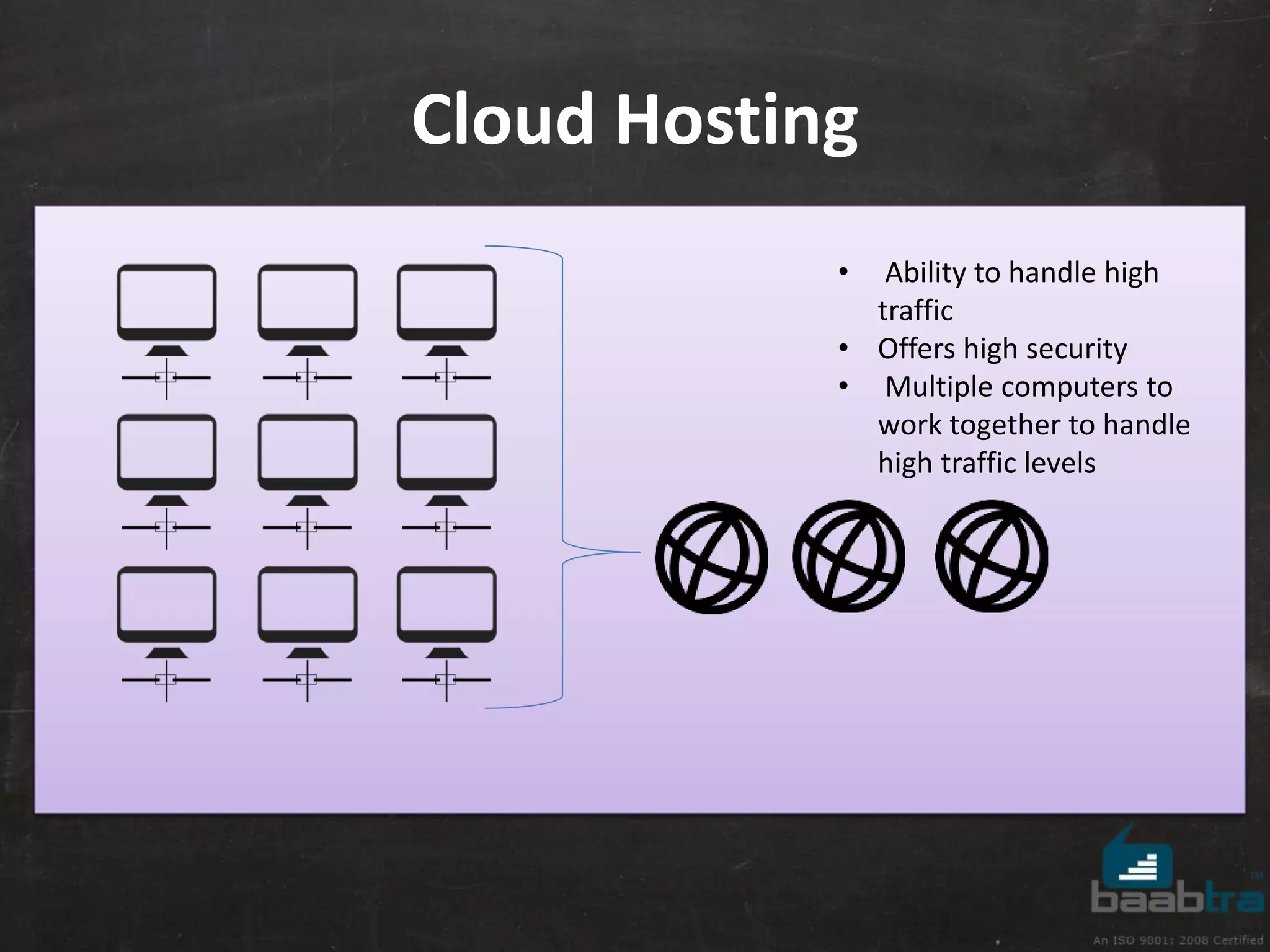
Cloud Hosting 
• Ability to handle high 
traffic 
• Offers high security 
• Multiple computers to 
work together to handle 
high traffic levels
What Is A Domain Name? 
• A domain is the name of your website. 
• You will need to register your domain with a domain 
registrar. (Eg:Godaddy,Domain.com, dot.tk...etc.)
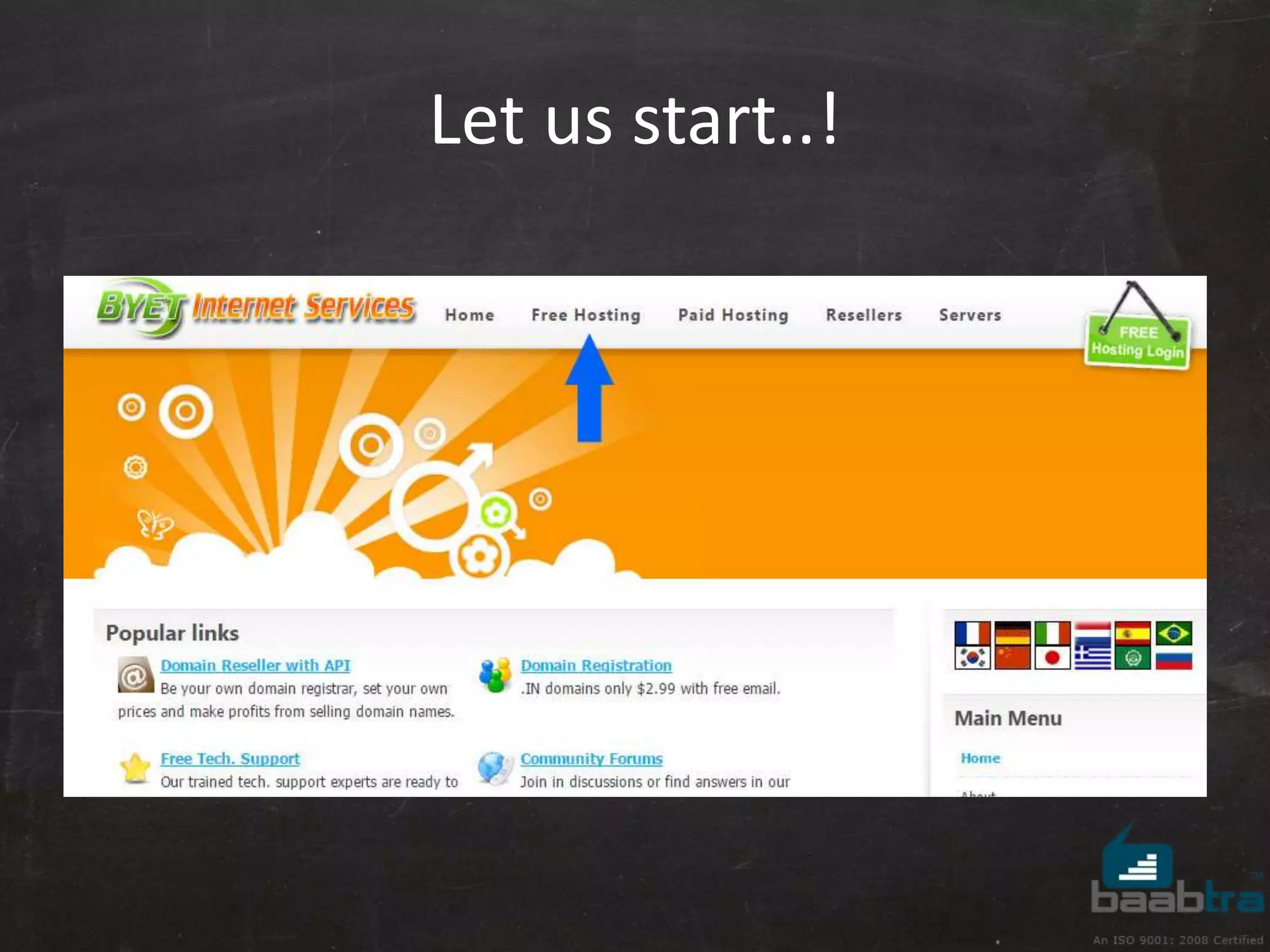
Let us start..! 
Open your browser and go to 
www. byethost.com
Let us start..!
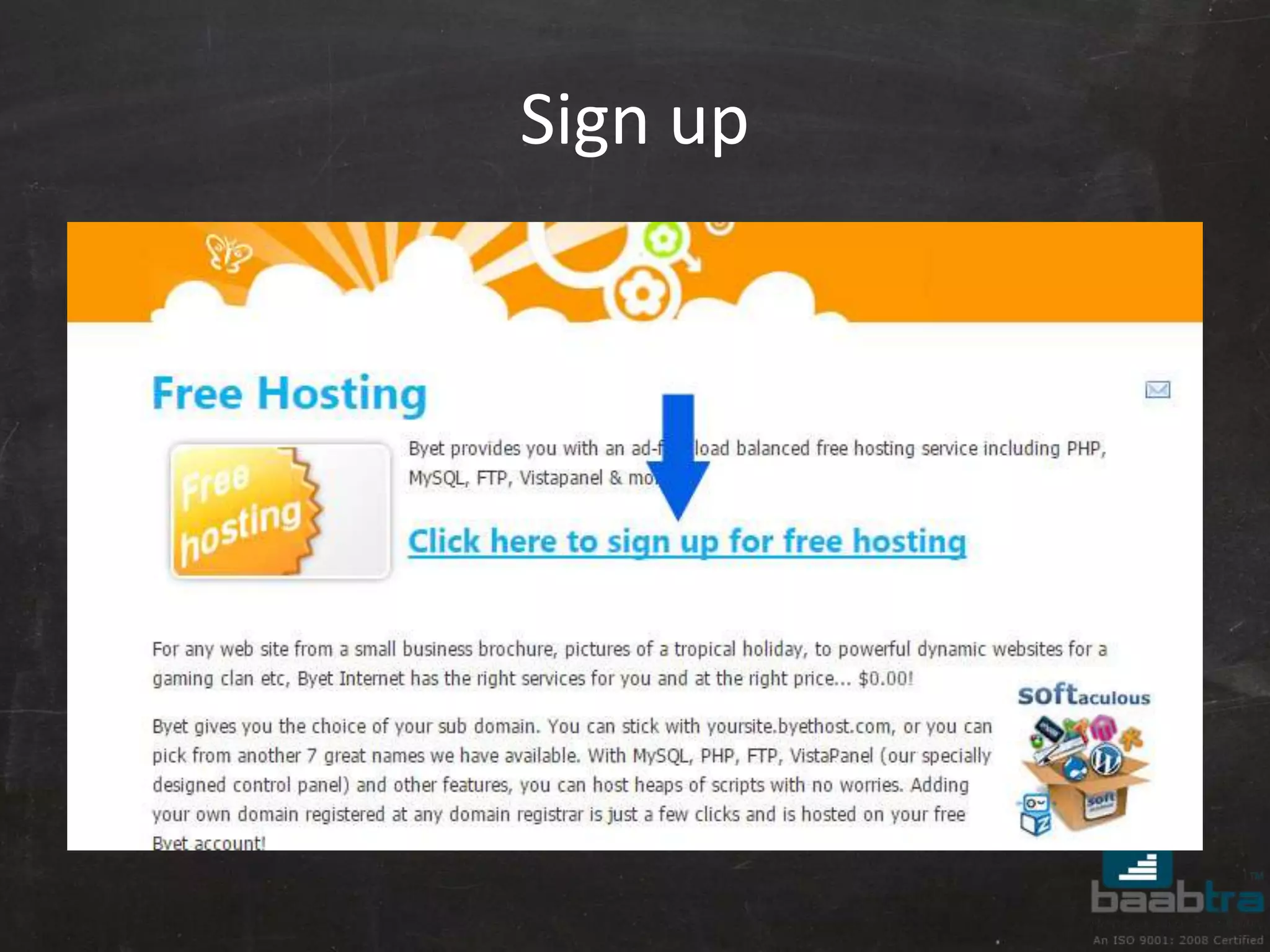
Sign up
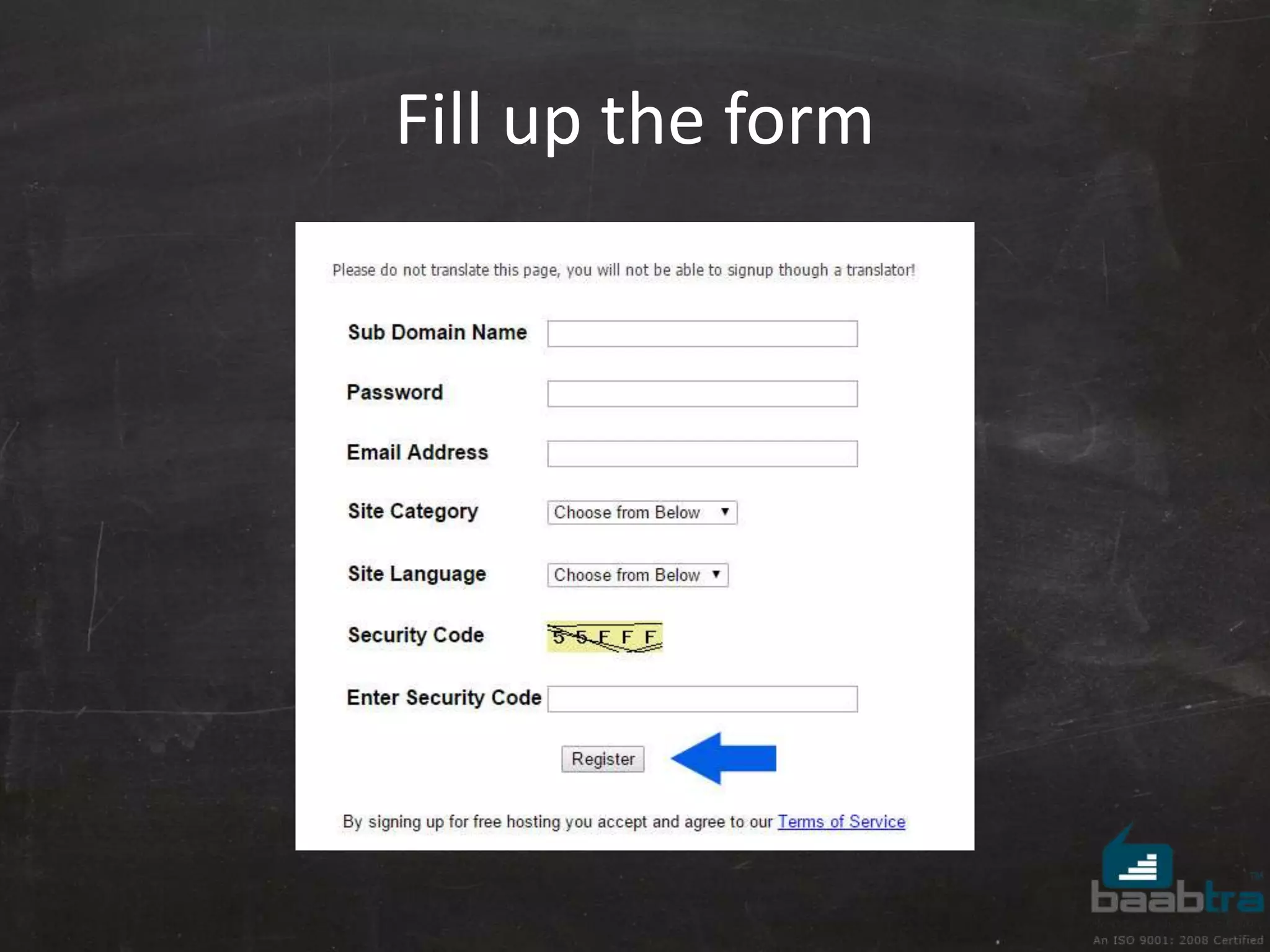
Fill up the form
Activating the account 
• Check your mail, for the activation link and 
you will get the login details from that link. 
• Then login to the control panel.
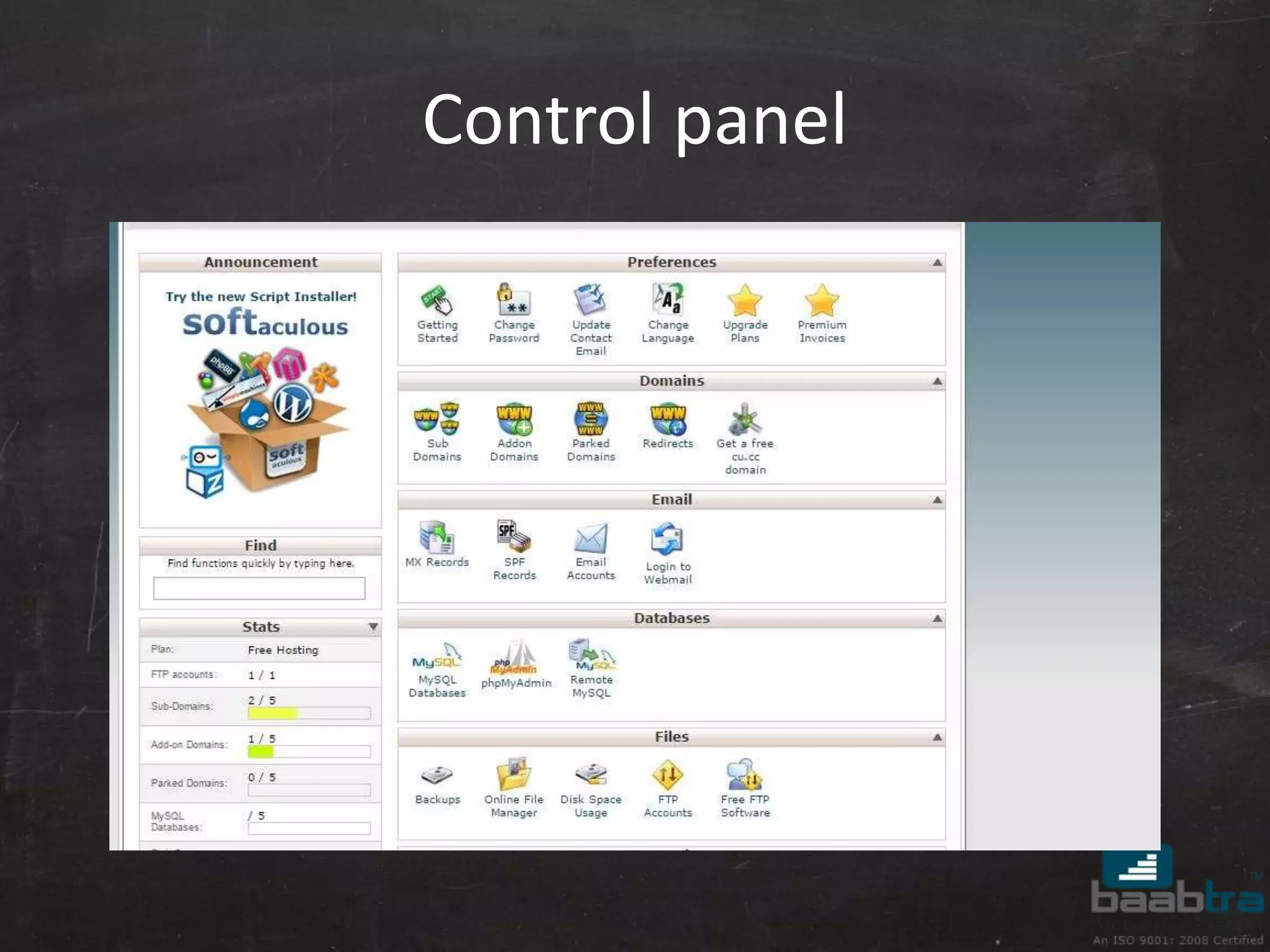
Control panel
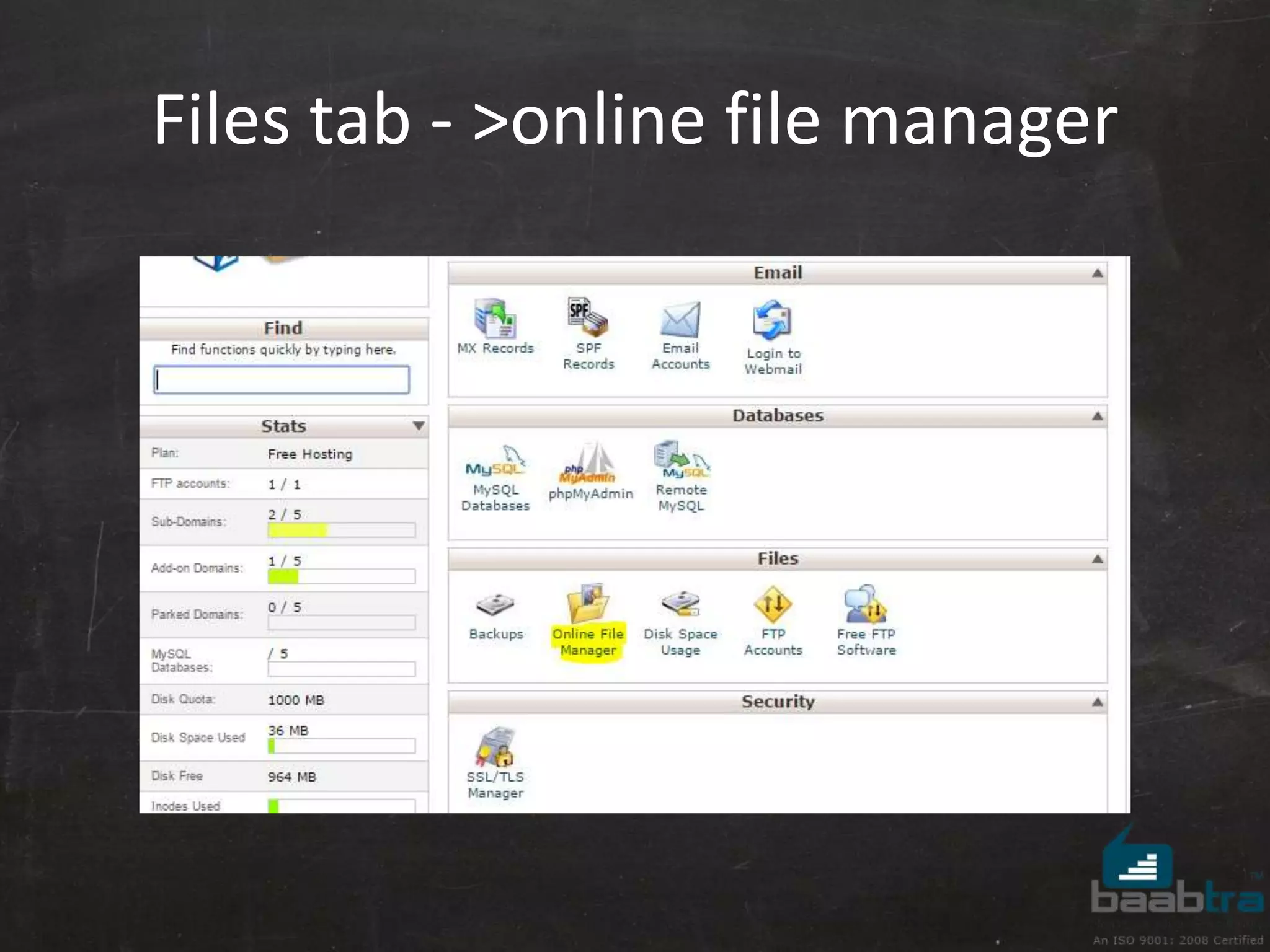
Files tab - >online file manager
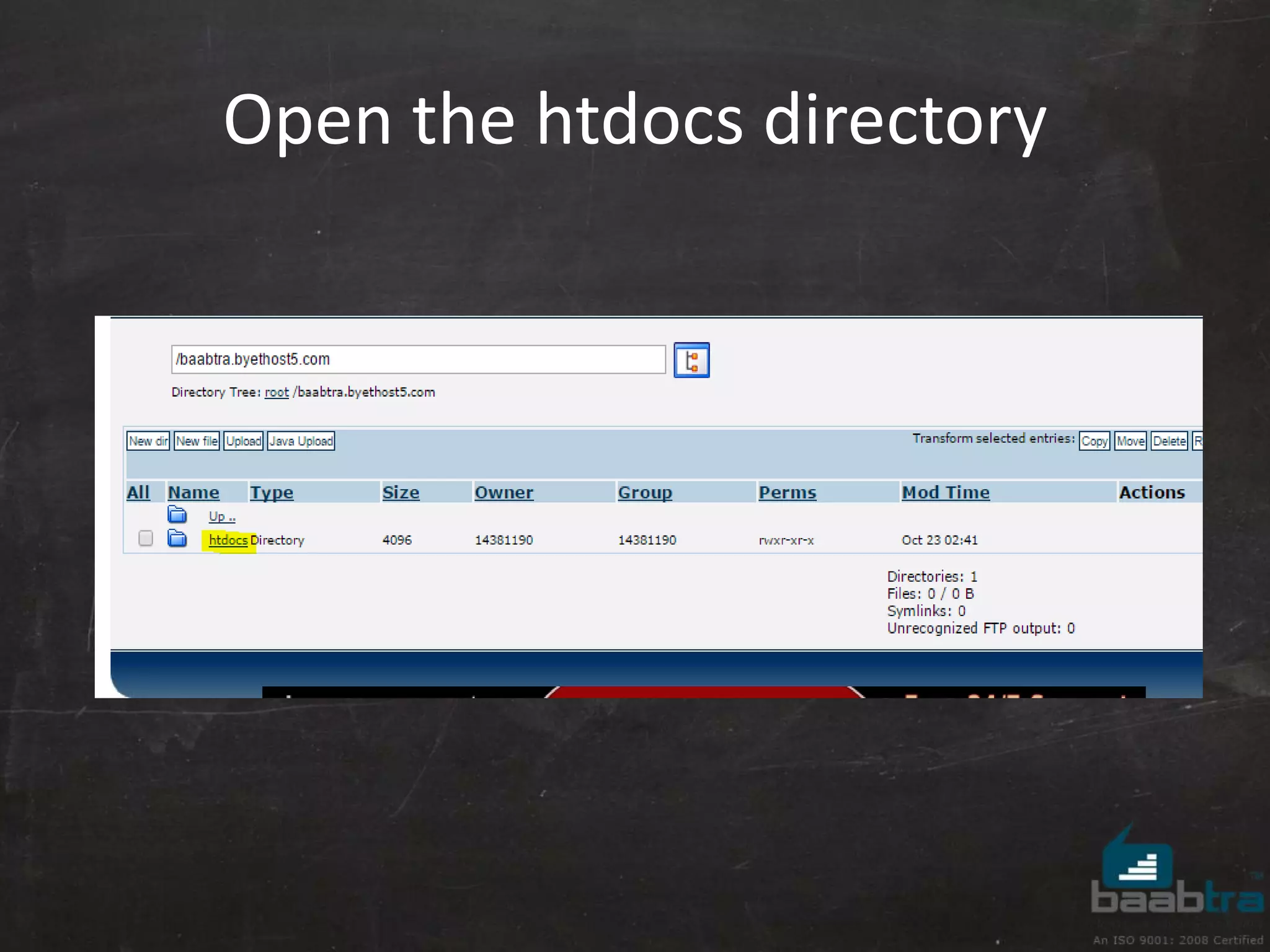
Open the htdocs directory
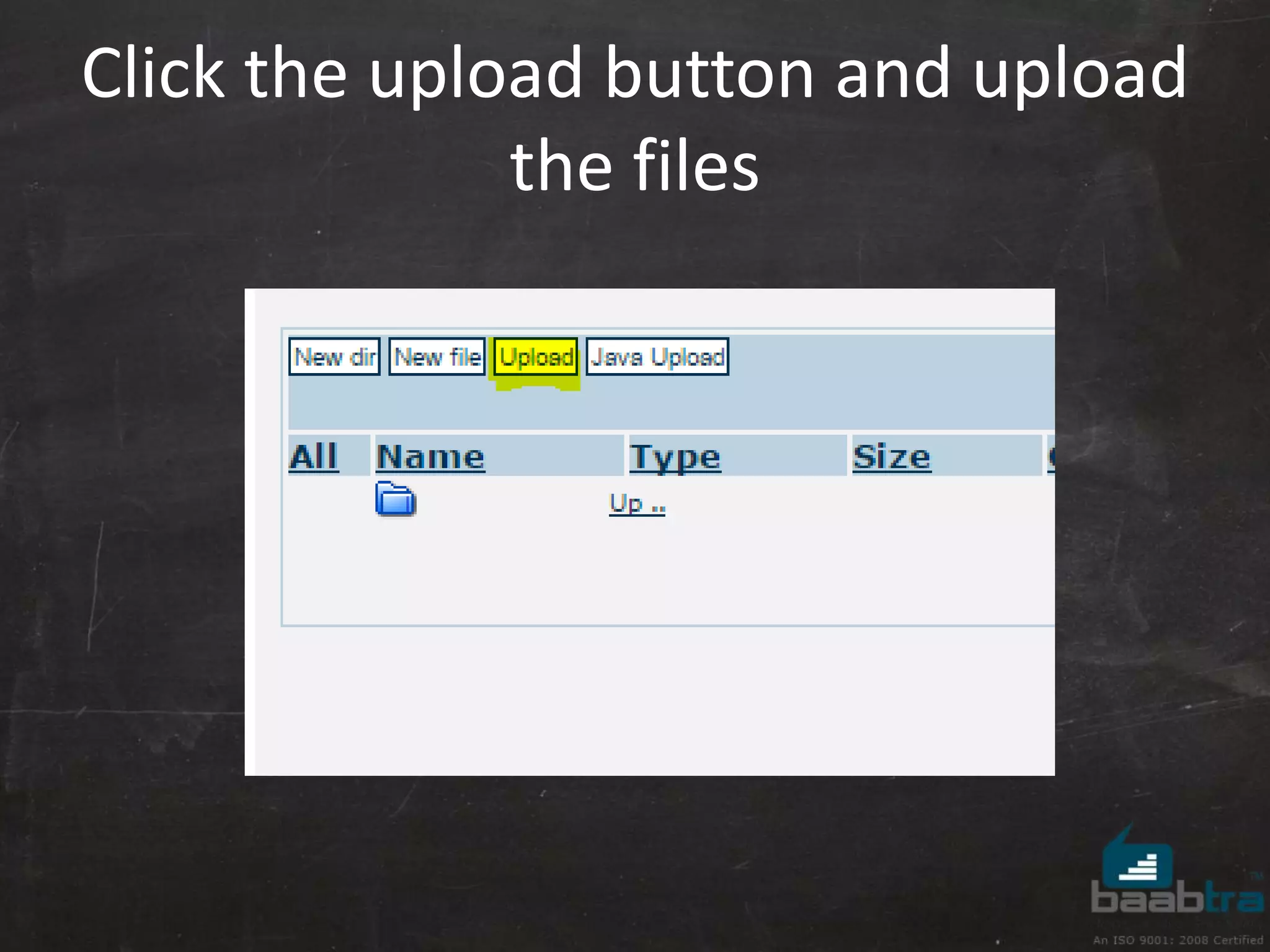
Click the upload button and upload 
the files
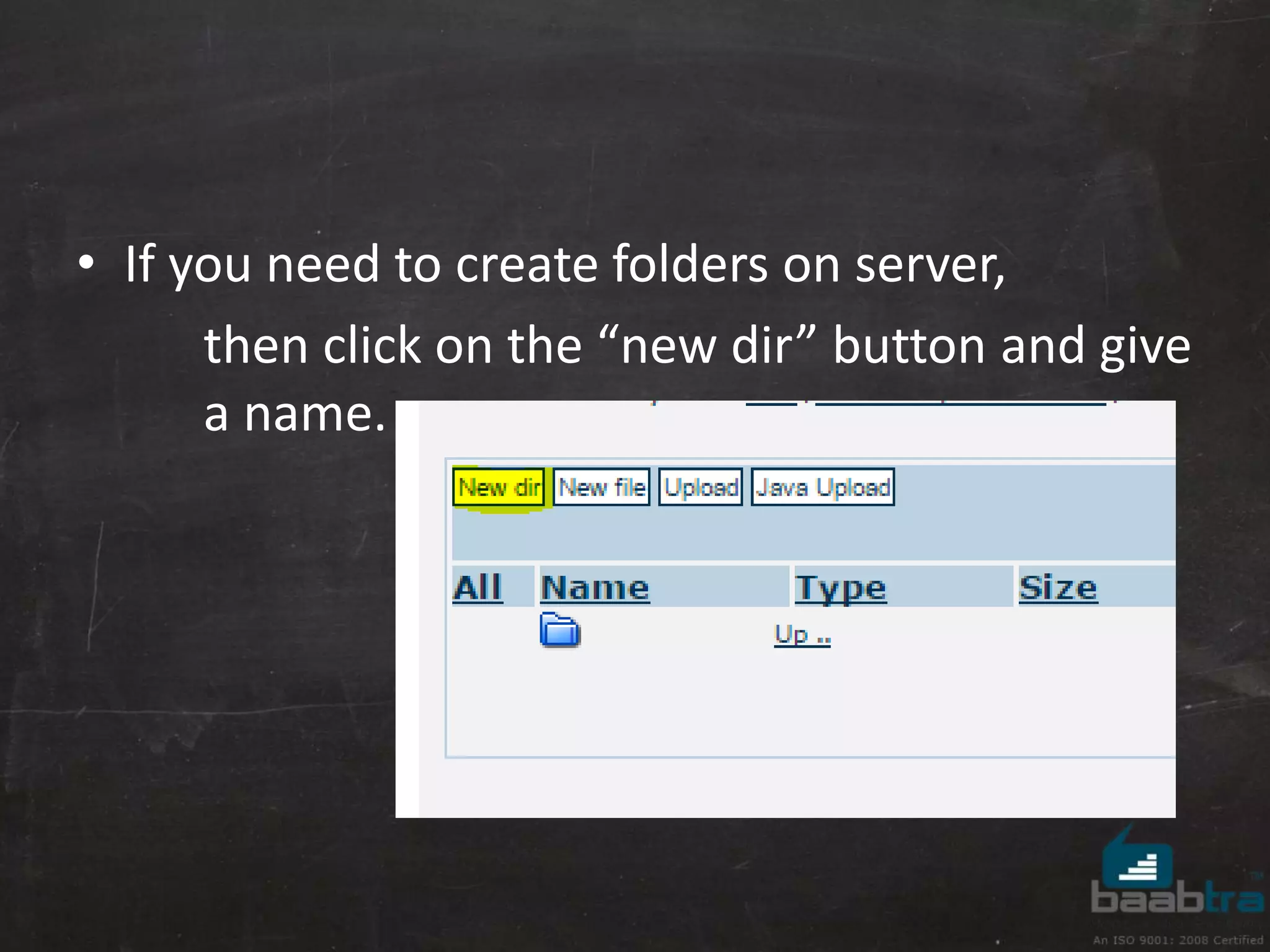
• If you need to create folders on server, 
then click on the “new dir” button and give 
a name.
Is it working? 
Go to your website url (given by byethost) to 
check if it is working or not. 
• If you have a file named index.html then it will 
automatically opens that file otherwise you 
need to mention the file name with url 
Ex: 
<yourSubDomain>.byethost<n>.com/<filename.html>
DONE..! 
You have hosted your website..!
Email configuration
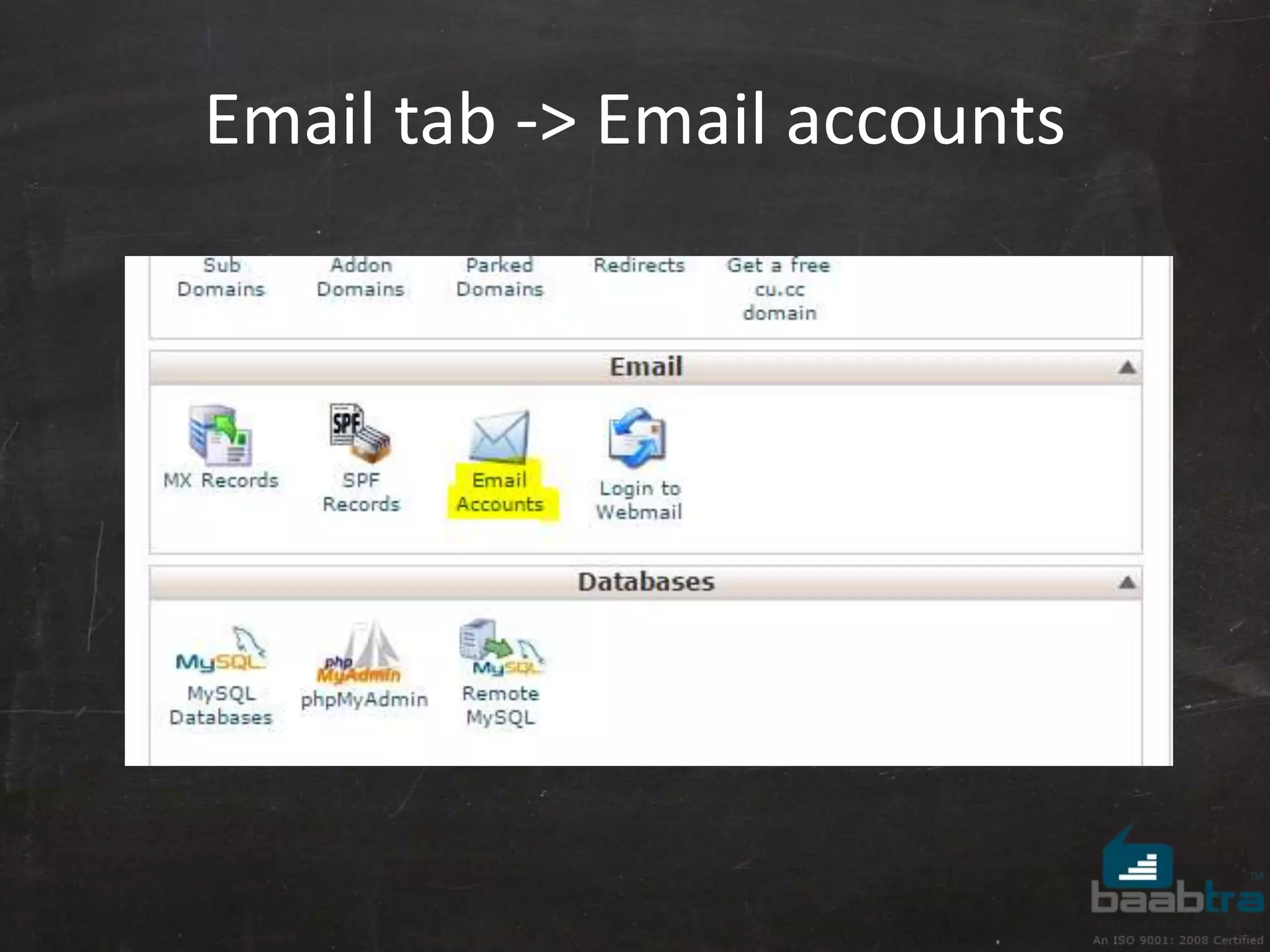
Email tab -> Email accounts
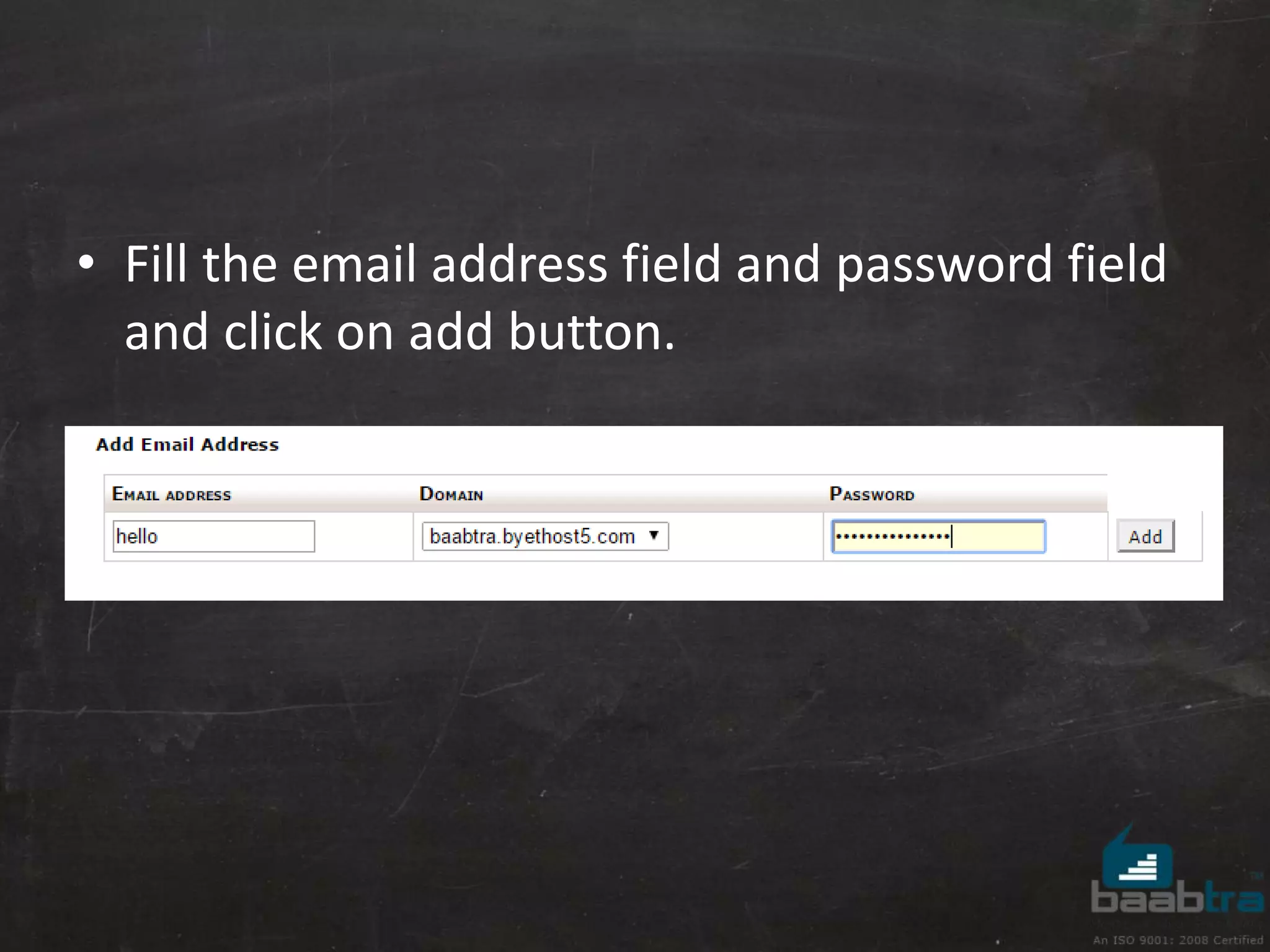
• Fill the email address field and password field 
and click on add button.
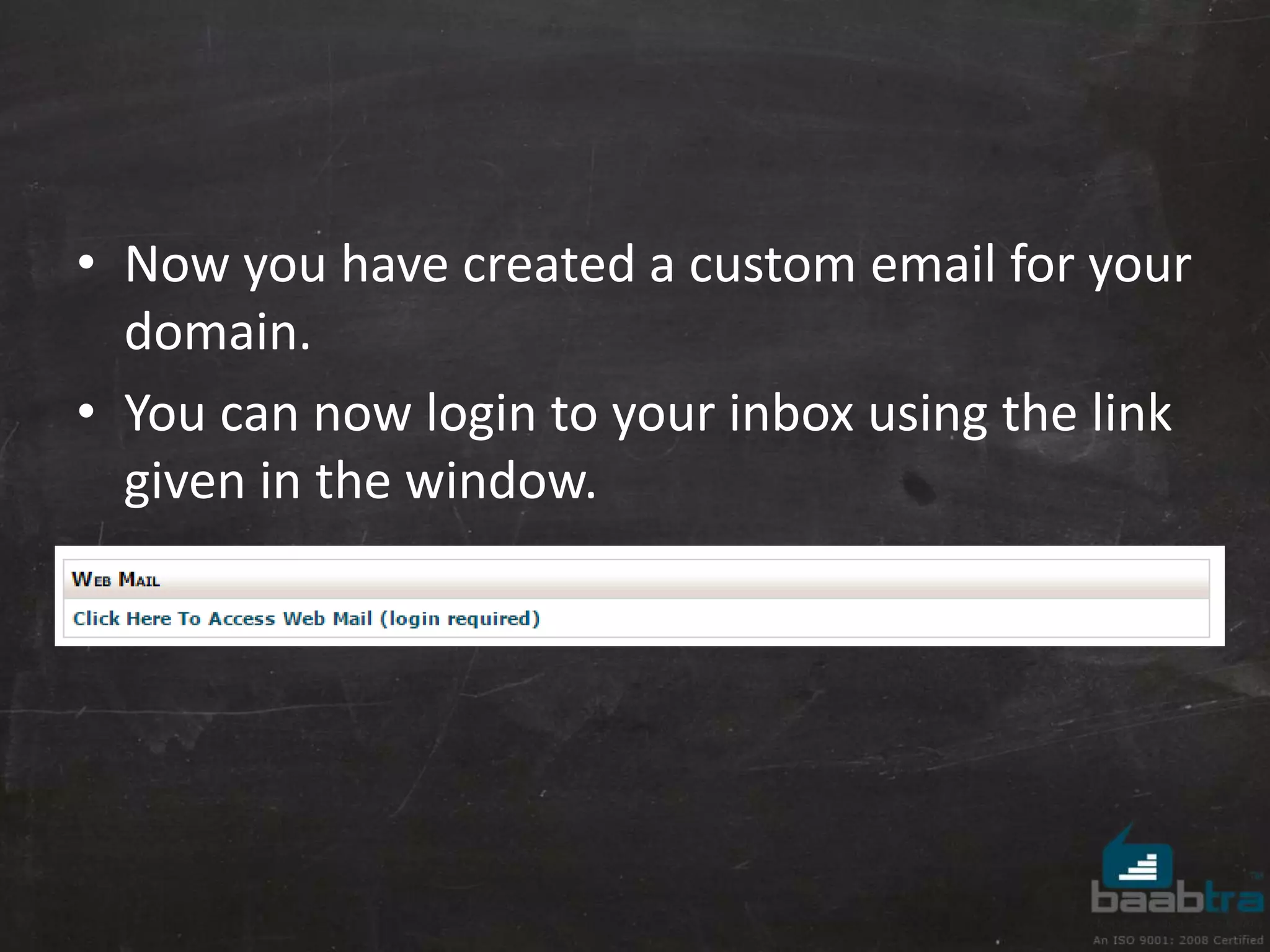
• Now you have created a custom email for your 
domain. 
• You can now login to your inbox using the link 
given in the window.
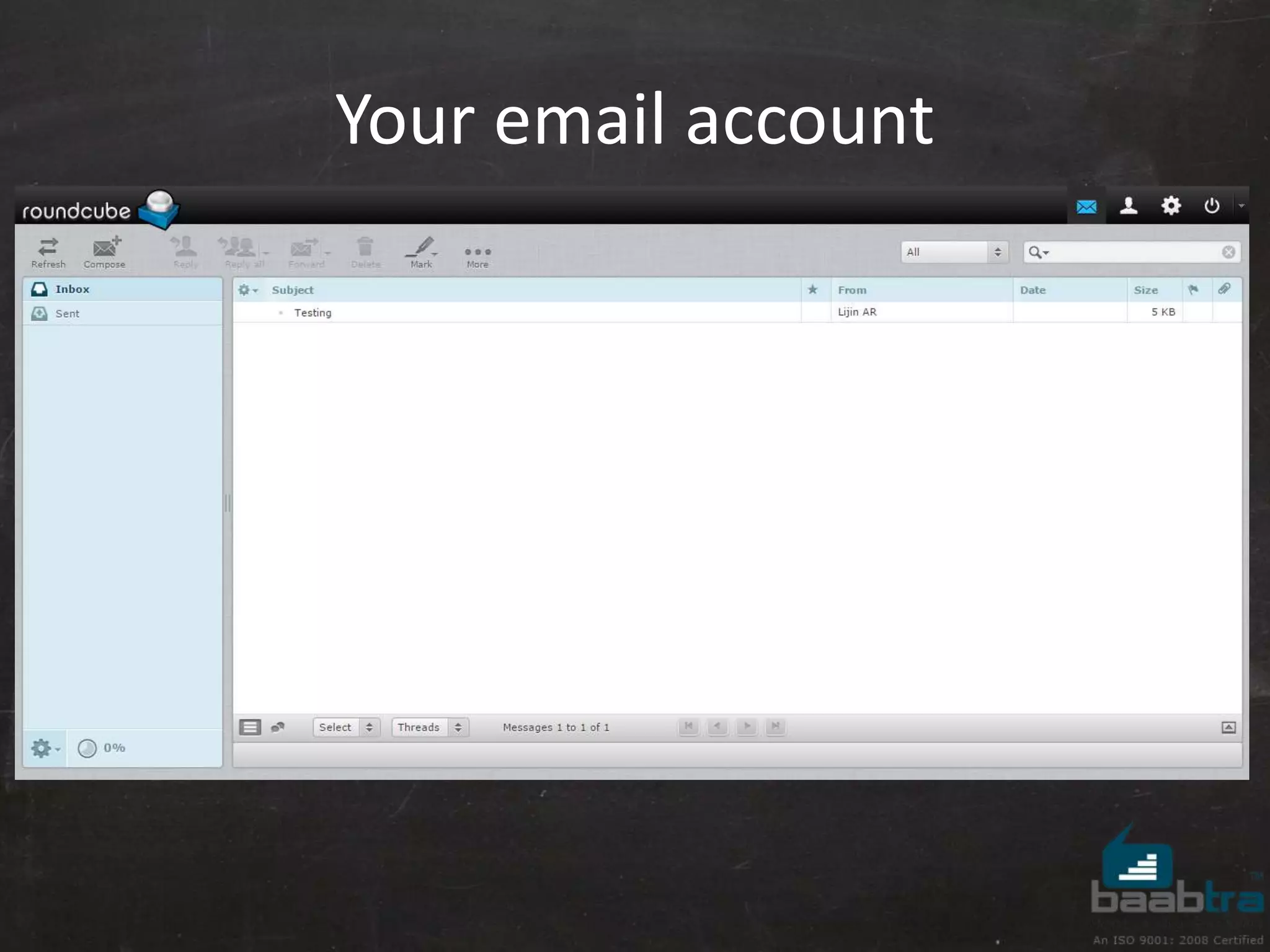
Your email account
DONE..! 
You have hosted your website and got a custom email..!

Basics for hosting a website

  • 1.
  • 2.
    What Is WebHosting? • A place for storing files of websites. • A internet enabled computer that can be accessed from other computers connected to internet. • Can store datas like HTML files, images, videos… etc • A server computer with high performance and high-speed internet connectivity.
  • 3.
    Types of WebHosting • Shared Server Hosting • Virtual Private Server (VPS) Hosting • Dedicated Server Hosting • Cloud Hosting
  • 4.
    Shared Server Hosting • Easy to manage • Less security • Less control on server • Have common pool of server resource for all domains.
  • 5.
    Virtual Private Server(VPS) Hosting • Need knowledge about networking. • Offers security • More control on server
  • 6.
    Dedicated Server Hosting • Need knowledge about networking and configurations. • Offers high security • Full control on server
  • 7.
    Cloud Hosting •Ability to handle high traffic • Offers high security • Multiple computers to work together to handle high traffic levels
  • 8.
    What Is ADomain Name? • A domain is the name of your website. • You will need to register your domain with a domain registrar. (Eg:Godaddy,Domain.com, dot.tk...etc.)
  • 9.
    Let us start..! Open your browser and go to www. byethost.com
  • 10.
  • 11.
  • 12.
  • 13.
    Activating the account • Check your mail, for the activation link and you will get the login details from that link. • Then login to the control panel.
  • 14.
  • 15.
    Files tab ->online file manager
  • 16.
    Open the htdocsdirectory
  • 17.
    Click the uploadbutton and upload the files
  • 18.
    • If youneed to create folders on server, then click on the “new dir” button and give a name.
  • 19.
    Is it working? Go to your website url (given by byethost) to check if it is working or not. • If you have a file named index.html then it will automatically opens that file otherwise you need to mention the file name with url Ex: <yourSubDomain>.byethost<n>.com/<filename.html>
  • 20.
    DONE..! You havehosted your website..!
  • 21.
  • 22.
    Email tab ->Email accounts
  • 23.
    • Fill theemail address field and password field and click on add button.
  • 24.
    • Now youhave created a custom email for your domain. • You can now login to your inbox using the link given in the window.
  • 25.
  • 26.
    DONE..! You havehosted your website and got a custom email..!