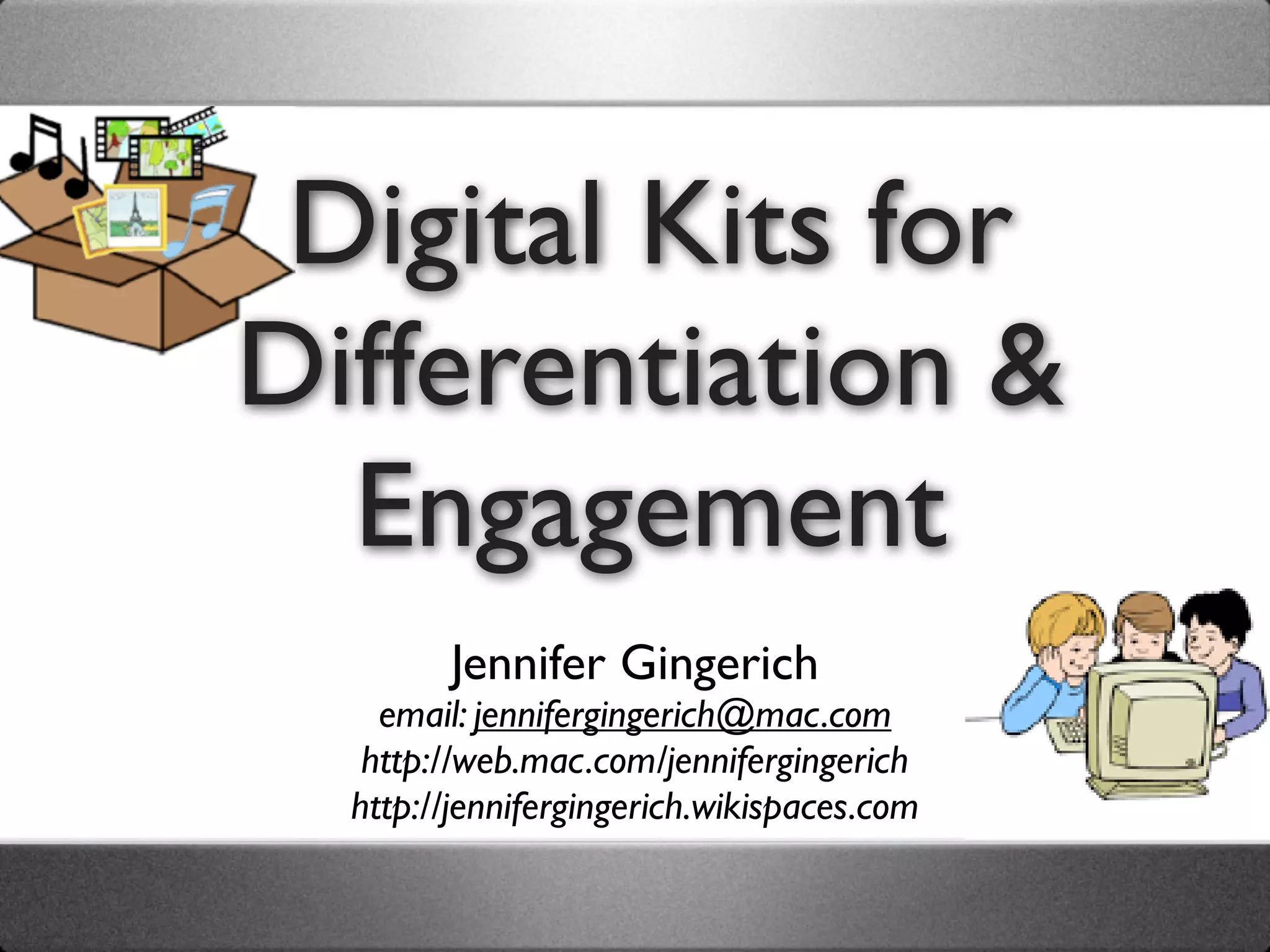



Digital Kits for
Differentiation &
  Engagement
        Jennifer Gingerich
    email: jennifergingerich@mac.com
   http://web.mac.com/jennifergingerich
  http://jennifergingerich.wikispaces.com
Objectives
Learn how to collect digital materials (photos,
images, sounds, music, and video) that correlate
with your curriculum.
Experience how kits can be used by teachers to
differentiate instruction and by students to
express their learning in conjunction with a
variety of tools such as Inspiration, PowerPoint,
Comic Life, PhotoStory, and Web 2.0 tools.
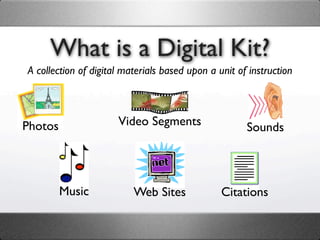
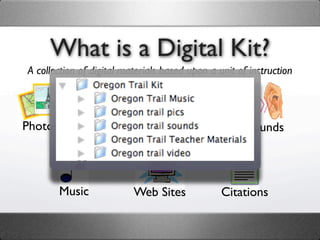
What is a Digital Kit?
A collection of digital materials based upon a unit of instruction


Photos                Video Segments                  Sounds


         Music            Web Sites             Citations
What is a Digital Kit?
A collection of digital materials based upon a unit of instruction


Photos                Video Segments                  Sounds


         Music            Web Sites             Citations
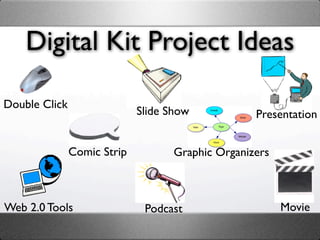
Digital Kit Project Ideas

Double Click
                             Slide Show            Presentation


               Comic Strip          Graphic Organizers


Web 2.0 Tools                 Podcast                    Movie
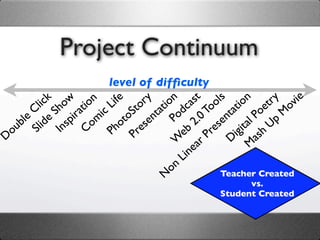
Project Continuum
                    level of difficulty
          ck ow ion Life ory tion cast ols tion try ovie
        li h
       C S irat ic       St nta od 0 To nta             oe M
     le ide sp om oto se          P 2. se            l P Up
   ub Sl In     C     h re            b     e     ita h
D
  o                  P P            e
                                  W ar    Pr Dig as
                                        e           M
                                    Lin
                                 on
                               N              Teacher Created
                                                 vs.
                                           Student Created
Think Pair Share
   How might you use a digital
     kit in your classroom?
  How might your students
use a digital kit in your classroom?
Think Pair Share


  How might your students
use a digital kit in your classroom?
Tips for Project Success
• Scaffold Project Type & Complexity
Tips for Project Success
• Scaffold Project Type & Complexity
• Provide Project Guidelines & Rubric
Tips for Project Success
• Scaffold Project Type & Complexity
• Provide Project Guidelines & Rubric
• Have Students Work in Pairs
Tips for Project Success
• Scaffold Project Type & Complexity
• Provide Project Guidelines & Rubric
• Have Students Work in Pairs
• Teach & Repeat Skills
Tips for Project Success
• Scaffold Project Type & Complexity
• Provide Project Guidelines & Rubric
• Have Students Work in Pairs
• Teach & Repeat Skills
• Identify & Use Student “Tech”sperts
Tips for Project Success
• Scaffold Project Type & Complexity
• Provide Project Guidelines & Rubric
• Have Students Work in Pairs
• Teach & Repeat Skills
• Identify & Use Student “Tech”sperts
• Set Timer for Choices and Saving
Tips for Project Success
• Scaffold Project Type & Complexity
• Provide Project Guidelines & Rubric
• Have Students Work in Pairs
• Teach & Repeat Skills
• Identify & Use Student “Tech”sperts
• Set Timer for Choices and Saving
• Your Ideas: ______________________
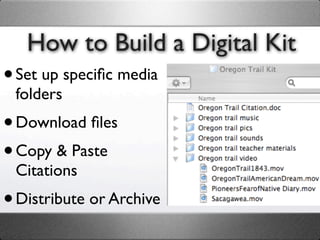
How to Build a Digital Kit
• Set up specific media
 folders
• Download files
• Copy & Paste
 Citations
• Distribute or Archive
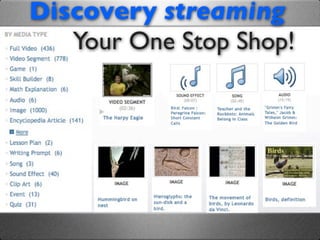
Discovery streaming
   Your One Stop Shop!
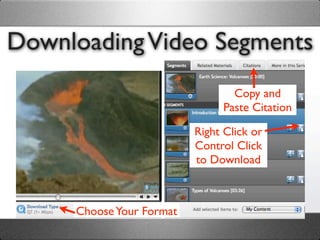
Downloading Video Segments
                                 Copy and
                               Paste Citation

                          Right Click or
                          Control Click
                          to Download


     Choose Your Format
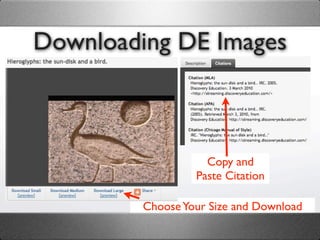
Downloading DE Images


                    Copy and
                  Paste Citation

         Choose Your Size and Download
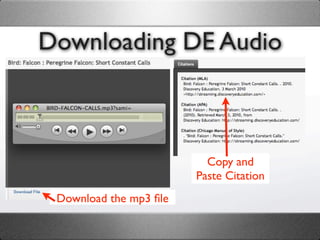
Downloading DE Audio


                          Copy and
                        Paste Citation
 Download the mp3 file
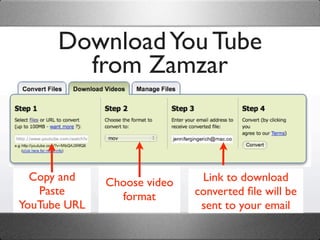
Download You Tube
        from Zamzar


  Copy and    Choose video    Link to download
   Paste        format       converted file will be
YouTube URL                   sent to your email
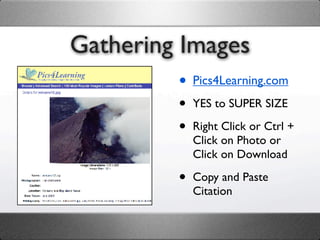
Gathering Images
         • Pics4Learning.com
         •   YES to SUPER SIZE

         •   Right Click or Ctrl +
             Click on Photo or
             Click on Download

         •   Copy and Paste
             Citation
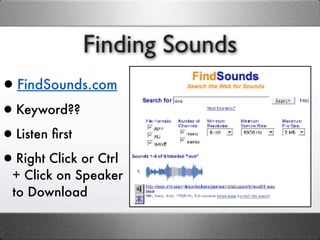
Finding Sounds
•FindSounds.com
•Keyword??
•Listen first
•Right Click or Ctrl
  + Click on Speaker
  to Download
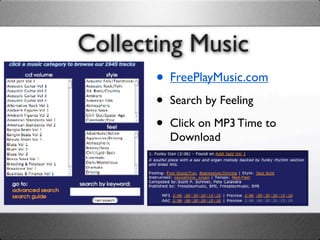
Collecting Music
       • FreePlayMusic.com
       •   Search by Feeling

       •   Click on MP3 Time to
           Download
Collection Tips and Tricks
•   Right Click or Ctrl + Click to Download

•   Check Video Type Windows Media (.asf) or Quicktime
    (.mov)

•   Save and Sort into Folder/Subfolders by Type

•   Rename Files when necessary

•   Copy and Paste Citation into Document
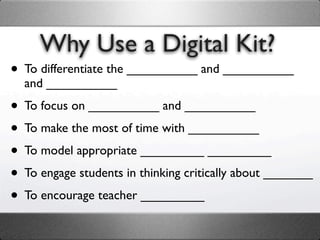
Why Use a Digital Kit?
• To differentiate the __________ and __________
  and __________

• To focus on __________ and __________
• To make the most of time with __________
• To model appropriate _________ _________
• To engage students in thinking critically about _______
• To encourage teacher _________
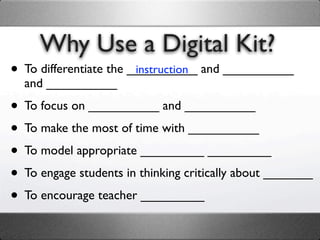
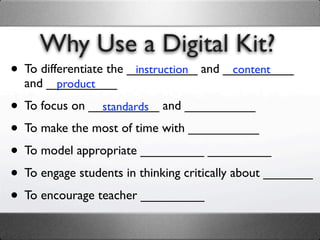
Why Use a Digital Kit?
• To differentiate the __________ and __________
                        instruction
  and __________

• To focus on __________ and __________
• To make the most of time with __________
• To model appropriate _________ _________
• To engage students in thinking critically about _______
• To encourage teacher _________
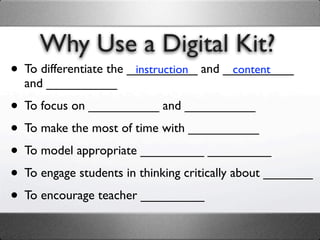
Why Use a Digital Kit?
• To differentiate the __________ and __________
                        instruction    content
  and __________

• To focus on __________ and __________
• To make the most of time with __________
• To model appropriate _________ _________
• To engage students in thinking critically about _______
• To encourage teacher _________
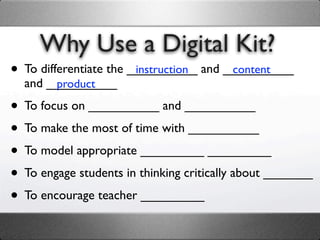
Why Use a Digital Kit?
• To differentiate the __________ and __________
                        instruction    content
  and __________
       product

• To focus on __________ and __________
• To make the most of time with __________
• To model appropriate _________ _________
• To engage students in thinking critically about _______
• To encourage teacher _________
Why Use a Digital Kit?
• To differentiate the __________ and __________
                        instruction    content
  and __________
       product

• To focus on __________ and __________
                standards

• To make the most of time with __________
• To model appropriate _________ _________
• To engage students in thinking critically about _______
• To encourage teacher _________
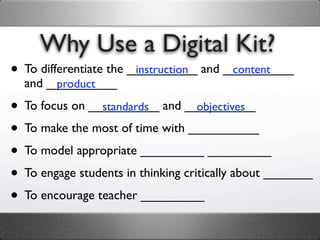
Why Use a Digital Kit?
• To differentiate the __________ and __________
                        instruction    content
  and __________
       product

• To focus on __________ and __________
                standards           objectives

• To make the most of time with __________
• To model appropriate _________ _________
• To engage students in thinking critically about _______
• To encourage teacher _________
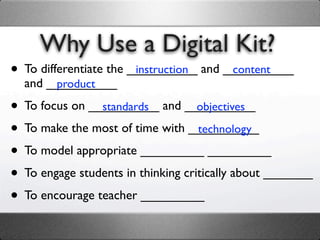
Why Use a Digital Kit?
• To differentiate the __________ and __________
                        instruction    content
  and __________
       product

• To focus on __________ and __________
                standards           objectives

• To make the most of time with __________
                                    technology

• To model appropriate _________ _________
• To engage students in thinking critically about _______
• To encourage teacher _________
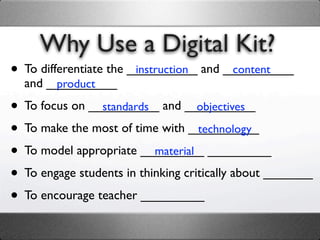
Why Use a Digital Kit?
• To differentiate the __________ and __________
                        instruction    content
  and __________
       product

• To focus on __________ and __________
                standards           objectives

• To make the most of time with __________
                                    technology

• To model appropriate _________ _________
                           material

• To engage students in thinking critically about _______
• To encourage teacher _________
Why Use a Digital Kit?
• To differentiate the __________ and __________
                        instruction    content
  and __________
       product

• To focus on __________ and __________
                standards           objectives

• To make the most of time with __________
                                    technology

• To model appropriate _________ _________
                           material selection

• To engage students in thinking critically about _______
• To encourage teacher _________
Why Use a Digital Kit?
• To differentiate the __________ and __________
                        instruction    content
  and __________
       product

• To focus on __________ and __________
                standards           objectives

• To make the most of time with __________
                                    technology

• To model appropriate _________ _________
                           material selection

• To engage students in thinking critically about _______
                                                   media

• To encourage teacher _________
Why Use a Digital Kit?
• To differentiate the __________ and __________
                        instruction    content
  and __________
       product

• To focus on __________ and __________
                standards           objectives

• To make the most of time with __________
                                    technology

• To model appropriate _________ _________
                           material selection

• To engage students in thinking critically about _______
                                                   media

• To encourage teacher _________
                        collaboration
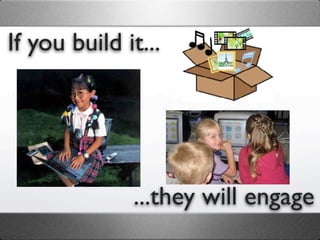
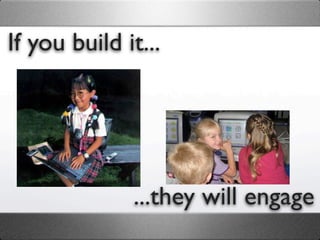
If you build it...


              ...they will engage
If you build it...


              ...they will engage
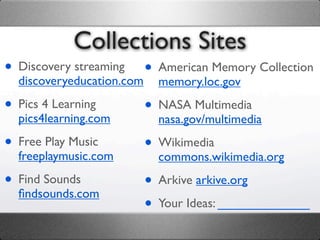
Collections Sites
• Discovery streaming • American Memory Collection
  discoveryeducation.commemory.loc.gov

• Pics 4 Learning     • NASA Multimedia
  pics4learning.com     nasa.gov/multimedia

• Free Play Music     • Wikimedia
  freeplaymusic.com     commons.wikimedia.org

• Find Sounds         • Arkive arkive.org
  findsounds.com
                      • Your Ideas: _____________

Digital Kits Presentation

  • 1.
    Digital Kits for Differentiation& Engagement Jennifer Gingerich email: jennifergingerich@mac.com http://web.mac.com/jennifergingerich http://jennifergingerich.wikispaces.com
  • 2.
    Objectives Learn how tocollect digital materials (photos, images, sounds, music, and video) that correlate with your curriculum. Experience how kits can be used by teachers to differentiate instruction and by students to express their learning in conjunction with a variety of tools such as Inspiration, PowerPoint, Comic Life, PhotoStory, and Web 2.0 tools.
  • 3.
    What is aDigital Kit? A collection of digital materials based upon a unit of instruction Photos Video Segments Sounds Music Web Sites Citations
  • 4.
    What is aDigital Kit? A collection of digital materials based upon a unit of instruction Photos Video Segments Sounds Music Web Sites Citations
  • 5.
    Digital Kit ProjectIdeas Double Click Slide Show Presentation Comic Strip Graphic Organizers Web 2.0 Tools Podcast Movie
  • 6.
    Project Continuum level of difficulty ck ow ion Life ory tion cast ols tion try ovie li h C S irat ic St nta od 0 To nta oe M le ide sp om oto se P 2. se l P Up ub Sl In C h re b e ita h D o P P e W ar Pr Dig as e M Lin on N Teacher Created vs. Student Created
  • 7.
    Think Pair Share How might you use a digital kit in your classroom? How might your students use a digital kit in your classroom?
  • 8.
    Think Pair Share How might your students use a digital kit in your classroom?
  • 9.
  • 10.
    Tips for ProjectSuccess • Scaffold Project Type & Complexity
  • 11.
    Tips for ProjectSuccess • Scaffold Project Type & Complexity • Provide Project Guidelines & Rubric
  • 12.
    Tips for ProjectSuccess • Scaffold Project Type & Complexity • Provide Project Guidelines & Rubric • Have Students Work in Pairs
  • 13.
    Tips for ProjectSuccess • Scaffold Project Type & Complexity • Provide Project Guidelines & Rubric • Have Students Work in Pairs • Teach & Repeat Skills
  • 14.
    Tips for ProjectSuccess • Scaffold Project Type & Complexity • Provide Project Guidelines & Rubric • Have Students Work in Pairs • Teach & Repeat Skills • Identify & Use Student “Tech”sperts
  • 15.
    Tips for ProjectSuccess • Scaffold Project Type & Complexity • Provide Project Guidelines & Rubric • Have Students Work in Pairs • Teach & Repeat Skills • Identify & Use Student “Tech”sperts • Set Timer for Choices and Saving
  • 16.
    Tips for ProjectSuccess • Scaffold Project Type & Complexity • Provide Project Guidelines & Rubric • Have Students Work in Pairs • Teach & Repeat Skills • Identify & Use Student “Tech”sperts • Set Timer for Choices and Saving • Your Ideas: ______________________
  • 17.
    How to Builda Digital Kit • Set up specific media folders • Download files • Copy & Paste Citations • Distribute or Archive
  • 18.
    Discovery streaming Your One Stop Shop!
  • 19.
    Downloading Video Segments Copy and Paste Citation Right Click or Control Click to Download Choose Your Format
  • 20.
    Downloading DE Images Copy and Paste Citation Choose Your Size and Download
  • 21.
    Downloading DE Audio Copy and Paste Citation Download the mp3 file
  • 22.
    Download You Tube from Zamzar Copy and Choose video Link to download Paste format converted file will be YouTube URL sent to your email
  • 23.
    Gathering Images • Pics4Learning.com • YES to SUPER SIZE • Right Click or Ctrl + Click on Photo or Click on Download • Copy and Paste Citation
  • 24.
  • 25.
    Collecting Music • FreePlayMusic.com • Search by Feeling • Click on MP3 Time to Download
  • 26.
    Collection Tips andTricks • Right Click or Ctrl + Click to Download • Check Video Type Windows Media (.asf) or Quicktime (.mov) • Save and Sort into Folder/Subfolders by Type • Rename Files when necessary • Copy and Paste Citation into Document
  • 27.
    Why Use aDigital Kit? • To differentiate the __________ and __________ and __________ • To focus on __________ and __________ • To make the most of time with __________ • To model appropriate _________ _________ • To engage students in thinking critically about _______ • To encourage teacher _________
  • 28.
    Why Use aDigital Kit? • To differentiate the __________ and __________ instruction and __________ • To focus on __________ and __________ • To make the most of time with __________ • To model appropriate _________ _________ • To engage students in thinking critically about _______ • To encourage teacher _________
  • 29.
    Why Use aDigital Kit? • To differentiate the __________ and __________ instruction content and __________ • To focus on __________ and __________ • To make the most of time with __________ • To model appropriate _________ _________ • To engage students in thinking critically about _______ • To encourage teacher _________
  • 30.
    Why Use aDigital Kit? • To differentiate the __________ and __________ instruction content and __________ product • To focus on __________ and __________ • To make the most of time with __________ • To model appropriate _________ _________ • To engage students in thinking critically about _______ • To encourage teacher _________
  • 31.
    Why Use aDigital Kit? • To differentiate the __________ and __________ instruction content and __________ product • To focus on __________ and __________ standards • To make the most of time with __________ • To model appropriate _________ _________ • To engage students in thinking critically about _______ • To encourage teacher _________
  • 32.
    Why Use aDigital Kit? • To differentiate the __________ and __________ instruction content and __________ product • To focus on __________ and __________ standards objectives • To make the most of time with __________ • To model appropriate _________ _________ • To engage students in thinking critically about _______ • To encourage teacher _________
  • 33.
    Why Use aDigital Kit? • To differentiate the __________ and __________ instruction content and __________ product • To focus on __________ and __________ standards objectives • To make the most of time with __________ technology • To model appropriate _________ _________ • To engage students in thinking critically about _______ • To encourage teacher _________
  • 34.
    Why Use aDigital Kit? • To differentiate the __________ and __________ instruction content and __________ product • To focus on __________ and __________ standards objectives • To make the most of time with __________ technology • To model appropriate _________ _________ material • To engage students in thinking critically about _______ • To encourage teacher _________
  • 35.
    Why Use aDigital Kit? • To differentiate the __________ and __________ instruction content and __________ product • To focus on __________ and __________ standards objectives • To make the most of time with __________ technology • To model appropriate _________ _________ material selection • To engage students in thinking critically about _______ • To encourage teacher _________
  • 36.
    Why Use aDigital Kit? • To differentiate the __________ and __________ instruction content and __________ product • To focus on __________ and __________ standards objectives • To make the most of time with __________ technology • To model appropriate _________ _________ material selection • To engage students in thinking critically about _______ media • To encourage teacher _________
  • 37.
    Why Use aDigital Kit? • To differentiate the __________ and __________ instruction content and __________ product • To focus on __________ and __________ standards objectives • To make the most of time with __________ technology • To model appropriate _________ _________ material selection • To engage students in thinking critically about _______ media • To encourage teacher _________ collaboration
  • 38.
    If you buildit... ...they will engage
  • 39.
    If you buildit... ...they will engage
  • 40.
    Collections Sites • Discoverystreaming • American Memory Collection discoveryeducation.commemory.loc.gov • Pics 4 Learning • NASA Multimedia pics4learning.com nasa.gov/multimedia • Free Play Music • Wikimedia freeplaymusic.com commons.wikimedia.org • Find Sounds • Arkive arkive.org findsounds.com • Your Ideas: _____________