


Bastian Grimm, Managing Partner - Grimm Digital
Hardening WordPress
at WP Luvfest: “Maximising WordPress for Search”
http://gdig.de/sascon13
Manchester, June 2013
About me
2
@basgr
SEO Trainings, Seminars & Strategy Consulting
WordPress Security, Consulting & Development
Berlin-based Full-Service Performance Marketing Agency
http://gdig.de/sascon13
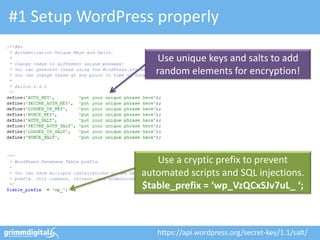
#1 Setup WordPress properly
Use unique keys and salts to add
random elements for encryption!
https://api.wordpress.org/secret-key/1.1/salt/
Use a cryptic prefix to prevent
automated scripts and SQL injections.
$table_prefix = ‘wp_VzQCxSJv7uL_ ‘;
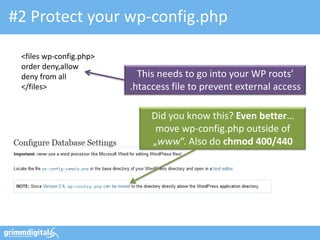
#2 Protect your wp-config.php
<files wp-config.php>
order deny,allow
deny from all
</files>
This needs to go into your WP roots’
.htaccess file to prevent external access
Did you know this? Even better…
move wp-config.php outside of
„www“. Also do chmod 400/440
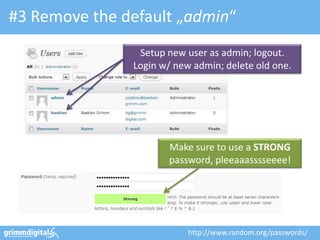
#3 Remove the default „admin“
Setup new user as admin; logout.
Login w/ new admin; delete old one.
Make sure to use a STRONG
password, pleeaaasssseeee!
http://www.random.org/passwords/
Credits: http://bit.ly/T8wMwO
Make absolutely sure you only
use plug-ins from trusted authors!
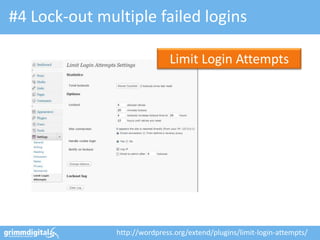
#4 Lock-out multiple failed logins
http://wordpress.org/extend/plugins/limit-login-attempts/
Limit Login Attempts
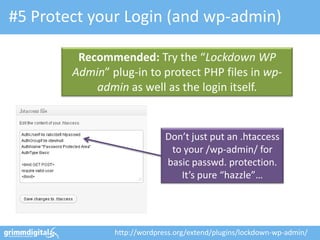
#5 Protect your Login (and wp-admin)
Don’t just put an .htaccess
to your /wp-admin/ for
basic passwd. protection.
It’s pure “hazzle”…
Recommended: Try the “Lockdown WP
Admin” plug-in to protect PHP files in wp-
admin as well as the login itself.
http://wordpress.org/extend/plugins/lockdown-wp-admin/
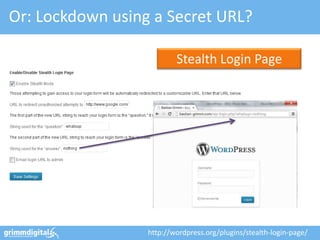
Or: Lockdown using a Secret URL?
http://wordpress.org/plugins/stealth-login-page/
Stealth Login Page
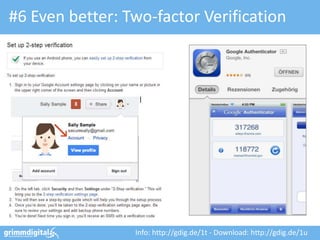
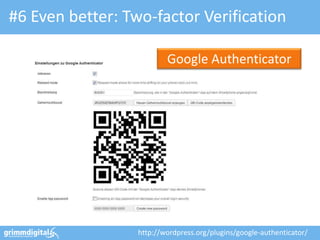
#6 Even better: Two-factor Verification
Info: http://gdig.de/1t - Download: http://gdig.de/1u
#6 Even better: Two-factor Verification
http://wordpress.org/plugins/google-authenticator/
Google Authenticator
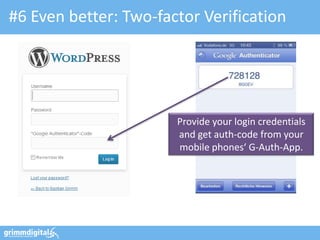
#6 Even better: Two-factor Verification
Provide your login credentials
and get auth-code from your
mobile phones‘ G-Auth-App.
#7 SSL Logins & Administration
define('FORCE_SSL_LOGIN', true);
define('FORCE_SSL_ADMIN', true);
Set FORCE_SSL_LOGIN to “true” to
force all logins to happen over SSL.
(still allows non-SSL admin sessions)
Use FORCE_SSL_ADMIN to force all
logins and all admin sessions to
happen over SSL (can be slow…)
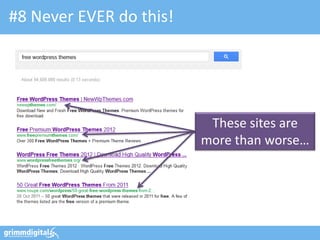
#8 Never EVER do this!
These sites are
more than worse…
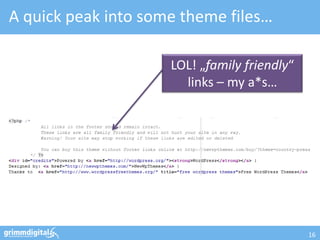
A quick peak into some theme files…
16
LOL! „family friendly“
links – my a*s…
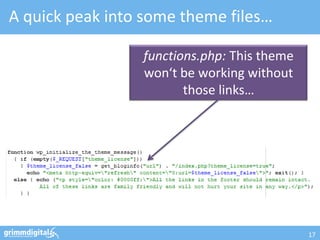
A quick peak into some theme files…
17
functions.php: This theme
won‘t be working without
those links…
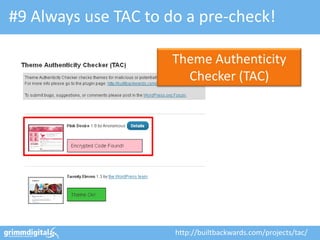
#9 Always use TAC to do a pre-check!
http://builtbackwards.com/projects/tac/
Theme Authenticity
Checker (TAC)
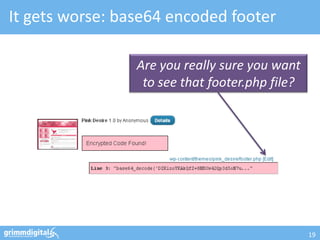
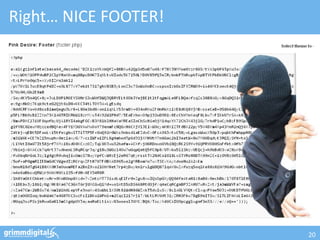
It gets worse: base64 encoded footer
19
Are you really sure you want
to see that footer.php file?
Right… NICE FOOTER!
20
PLEASE… stay away
from “free” WordPress
themes – they’re not
free, really!
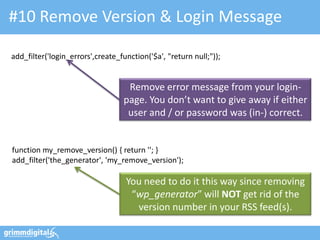
#10 Remove Version & Login Message
add_filter('login_errors',create_function('$a', "return null;"));
function my_remove_version() { return ''; }
add_filter('the_generator', 'my_remove_version');
Remove error message from your login-
page. You don’t want to give away if either
user and / or password was (in-) correct.
You need to do it this way since removing
“wp_generator” will NOT get rid of the
version number in your RSS feed(s).
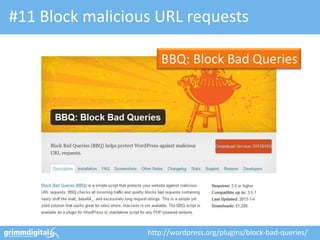
#11 Block malicious URL requests
http://wordpress.org/plugins/block-bad-queries/
BBQ: Block Bad Queries
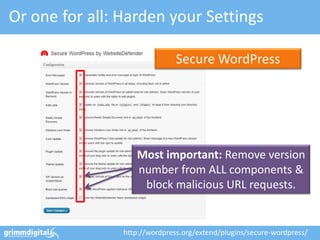
Or one for all: Harden your Settings
Secure WordPress
http://wordpress.org/extend/plugins/secure-wordpress/
Most important: Remove version
number from ALL components &
block malicious URL requests.
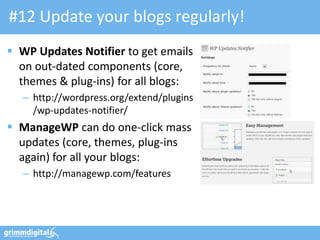
#12 Update your blogs regularly!
 WP Updates Notifier to get emails
on out-dated components (core,
themes & plug-ins) for all blogs:
– http://wordpress.org/extend/plugins
/wp-updates-notifier/
 ManageWP can do one-click mass
updates (core, themes, plug-ins
again) for all your blogs:
– http://managewp.com/features
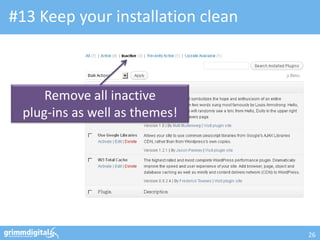
#13 Keep your installation clean
26
Remove all inactive
plug-ins as well as themes!
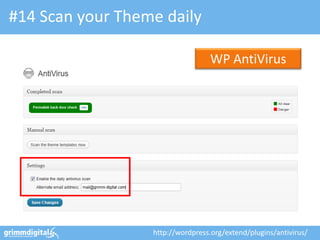
#14 Scan your Theme daily
http://wordpress.org/extend/plugins/antivirus/
WP AntiVirus
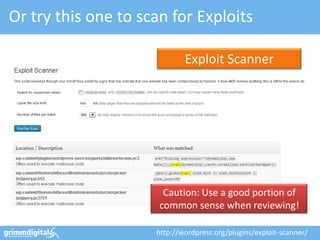
Or try this one to scan for Exploits
http://wordpress.org/plugins/exploit-scanner/
Exploit Scanner
Caution: Use a good portion of
common sense when reviewing!
#15 Move the “wp-content” folder
define('WP_CONTENT_DIR', $_SERVER['DOCUMENT_ROOT'].'/blog/my-wp-content');
define('WP_CONTENT_URL', 'http://domain.com/blog/my-wp-content');
WP_CONTENT_DIR points to “new”
the full local path (no trailing slash)
WP_CONTENT_URL points to “new”
full URI (no trailing slash either)
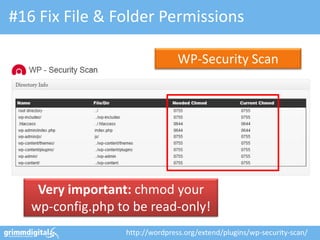
#16 Fix File & Folder Permissions
http://wordpress.org/extend/plugins/wp-security-scan/
WP-Security Scan
Very important: chmod your
wp-config.php to be read-only!
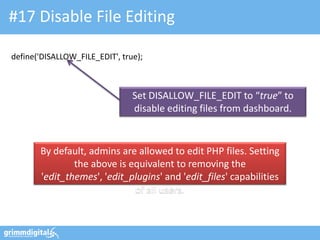
#17 Disable File Editing
define('DISALLOW_FILE_EDIT', true);
Set DISALLOW_FILE_EDIT to “true” to
disable editing files from dashboard.
By default, admins are allowed to edit PHP files. Setting
the above is equivalent to removing the
'edit_themes', 'edit_plugins' and 'edit_files' capabilities
of all users.
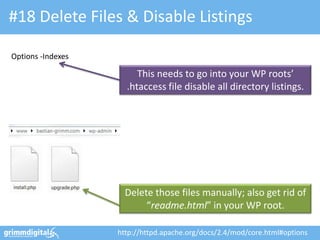
#18 Delete Files & Disable Listings
Delete those files manually; also get rid of
“readme.html” in your WP root.
This needs to go into your WP roots’
.htaccess file disable all directory listings.
Options -Indexes
http://httpd.apache.org/docs/2.4/mod/core.html#options
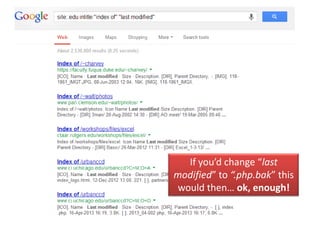
If you’d change “last
modified” to “.php.bak” this
would then… ok, enough!
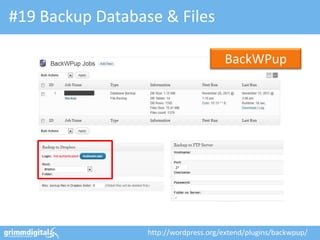
#19 Backup Database & Files
BackWPup
http://wordpress.org/extend/plugins/backwpup/
13.10.2011 35
OMCap 2011 - Online Marketing Konferenz Berlin
And that’s it! …
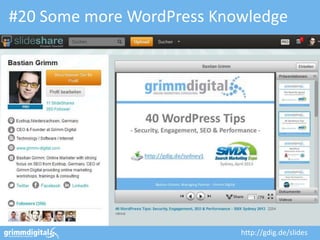
#20 Some more WordPress Knowledge
http://gdig.de/slides
Bastian Grimm, Managing Partner - Grimm Digital
Thanks! Questions?
mail@grimm-digital.com
twitter.com/basgr
linkedin.com/in/bastiangrimm
facebook.com/grimm.digital
http://gdig.de/sascon13