DRIVER INFORMATION AND NAVIGATION SYSTEMS 57
Objectives The student should be able to: Prepare for ASE Electrical/Electronic Systems (A6) certification test content area  “F” (Gauges, Warning Devices, and Driver Information System Diagnosis and Repair).  Be able to identify the meaning of dash warning symbols.  Discuss how a fuel gauge works.
Objectives  The student should be able to: Explain how to use a service manual to troubleshoot a malfunctioning dash instrument.  Describe how a navigation system works.  List the various types of dash instrument displays.
DASH WARNING SYMBOLS
Dash Warning Symbols Purpose and Function Symbols instead of words are being used as warning lights. The dash warning lights are often called telltale lights as they are used to notify the driver of a situation or fault.
Dash Warning Symbols  Bulb Test When the ignition is first turned on, all of the warning lights come on as part of a self-test and to help the driver or technician spot any warning light that may be burned out.
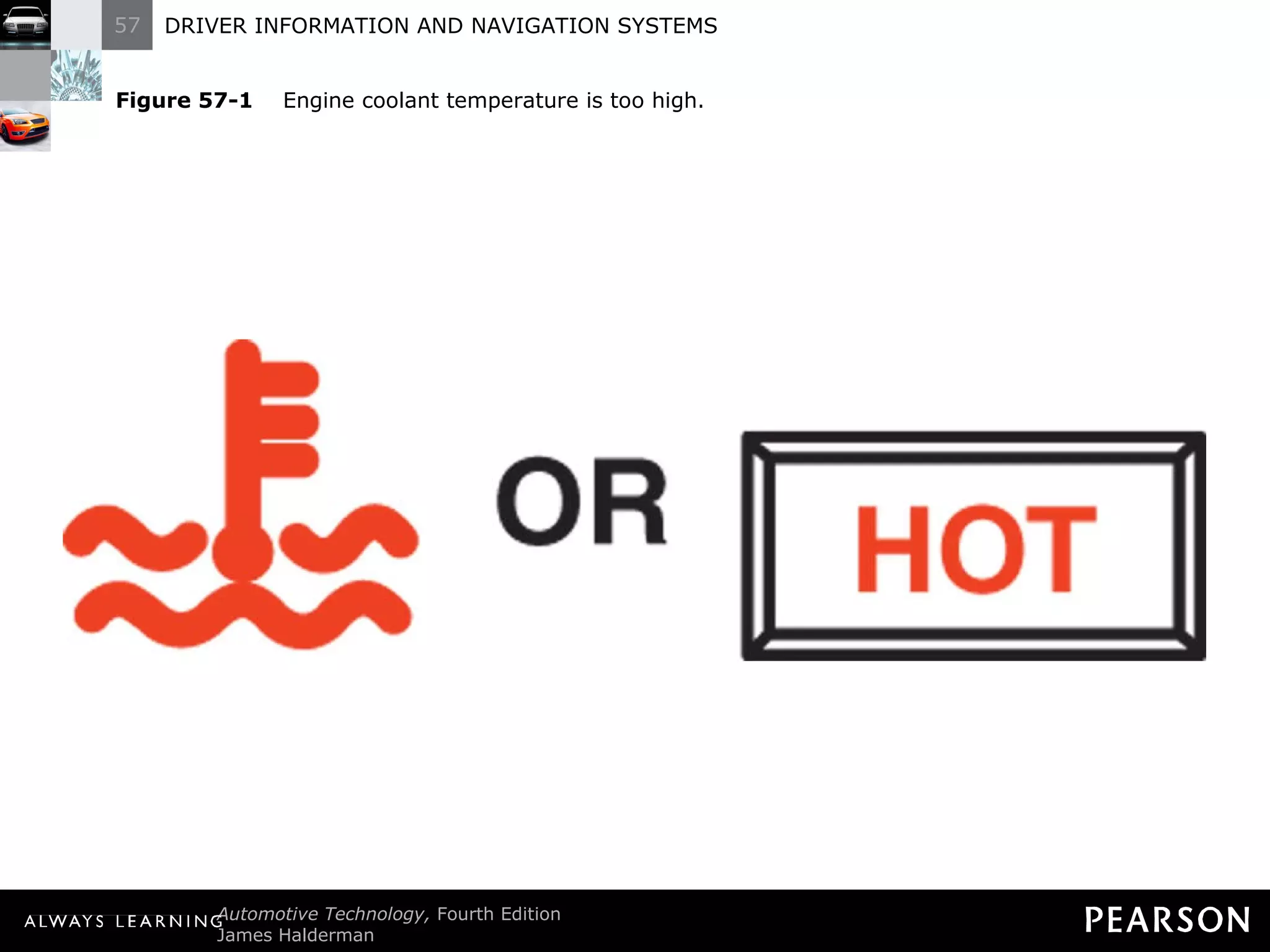
Dash Warning Symbols  Engine Fault Warning Engine fault warning lights include the following: Engine coolant temperature. If this warning lamp comes on while driving, perform the following in an attempt to reduce the temperature: Turn off the air conditioning.
Dash Warning Symbols  Engine Fault Warning Engine fault warning lights include the following: Engine coolant temperature. If this warning lamp comes on while driving, perform the following in an attempt to reduce the temperature: Turn on the heater.
Dash Warning Symbols  Engine Fault Warning Engine fault warning lights include the following: Engine coolant temperature. If this warning lamp comes on while driving, perform the following in an attempt to reduce the temperature: If the hot light remains on, drive to a safe location and shut off the engine.
Figure 57-1   Engine coolant temperature is too high.
Dash Warning Symbols Engine Fault Warning Engine fault warning lights include the following: Engine oil pressure. If this light comes on when driving, perform the following: Pull off the road as soon as possible.
Dash Warning Symbols Engine Fault Warning Engine fault warning lights include the following: Engine oil pressure. If this light comes on when driving, perform the following: Shut off the engine.
Dash Warning Symbols Engine Fault Warning Engine fault warning lights include the following: Engine oil pressure. If this light comes on when driving, perform the following: Check the oil level.
Dash Warning Symbols Engine Fault Warning Engine fault warning lights include the following: Engine oil pressure. If this light comes on when driving, perform the following: Do not drive the vehicle with the engine oil light on or severe engine damage can occur.
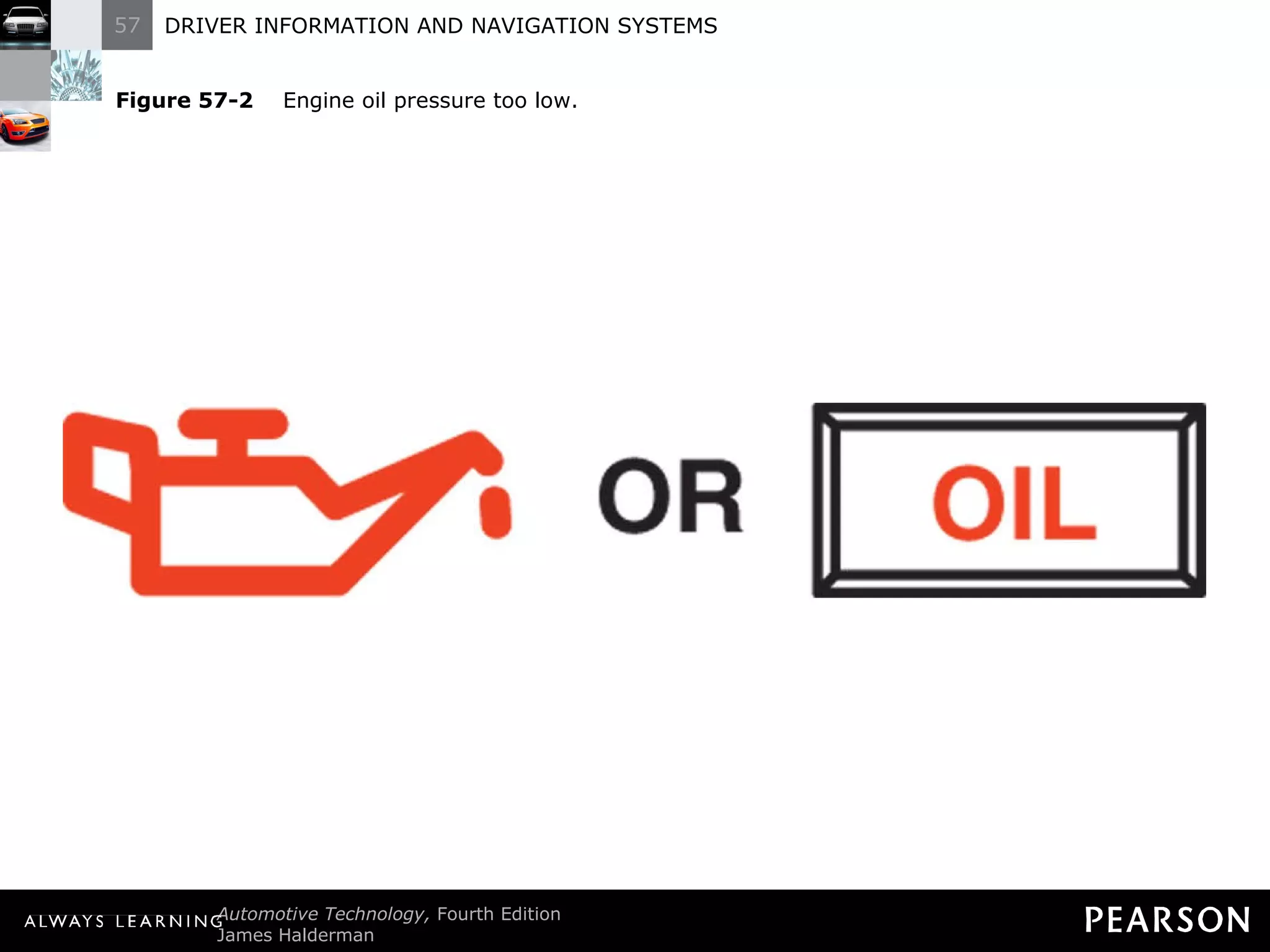
Figure 57-2   Engine oil pressure too low.
Dash Warning Symbols Engine Fault Warning Engine fault warning lights include the following: Water in diesel fuel warning. If this warning lamp comes on, do the following: Remove the water using the built-in drain, usually part of the fuel filter.
Dash Warning Symbols Engine Fault Warning Engine fault warning lights include the following: Water in diesel fuel warning. If this warning lamp comes on, do the following: Check service information for the exact procedure to follow.
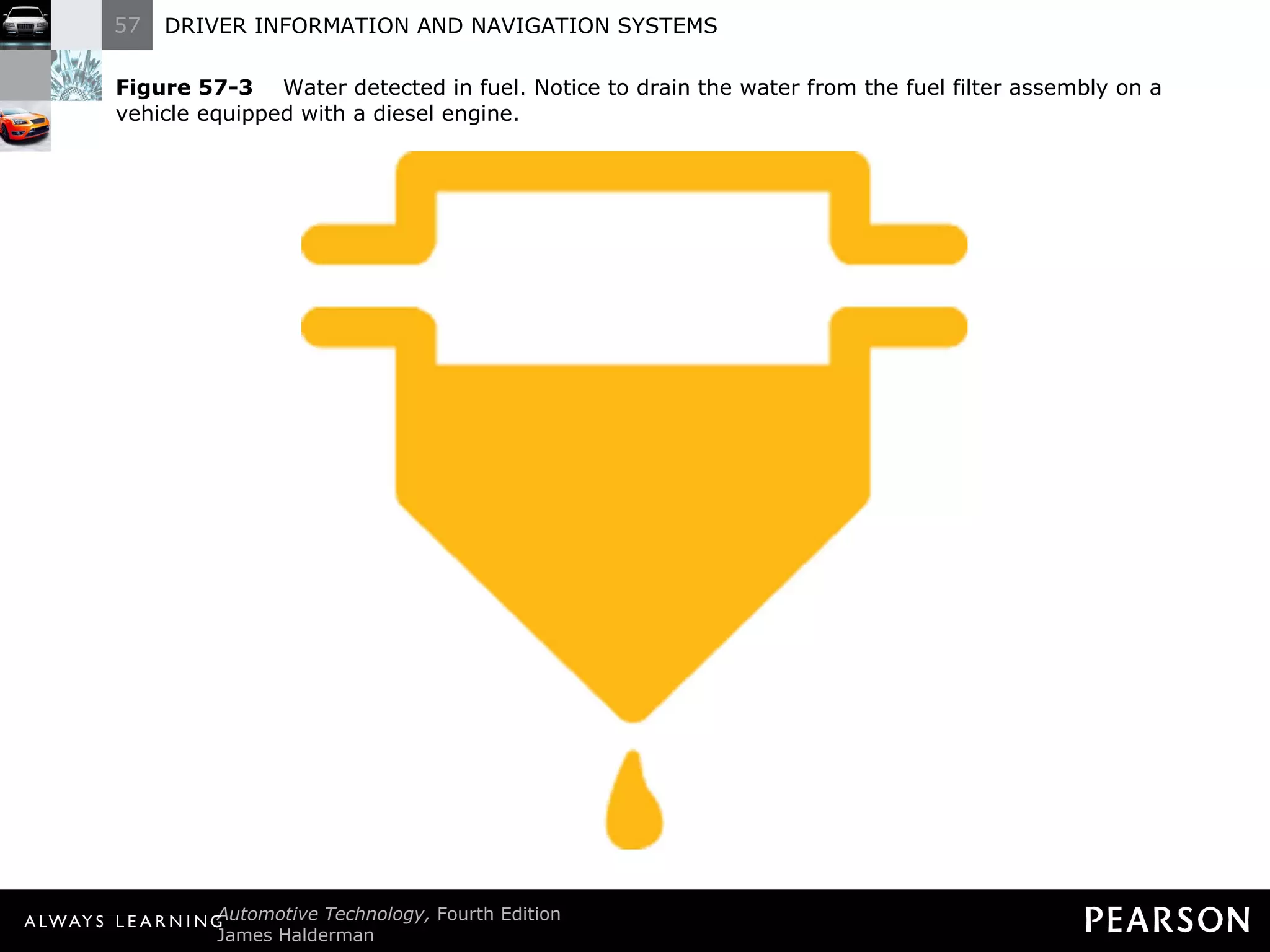
Figure 57-3   Water detected in fuel. Notice to drain the water from the fuel filter assembly on a vehicle equipped with a diesel engine.
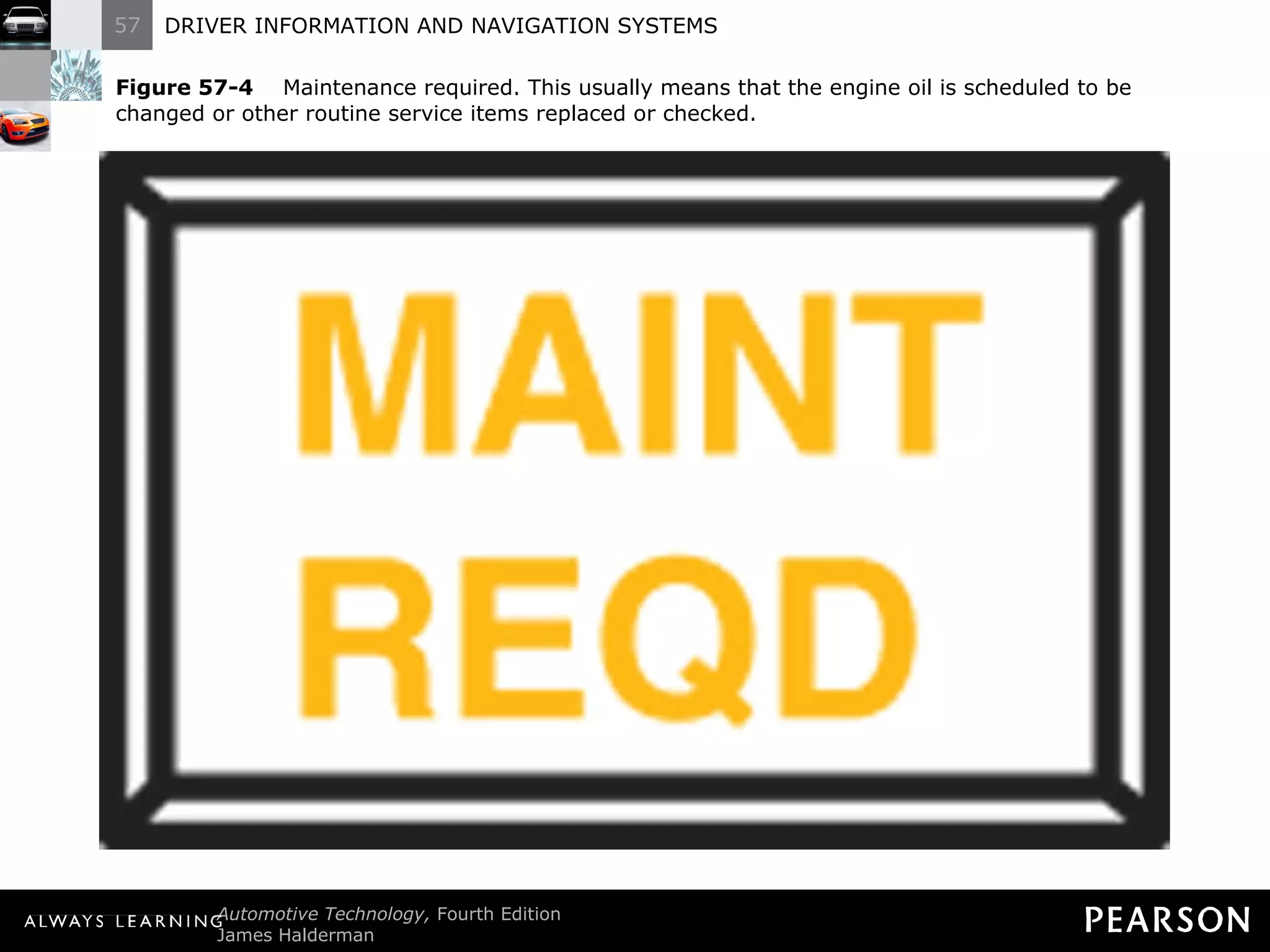
Dash Warning Symbols Engine Fault Warning Engine fault warning lights include the following: Maintenance required warning. The service required could include: Oil and oil filter change.
Dash Warning Symbols Engine Fault Warning Engine fault warning lights include the following: Maintenance required warning. The service required could include: Tire rotation.
Dash Warning Symbols Engine Fault Warning Engine fault warning lights include the following: Maintenance required warning. The service required could include: Inspection.
Figure 57-4   Maintenance required. This usually means that the engine oil is scheduled to be changed or other routine service items replaced or checked.
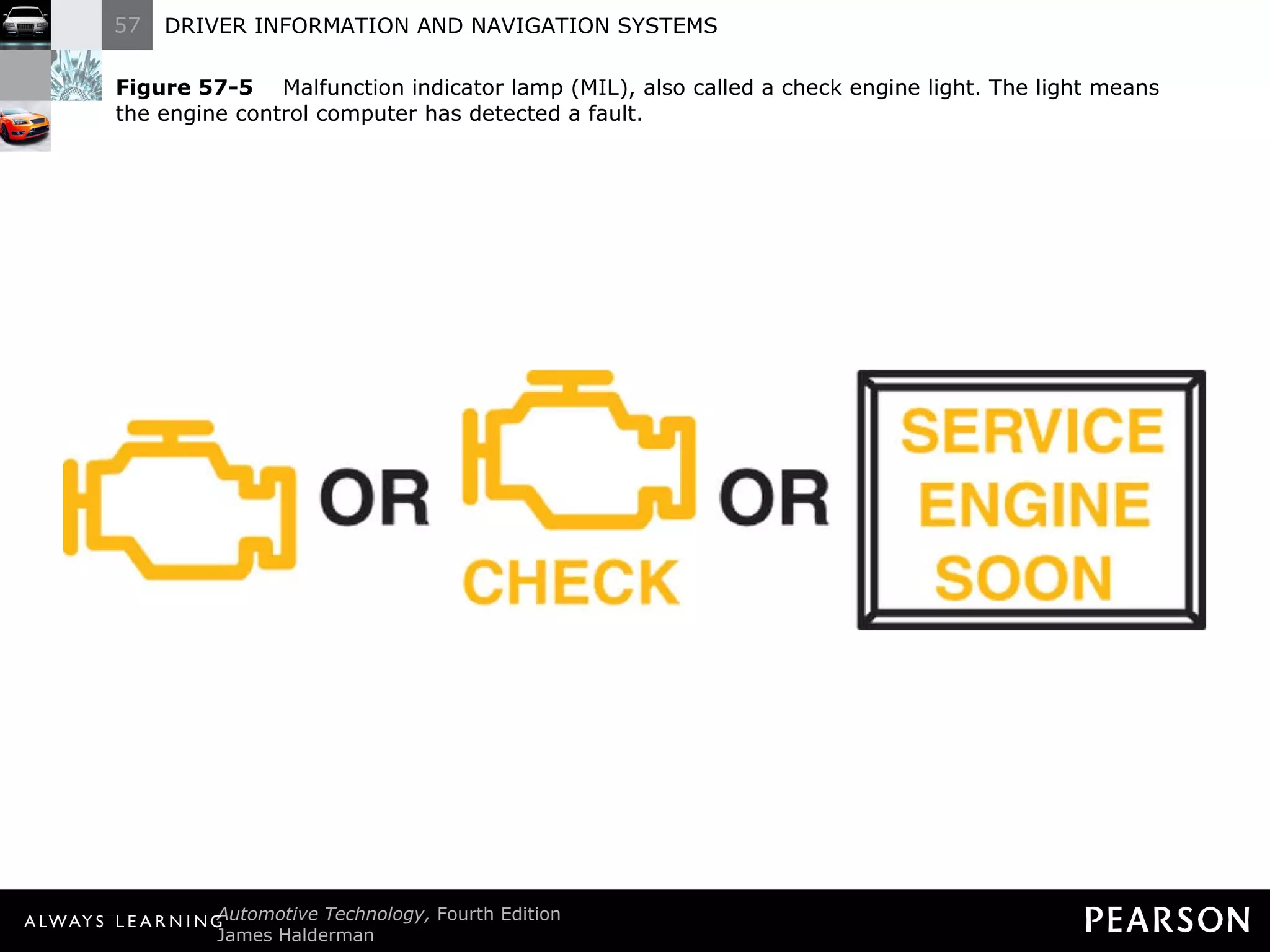
Dash Warning Symbols Engine Fault Warning Engine fault warning lights include the following: Malfunction indicator lamp (MIL or SES) light. If the MIL comes on determine the cause as soon as possible
Dash Warning Symbols Engine Fault Warning Engine fault warning lights include the following: Malfunction indicator lamp (MIL or SES) light. The MIL could come on if any of the following has been detected: A sensor or actuator is electrically open or shorted.
Dash Warning Symbols Engine Fault Warning Engine fault warning lights include the following: Malfunction indicator lamp (MIL or SES) light. The MIL could come on if any of the following has been detected: A sensor is out of range for expected values.
Dash Warning Symbols Engine Fault Warning Engine fault warning lights include the following: Malfunction indicator lamp (MIL or SES) light. The MIL could come on if any of the following has been detected: 3. An emission control system failure occurs, such as a loose gas cap.
Figure 57-5   Malfunction indicator lamp (MIL), also called a check engine light. The light means the engine control computer has detected a fault.
Dash Warning Symbols Electrical System-Related Warning Lights Charging system fault. The lamp could include a fault with any of the following: Battery state of charge (SOC).
Dash Warning Symbols Electrical System-Related Warning Lights Charging system fault. The lamp could include a fault with any of the following: Alternator or related wiring.
Dash Warning Symbols Electrical System-Related Warning Lights Charging system fault. Check the following by visible inspection: Alternator drive belt.
Dash Warning Symbols Electrical System-Related Warning Lights Charging system fault. Check the following by visible inspection: Loose or corroded electrical connections at the battery.
Dash Warning Symbols Electrical System-Related Warning Lights Charging system fault. Check the following by visible inspection: Loose or corroded wiring to the alternator.
Dash Warning Symbols Electrical System-Related Warning Lights Charging system fault. Check the following by visible inspection: Defective alternator.
Figure 57-6   Charging system fault detected.
Dash Warning Symbols Safety Related Warning Lamps Safety belt warning lamp. This warning lamp will light and sound an alarm to notify the driver if the driver ’s side or passenger’s side safety belt is not fastened.
Dash Warning Symbols Safety Related Warning Lamps Safety belt warning lamp. It is also used to indicate a fault in the safety belt circuit.
Dash Warning Symbols Safety Related Warning Lamps Safety belt warning lamp. Check service information for the exact procedure to follow if the safety belt warning light remains on even when the belts are fastened
Figure 57-7   Fasten safety belt warning light.
Dash Warning Symbols Safety Related Warning Lamps Airbag warning lamp. If this warning lamp remains on after the self-test, then the airbag controller has detected a fault.
Dash Warning Symbols  Safety Related Warning Lamps Airbag warning lamp. Check service information for the exact procedure to follow if the airbag warning lamp is on.
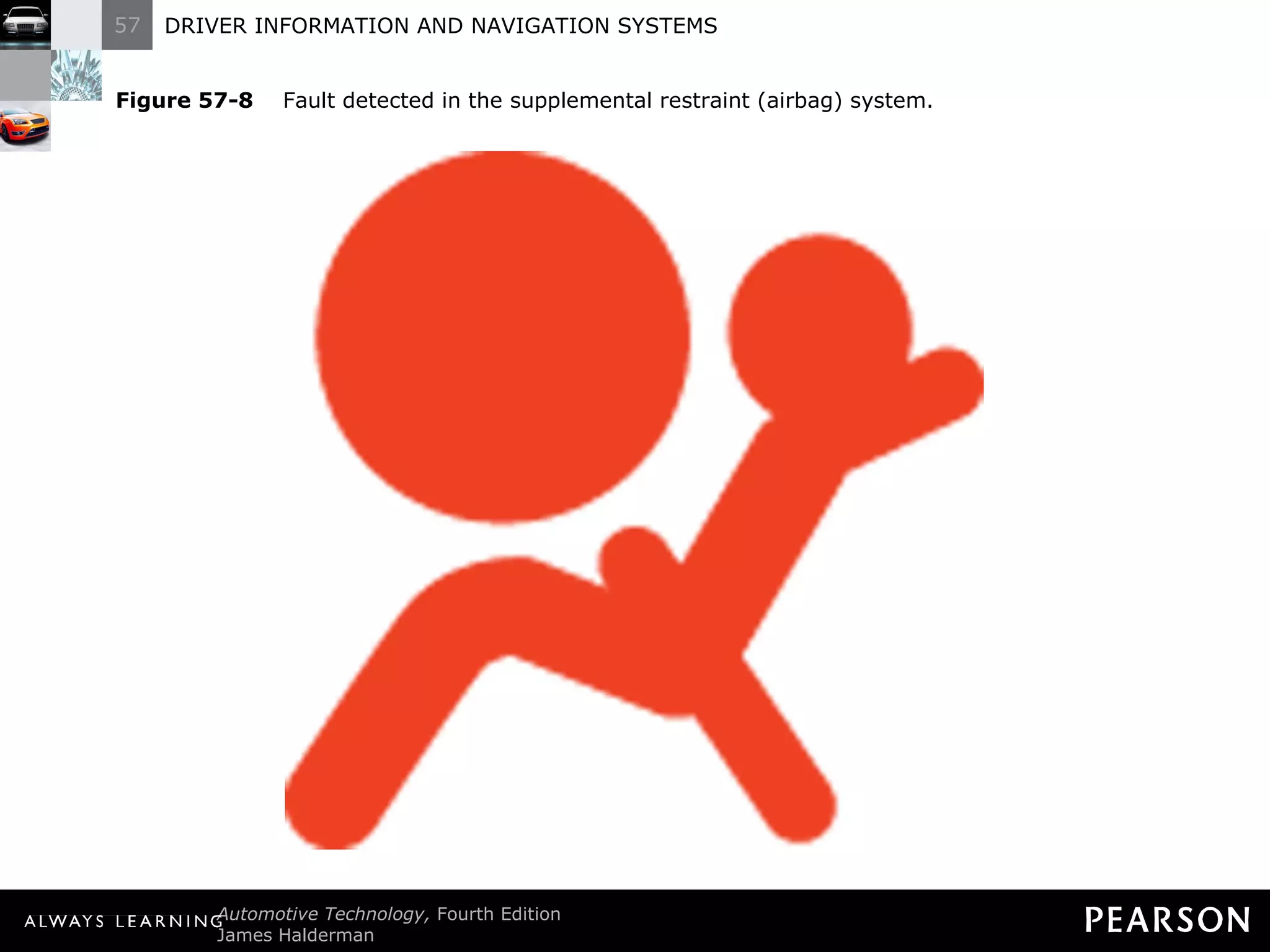
Figure 57-8   Fault detected in the supplemental restraint (airbag) system.
Dash Warning Symbols Safety Related Warning Lamps NOTE: The passenger side airbag light may indicate that it is on or off, depending if there is a passenger or an object heavy enough to trigger the seat sensor.
Dash Warning Symbols  Safety Related Warning Lamps Red brake faulty warning light. All vehicles have a red brake warning (RBW) lamp that lights if a fault in the base (hydraulic) brake system is detected.
Dash Warning Symbols Safety Related Warning Lamps Three types of sensors are used to light this warning light: A brake fluid level sensor.
Dash Warning Symbols Safety Related Warning Lamps Three types of sensors are used to light this warning light: Pressure differential switch.
Dash Warning Symbols Safety Related Warning Lamps Three types of sensors are used to light this warning light: The parking brake could be applied.
Dash Warning Symbols Safety Related Warning Lamps If the red brake warning light comes on, do not drive the vehicle until the cause is determined and corrected.
Figure 57-9   Fault detected in base brake system.
Dash Warning Symbols  Safety Related Warning Lamps Brake light bulb failure. The warning lamp will warn the driver that a brake light is burnt out.
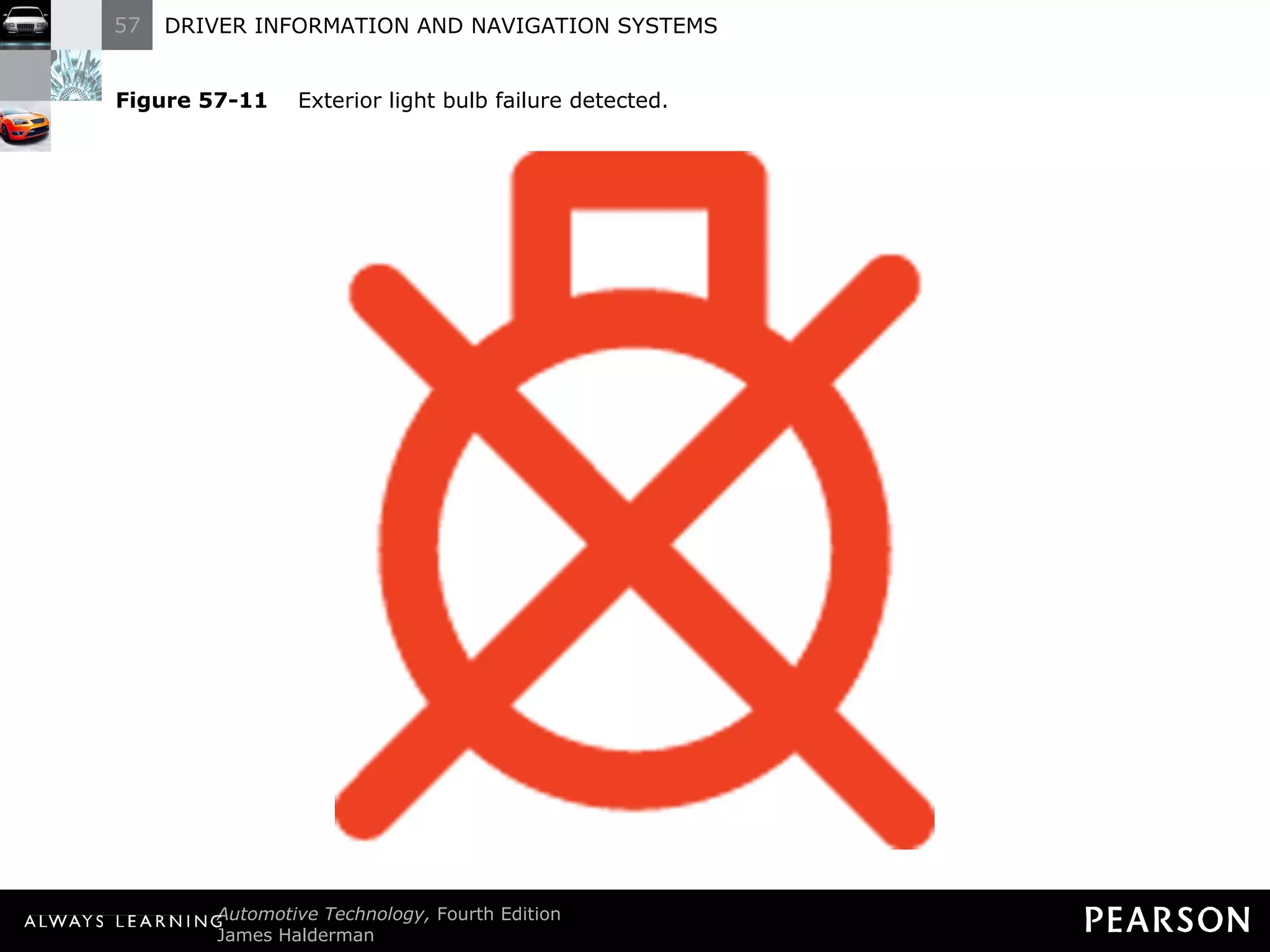
Dash Warning Symbols  Safety Related Warning Lamps Exterior light bulb failure. The body control module (BCM) monitors current flow through all of the exterior lights and detects if a bulb is not working.
Figure 57-11   Exterior light bulb failure detected.
Dash Warning Symbols  Safety Related Warning Lamps Worn brake pads. Sensors built into the disc brake pads can light this.
Dash Warning Symbols  Safety Related Warning Lamps Worn brake pads. Check service information.
Figure 57-12   Worn brake pads or linings detected.
Dash Warning Symbols Safety Related Warning Lamps Anti-lock brake system fault. Examples of what could trigger the warning light include: Defective wheel speed sensor.
Dash Warning Symbols Safety Related Warning Lamps Anti-lock brake system fault. Examples of what could trigger the warning light include: Low brake fluid level in the hydraulic control unit assembly.
Dash Warning Symbols Safety Related Warning Lamps Anti-lock brake system fault. Examples of what could trigger the warning light include: Electrical fault detected anywhere in the system.
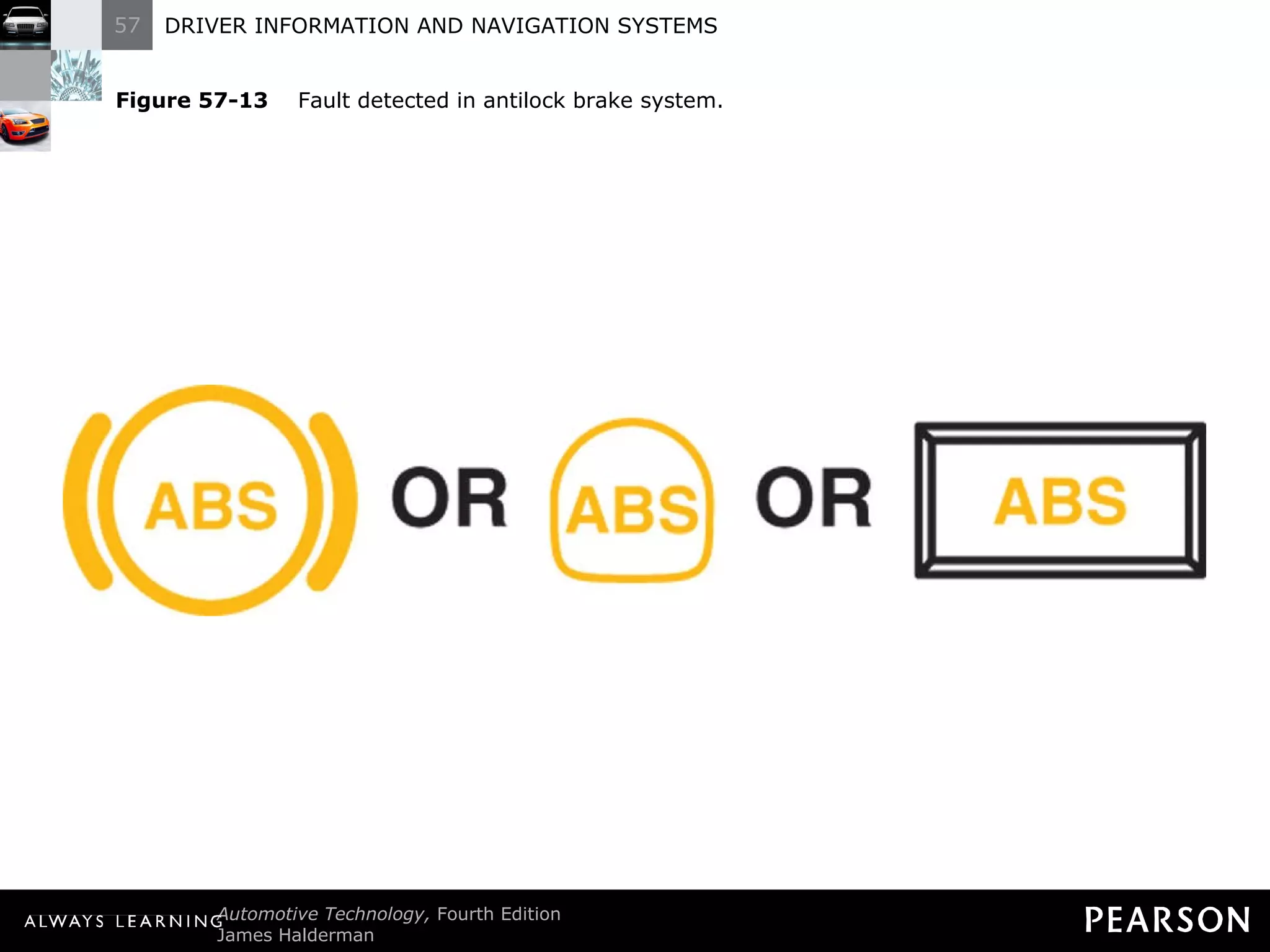
Dash Warning Symbols Safety Related Warning Lamps Anti-lock brake system fault. If the amber ABS warning lamp is on, it is safe to drive the vehicle, but the antilock portion may not function.
Figure 57-13   Fault detected in antilock brake system.
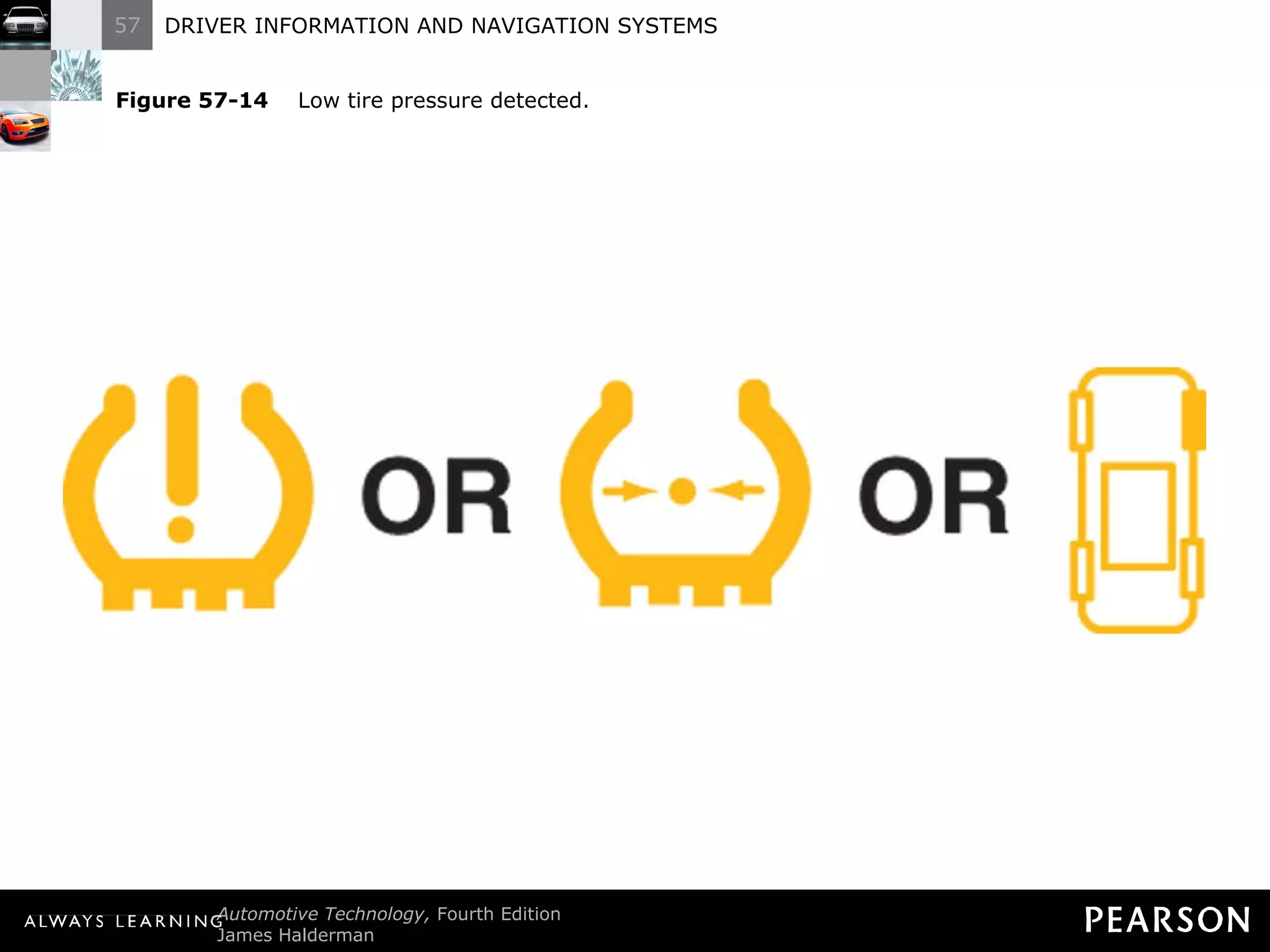
Dash Warning Symbols  Safety Related Warning Lamps Low tire pressure warning. A tire pressure monitoring system (TPMS) warns if the inflation pressure of a tire has decreased by 25% (about 8 psi)
Dash Warning Symbols  Safety Related Warning Lamps Low tire pressure warning. Check the tire pressures before driving.
Figure 57-14   Low tire pressure detected.
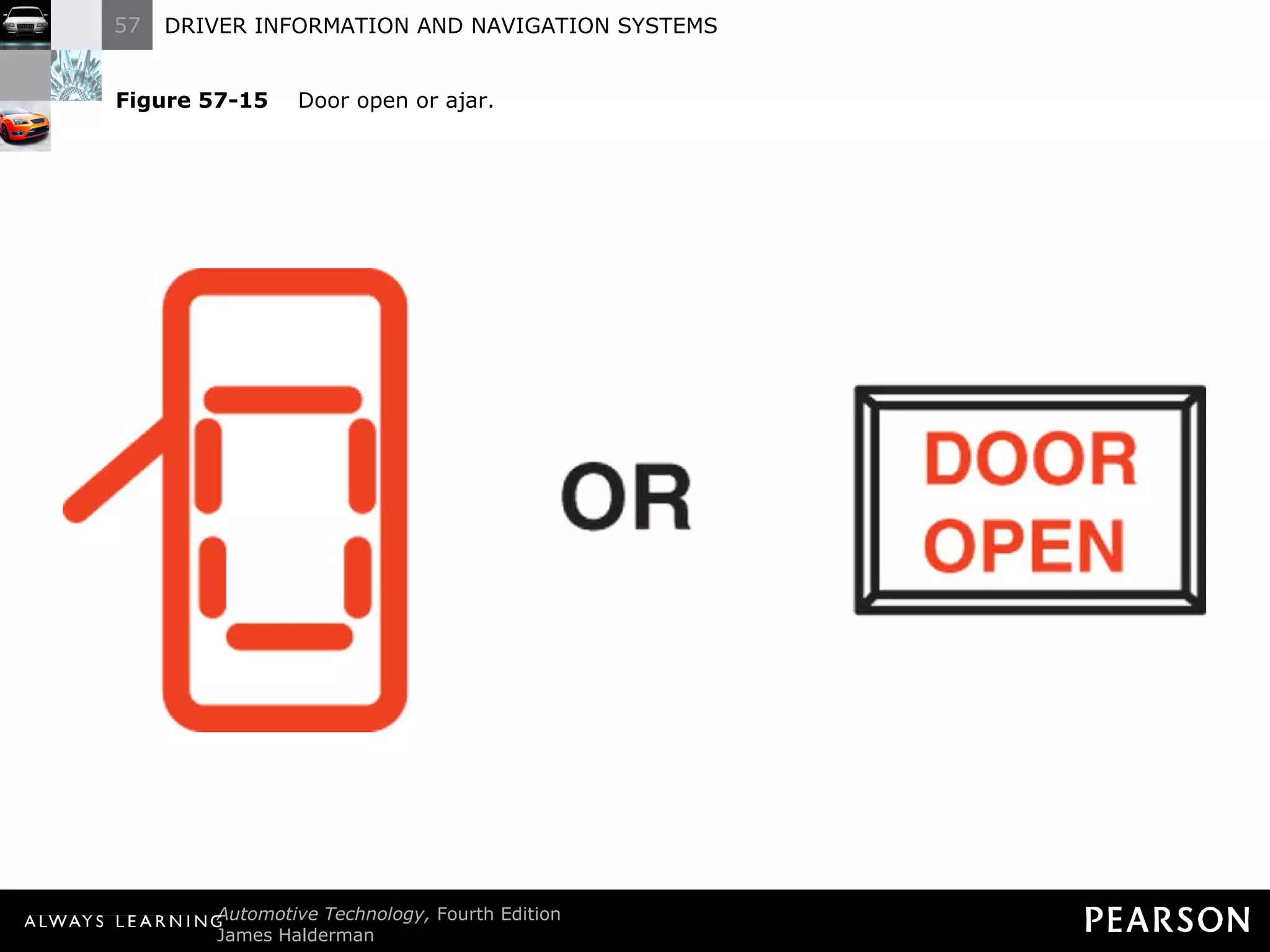
Dash Warning Symbols  Driver Information System Door open or ajar warning light. Check and close all doors and tailgates before driving.
Figure 57-15   Door open or ajar.
Dash Warning Symbols Driver Information System Windshield washer fluid low. A sensor in the washer fluid reservoir is used to turn on the low washer fluid warning lamp.
Figure 57-16   Windshield washer fluid low.
Dash Warning Symbols  Driver Information System Low fuel warning. In most vehicles, the light comes on when there is between 1 and 3 gallons (3.8 and 11 liters) of fuel remaining.
Figure 57-17   Low fuel level.
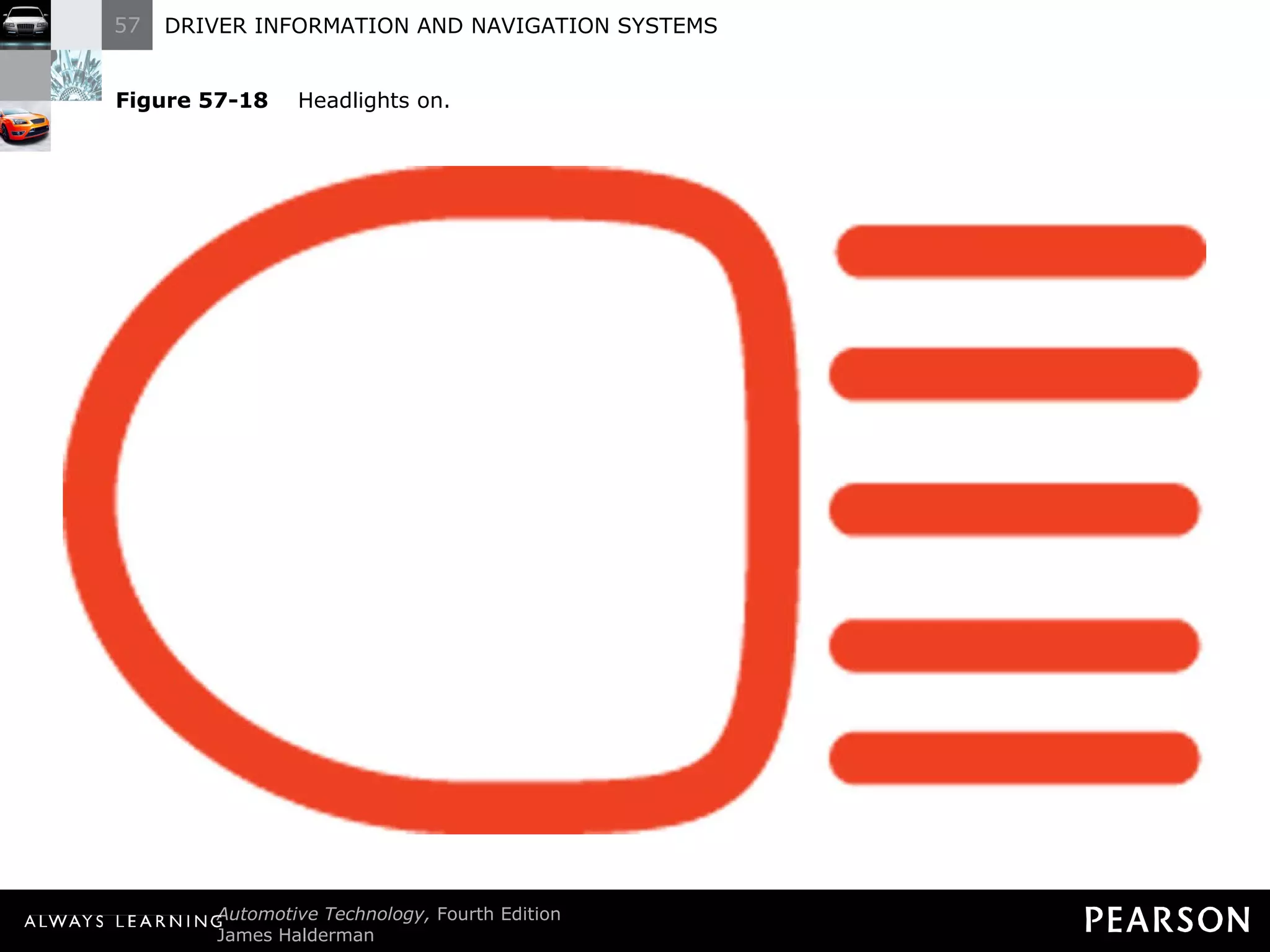
Dash Warning Symbols  Driver Information System Headlights on. This dash indicator lights whenever the headlights are on.
Figure 57-18   Headlights on.
Dash Warning Symbols  Driver Information System NOTE: This light may or may not indicate that the headlights are on if the headlight switch is set to the automatic position.
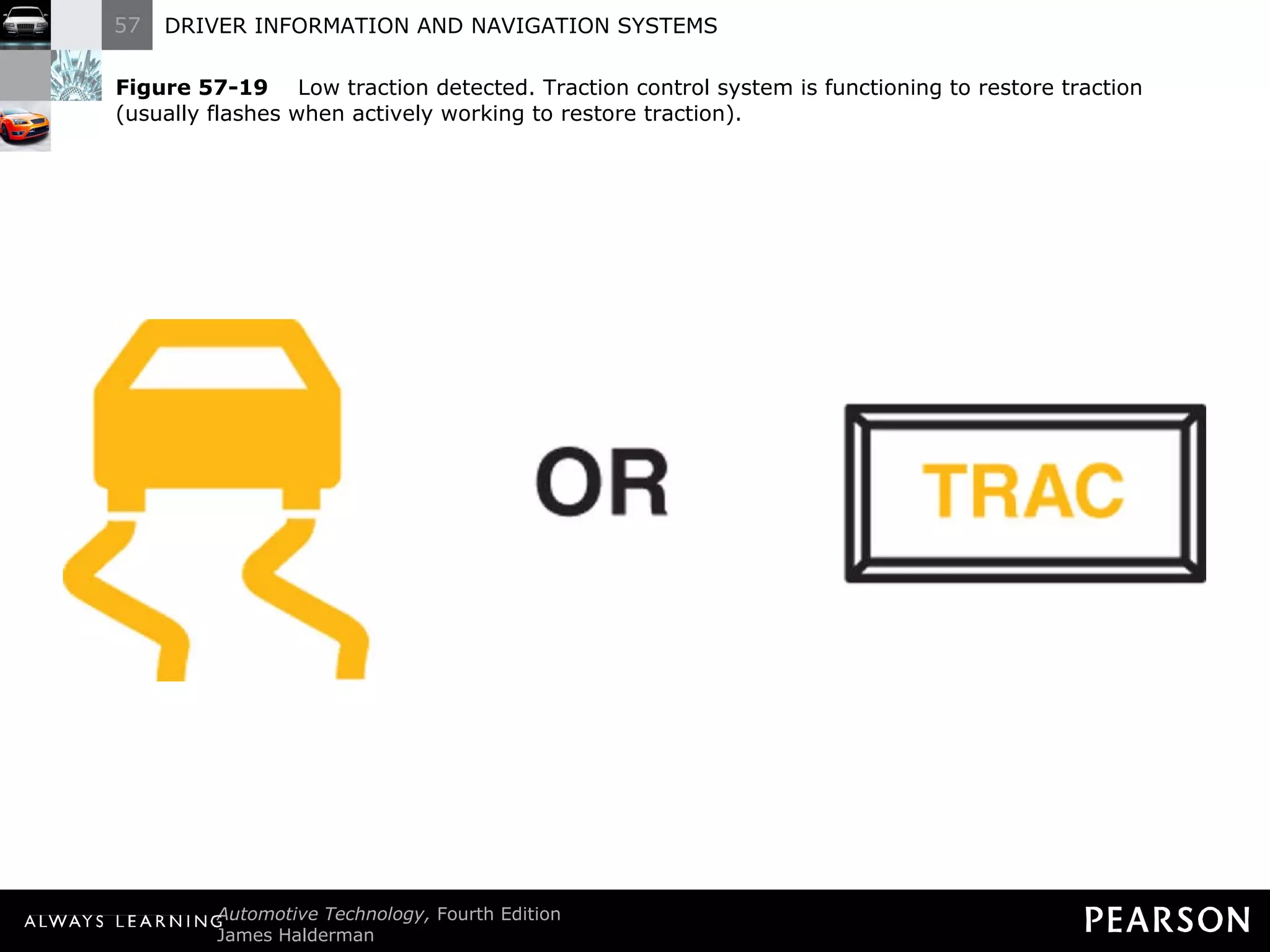
Dash Warning Symbols  Driver Information System Low traction detection. With a traction control system (TCS), a dash indicator light is flashed whenever the system is working to restore traction.
Dash Warning Symbols  Driver Information System Low traction detection. If the low traction warning light is flashing, reduce the rate of acceleration to help the system restore traction.
Figure 57-19   Low traction detected. Traction control system is functioning to restore traction (usually flashes when actively working to restore traction).
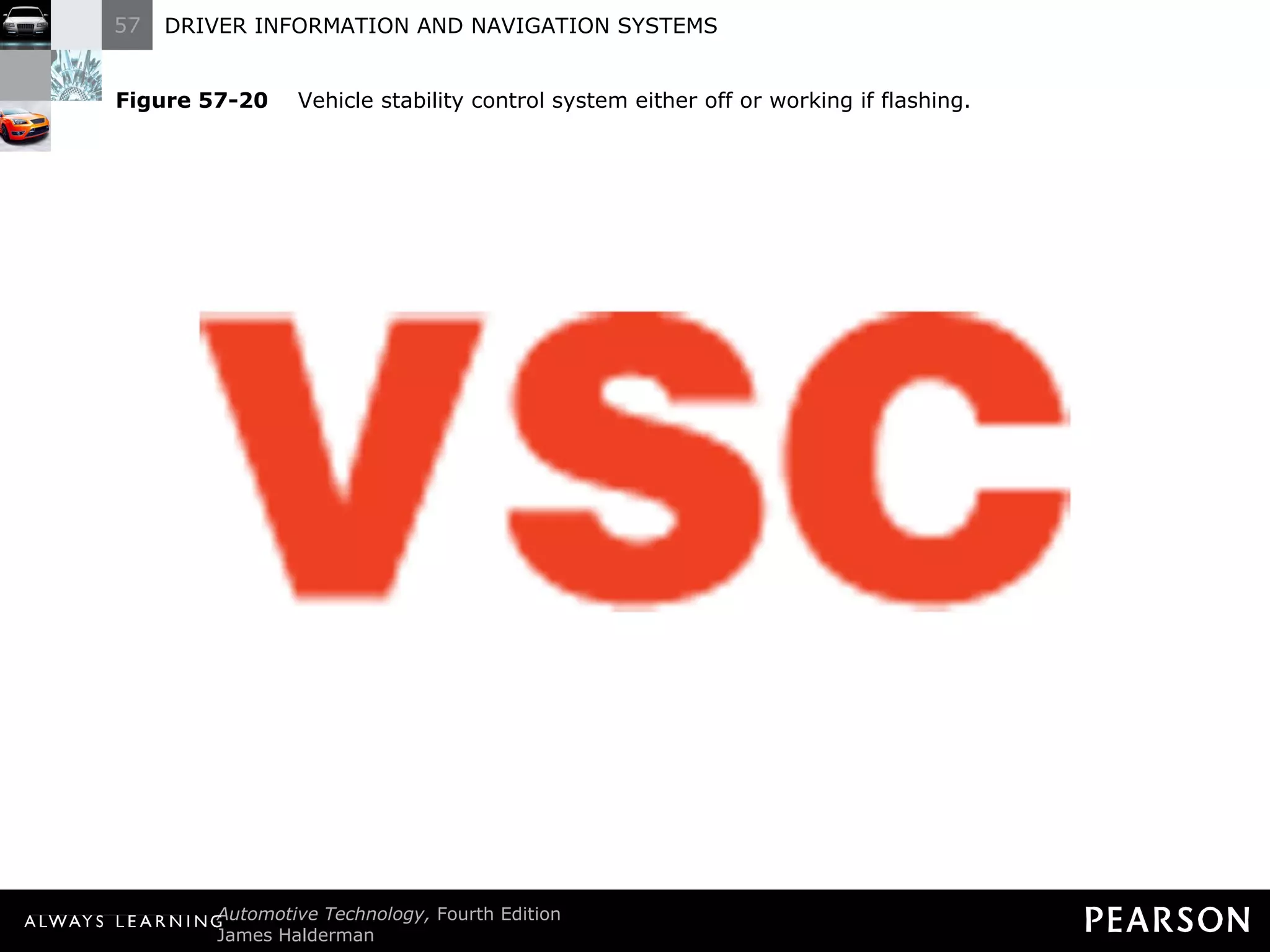
Dash Warning Symbols  Driver Information System Electronic stability control. If a vehicle is equipped with electronic stability control (ESC), also called vehicle stability control (VSC), the dash indicator lamp will flash if the system is trying to restore vehicle stability.
Figure 57-20   Vehicle stability control system either off or working if flashing.
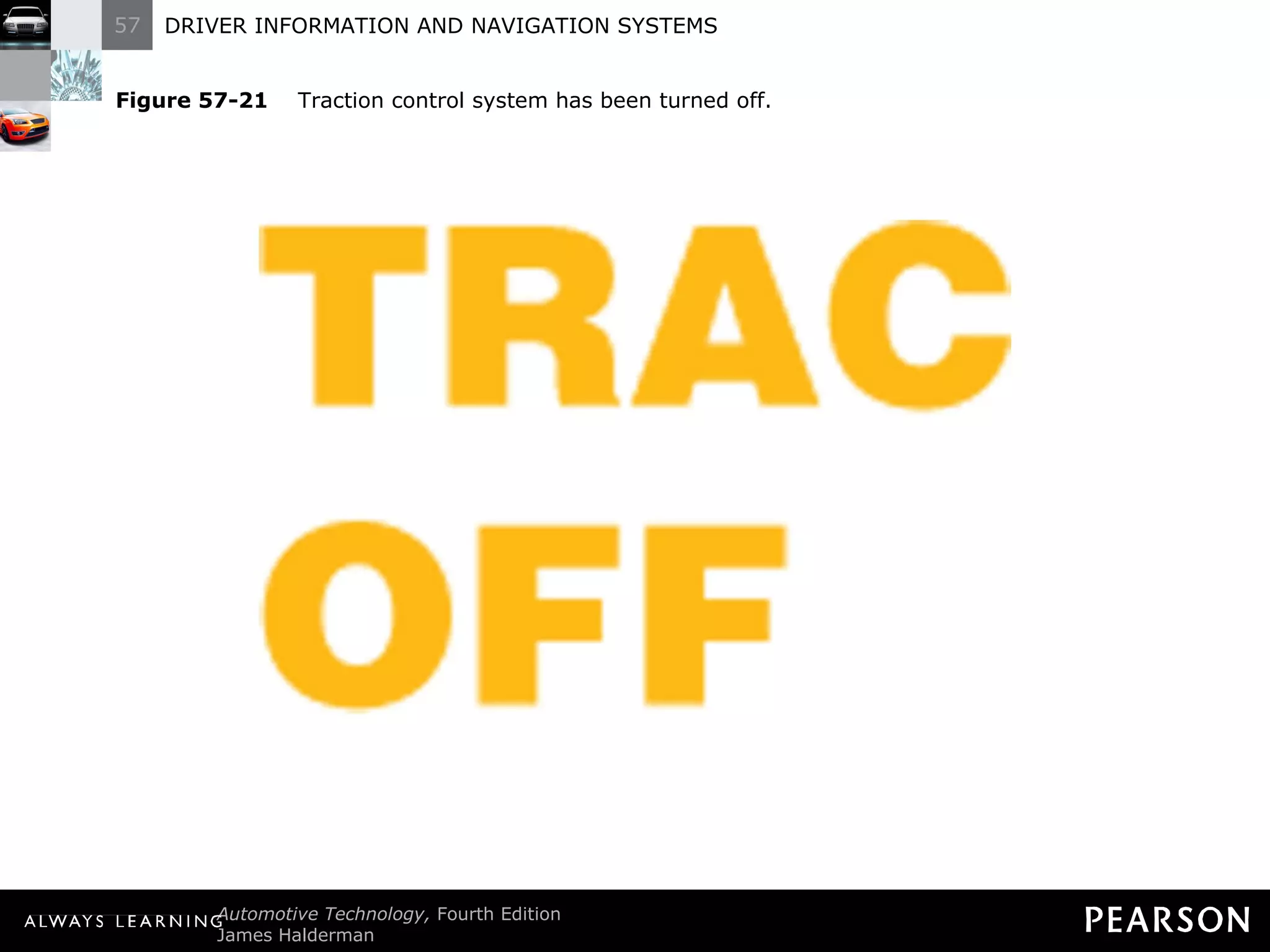
Dash Warning Symbols  Driver Information System Traction off. An indicator lamp lights to help remind the driver that this system has been turned off and will not be able to restore traction when lost.
Figure 57-21   Traction control system has been turned off.
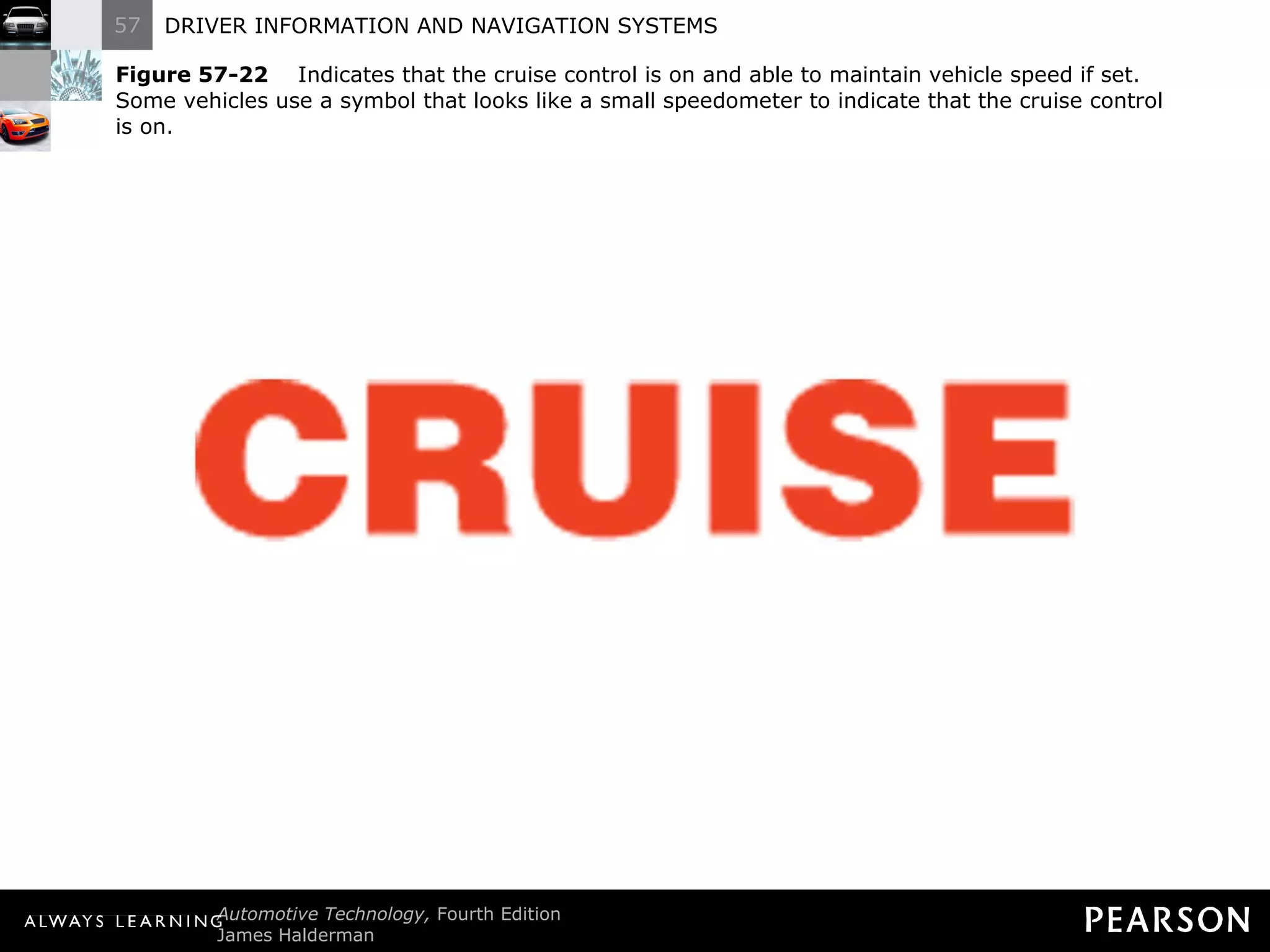
Dash Warning Symbols  Driver Information System Cruise indicator lamp. Most vehicles are equipped with a switch that turns on the cruise control. When the cruise control has been turned on, the cruise indicator light is on.
Figure 57-22   Indicates that the cruise control is on and able to maintain vehicle speed if set. Some vehicles use a symbol that looks like a small speedometer to indicate that the cruise control  is on.
OIL PRESSURE WARNING DEVICES
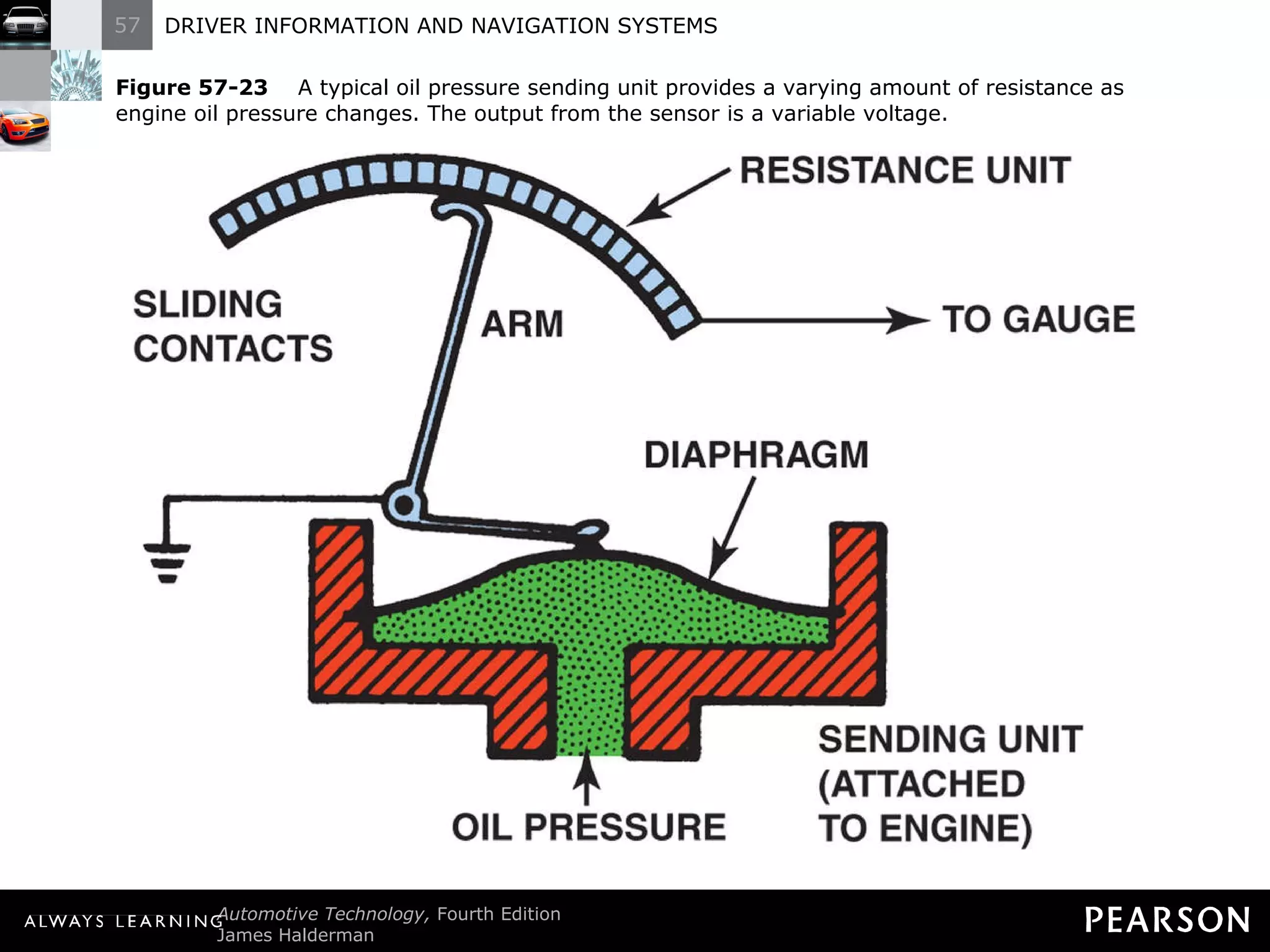
Oil Pressure Warning Devices Operation The oil pressure lamp operates through use of an oil pressure sensor unit which lights the dash warning lamp when oil pressure is low - 3 to 7 psi (20 to 50 kilopascals [kPa]).
Figure 57-23   A typical oil pressure sending unit provides a varying amount of resistance as engine oil pressure changes. The output from the sensor is a variable voltage.
Oil Pressure Warning Devices  Oil Pressure Lamp Diagnosis Unplug the wire from the oil pressure sending unit with the ignition switch on.
Oil Pressure Warning Devices  Oil Pressure Lamp Diagnosis With the wire disconnected from the sending unit, the warning lamp should be off.
Oil Pressure Warning Devices  Oil Pressure Lamp Diagnosis If the wire is touched to a ground, the warning lamp should be on.
Oil Pressure Warning Devices  Oil Pressure Lamp Diagnosis If there is any doubt of the operation of the oil pressure warning lamp, always check the actual engine oil pressure using a gauge.
TEMPERATURE LAMP DIAGNOSIS
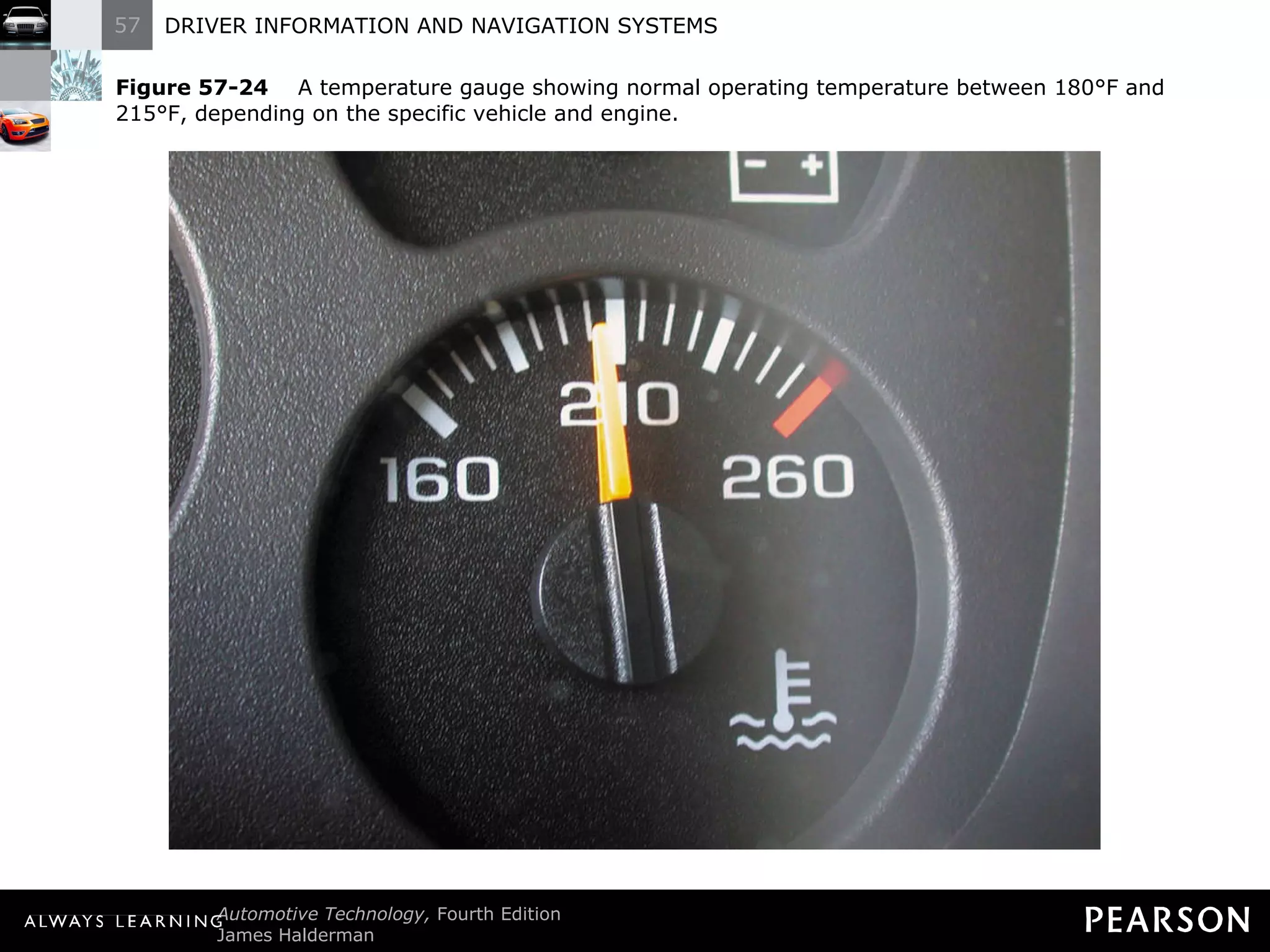
Temperature Lamp Diagnosis The engine coolant overheat warning lamp, warns the driver whenever the engine coolant temperature is between 248°F and 258°F (120°C and 126°C). To test this sensor, use a scan tool to verify proper engine temperature and follow the vehicle manufacturer ’s recommended testing procedures.
Figure 57-24   A temperature gauge showing normal operating temperature between 180°F and 215°F, depending on the specific vehicle and engine.
BRAKE WARNING LAMP
Brake Warning Lamp Signal the driver of a failure in one part of the hydraulic brake system. The switch that operates the warning lamp is called a pressure differential switch (usually the center portion of a multipurpose brake part called a combination valve).
Brake Warning Lamp  If the warning lamp is on, check if the parking brake is fully released.  If the parking brake is not on, there could be a defective parking brake switch or a hydraulic brake problem.
Brake Warning Lamp  To test for which system is causing the warning, unplug the wire from the valve or switch. If the wire on the pressure differential switch is disconnected and the warning lamp remains on, then the problem is due to a defective park brake switch.
Brake Warning Lamp  If the warning lamp goes out when the wire is removed from the brake switch, then there is a hydraulic brake fault. The red brake warning lamp also can be turned on if the brake fluid is low.
Figure 57-25   Typical brake warning light switch located on or near the master brake cylinder.
Figure 57-26   The red brake warning lamp can be turned on if the brake fluid level is low.
ANALOG DASH INSTRUMENTS
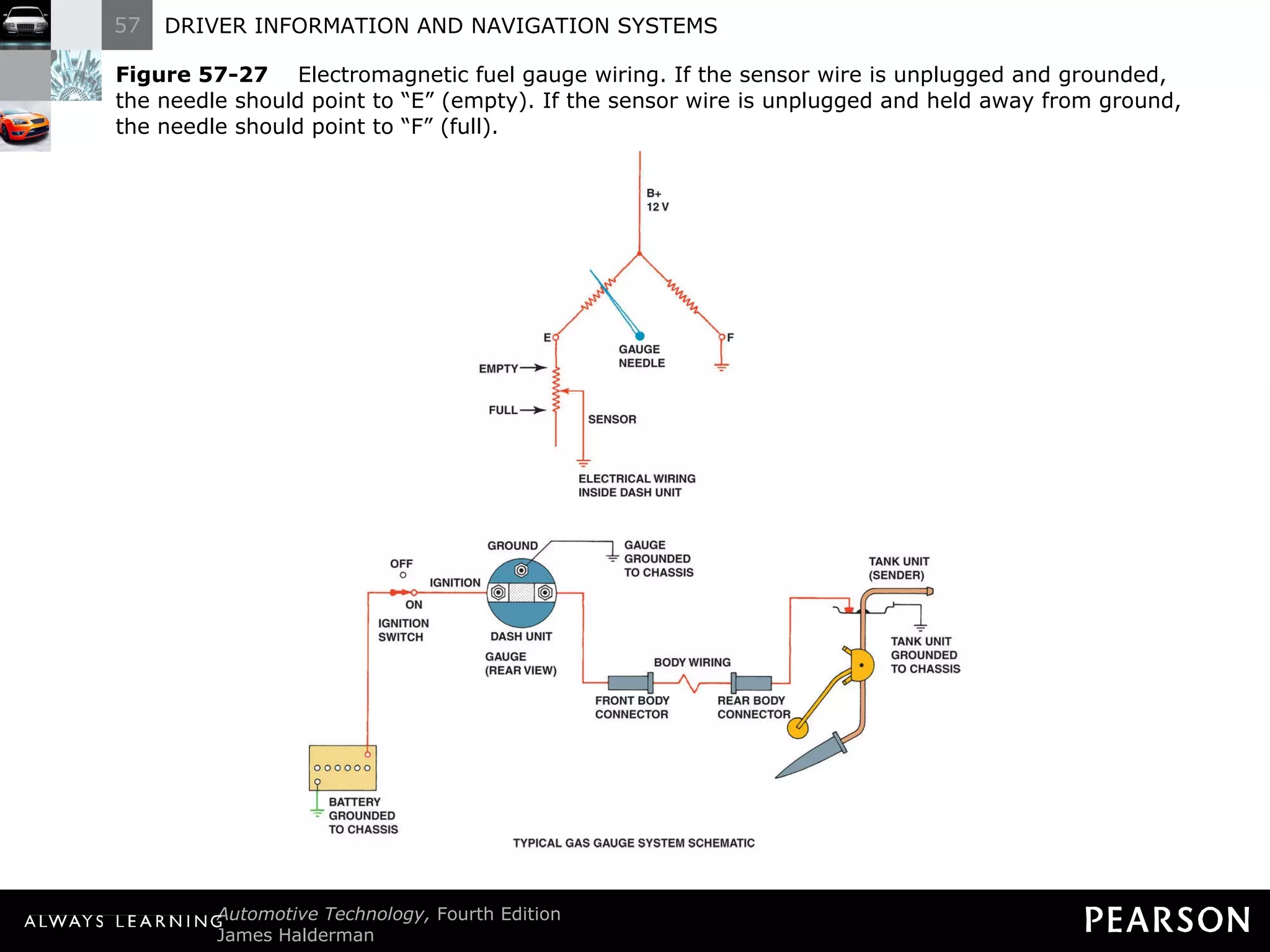
Analog Dash Instruments Analog displays use a needle to show the value. These instruments use small electromagnetic coils that are connected to a sending unit for fuel level, water temperature, and oil pressure.
Figure 57-27   Electromagnetic fuel gauge wiring. If the sensor wire is unplugged and grounded, the needle should point to  “E” (empty). If the sensor wire is unplugged and held away from ground, the needle should point to “F” (full).
NETWORK COMMUNICATION
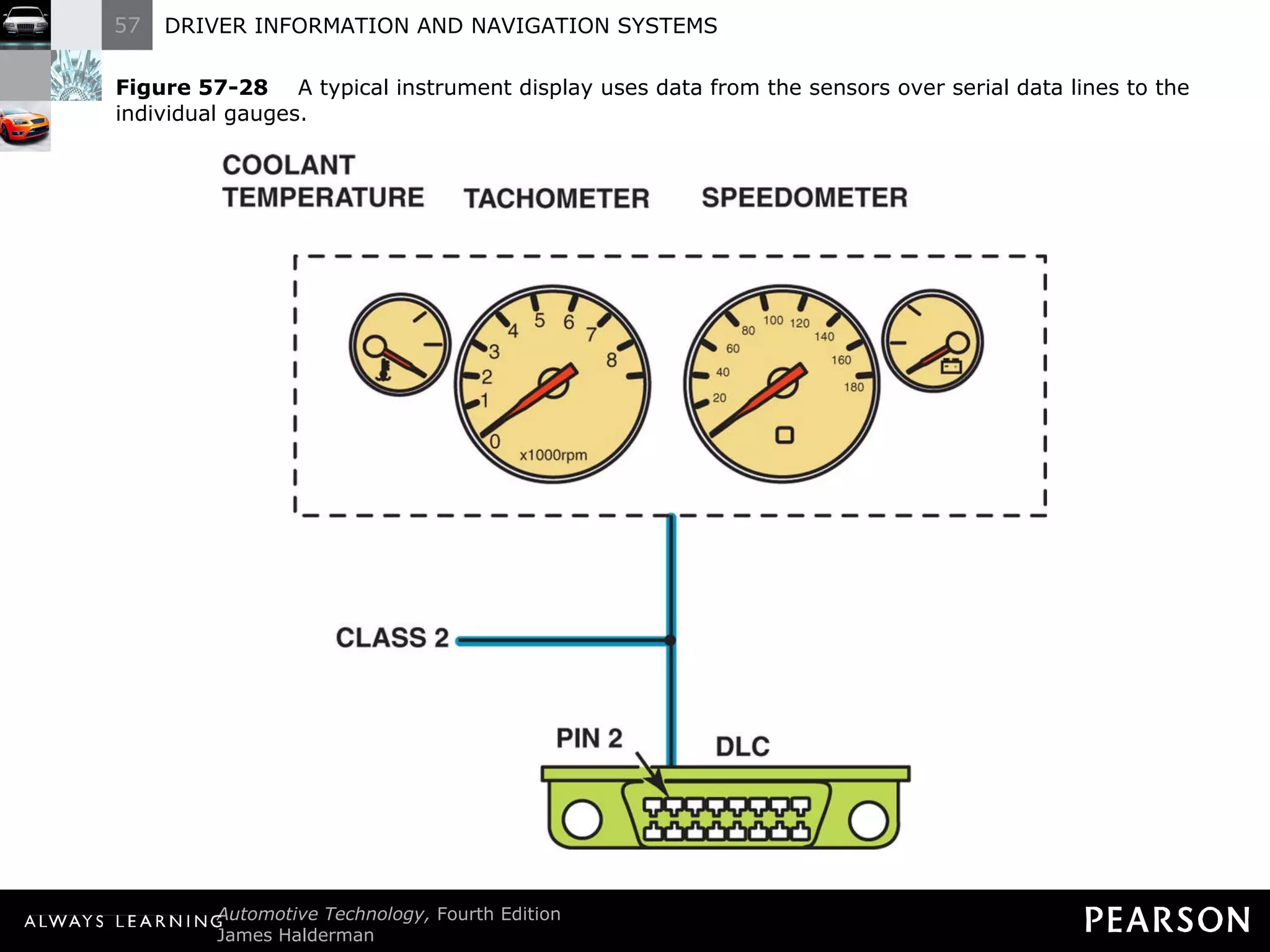
Network Communication Description Many instrument panels are operated by electronic control units that communicate with the engine control computer for engine data such as revolutions per minute (rpm) and engine temperature.
Network Communication Description These electronic instrument panels (IPs) use voltage changes from variable-resistance sensors to determine fuel level.
Network Communication  Description The data is transmitted to the instrument cluster as well as to the powertrain control module through serial data lines.
Network Communication  Description All sensor inputs are interconnected, so always follow the factory recommended diagnostic procedures.
Figure 57-28   A typical instrument display uses data from the sensors over serial data lines to the individual gauges.
STEPPER MOTOR ANALOG GAUGES
Stepper Motor Analog Gauges Description A stepper motor is a type of electric motor that is designed to rotate in small steps based on the signal from a computer.
Stepper Motor Analog Gauges  Operation A digital output is used to control stepper motors. Stepper motors are direct current motors that move in fixed steps or increments from de-energized (no voltage) to fully energized (full voltage).
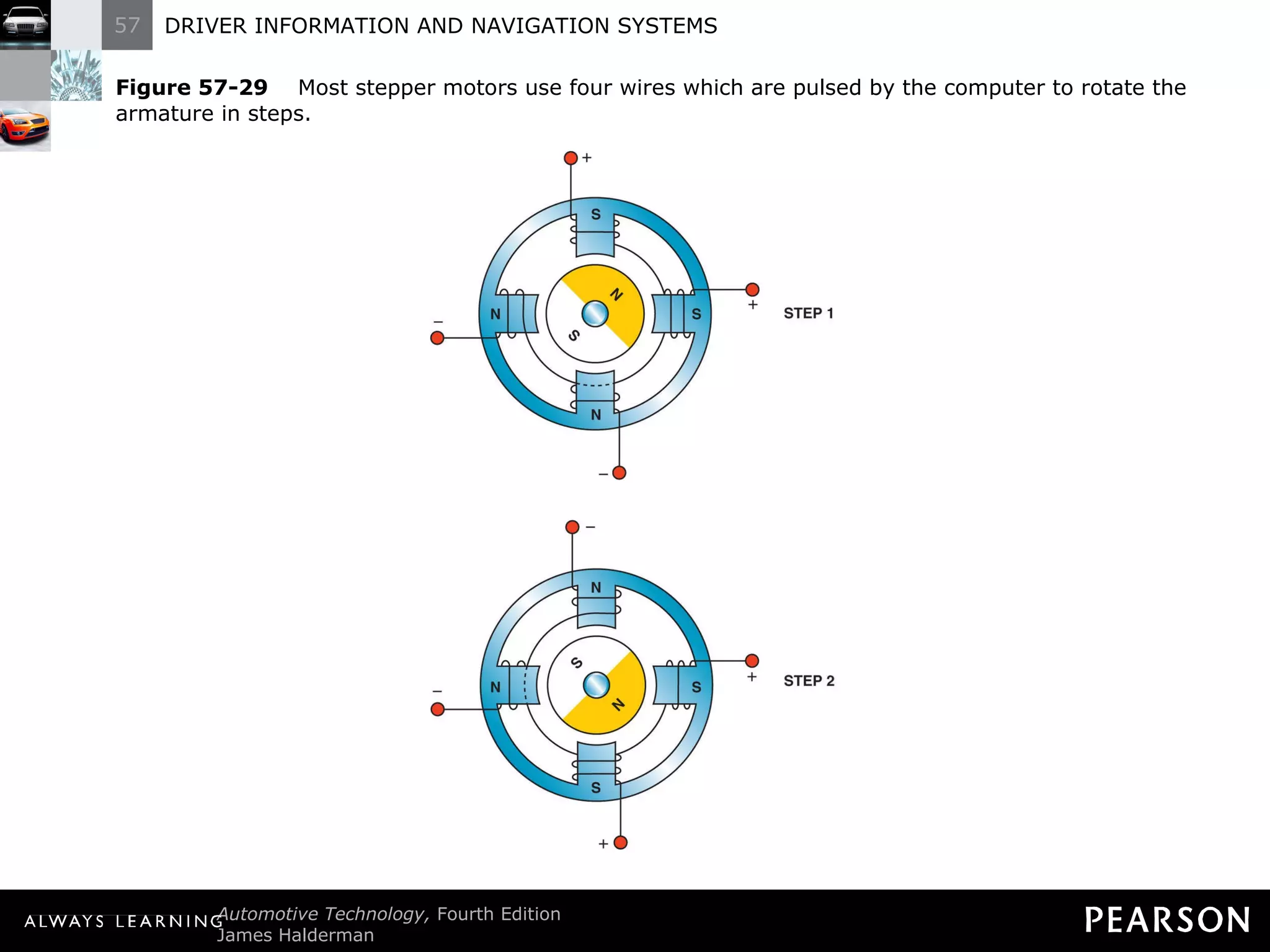
Stepper Motor Analog Gauges  Operation A typical stepper motor uses a permanent magnet and two electromagnets.
Stepper Motor Analog Gauges  Operation The computer pulses the windings and changes the polarity of the windings to cause the armature of the stepper motor to rotate 90 degrees at a time.
Stepper Motor Analog Gauges  Operation Each 90-degree pulse is recorded by the computer as a  “count” or “step,” which explains the name given to this type of motor.
Stepper Motor Analog Gauges  Operation NOTE: Many electronic gauge clusters are checked at key on where the dash display needles will be commanded to 1/4, 1/2, 3/4, and full positions before returning to their normal readings. This self-test allows the service technician to check the operation of each individual gauge, even though replacing the entire instrument panel cluster is usually necessary to repair an inoperative gauge.
Figure 57-29   Most stepper motors use four wires which are pulsed by the computer to rotate the armature in steps.
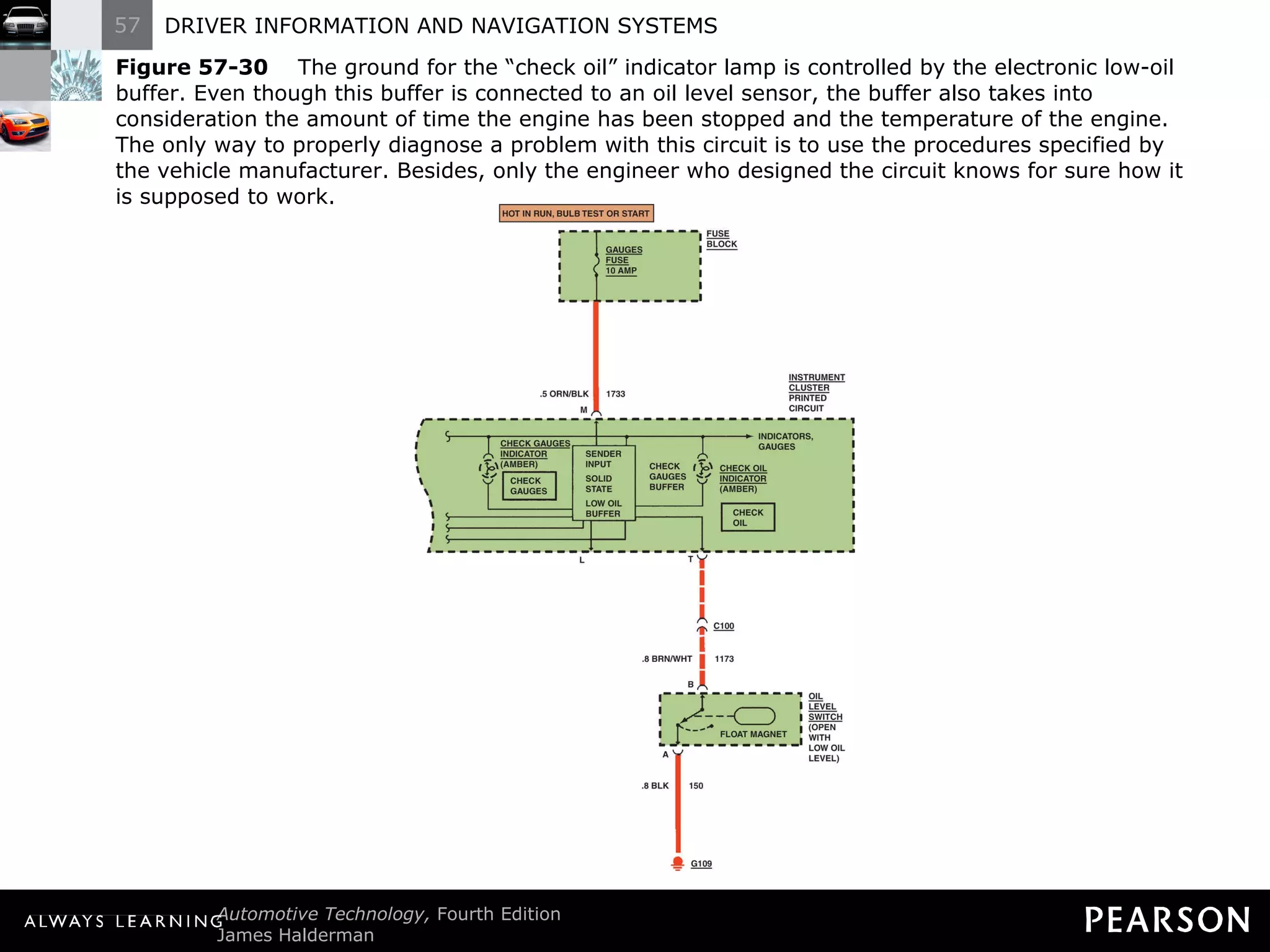
Stepper Motor Analog Gauges  Diagnosis The dash electronic circuits are often too complex to show on a wiring diagram. All related electronic circuits are simply indicated as a solid box with  “electronic module” printed on the diagram.
Stepper Motor Analog Gauges  Diagnosis To correctly diagnose problems, you must read, understand, and follow the written diagnostic procedures specified by the vehicle manufacturer.
Figure 57-30   The ground for the  “check oil” indicator lamp is controlled by the electronic low-oil buffer. Even though this buffer is connected to an oil level sensor, the buffer also takes into consideration the amount of time the engine has been stopped and the temperature of the engine. The only way to properly diagnose a problem with this circuit is to use the procedures specified by the vehicle manufacturer. Besides, only the engineer who designed the circuit knows for sure how it is supposed to work.
HEAD-UP DISPLAY
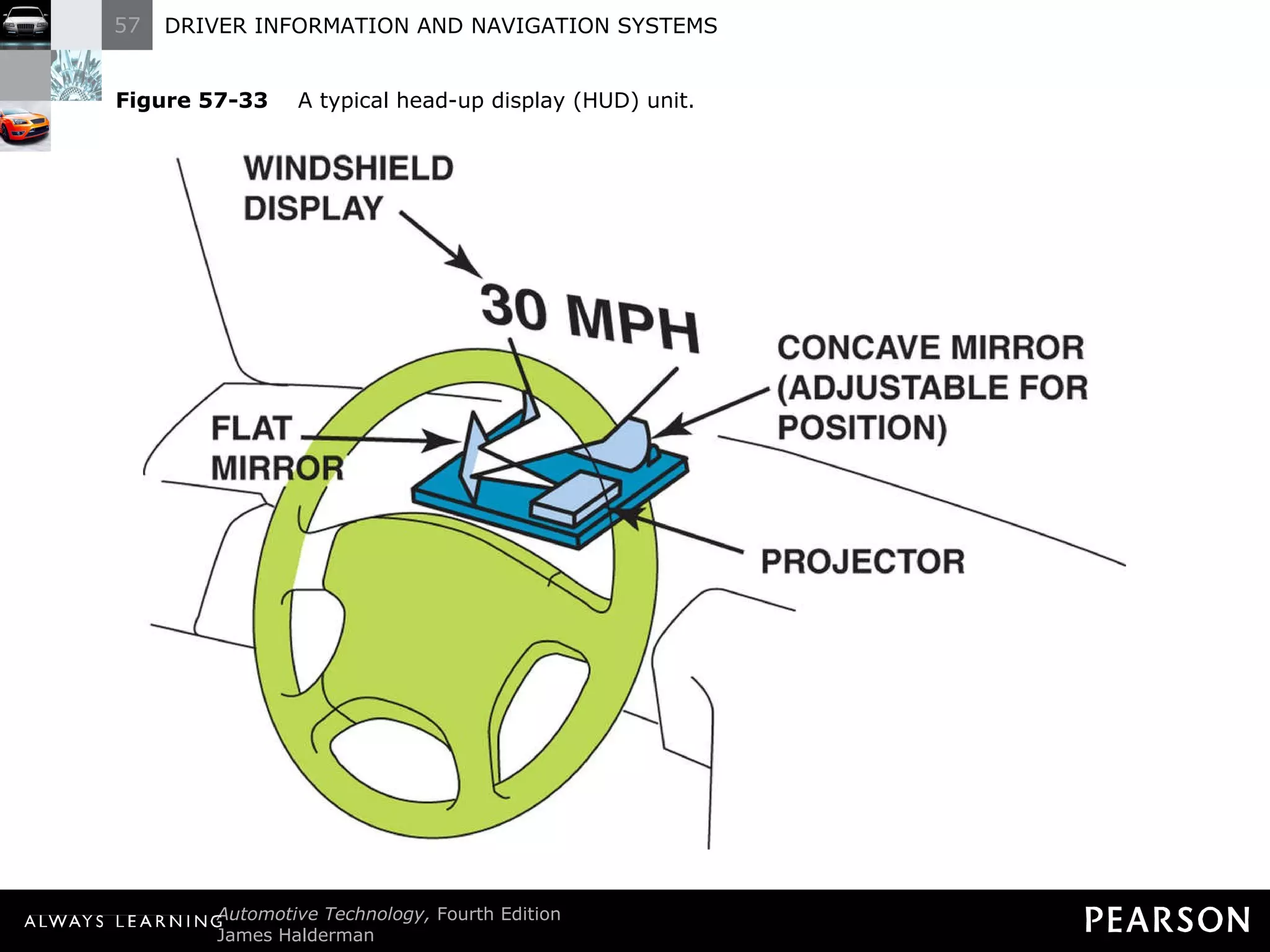
Head-Up Display A supplemental display that projects the vehicle speed and sometimes other data, such as turn signal information, onto the windshield. The projected image seems to be some distance ahead, making it easy for the driver to see without having to refocus on a closer dash display.
Head-Up Display The brightness of the display can be controlled. The HUD unit is installed in the instrument panel (IP) and uses a mirror to project vehicle information onto the inside surface of the windshield.
Figure 57-31   A typical head-up display showing zero miles per hour, which is actually projected on the windshield from the head-up display in the dash.
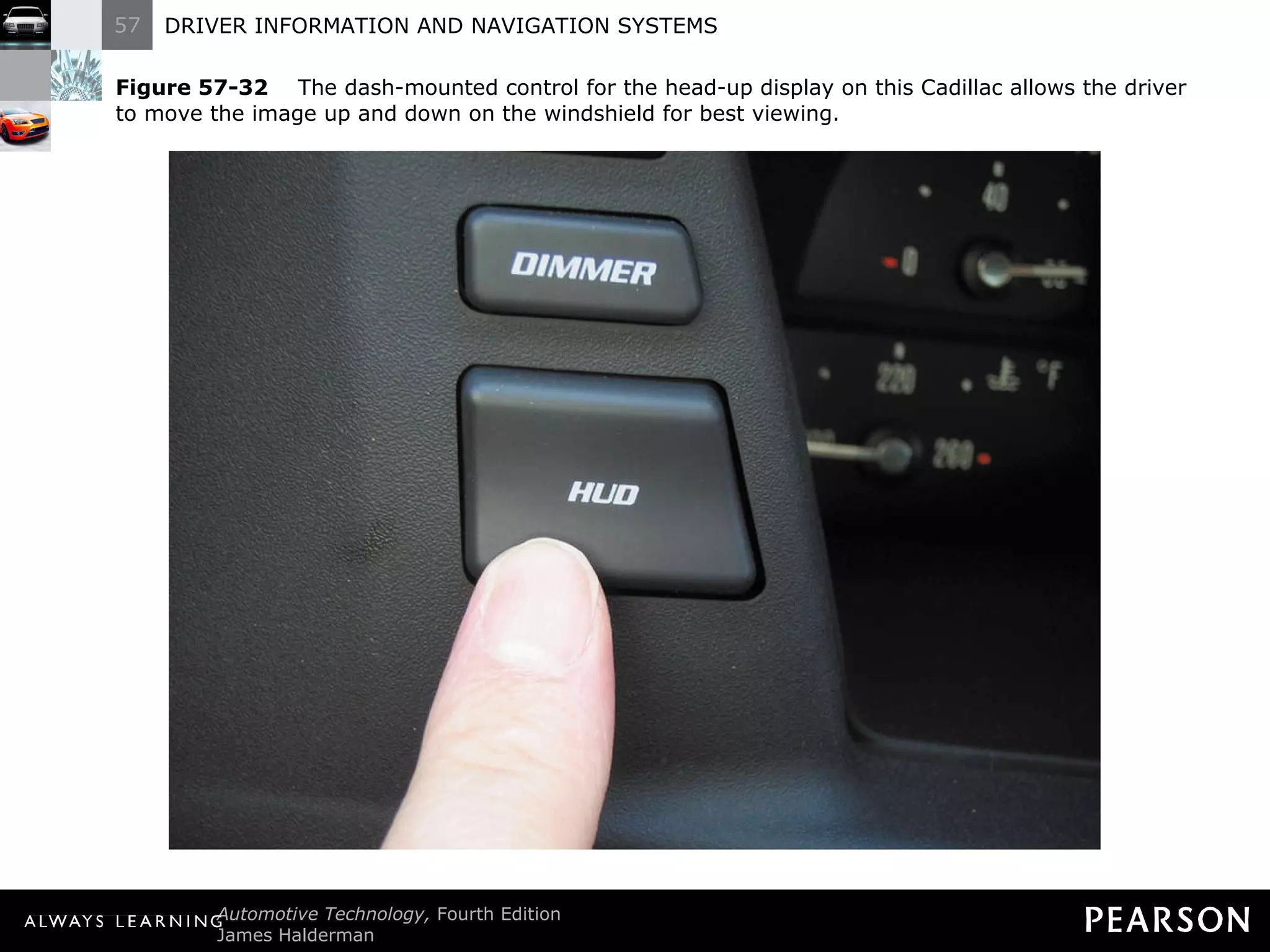
Figure 57-32   The dash-mounted control for the head-up display on this Cadillac allows the driver to move the image up and down on the windshield for best viewing.
Figure 57-33   A typical head-up display (HUD) unit.
NIGHT VISION
Night Vision Parts and Operation The primary night illuminating devices are the headlights. The night vision option uses a head-up display (HUD) to improve the vision of the driver.
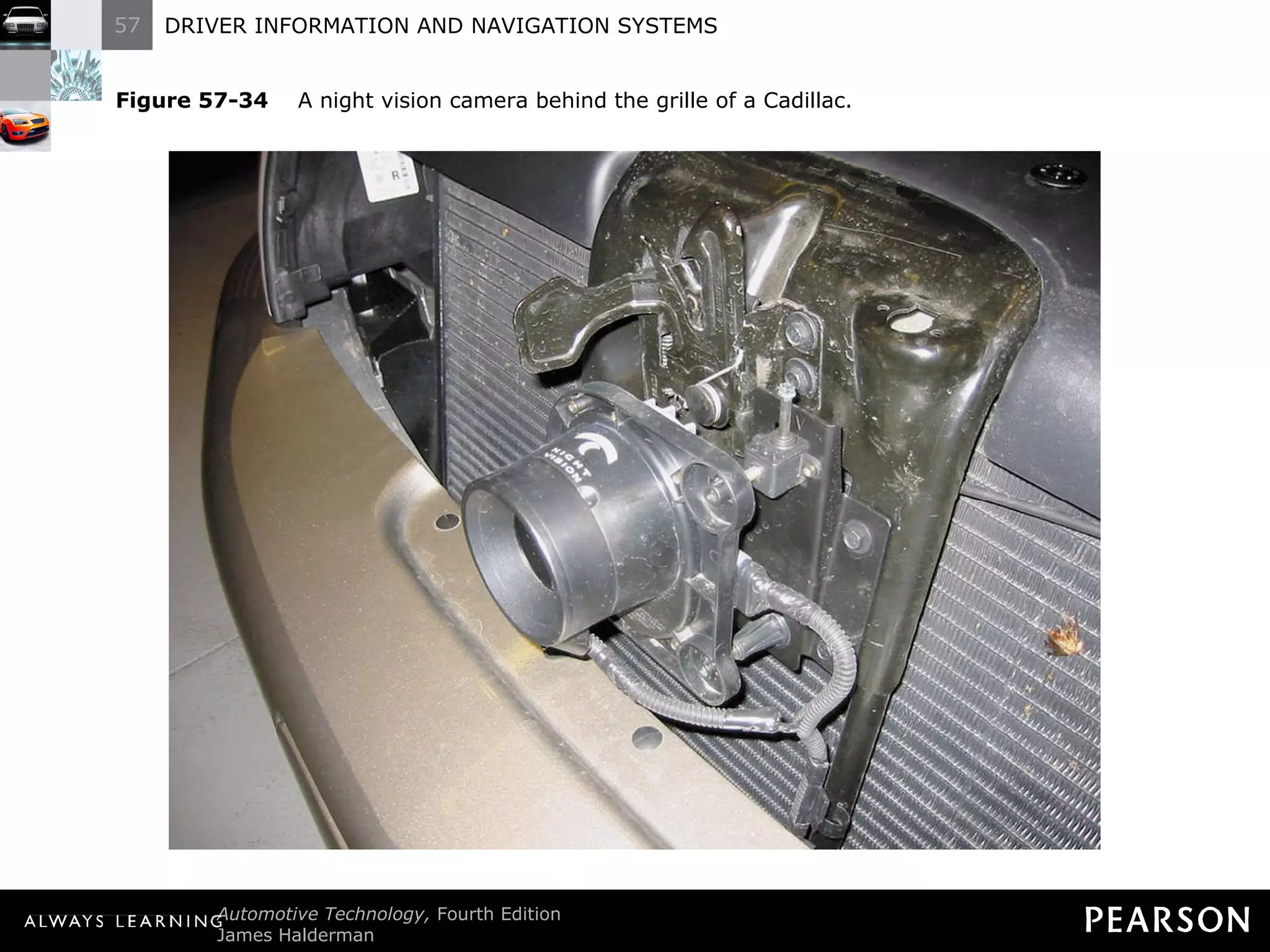
Night Vision Parts and Operation The camera is mounted behind the grille in the front of the vehicle. The camera creates pictures based on the heat energy emitted by objects rather than from light reflected on an object.
Night Vision  Parts and Operation Other parts of the night vision system include: On/off and dimming switch
Night Vision  Parts and Operation Other parts of the night vision system include: Up/down switch
Night Vision  Parts and Operation CAUTION: Becoming accustomed to night vision can be difficult and may take several nights to get used to looking at the head-up display.
Figure 57-34   A night vision camera behind the grille of a Cadillac.
Night Vision Diagnosis and Service The first step is to verify the concern. The Cadillac night vision system requires the following actions to function: The ignition has to be in the on (run) position.
Night Vision Diagnosis and Service The first step is to verify the concern. The Cadillac night vision system requires the following actions to function: The Twilight Sentinel photo cell must indicate that it is dark.
Night Vision Diagnosis and Service The first step is to verify the concern. The Cadillac night vision system requires the following actions to function: The headlights must be on.
Night Vision Diagnosis and Service The first step is to verify the concern. The Cadillac night vision system requires the following actions to function: The switch for the night vision system must be on and the brightness adjusted so the image is properly displayed.
Night Vision Diagnosis and Service The camera must be replaced as an assembly because no separate parts are available.
DIGITAL ELECTRONIC DISPLAY OPERATION
Digital Electronic Display Operation Types Mechanical or electromechanical dash instruments. Digital dash instruments. Electronic dash display systems.
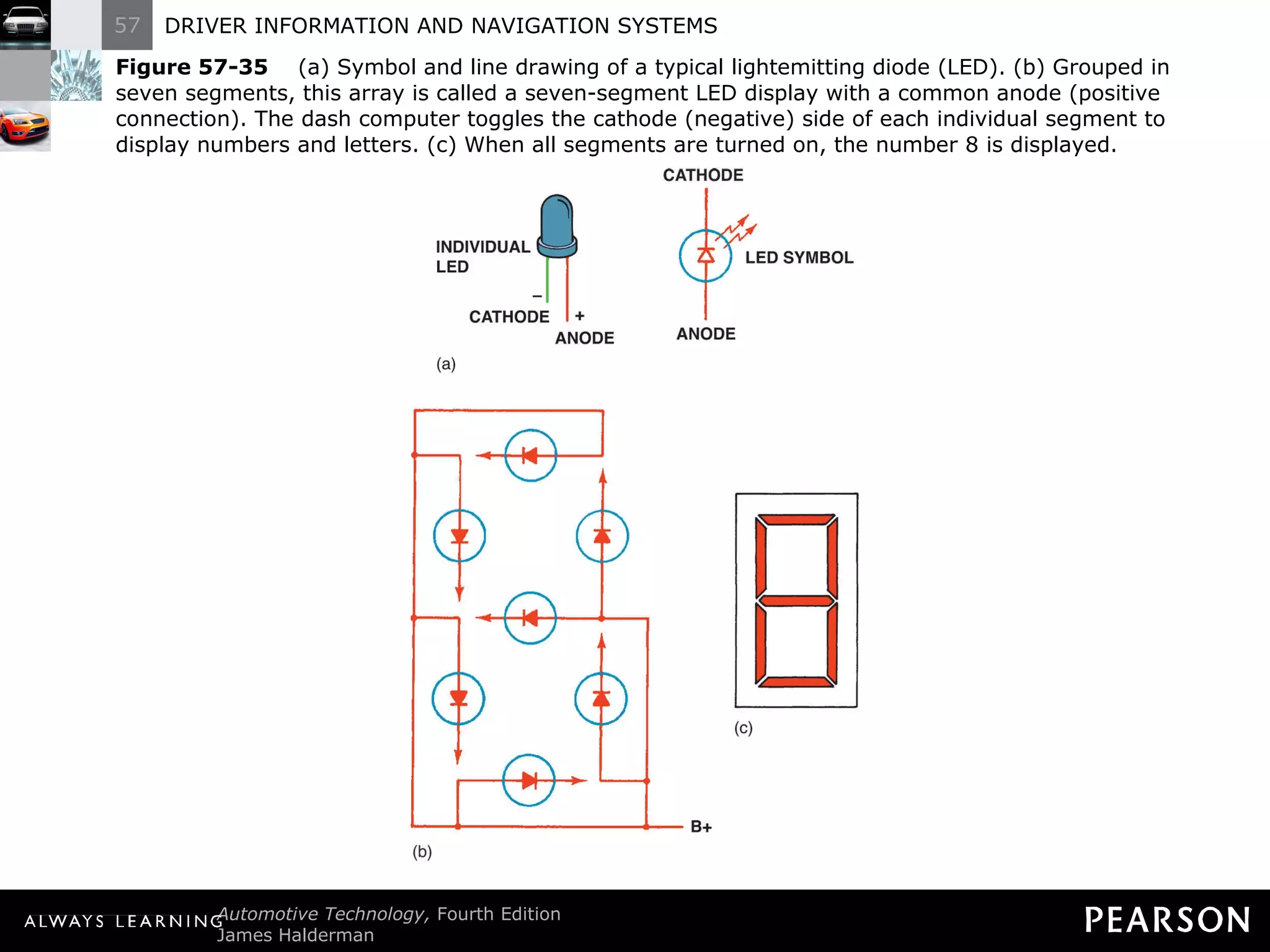
Digital Electronic Display Operation  LED Digital Displays The light-emitting diode (LED) is a semiconductor that is constructed to release energy in the form of light. If an LED is used, most vehicle manufacturers use yellow.
Digital Electronic Display Operation  LED Digital Displays Light-emitting diodes can be arranged in a group of seven, which then can be used to display both numbers and letters. An LED display requires more electrical power than other types of electronic displays.
Figure 57-35   (a) Symbol and line drawing of a typical lightemitting diode (LED). (b) Grouped in seven segments, this array is called a seven-segment LED display with a common anode (positive connection). The dash computer toggles the cathode (negative) side of each individual segment to display numbers and letters. (c) When all segments are turned on, the number 8 is displayed.
Digital Electronic Display Operation  Liquid Crystal Displays Liquid crystal displays (LCDs) can be arranged into a variety of forms, letters, numbers, and bar graph displays.
Digital Electronic Display Operation  Liquid Crystal Displays LCD construction consists of a special fluid sandwiched between two sheets of polarized glass which permits light to pass if a small voltage is applied to the fluid through a conductive film laminated to the glass plates.
Digital Electronic Display Operation  Liquid Crystal Displays The light from a very bright halogen bulb behind the LCD shines through the polarized segments of the LCD to let the light through.
Digital Electronic Display Operation  Liquid Crystal Displays The major disadvantage is that the numbers or letters are slow to react or change at low temperatures.
Digital Electronic Display Operation  Liquid Crystal Displays CAUTION: Be careful, when cleaning an LCD, not to push on the glass plate covering the special fluid. If excessive pressure is exerted on the glass, the display may be permanently distorted. If the glass breaks, the fluid will escape and could damage other components in the vehicle as a result of its strong alkaline nature. Use only a soft, damp cloth to clean these displays.
Figure 57-36   A typical navigation system. This Honda/Acura system uses some of the climate control functions as well as the trip information on the display. This particular unit uses a DVD unit in the trunk along with a global positioning satellite (GPS) to display a map and your exact location for the entire country.
Digital Electronic Display Operation  Vacuum Tube Fluorescent Displays The vacuum tube fluorescent (VTF) display is a popular automotive display because it is very bright and can easily be viewed in strong sunlight.
Digital Electronic Display Operation  Vacuum Tube Fluorescent Displays The VTF display generates its bright light in a manner similar to that of a TV screen.
Digital Electronic Display Operation  Vacuum Tube Fluorescent Displays VTF displays are very bright and must be dimmed by use of dense filters or by controlling the voltage applied to the display.
Digital Electronic Display Operation  Cathode Ray Tube (CRT) This dash display is similar to a television tube or LCD display. CRTs permit the display of hundreds of controls and diagnostic messages in one convenient location.
Digital Electronic Display Operation  Cathode Ray Tube (CRT) The diagnostic procedures involve pushing two or more buttons at the same time to access the diagnostic menu.
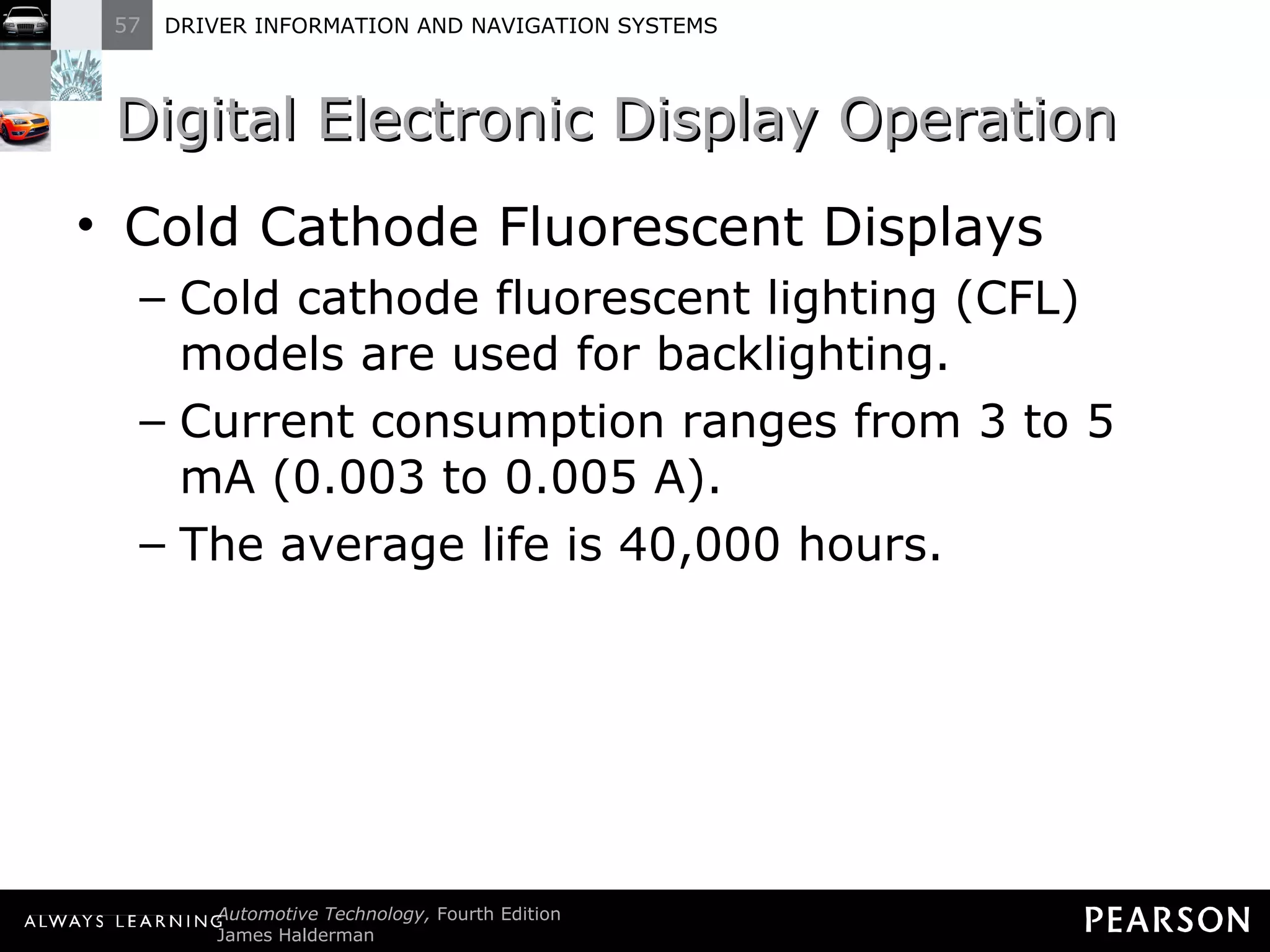
Digital Electronic Display Operation  Cold Cathode Fluorescent Displays Cold cathode fluorescent lighting (CFL) models are used for backlighting. Current consumption ranges from 3 to 5 mA (0.003 to 0.005 A). The average life is 40,000 hours.
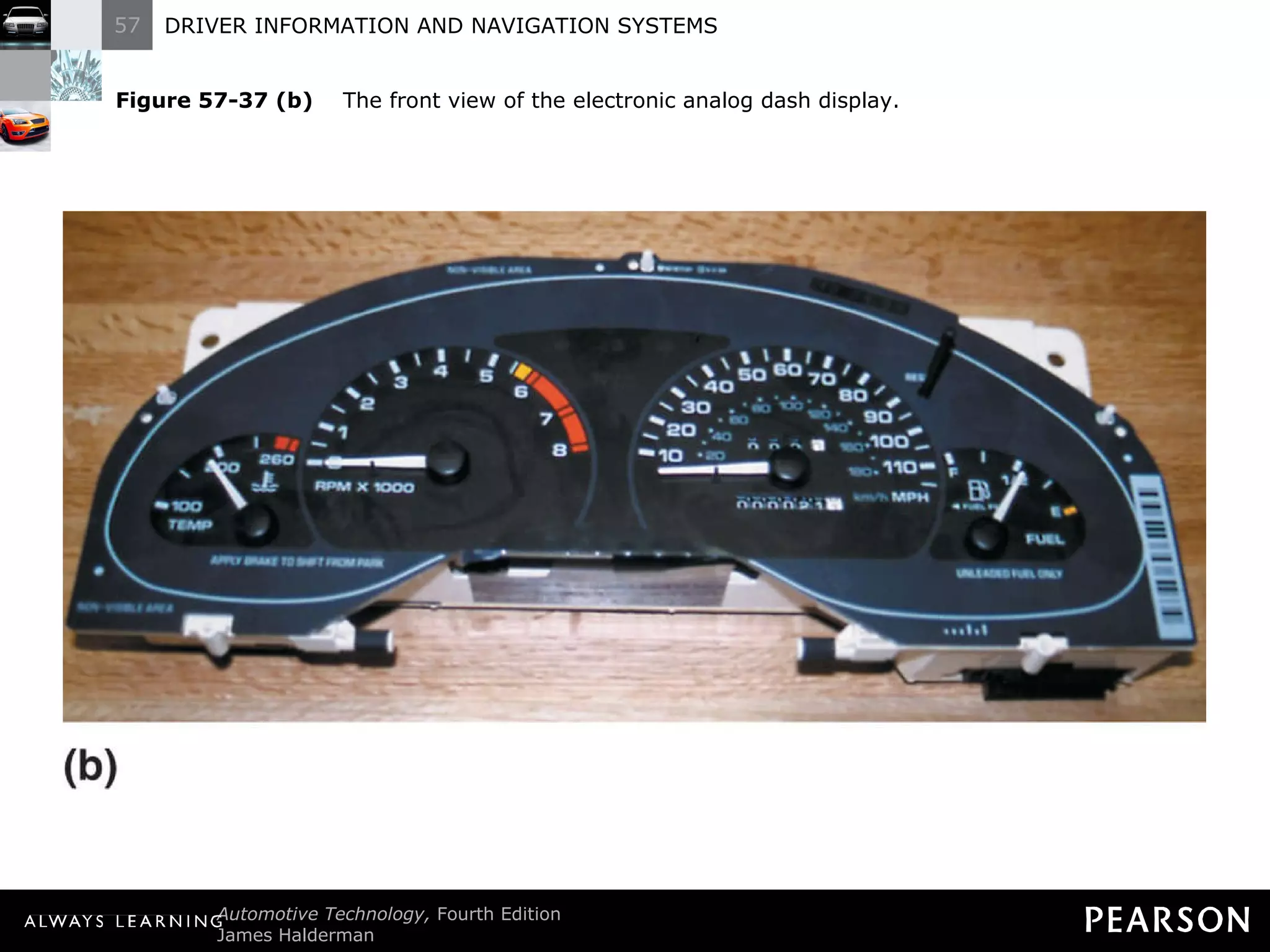
Digital Electronic Display Operation  Electronic Analog Displays These displays are electronically or computer controlled. Sensor information is sent to the body or vehicle computer through a data BUS, and then the computer controls current through small electromagnets that move the needle of the gauge.
Digital Electronic Display Operation  Electronic Analog Displays A scan tool often is needed to diagnosis the operation.
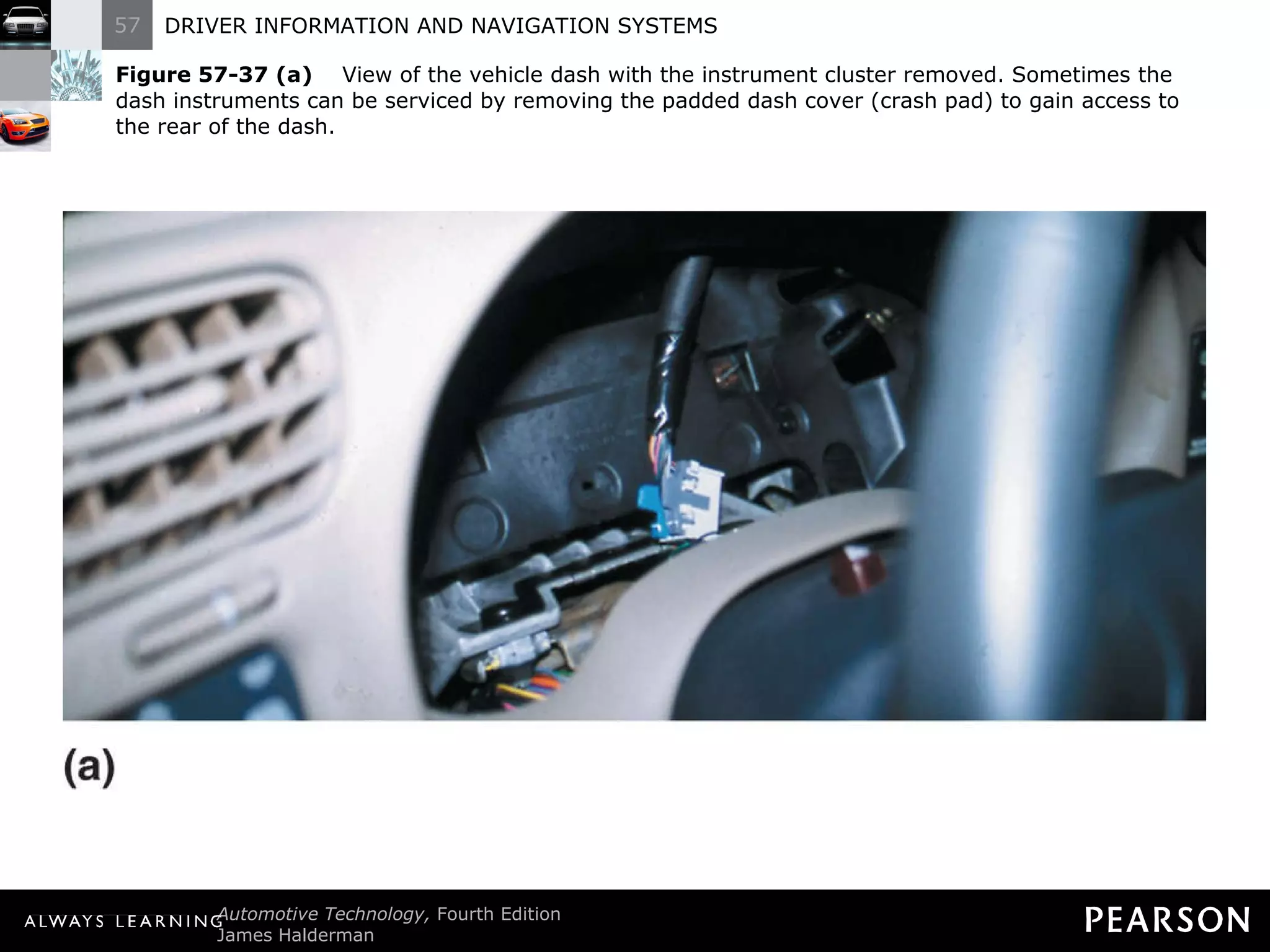
Figure 57-37 (a)   View of the vehicle dash with the instrument cluster removed. Sometimes the dash instruments can be serviced by removing the padded dash cover (crash pad) to gain access to the rear of the dash.
Figure 57-37 (b)   The front view of the electronic analog dash display.
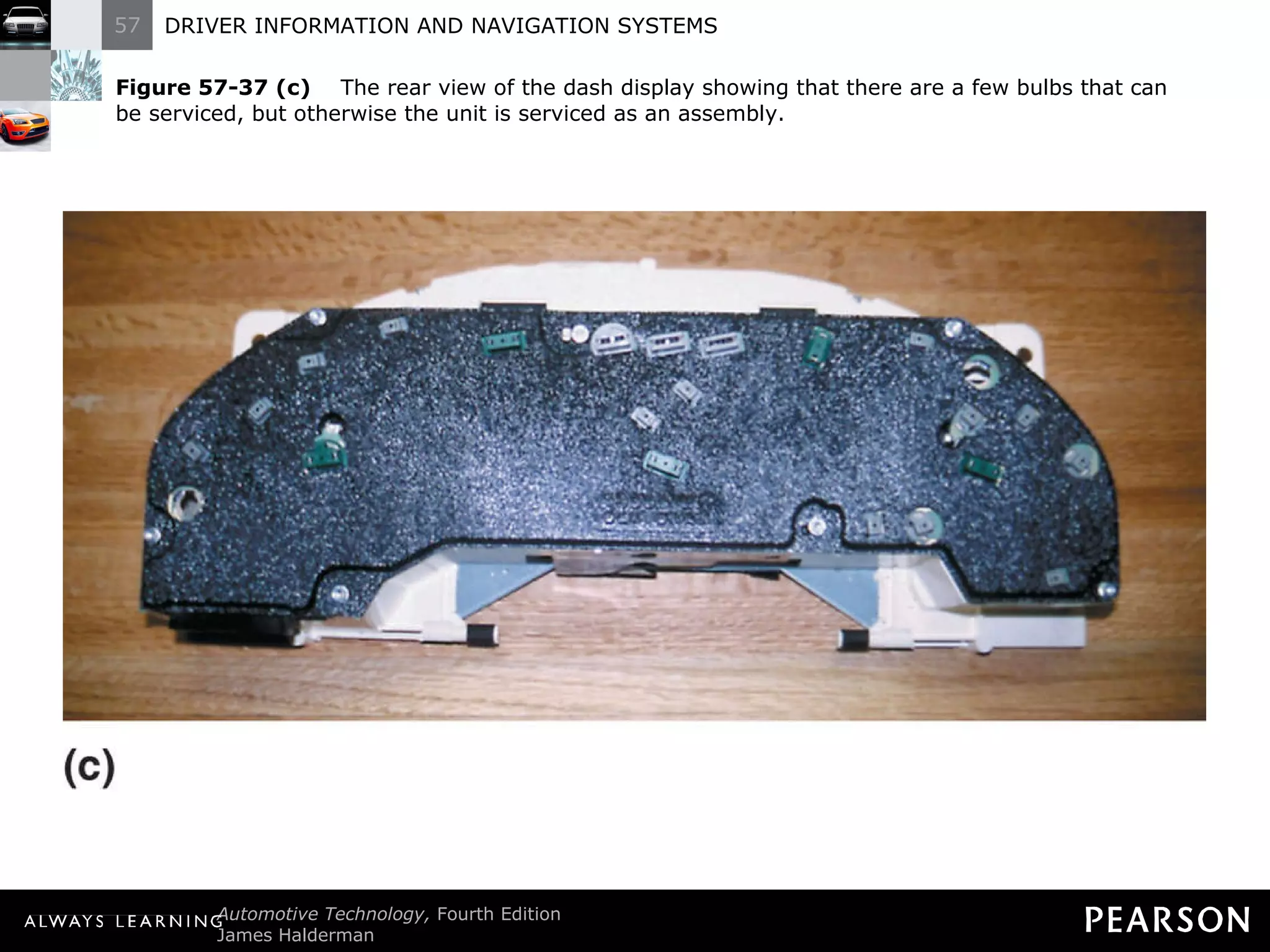
Figure 57-37 (c)   The rear view of the dash display showing that there are a few bulbs that can be serviced, but otherwise the unit is serviced as an assembly.
Digital Electronic Display Operation  WOW Display WOW display refers to the digital dash display being turned on at full brilliance for 1 to 2 seconds when a vehicle is started.
Digital Electronic Display Operation  WOW Display Technicians can use the WOW display to determine if all segments of the electronic display are functioning correctly.
ELECTRONIC SPEEDOMETERS
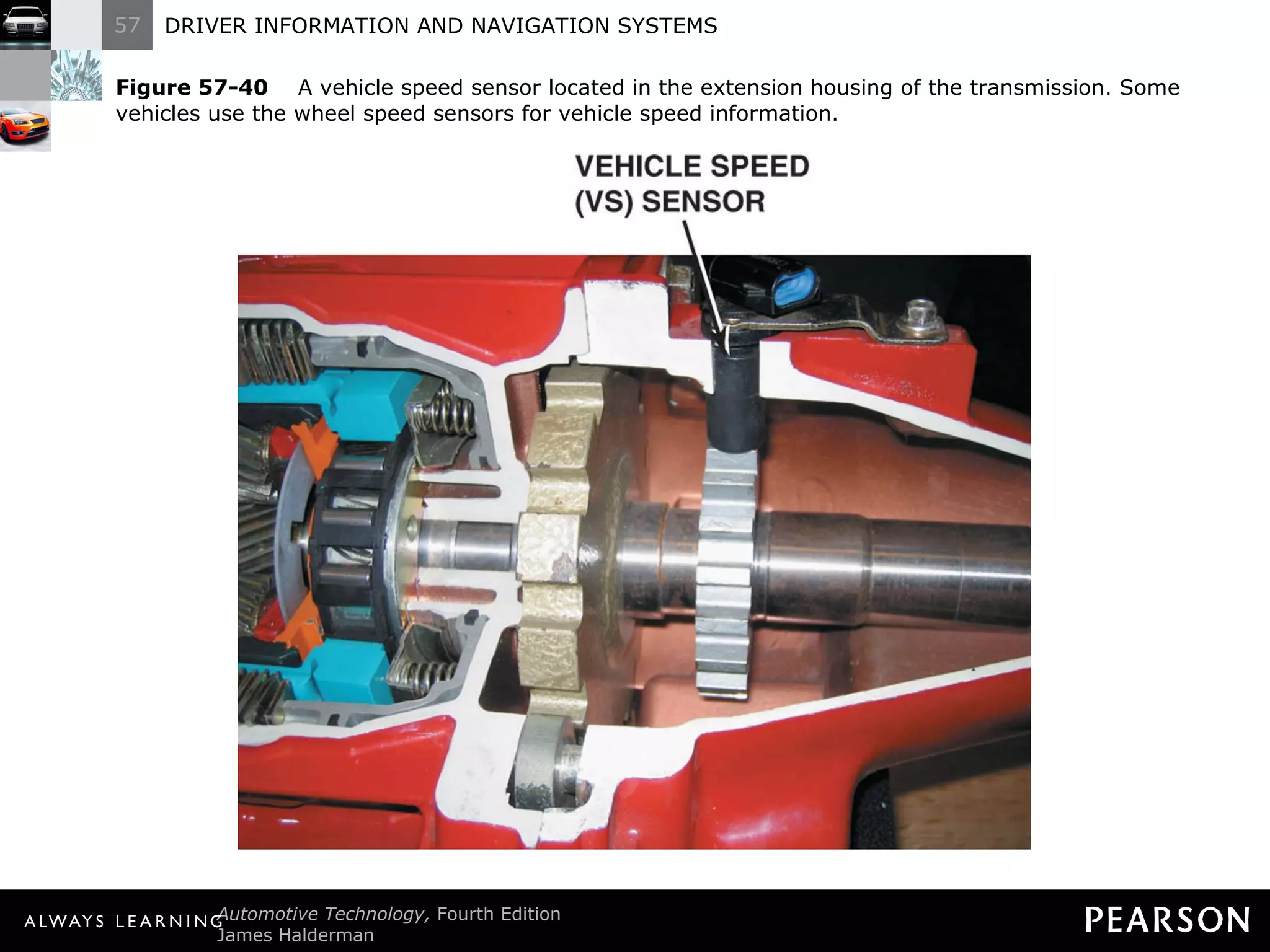
Electronic Speedometers Operation An electric vehicle speed sensor driven by a small gear on the output shaft of the transmission.
Electronic Speedometers Operation Speed sensors contain a permanent magnet and generate a voltage in proportion to the vehicle speed. These speed sensors are commonly called permanent magnet (PM) generators.
Electronic Speedometers  Operation The output of the speed sensor is an AC voltage that varies in frequency and amplitude with increased speed. The speed signal is sent to the instrument cluster electronic circuits.
Electronic Speedometers  Operation Electronic circuits include a buffer amplifier circuit that converts the variable sine wave voltage to an on/off signal that can be used by other electronic circuits to indicate a vehicle ’s speed.
Electronic Speedometers  Operation Speed is displayed by either an electronic needle-type speedometer or by numbers on a digital display.
Figure 57-40   A vehicle speed sensor located in the extension housing of the transmission. Some vehicles use the wheel speed sensors for vehicle speed information.
ELECTRONIC ODOMETERS
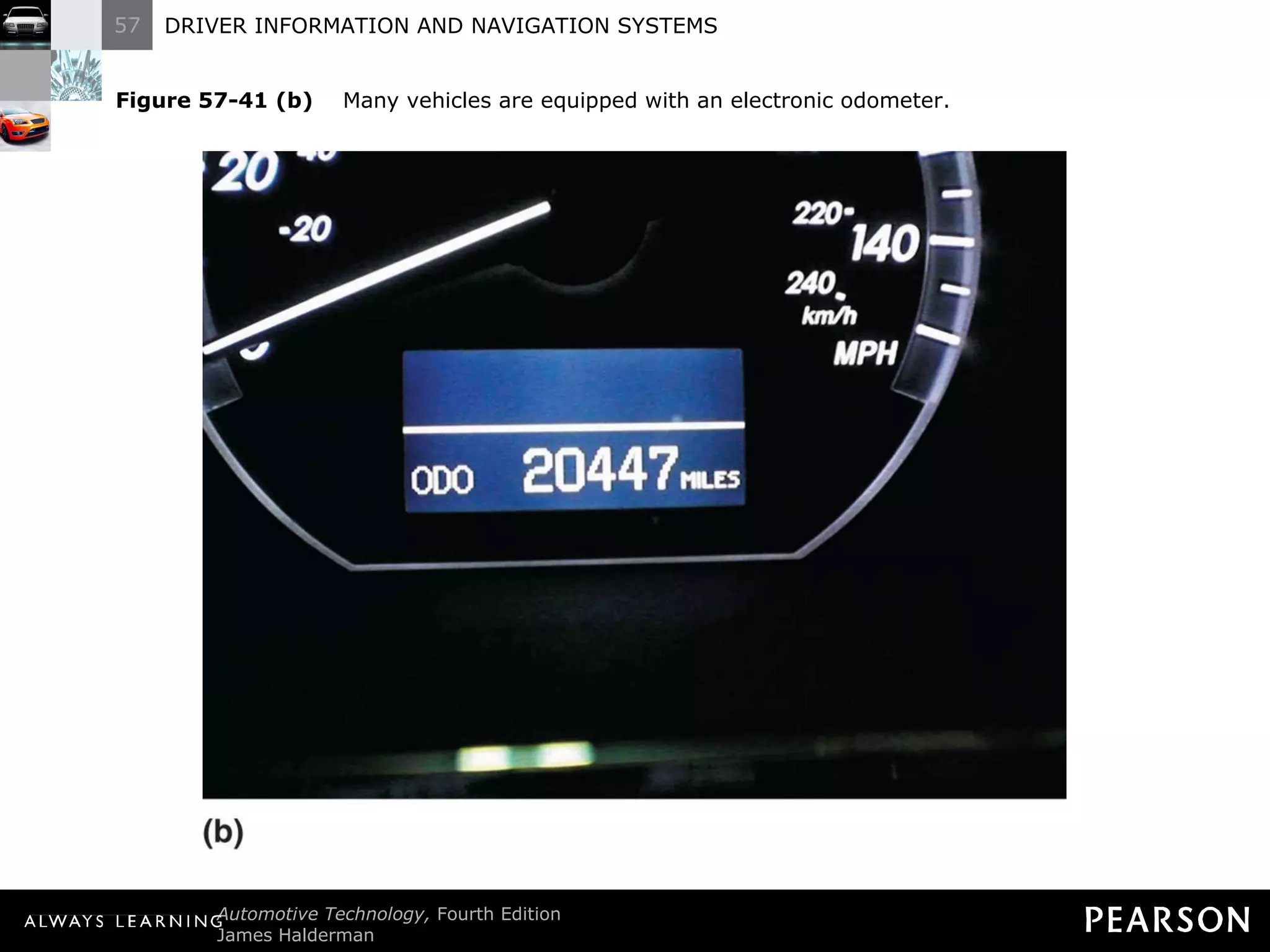
Electronic Odometers Purpose and Function An odometer indicates the total miles traveled. Electronic dash displays can use either an electrically driven mechanical odometer or a digital display odometer.
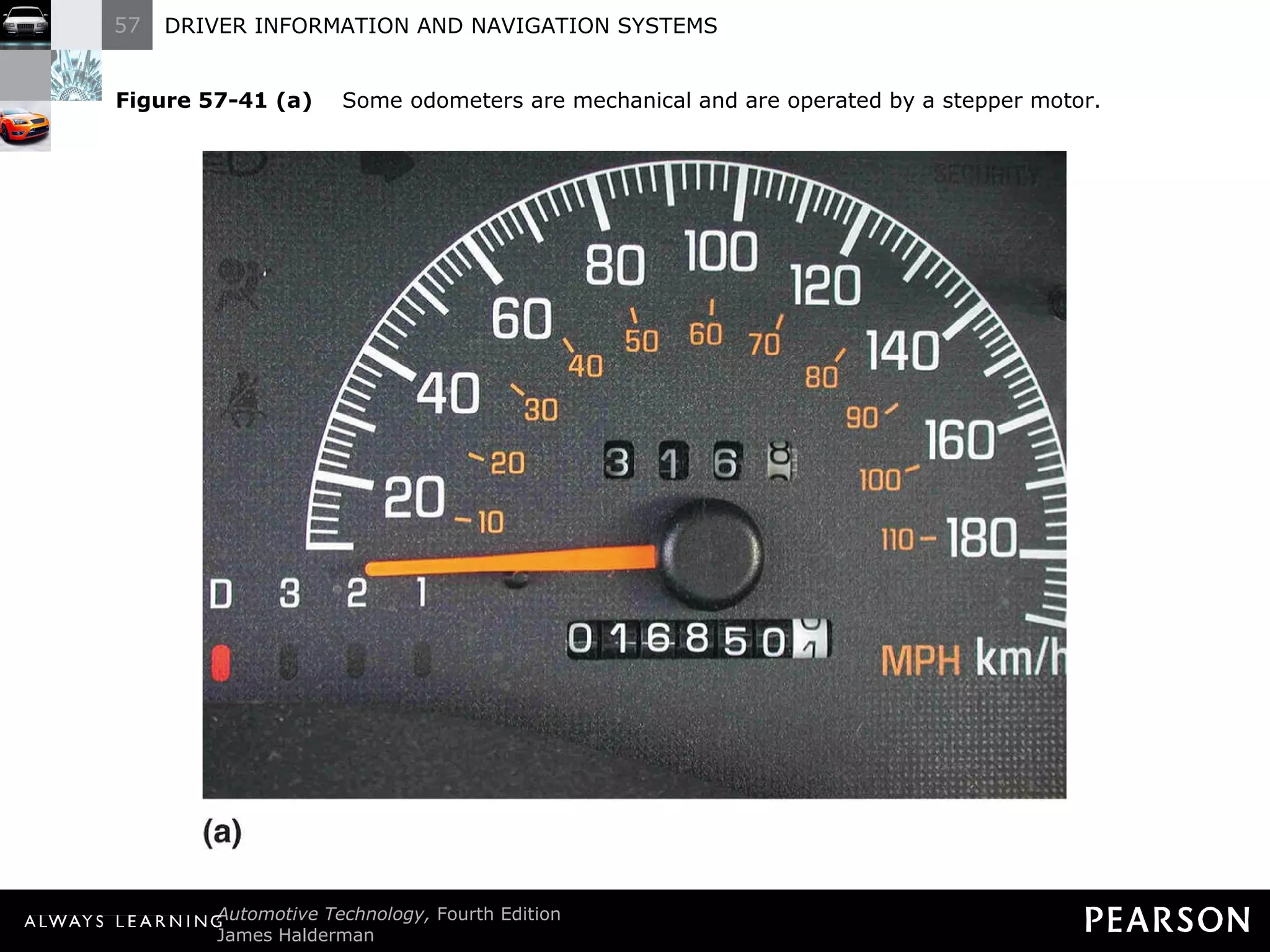
Electronic Odometers  Purpose and Function On mechanical type odometers a stepper motor is used to turn the number wheels of a mechanical-style odometer. A pulsed voltage is fed to the stepper motor, which moves in relation to the miles traveled.
Electronic Odometers  Digital odometers use LED, LCD, or VTF displays. A special electronic chip [nonvolatile random-access memory (NVRAM)] is used to retain the miles traveled when the car is turned off.
Electronic Odometers  Some vehicles use a chip called electronically erasable programmable read-only memory (EEPROM). Most digital odometers can read up to 999,999.9 miles or kilometers (km), and then the display indicates error.
Electronic Odometers  If the chip is damaged, it may fail to operate and  “error” may appear.
Figure 57-41 (a)   Some odometers are mechanical and are operated by a stepper motor.
Figure 57-41 (b)   Many vehicles are equipped with an electronic odometer.
Electronic Odometers  Speedometer/Odometer Service Check the speed sensor first. Check speed with a scan tool or disconnect the wires from the sensor near the output shaft of the transmission.
Electronic Odometers  Speedometer/Odometer Service Connect a multimeter set on AC volts to the terminals of the sensor and rotate the drive wheels with the transmission in neutral. (A good speed sensor should indicate about 2 volts AC.)
Electronic Odometers  Speedometer/Odometer Service If the sensor is working, check the wiring to the dash cluster. If the wiring is good, send the instrument panel (IP) to a specialty repair shop.
Electronic Odometers  Speedometer/Odometer Service If the speedometer works, but the mechanical odometer does not, the odometer stepper motor, the number wheel assembly, or the circuit controlling the stepper motor is defective.
Electronic Odometers  Speedometer/Odometer Service If the digital odometer does not work, but the speedometer does, then the dash cluster must be removed and sent to a specialized repair shop.
Electronic Odometers  Speedometer/Odometer Service A replacement chip is available only through authorized sources. If the odometer chip is defective, the original number of miles must be programmed into the replacement chip.
ELECTRONIC FUEL LEVEL GAUGES
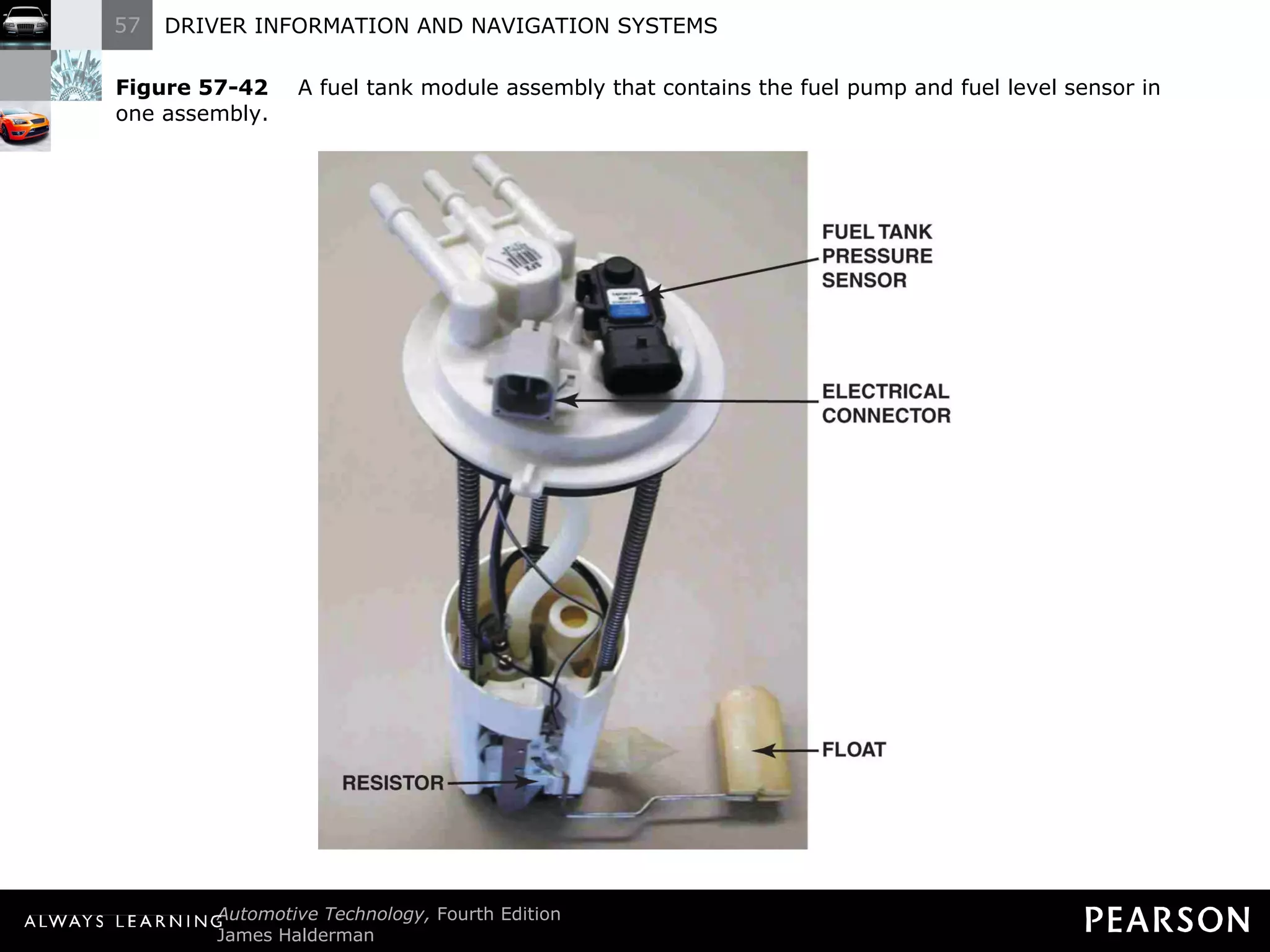
Electronic Fuel Level Gauges Operation The gas tank has a float attached to a variable resistor. When fuel levels change, the resistance of the sending unit changes, changing the dash-mounted gauge.
Electronic Fuel Level Gauges Operation The only difference between digital and conventional gauges is in the display.
Electronic Fuel Level Gauges  Operation Diagnosis a problem the same way as conventional fuel gauges. If the gauge is defective, usually the entire dash gauge assembly must be replaced.
Figure 57-42   A fuel tank module assembly that contains the fuel pump and fuel level sensor in one assembly.
NAVIGATION AND GPS
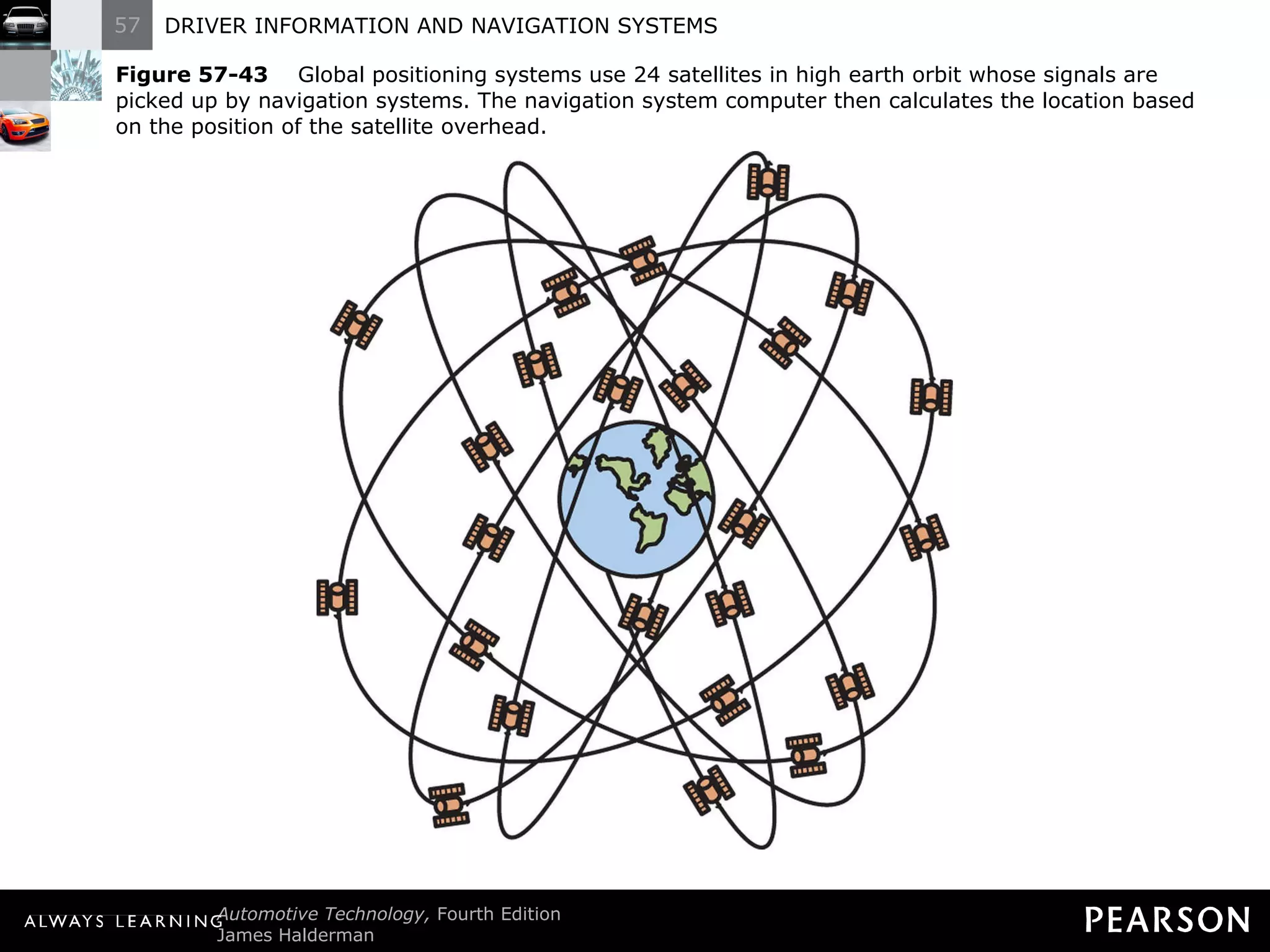
Navigation and GPS Purpose and Function The global positioning system (GPS) uses 24 satellites in orbit around the earth to provide signals for navigation devices. ?
Figure 57-43   Global positioning systems use 24 satellites in high earth orbit whose signals are picked up by navigation systems. The navigation system computer then calculates the location based on the position of the satellite overhead.
Navigation and GPS Background GPS was developed after an airplane from Korean Airlines, Flight 007, was shot down as it flew over Soviet territory in 1983.
Navigation and GPS Background The system became fully operational in 1991. Civilians were granted use of GPS in 1991, but with less accuracy than the system used by the military.
Navigation and GPS  Background Until 2000, the nonmilitary use of GPS was degraded by a computer program called selection availability (S/A). The S/A has been officially turned off. ?
Navigation and GPS  Navigation System Parts and Operation The navigation controller uses other sensors. GPS satellites are used for basic location information: GPS satellite signals. Yaw sensor.
Navigation and GPS  Navigation System Parts and Operation The navigation controller uses other sensors. GPS satellites are used for basic location information: Vehicle speed sensor. Audio output/input.
Navigation and GPS  Navigation System Parts and Operation The navigation controller uses other sensors. GPS satellites are used for basic location information: Screen display. GPS antenna.
Navigation and GPS  Navigation System Parts and Operation Navigation systems have the following components: Navigation control unit with the following map data on DVD: Street names. Points of interest.
Navigation and GPS  Navigation System Parts and Operation Navigation systems have the following components: Navigation control unit with the following map data on DVD: Business addresses and telephone numbers. Turn-by-turn directions.
Navigation and GPS  Navigation System Parts and Operation NOTE: Private residences or cellular telephone numbers are not included in the database of telephone numbers stored on the navigation system DVD.
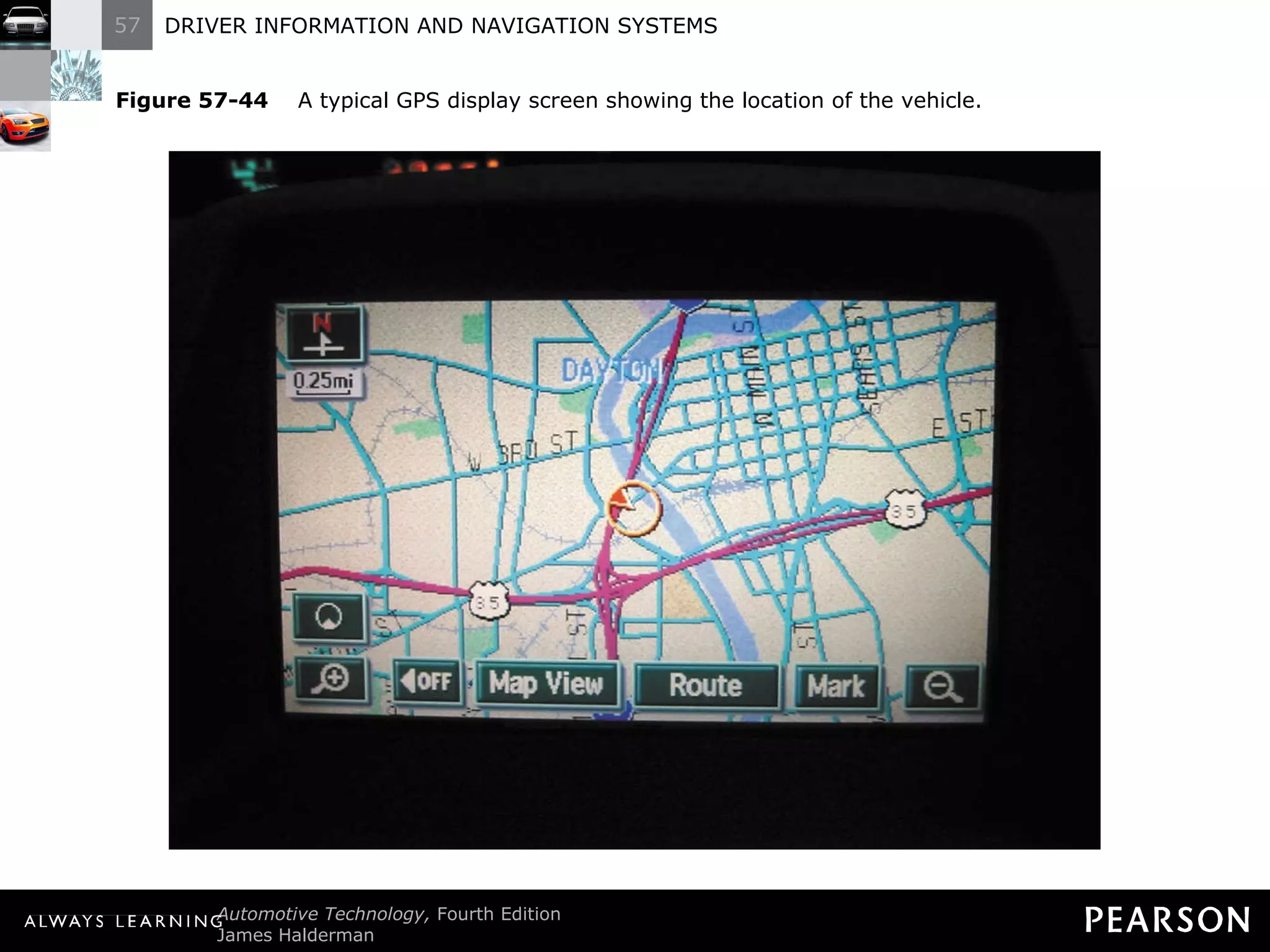
Figure 57-44   A typical GPS display screen showing the location of the vehicle.
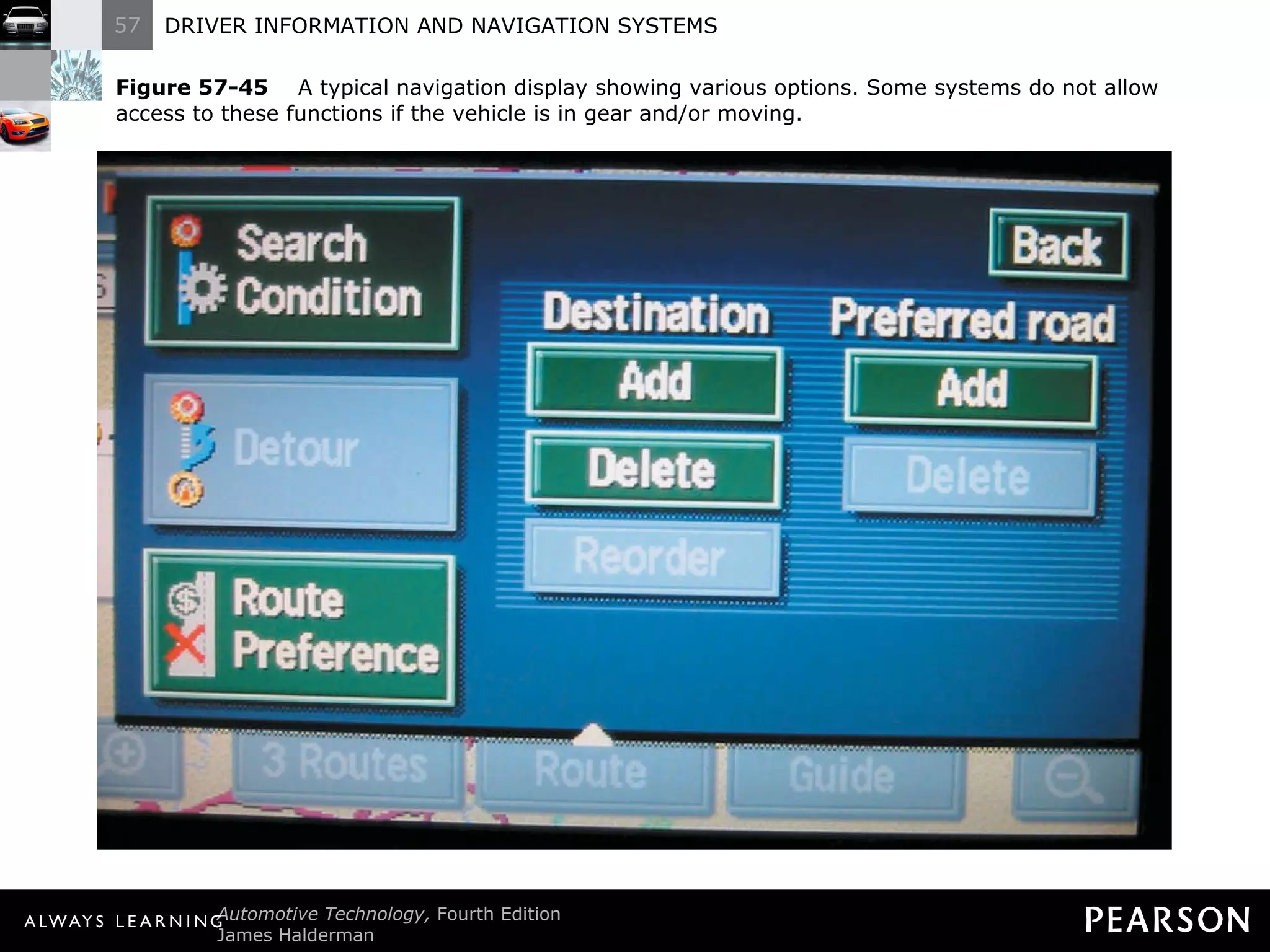
Figure 57-45   A typical navigation display showing various options. Some systems do not allow access to these functions if the vehicle is in gear and/or moving.
Navigation and GPS  Diagnosis and Service Correct function requires three inputs: Location. Direction. Speed.
Navigation and GPS  Diagnosis and Service If the vehicle icon jumps down the road, the vehicle speed (VS) sensor input is usually at fault.
Navigation and GPS  Diagnosis and Service If the icon rotates on the screen, but the vehicle is not being driven in circles, a fault with the yaw sensor or yaw sensor input to the navigation controller is likely.
Navigation and GPS  Diagnosis and Service If the icon goes off course onto a road that the vehicle is not on, a fault with the GPS antenna is the most common reason.
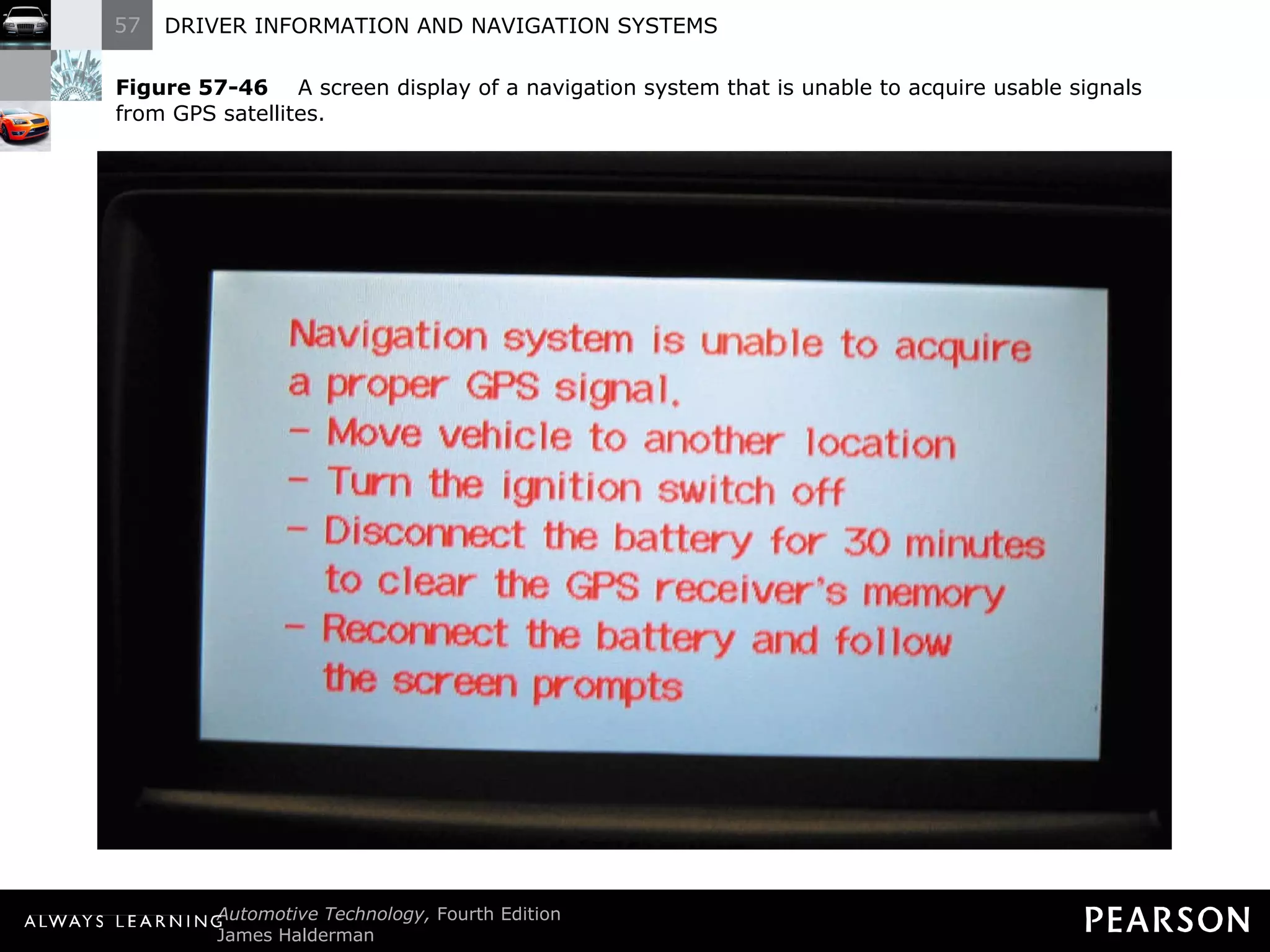
Figure 57-46   A screen display of a navigation system that is unable to acquire usable signals from GPS satellites.
ONSTAR
ONSTAR Parts and Operation OnStar includes the following functions: Cell phone. GPS antenna and computer.
ONSTAR Parts and Operation OnStar helps the driver in an emergency with other services. The OnStar system includes the following features: Automatic notification of airbag deployment Emergency services
ONSTAR  Parts and Operation The OnStar system includes the following features: Stolen vehicle location assistance Remote door unlock
ONSTAR  Parts and Operation The OnStar system includes the following features: Roadside assistance Accident assistance
ONSTAR  Parts and Operation The OnStar system includes the following features: Remote horn and lights Vehicle diagnosis
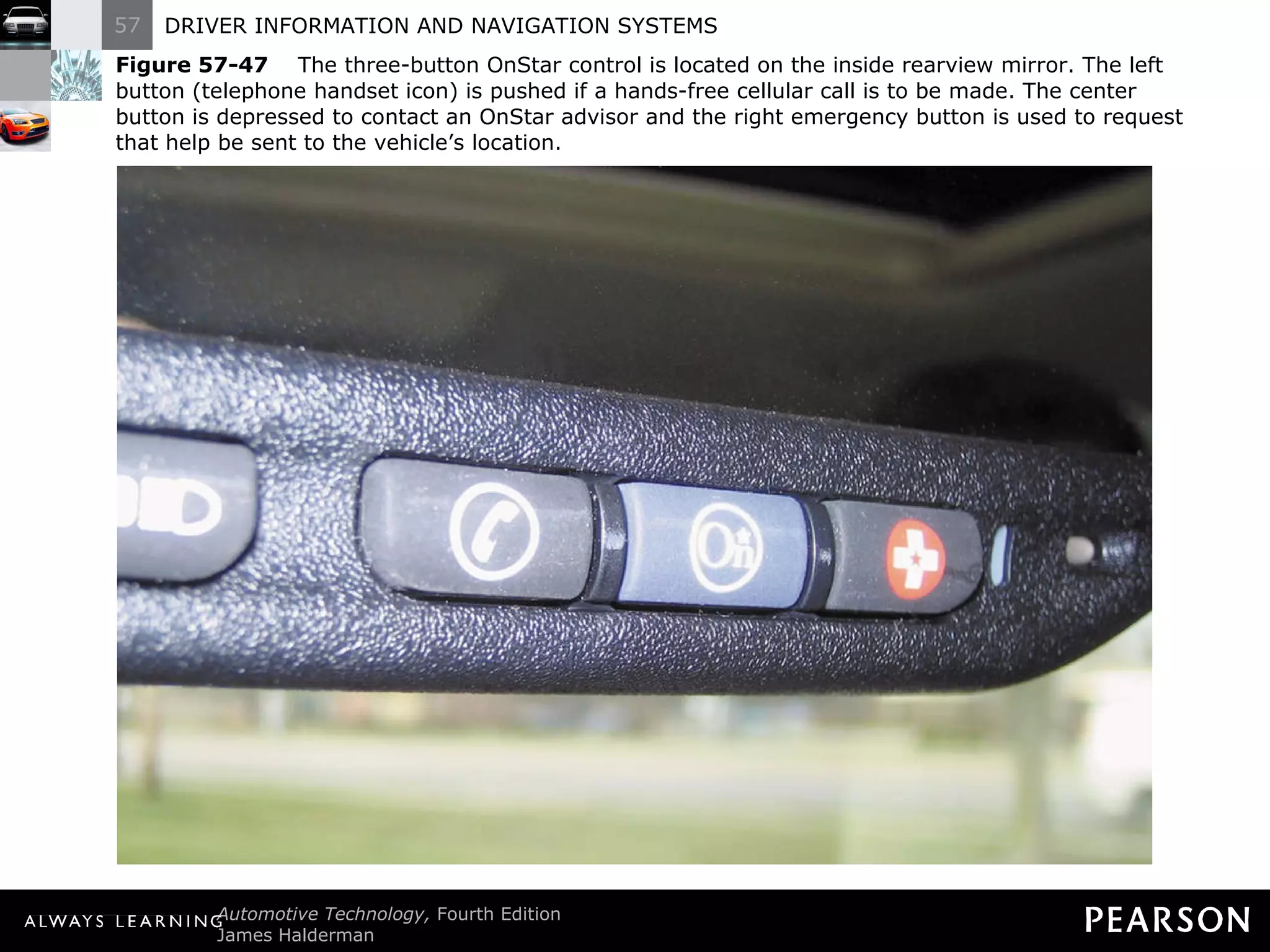
Figure 57-47   The three-button OnStar control is located on the inside rearview mirror. The left button (telephone handset icon) is pushed if a hands-free cellular call is to be made. The center button is depressed to contact an OnStar advisor and the right emergency button is used to request that help be sent to the vehicle ’s location.
ONSTAR  Diagnosis and Service Possible problems include: Lack of cell phone service Poor GPS signals Out of contact with GPS satellite
ONSTAR  Diagnosis and Service For other problems, follow service information diagnostic and repair procedures. (Follow exact procedures when a new vehicle communication interface module (VCIM) is installed in the vehicle using the electronic serial number (ESN).)
BACKUP CAMERA
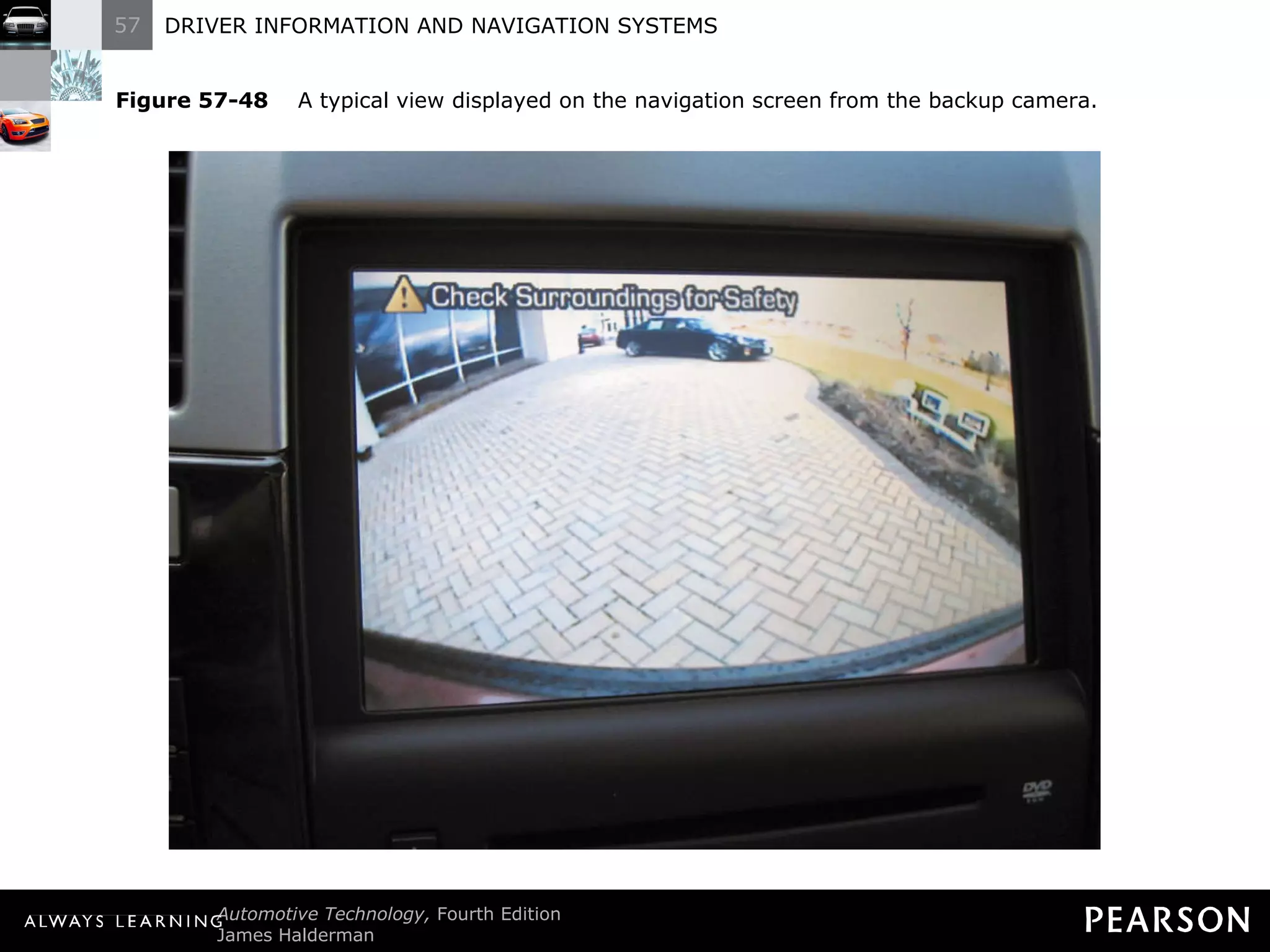
Backup Camera Parts and Operation A backup camera is used to display the area at the rear of the vehicle on the dash when the gear selector is placed in reverse. A mirror image of the scene at the rear of the vehicle is shown.
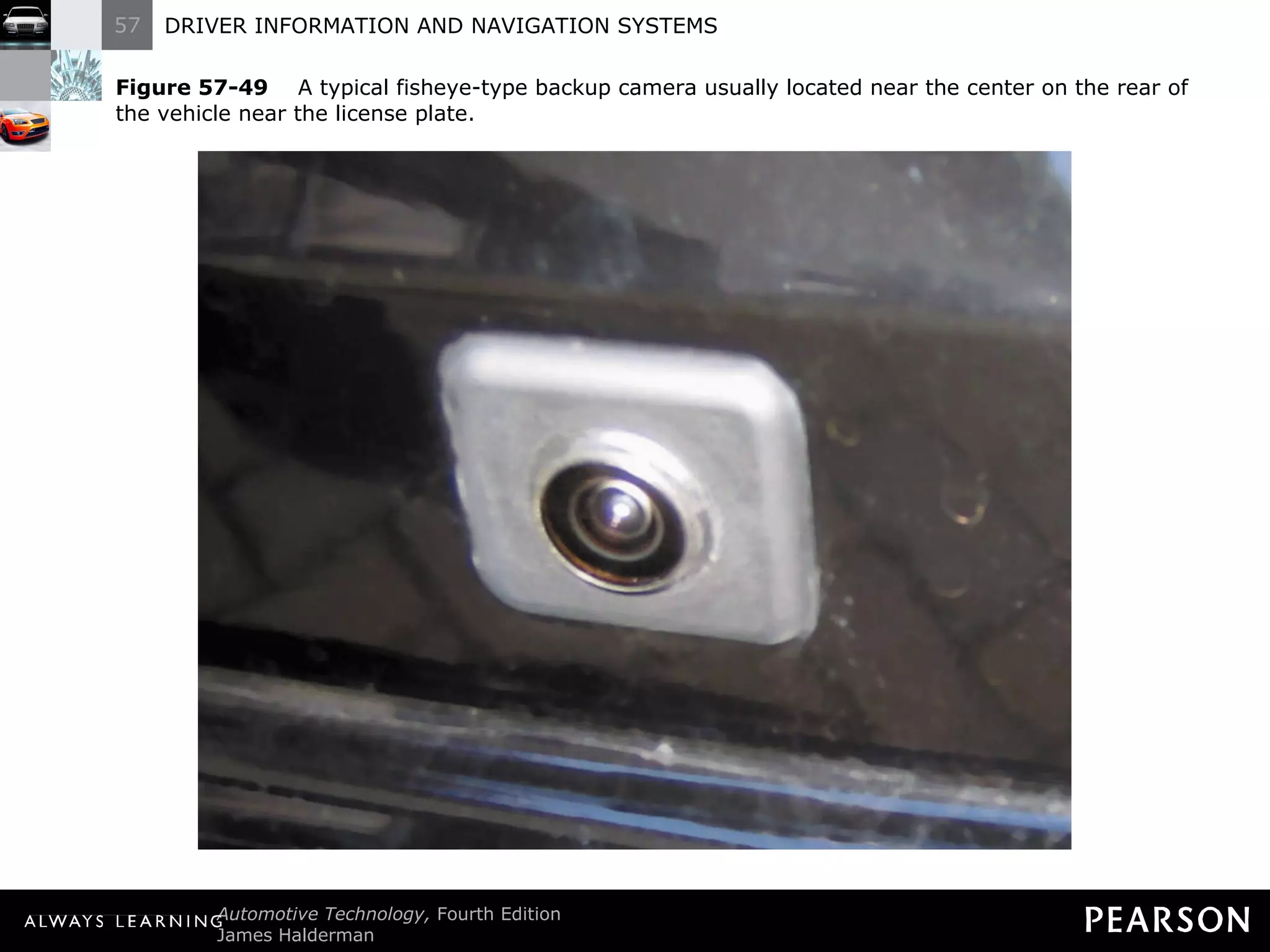
Backup Camera Parts and Operation A wide-angle or fisheye lens gives the largest viewing area. Most cameras are pointed downward so that objects on the ground, as well as walls, are displayed.
Figure 57-48   A typical view displayed on the navigation screen from the backup camera.
Figure 57-49   A typical fisheye-type backup camera usually located near the center on the rear of the vehicle near the license plate.
Backup Camera  Diagnosis and Service Faults can be related to the camera itself, the display, or the wiring. The main input to the display unit comes from the transmission range switch which signals the camera when the transmission is in reverse.
Backup Camera Diagnosis and Service To check the transmission range switch, perform the following: Check if the backup (reverse) lights function when the gear selector is placed in reverse with the key on, engine off (KOEO).
Backup Camera Diagnosis and Service To check the transmission range switch, perform the following: Check that the transmission/transaxle is fully engaged in reverse when the selector is placed in reverse.
Backup Camera Diagnosis and Service Other diagnosis involves visual inspection, including: Check the backup camera for damage.
Backup Camera Diagnosis and Service Other diagnosis involves visual inspection, including: Check the screen display for proper operation.
Backup Camera Diagnosis and Service Other diagnosis involves visual inspection, including: Check that the wiring from the rear camera to the body is not cut or damaged.
BACKUP SENSORS
Backup Sensors Components Backup sensors are used to warn the driver of objects behind the vehicle.
Backup Sensors  Components The system used in General Motors vehicles is called rear park assist (RPA), and includes the following components: Ultrasonic object sensors in the rear bumper assembly.
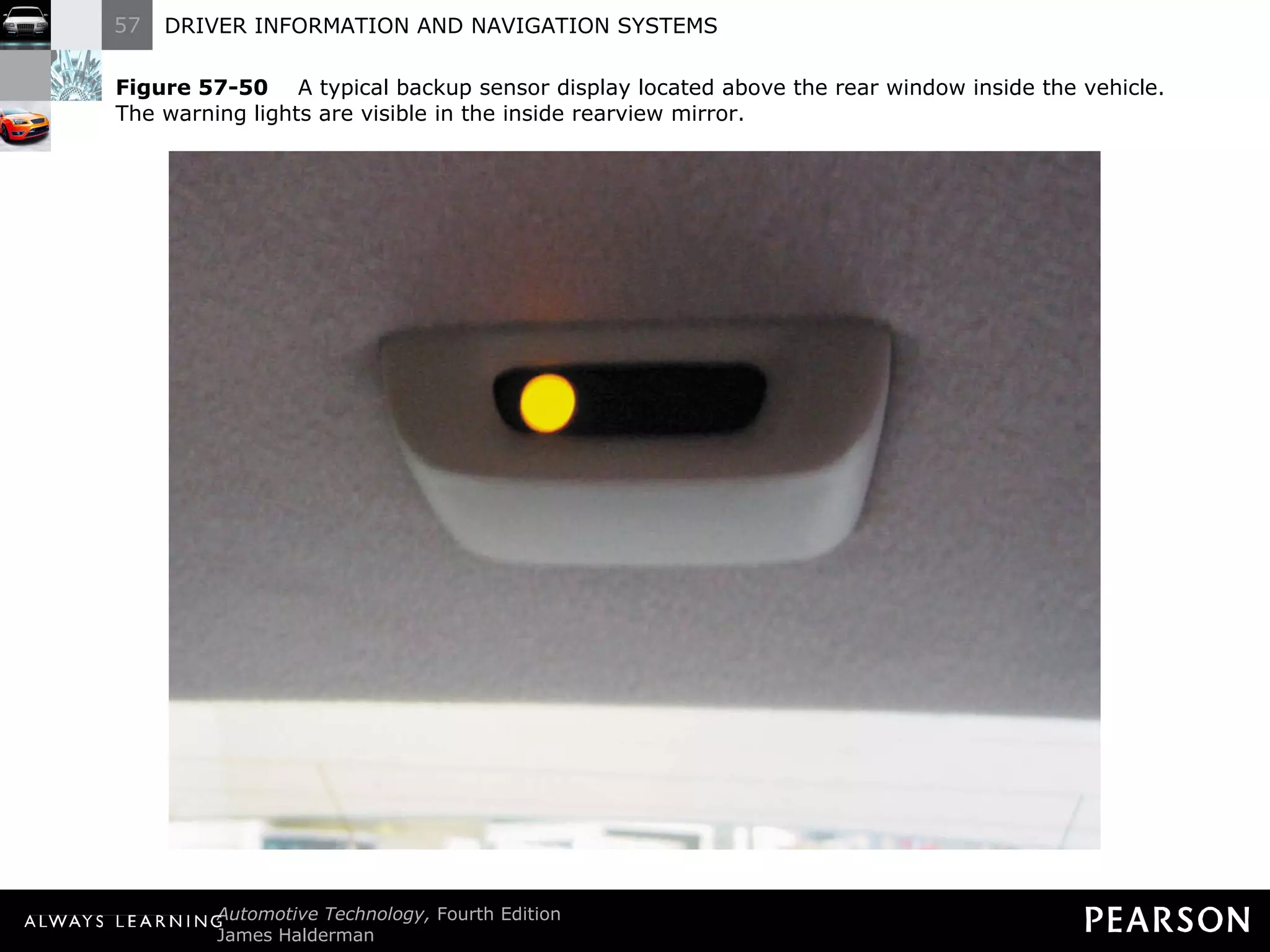
Backup Sensors  Components The system used in General Motors vehicles is called rear park assist (RPA), and includes the following components: A display with three lights visible to the driver in the rearview mirror.
Backup Sensors  Components The system used in General Motors vehicles is called rear park assist (RPA), and includes the following components: An electronic control module that uses an input from the transmission range switch and lights the warning lamps needed when the vehicle is in reverse.
Backup Sensors  Operation The following lights are displayed depending on the distance from the rear bumper: One amber light when the vehicle is in reverse and traveling at less than 3 mph (5 km/h) and the sensors detect an object 40 to 60 in. (102 to 152 cm) from the rear bumper. A chime also sounds once when an object is detected, to warn the driver to look at the rear parking assist display.
Backup Sensors  Operation The following lights are displayed depending on the distance from the rear bumper: Two amber lights when the distance between the rear bumper and an object is between 20 and 40 in. (50 and 100 cm) and the chime will sound again.
Backup Sensors  Operation The following lights are displayed depending on the distance from the rear bumper: Two amber lights, a red light, and the chime sounds continuously when the distance between the rear bumper and the object is between 11 and 20 in. (28 and 50 cm).
Backup Sensors Operation Each sensor has the following three wires: An 8 volt supply wire from the RPA module, used to power the sensor.
Backup Sensors Operation Each sensor has the following three wires: A reference low or ground wire.
Backup Sensors Operation Each sensor has the following three wires: A signal line, used to send and receive commands to and from the RPA module.
Figure 57-50   A typical backup sensor display located above the rear window inside the vehicle. The warning lights are visible in the inside rearview mirror.
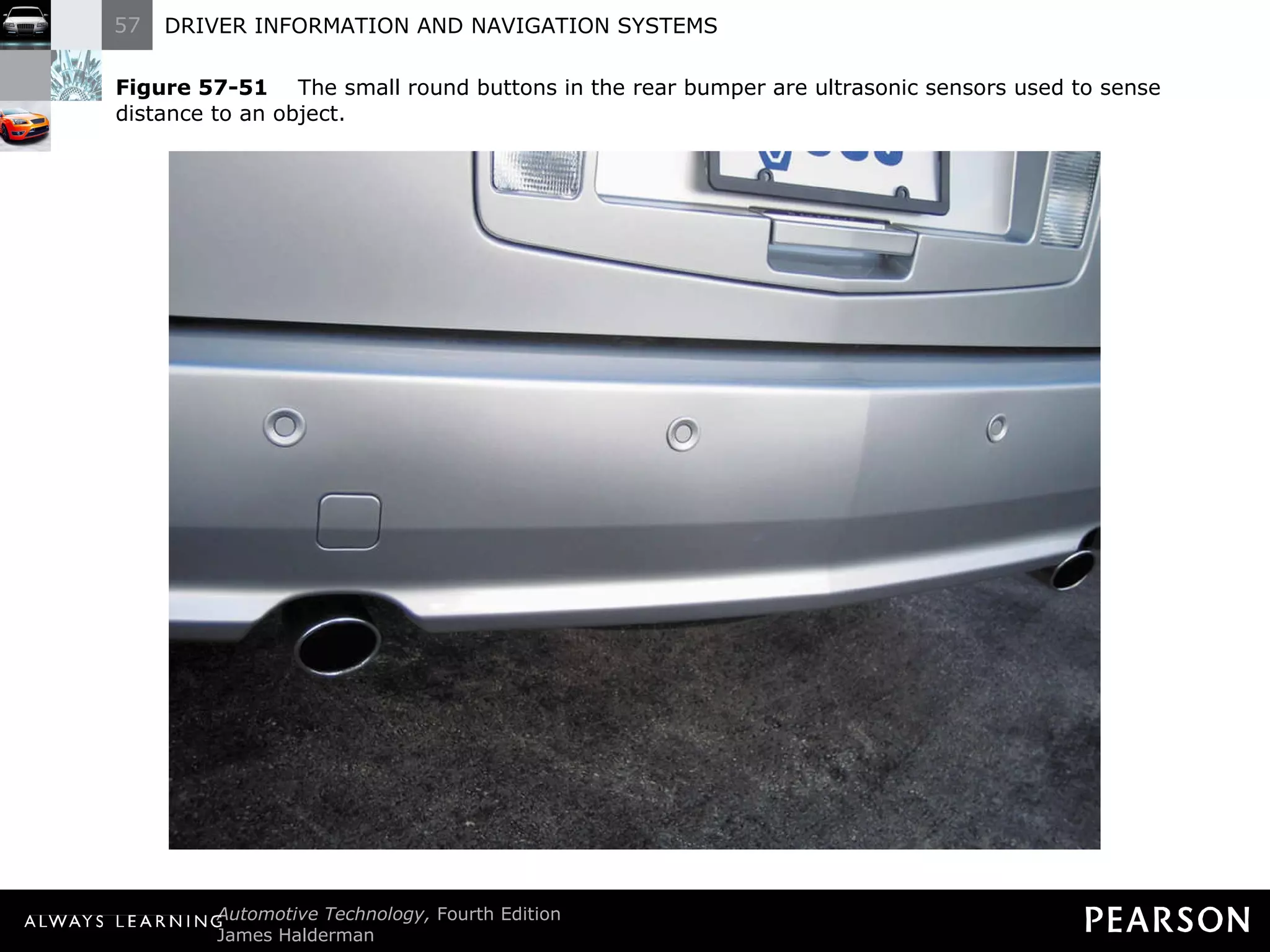
Figure 57-51   The small round buttons in the rear bumper are ultrasonic sensors used to sense distance to an object.
Backup Sensors  Diagnosis The rear parking assist control module detects faults and stores diagnostic trouble codes (DTCs). Follow service information diagnostic procedures.
LANE DEPARTURE WARNING SYSTEM
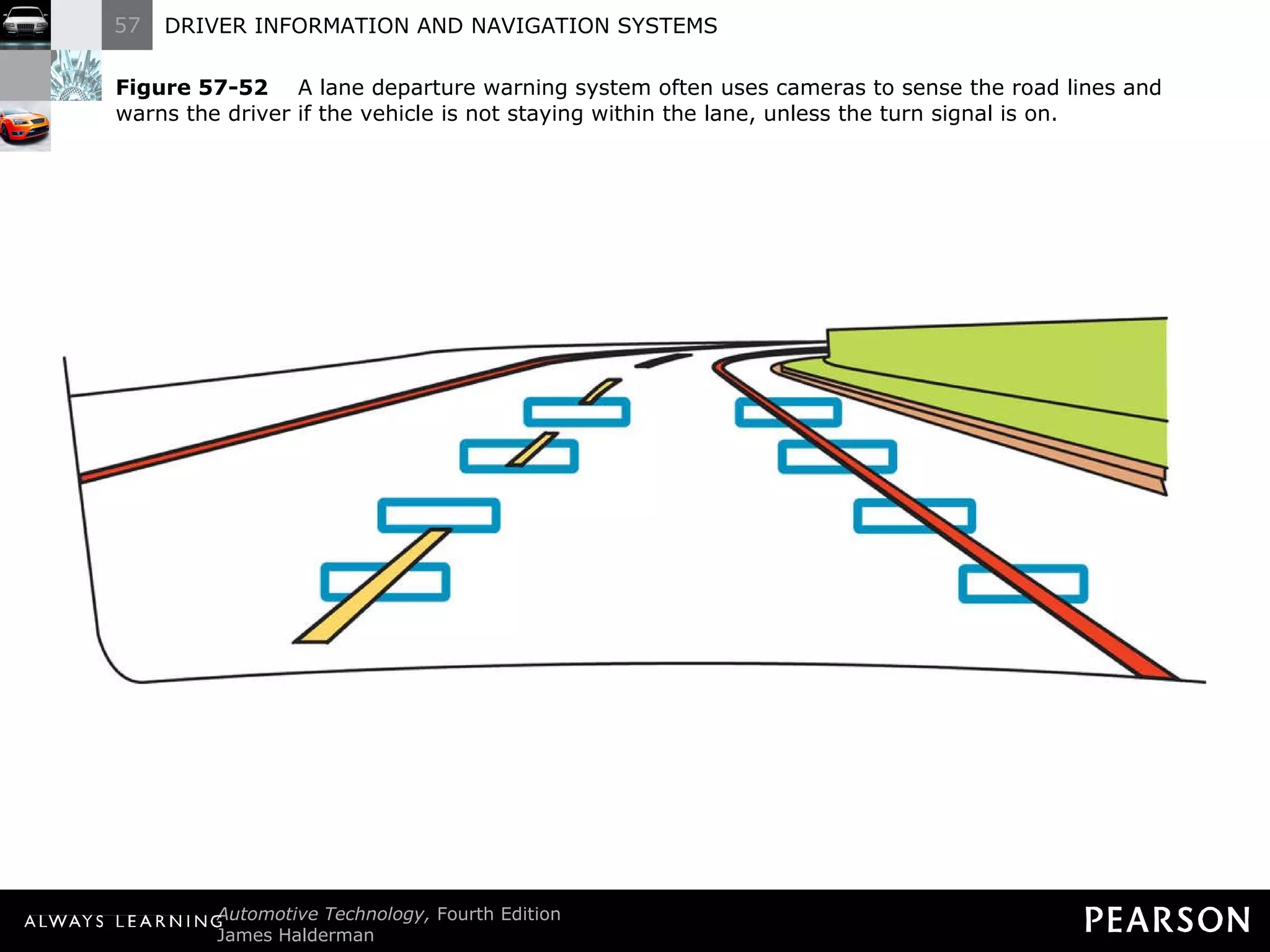
Lane Departure Warning System Parts and Operation The system uses cameras to detect crossing over lane marking lines. Some systems use infrared sensors under the front bumper.
Lane Departure Warning System  Parts and Operation The system names also vary according to vehicle manufacturer including: Honda/Acura: lane keep assist system (LKAS).
Lane Departure Warning System  Parts and Operation The system names also vary according to vehicle manufacturer including: Toyota/Lexus: lane monitoring system (LMS).
Lane Departure Warning System  Parts and Operation The system names also vary according to vehicle manufacturer including: General Motors: lane departure warning (LDW).
Lane Departure Warning System  Parts and Operation The system names also vary according to vehicle manufacturer including: Ford: lane departure warning (LDW).
Lane Departure Warning System  Parts and Operation The system names also vary according to vehicle manufacturer including: Nissan/Infinity: lane departure prevention (LDP) system.
Lane Departure Warning System  Parts and Operation A warning chime will sound or a vibrating mechanism mounted in the driver ’s seat cushion is triggered on the side where the departure is being detected.
Lane Departure Warning System  Parts and Operation This warning will not occur if the turn signal is on in the same direction as detected.
Figure 57-52   A lane departure warning system often uses cameras to sense the road lines and warns the driver if the vehicle is not staying within the lane, unless the turn signal is on.
Lane Departure Warning System  Diagnosis and Service Check service information for an explanation on how the system works. First, perform a visual inspection of the sensors or cameras.
Lane Departure Warning System  Diagnosis and Service Otherwise, follow the vehicle manufacturer ’s recommended diagnosis procedures to locate and repair the fault in the system.
ELECTRONIC DASH INSTRUMENT DIAGNOSIS AND TROUBLESHOOTING
Electronic Dash Instrument Diagnosis and Troubleshooting Check the WOW display. If all segments do not operate, then the entire electronic cluster must be replaced in most cases.
Electronic Dash Instrument Diagnosis and Troubleshooting  If all segments operate in the WOW display, but not afterwards, the problem is most often a defective sensor or defective wiring to the sensor. Most new-vehicle dealers are required to purchase essential test equipment.
Electronic Dash Instrument Diagnosis and Troubleshooting  Otherwise, the electronic dash instruments can be tested using the following procedure: With the ignition switched off, unplug the wire(s) from the sensor for the function being tested.
Electronic Dash Instrument Diagnosis and Troubleshooting Otherwise, the electronic dash instruments can be tested using the following procedure: 2. With the sensor wire unplugged, turn the ignition switch on and wait until the WOW display stops. The display for the affected unit should show either fully lighted segments or no lighted segments, depending on the make of the vehicle and the type of sensor.
Electronic Dash Instrument Diagnosis and Troubleshooting Otherwise, the electronic dash instruments can be tested using the following procedure: 3. Turn the ignition switch off. Connect the sensor wire lead to ground and turn the ignition switch on. After the WOW display, the display should be the opposite (either fully on or fully off) of the results in step 2.
Electronic Dash Instrument Diagnosis and Troubleshooting  Testing Results If the electronic display functions fully on and fully off with the sensor unplugged and then grounded, the problem is a defective sensor.
Electronic Dash Instrument Diagnosis and Troubleshooting  Testing Results If the electronic display fails to function fully on and fully off when the sensor wire(s) are opened and grounded, the problem is usually in the wiring from the sensor to the electronic dash or it is a defective electronic cluster.
Electronic Dash Instrument Diagnosis and Troubleshooting  Testing Results CAUTION: Whenever working on or near any type of electronic dash display, always wear a wire attached to your wrist (wrist strap) connected to a good body ground to prevent damaging the electronic dash with static electricity.
MAINTENANCE REMINDER LAMPS
Maintenance Reminder Lamps Maintenance reminder lamps indicate that the oil should be changed or that other service is required. There are many ways to extinguish the lamp.
Maintenance Reminder Lamps  To reset the oil service reminder light on many General Motors vehicles, you have to perform the following: STEP 1: Turn the ignition key on (engine off).
Maintenance Reminder Lamps  To reset the oil service reminder light on many General Motors vehicles, you have to perform the following: STEP 2: Depress the accelerator pedal three  times and hold it down on the fourth.
Maintenance Reminder Lamps  To reset the oil service reminder light on many General Motors vehicles, you have to perform the following: STEP 3: When the reminder light flashes, release the accelerator pedal.
Maintenance Reminder Lamps  To reset the oil service reminder light on many General Motors vehicles, you have to perform the following: STEP 4: Turn the ignition key to the off position. STEP 5: Start the engine and the light should be off.
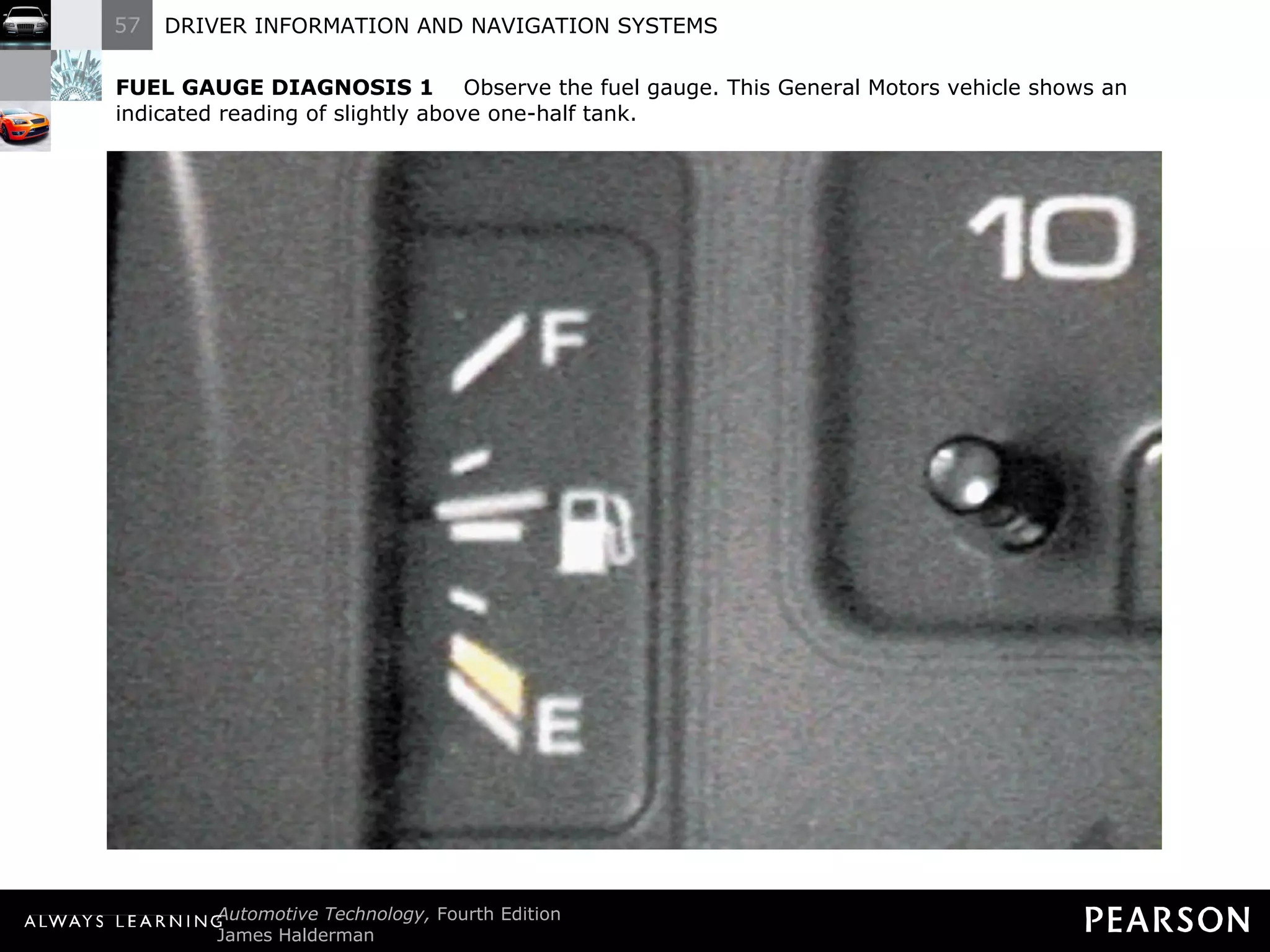
FUEL GAUGE DIAGNOSIS 1   Observe the fuel gauge. This General Motors vehicle shows an indicated reading of slightly above one-half tank.
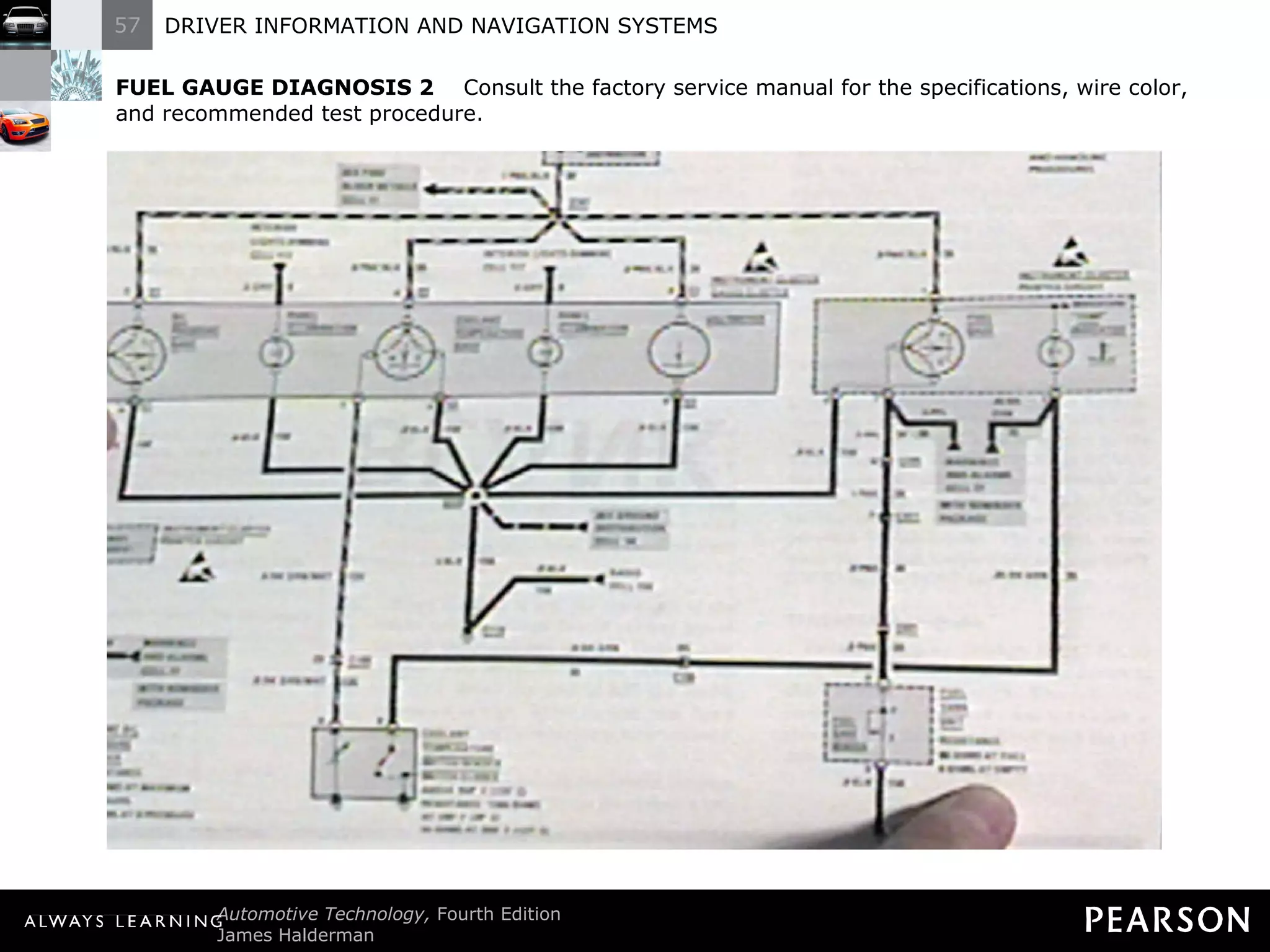
FUEL GAUGE DIAGNOSIS 2   Consult the factory service manual for the specifications, wire color, and recommended test procedure.
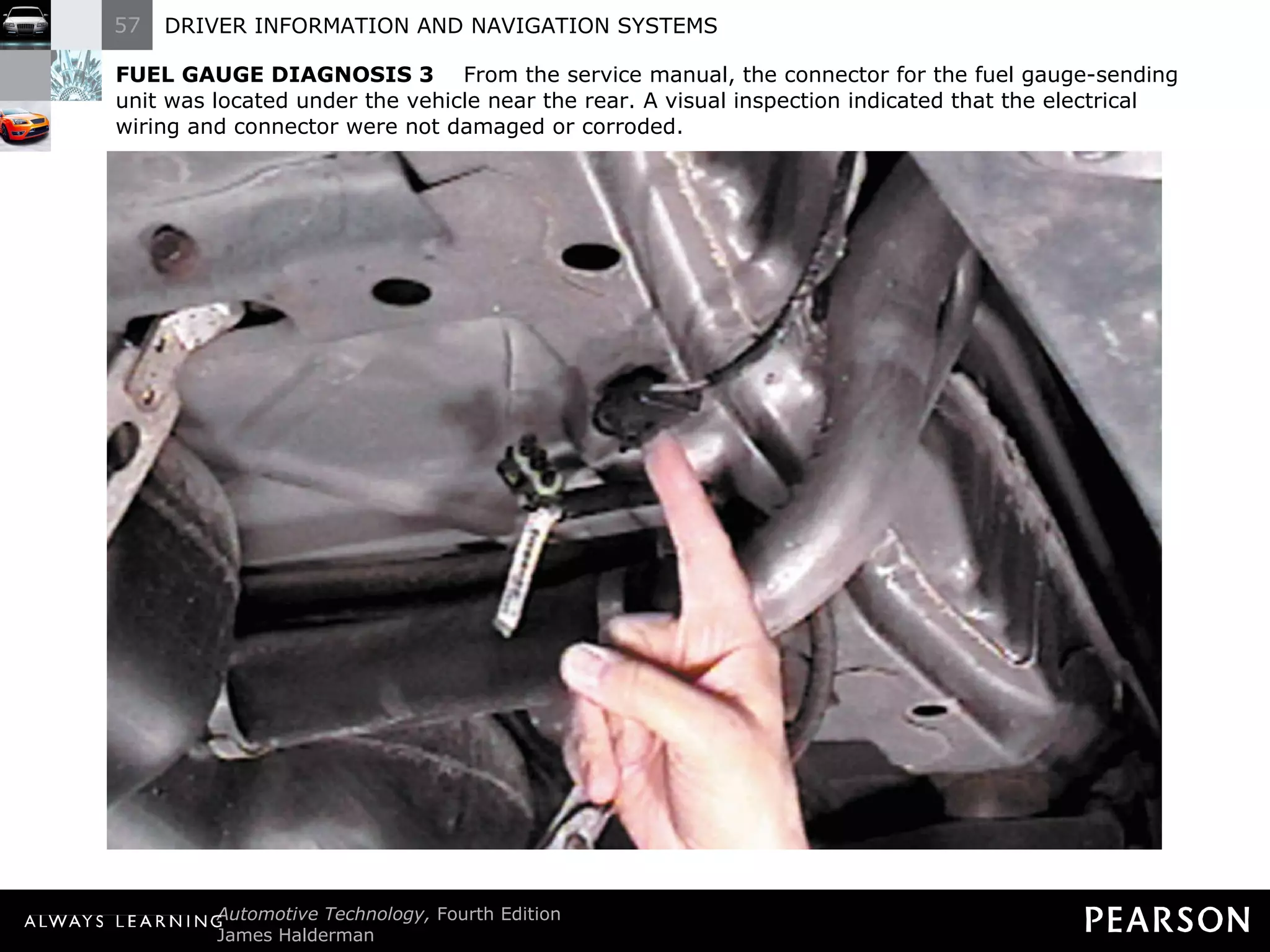
FUEL GAUGE DIAGNOSIS 3   From the service manual, the connector for the fuel gauge-sending unit was located under the vehicle near the rear. A visual inspection indicated that the electrical wiring and connector were not damaged or corroded.
FUEL GAUGE DIAGNOSIS 4   To test resistance of the sending unit (tank unit) use a digital multimeter and select ohms (Ω).
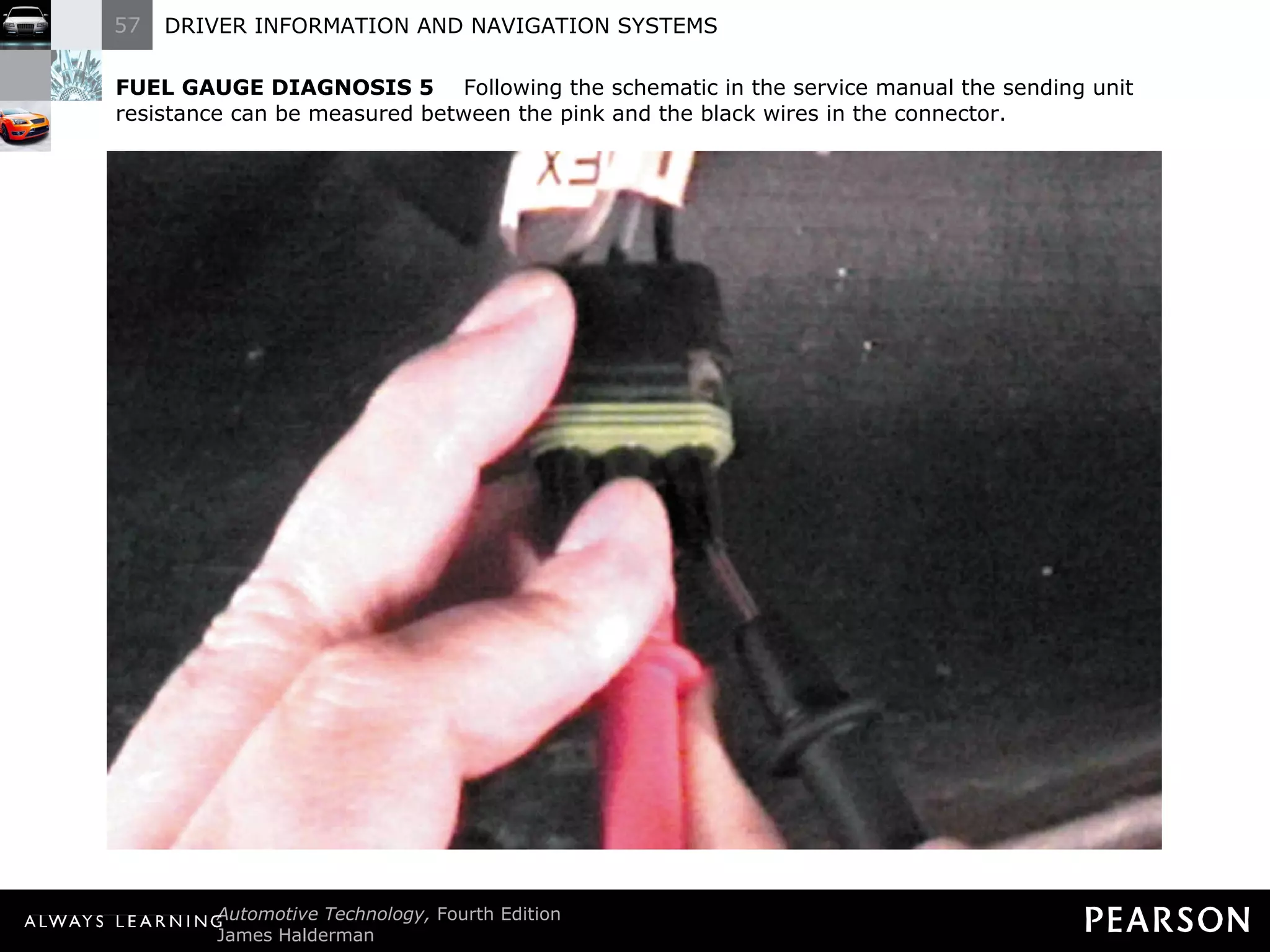
FUEL GAUGE DIAGNOSIS 5   Following the schematic in the service manual the sending unit resistance can be measured between the pink and the black wires in the connector.
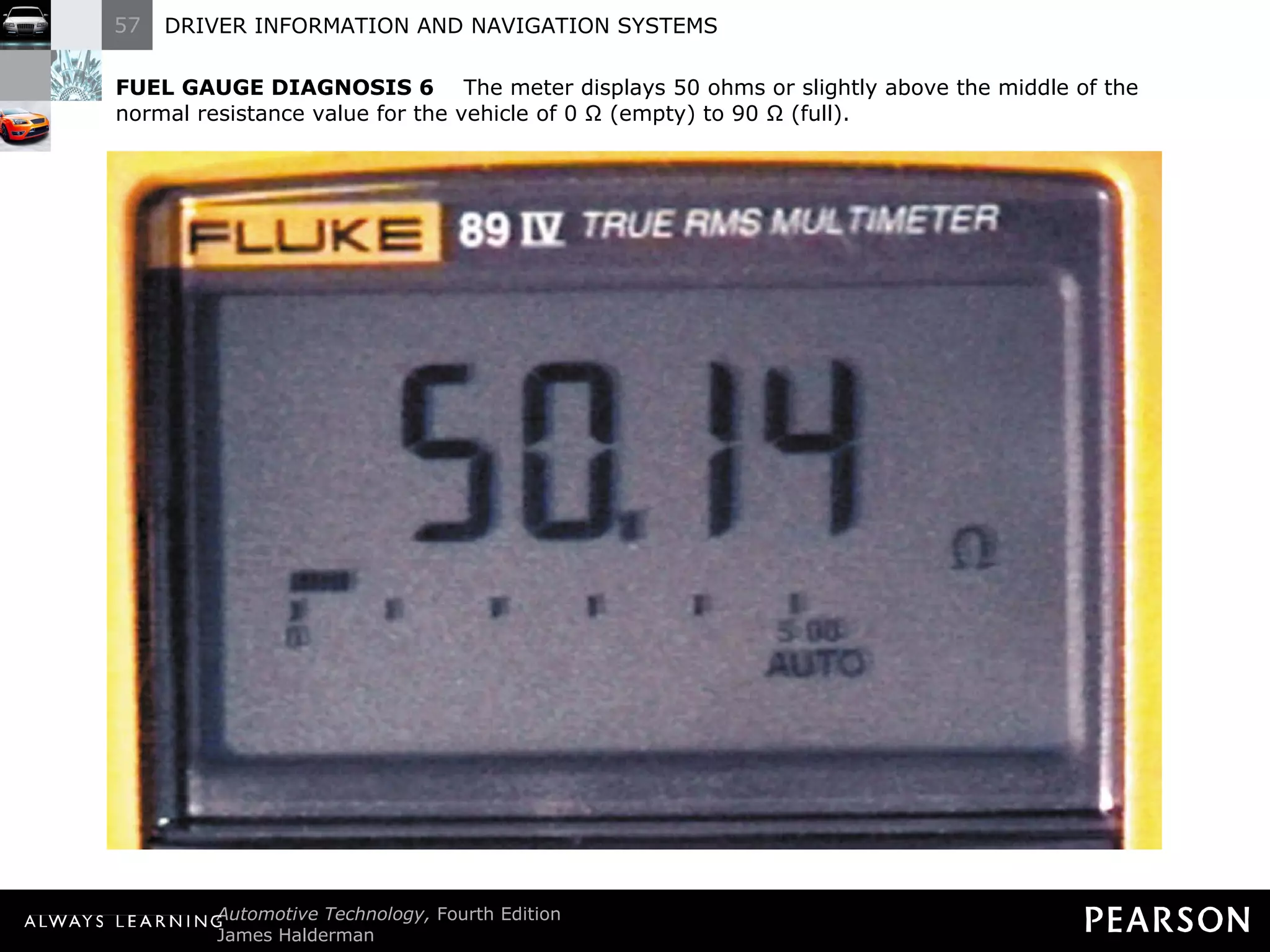
FUEL GAUGE DIAGNOSIS 6   The meter displays 50 ohms or slightly above the middle of the normal resistance value for the vehicle of 0 Ω (empty) to 90 Ω (full).
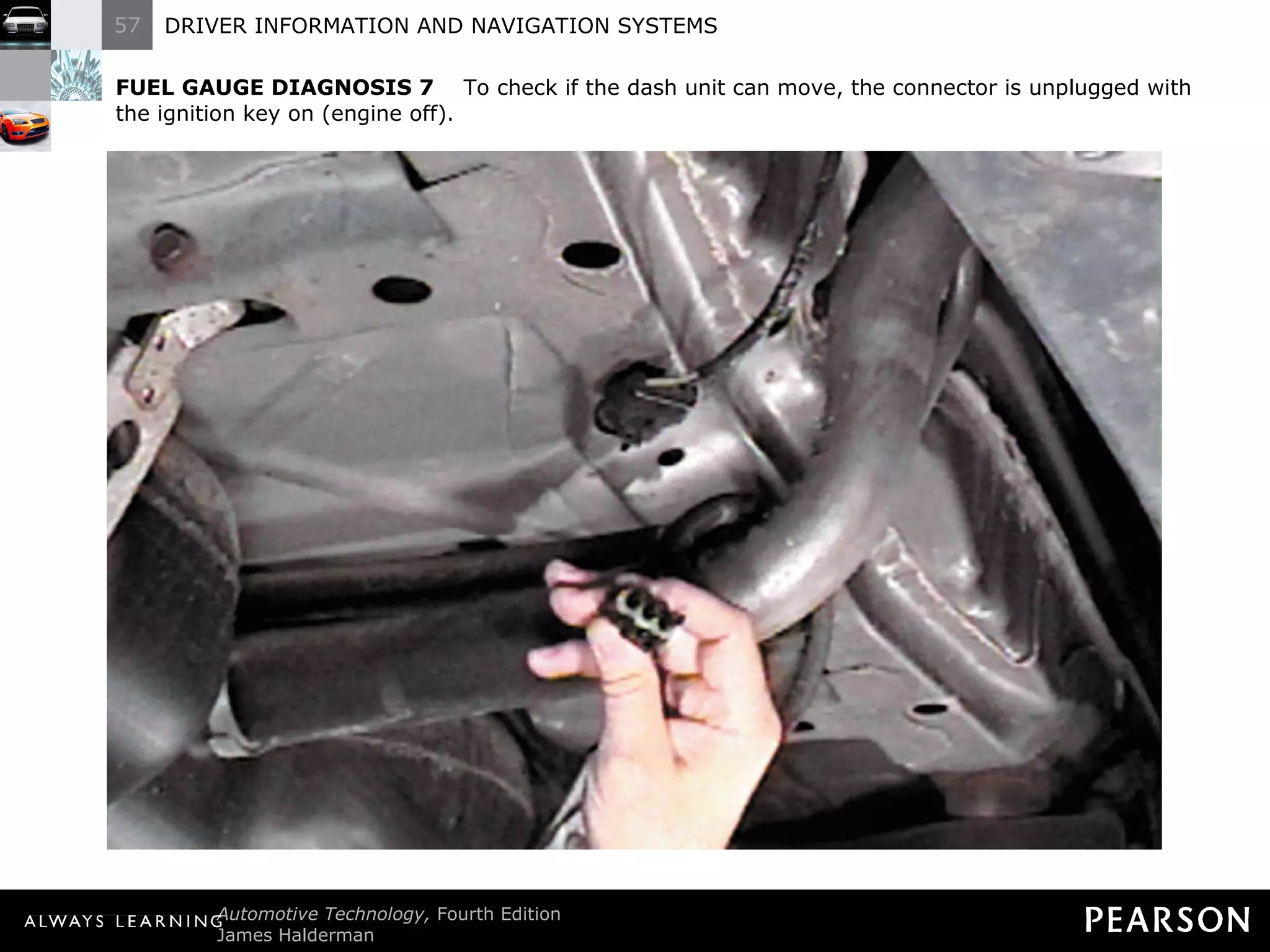
FUEL GAUGE DIAGNOSIS 7   To check if the dash unit can move, the connector is unplugged with the ignition key on (engine off).
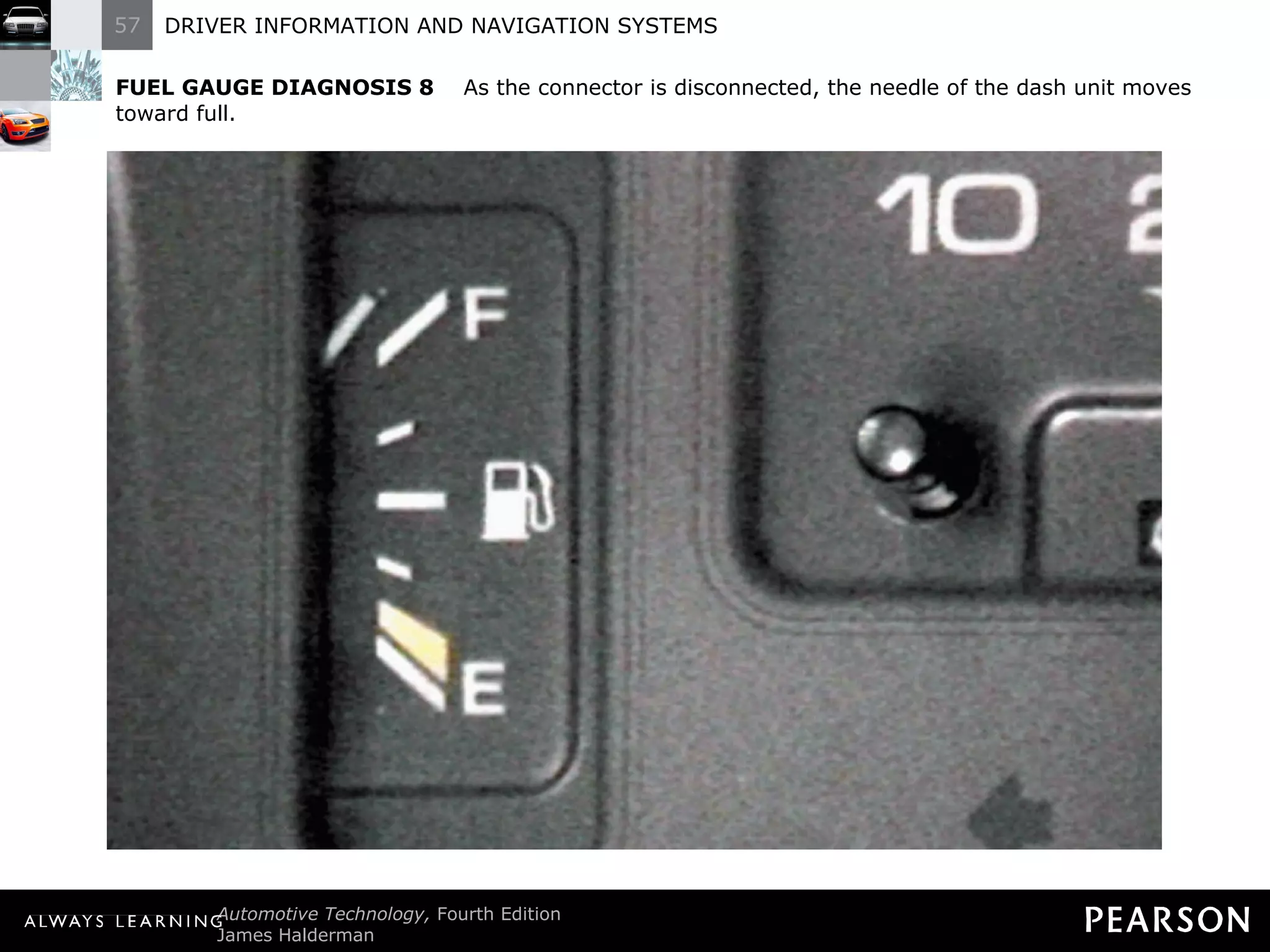
FUEL GAUGE DIAGNOSIS 8   As the connector is disconnected, the needle of the dash unit moves toward full.
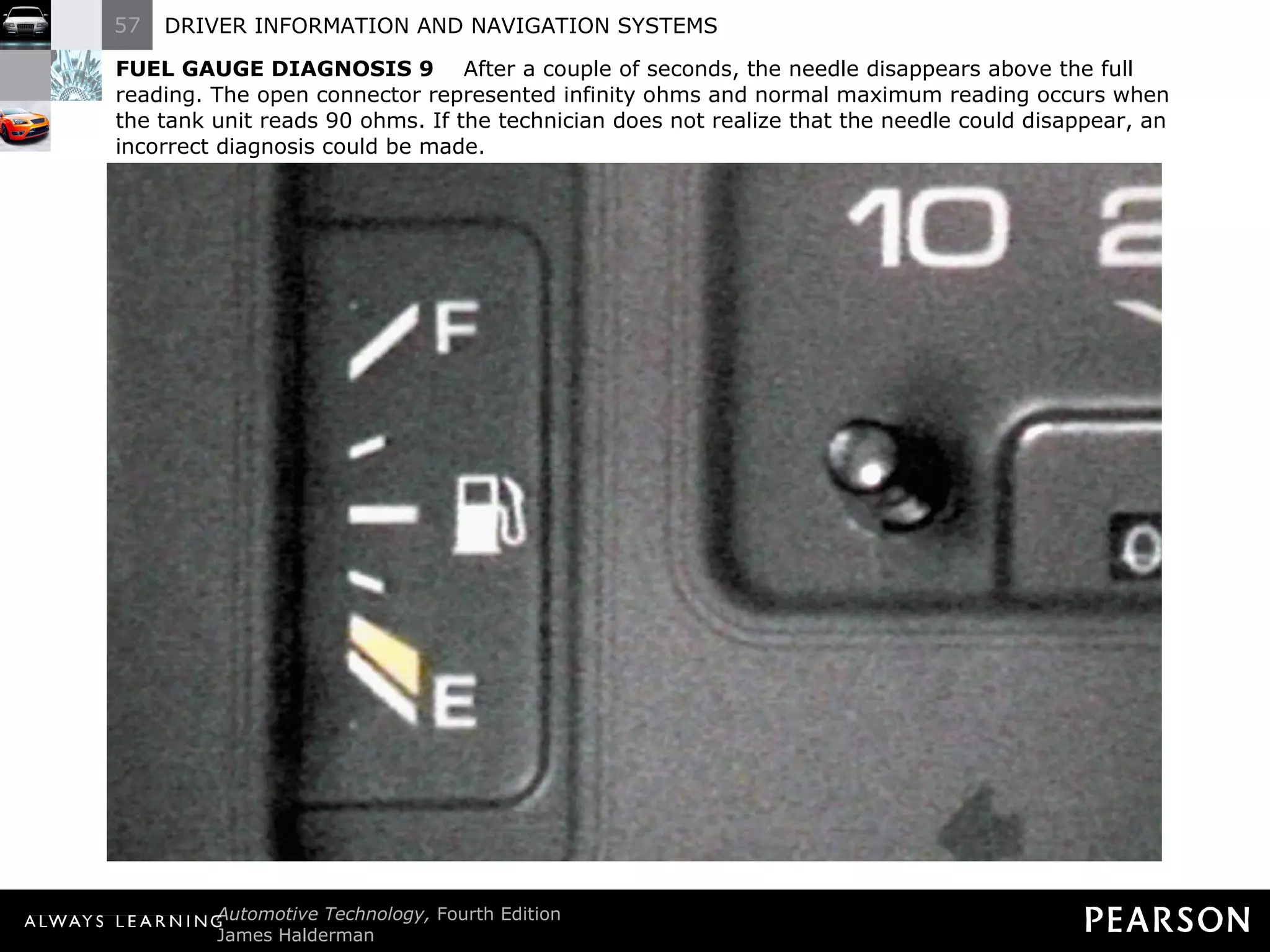
FUEL GAUGE DIAGNOSIS 9   After a couple of seconds, the needle disappears above the full reading. The open connector represented infinity ohms and normal maximum reading occurs when the tank unit reads 90 ohms. If the technician does not realize that the needle could disappear, an incorrect diagnosis could be made.
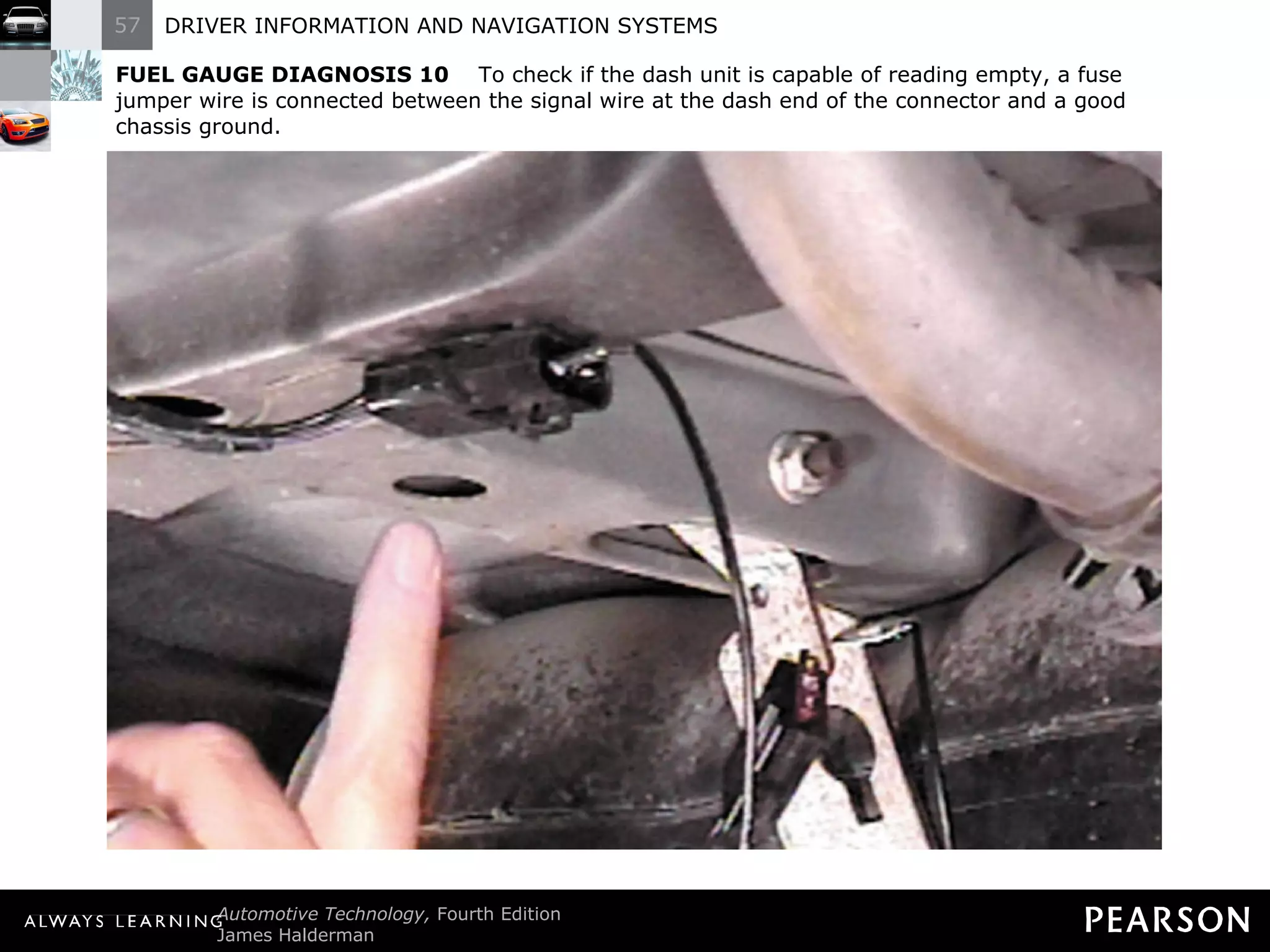
FUEL GAUGE DIAGNOSIS 10   To check if the dash unit is capable of reading empty, a fuse jumper wire is connected between the signal wire at the dash end of the connector and a good chassis ground.
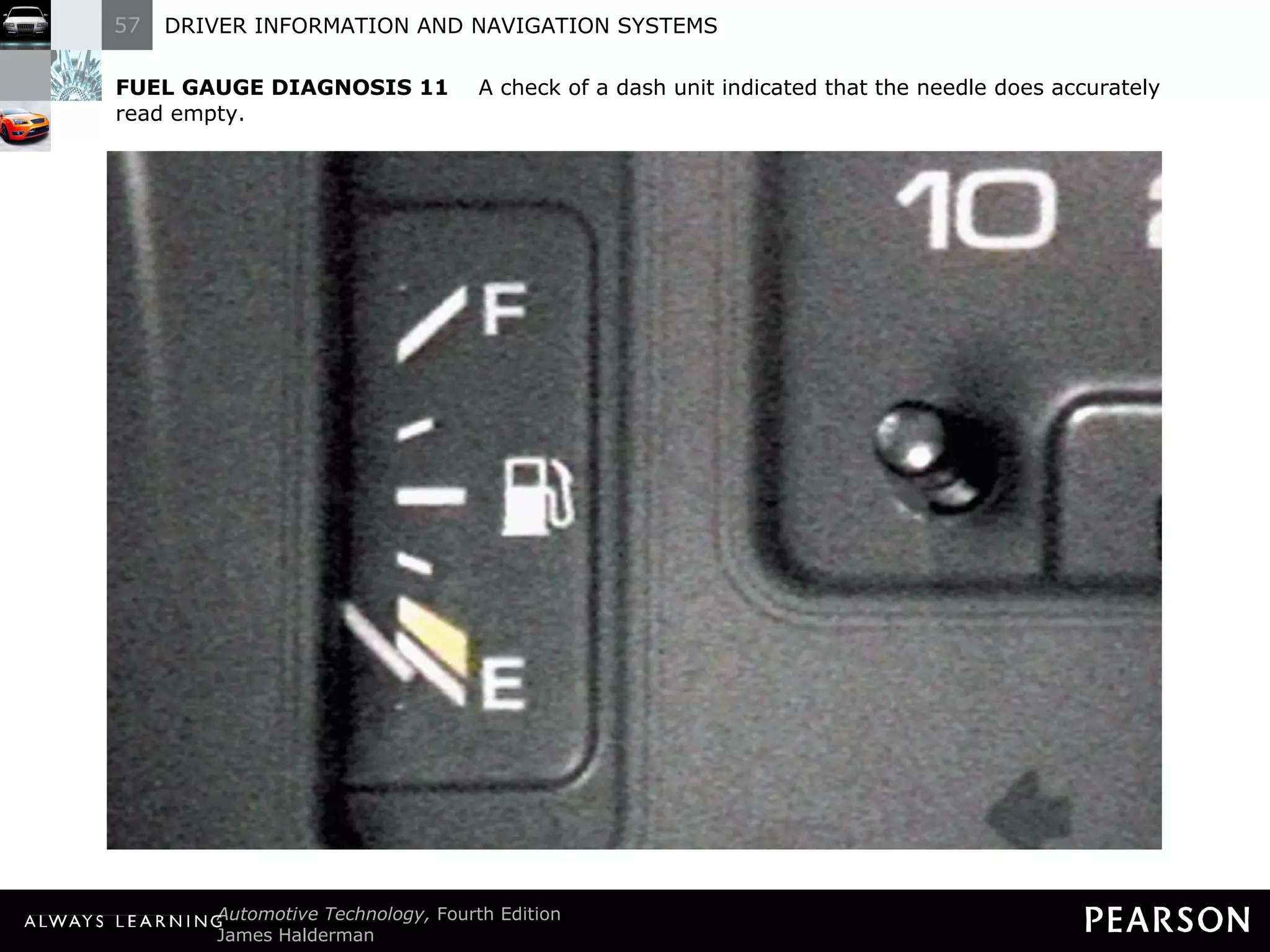
FUEL GAUGE DIAGNOSIS 11   A check of a dash unit indicated that the needle does accurately read empty.
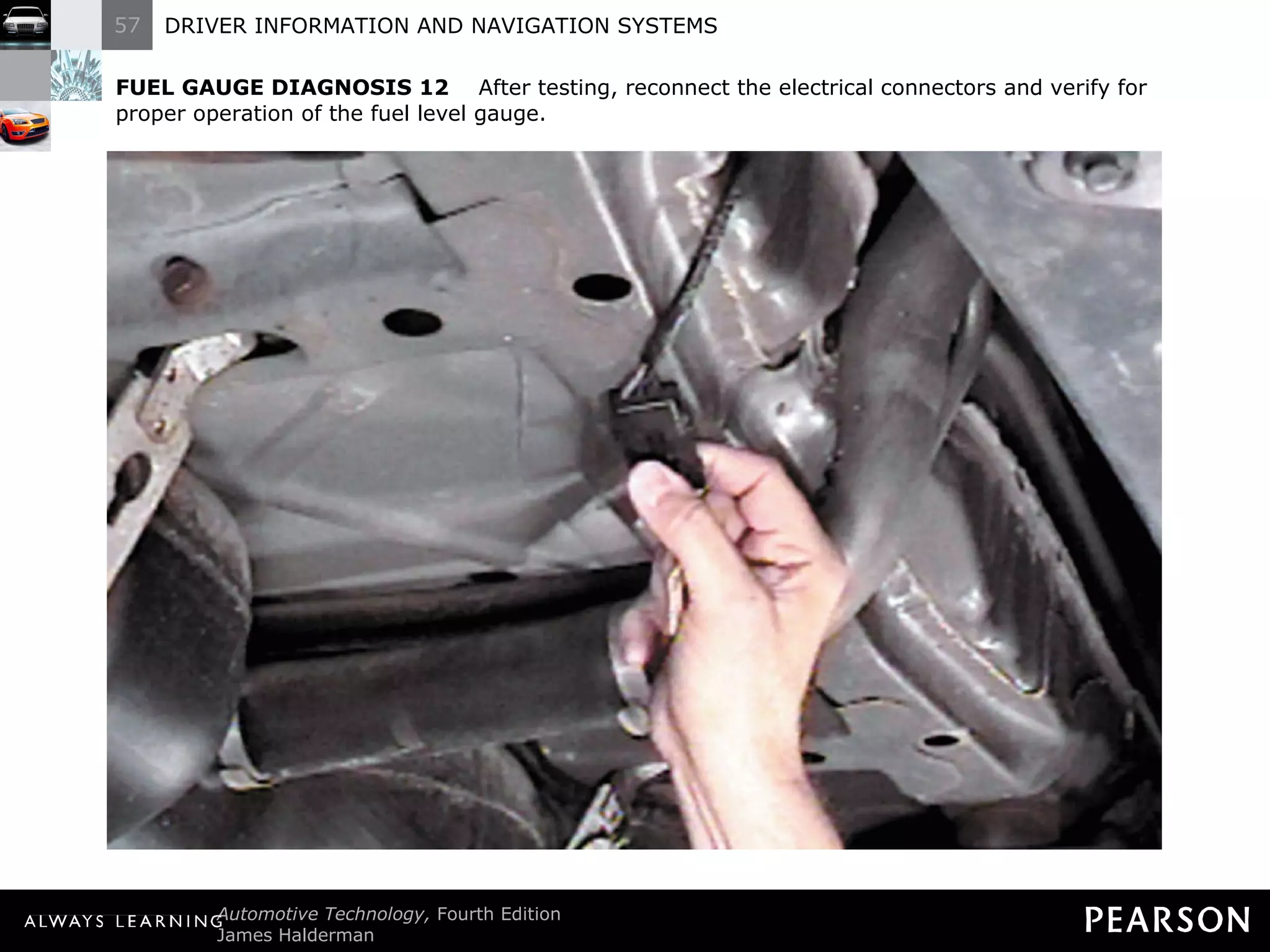
FUEL GAUGE DIAGNOSIS 12   After testing, reconnect the electrical connectors and verify for proper operation of the fuel level gauge.
TECH TIP Check the Spare Some vehicles that are equipped with a full-size spare tire also have a sensor in the spare. If the warning lamp is on and all four tires are properly inflated, check the spare. BACK TO  PRESENTATION
REAL WORLD FIX The Low Oil Pressure Story After replacing valve cover gaskets on a Chevrolet V-8, the technician discovered that the oil pressure warning lamp was on. After checking the oil level and finding everything else okay, the technician discovered a wire pinched under the valve cover. The wire went to the oil pressure sending unit. BACK TO  PRESENTATION The edge of the valve cover had cut through the insulation and caused the current from the oil lamp to go to ground through the engine. Normally the oil lamp comes on when the sending unit grounds the wire from the lamp. The technician freed the pinched wire and covered the cut with silicone sealant to prevent corrosion damage.
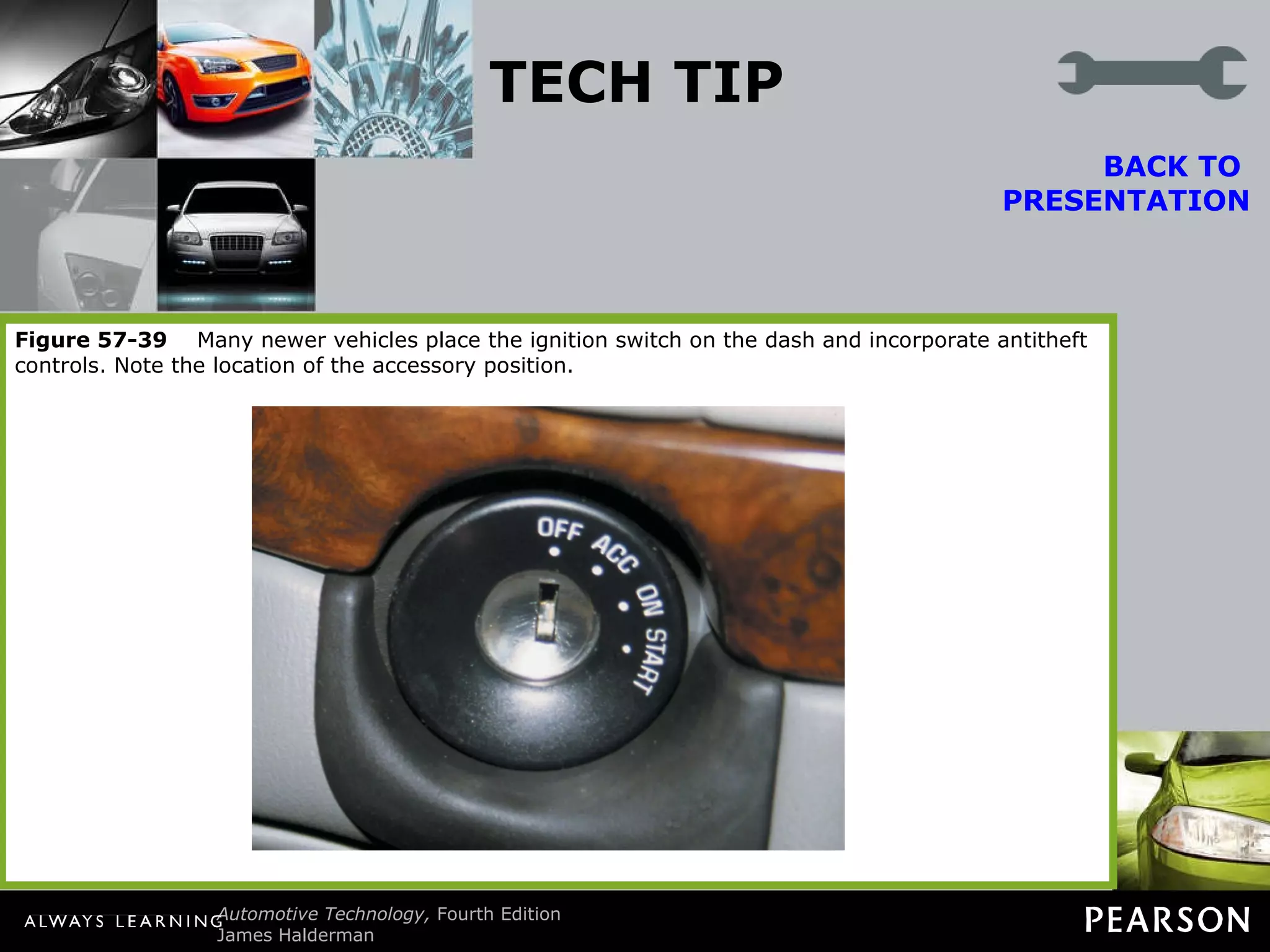
TECH TIP The Bulb Test Many ignition switches have six positions. Notice the bulb test position (between  “on” and “start”). When the ignition is turned to “on” (run), some dash warning lamps are illuminated. When the bulb test position is reached, additional dash warning lamps often are lighted. BACK TO  PRESENTATION Technicians use this ignition switch position to check the operation of fuses that protect various circuits. Dash warning lamps are not all powered by the same fuses. If an electrical component or circuit does not work, the power side (fuse) can be quickly checked by observing the operation of the dash lamps that have a common fuse with the problem circuit. Consult a wiring diagram for fuse information on the exact circuit being tested. Figure 57-38   Typical ignition switch positions. Notice the bulb check position between  “on” (run) and “start.” These inputs are often just voltage signal to the body control module and can be checked using a scan tool. Figure 57-39   Many newer vehicles place the ignition switch on the dash and incorporate antitheft controls. Note the location of the accessory position.
REAL WORLD FIX The Speedometer Works as if It Is a Tachometer The owner of a Lincoln Town Car complained that all of a sudden the speedometer needle went up and down with engine speed rather than vehicle speed. In fact, the speedometer needle went up and down with engine speed even though the gear selector was in  “park” and the vehicle was not moving.  BACK TO  PRESENTATION After hours of troubleshooting, the service technician went back and started checking the basics and discovered that the alternator had a bad diode. The technician measured over 1 volt AC and over 10 amperes AC ripple current using a clamp-on AC/DC ammeter. Replacing the alternator restored the proper operation of the speedometer.
TECH TIP The Soldering Gun Trick Diagnosing problems with digital or electronic dash instruments can be difficult. Replacement parts generally are expensive and usually not returnable if installed in the vehicle. A popular trick that helps isolate the problem is to use a soldering gun near the PM generator. A PM generator contains a coil of wire. As the magnet inside revolves, a voltage is produced. It is the frequency of this voltage that the dash (or engine) computer uses to calculate vehicle speed. A soldering gun plugged into 110 volts AC will provide a strong varying magnetic field around the soldering gun. This magnetic field is constantly changing at the rate of 60 cycles per second. This frequency of the magnetic field induces a voltage in the windings of the PM generator. This induced voltage at 60 hertz (Hz) is converted by the computer circuits to a miles per hour (mph) reading on the dash. To test the electronic speedometer, turn the ignition to  “on” (engine off) and hold a soldering gun near the PM generator. CAUTION: The soldering gun tip can get hot, so hold it away from wiring or other components that may be damaged by the hot tip. If the PM generator, wiring, computer, and dash are okay, the speedometer should register a speed, usually 54 mph (87 km/h). If the speedometer does not work when the vehicle is driven, the problem is in the PM generator drive. If the speedometer does not register a speed when the soldering gun is used, the problem could be caused by the following: Defective PM generator (check the windings with an ohmmeter) Defective (open or shorted) wiring from the PM generator to the computer Defective computer or dash circuit BACK TO  PRESENTATION
REAL WORLD FIX The Toyota Truck Story The owner of a Toyota truck complained that several electrical problems plagued the truck, including the following: The cruise (speed) control would kick out intermittently. The red brake warning lamp would come on, especially during cold weather.  BACK TO  PRESENTATION The owner had replaced the parking brake switch, thinking that was the cause of the red brake warning lamp coming on. An experienced technician checked the wiring diagram in service information. Checking the warning lamp circuit, the technician noticed that the same wire went to the brake fluid level sensor. The brake fluid was at the minimum level. Filling the master cylinder to the maximum level with clean brake fluid solved both problems. The electronics of the cruise control stopped operation when the red brake warning lamp was on as a safety measure.
REAL WORLD FIX Look for Previous Repairs A technician was asked to fix the speedometer on a Pontiac Grand Am that showed approximately double the actual speed. Previous repairs had included a new vehicle speed (VS) sensor and computer. Nothing made any difference. The customer stated that the problem happened all of a sudden. After hours of troubleshooting, the customer just happened to mention that the automatic transaxle had been repaired shortly before the speedometer problem. The root cause of the problem was discovered when the technician learned that a final drive assembly from a 4T60-E transaxle had been installed on the 3T-40 transaxle. The 4T60-E final drive assembly has 13 reluctor teeth whereas the 3T-40 has 7 teeth. This difference in the number of teeth caused the speedometer to read almost double the actual vehicle speed. After the correct part was installed, the speedometer worked correctly. The technician now always asks if there has been any recent work performed in the vehicle prior to any diagnosis. BACK TO  PRESENTATION
REAL WORLD FIX Electronic Devices Cannot Swim The owner of a Dodge minivan complained that after the vehicle was cleaned inside and outside, the temperature gauge, fuel gauge, and speedometer stopped working. The vehicle speed sensor was checked and found to be supplying a square wave signal that changed with vehicle speed.  BACK TO  PRESENTATION A scan tool indicated a speed, yet the speedometer displayed zero all the time. Finally, the service technician checked the body computer to the right of the accelerator pedal and noticed that it had been wet, from the interior cleaning. Drying the computer did not fix the problem, but a replacement body computer fixed all the problems. The owner discovered that electronic devices do not like water and that computers cannot swim.
FREQUENTLY ASKED QUESTION Does the Government Know Where I Am? No. The navigation system uses signals from the satellites and uses the signals from three or more to determine position. If the vehicle is equipped with OnStar, then the vehicle position can be monitored by the use of the cellular telephone link to OnStar call centers. ? BACK TO  PRESENTATION Unless the vehicle has a cellular phone connection to the outside world, the only people who will know the location of the vehicle are the persons inside the vehicle viewing the navigation screen.
TECH TIP Window Tinting Can Hurt GPS Reception Most factory-installed navigation systems use a GPS antenna inside the rear back glass or under the rear package shelf. If a metalized window tint is applied to the rear glass, the signal strength from the GPS satellites can be reduced. If the customer concern includes inaccurate or nonfunctioning navigation, check for window tint.  BACK TO  PRESENTATION
TECH TIP Touch Screen Tip Most vehicle navigation systems use a touch screen for use by the driver (or passenger) to input information or other on-screen prompts. Most touch screens use infrared beams projected from the top and bottom plus across the screen to form a grid. The system detects where on the screen a finger is located by the location of the beams that are cut. Do not push harder on the display if the unit does not respond, or damage to the display unit may occur. If no response is detected when lightly depressing the screen, rotate the finger to cause the infrared beams to be cut. BACK TO  PRESENTATION
FREQUENTLY ASKED QUESTION What Is Navigation Enhanced Climate Control? Some vehicles, such as the Acura RL, use data from the navigation system to help control the automatic climate control system. Data about the location of the vehicle includes: ? Time and date. This information allows the automatic climate control system to determine where the sun is located. Direction of travel. The navigation system can also help the climate control system determine the direction of travel. As a result of the input from the navigation system, the automatic climate control system can control cabin temperature in addition to various other sensors in the vehicle. For example, if the vehicle was traveling south in the late afternoon in July, the climate control system could assume that the passenger side of the vehicle would be warmed more by the sun than the driver ’s side and could increase the airflow to the passenger side to help compensate for the additional solar heating. BACK TO  PRESENTATION
TECH TIP Check for Repainted Bumper The ultrasonic sensors embedded in the bumper are sensitive to paint thickness because the paint covers the sensors. If the system does not seem to be responding to objects, and if the bumper has been repainted, measure the paint thickness using a nonferrous paint thickness gauge. The maximum allowable paint thickness is 6 mils (0.006 inch or 0.15 mm). BACK TO  PRESENTATION
TECH TIP Keep Stock Overall Tire Diameter Whenever larger (or smaller) wheels or tires are installed, the speedometer and odometer calibration are also thrown off. This can be summarized as follows: Larger diameter tires. The speed showing on the speedometer is slower than the actual speed. The odometer reading will show fewer miles than actual. BACK TO  PRESENTATION Smaller diameter tires. The speed showing on the speedometer is faster than the actual speed. The odometer reading will show more miles than actual. General Motors trucks can be recalibrated with a recalibration kit (1988–1991) or with a replacement controller assembly called a digital ratio adapter controller (DRAC) located under the dash. It may be possible to recalibrate the speedometer and odometer on earlier models, before 1988, or vehicles that use speedometer cables by replacing the drive gear in the transmission. Check service information for the procedure on the vehicle being serviced.

Halderman ch057 lecture

  • 1.
    DRIVER INFORMATION ANDNAVIGATION SYSTEMS 57
  • 2.
    Objectives The studentshould be able to: Prepare for ASE Electrical/Electronic Systems (A6) certification test content area “F” (Gauges, Warning Devices, and Driver Information System Diagnosis and Repair). Be able to identify the meaning of dash warning symbols. Discuss how a fuel gauge works.
  • 3.
    Objectives Thestudent should be able to: Explain how to use a service manual to troubleshoot a malfunctioning dash instrument. Describe how a navigation system works. List the various types of dash instrument displays.
  • 4.
  • 5.
    Dash Warning SymbolsPurpose and Function Symbols instead of words are being used as warning lights. The dash warning lights are often called telltale lights as they are used to notify the driver of a situation or fault.
  • 6.
    Dash Warning Symbols Bulb Test When the ignition is first turned on, all of the warning lights come on as part of a self-test and to help the driver or technician spot any warning light that may be burned out.
  • 7.
    Dash Warning Symbols Engine Fault Warning Engine fault warning lights include the following: Engine coolant temperature. If this warning lamp comes on while driving, perform the following in an attempt to reduce the temperature: Turn off the air conditioning.
  • 8.
    Dash Warning Symbols Engine Fault Warning Engine fault warning lights include the following: Engine coolant temperature. If this warning lamp comes on while driving, perform the following in an attempt to reduce the temperature: Turn on the heater.
  • 9.
    Dash Warning Symbols Engine Fault Warning Engine fault warning lights include the following: Engine coolant temperature. If this warning lamp comes on while driving, perform the following in an attempt to reduce the temperature: If the hot light remains on, drive to a safe location and shut off the engine.
  • 10.
    Figure 57-1 Engine coolant temperature is too high.
  • 11.
    Dash Warning SymbolsEngine Fault Warning Engine fault warning lights include the following: Engine oil pressure. If this light comes on when driving, perform the following: Pull off the road as soon as possible.
  • 12.
    Dash Warning SymbolsEngine Fault Warning Engine fault warning lights include the following: Engine oil pressure. If this light comes on when driving, perform the following: Shut off the engine.
  • 13.
    Dash Warning SymbolsEngine Fault Warning Engine fault warning lights include the following: Engine oil pressure. If this light comes on when driving, perform the following: Check the oil level.
  • 14.
    Dash Warning SymbolsEngine Fault Warning Engine fault warning lights include the following: Engine oil pressure. If this light comes on when driving, perform the following: Do not drive the vehicle with the engine oil light on or severe engine damage can occur.
  • 15.
    Figure 57-2 Engine oil pressure too low.
  • 16.
    Dash Warning SymbolsEngine Fault Warning Engine fault warning lights include the following: Water in diesel fuel warning. If this warning lamp comes on, do the following: Remove the water using the built-in drain, usually part of the fuel filter.
  • 17.
    Dash Warning SymbolsEngine Fault Warning Engine fault warning lights include the following: Water in diesel fuel warning. If this warning lamp comes on, do the following: Check service information for the exact procedure to follow.
  • 18.
    Figure 57-3 Water detected in fuel. Notice to drain the water from the fuel filter assembly on a vehicle equipped with a diesel engine.
  • 19.
    Dash Warning SymbolsEngine Fault Warning Engine fault warning lights include the following: Maintenance required warning. The service required could include: Oil and oil filter change.
  • 20.
    Dash Warning SymbolsEngine Fault Warning Engine fault warning lights include the following: Maintenance required warning. The service required could include: Tire rotation.
  • 21.
    Dash Warning SymbolsEngine Fault Warning Engine fault warning lights include the following: Maintenance required warning. The service required could include: Inspection.
  • 22.
    Figure 57-4 Maintenance required. This usually means that the engine oil is scheduled to be changed or other routine service items replaced or checked.
  • 23.
    Dash Warning SymbolsEngine Fault Warning Engine fault warning lights include the following: Malfunction indicator lamp (MIL or SES) light. If the MIL comes on determine the cause as soon as possible
  • 24.
    Dash Warning SymbolsEngine Fault Warning Engine fault warning lights include the following: Malfunction indicator lamp (MIL or SES) light. The MIL could come on if any of the following has been detected: A sensor or actuator is electrically open or shorted.
  • 25.
    Dash Warning SymbolsEngine Fault Warning Engine fault warning lights include the following: Malfunction indicator lamp (MIL or SES) light. The MIL could come on if any of the following has been detected: A sensor is out of range for expected values.
  • 26.
    Dash Warning SymbolsEngine Fault Warning Engine fault warning lights include the following: Malfunction indicator lamp (MIL or SES) light. The MIL could come on if any of the following has been detected: 3. An emission control system failure occurs, such as a loose gas cap.
  • 27.
    Figure 57-5 Malfunction indicator lamp (MIL), also called a check engine light. The light means the engine control computer has detected a fault.
  • 28.
    Dash Warning SymbolsElectrical System-Related Warning Lights Charging system fault. The lamp could include a fault with any of the following: Battery state of charge (SOC).
  • 29.
    Dash Warning SymbolsElectrical System-Related Warning Lights Charging system fault. The lamp could include a fault with any of the following: Alternator or related wiring.
  • 30.
    Dash Warning SymbolsElectrical System-Related Warning Lights Charging system fault. Check the following by visible inspection: Alternator drive belt.
  • 31.
    Dash Warning SymbolsElectrical System-Related Warning Lights Charging system fault. Check the following by visible inspection: Loose or corroded electrical connections at the battery.
  • 32.
    Dash Warning SymbolsElectrical System-Related Warning Lights Charging system fault. Check the following by visible inspection: Loose or corroded wiring to the alternator.
  • 33.
    Dash Warning SymbolsElectrical System-Related Warning Lights Charging system fault. Check the following by visible inspection: Defective alternator.
  • 34.
    Figure 57-6 Charging system fault detected.
  • 35.
    Dash Warning SymbolsSafety Related Warning Lamps Safety belt warning lamp. This warning lamp will light and sound an alarm to notify the driver if the driver ’s side or passenger’s side safety belt is not fastened.
  • 36.
    Dash Warning SymbolsSafety Related Warning Lamps Safety belt warning lamp. It is also used to indicate a fault in the safety belt circuit.
  • 37.
    Dash Warning SymbolsSafety Related Warning Lamps Safety belt warning lamp. Check service information for the exact procedure to follow if the safety belt warning light remains on even when the belts are fastened
  • 38.
    Figure 57-7 Fasten safety belt warning light.
  • 39.
    Dash Warning SymbolsSafety Related Warning Lamps Airbag warning lamp. If this warning lamp remains on after the self-test, then the airbag controller has detected a fault.
  • 40.
    Dash Warning Symbols Safety Related Warning Lamps Airbag warning lamp. Check service information for the exact procedure to follow if the airbag warning lamp is on.
  • 41.
    Figure 57-8 Fault detected in the supplemental restraint (airbag) system.
  • 42.
    Dash Warning SymbolsSafety Related Warning Lamps NOTE: The passenger side airbag light may indicate that it is on or off, depending if there is a passenger or an object heavy enough to trigger the seat sensor.
  • 43.
    Dash Warning Symbols Safety Related Warning Lamps Red brake faulty warning light. All vehicles have a red brake warning (RBW) lamp that lights if a fault in the base (hydraulic) brake system is detected.
  • 44.
    Dash Warning SymbolsSafety Related Warning Lamps Three types of sensors are used to light this warning light: A brake fluid level sensor.
  • 45.
    Dash Warning SymbolsSafety Related Warning Lamps Three types of sensors are used to light this warning light: Pressure differential switch.
  • 46.
    Dash Warning SymbolsSafety Related Warning Lamps Three types of sensors are used to light this warning light: The parking brake could be applied.
  • 47.
    Dash Warning SymbolsSafety Related Warning Lamps If the red brake warning light comes on, do not drive the vehicle until the cause is determined and corrected.
  • 48.
    Figure 57-9 Fault detected in base brake system.
  • 49.
    Dash Warning Symbols Safety Related Warning Lamps Brake light bulb failure. The warning lamp will warn the driver that a brake light is burnt out.
  • 50.
    Dash Warning Symbols Safety Related Warning Lamps Exterior light bulb failure. The body control module (BCM) monitors current flow through all of the exterior lights and detects if a bulb is not working.
  • 51.
    Figure 57-11 Exterior light bulb failure detected.
  • 52.
    Dash Warning Symbols Safety Related Warning Lamps Worn brake pads. Sensors built into the disc brake pads can light this.
  • 53.
    Dash Warning Symbols Safety Related Warning Lamps Worn brake pads. Check service information.
  • 54.
    Figure 57-12 Worn brake pads or linings detected.
  • 55.
    Dash Warning SymbolsSafety Related Warning Lamps Anti-lock brake system fault. Examples of what could trigger the warning light include: Defective wheel speed sensor.
  • 56.
    Dash Warning SymbolsSafety Related Warning Lamps Anti-lock brake system fault. Examples of what could trigger the warning light include: Low brake fluid level in the hydraulic control unit assembly.
  • 57.
    Dash Warning SymbolsSafety Related Warning Lamps Anti-lock brake system fault. Examples of what could trigger the warning light include: Electrical fault detected anywhere in the system.
  • 58.
    Dash Warning SymbolsSafety Related Warning Lamps Anti-lock brake system fault. If the amber ABS warning lamp is on, it is safe to drive the vehicle, but the antilock portion may not function.
  • 59.
    Figure 57-13 Fault detected in antilock brake system.
  • 60.
    Dash Warning Symbols Safety Related Warning Lamps Low tire pressure warning. A tire pressure monitoring system (TPMS) warns if the inflation pressure of a tire has decreased by 25% (about 8 psi)
  • 61.
    Dash Warning Symbols Safety Related Warning Lamps Low tire pressure warning. Check the tire pressures before driving.
  • 62.
    Figure 57-14 Low tire pressure detected.
  • 63.
    Dash Warning Symbols Driver Information System Door open or ajar warning light. Check and close all doors and tailgates before driving.
  • 64.
    Figure 57-15 Door open or ajar.
  • 65.
    Dash Warning SymbolsDriver Information System Windshield washer fluid low. A sensor in the washer fluid reservoir is used to turn on the low washer fluid warning lamp.
  • 66.
    Figure 57-16 Windshield washer fluid low.
  • 67.
    Dash Warning Symbols Driver Information System Low fuel warning. In most vehicles, the light comes on when there is between 1 and 3 gallons (3.8 and 11 liters) of fuel remaining.
  • 68.
    Figure 57-17 Low fuel level.
  • 69.
    Dash Warning Symbols Driver Information System Headlights on. This dash indicator lights whenever the headlights are on.
  • 70.
    Figure 57-18 Headlights on.
  • 71.
    Dash Warning Symbols Driver Information System NOTE: This light may or may not indicate that the headlights are on if the headlight switch is set to the automatic position.
  • 72.
    Dash Warning Symbols Driver Information System Low traction detection. With a traction control system (TCS), a dash indicator light is flashed whenever the system is working to restore traction.
  • 73.
    Dash Warning Symbols Driver Information System Low traction detection. If the low traction warning light is flashing, reduce the rate of acceleration to help the system restore traction.
  • 74.
    Figure 57-19 Low traction detected. Traction control system is functioning to restore traction (usually flashes when actively working to restore traction).
  • 75.
    Dash Warning Symbols Driver Information System Electronic stability control. If a vehicle is equipped with electronic stability control (ESC), also called vehicle stability control (VSC), the dash indicator lamp will flash if the system is trying to restore vehicle stability.
  • 76.
    Figure 57-20 Vehicle stability control system either off or working if flashing.
  • 77.
    Dash Warning Symbols Driver Information System Traction off. An indicator lamp lights to help remind the driver that this system has been turned off and will not be able to restore traction when lost.
  • 78.
    Figure 57-21 Traction control system has been turned off.
  • 79.
    Dash Warning Symbols Driver Information System Cruise indicator lamp. Most vehicles are equipped with a switch that turns on the cruise control. When the cruise control has been turned on, the cruise indicator light is on.
  • 80.
    Figure 57-22 Indicates that the cruise control is on and able to maintain vehicle speed if set. Some vehicles use a symbol that looks like a small speedometer to indicate that the cruise control is on.
  • 81.
  • 82.
    Oil Pressure WarningDevices Operation The oil pressure lamp operates through use of an oil pressure sensor unit which lights the dash warning lamp when oil pressure is low - 3 to 7 psi (20 to 50 kilopascals [kPa]).
  • 83.
    Figure 57-23 A typical oil pressure sending unit provides a varying amount of resistance as engine oil pressure changes. The output from the sensor is a variable voltage.
  • 84.
    Oil Pressure WarningDevices Oil Pressure Lamp Diagnosis Unplug the wire from the oil pressure sending unit with the ignition switch on.
  • 85.
    Oil Pressure WarningDevices Oil Pressure Lamp Diagnosis With the wire disconnected from the sending unit, the warning lamp should be off.
  • 86.
    Oil Pressure WarningDevices Oil Pressure Lamp Diagnosis If the wire is touched to a ground, the warning lamp should be on.
  • 87.
    Oil Pressure WarningDevices Oil Pressure Lamp Diagnosis If there is any doubt of the operation of the oil pressure warning lamp, always check the actual engine oil pressure using a gauge.
  • 88.
  • 89.
    Temperature Lamp DiagnosisThe engine coolant overheat warning lamp, warns the driver whenever the engine coolant temperature is between 248°F and 258°F (120°C and 126°C). To test this sensor, use a scan tool to verify proper engine temperature and follow the vehicle manufacturer ’s recommended testing procedures.
  • 90.
    Figure 57-24 A temperature gauge showing normal operating temperature between 180°F and 215°F, depending on the specific vehicle and engine.
  • 91.
  • 92.
    Brake Warning LampSignal the driver of a failure in one part of the hydraulic brake system. The switch that operates the warning lamp is called a pressure differential switch (usually the center portion of a multipurpose brake part called a combination valve).
  • 93.
    Brake Warning Lamp If the warning lamp is on, check if the parking brake is fully released. If the parking brake is not on, there could be a defective parking brake switch or a hydraulic brake problem.
  • 94.
    Brake Warning Lamp To test for which system is causing the warning, unplug the wire from the valve or switch. If the wire on the pressure differential switch is disconnected and the warning lamp remains on, then the problem is due to a defective park brake switch.
  • 95.
    Brake Warning Lamp If the warning lamp goes out when the wire is removed from the brake switch, then there is a hydraulic brake fault. The red brake warning lamp also can be turned on if the brake fluid is low.
  • 96.
    Figure 57-25 Typical brake warning light switch located on or near the master brake cylinder.
  • 97.
    Figure 57-26 The red brake warning lamp can be turned on if the brake fluid level is low.
  • 98.
  • 99.
    Analog Dash InstrumentsAnalog displays use a needle to show the value. These instruments use small electromagnetic coils that are connected to a sending unit for fuel level, water temperature, and oil pressure.
  • 100.
    Figure 57-27 Electromagnetic fuel gauge wiring. If the sensor wire is unplugged and grounded, the needle should point to “E” (empty). If the sensor wire is unplugged and held away from ground, the needle should point to “F” (full).
  • 101.
  • 102.
    Network Communication DescriptionMany instrument panels are operated by electronic control units that communicate with the engine control computer for engine data such as revolutions per minute (rpm) and engine temperature.
  • 103.
    Network Communication DescriptionThese electronic instrument panels (IPs) use voltage changes from variable-resistance sensors to determine fuel level.
  • 104.
    Network Communication Description The data is transmitted to the instrument cluster as well as to the powertrain control module through serial data lines.
  • 105.
    Network Communication Description All sensor inputs are interconnected, so always follow the factory recommended diagnostic procedures.
  • 106.
    Figure 57-28 A typical instrument display uses data from the sensors over serial data lines to the individual gauges.
  • 107.
  • 108.
    Stepper Motor AnalogGauges Description A stepper motor is a type of electric motor that is designed to rotate in small steps based on the signal from a computer.
  • 109.
    Stepper Motor AnalogGauges Operation A digital output is used to control stepper motors. Stepper motors are direct current motors that move in fixed steps or increments from de-energized (no voltage) to fully energized (full voltage).
  • 110.
    Stepper Motor AnalogGauges Operation A typical stepper motor uses a permanent magnet and two electromagnets.
  • 111.
    Stepper Motor AnalogGauges Operation The computer pulses the windings and changes the polarity of the windings to cause the armature of the stepper motor to rotate 90 degrees at a time.
  • 112.
    Stepper Motor AnalogGauges Operation Each 90-degree pulse is recorded by the computer as a “count” or “step,” which explains the name given to this type of motor.
  • 113.
    Stepper Motor AnalogGauges Operation NOTE: Many electronic gauge clusters are checked at key on where the dash display needles will be commanded to 1/4, 1/2, 3/4, and full positions before returning to their normal readings. This self-test allows the service technician to check the operation of each individual gauge, even though replacing the entire instrument panel cluster is usually necessary to repair an inoperative gauge.
  • 114.
    Figure 57-29 Most stepper motors use four wires which are pulsed by the computer to rotate the armature in steps.
  • 115.
    Stepper Motor AnalogGauges Diagnosis The dash electronic circuits are often too complex to show on a wiring diagram. All related electronic circuits are simply indicated as a solid box with “electronic module” printed on the diagram.
  • 116.
    Stepper Motor AnalogGauges Diagnosis To correctly diagnose problems, you must read, understand, and follow the written diagnostic procedures specified by the vehicle manufacturer.
  • 117.
    Figure 57-30 The ground for the “check oil” indicator lamp is controlled by the electronic low-oil buffer. Even though this buffer is connected to an oil level sensor, the buffer also takes into consideration the amount of time the engine has been stopped and the temperature of the engine. The only way to properly diagnose a problem with this circuit is to use the procedures specified by the vehicle manufacturer. Besides, only the engineer who designed the circuit knows for sure how it is supposed to work.
  • 118.
  • 119.
    Head-Up Display Asupplemental display that projects the vehicle speed and sometimes other data, such as turn signal information, onto the windshield. The projected image seems to be some distance ahead, making it easy for the driver to see without having to refocus on a closer dash display.
  • 120.
    Head-Up Display Thebrightness of the display can be controlled. The HUD unit is installed in the instrument panel (IP) and uses a mirror to project vehicle information onto the inside surface of the windshield.
  • 121.
    Figure 57-31 A typical head-up display showing zero miles per hour, which is actually projected on the windshield from the head-up display in the dash.
  • 122.
    Figure 57-32 The dash-mounted control for the head-up display on this Cadillac allows the driver to move the image up and down on the windshield for best viewing.
  • 123.
    Figure 57-33 A typical head-up display (HUD) unit.
  • 124.
  • 125.
    Night Vision Partsand Operation The primary night illuminating devices are the headlights. The night vision option uses a head-up display (HUD) to improve the vision of the driver.
  • 126.
    Night Vision Partsand Operation The camera is mounted behind the grille in the front of the vehicle. The camera creates pictures based on the heat energy emitted by objects rather than from light reflected on an object.
  • 127.
    Night Vision Parts and Operation Other parts of the night vision system include: On/off and dimming switch
  • 128.
    Night Vision Parts and Operation Other parts of the night vision system include: Up/down switch
  • 129.
    Night Vision Parts and Operation CAUTION: Becoming accustomed to night vision can be difficult and may take several nights to get used to looking at the head-up display.
  • 130.
    Figure 57-34 A night vision camera behind the grille of a Cadillac.
  • 131.
    Night Vision Diagnosisand Service The first step is to verify the concern. The Cadillac night vision system requires the following actions to function: The ignition has to be in the on (run) position.
  • 132.
    Night Vision Diagnosisand Service The first step is to verify the concern. The Cadillac night vision system requires the following actions to function: The Twilight Sentinel photo cell must indicate that it is dark.
  • 133.
    Night Vision Diagnosisand Service The first step is to verify the concern. The Cadillac night vision system requires the following actions to function: The headlights must be on.
  • 134.
    Night Vision Diagnosisand Service The first step is to verify the concern. The Cadillac night vision system requires the following actions to function: The switch for the night vision system must be on and the brightness adjusted so the image is properly displayed.
  • 135.
    Night Vision Diagnosisand Service The camera must be replaced as an assembly because no separate parts are available.
  • 136.
  • 137.
    Digital Electronic DisplayOperation Types Mechanical or electromechanical dash instruments. Digital dash instruments. Electronic dash display systems.
  • 138.
    Digital Electronic DisplayOperation LED Digital Displays The light-emitting diode (LED) is a semiconductor that is constructed to release energy in the form of light. If an LED is used, most vehicle manufacturers use yellow.
  • 139.
    Digital Electronic DisplayOperation LED Digital Displays Light-emitting diodes can be arranged in a group of seven, which then can be used to display both numbers and letters. An LED display requires more electrical power than other types of electronic displays.
  • 140.
    Figure 57-35 (a) Symbol and line drawing of a typical lightemitting diode (LED). (b) Grouped in seven segments, this array is called a seven-segment LED display with a common anode (positive connection). The dash computer toggles the cathode (negative) side of each individual segment to display numbers and letters. (c) When all segments are turned on, the number 8 is displayed.
  • 141.
    Digital Electronic DisplayOperation Liquid Crystal Displays Liquid crystal displays (LCDs) can be arranged into a variety of forms, letters, numbers, and bar graph displays.
  • 142.
    Digital Electronic DisplayOperation Liquid Crystal Displays LCD construction consists of a special fluid sandwiched between two sheets of polarized glass which permits light to pass if a small voltage is applied to the fluid through a conductive film laminated to the glass plates.
  • 143.
    Digital Electronic DisplayOperation Liquid Crystal Displays The light from a very bright halogen bulb behind the LCD shines through the polarized segments of the LCD to let the light through.
  • 144.
    Digital Electronic DisplayOperation Liquid Crystal Displays The major disadvantage is that the numbers or letters are slow to react or change at low temperatures.
  • 145.
    Digital Electronic DisplayOperation Liquid Crystal Displays CAUTION: Be careful, when cleaning an LCD, not to push on the glass plate covering the special fluid. If excessive pressure is exerted on the glass, the display may be permanently distorted. If the glass breaks, the fluid will escape and could damage other components in the vehicle as a result of its strong alkaline nature. Use only a soft, damp cloth to clean these displays.
  • 146.
    Figure 57-36 A typical navigation system. This Honda/Acura system uses some of the climate control functions as well as the trip information on the display. This particular unit uses a DVD unit in the trunk along with a global positioning satellite (GPS) to display a map and your exact location for the entire country.
  • 147.
    Digital Electronic DisplayOperation Vacuum Tube Fluorescent Displays The vacuum tube fluorescent (VTF) display is a popular automotive display because it is very bright and can easily be viewed in strong sunlight.
  • 148.
    Digital Electronic DisplayOperation Vacuum Tube Fluorescent Displays The VTF display generates its bright light in a manner similar to that of a TV screen.
  • 149.
    Digital Electronic DisplayOperation Vacuum Tube Fluorescent Displays VTF displays are very bright and must be dimmed by use of dense filters or by controlling the voltage applied to the display.
  • 150.
    Digital Electronic DisplayOperation Cathode Ray Tube (CRT) This dash display is similar to a television tube or LCD display. CRTs permit the display of hundreds of controls and diagnostic messages in one convenient location.
  • 151.
    Digital Electronic DisplayOperation Cathode Ray Tube (CRT) The diagnostic procedures involve pushing two or more buttons at the same time to access the diagnostic menu.
  • 152.
    Digital Electronic DisplayOperation Cold Cathode Fluorescent Displays Cold cathode fluorescent lighting (CFL) models are used for backlighting. Current consumption ranges from 3 to 5 mA (0.003 to 0.005 A). The average life is 40,000 hours.
  • 153.
    Digital Electronic DisplayOperation Electronic Analog Displays These displays are electronically or computer controlled. Sensor information is sent to the body or vehicle computer through a data BUS, and then the computer controls current through small electromagnets that move the needle of the gauge.
  • 154.
    Digital Electronic DisplayOperation Electronic Analog Displays A scan tool often is needed to diagnosis the operation.
  • 155.
    Figure 57-37 (a) View of the vehicle dash with the instrument cluster removed. Sometimes the dash instruments can be serviced by removing the padded dash cover (crash pad) to gain access to the rear of the dash.
  • 156.
    Figure 57-37 (b) The front view of the electronic analog dash display.
  • 157.
    Figure 57-37 (c) The rear view of the dash display showing that there are a few bulbs that can be serviced, but otherwise the unit is serviced as an assembly.
  • 158.
    Digital Electronic DisplayOperation WOW Display WOW display refers to the digital dash display being turned on at full brilliance for 1 to 2 seconds when a vehicle is started.
  • 159.
    Digital Electronic DisplayOperation WOW Display Technicians can use the WOW display to determine if all segments of the electronic display are functioning correctly.
  • 160.
  • 161.
    Electronic Speedometers OperationAn electric vehicle speed sensor driven by a small gear on the output shaft of the transmission.
  • 162.
    Electronic Speedometers OperationSpeed sensors contain a permanent magnet and generate a voltage in proportion to the vehicle speed. These speed sensors are commonly called permanent magnet (PM) generators.
  • 163.
    Electronic Speedometers Operation The output of the speed sensor is an AC voltage that varies in frequency and amplitude with increased speed. The speed signal is sent to the instrument cluster electronic circuits.
  • 164.
    Electronic Speedometers Operation Electronic circuits include a buffer amplifier circuit that converts the variable sine wave voltage to an on/off signal that can be used by other electronic circuits to indicate a vehicle ’s speed.
  • 165.
    Electronic Speedometers Operation Speed is displayed by either an electronic needle-type speedometer or by numbers on a digital display.
  • 166.
    Figure 57-40 A vehicle speed sensor located in the extension housing of the transmission. Some vehicles use the wheel speed sensors for vehicle speed information.
  • 167.
  • 168.
    Electronic Odometers Purposeand Function An odometer indicates the total miles traveled. Electronic dash displays can use either an electrically driven mechanical odometer or a digital display odometer.
  • 169.
    Electronic Odometers Purpose and Function On mechanical type odometers a stepper motor is used to turn the number wheels of a mechanical-style odometer. A pulsed voltage is fed to the stepper motor, which moves in relation to the miles traveled.
  • 170.
    Electronic Odometers Digital odometers use LED, LCD, or VTF displays. A special electronic chip [nonvolatile random-access memory (NVRAM)] is used to retain the miles traveled when the car is turned off.
  • 171.
    Electronic Odometers Some vehicles use a chip called electronically erasable programmable read-only memory (EEPROM). Most digital odometers can read up to 999,999.9 miles or kilometers (km), and then the display indicates error.
  • 172.
    Electronic Odometers If the chip is damaged, it may fail to operate and “error” may appear.
  • 173.
    Figure 57-41 (a) Some odometers are mechanical and are operated by a stepper motor.
  • 174.
    Figure 57-41 (b) Many vehicles are equipped with an electronic odometer.
  • 175.
    Electronic Odometers Speedometer/Odometer Service Check the speed sensor first. Check speed with a scan tool or disconnect the wires from the sensor near the output shaft of the transmission.
  • 176.
    Electronic Odometers Speedometer/Odometer Service Connect a multimeter set on AC volts to the terminals of the sensor and rotate the drive wheels with the transmission in neutral. (A good speed sensor should indicate about 2 volts AC.)
  • 177.
    Electronic Odometers Speedometer/Odometer Service If the sensor is working, check the wiring to the dash cluster. If the wiring is good, send the instrument panel (IP) to a specialty repair shop.
  • 178.
    Electronic Odometers Speedometer/Odometer Service If the speedometer works, but the mechanical odometer does not, the odometer stepper motor, the number wheel assembly, or the circuit controlling the stepper motor is defective.
  • 179.
    Electronic Odometers Speedometer/Odometer Service If the digital odometer does not work, but the speedometer does, then the dash cluster must be removed and sent to a specialized repair shop.
  • 180.
    Electronic Odometers Speedometer/Odometer Service A replacement chip is available only through authorized sources. If the odometer chip is defective, the original number of miles must be programmed into the replacement chip.
  • 181.
  • 182.
    Electronic Fuel LevelGauges Operation The gas tank has a float attached to a variable resistor. When fuel levels change, the resistance of the sending unit changes, changing the dash-mounted gauge.
  • 183.
    Electronic Fuel LevelGauges Operation The only difference between digital and conventional gauges is in the display.
  • 184.
    Electronic Fuel LevelGauges Operation Diagnosis a problem the same way as conventional fuel gauges. If the gauge is defective, usually the entire dash gauge assembly must be replaced.
  • 185.
    Figure 57-42 A fuel tank module assembly that contains the fuel pump and fuel level sensor in one assembly.
  • 186.
  • 187.
    Navigation and GPSPurpose and Function The global positioning system (GPS) uses 24 satellites in orbit around the earth to provide signals for navigation devices. ?
  • 188.
    Figure 57-43 Global positioning systems use 24 satellites in high earth orbit whose signals are picked up by navigation systems. The navigation system computer then calculates the location based on the position of the satellite overhead.
  • 189.
    Navigation and GPSBackground GPS was developed after an airplane from Korean Airlines, Flight 007, was shot down as it flew over Soviet territory in 1983.
  • 190.
    Navigation and GPSBackground The system became fully operational in 1991. Civilians were granted use of GPS in 1991, but with less accuracy than the system used by the military.
  • 191.
    Navigation and GPS Background Until 2000, the nonmilitary use of GPS was degraded by a computer program called selection availability (S/A). The S/A has been officially turned off. ?
  • 192.
    Navigation and GPS Navigation System Parts and Operation The navigation controller uses other sensors. GPS satellites are used for basic location information: GPS satellite signals. Yaw sensor.
  • 193.
    Navigation and GPS Navigation System Parts and Operation The navigation controller uses other sensors. GPS satellites are used for basic location information: Vehicle speed sensor. Audio output/input.
  • 194.
    Navigation and GPS Navigation System Parts and Operation The navigation controller uses other sensors. GPS satellites are used for basic location information: Screen display. GPS antenna.
  • 195.
    Navigation and GPS Navigation System Parts and Operation Navigation systems have the following components: Navigation control unit with the following map data on DVD: Street names. Points of interest.
  • 196.
    Navigation and GPS Navigation System Parts and Operation Navigation systems have the following components: Navigation control unit with the following map data on DVD: Business addresses and telephone numbers. Turn-by-turn directions.
  • 197.
    Navigation and GPS Navigation System Parts and Operation NOTE: Private residences or cellular telephone numbers are not included in the database of telephone numbers stored on the navigation system DVD.
  • 198.
    Figure 57-44 A typical GPS display screen showing the location of the vehicle.
  • 199.
    Figure 57-45 A typical navigation display showing various options. Some systems do not allow access to these functions if the vehicle is in gear and/or moving.
  • 200.
    Navigation and GPS Diagnosis and Service Correct function requires three inputs: Location. Direction. Speed.
  • 201.
    Navigation and GPS Diagnosis and Service If the vehicle icon jumps down the road, the vehicle speed (VS) sensor input is usually at fault.
  • 202.
    Navigation and GPS Diagnosis and Service If the icon rotates on the screen, but the vehicle is not being driven in circles, a fault with the yaw sensor or yaw sensor input to the navigation controller is likely.
  • 203.
    Navigation and GPS Diagnosis and Service If the icon goes off course onto a road that the vehicle is not on, a fault with the GPS antenna is the most common reason.
  • 204.
    Figure 57-46 A screen display of a navigation system that is unable to acquire usable signals from GPS satellites.
  • 205.
  • 206.
    ONSTAR Parts andOperation OnStar includes the following functions: Cell phone. GPS antenna and computer.
  • 207.
    ONSTAR Parts andOperation OnStar helps the driver in an emergency with other services. The OnStar system includes the following features: Automatic notification of airbag deployment Emergency services
  • 208.
    ONSTAR Partsand Operation The OnStar system includes the following features: Stolen vehicle location assistance Remote door unlock
  • 209.
    ONSTAR Partsand Operation The OnStar system includes the following features: Roadside assistance Accident assistance
  • 210.
    ONSTAR Partsand Operation The OnStar system includes the following features: Remote horn and lights Vehicle diagnosis
  • 211.
    Figure 57-47 The three-button OnStar control is located on the inside rearview mirror. The left button (telephone handset icon) is pushed if a hands-free cellular call is to be made. The center button is depressed to contact an OnStar advisor and the right emergency button is used to request that help be sent to the vehicle ’s location.
  • 212.
    ONSTAR Diagnosisand Service Possible problems include: Lack of cell phone service Poor GPS signals Out of contact with GPS satellite
  • 213.
    ONSTAR Diagnosisand Service For other problems, follow service information diagnostic and repair procedures. (Follow exact procedures when a new vehicle communication interface module (VCIM) is installed in the vehicle using the electronic serial number (ESN).)
  • 214.
  • 215.
    Backup Camera Partsand Operation A backup camera is used to display the area at the rear of the vehicle on the dash when the gear selector is placed in reverse. A mirror image of the scene at the rear of the vehicle is shown.
  • 216.
    Backup Camera Partsand Operation A wide-angle or fisheye lens gives the largest viewing area. Most cameras are pointed downward so that objects on the ground, as well as walls, are displayed.
  • 217.
    Figure 57-48 A typical view displayed on the navigation screen from the backup camera.
  • 218.
    Figure 57-49 A typical fisheye-type backup camera usually located near the center on the rear of the vehicle near the license plate.
  • 219.
    Backup Camera Diagnosis and Service Faults can be related to the camera itself, the display, or the wiring. The main input to the display unit comes from the transmission range switch which signals the camera when the transmission is in reverse.
  • 220.
    Backup Camera Diagnosisand Service To check the transmission range switch, perform the following: Check if the backup (reverse) lights function when the gear selector is placed in reverse with the key on, engine off (KOEO).
  • 221.
    Backup Camera Diagnosisand Service To check the transmission range switch, perform the following: Check that the transmission/transaxle is fully engaged in reverse when the selector is placed in reverse.
  • 222.
    Backup Camera Diagnosisand Service Other diagnosis involves visual inspection, including: Check the backup camera for damage.
  • 223.
    Backup Camera Diagnosisand Service Other diagnosis involves visual inspection, including: Check the screen display for proper operation.
  • 224.
    Backup Camera Diagnosisand Service Other diagnosis involves visual inspection, including: Check that the wiring from the rear camera to the body is not cut or damaged.
  • 225.
  • 226.
    Backup Sensors ComponentsBackup sensors are used to warn the driver of objects behind the vehicle.
  • 227.
    Backup Sensors Components The system used in General Motors vehicles is called rear park assist (RPA), and includes the following components: Ultrasonic object sensors in the rear bumper assembly.
  • 228.
    Backup Sensors Components The system used in General Motors vehicles is called rear park assist (RPA), and includes the following components: A display with three lights visible to the driver in the rearview mirror.
  • 229.
    Backup Sensors Components The system used in General Motors vehicles is called rear park assist (RPA), and includes the following components: An electronic control module that uses an input from the transmission range switch and lights the warning lamps needed when the vehicle is in reverse.
  • 230.
    Backup Sensors Operation The following lights are displayed depending on the distance from the rear bumper: One amber light when the vehicle is in reverse and traveling at less than 3 mph (5 km/h) and the sensors detect an object 40 to 60 in. (102 to 152 cm) from the rear bumper. A chime also sounds once when an object is detected, to warn the driver to look at the rear parking assist display.
  • 231.
    Backup Sensors Operation The following lights are displayed depending on the distance from the rear bumper: Two amber lights when the distance between the rear bumper and an object is between 20 and 40 in. (50 and 100 cm) and the chime will sound again.
  • 232.
    Backup Sensors Operation The following lights are displayed depending on the distance from the rear bumper: Two amber lights, a red light, and the chime sounds continuously when the distance between the rear bumper and the object is between 11 and 20 in. (28 and 50 cm).
  • 233.
    Backup Sensors OperationEach sensor has the following three wires: An 8 volt supply wire from the RPA module, used to power the sensor.
  • 234.
    Backup Sensors OperationEach sensor has the following three wires: A reference low or ground wire.
  • 235.
    Backup Sensors OperationEach sensor has the following three wires: A signal line, used to send and receive commands to and from the RPA module.
  • 236.
    Figure 57-50 A typical backup sensor display located above the rear window inside the vehicle. The warning lights are visible in the inside rearview mirror.
  • 237.
    Figure 57-51 The small round buttons in the rear bumper are ultrasonic sensors used to sense distance to an object.
  • 238.
    Backup Sensors Diagnosis The rear parking assist control module detects faults and stores diagnostic trouble codes (DTCs). Follow service information diagnostic procedures.
  • 239.
  • 240.
    Lane Departure WarningSystem Parts and Operation The system uses cameras to detect crossing over lane marking lines. Some systems use infrared sensors under the front bumper.
  • 241.
    Lane Departure WarningSystem Parts and Operation The system names also vary according to vehicle manufacturer including: Honda/Acura: lane keep assist system (LKAS).
  • 242.
    Lane Departure WarningSystem Parts and Operation The system names also vary according to vehicle manufacturer including: Toyota/Lexus: lane monitoring system (LMS).
  • 243.
    Lane Departure WarningSystem Parts and Operation The system names also vary according to vehicle manufacturer including: General Motors: lane departure warning (LDW).
  • 244.
    Lane Departure WarningSystem Parts and Operation The system names also vary according to vehicle manufacturer including: Ford: lane departure warning (LDW).
  • 245.
    Lane Departure WarningSystem Parts and Operation The system names also vary according to vehicle manufacturer including: Nissan/Infinity: lane departure prevention (LDP) system.
  • 246.
    Lane Departure WarningSystem Parts and Operation A warning chime will sound or a vibrating mechanism mounted in the driver ’s seat cushion is triggered on the side where the departure is being detected.
  • 247.
    Lane Departure WarningSystem Parts and Operation This warning will not occur if the turn signal is on in the same direction as detected.
  • 248.
    Figure 57-52 A lane departure warning system often uses cameras to sense the road lines and warns the driver if the vehicle is not staying within the lane, unless the turn signal is on.
  • 249.
    Lane Departure WarningSystem Diagnosis and Service Check service information for an explanation on how the system works. First, perform a visual inspection of the sensors or cameras.
  • 250.
    Lane Departure WarningSystem Diagnosis and Service Otherwise, follow the vehicle manufacturer ’s recommended diagnosis procedures to locate and repair the fault in the system.
  • 251.
    ELECTRONIC DASH INSTRUMENTDIAGNOSIS AND TROUBLESHOOTING
  • 252.
    Electronic Dash InstrumentDiagnosis and Troubleshooting Check the WOW display. If all segments do not operate, then the entire electronic cluster must be replaced in most cases.
  • 253.
    Electronic Dash InstrumentDiagnosis and Troubleshooting If all segments operate in the WOW display, but not afterwards, the problem is most often a defective sensor or defective wiring to the sensor. Most new-vehicle dealers are required to purchase essential test equipment.
  • 254.
    Electronic Dash InstrumentDiagnosis and Troubleshooting Otherwise, the electronic dash instruments can be tested using the following procedure: With the ignition switched off, unplug the wire(s) from the sensor for the function being tested.
  • 255.
    Electronic Dash InstrumentDiagnosis and Troubleshooting Otherwise, the electronic dash instruments can be tested using the following procedure: 2. With the sensor wire unplugged, turn the ignition switch on and wait until the WOW display stops. The display for the affected unit should show either fully lighted segments or no lighted segments, depending on the make of the vehicle and the type of sensor.
  • 256.
    Electronic Dash InstrumentDiagnosis and Troubleshooting Otherwise, the electronic dash instruments can be tested using the following procedure: 3. Turn the ignition switch off. Connect the sensor wire lead to ground and turn the ignition switch on. After the WOW display, the display should be the opposite (either fully on or fully off) of the results in step 2.
  • 257.
    Electronic Dash InstrumentDiagnosis and Troubleshooting Testing Results If the electronic display functions fully on and fully off with the sensor unplugged and then grounded, the problem is a defective sensor.
  • 258.
    Electronic Dash InstrumentDiagnosis and Troubleshooting Testing Results If the electronic display fails to function fully on and fully off when the sensor wire(s) are opened and grounded, the problem is usually in the wiring from the sensor to the electronic dash or it is a defective electronic cluster.
  • 259.
    Electronic Dash InstrumentDiagnosis and Troubleshooting Testing Results CAUTION: Whenever working on or near any type of electronic dash display, always wear a wire attached to your wrist (wrist strap) connected to a good body ground to prevent damaging the electronic dash with static electricity.
  • 260.
  • 261.
    Maintenance Reminder LampsMaintenance reminder lamps indicate that the oil should be changed or that other service is required. There are many ways to extinguish the lamp.
  • 262.
    Maintenance Reminder Lamps To reset the oil service reminder light on many General Motors vehicles, you have to perform the following: STEP 1: Turn the ignition key on (engine off).
  • 263.
    Maintenance Reminder Lamps To reset the oil service reminder light on many General Motors vehicles, you have to perform the following: STEP 2: Depress the accelerator pedal three times and hold it down on the fourth.
  • 264.
    Maintenance Reminder Lamps To reset the oil service reminder light on many General Motors vehicles, you have to perform the following: STEP 3: When the reminder light flashes, release the accelerator pedal.
  • 265.
    Maintenance Reminder Lamps To reset the oil service reminder light on many General Motors vehicles, you have to perform the following: STEP 4: Turn the ignition key to the off position. STEP 5: Start the engine and the light should be off.
  • 266.
    FUEL GAUGE DIAGNOSIS1 Observe the fuel gauge. This General Motors vehicle shows an indicated reading of slightly above one-half tank.
  • 267.
    FUEL GAUGE DIAGNOSIS2 Consult the factory service manual for the specifications, wire color, and recommended test procedure.
  • 268.
    FUEL GAUGE DIAGNOSIS3 From the service manual, the connector for the fuel gauge-sending unit was located under the vehicle near the rear. A visual inspection indicated that the electrical wiring and connector were not damaged or corroded.
  • 269.
    FUEL GAUGE DIAGNOSIS4 To test resistance of the sending unit (tank unit) use a digital multimeter and select ohms (Ω).
  • 270.
    FUEL GAUGE DIAGNOSIS5 Following the schematic in the service manual the sending unit resistance can be measured between the pink and the black wires in the connector.
  • 271.
    FUEL GAUGE DIAGNOSIS6 The meter displays 50 ohms or slightly above the middle of the normal resistance value for the vehicle of 0 Ω (empty) to 90 Ω (full).
  • 272.
    FUEL GAUGE DIAGNOSIS7 To check if the dash unit can move, the connector is unplugged with the ignition key on (engine off).
  • 273.
    FUEL GAUGE DIAGNOSIS8 As the connector is disconnected, the needle of the dash unit moves toward full.
  • 274.
    FUEL GAUGE DIAGNOSIS9 After a couple of seconds, the needle disappears above the full reading. The open connector represented infinity ohms and normal maximum reading occurs when the tank unit reads 90 ohms. If the technician does not realize that the needle could disappear, an incorrect diagnosis could be made.
  • 275.
    FUEL GAUGE DIAGNOSIS10 To check if the dash unit is capable of reading empty, a fuse jumper wire is connected between the signal wire at the dash end of the connector and a good chassis ground.
  • 276.
    FUEL GAUGE DIAGNOSIS11 A check of a dash unit indicated that the needle does accurately read empty.
  • 277.
    FUEL GAUGE DIAGNOSIS12 After testing, reconnect the electrical connectors and verify for proper operation of the fuel level gauge.
  • 278.
    TECH TIP Checkthe Spare Some vehicles that are equipped with a full-size spare tire also have a sensor in the spare. If the warning lamp is on and all four tires are properly inflated, check the spare. BACK TO PRESENTATION
  • 279.
    REAL WORLD FIXThe Low Oil Pressure Story After replacing valve cover gaskets on a Chevrolet V-8, the technician discovered that the oil pressure warning lamp was on. After checking the oil level and finding everything else okay, the technician discovered a wire pinched under the valve cover. The wire went to the oil pressure sending unit. BACK TO PRESENTATION The edge of the valve cover had cut through the insulation and caused the current from the oil lamp to go to ground through the engine. Normally the oil lamp comes on when the sending unit grounds the wire from the lamp. The technician freed the pinched wire and covered the cut with silicone sealant to prevent corrosion damage.
  • 280.
    TECH TIP TheBulb Test Many ignition switches have six positions. Notice the bulb test position (between “on” and “start”). When the ignition is turned to “on” (run), some dash warning lamps are illuminated. When the bulb test position is reached, additional dash warning lamps often are lighted. BACK TO PRESENTATION Technicians use this ignition switch position to check the operation of fuses that protect various circuits. Dash warning lamps are not all powered by the same fuses. If an electrical component or circuit does not work, the power side (fuse) can be quickly checked by observing the operation of the dash lamps that have a common fuse with the problem circuit. Consult a wiring diagram for fuse information on the exact circuit being tested. Figure 57-38 Typical ignition switch positions. Notice the bulb check position between “on” (run) and “start.” These inputs are often just voltage signal to the body control module and can be checked using a scan tool. Figure 57-39 Many newer vehicles place the ignition switch on the dash and incorporate antitheft controls. Note the location of the accessory position.
  • 281.
    REAL WORLD FIXThe Speedometer Works as if It Is a Tachometer The owner of a Lincoln Town Car complained that all of a sudden the speedometer needle went up and down with engine speed rather than vehicle speed. In fact, the speedometer needle went up and down with engine speed even though the gear selector was in “park” and the vehicle was not moving. BACK TO PRESENTATION After hours of troubleshooting, the service technician went back and started checking the basics and discovered that the alternator had a bad diode. The technician measured over 1 volt AC and over 10 amperes AC ripple current using a clamp-on AC/DC ammeter. Replacing the alternator restored the proper operation of the speedometer.
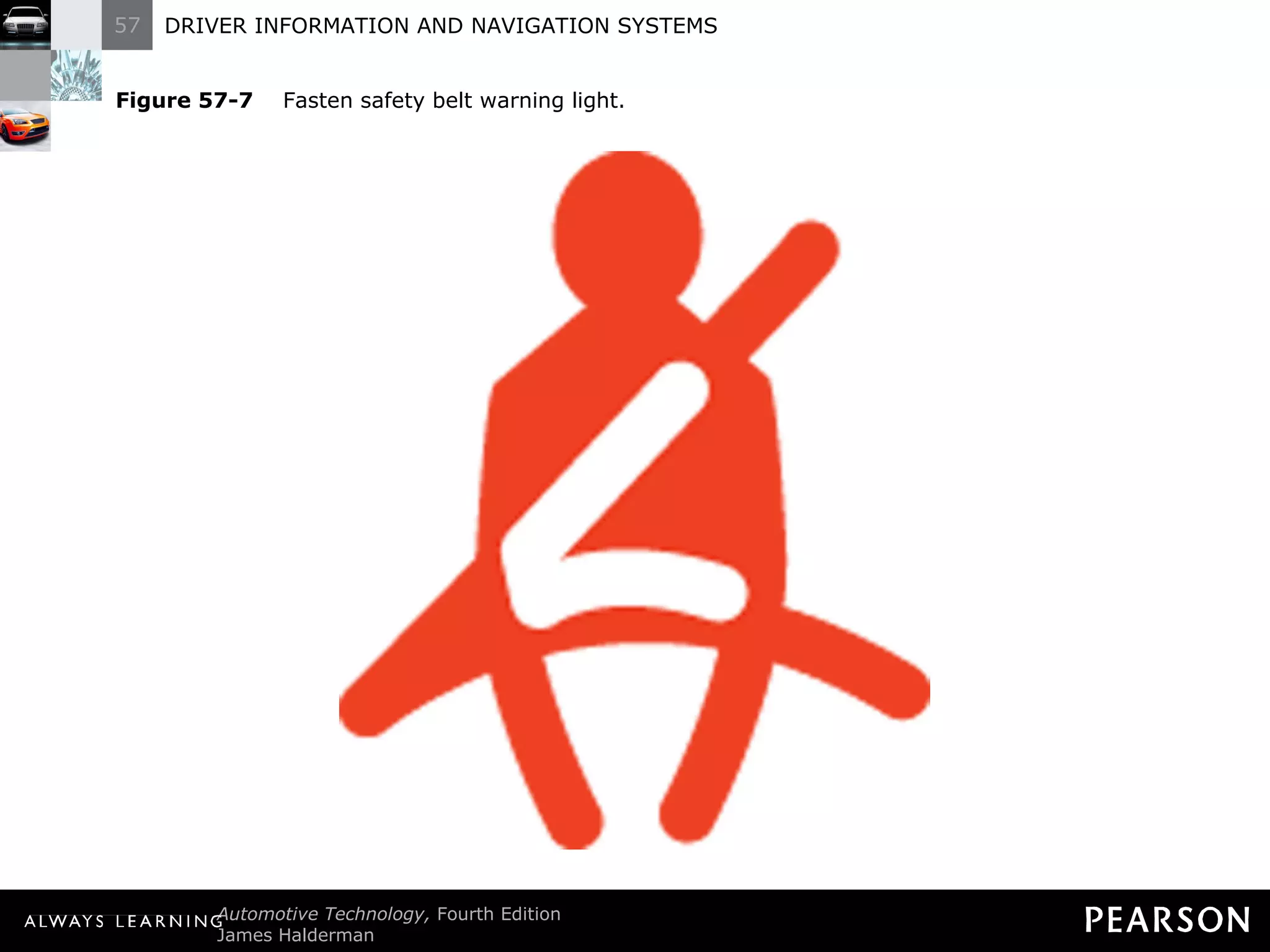
  • 282.
    TECH TIP TheSoldering Gun Trick Diagnosing problems with digital or electronic dash instruments can be difficult. Replacement parts generally are expensive and usually not returnable if installed in the vehicle. A popular trick that helps isolate the problem is to use a soldering gun near the PM generator. A PM generator contains a coil of wire. As the magnet inside revolves, a voltage is produced. It is the frequency of this voltage that the dash (or engine) computer uses to calculate vehicle speed. A soldering gun plugged into 110 volts AC will provide a strong varying magnetic field around the soldering gun. This magnetic field is constantly changing at the rate of 60 cycles per second. This frequency of the magnetic field induces a voltage in the windings of the PM generator. This induced voltage at 60 hertz (Hz) is converted by the computer circuits to a miles per hour (mph) reading on the dash. To test the electronic speedometer, turn the ignition to “on” (engine off) and hold a soldering gun near the PM generator. CAUTION: The soldering gun tip can get hot, so hold it away from wiring or other components that may be damaged by the hot tip. If the PM generator, wiring, computer, and dash are okay, the speedometer should register a speed, usually 54 mph (87 km/h). If the speedometer does not work when the vehicle is driven, the problem is in the PM generator drive. If the speedometer does not register a speed when the soldering gun is used, the problem could be caused by the following: Defective PM generator (check the windings with an ohmmeter) Defective (open or shorted) wiring from the PM generator to the computer Defective computer or dash circuit BACK TO PRESENTATION
  • 283.
    REAL WORLD FIXThe Toyota Truck Story The owner of a Toyota truck complained that several electrical problems plagued the truck, including the following: The cruise (speed) control would kick out intermittently. The red brake warning lamp would come on, especially during cold weather. BACK TO PRESENTATION The owner had replaced the parking brake switch, thinking that was the cause of the red brake warning lamp coming on. An experienced technician checked the wiring diagram in service information. Checking the warning lamp circuit, the technician noticed that the same wire went to the brake fluid level sensor. The brake fluid was at the minimum level. Filling the master cylinder to the maximum level with clean brake fluid solved both problems. The electronics of the cruise control stopped operation when the red brake warning lamp was on as a safety measure.
  • 284.
    REAL WORLD FIXLook for Previous Repairs A technician was asked to fix the speedometer on a Pontiac Grand Am that showed approximately double the actual speed. Previous repairs had included a new vehicle speed (VS) sensor and computer. Nothing made any difference. The customer stated that the problem happened all of a sudden. After hours of troubleshooting, the customer just happened to mention that the automatic transaxle had been repaired shortly before the speedometer problem. The root cause of the problem was discovered when the technician learned that a final drive assembly from a 4T60-E transaxle had been installed on the 3T-40 transaxle. The 4T60-E final drive assembly has 13 reluctor teeth whereas the 3T-40 has 7 teeth. This difference in the number of teeth caused the speedometer to read almost double the actual vehicle speed. After the correct part was installed, the speedometer worked correctly. The technician now always asks if there has been any recent work performed in the vehicle prior to any diagnosis. BACK TO PRESENTATION
  • 285.
    REAL WORLD FIXElectronic Devices Cannot Swim The owner of a Dodge minivan complained that after the vehicle was cleaned inside and outside, the temperature gauge, fuel gauge, and speedometer stopped working. The vehicle speed sensor was checked and found to be supplying a square wave signal that changed with vehicle speed. BACK TO PRESENTATION A scan tool indicated a speed, yet the speedometer displayed zero all the time. Finally, the service technician checked the body computer to the right of the accelerator pedal and noticed that it had been wet, from the interior cleaning. Drying the computer did not fix the problem, but a replacement body computer fixed all the problems. The owner discovered that electronic devices do not like water and that computers cannot swim.
  • 286.
    FREQUENTLY ASKED QUESTIONDoes the Government Know Where I Am? No. The navigation system uses signals from the satellites and uses the signals from three or more to determine position. If the vehicle is equipped with OnStar, then the vehicle position can be monitored by the use of the cellular telephone link to OnStar call centers. ? BACK TO PRESENTATION Unless the vehicle has a cellular phone connection to the outside world, the only people who will know the location of the vehicle are the persons inside the vehicle viewing the navigation screen.
  • 287.
    TECH TIP WindowTinting Can Hurt GPS Reception Most factory-installed navigation systems use a GPS antenna inside the rear back glass or under the rear package shelf. If a metalized window tint is applied to the rear glass, the signal strength from the GPS satellites can be reduced. If the customer concern includes inaccurate or nonfunctioning navigation, check for window tint. BACK TO PRESENTATION
  • 288.
    TECH TIP TouchScreen Tip Most vehicle navigation systems use a touch screen for use by the driver (or passenger) to input information or other on-screen prompts. Most touch screens use infrared beams projected from the top and bottom plus across the screen to form a grid. The system detects where on the screen a finger is located by the location of the beams that are cut. Do not push harder on the display if the unit does not respond, or damage to the display unit may occur. If no response is detected when lightly depressing the screen, rotate the finger to cause the infrared beams to be cut. BACK TO PRESENTATION
  • 289.
    FREQUENTLY ASKED QUESTIONWhat Is Navigation Enhanced Climate Control? Some vehicles, such as the Acura RL, use data from the navigation system to help control the automatic climate control system. Data about the location of the vehicle includes: ? Time and date. This information allows the automatic climate control system to determine where the sun is located. Direction of travel. The navigation system can also help the climate control system determine the direction of travel. As a result of the input from the navigation system, the automatic climate control system can control cabin temperature in addition to various other sensors in the vehicle. For example, if the vehicle was traveling south in the late afternoon in July, the climate control system could assume that the passenger side of the vehicle would be warmed more by the sun than the driver ’s side and could increase the airflow to the passenger side to help compensate for the additional solar heating. BACK TO PRESENTATION
  • 290.
    TECH TIP Checkfor Repainted Bumper The ultrasonic sensors embedded in the bumper are sensitive to paint thickness because the paint covers the sensors. If the system does not seem to be responding to objects, and if the bumper has been repainted, measure the paint thickness using a nonferrous paint thickness gauge. The maximum allowable paint thickness is 6 mils (0.006 inch or 0.15 mm). BACK TO PRESENTATION
  • 291.
    TECH TIP KeepStock Overall Tire Diameter Whenever larger (or smaller) wheels or tires are installed, the speedometer and odometer calibration are also thrown off. This can be summarized as follows: Larger diameter tires. The speed showing on the speedometer is slower than the actual speed. The odometer reading will show fewer miles than actual. BACK TO PRESENTATION Smaller diameter tires. The speed showing on the speedometer is faster than the actual speed. The odometer reading will show more miles than actual. General Motors trucks can be recalibrated with a recalibration kit (1988–1991) or with a replacement controller assembly called a digital ratio adapter controller (DRAC) located under the dash. It may be possible to recalibrate the speedometer and odometer on earlier models, before 1988, or vehicles that use speedometer cables by replacing the drive gear in the transmission. Check service information for the procedure on the vehicle being serviced.

Editor's Notes

  • #11 Figure 57-1 Engine coolant temperature is too high.
  • #16 Figure 57-2 Engine oil pressure too low.
  • #19 Figure 57-3 Water detected in fuel. Notice to drain the water from the fuel filter assembly on a vehicle equipped with a diesel engine.
  • #23 Figure 57-4 Maintenance required. This usually means that the engine oil is scheduled to be changed or other routine service items replaced or checked.
  • #28 Figure 57-5 Malfunction indicator lamp (MIL), also called a check engine light. The light means the engine control computer has detected a fault.
  • #35 Figure 57-6 Charging system fault detected.
  • #39 Figure 57-7 Fasten safety belt warning light.
  • #42 Figure 57-8 Fault detected in the supplemental restraint (airbag) system.
  • #49 Figure 57-9 Fault detected in base brake system.
  • #52 Figure 57-11 Exterior light bulb failure detected.
  • #55 Figure 57-12 Worn brake pads or linings detected.
  • #60 Figure 57-13 Fault detected in antilock brake system.
  • #63 Figure 57-14 Low tire pressure detected.
  • #65 Figure 57-15 Door open or ajar.
  • #67 Figure 57-16 Windshield washer fluid low.
  • #69 Figure 57-17 Low fuel level.
  • #71 Figure 57-18 Headlights on.
  • #75 Figure 57-19 Low traction detected. Traction control system is functioning to restore traction (usually flashes when actively working to restore traction).
  • #77 Figure 57-20 Vehicle stability control system either off or working if flashing.
  • #79 Figure 57-21 Traction control system has been turned off.
  • #81 Figure 57-22 Indicates that the cruise control is on and able to maintain vehicle speed if set. Some vehicles use a symbol that looks like a small speedometer to indicate that the cruise control is on.
  • #84 Figure 57-23 A typical oil pressure sending unit provides a varying amount of resistance as engine oil pressure changes. The output from the sensor is a variable voltage.
  • #91 Figure 57-24 A temperature gauge showing normal operating temperature between 180°F and 215°F, depending on the specific vehicle and engine.
  • #97 Figure 57-25 Typical brake warning light switch located on or near the master brake cylinder.
  • #98 Figure 57-26 The red brake warning lamp can be turned on if the brake fluid level is low.
  • #101 Figure 57-27 Electromagnetic fuel gauge wiring. If the sensor wire is unplugged and grounded, the needle should point to “E” (empty). If the sensor wire is unplugged and held away from ground, the needle should point to “F” (full).
  • #107 Figure 57-28 A typical instrument display uses data from the sensors over serial data lines to the individual gauges.
  • #115 Figure 57-29 Most stepper motors use four wires which are pulsed by the computer to rotate the armature in steps.
  • #118 Figure 57-30 The ground for the “check oil” indicator lamp is controlled by the electronic low-oil buffer. Even though this buffer is connected to an oil level sensor, the buffer also takes into consideration the amount of time the engine has been stopped and the temperature of the engine. The only way to properly diagnose a problem with this circuit is to use the procedures specified by the vehicle manufacturer. Besides, only the engineer who designed the circuit knows for sure how it is supposed to work.
  • #122 Figure 57-31 A typical head-up display showing zero miles per hour, which is actually projected on the windshield from the head-up display in the dash.
  • #123 Figure 57-32 The dash-mounted control for the head-up display on this Cadillac allows the driver to move the image up and down on the windshield for best viewing.
  • #124 Figure 57-33 A typical head-up display (HUD) unit.
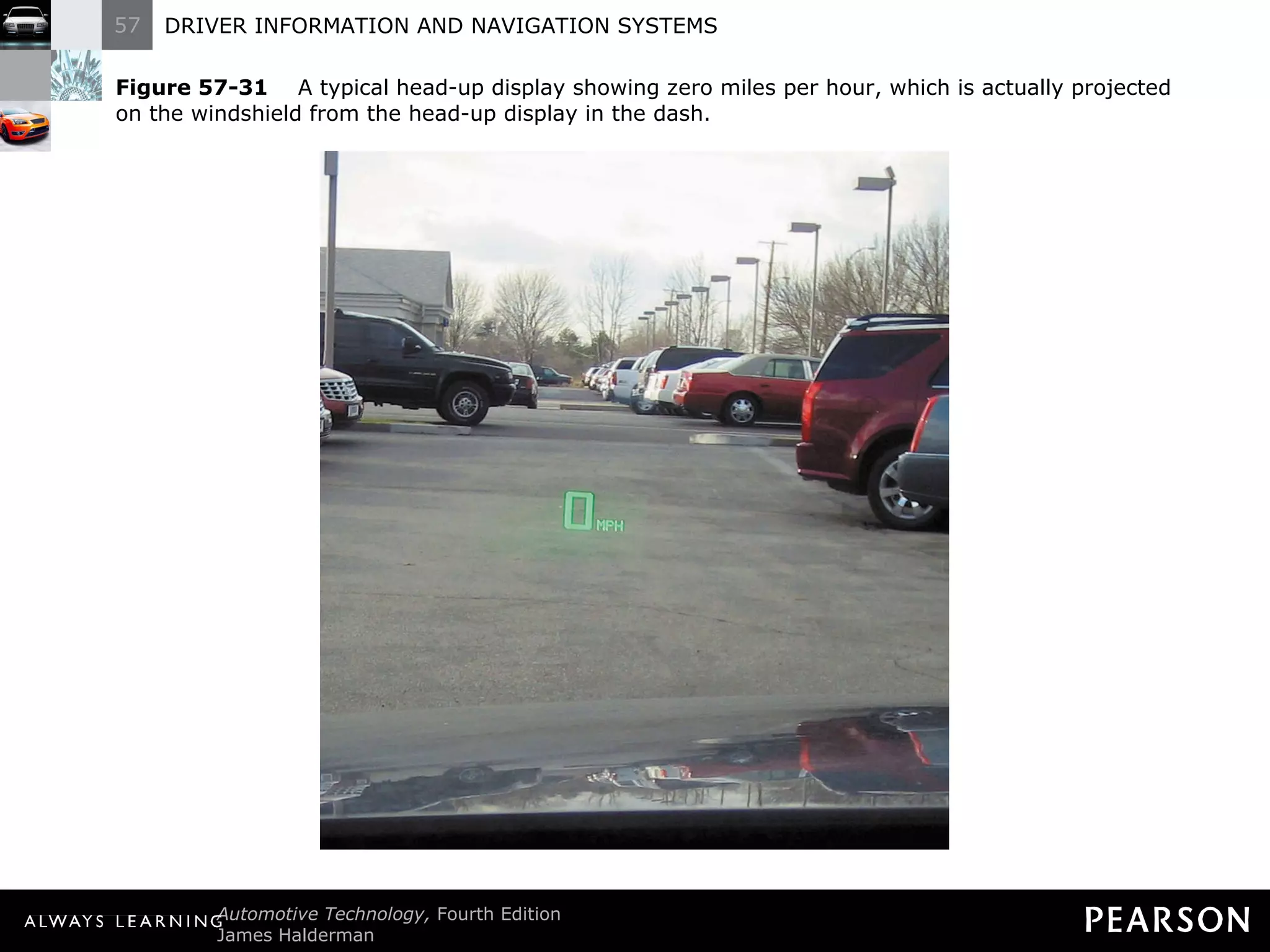
  • #131 Figure 57-34 A night vision camera behind the grille of a Cadillac.
  • #141 Figure 57-35 (a) Symbol and line drawing of a typical lightemitting diode (LED). (b) Grouped in seven segments, this array is called a seven-segment LED display with a common anode (positive connection). The dash computer toggles the cathode (negative) side of each individual segment to display numbers and letters. (c) When all segments are turned on, the number 8 is displayed.
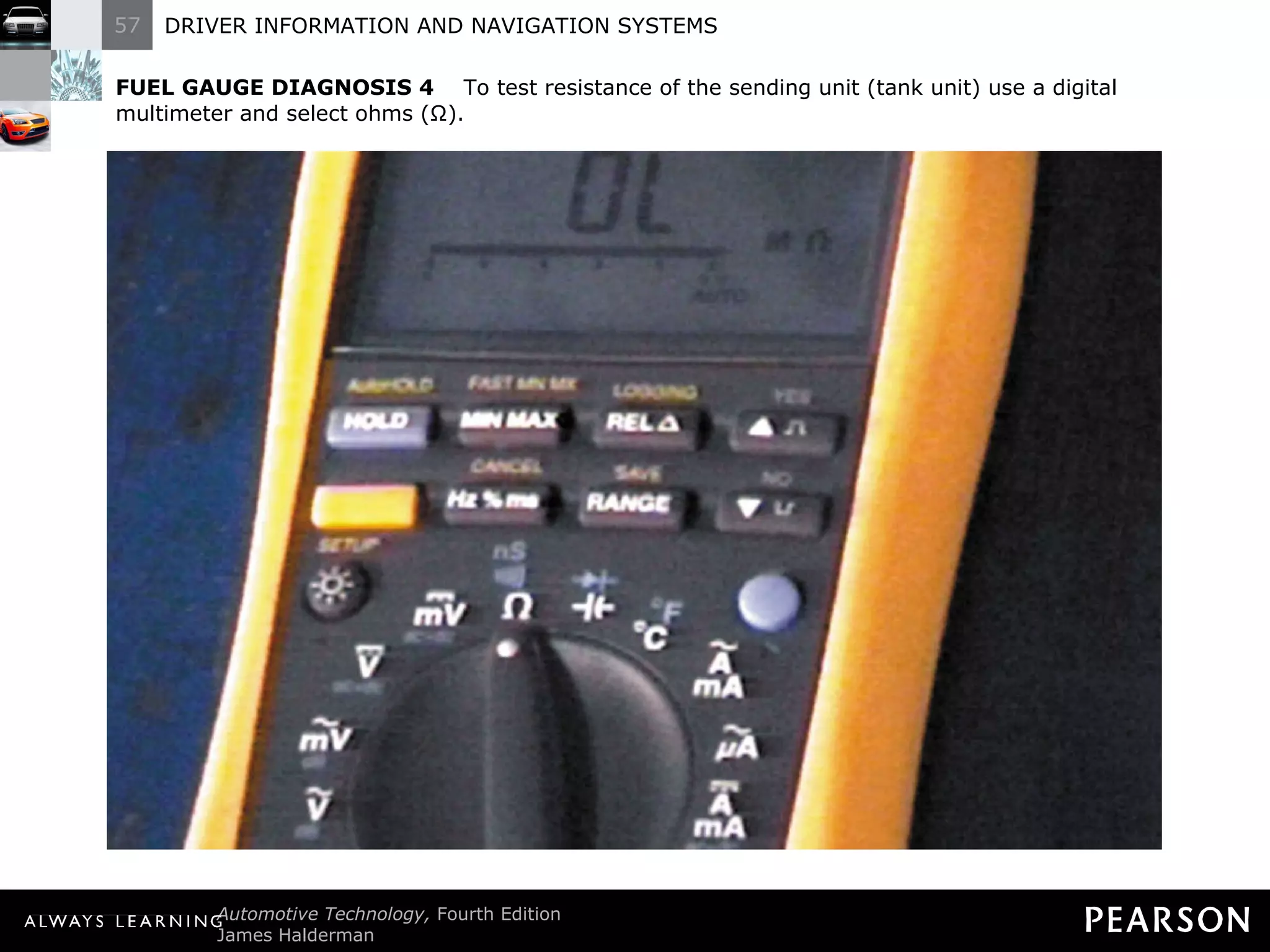
  • #147 Figure 57-36 A typical navigation system. This Honda/Acura system uses some of the climate control functions as well as the trip information on the display. This particular unit uses a DVD unit in the trunk along with a global positioning satellite (GPS) to display a map and your exact location for the entire country.
  • #156 Figure 57-37 (a) View of the vehicle dash with the instrument cluster removed. Sometimes the dash instruments can be serviced by removing the padded dash cover (crash pad) to gain access to the rear of the dash.
  • #157 Figure 57-37 (b) The front view of the electronic analog dash display.
  • #158 Figure 57-37 (c) The rear view of the dash display showing that there are a few bulbs that can be serviced, but otherwise the unit is serviced as an assembly.
  • #167 Figure 57-40 A vehicle speed sensor located in the extension housing of the transmission. Some vehicles use the wheel speed sensors for vehicle speed information.
  • #174 Figure 57-41 (a) Some odometers are mechanical and are operated by a stepper motor.
  • #175 Figure 57-41 (b) Many vehicles are equipped with an electronic odometer.
  • #186 Figure 57-42 A fuel tank module assembly that contains the fuel pump and fuel level sensor in one assembly.
  • #189 Figure 57-43 Global positioning systems use 24 satellites in high earth orbit whose signals are picked up by navigation systems. The navigation system computer then calculates the location based on the position of the satellite overhead.
  • #199 Figure 57-44 A typical GPS display screen showing the location of the vehicle.
  • #200 Figure 57-45 A typical navigation display showing various options. Some systems do not allow access to these functions if the vehicle is in gear and/or moving.
  • #205 Figure 57-46 A screen display of a navigation system that is unable to acquire usable signals from GPS satellites.
  • #212 Figure 57-47 The three-button OnStar control is located on the inside rearview mirror. The left button (telephone handset icon) is pushed if a hands-free cellular call is to be made. The center button is depressed to contact an OnStar advisor and the right emergency button is used to request that help be sent to the vehicle ’s location.
  • #218 Figure 57-48 A typical view displayed on the navigation screen from the backup camera.
  • #219 Figure 57-49 A typical fisheye-type backup camera usually located near the center on the rear of the vehicle near the license plate.
  • #237 Figure 57-50 A typical backup sensor display located above the rear window inside the vehicle. The warning lights are visible in the inside rearview mirror.
  • #238 Figure 57-51 The small round buttons in the rear bumper are ultrasonic sensors used to sense distance to an object.
  • #249 Figure 57-52 A lane departure warning system often uses cameras to sense the road lines and warns the driver if the vehicle is not staying within the lane, unless the turn signal is on.
  • #267 FUEL GAUGE DIAGNOSIS 1 Observe the fuel gauge. This General Motors vehicle shows an indicated reading of slightly above one-half tank.
  • #268 FUEL GAUGE DIAGNOSIS 2 Consult the factory service manual for the specifications, wire color, and recommended test procedure.
  • #269 FUEL GAUGE DIAGNOSIS 3 From the service manual, the connector for the fuel gauge-sending unit was located under the vehicle near the rear. A visual inspection indicated that the electrical wiring and connector were not damaged or corroded.
  • #270 FUEL GAUGE DIAGNOSIS 4 To test resistance of the sending unit (tank unit) use a digital multimeter and select ohms (Ω).
  • #271 FUEL GAUGE DIAGNOSIS 5 Following the schematic in the service manual the sending unit resistance can be measured between the pink and the black wires in the connector.
  • #272 FUEL GAUGE DIAGNOSIS 6 The meter displays 50 ohms or slightly above the middle of the normal resistance value for the vehicle of 0 Ω (empty) to 90 Ω (full).
  • #273 FUEL GAUGE DIAGNOSIS 7 To check if the dash unit can move, the connector is unplugged with the ignition key on (engine off).
  • #274 FUEL GAUGE DIAGNOSIS 8 As the connector is disconnected, the needle of the dash unit moves toward full.
  • #275 FUEL GAUGE DIAGNOSIS 9 After a couple of seconds, the needle disappears above the full reading. The open connector represented infinity ohms and normal maximum reading occurs when the tank unit reads 90 ohms. If the technician does not realize that the needle could disappear, an incorrect diagnosis could be made.
  • #276 FUEL GAUGE DIAGNOSIS 10 To check if the dash unit is capable of reading empty, a fuse jumper wire is connected between the signal wire at the dash end of the connector and a good chassis ground.
  • #277 FUEL GAUGE DIAGNOSIS 11 A check of a dash unit indicated that the needle does accurately read empty.
  • #278 FUEL GAUGE DIAGNOSIS 12 After testing, reconnect the electrical connectors and verify for proper operation of the fuel level gauge.