©2015MarkusNeteler
GRASS GIS 7 Capabilities
A graphical overview
Markus Neteler
http://gis.cri.fmach.it/neteler/
http://courses.neteler.org/blog
http://consulting.neteler.org/
2015
PostGISomics
©2015MarkusNeteler,Italy
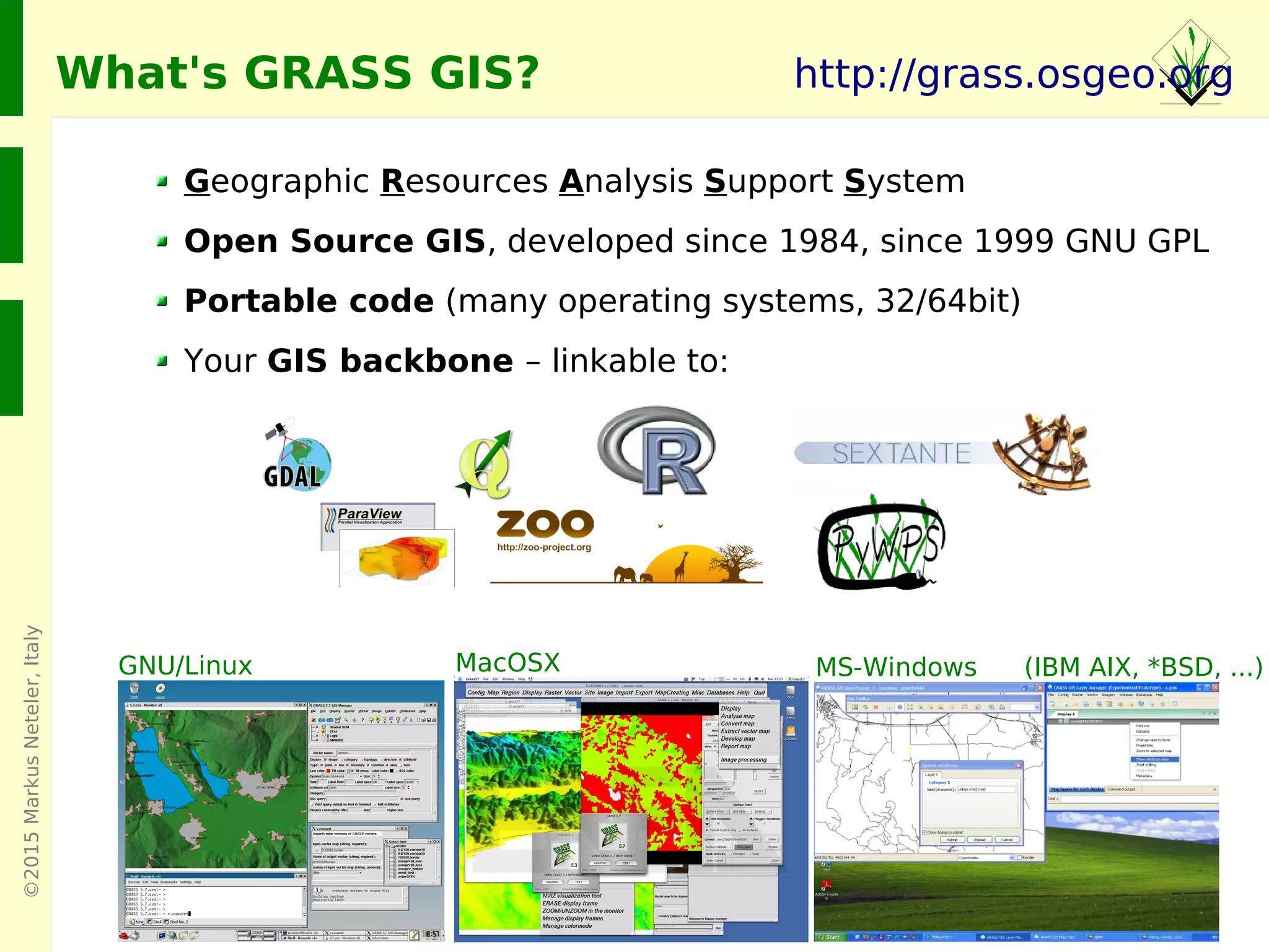
Geographic Resources Analysis Support System
Open Source GIS, developed since 1984, since 1999 GNU GPL
Portable code (many operating systems, 32/64bit)
Your GIS backbone – linkable to:
GNU/Linux MacOSX MS-Windows
http://grass.osgeo.org
(IBM AIX, *BSD, ...)
What's GRASS GIS?
©2015MarkusNeteler,Italy
What's GRASS GIS?
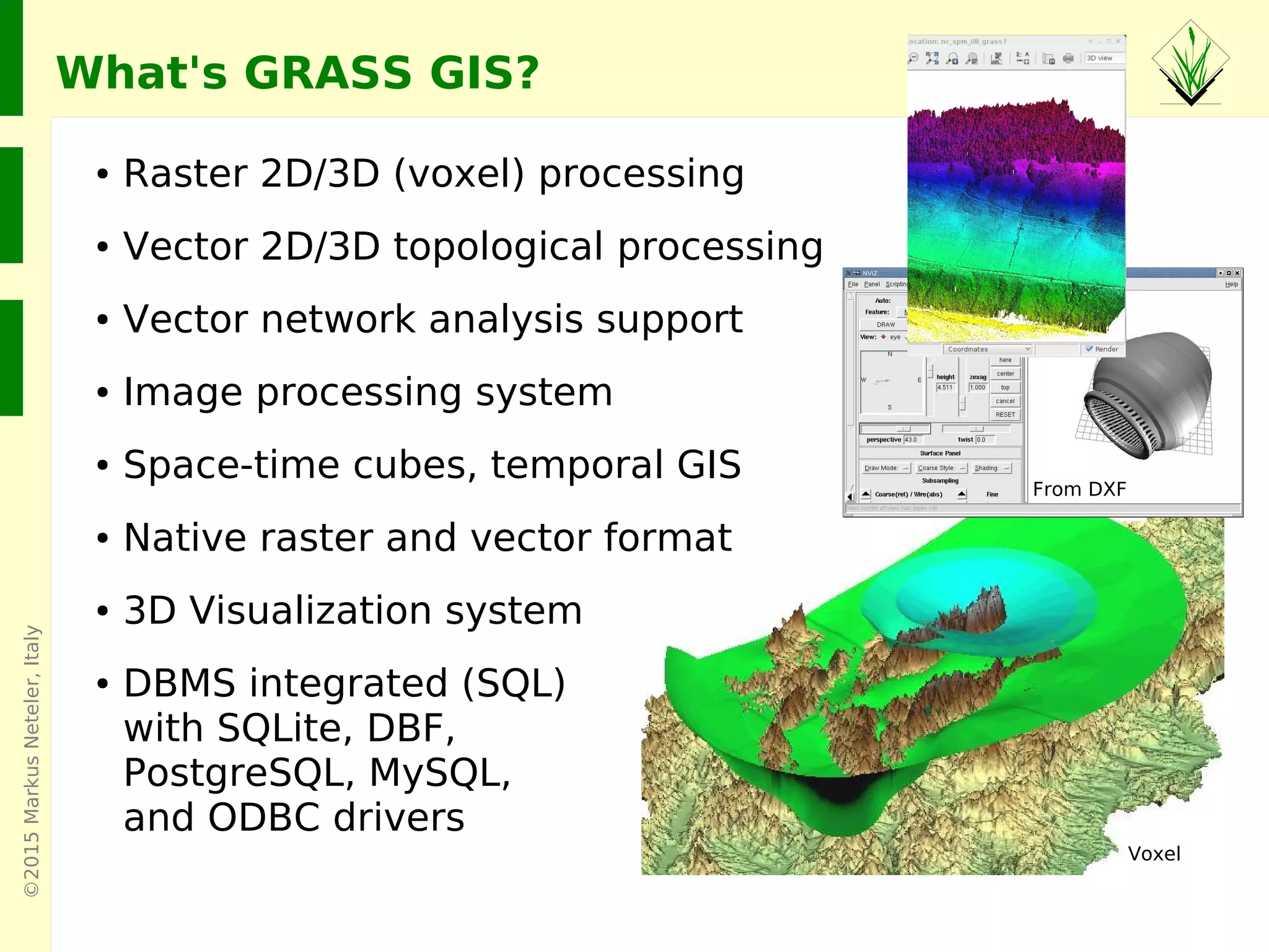
● Raster 2D/3D (voxel) processing
● Vector 2D/3D topological processing
● Vector network analysis support
● Image processing system
● Space-time cubes, temporal GIS
● Native raster and vector format
● 3D Visualization system
● DBMS integrated (SQL)
with SQLite, DBF,
PostgreSQL, MySQL,
and ODBC drivers
From DXF
Voxel
©2015MarkusNeteler,Italy
GRASS GIS 7 User interface
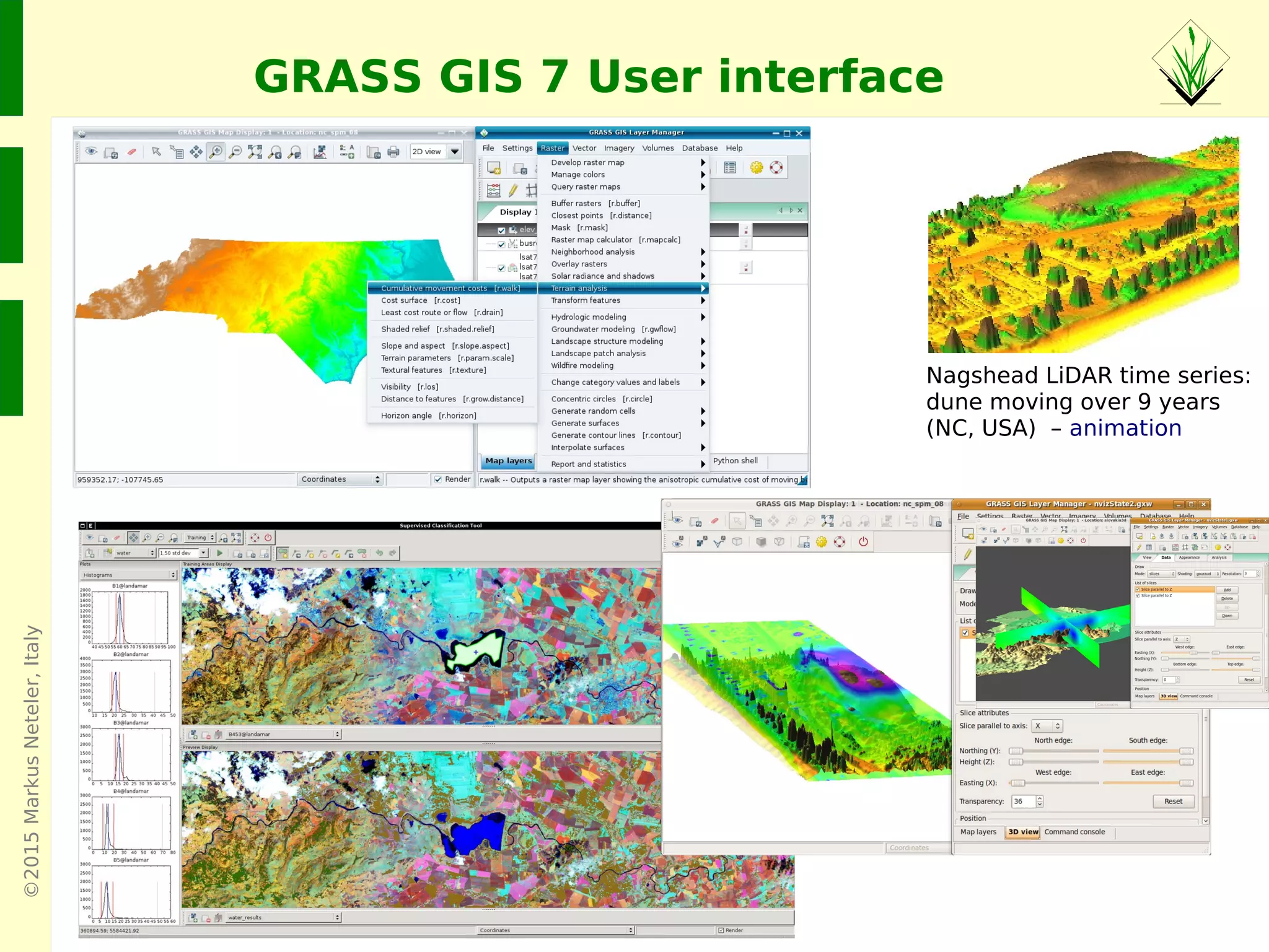
Nagshead LiDAR time series:
dune moving over 9 years
(NC, USA) – animation
©2015MarkusNeteler
GRASS GIS 7 graphical user interface
©2015MarkusNeteler
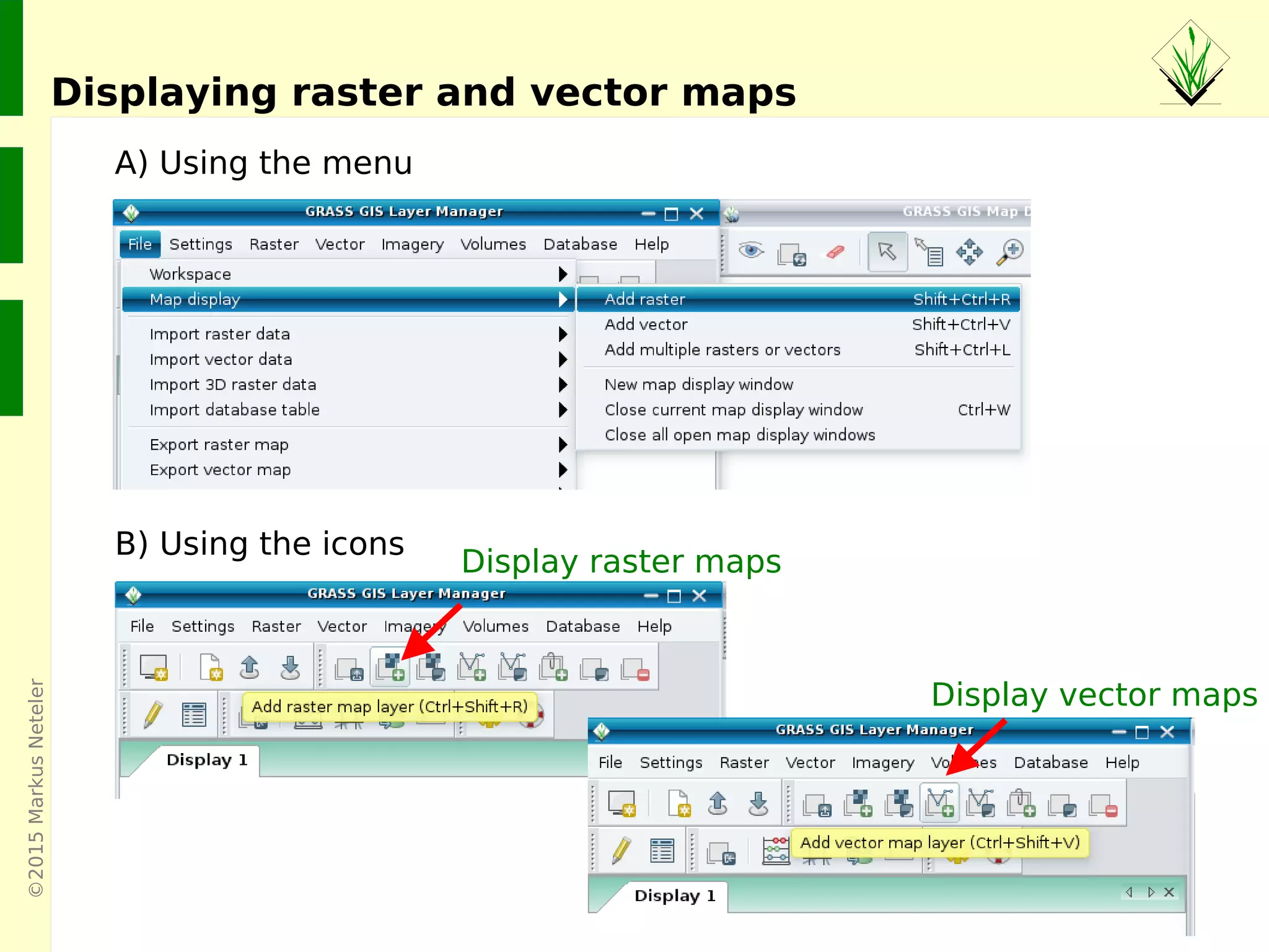
Displaying raster and vector maps
Display raster maps
Display vector maps
A) Using the menu
B) Using the icons
©2015MarkusNeteler
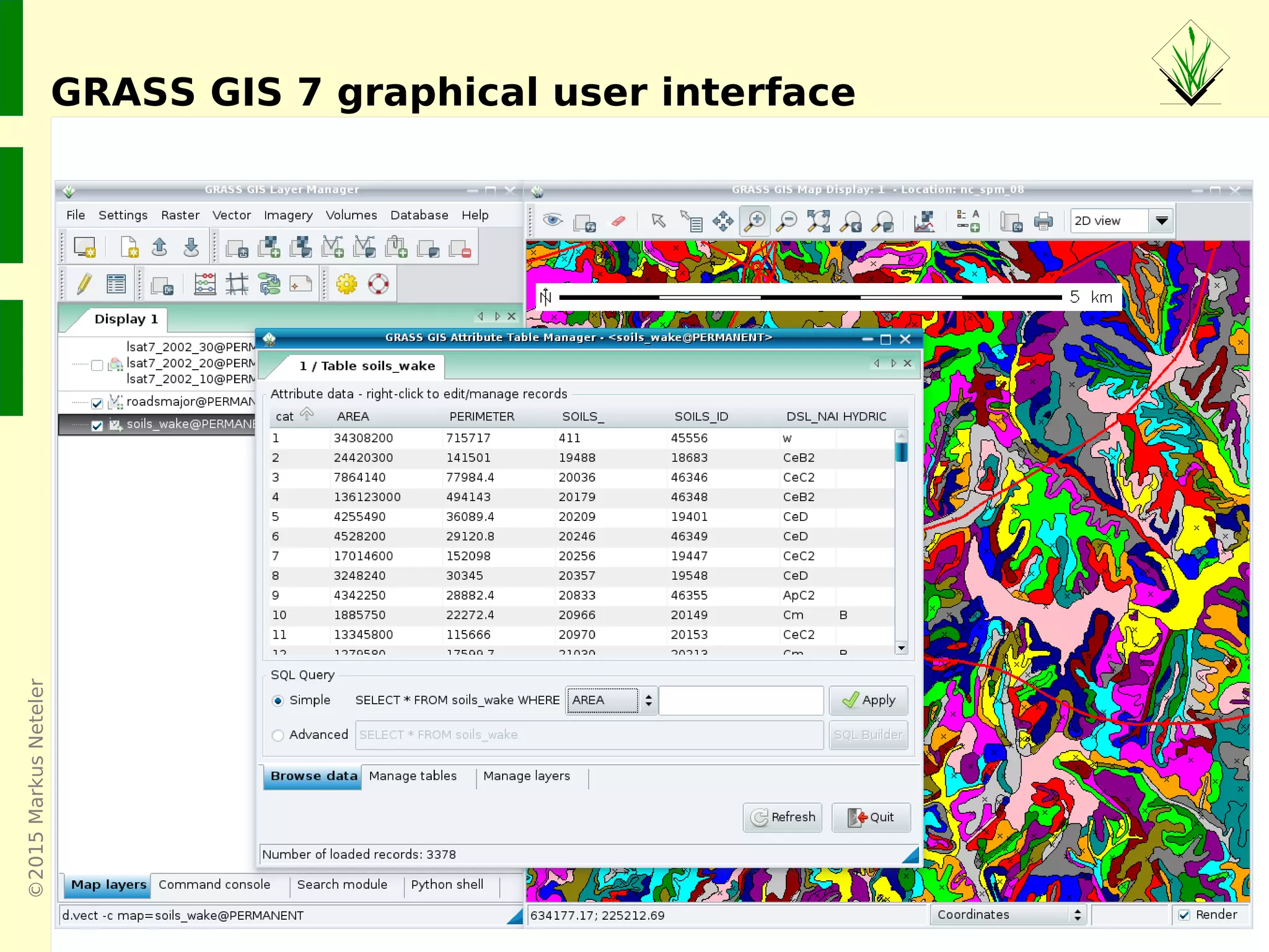
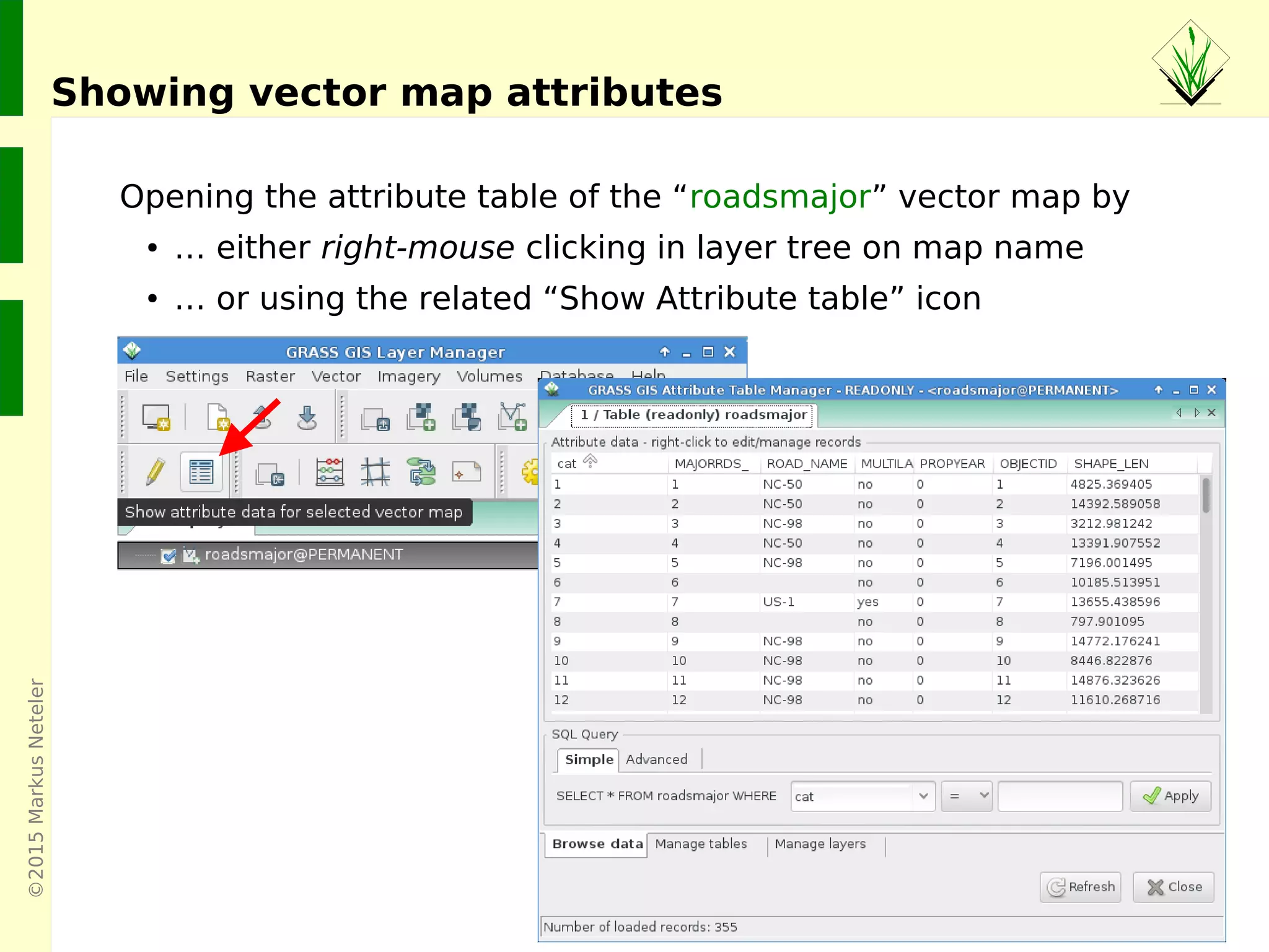
Opening the attribute table of the “roadsmajor” vector map by
● … either right-mouse clicking in layer tree on map name
● … or using the related “Show Attribute table” icon
Showing vector map attributes
©2015MarkusNeteler
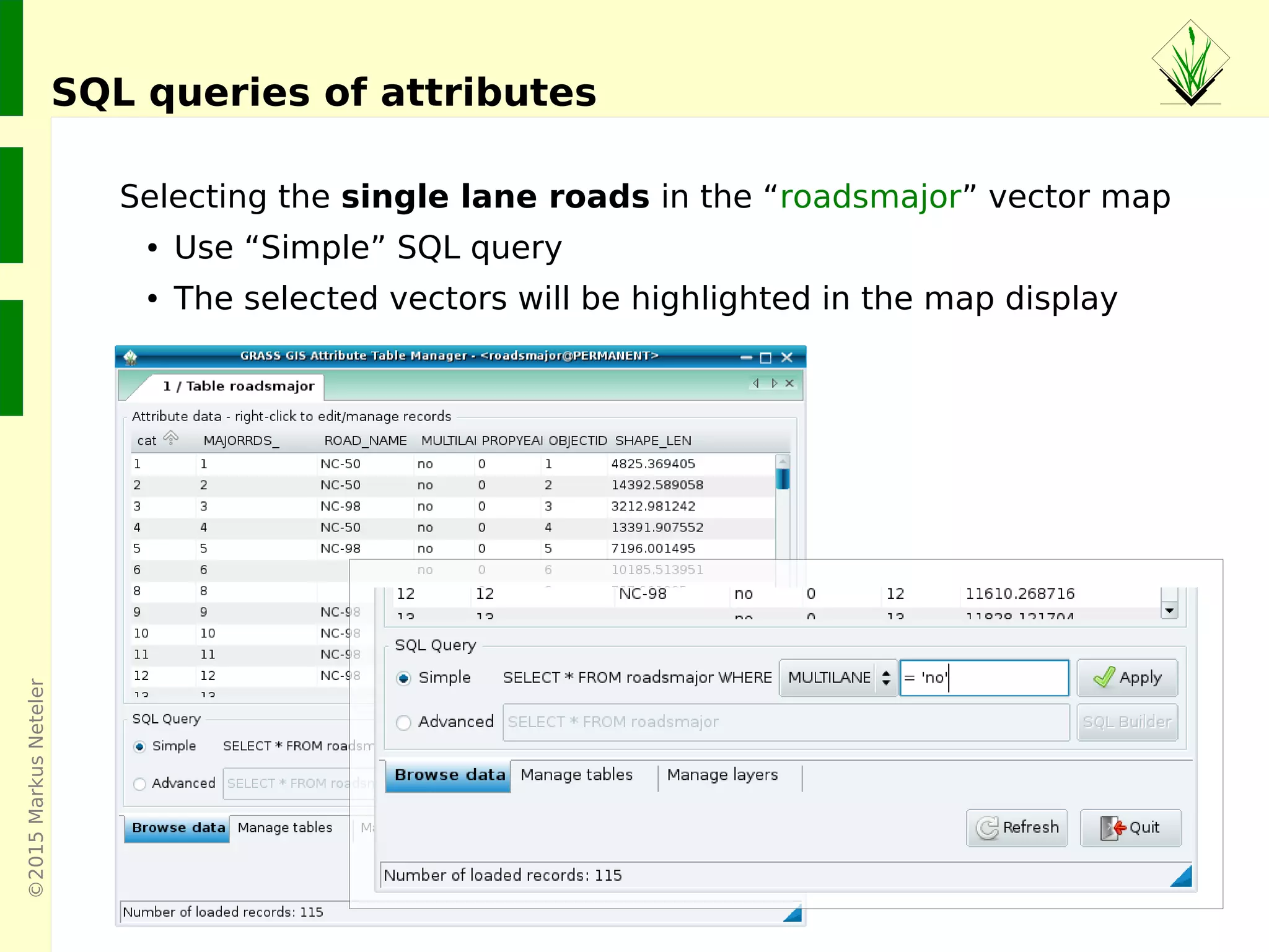
Selecting the single lane roads in the “roadsmajor” vector map
● Use “Simple” SQL query
● The selected vectors will be highlighted in the map display
SQL queries of attributes
©2015MarkusNeteler
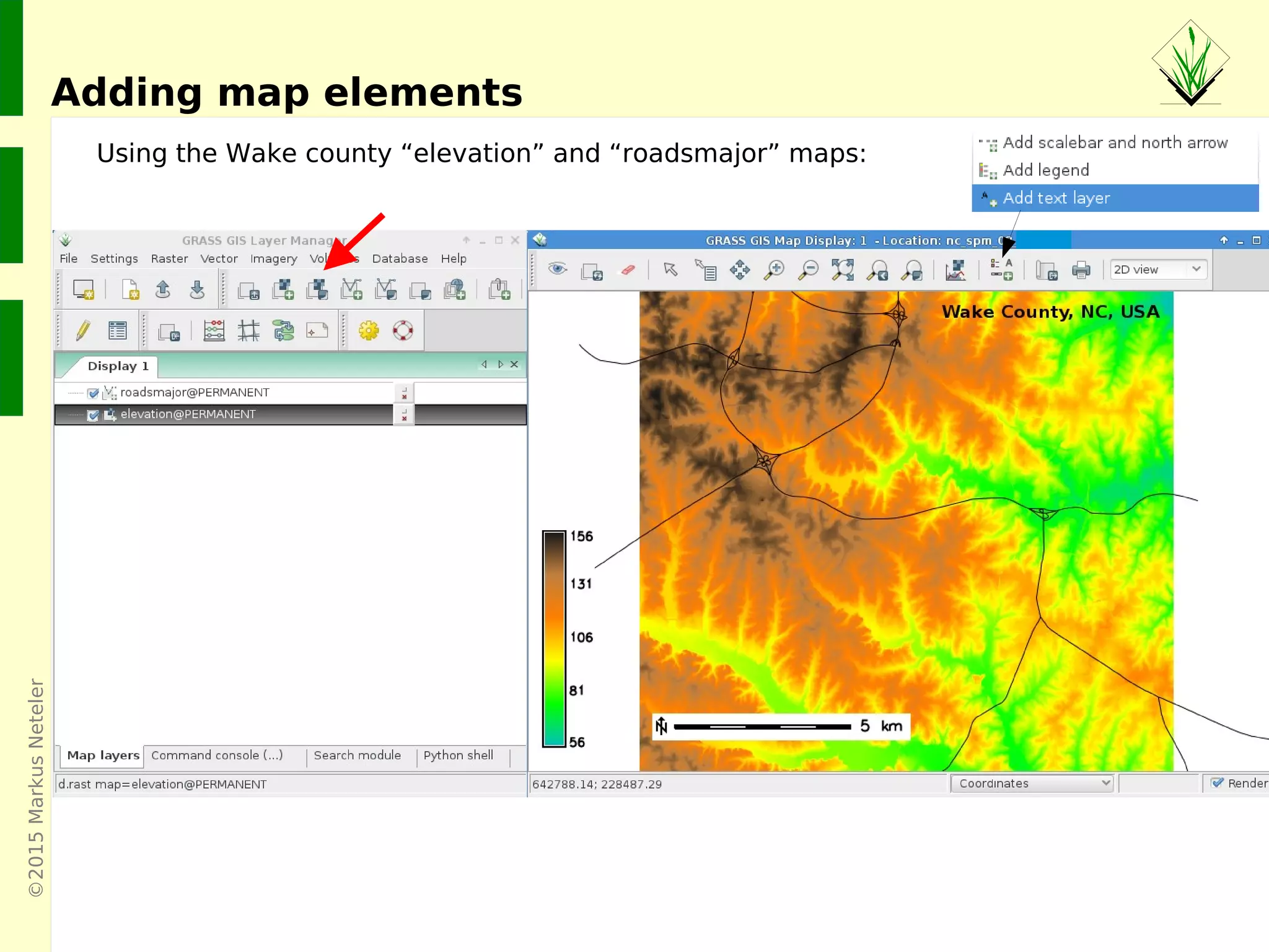
Adding map elements
Using the Wake county “elevation” and “roadsmajor” maps:
©2015MarkusNeteler
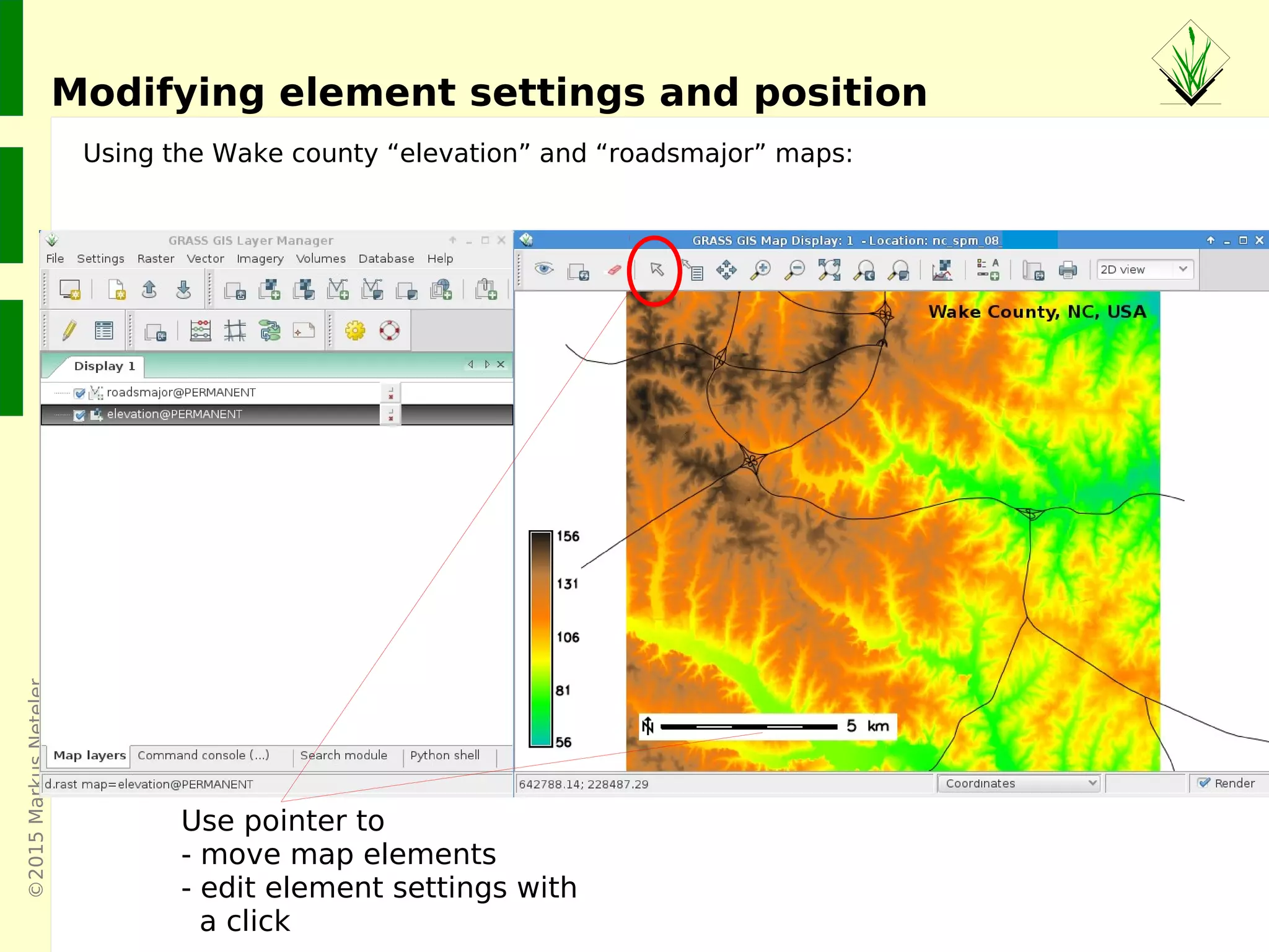
Modifying element settings and position
Using the Wake county “elevation” and “roadsmajor” maps:
Use pointer to
- move map elements
- edit element settings with
a click
©2015MarkusNeteler
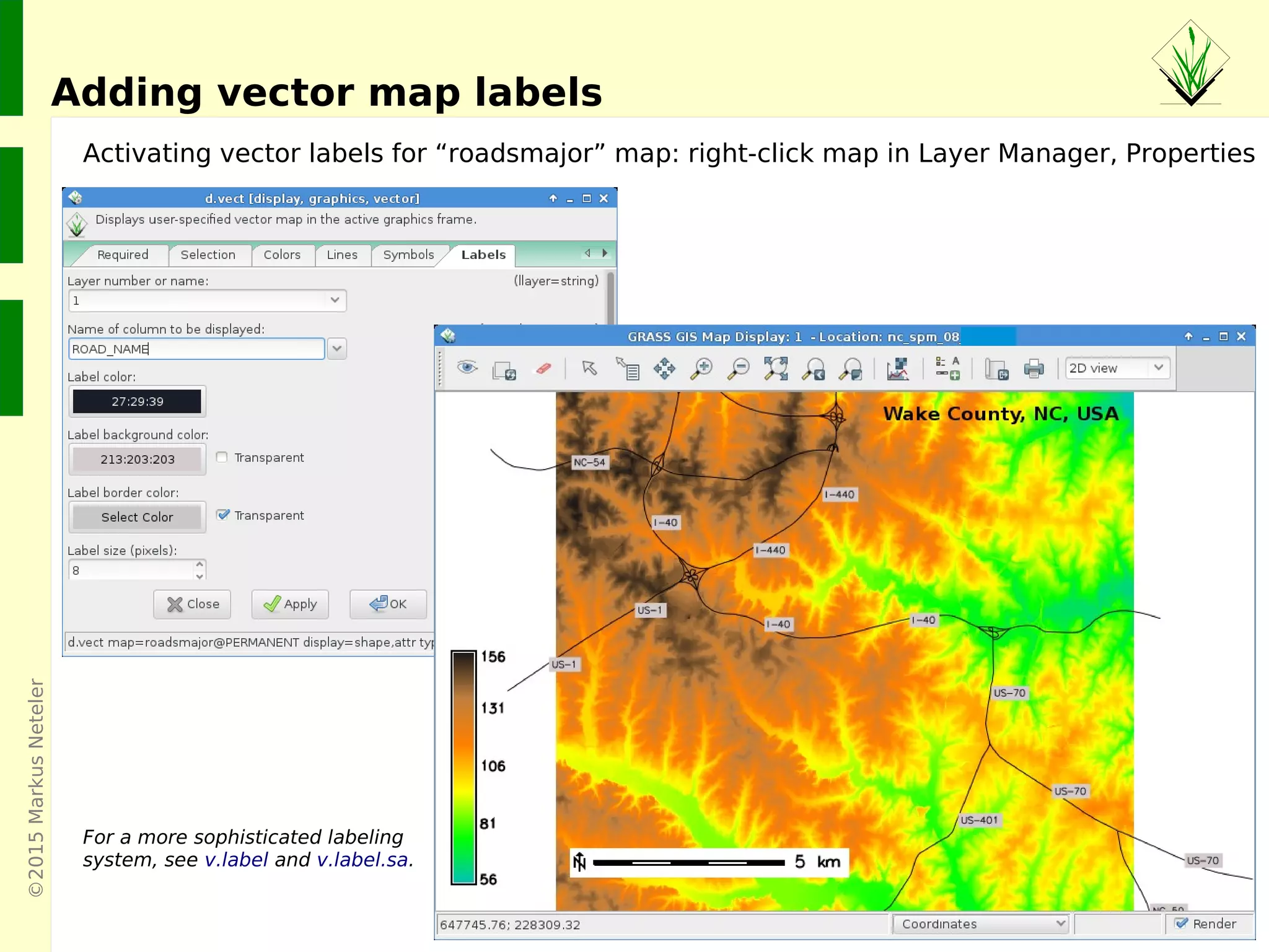
Adding vector map labels
Activating vector labels for “roadsmajor” map: right-click map in Layer Manager, Properties
For a more sophisticated labeling
system, see v.label and v.label.sa.
©2015MarkusNeteler
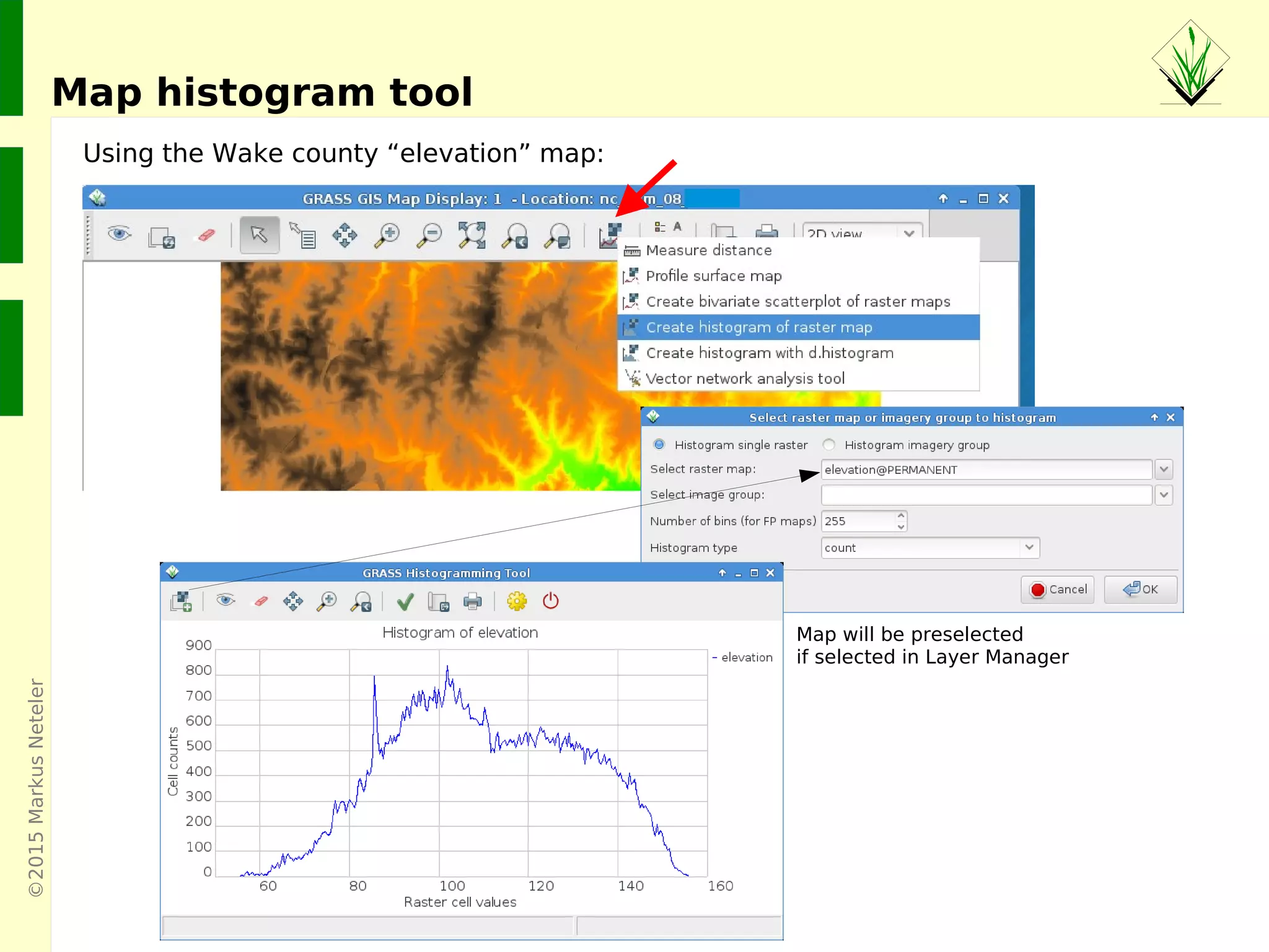
Map histogram tool
Using the Wake county “elevation” map:
Map will be preselected
if selected in Layer Manager
©2015MarkusNeteler
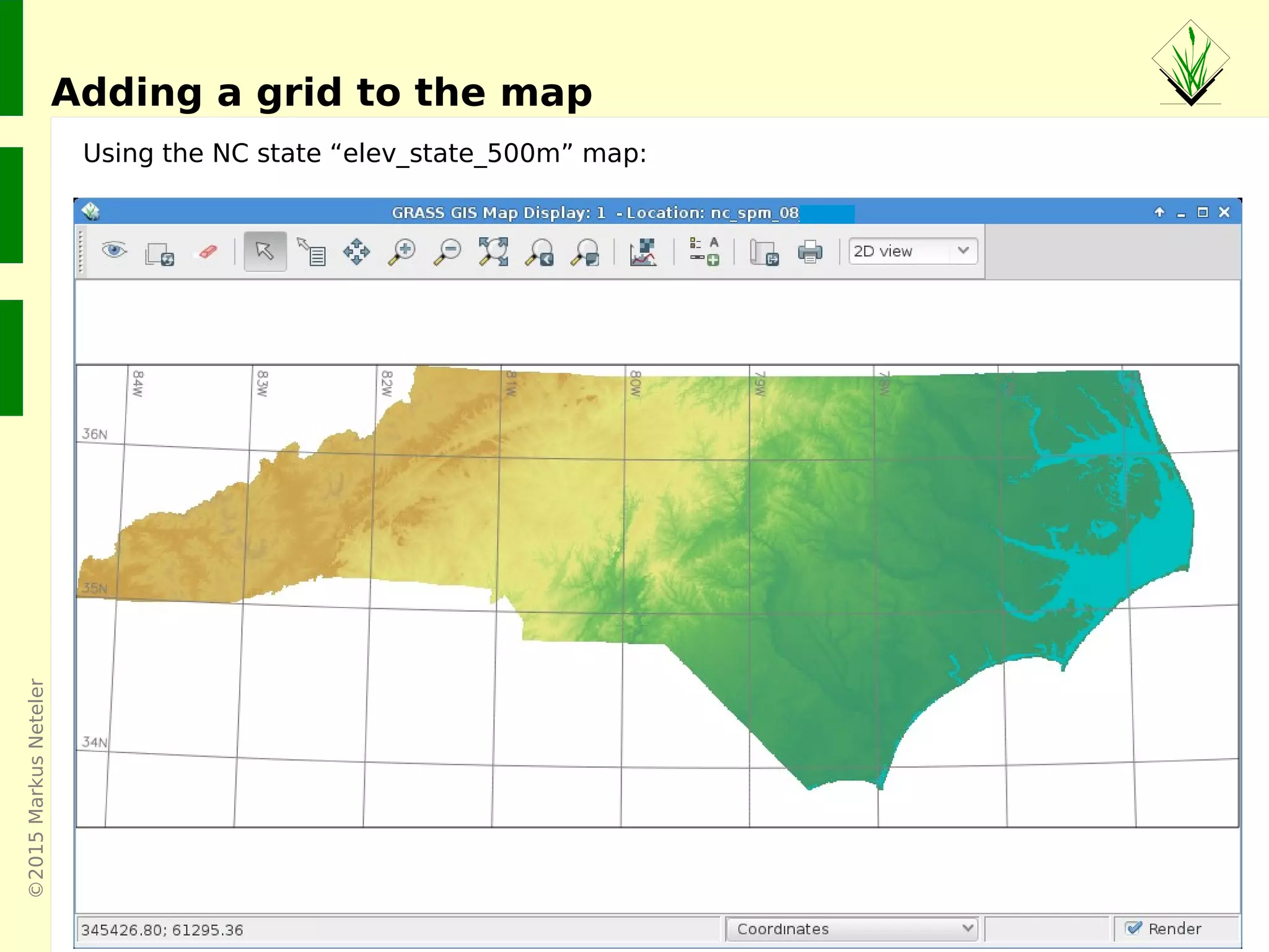
Adding a grid to the map
Using the NC state “elev_state_500m” map:
©2015MarkusNeteler,Italy
GRASS GIS 7 Vector features
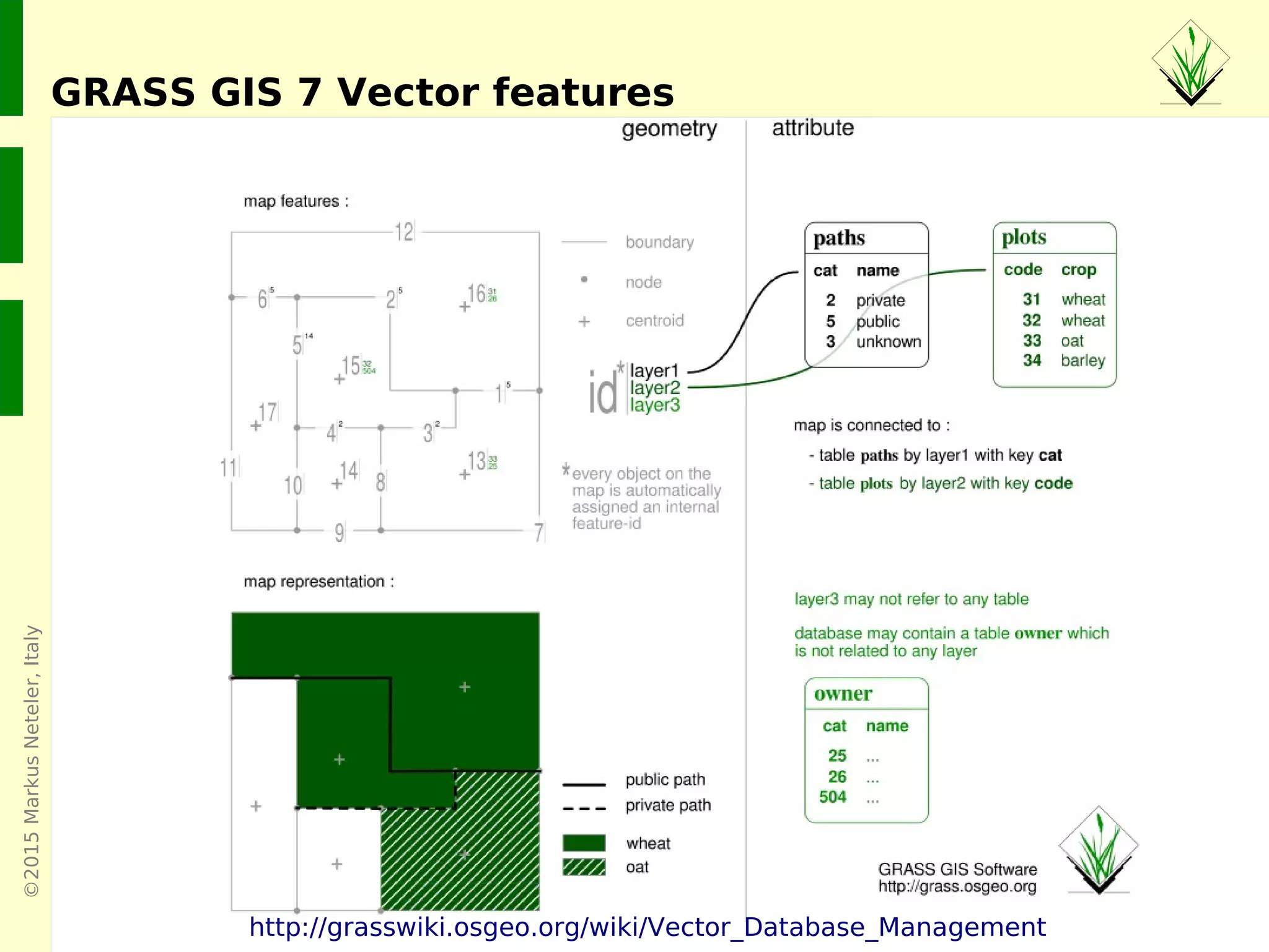
Native vector format
● Vector topology
● m:n mapping of geometry features to attributes
● Support of vector layers
● OGC Simple Features ←→ Topological Vector Conversion
● Database Management system (DBMS) with SQL support
● SQLite (default DB backend), PostgreSQL + PostGIS,
MySQL, ODBC (, DBF)
©2015MarkusNeteler,Italy
GRASS GIS 7 Vector features
http://grasswiki.osgeo.org/wiki/Vector_Database_Management
©2015MarkusNeteler,Italy
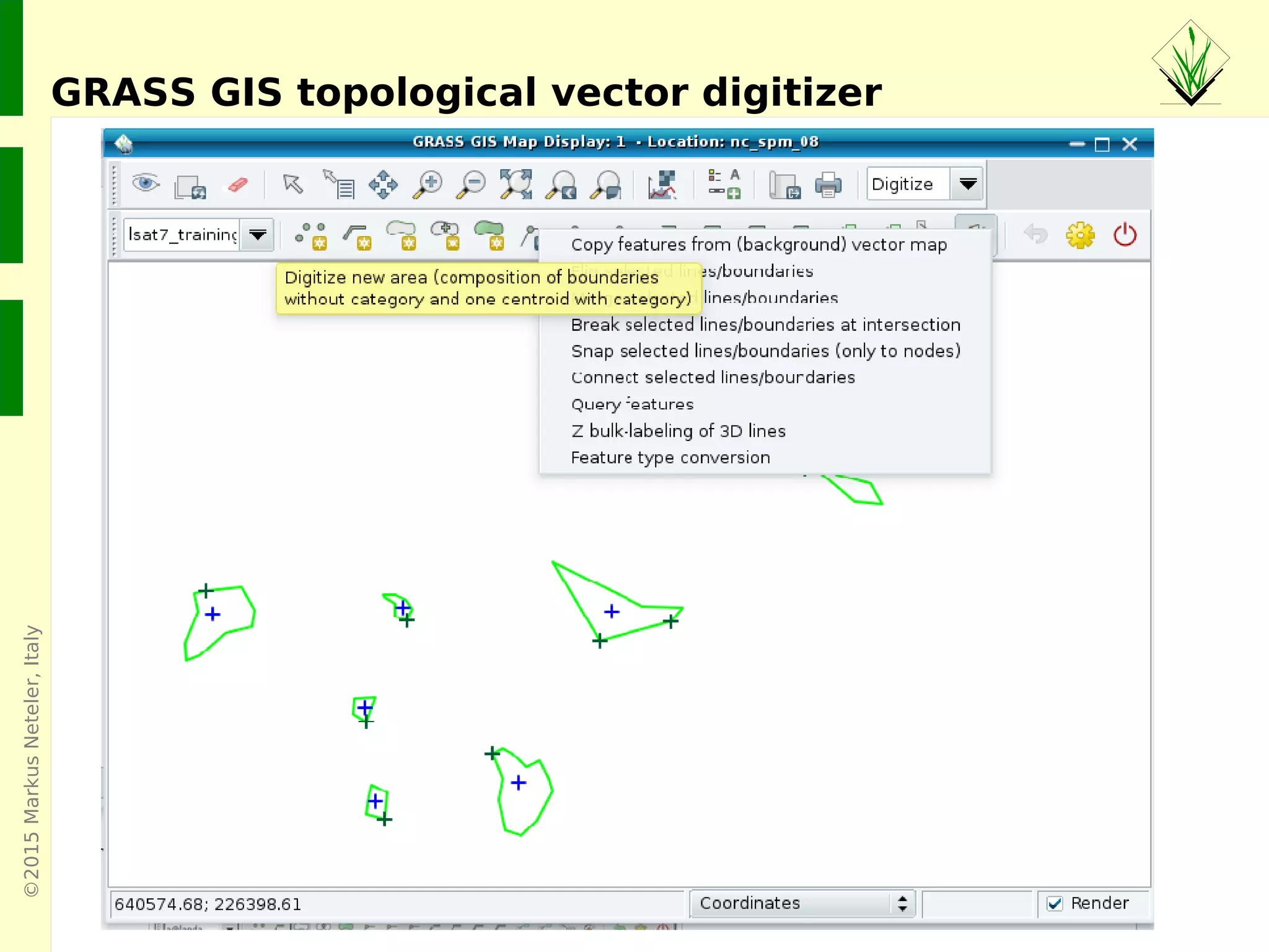
GRASS GIS topological vector digitizer
©2015MarkusNeteler,Italy
Further vector processing capabilities
Example vector module groups
Topological geometry feature digitizing/editing
https://grass.osgeo.org/grass70/manuals/vectorintro.html
LiDAR analysis:
http://grasswiki.osgeo.org/wiki/LIDAR
Linear referencing (LRS) – v.lrs.*:
http://grasswiki.osgeo.org/wiki/Linear_Reference_System
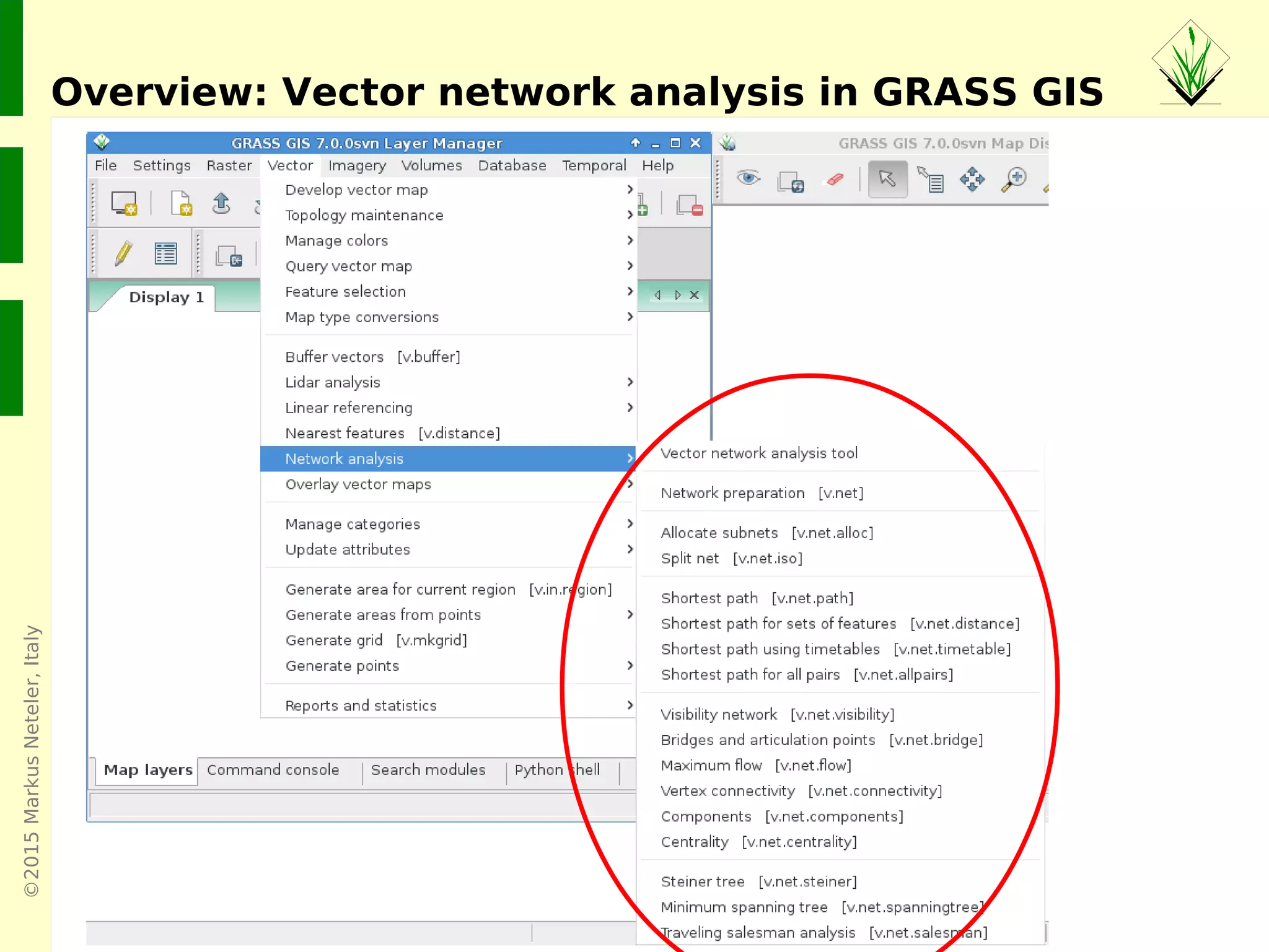
Network analysis – v.net.*:
http://grasswiki.osgeo.org/wiki/Vector_network_analysis
©2015MarkusNeteler,Italy
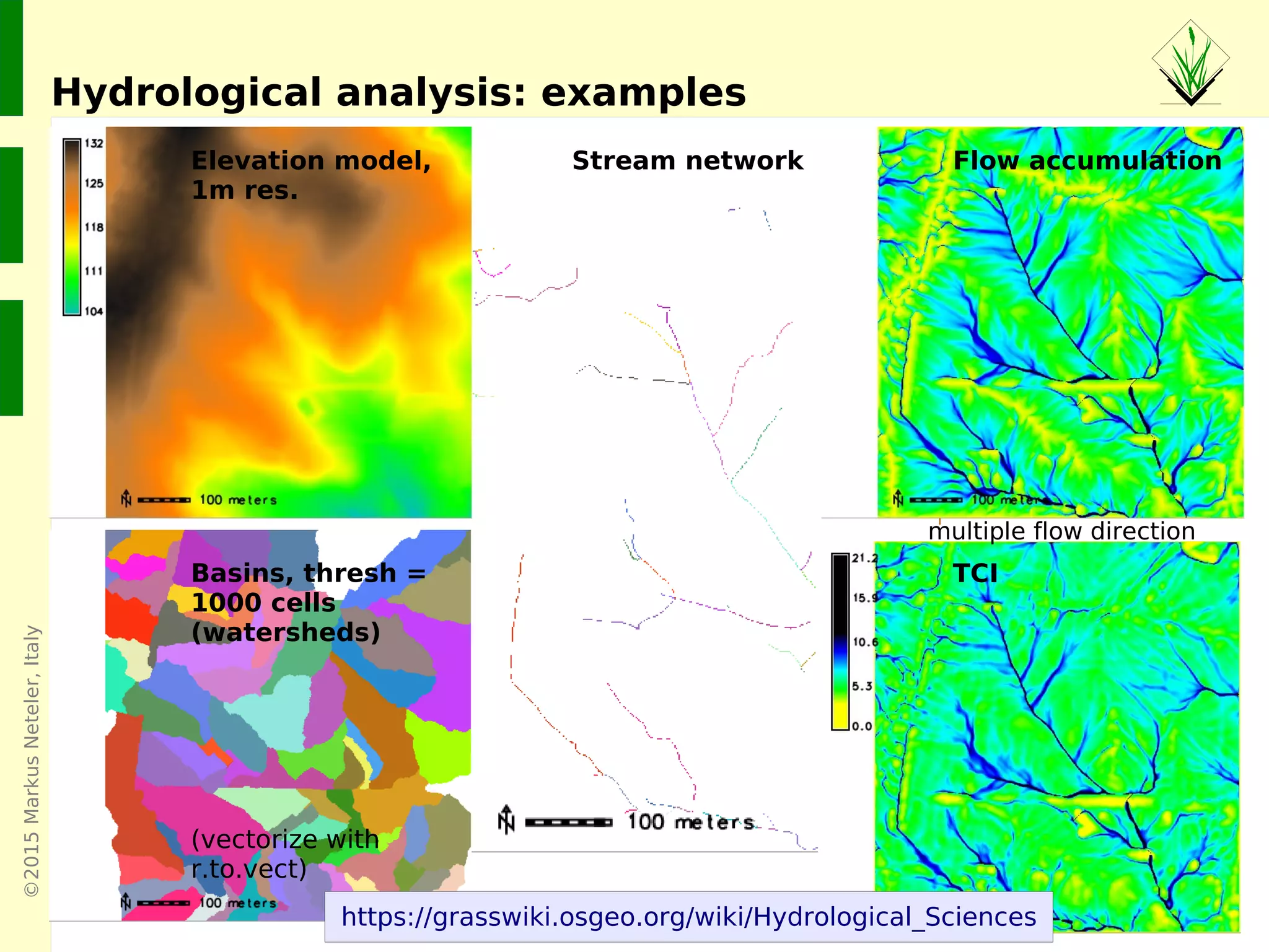
Hydrological analysis: examples
Elevation model,
1m res.
Basins, thresh =
1000 cells
(watersheds)
(vectorize with
r.to.vect)
Stream network Flow accumulation
TCI
multiple flow direction
https://grasswiki.osgeo.org/wiki/Hydrological_Sciences
©2015MarkusNeteler,Italy
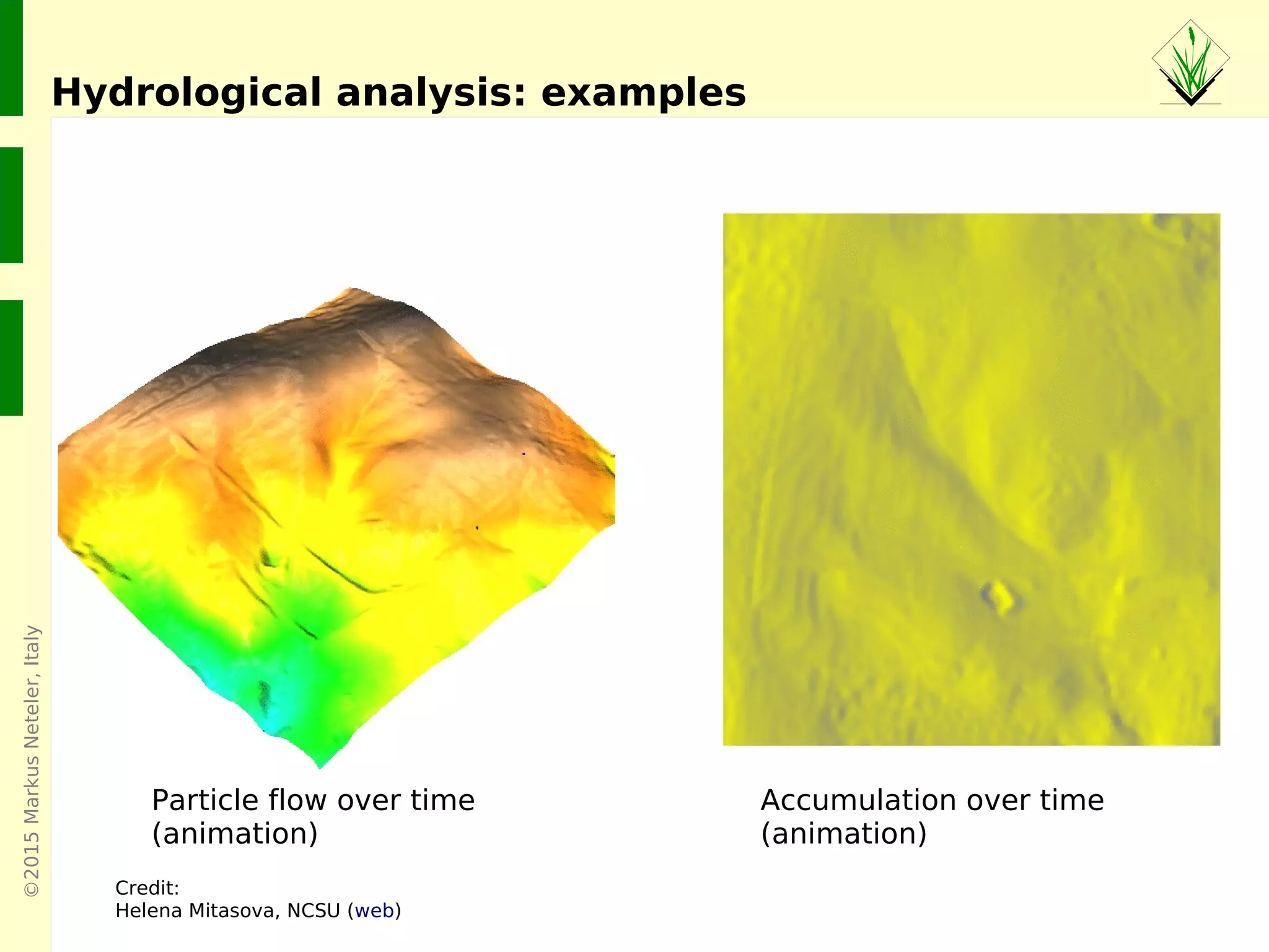
Hydrological analysis: examples
Credit:
Helena Mitasova, NCSU (web)
Accumulation over time
(animation)
Particle flow over time
(animation)
©2015MarkusNeteler,Italy
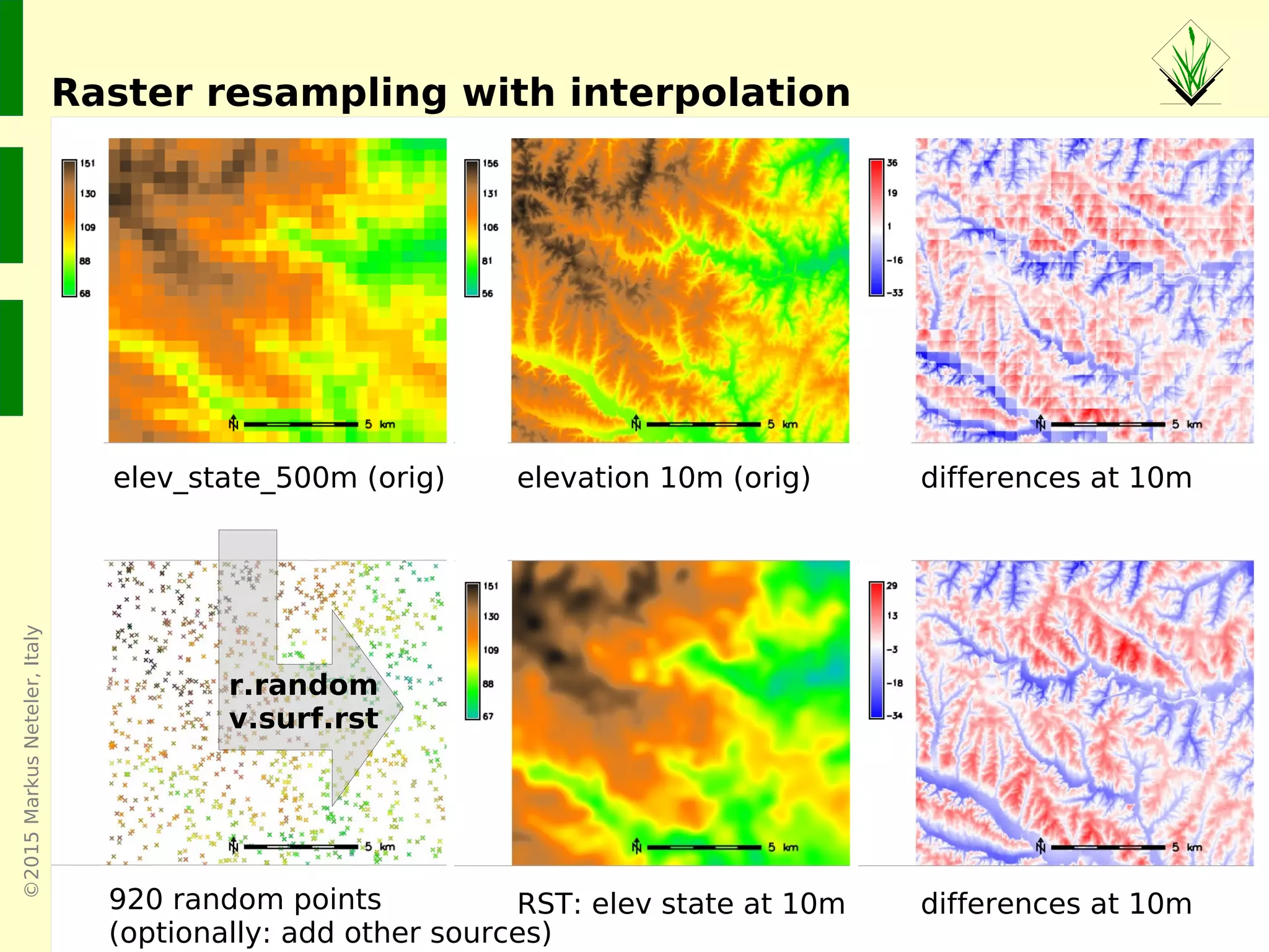
Raster resampling with interpolation
elev_state_500m (orig) elevation 10m (orig) differences at 10m
RST: elev state at 10m differences at 10m
r.random
v.surf.rst
920 random points
(optionally: add other sources)
©2015MarkusNeteler,Italy
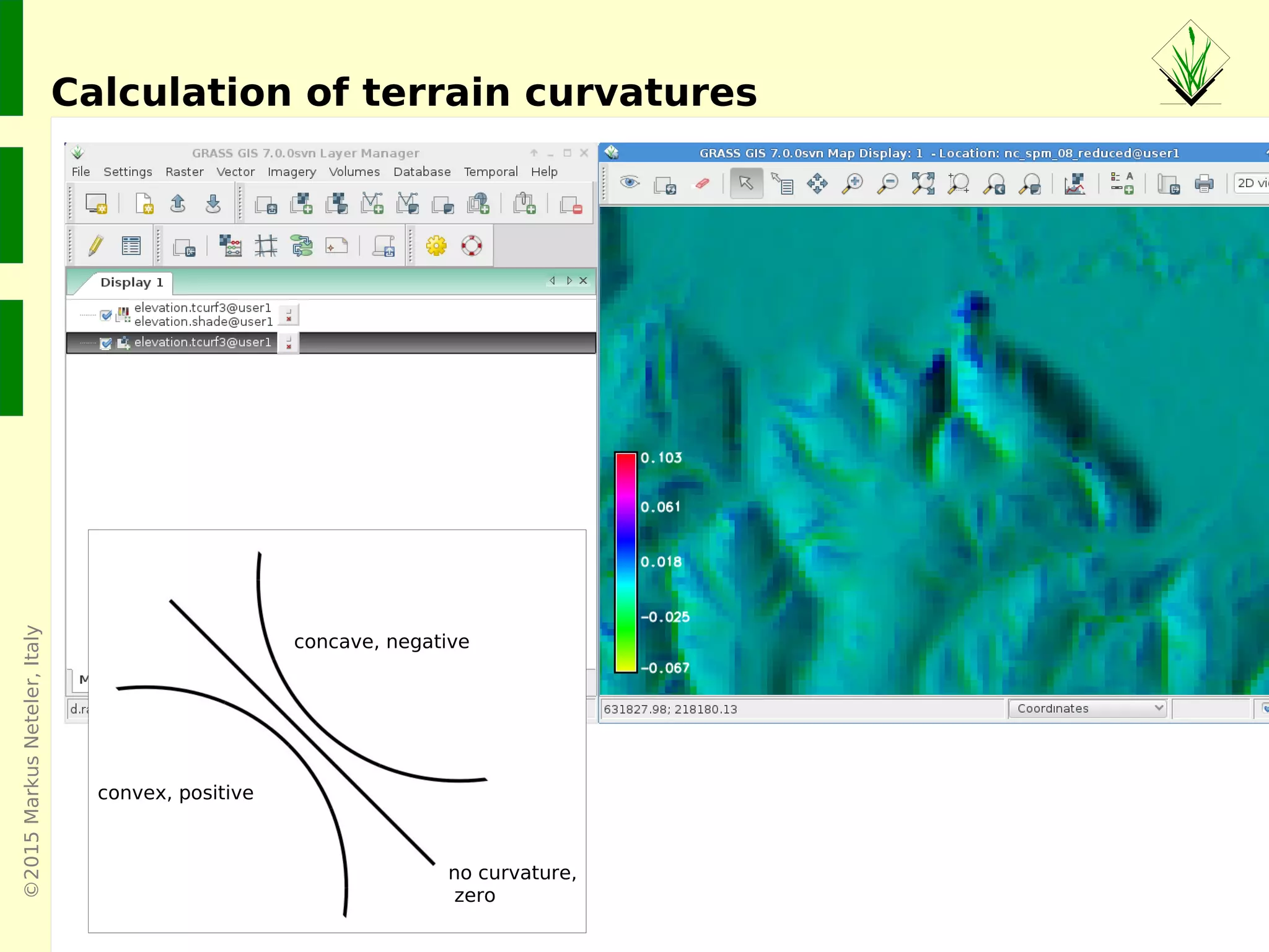
Calculation of terrain curvatures
concave, negative
no curvature,
zero
convex, positive
©2015MarkusNeteler,Italy
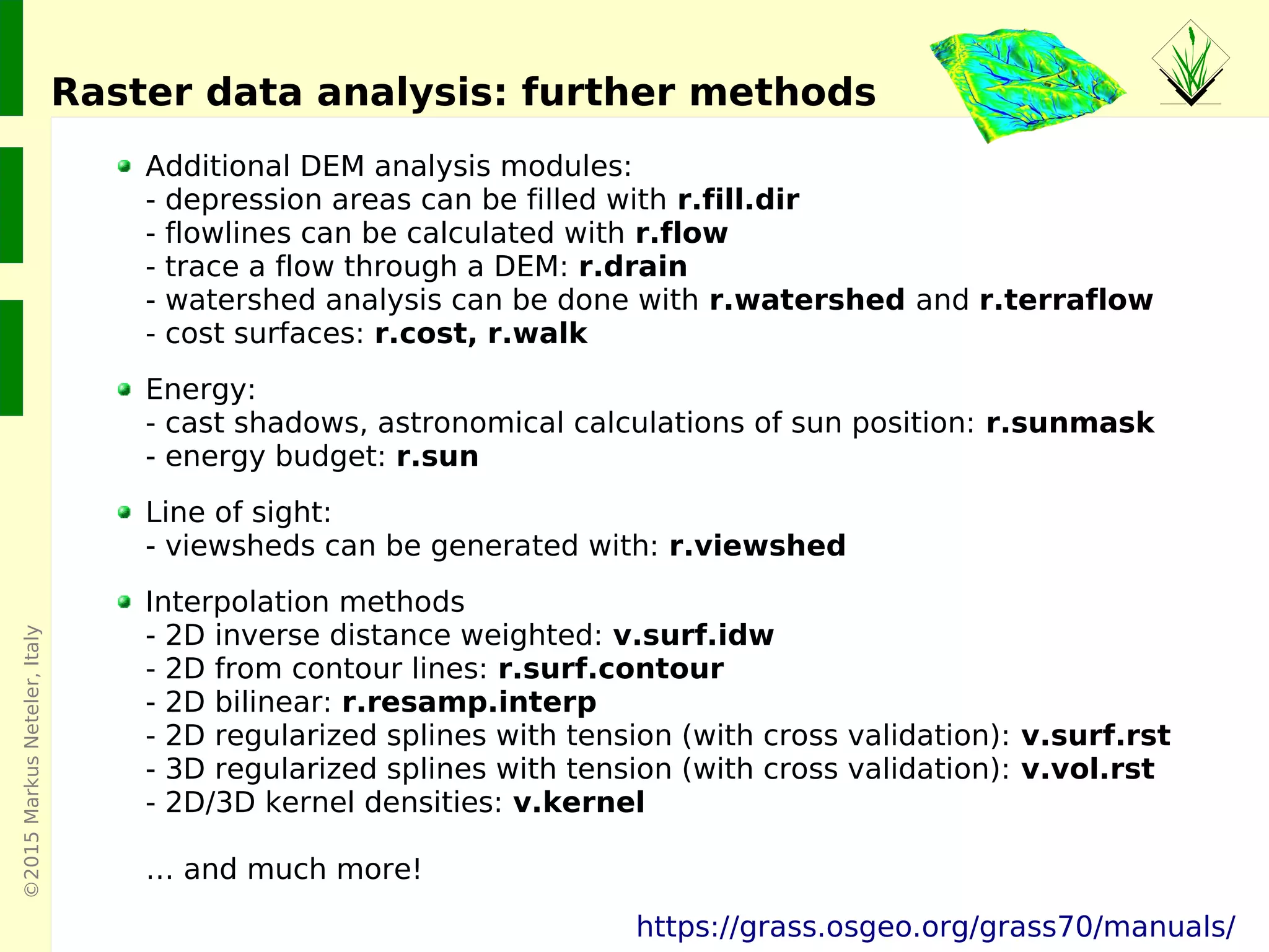
Raster data analysis: further methods
Additional DEM analysis modules:
- depression areas can be filled with r.fill.dir
- flowlines can be calculated with r.flow
- trace a flow through a DEM: r.drain
- watershed analysis can be done with r.watershed and r.terraflow
- cost surfaces: r.cost, r.walk
Energy:
- cast shadows, astronomical calculations of sun position: r.sunmask
- energy budget: r.sun
Line of sight:
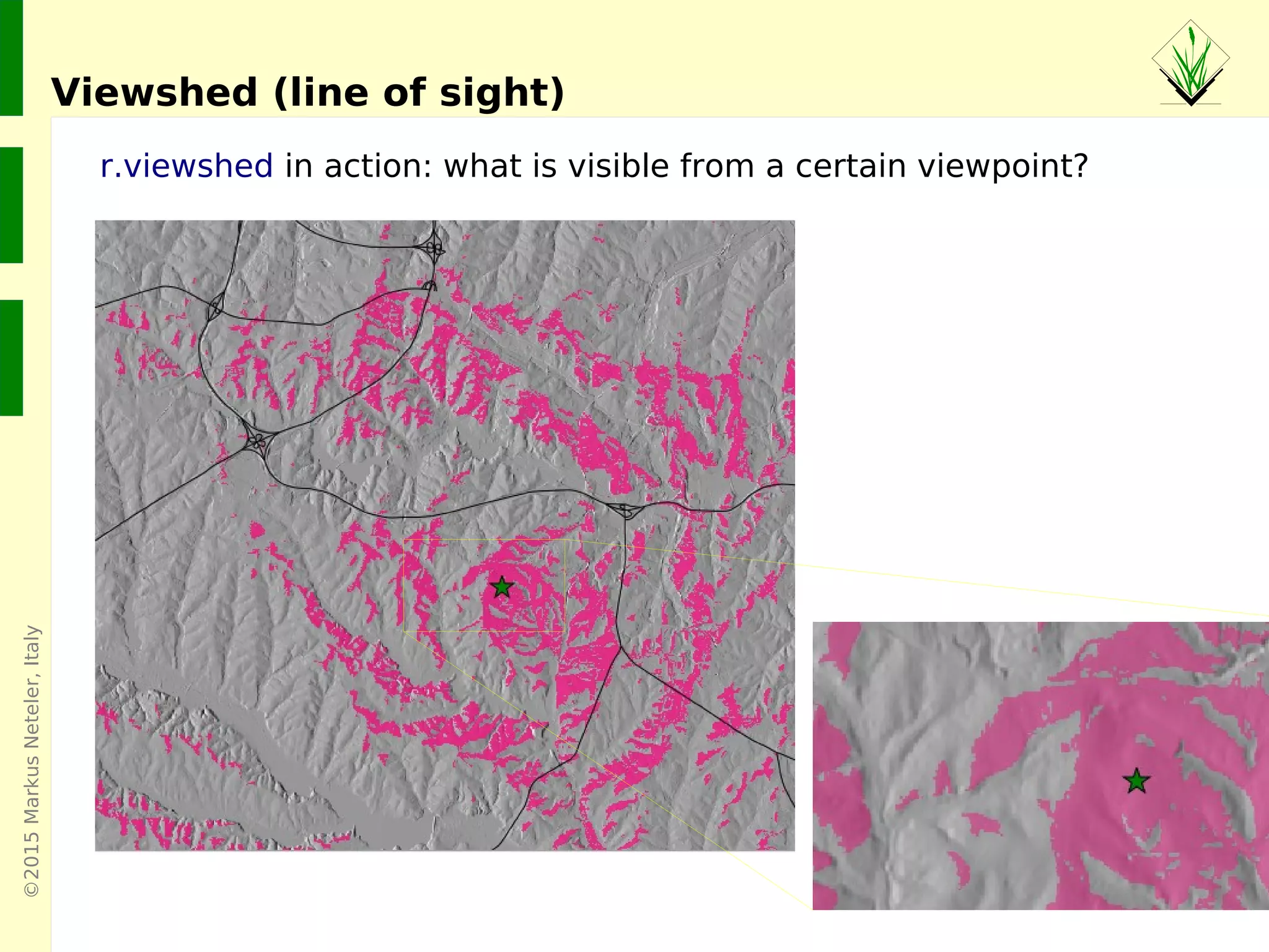
- viewsheds can be generated with: r.viewshed
Interpolation methods
- 2D inverse distance weighted: v.surf.idw
- 2D from contour lines: r.surf.contour
- 2D bilinear: r.resamp.interp
- 2D regularized splines with tension (with cross validation): v.surf.rst
- 3D regularized splines with tension (with cross validation): v.vol.rst
- 2D/3D kernel densities: v.kernel
… and much more!
https://grass.osgeo.org/grass70/manuals/
©2015MarkusNeteler,Italy
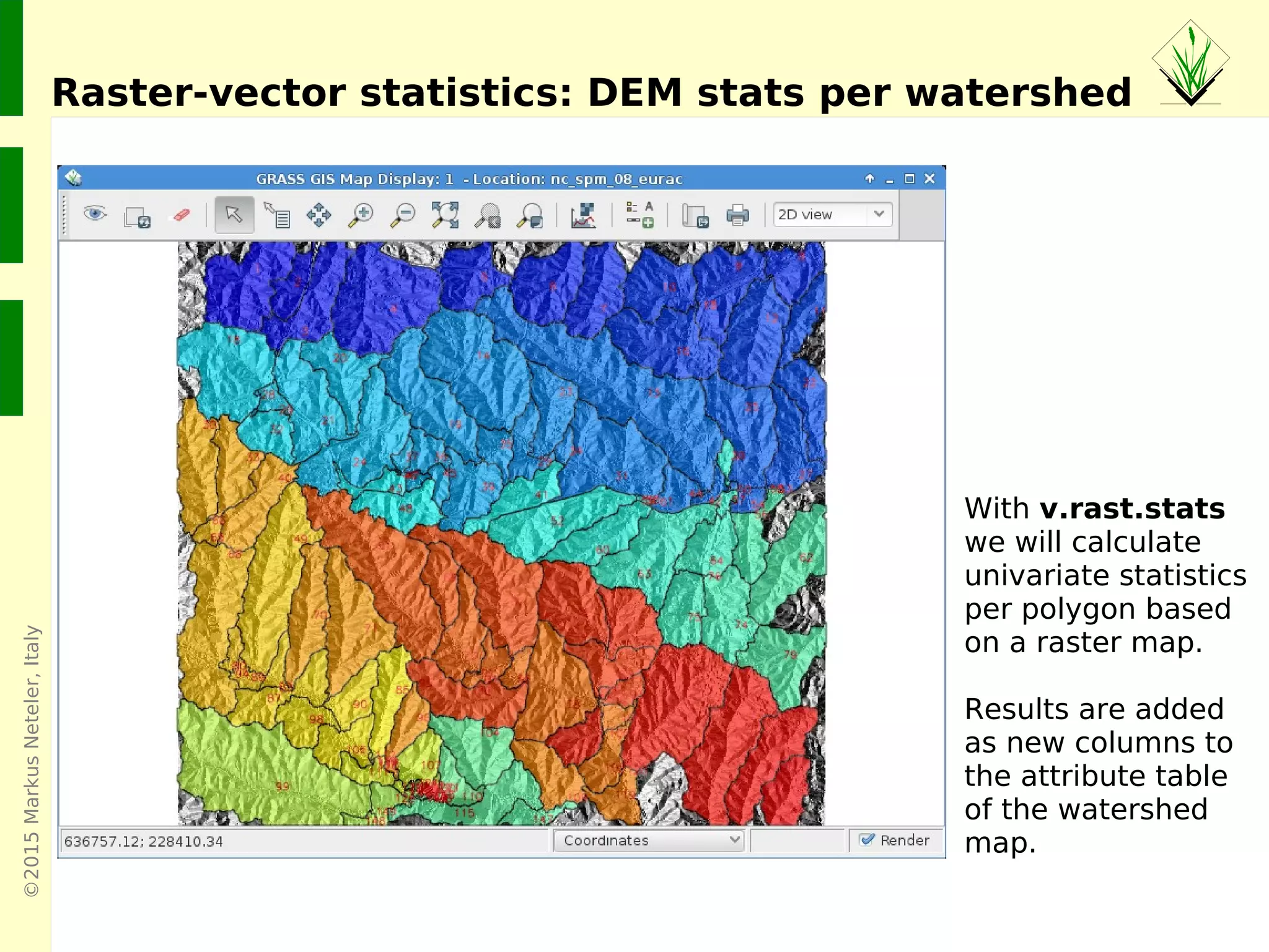
Raster-vector statistics: DEM stats per watershed
With v.rast.stats
we will calculate
univariate statistics
per polygon based
on a raster map.
Results are added
as new columns to
the attribute table
of the watershed
map.
©2015MarkusNeteler,Italy
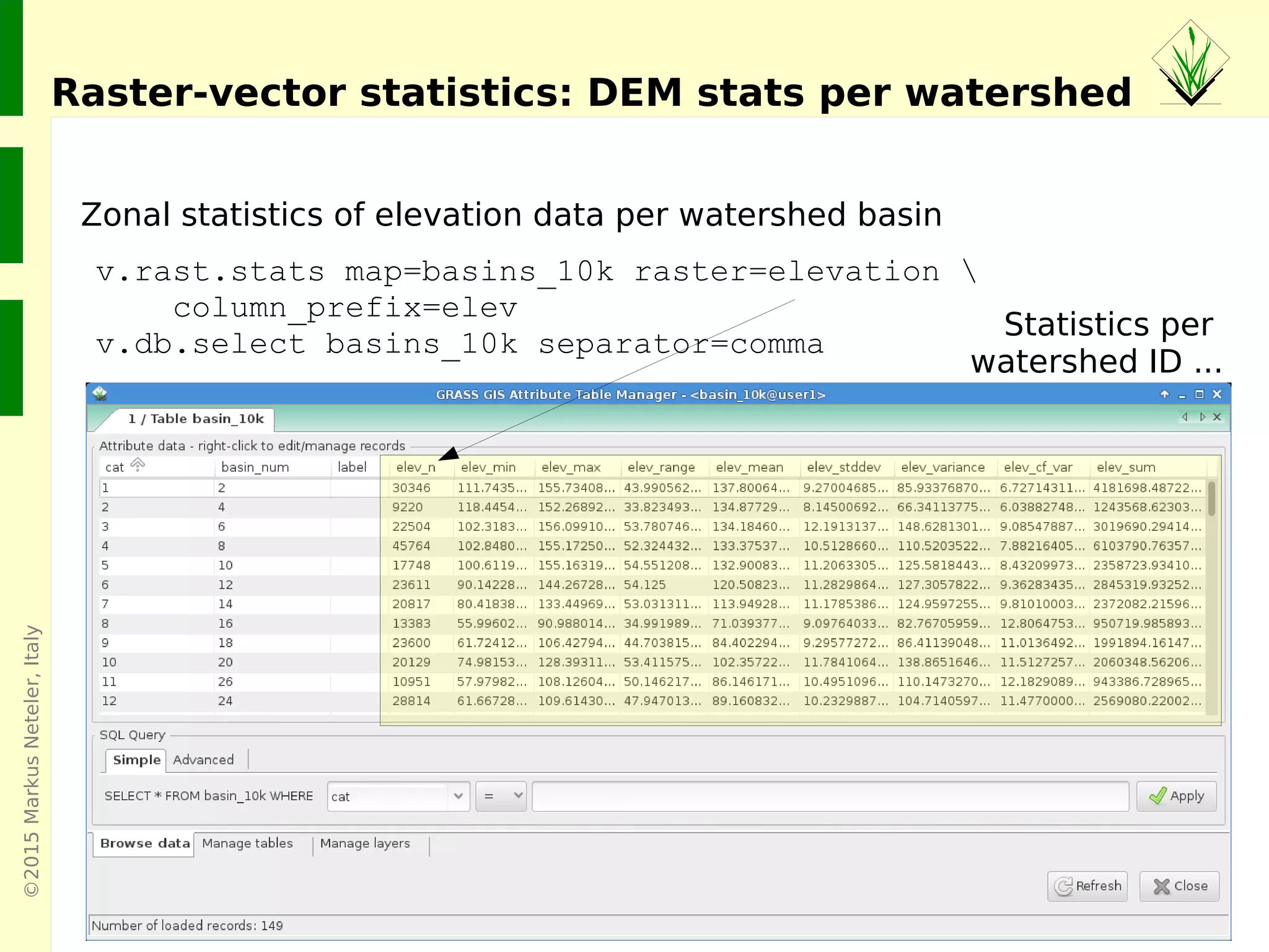
Raster-vector statistics: DEM stats per watershed
Statistics per
watershed ID ...
v.rast.stats map=basins_10k raster=elevation 
column_prefix=elev
v.db.select basins_10k separator=comma
Zonal statistics of elevation data per watershed basin
©2015MarkusNeteler,Italy
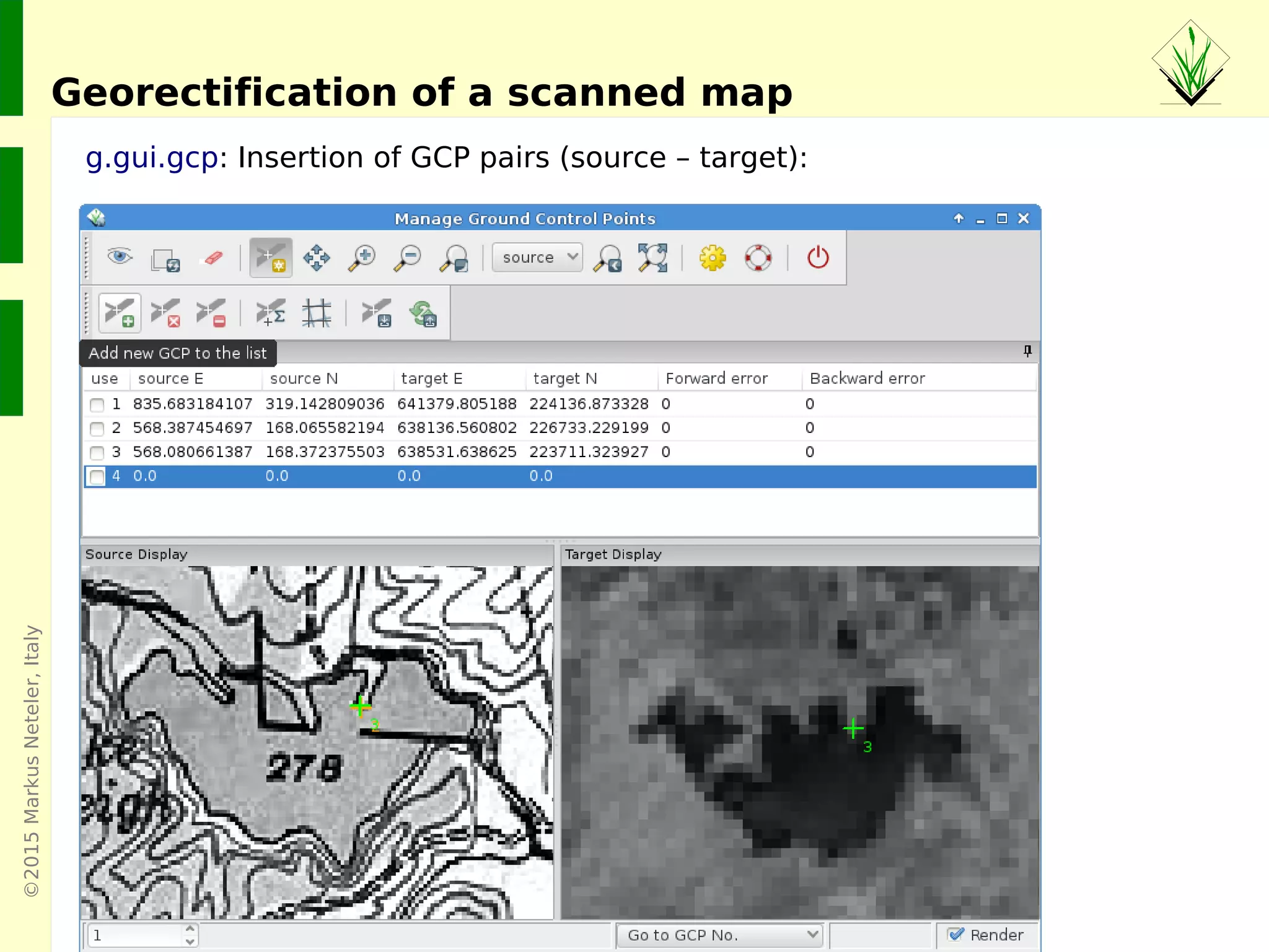
g.gui.gcp: Insertion of GCP pairs (source – target):
Georectification of a scanned map
©2015MarkusNeteler,Italy
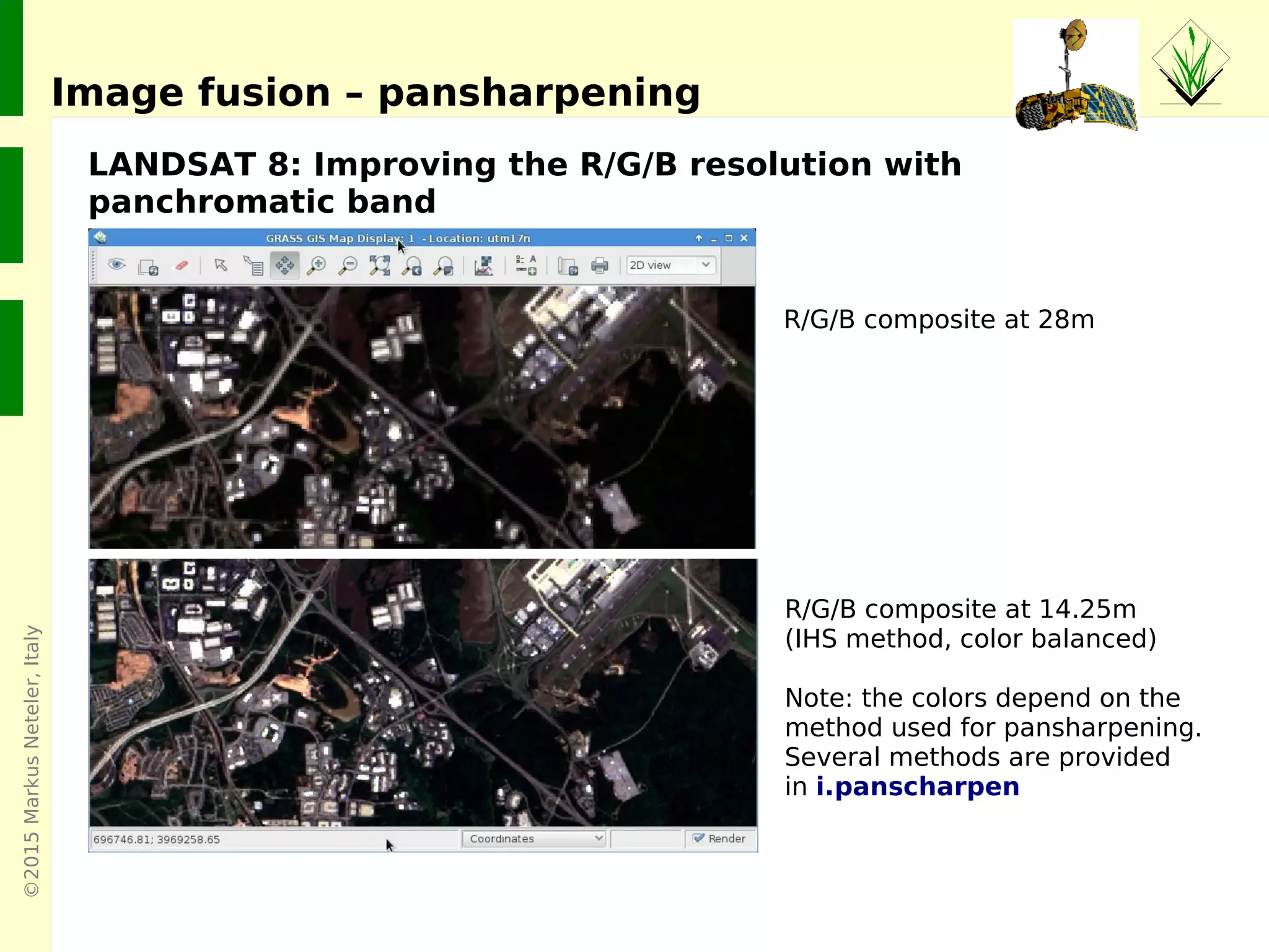
LANDSAT 8: Improving the R/G/B resolution with
panchromatic band
Image fusion – pansharpening
R/G/B composite at 28m
R/G/B composite at 14.25m
(IHS method, color balanced)
Note: the colors depend on the
method used for pansharpening.
Several methods are provided
in i.panscharpen
©2015MarkusNeteler
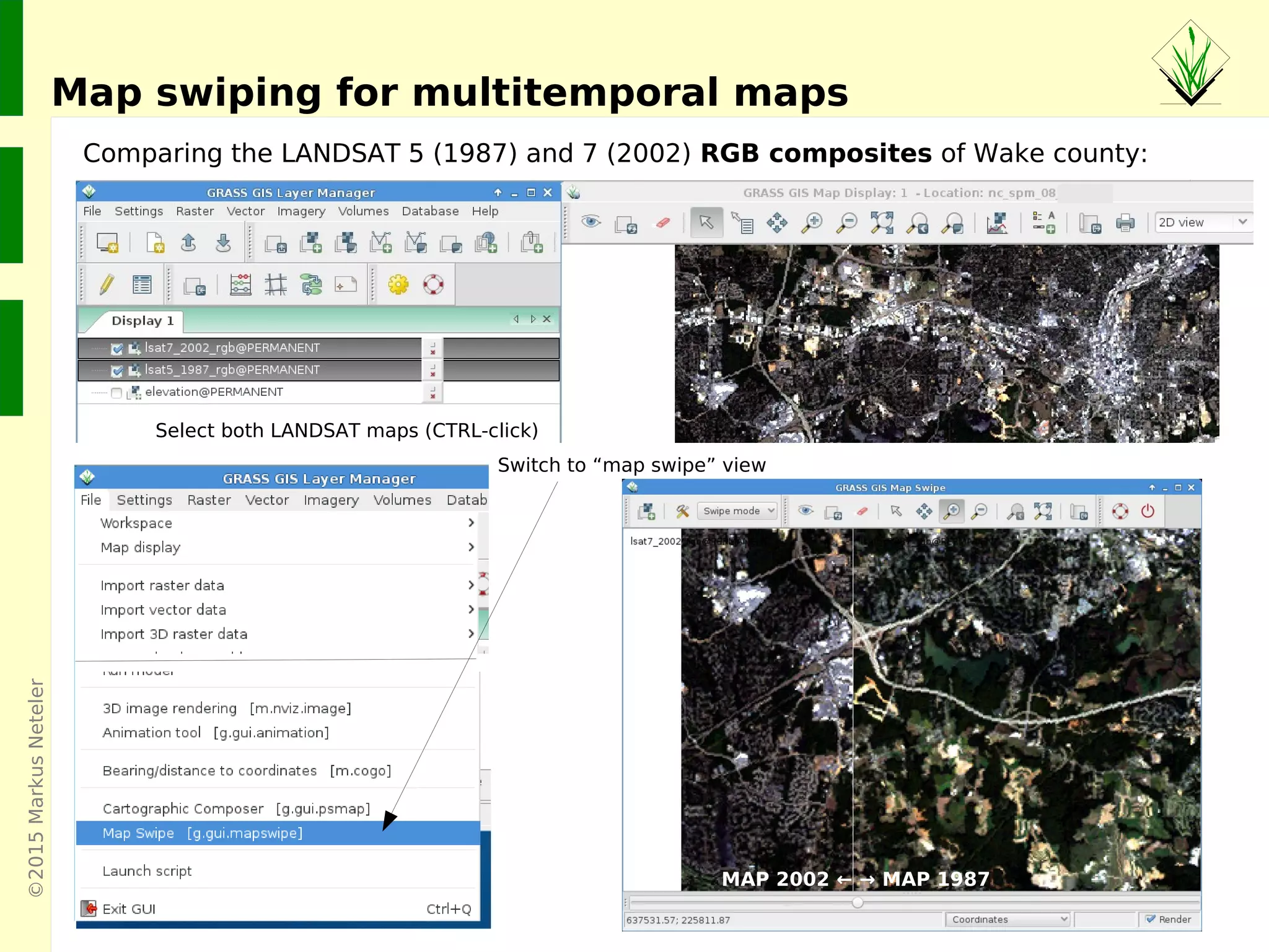
Map swiping for multitemporal maps
Comparing the LANDSAT 5 (1987) and 7 (2002) RGB composites of Wake county:
Switch to “map swipe” view
Select both LANDSAT maps (CTRL-click)
MAP 2002 ← → MAP 1987
©2015MarkusNeteler
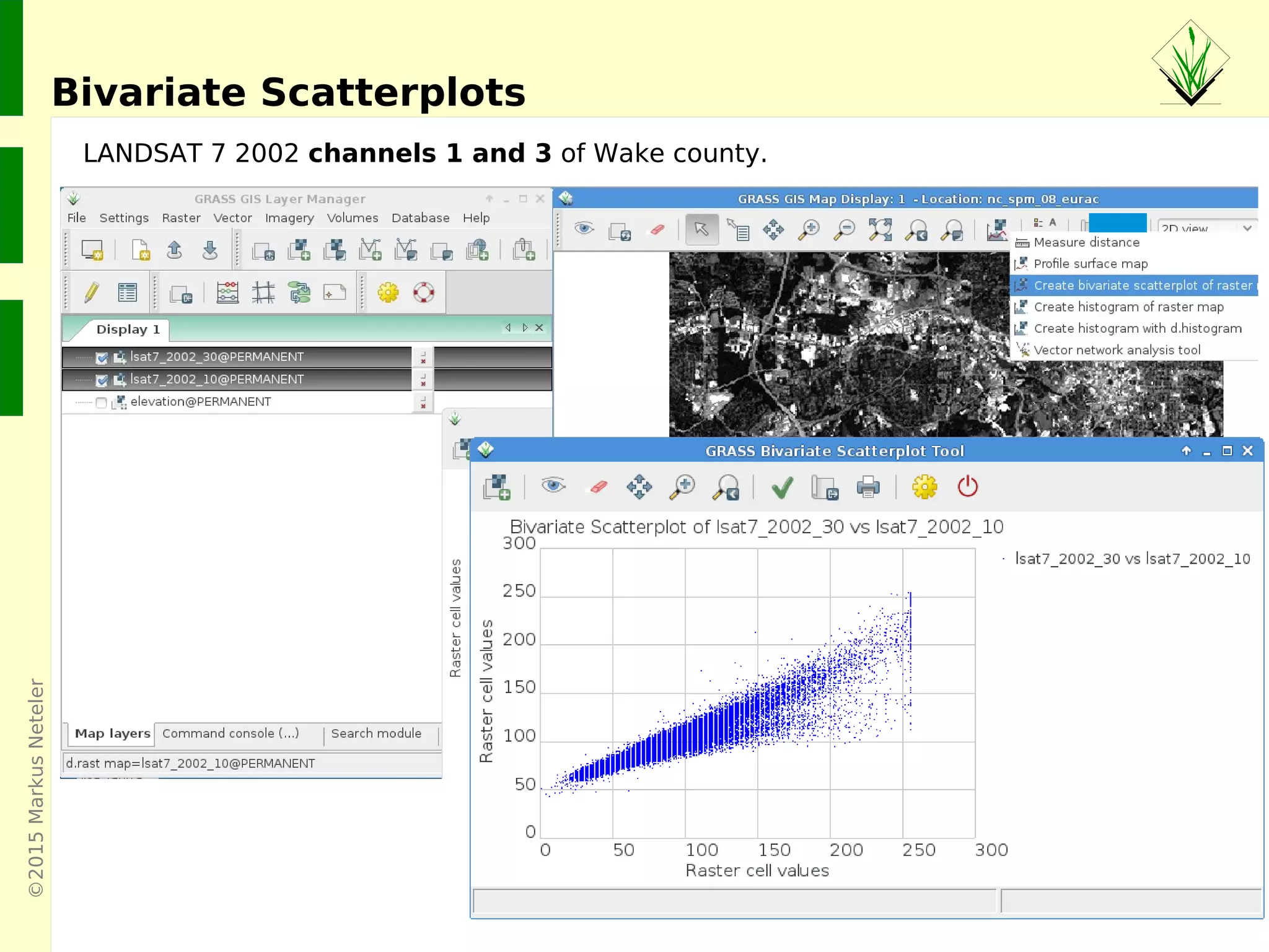
Bivariate Scatterplots
LANDSAT 7 2002 channels 1 and 3 of Wake county.
©2015MarkusNeteler,Italy
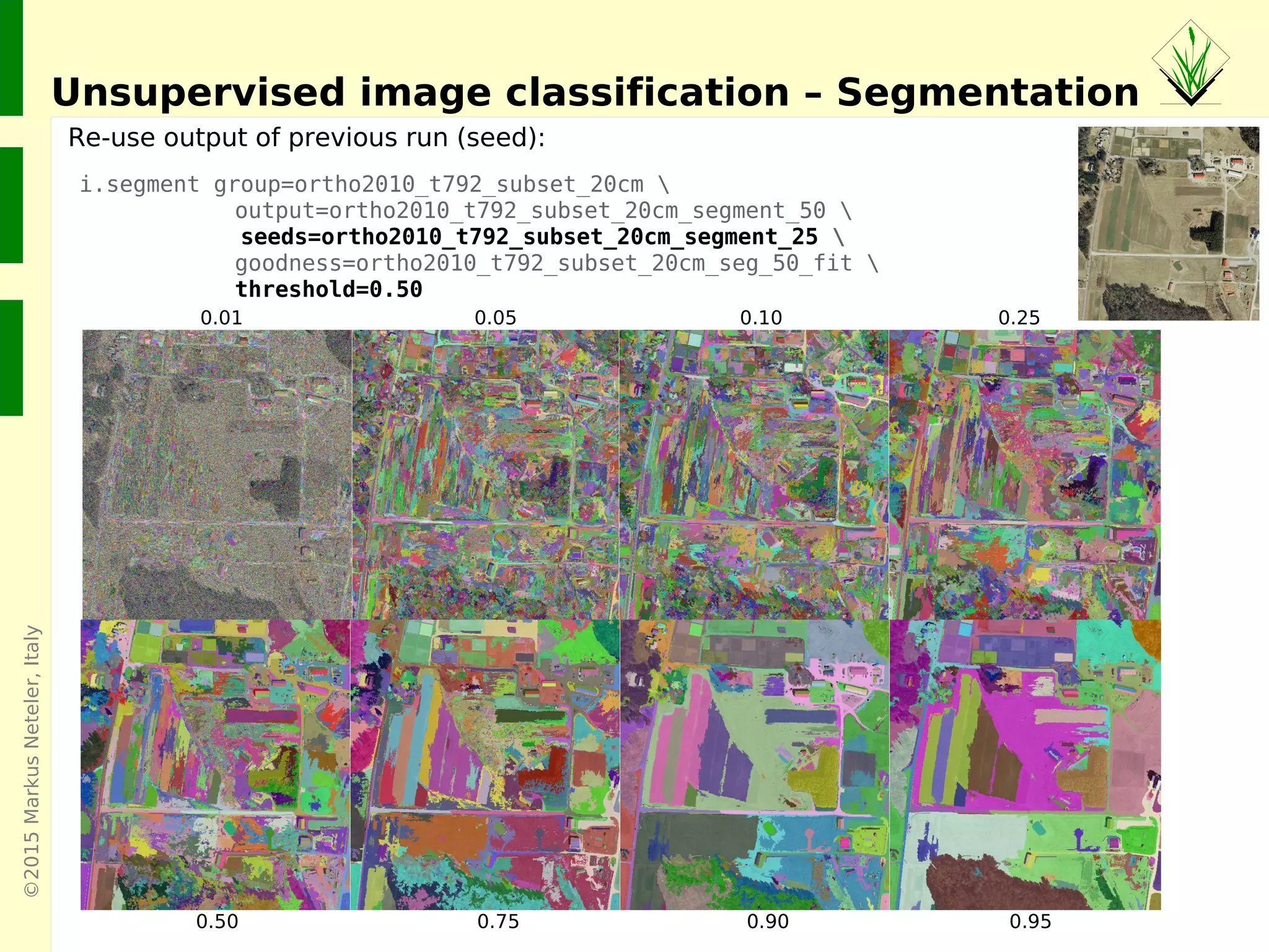
Unsupervised image classification – Segmentation
i.segment group=ortho2010_t792_subset_20cm 
output=ortho2010_t792_subset_20cm_segment_50 
seeds=ortho2010_t792_subset_20cm_segment_25 
goodness=ortho2010_t792_subset_20cm_seg_50_fit 
threshold=0.50
Re-use output of previous run (seed):
0.01 0.05 0.10 0.25
0.50 0.75 0.90 0.95
©2015MarkusNeteler,Italy
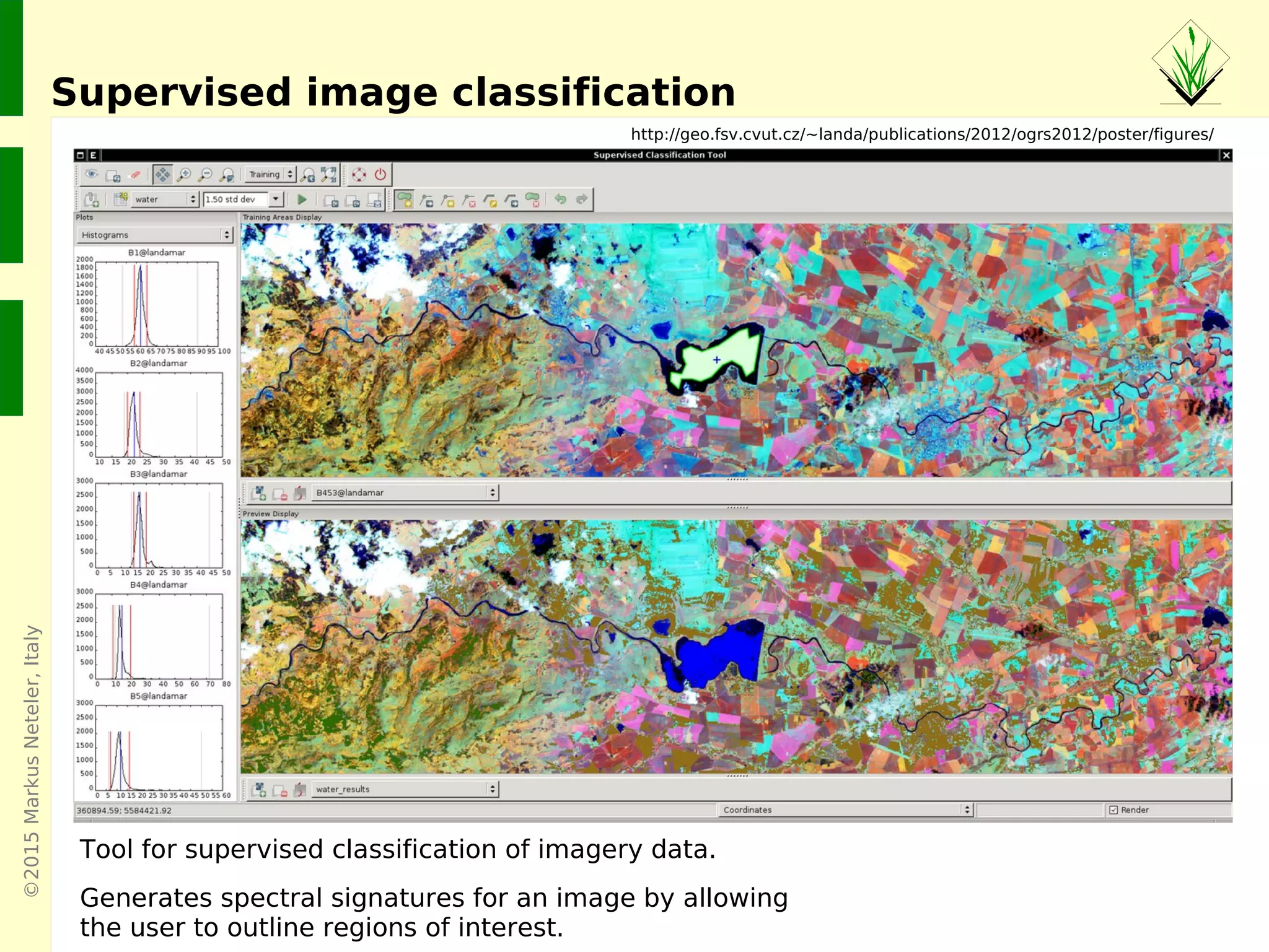
Supervised image classification
http://geo.fsv.cvut.cz/~landa/publications/2012/ogrs2012/poster/figures/
Tool for supervised classification of imagery data.
Generates spectral signatures for an image by allowing
the user to outline regions of interest.
©2015MarkusNeteler,Italy
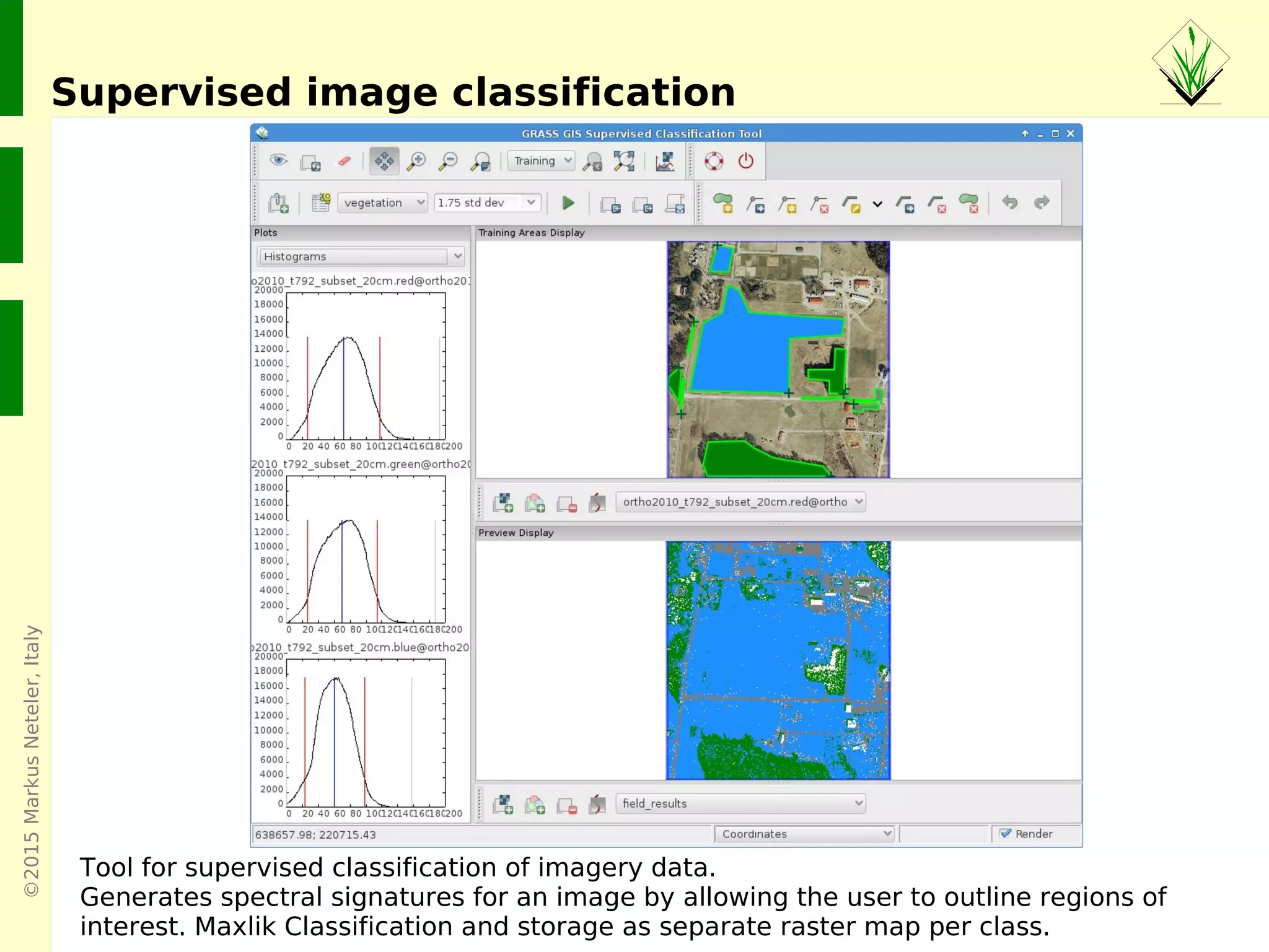
Supervised image classification
Tool for supervised classification of imagery data.
Generates spectral signatures for an image by allowing the user to outline regions of
interest. Maxlik Classification and storage as separate raster map per class.
©2015MarkusNeteler,Italy
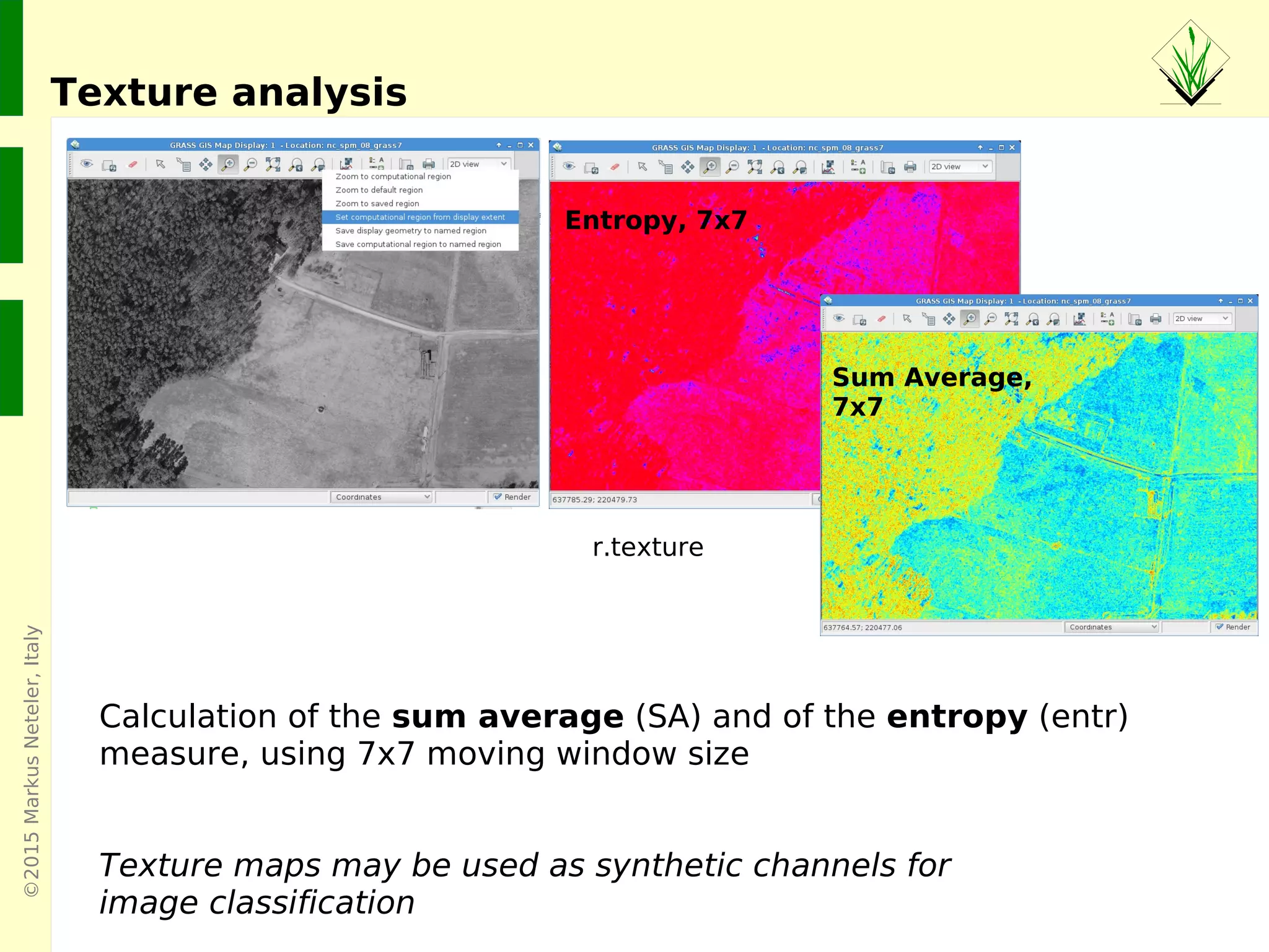
Texture analysis
Entropy, 7x7
Sum Average,
7x7
Calculation of the sum average (SA) and of the entropy (entr)
measure, using 7x7 moving window size
Texture maps may be used as synthetic channels for
image classification
r.texture
©2015MarkusNeteler,Italy
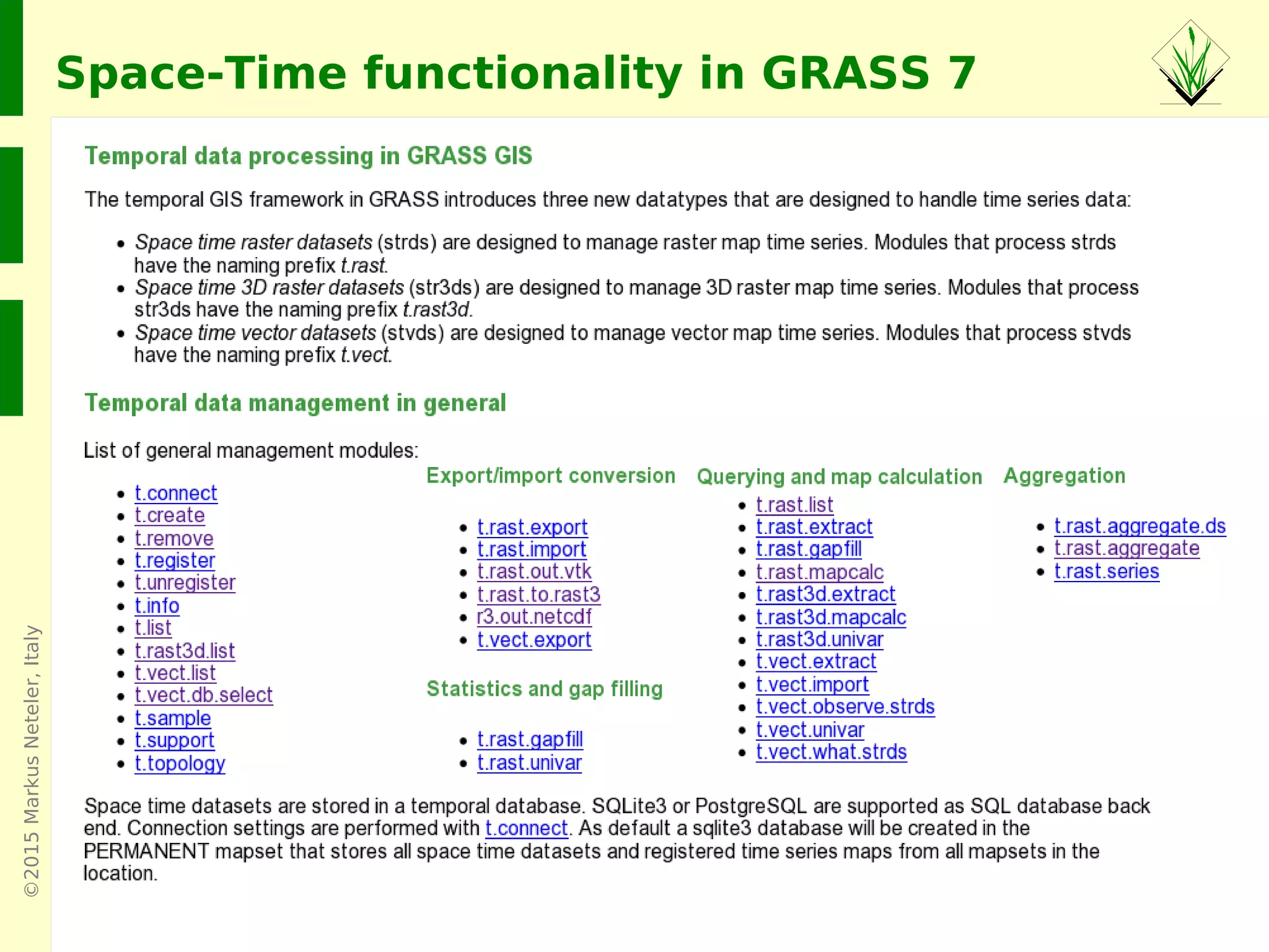
Space-Time functionality in GRASS 7
©2015MarkusNeteler,Italy
GRASS GIS 7: Space-time functionality
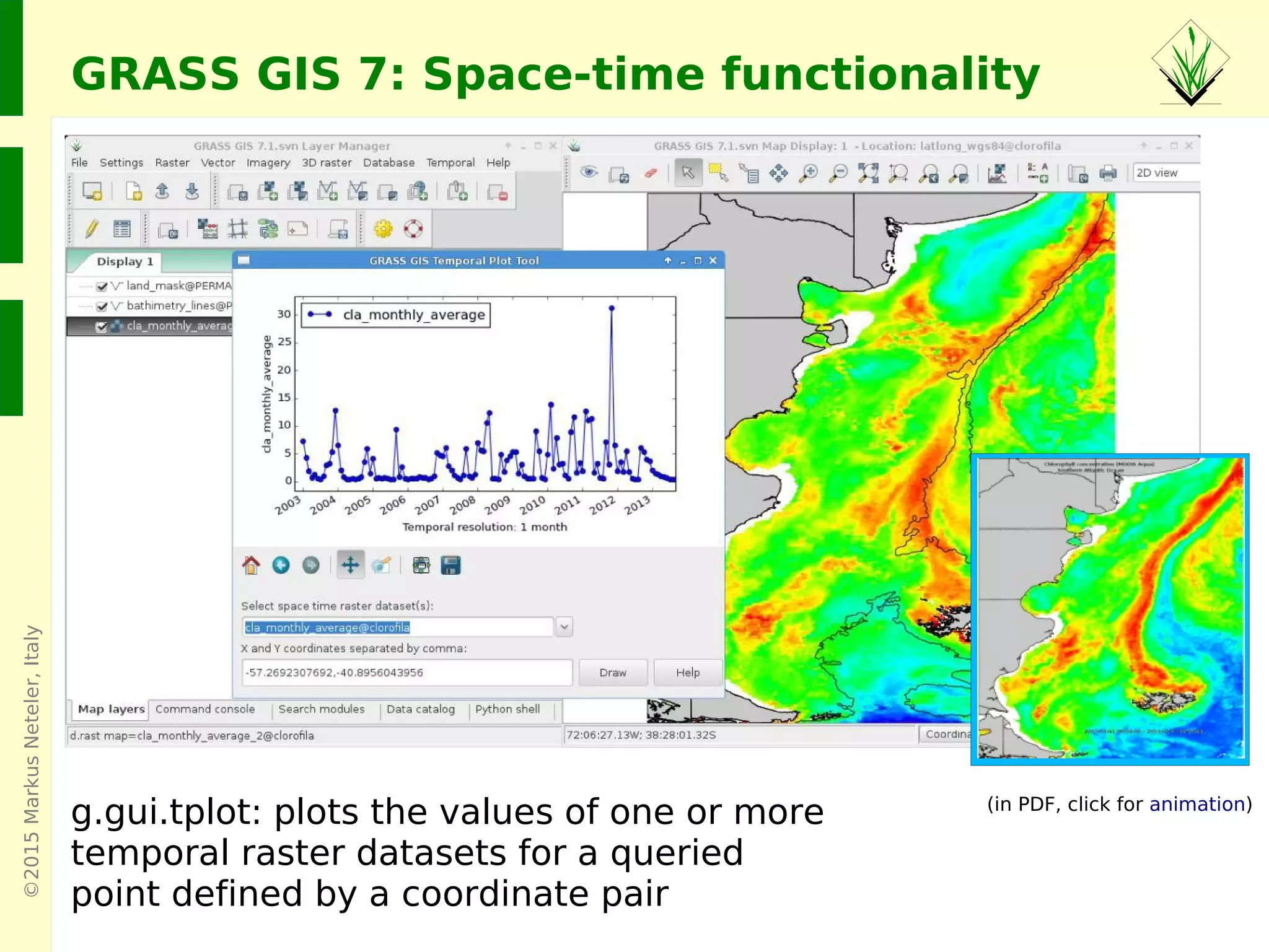
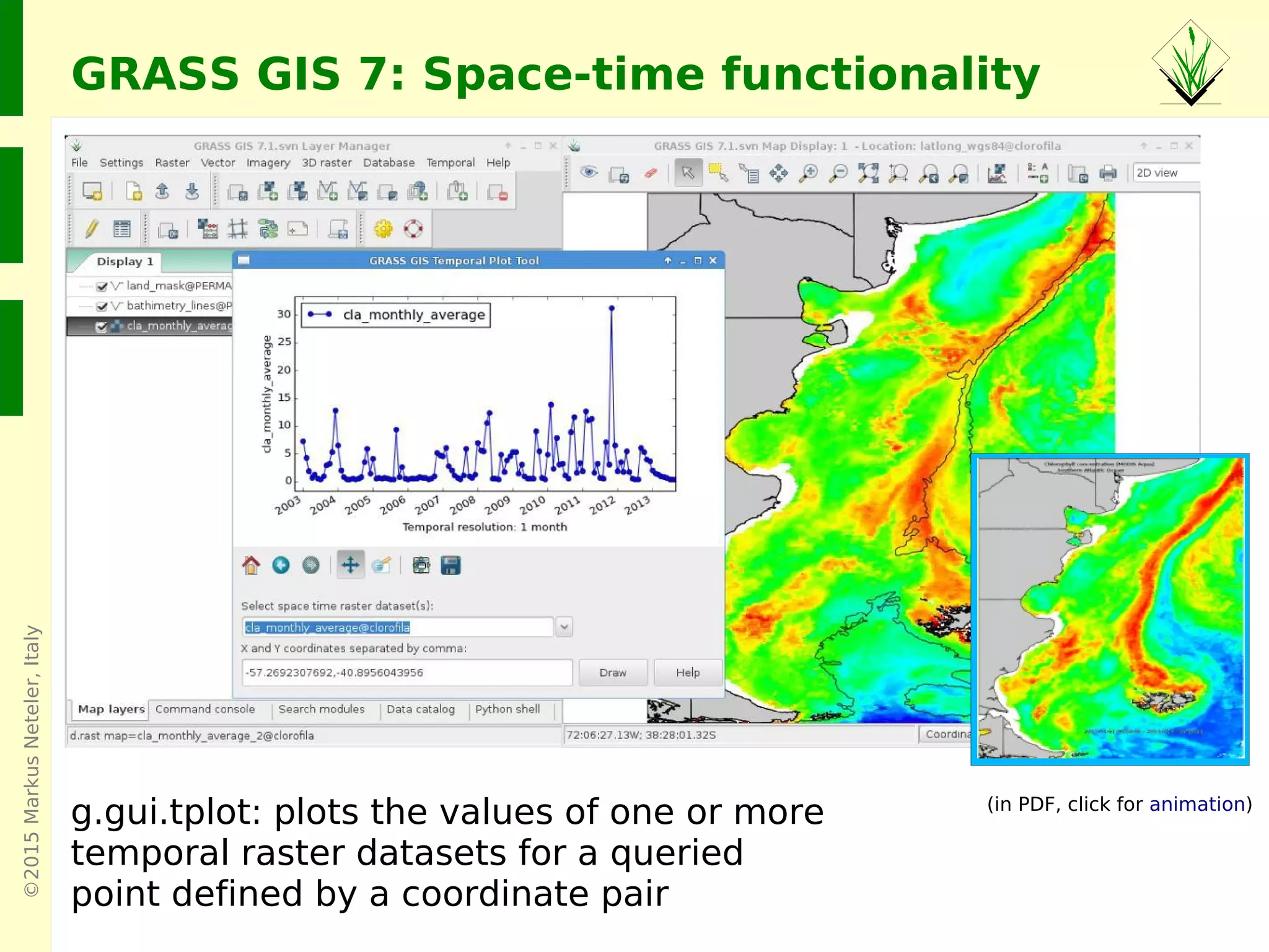
g.gui.tplot: plots the values of one or more
temporal raster datasets for a queried
point defined by a coordinate pair
Screenshots: Veronica Andreo
(in PDF, click for animation)
©2015MarkusNeteler,Italy
GRASS GIS 7: Space-time functionality
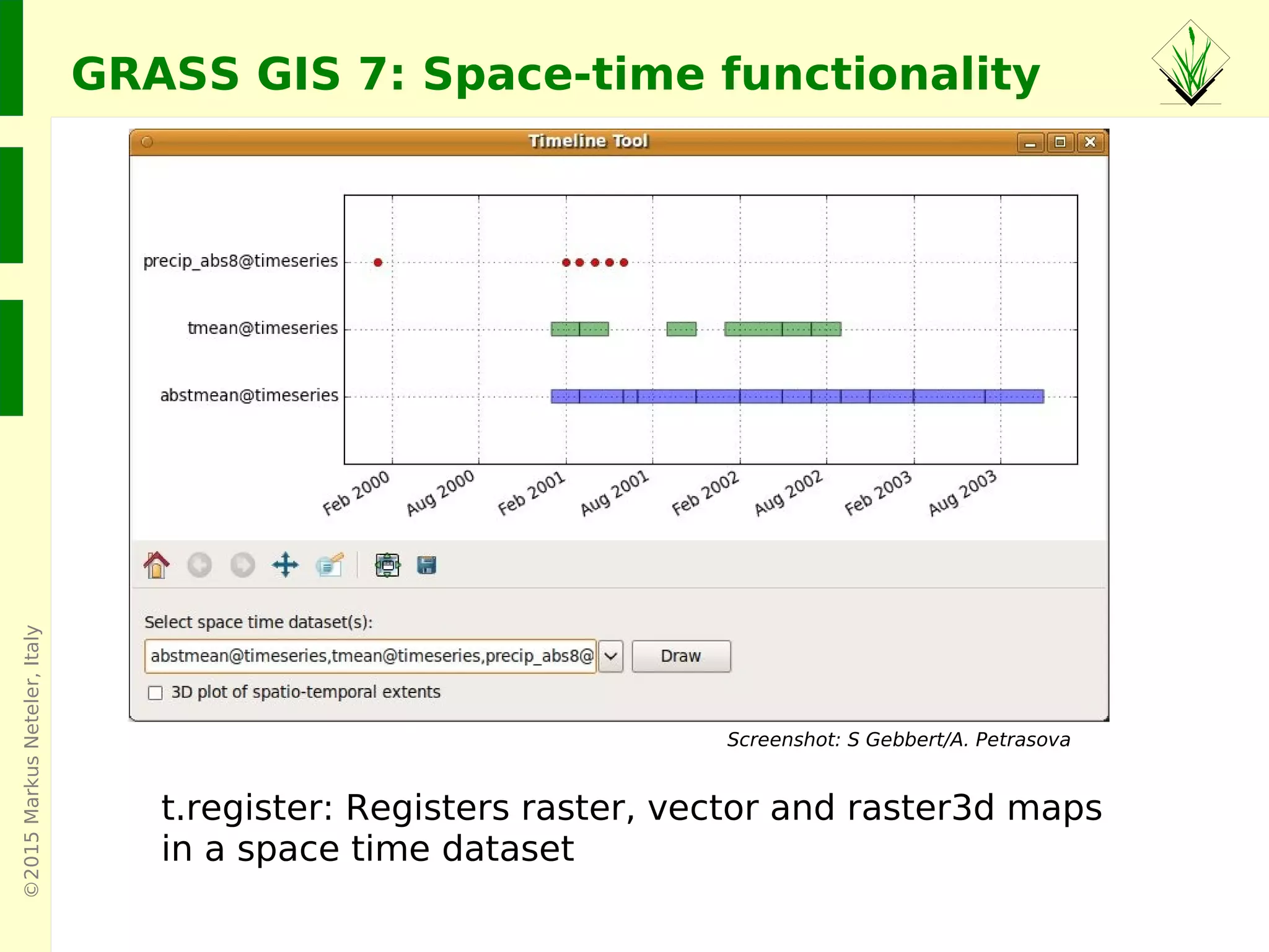
t.register: Registers raster, vector and raster3d maps
in a space time dataset
Screenshot: S Gebbert/A. Petrasova
©2015MarkusNeteler
Graphical user interface versus Command line
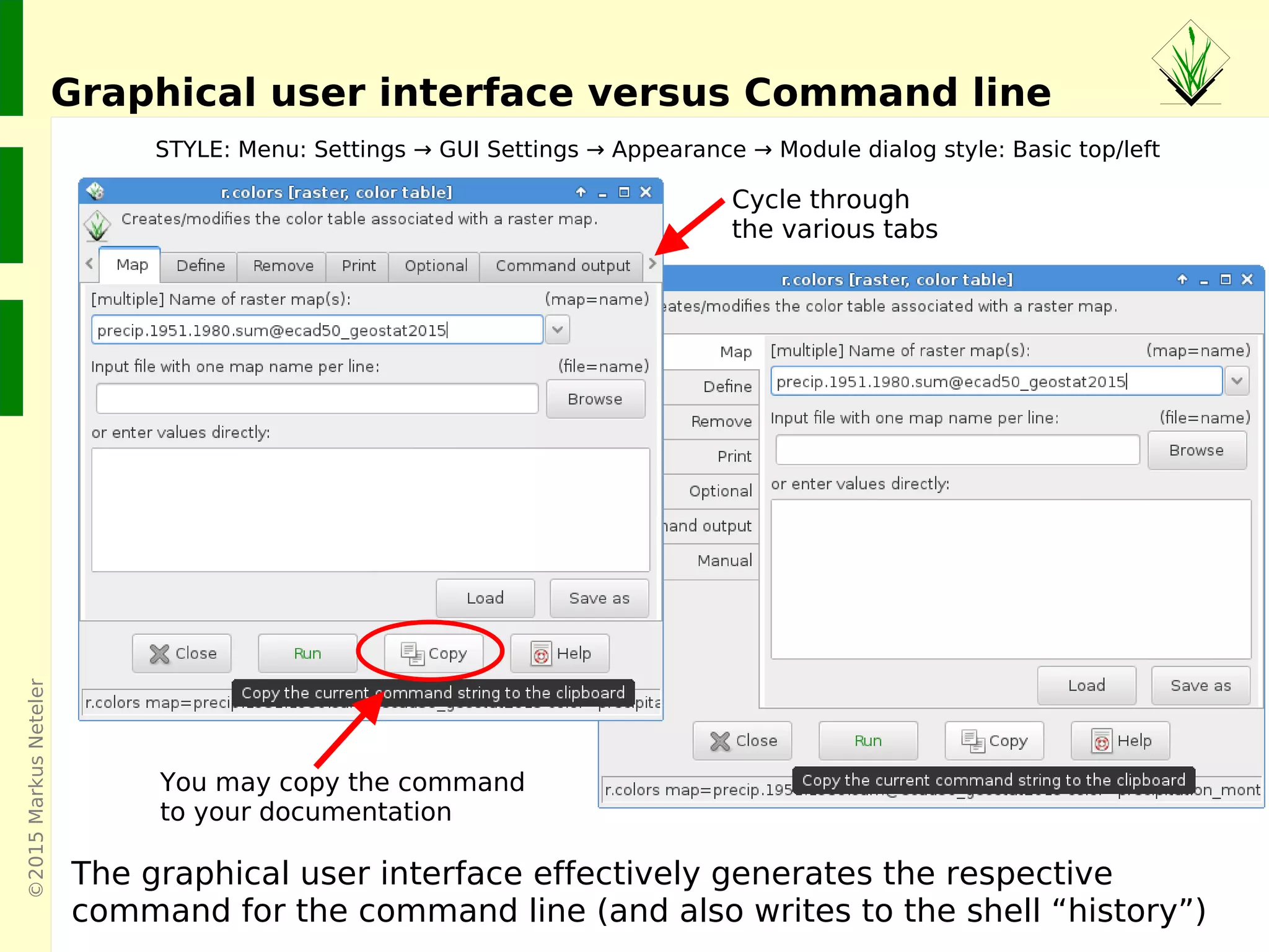
Cycle through
the various tabs
The graphical user interface effectively generates the respective
command for the command line (and also writes to the shell “history”)
STYLE: Menu: Settings → GUI Settings → Appearance → Module dialog style: Basic top/left
You may copy the command
to your documentation
©2015MarkusNeteler,Italy
Viewshed (line of sight)
r.viewshed in action: what is visible from a certain viewpoint?
©2015MarkusNeteler,Italy
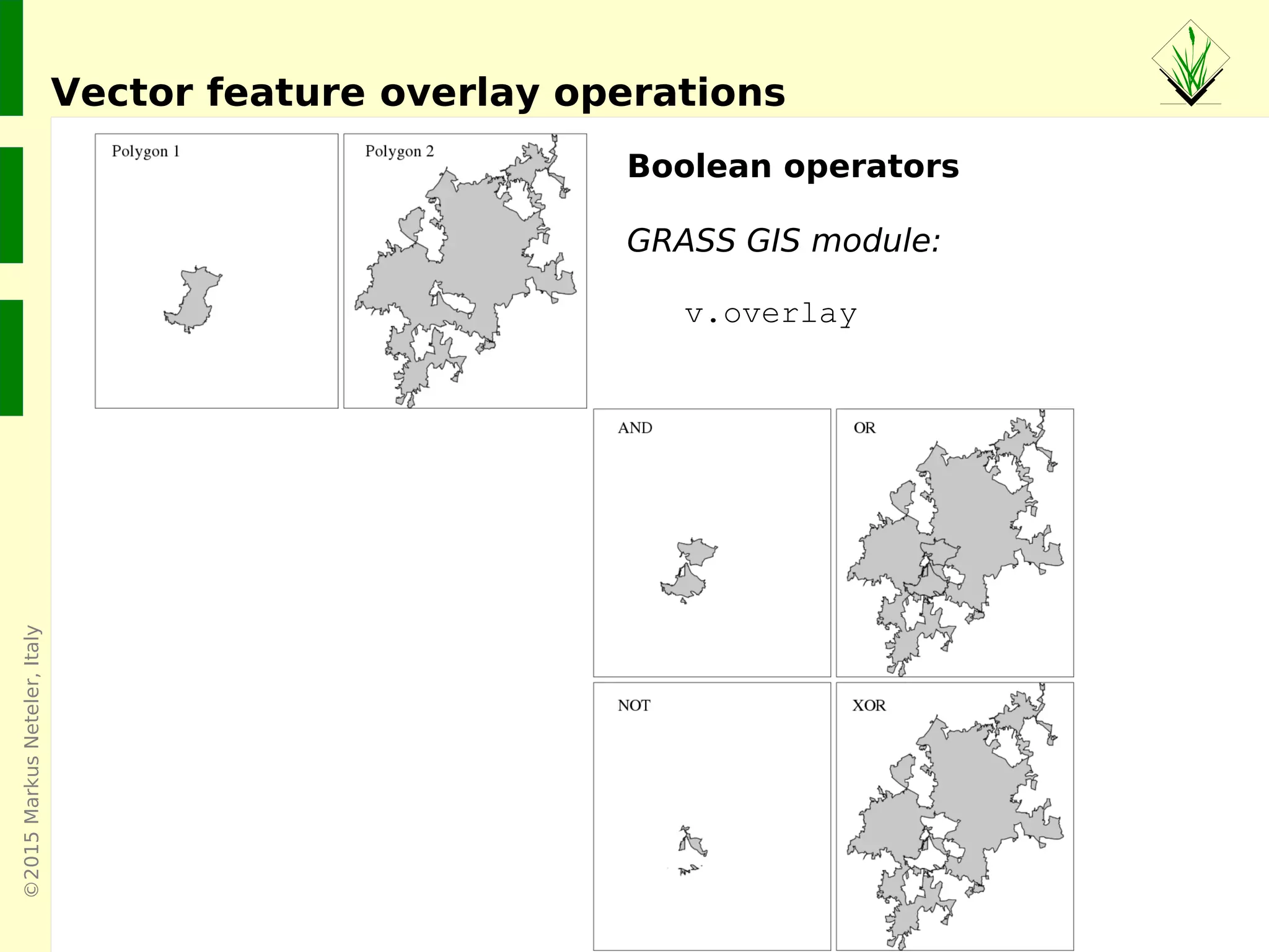
Vector feature overlay operations
Boolean operators
GRASS GIS module:
v.overlay
©2015MarkusNeteler,Italy
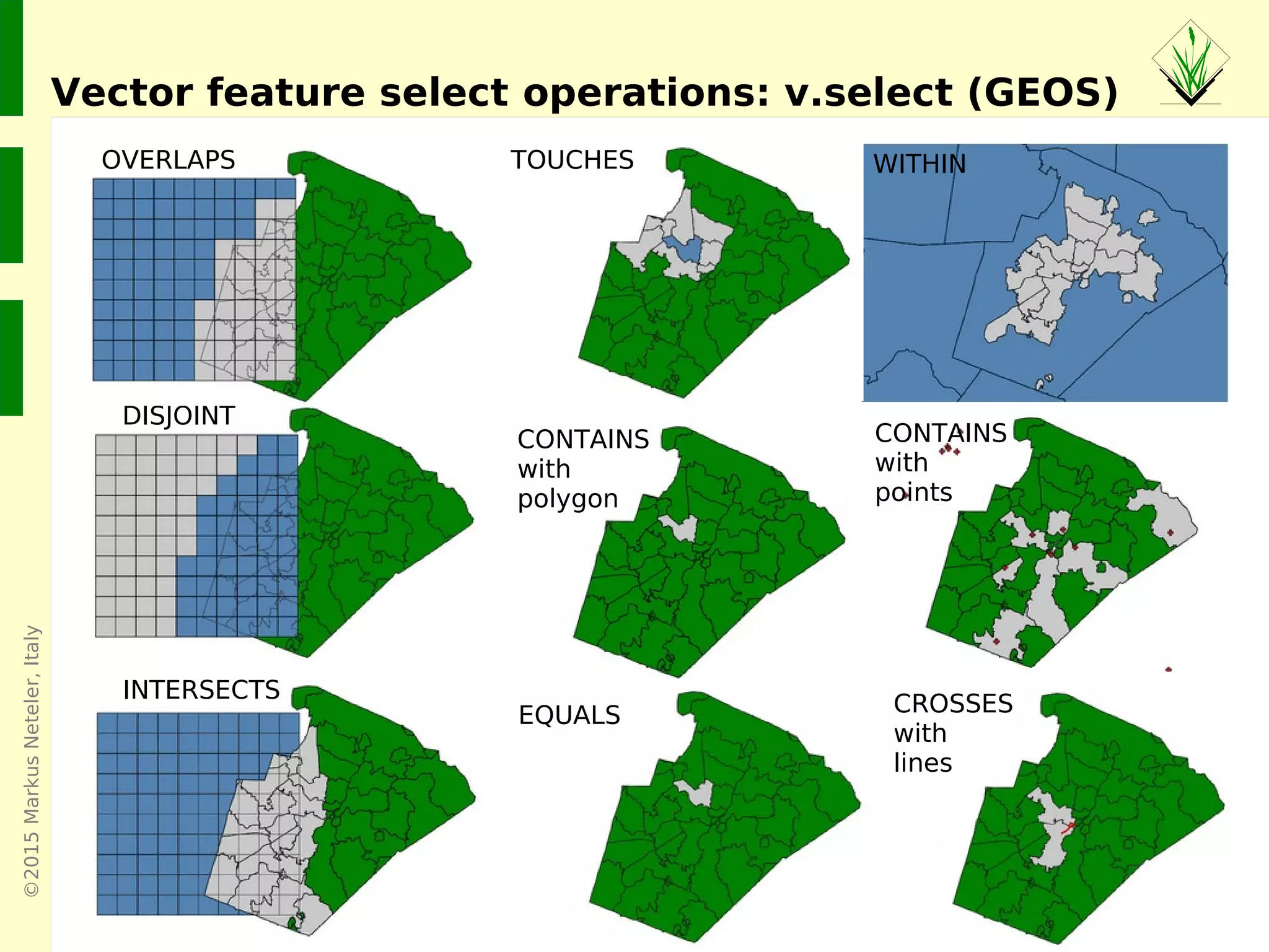
CONTAINS
with
points
Vector feature select operations: v.select (GEOS)
CROSSES
with
lines
EQUALS
CONTAINS
with
polygon
WITHINTOUCHES
DISJOINT
INTERSECTS
OVERLAPS
©2015MarkusNeteler,Italy
Overview: Vector network analysis in GRASS GIS
©2015MarkusNeteler,Italy
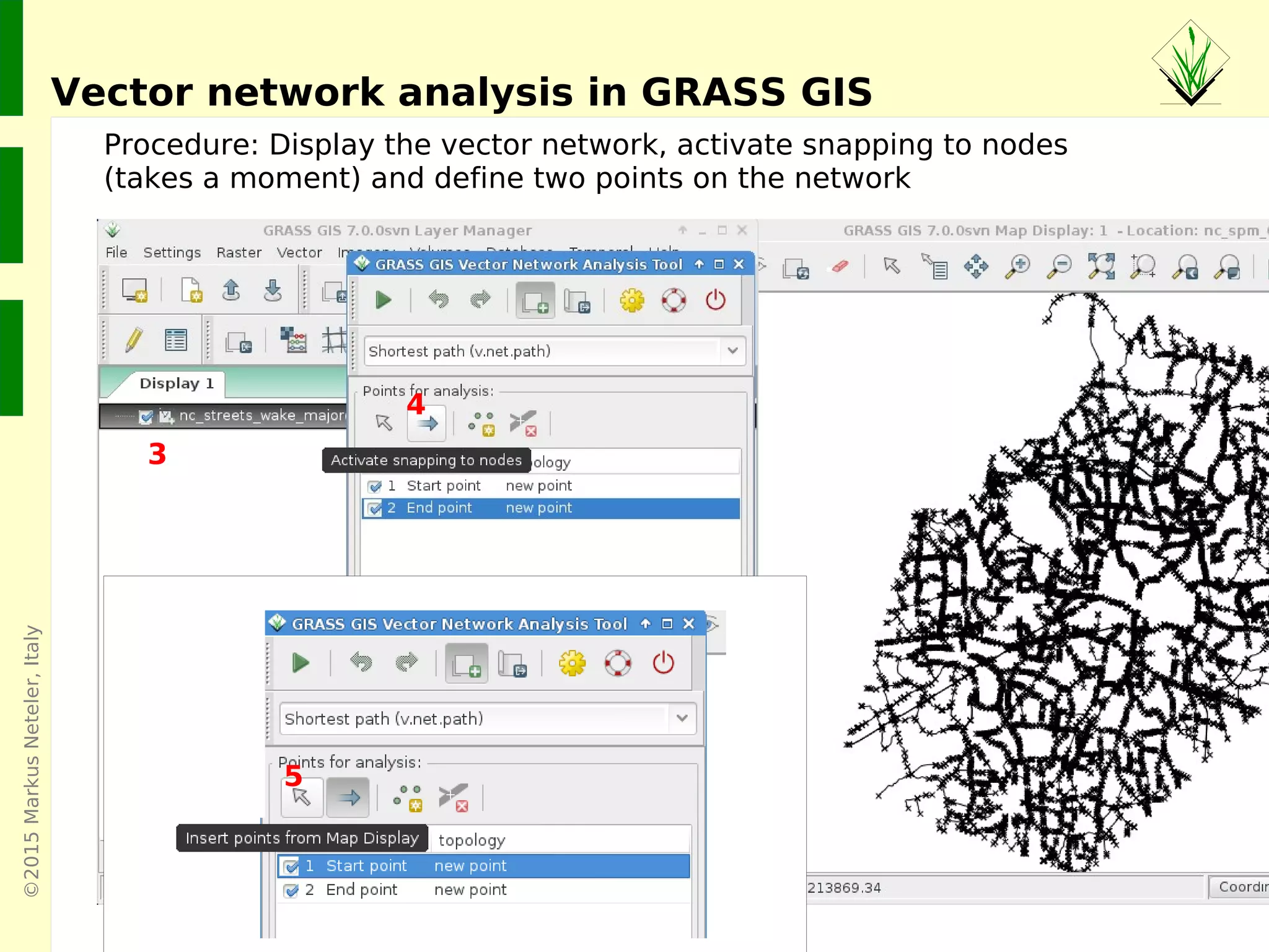
Vector network analysis in GRASS GIS
3
4
Procedure: Display the vector network, activate snapping to nodes
(takes a moment) and define two points on the network
5
©2015MarkusNeteler,Italy
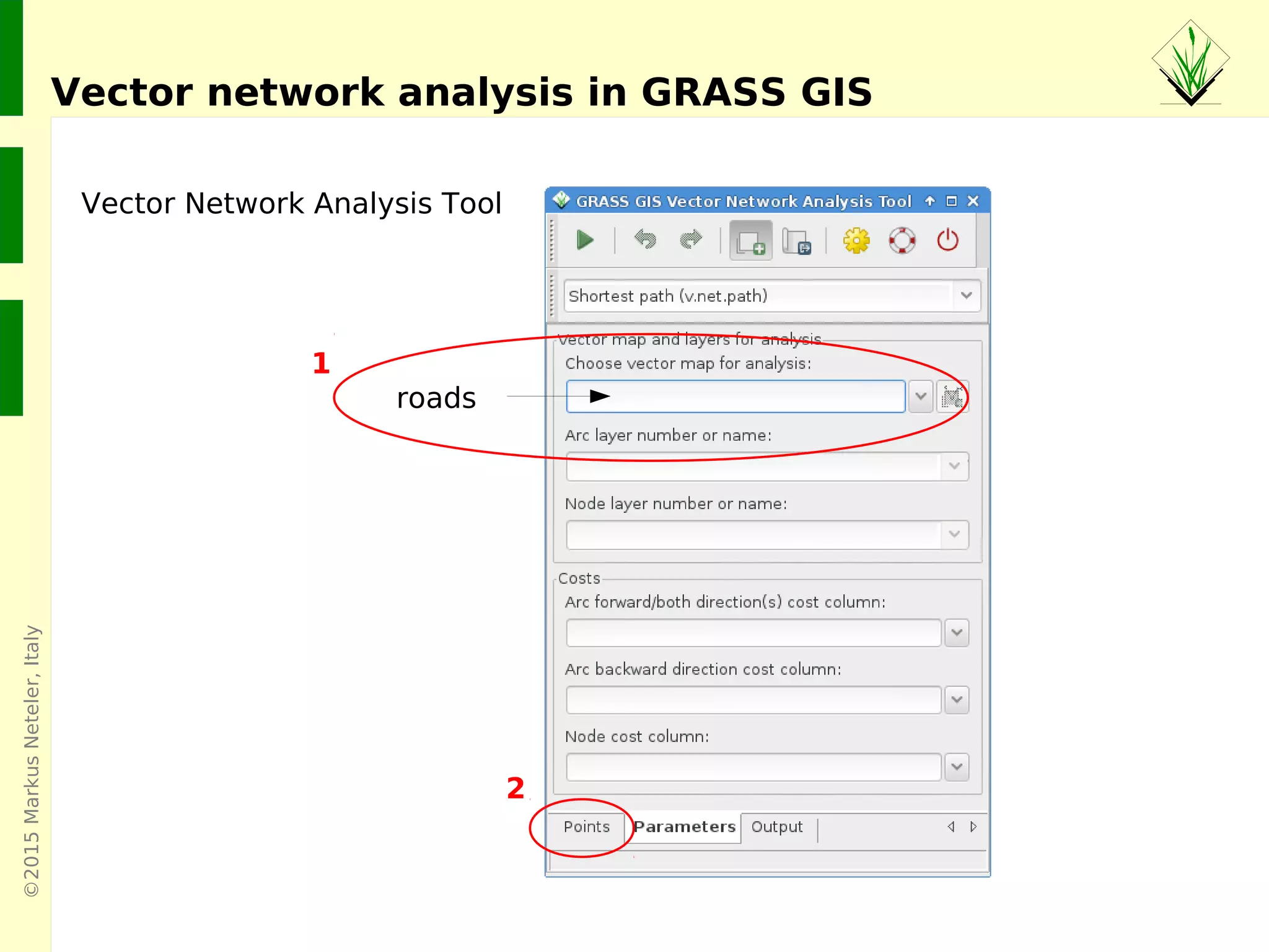
Vector Network Analysis Tool
Vector network analysis in GRASS GIS
roads
1
2
©2015MarkusNeteler,Italy
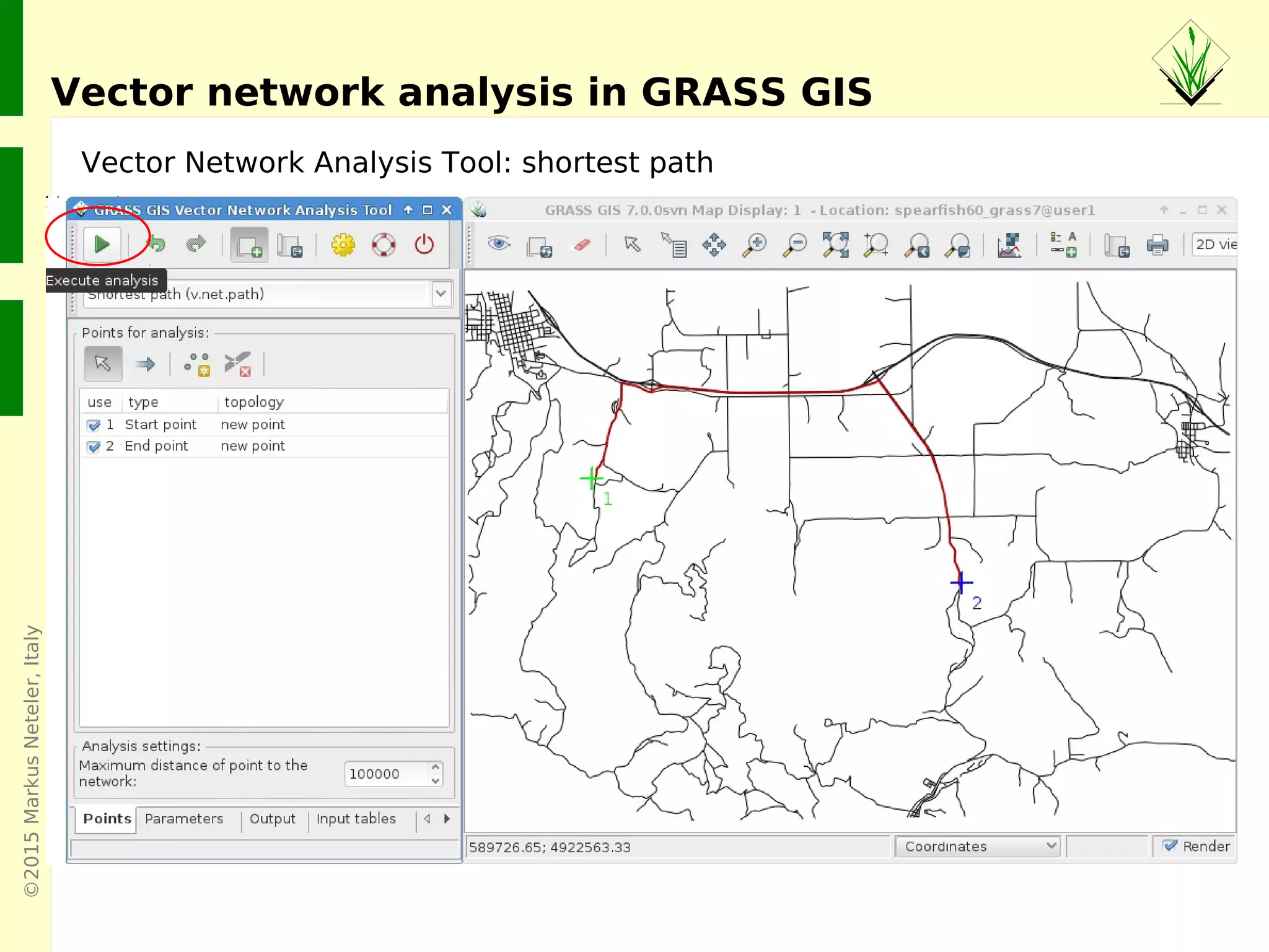
Vector Network Analysis Tool: shortest path
Vector network analysis in GRASS GIS
©2015MarkusNeteler,Italy
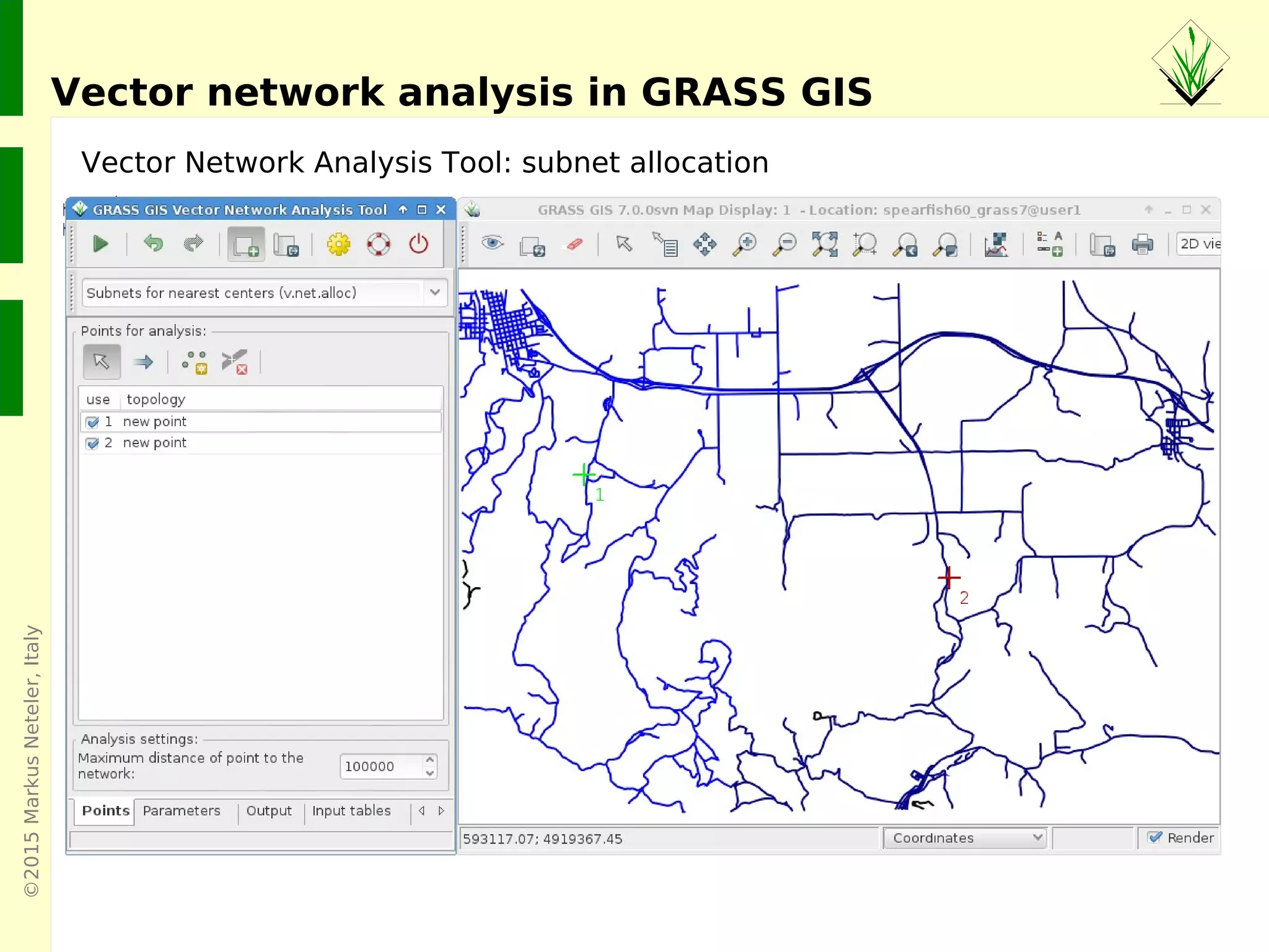
Vector Network Analysis Tool: subnet allocation
Vector network analysis in GRASS GIS
©2015MarkusNeteler,Italy
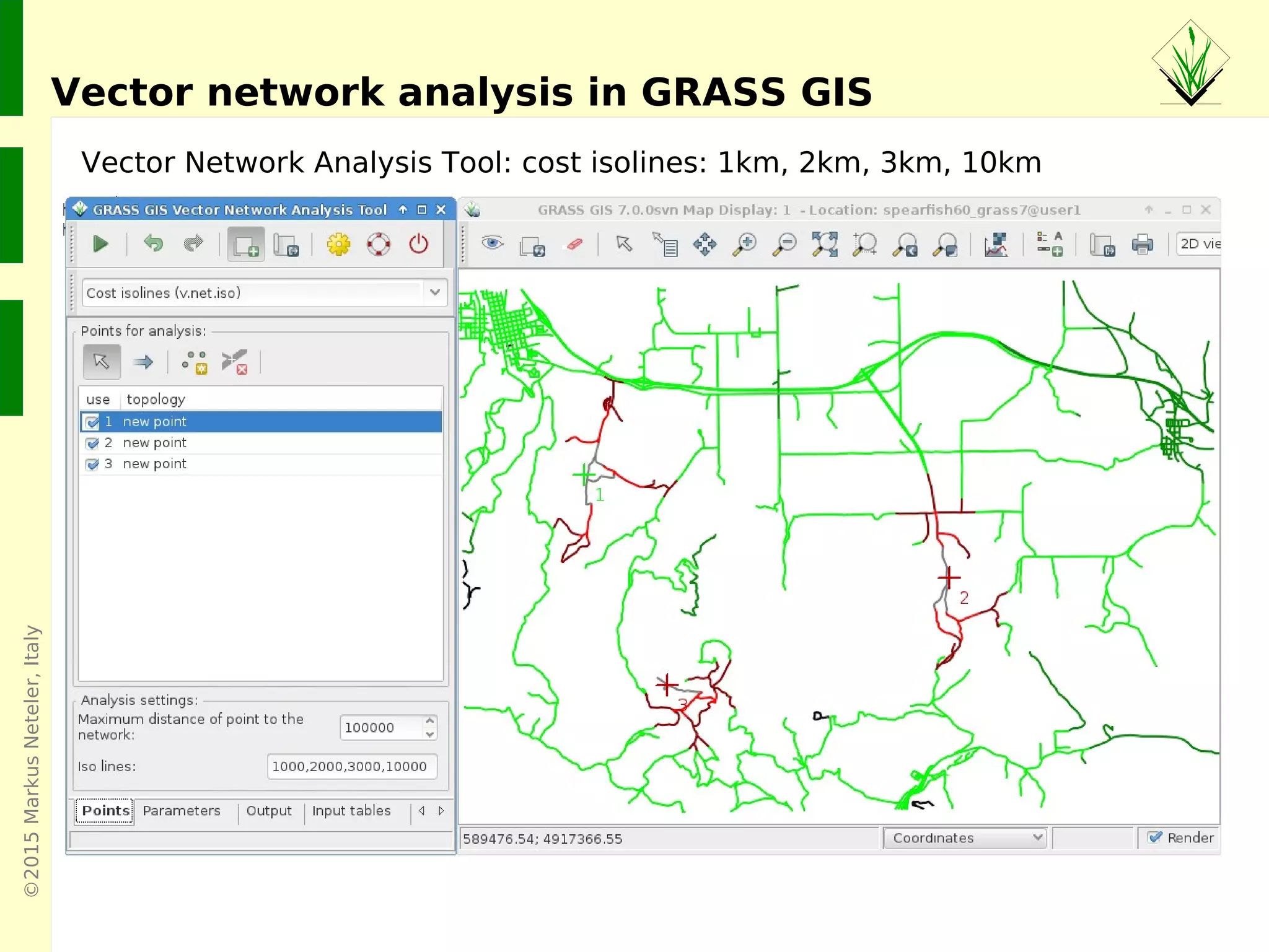
Vector Network Analysis Tool: cost isolines: 1km, 2km, 3km, 10km
Vector network analysis in GRASS GIS
©2015MarkusNeteler,Italy
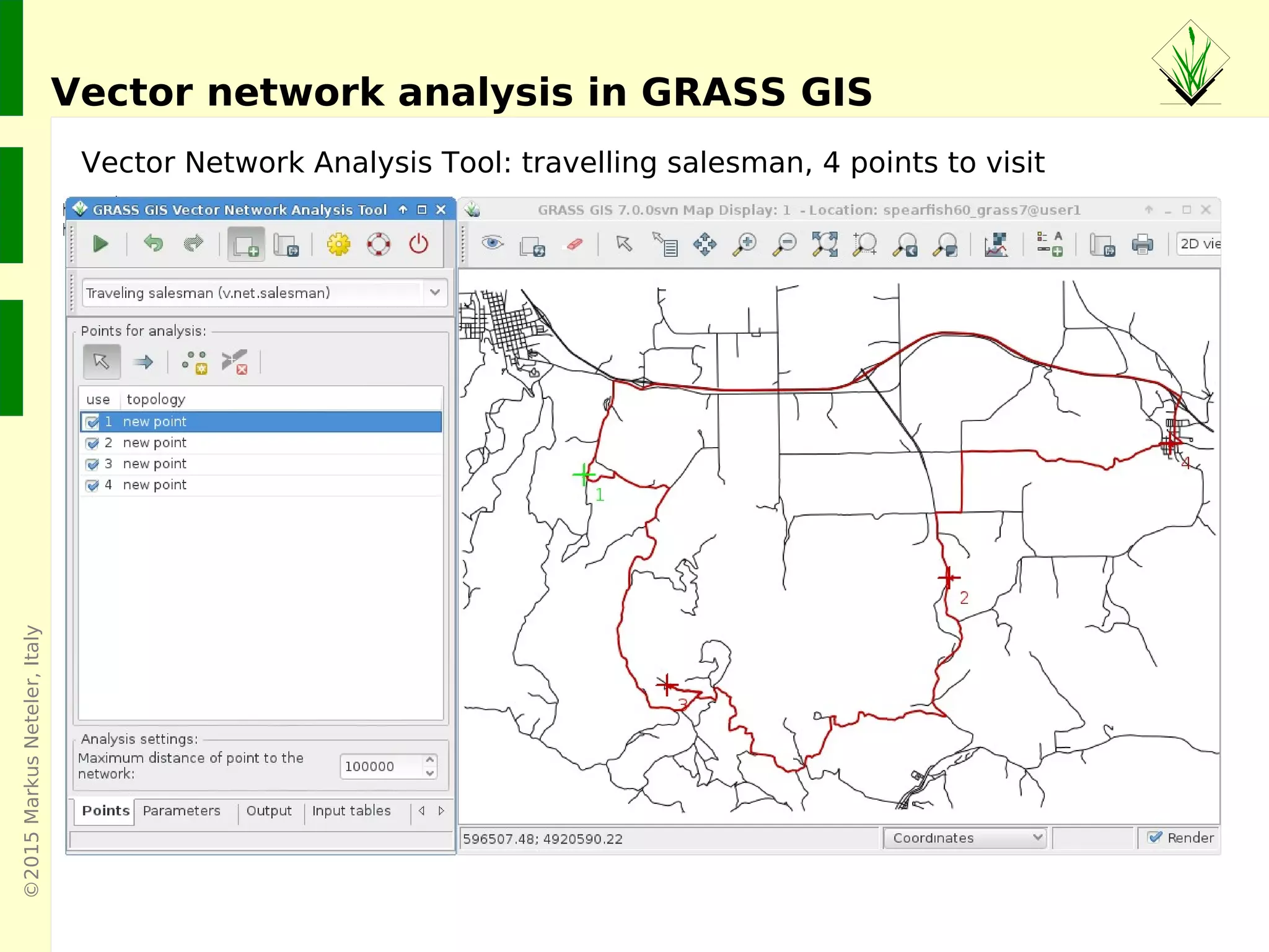
Vector Network Analysis Tool: travelling salesman, 4 points to visit
Vector network analysis in GRASS GIS
©2015MarkusNeteler,Italy
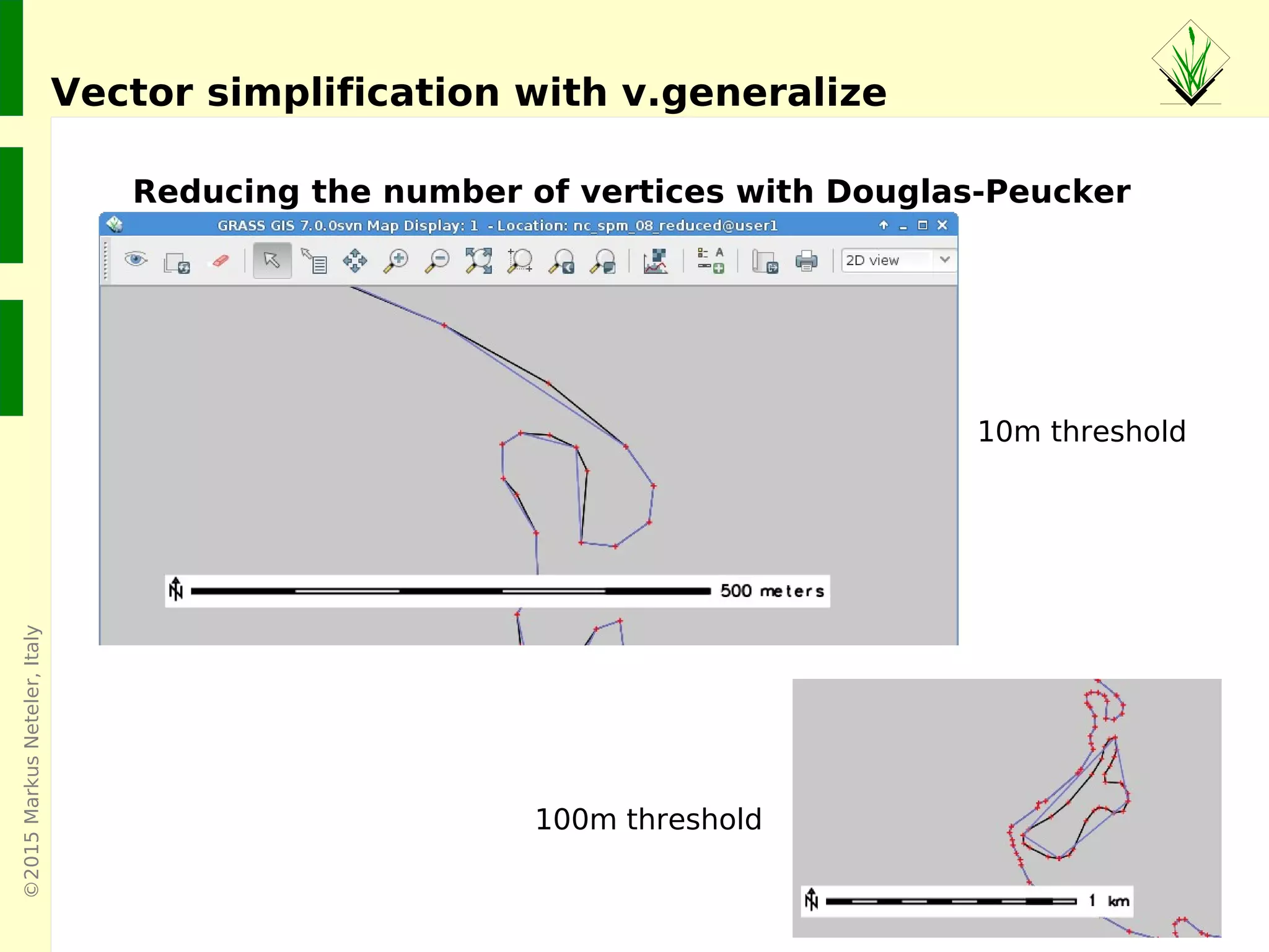
Vector simplification with v.generalize
Reducing the number of vertices with Douglas-Peucker
10m threshold
100m threshold
©2015MarkusNeteler,Italy
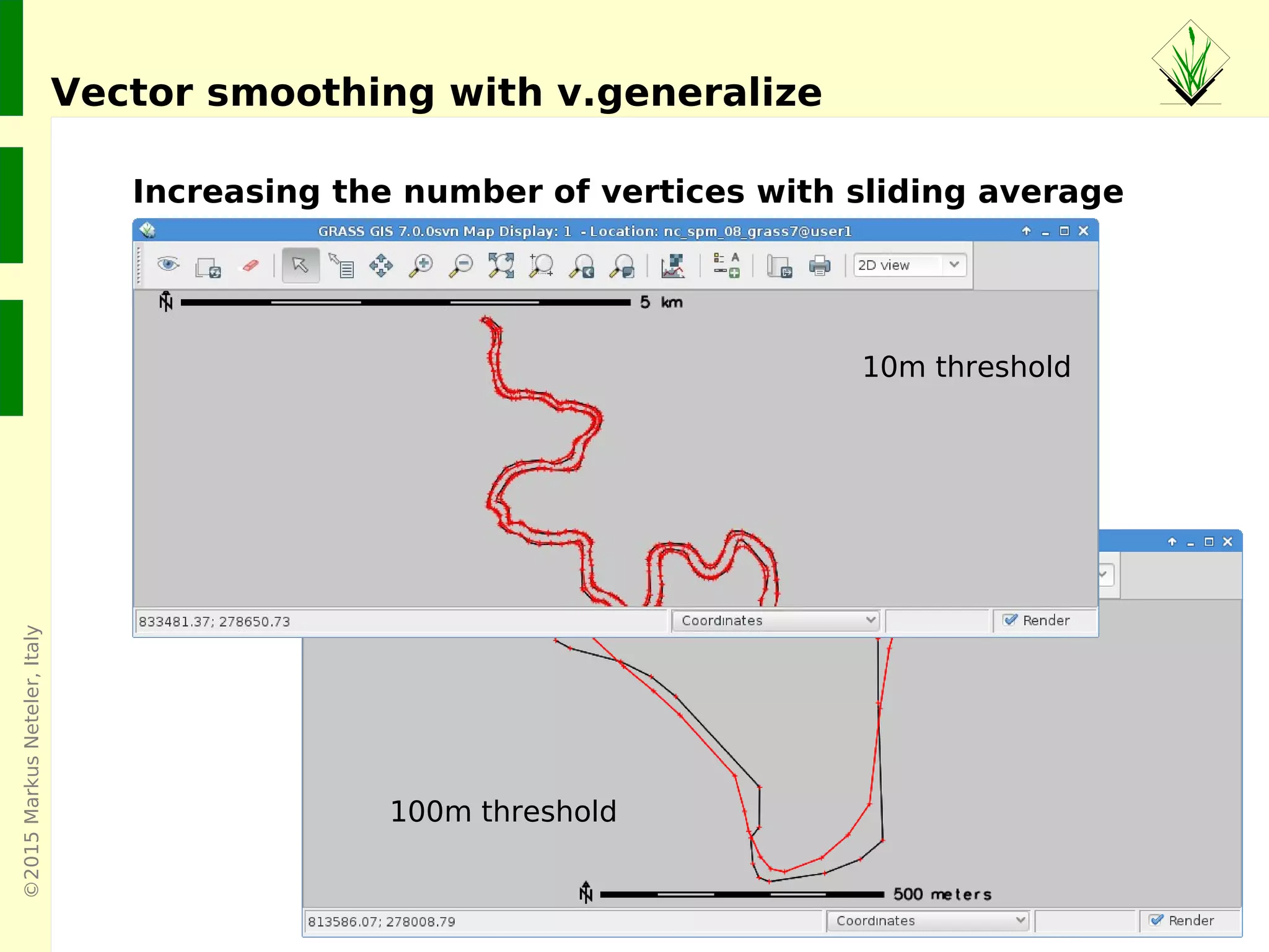
Vector smoothing with v.generalize
Increasing the number of vertices with sliding average
100m threshold
10m threshold
©2015MarkusNeteler,Italy
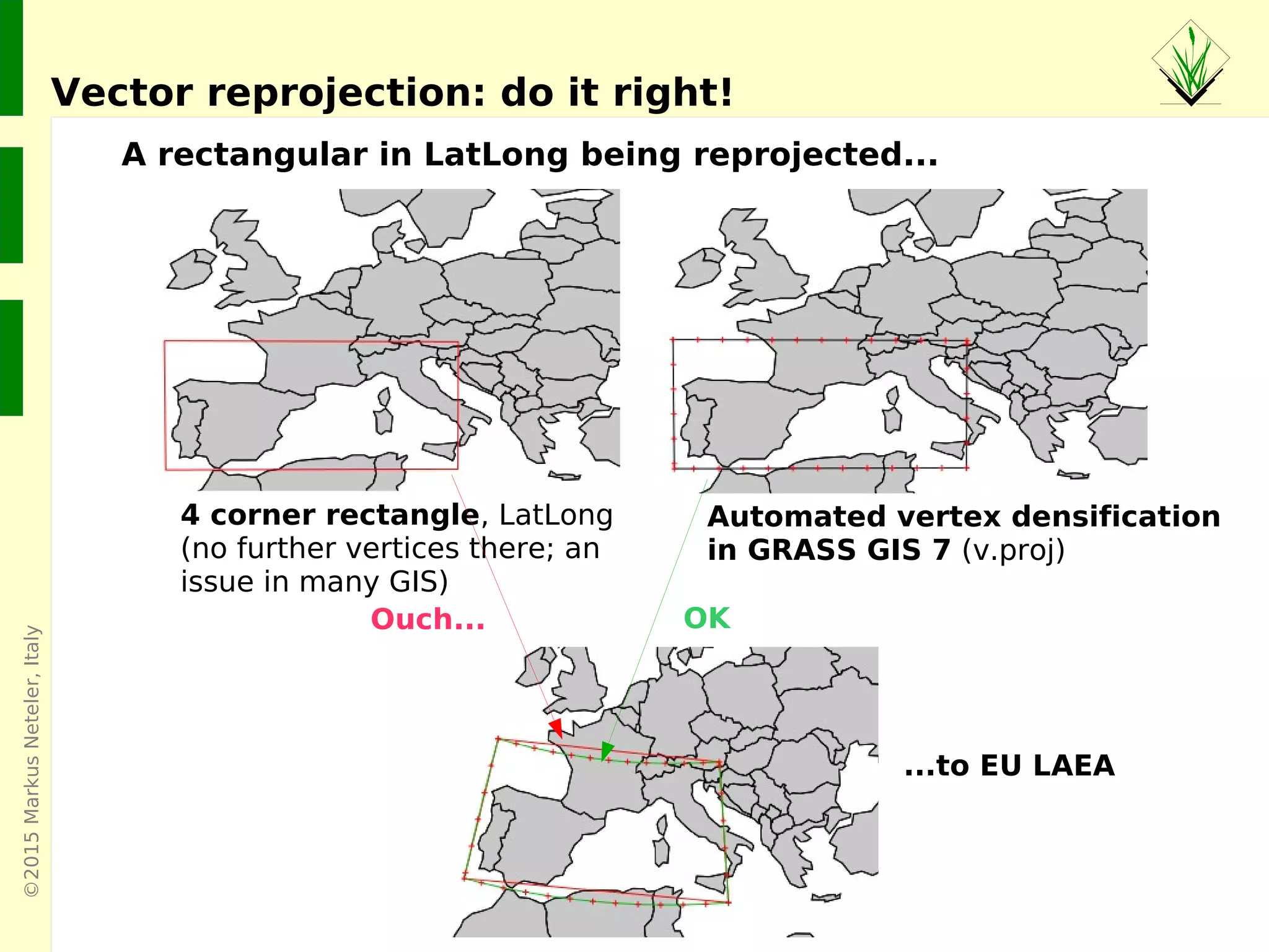
Vector reprojection: do it right!
A rectangular in LatLong being reprojected...
4 corner rectangle, LatLong
(no further vertices there; an
issue in many GIS)
Ouch... OK
...to EU LAEA
Automated vertex densification
in GRASS GIS 7 (v.proj)
©2015MarkusNeteler,Italy
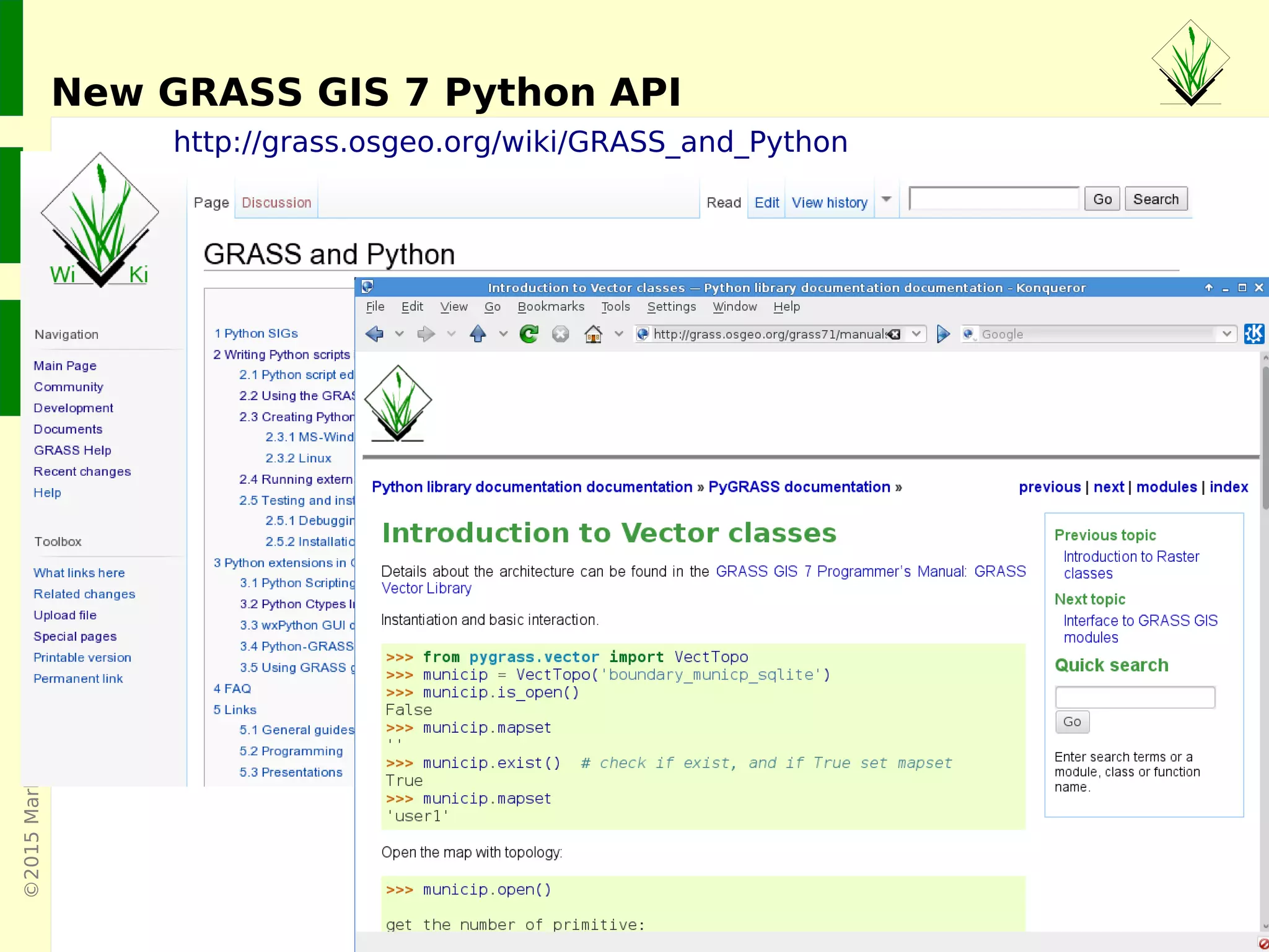
http://grass.osgeo.org/wiki/GRASS_and_Python
New GRASS GIS 7 Python API
©2015MarkusNeteler,Italy
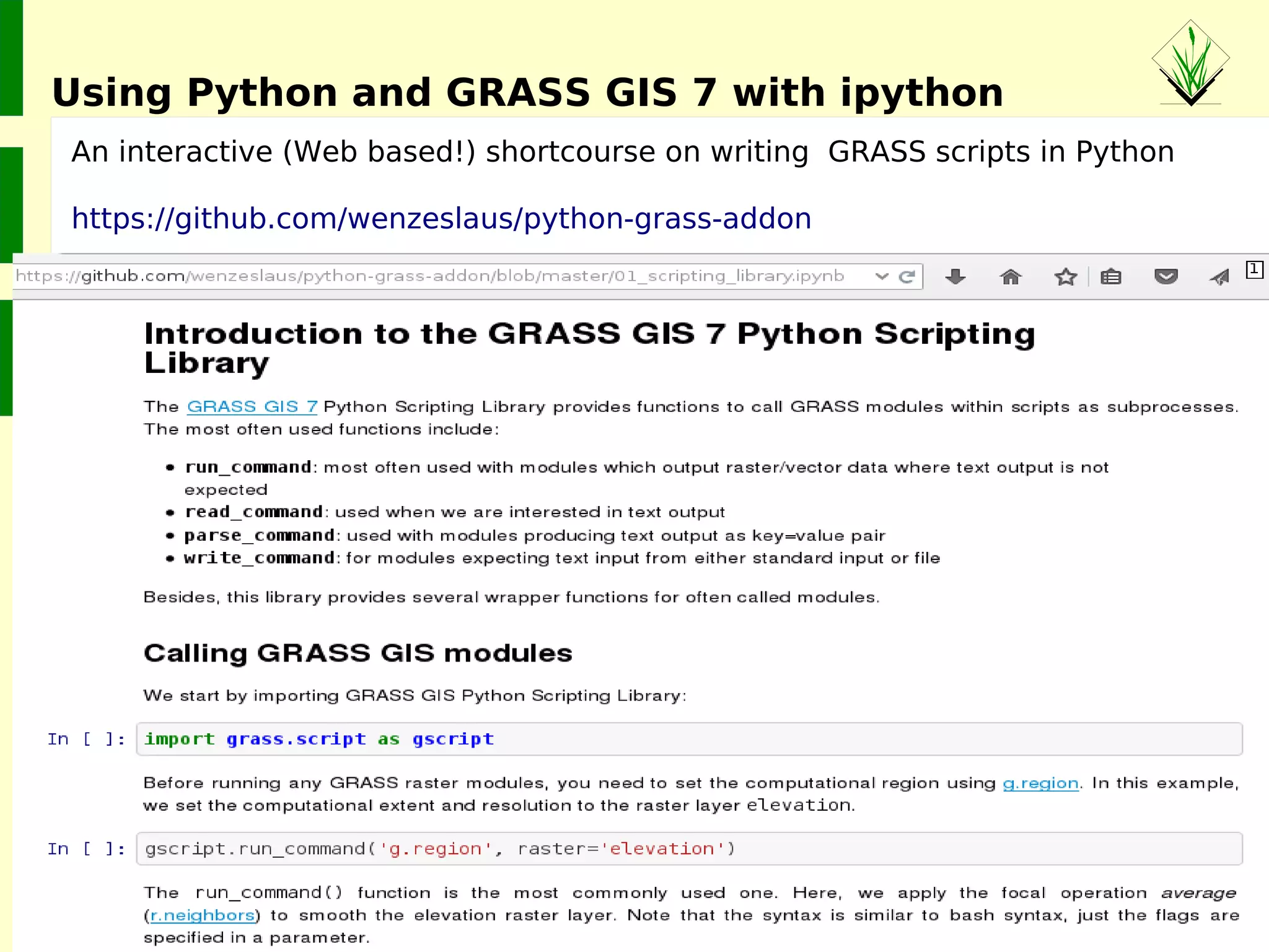
An interactive (Web based!) shortcourse on writing GRASS scripts in Python
https://github.com/wenzeslaus/python-grass-addon
Using Python and GRASS GIS 7 with ipython
©2015MarkusNeteler,Italy
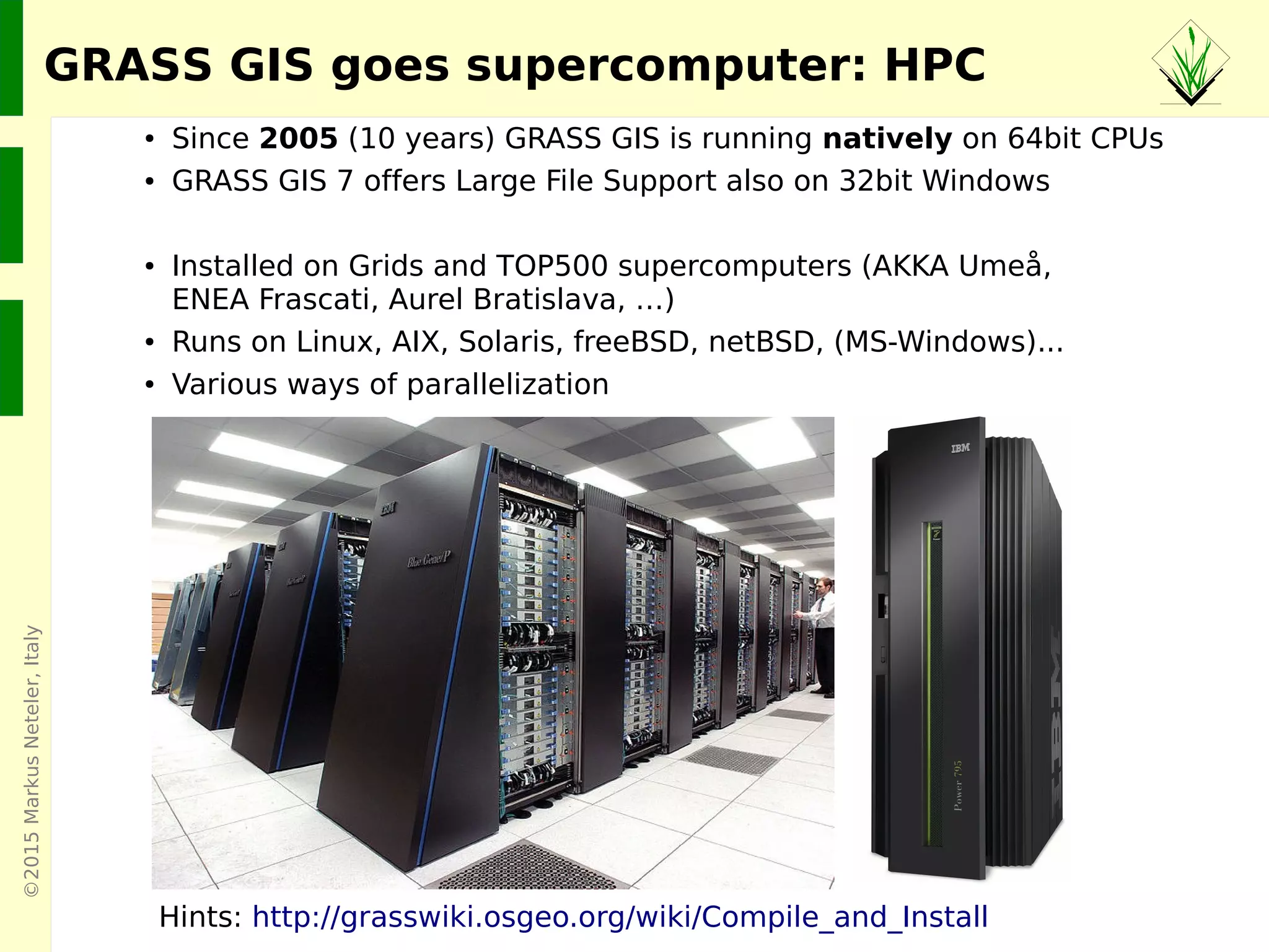
● Since 2005 (10 years) GRASS GIS is running natively on 64bit CPUs
● GRASS GIS 7 offers Large File Support also on 32bit Windows
● Installed on Grids and TOP500 supercomputers (AKKA Umeå,
ENEA Frascati, Aurel Bratislava, …)
● Runs on Linux, AIX, Solaris, freeBSD, netBSD, (MS-Windows)...
● Various ways of parallelization
Hints: http://grasswiki.osgeo.org/wiki/Compile_and_Install
GRASS GIS goes supercomputer: HPC
©2015MarkusNeteler,Italy
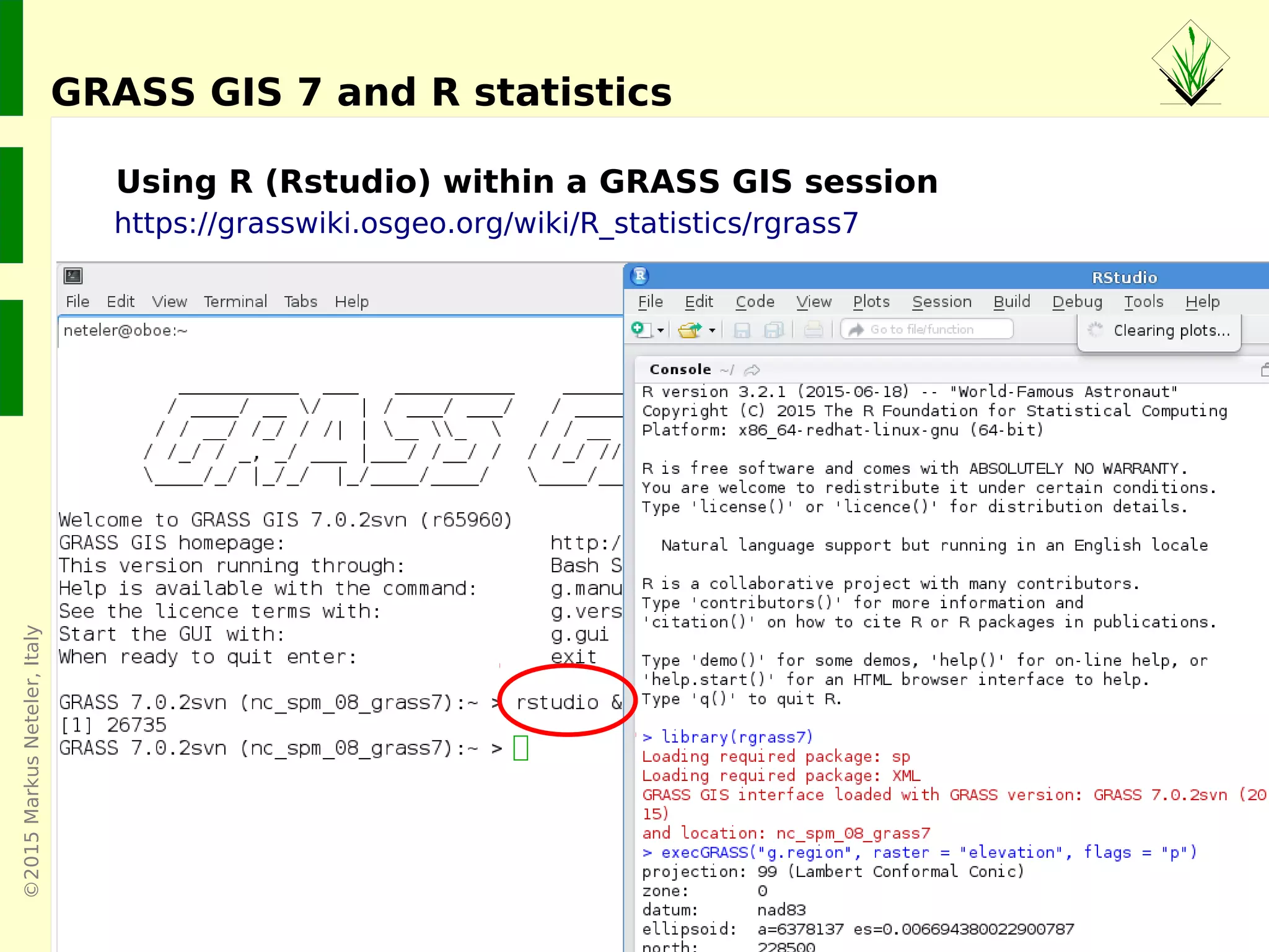
GRASS GIS 7 and R statistics
https://grasswiki.osgeo.org/wiki/R_statistics/rgrass7
Using R (Rstudio) within a GRASS GIS session
©2015MarkusNeteler,Italy
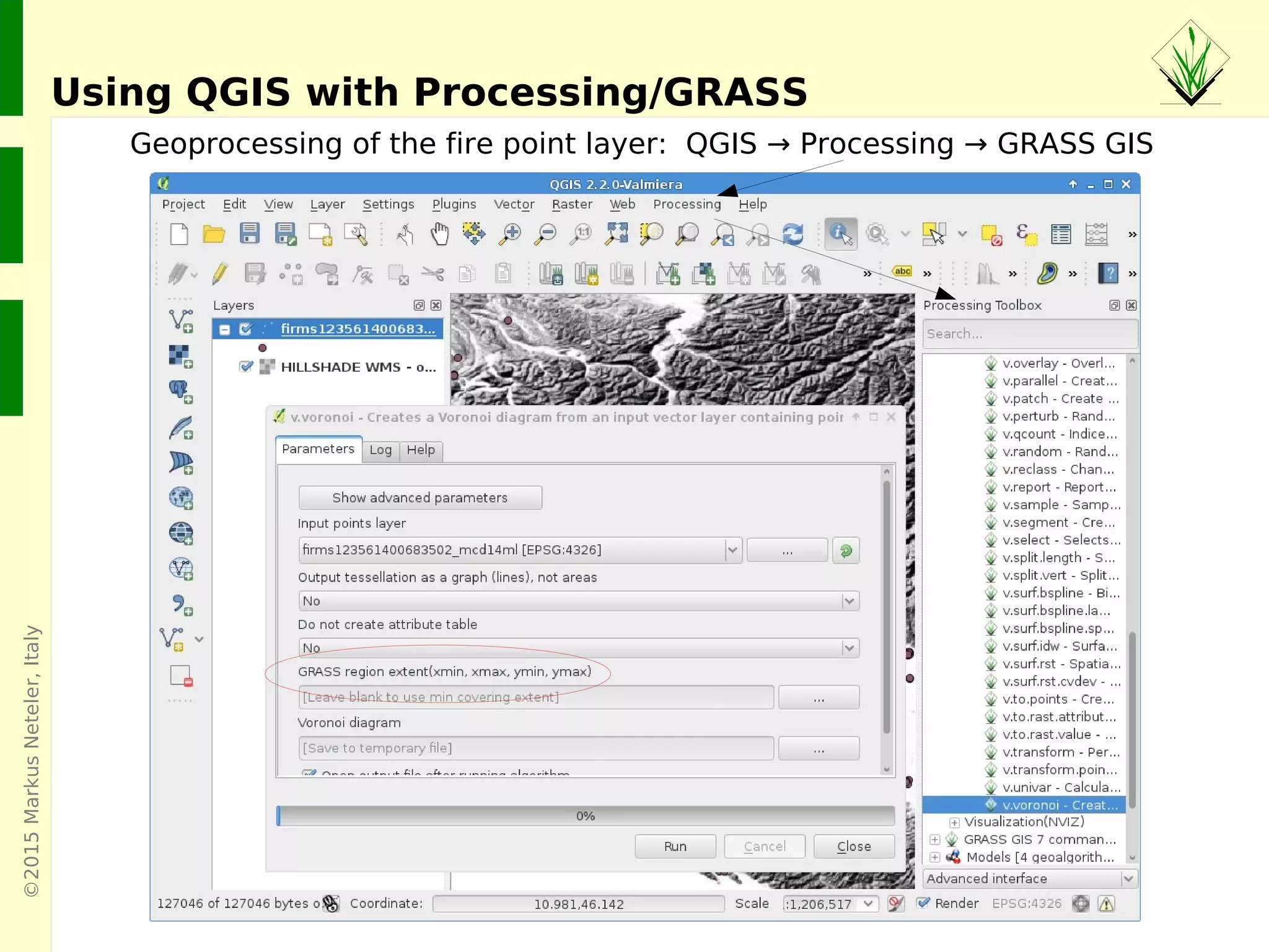
Using QGIS with Processing/GRASS
Geoprocessing of the fire point layer: QGIS → Processing → GRASS GIS
©2015MarkusNeteler,Italy
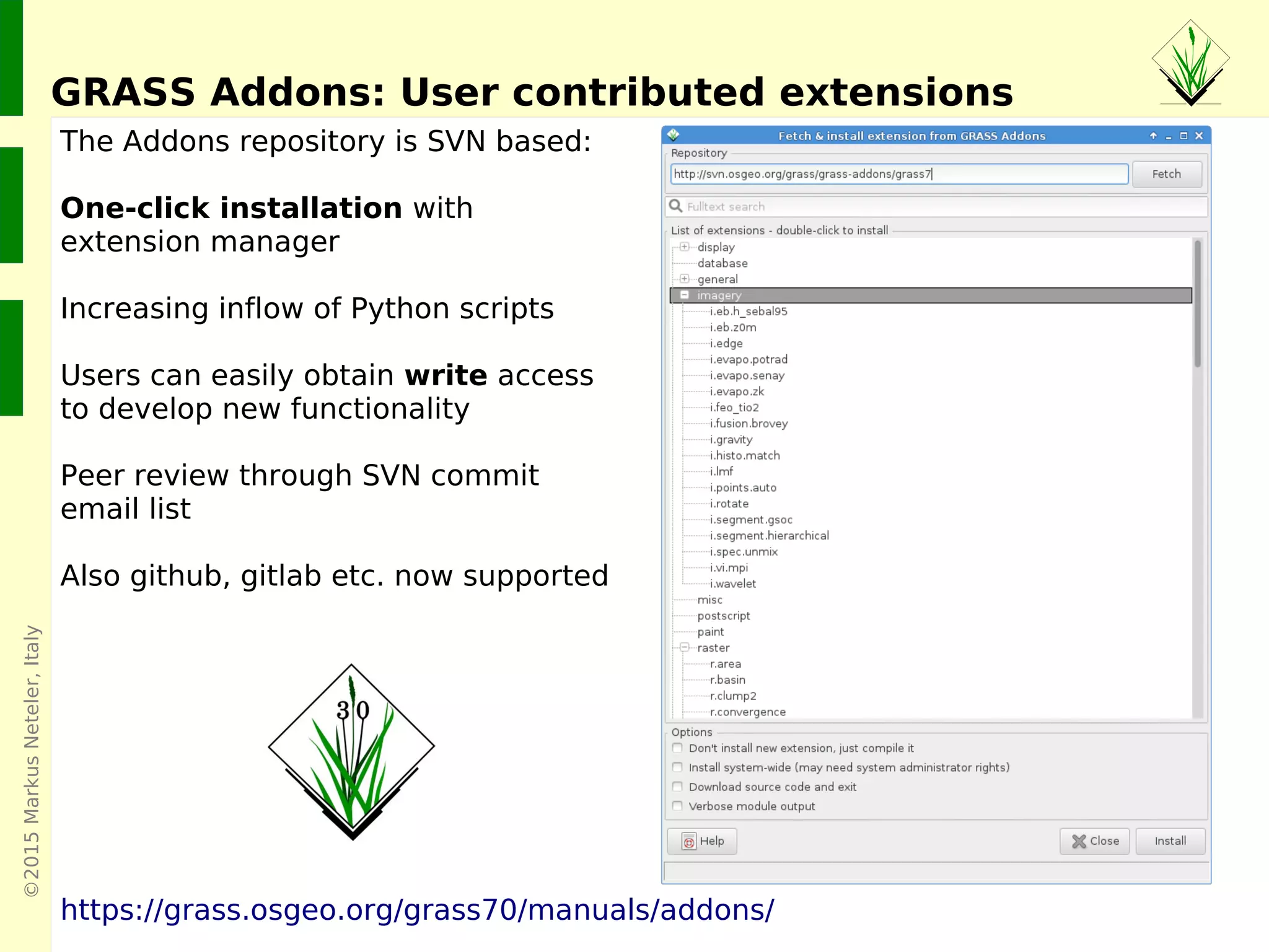
The Addons repository is SVN based:
One-click installation with
extension manager
Increasing inflow of Python scripts
Users can easily obtain write access
to develop new functionality
Peer review through SVN commit
email list
Also github, gitlab etc. now supported
https://grass.osgeo.org/grass70/manuals/addons/
GRASS Addons: User contributed extensions
©2015MarkusNeteler
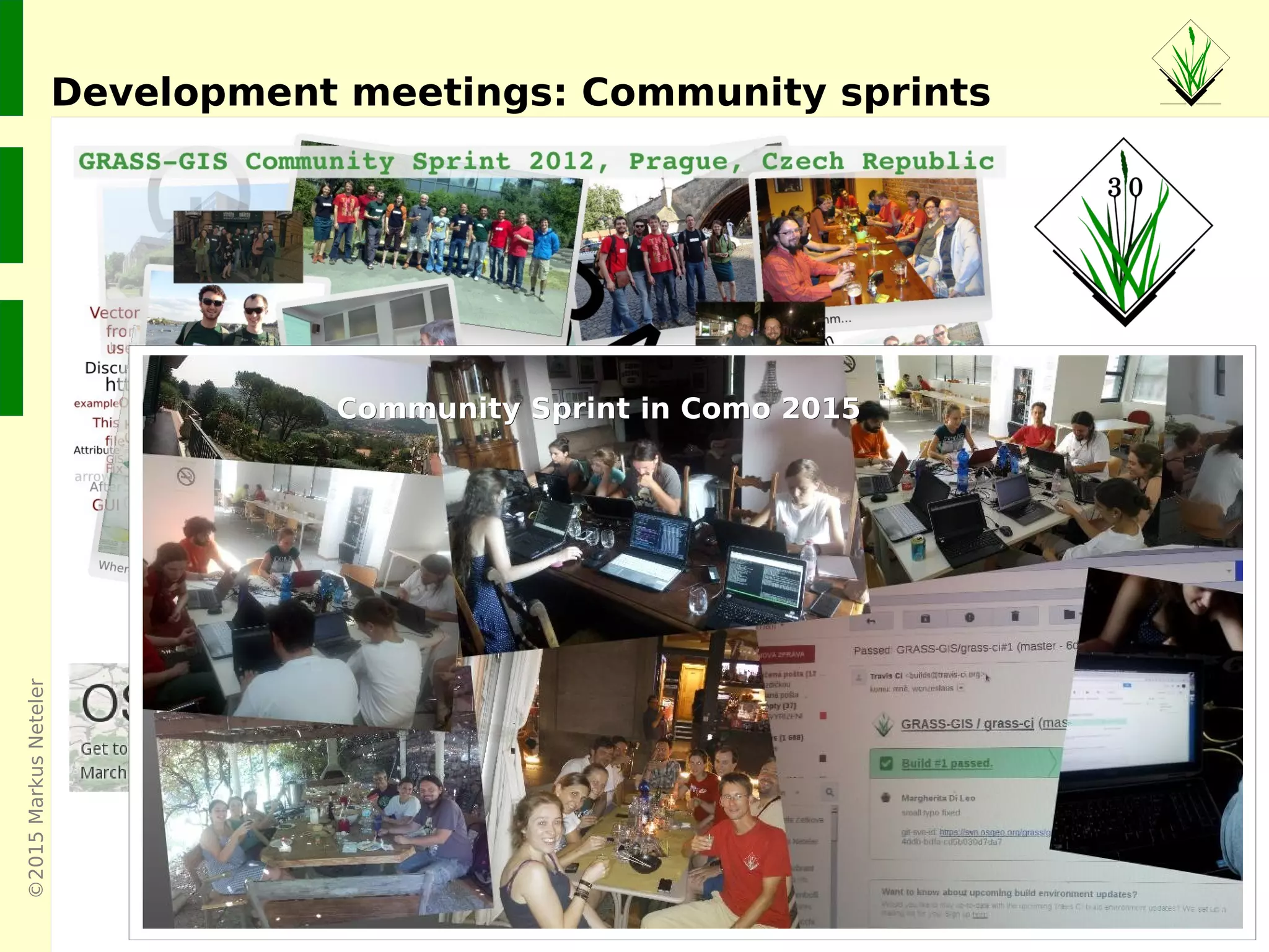
Development meetings: Community sprints
Community Sprint in Como 2015Community Sprint in Como 2015
©2015MarkusNeteler,Italy
Where's the stuff?
GRASS GIS 7 Software:
Free download for MS Windows, MacOSX, Linux and source code:
https://grass.osgeo.org/download/
Addons (user contributed extensions):
https://grass.osgeo.org/grass70/manuals/addons/
Free sample data:
Rich data set of North Carolina (NC)
… available as GRASS GIS location and in common GIS formats
https://grass.osgeo.org/download/sample-data/
User Help:
Mailing lists (also in different languages):
https://grass.osgeo.org/support/
Wiki:
https://grasswiki.osgeo.org/wiki/
https://grasswiki.osgeo.org/wiki/R_statistics/rgrass7
Manuals:
https://grass.osgeo.org/documentation/manuals/

GRASS GIS 7 capabilities: a graphical overview

Editor's Notes

  • #4 Web Map Service (WMS1.3) Provides three operations protocols (GetCapabilities, GetMap, and GetFeatureInfo) in support of the creation and display of registered and superimposed map-like views of information that come simultaneously from multiple sources that are both remote and heterogeneous. Web Coverage Service (WCS) Extends the Web Map Server (WMS) interface to allow access to geospatial "coverages" that represent values or properties of geographic locations, rather than WMS generated maps (pictures). Web Feature Service (WFS) The purpose of the Web Feature Server Interface Specification (WFS) is to describe data manipulation operations on OpenGIS® Simple Features (feature instances) such that servers and clients can 'communicate' at the feature level. Web Map Context Documents (WMC) Create, store, and use "state" information from a WMS based client application