1
1. Password 
2. Over view of authentication methods 
3) Graphical passwords 
3.1) recognition based technique. 
3.2) Recall based technique- 
○ Pass points 
○ cued click point(CCP) 
○ persuasive cued click point(PCCP) 
○Improved PCCP (IPCCP) 
○Comparison between IPCCP and PCCP 
2
Most commonly used form of user authentication. 
It is used to prove identity or access approval to gain 
access to a resource. 
Two conflicting requirements of alphanumeric 
passwords- 
1)Easy to remember 
2) hard to guess 
Many people tend to ignore second requirement, 
which lead to weak passwords. So many solutions 
have been proposed one of them is graphical 
passwords. 
3
1) Token Based Authentication : 
Example : Smart cards , Key cards , ATM 
2) Biomatrics: 
Example: Finger print, Iris scan ,face recognition 
3) Knowledge based authentication: 
Example: picture based passwords , most widely used 
authentication techniques. 
. 
4
5 
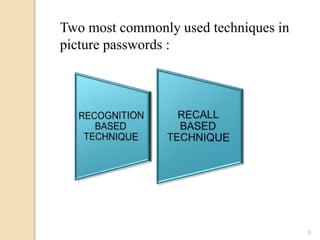
Two most commonly used techniques in 
picture passwords :
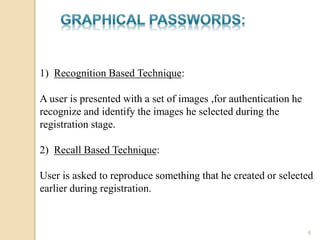
1) Recognition Based Technique: 
A user is presented with a set of images ,for authentication he 
recognize and identify the images he selected during the 
registration stage. 
2) Recall Based Technique: 
User is asked to reproduce something that he created or selected 
earlier during registration. 
6
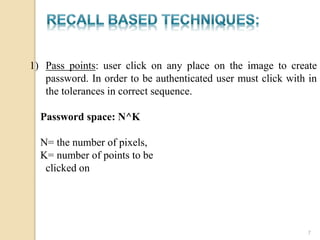
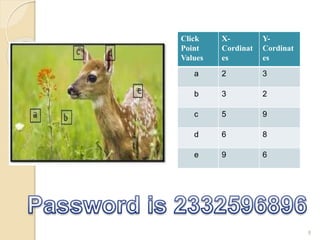
1) Pass points: user click on any place on the image to create 
password. In order to be authenticated user must click with in 
the tolerances in correct sequence. 
Password space: N^K 
N= the number of pixels, 
K= number of points to be 
clicked on 
7
8 
Click 
Point 
Values 
X-Cordinat 
es 
Y-Cordinat 
es 
a 2 3 
b 3 2 
c 5 9 
d 6 8 
e 9 6
Disadvantage: hotspot problem different users tend to select 
similar click points as a part of their passwords. Attackers who 
yield the knowledge of these hotspots through harvesting can 
build attack dictionaries. 
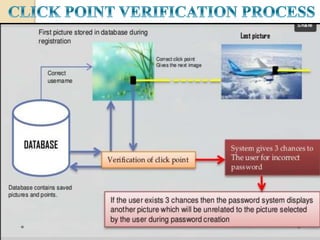
2) Cued click point(CCP): It is designed to reduce hotspot 
problem, rather than five click points on a single image it takes 
five click points on five different images. 
user can select their images only to extent that their click point 
determines the next image, as it consist of different images, so 
it prevent guessing attacks. 
remembering the order of click points is no longer the 
requirement of user . 
9
10 
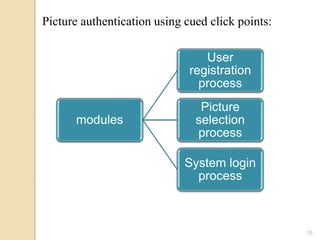
Picture authentication using cued click points: 
modules 
User 
registration 
process 
Picture 
selection 
process 
System login 
process
11
12
13
14 
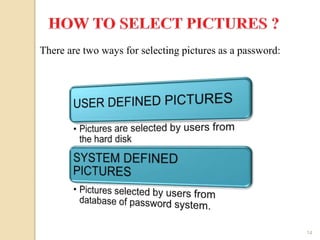
There are two ways for selecting pictures as a password:
15
16
17
Disadvantage: Although pattern based attack seems to be 
ineffective but hotspot problem remained same. 
18 
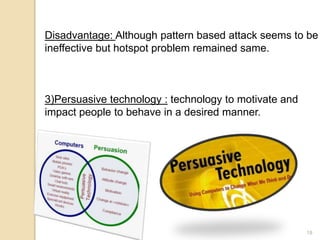
3)Persuasive technology : technology to motivate and 
impact people to behave in a desired manner.
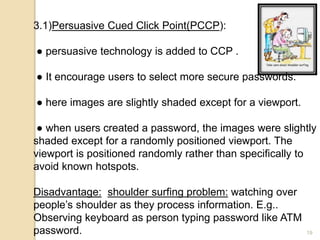
3.1)Persuasive Cued Click Point(PCCP): 
● persuasive technology is added to CCP . 
● It encourage users to select more secure passwords. 
● here images are slightly shaded except for a viewport. 
● when users created a password, the images were slightly 
shaded except for a randomly positioned viewport. The 
viewport is positioned randomly rather than specifically to 
avoid known hotspots. 
Disadvantage: shoulder surfing problem: watching over 
people’s shoulder as they process information. E.g.. 
Observing keyboard as person typing password like ATM 
password. 19
3.2)Improved Persuasive Cued Click Point(IPCCP): 
It reduce both hotspot problem and shoulder surfing 
problem. 
Processing: 
●By using x-y coordinates it divide image into blocks. 
●Merge the blocks, after merging blur the complete 
image. 
●Activate only one block to set click points during 
registration. 
20
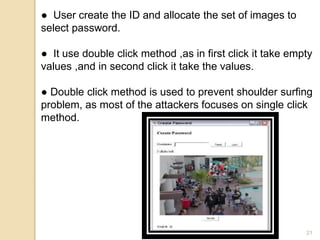
● User create the ID and allocate the set of images to 
select password. 
● It use double click method ,as in first click it take empty 
values ,and in second click it take the values. 
● Double click method is used to prevent shoulder surfing 
problem, as most of the attackers focuses on single click 
method. 
21
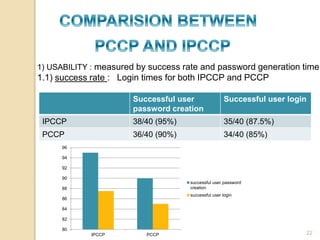
1) USABILITY : measured by success rate and password generation time. 
1.1) success rate : Login times for both IPCCP and PCCP 
Successful user 
password creation 
Successful user login 
IPCCP 38/40 (95%) 35/40 (87.5%) 
PCCP 36/40 (90%) 34/40 (85%) 
96 
94 
92 
90 
88 
86 
84 
82 
80 
IPCCP PCCP 
successful user password 
creation 
successful user login 
22
23
24

Graphical password authentication

  • 1.
  • 2.
    1. Password 2.Over view of authentication methods 3) Graphical passwords 3.1) recognition based technique. 3.2) Recall based technique- ○ Pass points ○ cued click point(CCP) ○ persuasive cued click point(PCCP) ○Improved PCCP (IPCCP) ○Comparison between IPCCP and PCCP 2
  • 3.
    Most commonly usedform of user authentication. It is used to prove identity or access approval to gain access to a resource. Two conflicting requirements of alphanumeric passwords- 1)Easy to remember 2) hard to guess Many people tend to ignore second requirement, which lead to weak passwords. So many solutions have been proposed one of them is graphical passwords. 3
  • 4.
    1) Token BasedAuthentication : Example : Smart cards , Key cards , ATM 2) Biomatrics: Example: Finger print, Iris scan ,face recognition 3) Knowledge based authentication: Example: picture based passwords , most widely used authentication techniques. . 4
  • 5.
    5 Two mostcommonly used techniques in picture passwords :
  • 6.
    1) Recognition BasedTechnique: A user is presented with a set of images ,for authentication he recognize and identify the images he selected during the registration stage. 2) Recall Based Technique: User is asked to reproduce something that he created or selected earlier during registration. 6
  • 7.
    1) Pass points:user click on any place on the image to create password. In order to be authenticated user must click with in the tolerances in correct sequence. Password space: N^K N= the number of pixels, K= number of points to be clicked on 7
  • 8.
    8 Click Point Values X-Cordinat es Y-Cordinat es a 2 3 b 3 2 c 5 9 d 6 8 e 9 6
  • 9.
    Disadvantage: hotspot problemdifferent users tend to select similar click points as a part of their passwords. Attackers who yield the knowledge of these hotspots through harvesting can build attack dictionaries. 2) Cued click point(CCP): It is designed to reduce hotspot problem, rather than five click points on a single image it takes five click points on five different images. user can select their images only to extent that their click point determines the next image, as it consist of different images, so it prevent guessing attacks. remembering the order of click points is no longer the requirement of user . 9
  • 10.
    10 Picture authenticationusing cued click points: modules User registration process Picture selection process System login process
  • 11.
  • 12.
  • 13.
  • 14.
    14 There aretwo ways for selecting pictures as a password:
  • 15.
  • 16.
  • 17.
  • 18.
    Disadvantage: Although patternbased attack seems to be ineffective but hotspot problem remained same. 18 3)Persuasive technology : technology to motivate and impact people to behave in a desired manner.
  • 19.
    3.1)Persuasive Cued ClickPoint(PCCP): ● persuasive technology is added to CCP . ● It encourage users to select more secure passwords. ● here images are slightly shaded except for a viewport. ● when users created a password, the images were slightly shaded except for a randomly positioned viewport. The viewport is positioned randomly rather than specifically to avoid known hotspots. Disadvantage: shoulder surfing problem: watching over people’s shoulder as they process information. E.g.. Observing keyboard as person typing password like ATM password. 19
  • 20.
    3.2)Improved Persuasive CuedClick Point(IPCCP): It reduce both hotspot problem and shoulder surfing problem. Processing: ●By using x-y coordinates it divide image into blocks. ●Merge the blocks, after merging blur the complete image. ●Activate only one block to set click points during registration. 20
  • 21.
    ● User createthe ID and allocate the set of images to select password. ● It use double click method ,as in first click it take empty values ,and in second click it take the values. ● Double click method is used to prevent shoulder surfing problem, as most of the attackers focuses on single click method. 21
  • 22.
    1) USABILITY :measured by success rate and password generation time. 1.1) success rate : Login times for both IPCCP and PCCP Successful user password creation Successful user login IPCCP 38/40 (95%) 35/40 (87.5%) PCCP 36/40 (90%) 34/40 (85%) 96 94 92 90 88 86 84 82 80 IPCCP PCCP successful user password creation successful user login 22
  • 23.
  • 24.