

DIVISION OF CONTINUING EDUCATIONFaustoGardiniLet’s Build aWebsite
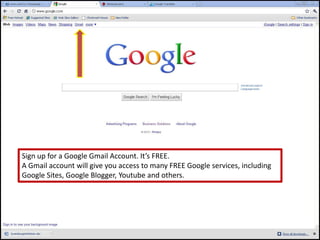
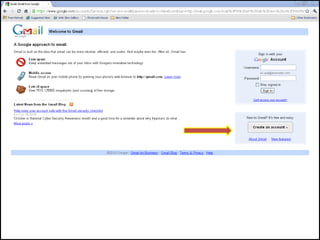
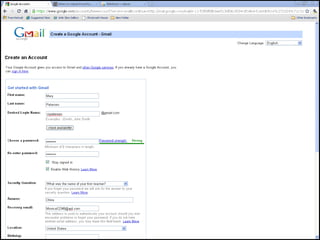
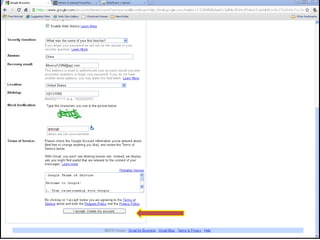
Sign up for a Google Gmail Account. It’s FREE.A Gmail account will give you access to many FREE Google services, includingGoogle Sites, Google Blogger, Youtube and others.
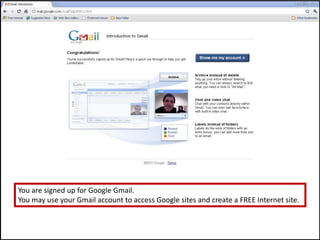
You are signed up for Google Gmail.You may use your Gmail account to access Google sites and create a FREE Internet site.
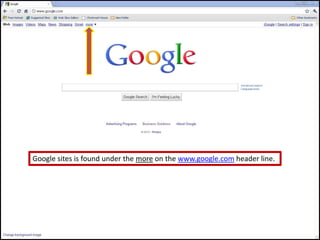
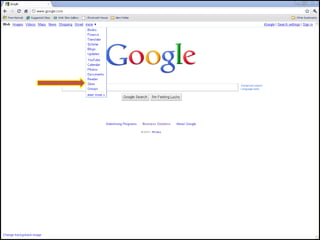
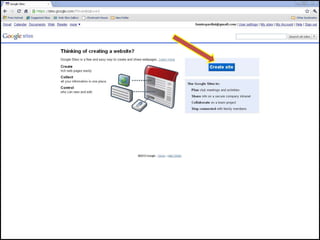
Google sites is found under the more on the www.google.com header line.
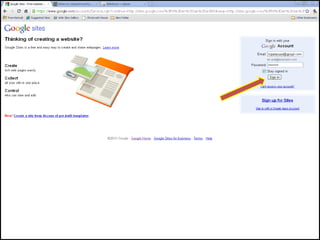
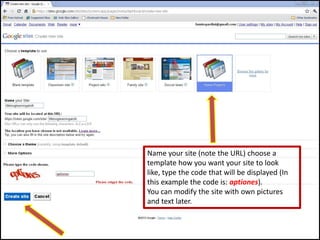
Name your site (note the URL) choose a template how you want your site to look like, type the code that will be displayed (In this example the code is: aptiones).You can modify the site with own pictures and text later.
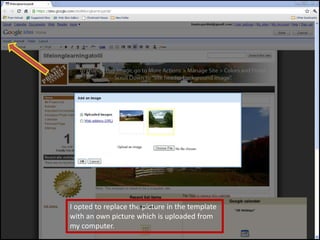
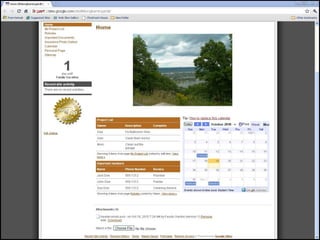
I opted to replace the picture in the template with an own picture which is uploaded from my computer.
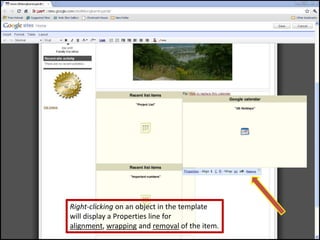
Right-clicking on an object in the template will display a Properties line for alignment, wrapping and removal of the item.
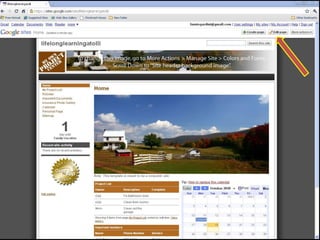
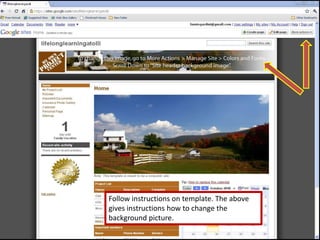
Follow instructions on template. The above gives instructions how to change the background picture.
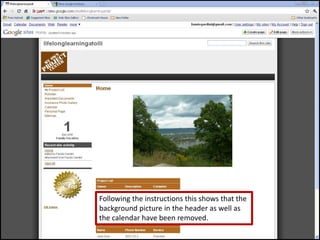
Following the instructions this shows that the background picture in the header as well as the calendar have been removed.
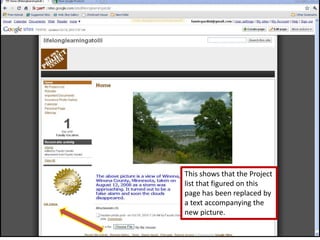
This shows that the Project list that figured on this page has been replaced by a text accompanying the new picture.
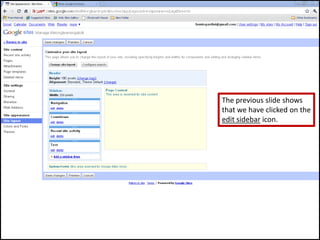
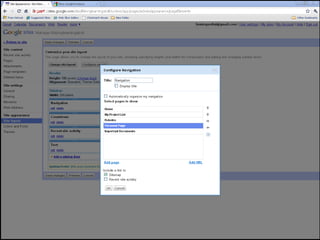
The previous slide shows that we have clicked on the edit sidebar icon.
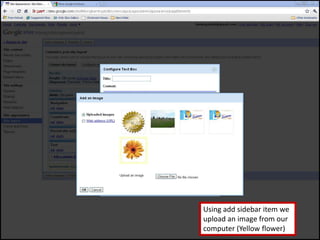
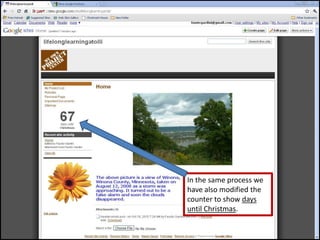
Using add sidebar item we upload an image from our computer (Yellow flower)
In the same process we have also modified the counter to show days until Christmas.
DIVISION OF CONTINUING EDUCATIONThat’s how far I take you. If you practice, play with your site you will discover many marvelous capabilities and you will soon be as proficient as a professional and your site will look maaaarveloooouuus!How will people know about your site?Here’s one suggestion: Whenever you send an Email to friends, relatives and acquaintances, append your Site’s URL to your signature.
DIVISION OF CONTINUING EDUCATIONOne more piece of advice that my wife, bless her heart *, always gives me is: Follow the instructions!She’s from South Carolina!

Google sites

  • 1.
    DIVISION OF CONTINUINGEDUCATIONFaustoGardiniLet’s Build aWebsite
  • 3.
    Sign up fora Google Gmail Account. It’s FREE.A Gmail account will give you access to many FREE Google services, includingGoogle Sites, Google Blogger, Youtube and others.
  • 7.
    You are signedup for Google Gmail.You may use your Gmail account to access Google sites and create a FREE Internet site.
  • 8.
    Google sites isfound under the more on the www.google.com header line.
  • 12.
    Name your site(note the URL) choose a template how you want your site to look like, type the code that will be displayed (In this example the code is: aptiones).You can modify the site with own pictures and text later.
  • 14.
    I opted toreplace the picture in the template with an own picture which is uploaded from my computer.
  • 16.
    Right-clicking on anobject in the template will display a Properties line for alignment, wrapping and removal of the item.
  • 17.
    Follow instructions ontemplate. The above gives instructions how to change the background picture.
  • 18.
    Following the instructionsthis shows that the background picture in the header as well as the calendar have been removed.
  • 19.
    This shows thatthe Project list that figured on this page has been replaced by a text accompanying the new picture.
  • 20.
    The previous slideshows that we have clicked on the edit sidebar icon.
  • 22.
    Using add sidebaritem we upload an image from our computer (Yellow flower)
  • 23.
    In the sameprocess we have also modified the counter to show days until Christmas.
  • 24.
    DIVISION OF CONTINUINGEDUCATIONThat’s how far I take you. If you practice, play with your site you will discover many marvelous capabilities and you will soon be as proficient as a professional and your site will look maaaarveloooouuus!How will people know about your site?Here’s one suggestion: Whenever you send an Email to friends, relatives and acquaintances, append your Site’s URL to your signature.
  • 25.
    DIVISION OF CONTINUINGEDUCATIONOne more piece of advice that my wife, bless her heart *, always gives me is: Follow the instructions!She’s from South Carolina!