You must have heard several bloggers say that to get Google Adsense verification is
hard. You need to write over 30 - 45 long form blogpost, is that right? Of course, I agree
it’s hard to get AdSense approval if you don’t do the right thing.
Otherwise, getting your account approved is just as simple as doing a little homework
and allowing Google to score you. Of course, they’ll have no choice than to score you
good if you do what they expect you to do before contacting them.
Here is my story.
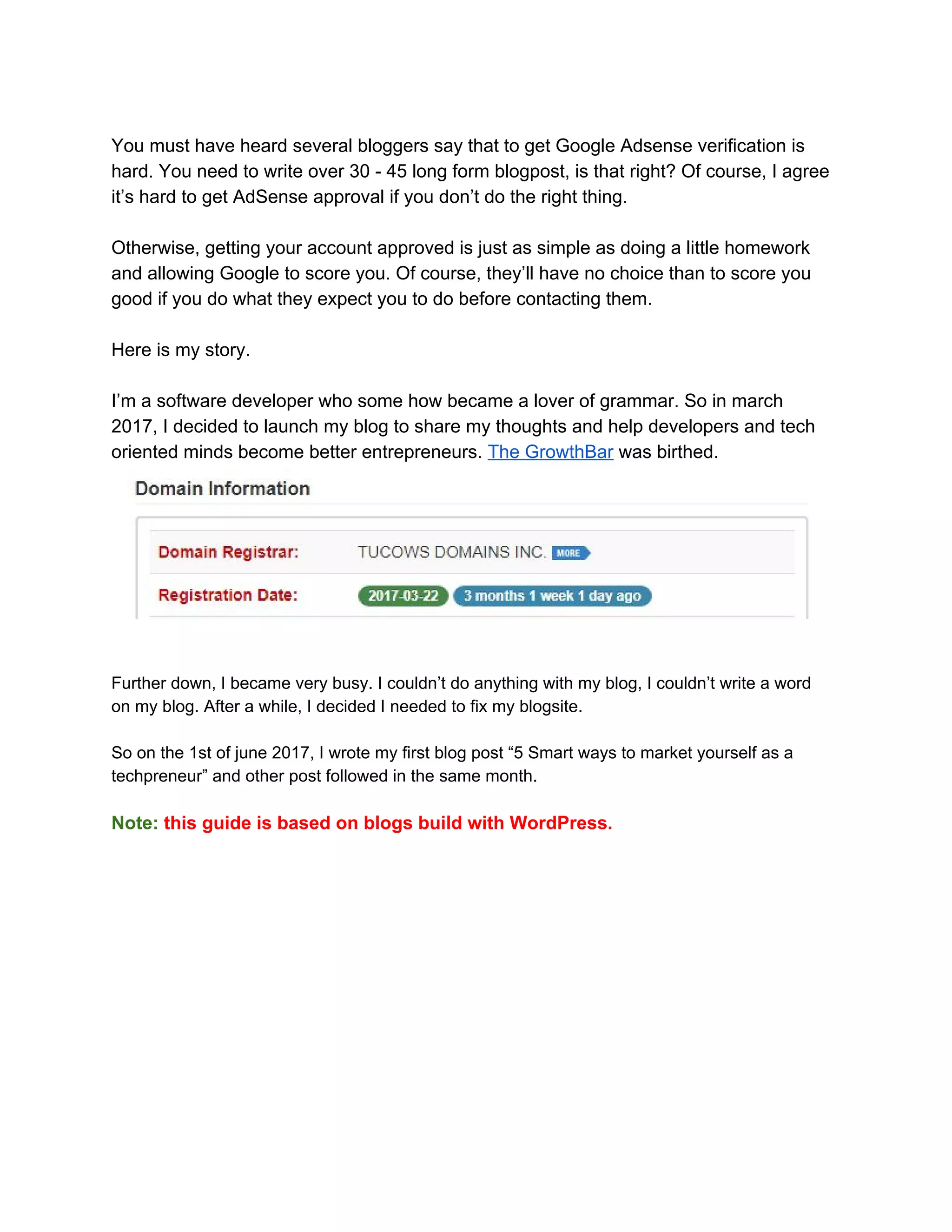
I’m a software developer who some how became a lover of grammar. So in march
2017, I decided to launch my blog to share my thoughts and help developers and tech
oriented minds become better entrepreneurs. ​The GrowthBar​ was birthed.
Further down, I became very busy. I couldn’t do anything with my blog, I couldn’t write a word
on my blog. After a while, I decided I needed to fix my blogsite.
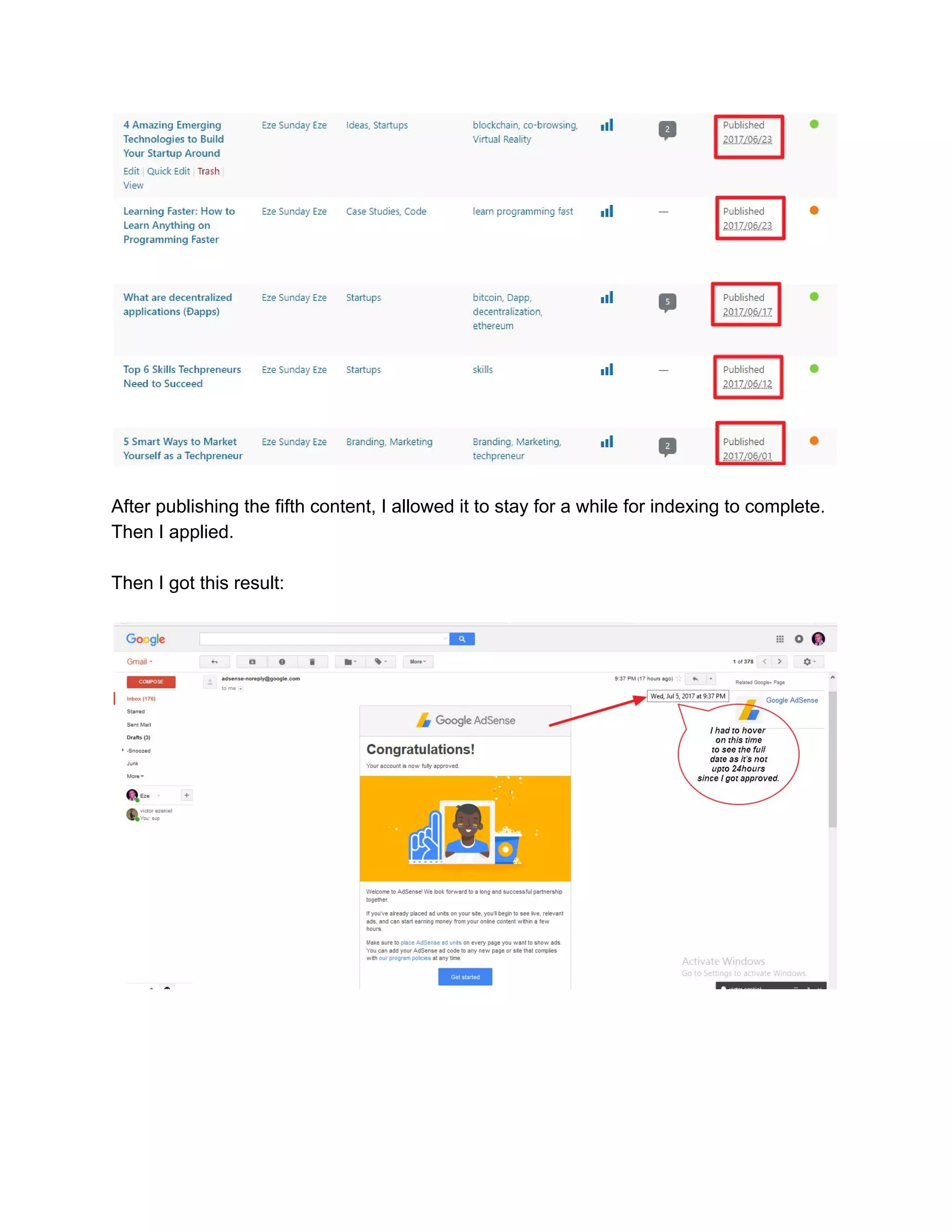
So on the 1st of june 2017, I wrote my first blog post “5 Smart ways to market yourself as a
techpreneur” and other post followed in the same month.
Note:​ ​this guide is based on blogs build with WordPress.
After publishing the fifth content, I allowed it to stay for a while for indexing to complete.
Then I applied.
Then I got this result:
I took time to study the ​Google AdSense Programme guidelines​. That was a game
changer for me. Many people don’t read guidelines or even if they do, they don’t follow
the instructions. I followed the instructions and it got me here.
So here is how I did:
First-off:
I made a simple but beautiful design. Because I love simplicity.
Then I created my categories, this is inline with making your site user-friendly — easy to
navigate — to find relevant content.
Create appropriate categories for your blog
Categories represents the topics you’ll be covering on your blog.
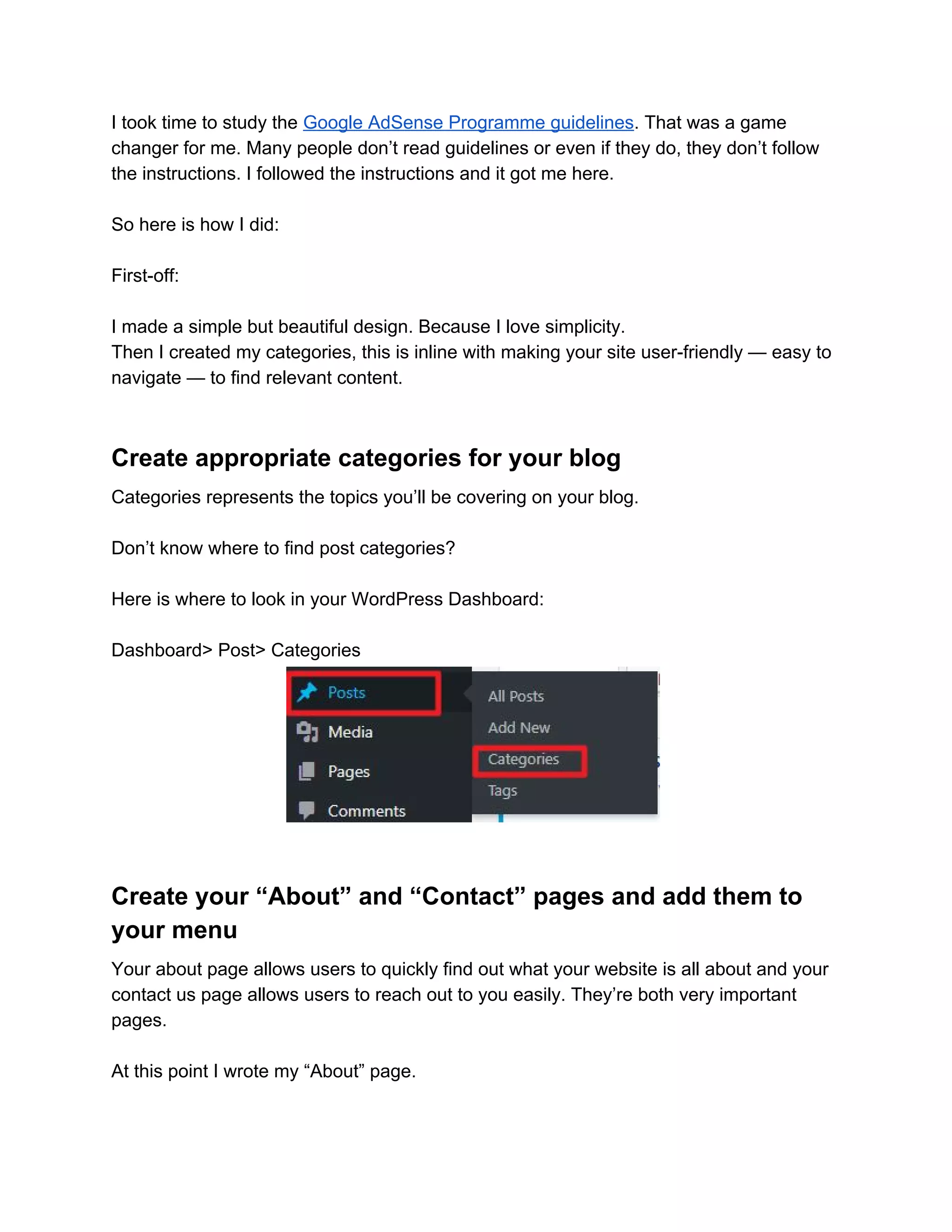
Don’t know where to find post categories?
Here is where to look in your WordPress Dashboard:
Dashboard> Post> Categories
Create your “About” and “Contact” pages and add them to
your menu
Your about page allows users to quickly find out what your website is all about and your
contact us page allows users to reach out to you easily. They’re both very important
pages.
At this point I wrote my “About” page.
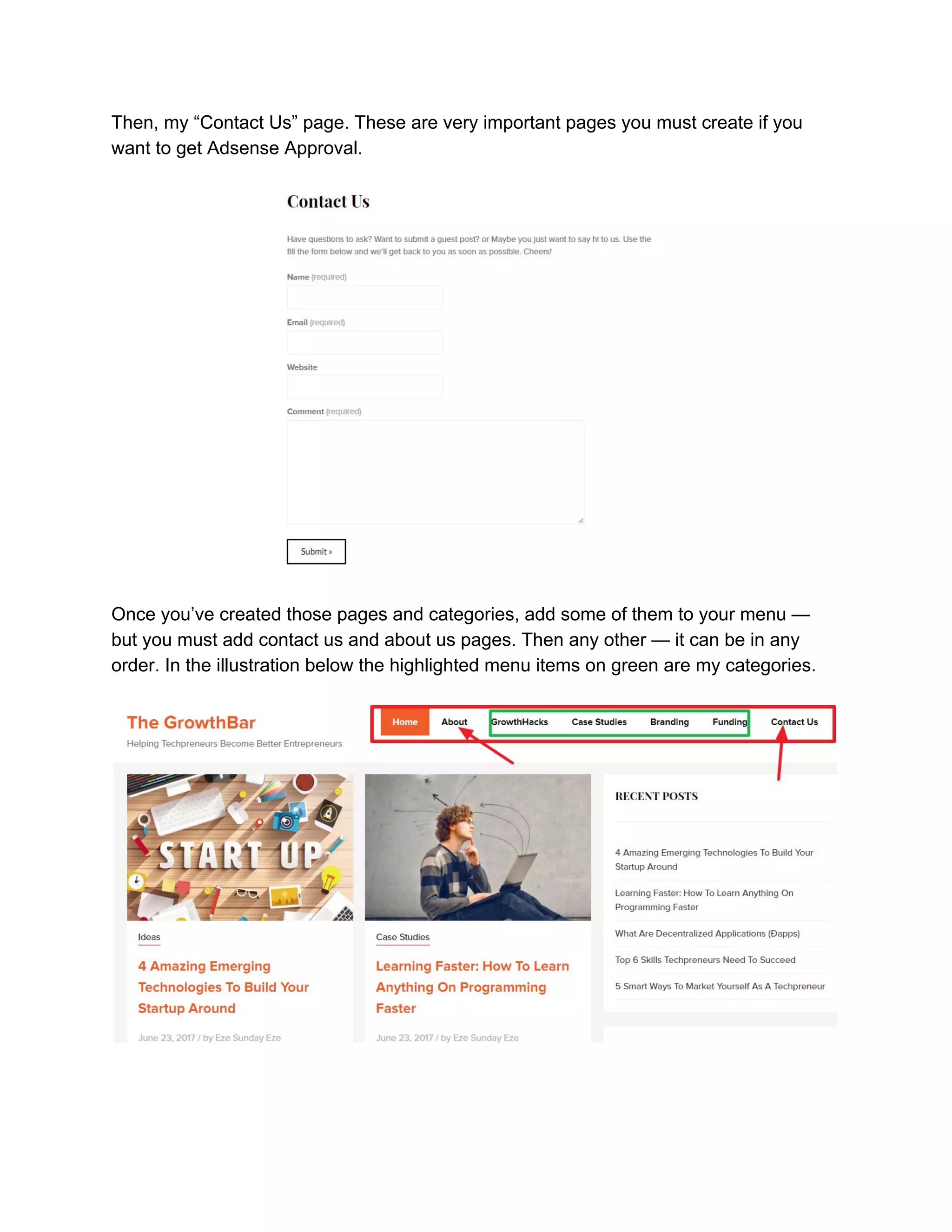
Then, my “Contact Us” page. These are very important pages you must create if you
want to get Adsense Approval.
Once you’ve created those pages and categories, add some of them to your menu —
but you must add contact us and about us pages. Then any other — it can be in any
order. In the illustration below the highlighted menu items on green are my categories.
Create your privacy policy page and add it to your footer
A ​privacy policy​ is a statement or a legal document (in ​privacy​ law) that discloses
some or all of the ways a party gathers, uses, discloses, and manages a customer or
client's data. It fulfills a legal requirement to protect a customer or client's ​privacy​.
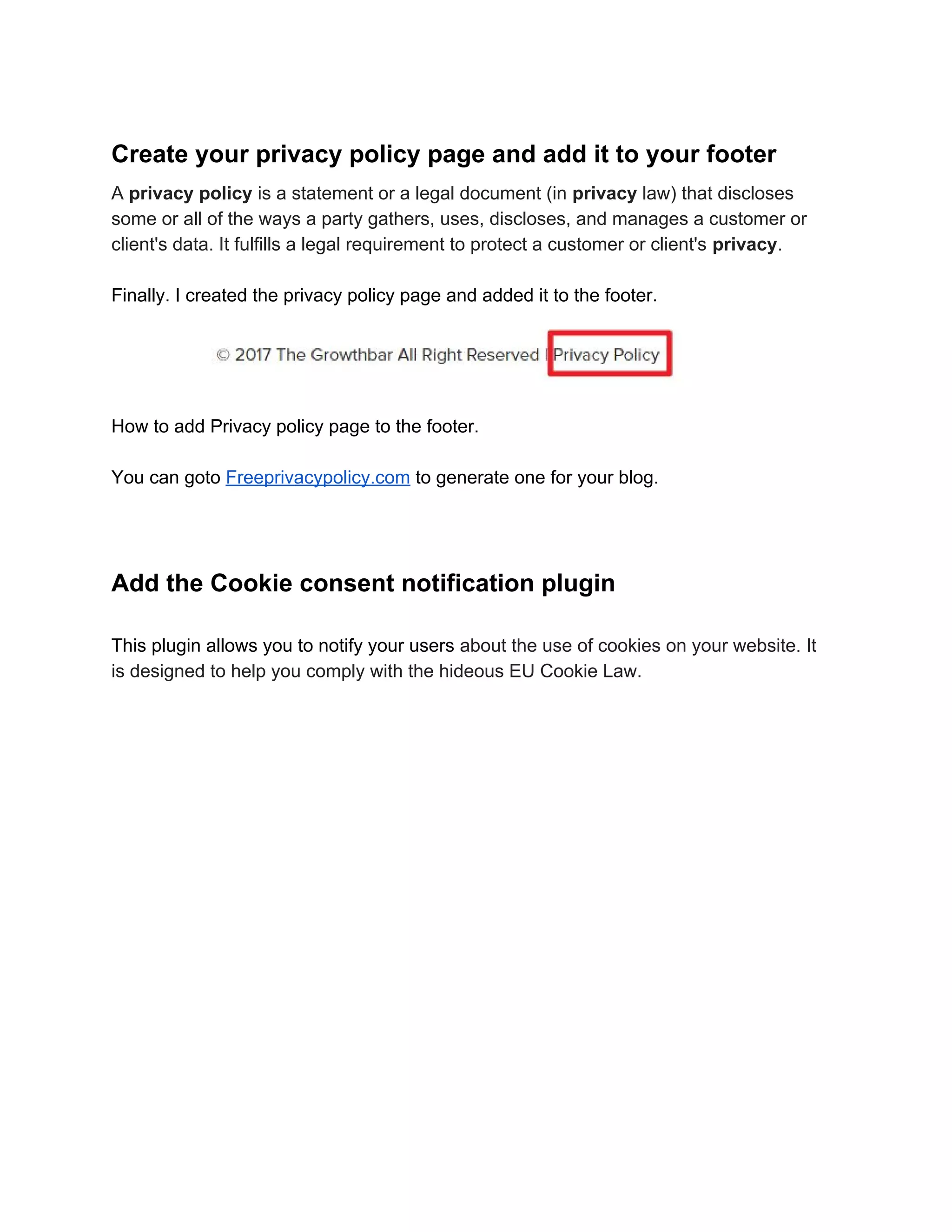
Finally. I created the privacy policy page and added it to the footer.
How to add Privacy policy page to the footer.
You can goto ​Freeprivacypolicy.com​ to generate one for your blog.
Add the Cookie consent notification plugin
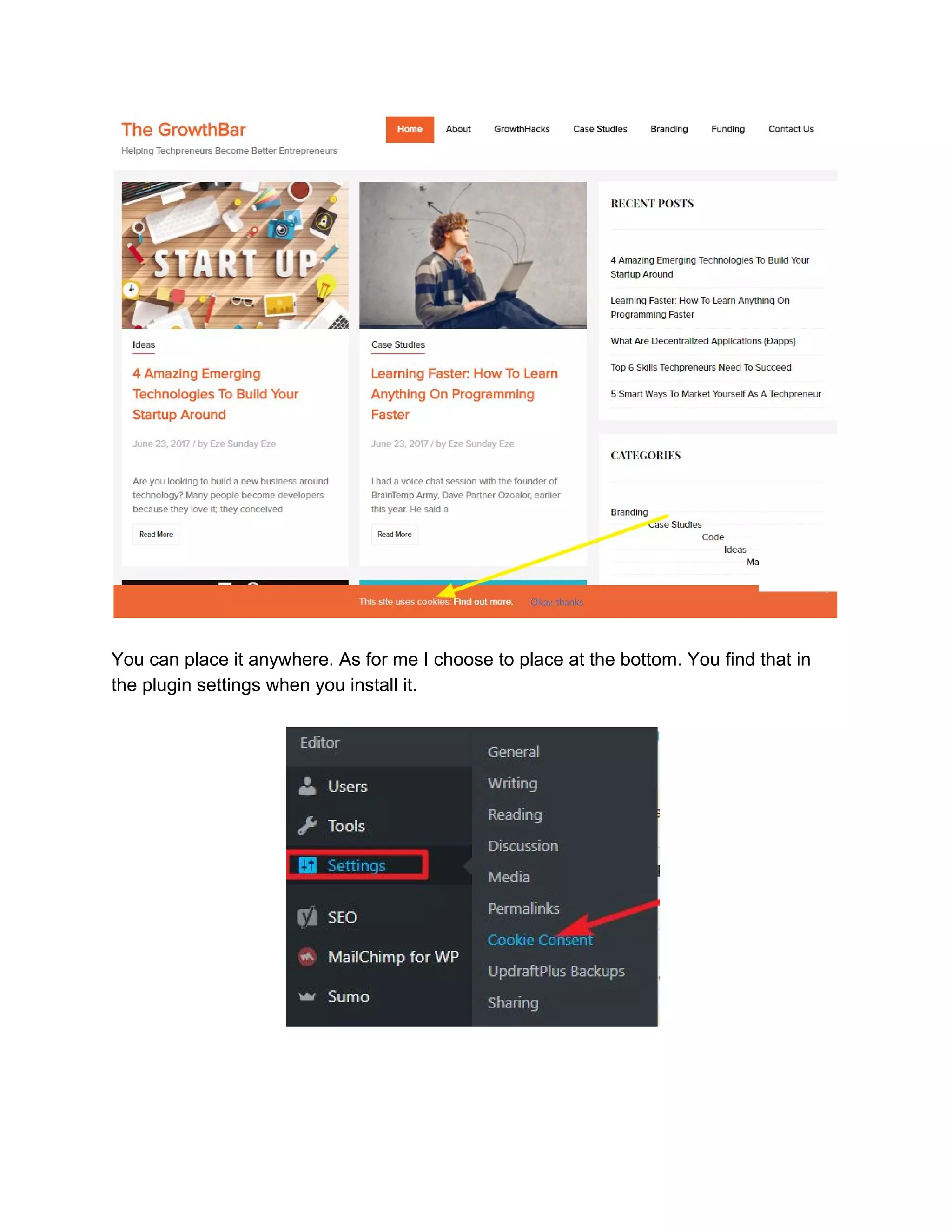
This plugin allows you to notify your users ​about the use of cookies on your website. It
is designed to help you comply with the hideous EU Cookie Law.
You can place it anywhere. As for me I choose to place at the bottom. You find that in
the plugin settings when you install it.
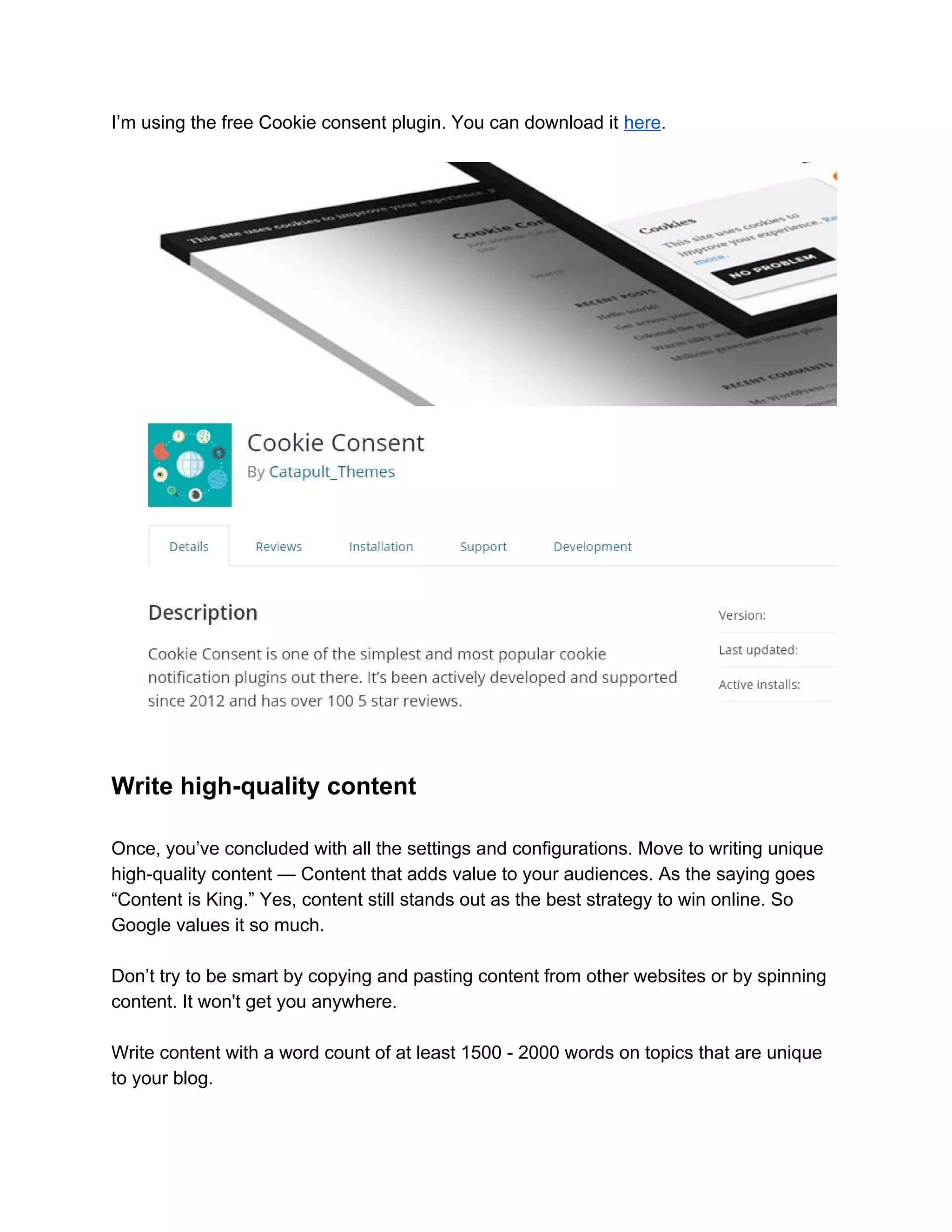
I’m using the free Cookie consent plugin. You can download it ​here​.
Write high-quality content
Once, you’ve concluded with all the settings and configurations. Move to writing unique
high-quality content — Content that adds value to your audiences. As the saying goes
“Content is King.” Yes, content still stands out as the best strategy to win online. So
Google values it so much.
Don’t try to be smart by copying and pasting content from other websites or by spinning
content. It won't get you anywhere.
Write content with a word count of at least 1500 - 2000 words on topics that are unique
to your blog.
Not content based on other people’s idea. You can develop ideas, research and write
on them. That’s what I did. Add visuals to your content, and statistics when necessary.
When you’ve done all these. Now is the time to apply for Google AdSense. You’ll need
a Gmail account. If you don’t have one create it then log in. you can now Go to the
AdSense website and apply.
You’ll likely see the same results if you follow these guide. However, it’s not an
assurance. It’s just the strategy that worked for me. It can also work for you.
Finally, I’ll say blog to help people find the best information they need to answer their
questions the money will surely come.
Cheers.
Eze Sunday Eze
Founder, ​The GrowthBar
You can follow me on https://twitter.com/ezesundayeze
How I got my AdSense account approved with 5 blog post

How I got my AdSense account approved with 5 blog post

  • 2.
    You must haveheard several bloggers say that to get Google Adsense verification is hard. You need to write over 30 - 45 long form blogpost, is that right? Of course, I agree it’s hard to get AdSense approval if you don’t do the right thing. Otherwise, getting your account approved is just as simple as doing a little homework and allowing Google to score you. Of course, they’ll have no choice than to score you good if you do what they expect you to do before contacting them. Here is my story. I’m a software developer who some how became a lover of grammar. So in march 2017, I decided to launch my blog to share my thoughts and help developers and tech oriented minds become better entrepreneurs. ​The GrowthBar​ was birthed. Further down, I became very busy. I couldn’t do anything with my blog, I couldn’t write a word on my blog. After a while, I decided I needed to fix my blogsite. So on the 1st of june 2017, I wrote my first blog post “5 Smart ways to market yourself as a techpreneur” and other post followed in the same month. Note:​ ​this guide is based on blogs build with WordPress.
  • 3.
    After publishing thefifth content, I allowed it to stay for a while for indexing to complete. Then I applied. Then I got this result:
  • 4.
    I took timeto study the ​Google AdSense Programme guidelines​. That was a game changer for me. Many people don’t read guidelines or even if they do, they don’t follow the instructions. I followed the instructions and it got me here. So here is how I did: First-off: I made a simple but beautiful design. Because I love simplicity. Then I created my categories, this is inline with making your site user-friendly — easy to navigate — to find relevant content. Create appropriate categories for your blog Categories represents the topics you’ll be covering on your blog. Don’t know where to find post categories? Here is where to look in your WordPress Dashboard: Dashboard> Post> Categories Create your “About” and “Contact” pages and add them to your menu Your about page allows users to quickly find out what your website is all about and your contact us page allows users to reach out to you easily. They’re both very important pages. At this point I wrote my “About” page.
  • 5.
    Then, my “ContactUs” page. These are very important pages you must create if you want to get Adsense Approval. Once you’ve created those pages and categories, add some of them to your menu — but you must add contact us and about us pages. Then any other — it can be in any order. In the illustration below the highlighted menu items on green are my categories.
  • 6.
    Create your privacypolicy page and add it to your footer A ​privacy policy​ is a statement or a legal document (in ​privacy​ law) that discloses some or all of the ways a party gathers, uses, discloses, and manages a customer or client's data. It fulfills a legal requirement to protect a customer or client's ​privacy​. Finally. I created the privacy policy page and added it to the footer. How to add Privacy policy page to the footer. You can goto ​Freeprivacypolicy.com​ to generate one for your blog. Add the Cookie consent notification plugin This plugin allows you to notify your users ​about the use of cookies on your website. It is designed to help you comply with the hideous EU Cookie Law.
  • 7.
    You can placeit anywhere. As for me I choose to place at the bottom. You find that in the plugin settings when you install it.
  • 8.
    I’m using thefree Cookie consent plugin. You can download it ​here​. Write high-quality content Once, you’ve concluded with all the settings and configurations. Move to writing unique high-quality content — Content that adds value to your audiences. As the saying goes “Content is King.” Yes, content still stands out as the best strategy to win online. So Google values it so much. Don’t try to be smart by copying and pasting content from other websites or by spinning content. It won't get you anywhere. Write content with a word count of at least 1500 - 2000 words on topics that are unique to your blog.
  • 9.
    Not content basedon other people’s idea. You can develop ideas, research and write on them. That’s what I did. Add visuals to your content, and statistics when necessary. When you’ve done all these. Now is the time to apply for Google AdSense. You’ll need a Gmail account. If you don’t have one create it then log in. you can now Go to the AdSense website and apply. You’ll likely see the same results if you follow these guide. However, it’s not an assurance. It’s just the strategy that worked for me. It can also work for you. Finally, I’ll say blog to help people find the best information they need to answer their questions the money will surely come. Cheers. Eze Sunday Eze Founder, ​The GrowthBar You can follow me on https://twitter.com/ezesundayeze