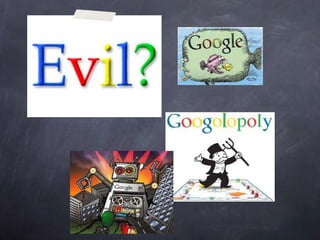
-ology A practical guide for using Google in Education
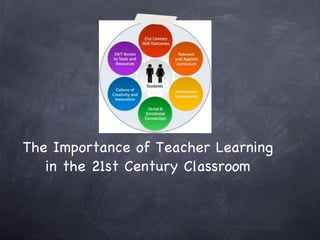
The Importance of Teacher Learning in the 21st Century Classroom
Google  (noun, verb) (noun, verb) Don’t confuse with googol (number)! • (n)  Google  (a widely used search engine that uses text-matching techniques to find web pages that are important and relevant to a user's search) •   (v)  Google  (search the internet (for information) using the Google search engine) "He googled the woman he had met at the party"; "My children are googling all day"
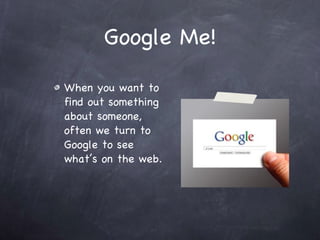
Google Me! When you want to find out something about someone, often we turn to Google to see what’s on the web.
Google Yourself! What you find is called your “digital footprint”
Now we use Google for everything.
Recognize This? Kindergardeners Do Too!
Started as a Simple Search Engine
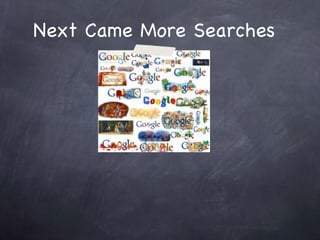
Next Came More Searches
Oh My Google!  How You’ve Grown! How You’ve Grown! There are  too  Many Products to Mention!
The Google Graveyard Not every Google product is made of gold. Google encourages experimentation, and that leads to both success and failure. As the decade progressed and the economy worsened, Google also stopped being quite as experimental with products that didn't have any money making potential.  These include:  * Google Search Mash * Google Notebook *Dodgeball * Deskbar * Google Answers *Google Lively * Google X And more!
Google is that you?  Google’s Mission:  Google's mission is to organize the world's information and make it universally accessible and useful. Cool Google Facts
 
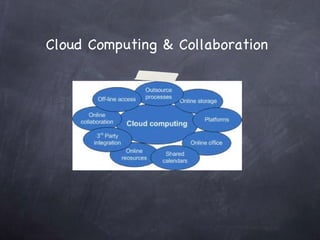
Cloud Computing & Collaboration
Google in Education
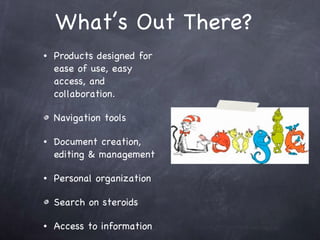
What’s Out There? Products designed for ease of use, easy access, and collaboration.  Navigation tools  Document creation, editing & management Personal organization Search on steroids Access to information
Google for Building Geographical Knowledge Google Maps Google Directions Google Earth
Google Maps
Google Directions
Google Earth
Google Sketch Up
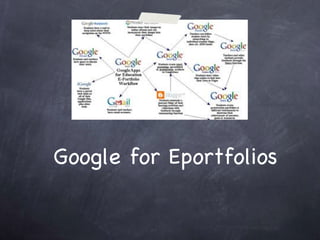
Google for Eportfolios
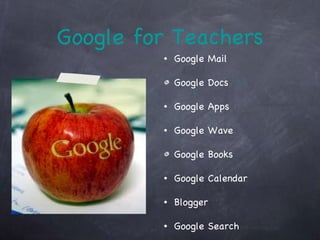
Google for Teachers Google Mail Google Docs Google Apps Google Wave Google Books Google Calendar Blogger Google Search
Lots of Resources...
Google for You Picasa iGoogle  Blogger
Google Search It’s more than a bar....
Search Tips & Tricks Games Tricks More Tricks Tips More Tips Even More Tips!
To Allow a Search or Not... We need to  TEACH  students how to: Protect themselves online Handle inappropriate material.  Be digital citizens
Google Image Search  Find images (copyright protected and free use) relevant to a search term.  Images can be directly saved from the search.
Google Video Search  Allows the user to find relevant videos to their search term.  Google has partnered with YouTube to include videos from that source in their result listing.
¿Cómo se dice “google” en Español? Allows the user to instantly translate text, webpages, or documents into another language.
Google Scholar  Google Scholar is a freely-accessible Web search engine that indexes the full text of scholarly literature across an array of publishing formats and disciplines.
Google Books Google Books (previously known as Google Book Search and Google Print) is a service from Google that searches the full text of books that Google scans, converts to text using optical character recognition, and stores in its digital database.
Google Chrome Google Chrome is a web browser developed by Google that uses the WebKit layout engine and application framework. A free, cross-platform, graphical web browser developed by Google
Google Mail (Gmail) Gmail is a free, advertising-supported webmail, POP3, and IMAP service provided by Google. In the United Kingdom and Germany, it is officially called Google Mail.
Set Up Your Own Google Mail Account... Apart from the fact that Google Mail is probably the best free email system on the planet – there are more important reasons for setting up a Google Mail account – basically, once you have an account it is really easy to then subscribe to lots of other Google services which are very powerful and best of all – free!
iGoogle  iGoogle (formerly Google Personalized Homepage and Google IG), a service of Google, is a customizable AJAX-based startpage or personal web portal (much like Netvibes, Pageflakes, My Yahoo!, and Windows Live Personalized Experience). Google originally launched the service in May 2005. ...
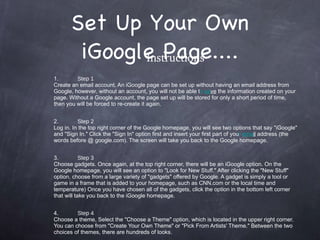
Set Up Your Own iGoogle Page.... Instructions 1. Step 1 Create an email account. An iGoogle page can be set up without having an email address from Google, however, without an account, you will not be able t o  sa ve  the information created on your page. Without a Google account, the page set up will be stored for only a short period of time, then you will be forced to re-create it again. 2. Step 2 Log in. In the top right corner of the Google homepage, you will see two options that say "iGoogle" and "Sign In." Click the "Sign In" option first and insert your first part of you r  ema il  address (the words before @ google.com). The screen will take you back to the Google homepage. 3. Step 3 Choose gadgets. Once again, at the top right corner, there will be an iGoogle option. On the Google homepage, you will see an option to "Look for New Stuff." After clicking the "New Stuff" option, choose from a large variety of "gadgets" offered by Google. A gadget is simply a tool or game in a frame that is added to your homepage, such as CNN.com or the local time and temperature) Once you have chosen all of the gadgets, click the option in the bottom left corner that will take you back to the iGoogle homepage. 4. Step 4 Choose a theme. Select the "Choose a Theme" option, which is located in the upper right corner. You can choose from "Create Your Own Theme" or "Pick From Artists' Theme." Between the two choices of themes, there are hundreds of looks.
Google Apps Google Apps is a service from Google for using custom domain names with several Google products. It features several Web applications with similar functionality to traditional office suites, including: Gmail, Google Calendar, Talk, Docs and Sites.
Calendar, Reader, & Bookmarks OH MY! Calendar Reader Bookmarks Sites Talk  Voice Alerts Buzz Blog
Google Calendar is a free time-management web application offered by Google. It became available on April 13, 2006, and exited the beta stage in July 2009. Users are required to have a Google Account in order to use the software.
Let’s Organize Your Calender....
Google Bookmarks is a free online bookmark storage service, available to Google Account holders. It allows one to bookmark favorite websites and add labels or tags, and also notes.
Let’s do some bookmarking!
Google Reader  Google Reader is a Web-based aggregator, capable of reading Atom and RSS feeds online or offline.
Wait...what’s RSS? RSS (most commonly expanded as "Really Simple Syndication") is a family of web feed formats used to publish frequently updated works—such as blog entries, news headlines, audio, and video—in a standardized format. ...
Let’s find some RSS feeds!
What if we want a blog to call our own?
Let’s get blogging!
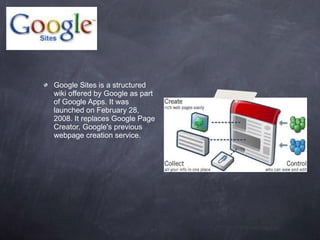
Google Sites is a structured wiki offered by Google as part of Google Apps. It was launched on February 28, 2008. It replaces Google Page Creator, Google's previous webpage creation service.
Let’s look at how to create a site!
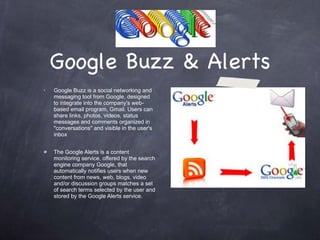
Google Buzz & Alerts Google Buzz is a social networking and messaging tool from Google, designed to integrate into the company's web-based email program, Gmail. Users can share links, photos, videos, status messages and comments organized in "conversations" and visible in the user's inbox The Google Alerts is a content monitoring service, offered by the search engine company Google, that automatically notifies users when new content from news, web, blogs, video and/or discussion groups matches a set of search terms selected by the user and stored by the Google Alerts service.  .
Let’s set up an alert!
Google Talk & Voice Google Talk (GTalk) is a free Windows web-based application for instant messaging and voice over internet protocol (VOIP), offered by Google Inc. The first beta version of the program was released on August 24, 2005. Google Voice is a telecommunications service by Google launched on March 11, 2009. The service is provided to a U.S. phone number, chosen by the user from available numbers in selected area codes, free of charge to each user account. ..
The Google Doc will See You Now
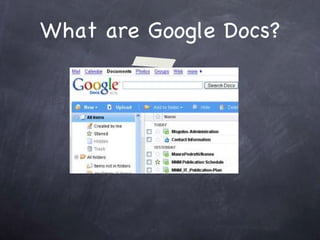
What are Google Docs?
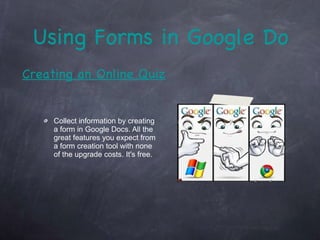
Using Forms in Google Docs Collect information by creating a form in Google Docs. All the great features you expect from a form creation tool with none of the upgrade costs. It's free. Creating an Online Quiz
Let’s upload & create docs!
Google Wave
Let’s ride a wave!
Picasa
Let’s upload photos, edit & organize them!
It’s official....
You’ve been Google-ized! visit  http://googleology.wikispaces.com to learn more!

Google presentation

  • 1.
  • 2.
    -ology A practicalguide for using Google in Education
  • 3.
    The Importance ofTeacher Learning in the 21st Century Classroom
  • 4.
    Google (noun,verb) (noun, verb) Don’t confuse with googol (number)! • (n) Google (a widely used search engine that uses text-matching techniques to find web pages that are important and relevant to a user's search) • (v) Google (search the internet (for information) using the Google search engine) "He googled the woman he had met at the party"; "My children are googling all day"
  • 5.
    Google Me! Whenyou want to find out something about someone, often we turn to Google to see what’s on the web.
  • 6.
    Google Yourself! Whatyou find is called your “digital footprint”
  • 7.
    Now we useGoogle for everything.
  • 8.
  • 9.
    Started as aSimple Search Engine
  • 10.
  • 11.
    Oh My Google! How You’ve Grown! How You’ve Grown! There are too Many Products to Mention!
  • 12.
    The Google GraveyardNot every Google product is made of gold. Google encourages experimentation, and that leads to both success and failure. As the decade progressed and the economy worsened, Google also stopped being quite as experimental with products that didn't have any money making potential. These include: * Google Search Mash * Google Notebook *Dodgeball * Deskbar * Google Answers *Google Lively * Google X And more!
  • 13.
    Google is thatyou? Google’s Mission: Google's mission is to organize the world's information and make it universally accessible and useful. Cool Google Facts
  • 14.
  • 15.
    Cloud Computing &Collaboration
  • 16.
  • 17.
    What’s Out There?Products designed for ease of use, easy access, and collaboration. Navigation tools Document creation, editing & management Personal organization Search on steroids Access to information
  • 18.
    Google for BuildingGeographical Knowledge Google Maps Google Directions Google Earth
  • 19.
  • 20.
  • 21.
  • 22.
  • 23.
  • 24.
    Google for TeachersGoogle Mail Google Docs Google Apps Google Wave Google Books Google Calendar Blogger Google Search
  • 25.
  • 26.
    Google for YouPicasa iGoogle Blogger
  • 27.
    Google Search It’smore than a bar....
  • 28.
    Search Tips &Tricks Games Tricks More Tricks Tips More Tips Even More Tips!
  • 29.
    To Allow aSearch or Not... We need to TEACH students how to: Protect themselves online Handle inappropriate material. Be digital citizens
  • 30.
    Google Image Search Find images (copyright protected and free use) relevant to a search term. Images can be directly saved from the search.
  • 31.
    Google Video Search Allows the user to find relevant videos to their search term. Google has partnered with YouTube to include videos from that source in their result listing.
  • 32.
    ¿Cómo se dice“google” en Español? Allows the user to instantly translate text, webpages, or documents into another language.
  • 33.
    Google Scholar Google Scholar is a freely-accessible Web search engine that indexes the full text of scholarly literature across an array of publishing formats and disciplines.
  • 34.
    Google Books GoogleBooks (previously known as Google Book Search and Google Print) is a service from Google that searches the full text of books that Google scans, converts to text using optical character recognition, and stores in its digital database.
  • 35.
    Google Chrome GoogleChrome is a web browser developed by Google that uses the WebKit layout engine and application framework. A free, cross-platform, graphical web browser developed by Google
  • 36.
    Google Mail (Gmail)Gmail is a free, advertising-supported webmail, POP3, and IMAP service provided by Google. In the United Kingdom and Germany, it is officially called Google Mail.
  • 37.
    Set Up YourOwn Google Mail Account... Apart from the fact that Google Mail is probably the best free email system on the planet – there are more important reasons for setting up a Google Mail account – basically, once you have an account it is really easy to then subscribe to lots of other Google services which are very powerful and best of all – free!
  • 38.
    iGoogle iGoogle(formerly Google Personalized Homepage and Google IG), a service of Google, is a customizable AJAX-based startpage or personal web portal (much like Netvibes, Pageflakes, My Yahoo!, and Windows Live Personalized Experience). Google originally launched the service in May 2005. ...
  • 39.
    Set Up YourOwn iGoogle Page.... Instructions 1. Step 1 Create an email account. An iGoogle page can be set up without having an email address from Google, however, without an account, you will not be able t o sa ve the information created on your page. Without a Google account, the page set up will be stored for only a short period of time, then you will be forced to re-create it again. 2. Step 2 Log in. In the top right corner of the Google homepage, you will see two options that say "iGoogle" and "Sign In." Click the "Sign In" option first and insert your first part of you r ema il address (the words before @ google.com). The screen will take you back to the Google homepage. 3. Step 3 Choose gadgets. Once again, at the top right corner, there will be an iGoogle option. On the Google homepage, you will see an option to "Look for New Stuff." After clicking the "New Stuff" option, choose from a large variety of "gadgets" offered by Google. A gadget is simply a tool or game in a frame that is added to your homepage, such as CNN.com or the local time and temperature) Once you have chosen all of the gadgets, click the option in the bottom left corner that will take you back to the iGoogle homepage. 4. Step 4 Choose a theme. Select the "Choose a Theme" option, which is located in the upper right corner. You can choose from "Create Your Own Theme" or "Pick From Artists' Theme." Between the two choices of themes, there are hundreds of looks.
  • 40.
    Google Apps GoogleApps is a service from Google for using custom domain names with several Google products. It features several Web applications with similar functionality to traditional office suites, including: Gmail, Google Calendar, Talk, Docs and Sites.
  • 41.
    Calendar, Reader, &Bookmarks OH MY! Calendar Reader Bookmarks Sites Talk Voice Alerts Buzz Blog
  • 42.
    Google Calendar isa free time-management web application offered by Google. It became available on April 13, 2006, and exited the beta stage in July 2009. Users are required to have a Google Account in order to use the software.
  • 43.
  • 44.
    Google Bookmarks isa free online bookmark storage service, available to Google Account holders. It allows one to bookmark favorite websites and add labels or tags, and also notes.
  • 45.
    Let’s do somebookmarking!
  • 46.
    Google Reader Google Reader is a Web-based aggregator, capable of reading Atom and RSS feeds online or offline.
  • 47.
    Wait...what’s RSS? RSS(most commonly expanded as "Really Simple Syndication") is a family of web feed formats used to publish frequently updated works—such as blog entries, news headlines, audio, and video—in a standardized format. ...
  • 48.
  • 49.
    What if wewant a blog to call our own?
  • 50.
  • 51.
    Google Sites isa structured wiki offered by Google as part of Google Apps. It was launched on February 28, 2008. It replaces Google Page Creator, Google's previous webpage creation service.
  • 52.
    Let’s look athow to create a site!
  • 53.
    Google Buzz &Alerts Google Buzz is a social networking and messaging tool from Google, designed to integrate into the company's web-based email program, Gmail. Users can share links, photos, videos, status messages and comments organized in "conversations" and visible in the user's inbox The Google Alerts is a content monitoring service, offered by the search engine company Google, that automatically notifies users when new content from news, web, blogs, video and/or discussion groups matches a set of search terms selected by the user and stored by the Google Alerts service. .
  • 54.
    Let’s set upan alert!
  • 55.
    Google Talk &Voice Google Talk (GTalk) is a free Windows web-based application for instant messaging and voice over internet protocol (VOIP), offered by Google Inc. The first beta version of the program was released on August 24, 2005. Google Voice is a telecommunications service by Google launched on March 11, 2009. The service is provided to a U.S. phone number, chosen by the user from available numbers in selected area codes, free of charge to each user account. ..
  • 56.
    The Google Docwill See You Now
  • 57.
  • 58.
    Using Forms inGoogle Docs Collect information by creating a form in Google Docs. All the great features you expect from a form creation tool with none of the upgrade costs. It's free. Creating an Online Quiz
  • 59.
    Let’s upload &create docs!
  • 60.
  • 61.
  • 62.
  • 63.
    Let’s upload photos,edit & organize them!
  • 64.
  • 65.
    You’ve been Google-ized!visit http://googleology.wikispaces.com to learn more!