Google Analytics Glossary 
A guide to the most important Google Analytics terminology by Benjamin Mangold 


Google Analytics Glossary by Benjamin Mangold 
 
 
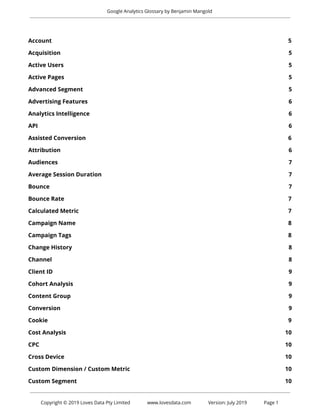
Account 5 
Acquisition 5 
Active Users 5 
Active Pages 5 
Advanced Segment 5 
Advertising Features 6 
Analytics Intelligence 6 
API 6 
Assisted Conversion 6 
Attribution 6 
Audiences 7 
Average Session Duration 7 
Bounce 7 
Bounce Rate 7 
Calculated Metric 7 
Campaign Name 8 
Campaign Tags 8 
Change History 8 
Channel 8 
Client ID 9 
Cohort Analysis 9 
Content Group 9 
Conversion 9 
Cookie 9 
Cost Analysis 10 
CPC 10 
Cross Device 10 
Custom Dimension / Custom Metric 10 
Custom Segment 10 
 
 
Copyright © 2019 Loves Data Pty Limited www.lovesdata.com Version: July 2019 Page 1 
 
 
Google Analytics Glossary by Benjamin Mangold 
 
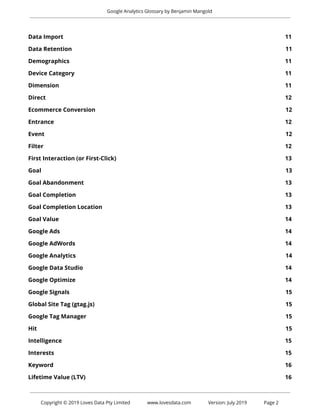
Data Import 11 
Data Retention 11 
Demographics 11 
Device Category 11 
Dimension 11 
Direct 12 
Ecommerce Conversion 12 
Entrance 12 
Event 12 
Filter 12 
First Interaction (or First-Click) 13 
Goal 13 
Goal Abandonment 13 
Goal Completion 13 
Goal Completion Location 13 
Goal Value 14 
Google Ads 14 
Google AdWords 14 
Google Analytics 14 
Google Data Studio 14 
Google Optimize 14 
Google Signals 15 
Global Site Tag (gtag.js) 15 
Google Tag Manager 15 
Hit 15 
Intelligence 15 
Interests 15 
Keyword 16 
Lifetime Value (LTV) 16 
 
 
Copyright © 2019 Loves Data Pty Limited www.lovesdata.com Version: July 2019 Page 2 
 
 
Google Analytics Glossary by Benjamin Mangold 
 
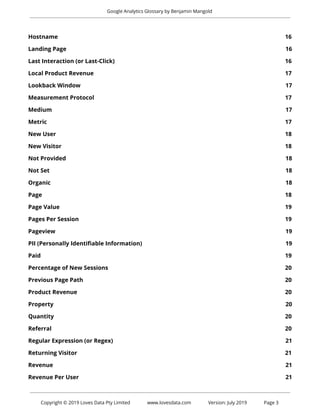
Hostname 16 
Landing Page 16 
Last Interaction (or Last-Click) 16 
Local Product Revenue 17 
Lookback Window 17 
Measurement Protocol 17 
Medium 17 
Metric 17 
New User 18 
New Visitor 18 
Not Provided 18 
Not Set 18 
Organic 18 
Page 18 
Page Value 19 
Pages Per Session 19 
Pageview 19 
PII (Personally Identifiable Information) 19 
Paid 19 
Percentage of New Sessions 20 
Previous Page Path 20 
Product Revenue 20 
Property 20 
Quantity 20 
Referral 20 
Regular Expression (or Regex) 21 
Returning Visitor 21 
Revenue 21 
Revenue Per User 21 
 
 
Copyright © 2019 Loves Data Pty Limited www.lovesdata.com Version: July 2019 Page 3 
 
 
Google Analytics Glossary by Benjamin Mangold 
 
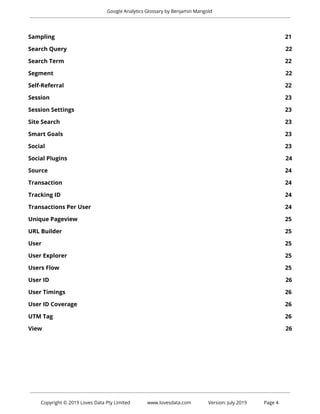
Sampling 21 
Search Query 22 
Search Term 22 
Segment 22 
Self-Referral 22 
Session 23 
Session Settings 23 
Site Search 23 
Smart Goals 23 
Social 23 
Social Plugins 24 
Source 24 
Transaction 24 
Tracking ID 24 
Transactions Per User 24 
Unique Pageview 25 
URL Builder 25 
User 25 
User Explorer 25 
Users Flow 25 
User ID 26 
User Timings 26 
User ID Coverage 26 
UTM Tag 26 
View 26 


Copyright © 2019 Loves Data Pty Limited www.lovesdata.com Version: July 2019 Page 4 
 
 
Google Analytics Glossary by Benjamin Mangold 
 
Account 
 
Your account is where everything lives inside Google Analytics. Think of it as the top-level folder 
that you access using your login details. In most cases you’ll have access to a single account that’s 
storing data for your website, but if you’re managing multiple websites that aren’t directly related, 
then these should be stored in separate accounts. For example if you're managing your company 
website and your personal blog. Accounts (and their assets) can be shared with multiple users. 
 
Acquisition 
 
You can understand how people find your website using the Acquisition reports. The reports 
present data based on the source and medium of your users, along with other acquisition 
dimensions. There are dedicated reports for your paid traffic from Google AdWords, organic traffic 
from Google (if you have linked your Google Search Console account), traffic from social networks 
and traffic from custom campaign tags.  
 
Active Users 
 
The Real Time and Home reports show you how many people are currently viewing content on 
your website. Data is processed within a few seconds into the Real Time reports and you can view 
data for the previous 30 minutes. While the Active Users report (under ‘Audience’) tells you the 
number of unique users who performed sessions on your website within a certain number of 
days.  
 
Active Pages 
 
When viewing the Real Time reports, Active Pages shows you the pages people are currently 
viewing on your website. When someone navigates to another page or closes their browser the 
page that was shown as active will be removed from the Real Time reports. 
 
Advanced Segment 
 
See custom segment. 


Copyright © 2019 Loves Data Pty Limited www.lovesdata.com Version: July 2019 Page 5 
 
 
Google Analytics Glossary by Benjamin Mangold 
 
Advertising Features 
 
To create remarketing lists in Google Analytics and collect demographic and interest data, you 
need to enable the Advertising Features option in Google Analytics. Advertising Features makes 
use of Google’s third-party advertising cookies. If you enable Google signals, then Advertising 
Features will automatically be activated. See also demographics, interests and Google signals. 
 
Analytics Intelligence 
 
Google’s machine learning identifies trends and changes in your data. For example, if there is a 
sudden increase in traffic to your website this will be highlighted by Analytics Intelligence. The 
feature also allows you to ask questions, like ‘What is my best landing page?’ to quickly find 
answers.  
 
API 
 
There are a number of APIs (Application Programming Interfaces) that you can use to access data 
from Google Analytics. They can be used to access your data outside the Google Analytics 
interface, including in Google Sheets and your own custom applications. APIs include the Core 
Reporting API to access data from the standard reports, the Real Time Reporting API to access live 
data, the Multi-Channel Funnels API to access attribution data, plus the Embed API, the Metadata 
API and the Management API. 
 
Assisted Conversion 
 
Inside the 'Multi-Channel Funnels' reports you will find assisted conversions which show you the 
channels which later led to a conversion. For example, if a user came to the website from Twitter 
and then later from Google AdWords, Twitter would be counted as an ‘assisted conversion’. The 
reports also allow you to view assisted conversions based on other dimensions, including 
campaign, source, medium, landing page and more. 
 
Attribution 
 
Attribution allows you to control how credit for a particular conversion is given to the marketing 
channels that led to the action taking place. Google Analytics provides a variety of attribution 
models in the ‘Multi-Channel Funnels’ and ‘Attribution’ reports. Attribution takes into account the 
channels (and traffic sources) used across multiple sessions for a user. You can set the amount of 
 
 
Copyright © 2019 Loves Data Pty Limited www.lovesdata.com Version: July 2019 Page 6 
 
 
Google Analytics Glossary by Benjamin Mangold 
 
historical data included in the reports using the lookback window. See also first interaction and 
last interaction. 
 
Audiences 
 
You can configure custom audiences to see more granular metrics inside your reports. For 
example, if you’re considering running a remarketing campaign you can create an audience to 
monitor current performance before you begin advertising. You can find the Audiences report 
under ‘Audience’. 
 
Average Session Duration 
 
Provides a top-level view of how long users are spending on your website. For example, if you had 
two users, one that spent three minutes on your website and another that spent one minute, then 
you would have an average session duration of two minutes. Google Analytics does not count time 
for the last page viewed during a session. This means that the average session duration will tend 
to be skewed lower than the actual amount of time people are spending on your website. 
 
Bounce 
 
A bounce is reported when a user’s session only contains a single pageview. The idea is that 
someone comes to your website and they ‘bounce’ away and leave after only viewing a single 
page.  
 
Bounce Rate 
 
Bounce rate is the percentage of sessions with a single pageview. Bounce rate can provide 
top-level insights about the performance of your content. For example, if you want people to 
travel on to view a subsequent page on your website, then you can aim to lower your bounce rate. 
It’s also important to apply context when analyzing bounce rate, since some pages will deliver all 
of the information somebody is looking for on a single page, for example, a store locator or a blog 
post. 
 
Calculated Metric 
 
Calculated metrics allow you to create your own metrics that are based on the default metrics 
available within your reports. For example, you can create your own calculated metric that divides 
 
 
Copyright © 2019 Loves Data Pty Limited www.lovesdata.com Version: July 2019 Page 7 
 
 
Google Analytics Glossary by Benjamin Mangold 
 
goal completions by users to create a user goal conversion rate which is not the same as the 
default session-based goal conversion rate. Learn more about calculated metrics. See also metric. 
 
Campaign Name 
 
Campaign name is one of the four main dimensions (along with source, medium and channel) for 
reporting and analyzing marketing campaigns. The campaign name is provided when you use a 
campaign tagged URL for your inbound marketing or from your Google AdWords campaigns 
(when Google AdWords is linked to Google Analytics).  
 
Campaign Tags 
 
Inbound marketing can be tracked and reported by Google Analytics using campaign tags. Extra 
details (query parameters) are added to the end of URLs which are then included in the 
Acquisition reports. Campaign tags include campaign name, source, medium, term and content. 
Learn more about campaign tags. 
 
Change History 
 
You can view changes made to your Google Analytics account, properties and views by navigating 
to ‘Admin’ and selecting ‘Change History’. You can see the email address of the person who made 
the change along with a short description. Changes made by people who have been removed 
from Google Analytics will be listed as ‘Deleted User’. 
 
Channel 
 
Channels provide top-level groupings of your inbound marketing. Each channel combines source 
and medium so you can understand overall performance. For example, the default channel 
grouping includes ‘Organic Search’, ‘Paid Search’, ‘Social’ and ‘Email’ which automatically combines 
pre-defined sources and mediums. You can also configure your own custom channel groupings. 


Copyright © 2019 Loves Data Pty Limited www.lovesdata.com Version: July 2019 Page 8 
 
 
Google Analytics Glossary by Benjamin Mangold 
 
Client ID 
 
Google Analytics uses a unique identifier, called ‘Client ID’ to report and analyze the behavior of 
individuals on your website. By default, the identifier is randomly assigned and is stored in a 
browser cookie on the users’ device. See also User Explorer. 
 
Cohort Analysis 
 
The Cohort Analysis report shows you users segmented by date. For example, you can use the 
report to see when users are acquired and when they return to your website. 
 
Content Group 
 
You can configure content groups to classify each page of your website into a particular category. 
This allows you to perform top-level reporting and analysis on your pages based on your own 
content classifications. You can create content groups by modifying your tracking code, by 
extracting details from your pages or by creating rules. 
 
Conversion 
 
A conversion is reported whenever a user completes a goal or makes a purchase during a session. 
Each goal will report a maximum of one conversion per session, while every transaction is 
reported. See also goal completion and ecommerce transaction. 
 
Cookie 
 
A cookie is a piece of information that is stored in a website browser. Google Analytics uses 
cookies to identify users. If someone does not have an existing cookie, then a new cookie will be 
created and they will appear as a new user in your reports. If someone has an existing cookie, 
then they will be reported as a returning user and the cookie expiration will be updated. 


Copyright © 2019 Loves Data Pty Limited www.lovesdata.com Version: July 2019 Page 9 
 
 
Google Analytics Glossary by Benjamin Mangold 
 
Cost Analysis 
 
After uploading third-party advertising data (see Data Import) you can then compare the 
performance of your advertising based on a range of metrics including; click-through rate, 
cost-per-click, revenue-per-click, and return on advertising spend. 
 
CPC 
 
Cost-per-click or CPC can be seen in the Acquisition reports and typically refers to people clicking 
through to your website from paid ads. This includes traffic from linked Google AdWords accounts 
and campaign tagged URLs where the medium has been defined as ‘cpc’ or ‘paid’. 
 
Cross Device 
 
The Cross Device reports provide insights into people who are using multiple devices to visit your 
website. The automated Cross Device reports require Google signals to be enabled. These reports 
provide insights based on aggregated and anonymized data from people logged into their Google 
account. You can also send identifiers to Google Analytics, which allow you to make use of the 
Cross Device reports with user ID. See also Google signals and user ID. 
 
Custom Dimension / Custom Metric 
 
In addition to the default dimensions and metrics, Google Analytics can be configured to collect 
additional data and make it available in your reports. For example, you could configure a custom 
dimension to report the authors of each page on your website, to understand performance based 
on who is creating content. 
 
Custom Segment 
 
Apart from the default (or system) segments, you can also create custom segments to filter the 
data that is (or is not) included in your reports. Segments can be configured to focus on particular 
sections of your traffic based on users and sessions. For example, you can create a custom 
segment to perform detailed analysis on your top-performing customers to understand how 
they’re engaging with your website. 


Copyright © 2019 Loves Data Pty Limited www.lovesdata.com Version: July 2019 Page 10 
 
 
Google Analytics Glossary by Benjamin Mangold 
 
Data Import 
 
You can import additional data into Google Analytics to supplement and extend the standard 
dimensions and metrics. You can import a range of data including Cost Data from advertising 
campaigns, Refund Data for ecommerce transactions, User Data, Campaign Data, Geography 
Data, Content Data, Product Data and Custom Data. 
 
Data Retention 
 
In order to comply with privacy regulations, you can set a data retention period in Google 
Analytics. By default, data that can identify unique individuals, like Client ID, will be removed after 
26 months. The data retention period can be set to 14, 26, 38, or 50 months, and you also have 
the option of keeping the data by selecting ‘do not expire automatically’. Aggregated data will 
continue to be available in your reports even after the data retention period.  
 
Demographics 
 
Google Analytics can be configured to include user demographics, like age and gender. In order to 
collect demographic data into your reports you need to enable the ‘Advertising Features’ by 
navigating to ‘Admin’, then ‘Tracking Info’ and selecting ‘Data Collection’. 
 
Device Category 
 
Device category allows you to view performance based on the different devices people are using 
to experience your website. You can see sessions occurring on desktop (which also includes laptop 
devices), tablet and mobile. 
 
Dimension 
 
One of two types of data that Google Analytics collects, a dimension is an attribute or 
characteristic of your users and their interactions with your website. Dimensions are typically 
presented as a row of information within your reports. Examples of dimensions include page path, 
which provides information about the pages people have viewed and marketing channel which 
provide information about how people found your website. You’ll find the dimension presented in 
the first column inside the standard Google Analytics reports. See also metric. 


Copyright © 2019 Loves Data Pty Limited www.lovesdata.com Version: July 2019 Page 11 
 
 
Google Analytics Glossary by Benjamin Mangold 
 
Direct 
 
Direct traffic includes people who typed your website’s URL into their browser or clicked a link in 
an email application (that didn’t include campaign tags). Direct sessions will also include other 
cases where Google Analytics is unable to identify the source of the click. Google Analytics will only 
assign 'direct' as a last resort when a known source is used, that source will be attributed to the 
session. 
 
Ecommerce Conversion 
 
An ecommerce conversion occurs when someone successfully purchases during a session. Google 
Analytics has a range of ecommerce dimensions and metrics to report on your website’s 
ecommerce activity. See also transaction. 
 
Entrance 
 
The first page that someone views during a session is known as an entrance. You can see the 
number of times a page was viewed first using the ‘entrance’ metric. This metric is similar to 
sessions but can vary when multiple hit types are sent to Google Analytics. 
 
Event 
 
A custom interaction (or attribute) that is tracked from your website into Google Analytics, for 
example, tracking plays of an embedded video. Each event can include up to three dimensions 
(the event ‘category’, ‘action’ and optional ‘label’) and a metric (the optional event ‘value’). Events 
require custom implementation to be tracked and are then reported inside the standard 
‘Behavior’ reports. Events can also be used to configure event-based goals. 
 
Filter 
 
Filters can be applied to reporting views inside Google Analytics to include a subset of data (for 
example, only include data for particular parts of the website) or exclude a subset of data (for 
example, excluding your own sessions on the website) or to transform the data (for example, to 
modify the reported page path to include the hostname). 


Copyright © 2019 Loves Data Pty Limited www.lovesdata.com Version: July 2019 Page 12 
 
 
Google Analytics Glossary by Benjamin Mangold 
 
First Interaction (or First-Click) 
 
First interaction gives credit for a conversion to the first method that somebody used to find your 
website. The ‘Model Comparison Tool’ allows you to apply the first interaction (and other 
attribution models to your conversions). It’s important to know that there is a limit to the amount 
of historical data included in the attribution reports (see lookback window). There will also be 
other impacts on first interaction data, for example, people clearing their cookies or using multiple 
devices. See also attribution. 
 
Goal 
 
Goals are used to track desired actions on your website. For example, subscribing to your email 
newsletter, submitting an inquiry or registering as a member. Goals can be configured inside 
Google Analytics and can be based on people traveling to a particular page (or pages), triggering 
an event, sessions of a certain duration or viewing a certain number of pages. 
 
Goal Abandonment 
 
Destination (or page-based) goals can be configured to include additional pages leading to a 
conversion (funnel steps). If somebody views at least one of the funnel steps without converting, 
they will be considered as abandoning the goal and be included in the goal abandonment metric. 
 
Goal Completion 
 
When a user converts for a particular goal during a session they’ll be counted as a goal 
completion. If a goal is completed multiple times during a user’s session, it will only be counted as 
a single conversion. 
 
Goal Completion Location 
 
This dimension reports the particular page where a conversion occurred for a destination (or 
page-based) goal. This is especially useful if you’re including multiple conversion pages for a goal. 
The goal completion location will also show you the page that was viewed when an event-based or 
engagement-based (duration and pages per session) goal was triggered. 


Copyright © 2019 Loves Data Pty Limited www.lovesdata.com Version: July 2019 Page 13 
 
 
Google Analytics Glossary by Benjamin Mangold 
 
Goal Value 
 
An optional dollar value can be set for each goal inside Google Analytics. The goal value can be 
used to report on an actual dollar value, a calculated value or a symbolic value for each 
conversion. The event-based goal allows you to pull the event’s ‘value’, the other goal types use a 
fixed (or static) value for each conversion. 
 
Google Ads 
 
Google's paid advertising platform, allowing you to display ads to people searching on Google, 
third-party search sites (Google Search Partners) and browsing websites and using mobile apps 
(Google Display Network). Check out our accompanying Google Ads Glossary as a reference for 
your paid campaigns. 
 
Google AdWords 
 
See Google Ads. 
 
Google Analytics 
 
Ummm… Yeah, Google’s digital analytics tool that provides insights into user behavior on websites 
and mobile apps. 
 
Google Data Studio 
 
Google's reporting and dashboarding tool allows you to present and visualize data from Google 
Analytics, Google Sheets and other data sources. 
 
Google Optimize 
 
Google's platform for A/B testing, multivariate testing and personalization. Google Optimize allows 
you to present different variations of content on your website to increase conversions and 
improve conversion rate. 


Copyright © 2019 Loves Data Pty Limited www.lovesdata.com Version: July 2019 Page 14 
 
 
Google Analytics Glossary by Benjamin Mangold 
 
Google Signals 
 
You can begin collecting data into the automated Cross Device reports by enabling Google signals 
in Google Analytics. Google signals uses aggregated and anonymized data from people logged into 
their Google account to understand how people engage with your website using multiple devices. 
See also cross device. 
 
Global Site Tag (gtag.js) 
 
The global site tag (or gtag.js) is the current version of the stand-alone Google Analytics tracking 
code. Generally, you will want to use Google Tag Manager to implement Google Analytics on your 
website. However, you do have the option of using the Google Analytics tracking code instead. 
 
Google Tag Manager 
 
A system for managing the deployment of tracking and other tags on your website. Google Tag 
Manager allows tags to be tested on your website before being deployed live and is designed to 
reduce the dependence on IT for managing tracking tags. 
 
Hit 
 
Is the way data is sent to Google Analytics before it’s processed into your reports. The most 
common type of hit occurs when a page is viewed on your website. Hits are also sent to Google 
Analytics for other types of interactions, including events. 
 
Intelligence 
 
See Analytics Intelligence. 
 
Interests 
 
You can view your audience’s areas of interest by enabling ‘Advertising Features’ (navigate to 
‘Admin’, then ‘Tracking Info’ and selecting ‘Data Collection’). The categories within the Interests 
reports align to the Interest targeting options available in Google Ads. 
 
 
Copyright © 2019 Loves Data Pty Limited www.lovesdata.com Version: July 2019 Page 15 
 
 
Google Analytics Glossary by Benjamin Mangold 
 
 
Keyword 
 
Google Analytics provide details about the keywords people use to find your website. The organic 
keywords report shows you the terms people used to find your website when clicking on a free 
result from a search engine. A lot of organic keyword traffic is shown as ‘not provided’ which 
means that the individual keyword was hidden by the search engine (see also not provided). The 
paid keywords report shows you keywords from linked Google AdWords accounts and campaign 
tagged URLs using the ‘term’ parameter. 
 
Lifetime Value (LTV) 
 
The lifetime value metrics, including lifetime revenue per user and lifetime revenue, show you the 
total value based on users, instead of sessions. 
 
Hostname 
 
The part of your website’s URL that identifies where the Google Analytics tracking code was 
loaded. For example, if someone viewed https://www.example.com/contact then Google Analytics 
would report on www.example.com as the hostname. Viewing the hostnames in Google Analytics 
can be especially useful if you’ve installed the tracking code on multiple domains (or subdomains). 
 
Landing Page 
 
The landing page is the first page viewed during a session, or in other words, the entrance page. It 
can be useful to review your landing pages to understand the most popular pages people view as 
they navigate to your website. This can be used to identify potential opportunities to 
cross-promote or feature other content from your website. See also entrance. 
 
Last Interaction (or Last-Click) 
 
When a user converts on your website, the last method they used to find your website is reported 
as the last interaction leading to the conversion. The ‘Model Comparison Tool’ allows you to 
attribute conversions to the last interaction to understand the channels that are better as closing 
(or completing) conversions. See also attribution. 


Copyright © 2019 Loves Data Pty Limited www.lovesdata.com Version: July 2019 Page 16 
 
 
Google Analytics Glossary by Benjamin Mangold 
 
Local Product Revenue 
 
The product revenue in the local currency of the transaction. 
 
Lookback Window 
 
he lookback window allows you to control the amount of historical data that is included when 
using the attribution reports. For example, setting a lookback window of 14 days will include 
touchpoints up to 14 days before the conversion occurred. Any touchpoint outside of the lookback 
window won't be included in the report. The default lookback window is 30 day, but it can be set 
between one and 90 days. See also attribution. 
 
Measurement Protocol 
 
The Measurement Protocol allows hits to be sent directly to Google Analytics without needing to 
use the Google Analytics tracking code or Google Tag Manager. This can be used to send data 
from any internet-enabled device to Google Analytics. For example, the Measurement Protocol 
can be used to send data from a point of sale terminal in a store, a self-service kiosk or gaming 
console. 
 
Medium 
 
Medium is one of the four main dimensions (along with source, campaign and channel) for 
reporting and analyzing how people found your website. Medium tells you how the message was 
communicated. For example, ‘organic’ for free search traffic, ‘cpc’ for cost-per-click and ‘referral’ for 
inbound links from other websites. 
 
Metric 
 
One of two types of data that Google Analytics collects, a metric is typically a number, like a count 
or a percentage. Metrics are typically presented as columns of data within your reports. Examples 
of metrics include pageviews, which tells you the total number of pages that were viewed and 
users which tell you how many people viewed your website. See also dimension. 


Copyright © 2019 Loves Data Pty Limited www.lovesdata.com Version: July 2019 Page 17 
 
 
Google Analytics Glossary by Benjamin Mangold 
 
New User 
 
People that visit your website for the first time in the selected date range. Since users are based 
on the Google Analytics tracking code and browser cookies, it’s important to highlight that people 
who cleared their cookies or access your website using a different device will be reported as a new 
user. See also user. 
 
New Visitor 
 
A small number of reports reference new and returning visitors. A new visitor is reported when 
someone visits your website for the first time in the selected date range. If there are no existing 
Google Analytics cookies for a user, then they will be reported as new. Users can be counted as 
both new and returning if they visit your website multiple times in the date range. The metrics 
reported for new visitors can be different when a session spans two days (over midnight), as a 
single user will report two new users in Google Analytics. See also returning visitor. 
 
Not Provided 
 
In the organic keywords report, not provided indicates that a search engine prevented the 
individual keyword from being reported. The majority of not provided organic keywords come 
from Google search results, where anybody performing a search on the secure version of Google 
(e.g. https://www.google.com) will have their individual organic keyword withheld from analytics 
tools, including Google Analytics. 
 
Not Set 
 
Not set can be seen in a number of different reports and indicates that a particular piece of 
information is not available within the report. For example, in the Location report, not set 
indicates that Google Analytics was unable to determine someone’s exact geographic location 
when they accessed your website. While not set in the Source/Medium report occurs when a 
campaign tagged URL hasn’t been fully constructed (for example, if ‘source’ isn’t defined it will be 
displayed as not set within the report). 
 
Organic 
 
Organic refers to people clicking on a free link from a search results page. For example, people 
clicking through to your website from a free result on a Google search results page. 
 
 
Copyright © 2019 Loves Data Pty Limited www.lovesdata.com Version: July 2019 Page 18 
 
 
Google Analytics Glossary by Benjamin Mangold 
 
 
Page 
 
The page shows the part of the URL after your domain name (path) when someone has viewed 
content on your website. For example, if someone views https://www.example.com/contact then 
/contact will be reported as the page inside the Behavior reports. 
 
Page Value 
 
Allows you to understand the impact of your website’s pages in driving value based on 
ecommerce transactions and goal conversions (where a goal value has been set). Each page that 
led to a conversion shares the value that was generated by the conversion. 
 
Pages Per Session 
 
A top-level metric for user engagement showing the average number of pageviews in each 
session. 
 
Pageview 
 
A pageview is reported when a page has been viewed by a user on your website. In the Google 
Analytics pages report, by default, your pages are ordered by popularity based on pageviews. This 
allows you to see which content is being viewed most often. 
 
PII (Personally Identifiable Information) 
 
According to the Google Analytics Terms of Service, you are prevented from collecting PII 
(personally identifiable information) into your reports. This includes email addresses, full names 
and other personal details. However, according to the Terms of Service you are able to collect IDs 
that can then be linked to individuals outside of Google Analytics. 
 
Paid 
 
See CPC. 
 
 
Copyright © 2019 Loves Data Pty Limited www.lovesdata.com Version: July 2019 Page 19 
 
 
Google Analytics Glossary by Benjamin Mangold 
 
 
Percentage of New Sessions 
 
Shows the percentage of sessions for people who have not previously been to your website. The 
metric is calculated by dividing the number of new users by the total number of sessions. For 
example, if 100 people visited your website for the first time out of a total of 200 sessions, then 
the percentage of new sessions would be reported as 50%. See also new user.  
 
Previous Page Path 
 
Previous page path is a dimension that allows you to see the page viewed immediately before 
another page within a session. Previous page path can be useful for reviewing navigation paths 
people are using between individual pages on your website. 
 
Product Revenue 
 
The revenue from item(s) included in an ecommerce transaction. 
 
Property 
 
Properties are created within a Google Analytics account. Each property represents an instance of 
the tracking ID used to collect data from a website, group of websites, a mobile app or the 
Measurement Protocol. Each property will include data sent to the associated tracking ID. Once 
data has been collected it is processed in the reporting view (or views) created under the property. 
See also tracking ID. 
 
Quantity 
 
The number of products purchased in an ecommerce transaction. 
 
Referral 
 
A referral is reported when a user clicks through to your website from another third-party website. 
The referrals report allows you to see all of the websites (by domain) that are sending you traffic. 
 
 
Copyright © 2019 Loves Data Pty Limited www.lovesdata.com Version: July 2019 Page 20 
 
 
Google Analytics Glossary by Benjamin Mangold 
 
You can also drill-down into the referrals report to view the ‘Referral Path’ which allows you to see 
the individual pages linking to your website. 
 
Regular Expression (or Regex) 
 
An advanced method of pattern matching in text strings. Regular expressions can be used in 
various places inside Google Analytics including view filters, goals, segments, table filters and 
more. Learn more about regular expressions. 
 
Returning Visitor 
 
A small number of reports reference returning and new visitors. A returning visitor is reported 
when someone with existing Google Analytics cookies comes back to your website. Users can be 
counted as both new and returning if they visit your website multiple times in the date range. See 
also new visitor. 
 
Revenue 
 
Sales revenue reported from transactions that have been tracked by Google Analytics. The 
revenue figures can include shipping and tax depending on the ecommerce tracking code that has 
been implemented. 
 
Revenue Per User 
 
Total revenue divided by the number of users shows the average amount generated for each user. 
 
Sampling 
 
In order to speed up the processing of reports, a portion of data is used to extrapolate (or 
estimate) the complete set of data for the report. Sampling occurs when you request specific data 
in your reports when there are more than 500,000 sessions in the property for the selected date 
range. The easiest way to reduce sampling is to reduce the selected date range. 


Copyright © 2019 Loves Data Pty Limited www.lovesdata.com Version: July 2019 Page 21 
 
 
Google Analytics Glossary by Benjamin Mangold 
 
Search Query 
 
The actual term somebody used in a search engine before clicking through to your website. 
Depending on the report, the terms can be from paid ads (inside the AdWords reports), or from 
Google organic search results (inside the Search Console reports). 
 
Search Term 
 
If your website has an internal search function you can configure the Site Search reports to show 
the particular terms people are using as they search your website. See also site search. 
 
Segment 
 
See custom segment. 
 
Self-Referral 
 
Referrals coming from your own website are called ‘self-referrals’. This can occur if there is a page 
(or pages) on your website that doesn’t have the Google Analytics tracking code installed. For 
example, if a page is missing the tracking code or if your website spans multiple domains. In most 
cases, you will want to correct the tracking issue to remove (or reduce) the self-referrals. This is 
because a new session is created when someone clicks from the page (or pages) causing the 
self-referral. 


Copyright © 2019 Loves Data Pty Limited www.lovesdata.com Version: July 2019 Page 22 
 
 
Google Analytics Glossary by Benjamin Mangold 
 
Session 
 
A single visit to your website, consisting of one or more pageviews, along with events, ecommerce 
transactions and other interactions. The default session timeout is 30 minutes, which means that 
if someone is inactive on your website for over 30 minutes, then a new session will be reported if 
they perform another interaction, for example, viewing another page. See also average session 
duration and percentage of new sessions. 
 
Session Settings 
 
You can adjust the default session timeout and campaign timeout by navigating to ‘Admin’ and 
then selecting ‘Tracking Info’ and ‘Session Settings’. The default session timeout it 30 minutes. This 
is an industry-standard, so you should only change this if you have a specific reason. The default 
campaign timeout is six months. This means that the campaign will receive credit for subsequent, 
direct sessions for six months. If you have a shorter or longer expected lead time for your 
campaigns to convert, you can adjust the campaign timeout. See also session. 
 
Site Search 
 
Google Analytics can be configured to track people using your website’s internal search function. 
The site search reports allow you to see the search terms people are using, repeat searches, 
search categories, the pages people begin searching from and the percentage of sessions that 
included a search. Learn more about configuring site search. 
 
Smart Goals 
 
If you’re unable to manually configure your own goals, then you can make use of Google’s 
machine learning to identify sessions that are most likely to result in a conversion. See also goal. 
 
Social 
 
Social appears as a marketing channel (in the default channel grouping) in the Acquisition reports 
which automatically includes traffic coming from social media, including Twitter and Facebook. 
The Acquisition reports also include a dedicated set of social reports to further analyze and report 
on the performance of your inbound social traffic. 


Copyright © 2019 Loves Data Pty Limited www.lovesdata.com Version: July 2019 Page 23 
 
 
Google Analytics Glossary by Benjamin Mangold 
 
Social Plugins 
 
Google Analytics can be configured to track people engaging with social sharing widgets 
embedded within your website. The social plugins report then allows you to report on the pages 
people are on when they use your social sharing widgets, the social networks they use and the 
actions they’ve taken. 
 
Source 
 
Source is one of the four main dimensions (along with medium, campaign and channel) for 
reporting and analyzing how people found your website. Source tells you where the message was 
seen. For example, a source of ‘google’ would indicate that someone found your website after 
performing a search on Google. Source can be used in combination with medium for more 
granular insights, for example, a source of ‘google’ and a medium of ‘cpc’ would be reported for  
paid clicks from your AdWords campaigns. See also medium. 
 
Transaction 
 
A single purchase on your website reported inside Google Analytics. Each transaction can include 
one or more items that were purchased during checkout and each transaction is associated with a 
transaction ID which is sent to Google Analytics from your ecommerce system using special 
ecommerce tracking code. The number of transactions, along with total revenue and ecommerce 
conversion rate are generally the primary measures of success for an ecommerce website. Each 
ecommerce transaction can include details about the total transaction value, items purchased, 
shipping details and more. 
 
Tracking ID 
 
In order to send hits to the appropriate property inside Google Analytics, a tracking ID is included 
in the tracking code (or Google Tag Manager tag). The tracking ID starts with ‘UA’, followed by a 
series of numbers, for example, UA-123456-1. The number between the dashes is a unique 
identifier for the Google Analytics account and the number at the end identifies a property within 
the account. See also property. 
 
Transactions Per User 
 
The number of transactions divided by the number of users. This metric can provide insights into 
 
 
Copyright © 2019 Loves Data Pty Limited www.lovesdata.com Version: July 2019 Page 24 
 
 
Google Analytics Glossary by Benjamin Mangold 
 
how well your website is performing based on ecommerce transactions. 
 
Unique Pageview 
 
Counts a page once even if it was viewed multiple times within a single session. For example, if 
someone landed on your homepage, then viewed the ‘about us’ page and then navigated back to 
your homepage, the homepage would have one unique pageview (even though the page was 
viewed twice during the session). 
 
URL Builder 
 
The URL Builder is a tool provided by Google that allows you to add campaign tags to your 
inbound URLs. It's especially helpful if you're just getting started with campaign tags as it provides 
a visual interface. See also campaign tags and UTM tag. 
 
User 
 
An individual person browsing your website (technically, a unique browser cookie). Each user can 
visit your website multiple times, for example, one user could create three sessions on your 
website, with each session containing multiple pageviews. By default, each unique browser cookie 
will be counted as a separate user which means someone visiting your website on multiple 
devices (each with their own browser cookie) will mean more than one user is reported. The user 
ID feature allows you to track unique individuals that identify themselves on multiple devices. 
 
User Explorer 
 
The User Explorer report allows you to view the cookie IDs that have been created in people’s 
browsers. This allows you to see how people interact with your website across multiple sessions. 
 
Users Flow 
 
The Users Flow report is a visual representation of how users navigate and interact with your 
website. For example, you can see the paths people take as they view the content on your website 
after they land. 


Copyright © 2019 Loves Data Pty Limited www.lovesdata.com Version: July 2019 Page 25 
 
 
Google Analytics Glossary by Benjamin Mangold 
 
User ID 
 
A unique identifier used to combine sessions from a known person on your website. When you 
can identify someone (for example, using a ID from your CRM or another system) you can send an 
ID to Google Analytics to enable a special set of cross-device reports. While this provides a more 
accurate user count, since someone needs to be identified (for example, by logging into your 
website), only a portion of your users will be included in these reports. 
 
User Timings 
 
You can report on custom time intervals with the User Timings feature. This can be used to report 
on the loading time of custom elements on your website, like AJAX, or to report on any custom 
interval, like the time needed to complete an application form. To use the reports, you will need to 
modify your implementation to send the custom user timings to Google Analytics. 
 
User ID Coverage 
 
When you create a dedicated User ID view in Google Analytics, the User ID Coverage report 
becomes available in the standard reporting views. The report shows you the percentage of users 
that are associated with an ID compared to those who haven’t. See also user ID. 
 
UTM Tag 
 
UTM tags are the individual query parameters used to make up a campaign tagged URL. The UTM 
tags include utm_name, utm_source, utm_medium, utm_term, utm_content and the lesser known 
utm_id. UTM stands for 'Urchin Traffic Monitor' (Urchin was the precursor to Google Analytics). See 
also campaign tags. 
 
View 
 
Within each Google Analytics property, there are one or more reporting views which contain data 
from your website. Views can contain a complete set of data from the tracking code or a subset of 
data (using filters). Each reporting view has its own goals and other configurations. 


Copyright © 2019 Loves Data Pty Limited www.lovesdata.com Version: July 2019 Page 26 
 
 
Google Analytics Glossary by Benjamin Mangold 
 
Extra Resources 
 
● Join my free Analytics Essentials course: ​https://lovesdata.co/a2QZo  
● How to master Google Analytics: ​https://lovesdata.co/YNDvP  
● Tracking campaigns with Google Analytics: ​https://lovesdata.co/dhKuk  
● Setting up site search reports: ​https://lovesdata.co/RTIIs  
● Configuring goals: ​https://lovesdata.co/Tkowk  
 
Wrap Up 
 
This glossary is designed to cover the most important terminology you’ll find in your reports and 
when configuring and implementing Google Analytics. Understanding these terms will help to put 
you in control of your data and your reports. 
 
I’d love to hear from you! You can contact me at ​hello@lovesdata.com​ – I’m looking forward to 
hearing how you’re using Google Analytics. 
 
When you’re ready to learn more about Google 
Analytics, Google Tag Manager and other 
important tools, join me in my courses. You can 
find details at ​https://lovesdata.co/H0qJP  
 
– Benjamin 


Copyright © 2019 Loves Data Pty Limited www.lovesdata.com Version: July 2019 Page 27 
 

Google analytics glossary

  • 1.
            Google Analytics Glossary  Aguide to the most important Google Analytics terminology by Benjamin Mangold         
  • 2.
      Google Analytics Glossaryby Benjamin Mangold      Account 5  Acquisition 5  Active Users 5  Active Pages 5  Advanced Segment 5  Advertising Features 6  Analytics Intelligence 6  API 6  Assisted Conversion 6  Attribution 6  Audiences 7  Average Session Duration 7  Bounce 7  Bounce Rate 7  Calculated Metric 7  Campaign Name 8  Campaign Tags 8  Change History 8  Channel 8  Client ID 9  Cohort Analysis 9  Content Group 9  Conversion 9  Cookie 9  Cost Analysis 10  CPC 10  Cross Device 10  Custom Dimension / Custom Metric 10  Custom Segment 10      Copyright © 2019 Loves Data Pty Limited www.lovesdata.com Version: July 2019 Page 1   
  • 3.
      Google Analytics Glossaryby Benjamin Mangold    Data Import 11  Data Retention 11  Demographics 11  Device Category 11  Dimension 11  Direct 12  Ecommerce Conversion 12  Entrance 12  Event 12  Filter 12  First Interaction (or First-Click) 13  Goal 13  Goal Abandonment 13  Goal Completion 13  Goal Completion Location 13  Goal Value 14  Google Ads 14  Google AdWords 14  Google Analytics 14  Google Data Studio 14  Google Optimize 14  Google Signals 15  Global Site Tag (gtag.js) 15  Google Tag Manager 15  Hit 15  Intelligence 15  Interests 15  Keyword 16  Lifetime Value (LTV) 16      Copyright © 2019 Loves Data Pty Limited www.lovesdata.com Version: July 2019 Page 2   
  • 4.
      Google Analytics Glossaryby Benjamin Mangold    Hostname 16  Landing Page 16  Last Interaction (or Last-Click) 16  Local Product Revenue 17  Lookback Window 17  Measurement Protocol 17  Medium 17  Metric 17  New User 18  New Visitor 18  Not Provided 18  Not Set 18  Organic 18  Page 18  Page Value 19  Pages Per Session 19  Pageview 19  PII (Personally Identifiable Information) 19  Paid 19  Percentage of New Sessions 20  Previous Page Path 20  Product Revenue 20  Property 20  Quantity 20  Referral 20  Regular Expression (or Regex) 21  Returning Visitor 21  Revenue 21  Revenue Per User 21      Copyright © 2019 Loves Data Pty Limited www.lovesdata.com Version: July 2019 Page 3   
  • 5.
      Google Analytics Glossaryby Benjamin Mangold    Sampling 21  Search Query 22  Search Term 22  Segment 22  Self-Referral 22  Session 23  Session Settings 23  Site Search 23  Smart Goals 23  Social 23  Social Plugins 24  Source 24  Transaction 24  Tracking ID 24  Transactions Per User 24  Unique Pageview 25  URL Builder 25  User 25  User Explorer 25  Users Flow 25  User ID 26  User Timings 26  User ID Coverage 26  UTM Tag 26  View 26            Copyright © 2019 Loves Data Pty Limited www.lovesdata.com Version: July 2019 Page 4   
  • 6.
      Google Analytics Glossaryby Benjamin Mangold    Account    Your account is where everything lives inside Google Analytics. Think of it as the top-level folder  that you access using your login details. In most cases you’ll have access to a single account that’s  storing data for your website, but if you’re managing multiple websites that aren’t directly related,  then these should be stored in separate accounts. For example if you're managing your company  website and your personal blog. Accounts (and their assets) can be shared with multiple users.    Acquisition    You can understand how people find your website using the Acquisition reports. The reports  present data based on the source and medium of your users, along with other acquisition  dimensions. There are dedicated reports for your paid traffic from Google AdWords, organic traffic  from Google (if you have linked your Google Search Console account), traffic from social networks  and traffic from custom campaign tags.     Active Users    The Real Time and Home reports show you how many people are currently viewing content on  your website. Data is processed within a few seconds into the Real Time reports and you can view  data for the previous 30 minutes. While the Active Users report (under ‘Audience’) tells you the  number of unique users who performed sessions on your website within a certain number of  days.     Active Pages    When viewing the Real Time reports, Active Pages shows you the pages people are currently  viewing on your website. When someone navigates to another page or closes their browser the  page that was shown as active will be removed from the Real Time reports.    Advanced Segment    See custom segment.        Copyright © 2019 Loves Data Pty Limited www.lovesdata.com Version: July 2019 Page 5   
  • 7.
      Google Analytics Glossaryby Benjamin Mangold    Advertising Features    To create remarketing lists in Google Analytics and collect demographic and interest data, you  need to enable the Advertising Features option in Google Analytics. Advertising Features makes  use of Google’s third-party advertising cookies. If you enable Google signals, then Advertising  Features will automatically be activated. See also demographics, interests and Google signals.    Analytics Intelligence    Google’s machine learning identifies trends and changes in your data. For example, if there is a  sudden increase in traffic to your website this will be highlighted by Analytics Intelligence. The  feature also allows you to ask questions, like ‘What is my best landing page?’ to quickly find  answers.     API    There are a number of APIs (Application Programming Interfaces) that you can use to access data  from Google Analytics. They can be used to access your data outside the Google Analytics  interface, including in Google Sheets and your own custom applications. APIs include the Core  Reporting API to access data from the standard reports, the Real Time Reporting API to access live  data, the Multi-Channel Funnels API to access attribution data, plus the Embed API, the Metadata  API and the Management API.    Assisted Conversion    Inside the 'Multi-Channel Funnels' reports you will find assisted conversions which show you the  channels which later led to a conversion. For example, if a user came to the website from Twitter  and then later from Google AdWords, Twitter would be counted as an ‘assisted conversion’. The  reports also allow you to view assisted conversions based on other dimensions, including  campaign, source, medium, landing page and more.    Attribution    Attribution allows you to control how credit for a particular conversion is given to the marketing  channels that led to the action taking place. Google Analytics provides a variety of attribution  models in the ‘Multi-Channel Funnels’ and ‘Attribution’ reports. Attribution takes into account the  channels (and traffic sources) used across multiple sessions for a user. You can set the amount of      Copyright © 2019 Loves Data Pty Limited www.lovesdata.com Version: July 2019 Page 6   
  • 8.
      Google Analytics Glossaryby Benjamin Mangold    historical data included in the reports using the lookback window. See also first interaction and  last interaction.    Audiences    You can configure custom audiences to see more granular metrics inside your reports. For  example, if you’re considering running a remarketing campaign you can create an audience to  monitor current performance before you begin advertising. You can find the Audiences report  under ‘Audience’.    Average Session Duration    Provides a top-level view of how long users are spending on your website. For example, if you had  two users, one that spent three minutes on your website and another that spent one minute, then  you would have an average session duration of two minutes. Google Analytics does not count time  for the last page viewed during a session. This means that the average session duration will tend  to be skewed lower than the actual amount of time people are spending on your website.    Bounce    A bounce is reported when a user’s session only contains a single pageview. The idea is that  someone comes to your website and they ‘bounce’ away and leave after only viewing a single  page.     Bounce Rate    Bounce rate is the percentage of sessions with a single pageview. Bounce rate can provide  top-level insights about the performance of your content. For example, if you want people to  travel on to view a subsequent page on your website, then you can aim to lower your bounce rate.  It’s also important to apply context when analyzing bounce rate, since some pages will deliver all  of the information somebody is looking for on a single page, for example, a store locator or a blog  post.    Calculated Metric    Calculated metrics allow you to create your own metrics that are based on the default metrics  available within your reports. For example, you can create your own calculated metric that divides      Copyright © 2019 Loves Data Pty Limited www.lovesdata.com Version: July 2019 Page 7   
  • 9.
      Google Analytics Glossaryby Benjamin Mangold    goal completions by users to create a user goal conversion rate which is not the same as the  default session-based goal conversion rate. Learn more about calculated metrics. See also metric.    Campaign Name    Campaign name is one of the four main dimensions (along with source, medium and channel) for  reporting and analyzing marketing campaigns. The campaign name is provided when you use a  campaign tagged URL for your inbound marketing or from your Google AdWords campaigns  (when Google AdWords is linked to Google Analytics).     Campaign Tags    Inbound marketing can be tracked and reported by Google Analytics using campaign tags. Extra  details (query parameters) are added to the end of URLs which are then included in the  Acquisition reports. Campaign tags include campaign name, source, medium, term and content.  Learn more about campaign tags.    Change History    You can view changes made to your Google Analytics account, properties and views by navigating  to ‘Admin’ and selecting ‘Change History’. You can see the email address of the person who made  the change along with a short description. Changes made by people who have been removed  from Google Analytics will be listed as ‘Deleted User’.    Channel    Channels provide top-level groupings of your inbound marketing. Each channel combines source  and medium so you can understand overall performance. For example, the default channel  grouping includes ‘Organic Search’, ‘Paid Search’, ‘Social’ and ‘Email’ which automatically combines  pre-defined sources and mediums. You can also configure your own custom channel groupings.            Copyright © 2019 Loves Data Pty Limited www.lovesdata.com Version: July 2019 Page 8   
  • 10.
      Google Analytics Glossaryby Benjamin Mangold    Client ID    Google Analytics uses a unique identifier, called ‘Client ID’ to report and analyze the behavior of  individuals on your website. By default, the identifier is randomly assigned and is stored in a  browser cookie on the users’ device. See also User Explorer.    Cohort Analysis    The Cohort Analysis report shows you users segmented by date. For example, you can use the  report to see when users are acquired and when they return to your website.    Content Group    You can configure content groups to classify each page of your website into a particular category.  This allows you to perform top-level reporting and analysis on your pages based on your own  content classifications. You can create content groups by modifying your tracking code, by  extracting details from your pages or by creating rules.    Conversion    A conversion is reported whenever a user completes a goal or makes a purchase during a session.  Each goal will report a maximum of one conversion per session, while every transaction is  reported. See also goal completion and ecommerce transaction.    Cookie    A cookie is a piece of information that is stored in a website browser. Google Analytics uses  cookies to identify users. If someone does not have an existing cookie, then a new cookie will be  created and they will appear as a new user in your reports. If someone has an existing cookie,  then they will be reported as a returning user and the cookie expiration will be updated.            Copyright © 2019 Loves Data Pty Limited www.lovesdata.com Version: July 2019 Page 9   
  • 11.
      Google Analytics Glossaryby Benjamin Mangold    Cost Analysis    After uploading third-party advertising data (see Data Import) you can then compare the  performance of your advertising based on a range of metrics including; click-through rate,  cost-per-click, revenue-per-click, and return on advertising spend.    CPC    Cost-per-click or CPC can be seen in the Acquisition reports and typically refers to people clicking  through to your website from paid ads. This includes traffic from linked Google AdWords accounts  and campaign tagged URLs where the medium has been defined as ‘cpc’ or ‘paid’.    Cross Device    The Cross Device reports provide insights into people who are using multiple devices to visit your  website. The automated Cross Device reports require Google signals to be enabled. These reports  provide insights based on aggregated and anonymized data from people logged into their Google  account. You can also send identifiers to Google Analytics, which allow you to make use of the  Cross Device reports with user ID. See also Google signals and user ID.    Custom Dimension / Custom Metric    In addition to the default dimensions and metrics, Google Analytics can be configured to collect  additional data and make it available in your reports. For example, you could configure a custom  dimension to report the authors of each page on your website, to understand performance based  on who is creating content.    Custom Segment    Apart from the default (or system) segments, you can also create custom segments to filter the  data that is (or is not) included in your reports. Segments can be configured to focus on particular  sections of your traffic based on users and sessions. For example, you can create a custom  segment to perform detailed analysis on your top-performing customers to understand how  they’re engaging with your website.        Copyright © 2019 Loves Data Pty Limited www.lovesdata.com Version: July 2019 Page 10   
  • 12.
      Google Analytics Glossaryby Benjamin Mangold    Data Import    You can import additional data into Google Analytics to supplement and extend the standard  dimensions and metrics. You can import a range of data including Cost Data from advertising  campaigns, Refund Data for ecommerce transactions, User Data, Campaign Data, Geography  Data, Content Data, Product Data and Custom Data.    Data Retention    In order to comply with privacy regulations, you can set a data retention period in Google  Analytics. By default, data that can identify unique individuals, like Client ID, will be removed after  26 months. The data retention period can be set to 14, 26, 38, or 50 months, and you also have  the option of keeping the data by selecting ‘do not expire automatically’. Aggregated data will  continue to be available in your reports even after the data retention period.     Demographics    Google Analytics can be configured to include user demographics, like age and gender. In order to  collect demographic data into your reports you need to enable the ‘Advertising Features’ by  navigating to ‘Admin’, then ‘Tracking Info’ and selecting ‘Data Collection’.    Device Category    Device category allows you to view performance based on the different devices people are using  to experience your website. You can see sessions occurring on desktop (which also includes laptop  devices), tablet and mobile.    Dimension    One of two types of data that Google Analytics collects, a dimension is an attribute or  characteristic of your users and their interactions with your website. Dimensions are typically  presented as a row of information within your reports. Examples of dimensions include page path,  which provides information about the pages people have viewed and marketing channel which  provide information about how people found your website. You’ll find the dimension presented in  the first column inside the standard Google Analytics reports. See also metric.        Copyright © 2019 Loves Data Pty Limited www.lovesdata.com Version: July 2019 Page 11   
  • 13.
      Google Analytics Glossaryby Benjamin Mangold    Direct    Direct traffic includes people who typed your website’s URL into their browser or clicked a link in  an email application (that didn’t include campaign tags). Direct sessions will also include other  cases where Google Analytics is unable to identify the source of the click. Google Analytics will only  assign 'direct' as a last resort when a known source is used, that source will be attributed to the  session.    Ecommerce Conversion    An ecommerce conversion occurs when someone successfully purchases during a session. Google  Analytics has a range of ecommerce dimensions and metrics to report on your website’s  ecommerce activity. See also transaction.    Entrance    The first page that someone views during a session is known as an entrance. You can see the  number of times a page was viewed first using the ‘entrance’ metric. This metric is similar to  sessions but can vary when multiple hit types are sent to Google Analytics.    Event    A custom interaction (or attribute) that is tracked from your website into Google Analytics, for  example, tracking plays of an embedded video. Each event can include up to three dimensions  (the event ‘category’, ‘action’ and optional ‘label’) and a metric (the optional event ‘value’). Events  require custom implementation to be tracked and are then reported inside the standard  ‘Behavior’ reports. Events can also be used to configure event-based goals.    Filter    Filters can be applied to reporting views inside Google Analytics to include a subset of data (for  example, only include data for particular parts of the website) or exclude a subset of data (for  example, excluding your own sessions on the website) or to transform the data (for example, to  modify the reported page path to include the hostname).        Copyright © 2019 Loves Data Pty Limited www.lovesdata.com Version: July 2019 Page 12   
  • 14.
      Google Analytics Glossaryby Benjamin Mangold    First Interaction (or First-Click)    First interaction gives credit for a conversion to the first method that somebody used to find your  website. The ‘Model Comparison Tool’ allows you to apply the first interaction (and other  attribution models to your conversions). It’s important to know that there is a limit to the amount  of historical data included in the attribution reports (see lookback window). There will also be  other impacts on first interaction data, for example, people clearing their cookies or using multiple  devices. See also attribution.    Goal    Goals are used to track desired actions on your website. For example, subscribing to your email  newsletter, submitting an inquiry or registering as a member. Goals can be configured inside  Google Analytics and can be based on people traveling to a particular page (or pages), triggering  an event, sessions of a certain duration or viewing a certain number of pages.    Goal Abandonment    Destination (or page-based) goals can be configured to include additional pages leading to a  conversion (funnel steps). If somebody views at least one of the funnel steps without converting,  they will be considered as abandoning the goal and be included in the goal abandonment metric.    Goal Completion    When a user converts for a particular goal during a session they’ll be counted as a goal  completion. If a goal is completed multiple times during a user’s session, it will only be counted as  a single conversion.    Goal Completion Location    This dimension reports the particular page where a conversion occurred for a destination (or  page-based) goal. This is especially useful if you’re including multiple conversion pages for a goal.  The goal completion location will also show you the page that was viewed when an event-based or  engagement-based (duration and pages per session) goal was triggered.        Copyright © 2019 Loves Data Pty Limited www.lovesdata.com Version: July 2019 Page 13   
  • 15.
      Google Analytics Glossaryby Benjamin Mangold    Goal Value    An optional dollar value can be set for each goal inside Google Analytics. The goal value can be  used to report on an actual dollar value, a calculated value or a symbolic value for each  conversion. The event-based goal allows you to pull the event’s ‘value’, the other goal types use a  fixed (or static) value for each conversion.    Google Ads    Google's paid advertising platform, allowing you to display ads to people searching on Google,  third-party search sites (Google Search Partners) and browsing websites and using mobile apps  (Google Display Network). Check out our accompanying Google Ads Glossary as a reference for  your paid campaigns.    Google AdWords    See Google Ads.    Google Analytics    Ummm… Yeah, Google’s digital analytics tool that provides insights into user behavior on websites  and mobile apps.    Google Data Studio    Google's reporting and dashboarding tool allows you to present and visualize data from Google  Analytics, Google Sheets and other data sources.    Google Optimize    Google's platform for A/B testing, multivariate testing and personalization. Google Optimize allows  you to present different variations of content on your website to increase conversions and  improve conversion rate.        Copyright © 2019 Loves Data Pty Limited www.lovesdata.com Version: July 2019 Page 14   
  • 16.
      Google Analytics Glossaryby Benjamin Mangold    Google Signals    You can begin collecting data into the automated Cross Device reports by enabling Google signals  in Google Analytics. Google signals uses aggregated and anonymized data from people logged into  their Google account to understand how people engage with your website using multiple devices.  See also cross device.    Global Site Tag (gtag.js)    The global site tag (or gtag.js) is the current version of the stand-alone Google Analytics tracking  code. Generally, you will want to use Google Tag Manager to implement Google Analytics on your  website. However, you do have the option of using the Google Analytics tracking code instead.    Google Tag Manager    A system for managing the deployment of tracking and other tags on your website. Google Tag  Manager allows tags to be tested on your website before being deployed live and is designed to  reduce the dependence on IT for managing tracking tags.    Hit    Is the way data is sent to Google Analytics before it’s processed into your reports. The most  common type of hit occurs when a page is viewed on your website. Hits are also sent to Google  Analytics for other types of interactions, including events.    Intelligence    See Analytics Intelligence.    Interests    You can view your audience’s areas of interest by enabling ‘Advertising Features’ (navigate to  ‘Admin’, then ‘Tracking Info’ and selecting ‘Data Collection’). The categories within the Interests  reports align to the Interest targeting options available in Google Ads.      Copyright © 2019 Loves Data Pty Limited www.lovesdata.com Version: July 2019 Page 15   
  • 17.
      Google Analytics Glossaryby Benjamin Mangold      Keyword    Google Analytics provide details about the keywords people use to find your website. The organic  keywords report shows you the terms people used to find your website when clicking on a free  result from a search engine. A lot of organic keyword traffic is shown as ‘not provided’ which  means that the individual keyword was hidden by the search engine (see also not provided). The  paid keywords report shows you keywords from linked Google AdWords accounts and campaign  tagged URLs using the ‘term’ parameter.    Lifetime Value (LTV)    The lifetime value metrics, including lifetime revenue per user and lifetime revenue, show you the  total value based on users, instead of sessions.    Hostname    The part of your website’s URL that identifies where the Google Analytics tracking code was  loaded. For example, if someone viewed https://www.example.com/contact then Google Analytics  would report on www.example.com as the hostname. Viewing the hostnames in Google Analytics  can be especially useful if you’ve installed the tracking code on multiple domains (or subdomains).    Landing Page    The landing page is the first page viewed during a session, or in other words, the entrance page. It  can be useful to review your landing pages to understand the most popular pages people view as  they navigate to your website. This can be used to identify potential opportunities to  cross-promote or feature other content from your website. See also entrance.    Last Interaction (or Last-Click)    When a user converts on your website, the last method they used to find your website is reported  as the last interaction leading to the conversion. The ‘Model Comparison Tool’ allows you to  attribute conversions to the last interaction to understand the channels that are better as closing  (or completing) conversions. See also attribution.        Copyright © 2019 Loves Data Pty Limited www.lovesdata.com Version: July 2019 Page 16   
  • 18.
      Google Analytics Glossaryby Benjamin Mangold    Local Product Revenue    The product revenue in the local currency of the transaction.    Lookback Window    he lookback window allows you to control the amount of historical data that is included when  using the attribution reports. For example, setting a lookback window of 14 days will include  touchpoints up to 14 days before the conversion occurred. Any touchpoint outside of the lookback  window won't be included in the report. The default lookback window is 30 day, but it can be set  between one and 90 days. See also attribution.    Measurement Protocol    The Measurement Protocol allows hits to be sent directly to Google Analytics without needing to  use the Google Analytics tracking code or Google Tag Manager. This can be used to send data  from any internet-enabled device to Google Analytics. For example, the Measurement Protocol  can be used to send data from a point of sale terminal in a store, a self-service kiosk or gaming  console.    Medium    Medium is one of the four main dimensions (along with source, campaign and channel) for  reporting and analyzing how people found your website. Medium tells you how the message was  communicated. For example, ‘organic’ for free search traffic, ‘cpc’ for cost-per-click and ‘referral’ for  inbound links from other websites.    Metric    One of two types of data that Google Analytics collects, a metric is typically a number, like a count  or a percentage. Metrics are typically presented as columns of data within your reports. Examples  of metrics include pageviews, which tells you the total number of pages that were viewed and  users which tell you how many people viewed your website. See also dimension.        Copyright © 2019 Loves Data Pty Limited www.lovesdata.com Version: July 2019 Page 17   
  • 19.
      Google Analytics Glossaryby Benjamin Mangold    New User    People that visit your website for the first time in the selected date range. Since users are based  on the Google Analytics tracking code and browser cookies, it’s important to highlight that people  who cleared their cookies or access your website using a different device will be reported as a new  user. See also user.    New Visitor    A small number of reports reference new and returning visitors. A new visitor is reported when  someone visits your website for the first time in the selected date range. If there are no existing  Google Analytics cookies for a user, then they will be reported as new. Users can be counted as  both new and returning if they visit your website multiple times in the date range. The metrics  reported for new visitors can be different when a session spans two days (over midnight), as a  single user will report two new users in Google Analytics. See also returning visitor.    Not Provided    In the organic keywords report, not provided indicates that a search engine prevented the  individual keyword from being reported. The majority of not provided organic keywords come  from Google search results, where anybody performing a search on the secure version of Google  (e.g. https://www.google.com) will have their individual organic keyword withheld from analytics  tools, including Google Analytics.    Not Set    Not set can be seen in a number of different reports and indicates that a particular piece of  information is not available within the report. For example, in the Location report, not set  indicates that Google Analytics was unable to determine someone’s exact geographic location  when they accessed your website. While not set in the Source/Medium report occurs when a  campaign tagged URL hasn’t been fully constructed (for example, if ‘source’ isn’t defined it will be  displayed as not set within the report).    Organic    Organic refers to people clicking on a free link from a search results page. For example, people  clicking through to your website from a free result on a Google search results page.      Copyright © 2019 Loves Data Pty Limited www.lovesdata.com Version: July 2019 Page 18   
  • 20.
      Google Analytics Glossaryby Benjamin Mangold      Page    The page shows the part of the URL after your domain name (path) when someone has viewed  content on your website. For example, if someone views https://www.example.com/contact then  /contact will be reported as the page inside the Behavior reports.    Page Value    Allows you to understand the impact of your website’s pages in driving value based on  ecommerce transactions and goal conversions (where a goal value has been set). Each page that  led to a conversion shares the value that was generated by the conversion.    Pages Per Session    A top-level metric for user engagement showing the average number of pageviews in each  session.    Pageview    A pageview is reported when a page has been viewed by a user on your website. In the Google  Analytics pages report, by default, your pages are ordered by popularity based on pageviews. This  allows you to see which content is being viewed most often.    PII (Personally Identifiable Information)    According to the Google Analytics Terms of Service, you are prevented from collecting PII  (personally identifiable information) into your reports. This includes email addresses, full names  and other personal details. However, according to the Terms of Service you are able to collect IDs  that can then be linked to individuals outside of Google Analytics.    Paid    See CPC.      Copyright © 2019 Loves Data Pty Limited www.lovesdata.com Version: July 2019 Page 19   
  • 21.
      Google Analytics Glossaryby Benjamin Mangold      Percentage of New Sessions    Shows the percentage of sessions for people who have not previously been to your website. The  metric is calculated by dividing the number of new users by the total number of sessions. For  example, if 100 people visited your website for the first time out of a total of 200 sessions, then  the percentage of new sessions would be reported as 50%. See also new user.     Previous Page Path    Previous page path is a dimension that allows you to see the page viewed immediately before  another page within a session. Previous page path can be useful for reviewing navigation paths  people are using between individual pages on your website.    Product Revenue    The revenue from item(s) included in an ecommerce transaction.    Property    Properties are created within a Google Analytics account. Each property represents an instance of  the tracking ID used to collect data from a website, group of websites, a mobile app or the  Measurement Protocol. Each property will include data sent to the associated tracking ID. Once  data has been collected it is processed in the reporting view (or views) created under the property.  See also tracking ID.    Quantity    The number of products purchased in an ecommerce transaction.    Referral    A referral is reported when a user clicks through to your website from another third-party website.  The referrals report allows you to see all of the websites (by domain) that are sending you traffic.      Copyright © 2019 Loves Data Pty Limited www.lovesdata.com Version: July 2019 Page 20   
  • 22.
      Google Analytics Glossaryby Benjamin Mangold    You can also drill-down into the referrals report to view the ‘Referral Path’ which allows you to see  the individual pages linking to your website.    Regular Expression (or Regex)    An advanced method of pattern matching in text strings. Regular expressions can be used in  various places inside Google Analytics including view filters, goals, segments, table filters and  more. Learn more about regular expressions.    Returning Visitor    A small number of reports reference returning and new visitors. A returning visitor is reported  when someone with existing Google Analytics cookies comes back to your website. Users can be  counted as both new and returning if they visit your website multiple times in the date range. See  also new visitor.    Revenue    Sales revenue reported from transactions that have been tracked by Google Analytics. The  revenue figures can include shipping and tax depending on the ecommerce tracking code that has  been implemented.    Revenue Per User    Total revenue divided by the number of users shows the average amount generated for each user.    Sampling    In order to speed up the processing of reports, a portion of data is used to extrapolate (or  estimate) the complete set of data for the report. Sampling occurs when you request specific data  in your reports when there are more than 500,000 sessions in the property for the selected date  range. The easiest way to reduce sampling is to reduce the selected date range.        Copyright © 2019 Loves Data Pty Limited www.lovesdata.com Version: July 2019 Page 21   
  • 23.
      Google Analytics Glossaryby Benjamin Mangold    Search Query    The actual term somebody used in a search engine before clicking through to your website.  Depending on the report, the terms can be from paid ads (inside the AdWords reports), or from  Google organic search results (inside the Search Console reports).    Search Term    If your website has an internal search function you can configure the Site Search reports to show  the particular terms people are using as they search your website. See also site search.    Segment    See custom segment.    Self-Referral    Referrals coming from your own website are called ‘self-referrals’. This can occur if there is a page  (or pages) on your website that doesn’t have the Google Analytics tracking code installed. For  example, if a page is missing the tracking code or if your website spans multiple domains. In most  cases, you will want to correct the tracking issue to remove (or reduce) the self-referrals. This is  because a new session is created when someone clicks from the page (or pages) causing the  self-referral.            Copyright © 2019 Loves Data Pty Limited www.lovesdata.com Version: July 2019 Page 22   
  • 24.
      Google Analytics Glossaryby Benjamin Mangold    Session    A single visit to your website, consisting of one or more pageviews, along with events, ecommerce  transactions and other interactions. The default session timeout is 30 minutes, which means that  if someone is inactive on your website for over 30 minutes, then a new session will be reported if  they perform another interaction, for example, viewing another page. See also average session  duration and percentage of new sessions.    Session Settings    You can adjust the default session timeout and campaign timeout by navigating to ‘Admin’ and  then selecting ‘Tracking Info’ and ‘Session Settings’. The default session timeout it 30 minutes. This  is an industry-standard, so you should only change this if you have a specific reason. The default  campaign timeout is six months. This means that the campaign will receive credit for subsequent,  direct sessions for six months. If you have a shorter or longer expected lead time for your  campaigns to convert, you can adjust the campaign timeout. See also session.    Site Search    Google Analytics can be configured to track people using your website’s internal search function.  The site search reports allow you to see the search terms people are using, repeat searches,  search categories, the pages people begin searching from and the percentage of sessions that  included a search. Learn more about configuring site search.    Smart Goals    If you’re unable to manually configure your own goals, then you can make use of Google’s  machine learning to identify sessions that are most likely to result in a conversion. See also goal.    Social    Social appears as a marketing channel (in the default channel grouping) in the Acquisition reports  which automatically includes traffic coming from social media, including Twitter and Facebook.  The Acquisition reports also include a dedicated set of social reports to further analyze and report  on the performance of your inbound social traffic.        Copyright © 2019 Loves Data Pty Limited www.lovesdata.com Version: July 2019 Page 23   
  • 25.
      Google Analytics Glossaryby Benjamin Mangold    Social Plugins    Google Analytics can be configured to track people engaging with social sharing widgets  embedded within your website. The social plugins report then allows you to report on the pages  people are on when they use your social sharing widgets, the social networks they use and the  actions they’ve taken.    Source    Source is one of the four main dimensions (along with medium, campaign and channel) for  reporting and analyzing how people found your website. Source tells you where the message was  seen. For example, a source of ‘google’ would indicate that someone found your website after  performing a search on Google. Source can be used in combination with medium for more  granular insights, for example, a source of ‘google’ and a medium of ‘cpc’ would be reported for   paid clicks from your AdWords campaigns. See also medium.    Transaction    A single purchase on your website reported inside Google Analytics. Each transaction can include  one or more items that were purchased during checkout and each transaction is associated with a  transaction ID which is sent to Google Analytics from your ecommerce system using special  ecommerce tracking code. The number of transactions, along with total revenue and ecommerce  conversion rate are generally the primary measures of success for an ecommerce website. Each  ecommerce transaction can include details about the total transaction value, items purchased,  shipping details and more.    Tracking ID    In order to send hits to the appropriate property inside Google Analytics, a tracking ID is included  in the tracking code (or Google Tag Manager tag). The tracking ID starts with ‘UA’, followed by a  series of numbers, for example, UA-123456-1. The number between the dashes is a unique  identifier for the Google Analytics account and the number at the end identifies a property within  the account. See also property.    Transactions Per User    The number of transactions divided by the number of users. This metric can provide insights into      Copyright © 2019 Loves Data Pty Limited www.lovesdata.com Version: July 2019 Page 24   
  • 26.
      Google Analytics Glossaryby Benjamin Mangold    how well your website is performing based on ecommerce transactions.    Unique Pageview    Counts a page once even if it was viewed multiple times within a single session. For example, if  someone landed on your homepage, then viewed the ‘about us’ page and then navigated back to  your homepage, the homepage would have one unique pageview (even though the page was  viewed twice during the session).    URL Builder    The URL Builder is a tool provided by Google that allows you to add campaign tags to your  inbound URLs. It's especially helpful if you're just getting started with campaign tags as it provides  a visual interface. See also campaign tags and UTM tag.    User    An individual person browsing your website (technically, a unique browser cookie). Each user can  visit your website multiple times, for example, one user could create three sessions on your  website, with each session containing multiple pageviews. By default, each unique browser cookie  will be counted as a separate user which means someone visiting your website on multiple  devices (each with their own browser cookie) will mean more than one user is reported. The user  ID feature allows you to track unique individuals that identify themselves on multiple devices.    User Explorer    The User Explorer report allows you to view the cookie IDs that have been created in people’s  browsers. This allows you to see how people interact with your website across multiple sessions.    Users Flow    The Users Flow report is a visual representation of how users navigate and interact with your  website. For example, you can see the paths people take as they view the content on your website  after they land.        Copyright © 2019 Loves Data Pty Limited www.lovesdata.com Version: July 2019 Page 25   
  • 27.
      Google Analytics Glossaryby Benjamin Mangold    User ID    A unique identifier used to combine sessions from a known person on your website. When you  can identify someone (for example, using a ID from your CRM or another system) you can send an  ID to Google Analytics to enable a special set of cross-device reports. While this provides a more  accurate user count, since someone needs to be identified (for example, by logging into your  website), only a portion of your users will be included in these reports.    User Timings    You can report on custom time intervals with the User Timings feature. This can be used to report  on the loading time of custom elements on your website, like AJAX, or to report on any custom  interval, like the time needed to complete an application form. To use the reports, you will need to  modify your implementation to send the custom user timings to Google Analytics.    User ID Coverage    When you create a dedicated User ID view in Google Analytics, the User ID Coverage report  becomes available in the standard reporting views. The report shows you the percentage of users  that are associated with an ID compared to those who haven’t. See also user ID.    UTM Tag    UTM tags are the individual query parameters used to make up a campaign tagged URL. The UTM  tags include utm_name, utm_source, utm_medium, utm_term, utm_content and the lesser known  utm_id. UTM stands for 'Urchin Traffic Monitor' (Urchin was the precursor to Google Analytics). See  also campaign tags.    View    Within each Google Analytics property, there are one or more reporting views which contain data  from your website. Views can contain a complete set of data from the tracking code or a subset of  data (using filters). Each reporting view has its own goals and other configurations.        Copyright © 2019 Loves Data Pty Limited www.lovesdata.com Version: July 2019 Page 26   
  • 28.
      Google Analytics Glossaryby Benjamin Mangold    Extra Resources    ● Join my free Analytics Essentials course: ​https://lovesdata.co/a2QZo   ● How to master Google Analytics: ​https://lovesdata.co/YNDvP   ● Tracking campaigns with Google Analytics: ​https://lovesdata.co/dhKuk   ● Setting up site search reports: ​https://lovesdata.co/RTIIs   ● Configuring goals: ​https://lovesdata.co/Tkowk     Wrap Up    This glossary is designed to cover the most important terminology you’ll find in your reports and  when configuring and implementing Google Analytics. Understanding these terms will help to put  you in control of your data and your reports.    I’d love to hear from you! You can contact me at ​hello@lovesdata.com​ – I’m looking forward to  hearing how you’re using Google Analytics.    When you’re ready to learn more about Google  Analytics, Google Tag Manager and other  important tools, join me in my courses. You can  find details at ​https://lovesdata.co/H0qJP     – Benjamin        Copyright © 2019 Loves Data Pty Limited www.lovesdata.com Version: July 2019 Page 27