Google Analytics and
Google Data Studio
BRIAN PICHMAN
EVOLVE PROJECT
Description
 This webinar introduces the basics of Google Analytics – from getting
started and understanding how it works so you can get your website
running with the powerful tools offered through Google Analytics. This
webinar highlights the importance of using it for tracking of your website
or marketing campaigns so you can make better informed decisions,
understand your users, and use that data to provide a better digital
experience. We will also explore how you can incorporate Google Data
Studio with your Analytics for amazing interactive reports that are sure to
impress any board meeting.
Resources
 Get Certified (it’s free!)
 https://analytics.google.com/analytics/academy/
 Periodic Table Of Google Analytics
 https://www.datadrivenu.com/google-analytics-guide/
 Case Study (2007)
 https://digitalcommons.unl.edu/cgi/viewcontent.cgi?referer=https://www.googl
e.com/&httpsredir=1&article=1121&context=libphilprac
Learning Google Analytics
to
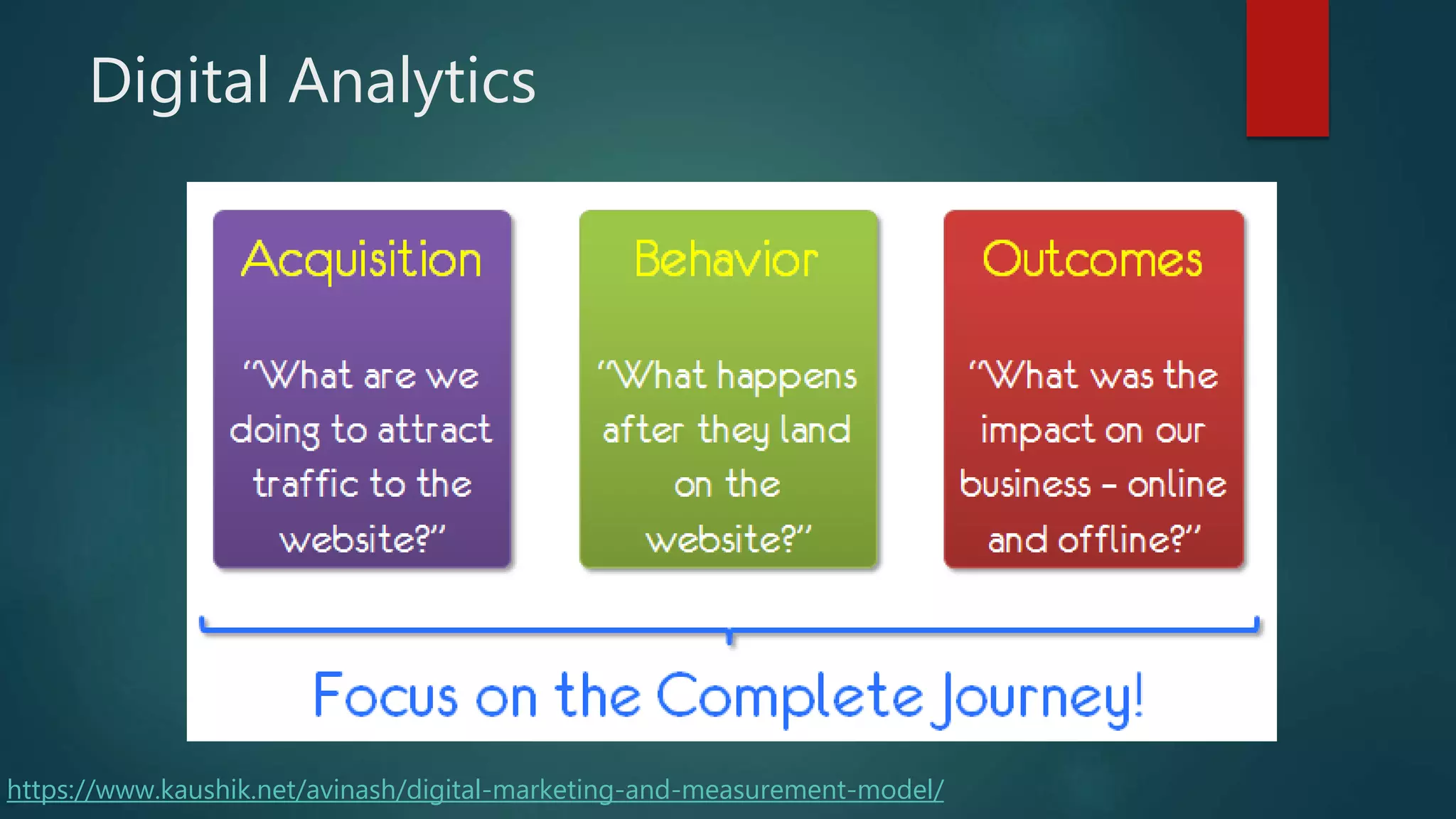
Digital Analytics
https://www.kaushik.net/avinash/digital-marketing-and-measurement-model/
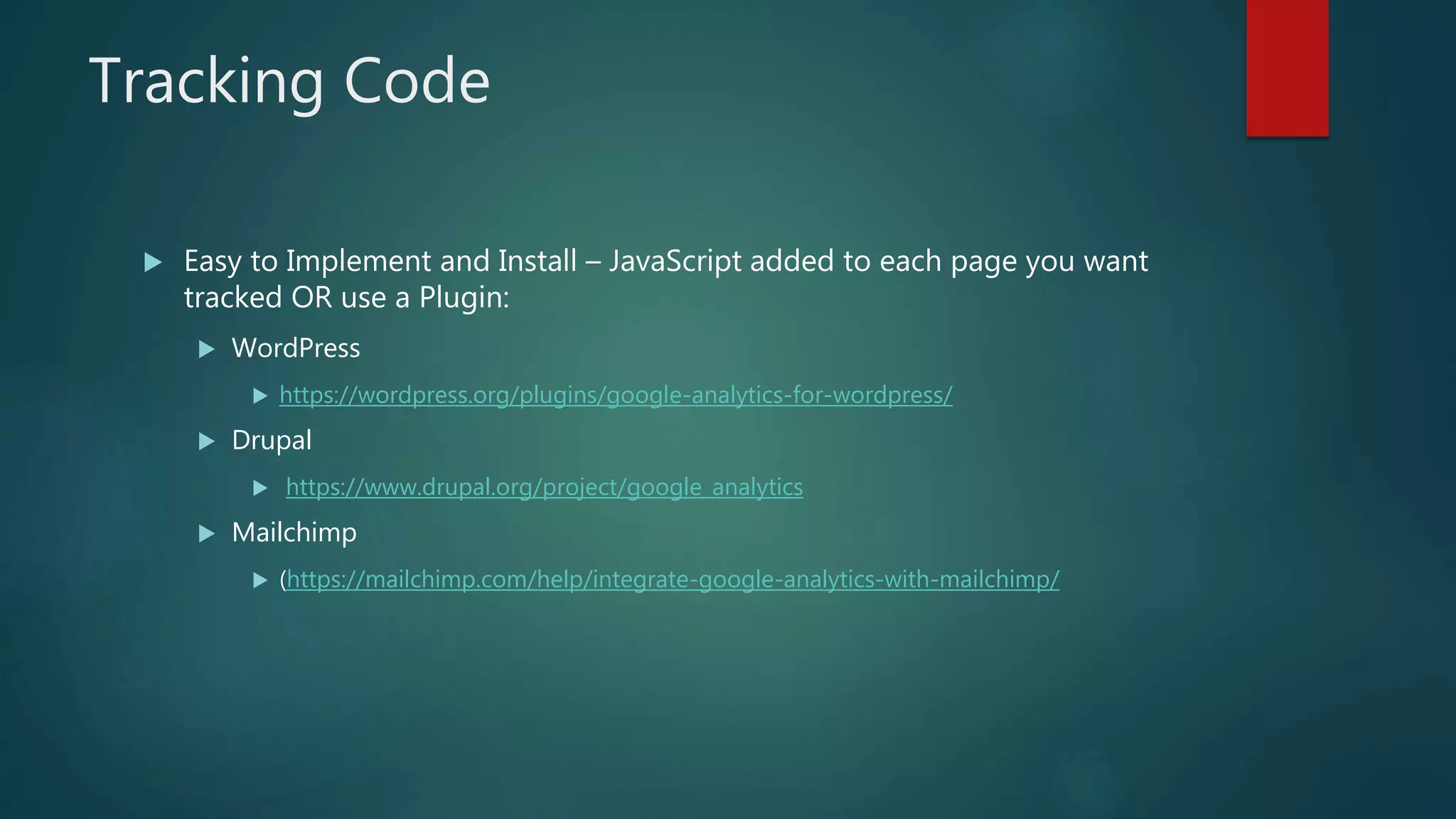
Tracking Code
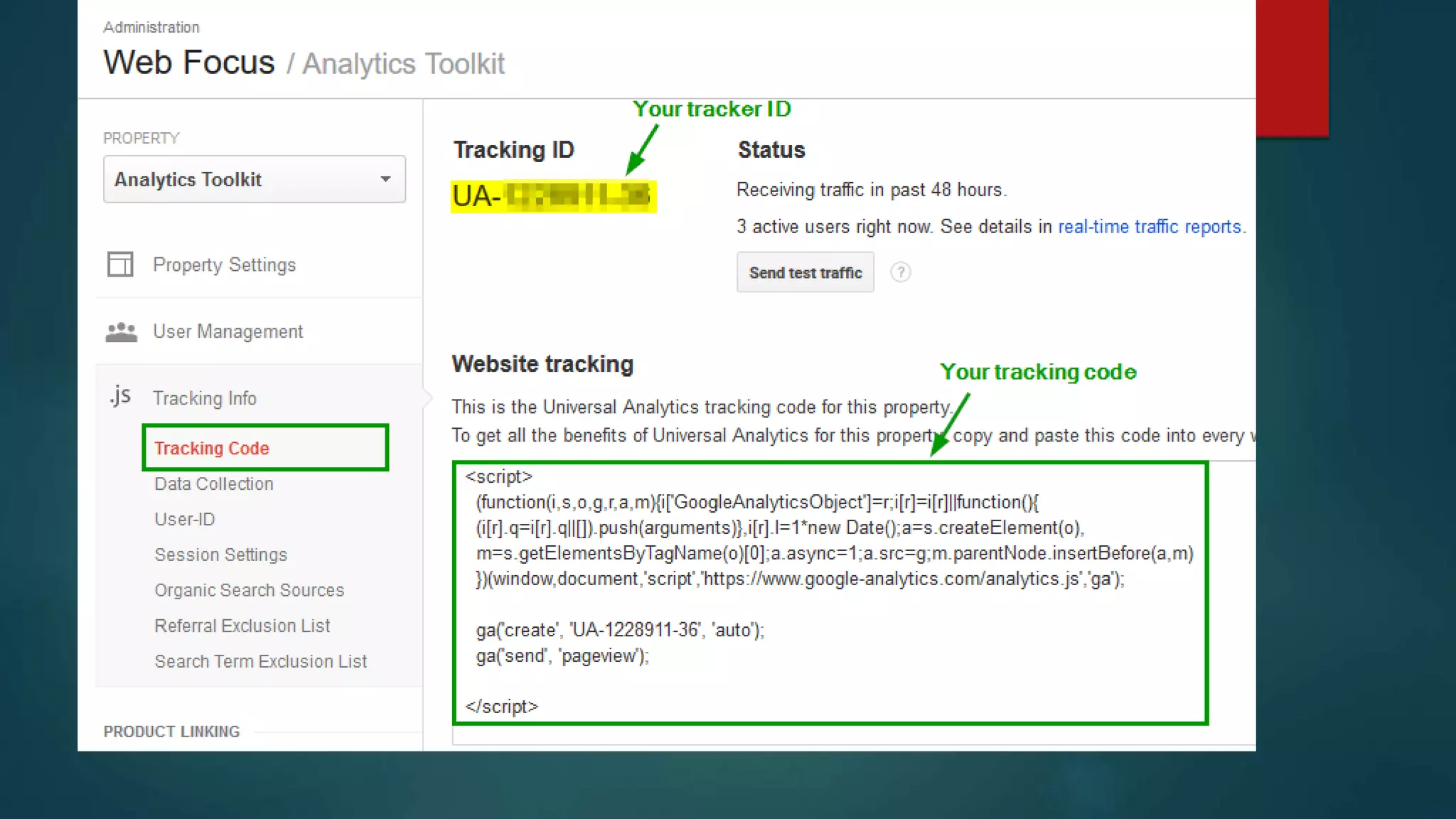
 Easy to Implement and Install – JavaScript added to each page you want
tracked OR use a Plugin:
 WordPress
 https://wordpress.org/plugins/google-analytics-for-wordpress/
 Drupal
 https://www.drupal.org/project/google_analytics
 Mailchimp
 (https://mailchimp.com/help/integrate-google-analytics-with-mailchimp/
Track Visitor Activity
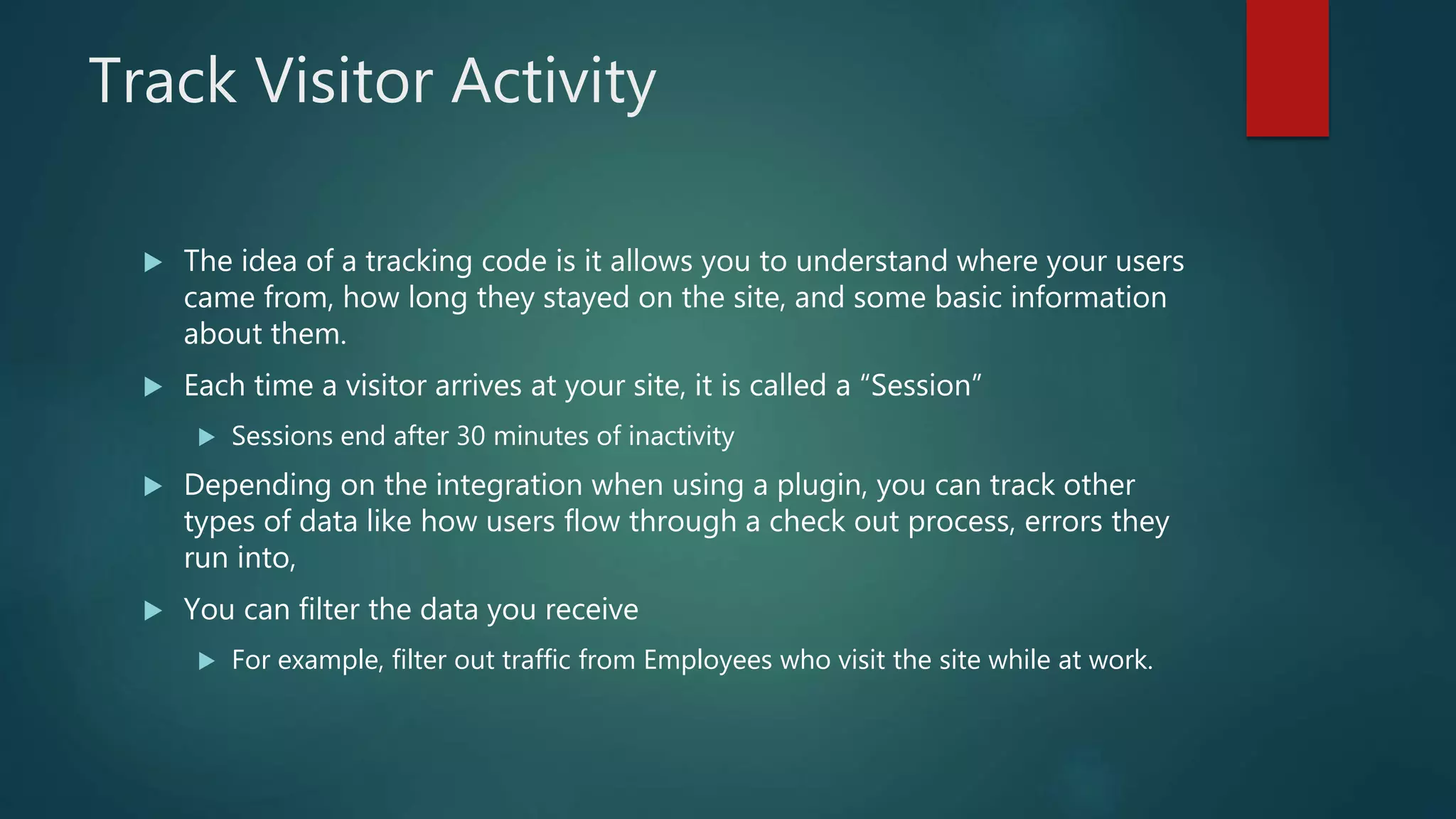
 The idea of a tracking code is it allows you to understand where your users
came from, how long they stayed on the site, and some basic information
about them.
 Each time a visitor arrives at your site, it is called a “Session”
 Sessions end after 30 minutes of inactivity
 Depending on the integration when using a plugin, you can track other
types of data like how users flow through a check out process, errors they
run into,
 You can filter the data you receive
 For example, filter out traffic from Employees who visit the site while at work.
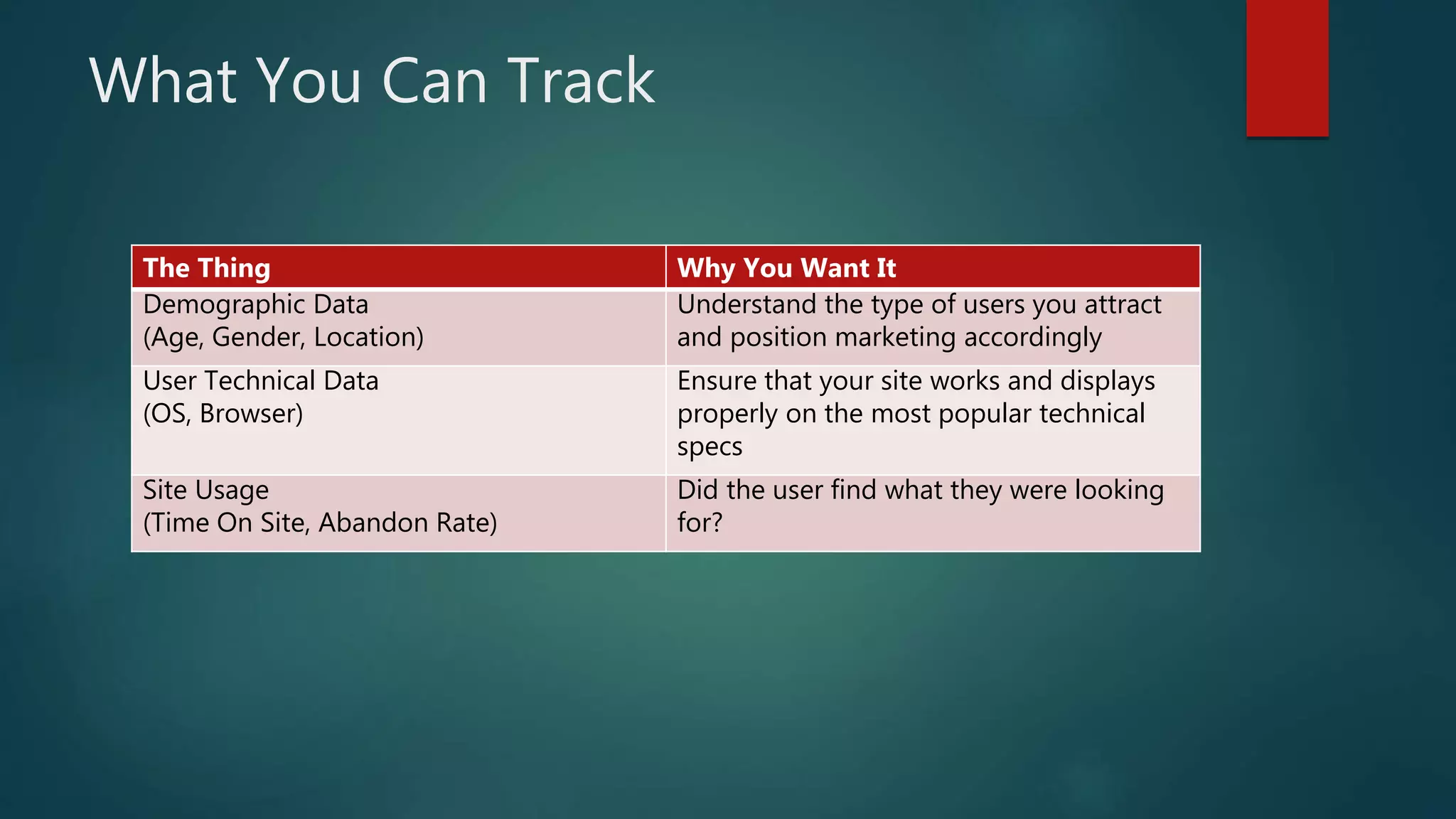
What You Can Track
The Thing Why You Want It
Demographic Data
(Age, Gender, Location)
Understand the type of users you attract
and position marketing accordingly
User Technical Data
(OS, Browser)
Ensure that your site works and displays
properly on the most popular technical
specs
Site Usage
(Time On Site, Abandon Rate)
Did the user find what they were looking
for?
Getting Started
 If its for work related things – you should either create a Google Account
for this purpose. (Don’t use your personal email)
 https://marketingplatform.google.com/about/analytics/
 Click Start For Free
 Sign Up or Sign In
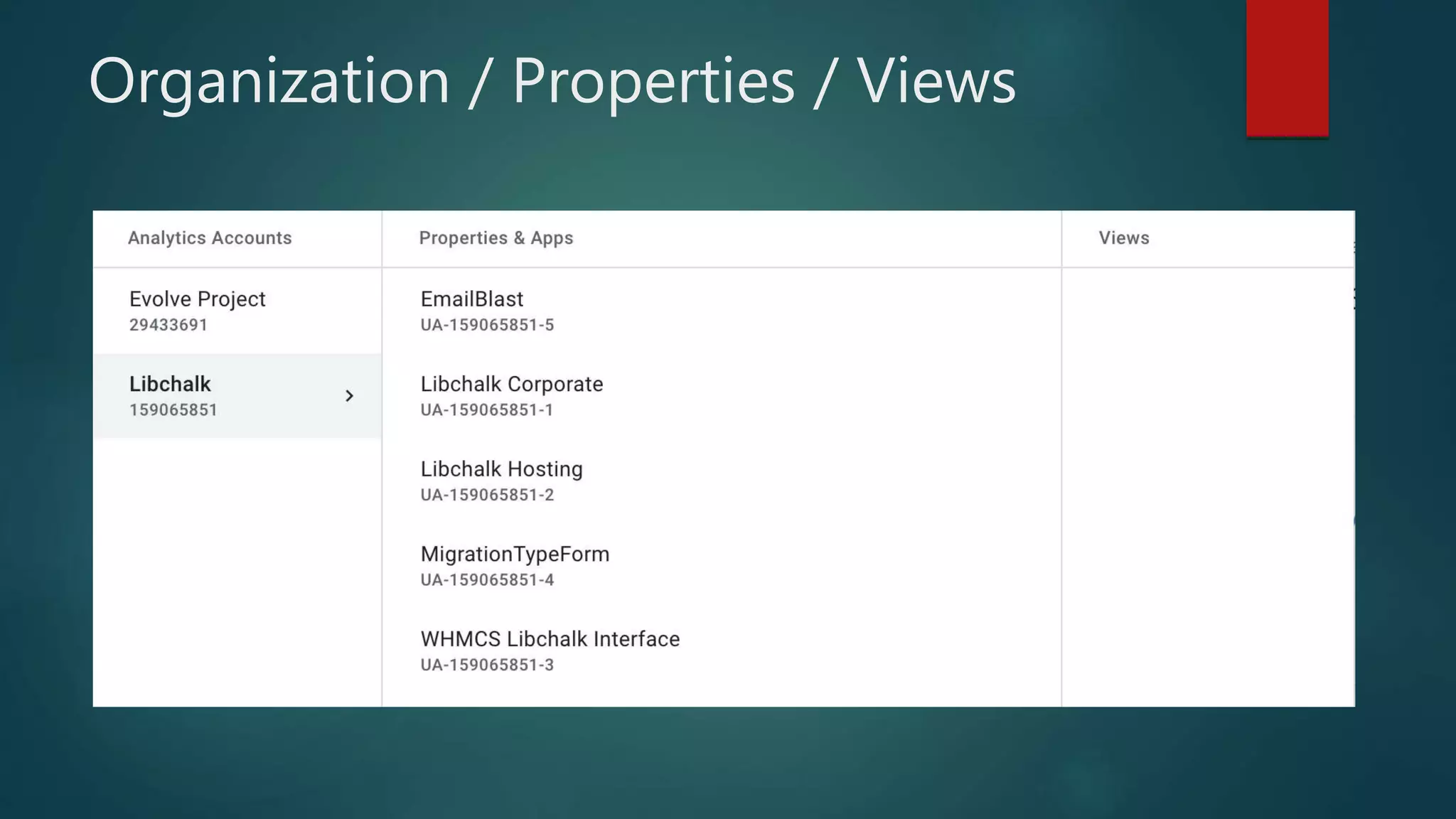
Organization / Properties / Views
Setting Up
 Organization (Library Name)
 Property – These can be separate things you would like to track
independently of each other
 Keep in mind, visitor information cannot be merged between properties
 Examples: Emailing, Website, Friends Page, Internal Site
 Each Property gets their own Tracking Code/ID
 Views are ways to split up your data. If you are using views, a pro tip
would be include one for ALL Data, then other views to segment things out
better.
 Goals: These are items you are trying to get users to finish – such has
signing up for email or a library card
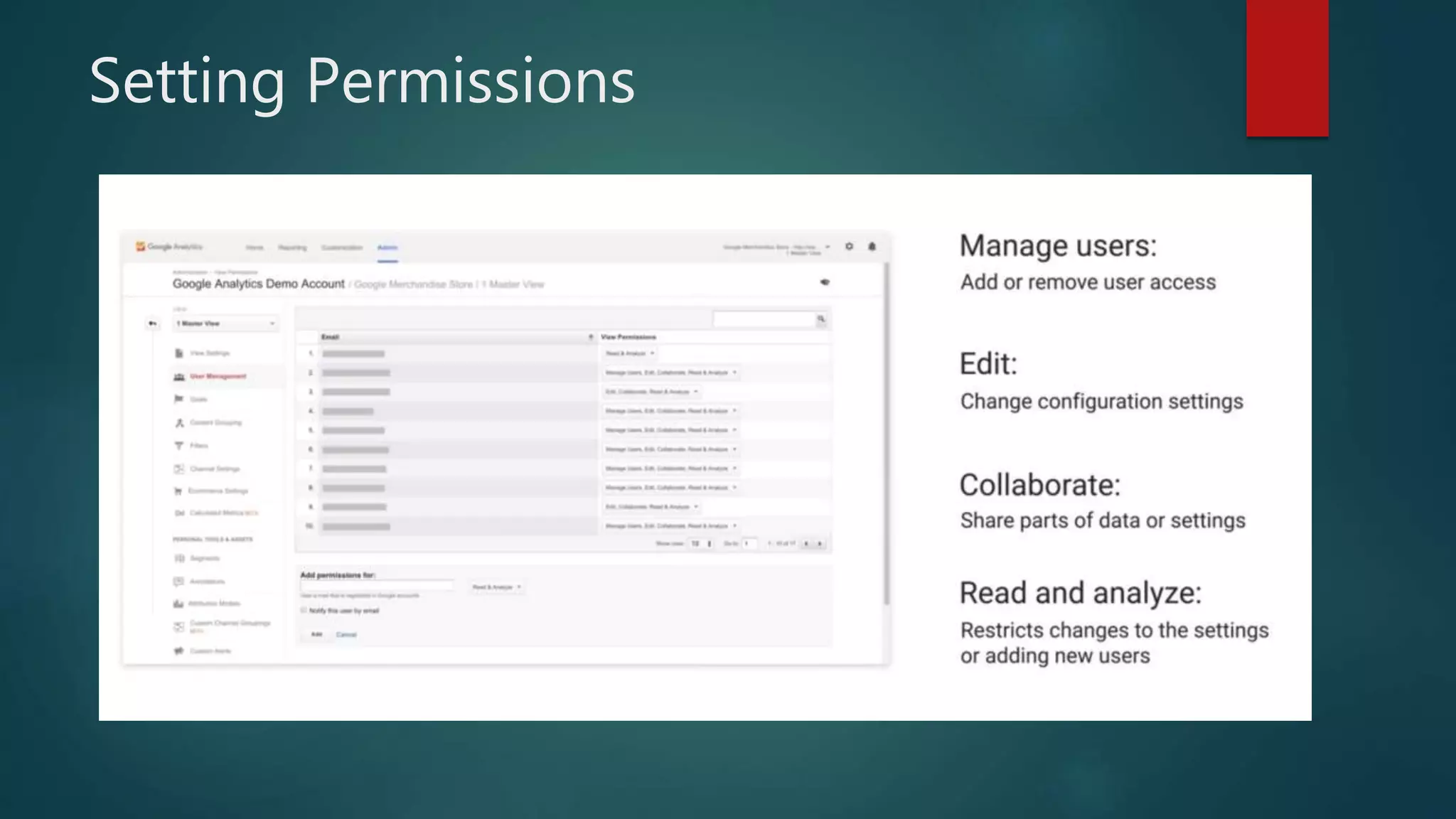
Setting Permissions
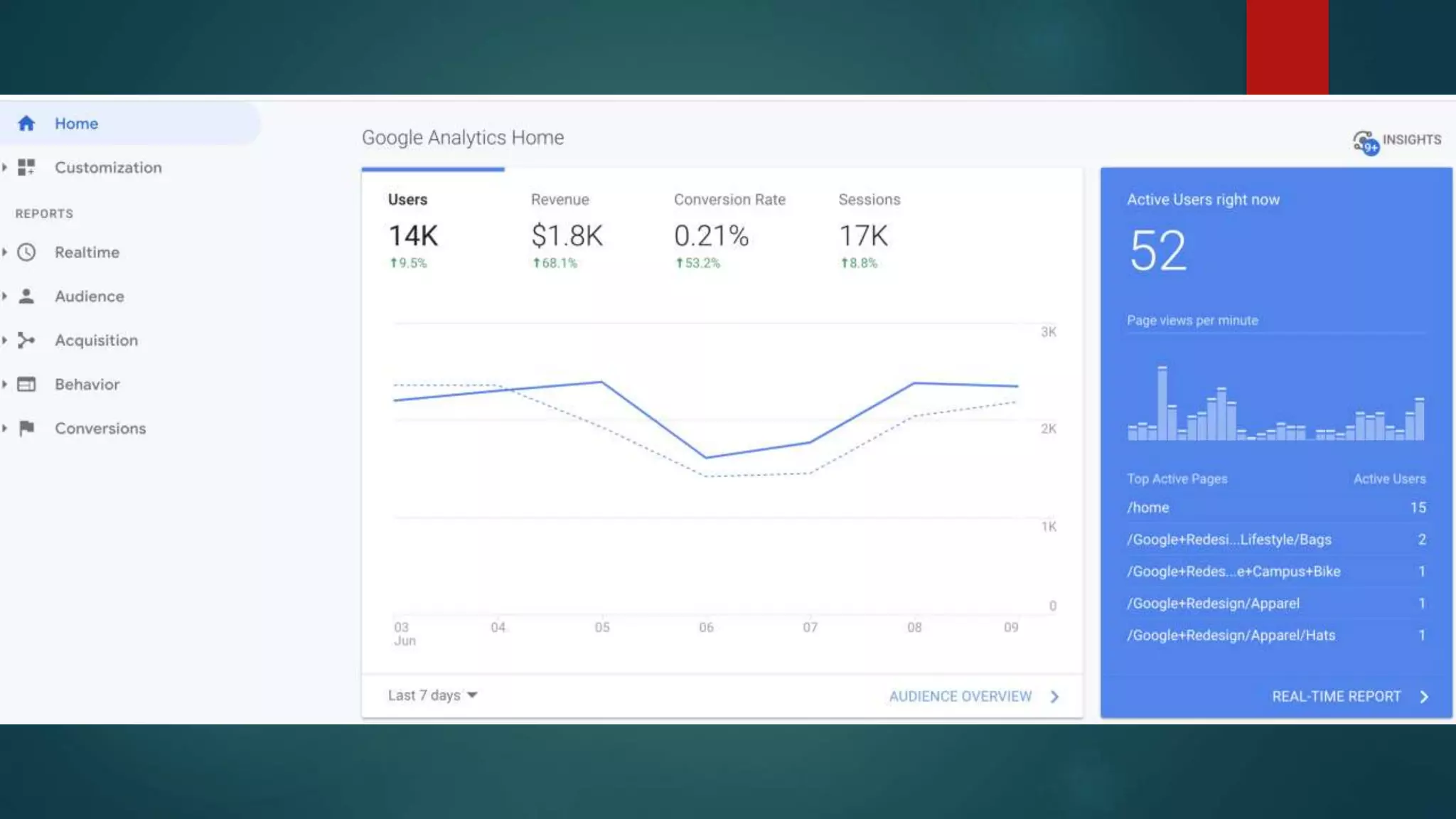
Google Dashboard - Reports
 Real Time
 Let’s you see users on your site in real time (right now)
 Audience
 Get data about who visits your website
 Acquisition
 Describes how users go to your site (Search Engine, Directly, Social Media)
 Behavior
 How did users navigate through your site. What did they do on it?
 Conversions
 This is based on goals you define
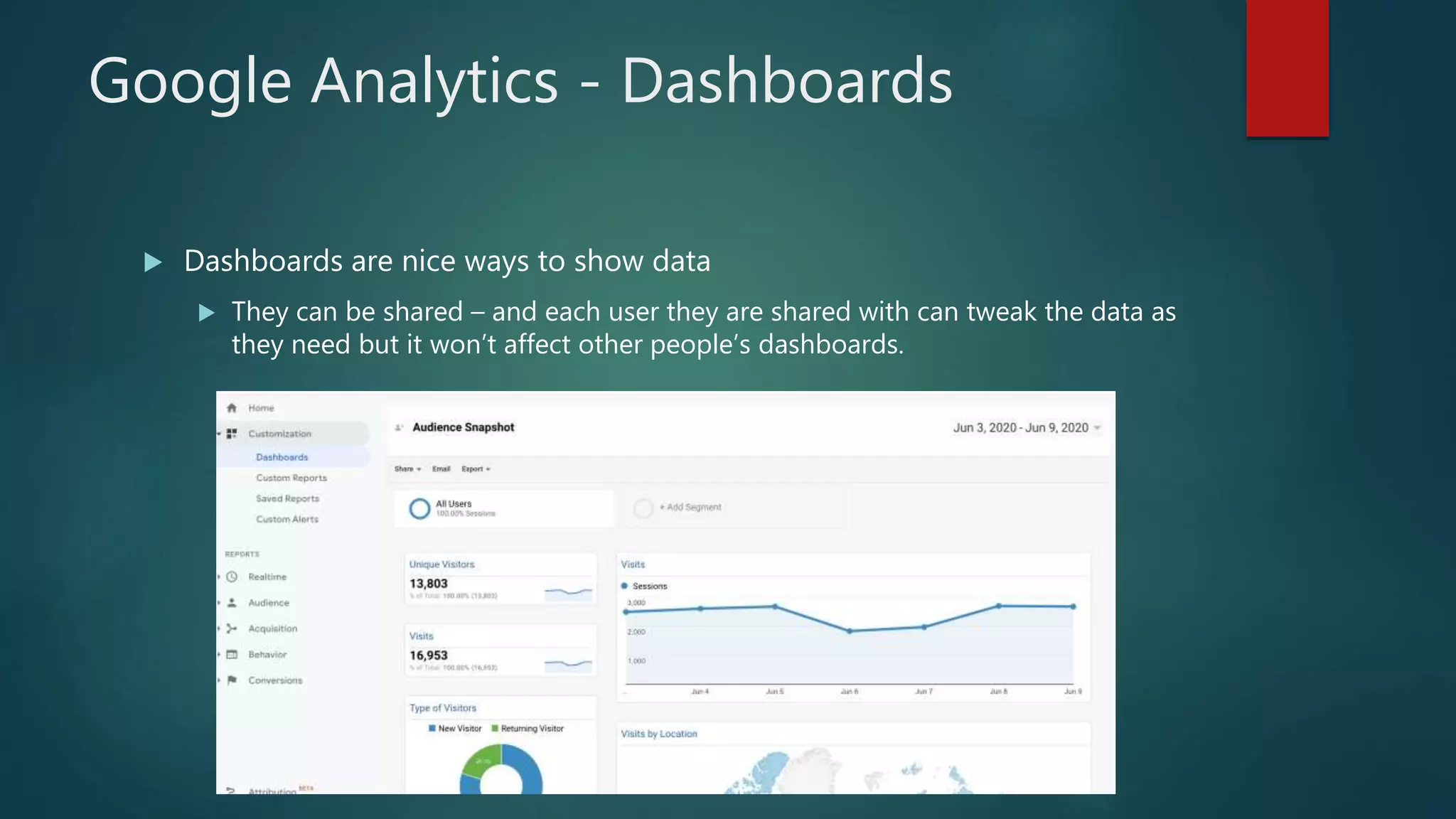
Google Analytics - Dashboards
 Dashboards are nice ways to show data
 They can be shared – and each user they are shared with can tweak the data as
they need but it won’t affect other people’s dashboards.
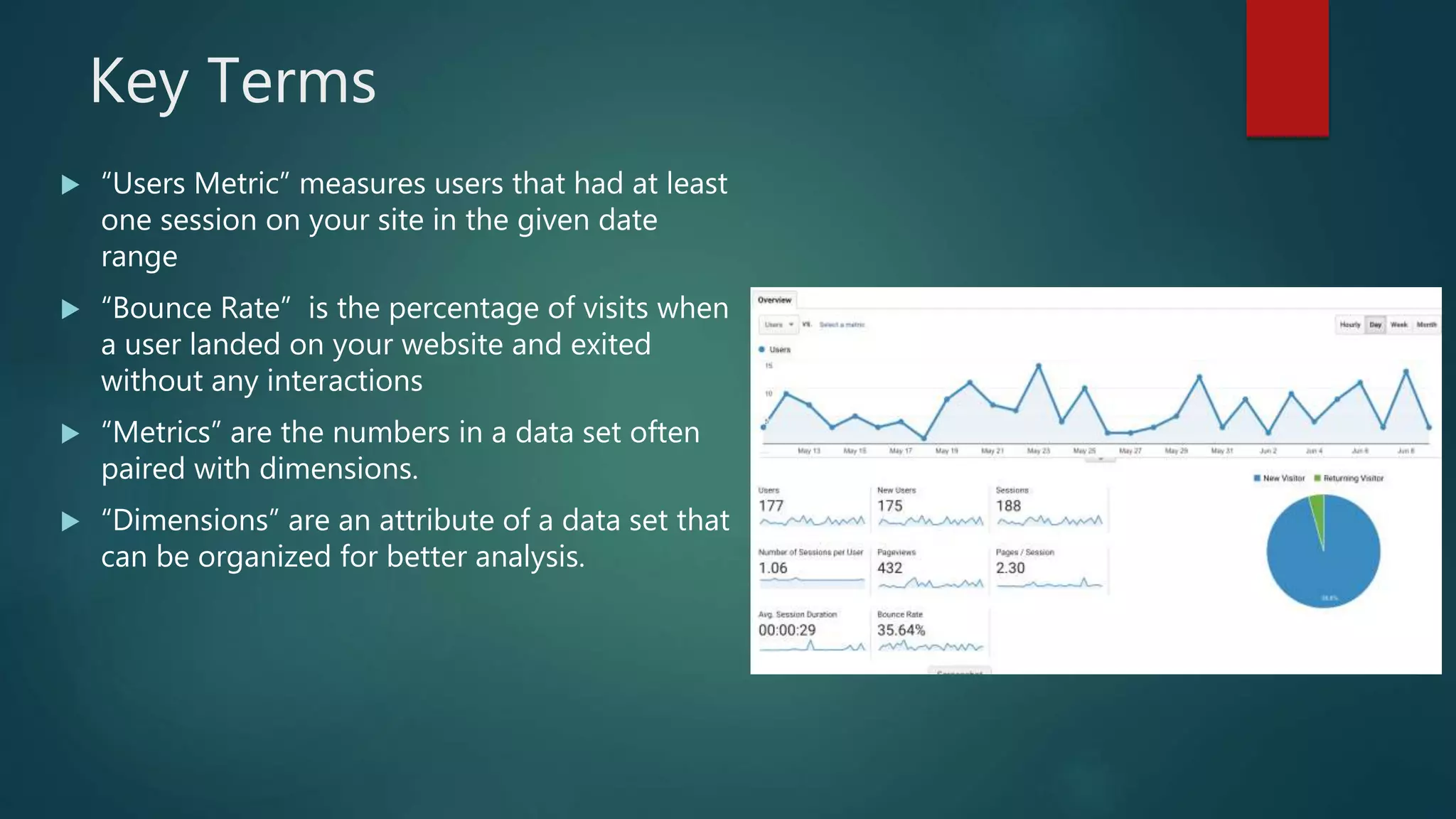
Key Terms
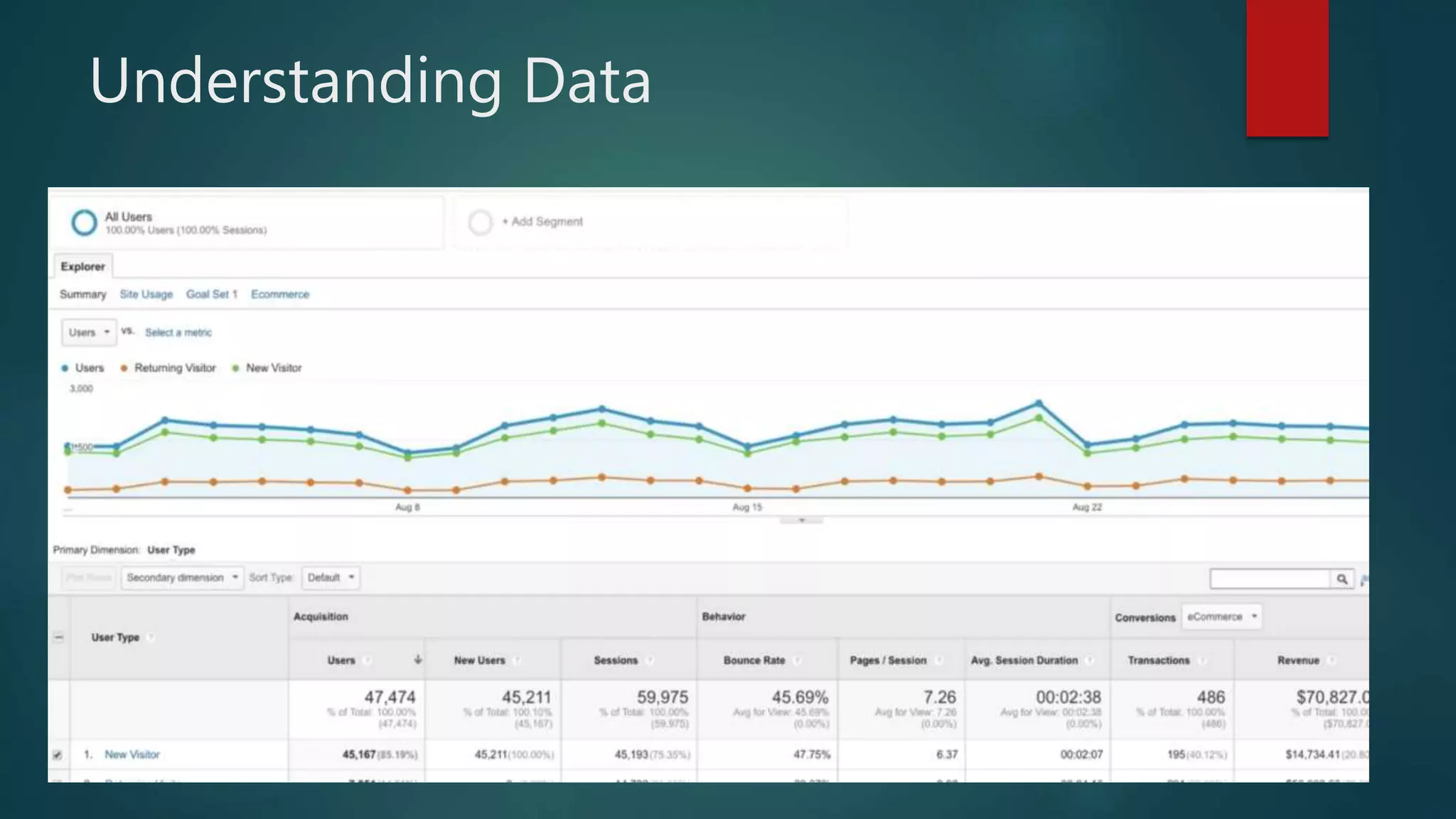
 “Users Metric” measures users that had at least
one session on your site in the given date
range
 “Bounce Rate” is the percentage of visits when
a user landed on your website and exited
without any interactions
 “Metrics” are the numbers in a data set often
paired with dimensions.
 “Dimensions” are an attribute of a data set that
can be organized for better analysis.
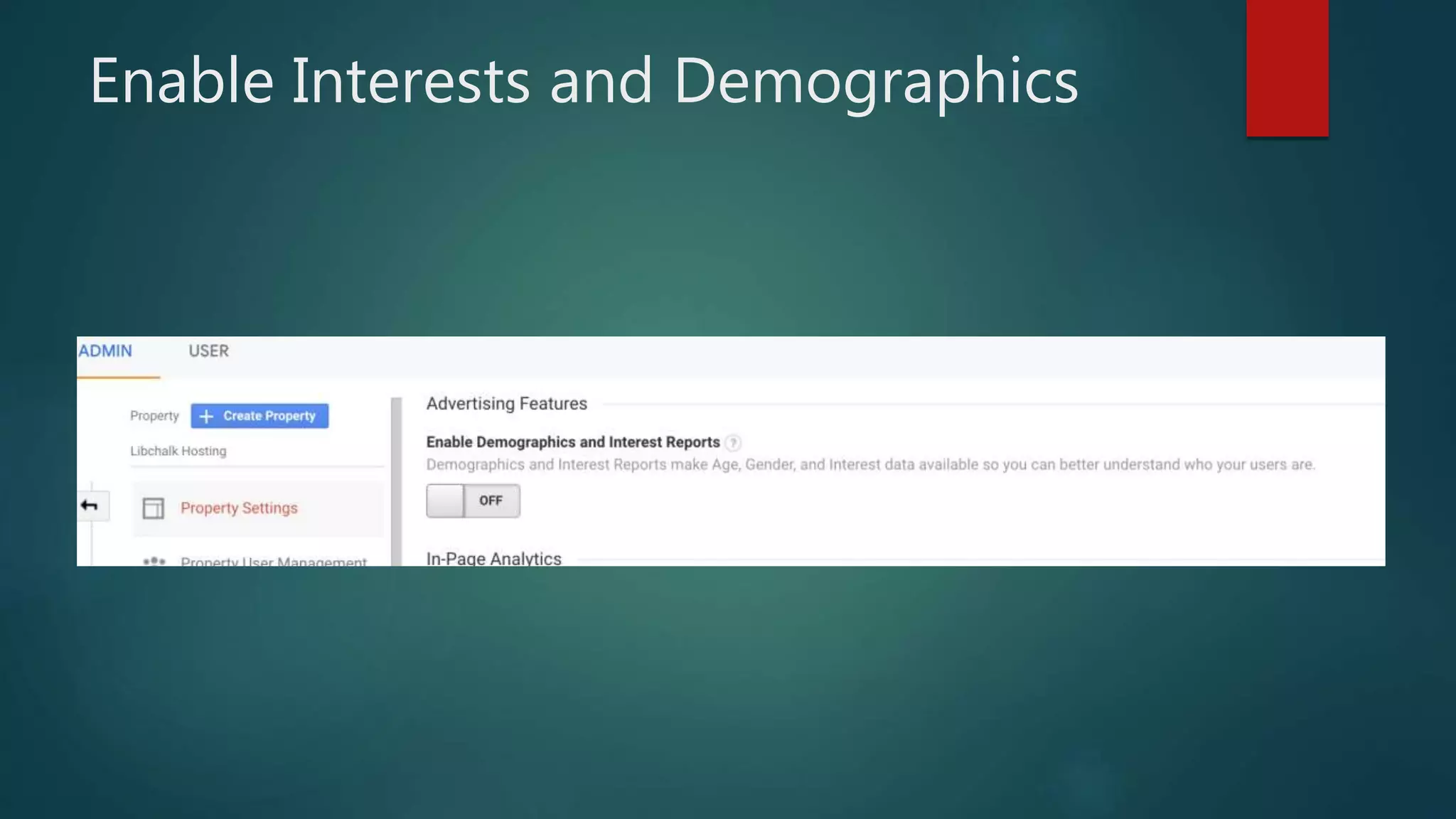
Enable Interests and Demographics
Understanding Data
Understanding Acquisitions
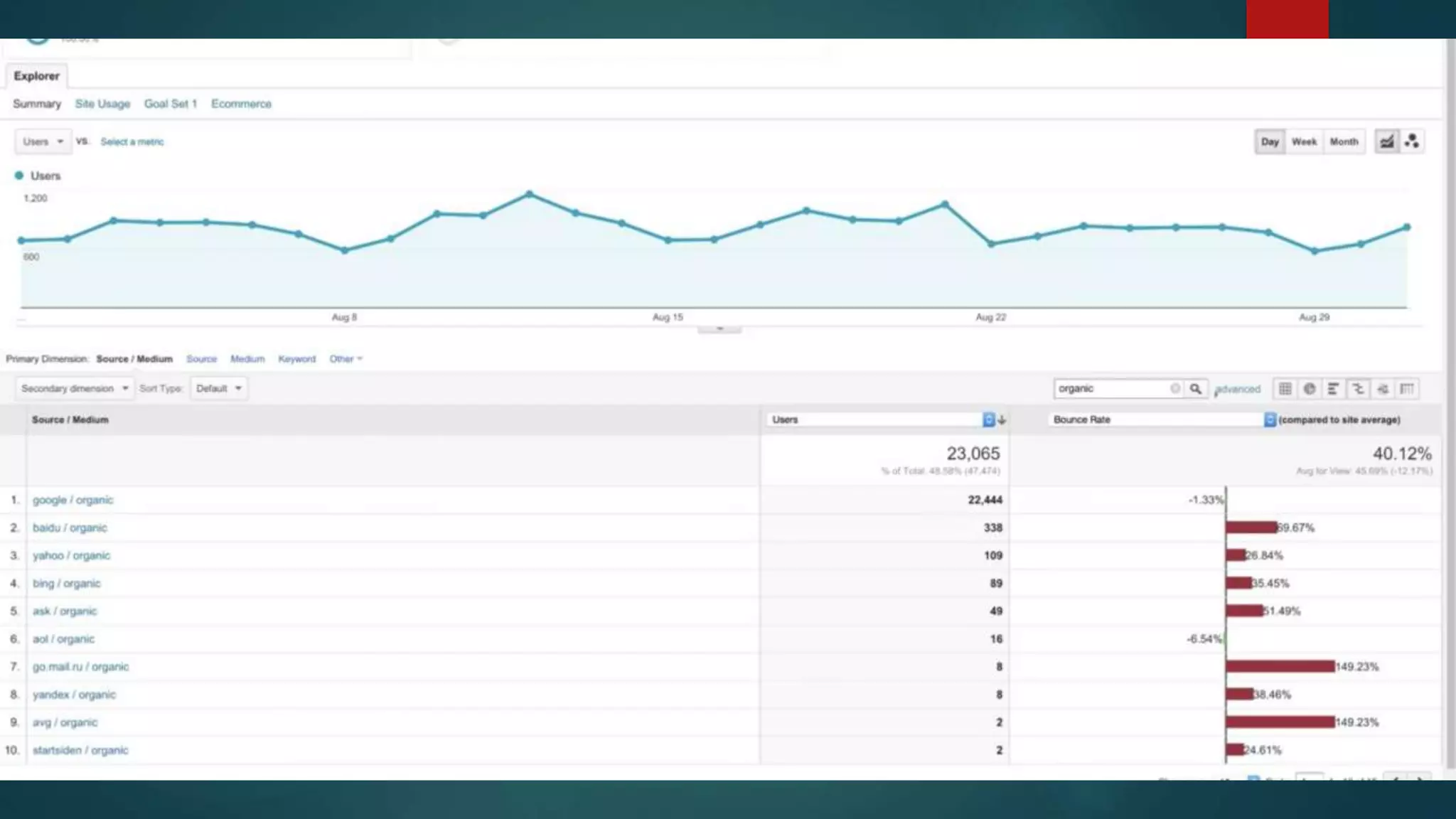
Tracking Mediums:
 Organic – Someone searched for you
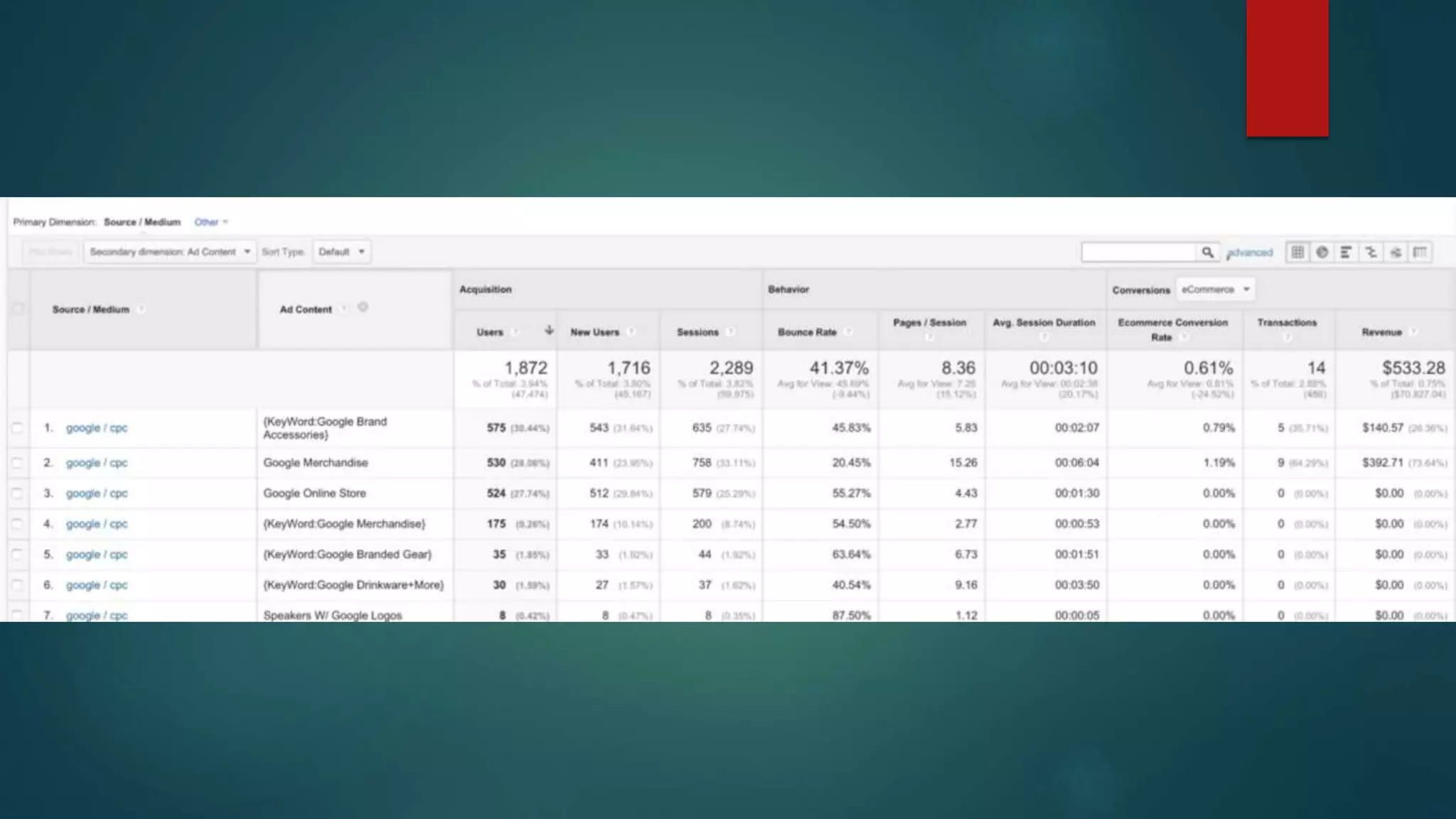
 CPC – paid click advertising (Google Ad Words)
 Referrals – Came from somewhere other than a search engine
 Email – Users clicked on a link through an email
 None – Direct Access to Page
 We want good traffic quality:
 Low Bounce Rate
 Spent Time On Site
 Did something (Conversions)
Traffic source dimensions
 Source: Every referral to a web site has an origin, or source. Possible sources
include: “google” (the name of a search engine), “facebook.com” (the name of
a referring site), “spring_newsletter” (the name of one of your newsletters), and
“direct” (users that typed your URL directly into their browser, or who had
bookmarked your site).
 Medium: Every referral to a website also has a medium. Possible medium
include: “organic” (unpaid search), “cpc” (cost per click, i.e. paid search),
“referral” (referral), “email” (the name of a custom medium you have created),
“none” (direct traffic has a medium of “none”).
 Channels are grouped Mediums/Sources
 Campaign is the name of the referring Google Ads campaign or a custom
campaign that you have created.
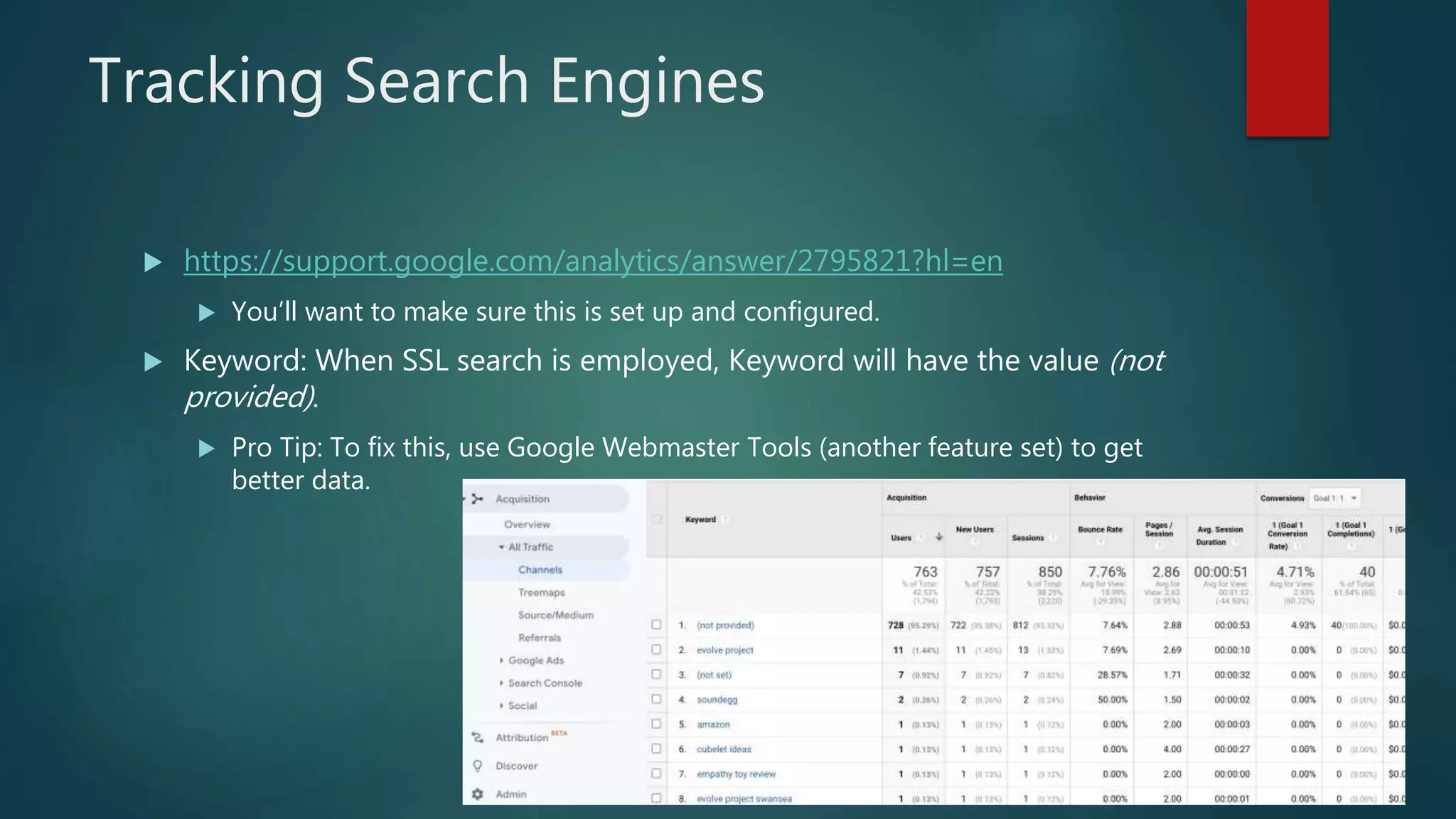
Tracking Search Engines
 https://support.google.com/analytics/answer/2795821?hl=en
 You’ll want to make sure this is set up and configured.
 Keyword: When SSL search is employed, Keyword will have the value (not
provided).
 Pro Tip: To fix this, use Google Webmaster Tools (another feature set) to get
better data.
Marketing Campaigns
 Adding Parameters to links you post on social media with a campaign tag
 Medium – notes one of the mediums (email, social, etc)
 Source – specific location of where it came from (google, twitter, newsletter)
 Campaign – name of the marketing campaign
 Content – can be used to identify which campaigns are working good
 Term – used to be identified paid search campaigns (for paid searches)
 All these fields are case sensitive!!!
 Don’t worry, there is an easy tool called the URL Builder
https://ga-dev-tools.appspot.com/campaign-url-builder/
 Or if you have a lot of links you want to manage:
https://docs.google.com/spreadsheets/d/1tf3_SczMMTTf-
ZJ9Bkb70xps_DPGLBTd4wkHPyadKSA/edit?hl=en_US&;usp=sharing&hl=en_US
Quick Tips
 Its important that you have readable URL’s on your site
 Drupal can be done with Pathauto Module
 Wordpress can be enabled to use clear links (If you want to change your permalink
structure in WordPress, go to Settings > Permalinks. Don’t use “plain” and use one
of the better options. Recommend to use “Post Name” as the URL.
 You can put a tracking url across all your EZProxy links to get better data
analysis of which databases users use.
 Monitor Search Terms people use to find your site – and do a search yourself.
Make sure you are at the top of those results.
 Pages with the most traffic – should be part of a “quick links” section on your
site.
 Set up reports so department members know impact.
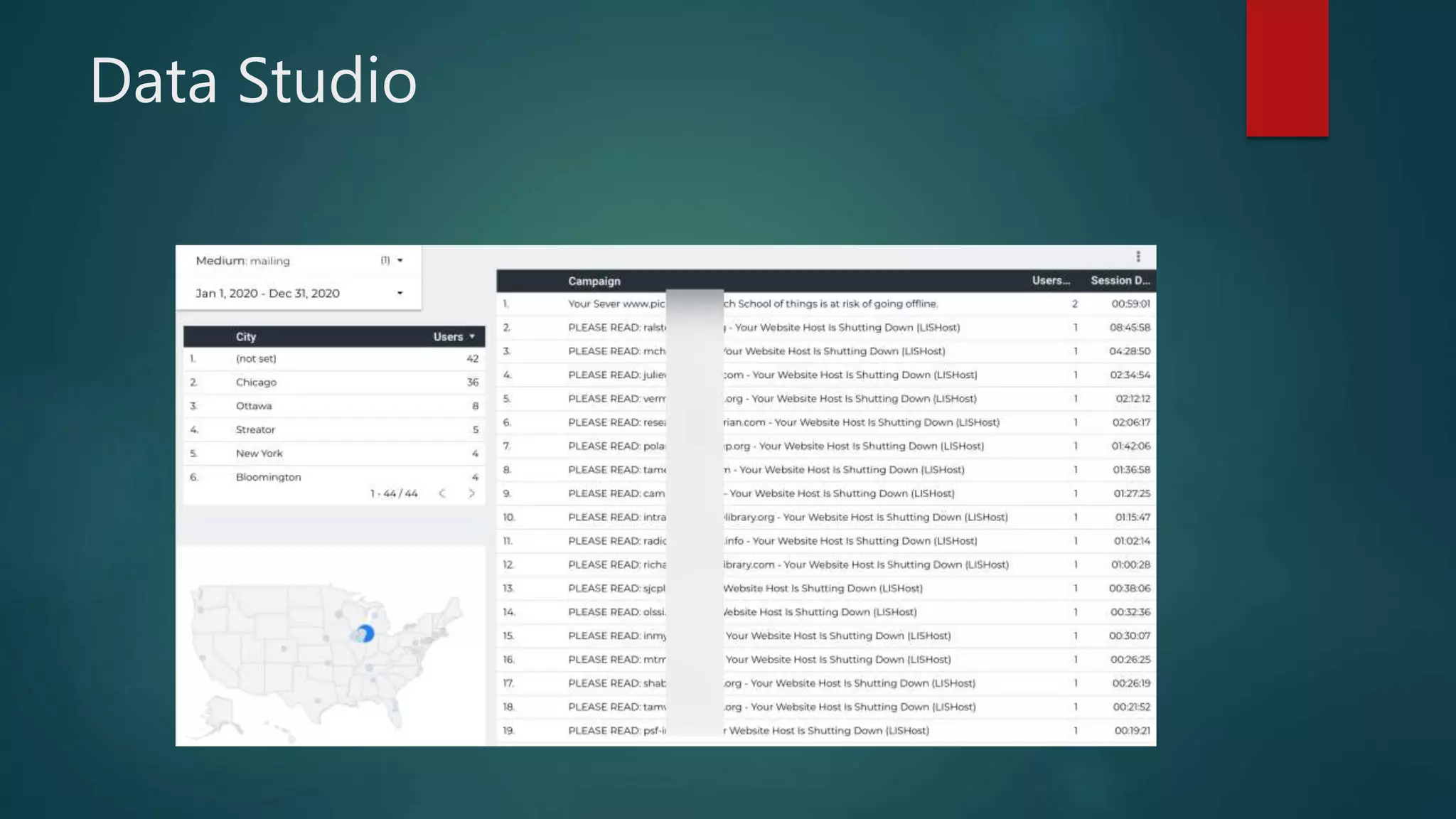
Data Studio
Questions?
 Brian Pichman
 bpichman@evolveproject.org

Google analytics and google data studio

  • 1.
    Google Analytics and GoogleData Studio BRIAN PICHMAN EVOLVE PROJECT
  • 2.
    Description  This webinarintroduces the basics of Google Analytics – from getting started and understanding how it works so you can get your website running with the powerful tools offered through Google Analytics. This webinar highlights the importance of using it for tracking of your website or marketing campaigns so you can make better informed decisions, understand your users, and use that data to provide a better digital experience. We will also explore how you can incorporate Google Data Studio with your Analytics for amazing interactive reports that are sure to impress any board meeting.
  • 3.
    Resources  Get Certified(it’s free!)  https://analytics.google.com/analytics/academy/  Periodic Table Of Google Analytics  https://www.datadrivenu.com/google-analytics-guide/  Case Study (2007)  https://digitalcommons.unl.edu/cgi/viewcontent.cgi?referer=https://www.googl e.com/&httpsredir=1&article=1121&context=libphilprac
  • 4.
  • 5.
  • 6.
    Tracking Code  Easyto Implement and Install – JavaScript added to each page you want tracked OR use a Plugin:  WordPress  https://wordpress.org/plugins/google-analytics-for-wordpress/  Drupal  https://www.drupal.org/project/google_analytics  Mailchimp  (https://mailchimp.com/help/integrate-google-analytics-with-mailchimp/
  • 8.
    Track Visitor Activity The idea of a tracking code is it allows you to understand where your users came from, how long they stayed on the site, and some basic information about them.  Each time a visitor arrives at your site, it is called a “Session”  Sessions end after 30 minutes of inactivity  Depending on the integration when using a plugin, you can track other types of data like how users flow through a check out process, errors they run into,  You can filter the data you receive  For example, filter out traffic from Employees who visit the site while at work.
  • 9.
    What You CanTrack The Thing Why You Want It Demographic Data (Age, Gender, Location) Understand the type of users you attract and position marketing accordingly User Technical Data (OS, Browser) Ensure that your site works and displays properly on the most popular technical specs Site Usage (Time On Site, Abandon Rate) Did the user find what they were looking for?
  • 10.
    Getting Started  Ifits for work related things – you should either create a Google Account for this purpose. (Don’t use your personal email)  https://marketingplatform.google.com/about/analytics/  Click Start For Free  Sign Up or Sign In
  • 11.
  • 12.
    Setting Up  Organization(Library Name)  Property – These can be separate things you would like to track independently of each other  Keep in mind, visitor information cannot be merged between properties  Examples: Emailing, Website, Friends Page, Internal Site  Each Property gets their own Tracking Code/ID  Views are ways to split up your data. If you are using views, a pro tip would be include one for ALL Data, then other views to segment things out better.  Goals: These are items you are trying to get users to finish – such has signing up for email or a library card
  • 13.
  • 14.
    Google Dashboard -Reports  Real Time  Let’s you see users on your site in real time (right now)  Audience  Get data about who visits your website  Acquisition  Describes how users go to your site (Search Engine, Directly, Social Media)  Behavior  How did users navigate through your site. What did they do on it?  Conversions  This is based on goals you define
  • 16.
    Google Analytics -Dashboards  Dashboards are nice ways to show data  They can be shared – and each user they are shared with can tweak the data as they need but it won’t affect other people’s dashboards.
  • 17.
    Key Terms  “UsersMetric” measures users that had at least one session on your site in the given date range  “Bounce Rate” is the percentage of visits when a user landed on your website and exited without any interactions  “Metrics” are the numbers in a data set often paired with dimensions.  “Dimensions” are an attribute of a data set that can be organized for better analysis.
  • 18.
  • 19.
  • 20.
    Understanding Acquisitions Tracking Mediums: Organic – Someone searched for you  CPC – paid click advertising (Google Ad Words)  Referrals – Came from somewhere other than a search engine  Email – Users clicked on a link through an email  None – Direct Access to Page  We want good traffic quality:  Low Bounce Rate  Spent Time On Site  Did something (Conversions)
  • 21.
    Traffic source dimensions Source: Every referral to a web site has an origin, or source. Possible sources include: “google” (the name of a search engine), “facebook.com” (the name of a referring site), “spring_newsletter” (the name of one of your newsletters), and “direct” (users that typed your URL directly into their browser, or who had bookmarked your site).  Medium: Every referral to a website also has a medium. Possible medium include: “organic” (unpaid search), “cpc” (cost per click, i.e. paid search), “referral” (referral), “email” (the name of a custom medium you have created), “none” (direct traffic has a medium of “none”).  Channels are grouped Mediums/Sources  Campaign is the name of the referring Google Ads campaign or a custom campaign that you have created.
  • 23.
    Tracking Search Engines https://support.google.com/analytics/answer/2795821?hl=en  You’ll want to make sure this is set up and configured.  Keyword: When SSL search is employed, Keyword will have the value (not provided).  Pro Tip: To fix this, use Google Webmaster Tools (another feature set) to get better data.
  • 24.
    Marketing Campaigns  AddingParameters to links you post on social media with a campaign tag  Medium – notes one of the mediums (email, social, etc)  Source – specific location of where it came from (google, twitter, newsletter)  Campaign – name of the marketing campaign  Content – can be used to identify which campaigns are working good  Term – used to be identified paid search campaigns (for paid searches)  All these fields are case sensitive!!!  Don’t worry, there is an easy tool called the URL Builder https://ga-dev-tools.appspot.com/campaign-url-builder/  Or if you have a lot of links you want to manage: https://docs.google.com/spreadsheets/d/1tf3_SczMMTTf- ZJ9Bkb70xps_DPGLBTd4wkHPyadKSA/edit?hl=en_US&;usp=sharing&hl=en_US
  • 26.
    Quick Tips  Itsimportant that you have readable URL’s on your site  Drupal can be done with Pathauto Module  Wordpress can be enabled to use clear links (If you want to change your permalink structure in WordPress, go to Settings > Permalinks. Don’t use “plain” and use one of the better options. Recommend to use “Post Name” as the URL.  You can put a tracking url across all your EZProxy links to get better data analysis of which databases users use.  Monitor Search Terms people use to find your site – and do a search yourself. Make sure you are at the top of those results.  Pages with the most traffic – should be part of a “quick links” section on your site.  Set up reports so department members know impact.
  • 27.
  • 28.
    Questions?  Brian Pichman bpichman@evolveproject.org