


Agenda
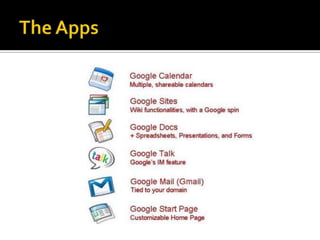
The Apps
The Apps - Videohttp://www.youtube.com/watch?v=kJT3pagjd8s
Gmailhttp://www.youtube.com/watch?v=9JJDugn4RoQ
Google Docshttp://www.youtube.com/watch?v=TYPjJK6LZdM
Google Siteshttp://www.youtube.com/watch?v=tkTGrOcFiz0
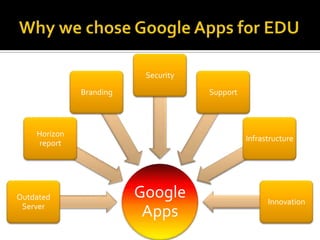
Why we chose Google Apps for EDU
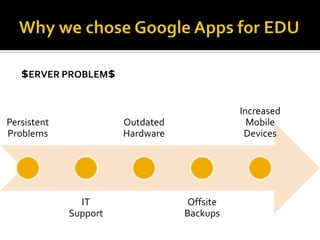
Why we chose Google Apps for EDU$ERVER Problem$
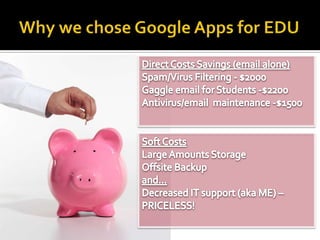
Why we chose Google Apps for EDUDirect Costs Savings (email alone)Spam/Virus Filtering - $2000Gaggle email for Students -$2200Antivirus/email  maintenance -$1500Soft CostsLarge Amounts Storage Offsite Backupand…Endpoint independent, no maintenance, no updates = Decreased IT support (aka ME) – PRICELESS!
Why we chose Google Apps for EDUGoogle Apps allows centralized control & administration of content.
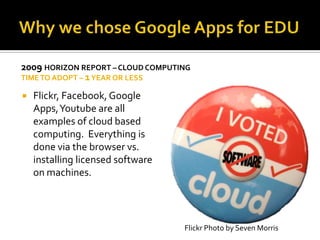
Why we chose Google Apps for EDU2009 Horizon report – Cloud computingTime to adopt – 1 year or lessFlickr, Facebook, Google Apps, Youtube are all examples of cloud based computing.  Everything is done via the browser vs. installing licensed software on machines.Flickr Photo by Seven Morris
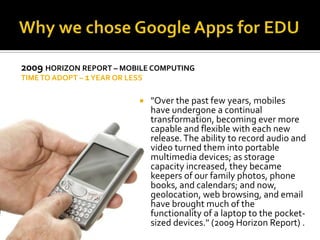
Why we chose Google Apps for EDU2009 Horizon report – Mobile ComputingTIME TO ADOPT – 1 Year or less"Over the past few years, mobiles have undergone a continual transformation, becoming ever more capable and flexible with each new release. The ability to record audio and video turned them into portable multimedia devices; as storage capacity increased, they became keepers of our family photos, phone books, and calendars; and now, geolocation, web browsing, and email have brought much of the functionality of a laptop to the pocket-sized devices." (2009 Horizon Report) .
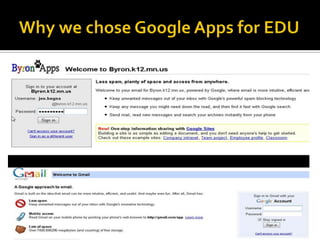
Why we chose Google Apps for EDU
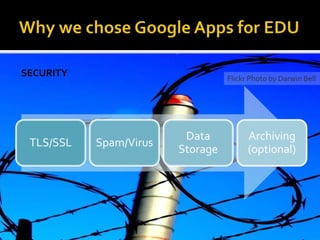
Why we chose Google Apps for EDUSecurityFlickr Photo by Darwin Bell
Security free (for now)Google Message Security is included free for K-12 schools who sign-up by July 2010.
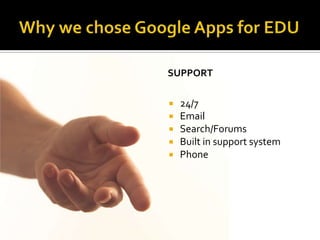
Why we chose Google Apps for EDUGoogle Support24/7 EmailSearch/ForumsBuilt in support systemPhone
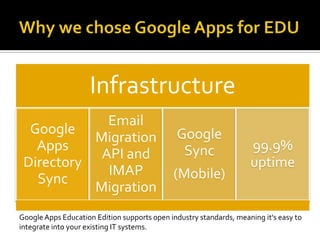
Why we chose Google Apps for EDUGoogle Apps Education Edition supports open industry standards, meaning it's easy to integrate into your existing IT systems.
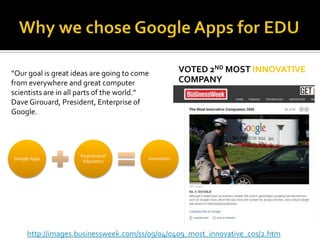
Why we chose Google Apps for EDUVoted 2nd most Innovative Company“Our goal is great ideas are going to come from everywhere and great computer scientists are in all parts of the world.”  Dave Girouard, President, Enterprise of Google.http://images.businessweek.com/ss/09/04/0409_most_innovative_cos/2.htm
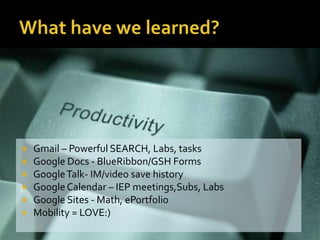
What have we learned?Gmail – Powerful SEARCH, Labs, tasksGoogle Docs - BlueRibbon/GSH FormsGoogle Talk- IM/video save historyGoogle Calendar – IEP meetings,Subs, LabsGoogle Sites - Math, ePortfolioMobility = LOVE:)
What have we learned?Increased Collaboration Data TrackingCommunications streamlinedTimely FeedbackFirst system integration where morale increased!
Our Future PlansStaff First (Jan 2010)Uploaded accounts via CSVOpen all labs and appsAllowed to share/IM outside domainStudents (may 2010)Will implement via Google Apps Directory Sync (Active Directory)Will not turn on Google Talk (IM)Separate ES/MS?Add grades – 4, 5, 6Moodleintegration
Brainstorm…Will your bandwidth support Google Apps?Decide your audience? Teachers, HS, MS, ES?Will you separate your staff/student domains?Will you implement all apps? How is it going to be supported?Communication plan – Email, Wiki, Website?Does your current policy support collaborative work? Inside/outside domainUsername convention?  (What is easiest?)Will students have access to the outside email?How will it be monitored?
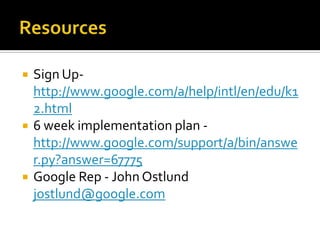
ResourcesSign Up- http://www.google.com/a/help/intl/en/edu/k12.html6 week implementation plan - http://www.google.com/support/a/bin/answer.py?answer=67775Google Rep - John Ostlundjostlund@google.com
Questions?

Going Google

  • 2.
  • 3.
  • 4.
    The Apps -Videohttp://www.youtube.com/watch?v=kJT3pagjd8s
  • 5.
  • 6.
  • 7.
  • 8.
    Why we choseGoogle Apps for EDU
  • 9.
    Why we choseGoogle Apps for EDU$ERVER Problem$
  • 10.
    Why we choseGoogle Apps for EDUDirect Costs Savings (email alone)Spam/Virus Filtering - $2000Gaggle email for Students -$2200Antivirus/email maintenance -$1500Soft CostsLarge Amounts Storage Offsite Backupand…Endpoint independent, no maintenance, no updates = Decreased IT support (aka ME) – PRICELESS!
  • 11.
    Why we choseGoogle Apps for EDUGoogle Apps allows centralized control & administration of content.
  • 12.
    Why we choseGoogle Apps for EDU2009 Horizon report – Cloud computingTime to adopt – 1 year or lessFlickr, Facebook, Google Apps, Youtube are all examples of cloud based computing. Everything is done via the browser vs. installing licensed software on machines.Flickr Photo by Seven Morris
  • 13.
    Why we choseGoogle Apps for EDU2009 Horizon report – Mobile ComputingTIME TO ADOPT – 1 Year or less"Over the past few years, mobiles have undergone a continual transformation, becoming ever more capable and flexible with each new release. The ability to record audio and video turned them into portable multimedia devices; as storage capacity increased, they became keepers of our family photos, phone books, and calendars; and now, geolocation, web browsing, and email have brought much of the functionality of a laptop to the pocket-sized devices." (2009 Horizon Report) .
  • 14.
    Why we choseGoogle Apps for EDU
  • 15.
    Why we choseGoogle Apps for EDUSecurityFlickr Photo by Darwin Bell
  • 16.
    Security free (fornow)Google Message Security is included free for K-12 schools who sign-up by July 2010.
  • 17.
    Why we choseGoogle Apps for EDUGoogle Support24/7 EmailSearch/ForumsBuilt in support systemPhone
  • 18.
    Why we choseGoogle Apps for EDUGoogle Apps Education Edition supports open industry standards, meaning it's easy to integrate into your existing IT systems.
  • 19.
    Why we choseGoogle Apps for EDUVoted 2nd most Innovative Company“Our goal is great ideas are going to come from everywhere and great computer scientists are in all parts of the world.” Dave Girouard, President, Enterprise of Google.http://images.businessweek.com/ss/09/04/0409_most_innovative_cos/2.htm
  • 20.
    What have welearned?Gmail – Powerful SEARCH, Labs, tasksGoogle Docs - BlueRibbon/GSH FormsGoogle Talk- IM/video save historyGoogle Calendar – IEP meetings,Subs, LabsGoogle Sites - Math, ePortfolioMobility = LOVE:)
  • 21.
    What have welearned?Increased Collaboration Data TrackingCommunications streamlinedTimely FeedbackFirst system integration where morale increased!
  • 22.
    Our Future PlansStaffFirst (Jan 2010)Uploaded accounts via CSVOpen all labs and appsAllowed to share/IM outside domainStudents (may 2010)Will implement via Google Apps Directory Sync (Active Directory)Will not turn on Google Talk (IM)Separate ES/MS?Add grades – 4, 5, 6Moodleintegration
  • 23.
    Brainstorm…Will your bandwidthsupport Google Apps?Decide your audience? Teachers, HS, MS, ES?Will you separate your staff/student domains?Will you implement all apps? How is it going to be supported?Communication plan – Email, Wiki, Website?Does your current policy support collaborative work? Inside/outside domainUsername convention? (What is easiest?)Will students have access to the outside email?How will it be monitored?
  • 25.
    ResourcesSign Up- http://www.google.com/a/help/intl/en/edu/k12.html6week implementation plan - http://www.google.com/support/a/bin/answer.py?answer=67775Google Rep - John Ostlundjostlund@google.com
  • 26.

Editor's Notes

  • #16 Benefits of TLS/SSL TLS/SSL provides numerous benefits to clients and servers over other methods of authentication, including:Strong authentication, message privacy, and integrityInteroperabilityAlgorithm flexibilityEase of deploymentEase of useCustom spam and inbound mail filtering tools, powered by Postini. ArchivingCapture and index all of email and attachments in a centralized repositoryStore email in redundant and secure Google data centers, creating a reliable, offsite backupSearch your archive using parameters such as date range, sender, recipient, subject and contentReduced price for education
  • #20 Integrated communicationsGoogle Apps Education Edition combines email, chat, documents and scheduling.Switch from email to IM, voice, or video chat right in your inbox. Reply to time-sensitive email quickly via chat.Share calendars to quickly create and view class and exam schedules, group meetings, and events.Add calendar entries while composing or reading emails.Receive mail from different email addresses with mail fetcher.
  • #25 If you have trouble with Bandwidth now – it will be worse after you implement!
  • #26 Sign up- verify you own your domain – get test site going!