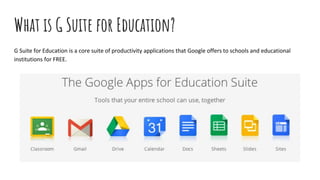



What is G Suite for Education?
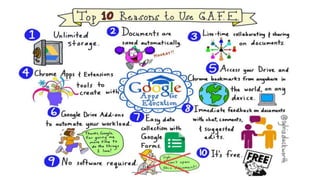
G Suite for Education is a core suite of productivity applications that Google offers to schools and educational
institutions for FREE.
How G Suite for Education Works
cont..
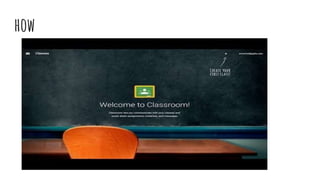
Google Classroom
is your mission control for class. Create classes, distribute
assignments, send feedback, and see everything in one place.
Instant. Paperless. Easy.
how
Going into Google
Getting Google Apps accounts for your school is an increasingly attractive
proposition.
It is free and online
It is highly interactive
All academic efforts under one school-managed online domain
Encourages collaboration
Google Docs
This online office suite allows you to create word processing
documents, slideshow presentations, and spreadsheets.
Usefully, these documents can be worked on collaboratively
in real-time, by both staff and students, and they can be
shared with the world or kept private according to your
needs. You can even create questionnaires and data
collection tools with Google Forms.
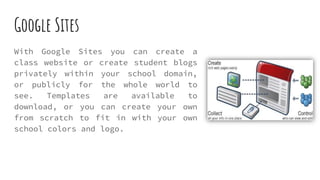
Google Sites
With Google Sites you can create a
class website or create student blogs
privately within your school domain,
or publicly for the whole world to
see. Templates are available to
download, or you can create your own
from scratch to fit in with your own
school colors and logo.
Google Sites-Creation tips with Google Apps for Education
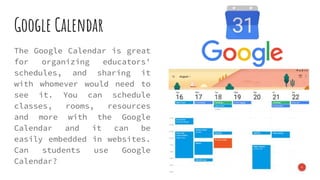
Google Calendar
The Google Calendar is great
for organizing educators'
schedules, and sharing it
with whomever would need to
see it. You can schedule
classes, rooms, resources
and more with the Google
Calendar and it can be
easily embedded in websites.
Can students use Google
Calendar?
Google Talk
It is a voice and text based communication tool that
allows to you to make free computer to computer calls
to other Google Talk users. You can send instant
messages, set status updates, transfer files, and host
conference calls with multiple people.
It is fully integrated within Gmail so that if you see
your contacts are online, it is quick and easy to start
chatting or talking to them. Video chat is possible, but
only after you download the video chat plug-in,
Google For Education
https://edu.google.com/
IN CONCLUSION...
1) Empowerment: being able to discover a world of infinite resources and change the role of
the teacher from simply disseminating information to coaching and supporting students as
they explore the information accessible to them to solve real-world problems.
2) Choice: use the right device anytime, anywhere.
3) Teamwork: working together in real time.
4) Scale: affordable and easy to manage. Device and content management are equally
important to keep the total cost of ownership low and to allow IT teams to efficiently and
effectively manage all the different elements, from network to applications to devices.
THANK YOU FOR YOUR ATTENTION
resources
https://www.universitybusiness.com/article/benefits-google-
education-higher-ed
https://www.youtube.com/watch?v=lXo-YCxtBHA
https://edu.google.com/

Google apps for education

  • 2.
    What is GSuite for Education? G Suite for Education is a core suite of productivity applications that Google offers to schools and educational institutions for FREE.
  • 3.
    How G Suitefor Education Works
  • 4.
  • 5.
    Google Classroom is yourmission control for class. Create classes, distribute assignments, send feedback, and see everything in one place. Instant. Paperless. Easy.
  • 6.
  • 8.
    Going into Google GettingGoogle Apps accounts for your school is an increasingly attractive proposition. It is free and online It is highly interactive All academic efforts under one school-managed online domain Encourages collaboration
  • 9.
    Google Docs This onlineoffice suite allows you to create word processing documents, slideshow presentations, and spreadsheets. Usefully, these documents can be worked on collaboratively in real-time, by both staff and students, and they can be shared with the world or kept private according to your needs. You can even create questionnaires and data collection tools with Google Forms.
  • 10.
    Google Sites With GoogleSites you can create a class website or create student blogs privately within your school domain, or publicly for the whole world to see. Templates are available to download, or you can create your own from scratch to fit in with your own school colors and logo.
  • 11.
    Google Sites-Creation tipswith Google Apps for Education
  • 12.
    Google Calendar The GoogleCalendar is great for organizing educators' schedules, and sharing it with whomever would need to see it. You can schedule classes, rooms, resources and more with the Google Calendar and it can be easily embedded in websites. Can students use Google Calendar?
  • 13.
    Google Talk It isa voice and text based communication tool that allows to you to make free computer to computer calls to other Google Talk users. You can send instant messages, set status updates, transfer files, and host conference calls with multiple people. It is fully integrated within Gmail so that if you see your contacts are online, it is quick and easy to start chatting or talking to them. Video chat is possible, but only after you download the video chat plug-in,
  • 14.
  • 15.
    IN CONCLUSION... 1) Empowerment:being able to discover a world of infinite resources and change the role of the teacher from simply disseminating information to coaching and supporting students as they explore the information accessible to them to solve real-world problems. 2) Choice: use the right device anytime, anywhere. 3) Teamwork: working together in real time. 4) Scale: affordable and easy to manage. Device and content management are equally important to keep the total cost of ownership low and to allow IT teams to efficiently and effectively manage all the different elements, from network to applications to devices.
  • 16.
    THANK YOU FORYOUR ATTENTION
  • 17.