ANALYTICS - ADVANCED TOPICS
THE PROGRAM
» Today
» Reporting
» Quality Control
» Segments
» Conversion Triggers
» Goals
» Funnels
» Ecommerce
» Dashboards
» GA Profiles
» Upcoming
» Beyond Analytics
» Information types
» Roles
» Context
» Other Tools
» Analytics Discipline
» Quantitative vs. Qualitative
» Holistic Ecosystem
» GLSF U Analytics
Certification
REPORTING
QUALITY CONTROL (QA)
» Double checking live data
GA REAL-TIME REPORTING
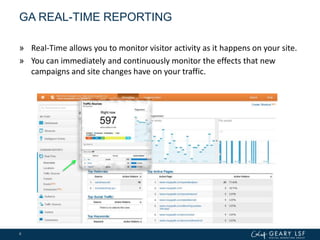
» Real-Time allows you to monitor visitor activity as it happens on your site.
» You can immediately and continuously monitor the effects that new
campaigns and site changes have on your traffic.
6
GA REAL-TIME REPORTING
» A few good ways to use Real-Time is for:
» immediately verify that the tracking code is working on your site
» monitoring whether new and changed content on your site is being viewed
» see whether a one-day promotion is driving traffic to your site, and see which pages these visitors
are viewing
» monitor the immediate effects on traffic from a blog/social network post or tweet
» In Real-Time, a user is active if he or she has triggered an event or pageview within
the past 5 minutes.
» Real-Time reflects your profile data.
» If your data looks incorrect, check which filters are being applied to the profile.
» When debugging tracking code implementations, be sure to use an unfiltered profile.
» Real-Time supports App profiles, so you can see mobile SDK traffic in real time as
well.
» Serves as a great end to end debugging tool
7
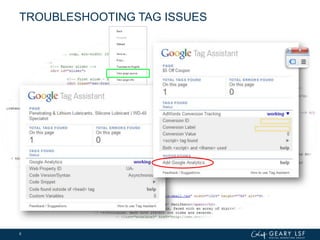
TROUBLESHOOTING TAG ISSUES
8
SETTING UP FOR REPORTING
» Determine questions first
» Did we reduce cart abandonment?
» Did the average order value go up?
» Which landing pages increased engagement?
» ?
» Identify dimensions & metric/KPIs to answer
» Determine how you want to see the numbers
» Comparing multiple items / instances
» Time series progressions
» Time vs time
» ?
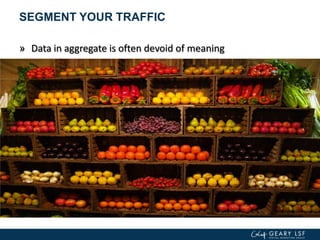
SEGMENT YOUR TRAFFIC
» Data in aggregate is often devoid of meaning
CASE STUDY:
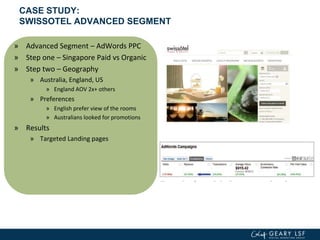
SWISSOTEL ADVANCED SEGMENT
» Advanced Segment – AdWords PPC
» Step one – Singapore Paid vs Organic
» Step two – Geography
» Australia, England, US
» England AOV 2x+ others
» Preferences
» English prefer view of the rooms
» Australians looked for promotions
» Results
» Targeted Landing pages
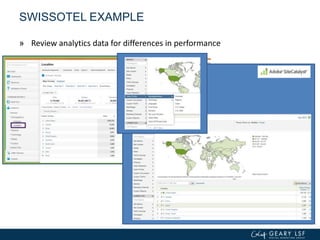
SWISSOTEL EXAMPLE
» Review analytics data for differences in performance
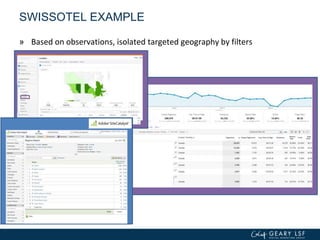
SWISSOTEL EXAMPLE
» Based on observations, isolated targeted geography by filters
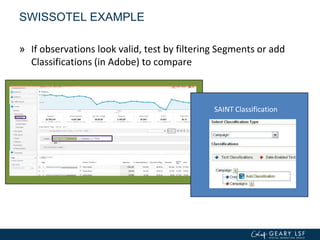
SAINT Classification
SWISSOTEL EXAMPLE
» If observations look valid, test by filtering Segments or add
Classifications (in Adobe) to compare
SWISSOTEL EXAMPLE
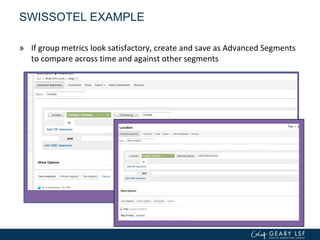
» If group metrics look satisfactory, create and save as Advanced Segments
to compare across time and against other segments
SWISSOTEL EXAMPLE
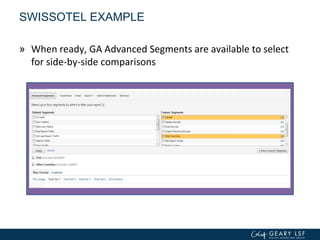
» When ready, GA Advanced Segments are available to select
for side-by-side comparisons
SWISSOTEL EXAMPLE
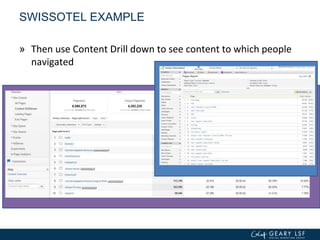
» Then use Content Drill down to see content to which people
navigated
SWISSOTEL EXAMPLE
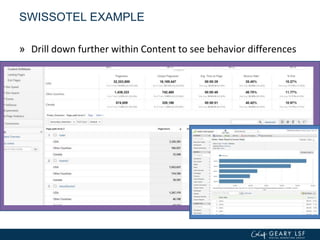
» Drill down further within Content to see behavior differences
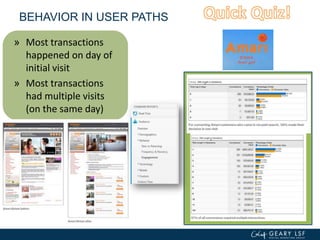
BEHAVIOR IN USER PATHS
» Most transactions
happened on day of
initial visit
» Most transactions
had multiple visits
(on the same day)
» Change landing
pages, increased
Remarketing
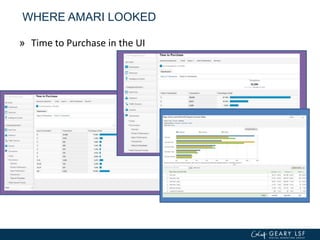
WHERE AMARI LOOKED
» Time to Purchase in the UI
ECOMMERCE
» Know which traffic sources have been most profitable
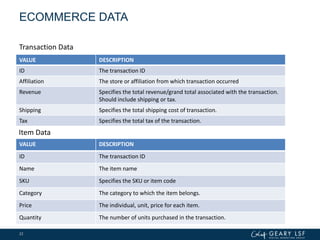
ECOMMERCE DATA
VALUE DESCRIPTION
ID The transaction ID
Affiliation The store or affiliation from which transaction occurred
Revenue Specifies the total revenue/grand total associated with the transaction.
Should include shipping or tax.
Shipping Specifies the total shipping cost of transaction.
Tax Specifies the total tax of the transaction.
22
VALUE DESCRIPTION
ID The transaction ID
Name The item name
SKU Specifies the SKU or item code
Category The category to which the item belongs.
Price The individual, unit, price for each item.
Quantity The number of units purchased in the transaction.
Transaction Data
Item Data
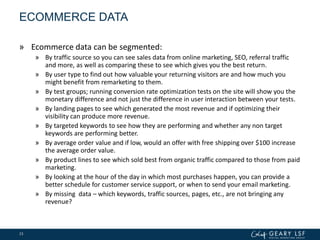
ECOMMERCE DATA
» Ecommerce data can be segmented:
» By traffic source so you can see sales data from online marketing, SEO, referral traffic
and more, as well as comparing these to see which gives you the best return.
» By user type to find out how valuable your returning visitors are and how much you
might benefit from remarketing to them.
» By test groups; running conversion rate optimization tests on the site will show you the
monetary difference and not just the difference in user interaction between your tests.
» By landing pages to see which generated the most revenue and if optimizing their
visibility can produce more revenue.
» By targeted keywords to see how they are performing and whether any non target
keywords are performing better.
» By average order value and if low, would an offer with free shipping over $100 increase
the average order value.
» By product lines to see which sold best from organic traffic compared to those from paid
marketing.
» By looking at the hour of the day in which most purchases happen, you can provide a
better schedule for customer service support, or when to send your email marketing.
» By missing data – which keywords, traffic sources, pages, etc., are not bringing any
revenue?
23
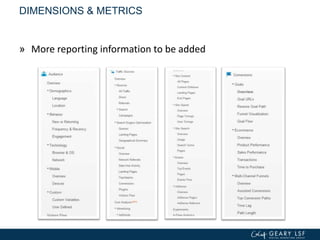
DIMENSIONS & METRICS
» More reporting information to be added
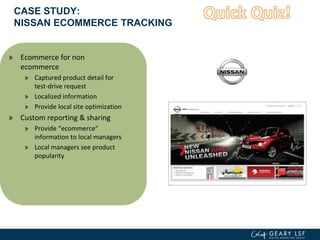
CASE STUDY:
NISSAN ECOMMERCE TRACKING
» Ecommerce for non
ecommerce
» Captured product detail for
test-drive request
» Localized information
» Provide local site optimization
» Custom reporting & sharing
» Provide “ecommerce”
information to local managers
» Local managers see product
popularity
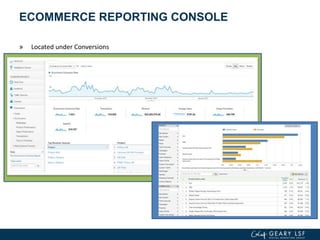
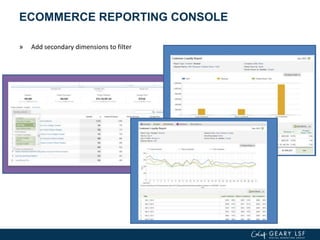
ECOMMERCE REPORTING CONSOLE
» Located under Conversions
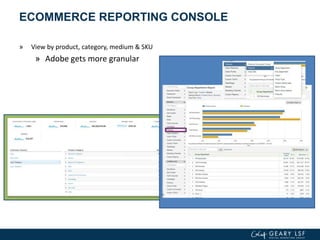
ECOMMERCE REPORTING CONSOLE
» View by product, category, medium & SKU
» Adobe gets more granular
ECOMMERCE REPORTING CONSOLE
» Add secondary dimensions to filter
GOALS & FUNNELS
» Defining the Funnels to
conversions
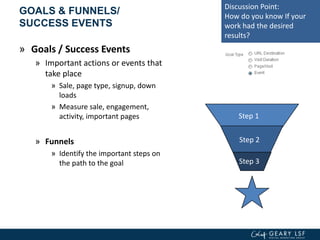
GOALS & FUNNELS/
SUCCESS EVENTS
» Goals / Success Events
» Important actions or events that
take place
» Sale, page type, signup, down
loads
» Measure sale, engagement,
activity, important pages
» Funnels
» Identify the important steps on
the path to the goal
Step 1
Step 2
Step 3
Discussion Point:
How do you know If your
work had the desired
results?
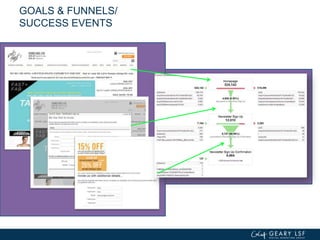
GOALS & FUNNELS/
SUCCESS EVENTS
CREATING THE GOAL & FUNNEL
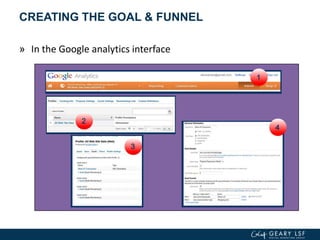
» In the Google analytics interface
CREATING THE GOAL & FUNNEL
THE SHOE LP GOALS & FUNNELS
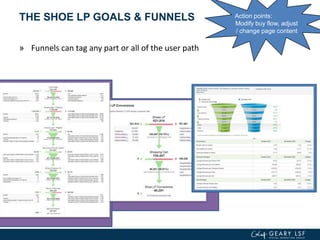
» Funnels can tag any part or all of the user path
Action points:
Modify buy flow, adjust
/ change page content
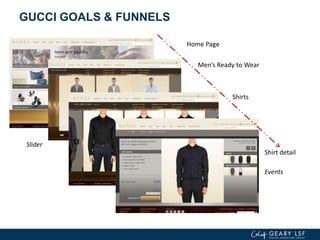
GUCCI GOALS & FUNNELS
Men’s Ready to Wear
Shirts
Slider
Shirt detail
Home Page
Events
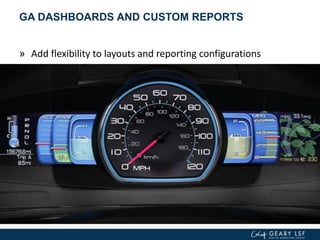
GA DASHBOARDS AND CUSTOM REPORTS
» Add flexibility to layouts and reporting configurations
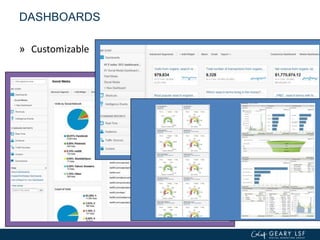
DASHBOARDS
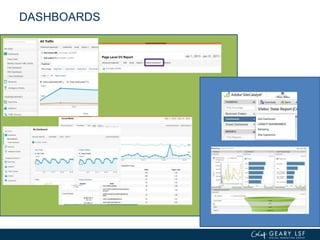
» Easy Access to key information
» Track across multiple Channels
» Can Share Dashboards
» Present widgets / Reportlets
» Import from third parties
DASHBOARDS
DASHBOARDS
DASHBOARDS
» Customizable
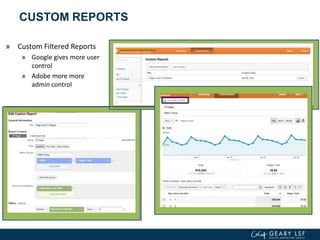
CUSTOM REPORTS
» Custom Filtered Reports
» Google gives more user
control
» Adobe more more
admin control
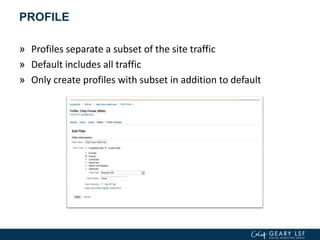
PROFILE
» Profiles separate a subset of the site traffic
» Default includes all traffic
» Only create profiles with subset in addition to default
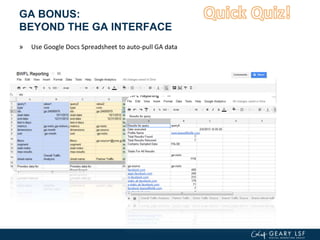
GA BONUS:
BEYOND THE GA INTERFACE
» Use Google Docs Spreadsheet to auto-pull GA data
GA BONUS:
TOOL INTEGRATION CAPABILITY
» Google Analytics and other
tools
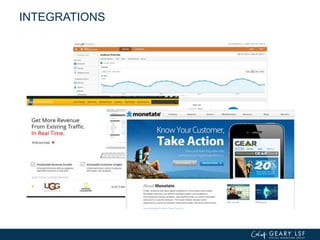
INTEGRATIONS
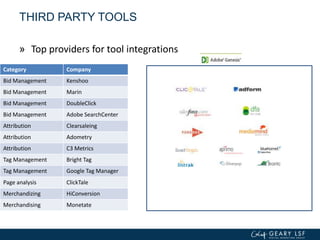
Category Company
Bid Management Kenshoo
Bid Management Marin
Bid Management DoubleClick
Bid Management Adobe SearchCenter
Attribution Clearsaleing
Attribution Adometry
Attribution C3 Metrics
Tag Management Bright Tag
Tag Management Google Tag Manager
Page analysis ClickTale
Merchandizing HiConversion
Merchandising Monetate
THIRD PARTY TOOLS
» Top providers for tool integrations
ON-DEMAND GA RESOURCES
» Google Analytics How To Videos by Steve Haar:
» Custom Segment - Recommendation Engine
» Ad content
» Creating a goal funnel
» Ecomm Example
» Social Dashboard Example
» Organic Search Custom Segments
» Compare Time Periods
» Google Analytics Conversion University
» http://www.google.com/analytics/iq.html
47
http://www.youtube.com/playlist?list=PLC2M9UWjDXiBTf_QOWzm4T1lTl7-amo4H&feature=view_all
» In Summary:
» Reporting
» Quality Control
» Segments
» Conversion Triggers
» Goals
» Funnels
» Ecommerce
» Dashboards
» GA Profiles
» Future Topics:
» Beyond Analytics
» Information types
» Roles
» Context
» Other Tools
» Analytics Discipline
» Quantitative vs. Qualitative
» Holistic Ecosystem
» GLSF U Analytics
Certification
THANK YOU
» End of second session
50

Geary LSF University Presents: Advanced Analytics

  • 1.
  • 2.
  • 3.
    » Today » Reporting »Quality Control » Segments » Conversion Triggers » Goals » Funnels » Ecommerce » Dashboards » GA Profiles » Upcoming » Beyond Analytics » Information types » Roles » Context » Other Tools » Analytics Discipline » Quantitative vs. Qualitative » Holistic Ecosystem » GLSF U Analytics Certification
  • 4.
  • 5.
    QUALITY CONTROL (QA) »Double checking live data
  • 6.
    GA REAL-TIME REPORTING »Real-Time allows you to monitor visitor activity as it happens on your site. » You can immediately and continuously monitor the effects that new campaigns and site changes have on your traffic. 6
  • 7.
    GA REAL-TIME REPORTING »A few good ways to use Real-Time is for: » immediately verify that the tracking code is working on your site » monitoring whether new and changed content on your site is being viewed » see whether a one-day promotion is driving traffic to your site, and see which pages these visitors are viewing » monitor the immediate effects on traffic from a blog/social network post or tweet » In Real-Time, a user is active if he or she has triggered an event or pageview within the past 5 minutes. » Real-Time reflects your profile data. » If your data looks incorrect, check which filters are being applied to the profile. » When debugging tracking code implementations, be sure to use an unfiltered profile. » Real-Time supports App profiles, so you can see mobile SDK traffic in real time as well. » Serves as a great end to end debugging tool 7
  • 8.
  • 9.
    SETTING UP FORREPORTING » Determine questions first » Did we reduce cart abandonment? » Did the average order value go up? » Which landing pages increased engagement? » ? » Identify dimensions & metric/KPIs to answer » Determine how you want to see the numbers » Comparing multiple items / instances » Time series progressions » Time vs time » ?
  • 10.
    SEGMENT YOUR TRAFFIC »Data in aggregate is often devoid of meaning
  • 11.
    CASE STUDY: SWISSOTEL ADVANCEDSEGMENT » Advanced Segment – AdWords PPC » Step one – Singapore Paid vs Organic » Step two – Geography » Australia, England, US » England AOV 2x+ others » Preferences » English prefer view of the rooms » Australians looked for promotions » Results » Targeted Landing pages
  • 12.
    SWISSOTEL EXAMPLE » Reviewanalytics data for differences in performance
  • 13.
    SWISSOTEL EXAMPLE » Basedon observations, isolated targeted geography by filters
  • 14.
    SAINT Classification SWISSOTEL EXAMPLE »If observations look valid, test by filtering Segments or add Classifications (in Adobe) to compare
  • 15.
    SWISSOTEL EXAMPLE » Ifgroup metrics look satisfactory, create and save as Advanced Segments to compare across time and against other segments
  • 16.
    SWISSOTEL EXAMPLE » Whenready, GA Advanced Segments are available to select for side-by-side comparisons
  • 17.
    SWISSOTEL EXAMPLE » Thenuse Content Drill down to see content to which people navigated
  • 18.
    SWISSOTEL EXAMPLE » Drilldown further within Content to see behavior differences
  • 19.
    BEHAVIOR IN USERPATHS » Most transactions happened on day of initial visit » Most transactions had multiple visits (on the same day) » Change landing pages, increased Remarketing
  • 20.
    WHERE AMARI LOOKED »Time to Purchase in the UI
  • 21.
    ECOMMERCE » Know whichtraffic sources have been most profitable
  • 22.
    ECOMMERCE DATA VALUE DESCRIPTION IDThe transaction ID Affiliation The store or affiliation from which transaction occurred Revenue Specifies the total revenue/grand total associated with the transaction. Should include shipping or tax. Shipping Specifies the total shipping cost of transaction. Tax Specifies the total tax of the transaction. 22 VALUE DESCRIPTION ID The transaction ID Name The item name SKU Specifies the SKU or item code Category The category to which the item belongs. Price The individual, unit, price for each item. Quantity The number of units purchased in the transaction. Transaction Data Item Data
  • 23.
    ECOMMERCE DATA » Ecommercedata can be segmented: » By traffic source so you can see sales data from online marketing, SEO, referral traffic and more, as well as comparing these to see which gives you the best return. » By user type to find out how valuable your returning visitors are and how much you might benefit from remarketing to them. » By test groups; running conversion rate optimization tests on the site will show you the monetary difference and not just the difference in user interaction between your tests. » By landing pages to see which generated the most revenue and if optimizing their visibility can produce more revenue. » By targeted keywords to see how they are performing and whether any non target keywords are performing better. » By average order value and if low, would an offer with free shipping over $100 increase the average order value. » By product lines to see which sold best from organic traffic compared to those from paid marketing. » By looking at the hour of the day in which most purchases happen, you can provide a better schedule for customer service support, or when to send your email marketing. » By missing data – which keywords, traffic sources, pages, etc., are not bringing any revenue? 23
  • 24.
    DIMENSIONS & METRICS »More reporting information to be added
  • 25.
    CASE STUDY: NISSAN ECOMMERCETRACKING » Ecommerce for non ecommerce » Captured product detail for test-drive request » Localized information » Provide local site optimization » Custom reporting & sharing » Provide “ecommerce” information to local managers » Local managers see product popularity
  • 26.
    ECOMMERCE REPORTING CONSOLE »Located under Conversions
  • 27.
    ECOMMERCE REPORTING CONSOLE »View by product, category, medium & SKU » Adobe gets more granular
  • 28.
    ECOMMERCE REPORTING CONSOLE »Add secondary dimensions to filter
  • 29.
    GOALS & FUNNELS »Defining the Funnels to conversions
  • 30.
    GOALS & FUNNELS/ SUCCESSEVENTS » Goals / Success Events » Important actions or events that take place » Sale, page type, signup, down loads » Measure sale, engagement, activity, important pages » Funnels » Identify the important steps on the path to the goal Step 1 Step 2 Step 3 Discussion Point: How do you know If your work had the desired results?
  • 31.
  • 32.
    CREATING THE GOAL& FUNNEL » In the Google analytics interface
  • 33.
  • 34.
    THE SHOE LPGOALS & FUNNELS » Funnels can tag any part or all of the user path Action points: Modify buy flow, adjust / change page content
  • 35.
    GUCCI GOALS &FUNNELS Men’s Ready to Wear Shirts Slider Shirt detail Home Page Events
  • 36.
    GA DASHBOARDS ANDCUSTOM REPORTS » Add flexibility to layouts and reporting configurations
  • 37.
    DASHBOARDS » Easy Accessto key information » Track across multiple Channels » Can Share Dashboards » Present widgets / Reportlets » Import from third parties
  • 38.
  • 39.
  • 40.
  • 41.
    CUSTOM REPORTS » CustomFiltered Reports » Google gives more user control » Adobe more more admin control
  • 42.
    PROFILE » Profiles separatea subset of the site traffic » Default includes all traffic » Only create profiles with subset in addition to default
  • 43.
    GA BONUS: BEYOND THEGA INTERFACE » Use Google Docs Spreadsheet to auto-pull GA data
  • 44.
    GA BONUS: TOOL INTEGRATIONCAPABILITY » Google Analytics and other tools
  • 45.
  • 46.
    Category Company Bid ManagementKenshoo Bid Management Marin Bid Management DoubleClick Bid Management Adobe SearchCenter Attribution Clearsaleing Attribution Adometry Attribution C3 Metrics Tag Management Bright Tag Tag Management Google Tag Manager Page analysis ClickTale Merchandizing HiConversion Merchandising Monetate THIRD PARTY TOOLS » Top providers for tool integrations
  • 47.
    ON-DEMAND GA RESOURCES »Google Analytics How To Videos by Steve Haar: » Custom Segment - Recommendation Engine » Ad content » Creating a goal funnel » Ecomm Example » Social Dashboard Example » Organic Search Custom Segments » Compare Time Periods » Google Analytics Conversion University » http://www.google.com/analytics/iq.html 47 http://www.youtube.com/playlist?list=PLC2M9UWjDXiBTf_QOWzm4T1lTl7-amo4H&feature=view_all
  • 48.
    » In Summary: »Reporting » Quality Control » Segments » Conversion Triggers » Goals » Funnels » Ecommerce » Dashboards » GA Profiles » Future Topics: » Beyond Analytics » Information types » Roles » Context » Other Tools » Analytics Discipline » Quantitative vs. Qualitative » Holistic Ecosystem » GLSF U Analytics Certification
  • 49.
  • 50.
    » End ofsecond session 50

Editor's Notes

  • #3 Hi everyone! It’s time to get your protractors & calculators ready for another session of Analytics.
  • #4 If you joined us for Analytics Basics in session 1, welcome back and let’s put your thinking cap back on. If you missed it, there should be a recorded version of the class up on the GLSF University site.Today we will dig deeper into reporting, what to look for when QA’ing your newly implemented Google Analytics account before diving in and analyzing. Then we can find some comfort in defining segments and know that that our Conversion Triggers are reliable for setting up goals and funnels. We’ll take a look at eCommerce configurations and how to set up GA dashboards in the console. Finally, how to control access to data and reports with different settings in GA Profiles for specific user groups or individuals.
  • #5 Before you jump right into pulling data and setting up for reporting, it is advisable to double check the quality of your GA installation…
  • #7 There’s a great new feature in GA – Real Time Reporting… This is a great tool to use for QA’g and debugging your site
  • #11 Every website contains a mix of visitors, sources, and behaviour. When it comes to reporting, it’s important to segment your traffic.
  • #12 Here, we have, a case study where Swissotel used Advanced Segmentation to zero in on high-potential customers in the luxury-service oriented industry.
  • #15 Site­Cat­a­lystAttribute Import­ing and Naming Tool
  • #20 Before we move further…let’s see if you all were paying attention up until now. Think back a few slides…Quiz Question: What are three good uses of Real-Time reporting?
  • #22 Before Google Analytics can report ecommerce activity for your website, you must enable ecommerce tracking on the profile settings page. Make sure your web developers implement this for you.Ecommerce tracking allows you to measure the number of transactions and revenue that your website generates and is an Essential tool for your e-store.
  • #23 There are two types of ecommerce data you can send using the analytics code: transaction and item dataA transaction represents the entire transaction that occurs on your siteAn item represents the individual products that were in the shopping cartOn a typical ecommerce site, once a user clicks the "purchase" button in the browser, the user's purchase information is sent to the web server, which carries out the transaction. Ecommerce tracking is typically implemented once the user has completed the checkout process.
  • #24 Ecommerce tracking adds many more dimensions for segmenting your data for even more powerful insights…read aboveOr created your very own creative custom segments to see differences in revenue between one word vs. four word search terms, lets sayDo they need to optimized or do they need to be removed?
  • #25 Identify these as either Dimensions (D) or Metrics (M)Visits (M)Language (D)Referrals (D)Page Views (M)Landing Pages (D)Pages / visit (M)
  • #26 Quiz Question: What are the three steps to set up for reporting?
  • #31 One of the more powerful tools to help us improve our KPIs is the use of Goals. These can be set up to measure activity ranging from actual sales to engagement such as time on site, or specific events. The Keys to using goals are: 1) understanding how the connect to your KPIs, and 2) keeping the number of goals to a manageable and actionable level.
  • #33 Getting to the goal creation is relatively simple.Admin => profile => Goal (tab) =>set up goal
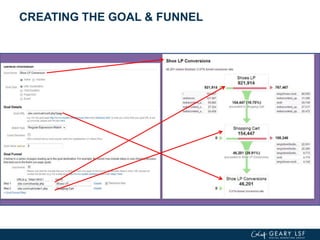
  • #34 As you create the Goal, based on the URL, you can select the match type. Exact [perfect match], Head [is safest, start of parameter match], regular expression[multiple urls/parameters, use various reserve characters]Just as each page is associated with a level in the funnel, each step in the set up (the page) is also related to each level in the funnel.
  • #35 Goal funnels can be very long or short. For each GA account, there can be 20 goals with associated funnels. Each Goal is set up independent of the others. So, they can share the same urls.
  • #36 A goal can be set up to also capture the views of the detail page.
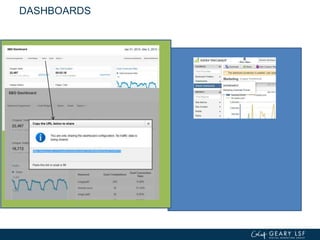
  • #39 The dashboard is a powerful way to conveniently keep track of the KPIs for yourself and your team.
  • #40 For those managing people in different areas, you can set up dashboard for each area. You can share the dashboard configuration with the direct reports, so that they know what you are looking at. Conversely, they can share their configurations with you.
  • #42 It is important to know that the custom variables can be reported in the custom reports.While you can always use filters and drill downs in the standard reports, creating a custom report for these variables will allow you quick access it in the UI, and also enable sharing of the reports via email.
  • #43 Profiles only capture the data that passes through the filters created for it. Anything not through the filter is lost.
  • #44 Quiz Question: True or False, Ecommerce Tracking can only be used if you are selling products or services online?-False. Although e-commerce tracking allows online merchants to measure items sold and tie those results back to their digital marketing activities, it can also be used to track non ecommerce activity as in our Nissan Case Study from earlier.
  • #45 Section 3.At its heart, Google Analytics is a powerful reporting tool. When set up properly, it can provide clear information to help marketers form decisions. But, it does not work in isolation. GA can integrate with ecommerce /shopping carts, testing tools and merchandising optimization programs. So, while our focus today is on GA, let’s take a few moment to talk about integrating Google Analytics with tools such hiconversion, or monatatefor merchandizing. To optimize the conversion funnel, you will benefit from deploying some of these testing tools.
  • #46 Section 3.We can extend the utility of these tools by integrating GA. The Google Analytics eCommerce functions rely on a relatively simple bit of code and scripting to capture your sales data, and using the proper tagging can provide insight into all aspects of sales, including the testing results from the merchandizing tools right in GA.
  • #49 And, that’s all for today’s class. Is your brain on overdrive yet? We’ve covered a lot of ground with advanced topics in this second session of Analytics. Please use the provided video resources at your leisure to review the elements discussed & further hone your understanding of analytics.