

INTRODUCTION TO
WEB ANALYTICS
Module 1
Agenda
 Section 1: Introduction to web analytics
 Section 2: Approach, Frameworks, KPIs and
optimization
 Section 3: Website data collection methods
Section 1
Introduction to web analytics
Why we need web analytics?
 Offline marketing has no accountability and
there is no way of measuring success or
failure of the efforts that are invested
 This made marketing less
reliable, assumption driven and finally less
efficient
 Ex: A magazine ad – Success of this is
measured via subscriptions but these are
always shared in café or doctor offices 
 Same goes with the TV ads measured with
TRP‟s
Why we need web analytics?
 Digital marketing differs from traditional
marketing where there is a scope to track the
people who are actually consuming your ads
 This tracking is made possible only via the
data collected from the systems
 Because of this possibility, digital marketing
was able to provide accountability and an
opportunity to optimize our marketing budgets
So what is web analytics?
 The official definition of WAA of web analytics
is - Web analytics is the
measurement, collection, analysis and
reporting of internet data for purpose of
understanding and optimizing the web usage
 It is not just a tool of providing web budgets
but it helps to solve business problems and
helps to achieve objectives of a particular
business
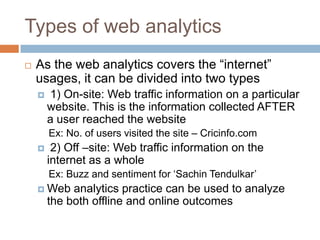
Types of web analytics
 As the web analytics covers the “internet”
usages, it can be divided into two types
 1) On-site: Web traffic information on a particular
website. This is the information collected AFTER
a user reached the website
Ex: No. of users visited the site – Cricinfo.com
 2) Off –site: Web traffic information on the
internet as a whole
Ex: Buzz and sentiment for „Sachin Tendulkar‟
 Web analytics practice can be used to analyze
the both offline and online outcomes
History of web analytics
 In 90‟s web server log files – recorded visits
per site
 In early years of millennium, web analytics is
more data and reports for enterprise
companies
 With introduction of Google Analytics, small
and medium companies and bloggers are able
to take the power of web analytics for free
 In the last 2 to 3 years, web analytics started
including multi channels both offline and online
 This is known as Web analytics 2.0
9
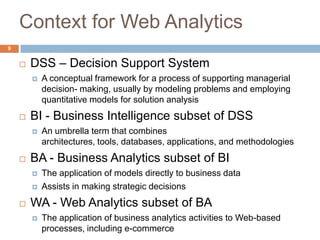
Context for Web Analytics
 DSS – Decision Support System
 A conceptual framework for a process of supporting managerial
decision- making, usually by modeling problems and employing
quantitative models for solution analysis
 BI - Business Intelligence subset of DSS
 An umbrella term that combines
architectures, tools, databases, applications, and methodologies
 BA - Business Analytics subset of BI
 The application of models directly to business data
 Assists in making strategic decisions
 WA - Web Analytics subset of BA
 The application of business analytics activities to Web-based
processes, including e-commerce
Uses of web analytics
 Web analytics practice can be used to analyze
the both offline and online outcomes
 This web analytics data can include
 KPIs
 Clickstream
 Surveys
 Testing & Targeting
 Competitive analysis
 But most important point is asking the question
– Why the outcome is what it is and how it is
Prioritization of web analytics
 A company can prioritize web analytics based
on the their size
 A small business can concentrate on
Clicksteams , KPIs and Surveys
 A medium size business can concentrate on
KPI‟s, clicksteams, surveys and testing
 A large business can concentrate on
Surveys, KPI‟s, Click steams, testing and
Competitive intelligence
Is it rocket science?
 Simple answer NO
 Current web anlytics vendors are making a
simply implementable tools and easy to
understand reports.
 This should give you 80% of the data to do the
basic analysis
 The web analytics practices need to have an
approach and methodology set to avoid
hiccups and lost ROI
Section 2
Approach, Frameworks, KPIs
and optimization
Web analytics Approach
 Data is everywhere. Collecting that data and
arranging them in reports will NOT drive
business outcomes
 To drive the insights from data, mindset should
be
 Ask the right question
 Always analyze with a context
 Data is a supplement, not a substitute
 The hierarchy of insights is –
 Data  Information  Insight  Best Practice
 Technology – 20%,
 People – 30%,
 Process – 50%
Web analytics process
Process
People
Tech.
Web analytics process
5-step process
 Identify the business objectives
 Why your website exists?
 What the macro and micro task?
 What and how digital channels are used? Etc.
 Establish goals and identify related KPI’s
 What you want to achieve for your website at the
end of a year?
 How to want to measure your success?
 How do you want to measure the success of your
vendors?
Web analytics process
 Set realistic targets to reach them and
agree with all stakeholders
 How much, defines the success of the efforts?
 Do your team and big boss agree for it?
 Does your finance team support this?
 Review target achievement at specific
periods
 When to review the results?
 How often to review the results?
Web analytics process
 Take preventive or corrective actions to
maintain the intended course
 How to address if a risk is faced
 How to make changes to the initial course of
actions?
 The advantage of this process is that it not just
considers the analytics approach but helps to
define steps for the whole digital marketing
efforts
Section 3
Website data collection
methods
Web analytics data collection
methods
 There are two main technical ways of collecting
the data.
1. Server log file analysis
2. Page tagging
 This two methods help to collect the data
related web site.
 Many different vendors provide on-site web
analytics software and services, Its important
to understand how the data is collected to
have right interpretation of data
Web analytics data collection
methods
1. Server logfile analytics:
 The first and older method, server log file
analysis, reads the logfiles in which the web
server records file requests by browsers
 In the early 1990‟s Logfiles are used to measure
pageviews and visits
 With the arrival of Search Engine
Spiders, logfiles has to update by including
cookies into this measurement
 Web Caches has created issues with logfile
measurement
Advantages of logfile analysis
The main advantages of logfile analysis are as follows:
 The web server normally already produces logfiles, so
the raw data is already available. No changes to the
website are required.
 The data is on the company's own servers, and is in a
standard, rather than a proprietary, format. This
makes it easy for a company to switch programs
later, use several different programs, and analyze
historical data with a new program.
 Logfiles contain information on visits from search
engine spiders, which generally do not execute
JavaScript on a page and are therefore not recorded
by page tagging.
Advantages of logfile analysis
 Although these should not be reported as part of the
human activity, it is useful information for search
engine optimization.
 Logfiles require no additional DNS lookups or TCP
slow starts. Thus there are no external server calls
which can slow page load speeds, or result in
uncounted page views.
 The web server reliably records every transaction it
makes, including e.g. serving PDF documents and
content generated by scripts, and does not rely on the
visitors' browsers co-operating
Web analytics data collection
methods
 Page tagging or Web bugs
 A 1x1 pixel is sent as a request to serves. These
were images included in a web page that showed
the number of times the image had been
requested, which was an estimate of the number
of visits to that page
 The web analytics service also manages the
process of assigning a cookie to the user, which
can uniquely identify them during their visit and in
subsequent visits. Cookie acceptance rates vary
significantly between web sites and may affect
the quality of data collected and reported.
Advantages of page tagging
The main advantages of page tagging over logfile analysis are as
follows:
 Counting is activated by opening the page (given that the web
client runs the tag scripts), not requesting it from the server. If a
page is cached, it will not be counted by the server. Cached
pages can account for up to one-third of all pageviews. Not
counting cached pages seriously skews many site metrics. It is
for this reason server-based log analysis is not considered
suitable for analysis of human activity on websites.
 Data is gathered via a component ("tag") in the page, usually
written in JavaScript, though Java can be used, and
increasingly Flash is used. JQuery and AJAX can also be used
in conjunction with a server-side scripting language to
manipulate and (usually) store it in a database, basically
enabling complete control over how the data is represented.
Advantages of page tagging
 The script may have access to additional information on
the web client or on the user, not sent in the query, such as
visitors' screen sizes and the price of the goods they
purchased.
 Page tagging can report on events which do not involve a
request to the web server, such as interactions within Flash
movies, partial form completion, mouse events such as
onClick, onMouseOver, onFocus, onBlur etc.
 The page tagging service manages the process of
assigning cookies to visitors; with logfile analysis, the
server has to be configured to do this.
 Page tagging is available to companies who do not have
access to their own web servers. Lately page tagging has
become a standard in web analytics
Factors to consider before
choosing –
 Logfile analysis typically involves a one-off
software purchase; however, some vendors are
introducing maximum annual page views with
additional costs to process additional information.
In addition to commercial offerings, several open-
source logfile analysis tools are available free of
charge.
 For Logfile analysis you have to store and archive
your own data, which often grows very large
quickly. Although the cost of hardware to do this is
minimal, the overhead for an IT department can
be considerable.
Factors to consider before
choosing –
 For Logfile analysis you need to maintain the
software, including updates and security
patches.
 Complex page tagging vendors charge a
monthly fee based on volume i.e. number of
pageviews per month collected.
 Hybrid methods: Some companies produce
solutions that collect data through both logfiles
and page tagging and can analyze both kinds.
 Always count for multi-channel data that can
come into this system
For Q&A:
Contact: gayatrichoda@gmail.com
Thank you

Module 1 introduction to web analytics

  • 1.
  • 2.
    Agenda  Section 1:Introduction to web analytics  Section 2: Approach, Frameworks, KPIs and optimization  Section 3: Website data collection methods
  • 3.
  • 4.
    Why we needweb analytics?  Offline marketing has no accountability and there is no way of measuring success or failure of the efforts that are invested  This made marketing less reliable, assumption driven and finally less efficient  Ex: A magazine ad – Success of this is measured via subscriptions but these are always shared in café or doctor offices   Same goes with the TV ads measured with TRP‟s
  • 5.
    Why we needweb analytics?  Digital marketing differs from traditional marketing where there is a scope to track the people who are actually consuming your ads  This tracking is made possible only via the data collected from the systems  Because of this possibility, digital marketing was able to provide accountability and an opportunity to optimize our marketing budgets
  • 6.
    So what isweb analytics?  The official definition of WAA of web analytics is - Web analytics is the measurement, collection, analysis and reporting of internet data for purpose of understanding and optimizing the web usage  It is not just a tool of providing web budgets but it helps to solve business problems and helps to achieve objectives of a particular business
  • 7.
    Types of webanalytics  As the web analytics covers the “internet” usages, it can be divided into two types  1) On-site: Web traffic information on a particular website. This is the information collected AFTER a user reached the website Ex: No. of users visited the site – Cricinfo.com  2) Off –site: Web traffic information on the internet as a whole Ex: Buzz and sentiment for „Sachin Tendulkar‟  Web analytics practice can be used to analyze the both offline and online outcomes
  • 8.
    History of webanalytics  In 90‟s web server log files – recorded visits per site  In early years of millennium, web analytics is more data and reports for enterprise companies  With introduction of Google Analytics, small and medium companies and bloggers are able to take the power of web analytics for free  In the last 2 to 3 years, web analytics started including multi channels both offline and online  This is known as Web analytics 2.0
  • 9.
    9 Context for WebAnalytics  DSS – Decision Support System  A conceptual framework for a process of supporting managerial decision- making, usually by modeling problems and employing quantitative models for solution analysis  BI - Business Intelligence subset of DSS  An umbrella term that combines architectures, tools, databases, applications, and methodologies  BA - Business Analytics subset of BI  The application of models directly to business data  Assists in making strategic decisions  WA - Web Analytics subset of BA  The application of business analytics activities to Web-based processes, including e-commerce
  • 10.
    Uses of webanalytics  Web analytics practice can be used to analyze the both offline and online outcomes  This web analytics data can include  KPIs  Clickstream  Surveys  Testing & Targeting  Competitive analysis  But most important point is asking the question – Why the outcome is what it is and how it is
  • 11.
    Prioritization of webanalytics  A company can prioritize web analytics based on the their size  A small business can concentrate on Clicksteams , KPIs and Surveys  A medium size business can concentrate on KPI‟s, clicksteams, surveys and testing  A large business can concentrate on Surveys, KPI‟s, Click steams, testing and Competitive intelligence
  • 12.
    Is it rocketscience?  Simple answer NO  Current web anlytics vendors are making a simply implementable tools and easy to understand reports.  This should give you 80% of the data to do the basic analysis  The web analytics practices need to have an approach and methodology set to avoid hiccups and lost ROI
  • 13.
    Section 2 Approach, Frameworks,KPIs and optimization
  • 14.
    Web analytics Approach Data is everywhere. Collecting that data and arranging them in reports will NOT drive business outcomes  To drive the insights from data, mindset should be  Ask the right question  Always analyze with a context  Data is a supplement, not a substitute  The hierarchy of insights is –  Data  Information  Insight  Best Practice
  • 15.
     Technology –20%,  People – 30%,  Process – 50% Web analytics process Process People Tech.
  • 16.
    Web analytics process 5-stepprocess  Identify the business objectives  Why your website exists?  What the macro and micro task?  What and how digital channels are used? Etc.  Establish goals and identify related KPI’s  What you want to achieve for your website at the end of a year?  How to want to measure your success?  How do you want to measure the success of your vendors?
  • 17.
    Web analytics process Set realistic targets to reach them and agree with all stakeholders  How much, defines the success of the efforts?  Do your team and big boss agree for it?  Does your finance team support this?  Review target achievement at specific periods  When to review the results?  How often to review the results?
  • 18.
    Web analytics process Take preventive or corrective actions to maintain the intended course  How to address if a risk is faced  How to make changes to the initial course of actions?  The advantage of this process is that it not just considers the analytics approach but helps to define steps for the whole digital marketing efforts
  • 19.
    Section 3 Website datacollection methods
  • 20.
    Web analytics datacollection methods  There are two main technical ways of collecting the data. 1. Server log file analysis 2. Page tagging  This two methods help to collect the data related web site.  Many different vendors provide on-site web analytics software and services, Its important to understand how the data is collected to have right interpretation of data
  • 21.
    Web analytics datacollection methods 1. Server logfile analytics:  The first and older method, server log file analysis, reads the logfiles in which the web server records file requests by browsers  In the early 1990‟s Logfiles are used to measure pageviews and visits  With the arrival of Search Engine Spiders, logfiles has to update by including cookies into this measurement  Web Caches has created issues with logfile measurement
  • 22.
    Advantages of logfileanalysis The main advantages of logfile analysis are as follows:  The web server normally already produces logfiles, so the raw data is already available. No changes to the website are required.  The data is on the company's own servers, and is in a standard, rather than a proprietary, format. This makes it easy for a company to switch programs later, use several different programs, and analyze historical data with a new program.  Logfiles contain information on visits from search engine spiders, which generally do not execute JavaScript on a page and are therefore not recorded by page tagging.
  • 23.
    Advantages of logfileanalysis  Although these should not be reported as part of the human activity, it is useful information for search engine optimization.  Logfiles require no additional DNS lookups or TCP slow starts. Thus there are no external server calls which can slow page load speeds, or result in uncounted page views.  The web server reliably records every transaction it makes, including e.g. serving PDF documents and content generated by scripts, and does not rely on the visitors' browsers co-operating
  • 24.
    Web analytics datacollection methods  Page tagging or Web bugs  A 1x1 pixel is sent as a request to serves. These were images included in a web page that showed the number of times the image had been requested, which was an estimate of the number of visits to that page  The web analytics service also manages the process of assigning a cookie to the user, which can uniquely identify them during their visit and in subsequent visits. Cookie acceptance rates vary significantly between web sites and may affect the quality of data collected and reported.
  • 25.
    Advantages of pagetagging The main advantages of page tagging over logfile analysis are as follows:  Counting is activated by opening the page (given that the web client runs the tag scripts), not requesting it from the server. If a page is cached, it will not be counted by the server. Cached pages can account for up to one-third of all pageviews. Not counting cached pages seriously skews many site metrics. It is for this reason server-based log analysis is not considered suitable for analysis of human activity on websites.  Data is gathered via a component ("tag") in the page, usually written in JavaScript, though Java can be used, and increasingly Flash is used. JQuery and AJAX can also be used in conjunction with a server-side scripting language to manipulate and (usually) store it in a database, basically enabling complete control over how the data is represented.
  • 26.
    Advantages of pagetagging  The script may have access to additional information on the web client or on the user, not sent in the query, such as visitors' screen sizes and the price of the goods they purchased.  Page tagging can report on events which do not involve a request to the web server, such as interactions within Flash movies, partial form completion, mouse events such as onClick, onMouseOver, onFocus, onBlur etc.  The page tagging service manages the process of assigning cookies to visitors; with logfile analysis, the server has to be configured to do this.  Page tagging is available to companies who do not have access to their own web servers. Lately page tagging has become a standard in web analytics
  • 27.
    Factors to considerbefore choosing –  Logfile analysis typically involves a one-off software purchase; however, some vendors are introducing maximum annual page views with additional costs to process additional information. In addition to commercial offerings, several open- source logfile analysis tools are available free of charge.  For Logfile analysis you have to store and archive your own data, which often grows very large quickly. Although the cost of hardware to do this is minimal, the overhead for an IT department can be considerable.
  • 28.
    Factors to considerbefore choosing –  For Logfile analysis you need to maintain the software, including updates and security patches.  Complex page tagging vendors charge a monthly fee based on volume i.e. number of pageviews per month collected.  Hybrid methods: Some companies produce solutions that collect data through both logfiles and page tagging and can analyze both kinds.  Always count for multi-channel data that can come into this system
  • 29.