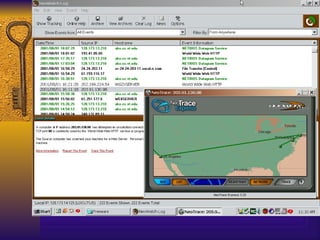
Freeware Security Tools You Need Randy Marchany VA Tech Computing Center Blacksburg, VA 24060 [email_address] 540-231-9523 NetSec2001
Suggested Strategy Use freeware tools to gain experience with your system/network environment. Gain experience with the features provided by these tools in order to better analyze a vendor tool. Freeware tools provide a good short-term solution.  Vendor tools may provide better long-term solution.
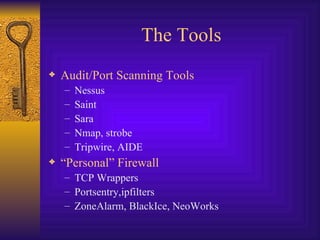
The Tools Audit/Port Scanning Tools Nessus Saint Sara Nmap, strobe Tripwire, AIDE “ Personal” Firewall TCP Wrappers Portsentry,ipfilters ZoneAlarm, BlackIce, NeoWorks
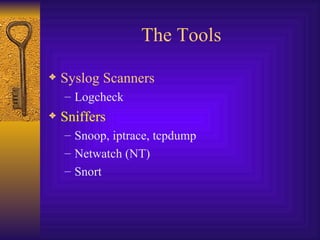
The Tools Syslog Scanners Logcheck Sniffers Snoop, iptrace, tcpdump Netwatch (NT) Snort
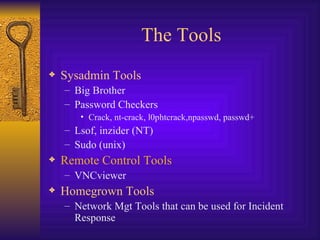
The Tools Sysadmin Tools Big Brother Password Checkers Crack, nt-crack, l0phtcrack,npasswd, passwd+ Lsof, inzider (NT) Sudo (unix) Remote Control Tools VNCviewer Homegrown Tools Network Mgt Tools that can be used for Incident Response
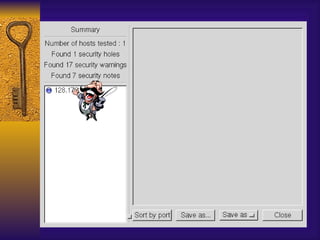
Audit/Port Scan Tools These tools can be used to scan your systems and network for vulnerabilities. Some tools can perform integrity checks on designated files. They have very good reporting tools usually based on HTML.
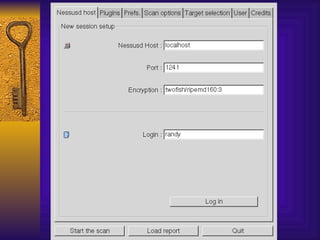
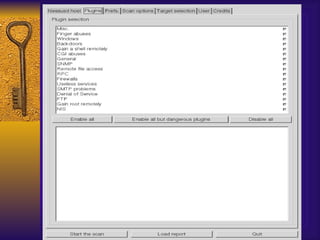
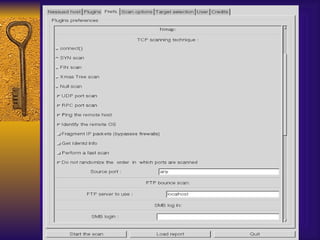
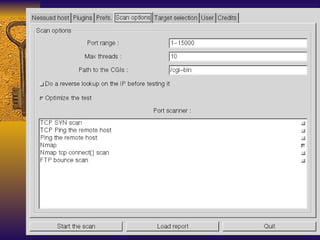
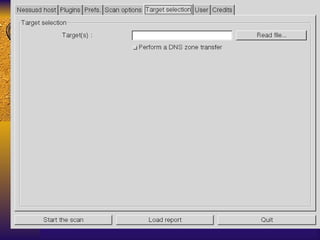
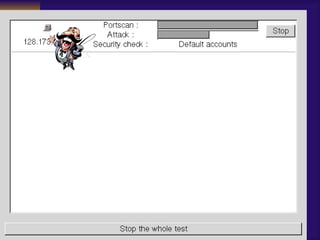
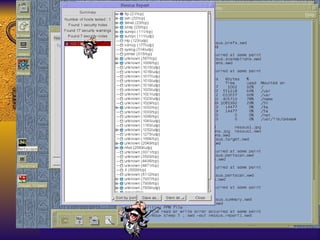
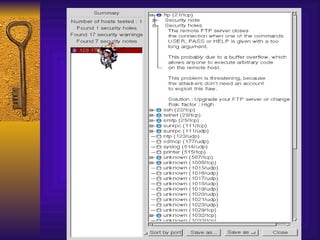
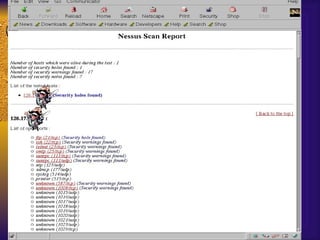
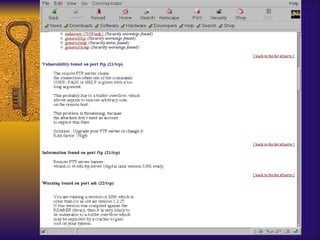
Nessus Available from  www.nessus.org Best of the scanning tools Easy to build for Linux, harder for Solaris, need to work on other OS. Requires GNU tools Provides HTML based reports Has distributed architecture: clients (Windows, Unix) & engines (Unix only)
Nessus – Building It Linux Download the RPMs Add nessus user Start up nessusd daemon Start up nessus client Start testing
Nessus – Pros/Con Pro Easy to install if you have linux Most comprehensive tests for your money Con Not that easy to understand at first Non-linux builds require GNU software Some inconsistency in quality of checks Must use Unix server for specific user accounts


X


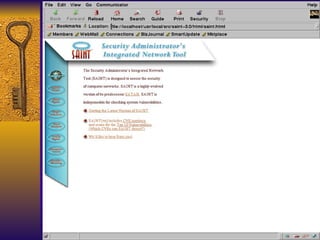
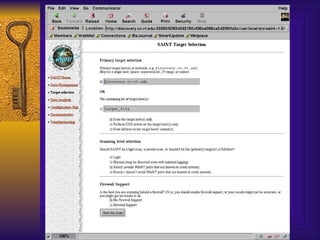
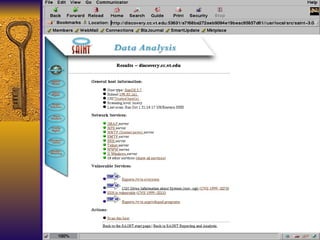
SAINT Based on SATAN, developed by World Wide Security, Inc. ( www.wwdsi.com ) Security Administrator’s Integrated Network Tool  Gathers info on remote hosts/nets Looks at finger, NFS, NIS, ftp, tftp, rexd, statd Can run heavy, moderate or light probes on targets. Will check for the SANS Top 10 Threats


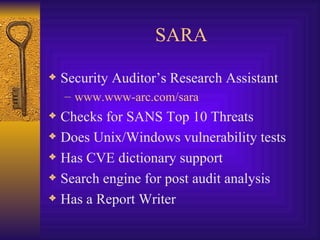
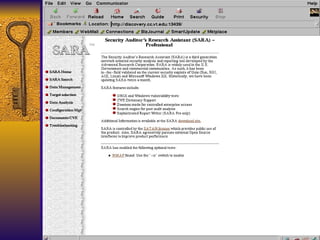
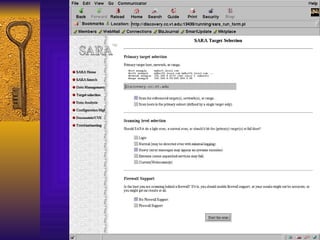
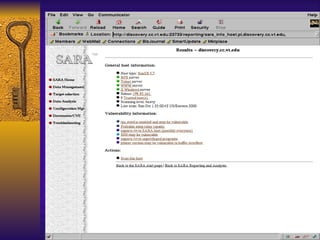
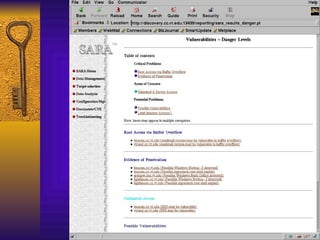
SARA Security Auditor’s Research Assistant www.www-arc.com/sara Checks for SANS Top 10 Threats Does Unix/Windows vulnerability tests Has CVE dictionary support Search engine for post audit analysis Has a Report Writer


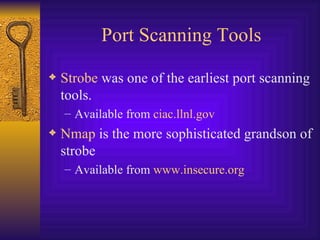
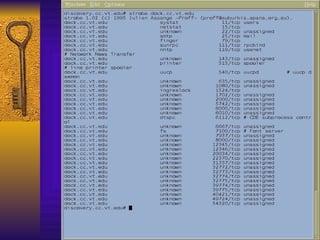
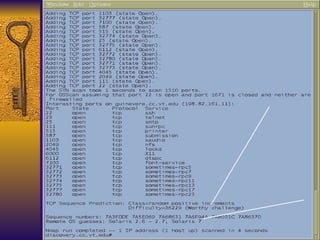
Port Scanning Tools Strobe  was one of the earliest port scanning tools. Available from  ciac.llnl.gov Nmap  is the more sophisticated grandson of strobe Available from  www.insecure.org
 
 
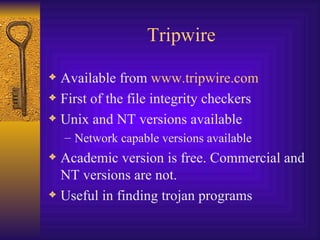
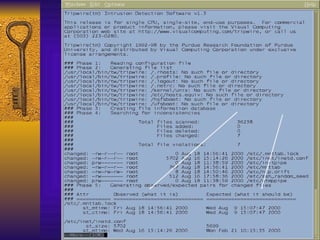
Tripwire Available from  www.tripwire.com First of the file integrity checkers Unix and NT versions available Network capable versions available Academic version is free. Commercial and NT versions are not. Useful in finding trojan programs
Tripwire Generates a “signature” for each file based on checksums and other characteristics. These signatures are stored in a database file that should be kept offline. This is the baseline. Latest threat involves dynamic exec redirection. This is part of the newer Kernel Module Rootkits.
Tripwire List of files to check: tw.config All files in a directory will be checked. Can prune directories from the check step. Can examine just the directory and nothing else. Can check by access time but not recommended since you’ll get a report of everything that changed. Everything!
Tripwire To initialize the DB: tripwire  –initialize Update DB interactively:  tripwire  -interactive Non-interactive DB update:  tripwire – update  <FN>
Tripwire Security Issues Need to protect the DB Need to protect the vulnerable executables Advantages Simple interface, good choice of crypto hash functions, good all-around tool Disadvantages Kernel mod attacks, initial tw.config takes some time to customize, NT version is good but costs $$$, no network security
 
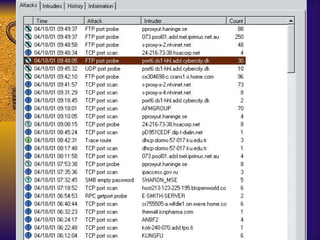
Personal Firewall Tools These tools monitor connection attempts to your system and give you the option of allowing or denying the access They log the connection attempt to standard log files More valuable than real Firewall, IMHO.
Portsentry/TCP Wrappers Available from  www.psionic.com TCP Wrappers available from  ciac.llnl.gov  and a ton of other sites Any host that scans a list of “banned” ports is placed in an /etc/hosts.deny file Need TCP Wrappers installed on the machine Tcpwrappers logs attempts to connect to services
TCP Wrappers Everyone should buy Wietse Venema dinner for writing this tool.   Purpose Log network connections to a system Allow you to filter who connects to the system Needs an inetd-like program to act as the dispatcher of network services
TCP Wrappers Features Allows you to monitor/filter incoming requests for SYSTAT, FINGER, FTP, TELNET, R-Commands, TFTP, TALK and other network services. Provides access control to restrict what systems connect to what network daemons.  Provides some protection from host spoofing
TCP Wrapper Installation Easy to do “ Advanced Installation” easier than “Easy Installation” IMHO Install done by Makefile make  <os-type> Creates 5 modules that are ready to use.
TCP Wrappers 4 components Tcpd – the actual wrapper program Tcpdmatch, tcpdchk – ACL testing programs Try-from – tests host lookup function Safe-finger – a better version of finger Logs hostname, IP address and username (identd if possible) via syslog facility. Typically, it logs to the mail facility logs Change this by editing Makefile: FACILITY=LOG_AUTH FACILITY=LOG_WARN
TCP Wrappers Access Control is enabled by default. 2 files /etc/hosts.deny – restrict access if IP addr here /etc/hosts.allow – allow access if IP addr here Can restrict to  [email_address]  if services are enabled Reverse lookup is done. Paranoid selection terminates the connection immediately if there’s a mismatch. Set KILL_IP_OPTIONS in Makefile to refuse connections that use source routing. This prevents IP spoofing although your routers should do this.
TCP Wrappers IDENT service Remote username lookup required remote host to run ident (RFC 1413) protocol. Works only for TCP not UDP Limitations TCP – checks the 1 st  connection for each instance of the daemon UDP – 1 st  datagram only for the service RPC/TCP – no checking since portmapper does this.
TCP Wrappers Advantages Logs and applies access controls to remote connections Lets you define which daemons are wrapped Does good reverse lookup on hosts Disadvantages Ident service not reliable Only looks at network daemons spawned by inetd Doesn’t wrap ALL services (RPC) Could give a false sense of security
Portsentry Available from  www.psionic.com Monitors ports and performs an action when an attempt to access the port is made. Usually access is denied to the probing systems. Monitors TCP and UDP traffic. A little more flexible than TCP Wrappers
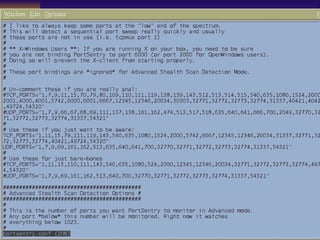
Portsentry Configuration Files Portsentry.conf contains the list of ports to be monitored. 3 levels of paranoia  
 
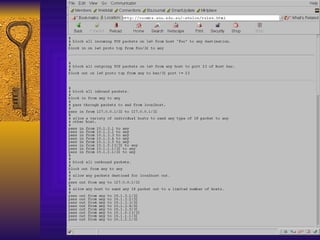
IP Filter Software package that can do NAT or basic firewall services. Designed to be used as a loadable kernel module but can be incorporated into a Unix kernel Can be configured to do IP Accounting (count # bytes), IP Filtering or IP authentication or NAT. http://coombs.anu.edu.au/~avalon/ip-filter.html
IP Filter Can explicitly allow/deny any packet. Distinguishes between multiple interfaces. Filters by IP network, hosts or protocol. Filters by port number or port range. Logs the following: TCP/UDP/ICMP/IP packet headers First 128 bytes Pass or blocked status
IP Filter Statistics collected include: Packets blocked Packets used for accounting (packet count) Packets passed Packets logged Inbound/outbound packet information
 
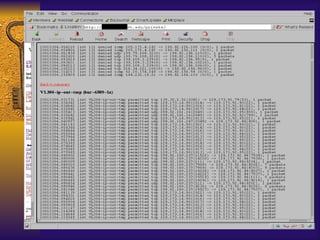
IP Filter Log Format Jul 30 01:46:52 myhost.vt.edu ipmon[147]: [ID 702911local0.warning] 01:46:52.196772 hme0 @0:5 b 194.143.66.126,21 ->198.82.255.255, 21  PR tcp len 20 40 -S IN Jul 30 01:47:03 myhost.vt.edu ipmon[147]: [ID 702911local0.warning] 01:47:03.269595 hme0 @0:5 b 194.143.66.126,21 ->198.82.255.255, 21  PR tcp len 20 40 -S IN Jul 30 05:53:51 myhost.vt.edu ipmon[147]: [ID 702911local0.warning] 05:53:50.699235 hme0 @0:5 b 203.90.84.163,1781 ->198.82.255.255, 21  PR tcp len 20 60 -S IN
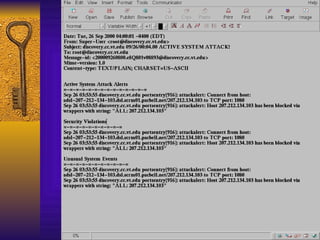
Logcheck Available from  www.psionic.com Syslog keyword scanner When it matches something, it does something Send email Page someone Run a command
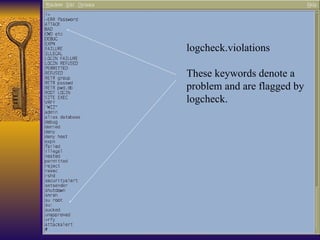
logcheck.violations These keywords denote a  problem and are flagged by logcheck.
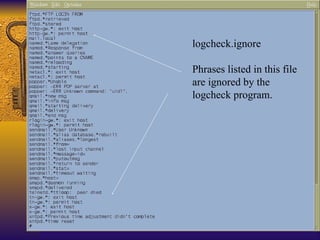
logcheck.ignore Phrases listed in this file  are ignored by the  logcheck program.
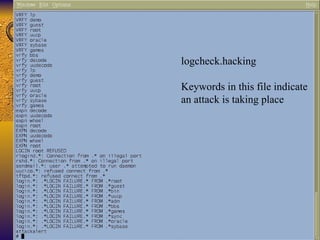
logcheck.hacking Keywords in this file indicate an attack is taking place
 
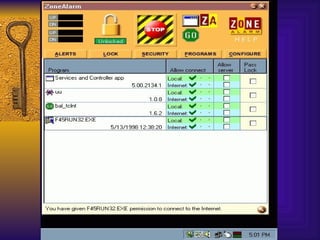
Zone Alarm Available from  www.zonelabs.com Not quite free Client based, application level firewall Designed to prevent unauthorized sending and receiving of packets to your workstation Good defense against trojans
Basic Installation Steps The following steps were developed by Marc Debonis for our site. Download latest version from  http://www.zonelabs.com Run the installer, zonealarm.exe Click Next, click Next Enter name, company and email (can be invalid) Uncheck both boxes Click Next , click next, click finish, click start Check “don’t show this message again” box Click OK and reboot if necessary Zone Alarm is installed
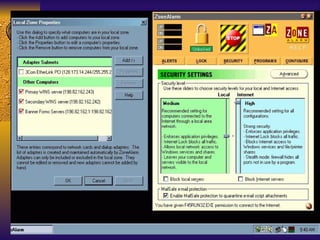
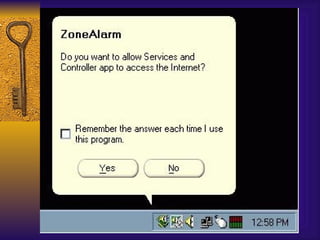
Configuring Zone Alarm ZA requires you authorize each & every application that attempts to send receive information to/from your network connection. Default is BLOCK. This pops up a window asking what to do
Basic Setup Click the arrow in ZA box that points down and to the right Click the  security  button Verify local security is set to  MEDIUM Verify internet security is set to  HIGH Click the  advanced  button Do NOT put a checkmark next to your adapter, OW, all machines in your subnet will be considered to be in your local zone Click  OK


Black Ice Defender Available from  www.networkice.com Workstation Version End-user PC with a single connection Tuned for common attacks to workstations Server Version Additional NT and W2K attacks signatures IcePac Suite allows multiple agents to be managed from a single host. Can install agents remotely. Not quite free  
 
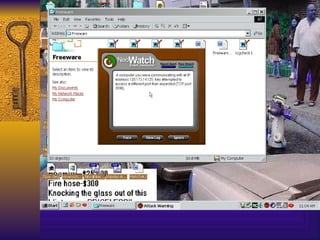
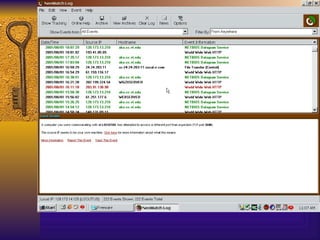
NeoWatch Available from  www.neoworx.com Another Personal FW type tool for Windows systems. Does traceback to the originating site. Similar features as Zone Alarm and Black Ice Defender Can send data to a central site. Not quite Free    $39.95. Trial version is free for 30 days


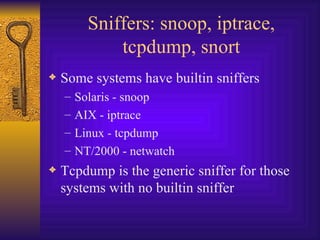
Sniffers: snoop, iptrace, tcpdump, snort Some systems have builtin sniffers Solaris - snoop AIX - iptrace Linux - tcpdump NT/2000 - netwatch Tcpdump is the generic sniffer for those systems with no builtin sniffer
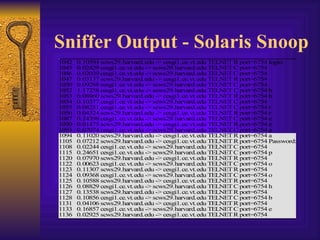
Sniffer Output - Solaris Snoop
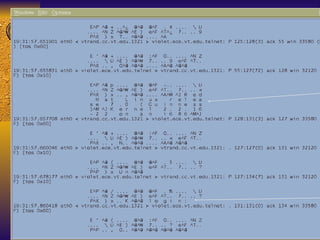
Tcpdump Example
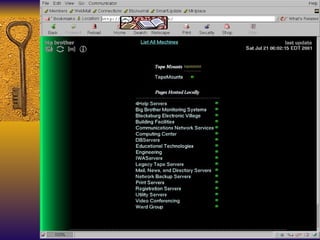
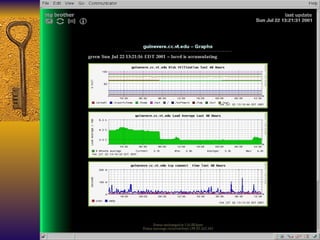
Big Brother Web based system and network monitor Client server model Clients run on the systems you want to monitor Simple shell scripts that monitor different aspects of your system and network What can it check? Disk space, CPU Utilization, critical processes, weather parameters, building monitors
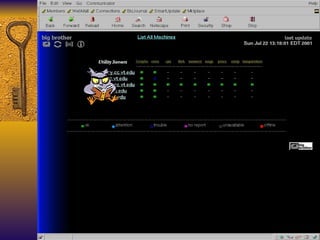
Big Brother Color coded WWW page showing a matrix of machines and monitored functions Notifies sysadmins by email, pager, SMS. System requirements Unix – www server, /bin/sh, C compiler to port BB NT – v4.0 with SP3 minimum, Intel or Alpha platforms.


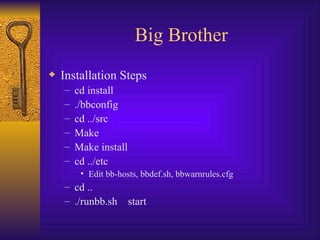
Big Brother Installation Steps cd install ./bbconfig cd ../src Make Make install cd ../etc Edit bb-hosts, bbdef.sh, bbwarnrules.cfg cd .. ./runbb.sh  start
Big Brother Can monitor more service by modifying  bb-network.sh BB shows historical data. Drilling down a host page and clicking on the history buttons shows the last 24 hr stats. Doesn’t need to run as root. Run as ‘bb’. Restricts incoming connections by ACL.
VNCViewer Available from  www.uk.research.att.com/vnc Great remote control tool for Windows 95/98, NT, 2000, Macintosh, Unix clients Nice help desk tool It displays the remote desktop on your system.  A better version of BackOrifice, BO2K tool


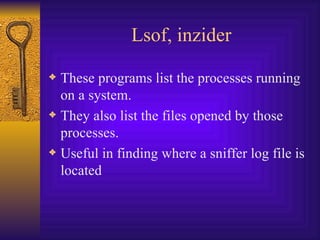
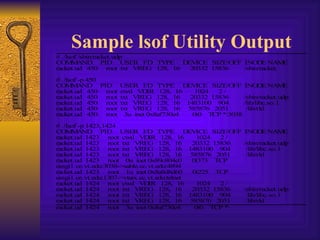
Lsof, inzider These programs list the processes running on a system. They also list the files opened by those processes. Useful in finding where a sniffer log file is located
Sample lsof Utility Output
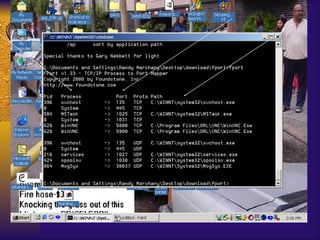
Fport Available from  www.foundstone.com Windows version of lsof Shows the ports and the programs listening on those ports Current version (9/20/01): 1.33
 
Sysadmin Tools Sudo  Unix access control is all (root) or nothing (user). Some commands (backup, restore) are restricted to root but are really an OPER class command. You don’t want an operator to have root access but you want them to do backups. Sudo lets you set up this “pseudo” privilege scheme.
Sudo Sudo uses user identity and host to restrict the commands the user can run in “root” mode. It is a restricted root shell. User is prompted for a special password that allows them to run the command.
Sudo The sudoers files lists the commands, shells, hosts that a user can execute commands Should always list the full path name for the commands Notifies sysadmins if illegal uses of sudo is attempted. Notifies sysadmins if user in sudoers tries to run a restricted command
Sudo Advantages Good warning if someone tries to use it incorrectly. Easy to configure for multiple machines Adequate internal security checks Check for “.” in PATH Removes LD* variables before execution Disadvantages Works with root userid only. Can’t use with other userids. Doesn’t handle commands that use a subshell to spawn other commands
Proactive Password Tools Most newer OS allow you to set password rules in config files. Crack is still the best of the bunch. Npasswd and passwd+ are two older but still effective tools. Npasswd is a good tool for those who don’t want to spend a lot of time configuring a password checker Passwd+ requires more configuration time.
Crack The first of the really good password crackers. Available on the net for the past 10 years. Easy to customize. Works on non-shadow password files. Use a preprocessor to rebuild in old format or use NIS, NIS+   Can be distributed among systems http;//www.users.dircon.co.uk/~crypto/
npasswd Uses ASCII dictionaries or DBM format dictionaries. Programs to build directories included. If the password is in the dictionary, it’s rejected. Case and reversed word checks are done as well Does singlecase (Yes/No) checks Allow passwords in one case. Default = No. Does Control Character (Yes/No) checks. Allows passwords with ASCII control characters in them. Default = Yes. Does min/max length checks.
npasswd Checks for 3 sequential occurrences of the same character. This value can be modified. Does illegal character check. (^C, ^D, ^G, ^J, ^M, ^O, ^Q,  etc. Good, quick easy tool to use.
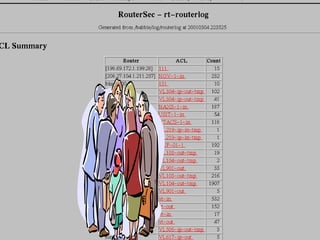
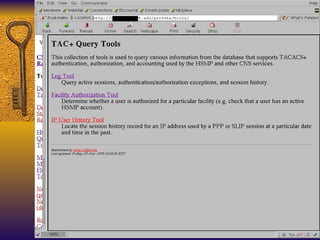
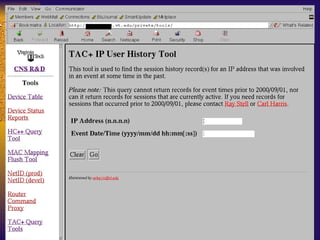
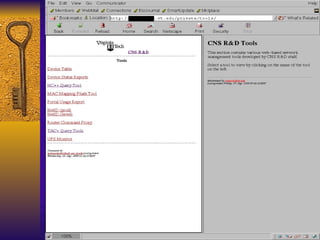
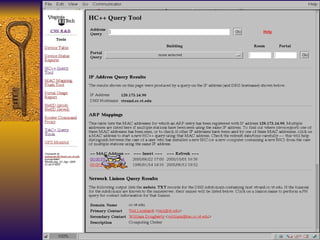
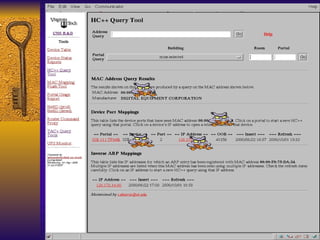
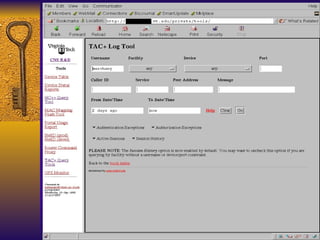
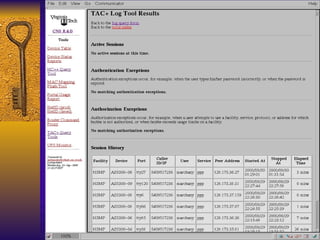
Home Grown Tools Network Mgt Group developed a couple of tools for their use. Our CIRT can use the same tools to track an attack in our network. Our Netadmins controls the ENTIRE University net and developed these tools to help them manage, fix and bill usage of net resources. SQL front ends to Oracle DB.


Using the Tools – A Strategy Preparation Detection Containment Eradication Recovery Followup
Preparation Unix Host Systems Install TCP Wrappers, Portsentry, logcheck, tripwire, lsof, ipfilter NT/2000 Inzider,syslog converters Network Ingress, egress filters in place Router logs in place
Detection Portsentry, TCP wrappers, Personal Firewall tools usually send the first alarm. Network router filters may trigger an alarm as well. Once an event is detected, reaction mechanisms are enabled
Containment Detection tools give the source IP address. Router blocks may be enabled to prevent additional attacks. HC++ tool used to isolate offending system Portsentry or PFW tools prevent further access to the systems
Eradication HC++ tool used to shut off internal port. Router blocks on external IP address. Tripwire used to remove offending files. Network backup software can be used to verify this. Why? Most network backup software does incremental backups so they can capture a newly installed file.
Recovery “Jumpstart” style OS installation Network and regular backup software File servers may limit the damage
Followup See what components worked. Could additional scanning detect the holes? How fast did the reaction mechanisms work? Internal network tools work? Backup procedures work? What didn’t work? Why? How?
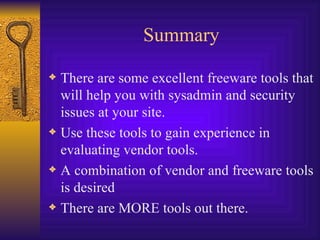
Summary There are some excellent freeware tools that will help you with sysadmin and security issues at your site. Use these tools to gain experience in evaluating vendor tools. A combination of vendor and freeware tools is desired There are MORE tools out there.
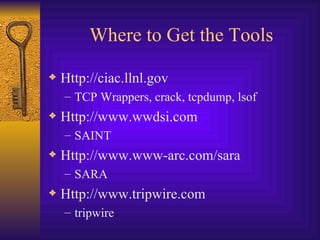
Where to Get the Tools Http://ciac.llnl.gov TCP Wrappers, crack, tcpdump, lsof Http://www.wwdsi.com SAINT Http://www.www-arc.com/sara SARA Http://www.tripwire.com tripwire
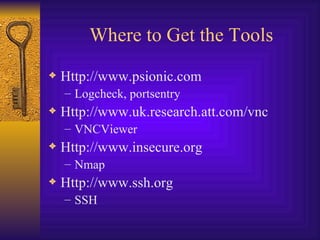
Where to Get the Tools Http://www.psionic.com Logcheck, portsentry Http://www.uk.research.att.com/vnc VNCViewer Http://www.insecure.org Nmap Http://www.ssh.org SSH
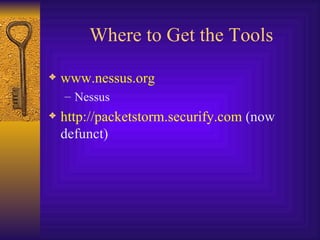
Where to Get the Tools www.nessus.org Nessus http://packetstorm.securify.com  (now defunct)

Freeware Security Tools You Need

  • 1.
    Freeware Security ToolsYou Need Randy Marchany VA Tech Computing Center Blacksburg, VA 24060 [email_address] 540-231-9523 NetSec2001
  • 2.
    Suggested Strategy Usefreeware tools to gain experience with your system/network environment. Gain experience with the features provided by these tools in order to better analyze a vendor tool. Freeware tools provide a good short-term solution. Vendor tools may provide better long-term solution.
  • 3.
    The Tools Audit/PortScanning Tools Nessus Saint Sara Nmap, strobe Tripwire, AIDE “ Personal” Firewall TCP Wrappers Portsentry,ipfilters ZoneAlarm, BlackIce, NeoWorks
  • 4.
    The Tools SyslogScanners Logcheck Sniffers Snoop, iptrace, tcpdump Netwatch (NT) Snort
  • 5.
    The Tools SysadminTools Big Brother Password Checkers Crack, nt-crack, l0phtcrack,npasswd, passwd+ Lsof, inzider (NT) Sudo (unix) Remote Control Tools VNCviewer Homegrown Tools Network Mgt Tools that can be used for Incident Response
  • 6.
    Audit/Port Scan ToolsThese tools can be used to scan your systems and network for vulnerabilities. Some tools can perform integrity checks on designated files. They have very good reporting tools usually based on HTML.
  • 7.
    Nessus Available from www.nessus.org Best of the scanning tools Easy to build for Linux, harder for Solaris, need to work on other OS. Requires GNU tools Provides HTML based reports Has distributed architecture: clients (Windows, Unix) & engines (Unix only)
  • 8.
    Nessus – BuildingIt Linux Download the RPMs Add nessus user Start up nessusd daemon Start up nessus client Start testing
  • 9.
    Nessus – Pros/ConPro Easy to install if you have linux Most comprehensive tests for your money Con Not that easy to understand at first Non-linux builds require GNU software Some inconsistency in quality of checks Must use Unix server for specific user accounts
  • 10.
  • 11.
  • 12.
  • 13.
  • 14.
  • 15.
  • 16.
  • 17.
  • 18.
  • 19.
  • 20.
  • 21.
    SAINT Based onSATAN, developed by World Wide Security, Inc. ( www.wwdsi.com ) Security Administrator’s Integrated Network Tool Gathers info on remote hosts/nets Looks at finger, NFS, NIS, ftp, tftp, rexd, statd Can run heavy, moderate or light probes on targets. Will check for the SANS Top 10 Threats
  • 22.
  • 23.
  • 24.
  • 25.
    SARA Security Auditor’sResearch Assistant www.www-arc.com/sara Checks for SANS Top 10 Threats Does Unix/Windows vulnerability tests Has CVE dictionary support Search engine for post audit analysis Has a Report Writer
  • 26.
  • 27.
  • 28.
  • 29.
  • 30.
    Port Scanning ToolsStrobe was one of the earliest port scanning tools. Available from ciac.llnl.gov Nmap is the more sophisticated grandson of strobe Available from www.insecure.org
  • 31.
  • 32.
  • 33.
    Tripwire Available from www.tripwire.com First of the file integrity checkers Unix and NT versions available Network capable versions available Academic version is free. Commercial and NT versions are not. Useful in finding trojan programs
  • 34.
    Tripwire Generates a“signature” for each file based on checksums and other characteristics. These signatures are stored in a database file that should be kept offline. This is the baseline. Latest threat involves dynamic exec redirection. This is part of the newer Kernel Module Rootkits.
  • 35.
    Tripwire List offiles to check: tw.config All files in a directory will be checked. Can prune directories from the check step. Can examine just the directory and nothing else. Can check by access time but not recommended since you’ll get a report of everything that changed. Everything!
  • 36.
    Tripwire To initializethe DB: tripwire –initialize Update DB interactively: tripwire -interactive Non-interactive DB update: tripwire – update <FN>
  • 37.
    Tripwire Security IssuesNeed to protect the DB Need to protect the vulnerable executables Advantages Simple interface, good choice of crypto hash functions, good all-around tool Disadvantages Kernel mod attacks, initial tw.config takes some time to customize, NT version is good but costs $$$, no network security
  • 38.
  • 39.
    Personal Firewall ToolsThese tools monitor connection attempts to your system and give you the option of allowing or denying the access They log the connection attempt to standard log files More valuable than real Firewall, IMHO.
  • 40.
    Portsentry/TCP Wrappers Availablefrom www.psionic.com TCP Wrappers available from ciac.llnl.gov and a ton of other sites Any host that scans a list of “banned” ports is placed in an /etc/hosts.deny file Need TCP Wrappers installed on the machine Tcpwrappers logs attempts to connect to services
  • 41.
    TCP Wrappers Everyoneshould buy Wietse Venema dinner for writing this tool.  Purpose Log network connections to a system Allow you to filter who connects to the system Needs an inetd-like program to act as the dispatcher of network services
  • 42.
    TCP Wrappers FeaturesAllows you to monitor/filter incoming requests for SYSTAT, FINGER, FTP, TELNET, R-Commands, TFTP, TALK and other network services. Provides access control to restrict what systems connect to what network daemons. Provides some protection from host spoofing
  • 43.
    TCP Wrapper InstallationEasy to do “ Advanced Installation” easier than “Easy Installation” IMHO Install done by Makefile make <os-type> Creates 5 modules that are ready to use.
  • 44.
    TCP Wrappers 4components Tcpd – the actual wrapper program Tcpdmatch, tcpdchk – ACL testing programs Try-from – tests host lookup function Safe-finger – a better version of finger Logs hostname, IP address and username (identd if possible) via syslog facility. Typically, it logs to the mail facility logs Change this by editing Makefile: FACILITY=LOG_AUTH FACILITY=LOG_WARN
  • 45.
    TCP Wrappers AccessControl is enabled by default. 2 files /etc/hosts.deny – restrict access if IP addr here /etc/hosts.allow – allow access if IP addr here Can restrict to [email_address] if services are enabled Reverse lookup is done. Paranoid selection terminates the connection immediately if there’s a mismatch. Set KILL_IP_OPTIONS in Makefile to refuse connections that use source routing. This prevents IP spoofing although your routers should do this.
  • 46.
    TCP Wrappers IDENTservice Remote username lookup required remote host to run ident (RFC 1413) protocol. Works only for TCP not UDP Limitations TCP – checks the 1 st connection for each instance of the daemon UDP – 1 st datagram only for the service RPC/TCP – no checking since portmapper does this.
  • 47.
    TCP Wrappers AdvantagesLogs and applies access controls to remote connections Lets you define which daemons are wrapped Does good reverse lookup on hosts Disadvantages Ident service not reliable Only looks at network daemons spawned by inetd Doesn’t wrap ALL services (RPC) Could give a false sense of security
  • 48.
    Portsentry Available from www.psionic.com Monitors ports and performs an action when an attempt to access the port is made. Usually access is denied to the probing systems. Monitors TCP and UDP traffic. A little more flexible than TCP Wrappers
  • 49.
    Portsentry Configuration FilesPortsentry.conf contains the list of ports to be monitored. 3 levels of paranoia 
  • 50.
  • 51.
    IP Filter Softwarepackage that can do NAT or basic firewall services. Designed to be used as a loadable kernel module but can be incorporated into a Unix kernel Can be configured to do IP Accounting (count # bytes), IP Filtering or IP authentication or NAT. http://coombs.anu.edu.au/~avalon/ip-filter.html
  • 52.
    IP Filter Canexplicitly allow/deny any packet. Distinguishes between multiple interfaces. Filters by IP network, hosts or protocol. Filters by port number or port range. Logs the following: TCP/UDP/ICMP/IP packet headers First 128 bytes Pass or blocked status
  • 53.
    IP Filter Statisticscollected include: Packets blocked Packets used for accounting (packet count) Packets passed Packets logged Inbound/outbound packet information
  • 54.
  • 55.
    IP Filter LogFormat Jul 30 01:46:52 myhost.vt.edu ipmon[147]: [ID 702911local0.warning] 01:46:52.196772 hme0 @0:5 b 194.143.66.126,21 ->198.82.255.255, 21 PR tcp len 20 40 -S IN Jul 30 01:47:03 myhost.vt.edu ipmon[147]: [ID 702911local0.warning] 01:47:03.269595 hme0 @0:5 b 194.143.66.126,21 ->198.82.255.255, 21 PR tcp len 20 40 -S IN Jul 30 05:53:51 myhost.vt.edu ipmon[147]: [ID 702911local0.warning] 05:53:50.699235 hme0 @0:5 b 203.90.84.163,1781 ->198.82.255.255, 21 PR tcp len 20 60 -S IN
  • 56.
    Logcheck Available from www.psionic.com Syslog keyword scanner When it matches something, it does something Send email Page someone Run a command
  • 57.
    logcheck.violations These keywordsdenote a problem and are flagged by logcheck.
  • 58.
    logcheck.ignore Phrases listedin this file are ignored by the logcheck program.
  • 59.
    logcheck.hacking Keywords inthis file indicate an attack is taking place
  • 60.
  • 61.
    Zone Alarm Availablefrom www.zonelabs.com Not quite free Client based, application level firewall Designed to prevent unauthorized sending and receiving of packets to your workstation Good defense against trojans
  • 62.
    Basic Installation StepsThe following steps were developed by Marc Debonis for our site. Download latest version from http://www.zonelabs.com Run the installer, zonealarm.exe Click Next, click Next Enter name, company and email (can be invalid) Uncheck both boxes Click Next , click next, click finish, click start Check “don’t show this message again” box Click OK and reboot if necessary Zone Alarm is installed
  • 63.
    Configuring Zone AlarmZA requires you authorize each & every application that attempts to send receive information to/from your network connection. Default is BLOCK. This pops up a window asking what to do
  • 64.
    Basic Setup Clickthe arrow in ZA box that points down and to the right Click the security button Verify local security is set to MEDIUM Verify internet security is set to HIGH Click the advanced button Do NOT put a checkmark next to your adapter, OW, all machines in your subnet will be considered to be in your local zone Click OK
  • 65.
  • 66.
  • 67.
  • 68.
    Black Ice DefenderAvailable from www.networkice.com Workstation Version End-user PC with a single connection Tuned for common attacks to workstations Server Version Additional NT and W2K attacks signatures IcePac Suite allows multiple agents to be managed from a single host. Can install agents remotely. Not quite free 
  • 69.
  • 70.
    NeoWatch Available from www.neoworx.com Another Personal FW type tool for Windows systems. Does traceback to the originating site. Similar features as Zone Alarm and Black Ice Defender Can send data to a central site. Not quite Free  $39.95. Trial version is free for 30 days
  • 71.
  • 72.
  • 73.
  • 74.
    Sniffers: snoop, iptrace,tcpdump, snort Some systems have builtin sniffers Solaris - snoop AIX - iptrace Linux - tcpdump NT/2000 - netwatch Tcpdump is the generic sniffer for those systems with no builtin sniffer
  • 75.
    Sniffer Output -Solaris Snoop
  • 76.
  • 77.
    Big Brother Webbased system and network monitor Client server model Clients run on the systems you want to monitor Simple shell scripts that monitor different aspects of your system and network What can it check? Disk space, CPU Utilization, critical processes, weather parameters, building monitors
  • 78.
    Big Brother Colorcoded WWW page showing a matrix of machines and monitored functions Notifies sysadmins by email, pager, SMS. System requirements Unix – www server, /bin/sh, C compiler to port BB NT – v4.0 with SP3 minimum, Intel or Alpha platforms.
  • 79.
  • 80.
  • 81.
  • 82.
    Big Brother InstallationSteps cd install ./bbconfig cd ../src Make Make install cd ../etc Edit bb-hosts, bbdef.sh, bbwarnrules.cfg cd .. ./runbb.sh start
  • 83.
    Big Brother Canmonitor more service by modifying bb-network.sh BB shows historical data. Drilling down a host page and clicking on the history buttons shows the last 24 hr stats. Doesn’t need to run as root. Run as ‘bb’. Restricts incoming connections by ACL.
  • 84.
    VNCViewer Available from www.uk.research.att.com/vnc Great remote control tool for Windows 95/98, NT, 2000, Macintosh, Unix clients Nice help desk tool It displays the remote desktop on your system. A better version of BackOrifice, BO2K tool
  • 85.
  • 86.
  • 87.
  • 88.
    Lsof, inzider Theseprograms list the processes running on a system. They also list the files opened by those processes. Useful in finding where a sniffer log file is located
  • 89.
  • 90.
    Fport Available from www.foundstone.com Windows version of lsof Shows the ports and the programs listening on those ports Current version (9/20/01): 1.33
  • 91.
  • 92.
    Sysadmin Tools Sudo Unix access control is all (root) or nothing (user). Some commands (backup, restore) are restricted to root but are really an OPER class command. You don’t want an operator to have root access but you want them to do backups. Sudo lets you set up this “pseudo” privilege scheme.
  • 93.
    Sudo Sudo usesuser identity and host to restrict the commands the user can run in “root” mode. It is a restricted root shell. User is prompted for a special password that allows them to run the command.
  • 94.
    Sudo The sudoersfiles lists the commands, shells, hosts that a user can execute commands Should always list the full path name for the commands Notifies sysadmins if illegal uses of sudo is attempted. Notifies sysadmins if user in sudoers tries to run a restricted command
  • 95.
    Sudo Advantages Goodwarning if someone tries to use it incorrectly. Easy to configure for multiple machines Adequate internal security checks Check for “.” in PATH Removes LD* variables before execution Disadvantages Works with root userid only. Can’t use with other userids. Doesn’t handle commands that use a subshell to spawn other commands
  • 96.
    Proactive Password ToolsMost newer OS allow you to set password rules in config files. Crack is still the best of the bunch. Npasswd and passwd+ are two older but still effective tools. Npasswd is a good tool for those who don’t want to spend a lot of time configuring a password checker Passwd+ requires more configuration time.
  • 97.
    Crack The firstof the really good password crackers. Available on the net for the past 10 years. Easy to customize. Works on non-shadow password files. Use a preprocessor to rebuild in old format or use NIS, NIS+  Can be distributed among systems http;//www.users.dircon.co.uk/~crypto/
  • 98.
    npasswd Uses ASCIIdictionaries or DBM format dictionaries. Programs to build directories included. If the password is in the dictionary, it’s rejected. Case and reversed word checks are done as well Does singlecase (Yes/No) checks Allow passwords in one case. Default = No. Does Control Character (Yes/No) checks. Allows passwords with ASCII control characters in them. Default = Yes. Does min/max length checks.
  • 99.
    npasswd Checks for3 sequential occurrences of the same character. This value can be modified. Does illegal character check. (^C, ^D, ^G, ^J, ^M, ^O, ^Q, etc. Good, quick easy tool to use.
  • 100.
    Home Grown ToolsNetwork Mgt Group developed a couple of tools for their use. Our CIRT can use the same tools to track an attack in our network. Our Netadmins controls the ENTIRE University net and developed these tools to help them manage, fix and bill usage of net resources. SQL front ends to Oracle DB.
  • 101.
  • 102.
  • 103.
  • 104.
  • 105.
  • 106.
  • 107.
  • 108.
  • 109.
  • 110.
  • 111.
    Using the Tools– A Strategy Preparation Detection Containment Eradication Recovery Followup
  • 112.
    Preparation Unix HostSystems Install TCP Wrappers, Portsentry, logcheck, tripwire, lsof, ipfilter NT/2000 Inzider,syslog converters Network Ingress, egress filters in place Router logs in place
  • 113.
    Detection Portsentry, TCPwrappers, Personal Firewall tools usually send the first alarm. Network router filters may trigger an alarm as well. Once an event is detected, reaction mechanisms are enabled
  • 114.
    Containment Detection toolsgive the source IP address. Router blocks may be enabled to prevent additional attacks. HC++ tool used to isolate offending system Portsentry or PFW tools prevent further access to the systems
  • 115.
    Eradication HC++ toolused to shut off internal port. Router blocks on external IP address. Tripwire used to remove offending files. Network backup software can be used to verify this. Why? Most network backup software does incremental backups so they can capture a newly installed file.
  • 116.
    Recovery “Jumpstart” styleOS installation Network and regular backup software File servers may limit the damage
  • 117.
    Followup See whatcomponents worked. Could additional scanning detect the holes? How fast did the reaction mechanisms work? Internal network tools work? Backup procedures work? What didn’t work? Why? How?
  • 118.
    Summary There aresome excellent freeware tools that will help you with sysadmin and security issues at your site. Use these tools to gain experience in evaluating vendor tools. A combination of vendor and freeware tools is desired There are MORE tools out there.
  • 119.
    Where to Getthe Tools Http://ciac.llnl.gov TCP Wrappers, crack, tcpdump, lsof Http://www.wwdsi.com SAINT Http://www.www-arc.com/sara SARA Http://www.tripwire.com tripwire
  • 120.
    Where to Getthe Tools Http://www.psionic.com Logcheck, portsentry Http://www.uk.research.att.com/vnc VNCViewer Http://www.insecure.org Nmap Http://www.ssh.org SSH
  • 121.
    Where to Getthe Tools www.nessus.org Nessus http://packetstorm.securify.com (now defunct)