Computer Programming
[ECEg-1052]
Chapter Three:
Control Statements
Prepared by Electronics and Computer Engineering Stream.
Outline
 Introduction
 Conditional Structure: If and else
 Repetitive Structures or loops
 Bifurcation of control and jumps.
 The selective Structure: switch
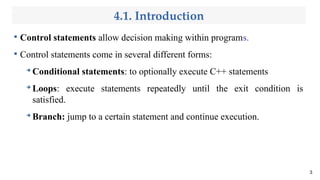
4.1. Introduction

Control statements allow decision making within programs.

Control statements come in several different forms:
➔
Conditional statements: to optionally execute C++ statements
➔
Loops: execute statements repeatedly until the exit condition is
satisfied.
➔
Branch: jump to a certain statement and continue execution.
3
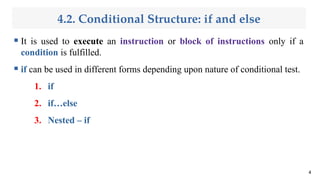
4.2. Conditional Structure: if and else
 It is used to execute an instruction or block of instructions only if a
condition is fulfilled.
 if can be used in different forms depending upon nature of conditional test.
1. if
2. if…else
3. Nested – if
4
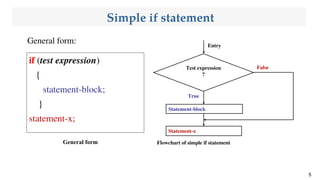
Simple if statement
General form:
5
if (test expression)
{
statement-block;
}
statement-x;
Test expression
?
Statement-x
Statement-block
True
False
Entry
Flowchart of simple if statement
General form
Cont’d...
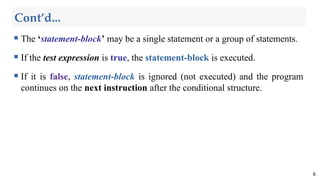
 The ‘statement-block’ may be a single statement or a group of statements.
 If the test expression is true, the statement-block is executed.
 If it is false, statement-block is ignored (not executed) and the program
continues on the next instruction after the conditional structure.
6
Cont’d...
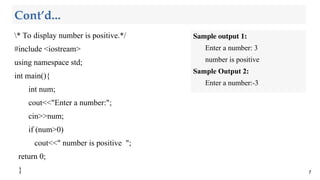
* To display number is positive.*/
#include <iostream>
using namespace std;
int main(){
int num;
cout<<"Enter a number:";
cin>>num;
if (num>0)
cout<<" number is positive ";
return 0;
} 7
Sample output 1:
Enter a number: 3
number is positive
Sample Output 2:
Enter a number:-3
Cont’d...

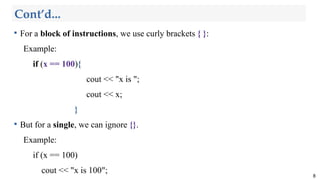
For a block of instructions, we use curly brackets { }:
Example:
if (x == 100){
cout << "x is ";
cout << x;
}

But for a single, we can ignore {}.
Example:
if (x == 100)
cout << "x is 100";
8
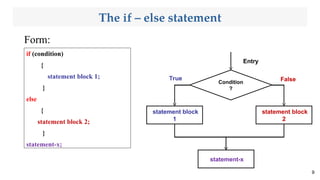
The if – else statement
Form:
9
if (condition)
{
statement block 1;
}
else
{
statement block 2;
}
statement-x;
Condition
?
statement block
1
statement-x
statement block
2
Entry
False
True
Cont’d...
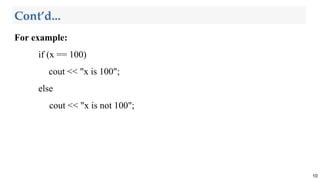
For example:
if (x == 100)
cout << "x is 100";
else
cout << "x is not 100";
10
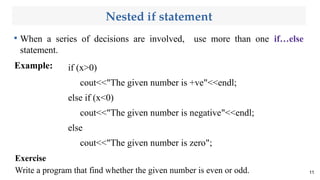
Nested if statement

When a series of decisions are involved, use more than one if…else
statement.
Example:
11
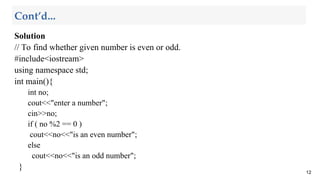
Exercise
Write a program that find whether the given number is even or odd.
if (x>0)
cout<<"The given number is +ve"<<endl;
else if (x<0)
cout<<"The given number is negative"<<endl;
else
cout<<"The given number is zero";
Solution
// To find whether given number is even or odd.
#include<iostream>
using namespace std;
int main(){
int no;
cout<<"enter a number";
cin>>no;
if ( no %2 == 0 )
cout<<no<<"is an even number";
else
cout<<no<<"is an odd number";
}
12
Cont’d...
4.2 Repetitive Structures or loops
 Loops have as objective to repeat a statement a certain number of
times while a condition is fulfilled.

The while loop

The do-while loop

The for loop
13
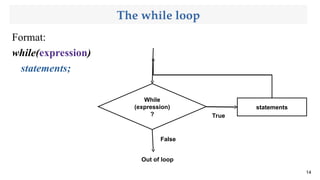
The while loop
Format:
while(expression)
statements;
14
While
(expression)
?
statements
False
True
Out of loop
Cont’d...
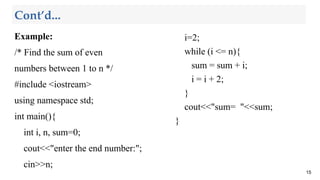
Example:
/* Find the sum of even
numbers between 1 to n */
#include <iostream>
using namespace std;
int main(){
int i, n, sum=0;
cout<<"enter the end number:";
cin>>n;
15
i=2;
while (i <= n){
sum = sum + i;
i = i + 2;
}
cout<<"sum= "<<sum;
}
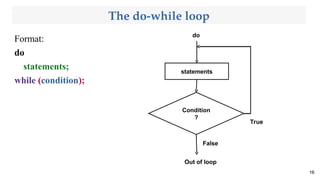
The do-while loop
Format:
do
statements;
while (condition);
16
Condition
?
statements
False
True
Out of loop
do
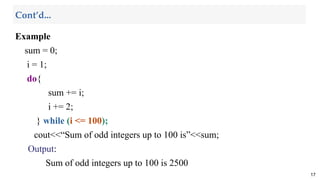
Example
sum = 0;
i = 1;
do{
sum += i;
i += 2;
} while (i <= 100);
cout<<“Sum of odd integers up to 100 is”<<sum;
Output:
Sum of odd integers up to 100 is 2500
17
Cont’d...
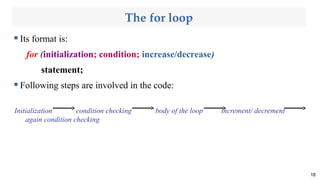
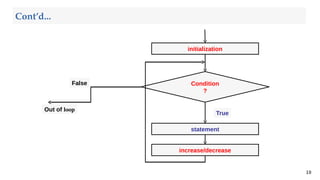
The for loop
 Its format is:
for (initialization; condition; increase/decrease)
statement;
 Following steps are involved in the code:
Initialization condition checking body of the loop increment/ decrement
again condition checking
18
19
initialization
increase/decrease
statement
Condition
?
Out of loop
False
True
Cont’d...
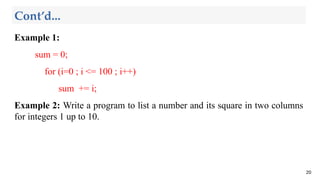
Example 1:
sum = 0;
for (i=0 ; i <= 100 ; i++)
sum += i;
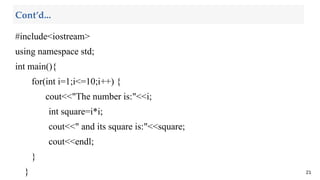
Example 2: Write a program to list a number and its square in two columns
for integers 1 up to 10.
20
Cont’d...
#include<iostream>
using namespace std;
int main(){
for(int i=1;i<=10;i++) {
cout<<"The number is:"<<i;
int square=i*i;
cout<<" and its square is:"<<square;
cout<<endl;
}
} 21
Cont’d...
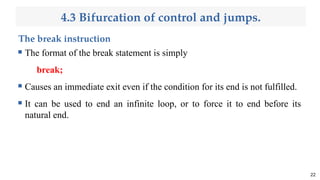
4.3 Bifurcation of control and jumps.
The break instruction
 The format of the break statement is simply
break;
 Causes an immediate exit even if the condition for its end is not fulfilled.
 It can be used to end an infinite loop, or to force it to end before its
natural end.
22
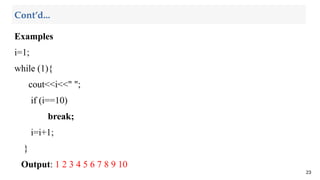
Examples
i=1;
while (1){
cout<<i<<" ";
if (i==10)
break;
i=i+1;
}
Output: 1 2 3 4 5 6 7 8 9 10
23
Cont’d...
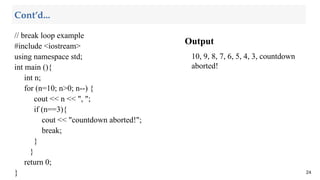
Output
10, 9, 8, 7, 6, 5, 4, 3, countdown
aborted!
24
Cont’d...
// break loop example
#include <iostream>
using namespace std;
int main (){
int n;
for (n=10; n>0; n--) {
cout << n << ", ";
if (n==3){
cout << "countdown aborted!";
break;
}
}
return 0;
}
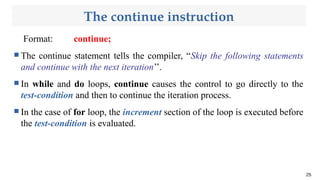
The continue instruction
Format: continue;
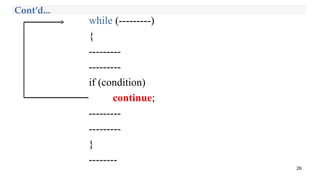
 The continue statement tells the compiler, “Skip the following statements
and continue with the next iteration’’.
 In while and do loops, continue causes the control to go directly to the
test-condition and then to continue the iteration process.
 In the case of for loop, the increment section of the loop is executed before
the test-condition is evaluated.
25
while (---------)
{
---------
---------
if (condition)
continue;
---------
---------
}
--------
26
Cont’d...
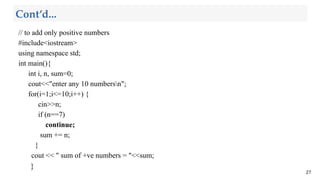
// to add only positive numbers
#include<iostream>
using namespace std;
int main(){
int i, n, sum=0;
cout<<"enter any 10 numbersn";
for(i=1;i<=10;i++) {
cin>>n;
if (n==7)
continue;
sum += n;
}
cout << " sum of +ve numbers = "<<sum;
}
27
Cont’d...
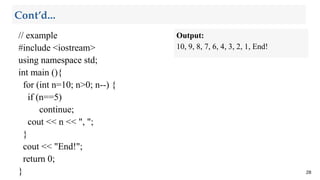
// example
#include <iostream>
using namespace std;
int main (){
for (int n=10; n>0; n--) {
if (n==5)
continue;
cout << n << ", ";
}
cout << "End!";
return 0;
} 28
Cont’d...
Output:
10, 9, 8, 7, 6, 4, 3, 2, 1, End!
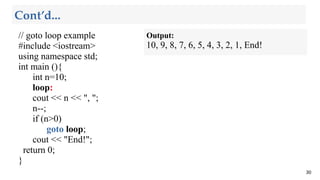
The goto instruction
 Allows making an absolute jump to another point in the program.
 The destination point is identified by a label, which is then used as an
argument for the goto instruction.
 A label is made of a valid identifier followed by a colon (:).
29
// goto loop example
#include <iostream>
using namespace std;
int main (){
int n=10;
loop:
cout << n << ", ";
n--;
if (n>0)
goto loop;
cout << "End!";
return 0;
}
30
Cont’d...
Output:
10, 9, 8, 7, 6, 5, 4, 3, 2, 1, End!
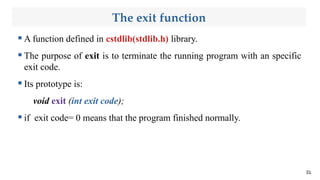
The exit function
 A function defined in cstdlib(stdlib.h) library.
 The purpose of exit is to terminate the running program with an specific
exit code.
 Its prototype is:
void exit (int exit code);
 if exit code= 0 means that the program finished normally.
31
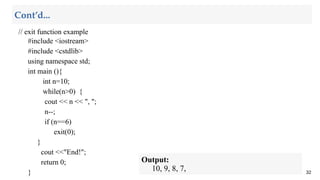
// exit function example
#include <iostream>
#include <cstdlib>
using namespace std;
int main (){
int n=10;
while(n>0) {
cout << n << ", ";
n--;
if (n==6)
exit(0);
}
cout <<"End!";
return 0;
} 32
Cont’d...
Output:
10, 9, 8, 7,
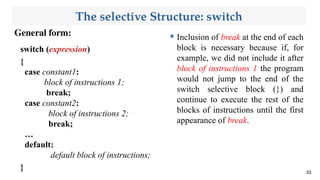
The selective Structure: switch
General form:
33
switch (expression)
{
case constant1:
block of instructions 1;
break;
case constant2:
block of instructions 2;
break;
…
default:
default block of instructions;
}
 Inclusion of break at the end of each
block is necessary because if, for
example, we did not include it after
block of instructions 1 the program
would not jump to the end of the
switch selective block (}) and
continue to execute the rest of the
blocks of instructions until the first
appearance of break.
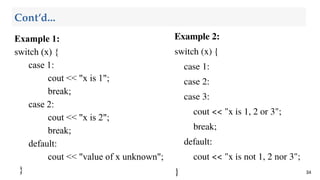
Example 1:
switch (x) {
case 1:
cout << "x is 1";
break;
case 2:
cout << "x is 2";
break;
default:
cout << "value of x unknown";
} 34
Cont’d...
Example 2:
switch (x) {
case 1:
case 2:
case 3:
cout << "x is 1, 2 or 3";
break;
default:
cout << "x is not 1, 2 nor 3";
}
Thank You !

Chapter 3 Computer Programmingodp-1_250331_041044.pdf

  • 1.
    Computer Programming [ECEg-1052] Chapter Three: ControlStatements Prepared by Electronics and Computer Engineering Stream.
  • 2.
    Outline  Introduction  ConditionalStructure: If and else  Repetitive Structures or loops  Bifurcation of control and jumps.  The selective Structure: switch
  • 3.
    4.1. Introduction  Control statementsallow decision making within programs.  Control statements come in several different forms: ➔ Conditional statements: to optionally execute C++ statements ➔ Loops: execute statements repeatedly until the exit condition is satisfied. ➔ Branch: jump to a certain statement and continue execution. 3
  • 4.
    4.2. Conditional Structure:if and else  It is used to execute an instruction or block of instructions only if a condition is fulfilled.  if can be used in different forms depending upon nature of conditional test. 1. if 2. if…else 3. Nested – if 4
  • 5.
    Simple if statement Generalform: 5 if (test expression) { statement-block; } statement-x; Test expression ? Statement-x Statement-block True False Entry Flowchart of simple if statement General form
  • 6.
    Cont’d...  The ‘statement-block’may be a single statement or a group of statements.  If the test expression is true, the statement-block is executed.  If it is false, statement-block is ignored (not executed) and the program continues on the next instruction after the conditional structure. 6
  • 7.
    Cont’d... * To displaynumber is positive.*/ #include <iostream> using namespace std; int main(){ int num; cout<<"Enter a number:"; cin>>num; if (num>0) cout<<" number is positive "; return 0; } 7 Sample output 1: Enter a number: 3 number is positive Sample Output 2: Enter a number:-3
  • 8.
    Cont’d...  For a blockof instructions, we use curly brackets { }: Example: if (x == 100){ cout << "x is "; cout << x; }  But for a single, we can ignore {}. Example: if (x == 100) cout << "x is 100"; 8
  • 9.
    The if –else statement Form: 9 if (condition) { statement block 1; } else { statement block 2; } statement-x; Condition ? statement block 1 statement-x statement block 2 Entry False True
  • 10.
    Cont’d... For example: if (x== 100) cout << "x is 100"; else cout << "x is not 100"; 10
  • 11.
    Nested if statement  Whena series of decisions are involved, use more than one if…else statement. Example: 11 Exercise Write a program that find whether the given number is even or odd. if (x>0) cout<<"The given number is +ve"<<endl; else if (x<0) cout<<"The given number is negative"<<endl; else cout<<"The given number is zero";
  • 12.
    Solution // To findwhether given number is even or odd. #include<iostream> using namespace std; int main(){ int no; cout<<"enter a number"; cin>>no; if ( no %2 == 0 ) cout<<no<<"is an even number"; else cout<<no<<"is an odd number"; } 12 Cont’d...
  • 13.
    4.2 Repetitive Structuresor loops  Loops have as objective to repeat a statement a certain number of times while a condition is fulfilled.  The while loop  The do-while loop  The for loop 13
  • 14.
  • 15.
    Cont’d... Example: /* Find thesum of even numbers between 1 to n */ #include <iostream> using namespace std; int main(){ int i, n, sum=0; cout<<"enter the end number:"; cin>>n; 15 i=2; while (i <= n){ sum = sum + i; i = i + 2; } cout<<"sum= "<<sum; }
  • 16.
    The do-while loop Format: do statements; while(condition); 16 Condition ? statements False True Out of loop do
  • 17.
    Example sum = 0; i= 1; do{ sum += i; i += 2; } while (i <= 100); cout<<“Sum of odd integers up to 100 is”<<sum; Output: Sum of odd integers up to 100 is 2500 17 Cont’d...
  • 18.
    The for loop Its format is: for (initialization; condition; increase/decrease) statement;  Following steps are involved in the code: Initialization condition checking body of the loop increment/ decrement again condition checking 18
  • 19.
  • 20.
    Example 1: sum =0; for (i=0 ; i <= 100 ; i++) sum += i; Example 2: Write a program to list a number and its square in two columns for integers 1 up to 10. 20 Cont’d...
  • 21.
    #include<iostream> using namespace std; intmain(){ for(int i=1;i<=10;i++) { cout<<"The number is:"<<i; int square=i*i; cout<<" and its square is:"<<square; cout<<endl; } } 21 Cont’d...
  • 22.
    4.3 Bifurcation ofcontrol and jumps. The break instruction  The format of the break statement is simply break;  Causes an immediate exit even if the condition for its end is not fulfilled.  It can be used to end an infinite loop, or to force it to end before its natural end. 22
  • 23.
    Examples i=1; while (1){ cout<<i<<" "; if(i==10) break; i=i+1; } Output: 1 2 3 4 5 6 7 8 9 10 23 Cont’d...
  • 24.
    Output 10, 9, 8,7, 6, 5, 4, 3, countdown aborted! 24 Cont’d... // break loop example #include <iostream> using namespace std; int main (){ int n; for (n=10; n>0; n--) { cout << n << ", "; if (n==3){ cout << "countdown aborted!"; break; } } return 0; }
  • 25.
    The continue instruction Format:continue;  The continue statement tells the compiler, “Skip the following statements and continue with the next iteration’’.  In while and do loops, continue causes the control to go directly to the test-condition and then to continue the iteration process.  In the case of for loop, the increment section of the loop is executed before the test-condition is evaluated. 25
  • 26.
  • 27.
    // to addonly positive numbers #include<iostream> using namespace std; int main(){ int i, n, sum=0; cout<<"enter any 10 numbersn"; for(i=1;i<=10;i++) { cin>>n; if (n==7) continue; sum += n; } cout << " sum of +ve numbers = "<<sum; } 27 Cont’d...
  • 28.
    // example #include <iostream> usingnamespace std; int main (){ for (int n=10; n>0; n--) { if (n==5) continue; cout << n << ", "; } cout << "End!"; return 0; } 28 Cont’d... Output: 10, 9, 8, 7, 6, 4, 3, 2, 1, End!
  • 29.
    The goto instruction Allows making an absolute jump to another point in the program.  The destination point is identified by a label, which is then used as an argument for the goto instruction.  A label is made of a valid identifier followed by a colon (:). 29
  • 30.
    // goto loopexample #include <iostream> using namespace std; int main (){ int n=10; loop: cout << n << ", "; n--; if (n>0) goto loop; cout << "End!"; return 0; } 30 Cont’d... Output: 10, 9, 8, 7, 6, 5, 4, 3, 2, 1, End!
  • 31.
    The exit function A function defined in cstdlib(stdlib.h) library.  The purpose of exit is to terminate the running program with an specific exit code.  Its prototype is: void exit (int exit code);  if exit code= 0 means that the program finished normally. 31
  • 32.
    // exit functionexample #include <iostream> #include <cstdlib> using namespace std; int main (){ int n=10; while(n>0) { cout << n << ", "; n--; if (n==6) exit(0); } cout <<"End!"; return 0; } 32 Cont’d... Output: 10, 9, 8, 7,
  • 33.
    The selective Structure:switch General form: 33 switch (expression) { case constant1: block of instructions 1; break; case constant2: block of instructions 2; break; … default: default block of instructions; }  Inclusion of break at the end of each block is necessary because if, for example, we did not include it after block of instructions 1 the program would not jump to the end of the switch selective block (}) and continue to execute the rest of the blocks of instructions until the first appearance of break.
  • 34.
    Example 1: switch (x){ case 1: cout << "x is 1"; break; case 2: cout << "x is 2"; break; default: cout << "value of x unknown"; } 34 Cont’d... Example 2: switch (x) { case 1: case 2: case 3: cout << "x is 1, 2 or 3"; break; default: cout << "x is not 1, 2 nor 3"; }
  • 35.