FormsThe Universe,And Everything
Hello,World!
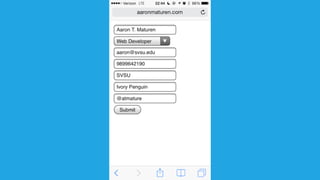
<form method="POST" >
<fieldset>
<legend> Speaker Info </legend>
<input type='text' name='name' value='Aaron T. Maturen' />
<select name='title'/>
<option selected> Web Developer </option>
<option> Customer Support</option>
</select>
<input type='email' name='email' value='aaron@svsu.edu' />
<input type='tel' name='phone'/ value='9899642190'>
<input type='text' name='employer[]' value='SVSU' />
<input type='text' name='employer[]' value='Ivory Penguin' />
<input type='text' name='twitter' value='@atmature' />
<input type='url' name='website' value='http://www.aaronmaturen.com' />
<input type='submit' />
</fieldset>
</form>
Hello,World!
{
"name" : "Aaron T. Maturen",
"title" : "Web Developer",
"email" : "aaron@svsu.edu",
"phone" : "989-964-2190",
"employers" : [
"Saginaw Valley State University",
"Ivory Penguin"
],
"twitter" : "@atmaturen"
}
forms
StoryTime.
There once was a man from Poughkeepsie...
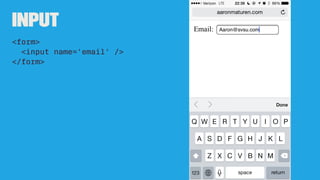
Input
<form>
<input name='email' />
</form>
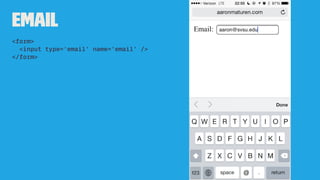
Email
<form>
<input type='email' name='email' />
</form>
<form>
<form action="http://localhost" method="post">
...
</form>
<label>
<label>Email:
<input name="email" type="email" />
</label>
or
<label for="userEmail">Email: </label>
<input name="email" type="email" id="userEmail" />
<textarea>
<textarea name="textarea" rows="10" cols="50">
Write something here
</textarea>
<input>
<inputtype='button' />
<inputtype='checkbox' />
<inputtype='hidden' />
<inputtype='password' />
<inputtype='radio' />
<inputtype='reset' />
<inputtype='submit' />
<inputtype='text' />
Warning!<inputtype=' image ' />
Isjusta graphicalbutton
<select>
<option></option>
<optgroup></optgroup>
<select name="select">
<option value="value1">Value 1</option>
<option value="value2" selected>Value 2</option>
<option value="value3">Value 3</option>
</select>
we're inthe future now.
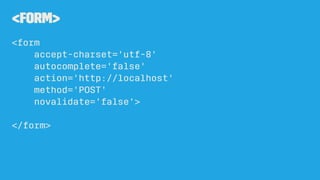
<form>
<form
accept-charset='utf-8'
autocomplete='false'
action='http://localhost'
method='POST'
novalidate='false'>
</form>
ContentEditable
<div contenteditable="true">
This text can be edited by the user.
</div>
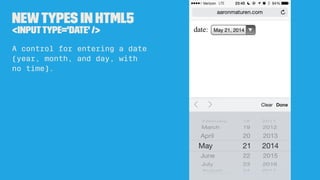
Newtypes in HTML5
<inputtype='date' />
A control for entering a date
(year, month, and day, with
no time).
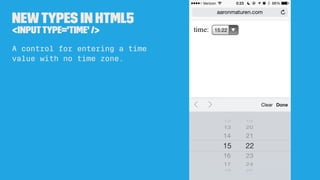
Newtypes in HTML5
<inputtype='time' />
A control for entering a time
value with no time zone.
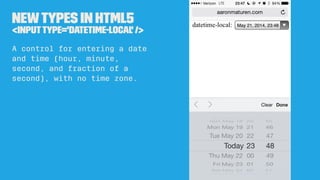
Newtypes in HTML5
<inputtype='datetime-local' />
A control for entering a date
and time (hour, minute,
second, and fraction of a
second), with no time zone.
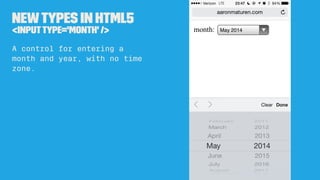
Newtypes in HTML5
<inputtype='month' />
A control for entering a
month and year, with no time
zone.
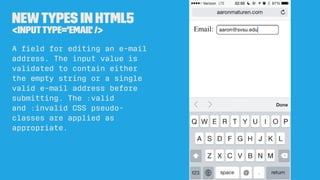
Newtypes in HTML5
<inputtype='email' />
A field for editing an e-mail
address. The input value is
validated to contain either
the empty string or a single
valid e-mail address before
submitting.
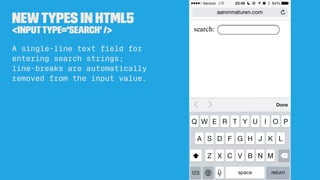
Newtypes in HTML5
<inputtype='search' />
A single-line text field for
entering search strings;
line-breaks are automatically
removed from the input value.
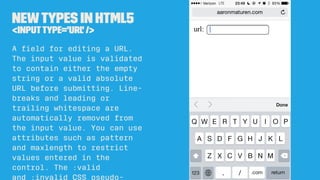
Newtypes in HTML5
<inputtype='url' />
A field for editing a URL.
The input value is validated
to contain either the empty
string or a valid absolute
URL before submitting. Line-
breaks and leading or
trailing whitespace are
automatically removed from
the input value.
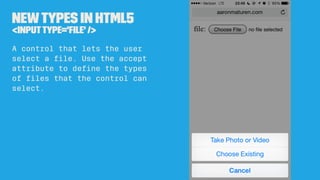
Newtypes in HTML5
<inputtype='file' />
A control that lets the user
select a file. Use the accept
attribute to define the types
of files that the control can
select.
HalfwayThrough
Newtypes in HTML5
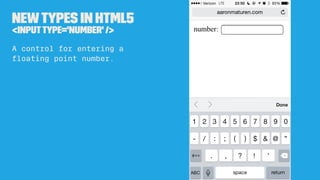
<inputtype='number' />
A control for entering a
floating point number.
Newtypes in HTML5
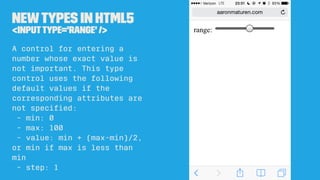
<inputtype='range' />
A control for entering a
number whose exact value is
not important.
- min: 0
- max: 100
- step: 1
Newtypes in HTML5
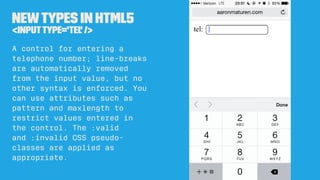
<inputtype='tel' />
A control for entering a
telephone number; line-breaks
are automatically removed
from the input value, but no
other syntax is enforced.
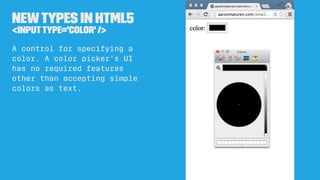
Newtypes in HTML5
<inputtype='color' />
A control for specifying a
color. A color picker's UI
has no required features
other than accepting simple
colors as text.
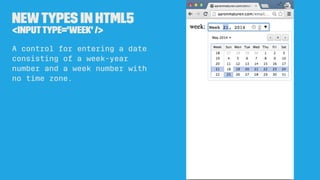
Newtypes in HTML5
<inputtype='week' />
A control for entering a date
consisting of a week-year
number and a week number with
no time zone.
The slideswill
be uploaded for later
attributes
autocomplete
off/ on
» form
» input
autofocus
Specify a control that should have focus as soon as
the page loads.
autosave
uuid
» search
Persist a search term across across page loads
form
form id
» input
...
<form id=neat>
</form>
...
<input form='neat' />
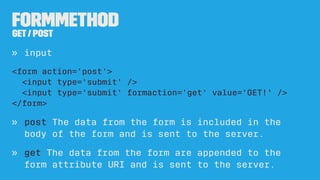
formmethod
GET/ POST
» input
<form method='post'>
<input type='submit' />
<input type='submit' formmethod='get' value='GET!' />
</form>
» post The data from the form is included in the
body of the form and is sent to the server.
» get The data from the form are appended to the
form attribute URI and is sent to the server.
formnovalidate
true / false
» input [submit]
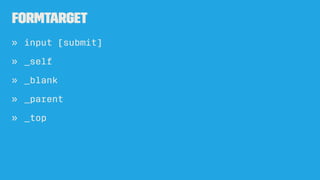
formtarget
» input [submit]
» _self
» _blank
» _parent
» _top
max / min
» input [numeric, date-time]
the max / min value that can be submitted
pattern
» input [ text, search, tel,
url or email]
<input type='text'
required
pattern='d{3}[-]d{3}[-]d{4}'
title='###-###-####' />
A regular expression that the
control's value is checked
against.
placeholder
» input
A hint to the user of what can be entered in the
control.
<label> Email
<input placeholder="e.g. aaron@ivorypenguin.com" />
</label>
Do notreplace
<label>with placeholder
required
» input
<input required />
spellcheck
true / false
<textarea spellcheck='false'>
</textarea>
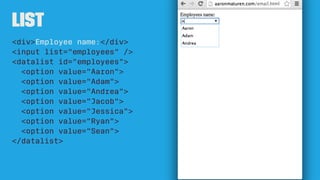
list
<div>Employee name:</div>
<input list="employees" />
<datalist id="employees">
<option value="Aaron">
<option value="Adam">
<option value="Andrea">
<option value="Jacob">
<option value="Jessica">
<option value="Ryan">
<option value="Sean">
</datalist>
CSS
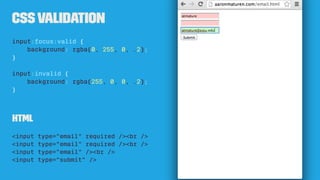
cssvalidation
input:focus:valid {
background: rgba(0, 255, 0, .2);
}
input:invalid {
background: rgba(255, 0, 0, .2);
}
html
<input type="email" required /><br />
<input type="email" /><br />
<input type="submit" />
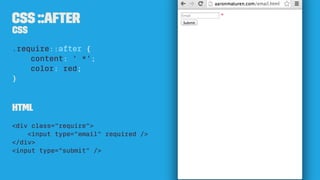
css ::after
html
<form>
<input type="checkbox" id="agreement" required />
<label for="agreement">Do you agree to the terms?</label>
<br />
<input type="submit" />
</form>
css
input:required ~ label::after {
content: ' *';
color: red;
}
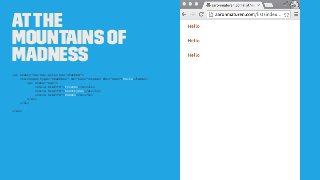
Atthe
Mountains of
Madness
<ul class="nav nav-pills nav-stacked">
<li><input type="checkbox" id="nav1"><label for="nav1">Hello</label>
<ul class="nav">
<li><a href="#">Friends</a></li>
<li><a href="#">Countrymen</a></li>
<li><a href="#">Romans</a></li>
</ul>
</li>
...
</ul>
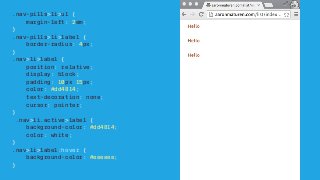
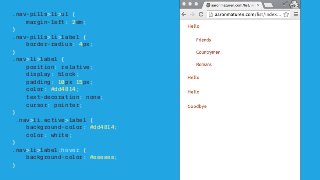
.nav-pills>li>ul {
margin-left: 2em;
}
.nav-pills>li>label {
border-radius: 4px;
}
.nav>li>label {
position: relative;
display: block;
padding: 10px 15px;
color: #dd4814;
text-decoration: none;
cursor: pointer;
}
.nav>li.active>label {
background-color: #dd4814;
color: white;
}
.nav>li>label:hover {
background-color: #eeeeee;
}
.nav>li>input[type="checkbox"]:checked ~ label {
font-weight: bolder;
}
.nav>li>input[type="checkbox"]{
display: none;
}
.nav>li>input[type="checkbox"] ~ ul {
visibility: hidden;
height: 0;
}
.nav>li>input[type="checkbox"]:checked ~ ul{
visibility: visible;
height: auto
}
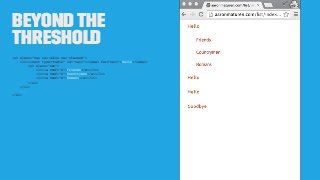
Beyondthe
Threshold
<ul class="nav nav-pills nav-stacked">
<li><input type="radio" id="nav1"><label for="nav1">Hello</label>
<ul class="nav">
<li><a href="#">Friends</a></li>
<li><a href="#">Countrymen</a></li>
<li><a href="#">Romans</a></li>
</ul>
</li>
...
</ul>
.nav-pills>li>ul {
margin-left: 2em;
}
.nav-pills>li>label {
border-radius: 4px;
}
.nav>li>label {
position: relative;
display: block;
padding: 10px 15px;
color: #dd4814;
text-decoration: none;
cursor: pointer;
}
.nav>li.active>label {
background-color: #dd4814;
color: white;
}
.nav>li>label:hover {
background-color: #eeeeee;
}
.nav>li>input[type="radio"]:checked ~ label {
font-weight: bolder;
}
.nav>li>input[type="radio"]{
display: none;
}
.nav>li>input[type="radio"] ~ ul {
visibility: hidden;
height: 0;
}
.nav>li>input[type="radio"]:checked ~ ul{
visibility: visible;
height: auto
}
http://aaronmaturen.com/list
JavaScript
Good Idea
using AngularJS / Backbone / EmberJS ...
forms allow user input and you can bind models to
them
Bad Idea
using onclick / onsubmit / onchange ...
at least use jQuery and seperate the responsibilities
Questions?
aaron@svsu.edu
@atmaturenhttp://www.aaronmaturen.com/forms

Forms