

ECLIPSE
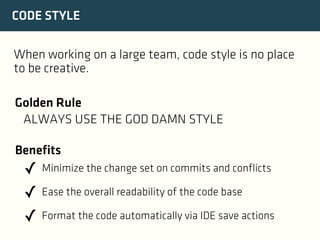
CODE STYLE
When working on a large team, code style is no place
to be creative.
Golden Rule
ALWAYS USE THE GOD DAMN STYLE
Benefits

✓ Minimize the change set on commits and conflicts
✓ Ease the overall readability of the code base
✓ Format the code automatically via IDE save actions
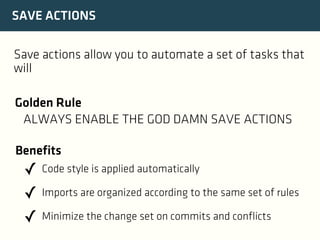
SAVE ACTIONS
Save actions allow you to automate a set of tasks that
will
Golden Rule
ALWAYS ENABLE THE GOD DAMN SAVE ACTIONS
Benefits

✓ Code style is applied automatically
✓ Imports are organized according to the same set of rules
✓ Minimize the change set on commits and conflicts
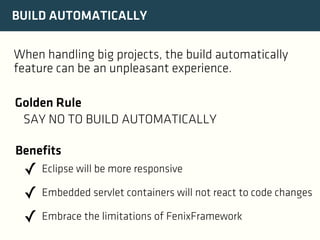
BUILD AUTOMATICALLY
When handling big projects, the build automatically
feature can be an unpleasant experience.
Golden Rule
SAY NO TO BUILD AUTOMATICALLY
Benefits

✓ Eclipse will be more responsive
✓ Embedded servlet containers will not react to code changes
✓ Embrace the limitations of FenixFramework
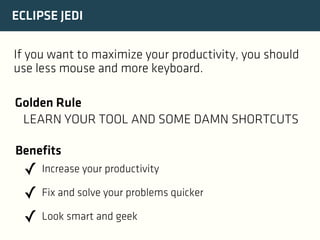
ECLIPSE JEDI
If you want to maximize your productivity, you should
use less mouse and more keyboard.
Golden Rule
LEARN YOUR TOOL AND SOME DAMN SHORTCUTS
Benefits

✓ Increase your productivity
✓ Fix and solve your problems quicker
✓ Look smart and geek
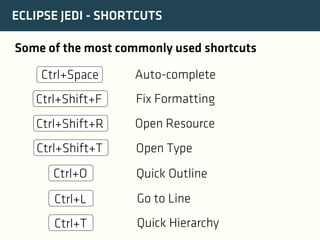
ECLIPSE JEDI - SHORTCUTS
Some of the most commonly used shortcuts
Ctrl+Space

Auto-complete

Ctrl+Shift+F

Fix Formatting

Ctrl+Shift+R

Open Resource

Ctrl+Shift+T

Open Type

Ctrl+O

Quick Outline

Ctrl+L

Go to Line

Ctrl+T

Quick Hierarchy
GIT
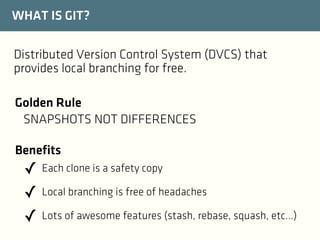
WHAT IS GIT?
Distributed Version Control System (DVCS) that
provides local branching for free.
Golden Rule
SNAPSHOTS NOT DIFFERENCES
Benefits

✓ Each clone is a safety copy
✓ Local branching is free of headaches
✓ Lots of awesome features (stash, rebase, squash, etc...)
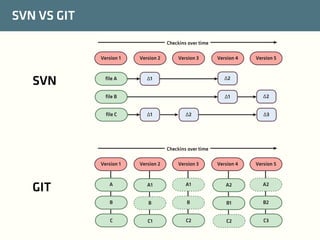
SVN VS GIT
Checkins over time
Version 1

SVN

Version 2

file A

Version 3

Δ1

Δ1
Δ1

Version 5

Δ2

file B
file C

Version 4

Δ2

Δ2
Δ3

Checkins over time
Version 1

GIT

Version 2

Version 3

Version 4

Version 5

A

A1

A1

A2

A2

B

B

B

B1

B2

C

C1

C2

C2

C3
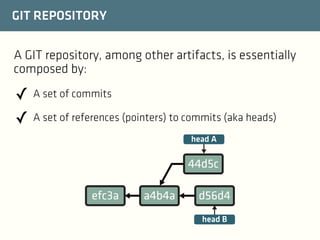
GIT REPOSITORY
A GIT repository, among other artifacts, is essentially
composed by:

✓ A set of commits
✓ A set of references (pointers) to commits (aka heads)
head A

44d5c
efc3a

a4b4a

d56d4
head B
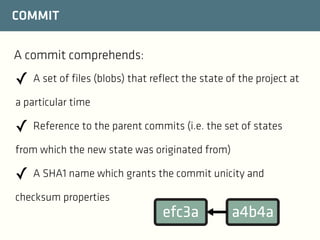
COMMIT
A commit comprehends:

✓ A set of files (blobs) that reflect the state of the project at
a particular time

✓ Reference to the parent commits (i.e. the set of states
from which the new state was originated from)

✓ A SHA1 name which grants the commit unicity and
checksum properties

efc3a

a4b4a
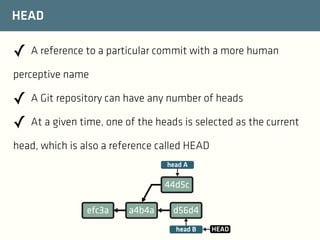
HEAD

✓ A reference to a particular commit with a more human
perceptive name

✓ A Git repository can have any number of heads
✓ At a given time, one of the heads is selected as the current
head, which is also a reference called HEAD
head A

44d5c
efc3a

a4b4a

d56d4
head B

HEAD
INITIALIZING THE REPOSITORY
Git repositories work using your filesystem
The repository is handled in the .git folder in the root
of your project

$ git init
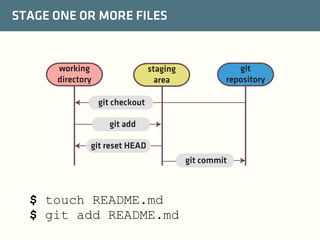
STAGE ONE OR MORE FILES

working
directory

staging
area

git
repository

git checkout
git add
git reset HEAD
git commit

$ touch README.md
$ git add README.md
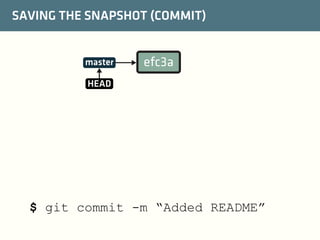
SAVING THE SNAPSHOT (COMMIT)

master

efc3a

HEAD

$ git commit -m “Added README”
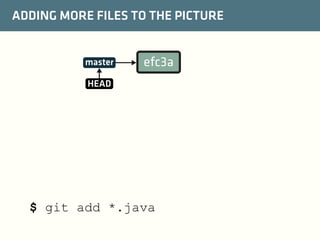
ADDING MORE FILES TO THE PICTURE

master

efc3a

HEAD

$ git add *.java
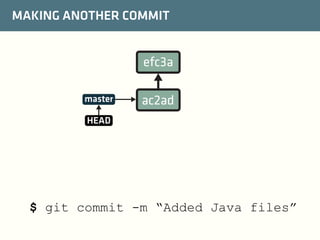
MAKING ANOTHER COMMIT

efc3a
master

ac2ad

HEAD

$ git commit -m “Added Java files”
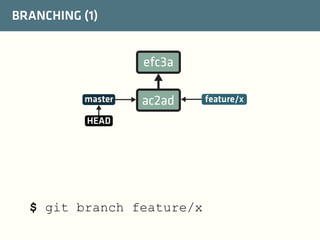
BRANCHING (1)

efc3a
master

ac2ad

HEAD

$ git branch feature/x

feature/x
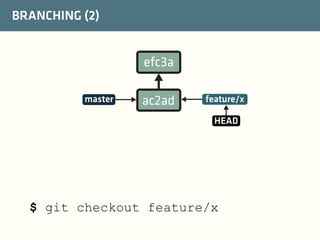
BRANCHING (2)

efc3a
master

ac2ad

feature/x
HEAD

$ git checkout feature/x
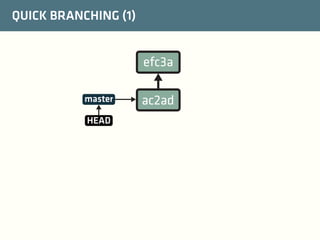
QUICK BRANCHING (1)

efc3a
master
HEAD

ac2ad
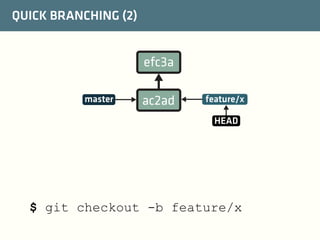
QUICK BRANCHING (2)

efc3a
master

ac2ad

feature/x
HEAD

$ git checkout -b feature/x
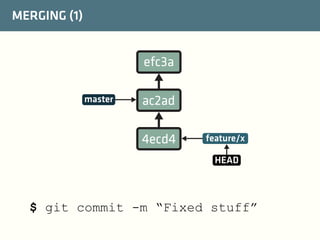
MERGING (1)

efc3a
master

ac2ad
4ecd4

feature/x
HEAD

$ git commit -m “Fixed stuff”
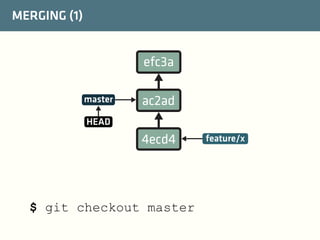
MERGING (1)

efc3a
master

ac2ad

HEAD

4ecd4

$ git checkout master

feature/x
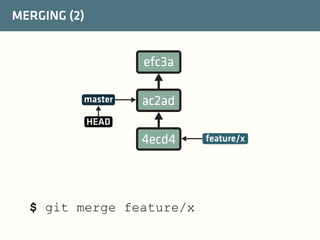
MERGING (2)

efc3a
master

ac2ad

HEAD

4ecd4

$ git merge feature/x

feature/x
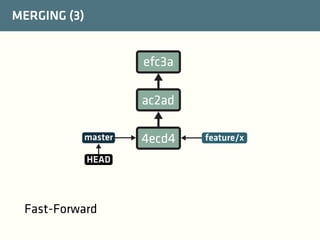
MERGING (3)

efc3a
ac2ad
master
HEAD

Fast-Forward

4ecd4

feature/x
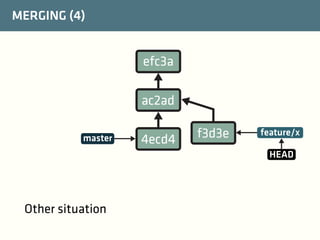
MERGING (4)

efc3a
ac2ad
master

4ecd4

f3d3e

feature/x
HEAD

Other situation
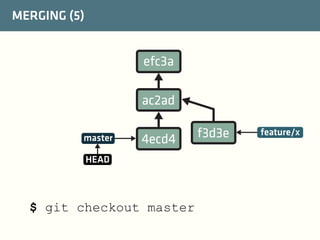
MERGING (5)

efc3a
ac2ad
master

4ecd4

HEAD

$ git checkout master

f3d3e

feature/x
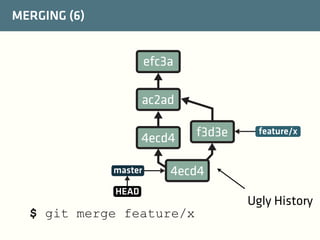
MERGING (6)

efc3a
ac2ad
4ecd4
master

f3d3e

feature/x

4ecd4

HEAD

$ git merge feature/x

Ugly History
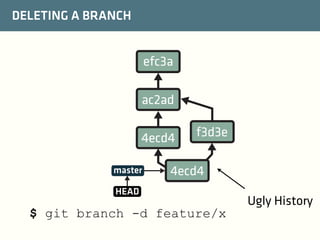
DELETING A BRANCH

efc3a
ac2ad
4ecd4
master

f3d3e

4ecd4

HEAD

$ git branch -d feature/x

Ugly History
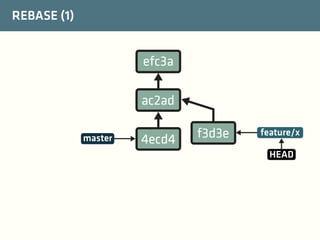
REBASE (1)

efc3a
ac2ad
master

4ecd4

f3d3e

feature/x
HEAD
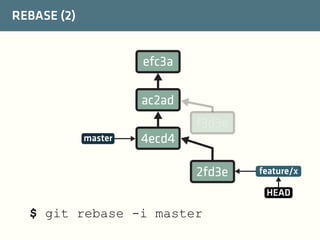
REBASE (2)

efc3a
ac2ad
f3d3e
master

4ecd4
2fd3e

feature/x
HEAD

$ git rebase -i master
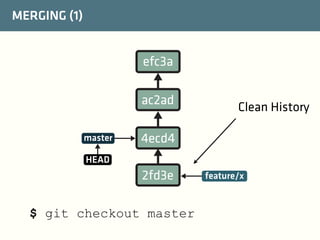
MERGING (1)

efc3a
ac2ad
master

Clean History

4ecd4

HEAD

2fd3e
$ git checkout master

feature/x
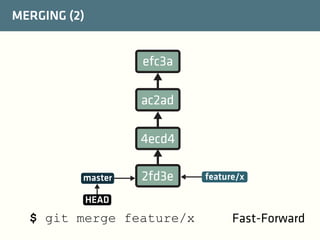
MERGING (2)

efc3a
ac2ad
4ecd4
master

2fd3e

feature/x

HEAD

$ git merge feature/x

Fast-Forward
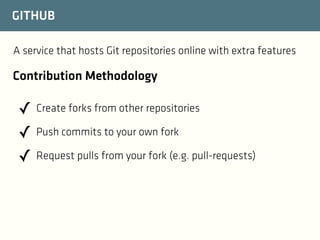
GITHUB
A service that hosts Git repositories online with extra features

Contribution Methodology

✓ Create forks from other repositories
✓ Push commits to your own fork
✓ Request pulls from your fork (e.g. pull-requests)
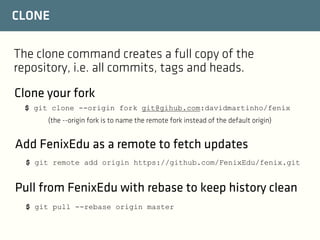
CLONE
The clone command creates a full copy of the
repository, i.e. all commits, tags and heads.
Clone your fork
$ git clone --origin fork git@gihub.com:davidmartinho/fenix
(the --origin fork is to name the remote fork instead of the default origin)

Add FenixEdu as a remote to fetch updates
$ git remote add origin https://github.com/FenixEdu/fenix.git

Pull from FenixEdu with rebase to keep history clean
$ git pull --rebase origin master
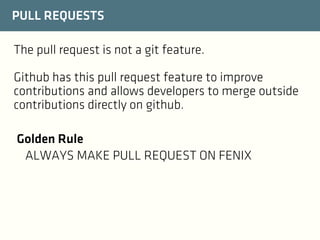
PULL REQUESTS
The pull request is not a git feature.
Github has this pull request feature to improve
contributions and allows developers to merge outside
contributions directly on github.
Golden Rule
ALWAYS MAKE PULL REQUEST ON FENIX
MAVEN
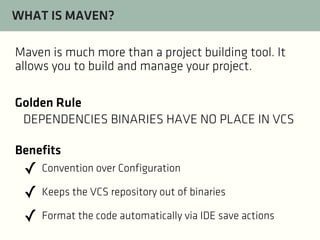
WHAT IS MAVEN?
Maven is much more than a project building tool. It
allows you to build and manage your project.
Golden Rule
DEPENDENCIES BINARIES HAVE NO PLACE IN VCS
Benefits

✓ Convention over Configuration
✓ Keeps the VCS repository out of binaries
✓ Format the code automatically via IDE save actions
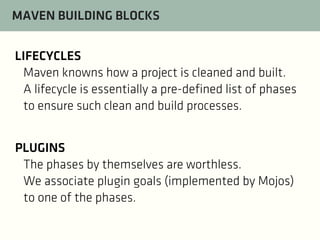
MAVEN BUILDING BLOCKS
LIFECYCLES
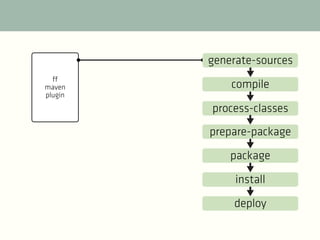
Maven knowns how a project is cleaned and built.
A lifecycle is essentially a pre-defined list of phases
to ensure such clean and build processes.
PLUGINS
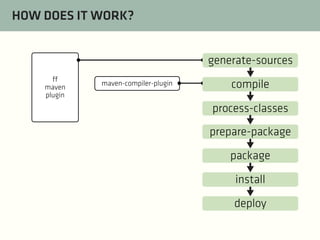
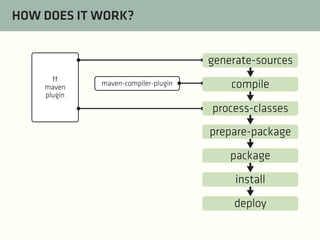
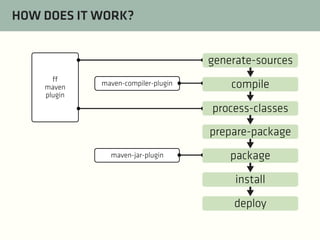
The phases by themselves are worthless.
We associate plugin goals (implemented by Mojos)
to one of the phases.
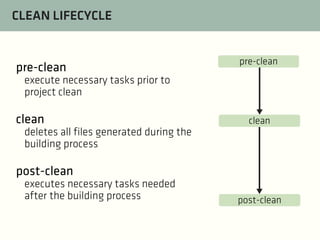
CLEAN LIFECYCLE

pre-clean

pre-clean

execute necessary tasks prior to
project clean

clean

clean

deletes all files generated during the
building process

post-clean
executes necessary tasks needed
after the building process

post-clean
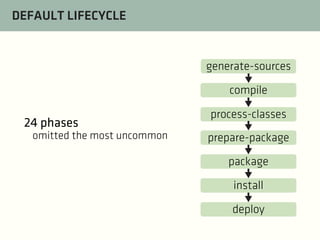
DEFAULT LIFECYCLE

generate-sources
compile

24 phases
omitted the most uncommon

process-classes
prepare-package
package
install
deploy
generate-sources
ff
maven
plugin

compile
process-classes
prepare-package
package
install
deploy
HOW DOES IT WORK?
generate-sources
ff
maven
plugin

maven-compiler-plugin

compile
process-classes
prepare-package
package
install
deploy
HOW DOES IT WORK?
generate-sources
ff
maven
plugin

maven-compiler-plugin

compile
process-classes
prepare-package
package
install
deploy
HOW DOES IT WORK?
generate-sources
ff
maven
plugin

maven-compiler-plugin

compile
process-classes
prepare-package

maven-jar-plugin

package
install
deploy
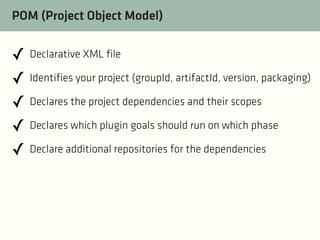
POM (Project Object Model)

✓ Declarative XML file
✓ Identifies your project (groupId, artifactId, version, packaging)
✓ Declares the project dependencies and their scopes
✓ Declares which plugin goals should run on which phase
✓ Declare additional repositories for the dependencies
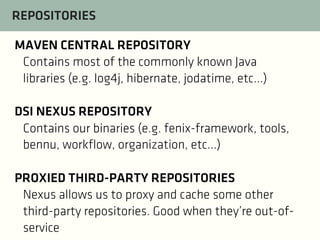
REPOSITORIES
MAVEN CENTRAL REPOSITORY
Contains most of the commonly known Java
libraries (e.g. log4j, hibernate, jodatime, etc...)
DSI NEXUS REPOSITORY
Contains our binaries (e.g. fenix-framework, tools,
bennu, workflow, organization, etc...)
PROXIED THIRD-PARTY REPOSITORIES
Nexus allows us to proxy and cache some other
third-party repositories. Good when they’re out-ofservice
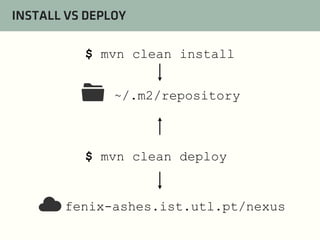
INSTALL VS DEPLOY
$ mvn clean install

📁

~/.m2/repository

$ mvn clean deploy

☁

fenix-ashes.ist.utl.pt/nexus

Training: Day Two - Eclipse, Git, Maven