FOCUS
Network Business Intelligence Expert
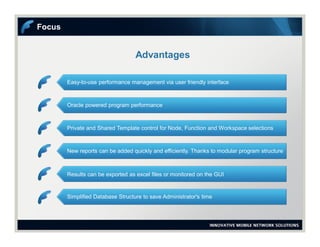
Advantages
Focus
Easy-to-use performance management via user friendly interface
Oracle powered program performance
Private and Shared Template control for Node, Function and Workspace selections
New reports can be added quickly and efficiently. Thanks to modular program structure
Results can be exported as excel files or monitored on the GUI
Simplified Database Structure to save Administrator's time
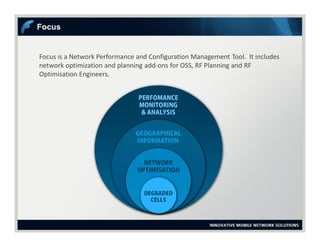
Focus is a Network Performance and Configuration Management Tool. It includes
network optimization and planning add-ons for OSS, RF Planning and RF
Optimisation Engineers.
Focus
Focus
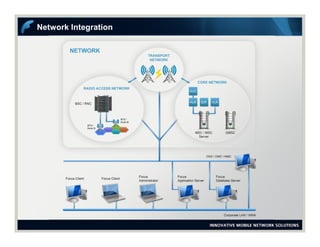
Network Integration
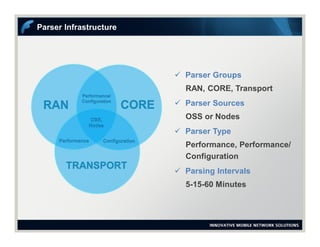
Parser Infrastructure
 Parser Groups
RAN, CORE, Transport
 Parser Sources
OSS or Nodes
 Parser Type
Performance, Performance/
Configuration
 Parsing Intervals
5-15-60 Minutes
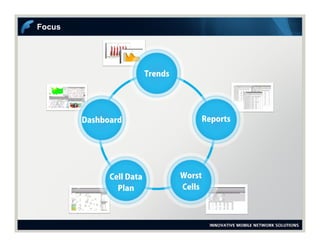
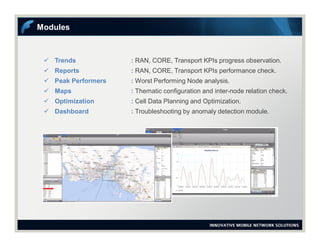
 Trends : RAN, CORE, Transport KPIs progress observation.
 Reports : RAN, CORE, Transport KPIs performance check.
 Peak Performers : Worst Performing Node analysis.
 Maps : Thematic configuration and inter-node relation check.
 Optimization : Cell Data Planning and Optimization.
 Dashboard : Troubleshooting by anomaly detection module.
Modules
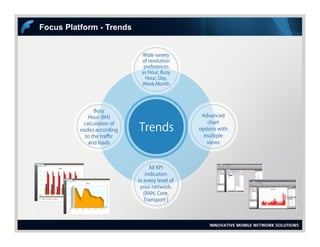
Focus Platform - Trends
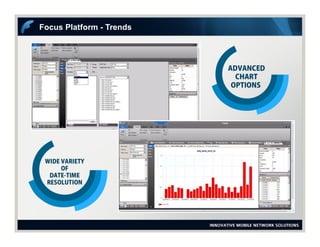
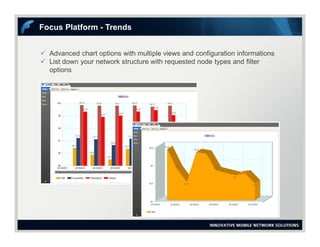
 Advanced chart options with multiple views and configuration informations
 List down your network structure with requested node types and filter
options
Focus Platform - Trends
Focus Platform - Reports
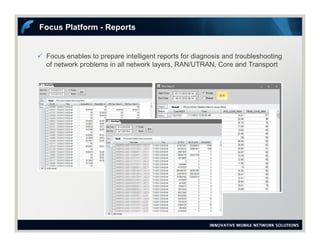
 Focus enables to prepare intelligent reports for diagnosis and troubleshooting
of network problems in all network layers, RAN/UTRAN, Core and Transport
Focus Platform - Reports
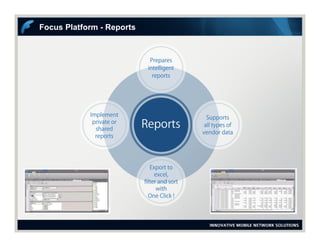
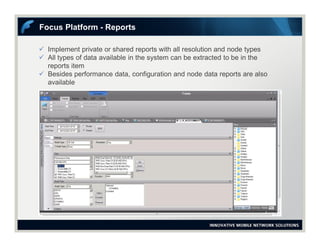
 Implement private or shared reports with all resolution and node types
 All types of data available in the system can be extracted to be in the
reports item
 Besides performance data, configuration and node data reports are also
available
Focus Platform - Reports
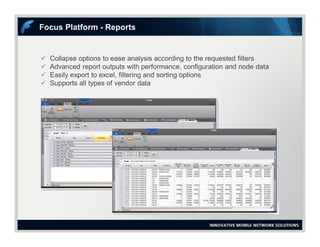
 Collapse options to ease analysis according to the requested filters
 Advanced report outputs with performance, configuration and node data
 Easily export to excel, filtering and sorting options
 Supports all types of vendor data
Focus Platform - Reports
Focus Platform - Peak Performers Reports
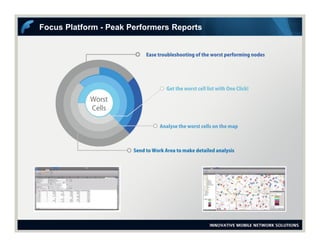
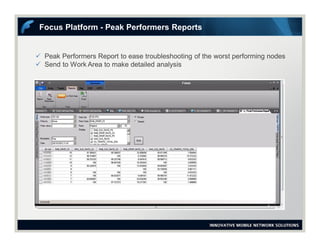
 Peak Performers Report to ease troubleshooting of the worst performing nodes
 Send to Work Area to make detailed analysis
Focus Platform - Peak Performers Reports
Focus Platform - Map
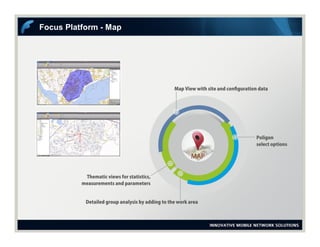
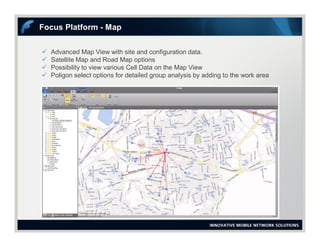
 Advanced Map View with site and configuration data.
 Satellite Map and Road Map options
 Possibility to view various Cell Data on the Map View
 Poligon select options for detailed group analysis by adding to the work area
Focus Platform - Map
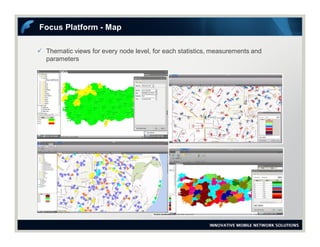
 Thematic views for every node level, for each statistics, measurements and
parameters
Focus Platform - Map
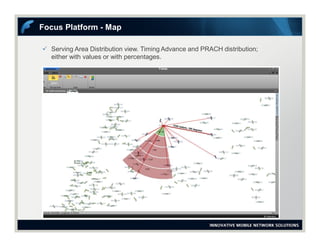
 Serving Area Distribution view. Timing Advance and PRACH distribution;
either with values or with percentages.
Focus Platform - Map
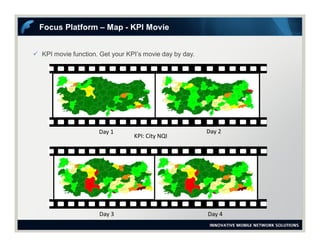
 KPI movie function. Get your KPI’s movie day by day.
Focus Platform – Map - KPI Movie
Day 1 Day 2
Day 3 Day 4
KPI: City NQI
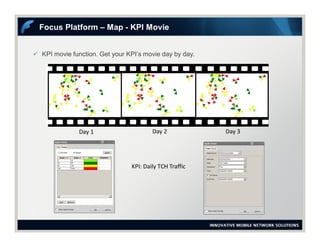
 KPI movie function. Get your KPI’s movie day by day.
Focus Platform – Map - KPI Movie
Day 1 Day 2 Day 3
KPI: Daily TCH Traffic
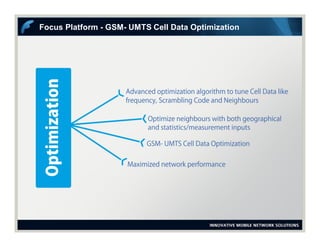
Focus Platform - GSM- UMTS Cell Data Optimization
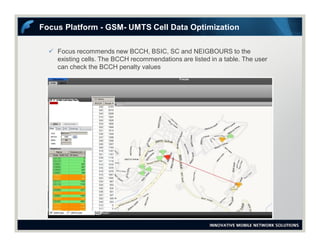
 Focus recommends new BCCH, BSIC, SC and NEIGBOURS to the
existing cells. The BCCH recommendations are listed in a table. The user
can check the BCCH penalty values
Focus Platform - GSM- UMTS Cell Data Optimization
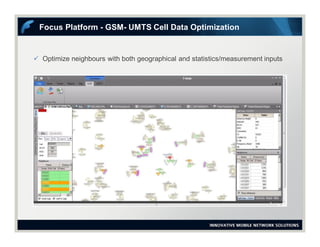
 Optimize neighbours with both geographical and statistics/measurement inputs
Focus Platform - GSM- UMTS Cell Data Optimization
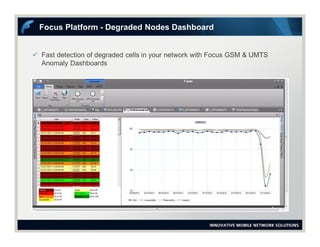
 Fast detection of degraded cells in your network with Focus GSM & UMTS
Anomaly Dashboards
Focus Platform - Degraded Nodes Dashboard
Contact
For More Information
+90 232 282 0265
support@innovile.com
Visit us
www.innovile.com

Focus - GSM UMTS LTE Performance and Configuration Management Solution

  • 1.
  • 2.
    Advantages Focus Easy-to-use performance managementvia user friendly interface Oracle powered program performance Private and Shared Template control for Node, Function and Workspace selections New reports can be added quickly and efficiently. Thanks to modular program structure Results can be exported as excel files or monitored on the GUI Simplified Database Structure to save Administrator's time
  • 3.
    Focus is aNetwork Performance and Configuration Management Tool. It includes network optimization and planning add-ons for OSS, RF Planning and RF Optimisation Engineers. Focus
  • 4.
  • 5.
  • 6.
    Parser Infrastructure  ParserGroups RAN, CORE, Transport  Parser Sources OSS or Nodes  Parser Type Performance, Performance/ Configuration  Parsing Intervals 5-15-60 Minutes
  • 7.
     Trends :RAN, CORE, Transport KPIs progress observation.  Reports : RAN, CORE, Transport KPIs performance check.  Peak Performers : Worst Performing Node analysis.  Maps : Thematic configuration and inter-node relation check.  Optimization : Cell Data Planning and Optimization.  Dashboard : Troubleshooting by anomaly detection module. Modules
  • 8.
  • 9.
  • 10.
     Advanced chartoptions with multiple views and configuration informations  List down your network structure with requested node types and filter options Focus Platform - Trends
  • 11.
  • 12.
     Focus enablesto prepare intelligent reports for diagnosis and troubleshooting of network problems in all network layers, RAN/UTRAN, Core and Transport Focus Platform - Reports
  • 13.
     Implement privateor shared reports with all resolution and node types  All types of data available in the system can be extracted to be in the reports item  Besides performance data, configuration and node data reports are also available Focus Platform - Reports
  • 14.
     Collapse optionsto ease analysis according to the requested filters  Advanced report outputs with performance, configuration and node data  Easily export to excel, filtering and sorting options  Supports all types of vendor data Focus Platform - Reports
  • 15.
    Focus Platform -Peak Performers Reports
  • 16.
     Peak PerformersReport to ease troubleshooting of the worst performing nodes  Send to Work Area to make detailed analysis Focus Platform - Peak Performers Reports
  • 17.
  • 18.
     Advanced MapView with site and configuration data.  Satellite Map and Road Map options  Possibility to view various Cell Data on the Map View  Poligon select options for detailed group analysis by adding to the work area Focus Platform - Map
  • 19.
     Thematic viewsfor every node level, for each statistics, measurements and parameters Focus Platform - Map
  • 20.
     Serving AreaDistribution view. Timing Advance and PRACH distribution; either with values or with percentages. Focus Platform - Map
  • 21.
     KPI moviefunction. Get your KPI’s movie day by day. Focus Platform – Map - KPI Movie Day 1 Day 2 Day 3 Day 4 KPI: City NQI
  • 22.
     KPI moviefunction. Get your KPI’s movie day by day. Focus Platform – Map - KPI Movie Day 1 Day 2 Day 3 KPI: Daily TCH Traffic
  • 23.
    Focus Platform -GSM- UMTS Cell Data Optimization
  • 24.
     Focus recommendsnew BCCH, BSIC, SC and NEIGBOURS to the existing cells. The BCCH recommendations are listed in a table. The user can check the BCCH penalty values Focus Platform - GSM- UMTS Cell Data Optimization
  • 25.
     Optimize neighbourswith both geographical and statistics/measurement inputs Focus Platform - GSM- UMTS Cell Data Optimization
  • 26.
     Fast detectionof degraded cells in your network with Focus GSM & UMTS Anomaly Dashboards Focus Platform - Degraded Nodes Dashboard
  • 27.
    Contact For More Information +90232 282 0265 support@innovile.com Visit us www.innovile.com