Nemo Drive Test on 2G/3G
       Networks
              Toha Ardi Nugraha
           Trainer at Expert Coaching Clinic
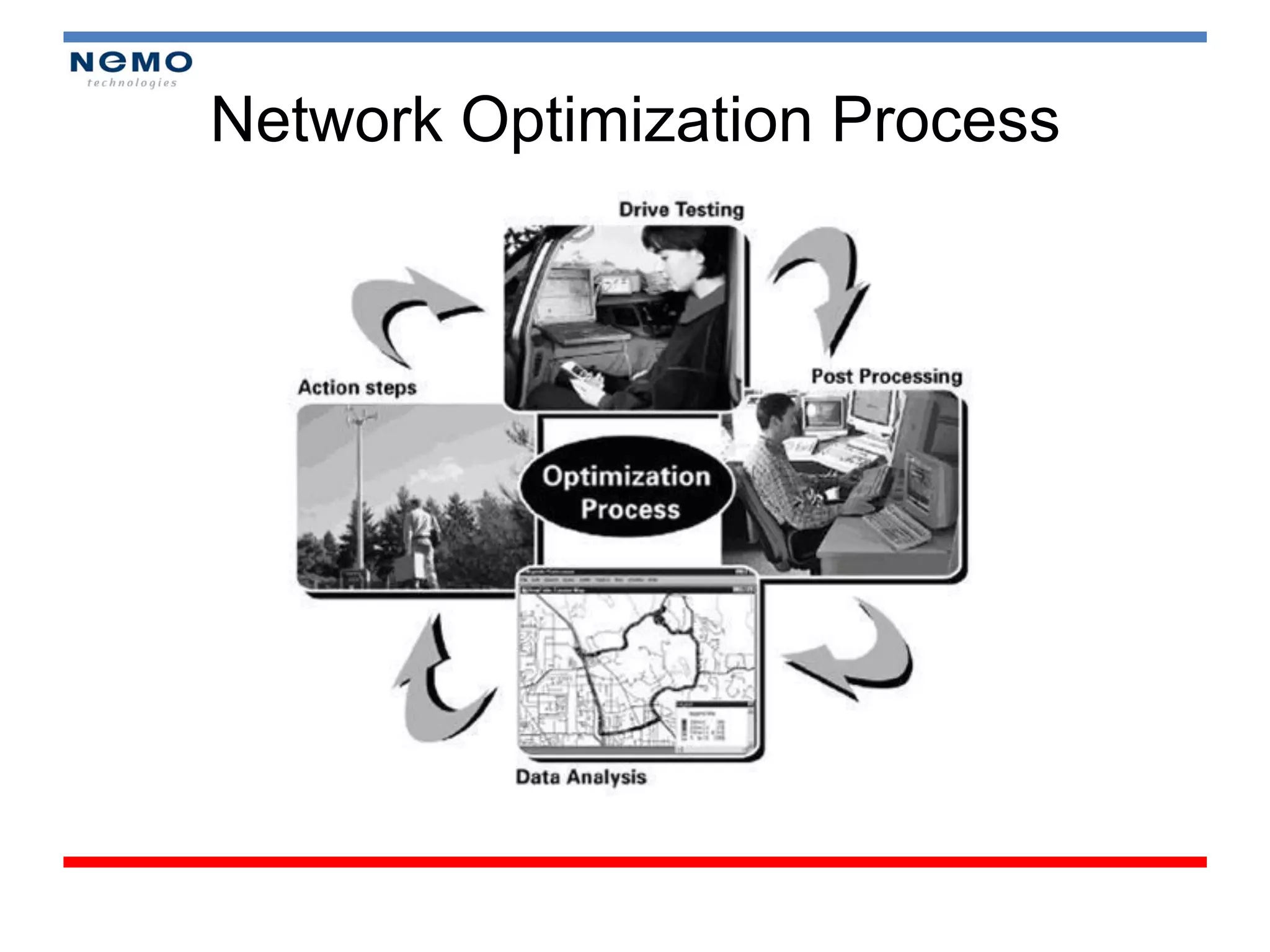
Network Optimization Process
Reason of Drive Test?

1.   Network Performance Monitoring
2.   Maintenance
3.   Benchmarking
4.   Customer Complains
•   Module 1 : Overview 3G System (1 hour)
•   Module 2 : Drive Test Concept (1,5 hour)
•   Module 3 : Drive Test on Field (2,5 hour)
•   Module 4 : Reporting (2 hour)
•   Module 5 : Analysis (2 hour)
Module 1


OVERVIEW 3G SYSTEM
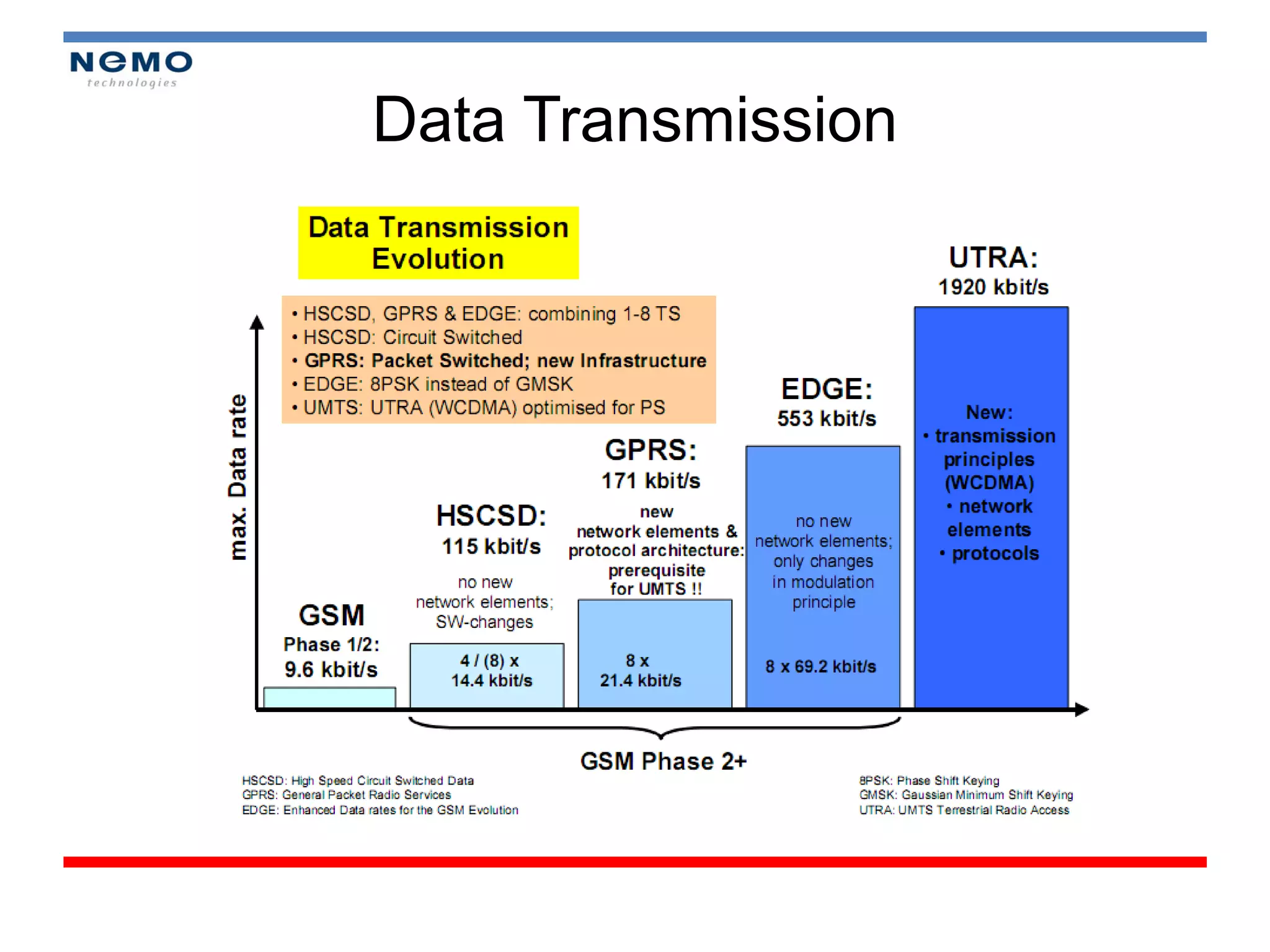
Data Transmission
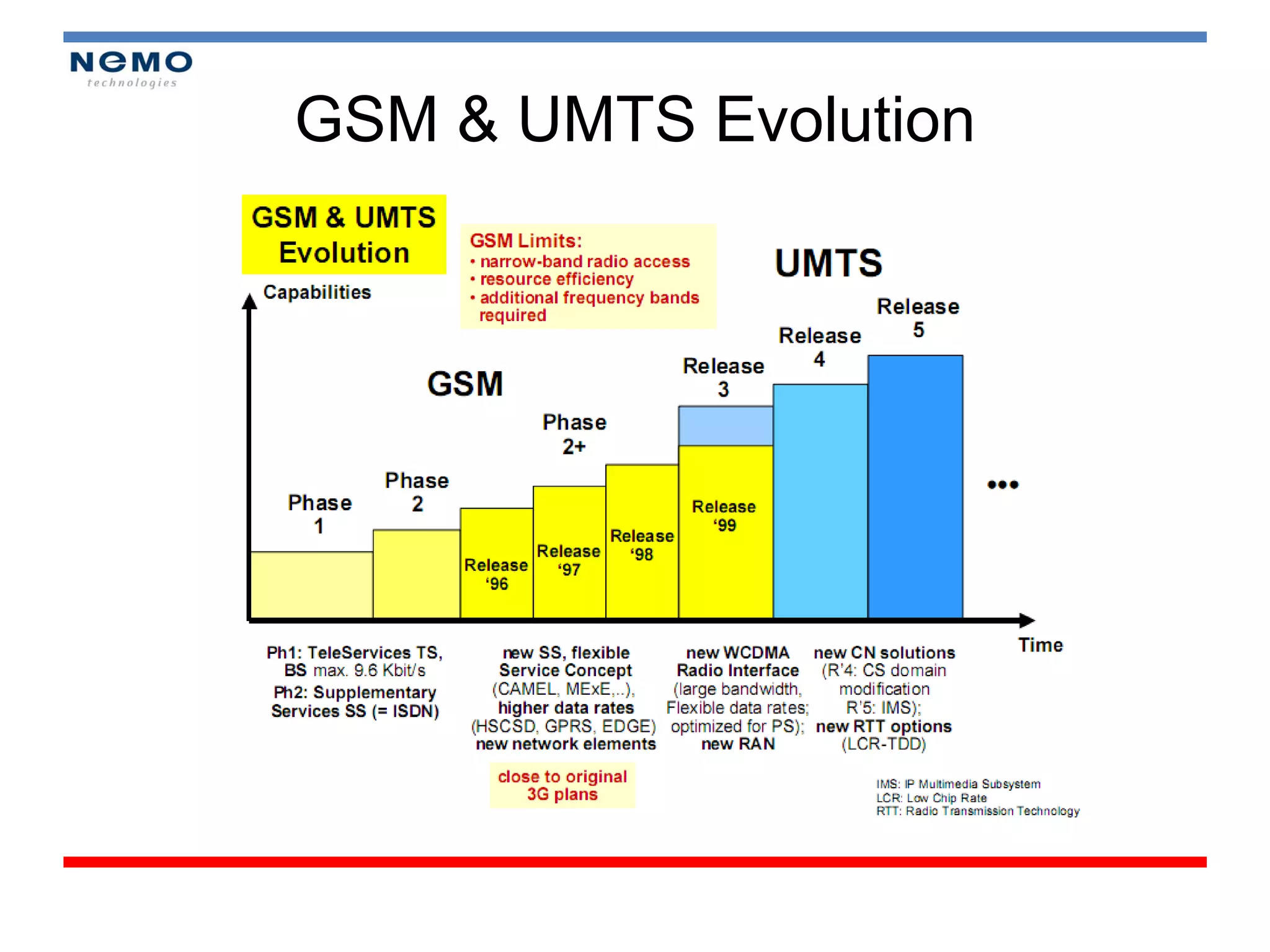
GSM & UMTS Evolution
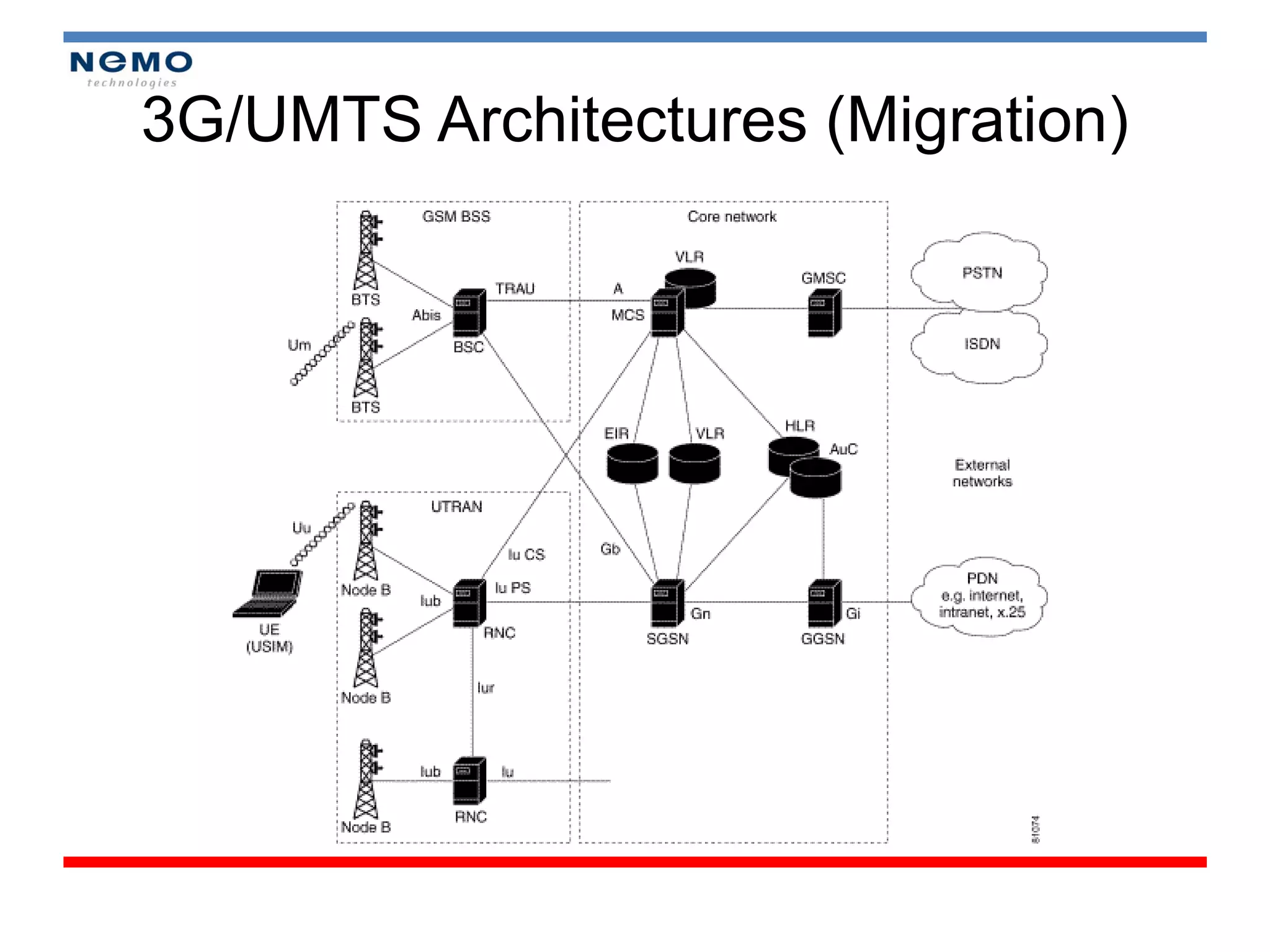
3G/UMTS Architectures (Migration)
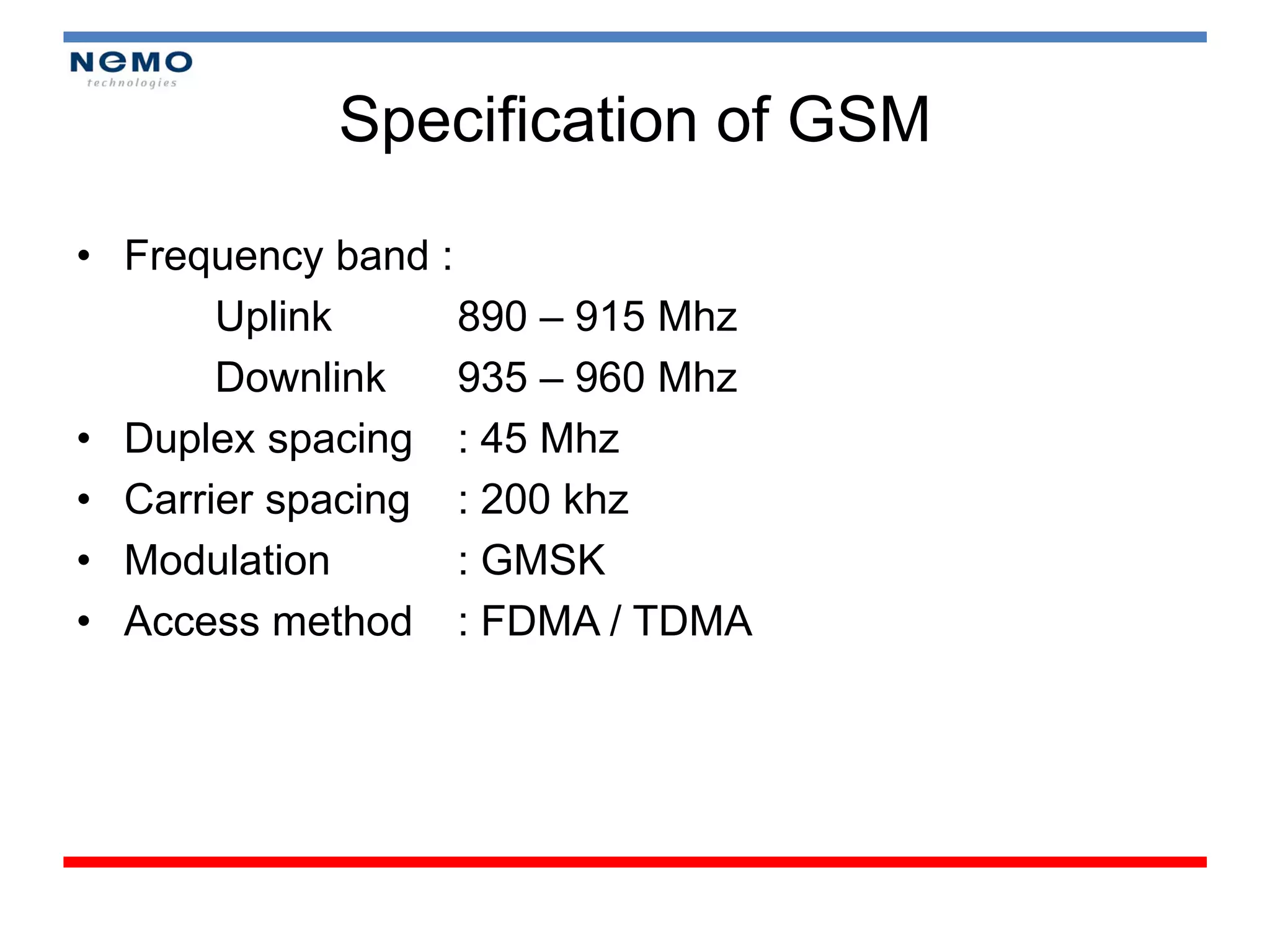
Specification of GSM

• Frequency band :
       Uplink      890 – 915 Mhz
       Downlink    935 – 960 Mhz
• Duplex spacing : 45 Mhz
• Carrier spacing : 200 khz
• Modulation       : GMSK
• Access method : FDMA / TDMA
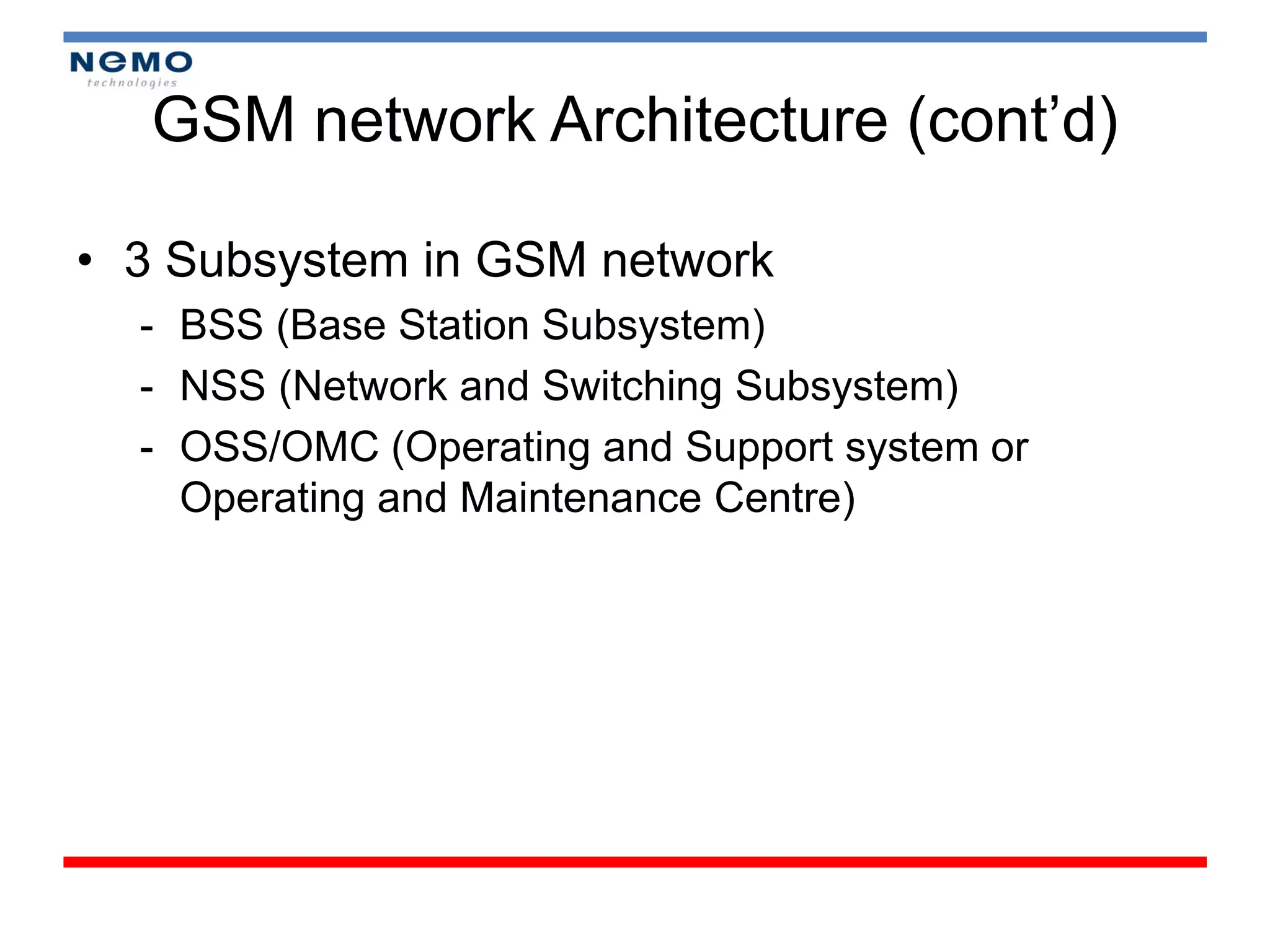
GSM network Architecture (cont’d)

• 3 Subsystem in GSM network
  - BSS (Base Station Subsystem)
  - NSS (Network and Switching Subsystem)
  - OSS/OMC (Operating and Support system or
    Operating and Maintenance Centre)
GSM network Architecture (cont’d)
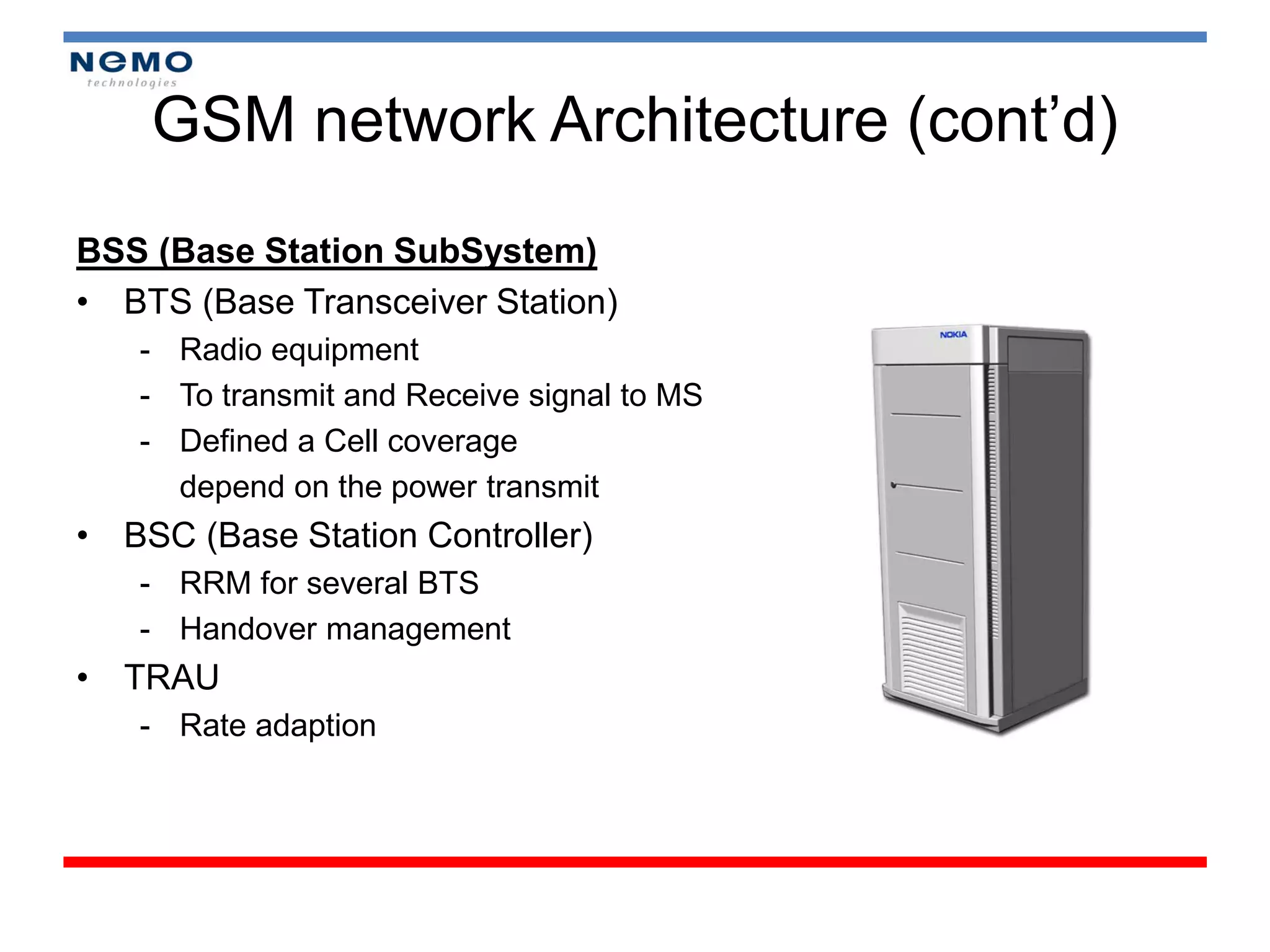
BSS (Base Station SubSystem)
• BTS (Base Transceiver Station)
   - Radio equipment
   - To transmit and Receive signal to MS
   - Defined a Cell coverage
     depend on the power transmit
• BSC (Base Station Controller)
   - RRM for several BTS
   - Handover management
• TRAU
   - Rate adaption
GSM network Architecture (cont’d)

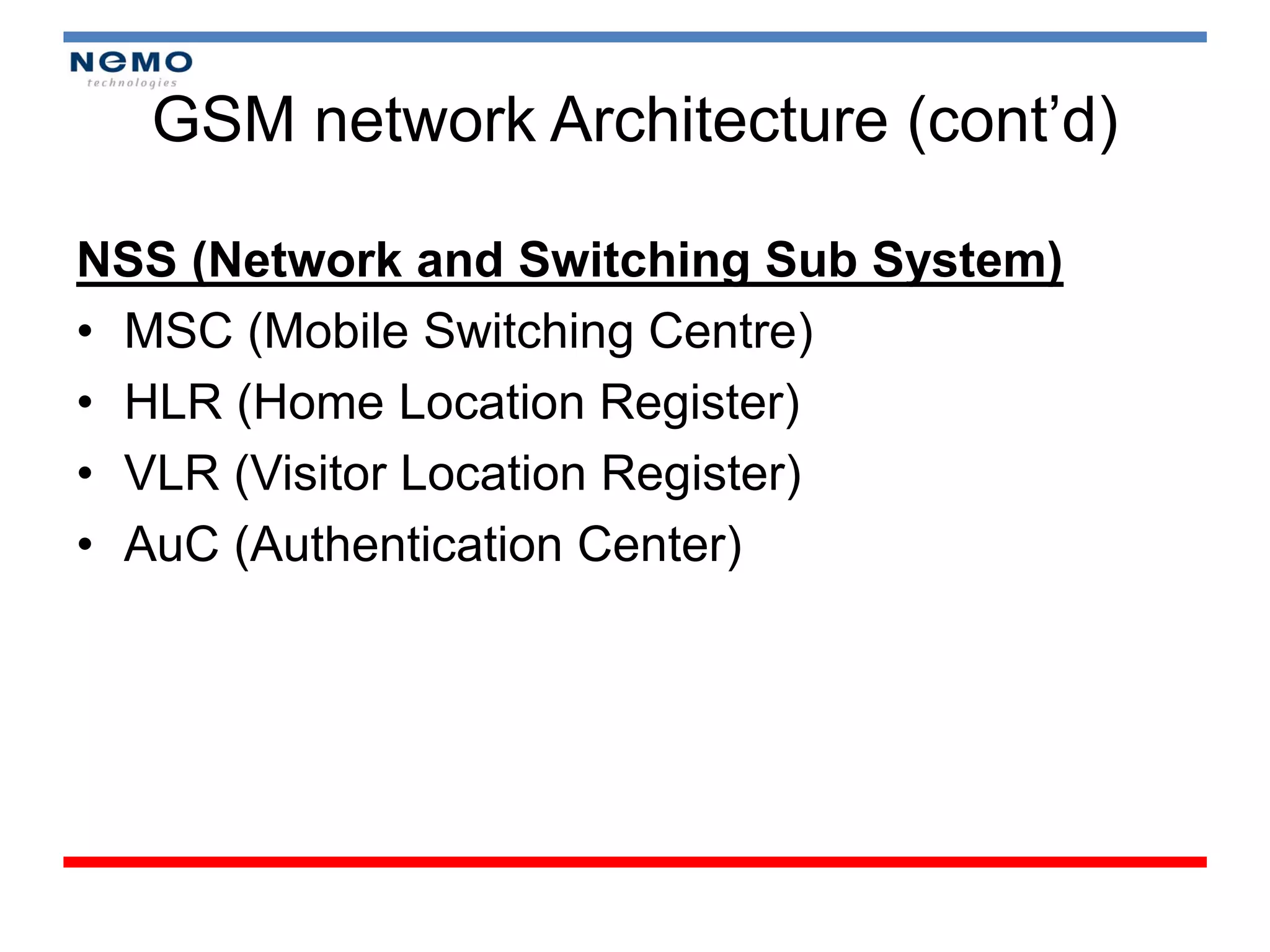
NSS (Network and Switching Sub System)
• MSC (Mobile Switching Centre)
• HLR (Home Location Register)
• VLR (Visitor Location Register)
• AuC (Authentication Center)
GSM network Architecture (cont’d)

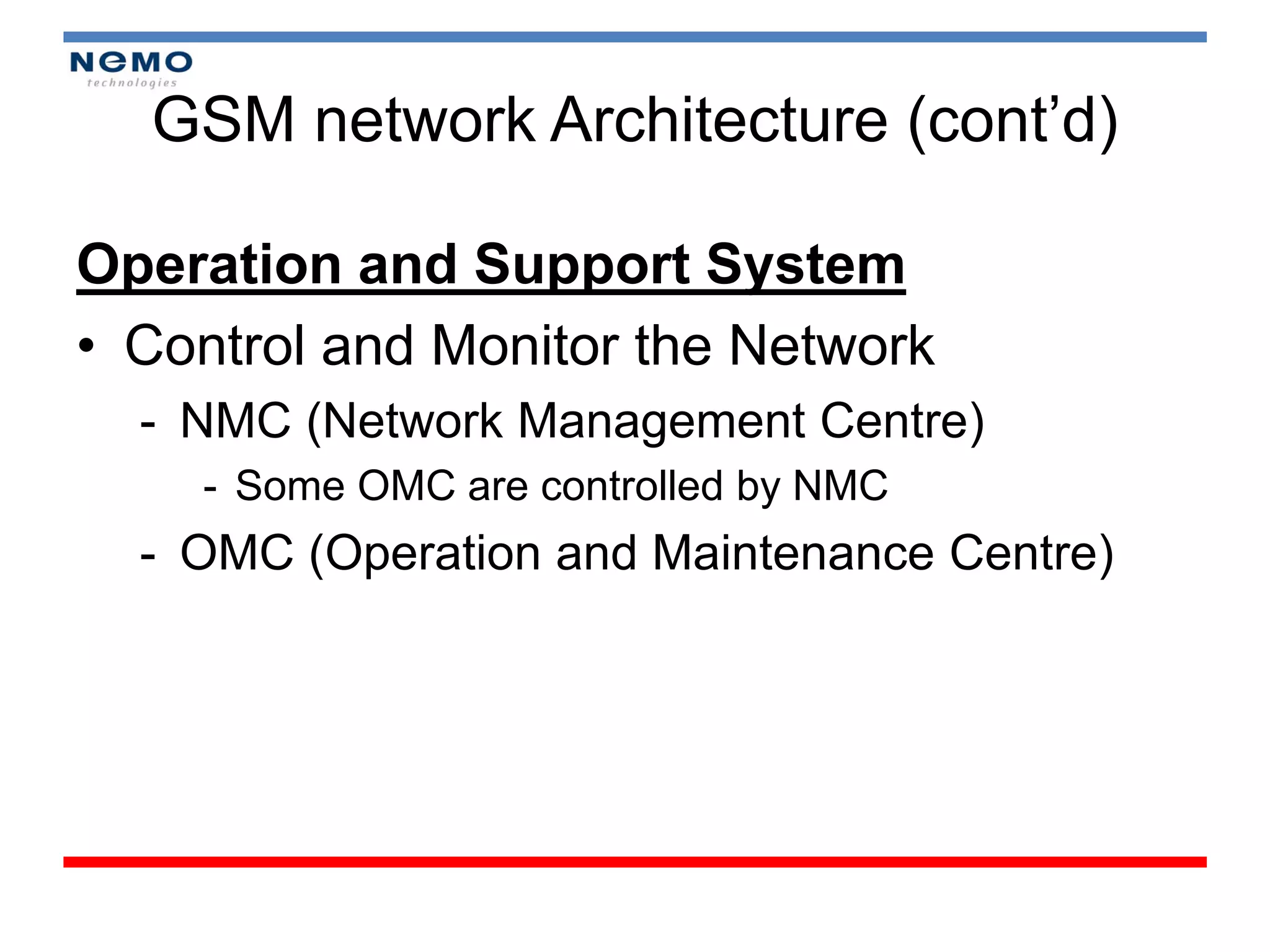
Operation and Support System
• Control and Monitor the Network
  - NMC (Network Management Centre)
    - Some OMC are controlled by NMC
  - OMC (Operation and Maintenance Centre)
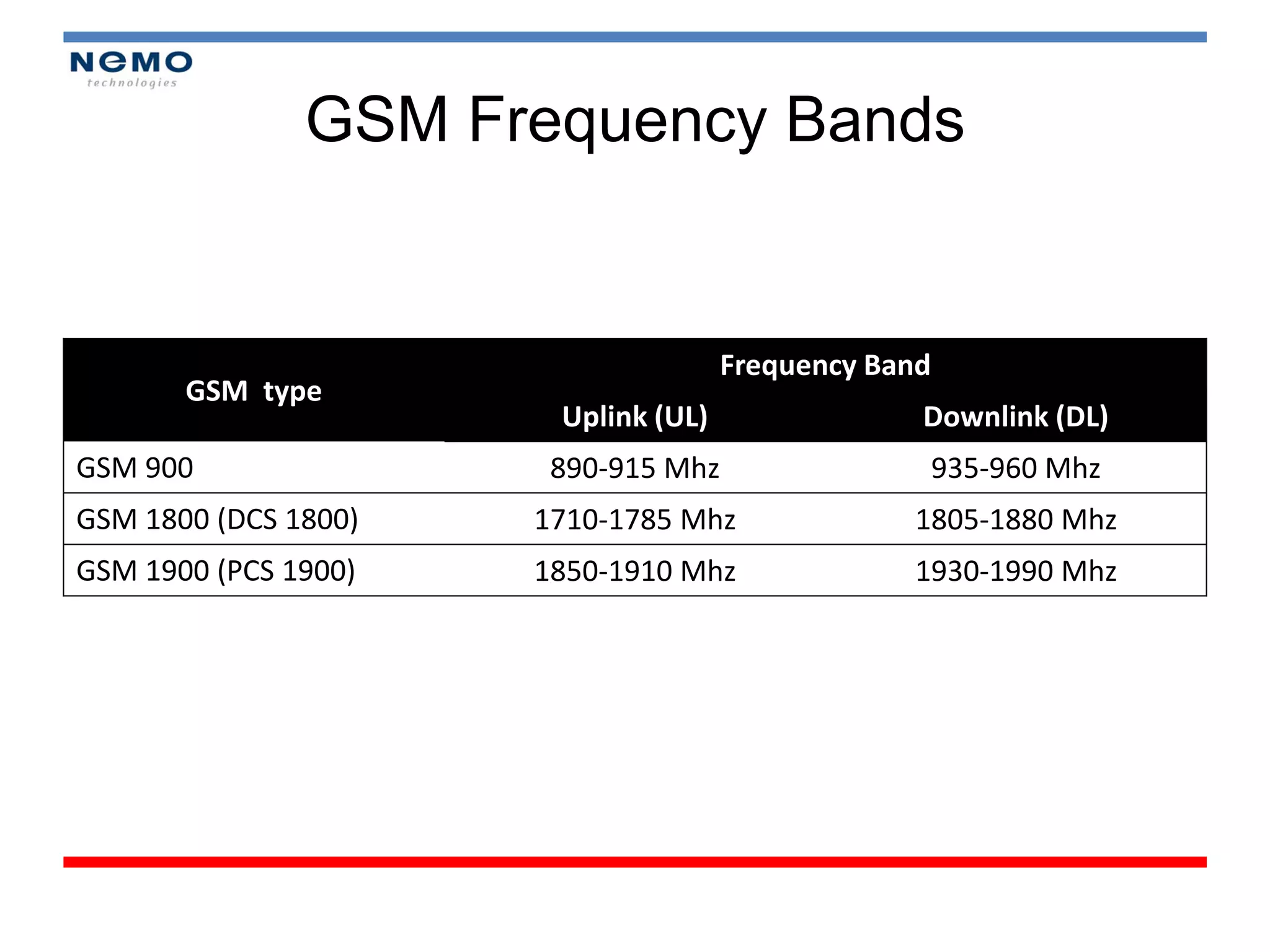
GSM Frequency Bands


                                     Frequency Band
       GSM type
                       Uplink (UL)                Downlink (DL)
GSM 900                890-915 Mhz                    935-960 Mhz
GSM 1800 (DCS 1800)   1710-1785 Mhz              1805-1880 Mhz
GSM 1900 (PCS 1900)   1850-1910 Mhz              1930-1990 Mhz
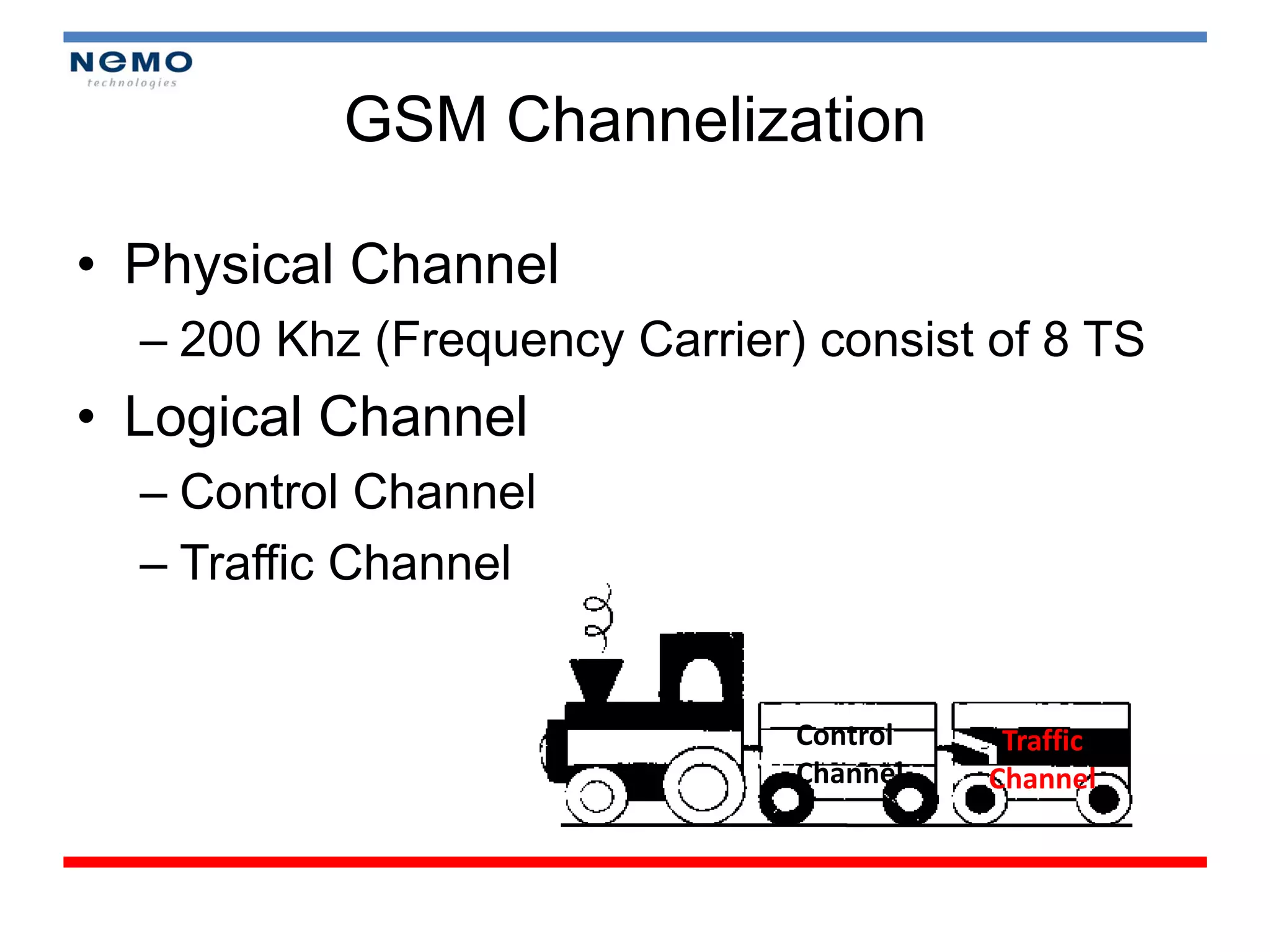
GSM Channelization

• Physical Channel
  – 200 Khz (Frequency Carrier) consist of 8 TS
• Logical Channel
  – Control Channel
  – Traffic Channel


                               Control    Traffic
                               Channel   Channel
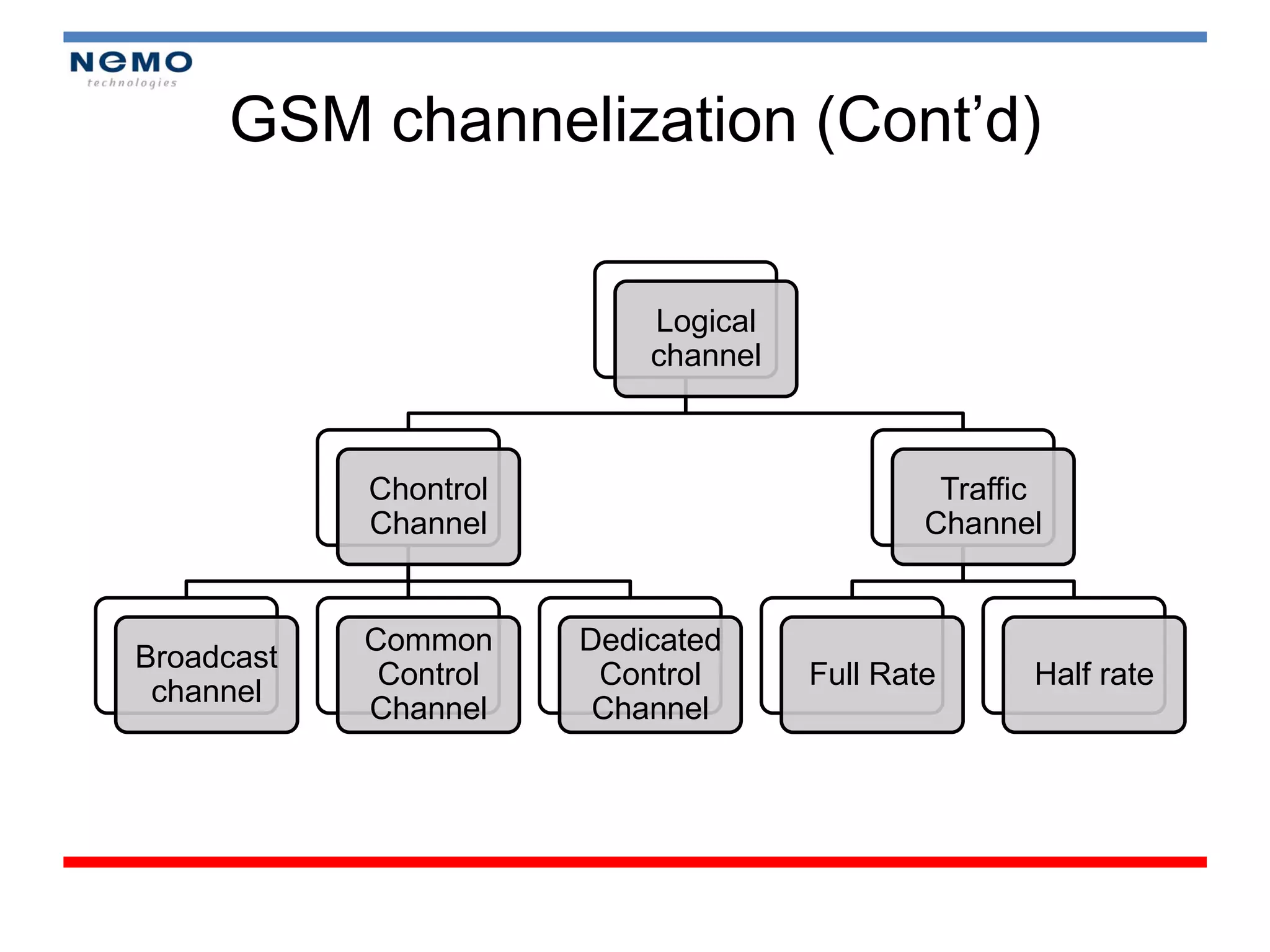
GSM channelization (Cont’d)

                           Logical
                           channel


            Chontrol                          Traffic
            Channel                          Channel


            Common     Dedicated
Broadcast
             Control    Control      Full Rate      Half rate
 channel
            Channel     Channel
3G/UMTS Concept

•   WCDMA Concept
•   UMTS Architecture
•   Channelization
•   Handover
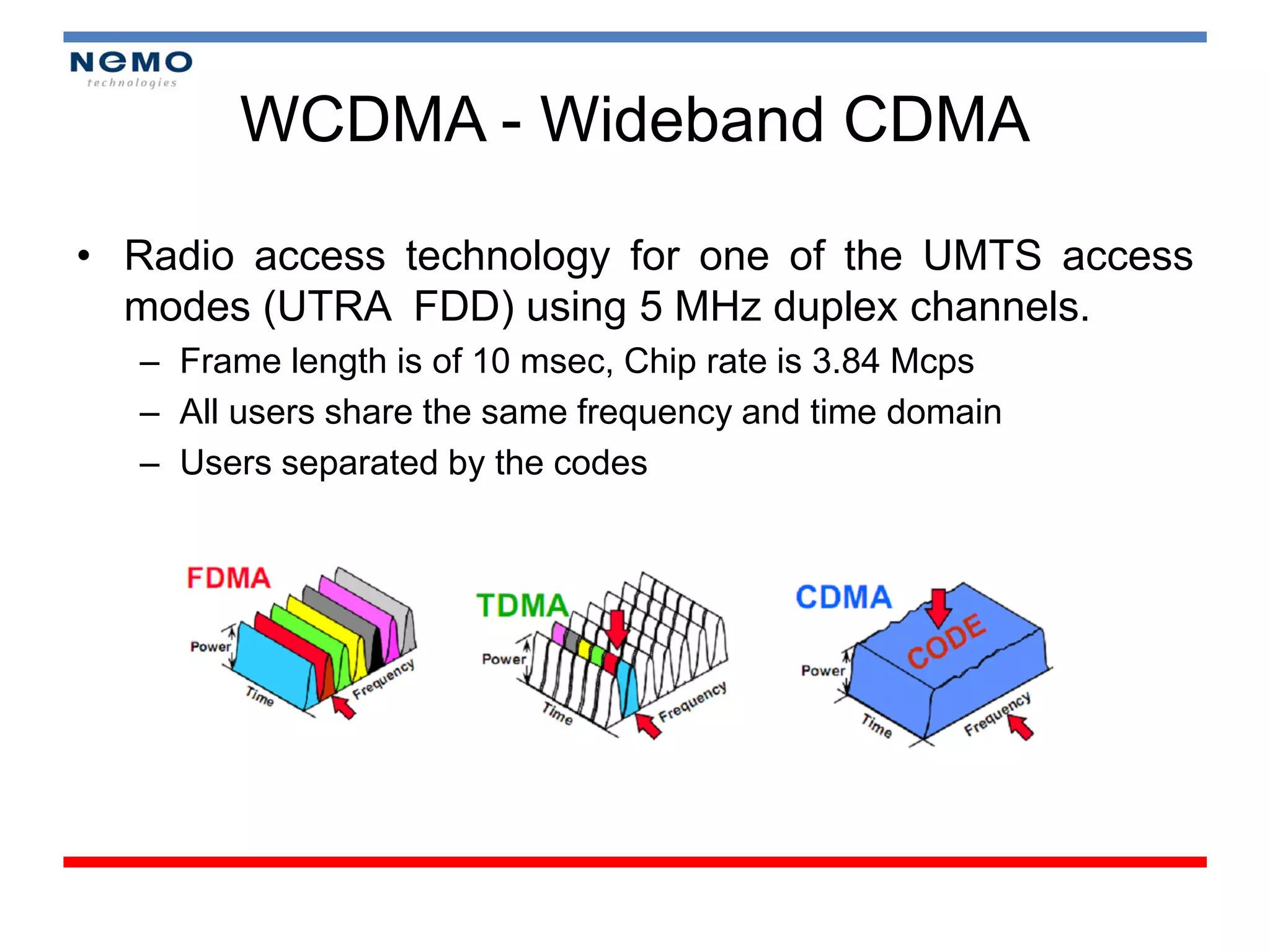
WCDMA - Wideband CDMA

• Radio access technology for one of the UMTS access
  modes (UTRA FDD) using 5 MHz duplex channels.
  – Frame length is of 10 msec, Chip rate is 3.84 Mcps
  – All users share the same frequency and time domain
  – Users separated by the codes
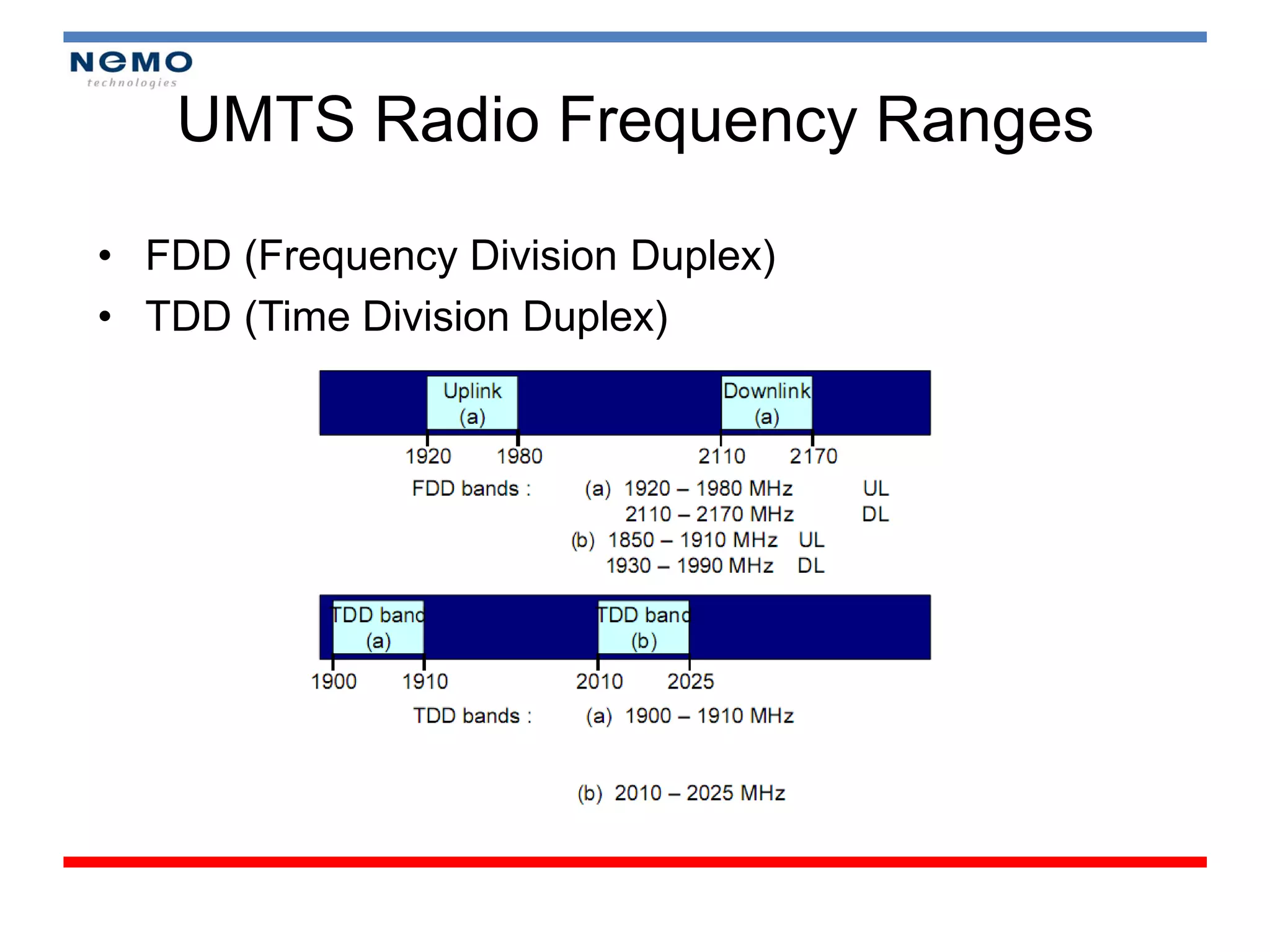
UMTS Radio Frequency Ranges

• FDD (Frequency Division Duplex)
• TDD (Time Division Duplex)
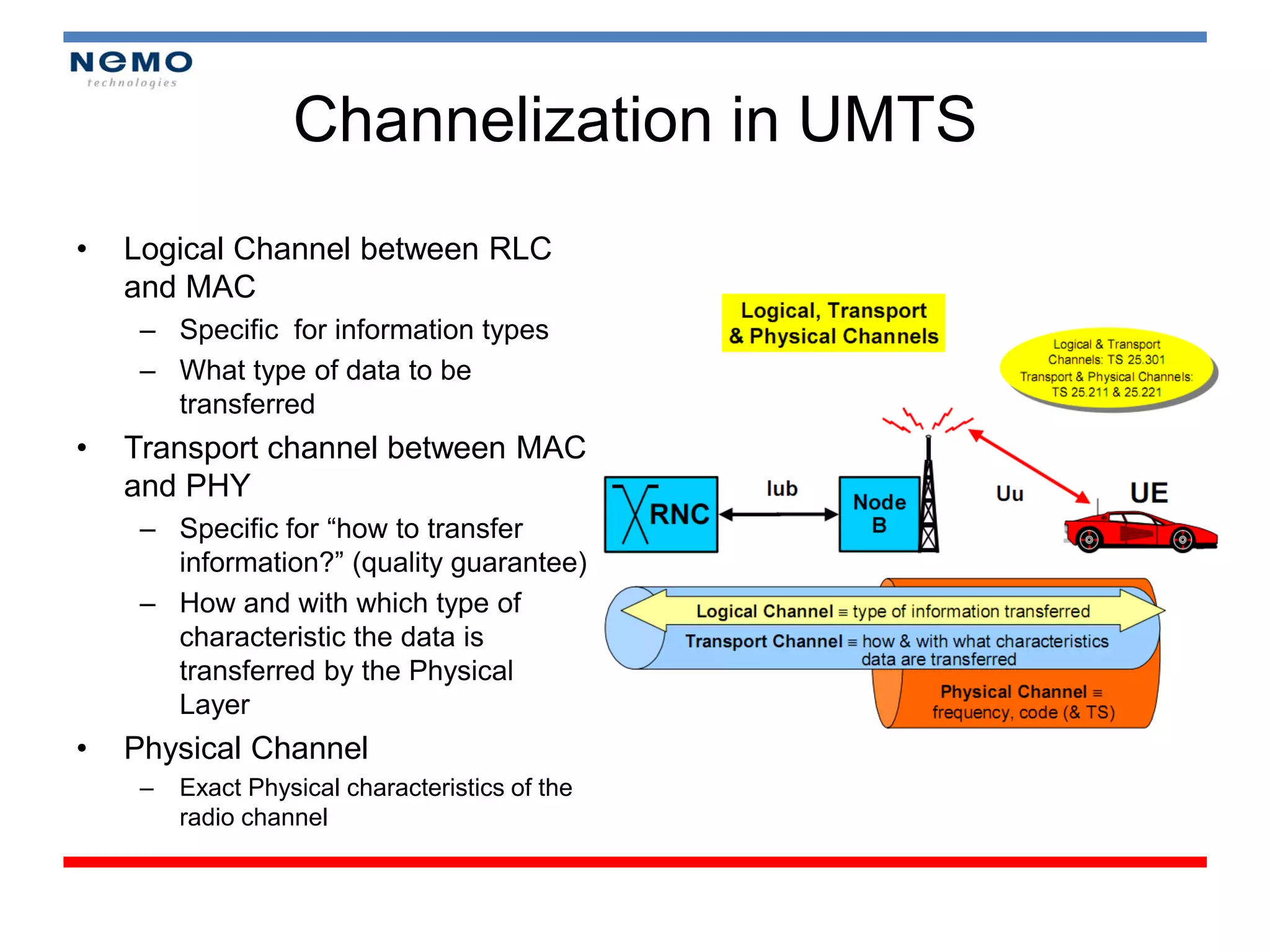
Channelization in UMTS
•   Logical Channel between RLC
    and MAC
     – Specific for information types
     – What type of data to be
       transferred
•   Transport channel between MAC
    and PHY
     – Specific for “how to transfer
       information?” (quality guarantee)
     – How and with which type of
       characteristic the data is
       transferred by the Physical
       Layer
•   Physical Channel
     –   Exact Physical characteristics of the
         radio channel
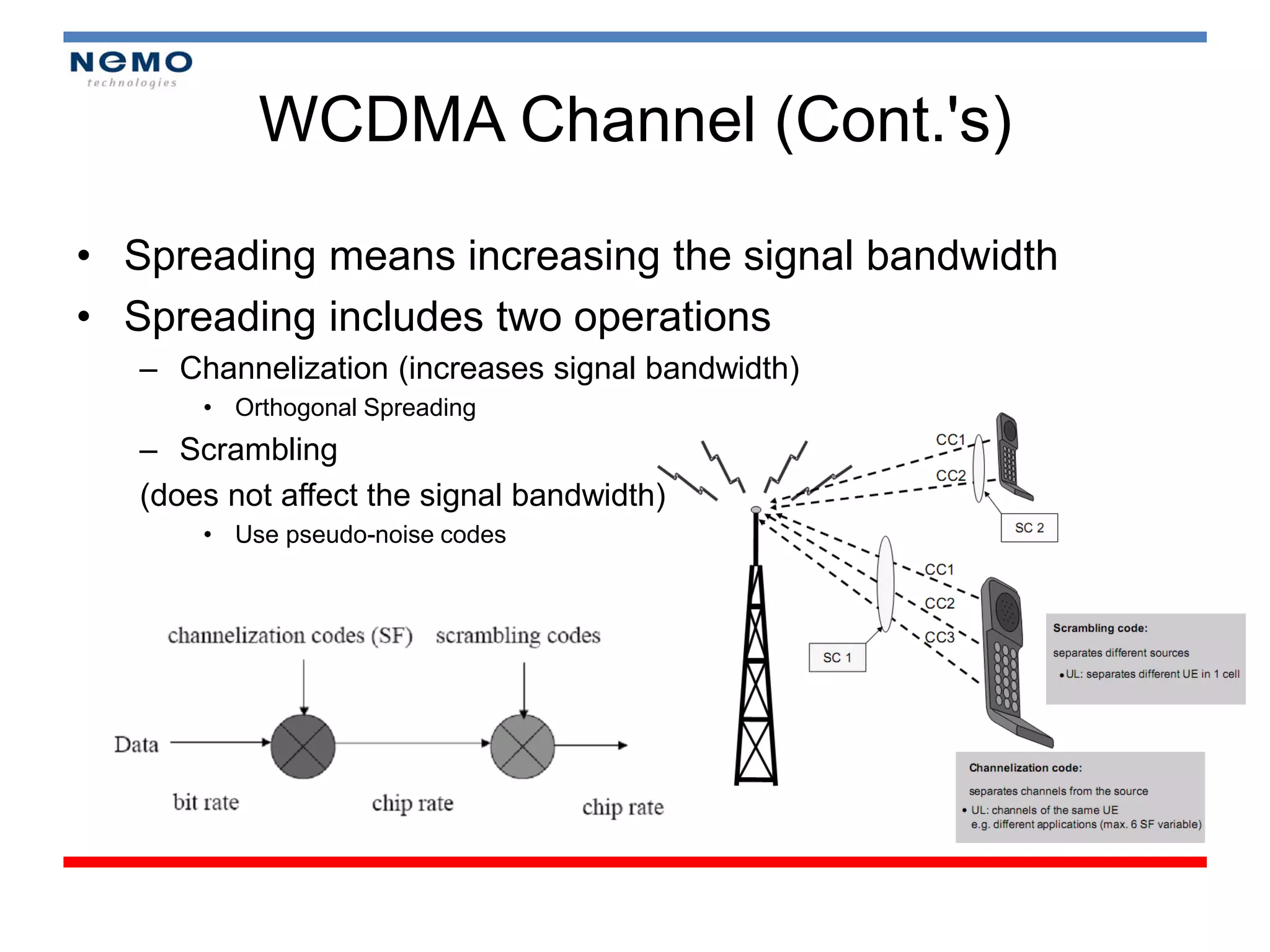
WCDMA Channel (Cont.'s)

• Spreading means increasing the signal bandwidth
• Spreading includes two operations
   – Channelization (increases signal bandwidth)
       • Orthogonal Spreading
   – Scrambling
   (does not affect the signal bandwidth)
       • Use pseudo-noise codes
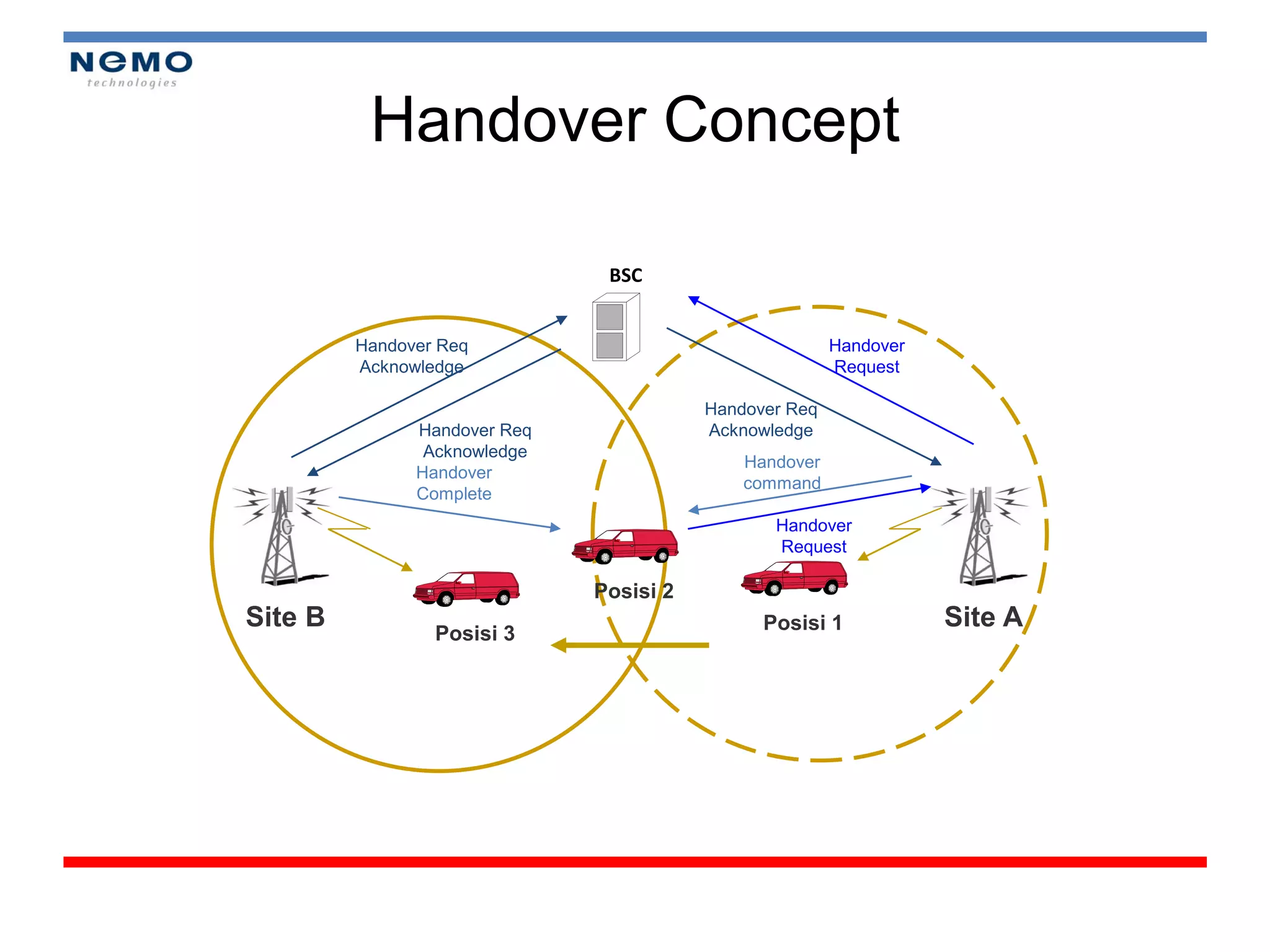
Handover Concept

                               BSC


         Handover Req                                   Handover
         Acknowledge                                    Request

                                         Handover Req
               Handover Req              Acknowledge
                Acknowledge
                                             Handover
               Handover
                                             command
               Complete
                                                Handover
                                                Request

                              Posisi 2
Site B                                         Posisi 1            Site A
                 Posisi 3
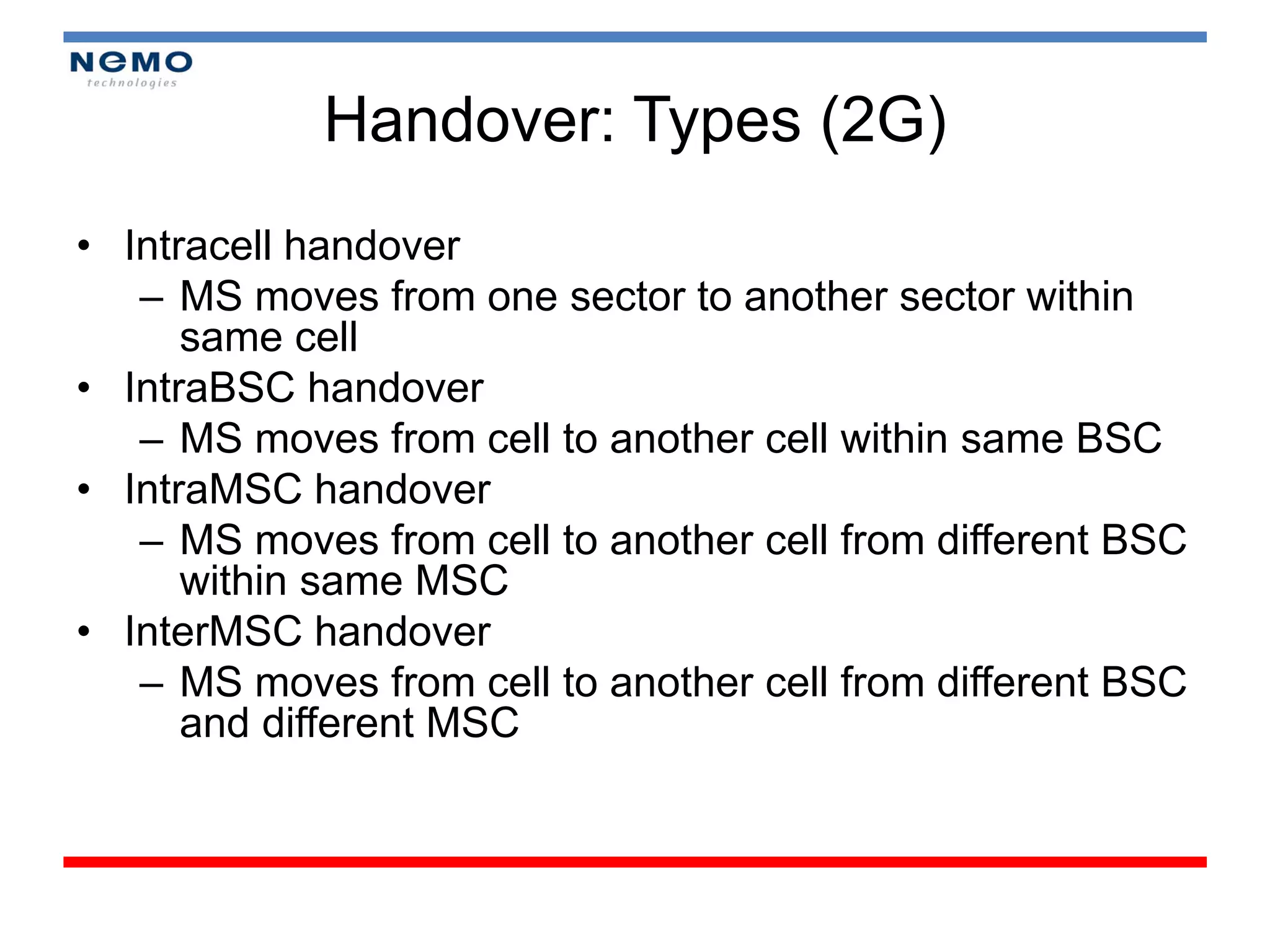
Handover: Types (2G)
• Intracell handover
   – MS moves from one sector to another sector within
      same cell
• IntraBSC handover
   – MS moves from cell to another cell within same BSC
• IntraMSC handover
   – MS moves from cell to another cell from different BSC
      within same MSC
• InterMSC handover
   – MS moves from cell to another cell from different BSC
      and different MSC
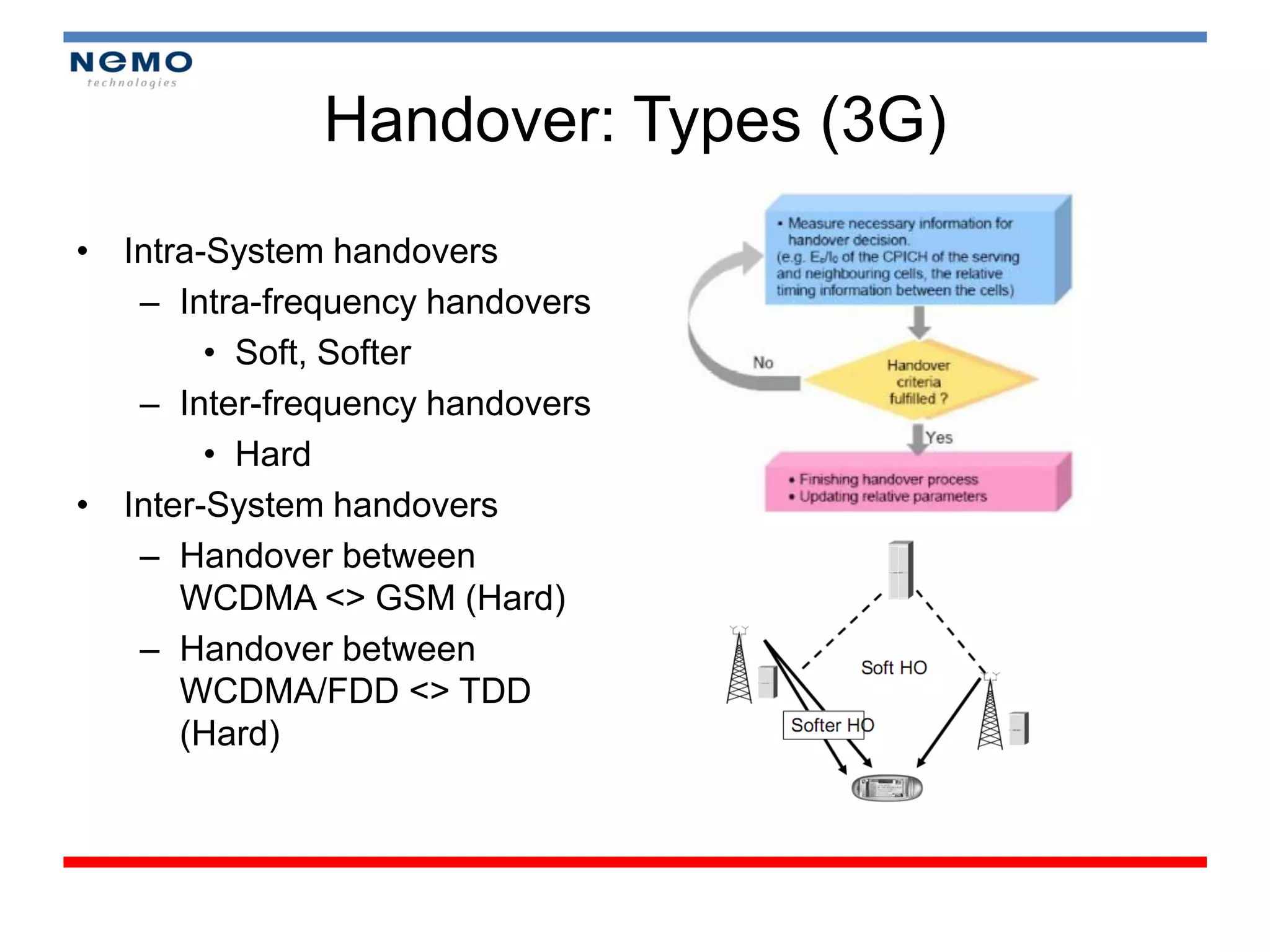
Handover: Types (3G)
• Intra-System handovers
   – Intra-frequency handovers
        • Soft, Softer
   – Inter-frequency handovers
        • Hard
• Inter-System handovers
   – Handover between
      WCDMA <> GSM (Hard)
   – Handover between
      WCDMA/FDD <> TDD
      (Hard)
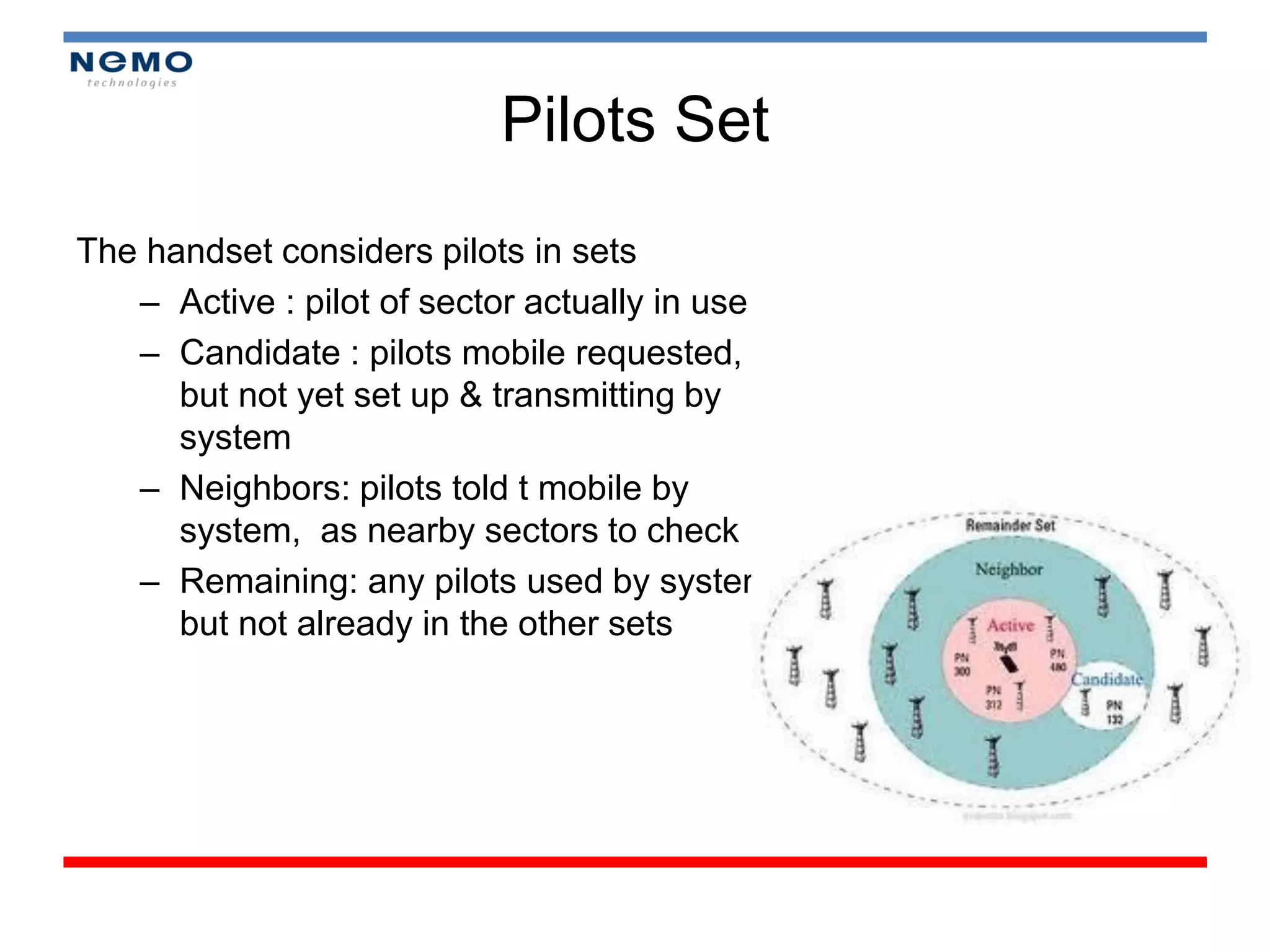
Pilots Set
The handset considers pilots in sets
   – Active : pilot of sector actually in use
   – Candidate : pilots mobile requested,
      but not yet set up & transmitting by
      system
   – Neighbors: pilots told t mobile by
      system, as nearby sectors to check
   – Remaining: any pilots used by system
      but not already in the other sets
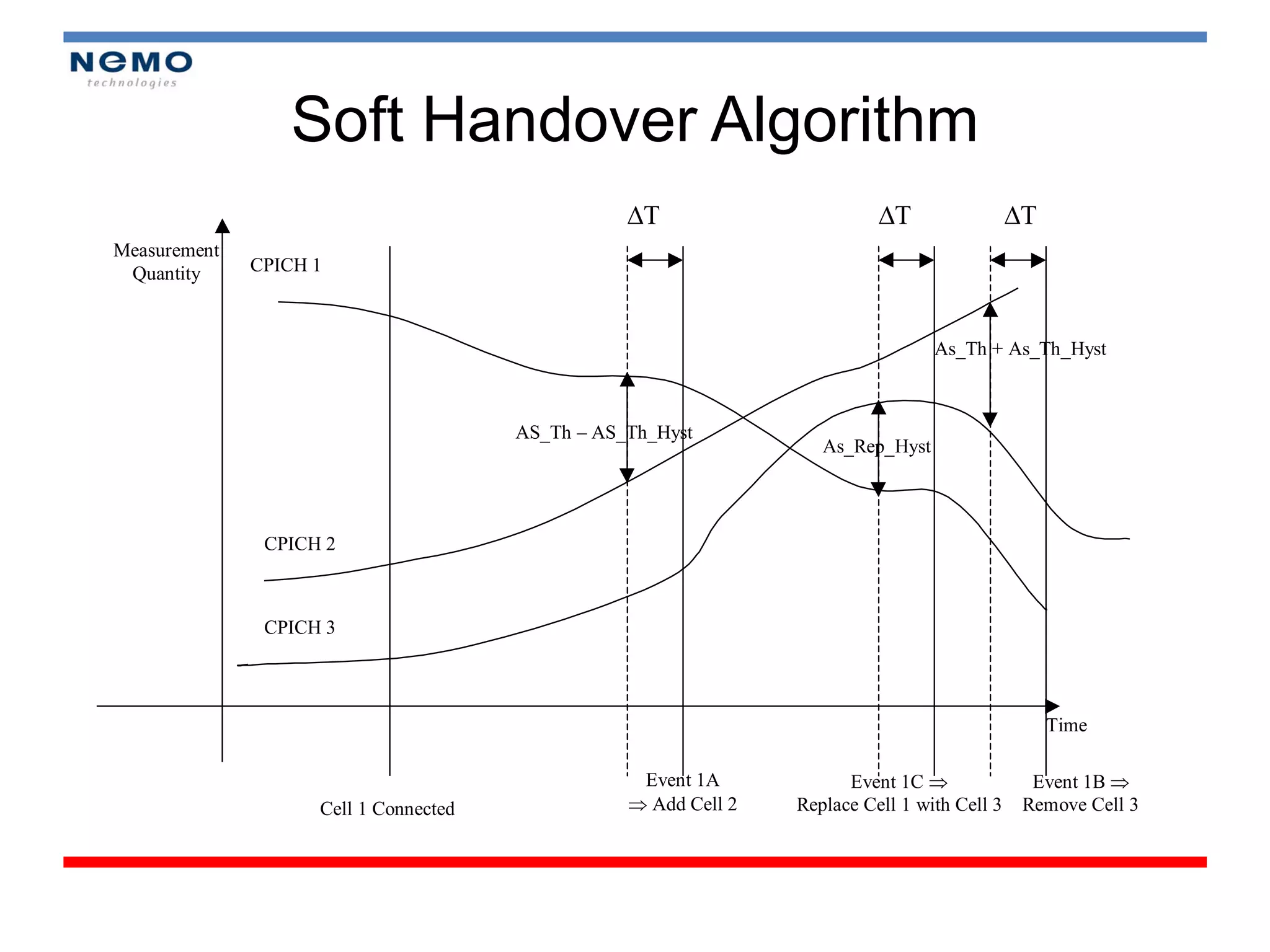
Soft Handover Algorithm
                                                  T                       T                 T
Measurement
 Quantity     CPICH 1


                                                                                  As_Th + As_Th_Hyst


                                       AS_Th – AS_Th_Hyst
                                                                    As_Rep_Hyst


               CPICH 2


               CPICH 3


                                                                                                   Time

                                                   Event 1A            Event 1C                Event 1B 
                    Cell 1 Connected               Add Cell 2   Replace Cell 1 with Cell 3    Remove Cell 3
Module 2


DRIVE TEST CONCEPT
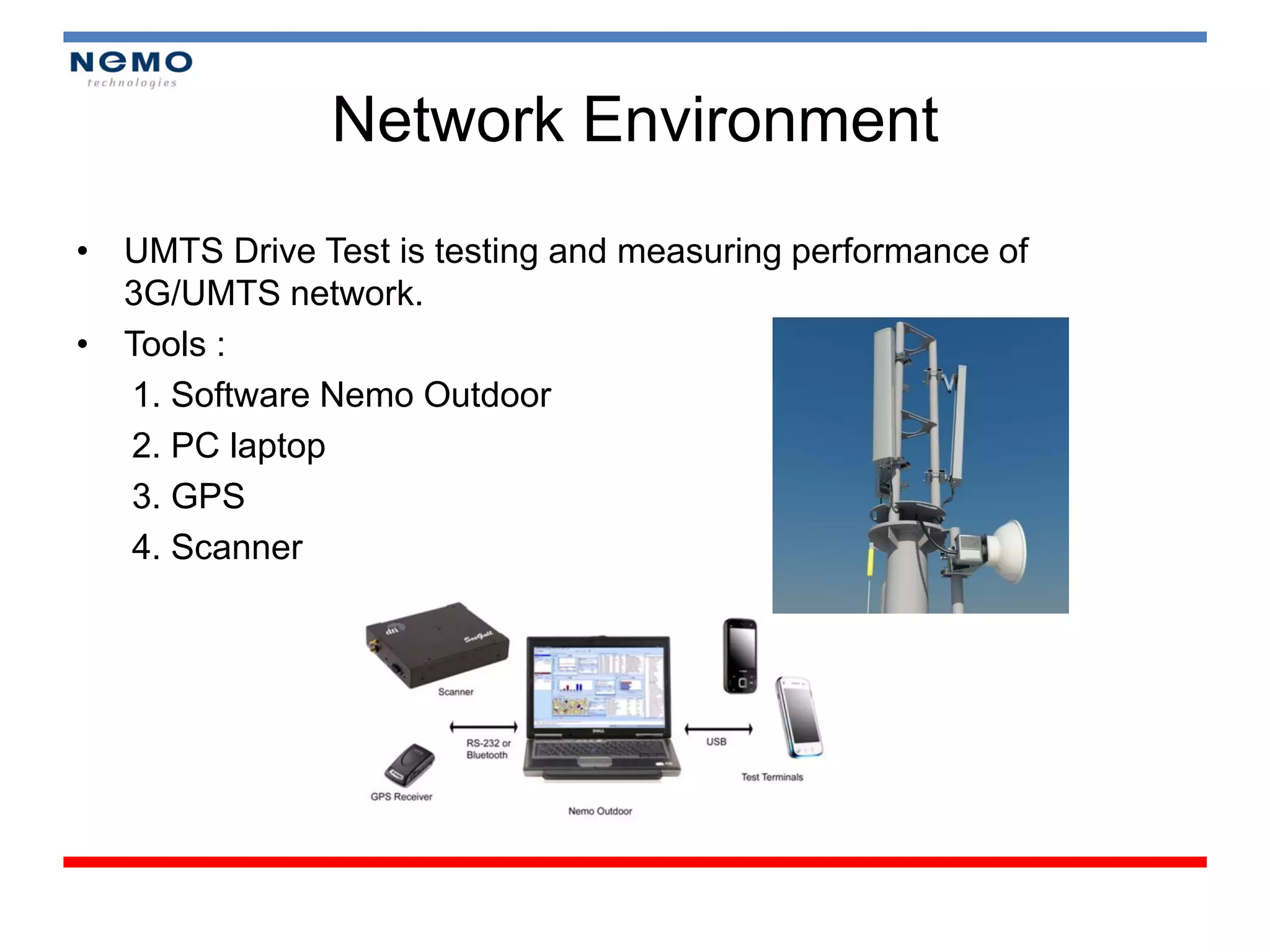
Network Environment
• UMTS Drive Test is testing and measuring performance of
  3G/UMTS network.
• Tools :
  1. Software Nemo Outdoor
  2. PC laptop
  3. GPS
  4. Scanner
Reason of Drive Test?

•   Network Performance Monitoring
•   Maintenance
•   Benchmarking
•   Customer Complains
Continuous Drive Test

• Drive Test (outdoor)
   – GPS
• Walk Test (indoor)
   – Pin point/way point
Analyze Data Collection

• Analyze data that was collected before
  (from Log files)
• To know some problems in current area
Reporting

• To Answer Analyze Data Collection (Objective
  Answer)
• Optimization Consideration
• Recommendation
Parameters DT GSM

1.   Rx Level
2.   Rx Qual
3.   SQI
4.   Cell Id, BSIC
5.   TA (Timing Advance)
6.   ARFCN, etc
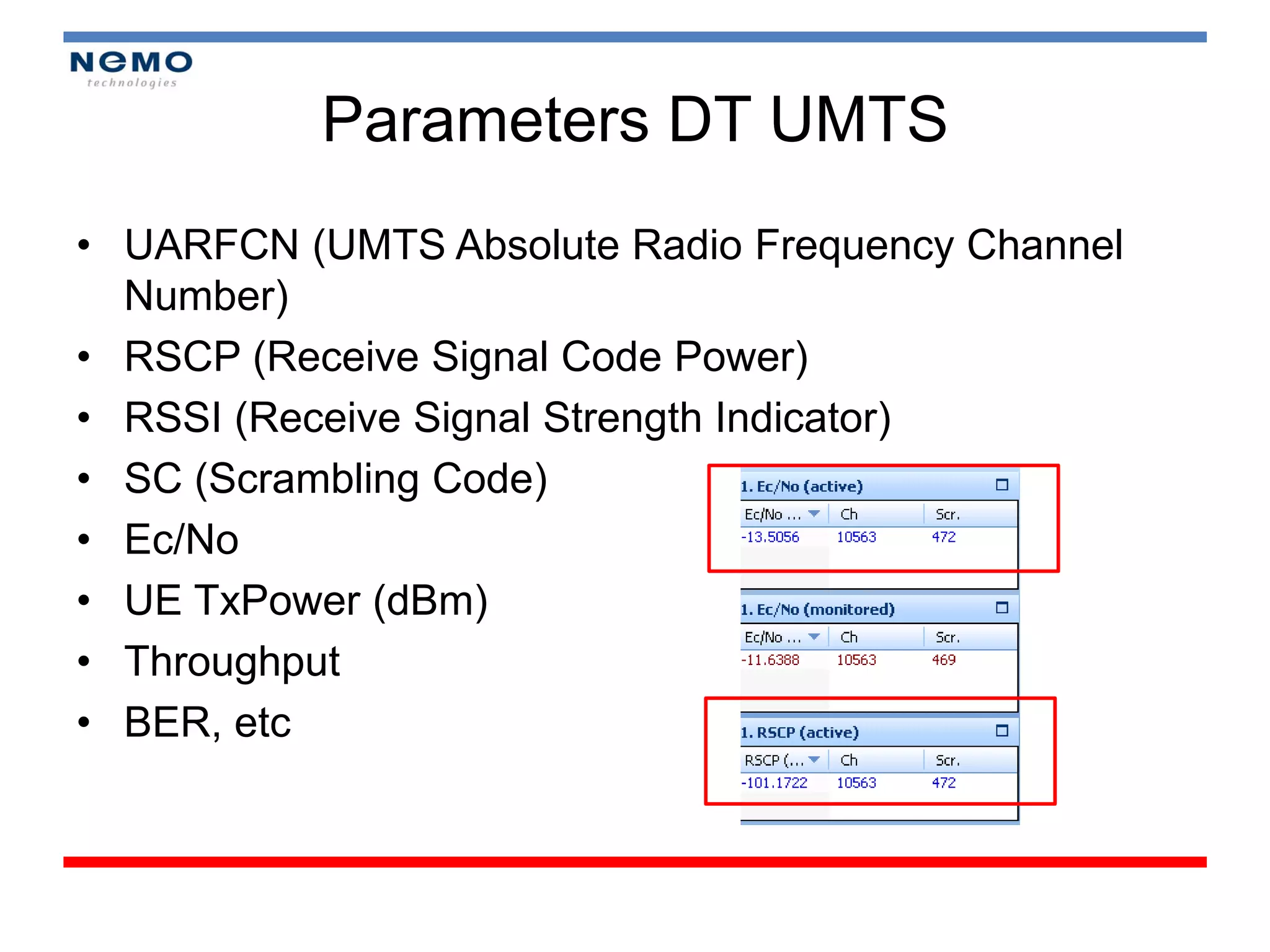
Parameters DT UMTS
• UARFCN (UMTS Absolute Radio Frequency Channel
  Number)
• RSCP (Receive Signal Code Power)
• RSSI (Receive Signal Strength Indicator)
• SC (Scrambling Code)
• Ec/No
• UE TxPower (dBm)
• Throughput
• BER, etc
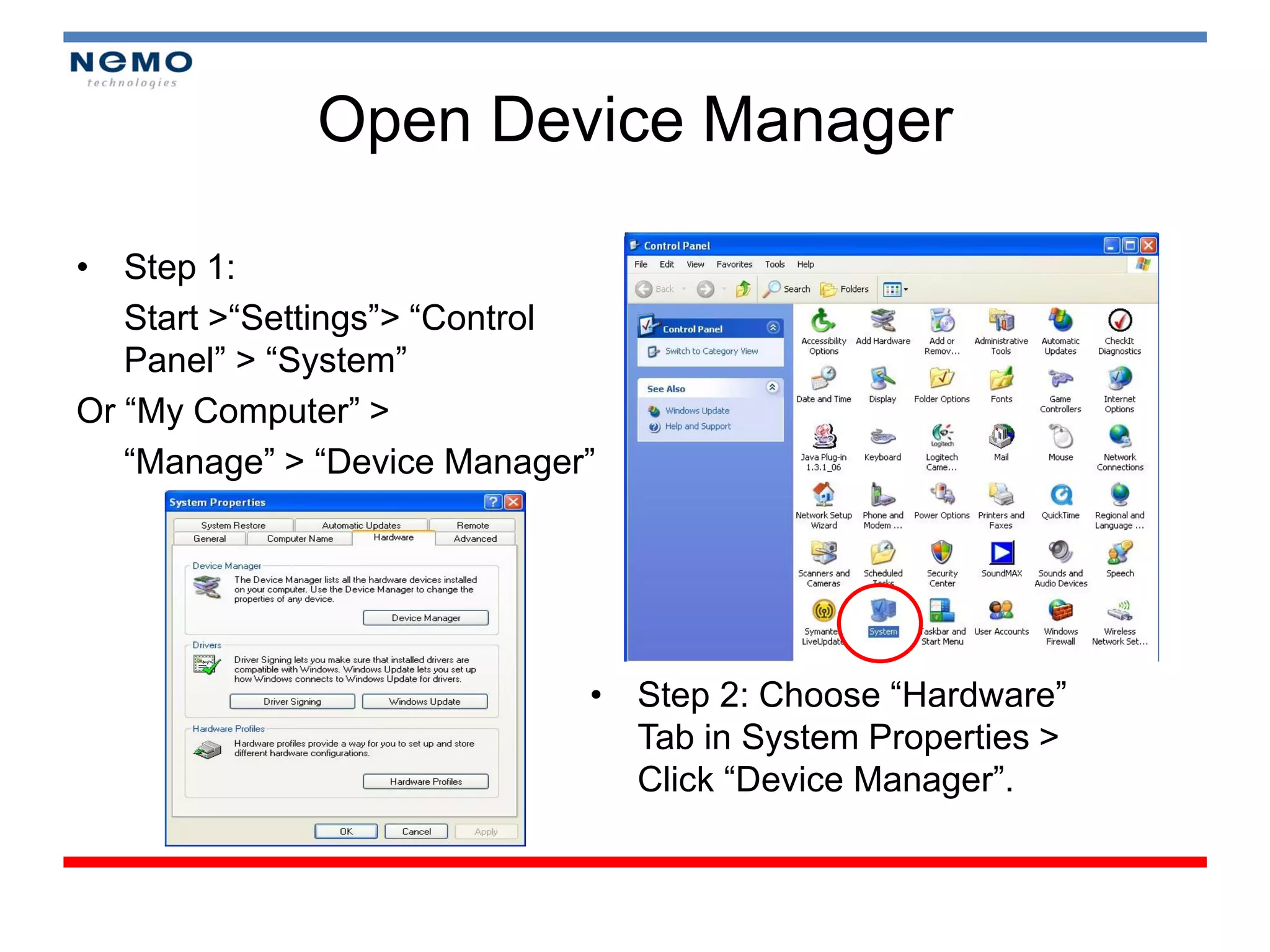
Open Device Manager

• Step 1:
   Start >“Settings”> “Control
   Panel” > “System”
Or “My Computer” >
   “Manage” > “Device Manager”


                             • Step 2: Choose “Hardware”
                               Tab in System Properties >
                               Click “Device Manager”.
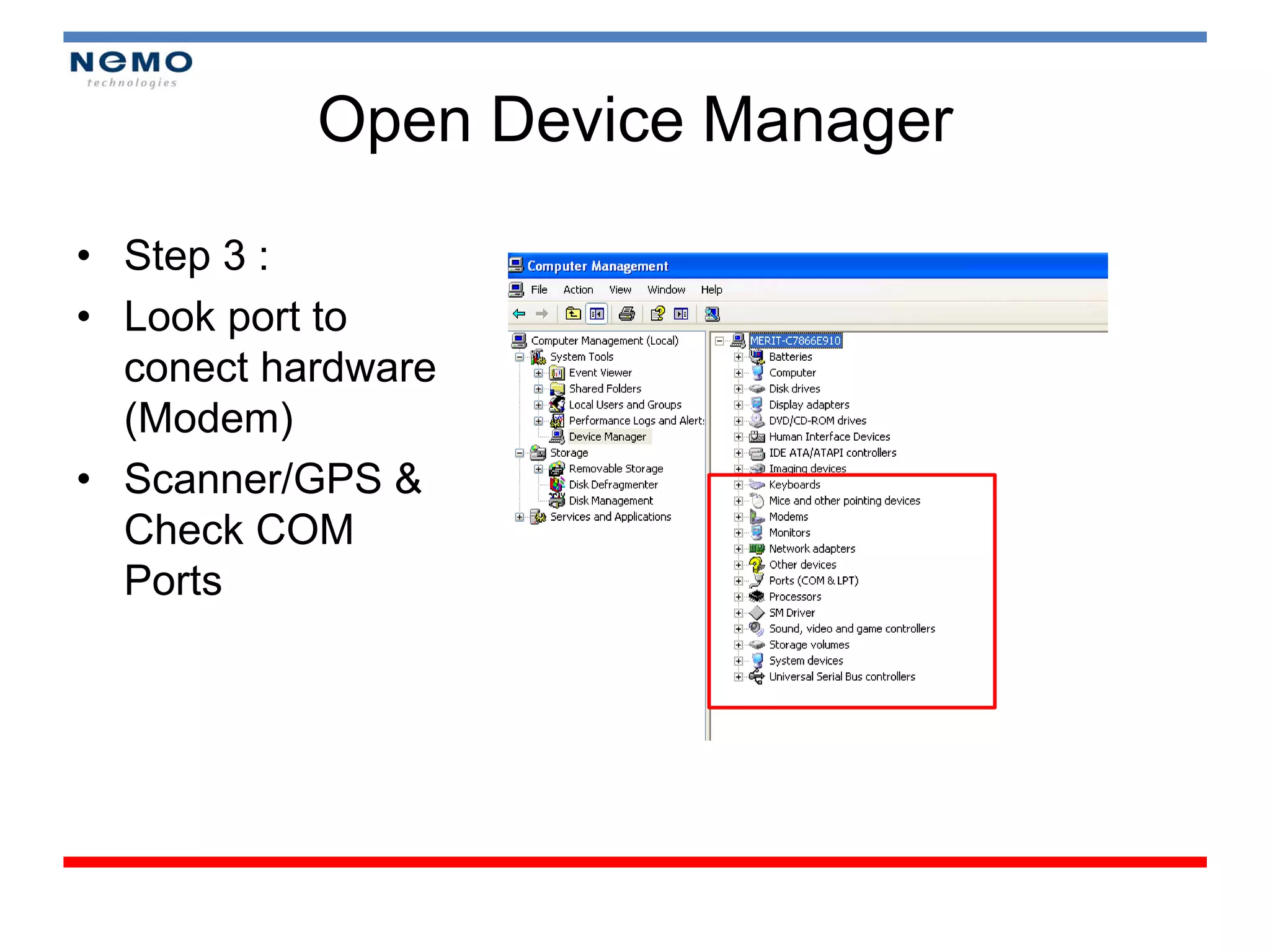
Open Device Manager

• Step 3 :
• Look port to
  conect hardware
  (Modem)
• Scanner/GPS &
  Check COM
  Ports
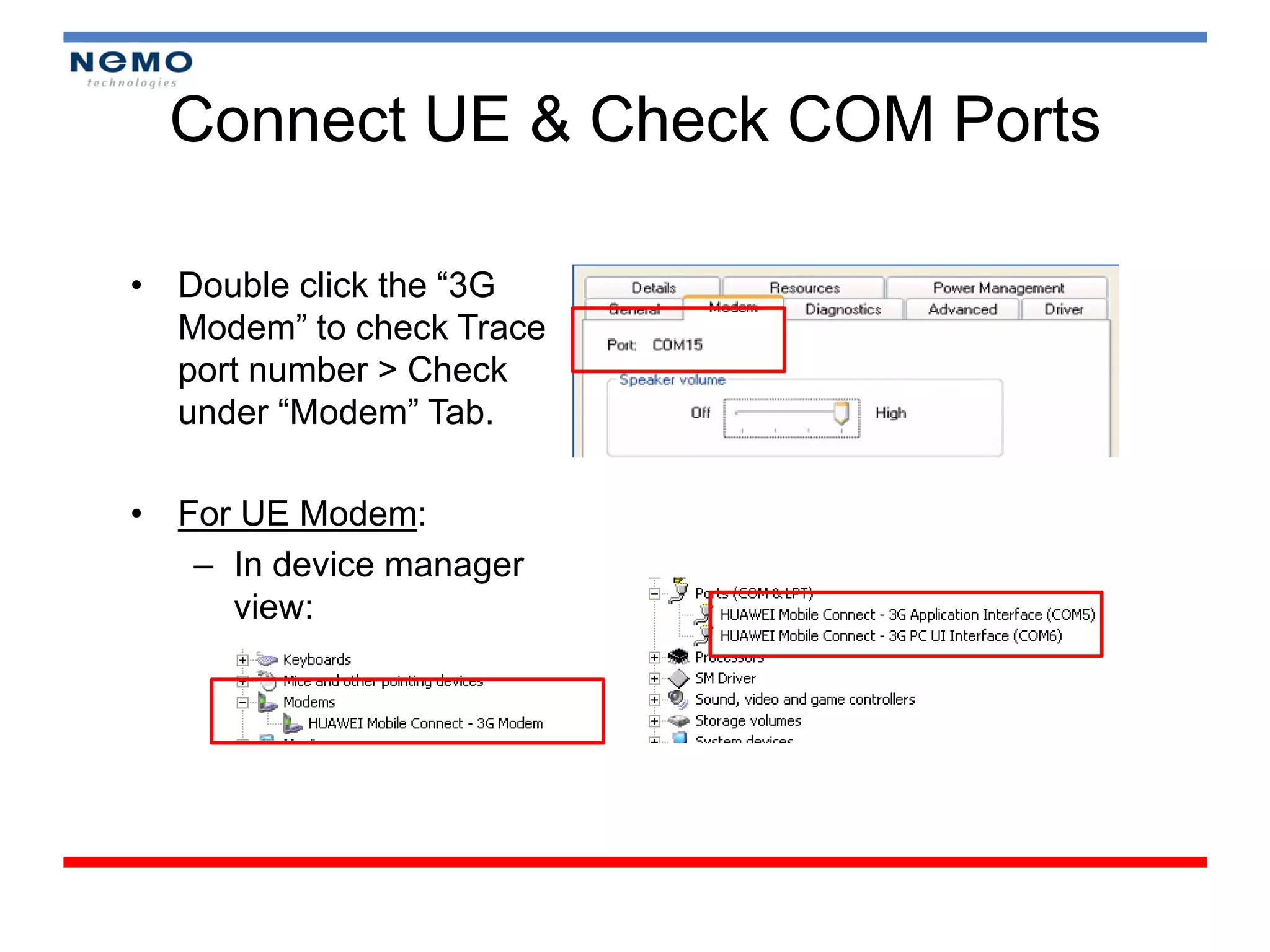
Connect UE & Check COM Ports

• Double click the “3G
  Modem” to check Trace
  port number > Check
  under “Modem” Tab.

• For UE Modem:
   – In device manager
     view:
Start Nemo Outdoor 5.07 and Load
                 Workspace
• Make sure the Nemo dongle is connected to the laptop.
• Launch Nemo Outdoor 5.07.
• Load the desired workspace.
• Workspace should contains adequate information for the
  user to monitor.
• Different workspace should be created for different setup
  configuration.
• Nemo workspace are stored proper folder for easy
  access, eg.
   C:Nemo ToolsNemo OutdoorWorkspaces
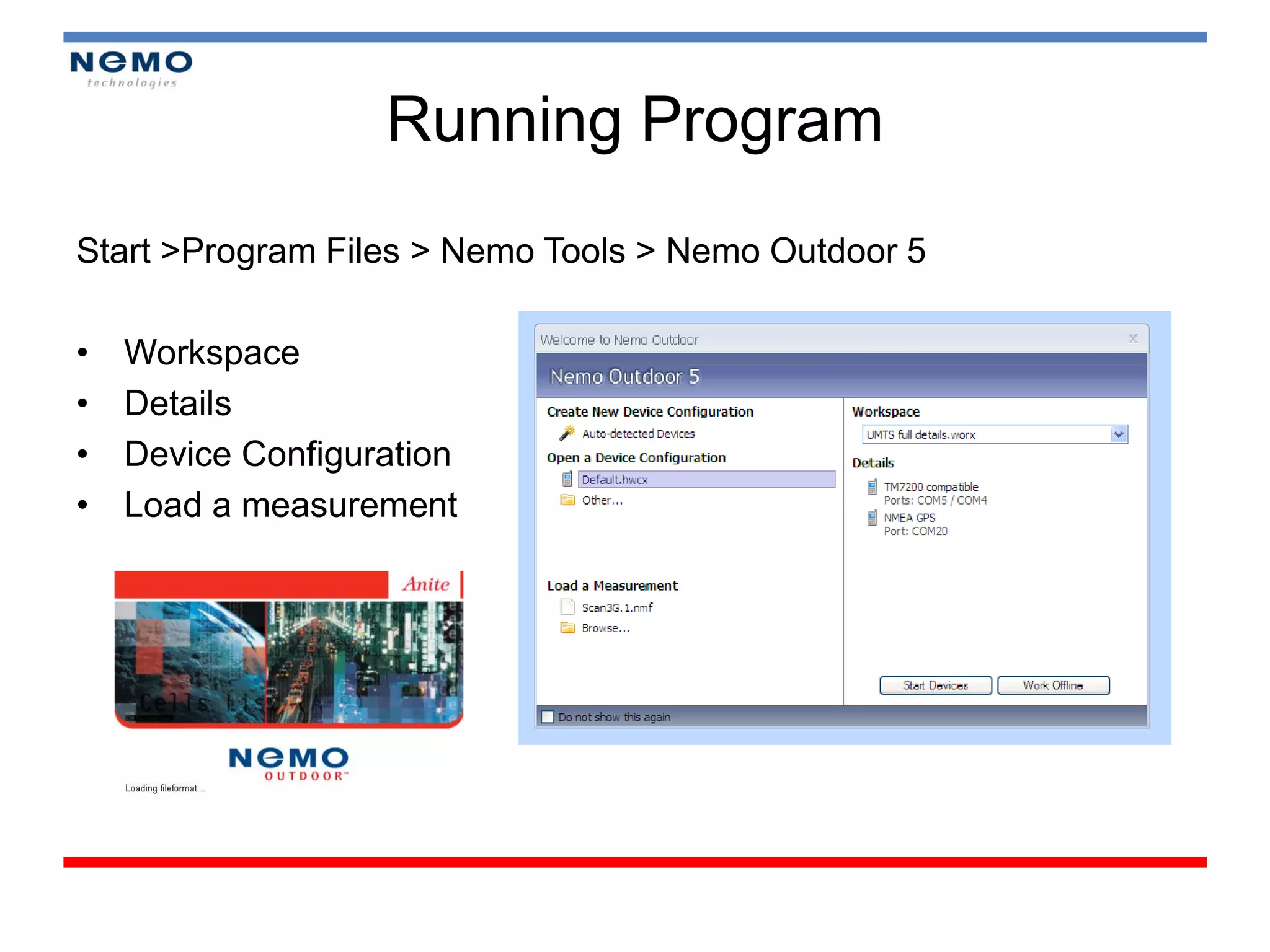
Running Program
Start >Program Files > Nemo Tools > Nemo Outdoor 5

•   Workspace
•   Details
•   Device Configuration
•   Load a measurement
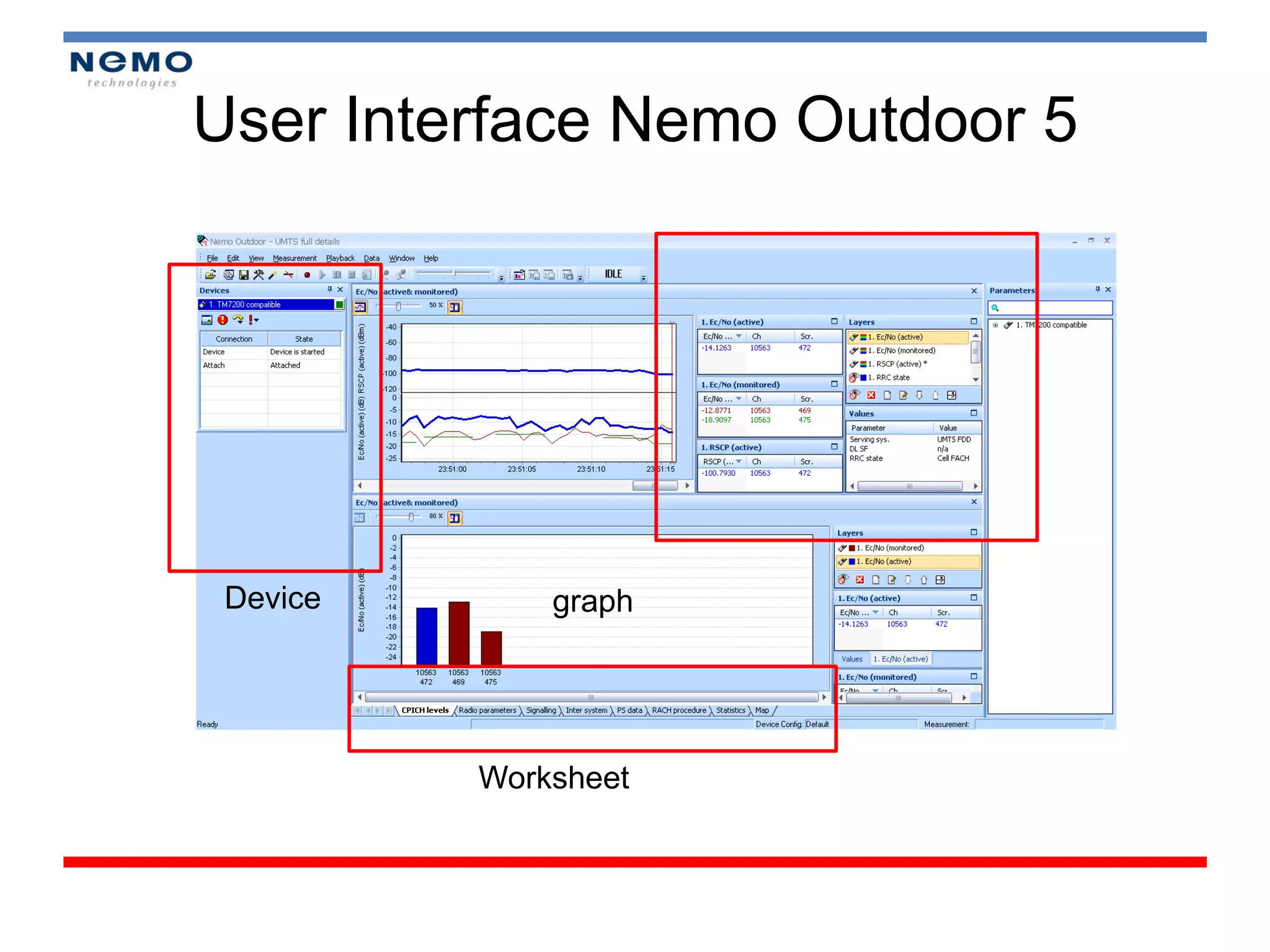
User Interface Nemo Outdoor 5


 Device       graph


          Worksheet
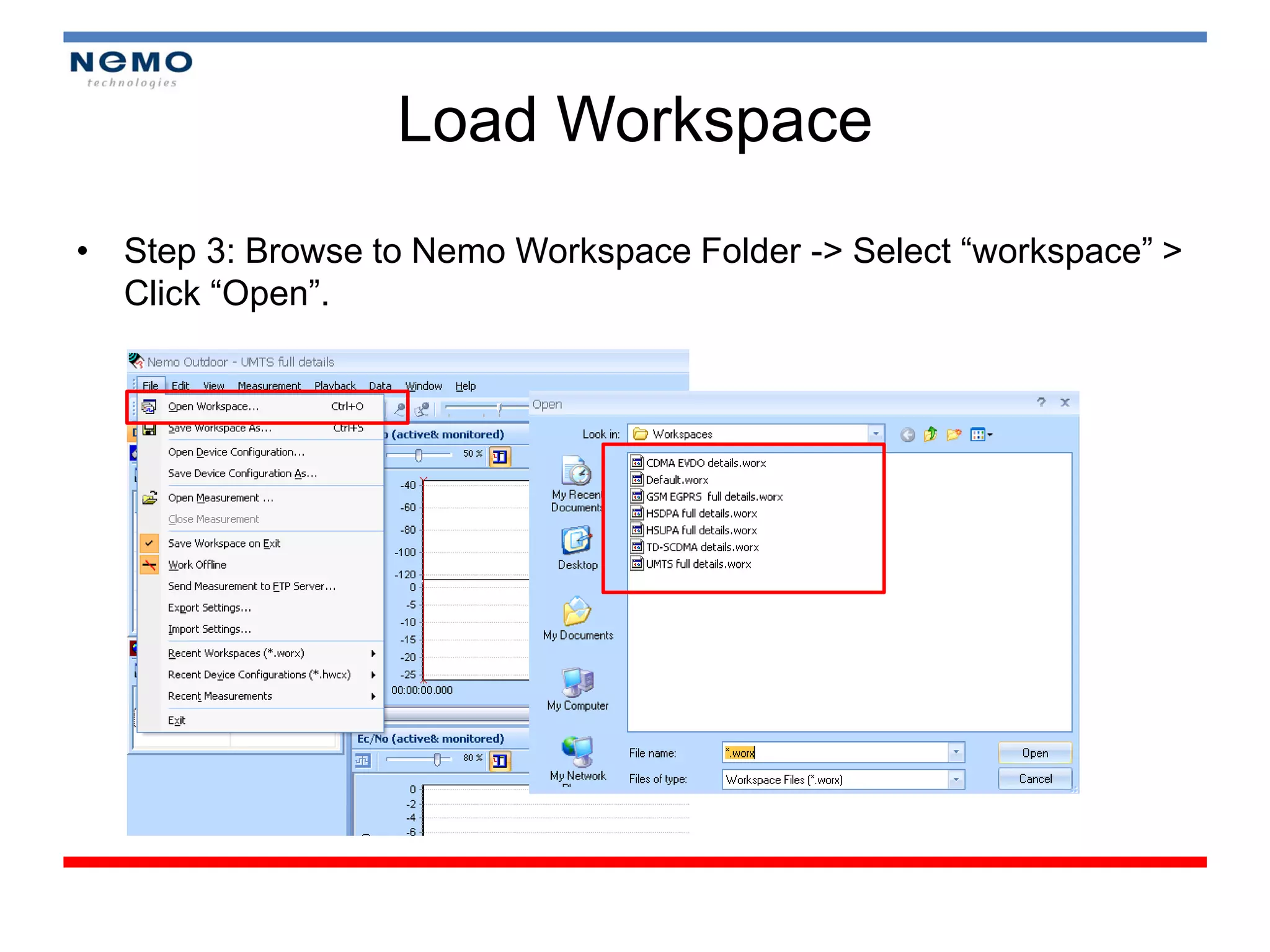
Load Workspace
• Step 3: Browse to Nemo Workspace Folder -> Select “workspace” >
  Click “Open”.
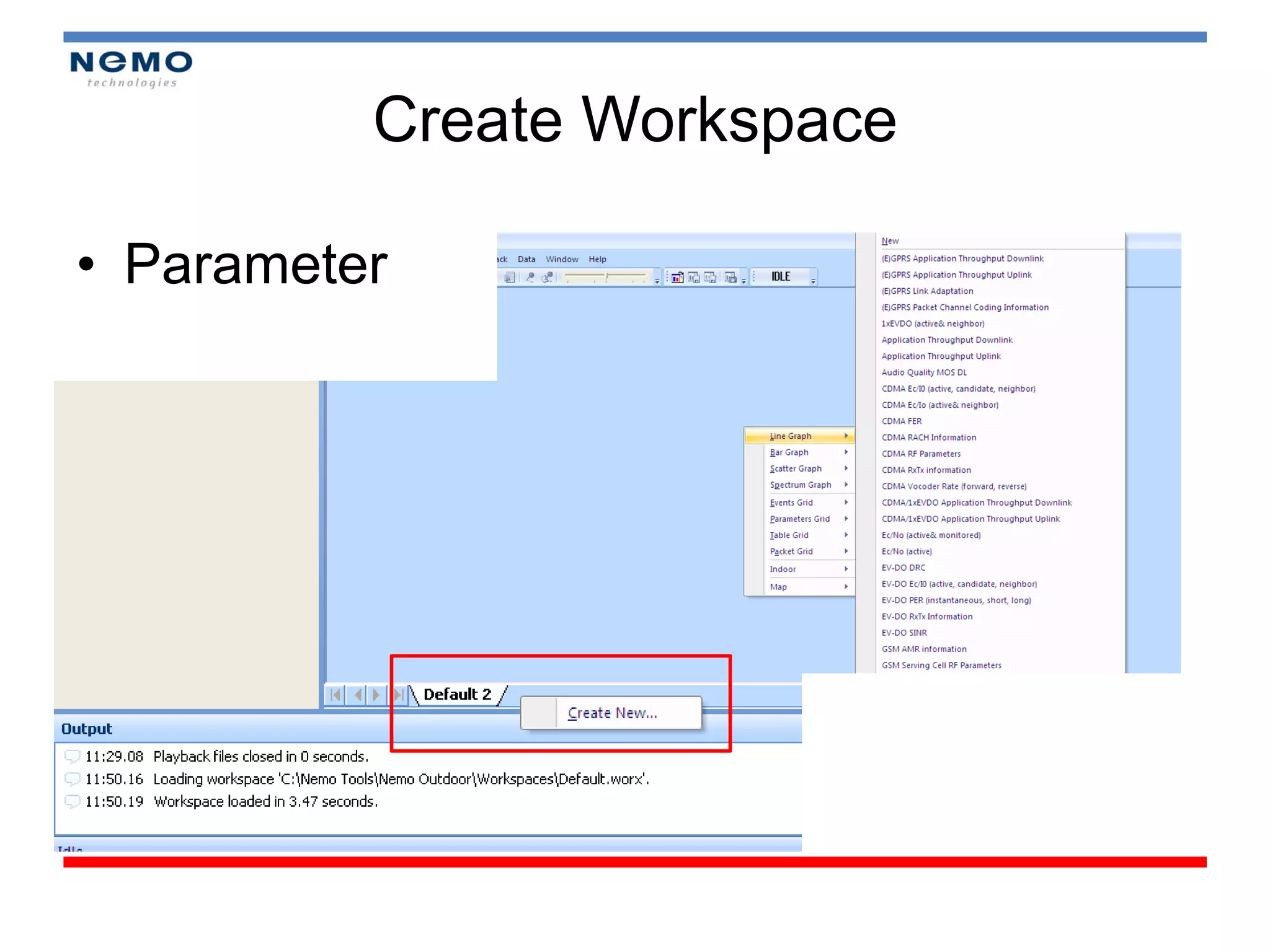
Create Workspace

• Parameter
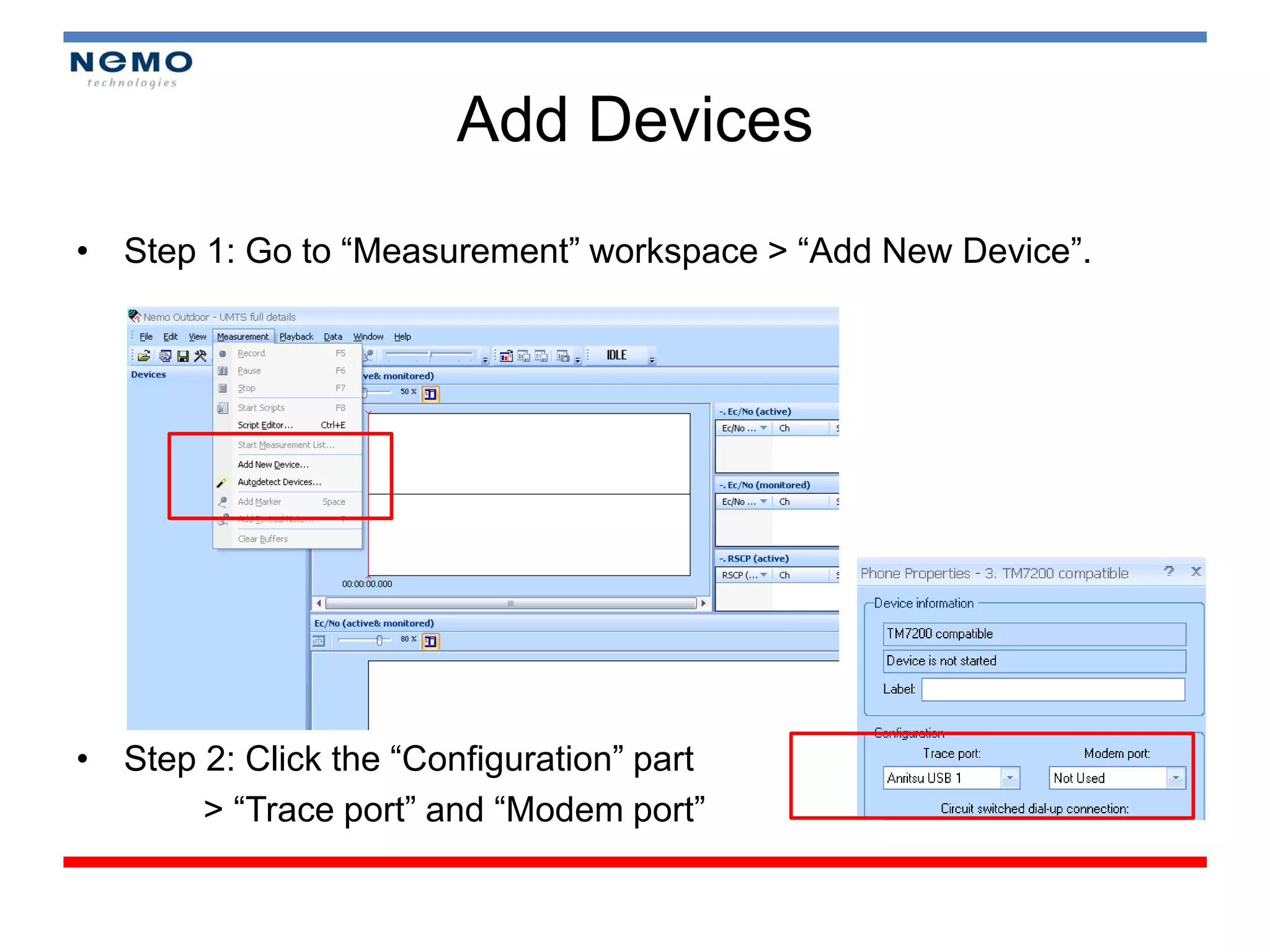
Add Devices
• Step 1: Go to “Measurement” workspace > “Add New Device”.


• Step 2: Click the “Configuration” part
       > “Trace port” and “Modem port”
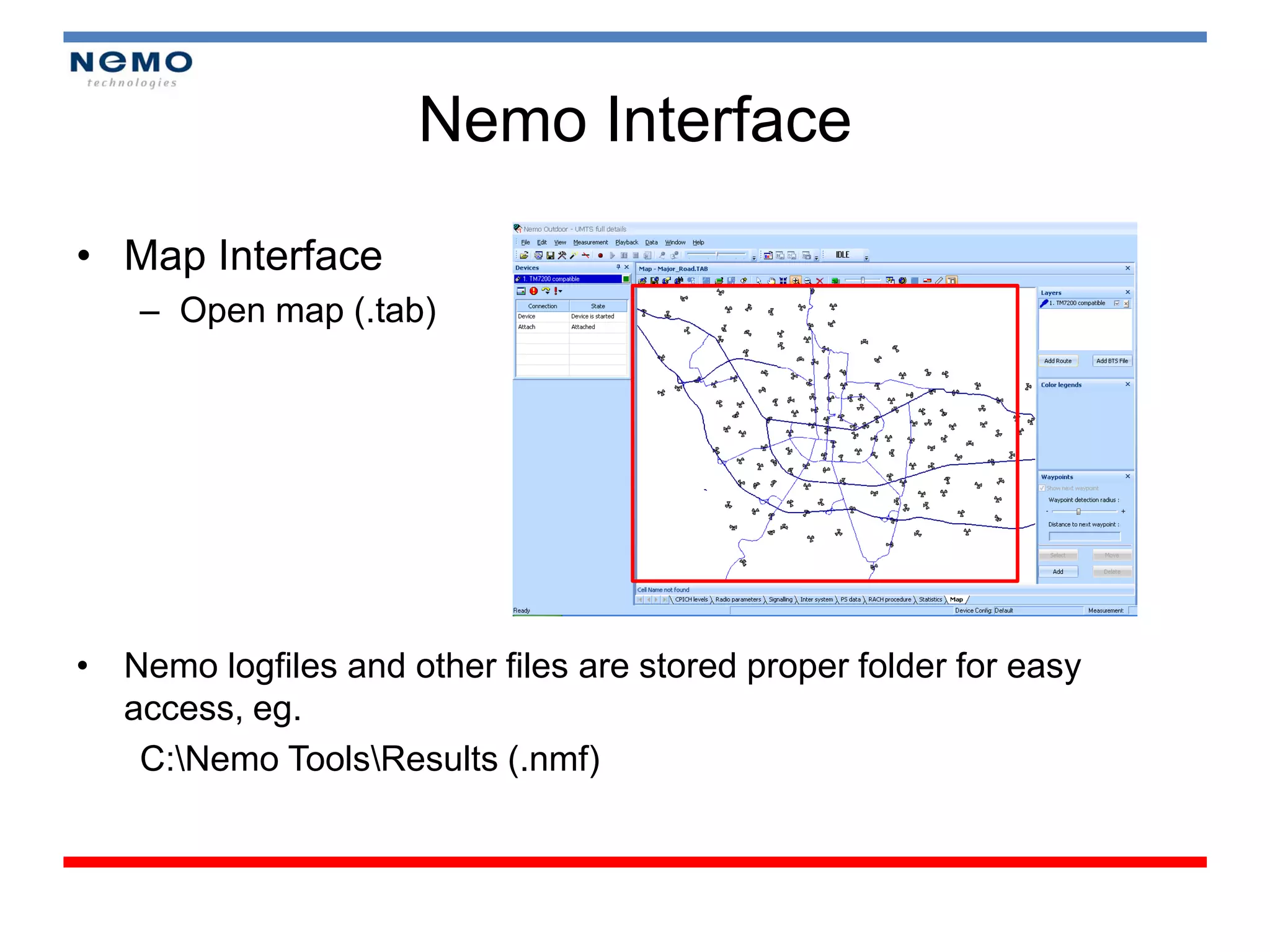
Nemo Interface

• Map Interface
    – Open map (.tab)


• Nemo logfiles and other files are stored proper folder for easy
  access, eg.
   C:Nemo ToolsResults (.nmf)
Module 3


DRIVE TEST ON FIELD (OUTDOOR)
Module 4


REPORTING
Map Info

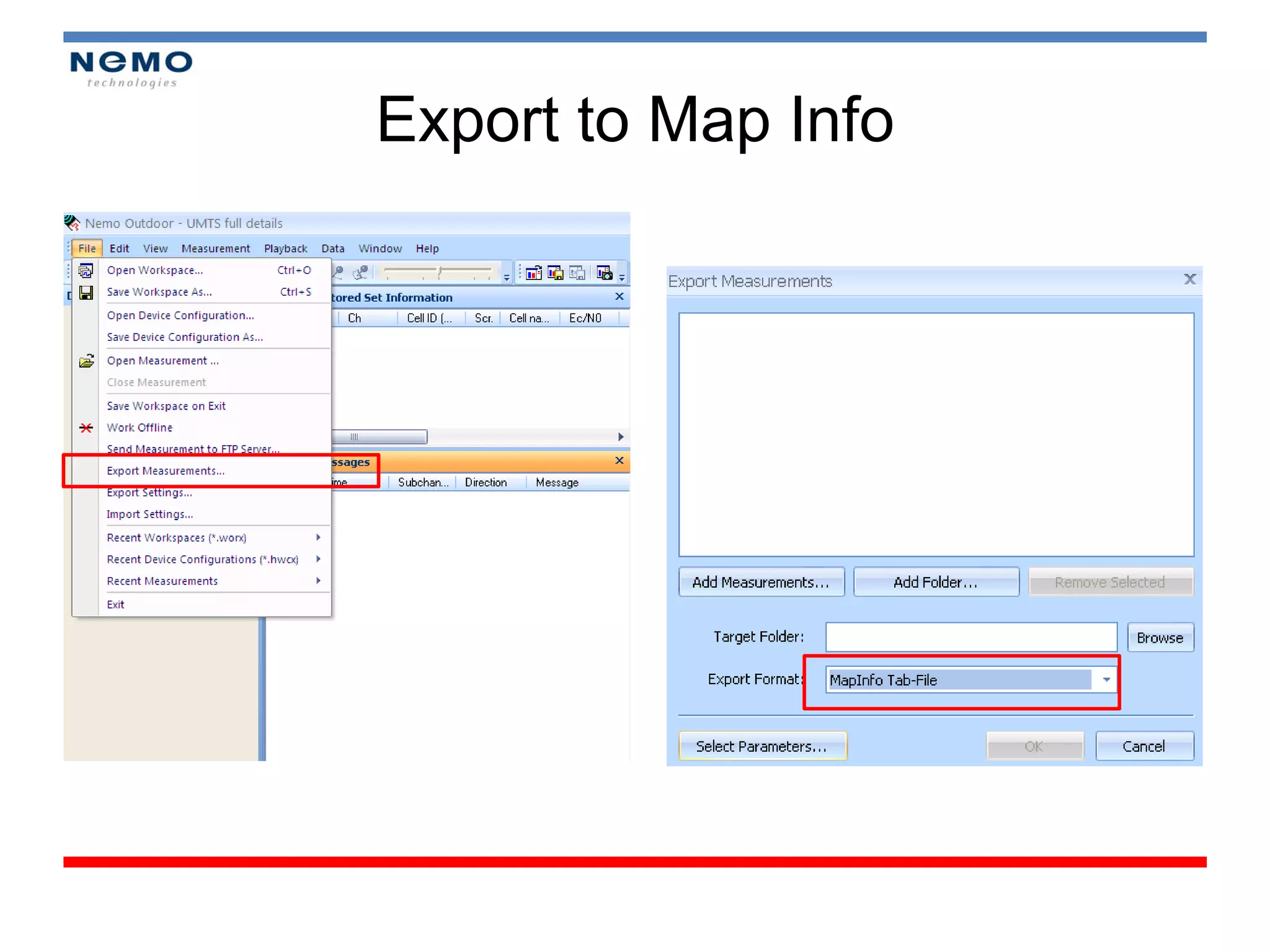
• Exporting from Nemo Outdoor
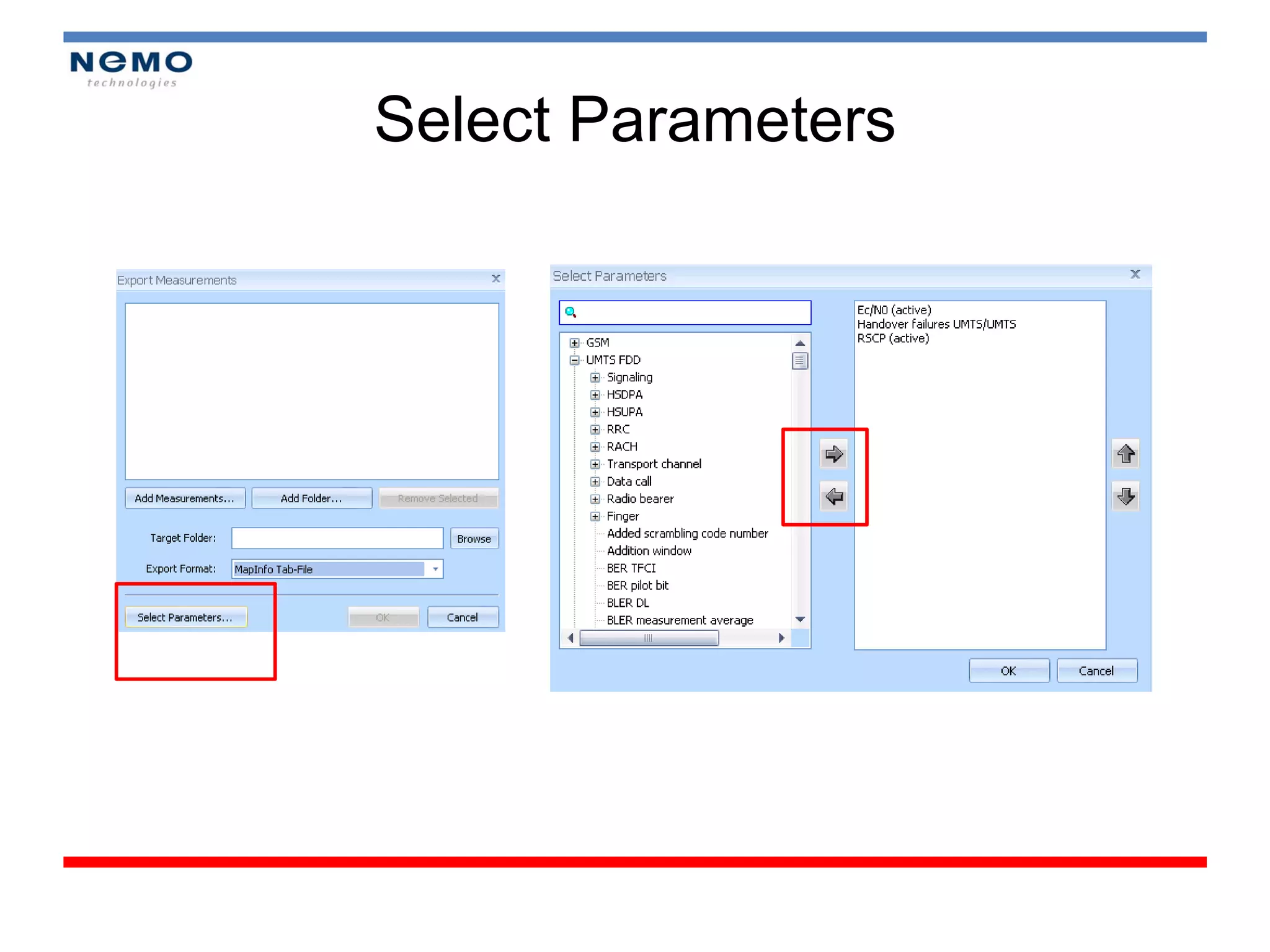
   – Select Parameters
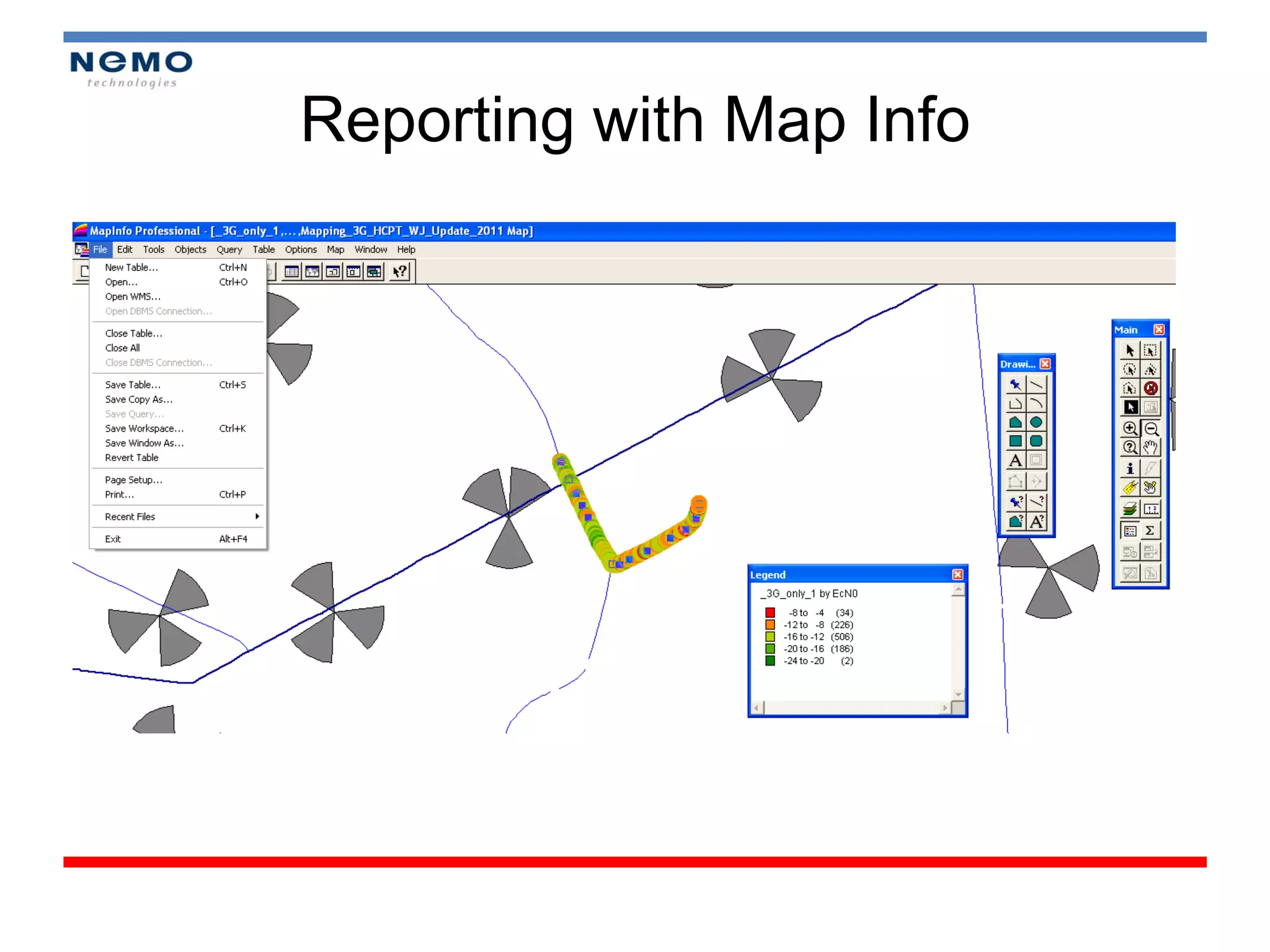
• Reporting KPI with Map Info
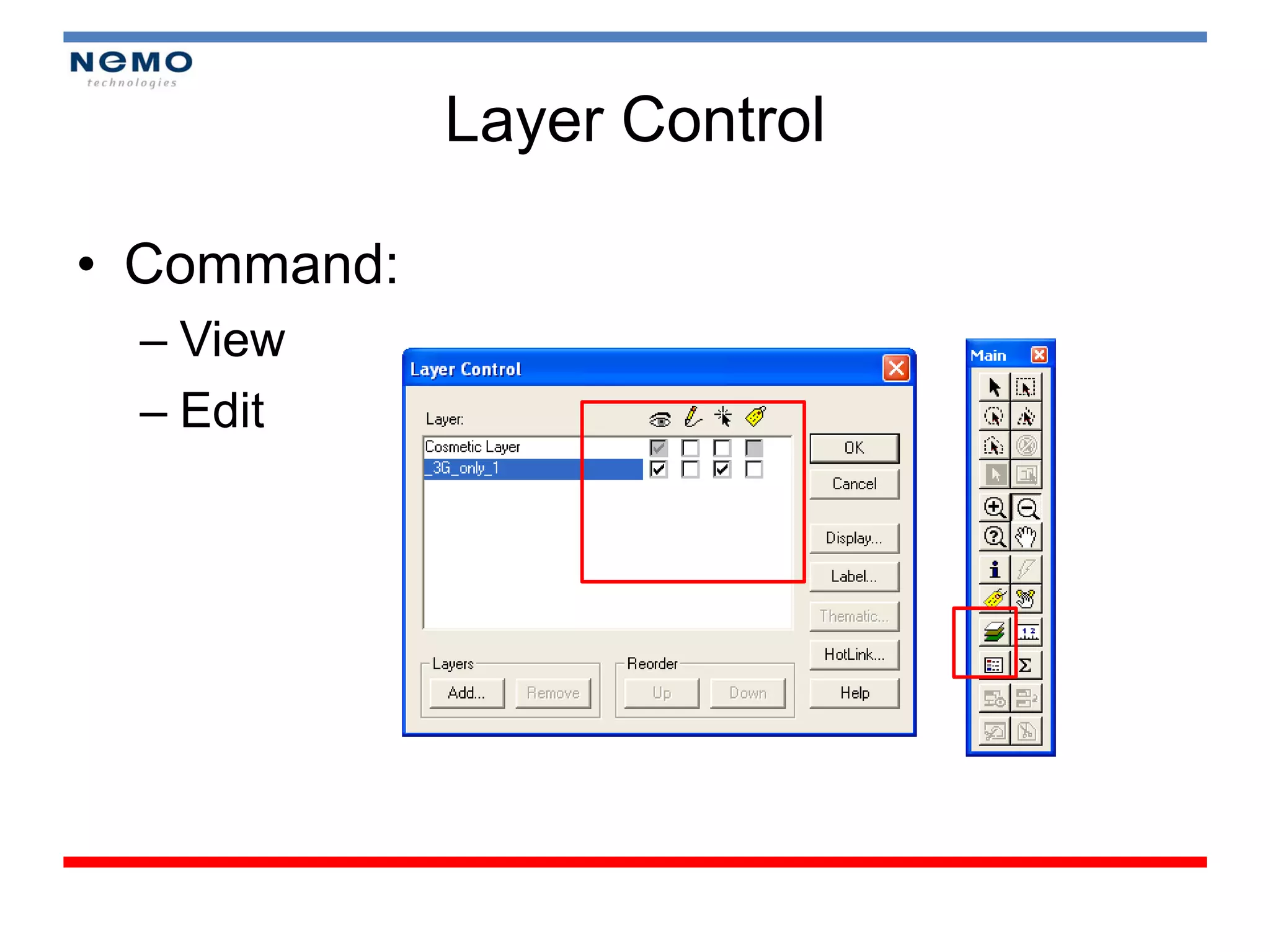
• Layer Control
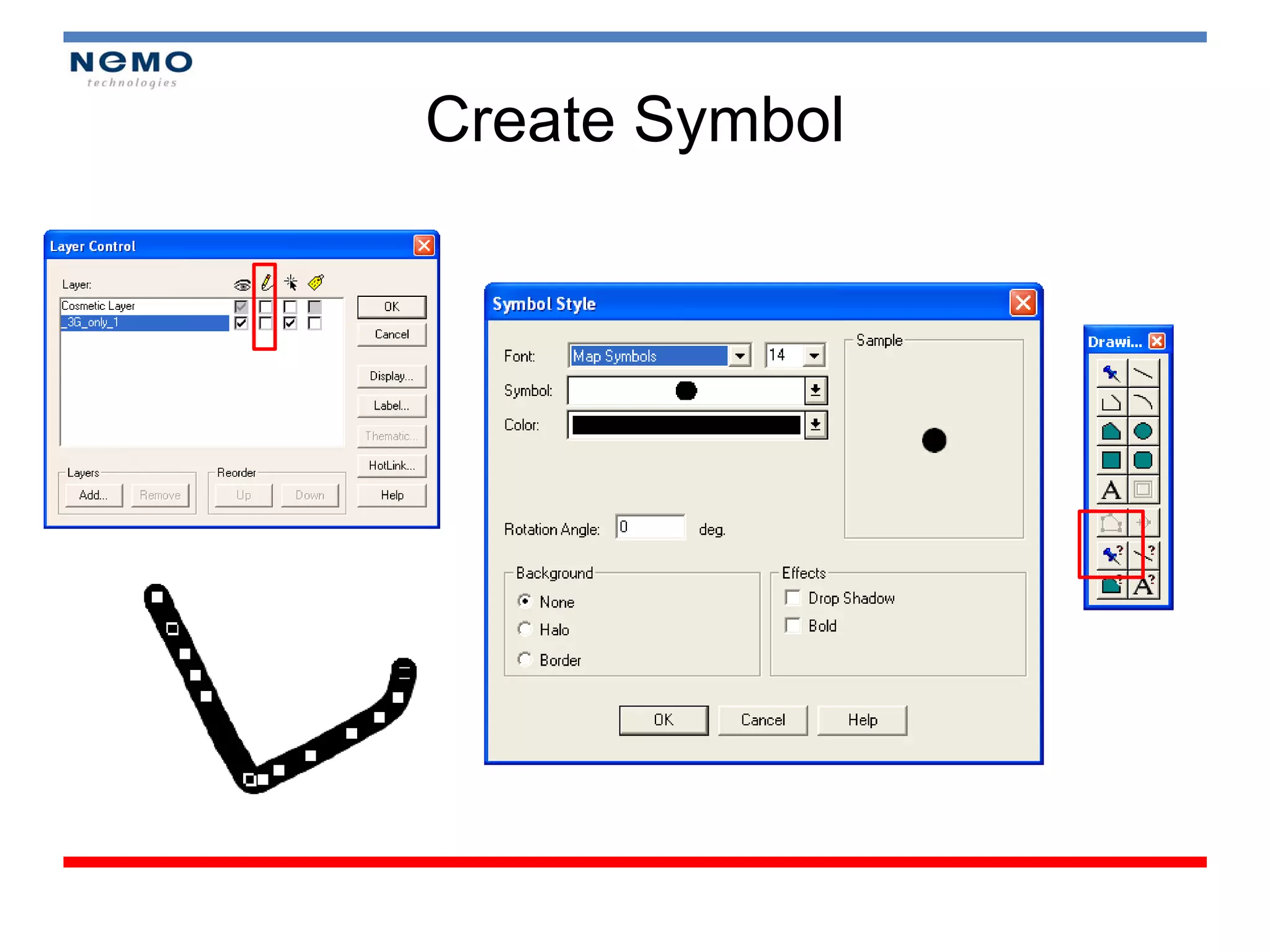
   – Symbol
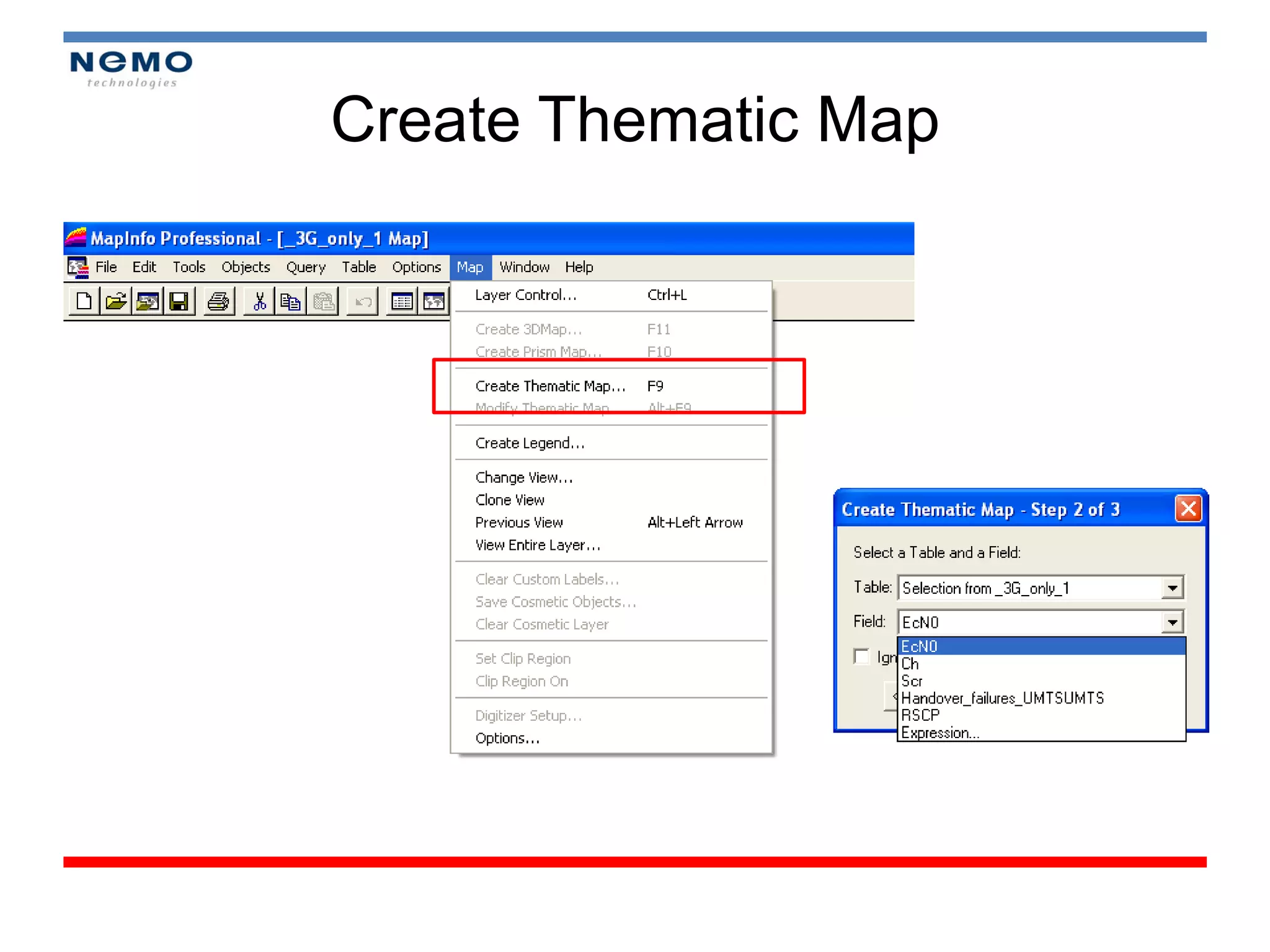
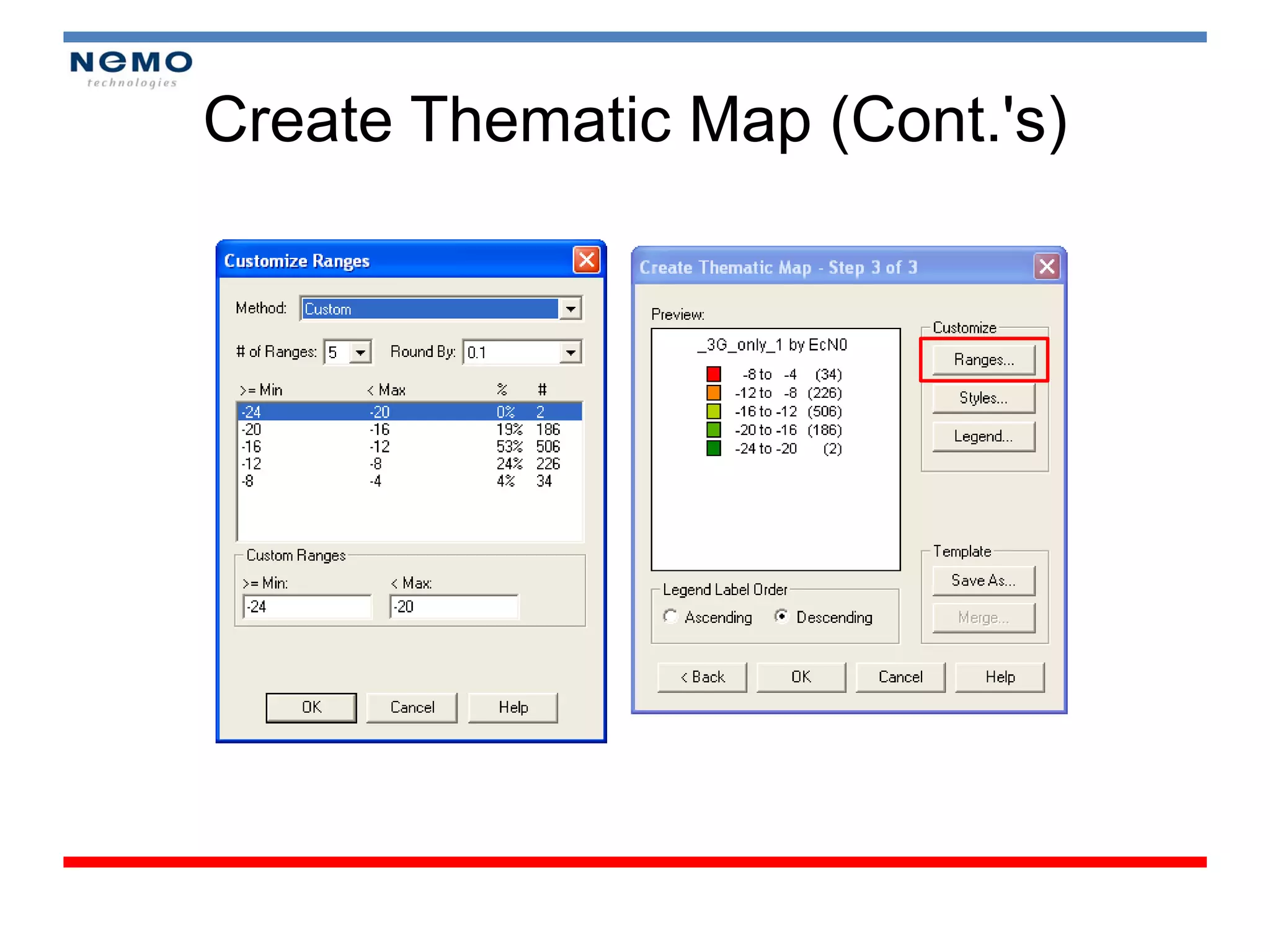
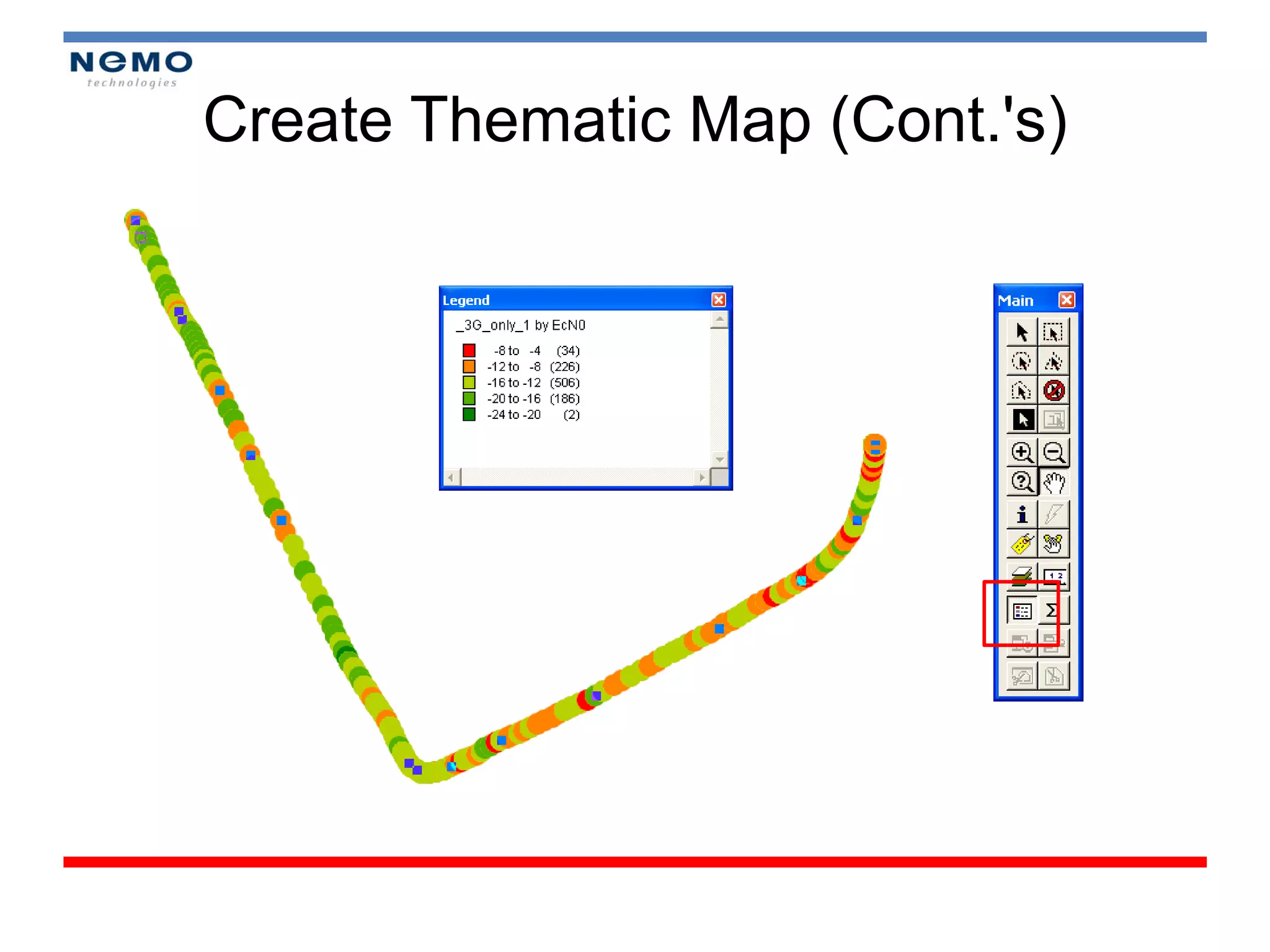
• Create Thematic Map
• Define Network Performance
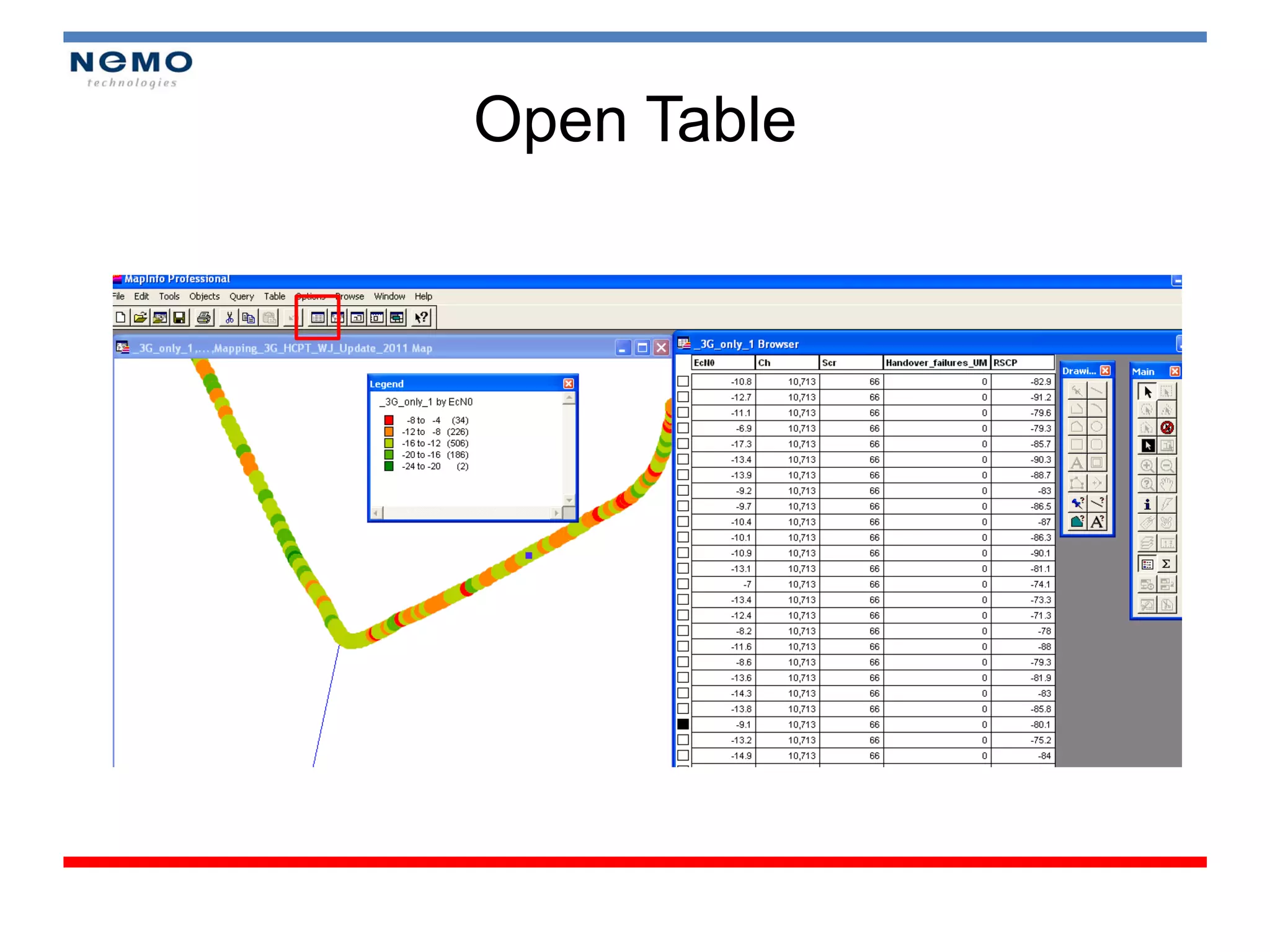
• Open Table
Export to Map Info
Select Parameters
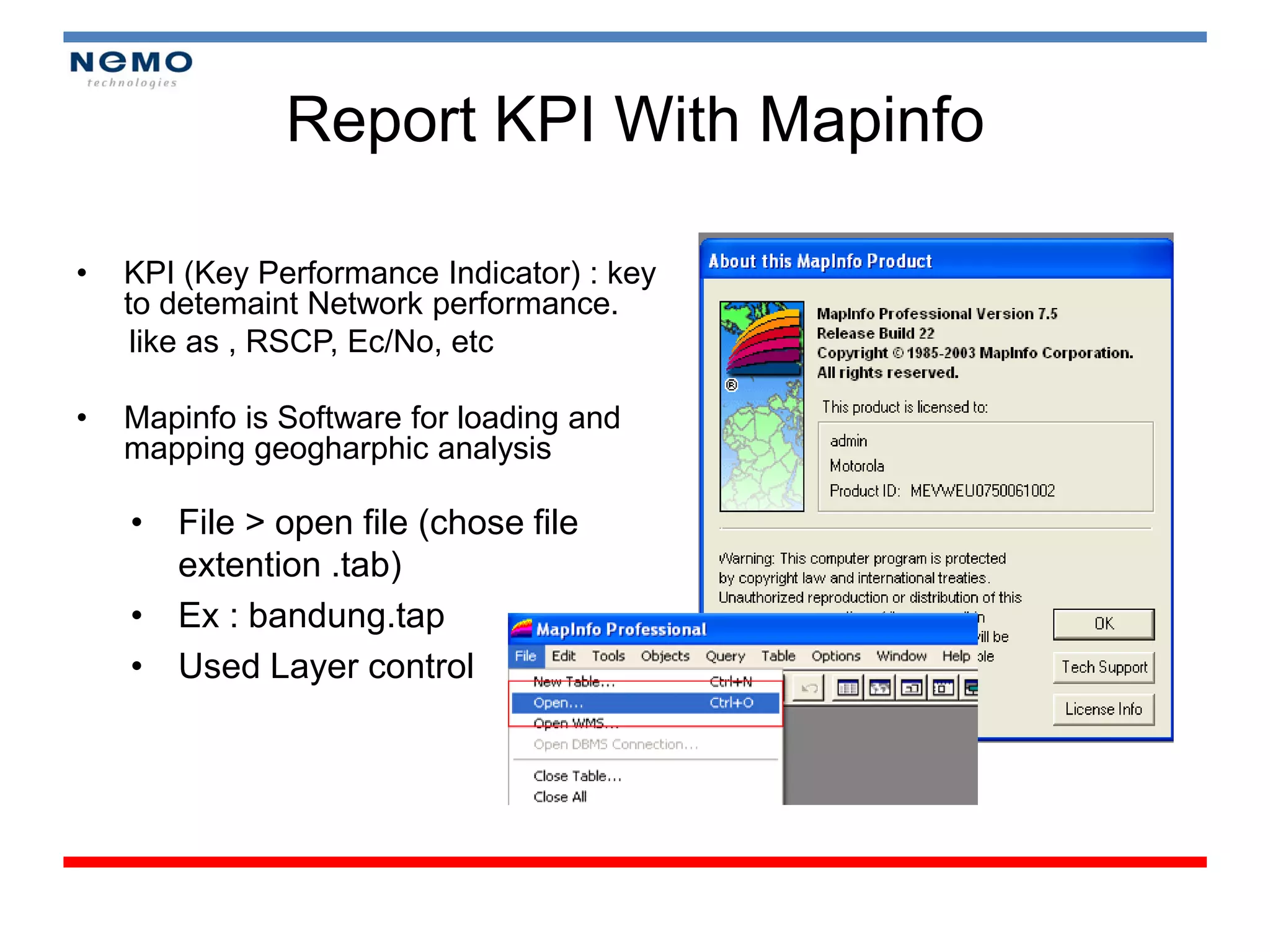
Report KPI With Mapinfo

•   KPI (Key Performance Indicator) : key
    to detemaint Network performance.
     like as , RSCP, Ec/No, etc

•   Mapinfo is Software for loading and
    mapping geogharphic analysis

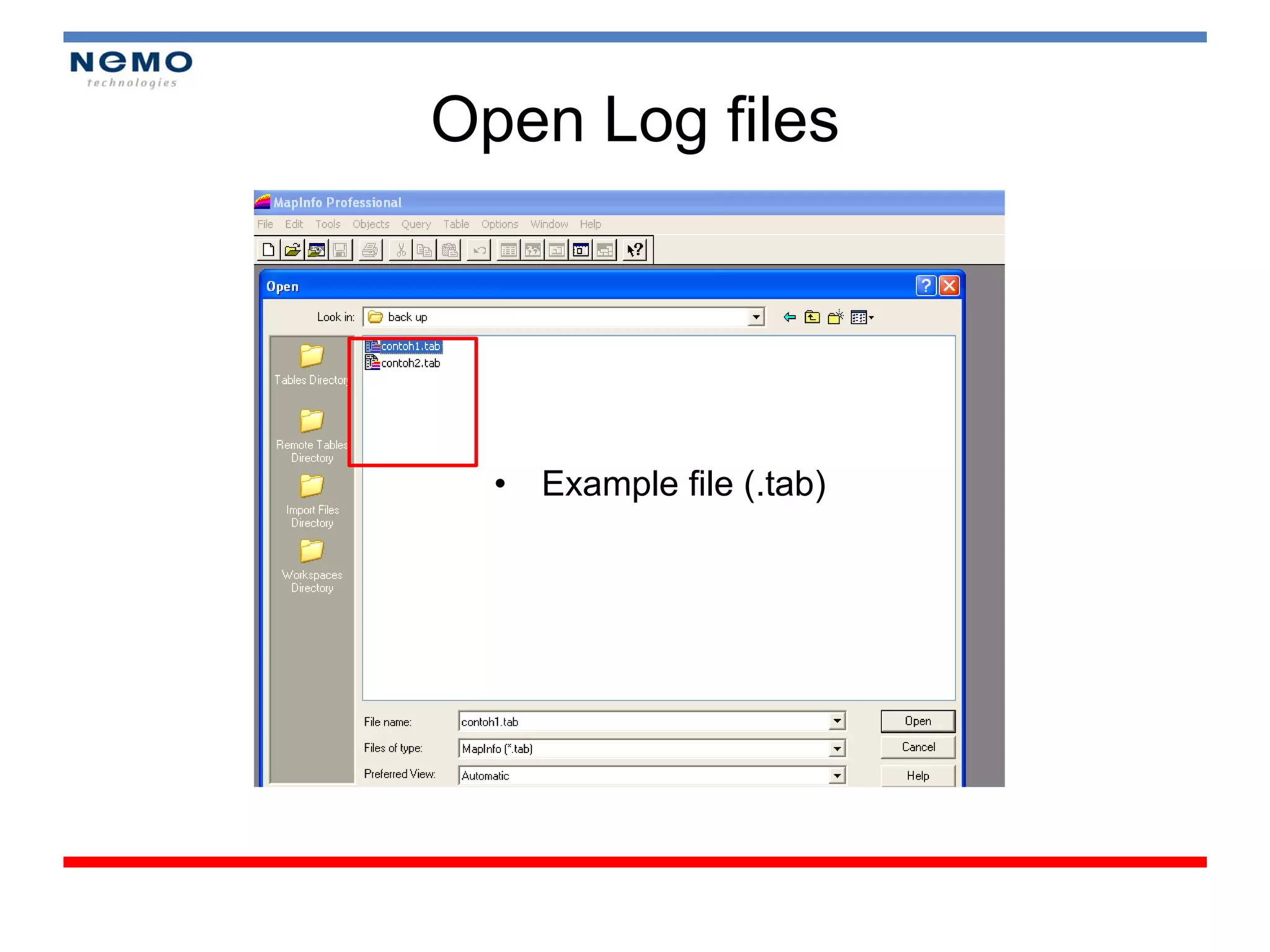
    • File > open file (chose file
      extention .tab)
    • Ex : bandung.tap
    • Used Layer control
Open Log files


  • Example file (.tab)
Layer Control

• Command:
 – View
 – Edit
Create Symbol
Create Thematic Map
Create Thematic Map (Cont.'s)
Reporting with Map Info
Open Table
Module 4


ANALYSIS (TUNING THE NETWORK)
UMTS Optimization

•   3 Mayor Steps in Optimizing Network
•   UMTS performance indicator
•   Problem Signature
•   Tuning network
    – Specific Neighbor list
    – Managing excessive soft handoff
3 Mayor Steps in Optimizing Network

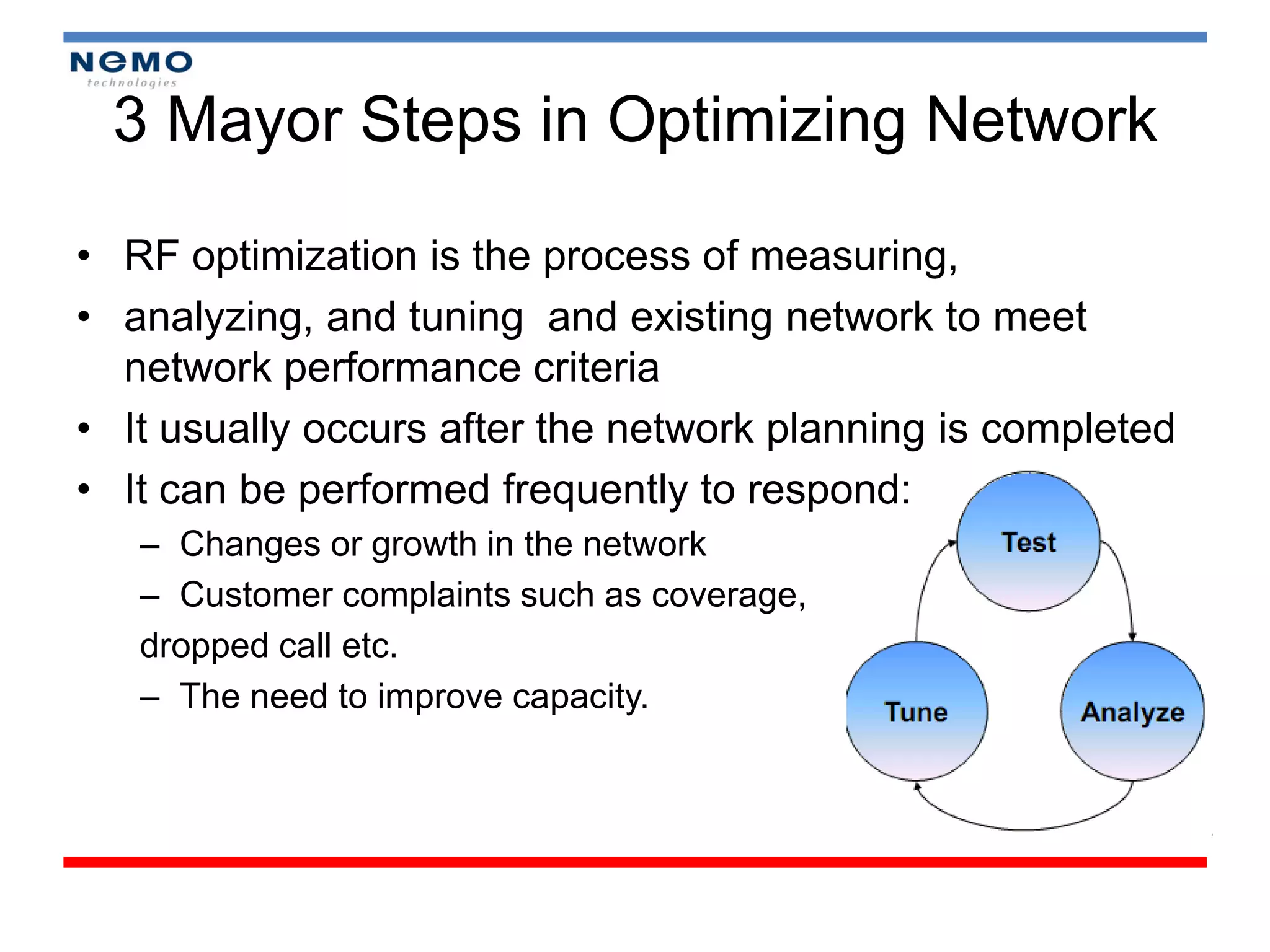
• RF optimization is the process of measuring,
• analyzing, and tuning and existing network to meet
  network performance criteria
• It usually occurs after the network planning is completed
• It can be performed frequently to respond:
   – Changes or growth in the network
   – Customer complaints such as coverage,
   dropped call etc.
   – The need to improve capacity.
UMTS Performance Indicator

KPI Target :
  –   RSCP (good > -85 dBm)
  –   Ec/No ( > -8 dB)
  –   BER (98%)
  –   Analyze Pilot Pollution Area
  –   Drop Call Rate (DCR)
  –   HSR (Handover Success Rate)
  –   Call Setup Success Rate (CSSR)
Problem Signature

• Missing Neighbor or No Neighbors defined for
  Site. (Database)
• Poor Coverage Area.
• Pilot Pollution Area
Poor Coverage Area

•   Test mobile measurements
•   Antenna configuration check
•   Verification of RF network design
•   Propagation model verification
•   Link budget analysis
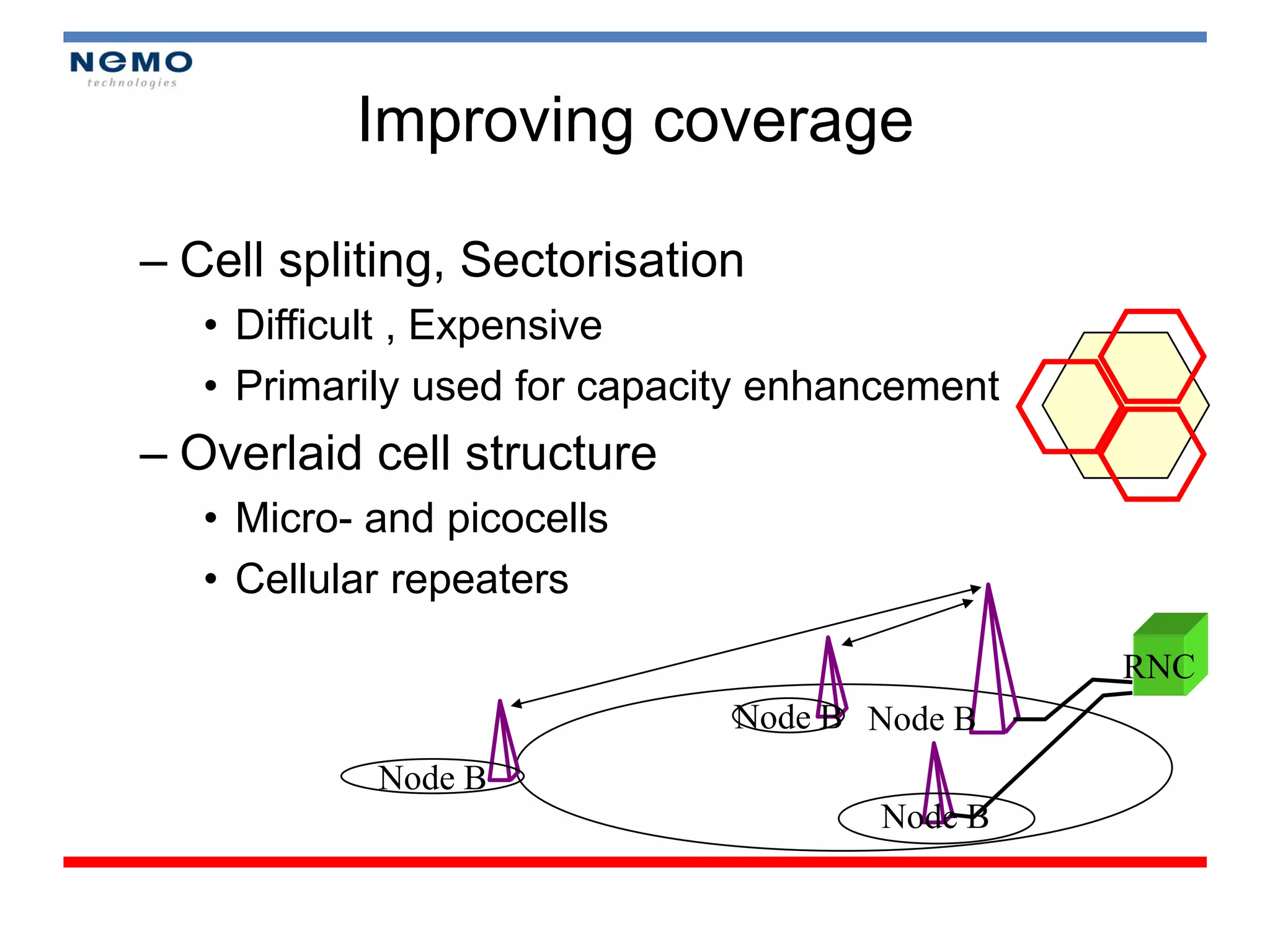
Improving coverage

– Cell spliting, Sectorisation
   • Difficult , Expensive
   • Primarily used for capacity enhancement
– Overlaid cell structure
   • Micro- and picocells
   • Cellular repeaters

                                               RNC
                              Node B Node B
            Node B
                                     Node B
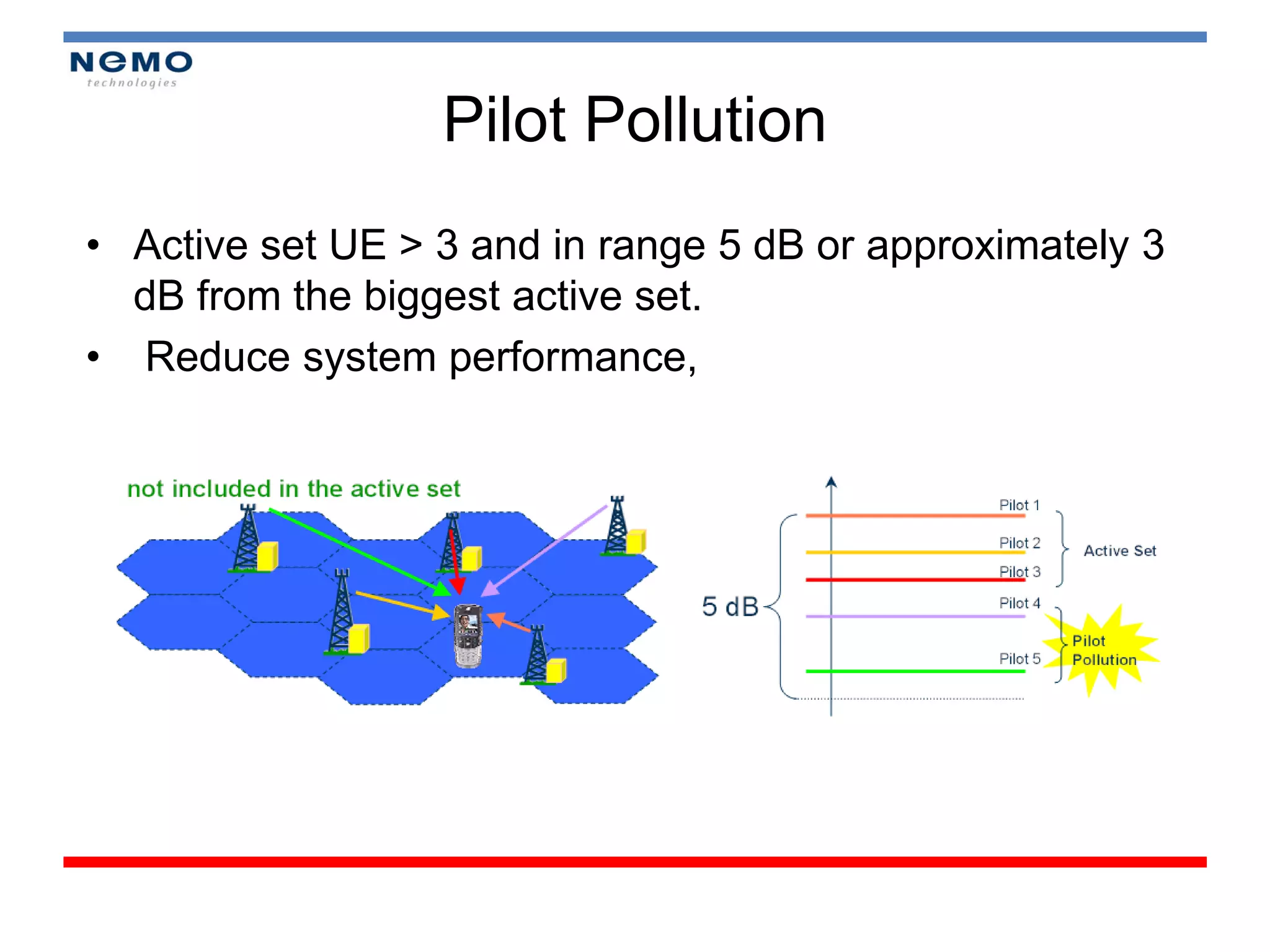
Pilot Pollution
• Active set UE > 3 and in range 5 dB or approximately 3
  dB from the biggest active set.
• Reduce system performance,
Antenna Fine Tuning

• Horizontal plane
  – Possible coverage weakness between sector
  – Interference reduction
  – Traffic load distribution
• Vertical Plane
  – Interference reduction
  – Possible coverage weakness in the short to medium
    distance range
  – Traffic load distribution
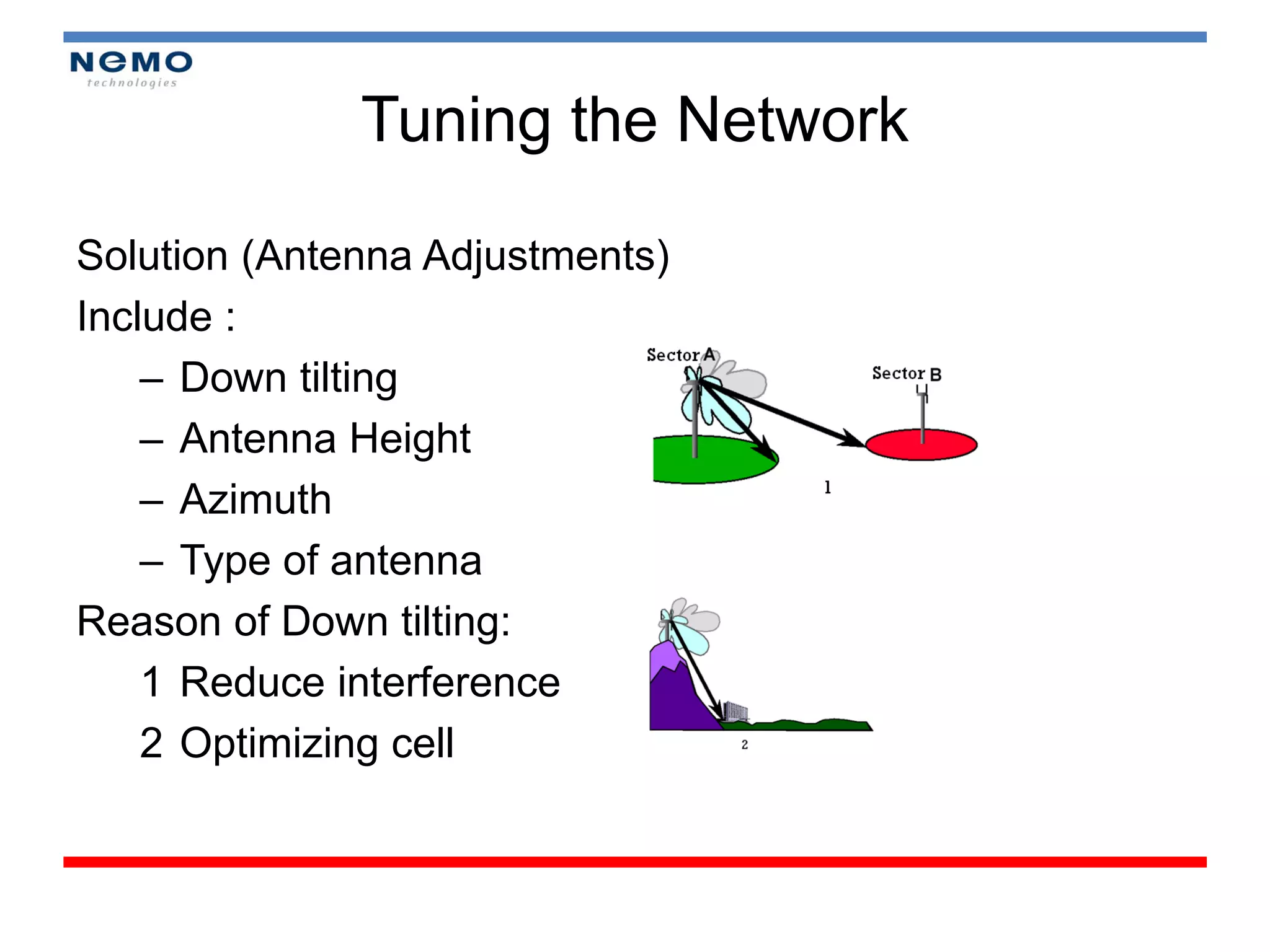
Tuning the Network

Solution (Antenna Adjustments)
Include :
    – Down tilting
    – Antenna Height
    – Azimuth
    – Type of antenna
Reason of Down tilting:
    1 Reduce interference
    2 Optimizing cell
Antenna Configuration
• General points to check
   – antenna type, e.g.
       • omni
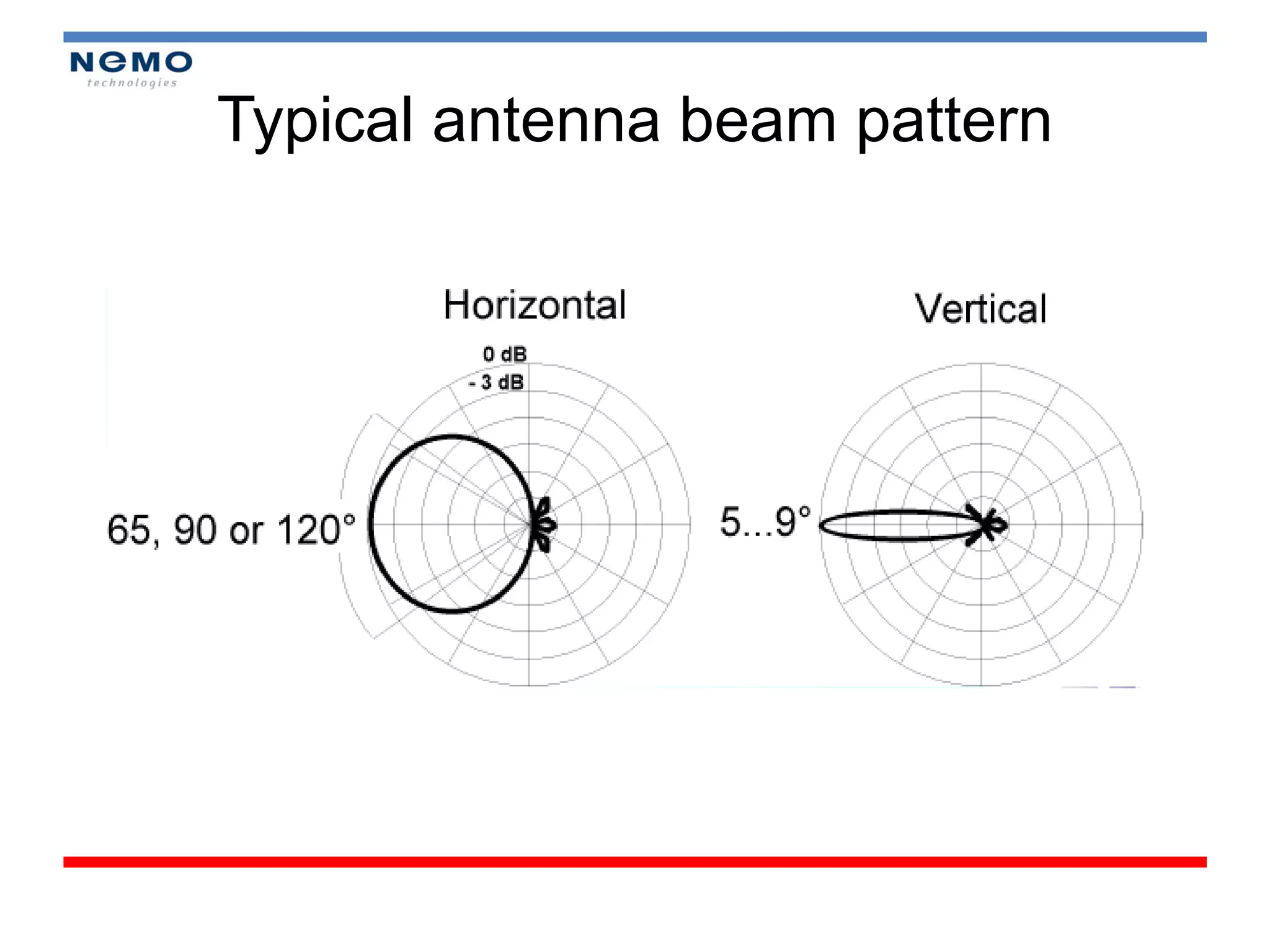
       • directional 60, 90 or 120 degrees
       • electrical downtilt
   – antenna azimuth angle (for directional antenna)
       • coverage targets
   – antenna tilt angle
       • electrical + mechanical
   – diversity & isolation
       • e.g. space diversity,
       • polarisation diversity
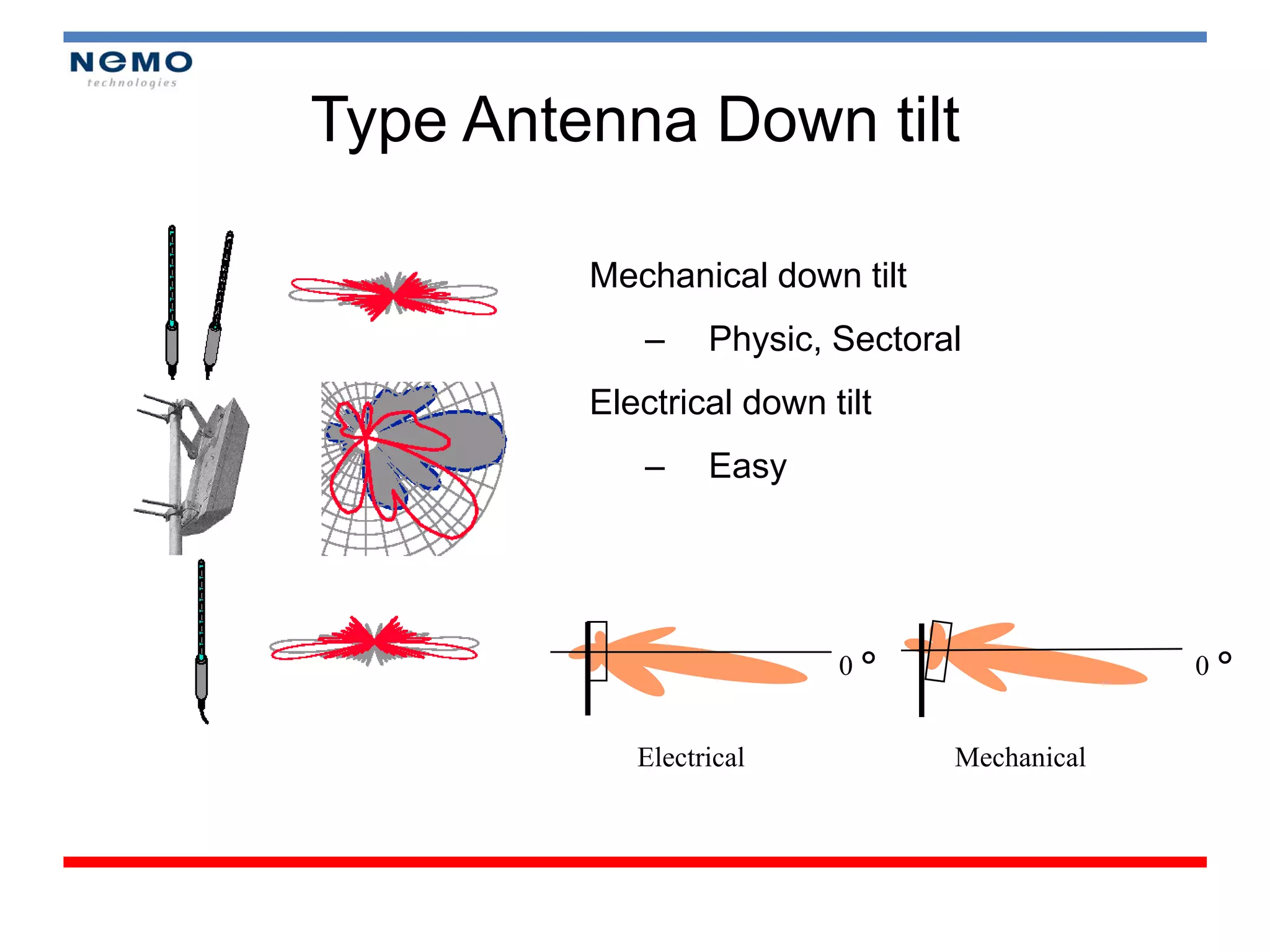
Type Antenna Down tilt

         Mechanical down tilt
            –     Physic, Sectoral
         Electrical down tilt
            –     Easy


                          0°                  0°


            Electrical           Mechanical
Typical antenna beam pattern
Omni vs. Sectorised

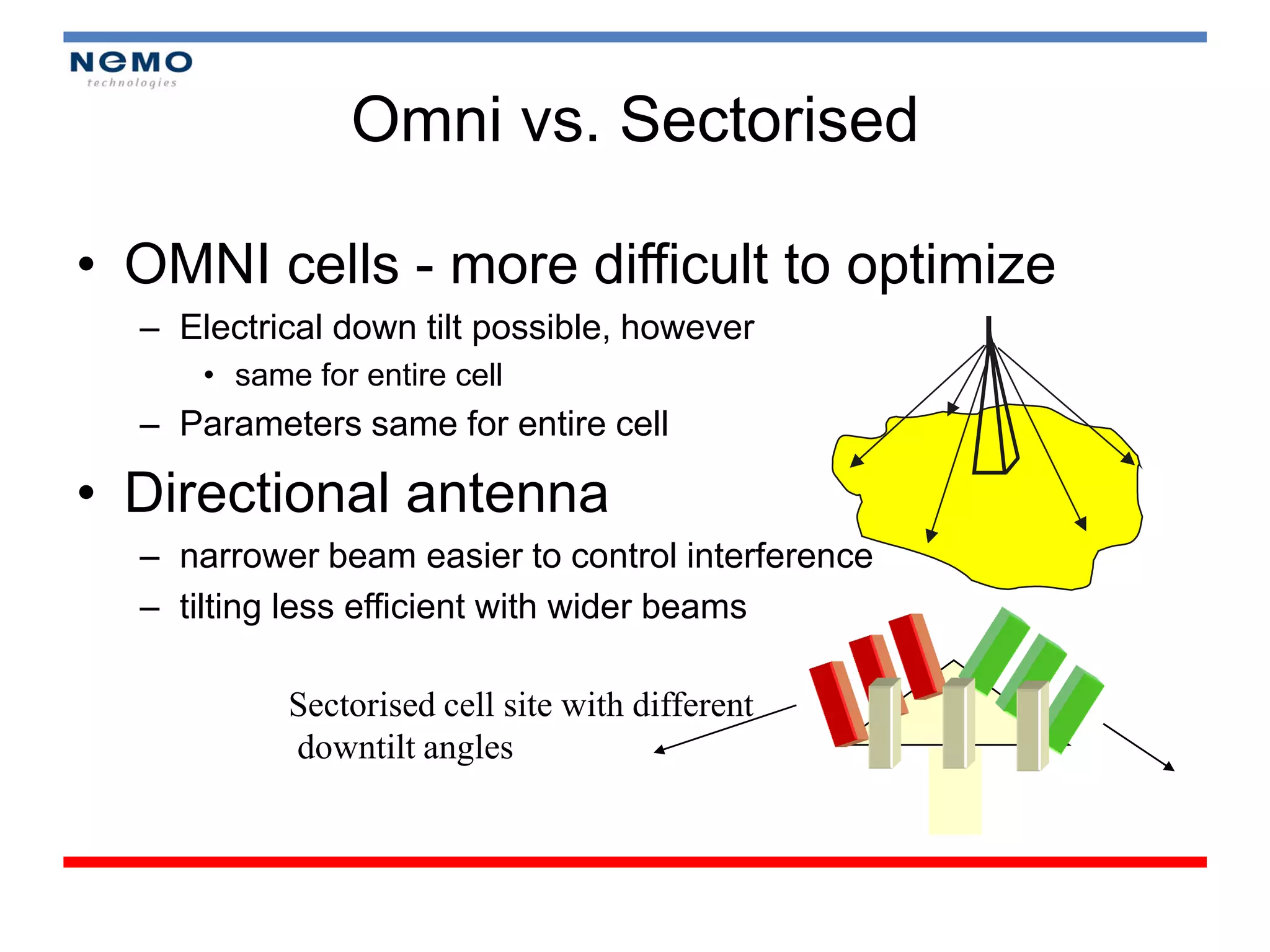
• OMNI cells - more difficult to optimize
  – Electrical down tilt possible, however
      • same for entire cell
  – Parameters same for entire cell

• Directional antenna
  – narrower beam easier to control interference
  – tilting less efficient with wider beams

            Sectorised cell site with different
            downtilt angles
Reference
• Short Course “In Building DCS 1800 Coverage”, Mobile
  Communication Laboratory, 2009
• Short Course “Drive Test UMTS”, Mobile Communication
  Laboratory, 2008
• Short Course “Drive Test CDMA 2001x and Optimization”, Mobile
  Communication Laboratory, 2008
• Short Course “CDMA Drive Test and Optimization”, Antenna
  Laboratory, 2007
• Nemo_Outdoor_manual
Thanks

Drive Test Nemo

  • 1.
    Nemo Drive Teston 2G/3G Networks Toha Ardi Nugraha Trainer at Expert Coaching Clinic
  • 2.
  • 3.
    Reason of DriveTest? 1. Network Performance Monitoring 2. Maintenance 3. Benchmarking 4. Customer Complains
  • 4.
    Module 1 : Overview 3G System (1 hour) • Module 2 : Drive Test Concept (1,5 hour) • Module 3 : Drive Test on Field (2,5 hour) • Module 4 : Reporting (2 hour) • Module 5 : Analysis (2 hour)
  • 5.
  • 6.
  • 7.
    GSM & UMTSEvolution
  • 8.
  • 9.
    Specification of GSM •Frequency band : Uplink 890 – 915 Mhz Downlink 935 – 960 Mhz • Duplex spacing : 45 Mhz • Carrier spacing : 200 khz • Modulation : GMSK • Access method : FDMA / TDMA
  • 10.
    GSM network Architecture(cont’d) • 3 Subsystem in GSM network - BSS (Base Station Subsystem) - NSS (Network and Switching Subsystem) - OSS/OMC (Operating and Support system or Operating and Maintenance Centre)
  • 11.
    GSM network Architecture(cont’d) BSS (Base Station SubSystem) • BTS (Base Transceiver Station) - Radio equipment - To transmit and Receive signal to MS - Defined a Cell coverage depend on the power transmit • BSC (Base Station Controller) - RRM for several BTS - Handover management • TRAU - Rate adaption
  • 12.
    GSM network Architecture(cont’d) NSS (Network and Switching Sub System) • MSC (Mobile Switching Centre) • HLR (Home Location Register) • VLR (Visitor Location Register) • AuC (Authentication Center)
  • 13.
    GSM network Architecture(cont’d) Operation and Support System • Control and Monitor the Network - NMC (Network Management Centre) - Some OMC are controlled by NMC - OMC (Operation and Maintenance Centre)
  • 14.
    GSM Frequency Bands Frequency Band GSM type Uplink (UL) Downlink (DL) GSM 900 890-915 Mhz 935-960 Mhz GSM 1800 (DCS 1800) 1710-1785 Mhz 1805-1880 Mhz GSM 1900 (PCS 1900) 1850-1910 Mhz 1930-1990 Mhz
  • 15.
    GSM Channelization • PhysicalChannel – 200 Khz (Frequency Carrier) consist of 8 TS • Logical Channel – Control Channel – Traffic Channel Control Traffic Channel Channel
  • 16.
    GSM channelization (Cont’d) Logical channel Chontrol Traffic Channel Channel Common Dedicated Broadcast Control Control Full Rate Half rate channel Channel Channel
  • 17.
    3G/UMTS Concept • WCDMA Concept • UMTS Architecture • Channelization • Handover
  • 18.
    WCDMA - WidebandCDMA • Radio access technology for one of the UMTS access modes (UTRA FDD) using 5 MHz duplex channels. – Frame length is of 10 msec, Chip rate is 3.84 Mcps – All users share the same frequency and time domain – Users separated by the codes
  • 19.
    UMTS Radio FrequencyRanges • FDD (Frequency Division Duplex) • TDD (Time Division Duplex)
  • 20.
    Channelization in UMTS • Logical Channel between RLC and MAC – Specific for information types – What type of data to be transferred • Transport channel between MAC and PHY – Specific for “how to transfer information?” (quality guarantee) – How and with which type of characteristic the data is transferred by the Physical Layer • Physical Channel – Exact Physical characteristics of the radio channel
  • 21.
    WCDMA Channel (Cont.'s) •Spreading means increasing the signal bandwidth • Spreading includes two operations – Channelization (increases signal bandwidth) • Orthogonal Spreading – Scrambling (does not affect the signal bandwidth) • Use pseudo-noise codes
  • 22.
    Handover Concept BSC Handover Req Handover Acknowledge Request Handover Req Handover Req Acknowledge Acknowledge Handover Handover command Complete Handover Request Posisi 2 Site B Posisi 1 Site A Posisi 3
  • 23.
    Handover: Types (2G) •Intracell handover – MS moves from one sector to another sector within same cell • IntraBSC handover – MS moves from cell to another cell within same BSC • IntraMSC handover – MS moves from cell to another cell from different BSC within same MSC • InterMSC handover – MS moves from cell to another cell from different BSC and different MSC
  • 24.
    Handover: Types (3G) •Intra-System handovers – Intra-frequency handovers • Soft, Softer – Inter-frequency handovers • Hard • Inter-System handovers – Handover between WCDMA <> GSM (Hard) – Handover between WCDMA/FDD <> TDD (Hard)
  • 25.
    Pilots Set The handsetconsiders pilots in sets – Active : pilot of sector actually in use – Candidate : pilots mobile requested, but not yet set up & transmitting by system – Neighbors: pilots told t mobile by system, as nearby sectors to check – Remaining: any pilots used by system but not already in the other sets
  • 26.
    Soft Handover Algorithm T T T Measurement Quantity CPICH 1 As_Th + As_Th_Hyst AS_Th – AS_Th_Hyst As_Rep_Hyst CPICH 2 CPICH 3 Time Event 1A Event 1C  Event 1B  Cell 1 Connected  Add Cell 2 Replace Cell 1 with Cell 3 Remove Cell 3
  • 27.
  • 28.
    Network Environment • UMTSDrive Test is testing and measuring performance of 3G/UMTS network. • Tools : 1. Software Nemo Outdoor 2. PC laptop 3. GPS 4. Scanner
  • 29.
    Reason of DriveTest? • Network Performance Monitoring • Maintenance • Benchmarking • Customer Complains
  • 30.
    Continuous Drive Test •Drive Test (outdoor) – GPS • Walk Test (indoor) – Pin point/way point
  • 31.
    Analyze Data Collection •Analyze data that was collected before (from Log files) • To know some problems in current area
  • 32.
    Reporting • To AnswerAnalyze Data Collection (Objective Answer) • Optimization Consideration • Recommendation
  • 33.
    Parameters DT GSM 1. Rx Level 2. Rx Qual 3. SQI 4. Cell Id, BSIC 5. TA (Timing Advance) 6. ARFCN, etc
  • 34.
    Parameters DT UMTS •UARFCN (UMTS Absolute Radio Frequency Channel Number) • RSCP (Receive Signal Code Power) • RSSI (Receive Signal Strength Indicator) • SC (Scrambling Code) • Ec/No • UE TxPower (dBm) • Throughput • BER, etc
  • 35.
    Open Device Manager •Step 1: Start >“Settings”> “Control Panel” > “System” Or “My Computer” > “Manage” > “Device Manager” • Step 2: Choose “Hardware” Tab in System Properties > Click “Device Manager”.
  • 36.
    Open Device Manager •Step 3 : • Look port to conect hardware (Modem) • Scanner/GPS & Check COM Ports
  • 37.
    Connect UE &Check COM Ports • Double click the “3G Modem” to check Trace port number > Check under “Modem” Tab. • For UE Modem: – In device manager view:
  • 38.
    Start Nemo Outdoor5.07 and Load Workspace • Make sure the Nemo dongle is connected to the laptop. • Launch Nemo Outdoor 5.07. • Load the desired workspace. • Workspace should contains adequate information for the user to monitor. • Different workspace should be created for different setup configuration. • Nemo workspace are stored proper folder for easy access, eg. C:Nemo ToolsNemo OutdoorWorkspaces
  • 39.
    Running Program Start >ProgramFiles > Nemo Tools > Nemo Outdoor 5 • Workspace • Details • Device Configuration • Load a measurement
  • 40.
    User Interface NemoOutdoor 5 Device graph Worksheet
  • 41.
    Load Workspace • Step3: Browse to Nemo Workspace Folder -> Select “workspace” > Click “Open”.
  • 42.
  • 43.
    Add Devices • Step1: Go to “Measurement” workspace > “Add New Device”. • Step 2: Click the “Configuration” part > “Trace port” and “Modem port”
  • 44.
    Nemo Interface • MapInterface – Open map (.tab) • Nemo logfiles and other files are stored proper folder for easy access, eg. C:Nemo ToolsResults (.nmf)
  • 45.
    Module 3 DRIVE TESTON FIELD (OUTDOOR)
  • 46.
  • 47.
    Map Info • Exportingfrom Nemo Outdoor – Select Parameters • Reporting KPI with Map Info • Layer Control – Symbol • Create Thematic Map • Define Network Performance • Open Table
  • 48.
  • 49.
  • 50.
    Report KPI WithMapinfo • KPI (Key Performance Indicator) : key to detemaint Network performance. like as , RSCP, Ec/No, etc • Mapinfo is Software for loading and mapping geogharphic analysis • File > open file (chose file extention .tab) • Ex : bandung.tap • Used Layer control
  • 51.
    Open Log files • Example file (.tab)
  • 52.
    Layer Control • Command: – View – Edit
  • 53.
  • 54.
  • 55.
  • 56.
  • 57.
  • 58.
  • 59.
  • 60.
    UMTS Optimization • 3 Mayor Steps in Optimizing Network • UMTS performance indicator • Problem Signature • Tuning network – Specific Neighbor list – Managing excessive soft handoff
  • 61.
    3 Mayor Stepsin Optimizing Network • RF optimization is the process of measuring, • analyzing, and tuning and existing network to meet network performance criteria • It usually occurs after the network planning is completed • It can be performed frequently to respond: – Changes or growth in the network – Customer complaints such as coverage, dropped call etc. – The need to improve capacity.
  • 62.
    UMTS Performance Indicator KPITarget : – RSCP (good > -85 dBm) – Ec/No ( > -8 dB) – BER (98%) – Analyze Pilot Pollution Area – Drop Call Rate (DCR) – HSR (Handover Success Rate) – Call Setup Success Rate (CSSR)
  • 63.
    Problem Signature • MissingNeighbor or No Neighbors defined for Site. (Database) • Poor Coverage Area. • Pilot Pollution Area
  • 64.
    Poor Coverage Area • Test mobile measurements • Antenna configuration check • Verification of RF network design • Propagation model verification • Link budget analysis
  • 65.
    Improving coverage – Cellspliting, Sectorisation • Difficult , Expensive • Primarily used for capacity enhancement – Overlaid cell structure • Micro- and picocells • Cellular repeaters RNC Node B Node B Node B Node B
  • 66.
    Pilot Pollution • Activeset UE > 3 and in range 5 dB or approximately 3 dB from the biggest active set. • Reduce system performance,
  • 67.
    Antenna Fine Tuning •Horizontal plane – Possible coverage weakness between sector – Interference reduction – Traffic load distribution • Vertical Plane – Interference reduction – Possible coverage weakness in the short to medium distance range – Traffic load distribution
  • 68.
    Tuning the Network Solution(Antenna Adjustments) Include : – Down tilting – Antenna Height – Azimuth – Type of antenna Reason of Down tilting: 1 Reduce interference 2 Optimizing cell
  • 69.
    Antenna Configuration • Generalpoints to check – antenna type, e.g. • omni • directional 60, 90 or 120 degrees • electrical downtilt – antenna azimuth angle (for directional antenna) • coverage targets – antenna tilt angle • electrical + mechanical – diversity & isolation • e.g. space diversity, • polarisation diversity
  • 70.
    Type Antenna Downtilt Mechanical down tilt – Physic, Sectoral Electrical down tilt – Easy 0° 0° Electrical Mechanical
  • 71.
  • 72.
    Omni vs. Sectorised •OMNI cells - more difficult to optimize – Electrical down tilt possible, however • same for entire cell – Parameters same for entire cell • Directional antenna – narrower beam easier to control interference – tilting less efficient with wider beams Sectorised cell site with different downtilt angles
  • 73.
    Reference • Short Course“In Building DCS 1800 Coverage”, Mobile Communication Laboratory, 2009 • Short Course “Drive Test UMTS”, Mobile Communication Laboratory, 2008 • Short Course “Drive Test CDMA 2001x and Optimization”, Mobile Communication Laboratory, 2008 • Short Course “CDMA Drive Test and Optimization”, Antenna Laboratory, 2007 • Nemo_Outdoor_manual
  • 74.