

BY
SHRUTI N-7
SHEFALI MALLYA-5
After this session the learner will be able to:
Explain various purposes of concept map
Explain various types of concept map
Explain stages of preparation of concept map
Explain application of concept map for teaching and
learning
Define the term flowchart
Explain the need and significance of symbols in flowchart
Explain the types of flowcharts with examples
Enumerate the advantages and limitations of using
flowcharts
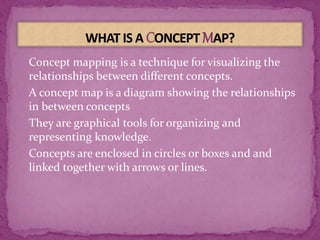
Concept mapping is a technique for visualizing the
relationships between different concepts.
A concept map is a diagram showing the relationships
in between concepts
They are graphical tools for organizing and
representing knowledge.
Concepts are enclosed in circles or boxes and and
linked together with arrows or lines.
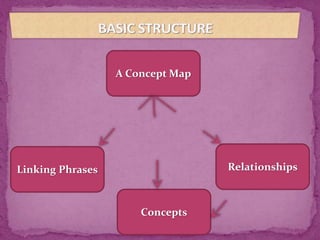
A Concept Map
Linking Phrases
Concepts
Relationships
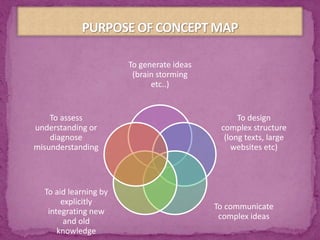
To generate ideas
(brain storming
etc..)
To design
complex structure
(long texts, large
websites etc)
To communicate
complex ideas
To aid learning by
explicitly
integrating new
and old
knowledge
To assess
understanding or
diagnose
misunderstanding
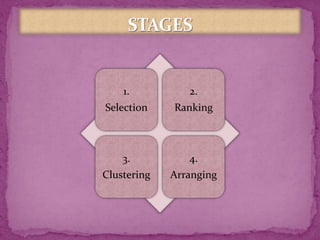
1.
Selection
2.
Ranking
3.
Clustering
4.
Arranging
Try to keep points in brief
Use color-coding to group sections of map. Colour
shapes, arrows or words for emphasis
Look for cross-links between concepts on different
branches of your map. Indicate connections with
dotted line. Label the cross-links.
Use blank (unlined) sheets of paper for drawing
concept maps. Do not scratch out marks, but start over
on clean sheets to avoid confusion.
Show your map to your teacher to get feedback
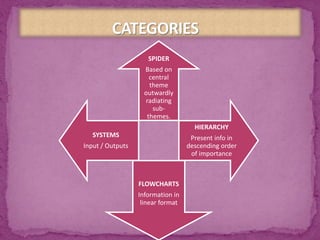
SPIDER
Based on
central
theme
outwardly
radiating
sub-
themes.
HIERARCHY
Present info in
descending order
of importance
FLOWCHARTS
Information in
linear format
SYSTEMS
Input / Outputs
For Teacher:
Teach a topic
Reinforce understanding
Identify misconceptions
Evaluation
For Students:
Better
understanding
Can reduce
paperwork
Perform
according to
standardized
procedures
Helps in
problem
identification
and
improvement
Clear
explanation
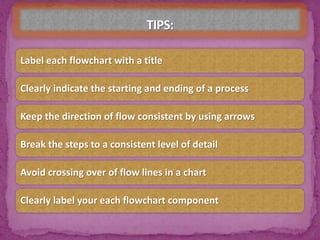
Label each flowchart with a title
Clearly indicate the starting and ending of a process
Keep the direction of flow consistent by using arrows
Break the steps to a consistent level of detail
Avoid crossing over of flow lines in a chart
Clearly label your each flowchart component
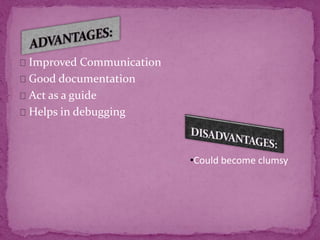
Improved Communication
Good documentation
Act as a guide
Helps in debugging
•Could become clumsy
Flowchart and concept maps

Flowchart and concept maps

  • 1.
  • 2.
    After this sessionthe learner will be able to: Explain various purposes of concept map Explain various types of concept map Explain stages of preparation of concept map Explain application of concept map for teaching and learning Define the term flowchart Explain the need and significance of symbols in flowchart Explain the types of flowcharts with examples Enumerate the advantages and limitations of using flowcharts
  • 3.
    Concept mapping isa technique for visualizing the relationships between different concepts. A concept map is a diagram showing the relationships in between concepts They are graphical tools for organizing and representing knowledge. Concepts are enclosed in circles or boxes and and linked together with arrows or lines.
  • 4.
    A Concept Map LinkingPhrases Concepts Relationships
  • 5.
    To generate ideas (brainstorming etc..) To design complex structure (long texts, large websites etc) To communicate complex ideas To aid learning by explicitly integrating new and old knowledge To assess understanding or diagnose misunderstanding
  • 7.
  • 8.
    Try to keeppoints in brief Use color-coding to group sections of map. Colour shapes, arrows or words for emphasis Look for cross-links between concepts on different branches of your map. Indicate connections with dotted line. Label the cross-links. Use blank (unlined) sheets of paper for drawing concept maps. Do not scratch out marks, but start over on clean sheets to avoid confusion. Show your map to your teacher to get feedback
  • 9.
    SPIDER Based on central theme outwardly radiating sub- themes. HIERARCHY Present infoin descending order of importance FLOWCHARTS Information in linear format SYSTEMS Input / Outputs
  • 10.
    For Teacher: Teach atopic Reinforce understanding Identify misconceptions Evaluation For Students:
  • 14.
  • 15.
    Label each flowchartwith a title Clearly indicate the starting and ending of a process Keep the direction of flow consistent by using arrows Break the steps to a consistent level of detail Avoid crossing over of flow lines in a chart Clearly label your each flowchart component
  • 16.
    Improved Communication Good documentation Actas a guide Helps in debugging •Could become clumsy