Flipping the
Classroom
2013-2014
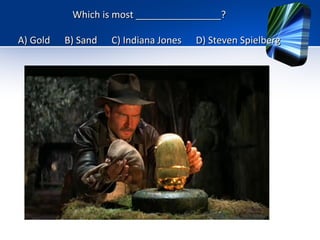
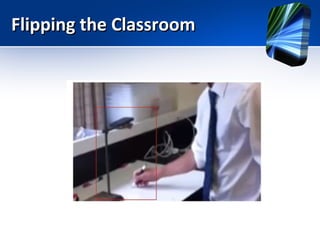
Which is most ________________?
A) Gold

B) Sand

C) Indiana Jones

D) Steven Spielberg
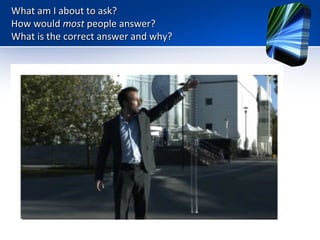
What am I about to ask?
How would most people answer?
What is the correct answer and why?
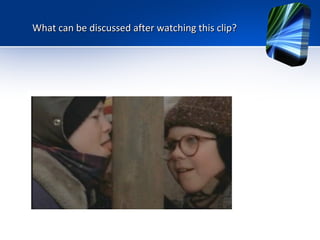
What can be discussed after watching this clip?
Flipping the
Classroom
2013-2014
Flipping the Classroom
“Flipping a boring lecture from
the classroom to the screen of
a mobile device [is] the same
dehumanizing chatter, just
wrapped up in fancy clothing.”
Flipping the Classroom
“I'll be honest. I get very nervous
when I hear education reformists
and politicians tout how "incredible"
the flipped classroom model, or how
it will "solve" many of the problems
of education.
It doesn't solve anything.”
Flipping the Classroom
The Flipped Classroom and Blended Learning is NOT:
•
•
•
•
•

An online course.
A synonym for online videos.
About replacing teachers with videos.
Students working without structure.
Students spending the entire class staring at a
computer screen.
• Students working in isolation.
Flipping the Classroom
The Flipped Classroom IS:
• A class where all students are engaged in
their learning.
Flipping the Classroom
Today’s Agenda

Beyond the Technology and Videos
•The philosophical differences between Flipping the Classroom and Online Learning.
•Focus will be on teacher practice, then tools and structures.
•Keeping the work load manageable for teachers.
•Keeping the work load manageable for students.
•How to build in reflective activities to have students think about what they learned, how it will
help them, and its relevance.
•How to have the students come to class more prepared for discussion, questioning and
problem solving .
•Partner with a colleague who teaches the same course and share responsibilities and results.
Flipping the Classroom
Today’s Agenda

Questions and Concerns

Technology
What technology do you have to support the flipped classroom?
Reflection
You must build in reflective activities to have students think
about concepts, how it will help them, and its relevance.
Time and Place
Where and when will students access these lessons.
Lessons Already Created That We Can Access
You will probably be surprised.
Flipping the Classroom

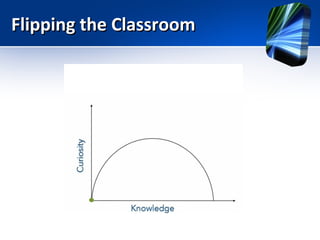
Fostering Curiosity
(Ramsey
Musallam)

vs
Mastery Learning
(Jonathan Bergmann and Aaron
Sams)
Flipping the Classroom
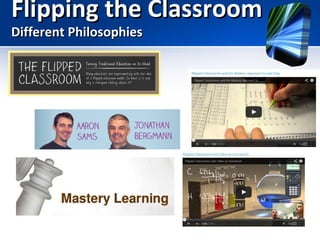
Different Philosophies
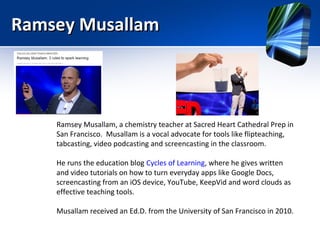
Ramsey Musallam

Ramsey Musallam, a chemistry teacher at Sacred Heart Cathedral Prep in
San Francisco. Musallam is a vocal advocate for tools like flipteaching,
tabcasting, video podcasting and screencasting in the classroom.
He runs the education blog Cycles of Learning, where he gives written
and video tutorials on how to turn everyday apps like Google Docs,
screencasting from an iOS device, YouTube, KeepVid and word clouds as
effective teaching tools.
Musallam received an Ed.D. from the University of San Francisco in 2010.
Flipping the Classroom

Fostering Curiosity
(Ramsey
Musallam)

vs
Mastery Learning
(Jonathan Bergmann and Aaron
Sams)
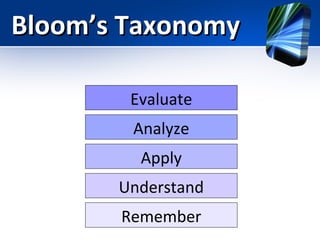
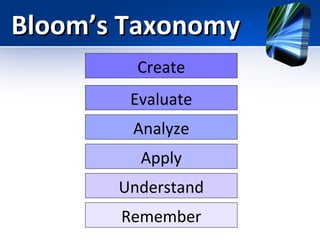
Bloom’s Taxonomy
Bloom’s Taxonomy

Remember
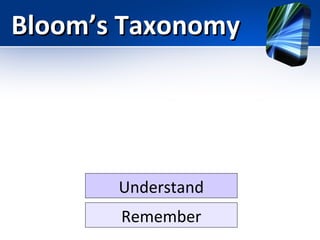
Bloom’s Taxonomy

Understand
Remember
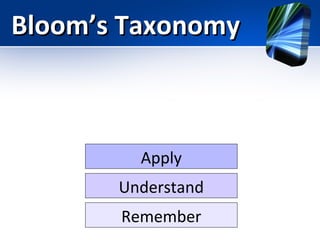
Bloom’s Taxonomy

Apply
Understand
Remember
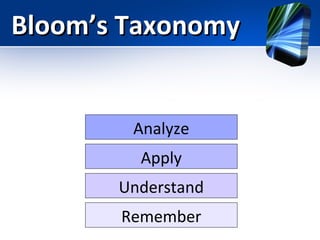
Bloom’s Taxonomy

Analyze
Apply
Understand
Remember
Bloom’s Taxonomy
Evaluate
Analyze
Apply
Understand
Remember
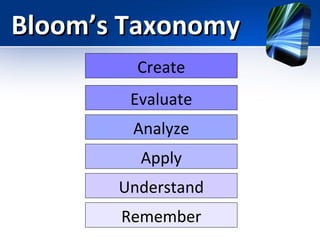
Bloom’s Taxonomy
Create
Evaluate
Analyze
Apply
Understand
Remember
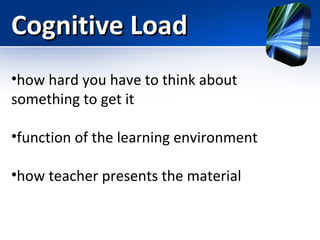
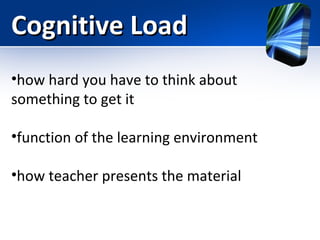
Cognitive Load
•how hard you have to think about
something to get it
•function of the learning environment
•how teacher presents the material
Cognitive Load
•how hard you have to think about
something to get it
•function of the learning environment
•how teacher presents the material
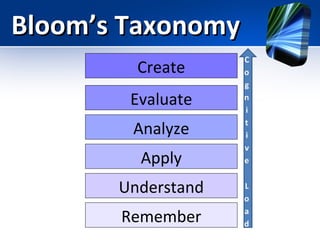
Bloom’s Taxonomy
Create
Evaluate
Analyze
Apply
Understand
Remember
Bloom’s Taxonomy
Create
Evaluate
Analyze
Apply
Understand
Remember
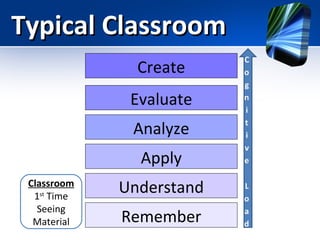
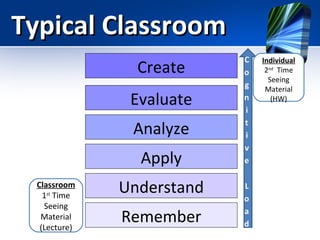
Typical Classroom
Create
Evaluate
Analyze
Apply
Classroom
1st Time
Seeing
Material

Understand
Remember
Typical Classroom
Create
Evaluate
Analyze
Apply
Classroom
1st Time
Seeing
Material
(Lecture)

Understand
Remember

Individual
2nd Time
Seeing
Material
(HW)
First Variation
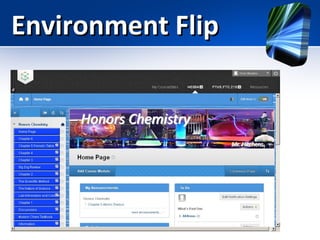
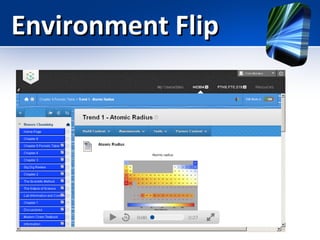
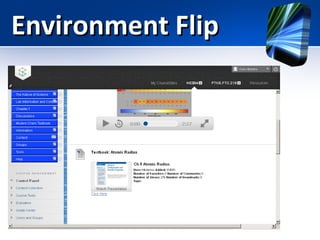
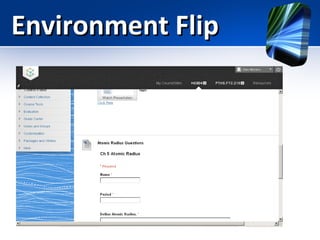
Environment Flip
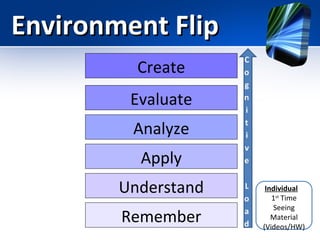
Environment Flip
Create
Evaluate
Analyze
Apply
Understand
Remember

Individual
1st Time
Seeing
Material
(Videos/HW)
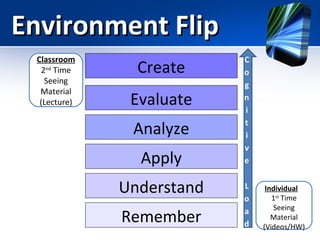
Environment Flip
Classroom
2nd Time
Seeing
Material
(Lecture)

Create
Evaluate
Analyze
Apply
Understand
Remember

Individual
1st Time
Seeing
Material
(Videos/HW)
Environment Flip
Environment Flip
Environment Flip
Environment Flip
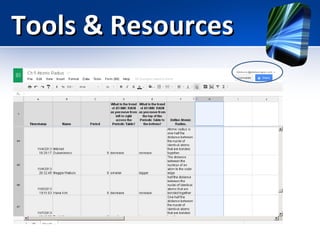
Tools & Resources
Second Variation
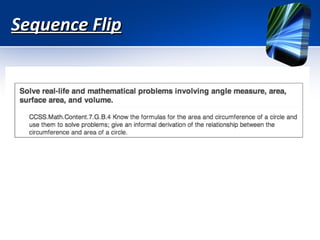
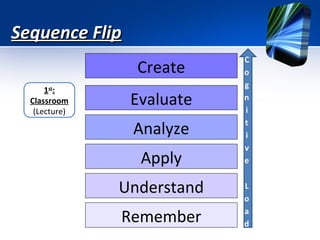
Sequence Flip
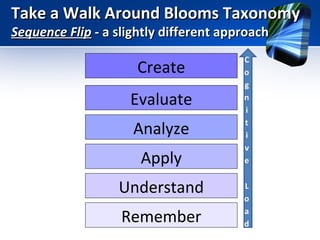
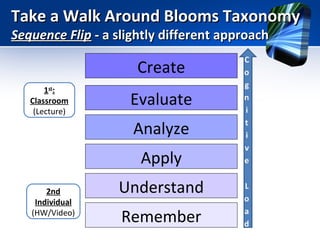
Take a Walk Around Blooms Taxonomy
Sequence Flip - a slightly different approach

Create
Evaluate
Analyze
Apply
Understand
Remember
Take a Walk Around Blooms Taxonomy
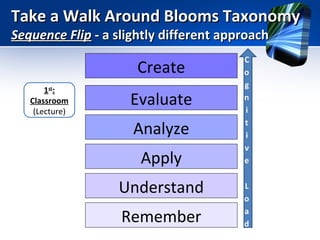
Sequence Flip - a slightly different approach

Create
1st:
Classroom
(Lecture)

Evaluate
Analyze
Apply
Understand
Remember
Take a Walk Around Blooms Taxonomy
Sequence Flip - a slightly different approach

Create
1st:
Classroom
(Lecture)

Evaluate
Analyze
Apply

2nd
Individual
(HW/Video)

Understand
Remember
Take a Walk Around Blooms Taxonomy
Sequence Flip - a slightly different approach

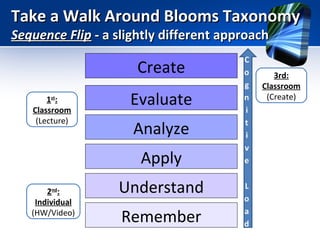
Create
1st:
Classroom
(Lecture)

Evaluate
Analyze
Apply

2nd:
Individual
(HW/Video)

Understand
Remember

3rd:
Classroom
(Create)
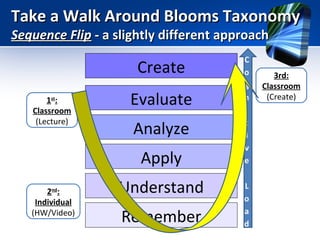
Take a Walk Around Blooms Taxonomy
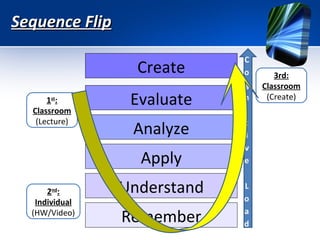
Sequence Flip - a slightly different approach

Create
1st:
Classroom
(Lecture)

Evaluate
Analyze
Apply

2nd:
Individual
(HW/Video)

Understand
Remember

3rd:
Classroom
(Create)
Sequence Flip
Sequence Flip
Create
1st:
Classroom
(Lecture)

Evaluate
Analyze
Apply
Understand
Remember
Sequence Flip
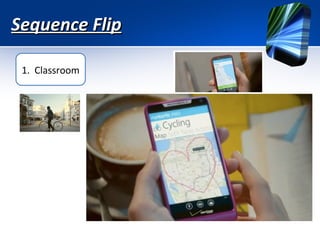
1. Classroom
Sequence Flip
1. Classroom
Sequence Flip
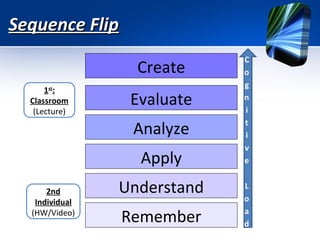
Create
1st:
Classroom
(Lecture)

Evaluate
Analyze
Apply

2nd
Individual
(HW/Video)

Understand
Remember
Sequence Flip
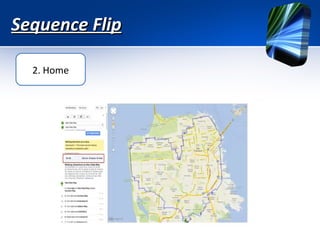
2. Home
Sequence Flip
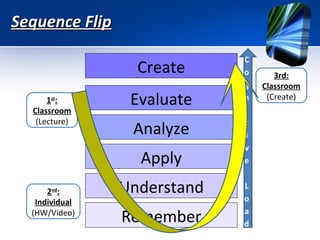
Create
1st:
Classroom
(Lecture)

Evaluate
Analyze
Apply

2nd:
Individual
(HW/Video)

Understand
Remember

3rd:
Classroom
(Create)
Sequence Flip
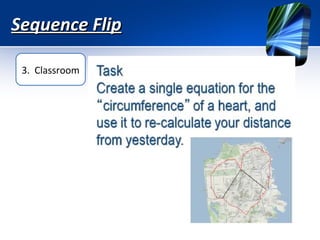
3. Classroom
Sequence Flip
Create
1st:
Classroom
(Lecture)

Evaluate
Analyze
Apply

2nd:
Individual
(HW/Video)

Understand
Remember

3rd:
Classroom
(Create)
Tools & Resources
Tools & Resources
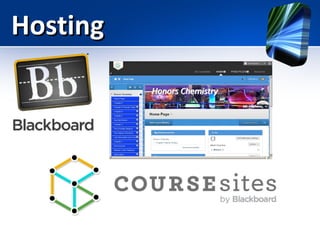
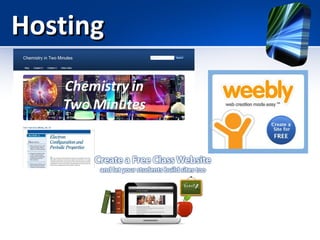
Hosting
Hosting
Hosting
Videos
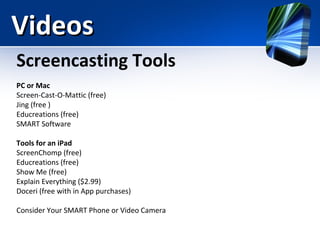
Screencasting Tools
PC or Mac
Screen-Cast-O-Mattic (free)
Jing (free )
Educreations (free)
SMART Software
Tools for an iPad
ScreenChomp (free)
Educreations (free)
Show Me (free)
Explain Everything ($2.99)
Doceri (free with in App purchases)
Consider Your SMART Phone or Video Camera
Flipping the Classroom
Videos
Videos
Videos – “ready made”
•
•
•
•
•
•
•

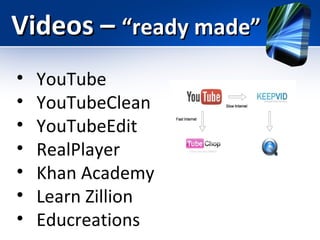
YouTube
YouTubeClean
YouTubeEdit
RealPlayer
Khan Academy
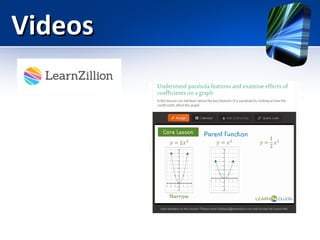
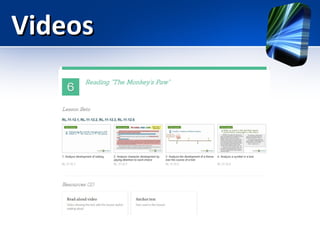
Learn Zillion
Educreations
Videos
Videos
Videos
Resources

Connecting:
http://jonbergmann.com/five-great-resources-to-flip-your-class/

One reason that the flipped classroom, and more specifically, flipped learning are growing, is because
groups of educators are working together to reflect and improve on the model.
Flippedclassroom.org: Join close to 15,000 educators having conversations about flipped learning. There is
a group for every conceivable type of educator. We have groups for primary teachers, math teachers,
college professors, english teachers and administrators, just to name a few. If the group you are looking for
isn’t there, start it.
Flippedlearning.org: The nonprofit organization Aaron Sams and I started in 2012 to help teach educators
how to flip their classes.
#flipclass chat on Twitter. One of the most dynamic groups of educators on twitter is the #flipclass chat
group. Follow the hashtag #flipclass and learn from an amazing community of educators. And every
Monday night from 8pm-9pm Eastern time join in on a moderated chat time.
Blogs
There are many excellent blogs about the flipped classroom. Here are a few that I read on a regular basis.
Flipped Learning Journal: A great group of flipped class educators who are working together to flip. The call
this Co-Flip. The idea is to find other teachers to flip with who may be in a different state. They have
excellent blog posts and topics.
jonbergmann.com: I hope my blog continues to help and inspire you.
Flipping with Kirch: Crystal Kirch is one of the most reflective educators I know. Very thoughtful about her
practice. She is a high school math teacher in California.
My Flipped Classroom: The blog of 5th grade teacher Delia Bush. She has great thoughts on her
transformation to flipped learning
Resources
Videos: http://jonbergmann.com/five-great-resources-to-flip-your-class/
There are quite a few excellent videos about the flipped classroom. Below are a few
that I have used in presentations.
Aaron Talks about the Flipped Class (This is the viral video that helped to start it all)
Flipped Mastery: I discuss how we moved from the flipped classroom to the FlippedMastery classroom
Aaron Talks about Flipped Learning: Featuring Aaron Sams sharing about how
flipped learning transformed his classroom
What do the students think? I ask students what they think of the flipped class
Taking a Risk with At Risk Kids (Clintondale High School) Powerful video about the
flipped class working in a low SES school
Flipping Out and In–The Matrix and the Flipped Class–A fun video about the flipped
class
The Flipped Classroom Goes to India: The Flipped Classroom has gone global. This
video shows how it is transforming one school in India.
A Student’s Take on the Flipped Classroom: Graham Johnson, a math teacher in
Canada has produced a great video clip demonstrating how this helps students
Resources

http://blogs.kqed.org/mindshift/2013/05/flipped-classroom-2-0-mastery-levelcomptenecy-learning-with-vide
http://eduspectiveseattle.wordpress.com/2013/04/17/blended-learning-and-the-flipped-classroom/
http://www.youtube.com/watch?v=BmGRHjpfGy8
http://flippedclassroom.org/
http://learnzillion.com/lessons
http://www.edutopia.org/blog/flipped-classroom-best-practices-andrew-miller
Flipped Classroom Examples http://www.youtube.com/watch?v=NHVi9OIh-Bc
http://www.edutopia.org/blog/film-festival-flipped-classroom
http://www.thedailyriff.com/articles/the-flipped-class-conversation-689.php
http://williamrodick.tumblr.com/post/22120037573/flip-this-class-the-flipped-classroom-model-has
Resources
http://bit.ly/ramseytutorials
Tube Chop (chop up YouTube vids)
http://www.youtube.com/watch?v=1UDLCkETRRY
Keepvid (Download YouTube vids)
http://www.youtube.com/watch?v=hqHQWCeO274
Quicktime (Free mac screencasting)
http://www.youtube.com/watch?v=2qkHq4gDnE4
Screencastomatic (Free mac or pc screencasting)
http://www.youtube.com/watch?v=tQeky1RG0jU
Google Form Creation (Collect and analyze student responses)
http://www.youtube.com/watch?v=jrQnzjbzr00
Google Form Pivot Table (Visualize and organize student respones)
http://www.youtube.com/watch?v=u35_wRtyv9M
Weebly (Create a flexible website)
http://www.youtube.com/watch?v=aBdOgTj7x7o
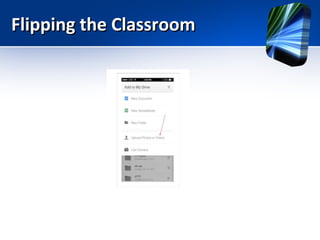
iPhone/iPad (add photos or video)
http://www.youtube.com/watch?v=SMHc3WAEnGc
Resources
Flipping the Classroom

Flipping the classroom final edition inservice