Project Name First Time IT Project Management Review Date Project Logo or Icon, if desired
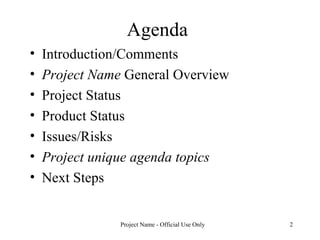
Agenda Introduction/Comments Project Name  General Overview Project Status  Product Status Issues/Risks Project unique agenda topics Next Steps
General Overview Section Brief Project Description
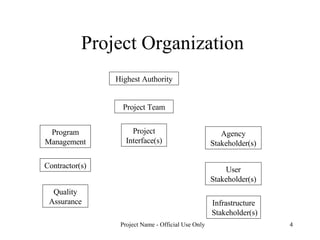
Project Organization Program Management Agency Stakeholder(s) User Stakeholder(s) Infrastructure Stakeholder(s) Project Team Contractor(s) Project Interface(s) Quality Assurance Highest Authority
Project Objectives Vision Drivers Benefits
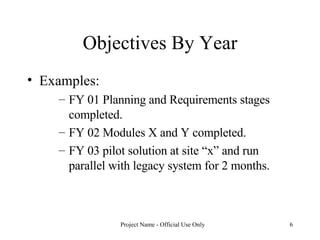
Objectives By Year Examples: FY 01 Planning and Requirements stages completed. FY 02 Modules X and Y completed. FY 03 pilot solution at site “x” and run parallel with legacy system for 2 months.
Project Status
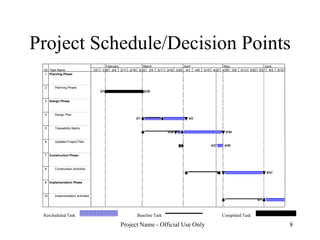
Project Schedule/Decision Points Completed Task Rescheduled Task Baseline Task ID Task Name 1 Planning Phase 2 Planning Phase 3 Design Phase 4 Design Plan 5 Traceability Matrix 6 Updated Project Plan 7 Construction Phase 8 Construction Activities 9 Implementation Phase 10 Implementation Activities 2/1 2/28 3/1 4/2 3/26 4/30 4/27 4/30 5/1 5/31 6/1 1/21 1/28 2/4 2/11 2/18 2/25 3/4 3/11 3/18 3/25 4/1 4/8 4/15 4/22 4/29 5/6 5/13 5/20 5/27 6/3 6/10 February March April May June
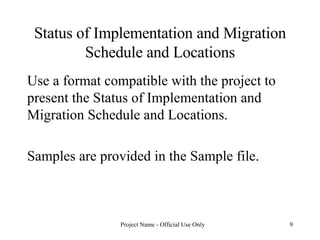
Status of Implementation and Migration Schedule and Locations Use a format compatible with the project to present the Status of Implementation and Migration Schedule and Locations.  Samples are provided in the Sample file.
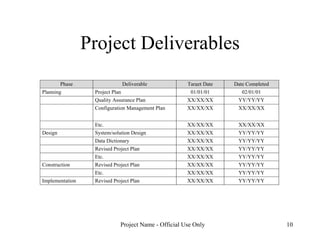
Project Deliverables
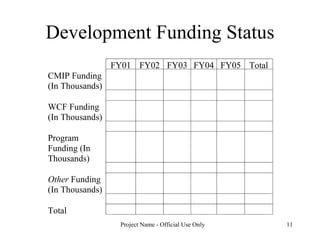
Development Funding Status
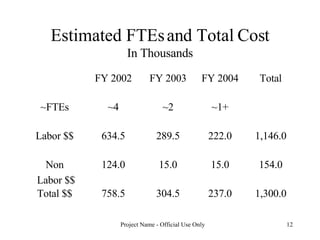
Estimated FTEs and Total Cost In Thousands 1,300.0 237.0 304.5 758.5 Total $$ 154.0 15.0 15.0 124.0 Non Labor $$ 1,146.0 222.0 289.5 634.5 Labor $$ ~1+ ~2 ~4 ~FTEs Total FY 2004 FY 2003 FY 2002
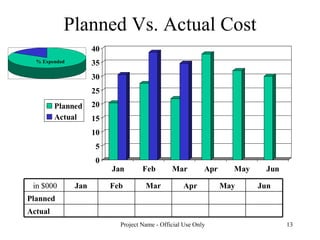
Planned Vs. Actual Cost Actual Planned Jun May Apr Mar Feb Jan in $000
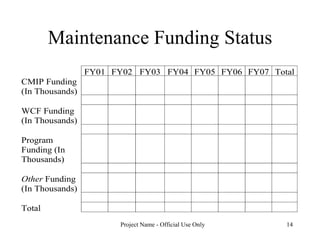
Maintenance Funding Status
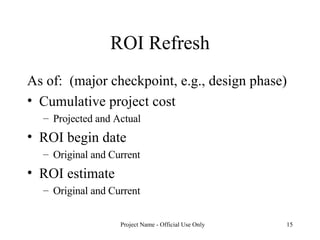
ROI Refresh As of:  (major checkpoint, e.g., design phase) Cumulative project cost Projected and Actual ROI begin date Original and Current ROI estimate Original and Current
Product Status
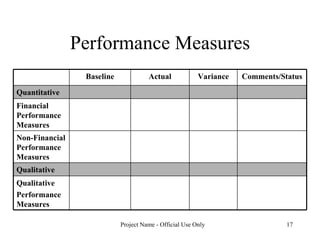
Performance Measures Qualitative Performance Measures Qualitative Non-Financial Performance Measures Financial Performance Measures Quantitative  Comments/Status Variance Actual Baseline
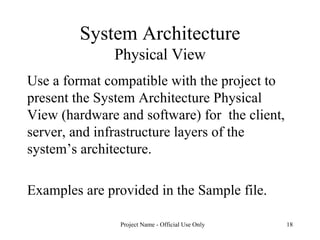
System Architecture Physical View Use a format compatible with the project to present the System Architecture Physical View (hardware and software) for  the client, server, and infrastructure layers of the system’s architecture.  Examples are provided in the Sample file.
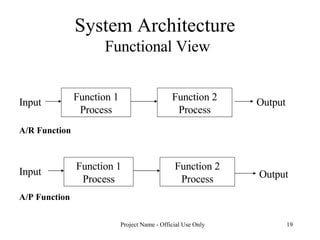
System Architecture  Functional View Input Function 1 Process Function 2 Process Output A/R Function A/P Function Input Function 1 Process Function 2 Process Output
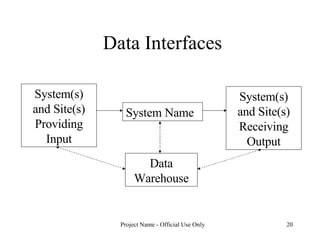
Data Interfaces System Name System(s) and Site(s) Providing Input System(s) and Site(s) Receiving Output Data Warehouse
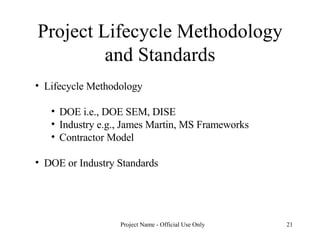
Project Lifecycle Methodology and Standards Lifecycle Methodology DOE i.e., DOE SEM, DISE Industry e.g., James Martin, MS Frameworks Contractor Model DOE or Industry Standards
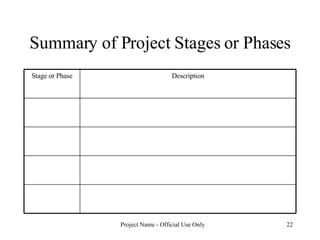
Summary of Project Stages or Phases Description Stage or Phase
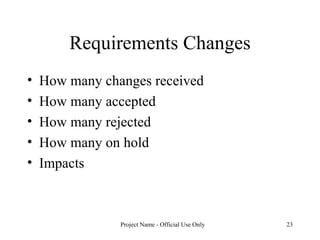
Requirements Changes How many changes received How many accepted How many rejected How many on hold Impacts
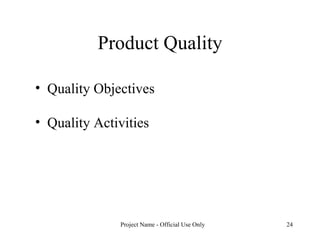
Product Quality Quality Objectives Quality Activities
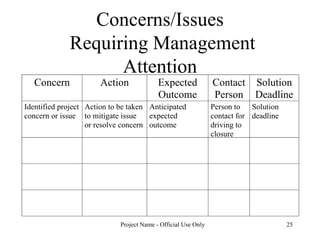
Concerns/Issues  Requiring Management Attention
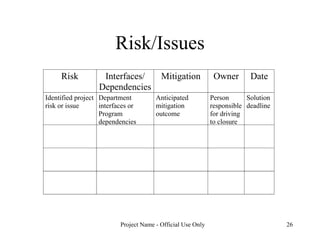
Risk/Issues
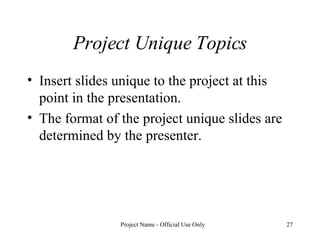
Project Unique Topics Insert slides unique to the project at this point in the presentation.  The format of the project unique slides are determined by the presenter.
Next Steps
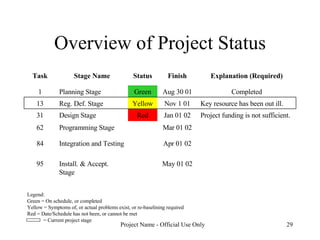
Overview of Project Status Legend: Green = On schedule, or completed Yellow = Symptoms of, or actual problems exist, or re-baselining required Red = Date/Schedule has not been, or cannot be met = Current project stage May 01 02 Install. & Accept. Stage 95 Apr 01 02 Integration and Testing  84 Mar 01 02 Programming Stage 62 Project funding is not sufficient. Jan 01 02 Red Design Stage 31 Key resource has been out ill. Nov 1 01 Yellow Reg. Def. Stage 13 Completed Aug 30 01 Green Planning Stage 1 Explanation (Required) Finish Status Stage Name Task

First Time IT Project Management Review

  • 1.
    Project Name FirstTime IT Project Management Review Date Project Logo or Icon, if desired
  • 2.
    Agenda Introduction/Comments ProjectName General Overview Project Status Product Status Issues/Risks Project unique agenda topics Next Steps
  • 3.
    General Overview SectionBrief Project Description
  • 4.
    Project Organization ProgramManagement Agency Stakeholder(s) User Stakeholder(s) Infrastructure Stakeholder(s) Project Team Contractor(s) Project Interface(s) Quality Assurance Highest Authority
  • 5.
    Project Objectives VisionDrivers Benefits
  • 6.
    Objectives By YearExamples: FY 01 Planning and Requirements stages completed. FY 02 Modules X and Y completed. FY 03 pilot solution at site “x” and run parallel with legacy system for 2 months.
  • 7.
  • 8.
    Project Schedule/Decision PointsCompleted Task Rescheduled Task Baseline Task ID Task Name 1 Planning Phase 2 Planning Phase 3 Design Phase 4 Design Plan 5 Traceability Matrix 6 Updated Project Plan 7 Construction Phase 8 Construction Activities 9 Implementation Phase 10 Implementation Activities 2/1 2/28 3/1 4/2 3/26 4/30 4/27 4/30 5/1 5/31 6/1 1/21 1/28 2/4 2/11 2/18 2/25 3/4 3/11 3/18 3/25 4/1 4/8 4/15 4/22 4/29 5/6 5/13 5/20 5/27 6/3 6/10 February March April May June
  • 9.
    Status of Implementationand Migration Schedule and Locations Use a format compatible with the project to present the Status of Implementation and Migration Schedule and Locations. Samples are provided in the Sample file.
  • 10.
  • 11.
  • 12.
    Estimated FTEs andTotal Cost In Thousands 1,300.0 237.0 304.5 758.5 Total $$ 154.0 15.0 15.0 124.0 Non Labor $$ 1,146.0 222.0 289.5 634.5 Labor $$ ~1+ ~2 ~4 ~FTEs Total FY 2004 FY 2003 FY 2002
  • 13.
    Planned Vs. ActualCost Actual Planned Jun May Apr Mar Feb Jan in $000
  • 14.
  • 15.
    ROI Refresh Asof: (major checkpoint, e.g., design phase) Cumulative project cost Projected and Actual ROI begin date Original and Current ROI estimate Original and Current
  • 16.
  • 17.
    Performance Measures QualitativePerformance Measures Qualitative Non-Financial Performance Measures Financial Performance Measures Quantitative Comments/Status Variance Actual Baseline
  • 18.
    System Architecture PhysicalView Use a format compatible with the project to present the System Architecture Physical View (hardware and software) for the client, server, and infrastructure layers of the system’s architecture. Examples are provided in the Sample file.
  • 19.
    System Architecture Functional View Input Function 1 Process Function 2 Process Output A/R Function A/P Function Input Function 1 Process Function 2 Process Output
  • 20.
    Data Interfaces SystemName System(s) and Site(s) Providing Input System(s) and Site(s) Receiving Output Data Warehouse
  • 21.
    Project Lifecycle Methodologyand Standards Lifecycle Methodology DOE i.e., DOE SEM, DISE Industry e.g., James Martin, MS Frameworks Contractor Model DOE or Industry Standards
  • 22.
    Summary of ProjectStages or Phases Description Stage or Phase
  • 23.
    Requirements Changes Howmany changes received How many accepted How many rejected How many on hold Impacts
  • 24.
    Product Quality QualityObjectives Quality Activities
  • 25.
    Concerns/Issues RequiringManagement Attention
  • 26.
  • 27.
    Project Unique TopicsInsert slides unique to the project at this point in the presentation. The format of the project unique slides are determined by the presenter.
  • 28.
  • 29.
    Overview of ProjectStatus Legend: Green = On schedule, or completed Yellow = Symptoms of, or actual problems exist, or re-baselining required Red = Date/Schedule has not been, or cannot be met = Current project stage May 01 02 Install. & Accept. Stage 95 Apr 01 02 Integration and Testing 84 Mar 01 02 Programming Stage 62 Project funding is not sufficient. Jan 01 02 Red Design Stage 31 Key resource has been out ill. Nov 1 01 Yellow Reg. Def. Stage 13 Completed Aug 30 01 Green Planning Stage 1 Explanation (Required) Finish Status Stage Name Task

Editor's Notes

  • #2 SLIDE TITLE: Title Page FREQUENCY: This slide is used for first time reviews and will be replaced with the On-going cover slide for subsequent reviews PURPOSE: Identify the presentation SOURCE(S): Project Information PROCESS: Provide the Project Name and Date of the Review. Project icons or pictures may be provided, if desired. NOTE: Place a footer on each slide indicating the project name and that the slides are for “official use only.” This annotation appears on each of the template slides.