Mule File Connector
Introductions
• Allows your Mule application to exchange files
with a file system
• You can implement the File connector as an
inbound endpoint (such as, a message
source), or as an outbound endpoint
• This endpoint implements a one-way
exchange pattern only
Configuration
• File endpoint configuration consists of two
stages:
– Place the File endpoint within the Mule flow you
are developing
– Configure the File endpoint by providing values for
the fields on the various tabs on the properties
editor
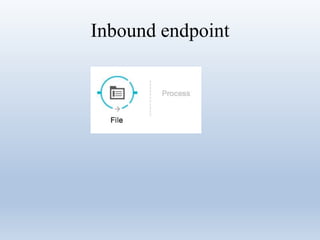
Inbound endpoint
Inbound endpoint
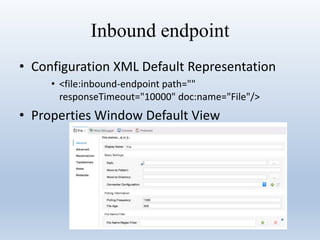
• Configuration XML Default Representation
• <file:inbound-endpoint path=""
responseTimeout="10000" doc:name="File"/>
• Properties Window Default View
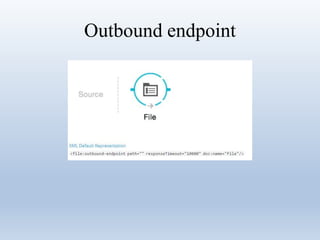
Outbound endpoint
Outbound endpoint
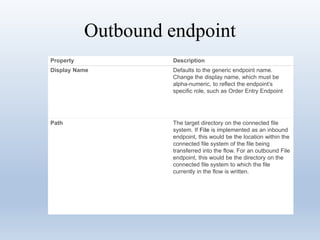
Property Description
Display Name Defaults to the generic endpoint name.
Change the display name, which must be
alpha-numeric, to reflect the endpoint’s
specific role, such as Order Entry Endpoint
Path The target directory on the connected file
system. If File is implemented as an inbound
endpoint, this would be the location within the
connected file system of the file being
transferred into the flow. For an outbound File
endpoint, this would be the directory on the
connected file system to which the file
currently in the flow is written.
Outbound endpoint
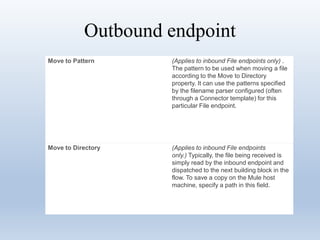
Move to Pattern (Applies to inbound File endpoints only) .
The pattern to be used when moving a file
according to the Move to Directory
property. It can use the patterns specified
by the filename parser configured (often
through a Connector template) for this
particular File endpoint.
Move to Directory (Applies to inbound File endpoints
only.) Typically, the file being received is
simply read by the inbound endpoint and
dispatched to the next building block in the
flow. To save a copy on the Mule host
machine, specify a path in this field.
Outbound endpoint
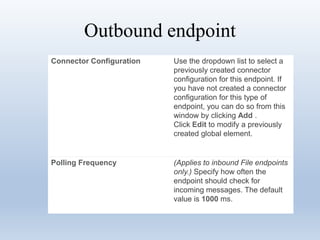
Connector Configuration Use the dropdown list to select a
previously created connector
configuration for this endpoint. If
you have not created a connector
configuration for this type of
endpoint, you can do so from this
window by clicking Add .
Click Edit to modify a previously
created global element.
Polling Frequency (Applies to inbound File endpoints
only.) Specify how often the
endpoint should check for
incoming messages. The default
value is 1000 ms.
Outbound endpoint
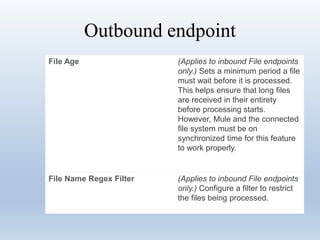
File Age (Applies to inbound File endpoints
only.) Sets a minimum period a file
must wait before it is processed.
This helps ensure that long files
are received in their entirety
before processing starts.
However, Mule and the connected
file system must be on
synchronized time for this feature
to work properly.
File Name Regex Filter (Applies to inbound File endpoints
only.) Configure a filter to restrict
the files being processed.
Outbound endpoint
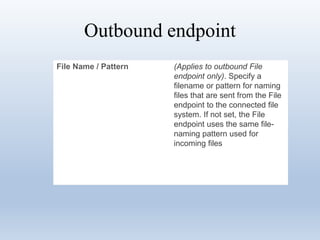
File Name / Pattern (Applies to outbound File
endpoint only). Specify a
filename or pattern for naming
files that are sent from the File
endpoint to the connected file
system. If not set, the File
endpoint uses the same file-
naming pattern used for
incoming files
Advanced Tab
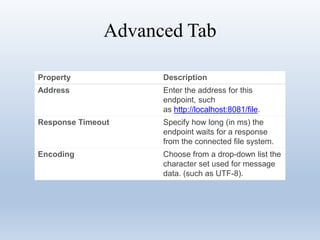
Advanced Tab
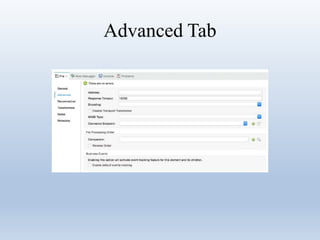
Property Description
Address Enter the address for this
endpoint, such
as http://localhost:8081/file.
Response Timeout Specify how long (in ms) the
endpoint waits for a response
from the connected file system.
Encoding Choose from a drop-down list the
character set used for message
data. (such as UTF-8).
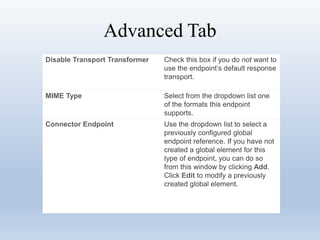
Advanced Tab
Disable Transport Transformer Check this box if you do not want to
use the endpoint’s default response
transport.
MIME Type Select from the dropdown list one
of the formats this endpoint
supports.
Connector Endpoint Use the dropdown list to select a
previously configured global
endpoint reference. If you have not
created a global element for this
type of endpoint, you can do so
from this window by clicking Add.
Click Edit to modify a previously
created global element.
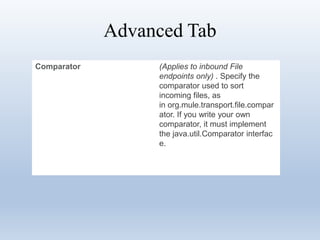
Advanced Tab
Comparator (Applies to inbound File
endpoints only) . Specify the
comparator used to sort
incoming files, as
in org.mule.transport.file.compar
ator. If you write your own
comparator, it must implement
the java.util.Comparator interfac
e.
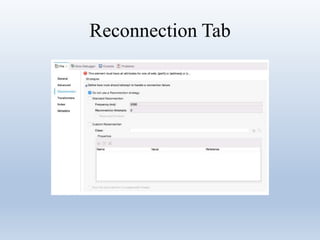
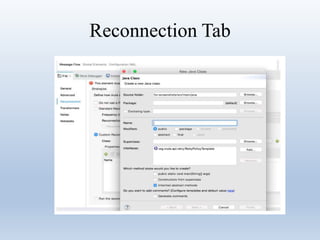
Reconnection Tab
Reconnection Tab
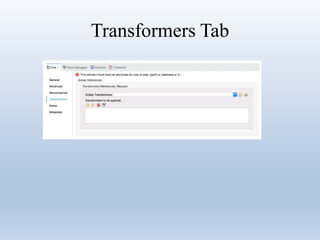
Transformers Tab
Transformers Tab
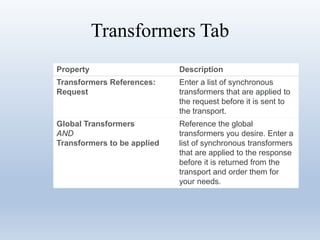
Property Description
Transformers References:
Request
Enter a list of synchronous
transformers that are applied to
the request before it is sent to
the transport.
Global Transformers
AND
Transformers to be applied
Reference the global
transformers you desire. Enter a
list of synchronous transformers
that are applied to the response
before it is returned from the
transport and order them for
your needs.
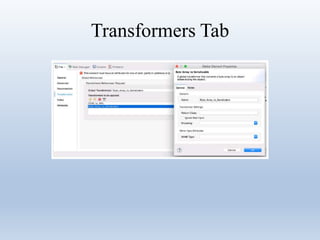
Transformers Tab
Question and answer

File connector

  • 1.
  • 2.
    Introductions • Allows yourMule application to exchange files with a file system • You can implement the File connector as an inbound endpoint (such as, a message source), or as an outbound endpoint • This endpoint implements a one-way exchange pattern only
  • 3.
    Configuration • File endpointconfiguration consists of two stages: – Place the File endpoint within the Mule flow you are developing – Configure the File endpoint by providing values for the fields on the various tabs on the properties editor
  • 4.
  • 5.
    Inbound endpoint • ConfigurationXML Default Representation • <file:inbound-endpoint path="" responseTimeout="10000" doc:name="File"/> • Properties Window Default View
  • 6.
  • 7.
    Outbound endpoint Property Description DisplayName Defaults to the generic endpoint name. Change the display name, which must be alpha-numeric, to reflect the endpoint’s specific role, such as Order Entry Endpoint Path The target directory on the connected file system. If File is implemented as an inbound endpoint, this would be the location within the connected file system of the file being transferred into the flow. For an outbound File endpoint, this would be the directory on the connected file system to which the file currently in the flow is written.
  • 8.
    Outbound endpoint Move toPattern (Applies to inbound File endpoints only) . The pattern to be used when moving a file according to the Move to Directory property. It can use the patterns specified by the filename parser configured (often through a Connector template) for this particular File endpoint. Move to Directory (Applies to inbound File endpoints only.) Typically, the file being received is simply read by the inbound endpoint and dispatched to the next building block in the flow. To save a copy on the Mule host machine, specify a path in this field.
  • 9.
    Outbound endpoint Connector ConfigurationUse the dropdown list to select a previously created connector configuration for this endpoint. If you have not created a connector configuration for this type of endpoint, you can do so from this window by clicking Add . Click Edit to modify a previously created global element. Polling Frequency (Applies to inbound File endpoints only.) Specify how often the endpoint should check for incoming messages. The default value is 1000 ms.
  • 10.
    Outbound endpoint File Age(Applies to inbound File endpoints only.) Sets a minimum period a file must wait before it is processed. This helps ensure that long files are received in their entirety before processing starts. However, Mule and the connected file system must be on synchronized time for this feature to work properly. File Name Regex Filter (Applies to inbound File endpoints only.) Configure a filter to restrict the files being processed.
  • 11.
    Outbound endpoint File Name/ Pattern (Applies to outbound File endpoint only). Specify a filename or pattern for naming files that are sent from the File endpoint to the connected file system. If not set, the File endpoint uses the same file- naming pattern used for incoming files
  • 12.
  • 13.
    Advanced Tab Property Description AddressEnter the address for this endpoint, such as http://localhost:8081/file. Response Timeout Specify how long (in ms) the endpoint waits for a response from the connected file system. Encoding Choose from a drop-down list the character set used for message data. (such as UTF-8).
  • 14.
    Advanced Tab Disable TransportTransformer Check this box if you do not want to use the endpoint’s default response transport. MIME Type Select from the dropdown list one of the formats this endpoint supports. Connector Endpoint Use the dropdown list to select a previously configured global endpoint reference. If you have not created a global element for this type of endpoint, you can do so from this window by clicking Add. Click Edit to modify a previously created global element.
  • 15.
    Advanced Tab Comparator (Appliesto inbound File endpoints only) . Specify the comparator used to sort incoming files, as in org.mule.transport.file.compar ator. If you write your own comparator, it must implement the java.util.Comparator interfac e.
  • 16.
  • 17.
  • 18.
  • 19.
    Transformers Tab Property Description TransformersReferences: Request Enter a list of synchronous transformers that are applied to the request before it is sent to the transport. Global Transformers AND Transformers to be applied Reference the global transformers you desire. Enter a list of synchronous transformers that are applied to the response before it is returned from the transport and order them for your needs.
  • 20.
  • 21.