Loops, Arrays, Functions,
Strings, Objects, Variables
Scope & Events
Loops, Arrays, Functions, Objects...
Table of Contents
Loops in JavaScript
while, do-while, for, for-in
Arrays in JavaScript
Declaring and Creating Arrays
Accessing and Processing Array Elements
Strings in JavaScript
Processing, Trimming, Concatenating
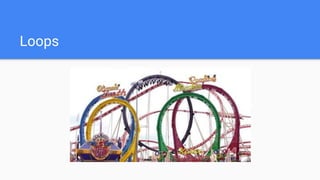
Loops
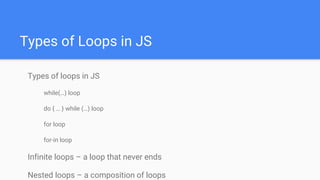
Types of Loops in JS
Types of loops in JS
while(…) loop
do { … } while (…) loop
for loop
for-in loop
Infinite loops – a loop that never ends
Nested loops – a composition of loops
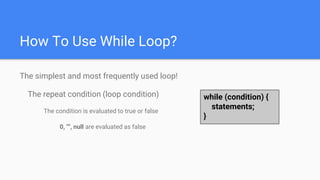
How To Use While Loop?
The simplest and most frequently used loop!
The repeat condition (loop condition)
The condition is evaluated to true or false
0, "", null are evaluated as false
while (condition) {
statements;
}
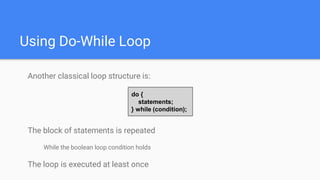
Using Do-While Loop
Another classical loop structure is:
The block of statements is repeated
While the boolean loop condition holds
The loop is executed at least once
do {
statements;
} while (condition);
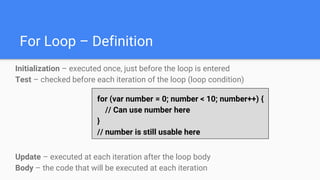
For Loop – Definition
Initialization – executed once, just before the loop is entered
Test – checked before each iteration of the loop (loop condition)
Update – executed at each iteration after the loop body
Body – the code that will be executed at each iteration
for (var number = 0; number < 10; number++) {
// Can use number here
}
// number is still usable here
Using break Operator
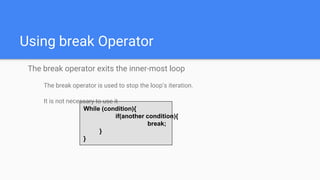
The break operator exits the inner-most loop
The break operator is used to stop the loop’s iteration.
It is not necessary to use it
While (condition){
if(another condition){
break;
}
}
for-in Loop
Iterating over the Properties of an Object
The objects has some properties, to in order to access
them and iterate them you can use for-in loop.
The for-in loop can be replaced with for loop, but both
have odds pros and cons.
What is for-in Loop?
for-in loop iterates over the properties of an object
For arrays / strings iterates over their indices (0…length-1)
For any other object, for-in iterates over its properties
Iterating over the elements of an array / string:
var arr = [10, 20, 30, 40, 50];
for (var index in arr) { console.log(arr[index]) }
// 10, 20, 30, 40, 50
var str = "welcome";
for (var index in str) { console.log(str[index]) }
// w, e, l, c, o, m, e
For-in Loop
Iterating over the properties of an object:
Typical mistake is to use the
key instead of the value:
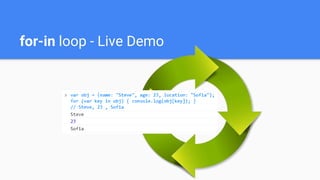
var obj = { name: 'Steve', age: 23, location: 'Sofia' };
for (var key in obj) { console.log(obj[key]); }
// Steve, 23 , Sofia
var obj = { name: 'Steve', age: 23, location: 'Sofia' };
for (var key in obj) { console.log(key); }
// name, age, location
var arr = [10, 20, 30, 40, 50];
for (var i in arr) { console.log(i); }
// 0, 1, 2, 3, 4
for-in loop - Live Demo
Arrays
What are Arrays?
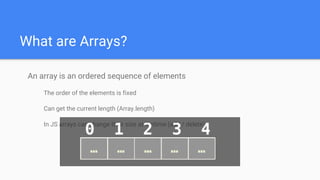
An array is an ordered sequence of elements
The order of the elements is fixed
Can get the current length (Array.length)
In JS arrays can change their size at runtime (add / delete)
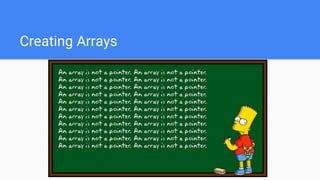
Creating Arrays
Creating Arrays in JavaScript
// Array holding integers
var numbers = [1, 2, 3, 4, 5];
// Array holding strings
var weekDays = ['Monday', 'Tuesday', 'Wednesday',
'Thursday', 'Friday', 'Saturday', 'Sunday'];
// Array of mixed data
var mixedArr = [1, new Date(), 'hello'];
// Array of arrays (matrix)
var matrix = [
['0,0', '0,1', '0,2'],
['1,0', '1,1', '1,2'],
['2,0', '2,1', '2,2']];
Declare and Initialize Arrays
Initializing an array in JavaScript can be done in several ways:
Using new Array(elements):
Using new Array(initialLength):
var arr = new Array(1, 2, 3, 4, 5); // [1, 2, 3, 4, 5]
var arr = new Array(10); // [undefined × 10]
Using new Array():
Using array literal (recommended):
Declare and Initialize Arrays
var arr = new Array(); // []
var arr = [1, 2, 3, 4, 5]; // [1, 2, 3, 4, 5]
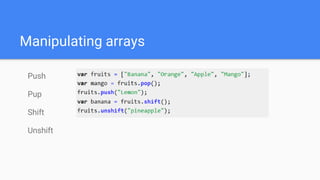
Manipulating arrays
Push
Pup
Shift
Unshift
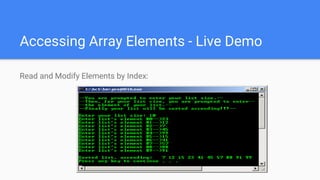
Accessing Array Elements - Live Demo
Read and Modify Elements by Index:
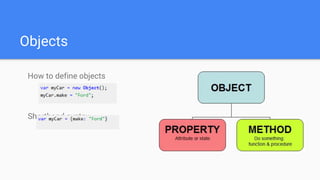
Objects
How to define objects
Shorthand syntax
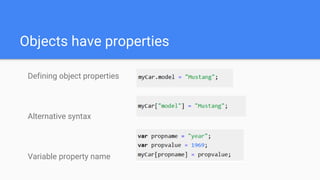
Objects have properties
Defining object properties
Alternative syntax
Variable property name
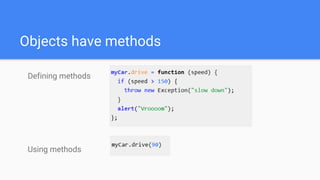
Objects have methods
Defining methods
Using methods
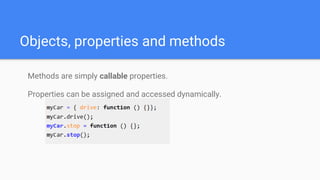
Methods are simply callable properties.
Properties can be assigned and accessed dynamically.
Objects, properties and methods
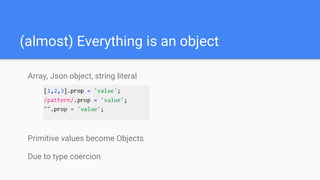
(almost) Everything is an object
Array, Json object, string literal
Primitive values become Objects
Due to type coercion
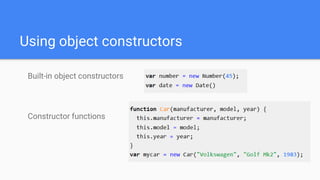
Using object constructors
Built-in object constructors
Constructor functions
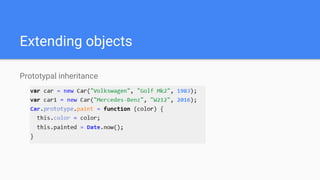
Extending objects
Prototypal inheritance
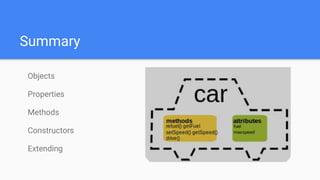
Summary
Objects
Properties
Methods
Constructors
Extending
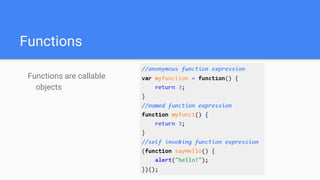
Functions
Functions are callable
objects
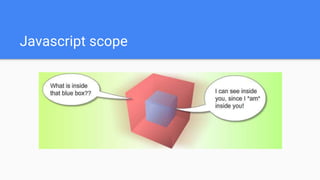
Javascript scope
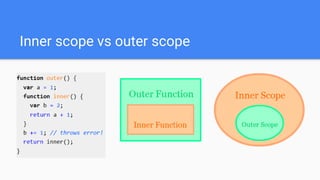
Inner scope vs outer scope
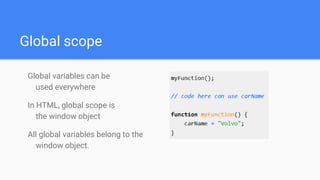
Global scope
Global variables can be
used everywhere
In HTML, global scope is
the window object
All global variables belong to the
window object.
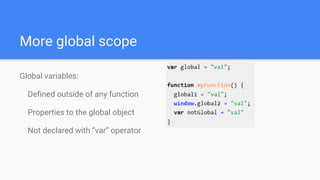
More global scope
Global variables:
Defined outside of any function
Properties to the global object
Not declared with “var” operator
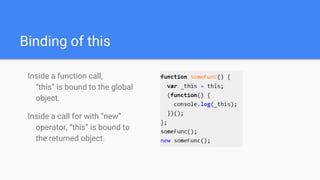
Binding of this
Inside a function call,
“this” is bound to the global
object.
Inside a call for with “new”
operator, “this” is bound to
the returned object.
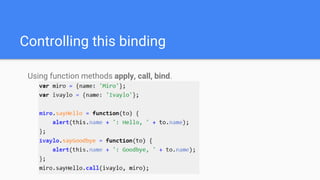
Controlling this binding
Using function methods apply, call, bind.
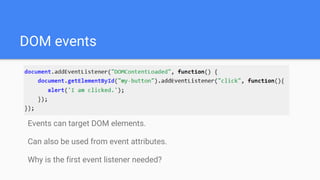
DOM events
Events can target DOM elements.
Can also be used from event attributes.
Why is the first event listener needed?

FFW Gabrovo PMG - JavaScript 2

  • 1.
    Loops, Arrays, Functions, Strings,Objects, Variables Scope & Events Loops, Arrays, Functions, Objects...
  • 2.
    Table of Contents Loopsin JavaScript while, do-while, for, for-in Arrays in JavaScript Declaring and Creating Arrays Accessing and Processing Array Elements Strings in JavaScript Processing, Trimming, Concatenating
  • 3.
  • 4.
    Types of Loopsin JS Types of loops in JS while(…) loop do { … } while (…) loop for loop for-in loop Infinite loops – a loop that never ends Nested loops – a composition of loops
  • 5.
    How To UseWhile Loop? The simplest and most frequently used loop! The repeat condition (loop condition) The condition is evaluated to true or false 0, "", null are evaluated as false while (condition) { statements; }
  • 6.
    Using Do-While Loop Anotherclassical loop structure is: The block of statements is repeated While the boolean loop condition holds The loop is executed at least once do { statements; } while (condition);
  • 7.
    For Loop –Definition Initialization – executed once, just before the loop is entered Test – checked before each iteration of the loop (loop condition) Update – executed at each iteration after the loop body Body – the code that will be executed at each iteration for (var number = 0; number < 10; number++) { // Can use number here } // number is still usable here
  • 8.
    Using break Operator Thebreak operator exits the inner-most loop The break operator is used to stop the loop’s iteration. It is not necessary to use it While (condition){ if(another condition){ break; } }
  • 9.
    for-in Loop Iterating overthe Properties of an Object The objects has some properties, to in order to access them and iterate them you can use for-in loop. The for-in loop can be replaced with for loop, but both have odds pros and cons.
  • 10.
    What is for-inLoop? for-in loop iterates over the properties of an object For arrays / strings iterates over their indices (0…length-1) For any other object, for-in iterates over its properties Iterating over the elements of an array / string: var arr = [10, 20, 30, 40, 50]; for (var index in arr) { console.log(arr[index]) } // 10, 20, 30, 40, 50 var str = "welcome"; for (var index in str) { console.log(str[index]) } // w, e, l, c, o, m, e
  • 11.
    For-in Loop Iterating overthe properties of an object: Typical mistake is to use the key instead of the value: var obj = { name: 'Steve', age: 23, location: 'Sofia' }; for (var key in obj) { console.log(obj[key]); } // Steve, 23 , Sofia var obj = { name: 'Steve', age: 23, location: 'Sofia' }; for (var key in obj) { console.log(key); } // name, age, location var arr = [10, 20, 30, 40, 50]; for (var i in arr) { console.log(i); } // 0, 1, 2, 3, 4
  • 12.
    for-in loop -Live Demo
  • 13.
  • 14.
    What are Arrays? Anarray is an ordered sequence of elements The order of the elements is fixed Can get the current length (Array.length) In JS arrays can change their size at runtime (add / delete)
  • 15.
  • 16.
    Creating Arrays inJavaScript // Array holding integers var numbers = [1, 2, 3, 4, 5]; // Array holding strings var weekDays = ['Monday', 'Tuesday', 'Wednesday', 'Thursday', 'Friday', 'Saturday', 'Sunday']; // Array of mixed data var mixedArr = [1, new Date(), 'hello']; // Array of arrays (matrix) var matrix = [ ['0,0', '0,1', '0,2'], ['1,0', '1,1', '1,2'], ['2,0', '2,1', '2,2']];
  • 17.
    Declare and InitializeArrays Initializing an array in JavaScript can be done in several ways: Using new Array(elements): Using new Array(initialLength): var arr = new Array(1, 2, 3, 4, 5); // [1, 2, 3, 4, 5] var arr = new Array(10); // [undefined × 10]
  • 18.
    Using new Array(): Usingarray literal (recommended): Declare and Initialize Arrays var arr = new Array(); // [] var arr = [1, 2, 3, 4, 5]; // [1, 2, 3, 4, 5]
  • 19.
  • 20.
    Accessing Array Elements- Live Demo Read and Modify Elements by Index:
  • 21.
    Objects How to defineobjects Shorthand syntax
  • 22.
    Objects have properties Definingobject properties Alternative syntax Variable property name
  • 23.
    Objects have methods Definingmethods Using methods
  • 24.
    Methods are simplycallable properties. Properties can be assigned and accessed dynamically. Objects, properties and methods
  • 25.
    (almost) Everything isan object Array, Json object, string literal Primitive values become Objects Due to type coercion
  • 26.
    Using object constructors Built-inobject constructors Constructor functions
  • 27.
  • 28.
  • 29.
  • 30.
  • 31.
    Inner scope vsouter scope
  • 32.
    Global scope Global variablescan be used everywhere In HTML, global scope is the window object All global variables belong to the window object.
  • 33.
    More global scope Globalvariables: Defined outside of any function Properties to the global object Not declared with “var” operator
  • 34.
    Binding of this Insidea function call, “this” is bound to the global object. Inside a call for with “new” operator, “this” is bound to the returned object.
  • 35.
    Controlling this binding Usingfunction methods apply, call, bind.
  • 36.
    DOM events Events cantarget DOM elements. Can also be used from event attributes. Why is the first event listener needed?