Modern Javascript Utilities
▪ Extend JavaScript functionality using lodash.js
▪ Extended Functionality With Rxjs
Table of Contents
Reactive programming?
Is a programming paradigm
Focuses on propagating changes
without us having to explicitly specify how the propagation happens
State what our code should to
without having to code every line
Functional over imperative
var list = [ 1,2,3,4,5 ];
var newList = list.map( function(value) {
return value + 1;
})
Produces a new list
list NOT mutated/changed
but projected
Functional
Imperative
var list = [ 1,2,3,4,5 ];
list.forEach( function(value) {
value += 1;
})
X number invocation changes state
Lodash.js
Extending JavaScript functionality
▪ Lodash.js is a JavaScript library, that extends regular JavaScript
functionality
▪ Provides extensions to object, arrays, selection, etc..
▪ Usable with client JavaScript (web and mobile) and server
JavaScript (Node.js)
lodash.js
▪ Lodash extends the functionality for:
▪ Collections
▪ each, map, find, filter, where, some, countBy
▪ Arrays
▪ first, last, union, uniq, range
▪ Functions
▪ bind, delay, defer, once, after
▪ Objects
▪ keys, values, extend, functions, clone
▪ Templates and Chaining
lodash.js Functionality
▪ Collections == arrays and objects
▪ All underscore methods work both on arrays and objects (associative
arrays)
▪ Collection extensions:
▪ _.each() - iterates over a collection
▪ _.map(), _.pluck() - a projection of a collection
▪ _.filter(), _.reject() and _.where - filter elements
▪ _.all() and _.any() - evaluate a collection
▪ _.sortBy(), _.groupBy() - sorts and groups
Collections
▪ _.each() iterates over a list of elements, yielding each in turn
to an iterator function
▪ Similar to for-in loop
▪ Uses the native forEach() function if the browser supports it
Collections: each()
var numbers = [1, 2, 3, 4, 5, 6, 7, 8];
_.each(numbers, console.log);
_.each(numbers, function(item) { console.log(item); }
//log all the numbers
▪ _.map() produces a new array of elements, after the values
are computed
▪ Uses the native map() function if the browser supports it
▪ Can be used with objects as well:
Collections: map()
_.map(console, function (item) {
return item.toString();
});
var numbers = [0, 1, 2, 3, 4, 5, 6, 7, 8];
var numberNames = ["zero", "one", "two", "three"];
function numbersToNames(item) { return numberNames[item]; }
_.map(numbers, numbersToNames);
▪ Filter and reject return a subset of the original collection, based
on an boolean expression
▪ Filter returns all items matching the condition
▪ Reject returns all items that do not fulfill the condition
Collections: filter() and reject()
var numbers = [0, 1, 2, 3, 4, 5, 6, 7, 8];
var even = _.filter(numbers, isEven);
var odd = _.reject(numbers, isEven);
function isEven(number) {
return number % 2 === 0;
}
▪ _.where() filters a collection based on a property value
▪ Returns a subcollection of the original collection
Collections: where()
var people = [{name: "Ivan Todorov", age: 21},
{name: "Todor Ivanov", age: 11},
{name: "Petra Georgieva", age: 14},
{name: "Georgi Petrov", age: 11},
{name: "Stamina Staminova", age: 19}];
var elevenYearsOld = _.where(people, {age: 11});
// returns Todor Ivanov and Georgi Petrov
▪ _.all() returns true if ALL of the elements that meet a
boolean expression
▪ _.any() returns true if ANY of the elements fulfill a boolean
condition
▪ And false if none if the elements fulfill the condition
Collections: all() and any()
var numbers = [1, 2, 3, 4, 5, 6, 7, 8, 9, 10];
var anyEven = _.any(numbers, function(el){ return el % 2 == 0; });
//anyEven = true
var allEven = _.all(numbers, function(el){ return el % 2 == 0; });
//allEven = false;
▪ _.pluck() returns a projection of a collection
▪ Returns only a part from all elements
Collections: pluck()
var people = [
{username: "VGeorgiev", email: "vlado@softuni.bg"},
{username : "Teodor92", email: "kurtev@softuni.bg"},
{username : "nakov", email: "spam@nakov.com"},
{username : "Petya", email: "petya@softuni.bg"}];
var emails = _.pluck(people, 'email');
// emails = ["vlado@softuni.bg", "kurtev@softuni.bg",
"spam@nakov.com", "petya@softuni.bg"]
▪ _.sortBy() sorts the elements of a collection
▪ Much like the native sort() function
▪ Sorts by a property or an iterator function
Collections: sortBy()
var students = [
{fname: "Mitko", lname: "Ruletkata", age: 63},
{fname: "Gencho", lname: "Ganev", age: 32},
{fname: "Penio", lname: "Penev", age: 10},
{fname: "Unufri", lname: "Unufriev", age: 17}];
var sortedByLastname = _.sortBy(students, "lname");
var sortedByAge = _.sortBy(students, "age");
▪ _.groupBy() groups the elements of a collection
▪ Groups by a property or an iterator function
Collections: groupBy()
var cars = [
{make: "Nissan", model: "Skyline", color: "red"},
{make: "Audi", model: "A6", color: "blue"},
{make: "Lada", model: "Vesta", color: "red"},
{make: "Moskvich", model: "412", color: "yellow"},
{make: "Peugeot", model: "206", color: "red"}];
var carsByColor = _.groupBy(cars, "color");
Array Extensions
▪ Array extensions work only on array objects
▪ Does not work on associative arrays or objects
▪ Array extensions:
▪ _.first() and _.initial() selects the first n items
▪ _.last() and _.rest() selects the last n items
▪ _.compact() - removes all false values
▪ _.union() and _.intersection() - unites or intersects two
or more arrays
Array Extensions
▪ _.first() returns the first element in an array
▪ Can be used with a parameter to return the first n elements
▪ _.initial() returns all elements except the last one
▪ Can be used with a parameter to all the elements except the last
n
Arrays: first() and initial()
var numbers = [1, 2, 3, 4, 5];
var initial = _.initial(numbers); // [1, 2, 3, 4]
var initialTwo = _.initial(numbers, 2); // [1, 2, 3]
var numbers = [1, 2, 3, 4, 5];
var first = _.first(numbers); // 1
var firstTwo = _.first(numbers, 2); // [1, 2]
▪ _.last() returns the last element in an array
▪ Can be used with a parameter to return the last n elements
▪ _.rest() returns all elements except the first one
▪ Can be used with a parameter to return everything after the first
n
Arrays: last() and rest()
var numbers = [1, 2, 3, 4, 5];
var initial = _.rest(numbers); // [2, 3, 4, 5]
var initialTwo = _.rest(numbers, 2); // [3, 4, 5]
var numbers = [1, 2, 3, 4, 5];
var first = _.last(numbers); // 5
var firstTwo = _.last(numbers, 2); // [4, 5]
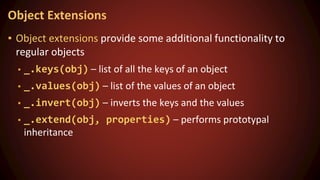
Object Extensions
▪ Object extensions provide some additional functionality to
regular objects
▪ _.keys(obj) – list of all the keys of an object
▪ _.values(obj) – list of the values of an object
▪ _.invert(obj) – inverts the keys and the values
▪ _.extend(obj, properties) – performs prototypal
inheritance
Object Extensions
RxJs
Promise vs Array vs Observable
list
.map( x = > x.prop )
.filter( x => x > 2 )
.take( 2 )
list
.map( x = > x.prop )
.filter( x => x > 2 )
.take( 2 )
.subscribe(
x => console.log(x),
err => console.log(err) )
Array
Observable
Promise
service.get()
.then( x => console.log(x) )
.catch( err => console.log(err) )
Array like,
handles async
but can also
- Cancelled
- Retried
Operators
● Combination
● Conditional
● Creational
● Transformation
● Filtering
● Utility
● Multicasting
Categories
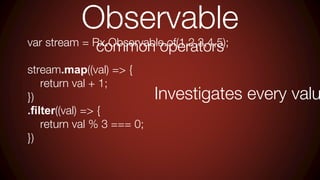
Observable
common operators
var stream = Rx.Observable.of(1,2,3,4,5);
stream.map((val) => {
return val + 1;
})
.filter((val) => {
return val % 3 === 0;
})
Investigates every valu
Observable
reducer
var stream2 = Rx.Observable.of(1,2,3,4,5,6);
var subscription2 = stream2.reduce((acc, curr) => {
return acc + curr;
});
subscription2.subscribe((val) => {
console.log('Sum', val);
})
Operators
utility
Operators
utility
var stream = Rx.Observable.of(1,2,3,4,5);
var subscription = stream
.do(function(val){
console.log('Current val', val);
})
.filter(function(val){
return val % 2 === 0;
});
subscription.subscribe(function(val){
Echos every value
without changing it,
used for logging
Do
Operators
utility
toPromise Used to create a pro
from an observable
stream
.filter(function(val){
return val % 2 === 0;
})
.toPromise()
.then( function(val){
console.log('Promise', val);
})
4
var stream = Rx.Observable.of(1,2,3,4,5);
Only latest value that fulfils filter is
Operators
utility
let
stream
.let( observable =>
observable
.filter(function(x){
return x % 2 > 0;
}))
.take(2)
.subscribe(function(val){
console.log('let', val);
})
Let’s us
operate on
the
observable.
We don’t
need to
return what
we do
like with a
stream
.filter(function(val){
return val % 2 === 0;
})
stream = Rx.Observable.of(1,2,3,4,5);
Operators
utility
lay,
e whole sequence
stream
.delay(1000)
.subscribe( (val) => {
var newTime = new Date().getTime();
console.log('Delayed', val + " " + (newTime - time));
})
Rx.Observable.merge(
Rx.Observable.of('Marco').delay(1000),
Rx.Observable.of('Polo').delay(2000)
).subscribe((val) => {
var newTime = new Date().getTime();
….. 1 second
1
2
3
….. 1 second
Marco
….. 2 second
Polo
Operators
combination
Operators
combination
concat
merge
var concat = Rx.Observable.concat(
stream,
stream2
);
var stream = Rx.Observable.fromArray([1,2,3,4]);
var stream2 = Rx.Observable.fromArray([5,6,7,8]);
1, 2, 3, 4, 5, 6, 7
,8
var merge = Rx.Observable.merge(
stream,
stream2
);
1, 5, 2, 6, 3, 7, 4
,8
first stream emits all values
then remaining value
streams take turn
There is difference so choose wisely
Operators
combination
var stream = Rx.Observable.fromArray([1,2,3,4]);
var stream2 = Rx.Observable.fromArray([5,6,7,8]);
var combineLatest = Rx.Observable.combineLatest(
stream,
stream2
);
combineLatest.subscribe( function(val) {
console.log( 'combine ', val )
})
combineLatest
[1,5], [2,6], [3,7], [4,8]
Operators
conditional
Operators
conditional
var stream =
Rx.Observable
.fromArray([1,2,3,4])
.every( function(val){
return val % 2 ===
0;
});
false
var evenStream =
Rx.Observable
.fromArray([2,4,8])
.every( function(val){
return val % 2 === 0
});
true
Condition needs to be fulfilled on all values
Operators
filtering
Operators
filtering
var debounceTime = Rx.Observable
.fromEvent(button,'click')
.debounce(2000);
debounceTime.subscribe( function(){
console.log('mouse pressed');
})
waits x ms and
returns latest emitted
var debouncedStream = Rx.Observable
.fromArray([1,2])
.debounce(25);
debouncedStream.subscribe( function(val){
console.log('debounce stream', val );
});
returns 2
ex1
ex2
ores all generated
ouse click events
for 2 seconds
Operators
filtering
var mousePressedTimer = Rx.Observable.interval(1000);
mousePressedTimer
.takeUntil( mouseUp )
.subscribe( function(val){
console.log('mouse up has NOT happened yet',val);
}, function(err){},
function(){
console.log('condition fulfilled');
})
var mouseUp = Rx.Observable.fromEvent(button,'mouseup');
Break condition
Generate numbers
var throttle = Rx.Observable
.interval( 1000 )
.throttle( 1000 );
throttle.subscribe( function(val){
console.log('Throttle', val );
});
Operators
filtering
Delay every value
by x milliseconds
Throttle
1 2 3 4
1 2
Operators
transformation
Operators
transformation
mbers = Rx.Observable.interval(1000);
ufferBy = Rx.Observable.fromEvent(document,'click');
ffered = numbers.buffer( bufferBy );
ed.subscribe(function(values){
nsole.log('Buffered',values);
[1,2]
[3,4,5,6,7]
etc…
Numbers are generated to a b
until condition is met,
then the buffer content is emit
Buffer
Operators
transformation
var bufferTime = numbers.bufferTime(2000);
bufferTime.subscribe(function(values){
console.log("Buffer time",values);
})
var numbers = Rx.Observable.interval(1000);
Waits x miliseconds and then emits buffer
BufferTime
var expand = Rx.Observable
.of(2)
.expand(function(val){
return Rx.Observable.of(1 + val);
})
.take(3);
expand.subscribe(function(val){
console.log('Expand',val);
})
Operators
transformation
Expand
Recursively call provided callback
x times
Operators
transformation
Scan
var scanning = Rx.Observable
.of({ prop : 'a'}, { prop2 : 'b'})
.scan((acc, curr) => Object.assign({}, acc, curr), {});
scanning.subscribe( function(val){
console.log( val );
});
Add accumulated
and current
var sum = Rx.Observable
.of(1,2,3)
.do(function(){
console.log('Create side effects');
})
.scan(function(acc,curr) {
{ prop : ‘a’ }
{ prop : ‘a’, prop2 : ‘
} 1
3
6
Operators
transformation
map,
e something based on a condition
= Rx.Observable.fromEvent(document,'click');
switchMap( function(val){
servable.interval(3000).mapTo('Do this if nothing breaks m
subscribe( function(val){
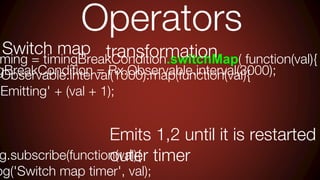
Switch map', val);
Intended action is completed/res
by ‘breakCondition’
ming = timingBreakCondition.switchMap( function(val){
.Observable.interval(1000).map(function(val){
'Emitting' + (val + 1);
g.subscribe(function(val){
og('Switch map timer', val);
Operators
transformation
Emits 1,2 until it is restarted
outer timer
Switch map
gBreakCondition = Rx.Observable.interval(3000);
Operators
transformation
Condition = Rx.Observable.fromEvent(document,'click');
= breakCondition.switchMap( function(val){
Rx.Observable.interval(3000).take(1)
p(function(){
n Rx.DOM.getJSON( 'data3.json' );
bscribe( function(val){
.log('Switch map', val);
Get data every 3 second unless a ‘click
Switch map
Same example but do something useful like
flat
Map
Takes an array of observables and
merges these into one meta stream
var stream= Rx.Observable
.fromArray([1,2,3,4])
.take(2)
.flatMap(function(val){
return Rx.Observable.interval(500).map(function()
return val;
});
});
Creates observables
Will emit 1,2 in eternity
Operators
transformation
flatMap +
json
var source = Rx.DOM.getJSON( 'data2.json' )
.flatMap( function(data) {
return Rx.Observable.fromArray( data ).map(function(row){
return row.props.name;
});
} );
source.subscribe( function(data){
console.log( data );
})
Takes array response
and emits it row by row
.flatMap( function(data) {
return Rx.Observable.fromArray( data ).pluck('props','nam
} );
.flatMap(Rx.Observable.fromArray).pluck('props','name')
Operators
transformation
1
2
3
Excellent to use when comin
one stream to another
Operators
transformation
flatMap -
example
2
mple = Rx.Observable.fromEvent(input,'keyup')
on(ev){
target.value;
n(text){
t.length >=3;
tilChanged()
nction(val){
DOM.getJSON( 'data3.json' );
Transform event to char
Wait until we have 3 chars
Only perform search if this ‘search’ is
Error scenarios
Capture error in .subscribe()
Error handling
catch
var errStream = Rx.Observable.throw('Erro
var stream = Rx.Observable.create(function(
observer.onNext(1);
})
var merged = Rx.Observable
.merge( errStream, stream )
merged.subscribe( function(val){
console.log('Val', val);
}, function(err){
aptured here but sequence
terrupted,
ompleted NOT reached
pture error in .subscribe() + completed strea
Error handling
Error handling
improved catc
var stream = Rx.Observable.create(function
observer.onNext(1);
})
var merged = Rx.Observable
.merge( errStream, stream )
.catch(function(err){
return Rx.Observable.of(err);
});
merged.subscribe( function(val){
console.log('Val', val);
}, function(err){
aptured here but sequence
errupted,
mpleted IS reached
ream not processed though
n we improve it?
error stream before merging with other strea
don’t kill other valid streams
Error handling
Error handling
ignoring
ed to handle the erroring stream better
From
errStream = Rx.Observable
ow('AAA thump..')
To
var errStream = Rx.Observable
.throw('AAA thump..')
.catch(function(err){
return
Rx.Observable.of(err);
});
This will emit all values and the wrap
ess all values and errors by wrapping the e
ything gets processed
Error handling
Error - ignoring
other scenario
var merged = Rx.Observable
.merge( errStream2, stream )
merged.subscribe( function(val){
console.log('Val', val);
}, function(err){
console.log('Err', err);
}, function(){
console.log('completed');
})
1,1,
m2 = Rx.Observable
)
on(val){
0) {
Rx.Observable.throw('Error stream');
Rx.Observable.of(val);
on(observable){
servable.catch(Rx.Observable.return('Error handled'));
wrap
catch and rewrite
olicy for error handling of streams when mer
successful stream survive
Error handling
Error - ignoring
other scenario
e several sources and two terminates
nt the other normal source to work
Stream = Rx.Observable
AAA thump..');
StreamWithFlattenedData = Rx.Observable
(500)
p( function(val){
=== 1 ) {
urn Rx.Observable.throw('crashing');
{
urn Rx.Observable.return(val);
g');
var handledErrorStream =
Rx.Observable.onErrorResum
eNext( errStream,
normalStream,
errStreamWithFlattenedDat
a );
handledErrorStream.subscribe
(function(err){
console.log('error stream
ignored', err);
},
function(err){
console.log("error stream
Dies midstream though,
you probably want to handle it
Error - Retrying
stream = Rx.DOM.get('/products.json').retry
am.subscribe((val) => {
onsole.log('Data', val);
r => console.log(err));
Good thing with a shaky connection
5 attemps are made until it comes as an erro
Subject
Observ
er
Observ
able
Subj
ect
Inherits from both
can act as a proxy for a group of subscribe
Subject
example
bject = new Rx.Subject();
t.subscribe((val) => {
sole.log( 'Produced by subject', val );
t.onNext(1);
t.onCompleted();
this.i = 0;
}
Producer.prototype.nextValue = function(
return i++;
}
var observable = new Rx.Observable((observ
var producer = new Producer();
observer.onNext(producer.nextValue())
observer.onCompleted();
});
Bold is usually an operato
.of() or .interval()
cts like a observer
ts like an observable
Subject
var subject = new Rx.Subject();
var source = Rx.Observable.interval(500);
source.subscribe(subject);
subject.subscribe(
(val) => {
console.log('Sub', val);
},
(err) => console.log(err),
() => console.log('completed')
);
setTimeout(function() {
subject.onCompleted();
}, 3000);
Pass subject as an observer
Receives all the values pushed out by the source
Able to stop receiving values
Subject
proxy one stream and add to it
var source = Rx.Observable.interval(500).take(3);
source.subscribe( subject );
subject.subscribe((val) => {
console.log('Subject', val);
});
subject.onNext('Mess1');
subject.onNext('Mess2');
Listens to all values from s
Add to stream
Order important
Subject
different types
AsyncSubject
ns a single value IF it completes
ed forever
Good for ajax
requests
BehaviorSubject
Receives last emitted value
and then all subsequent ones
Good for a placeholder
then real data to replace it
scenario
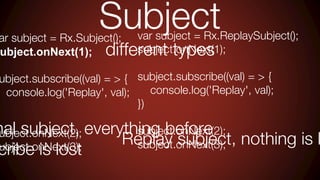
var subject = Rx.ReplaySubject();
subject.onNext(1);
subject.subscribe((val) = > {
console.log('Replay', val);
})
subject.onNext(2);
subject.onNext(3);
ar subject = Rx.Subject();
ubject.onNext(1);
ubject.subscribe((val) = > {
console.log('Replay', val);
)
ubject.onNext(2);
ubject.onNext(3);
Subject
different types
mal subject, everything before
cribe is lost
Replay subject, nothing is l
Further reading
https://xgrommx.github.io/rx-
book
http://www.learnrxjs.io/
Thank you

8558537werr.pptx

  • 1.
  • 2.
    ▪ Extend JavaScriptfunctionality using lodash.js ▪ Extended Functionality With Rxjs Table of Contents
  • 3.
    Reactive programming? Is aprogramming paradigm Focuses on propagating changes without us having to explicitly specify how the propagation happens State what our code should to without having to code every line
  • 4.
    Functional over imperative varlist = [ 1,2,3,4,5 ]; var newList = list.map( function(value) { return value + 1; }) Produces a new list list NOT mutated/changed but projected Functional Imperative var list = [ 1,2,3,4,5 ]; list.forEach( function(value) { value += 1; }) X number invocation changes state
  • 5.
  • 6.
    ▪ Lodash.js isa JavaScript library, that extends regular JavaScript functionality ▪ Provides extensions to object, arrays, selection, etc.. ▪ Usable with client JavaScript (web and mobile) and server JavaScript (Node.js) lodash.js
  • 7.
    ▪ Lodash extendsthe functionality for: ▪ Collections ▪ each, map, find, filter, where, some, countBy ▪ Arrays ▪ first, last, union, uniq, range ▪ Functions ▪ bind, delay, defer, once, after ▪ Objects ▪ keys, values, extend, functions, clone ▪ Templates and Chaining lodash.js Functionality
  • 8.
    ▪ Collections ==arrays and objects ▪ All underscore methods work both on arrays and objects (associative arrays) ▪ Collection extensions: ▪ _.each() - iterates over a collection ▪ _.map(), _.pluck() - a projection of a collection ▪ _.filter(), _.reject() and _.where - filter elements ▪ _.all() and _.any() - evaluate a collection ▪ _.sortBy(), _.groupBy() - sorts and groups Collections
  • 9.
    ▪ _.each() iteratesover a list of elements, yielding each in turn to an iterator function ▪ Similar to for-in loop ▪ Uses the native forEach() function if the browser supports it Collections: each() var numbers = [1, 2, 3, 4, 5, 6, 7, 8]; _.each(numbers, console.log); _.each(numbers, function(item) { console.log(item); } //log all the numbers
  • 10.
    ▪ _.map() producesa new array of elements, after the values are computed ▪ Uses the native map() function if the browser supports it ▪ Can be used with objects as well: Collections: map() _.map(console, function (item) { return item.toString(); }); var numbers = [0, 1, 2, 3, 4, 5, 6, 7, 8]; var numberNames = ["zero", "one", "two", "three"]; function numbersToNames(item) { return numberNames[item]; } _.map(numbers, numbersToNames);
  • 11.
    ▪ Filter andreject return a subset of the original collection, based on an boolean expression ▪ Filter returns all items matching the condition ▪ Reject returns all items that do not fulfill the condition Collections: filter() and reject() var numbers = [0, 1, 2, 3, 4, 5, 6, 7, 8]; var even = _.filter(numbers, isEven); var odd = _.reject(numbers, isEven); function isEven(number) { return number % 2 === 0; }
  • 12.
    ▪ _.where() filtersa collection based on a property value ▪ Returns a subcollection of the original collection Collections: where() var people = [{name: "Ivan Todorov", age: 21}, {name: "Todor Ivanov", age: 11}, {name: "Petra Georgieva", age: 14}, {name: "Georgi Petrov", age: 11}, {name: "Stamina Staminova", age: 19}]; var elevenYearsOld = _.where(people, {age: 11}); // returns Todor Ivanov and Georgi Petrov
  • 13.
    ▪ _.all() returnstrue if ALL of the elements that meet a boolean expression ▪ _.any() returns true if ANY of the elements fulfill a boolean condition ▪ And false if none if the elements fulfill the condition Collections: all() and any() var numbers = [1, 2, 3, 4, 5, 6, 7, 8, 9, 10]; var anyEven = _.any(numbers, function(el){ return el % 2 == 0; }); //anyEven = true var allEven = _.all(numbers, function(el){ return el % 2 == 0; }); //allEven = false;
  • 14.
    ▪ _.pluck() returnsa projection of a collection ▪ Returns only a part from all elements Collections: pluck() var people = [ {username: "VGeorgiev", email: "vlado@softuni.bg"}, {username : "Teodor92", email: "kurtev@softuni.bg"}, {username : "nakov", email: "spam@nakov.com"}, {username : "Petya", email: "petya@softuni.bg"}]; var emails = _.pluck(people, 'email'); // emails = ["vlado@softuni.bg", "kurtev@softuni.bg", "spam@nakov.com", "petya@softuni.bg"]
  • 15.
    ▪ _.sortBy() sortsthe elements of a collection ▪ Much like the native sort() function ▪ Sorts by a property or an iterator function Collections: sortBy() var students = [ {fname: "Mitko", lname: "Ruletkata", age: 63}, {fname: "Gencho", lname: "Ganev", age: 32}, {fname: "Penio", lname: "Penev", age: 10}, {fname: "Unufri", lname: "Unufriev", age: 17}]; var sortedByLastname = _.sortBy(students, "lname"); var sortedByAge = _.sortBy(students, "age");
  • 16.
    ▪ _.groupBy() groupsthe elements of a collection ▪ Groups by a property or an iterator function Collections: groupBy() var cars = [ {make: "Nissan", model: "Skyline", color: "red"}, {make: "Audi", model: "A6", color: "blue"}, {make: "Lada", model: "Vesta", color: "red"}, {make: "Moskvich", model: "412", color: "yellow"}, {make: "Peugeot", model: "206", color: "red"}]; var carsByColor = _.groupBy(cars, "color");
  • 17.
  • 18.
    ▪ Array extensionswork only on array objects ▪ Does not work on associative arrays or objects ▪ Array extensions: ▪ _.first() and _.initial() selects the first n items ▪ _.last() and _.rest() selects the last n items ▪ _.compact() - removes all false values ▪ _.union() and _.intersection() - unites or intersects two or more arrays Array Extensions
  • 19.
    ▪ _.first() returnsthe first element in an array ▪ Can be used with a parameter to return the first n elements ▪ _.initial() returns all elements except the last one ▪ Can be used with a parameter to all the elements except the last n Arrays: first() and initial() var numbers = [1, 2, 3, 4, 5]; var initial = _.initial(numbers); // [1, 2, 3, 4] var initialTwo = _.initial(numbers, 2); // [1, 2, 3] var numbers = [1, 2, 3, 4, 5]; var first = _.first(numbers); // 1 var firstTwo = _.first(numbers, 2); // [1, 2]
  • 20.
    ▪ _.last() returnsthe last element in an array ▪ Can be used with a parameter to return the last n elements ▪ _.rest() returns all elements except the first one ▪ Can be used with a parameter to return everything after the first n Arrays: last() and rest() var numbers = [1, 2, 3, 4, 5]; var initial = _.rest(numbers); // [2, 3, 4, 5] var initialTwo = _.rest(numbers, 2); // [3, 4, 5] var numbers = [1, 2, 3, 4, 5]; var first = _.last(numbers); // 5 var firstTwo = _.last(numbers, 2); // [4, 5]
  • 21.
  • 22.
    ▪ Object extensionsprovide some additional functionality to regular objects ▪ _.keys(obj) – list of all the keys of an object ▪ _.values(obj) – list of the values of an object ▪ _.invert(obj) – inverts the keys and the values ▪ _.extend(obj, properties) – performs prototypal inheritance Object Extensions
  • 23.
  • 24.
    Promise vs Arrayvs Observable list .map( x = > x.prop ) .filter( x => x > 2 ) .take( 2 ) list .map( x = > x.prop ) .filter( x => x > 2 ) .take( 2 ) .subscribe( x => console.log(x), err => console.log(err) ) Array Observable Promise service.get() .then( x => console.log(x) ) .catch( err => console.log(err) ) Array like, handles async but can also - Cancelled - Retried
  • 25.
    Operators ● Combination ● Conditional ●Creational ● Transformation ● Filtering ● Utility ● Multicasting Categories
  • 26.
    Observable common operators var stream= Rx.Observable.of(1,2,3,4,5); stream.map((val) => { return val + 1; }) .filter((val) => { return val % 3 === 0; }) Investigates every valu
  • 27.
    Observable reducer var stream2 =Rx.Observable.of(1,2,3,4,5,6); var subscription2 = stream2.reduce((acc, curr) => { return acc + curr; }); subscription2.subscribe((val) => { console.log('Sum', val); })
  • 28.
  • 29.
    Operators utility var stream =Rx.Observable.of(1,2,3,4,5); var subscription = stream .do(function(val){ console.log('Current val', val); }) .filter(function(val){ return val % 2 === 0; }); subscription.subscribe(function(val){ Echos every value without changing it, used for logging Do
  • 30.
    Operators utility toPromise Used tocreate a pro from an observable stream .filter(function(val){ return val % 2 === 0; }) .toPromise() .then( function(val){ console.log('Promise', val); }) 4 var stream = Rx.Observable.of(1,2,3,4,5); Only latest value that fulfils filter is
  • 31.
    Operators utility let stream .let( observable => observable .filter(function(x){ returnx % 2 > 0; })) .take(2) .subscribe(function(val){ console.log('let', val); }) Let’s us operate on the observable. We don’t need to return what we do like with a stream .filter(function(val){ return val % 2 === 0; }) stream = Rx.Observable.of(1,2,3,4,5);
  • 32.
    Operators utility lay, e whole sequence stream .delay(1000) .subscribe((val) => { var newTime = new Date().getTime(); console.log('Delayed', val + " " + (newTime - time)); }) Rx.Observable.merge( Rx.Observable.of('Marco').delay(1000), Rx.Observable.of('Polo').delay(2000) ).subscribe((val) => { var newTime = new Date().getTime(); ….. 1 second 1 2 3 ….. 1 second Marco ….. 2 second Polo
  • 33.
  • 34.
    Operators combination concat merge var concat =Rx.Observable.concat( stream, stream2 ); var stream = Rx.Observable.fromArray([1,2,3,4]); var stream2 = Rx.Observable.fromArray([5,6,7,8]); 1, 2, 3, 4, 5, 6, 7 ,8 var merge = Rx.Observable.merge( stream, stream2 ); 1, 5, 2, 6, 3, 7, 4 ,8 first stream emits all values then remaining value streams take turn There is difference so choose wisely
  • 35.
    Operators combination var stream =Rx.Observable.fromArray([1,2,3,4]); var stream2 = Rx.Observable.fromArray([5,6,7,8]); var combineLatest = Rx.Observable.combineLatest( stream, stream2 ); combineLatest.subscribe( function(val) { console.log( 'combine ', val ) }) combineLatest [1,5], [2,6], [3,7], [4,8]
  • 36.
  • 37.
    Operators conditional var stream = Rx.Observable .fromArray([1,2,3,4]) .every(function(val){ return val % 2 === 0; }); false var evenStream = Rx.Observable .fromArray([2,4,8]) .every( function(val){ return val % 2 === 0 }); true Condition needs to be fulfilled on all values
  • 38.
  • 39.
    Operators filtering var debounceTime =Rx.Observable .fromEvent(button,'click') .debounce(2000); debounceTime.subscribe( function(){ console.log('mouse pressed'); }) waits x ms and returns latest emitted var debouncedStream = Rx.Observable .fromArray([1,2]) .debounce(25); debouncedStream.subscribe( function(val){ console.log('debounce stream', val ); }); returns 2 ex1 ex2 ores all generated ouse click events for 2 seconds
  • 40.
    Operators filtering var mousePressedTimer =Rx.Observable.interval(1000); mousePressedTimer .takeUntil( mouseUp ) .subscribe( function(val){ console.log('mouse up has NOT happened yet',val); }, function(err){}, function(){ console.log('condition fulfilled'); }) var mouseUp = Rx.Observable.fromEvent(button,'mouseup'); Break condition Generate numbers
  • 41.
    var throttle =Rx.Observable .interval( 1000 ) .throttle( 1000 ); throttle.subscribe( function(val){ console.log('Throttle', val ); }); Operators filtering Delay every value by x milliseconds Throttle 1 2 3 4 1 2
  • 42.
  • 43.
    Operators transformation mbers = Rx.Observable.interval(1000); ufferBy= Rx.Observable.fromEvent(document,'click'); ffered = numbers.buffer( bufferBy ); ed.subscribe(function(values){ nsole.log('Buffered',values); [1,2] [3,4,5,6,7] etc… Numbers are generated to a b until condition is met, then the buffer content is emit Buffer
  • 44.
    Operators transformation var bufferTime =numbers.bufferTime(2000); bufferTime.subscribe(function(values){ console.log("Buffer time",values); }) var numbers = Rx.Observable.interval(1000); Waits x miliseconds and then emits buffer BufferTime
  • 45.
    var expand =Rx.Observable .of(2) .expand(function(val){ return Rx.Observable.of(1 + val); }) .take(3); expand.subscribe(function(val){ console.log('Expand',val); }) Operators transformation Expand Recursively call provided callback x times
  • 46.
    Operators transformation Scan var scanning =Rx.Observable .of({ prop : 'a'}, { prop2 : 'b'}) .scan((acc, curr) => Object.assign({}, acc, curr), {}); scanning.subscribe( function(val){ console.log( val ); }); Add accumulated and current var sum = Rx.Observable .of(1,2,3) .do(function(){ console.log('Create side effects'); }) .scan(function(acc,curr) { { prop : ‘a’ } { prop : ‘a’, prop2 : ‘ } 1 3 6
  • 47.
    Operators transformation map, e something basedon a condition = Rx.Observable.fromEvent(document,'click'); switchMap( function(val){ servable.interval(3000).mapTo('Do this if nothing breaks m subscribe( function(val){ Switch map', val); Intended action is completed/res by ‘breakCondition’
  • 48.
    ming = timingBreakCondition.switchMap(function(val){ .Observable.interval(1000).map(function(val){ 'Emitting' + (val + 1); g.subscribe(function(val){ og('Switch map timer', val); Operators transformation Emits 1,2 until it is restarted outer timer Switch map gBreakCondition = Rx.Observable.interval(3000);
  • 49.
    Operators transformation Condition = Rx.Observable.fromEvent(document,'click'); =breakCondition.switchMap( function(val){ Rx.Observable.interval(3000).take(1) p(function(){ n Rx.DOM.getJSON( 'data3.json' ); bscribe( function(val){ .log('Switch map', val); Get data every 3 second unless a ‘click Switch map Same example but do something useful like
  • 50.
    flat Map Takes an arrayof observables and merges these into one meta stream var stream= Rx.Observable .fromArray([1,2,3,4]) .take(2) .flatMap(function(val){ return Rx.Observable.interval(500).map(function() return val; }); }); Creates observables Will emit 1,2 in eternity Operators transformation
  • 51.
    flatMap + json var source= Rx.DOM.getJSON( 'data2.json' ) .flatMap( function(data) { return Rx.Observable.fromArray( data ).map(function(row){ return row.props.name; }); } ); source.subscribe( function(data){ console.log( data ); }) Takes array response and emits it row by row .flatMap( function(data) { return Rx.Observable.fromArray( data ).pluck('props','nam } ); .flatMap(Rx.Observable.fromArray).pluck('props','name') Operators transformation 1 2 3
  • 52.
    Excellent to usewhen comin one stream to another Operators transformation flatMap - example 2 mple = Rx.Observable.fromEvent(input,'keyup') on(ev){ target.value; n(text){ t.length >=3; tilChanged() nction(val){ DOM.getJSON( 'data3.json' ); Transform event to char Wait until we have 3 chars Only perform search if this ‘search’ is
  • 53.
  • 54.
    Error handling catch var errStream= Rx.Observable.throw('Erro var stream = Rx.Observable.create(function( observer.onNext(1); }) var merged = Rx.Observable .merge( errStream, stream ) merged.subscribe( function(val){ console.log('Val', val); }, function(err){ aptured here but sequence terrupted, ompleted NOT reached
  • 55.
    pture error in.subscribe() + completed strea Error handling
  • 56.
    Error handling improved catc varstream = Rx.Observable.create(function observer.onNext(1); }) var merged = Rx.Observable .merge( errStream, stream ) .catch(function(err){ return Rx.Observable.of(err); }); merged.subscribe( function(val){ console.log('Val', val); }, function(err){ aptured here but sequence errupted, mpleted IS reached ream not processed though n we improve it?
  • 57.
    error stream beforemerging with other strea don’t kill other valid streams Error handling
  • 58.
    Error handling ignoring ed tohandle the erroring stream better From errStream = Rx.Observable ow('AAA thump..') To var errStream = Rx.Observable .throw('AAA thump..') .catch(function(err){ return Rx.Observable.of(err); }); This will emit all values and the wrap
  • 59.
    ess all valuesand errors by wrapping the e ything gets processed Error handling
  • 60.
    Error - ignoring otherscenario var merged = Rx.Observable .merge( errStream2, stream ) merged.subscribe( function(val){ console.log('Val', val); }, function(err){ console.log('Err', err); }, function(){ console.log('completed'); }) 1,1, m2 = Rx.Observable ) on(val){ 0) { Rx.Observable.throw('Error stream'); Rx.Observable.of(val); on(observable){ servable.catch(Rx.Observable.return('Error handled')); wrap catch and rewrite
  • 61.
    olicy for errorhandling of streams when mer successful stream survive Error handling
  • 62.
    Error - ignoring otherscenario e several sources and two terminates nt the other normal source to work Stream = Rx.Observable AAA thump..'); StreamWithFlattenedData = Rx.Observable (500) p( function(val){ === 1 ) { urn Rx.Observable.throw('crashing'); { urn Rx.Observable.return(val); g'); var handledErrorStream = Rx.Observable.onErrorResum eNext( errStream, normalStream, errStreamWithFlattenedDat a ); handledErrorStream.subscribe (function(err){ console.log('error stream ignored', err); }, function(err){ console.log("error stream Dies midstream though, you probably want to handle it
  • 63.
    Error - Retrying stream= Rx.DOM.get('/products.json').retry am.subscribe((val) => { onsole.log('Data', val); r => console.log(err)); Good thing with a shaky connection 5 attemps are made until it comes as an erro
  • 64.
  • 65.
    Subject example bject = newRx.Subject(); t.subscribe((val) => { sole.log( 'Produced by subject', val ); t.onNext(1); t.onCompleted(); this.i = 0; } Producer.prototype.nextValue = function( return i++; } var observable = new Rx.Observable((observ var producer = new Producer(); observer.onNext(producer.nextValue()) observer.onCompleted(); }); Bold is usually an operato .of() or .interval() cts like a observer ts like an observable
  • 66.
    Subject var subject =new Rx.Subject(); var source = Rx.Observable.interval(500); source.subscribe(subject); subject.subscribe( (val) => { console.log('Sub', val); }, (err) => console.log(err), () => console.log('completed') ); setTimeout(function() { subject.onCompleted(); }, 3000); Pass subject as an observer Receives all the values pushed out by the source Able to stop receiving values
  • 67.
    Subject proxy one streamand add to it var source = Rx.Observable.interval(500).take(3); source.subscribe( subject ); subject.subscribe((val) => { console.log('Subject', val); }); subject.onNext('Mess1'); subject.onNext('Mess2'); Listens to all values from s Add to stream Order important
  • 68.
    Subject different types AsyncSubject ns asingle value IF it completes ed forever Good for ajax requests BehaviorSubject Receives last emitted value and then all subsequent ones Good for a placeholder then real data to replace it scenario
  • 69.
    var subject =Rx.ReplaySubject(); subject.onNext(1); subject.subscribe((val) = > { console.log('Replay', val); }) subject.onNext(2); subject.onNext(3); ar subject = Rx.Subject(); ubject.onNext(1); ubject.subscribe((val) = > { console.log('Replay', val); ) ubject.onNext(2); ubject.onNext(3); Subject different types mal subject, everything before cribe is lost Replay subject, nothing is l
  • 70.
  • 71.