
Feeding Your Automated Tests
A Practical Demo
Joseph E. Beale
02/16/2016
Agenda
• Scenario Outlines
• Inline Tables
• YAML Files
• CSV Files
• Excel Spreadsheets
But before we can get into those…
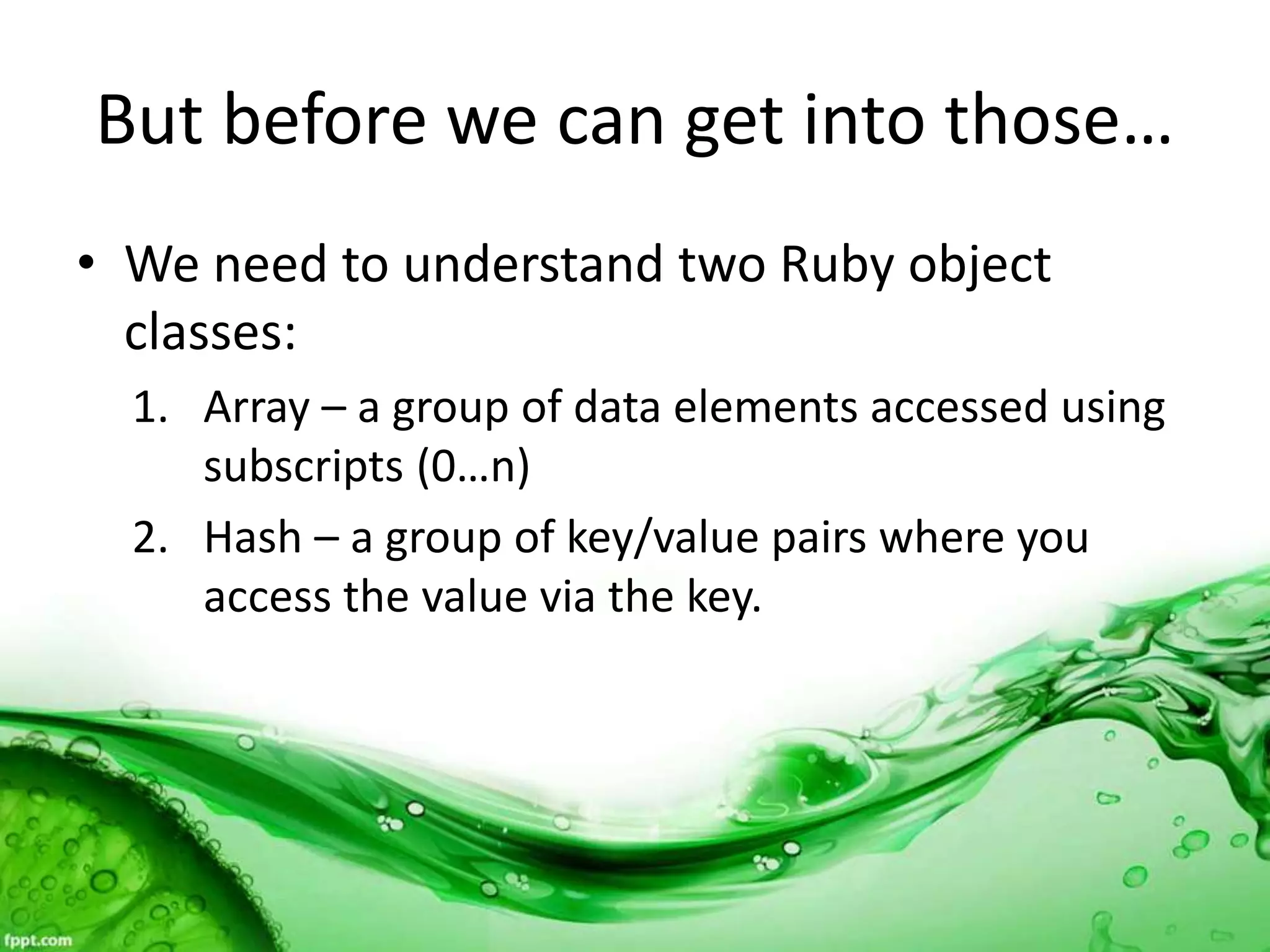
• We need to understand two Ruby object
classes:
1. Array – a group of data elements accessed using
subscripts (0…n)
2. Hash – a group of key/value pairs where you
access the value via the key.
Array and Hash Methods
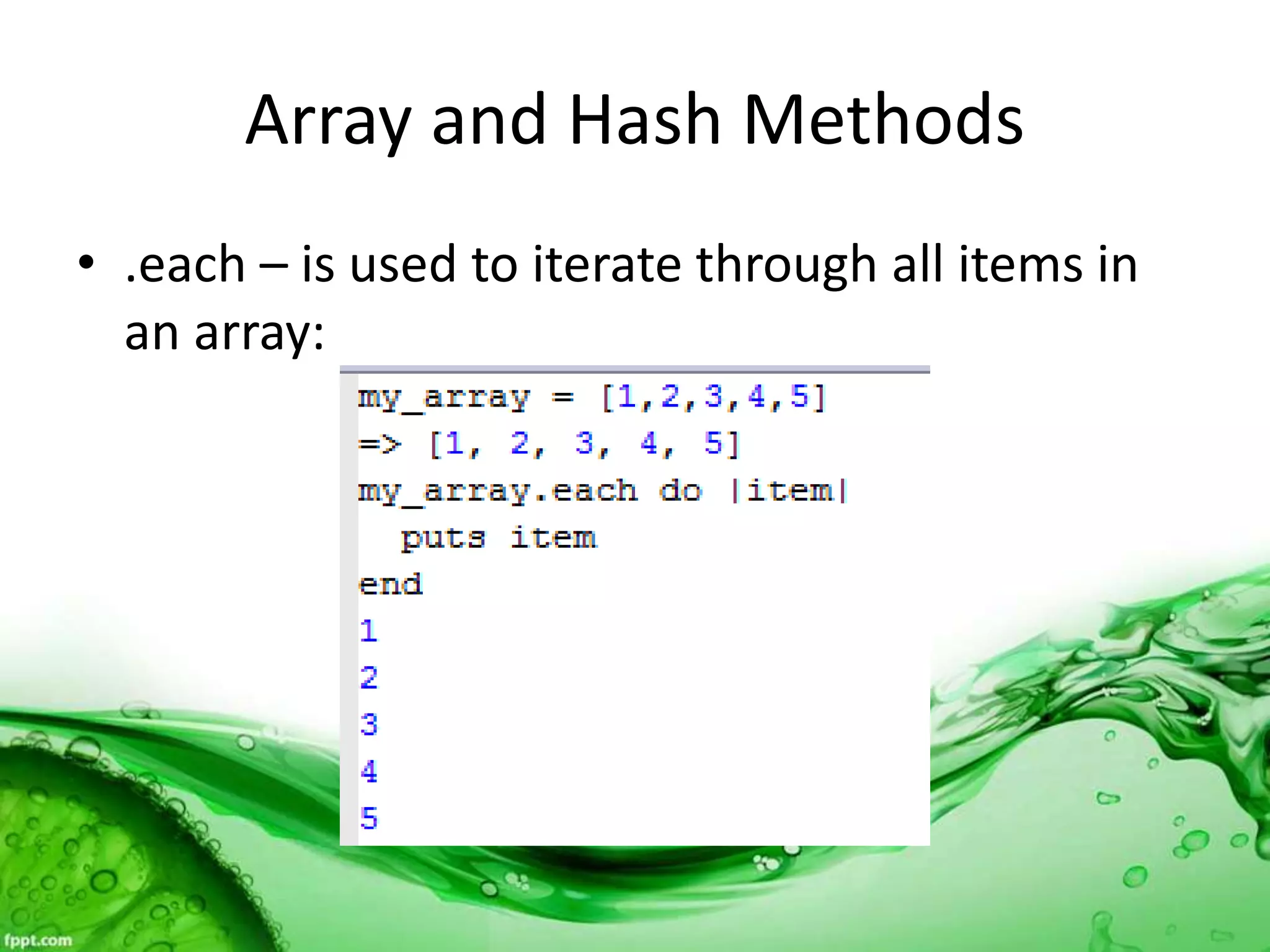
• .each – is used to iterate through all items in
an array:
Array and Hash Methods
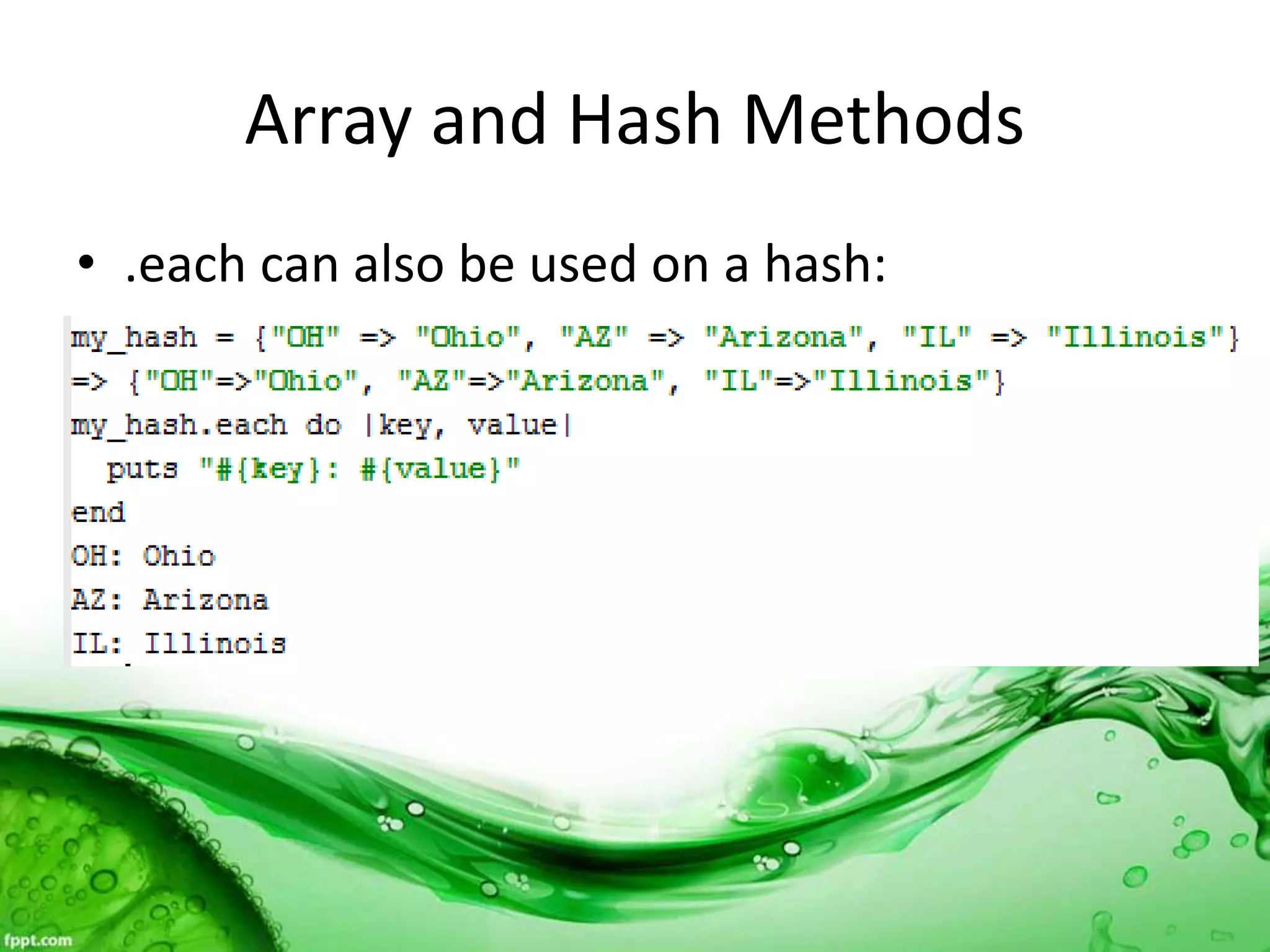
• .each can also be used on a hash:
Array and Hash Methods
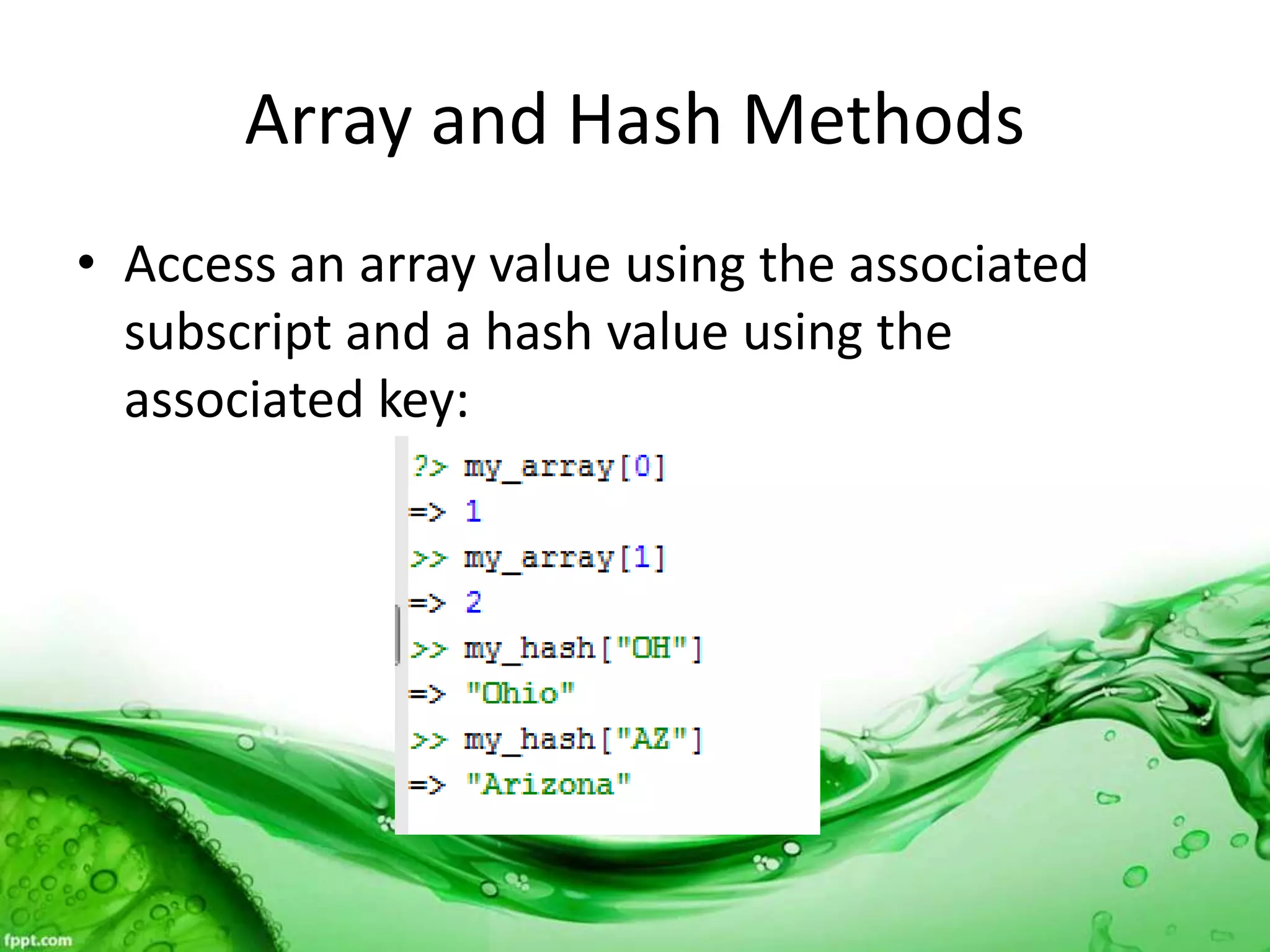
• Access an array value using the associated
subscript and a hash value using the
associated key:
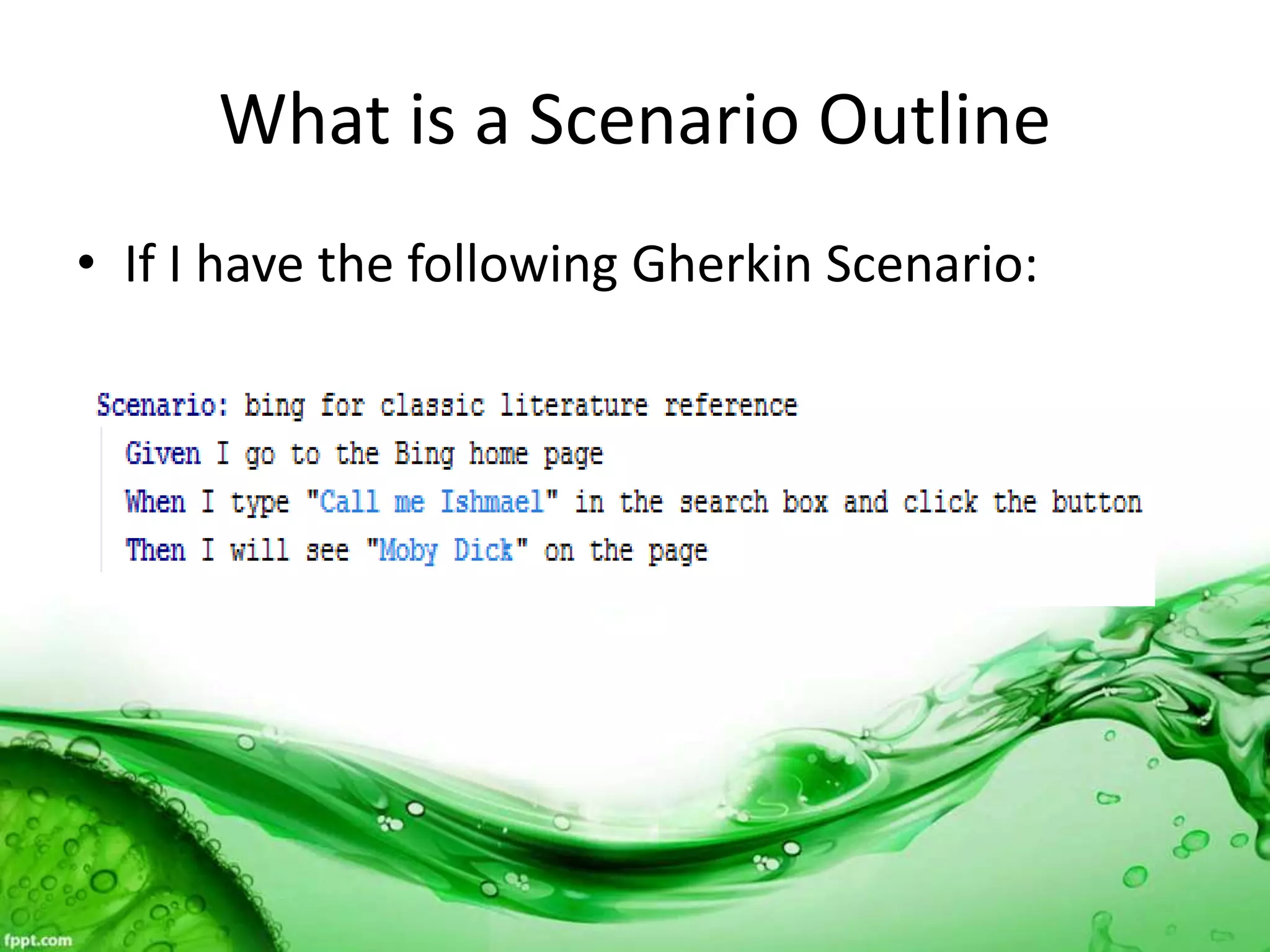
What is a Scenario Outline
• If I have the following Gherkin Scenario:
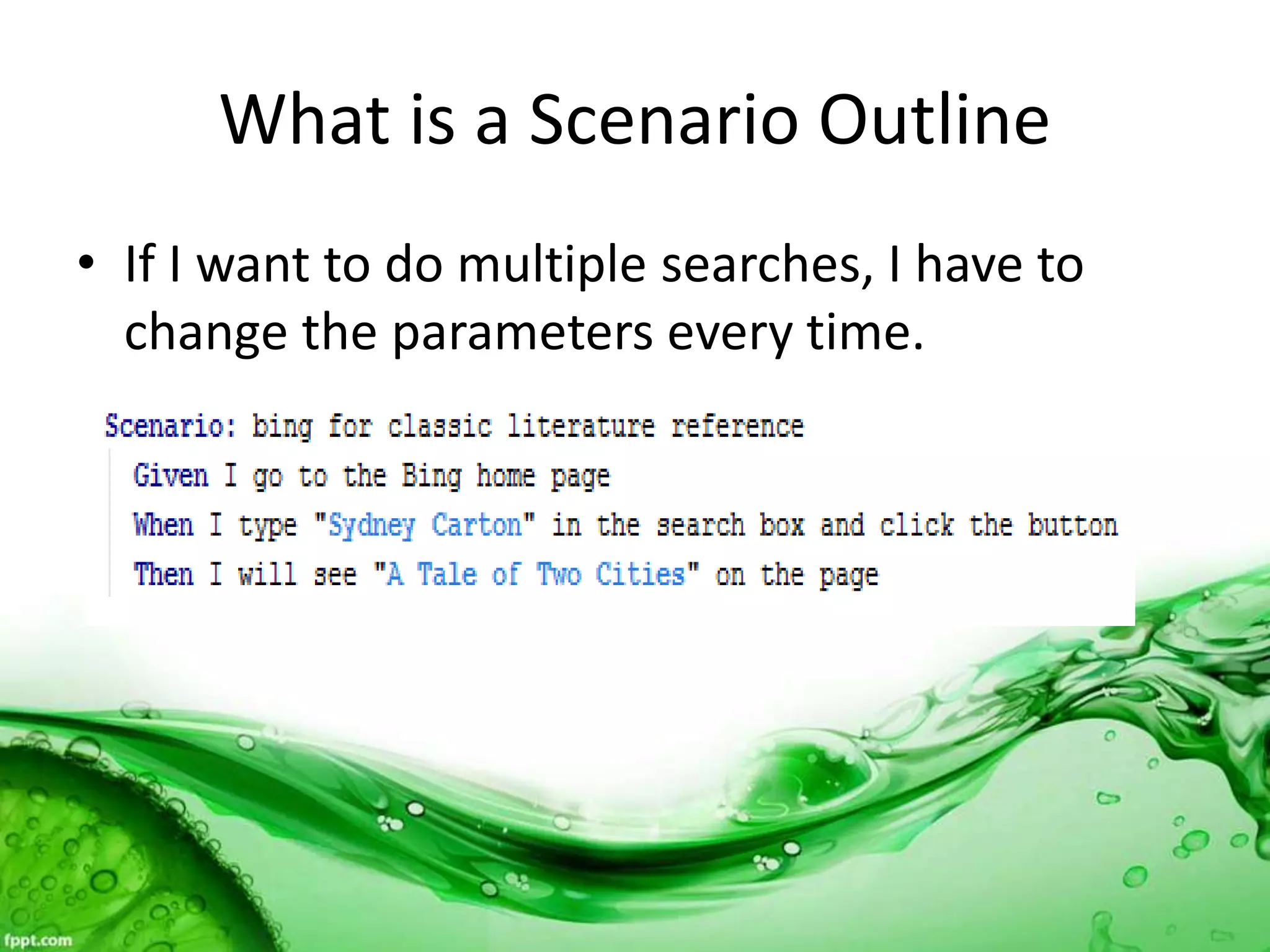
What is a Scenario Outline
• If I want to do multiple searches, I have to
change the parameters every time.
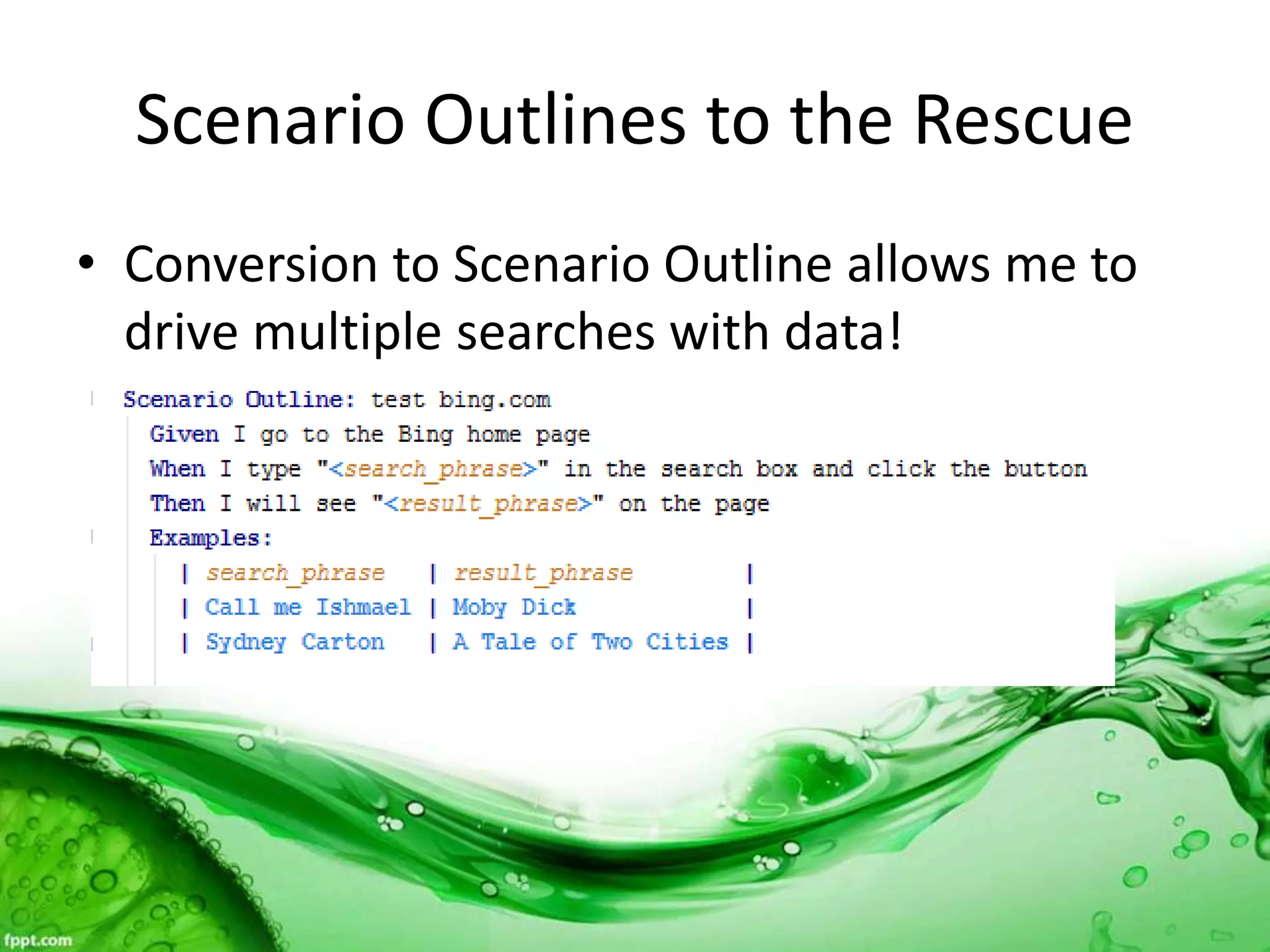
Scenario Outlines to the Rescue
• Conversion to Scenario Outline allows me to
drive multiple searches with data!
Demo
• Live demo of search engine testing using a
scenario outline.
What is an Inline Table?
• Suppose I want to feed multiple data elements
through one step in the scenario?
• Example: several steps to get to a page and
then multiple elements to enter on that page.
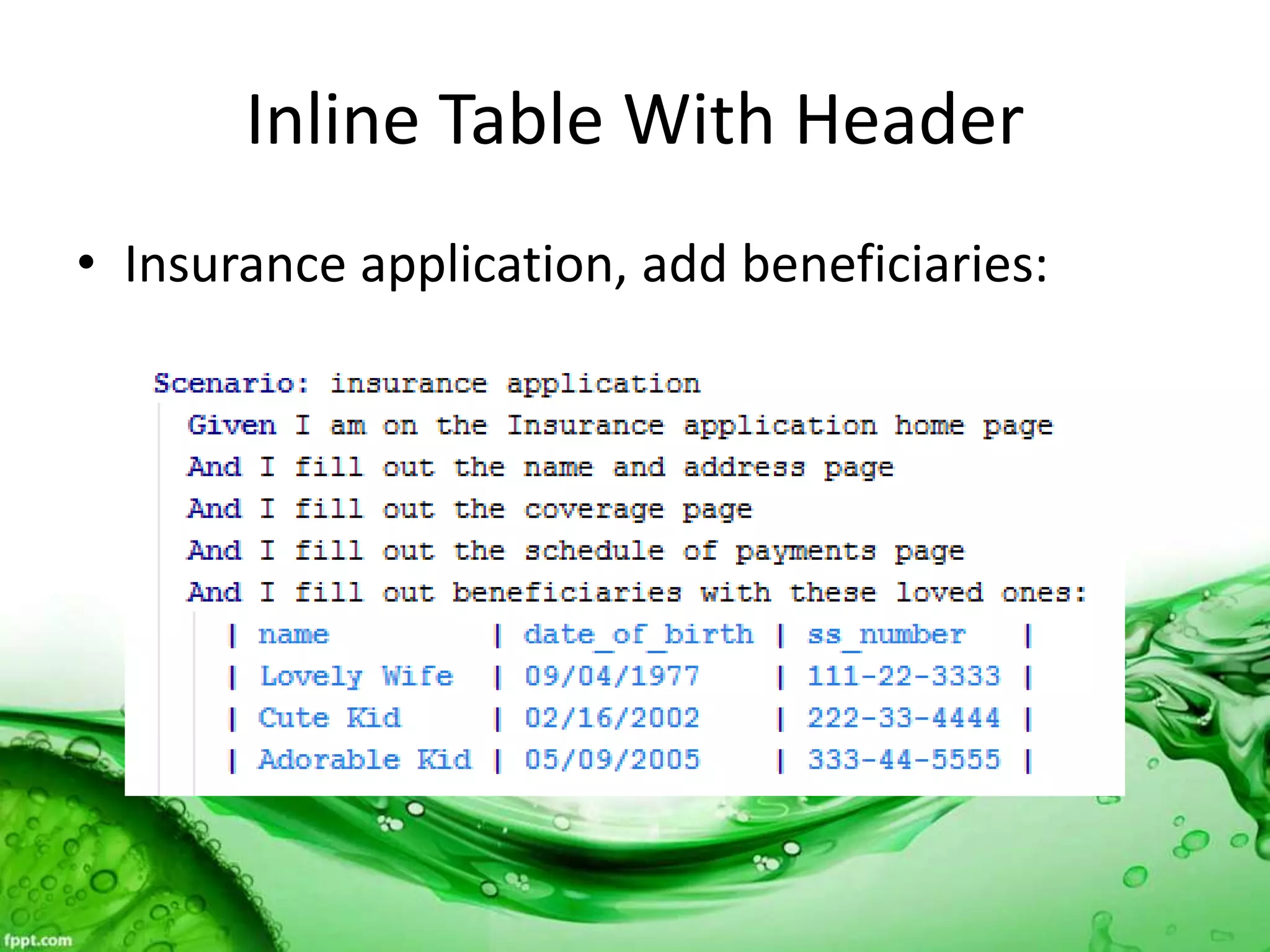
Inline Table With Header
• Insurance application, add beneficiaries:
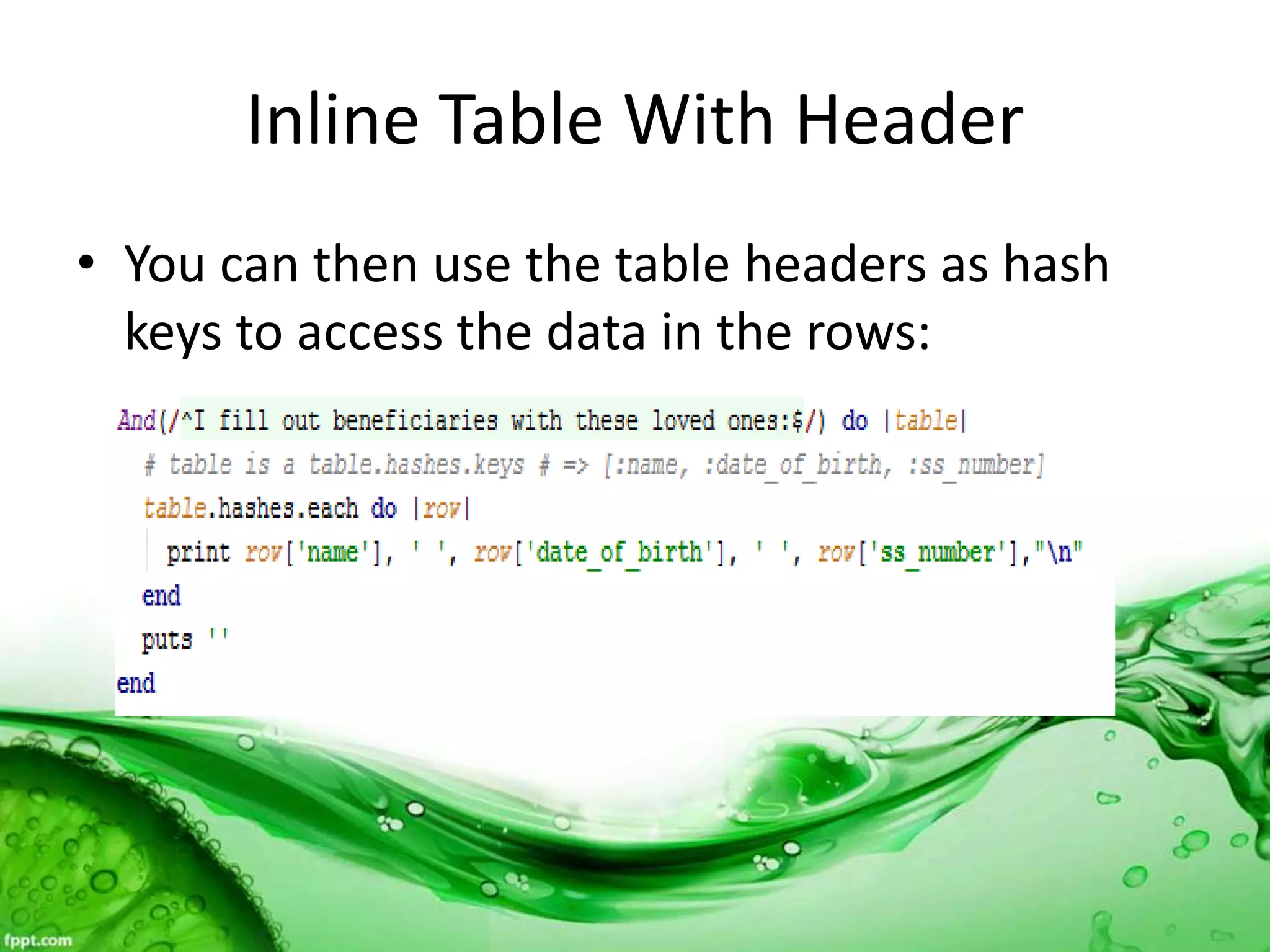
Inline Table With Header
• You can then use the table headers as hash
keys to access the data in the rows:
Demo
• Live demo of printing out data from an inline
table.
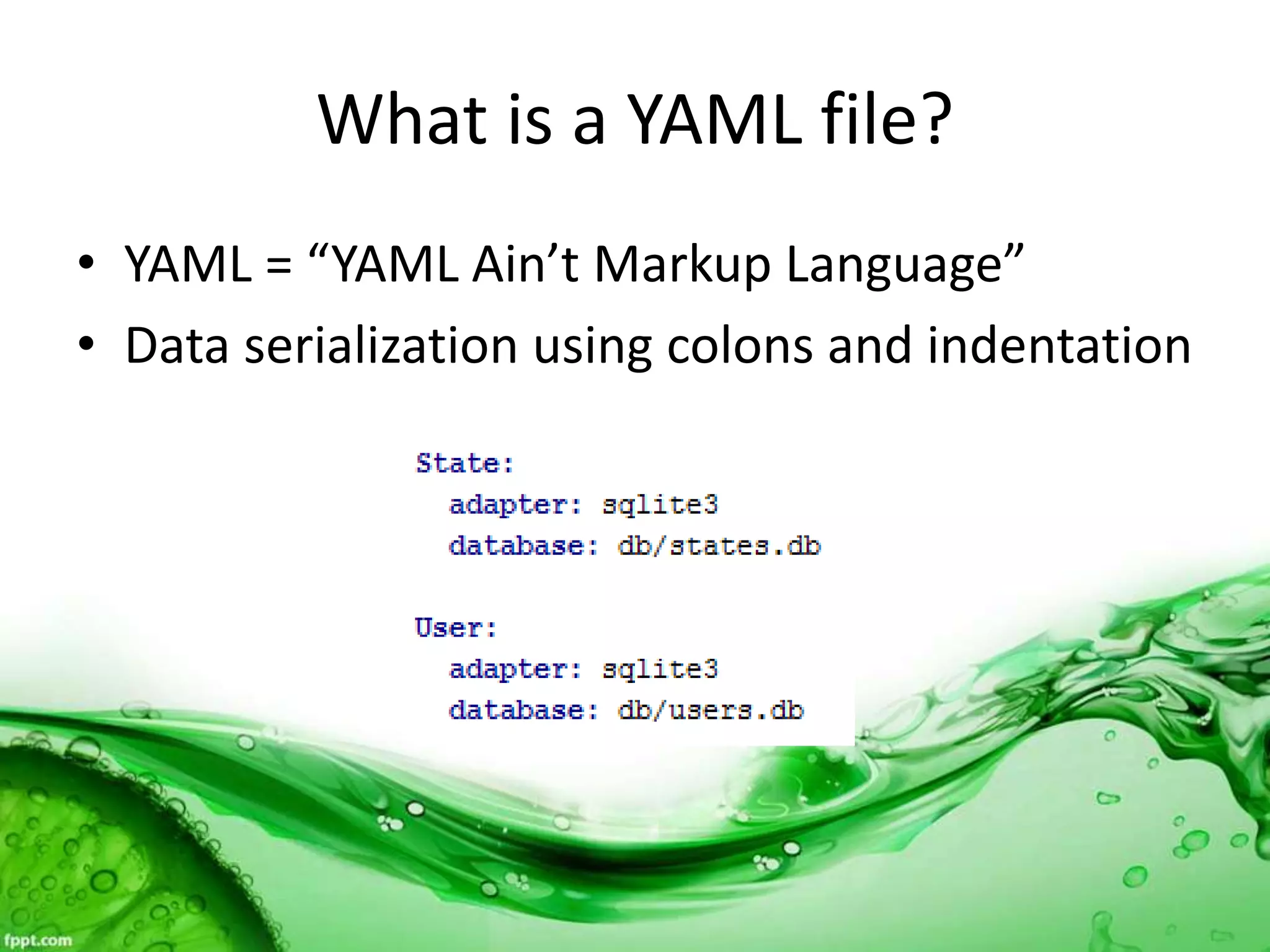
What is a YAML file?
• YAML = “YAML Ain’t Markup Language”
• Data serialization using colons and indentation
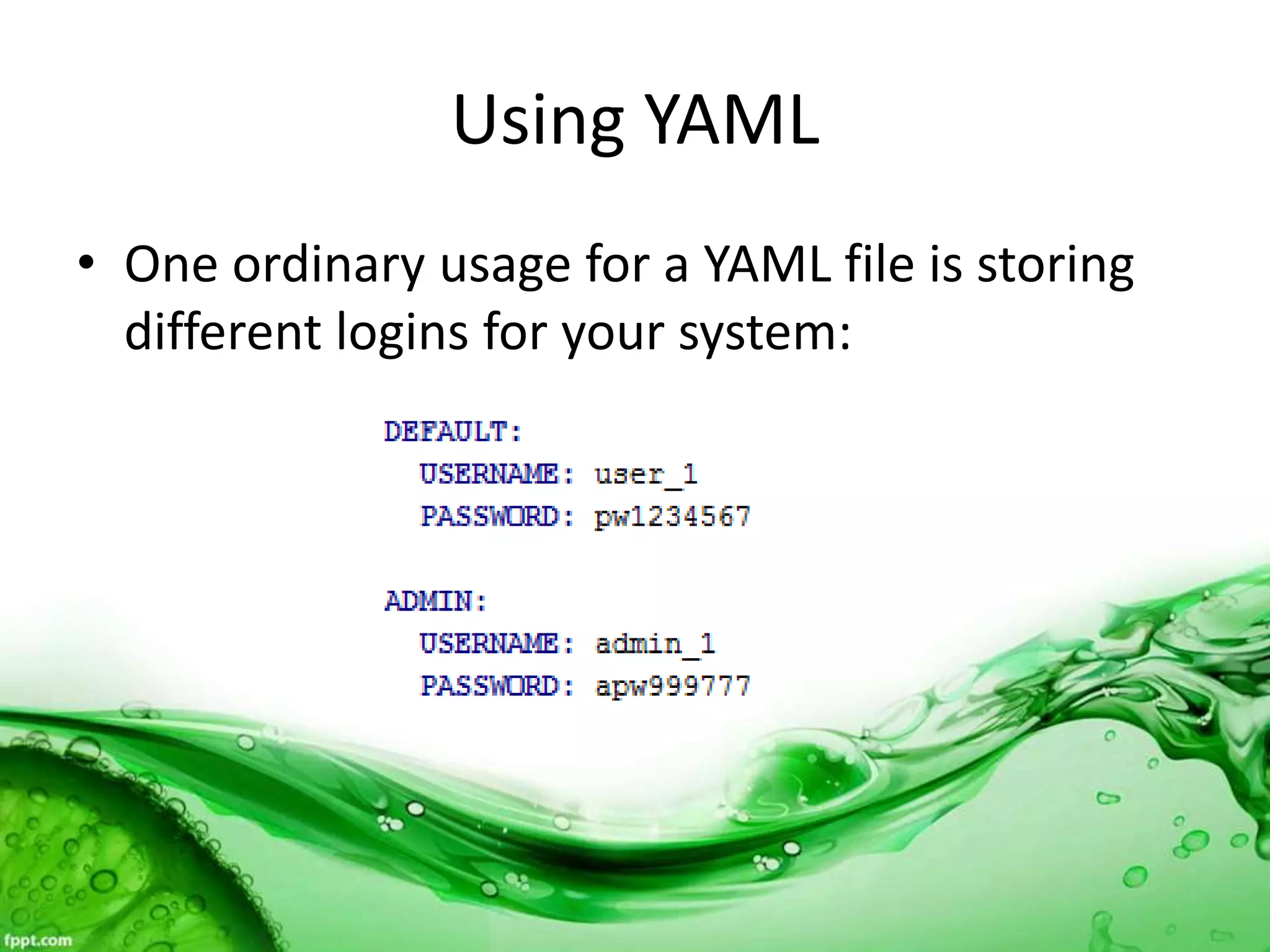
Using YAML
• One ordinary usage for a YAML file is storing
different logins for your system:
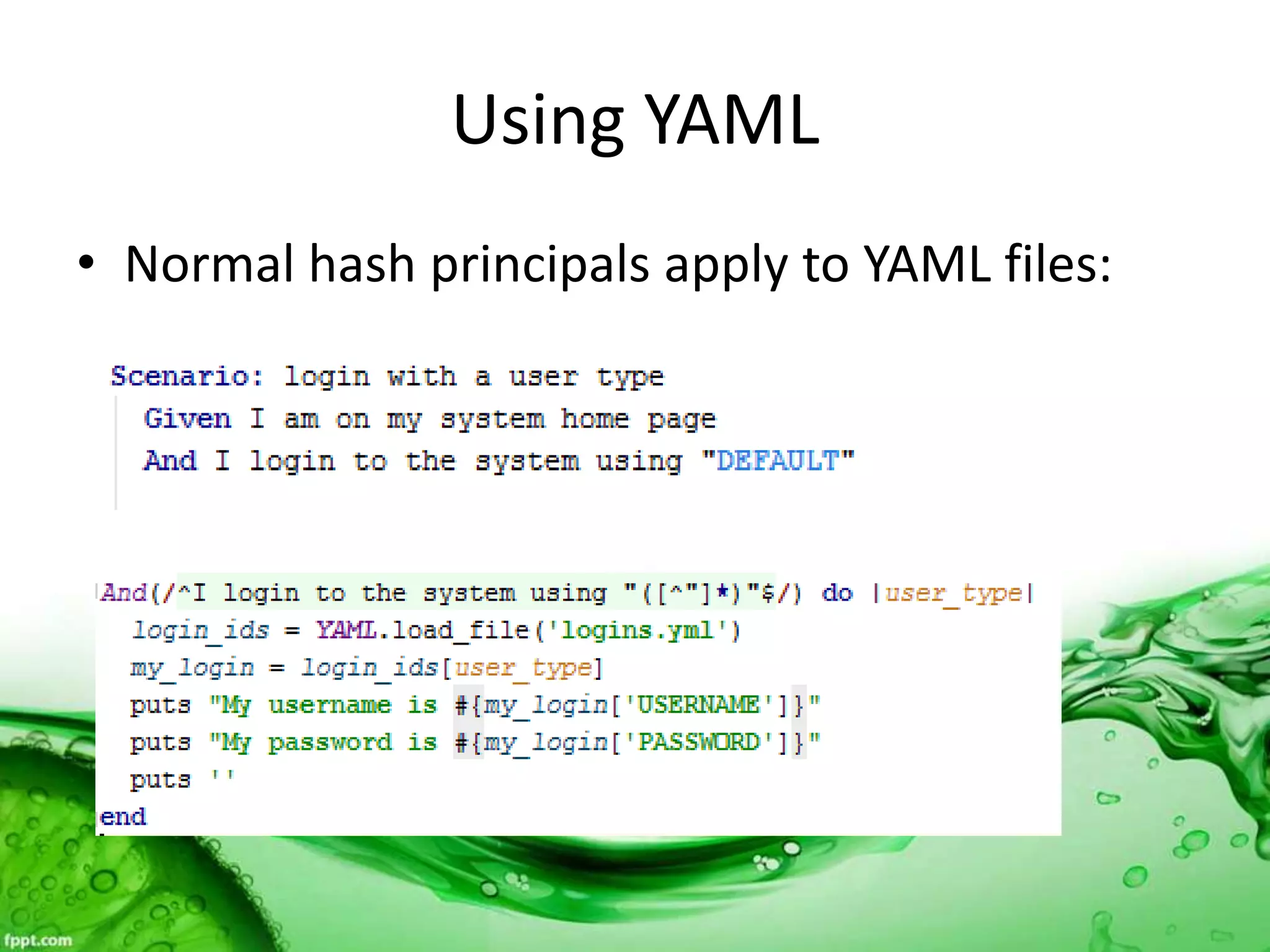
Using YAML
• Normal hash principals apply to YAML files:
Using YAML
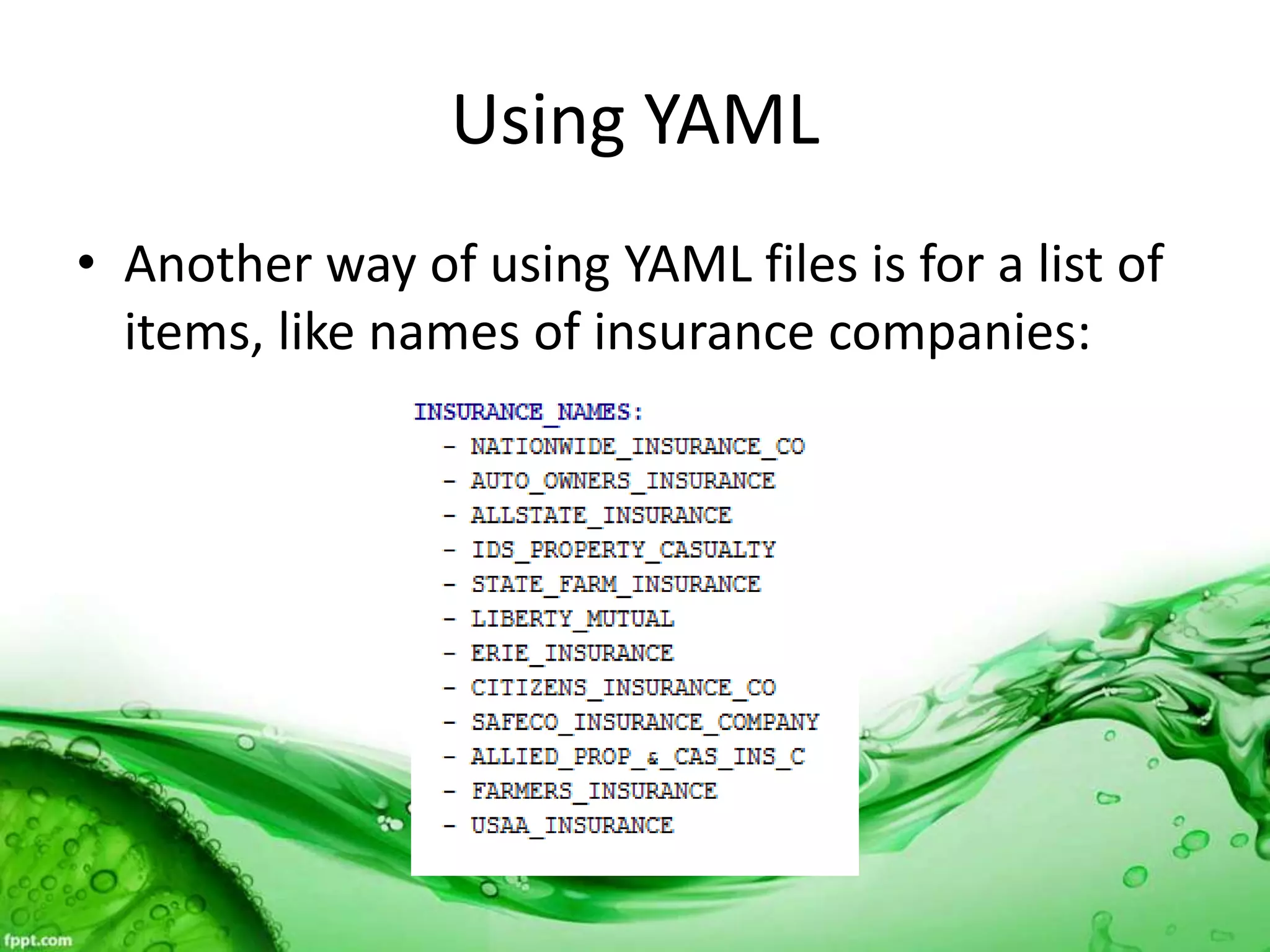
• Another way of using YAML files is for a list of
items, like names of insurance companies:
Using YAML
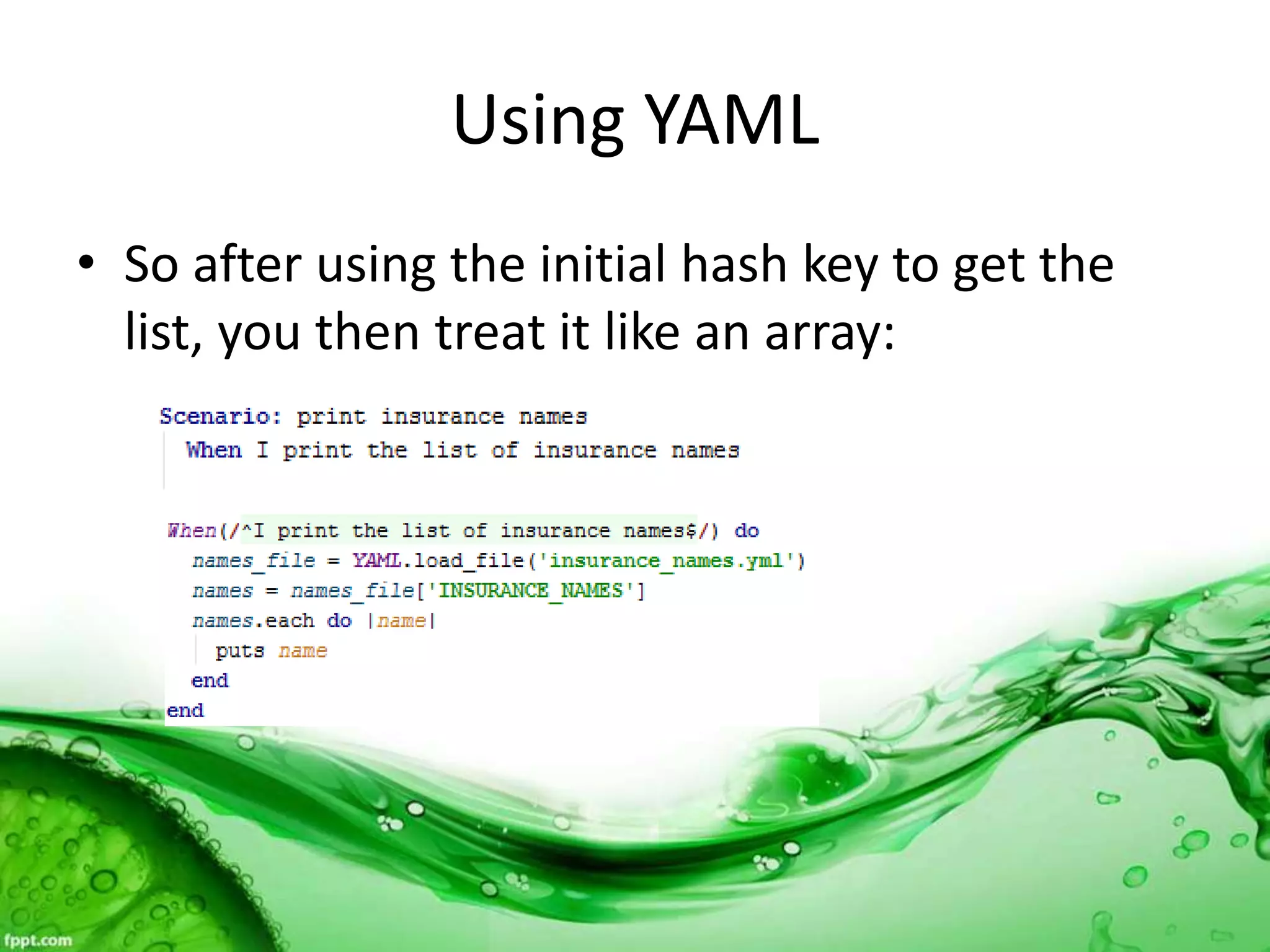
• So after using the initial hash key to get the
list, you then treat it like an array:
Demo
• Demo of using YAML file for login ID and
password, plus printing out the list of
insurance name.
What is a CSV file?
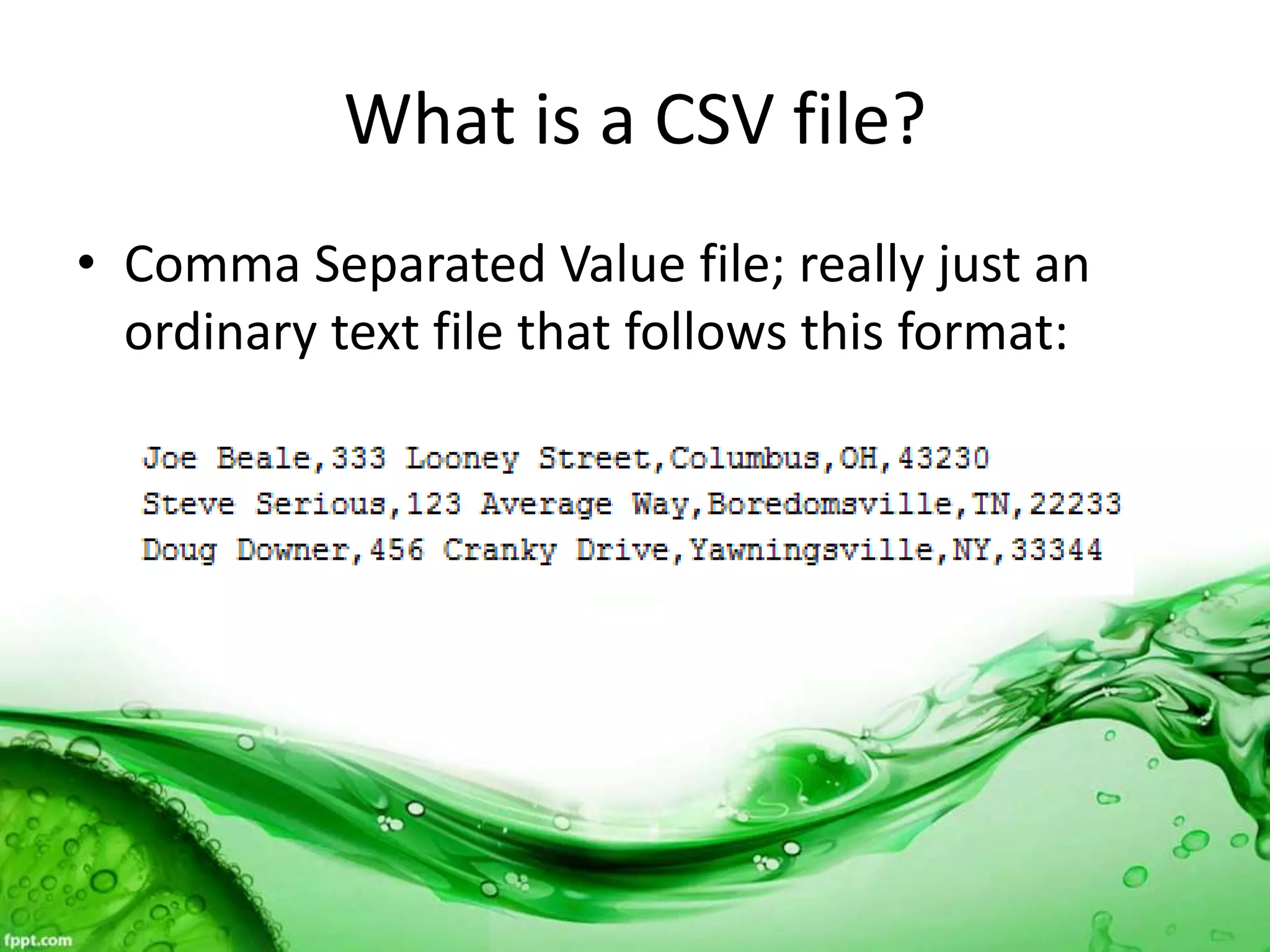
• Comma Separated Value file; really just an
ordinary text file that follows this format:
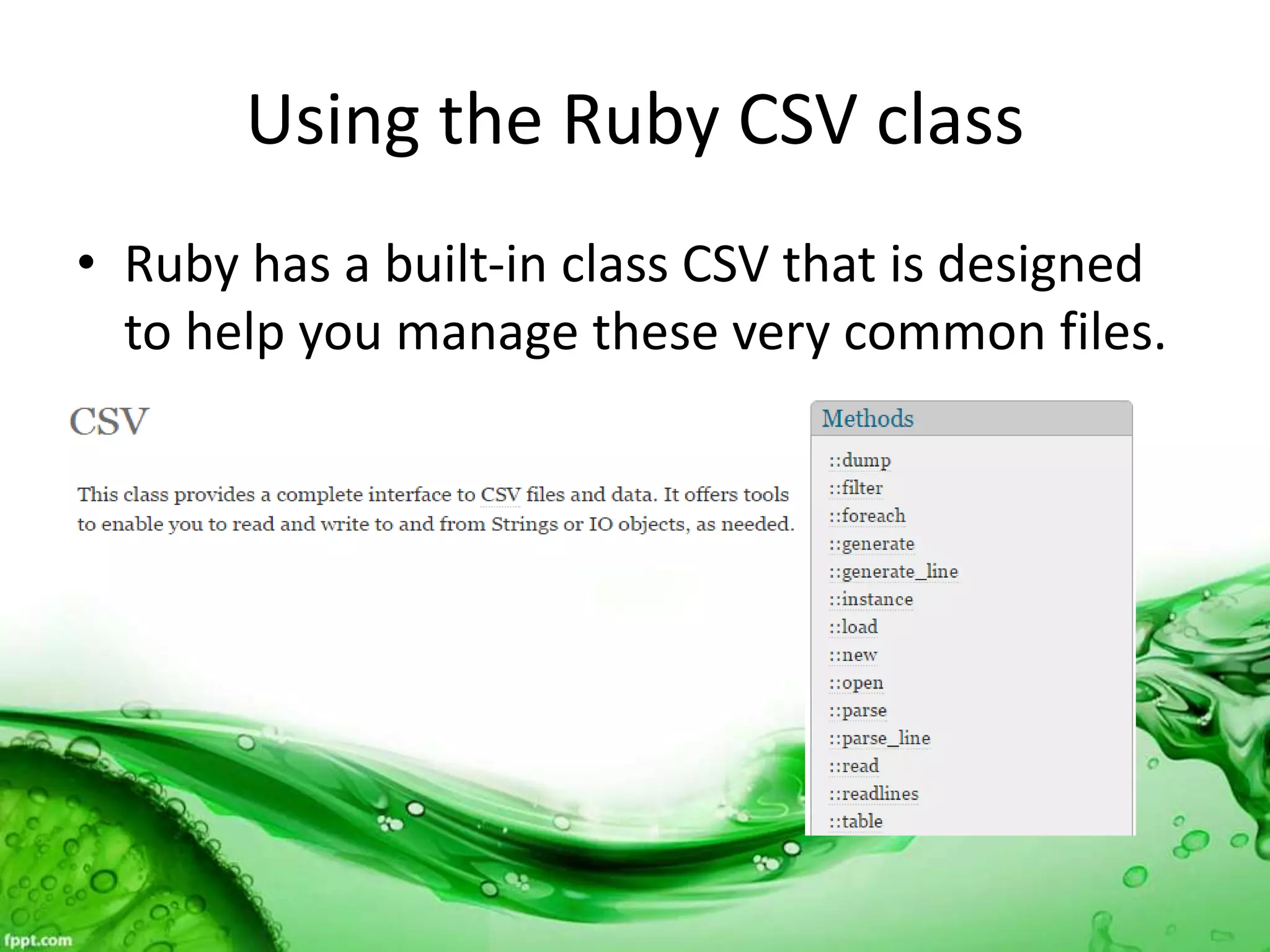
Using the Ruby CSV class
• Ruby has a built-in class CSV that is designed
to help you manage these very common files.
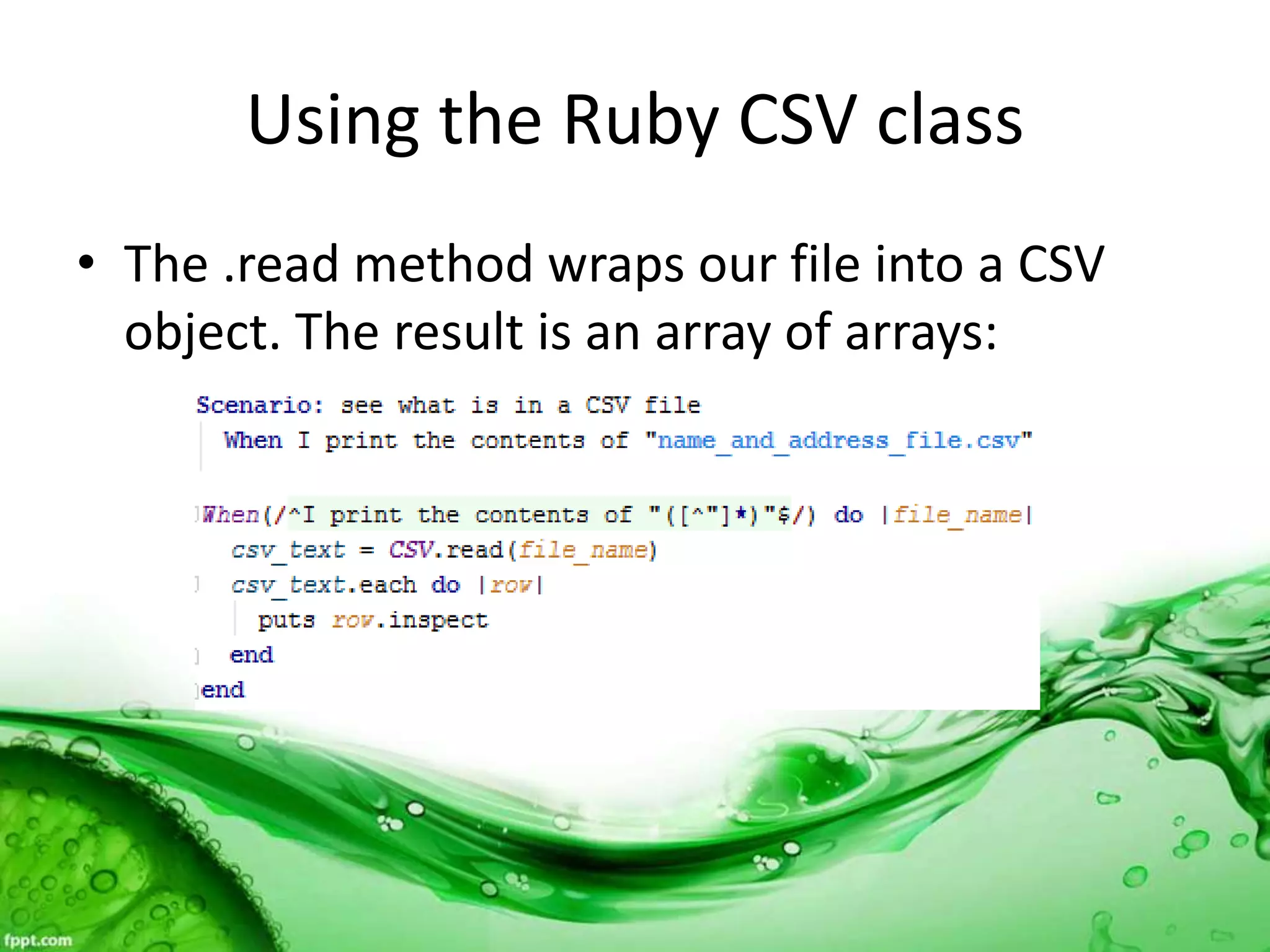
Using the Ruby CSV class
• The .read method wraps our file into a CSV
object. The result is an array of arrays:
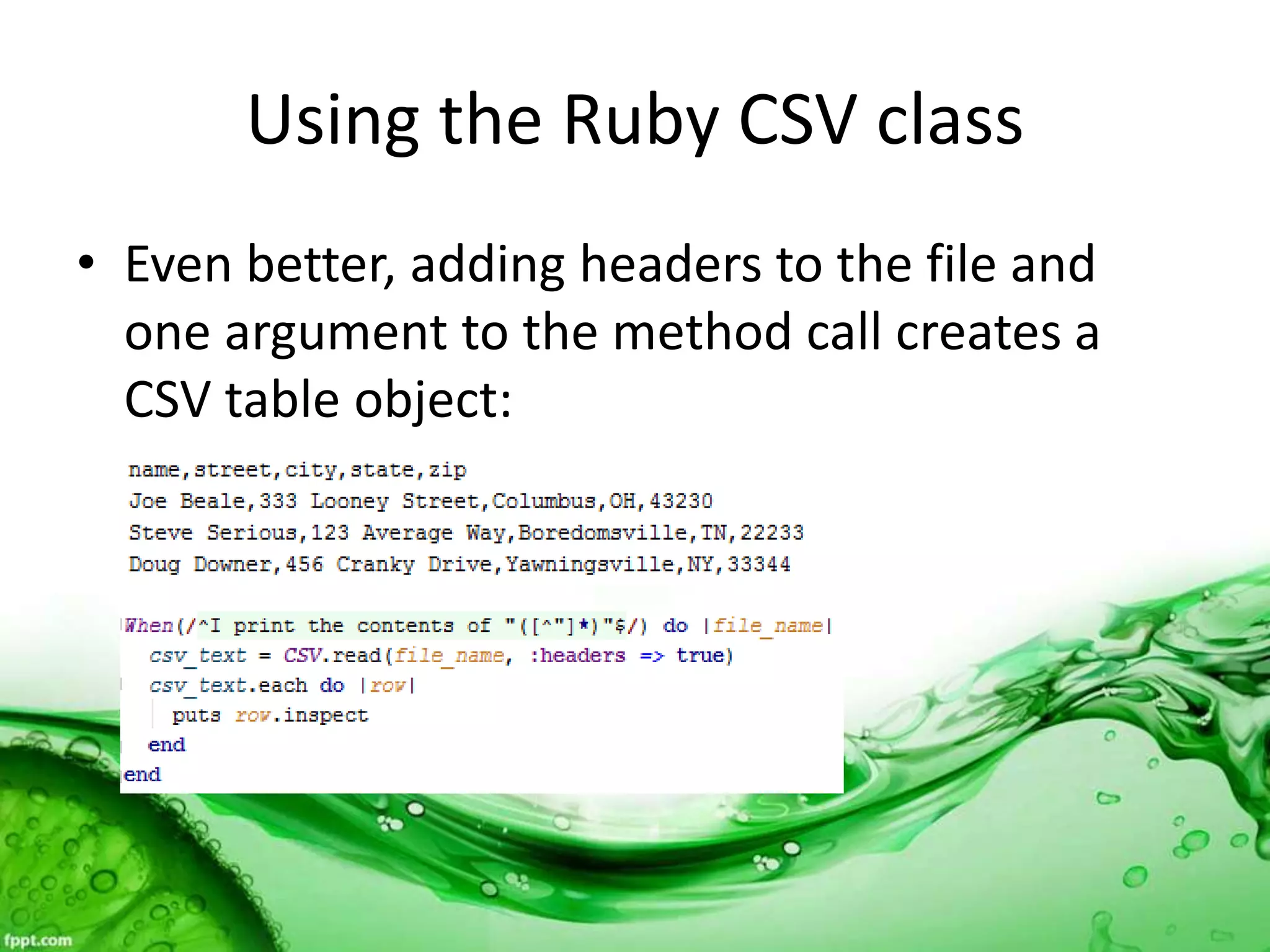
Using the Ruby CSV class
• Even better, adding headers to the file and
one argument to the method call creates a
CSV table object:
Demo
• Demo of using CSV.read method with and
without headers.
The Ubiquitous Spreadsheet
• Almost everywhere you go in the IT world, you
will find data in spreadsheets.
• Spreadsheets are so commonly used for test
requirements that some tools have add-ins to
use them for importing test artifacts.
• Spreadsheets are the main source of data for
data-driven automation tools.
Introducing Simple XLSX Reader
• There are several gems that allow you to
access spreadsheet data in Ruby. I prefer
Simple XLSX Reader for input data.
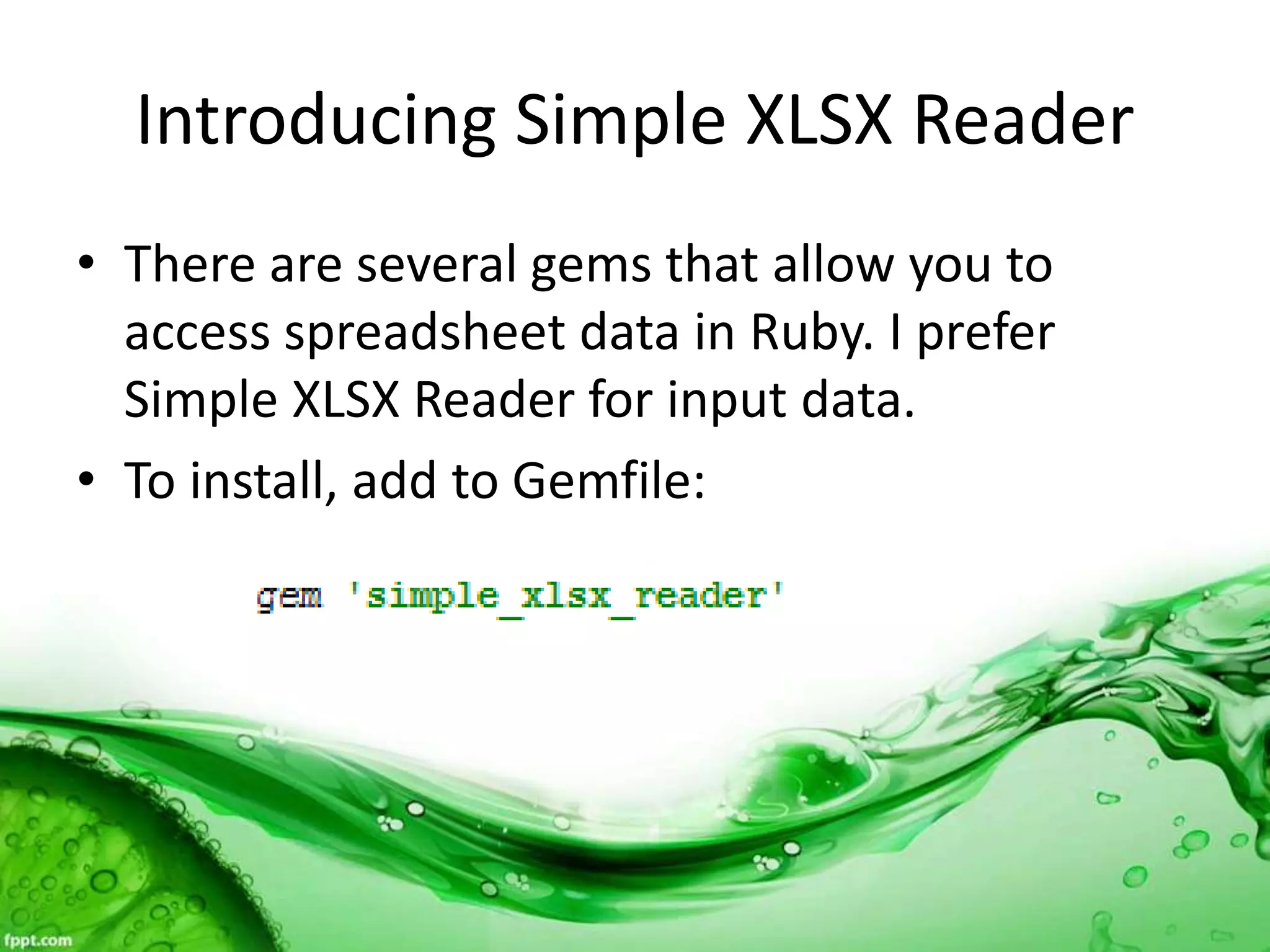
• To install, add to Gemfile:
Using Simple XLSX Reader
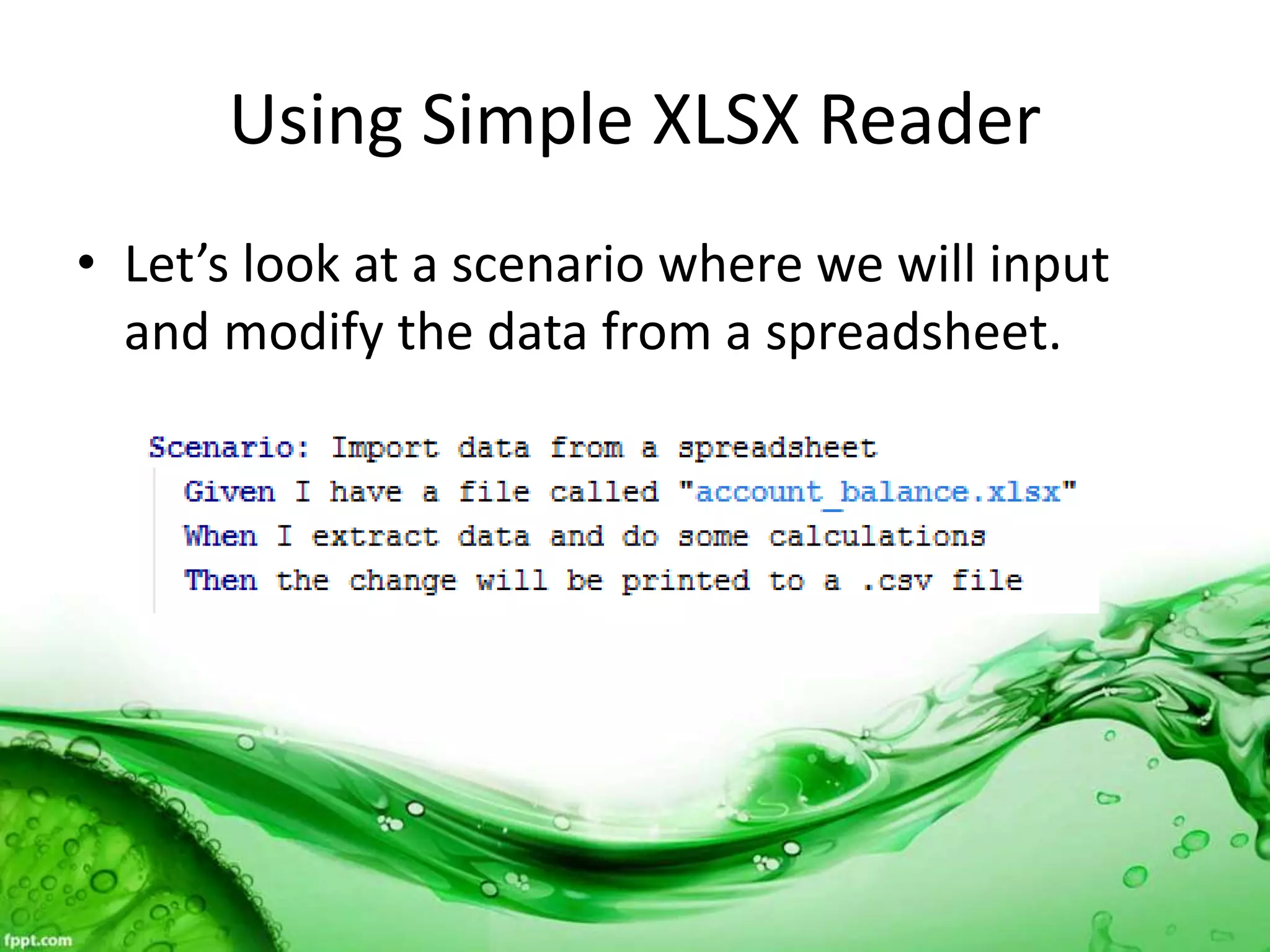
• Let’s look at a scenario where we will input
and modify the data from a spreadsheet.
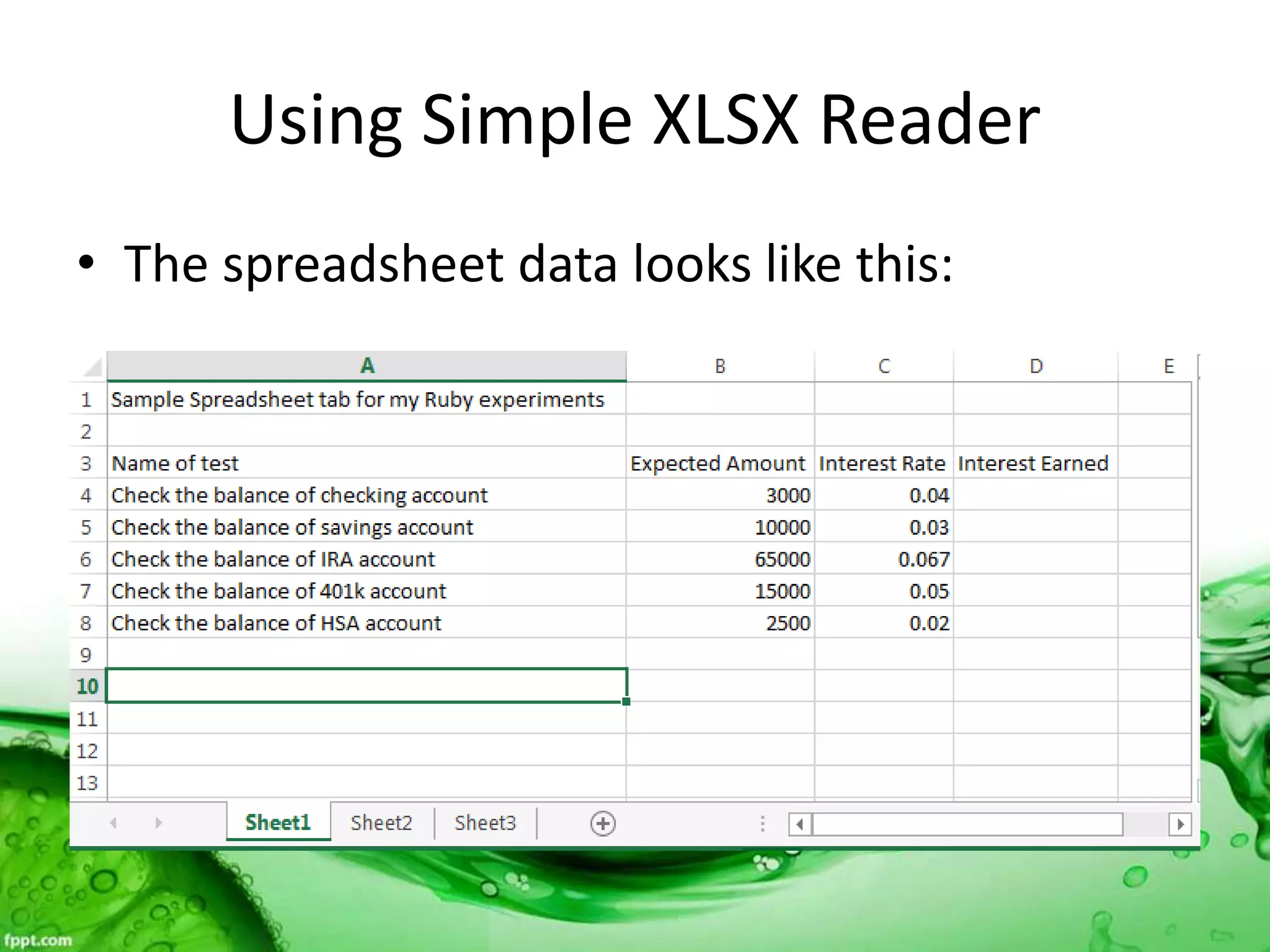
Using Simple XLSX Reader
• The spreadsheet data looks like this:
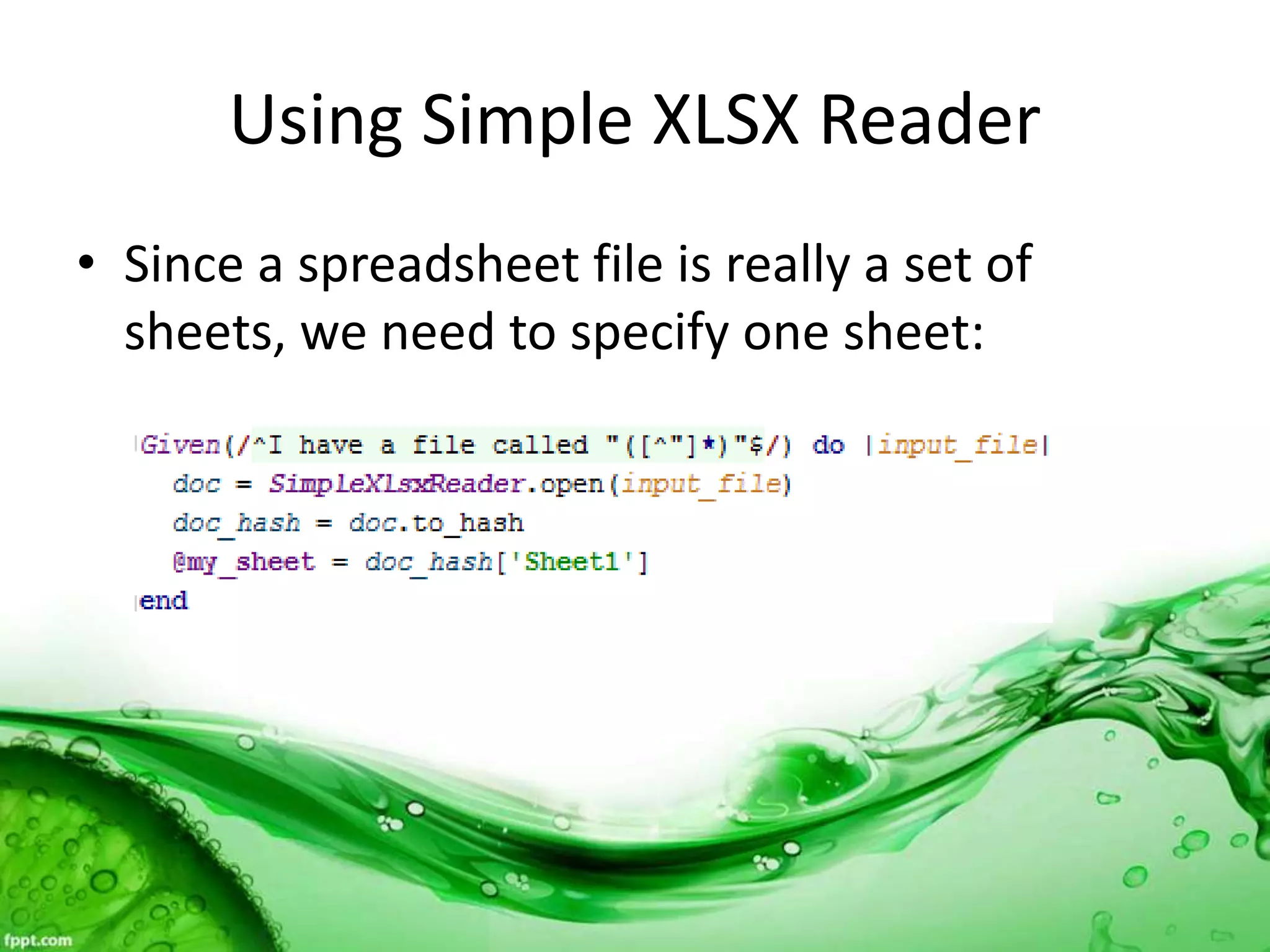
Using Simple XLSX Reader
• Since a spreadsheet file is really a set of
sheets, we need to specify one sheet:
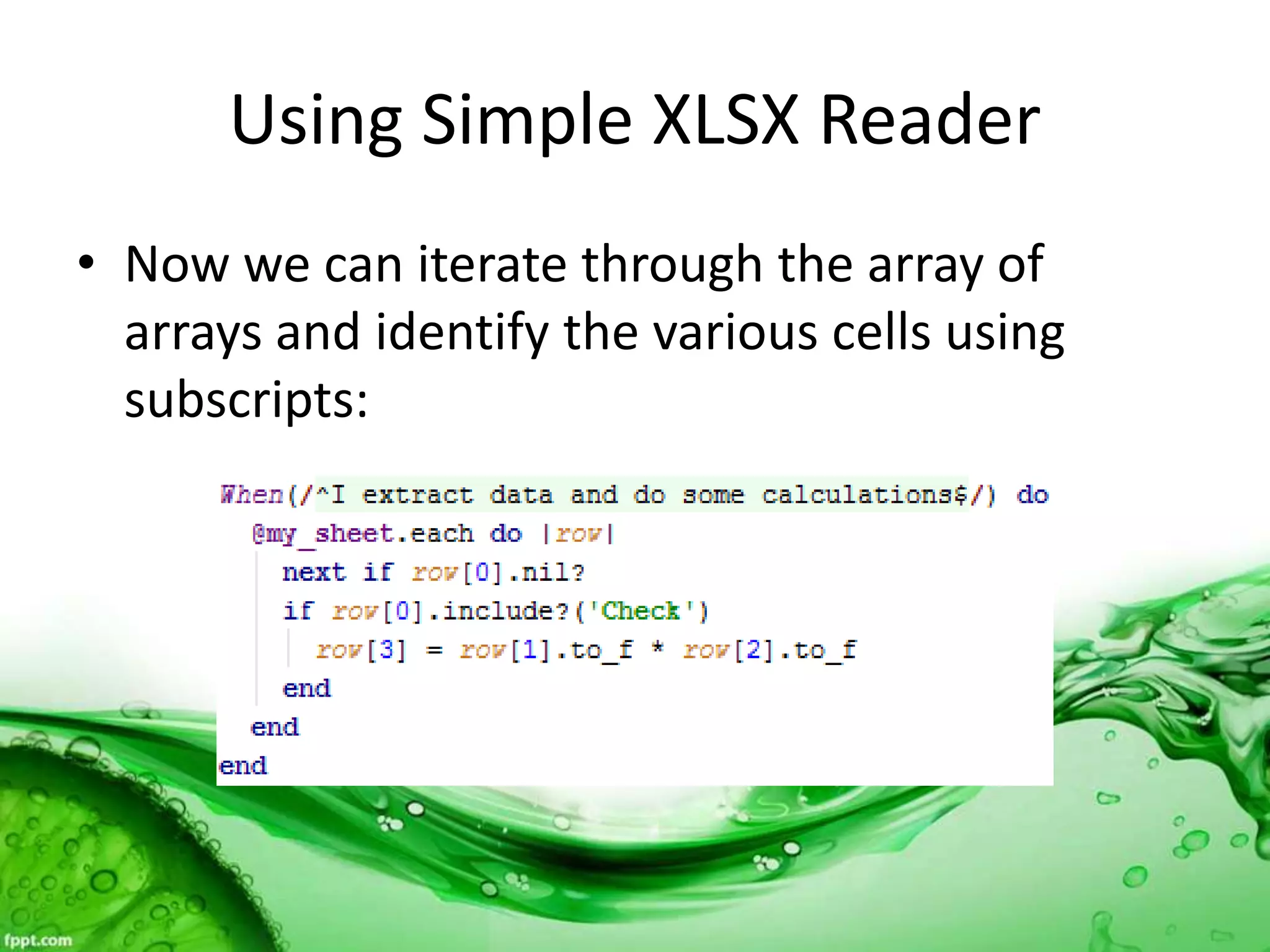
Using Simple XLSX Reader
• Now we can iterate through the array of
arrays and identify the various cells using
subscripts:
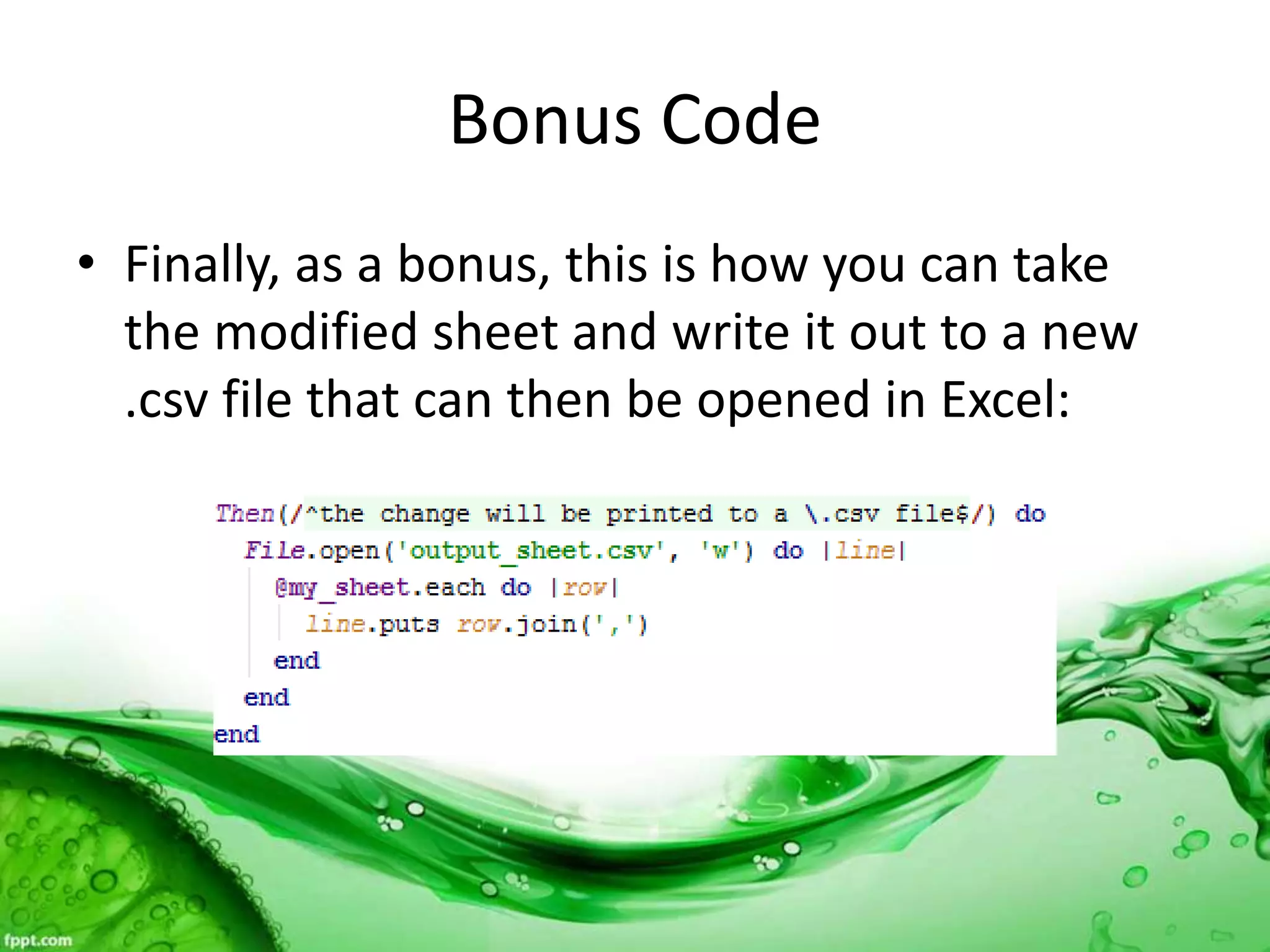
Bonus Code
• Finally, as a bonus, this is how you can take
the modified sheet and write it out to a new
.csv file that can then be opened in Excel:
Demo
• Demo of using Simple XLSX Reader to input a
spreadsheet into a Ruby object, plus
modifying the data and writing out to a new
.csv file.
Questions?
Contact me:
joseph.beale92@gmail.com
Or:
Connect with me on LinkedIn!
https://www.linkedin.com/in/joseph-
beale-023b719

Feeding automated test by Joe Beale

  • 1.
    Feeding Your AutomatedTests A Practical Demo Joseph E. Beale 02/16/2016
  • 2.
    Agenda • Scenario Outlines •Inline Tables • YAML Files • CSV Files • Excel Spreadsheets
  • 3.
    But before wecan get into those… • We need to understand two Ruby object classes: 1. Array – a group of data elements accessed using subscripts (0…n) 2. Hash – a group of key/value pairs where you access the value via the key.
  • 4.
    Array and HashMethods • .each – is used to iterate through all items in an array:
  • 5.
    Array and HashMethods • .each can also be used on a hash:
  • 6.
    Array and HashMethods • Access an array value using the associated subscript and a hash value using the associated key:
  • 7.
    What is aScenario Outline • If I have the following Gherkin Scenario:
  • 8.
    What is aScenario Outline • If I want to do multiple searches, I have to change the parameters every time.
  • 9.
    Scenario Outlines tothe Rescue • Conversion to Scenario Outline allows me to drive multiple searches with data!
  • 10.
    Demo • Live demoof search engine testing using a scenario outline.
  • 11.
    What is anInline Table? • Suppose I want to feed multiple data elements through one step in the scenario? • Example: several steps to get to a page and then multiple elements to enter on that page.
  • 12.
    Inline Table WithHeader • Insurance application, add beneficiaries:
  • 13.
    Inline Table WithHeader • You can then use the table headers as hash keys to access the data in the rows:
  • 14.
    Demo • Live demoof printing out data from an inline table.
  • 15.
    What is aYAML file? • YAML = “YAML Ain’t Markup Language” • Data serialization using colons and indentation
  • 16.
    Using YAML • Oneordinary usage for a YAML file is storing different logins for your system:
  • 17.
    Using YAML • Normalhash principals apply to YAML files:
  • 18.
    Using YAML • Anotherway of using YAML files is for a list of items, like names of insurance companies:
  • 19.
    Using YAML • Soafter using the initial hash key to get the list, you then treat it like an array:
  • 20.
    Demo • Demo ofusing YAML file for login ID and password, plus printing out the list of insurance name.
  • 21.
    What is aCSV file? • Comma Separated Value file; really just an ordinary text file that follows this format:
  • 22.
    Using the RubyCSV class • Ruby has a built-in class CSV that is designed to help you manage these very common files.
  • 23.
    Using the RubyCSV class • The .read method wraps our file into a CSV object. The result is an array of arrays:
  • 24.
    Using the RubyCSV class • Even better, adding headers to the file and one argument to the method call creates a CSV table object:
  • 25.
    Demo • Demo ofusing CSV.read method with and without headers.
  • 26.
    The Ubiquitous Spreadsheet •Almost everywhere you go in the IT world, you will find data in spreadsheets. • Spreadsheets are so commonly used for test requirements that some tools have add-ins to use them for importing test artifacts. • Spreadsheets are the main source of data for data-driven automation tools.
  • 27.
    Introducing Simple XLSXReader • There are several gems that allow you to access spreadsheet data in Ruby. I prefer Simple XLSX Reader for input data. • To install, add to Gemfile:
  • 28.
    Using Simple XLSXReader • Let’s look at a scenario where we will input and modify the data from a spreadsheet.
  • 29.
    Using Simple XLSXReader • The spreadsheet data looks like this:
  • 30.
    Using Simple XLSXReader • Since a spreadsheet file is really a set of sheets, we need to specify one sheet:
  • 31.
    Using Simple XLSXReader • Now we can iterate through the array of arrays and identify the various cells using subscripts:
  • 32.
    Bonus Code • Finally,as a bonus, this is how you can take the modified sheet and write it out to a new .csv file that can then be opened in Excel:
  • 33.
    Demo • Demo ofusing Simple XLSX Reader to input a spreadsheet into a Ruby object, plus modifying the data and writing out to a new .csv file.
  • 34.
    Questions? Contact me: joseph.beale92@gmail.com Or: Connect withme on LinkedIn! https://www.linkedin.com/in/joseph- beale-023b719