How to process
CSV file in Python?
By
Tukaram Bhagat
Why Learn Python?
• Python is a general-purpose, versatile and
popular programming language. It's great as a
first language because it is concise and easy to
read, and it is also a good language to have in
any programmer's stack as it can be used for
everything from web development to
software development and data science
applications.
Take-Away Skills
• This course is a great introduction to both
fundamental programming concepts and the
Python programming language. Python 3 is
the most up-to-date version of the language
with many improvements made to increase
the efficiency and simplicity of the code that
you write.
What Is a CSV File?
A CSV file (Comma Separated Values file) is a
plain text file that uses specific structuring to
arrange tabular data.
It can contain only actual text
printable ASCII or Unicode characters.
Where Do CSV Files Come From?
• CSV files are normally created by programs
that handle large amounts of data.
• They are a convenient way to export data
from spreadsheets and databases as well as
import or use it in other programs.
Parsing CSV Files With Python’s Built-
in CSV Library
• The csv library provides functionality to both
read from and write to CSV files.
• The csv library contains objects and other
code to read, write, and process data from
and to CSV files.
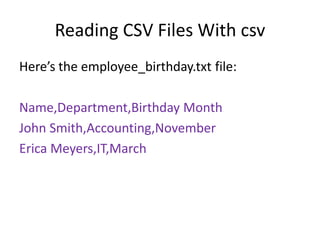
Reading CSV Files With csv
Here’s the employee_birthday.txt file:
Name,Department,Birthday Month
John Smith,Accounting,November
Erica Meyers,IT,March
Here’s code to read it:
import csv
with open('employee_birthday.txt') as csv_file:
csv_reader = csv.reader(csv_file , delimiter=',')
line_count = 0
for row in csv_reader:
if line_count == 0:
print(f'Column names are {", ".join(row)}')
line_count += 1
else:
print(f't{row[0]} works in the {row[1]} department, and was born in
{row[2]}.')
line_count += 1
print(f'Processed {line_count} lines.')
Writing CSV Files With csv
import csv
with open('employee_file.csv', mode='w') as employee_file:
employee_writer = csv.writer(employee_file , delimiter=',',
quotechar='"', quoting=csv.QUOTE_MINIMAL)
employee_writer.writerow(['John Smith', 'Accounting',
'November'])
employee_writer.writerow(['Erica Meyers', 'IT', 'March'])

How to process csv files

  • 1.
    How to process CSVfile in Python? By Tukaram Bhagat
  • 2.
    Why Learn Python? •Python is a general-purpose, versatile and popular programming language. It's great as a first language because it is concise and easy to read, and it is also a good language to have in any programmer's stack as it can be used for everything from web development to software development and data science applications.
  • 3.
    Take-Away Skills • Thiscourse is a great introduction to both fundamental programming concepts and the Python programming language. Python 3 is the most up-to-date version of the language with many improvements made to increase the efficiency and simplicity of the code that you write.
  • 4.
    What Is aCSV File? A CSV file (Comma Separated Values file) is a plain text file that uses specific structuring to arrange tabular data. It can contain only actual text printable ASCII or Unicode characters.
  • 5.
    Where Do CSVFiles Come From? • CSV files are normally created by programs that handle large amounts of data. • They are a convenient way to export data from spreadsheets and databases as well as import or use it in other programs.
  • 6.
    Parsing CSV FilesWith Python’s Built- in CSV Library • The csv library provides functionality to both read from and write to CSV files. • The csv library contains objects and other code to read, write, and process data from and to CSV files.
  • 7.
    Reading CSV FilesWith csv Here’s the employee_birthday.txt file: Name,Department,Birthday Month John Smith,Accounting,November Erica Meyers,IT,March
  • 8.
    Here’s code toread it: import csv with open('employee_birthday.txt') as csv_file: csv_reader = csv.reader(csv_file , delimiter=',') line_count = 0 for row in csv_reader: if line_count == 0: print(f'Column names are {", ".join(row)}') line_count += 1 else: print(f't{row[0]} works in the {row[1]} department, and was born in {row[2]}.') line_count += 1 print(f'Processed {line_count} lines.')
  • 9.
    Writing CSV FilesWith csv import csv with open('employee_file.csv', mode='w') as employee_file: employee_writer = csv.writer(employee_file , delimiter=',', quotechar='"', quoting=csv.QUOTE_MINIMAL) employee_writer.writerow(['John Smith', 'Accounting', 'November']) employee_writer.writerow(['Erica Meyers', 'IT', 'March'])