Introduction to Java
Why Java?
•It’s the current “hot” language
•It’s almost entirely object-oriented
•It has a vast library of predefined objects and
operations
•It’s more platform independent
• this makes it great for Web programming
•It’s more secure
•It isn’t C++
Applets, Servlets and
Applications
•An applet is designed to be embedded in a Web
page, and run by a browser
•Applets run in a sandbox with numerous
restrictions; for example, they can’t read files
and then use the network
•A servlet is designed to be run by a web server
•An application is a conventional program
Java Virtual Machine
•The .class files generated by the compiler are not
executable binaries
• so Java combines compilation and interpretation
•Instead, they contain “byte-codes” to be executed by
the Java Virtual Machine
• other languages have done this, e.g. UCSD Pascal
•This approach provides platform independence, and
greater security
HelloWorld
• Note that String is built in
• println is a member function for the System.out class
public class HelloWorld {
public static void main(String[] args) {
System.out.println("Hello World!");
}
}
Comments are almost like C++
• /* This kind of comment can span
multiple lines */
• // This kind is to the end of the
line
• /**
* This kind of comment is a
special
* ‘javadoc’ style comment
*/
Primitive data types are like C
Main data types are int, double,
boolean, char
Also have byte, short, long, float
boolean has values true and false
Declarations look like C, for example,
double x, y;
int count = 0;
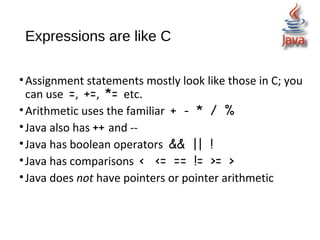
Expressions are like C
•Assignment statements mostly look like those in C; you
can use =, +=, *= etc.
•Arithmetic uses the familiar + - * / %
•Java also has ++ and --
•Java has boolean operators && || !
•Java has comparisons < <= == != >= >
•Java does not have pointers or pointer arithmetic
Control statements are like C
if (x < y) smaller = x;
if (x < y){ smaller=x;sum += x;}
else { smaller = y; sum += y; }
while (x < y) { y = y - x; }
do { y = y - x; } while (x < y)
for (int i = 0; i < max; i++)
sum += i;
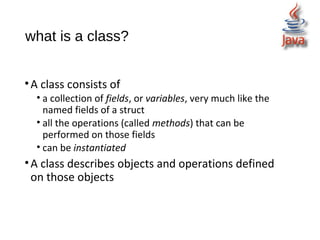
what is a class?
•A class consists of
• a collection of fields, or variables, very much like the
named fields of a struct
• all the operations (called methods) that can be
performed on those fields
• can be instantiated
•A class describes objects and operations defined
on those objects
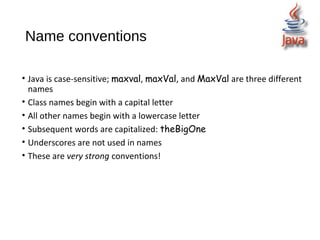
Name conventions
• Java is case-sensitive; maxval, maxVal, and MaxVal are three different
names
• Class names begin with a capital letter
• All other names begin with a lowercase letter
• Subsequent words are capitalized: theBigOne
• Underscores are not used in names
• These are very strong conventions!
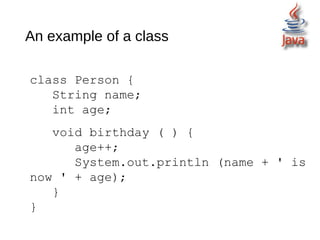
An example of a class
class Person {
String name;
int age;
void birthday ( ) {
age++;
System.out.println (name + ' is
now ' + age);
}
}
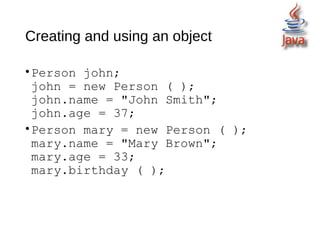
Creating and using an object
•Person john;
john = new Person ( );
john.name = "John Smith";
john.age = 37;
•Person mary = new Person ( );
mary.name = "Mary Brown";
mary.age = 33;
mary.birthday ( );
An array is an object
• Person mary = new Person ( );
• int myArray[ ] = new int[5];
• or:
• int myArray[ ] = {1, 4, 9, 16, 25};
• String languages [ ] = {"Prolog", "Java"};

Introduction to java programming

  • 1.
  • 2.
    Why Java? •It’s thecurrent “hot” language •It’s almost entirely object-oriented •It has a vast library of predefined objects and operations •It’s more platform independent • this makes it great for Web programming •It’s more secure •It isn’t C++
  • 3.
    Applets, Servlets and Applications •Anapplet is designed to be embedded in a Web page, and run by a browser •Applets run in a sandbox with numerous restrictions; for example, they can’t read files and then use the network •A servlet is designed to be run by a web server •An application is a conventional program
  • 4.
    Java Virtual Machine •The.class files generated by the compiler are not executable binaries • so Java combines compilation and interpretation •Instead, they contain “byte-codes” to be executed by the Java Virtual Machine • other languages have done this, e.g. UCSD Pascal •This approach provides platform independence, and greater security
  • 5.
    HelloWorld • Note thatString is built in • println is a member function for the System.out class public class HelloWorld { public static void main(String[] args) { System.out.println("Hello World!"); } }
  • 6.
    Comments are almostlike C++ • /* This kind of comment can span multiple lines */ • // This kind is to the end of the line • /** * This kind of comment is a special * ‘javadoc’ style comment */
  • 7.
    Primitive data typesare like C Main data types are int, double, boolean, char Also have byte, short, long, float boolean has values true and false Declarations look like C, for example, double x, y; int count = 0;
  • 8.
    Expressions are likeC •Assignment statements mostly look like those in C; you can use =, +=, *= etc. •Arithmetic uses the familiar + - * / % •Java also has ++ and -- •Java has boolean operators && || ! •Java has comparisons < <= == != >= > •Java does not have pointers or pointer arithmetic
  • 9.
    Control statements arelike C if (x < y) smaller = x; if (x < y){ smaller=x;sum += x;} else { smaller = y; sum += y; } while (x < y) { y = y - x; } do { y = y - x; } while (x < y) for (int i = 0; i < max; i++) sum += i;
  • 10.
    what is aclass? •A class consists of • a collection of fields, or variables, very much like the named fields of a struct • all the operations (called methods) that can be performed on those fields • can be instantiated •A class describes objects and operations defined on those objects
  • 11.
    Name conventions • Javais case-sensitive; maxval, maxVal, and MaxVal are three different names • Class names begin with a capital letter • All other names begin with a lowercase letter • Subsequent words are capitalized: theBigOne • Underscores are not used in names • These are very strong conventions!
  • 12.
    An example ofa class class Person { String name; int age; void birthday ( ) { age++; System.out.println (name + ' is now ' + age); } }
  • 13.
    Creating and usingan object •Person john; john = new Person ( ); john.name = "John Smith"; john.age = 37; •Person mary = new Person ( ); mary.name = "Mary Brown"; mary.age = 33; mary.birthday ( );
  • 14.
    An array isan object • Person mary = new Person ( ); • int myArray[ ] = new int[5]; • or: • int myArray[ ] = {1, 4, 9, 16, 25}; • String languages [ ] = {"Prolog", "Java"};